2018.09
V 1.2
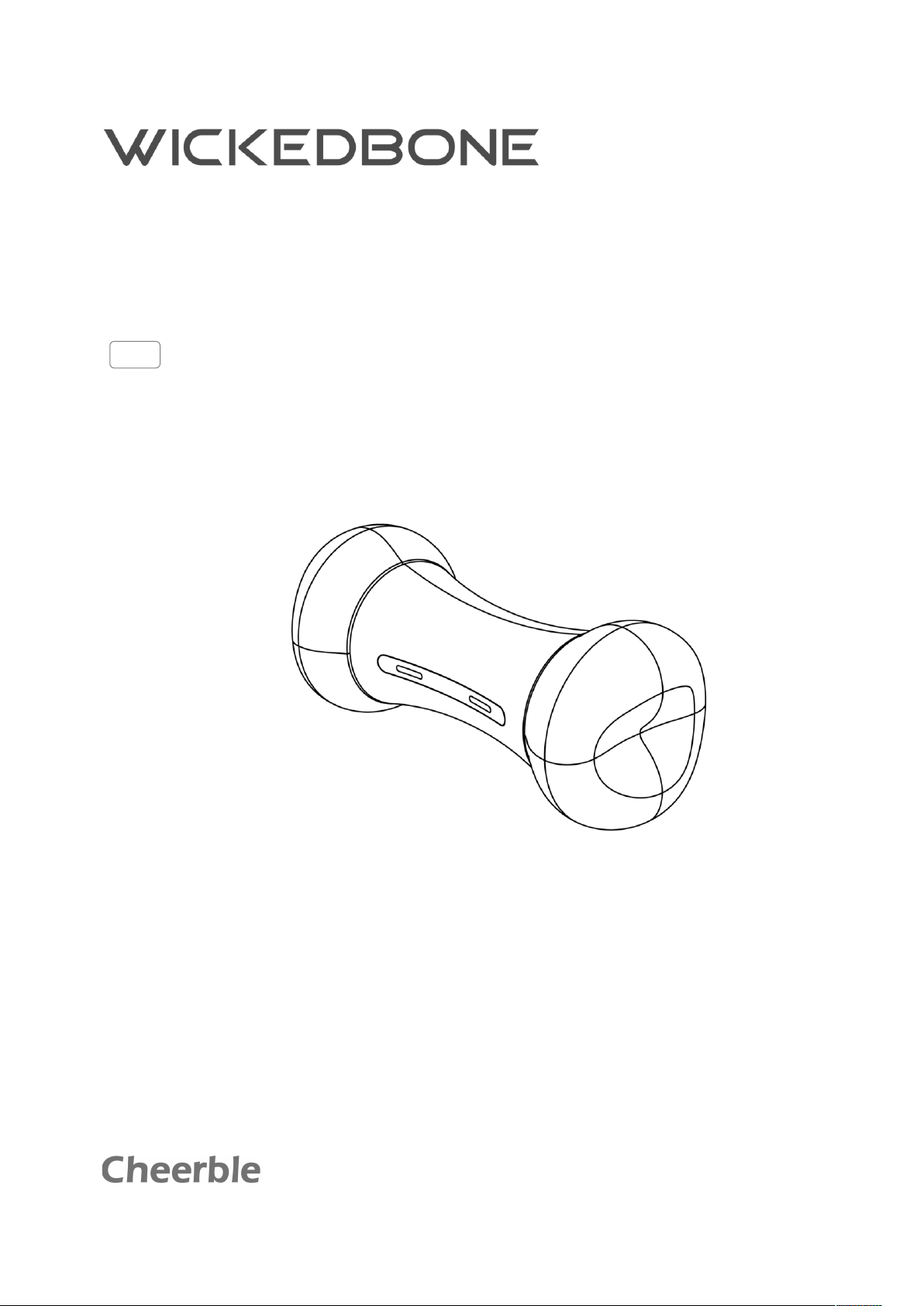
User Manual

2
Contents
Disclaimer and Warning 3
Introduction 4
In-Box Contents 4
Diagram of Wickedbone 4
Downloading the Wickedbone App 5
Basic Operation 5
Charging the Battery 5
Pairing Wickedbone to Your Mobile Device 5
Sleep Mode 6
Safety and Handing Information 6
General Safety Guidelines 6
Environment Requirements for Operating 7
Battery Safety Guidelines 8
Battery Usage 8
Battery Charging 9
Battery Storage and Transportation 9
Battery Disposal and Recycling 9
Health Considerations 10
Maintenance and Care 10
Updating the Firmware 11
Appendix 11
Specifications 11
After-Sales Information 12
Copyright and Trademarks 12

3
Disclaimer and Warning
Visit www.cheerble.com for the most current instructions and warnings. Shenzhen Cheerble
Technology Co., Ltd. (“Cheerble”) reserves the right to update this Wickedbone User Manual.
The information in this manual affects your safety and your legal rights and responsibilities. Read this
entire manual carefully to ensure proper configuration before use. Failure to read and follow the
instructions and warnings in this manual may result in property damage, injury, or other undesired
consequences.
By using this product, you hereby signify that you have read this manual carefully and that you
understand and agree to abide by the terms and conditions herein. EXCEPT AS EXPRESSLY PROVIDED
IN CHEERBLE LIMITED WARRANTY, THE PRODUCT AND ALL MATERIALS, AND CONTENT AVAILABLE
THROUGH THE PRODUCT ARE PROVIDED “AS IS” AND ON AN “AS AVAILABLE” BASIS, WITHOUT
WARRANTY OR CONDITION OF ANY KIND, EITHER EXPRESS OR IMPLIED. CHEERBLE DISCLAIMS ALL
WARRANTIES OF ANY KIND, EXCEPT AS EXPRESSLY PROVIDED IN CHEERBLE LIMITED WARRANTY,
WHETHER EXPRESS OR IMPLIED, RELATING TO THE PRODUCT, PRODUCT ACCESSORIES, AND ALL
MATERIALS, INCLUDING: (A) ANY IMPLIED WARRANTY OF MERCHANTABILITY, FITNESS FOR A
PARTICULAR PURPOSE, TITLE, QUIET ENJOYMENT, OR NON-INFRINGEMENT; AND (B) ANY
WARRANTY ARISING OUT OF COURSE OF DEALING, USAGE, OR TRADE. CHEERBLE DOES NOT
WARRANT, EXCEPT AS EXPRESSLY PROVIDED IN CHEERBLE LIMITED WARRANTY, THAT THE
PRODUCT, PRODUCT ACCESSORIES, OR ANY PORTION OF THE PRODUCT, OR ANY MATERIALS, WILL
BE UNINTERRUPTED, SECURE, OR FREE OF ERRORS, VIRUSES, OR OTHER HARMFUL COMPONENTS,
AND DO NOT WARRANT THAT ANY OF THOSE ISSUES WILL BE CORRECTED.
NO ADVICE OR INFORMATION, WHETHER ORAL OR WRITTEN, OBTAINED BY YOU FROM THE
PRODUCT, PRODUCT ACCESSORIES, OR ANY MATERIALS WILL CREATE ANY WARRANTY
REGARDING CHEERBLE OR THE PRODUCT THAT IS NOT EXPRESSLY STATED IN THESE TERMS. YOU
ASSUME ALL RISK FOR ANY DAMAGE THAT MAY RESULT FROM YOUR USE OF OR ACCESS TO THE
PRODUCT, PRODUCT ACCESSORIES, AND ANY MATERIALS. YOU UNDERSTAND AND AGREE THAT
YOU USE THE PRODUCT AT YOUR OWN DISCRETION AND RISK, AND THAT YOU ARE SOLELY
RESPONSIBLE FOR ANY PERSONAL INJURY, DEATH, DAMAGE TO YOUR PROPERTY (INCLUDING
YOUR COMPUTER SYSTEM OR MOBILE DEVICE OR CHEERBLE HARDWARE USED IN CONNECTION
WITH THE PRODUCT) OR THIRD-PARTY PROPERTY, OR THE LOSS OF DATA THAT RESULTS FROM
YOUR USE OF OR INABILITY TO USE THE PRODUCT.
SOME JURISDICTIONS MAY PROHIBIT A DISCLAIMER OF WARRANTIES AND YOU MAY HAVE OTHER
RIGHTS THAT VARY FROM JURISDICTION TO JURISDICTION.
Cheerble accepts no liability for damage, injury or any legal responsibility incurred directly or indirectly
from the use of this product. The user shall observe safe and lawful practices including, but not limited
to, those set forth in this manual.
4
1
2
Introduction
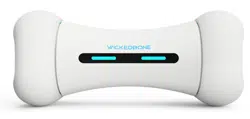
Wickedbone is a smart bone, it is capable of diverse functions, such as automatic balance, touch
sensing, obstacle detection and virtual emotion. Users can easily operate Wickedbone from their
mobile device with the Wickedbone app.
In-Box Contents
In-Box Contents
Quantity
Wickedbone (Built in Battery)
1
Quick Start Guide
1
Micro USB Charging Cable (Accessories*)
1
* Accessories are not covered by warranty.
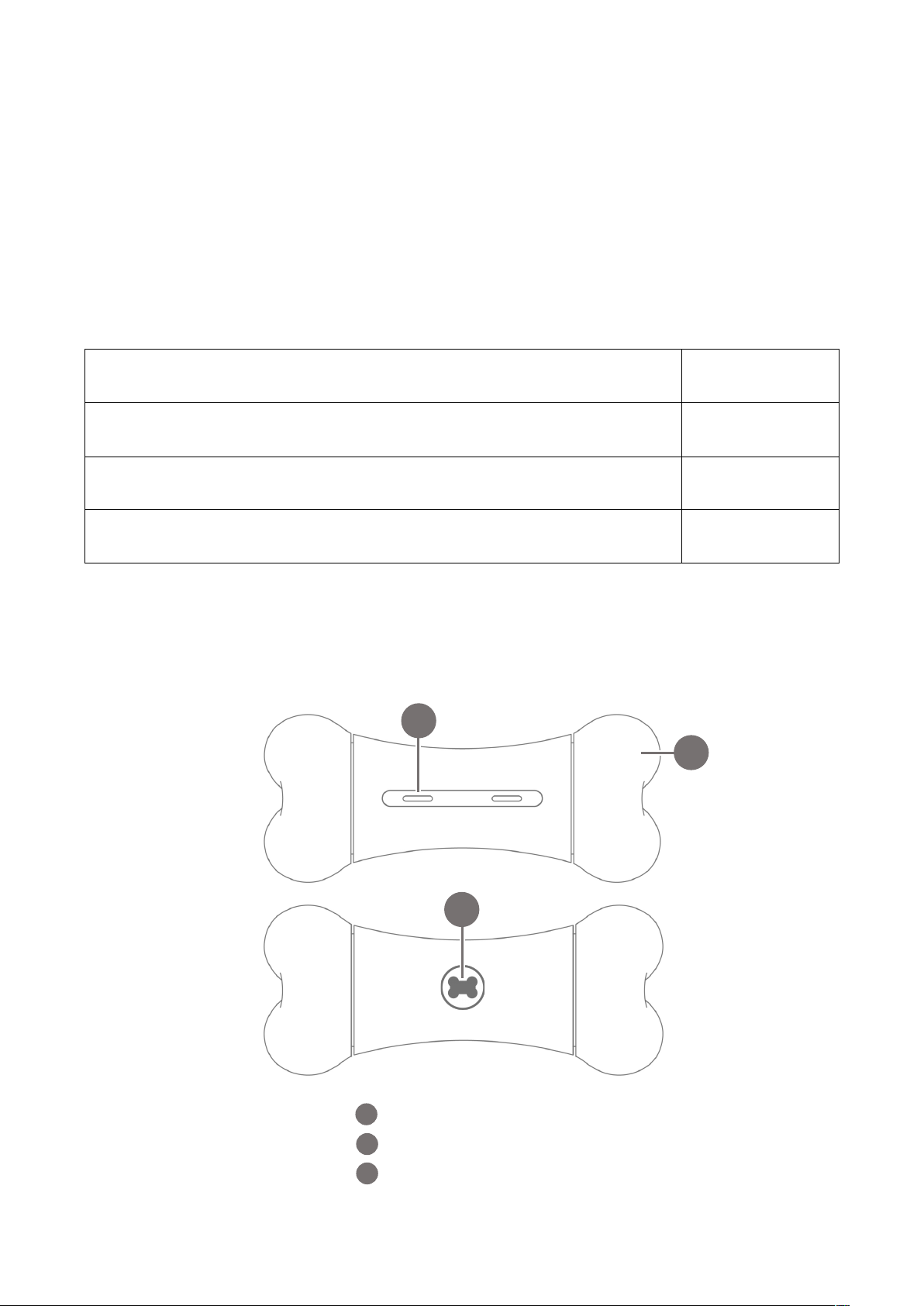
Diagram of Wickedbone
3
LED Indicator Light
2
3
1
Removable Tires
Micro USB Charging Port

5
Downloading the Wickedbone App
The Wickedbone app allows you to control Wickedbone through your iOS or Android device.
To download and install the Wickedbone app, scan the QR code below, or search for Wickedbone in the
App Store or Google Play.
The Wickedbone App supports iOS 9.0 (or later) or Android 4.4 (or later).
Basic Operation
Charging the Battery
WAKE UP: First use of Wickedbone, or you haven’t used it for long time, please charge it first.
The battery of Wickedbone can be charged by the Micro USB charging port. The LED indicator light
indicates the charge status as follows:
• Blinks Orange slowly: Charging
• Solid Green: Fully Charged
NOTE: Please refer to “Battery Safety Guidelines” in this manual, and follow the safety instructions
and warnings before using, charging, transportation and storage this product.
Pairing Wickedbone to Your Mobile Device
The connection process is as follows:
1. Ensure that the Wickedbone battery and your connected mobile device are both charged, before
connecting, disconnect Wickedbone from the USB charging cable.
2. Go to your mobile device’s Bluetooth Settings page, enable it.
3. Open the Wickedbone application, tap “Connect” button.
Wickedbone App

6
4. Make the mobile device close to Wickedbone. It will connect automatically.
The following chart shows what the LED light indicator status’ indicate.
Color and LED Status
Wickedbone Status
Solid Cyan
Connected to a mobile device
Blinks Yellow quickly
The firmware is updating
Other Color and Status
Playing status and special actions
Sleep Mode
Tap “ ” or quit the Wickedbone app, Wickedbone will disconnect from the mobile device, and go into
sleep mode.
NOTE: For the further details and safety instructions, please carefully review “Safety and Handing
Information” in this manual.
Safety and Handing Information
Before using Wickedbone, read and follow all safety information and operating instructions below for
avoid dangerous or illegal situations.
△
!
WARNING:
• Wickedbone should not be operated by anyone who does not fully understand the risks associated
with the operation of it, including but not limited to:
- Children under 8 years of age
- Individuals under the influence of alcohol or drugs that might impair a person’s ability to safely
operate Wickedbone
- Those who suffer from any condition or that could affect their ability to safely operate Wickedbone
• Wickedbone has small parts inside its shell, which may present a choking hazard to small children
and pets. Keep Wickedbone and its accessories away from small children under 3 years.
• Ensure that there are no safety hazards in Wickedbone such as cracked, damaged or otherwise
broken parts when in operation of Wickedbone.
General Safety Guidelines

7
△
!
WARNING:
• Operate and store Wickedbone in a place where the temperature is between 0°C and 40°C (32°F to
104°F). Low or high-temperature conditions might cause property damage or safety accident.
• Before operating, please ensure that the Wickedbone battery and your connected mobile device are
both charged, and all other components are functioning properly.
• Do not operate Wickedbone out of your sight. For the best operating experience, keep the distance
between yourself and Wickedbone to within 20 m (65 feet).
• Ensure that no one is standing nearer than 20 cm when in operation of Wickedbone and that you
keep a safe distance between Wickedbone and people, animals and property.
• Maintain a safe distance from Wickedbone when using “Intelligent Mode”, and pay attention to any
possible obstacles and control Wickedbone to avoid any possible crashes.
• Do not allow children or pets to bite Wickedbone and its accessories to avoid damage or injury.
• Do not abuse, throw, drop, puncture, violently kick, or step on Wickedbone and its accessories. This
can damage it and compromise its safe operation.
• Please keep Wickedbone and its accessories dry. Do not use external heating equipment such as
microwave oven or blower to dry it.
• If Wickedbone is exposed to water or any other liquid, take it out immediately and place it in a safe
and open area. Maintain a safe distance from it until it is completely dry. Do not use it again and
dispose of it according to local regulations and the “Battery Disposal and Recycling” section in this
manual.
• To reduce the risk of damage or injury, do not attempt to remove the shell of Wickedbone.
NOTE: When Wickedbone is in intelligent mode, you can immediately stop this mode by tapping the
Stop icon, or quit the Wickedbone app. When the connection is disconnected, the intelligent mode
will also be automatically stopped.
Environment Requirements for Operating
△
!
WARNING:
• Avoid dramatic changes in temperature or humidity when using Wickedbone, as condensation may
form on or within it.
• Keep Wickedbone away from excessive heat and direct sunlight.
• Do not place them on or in heating devices, such as microwave ovens, stoves, or radiators.
• To prevent damage to internal circuits of Wickedbone, do not use it in damp or near magnetic fields.

8
• Do not use Wickedbone during bad weather conditions, including rain, snow, lighting, hail, and other
extreme weather conditions, which may cause damage or electric shock hazard.
• Operate Wickedbone in dangerous, hazardous or public areas where use is not permitted, such as
high voltage power lines, train stations, airports, and trains.
• While operating, keep Wickedbone away from all valuable and fragile items.
NOTE: Use Wickedbone on suitable surfaces. Although Wickedbone can drive on a variety of
surfaces, it works best on smooth, flat and hard surfaces (such as carpet, tile wood floors, and
concrete).
Battery Safety Guidelines
△
!
WARNING:
Wickedbone has a built-in battery that is not removable. Do not attempt to replace the battery yourself
to avoid damaging the battery. Lithium Polymer batteries, such as the Wickedbone battery, are
potentially hazardous. Failure to read and follow these instructions may result in fire and injury or
property damage.
Using an unapproved or incompatible power adapter, charger or battery may cause fire, explosion or
other hazards.
Battery Usage
• If the battery catches fire, do not use water to extinguish it. Put out any lithium battery fire using
sand or a dry powder fire extinguisher.
• Do not allow the battery to contact any liquids or corrosive elements. Do not use batteries in the rain
or near a source of moisture. Any contact with water may result in fire, battery leakage, or explosion.
• If a battery is leaking, do not allow any of the leaking material to come into contact with your bare
skin or eyes. If any liquid from the battery contacts your skin or eyes, flush the affected area with
water for at least 15 minutes, and then immediately seek medical attention.
• Do not disassemble, puncture, squeeze, or short-circuit the batteries.
• Do not drop the batteries as that may damage them and make them unsafe to use or charge.
• If any apparent abnormalities such as leakage of the battery, please stop using it immediately.
• Do not expose the battery to direct sunlight for an extended period, or to a heater or fire or any other
heat source.

9
• Batteries should only be used in temperatures ranging between 0° and 40° C (32° to 104° F). Using
the batteries at temperatures higher than 40° C (104° F) may cause a fire or explosion. Using the
batteries at temperatures below 0° C (32° F) will significantly shorten battery life. When the
temperature of the batteries is outside of the designated range, the batteries will not properly
provide power and may cause the Wickedbone to operate abnormally.
Battery Charging
• Before charging, ensure that the Micro USB charging port is not obstructed (such as hair, clothing
fiber, water, oil, sand, soil, etc.).
• Charging batteries that are outside this temperature range (between 0° and 40° C (32° to 104° F))
may lead to longer charging times, fire, battery damage, or explosion.
• Do not leave a charging battery unattended in case of an unexpected accident. If a charging battery
appears to be swelling or starts smoking, discontinue charging immediately. Carefully disconnect
Wickedbone from the USB charging cable and place the battery in a safe and open space. Observe it
until it cools down.
• Make sure to keep the battery away from all combustible and flammable materials while charging.
• If the battery level is low, please charge it as soon as possible.
Battery Storage and Transportation
• Lithium Polymer batteries are temperature-sensitive. Observe the proper temperature ranges when
using and storing the batteries for your safety and for maximum battery performance.
• Do not leave or store Wickedbone in a car or other vehicles in warm climates as the temperature
inside the vehicle can quickly rise above the proper range for storage. Failure to do so may result in
fire, injury or damage to property.
• Keep the battery away from any humid, sandy, or dusty environments.
• When storing or transporting the battery, do not keep the battery with metallic objects.
• The suitable temperature range for storing and transporting the Wickedbone battery is between 22°
and 28° C (72° to 82° F).
• Do not store the battery in an environment above 40° C.
• When storing long term (more than 3 month), charge the battery at least once every two months to
maintain battery life. The storage temperature should be kept in the range of 0° to 30° C (32° to 86°
F).
• Do not transport damaged batteries.
Battery Disposal and Recycling
10
• Dispose of the battery in battery-specific recycling boxes or at appropriate recycling centers. Please
follow your local and environmental regulations when disposing of the batteries.
Health Considerations
To reduce risk of headaches, blackouts, seizures, and eyestrain, avoid prolonged use, hold your smart
device controller some distance from your eyes, use Wickedbone in a well-lit room, and take frequent
breaks.
When you perform repetitive activities such as playing games on your smart device controller, you
may experience occasional discomfort in your hands, arms, shoulders, neck, or other parts of your
body. Avoid excessive play. It is recommended that parents monitor their children for appropriate
play. Take frequent breaks and if you have discomfort during or after such use, stop use and see a
physician.
Maintenance and Care
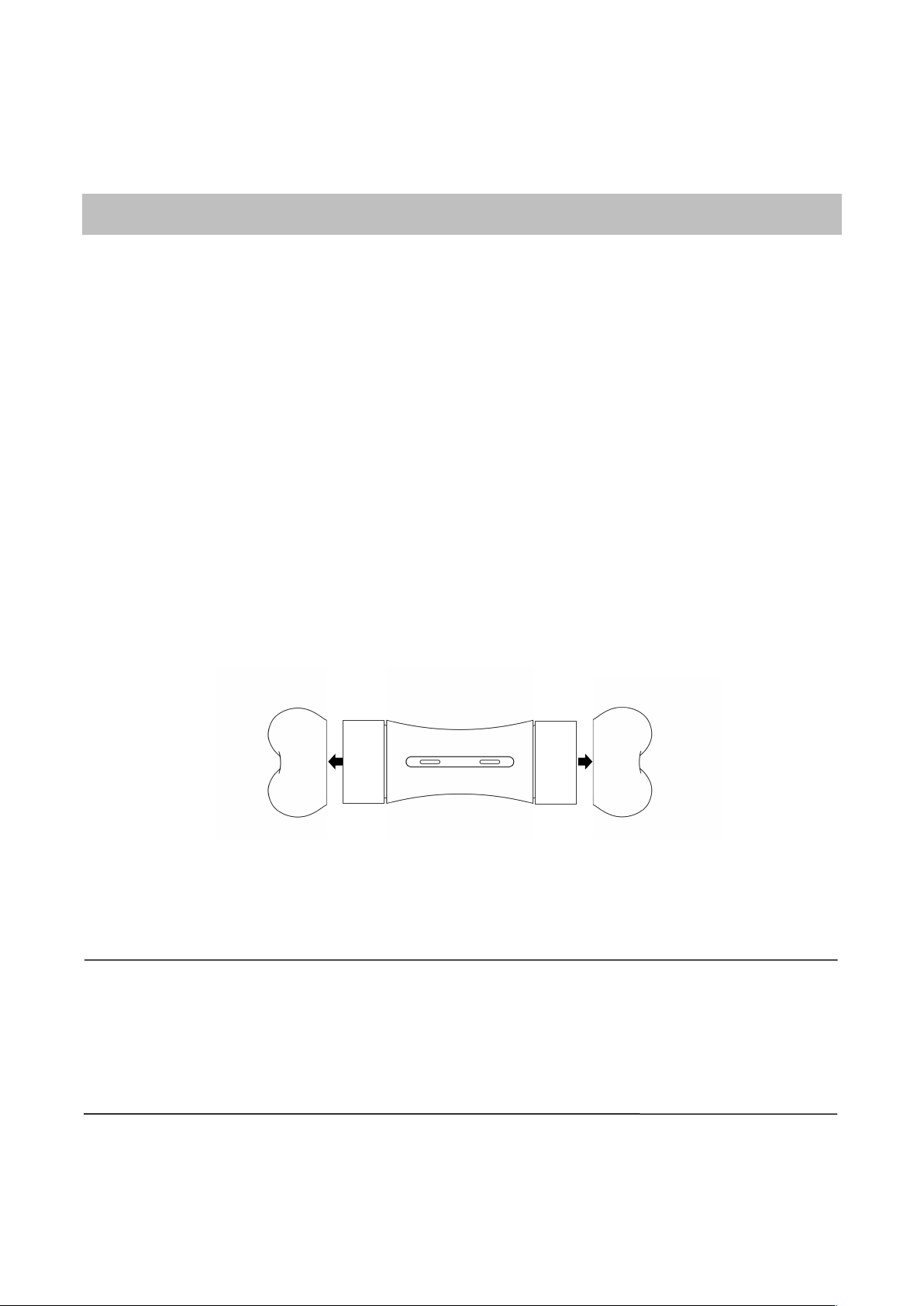
Wickedbone is not designed to be waterproof, do not put it in water or rinse. You can remove its tires
along the arrow direction for cleaning or replacement:
Before cleaning and maintenance, please stop using this product and disconnect all connections or
cables with other devices.
NOTE: Periodically examine Wickedbone for potential hazards such as cracked, damaged or
otherwise broken parts. To reduce the risk of damage or injury, do not attempt to service Wickedbone
yourself; please refer all non-routine servicing questions to our after-sales service. In the event of
such damage, do not use Wickedbone until it can be replaced or repaired. Refer to the "After-Sales
Information" section of this manual.

11
Updating the Firmware
Use the Wickedbone app to update Wickedbone’s firmware. Update the firmware to the latest version
to ensure safety and the best operation experience.
Please update the firmware according to the following steps:
1. Obtain Wickedbone’s firmware version by connecting the mobile device to Wickedbone.
2. If the firmware version of your Wickedbone is not the latest version, the Wickedbone app will
update the firmware automatically.
3. In the firmware upgrade process, the LED indicator light will be blinking yellow, please do not close
the Wickedbone app during this process.
4. After updating the firmware successfully, the mobile device will automatically reconnect with
Wickedbone, and the LED indicator light become solid cyan.
NOTE: Please confirm that the firmware of Wickedbone has been updated to the latest. When
updating the firmware, ensure that the battery of Wickedbone is charged to at least 50%. Once the
firmware update completes, you can check whether the update was successful by checking the
version number of the update firmware. To do this, navigate to “Wickedbone App” -> “Settings” ->
“About”.
Appendix
Specifications
Model: C1702
Weight: 300 g (Battery Included)
Dimensions: 151.5 x 64 x 64 mm / 6 x 2.5 x 2.5 inches
Wireless Connection: Bluetooth 5.0, 2.4 GHz
Port: Micro USB Charging Port
Max Speed: 4 m/s
Suggested Control Distance: Up to 20 m (65 ft)
Operating Temperature: 0° to 40° C (32° to 104° F)
Battery Type: Li-Polymer
Battery Capacity: 470 mAh
Compatible Device: iOS 9.0 (or later) or Android 4.4 (or later)

12
After-Sales Information
Visit www.cheerble.com/support, get the latest after-sales policy and warranty information.
NOTE: The available service options depend on the country or area where the requested service is
located, and may be restricted to the original country and area for sale.
Copyright and Trademarks
Copyright © 2018 Shenzhen Cheerble Technology Co., Ltd. All rights reserved.
WICKEDBONE, Cheerble are trademarks of Shenzhen Cheerble Technology Co., Ltd.
The Bluetooth wordmark and logos are owned by the Bluetooth SIG, Inc. and any use of such marks by
Shenzhen Cheerble Technology Co., Ltd. is under license.
Apple and the Apple logo are trademarks of Apple Inc., registered in the U.S. and other countries.
App Store is a service mark of Apple Inc.
Google Play is a trademark of Google Inc.
Other trademarks, product, service, and company names mentioned may be the property of their
respective owners.

This content is subject to change without prior notice.
Download the latest version from
www.cheerble.com/wickedbone
If you have any questions about this document, please contact us by
sending a message to [email protected]
Copyright © 2018 Cheerble. All Rights Reserved.
