Link Mi device with Mi Home app
To control your Xiaomi Smart devices by phone or Alexa, you need to link your Mi Device to with Mi Home
app
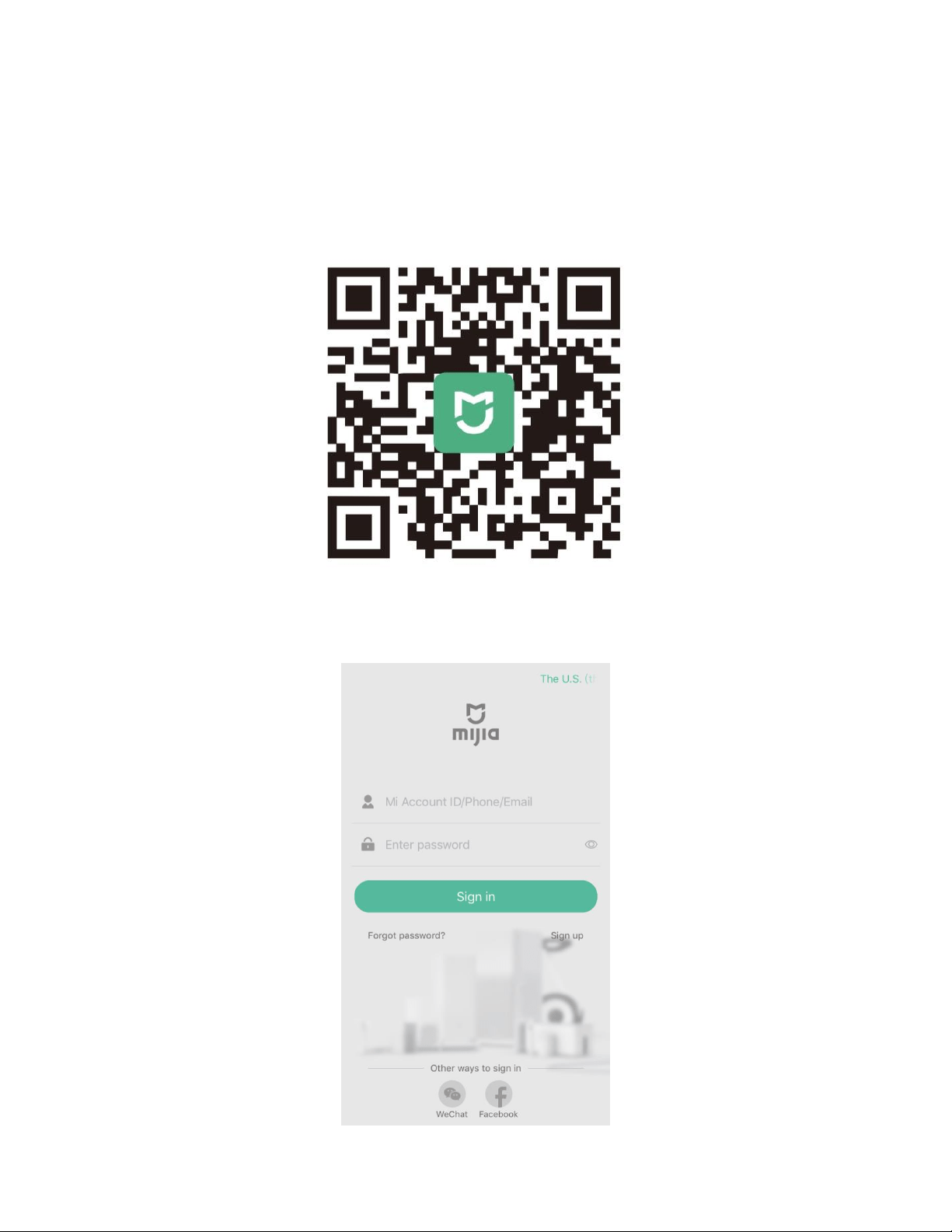
1. Download Mi Home app from Google Play or App store, you can also scan this QR code
2. Sign in with your Mi account, if you are new to MI, click sign up to create your Mi account
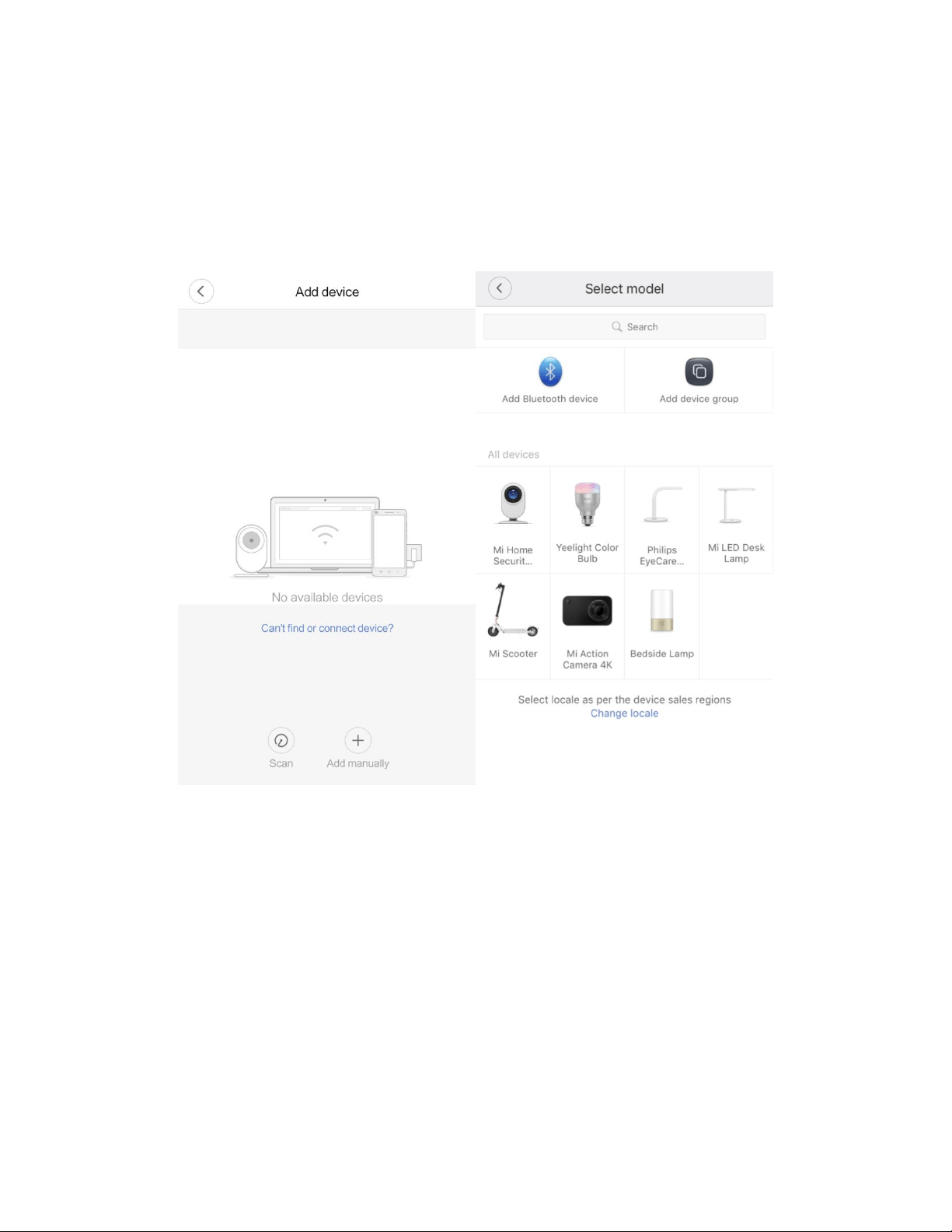
3. Add a new device to your account
Turn your device on, keep it close to your phone, and open the Mi Home app. You will see a prompt. Tap
“OK” to connect device.
If the prompt doesn’t appear, you can also add devices manually. Tap the plus in <my devices> and then
select the device to be connected. Follow the instruction on the page.
Link Mi Device with Amazon Alexa
After your device connected your Mi Home app, to use Xiaomi Smart devices with Alexa, you need to enable
Mi skill in the Alexa app. You also need to link your Mi account to Alexa. You must config your device in Mi
Home app before you can use that device with Alexa.
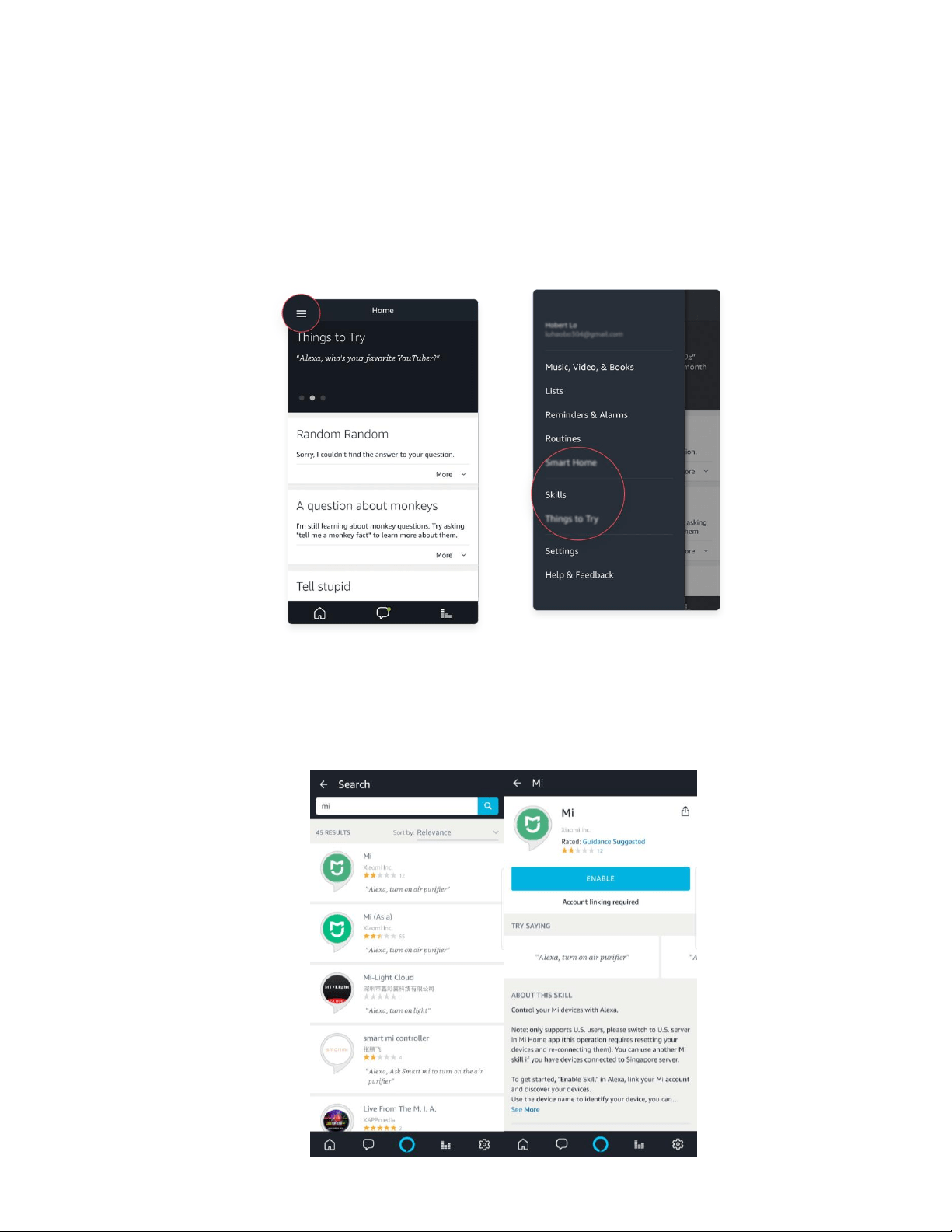
1. From the menu, select Skills.
2. Browse or enter search keywords "Mi" to find the skill for your device, then select Enable. Use the first
skill if your devices connected to Mi US server in Mi Home App. Mi(Asia) skill is used for the devices
connected to Mi Asia server.

3. Follow the on-screen instructions to complete the linking process.
4. Ask Alexa to discover your device. Say, "Discover my devices," or select Add Device in the Smart
Home section of the Alexa app.