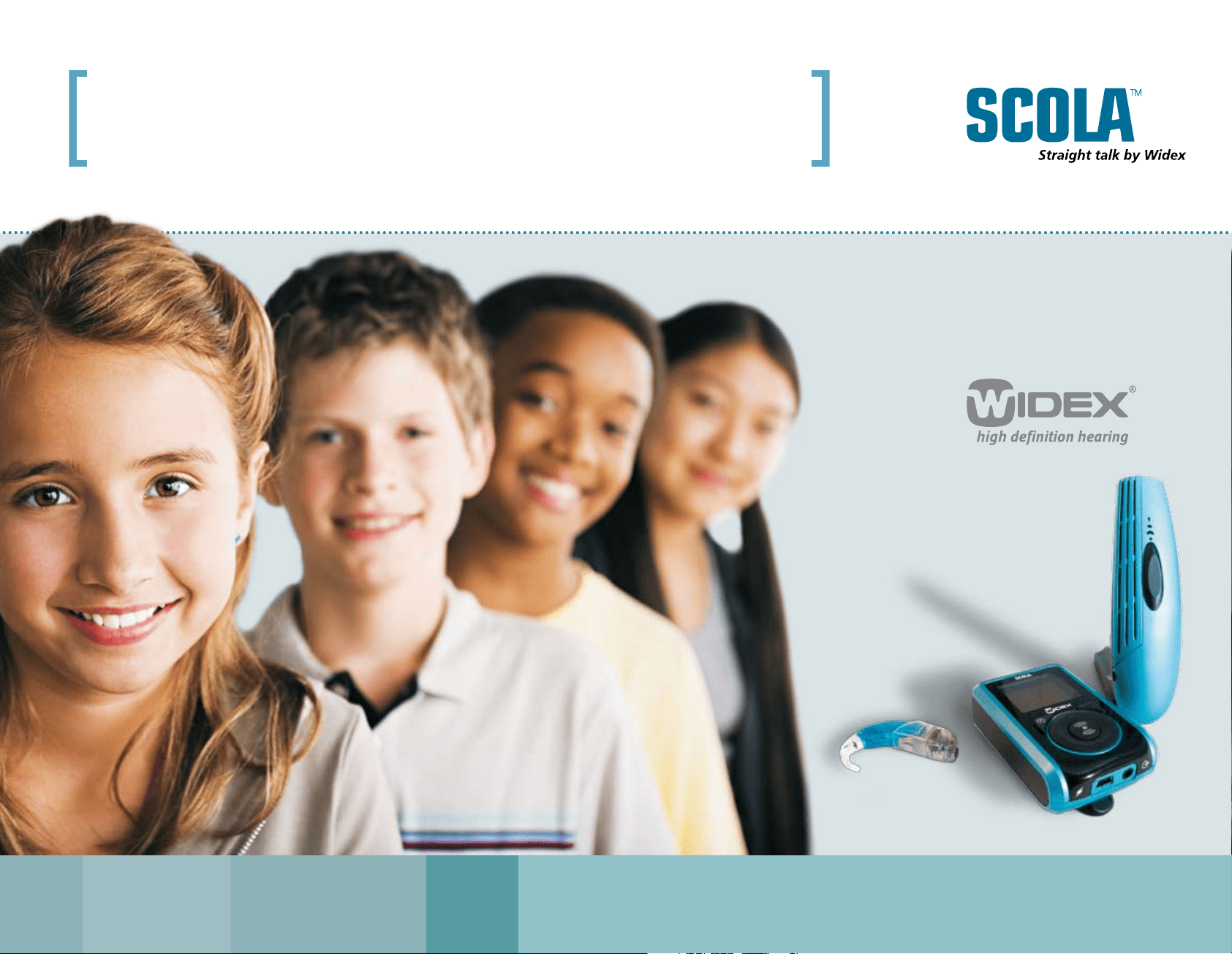
SCOLA FM communication system
Giving children educational equality
www.widex.com
2 | The system
www.widex.com
New FM transmitters and receiver from Widex
System solutions for improving speech intelligibility in difficult listening situations.
Excellent sound quality and performance.
Multi-channel functionality.
Three available transmitters for the SCOLAflex receiver:
SCOLAteach with Team Teaching (ideal for education with group work, guest speakers etc.).
SCOLAteach without Team Teaching (ideal for general education situations).
SCOLAtalk (ideal for personal use and education with one or few FM users).
Two types of synchronisation of SCOLAflex from SCOLAteach. Simple yet advanced,
ensuring the ultimate parent/teacher control.
SCOLAflex controls can be turned on and off from the SCOLAteach transmitter.
Easy monitoring of SCOLAflex settings on the SCOLAteach display.
No need for extra programming equipment.
•
•
•
•
•
•
•
•
•
•
[
The combination of an FM communication
system and a high-quality hearing aid gives
hearing-impaired children the necessary edge
when clear hearing is critical. The uniquely
flexible, new generation Widex SCOLA FM
system is designed for e asy and intuitive
use and has many new features to optimise
performance.
]
system
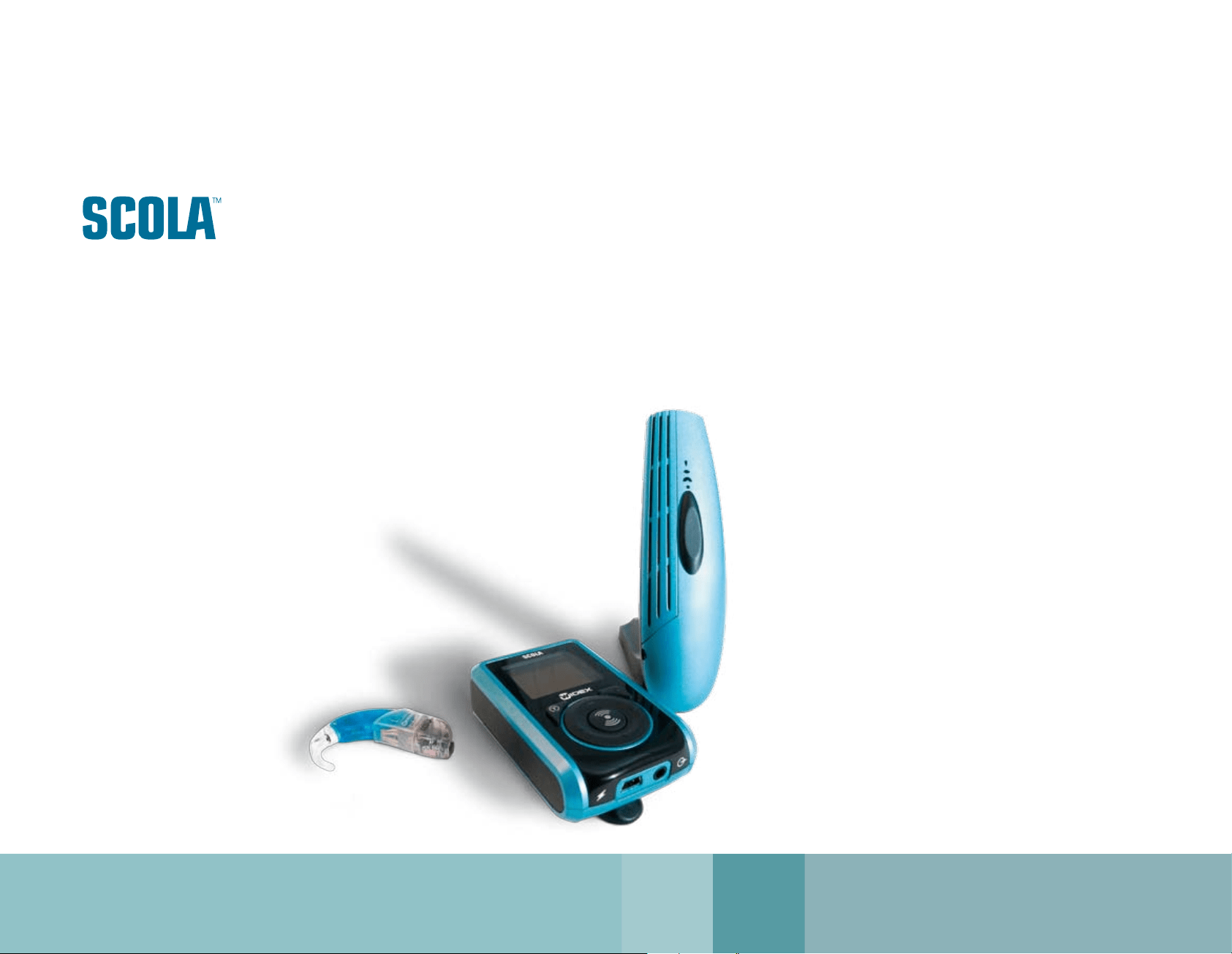
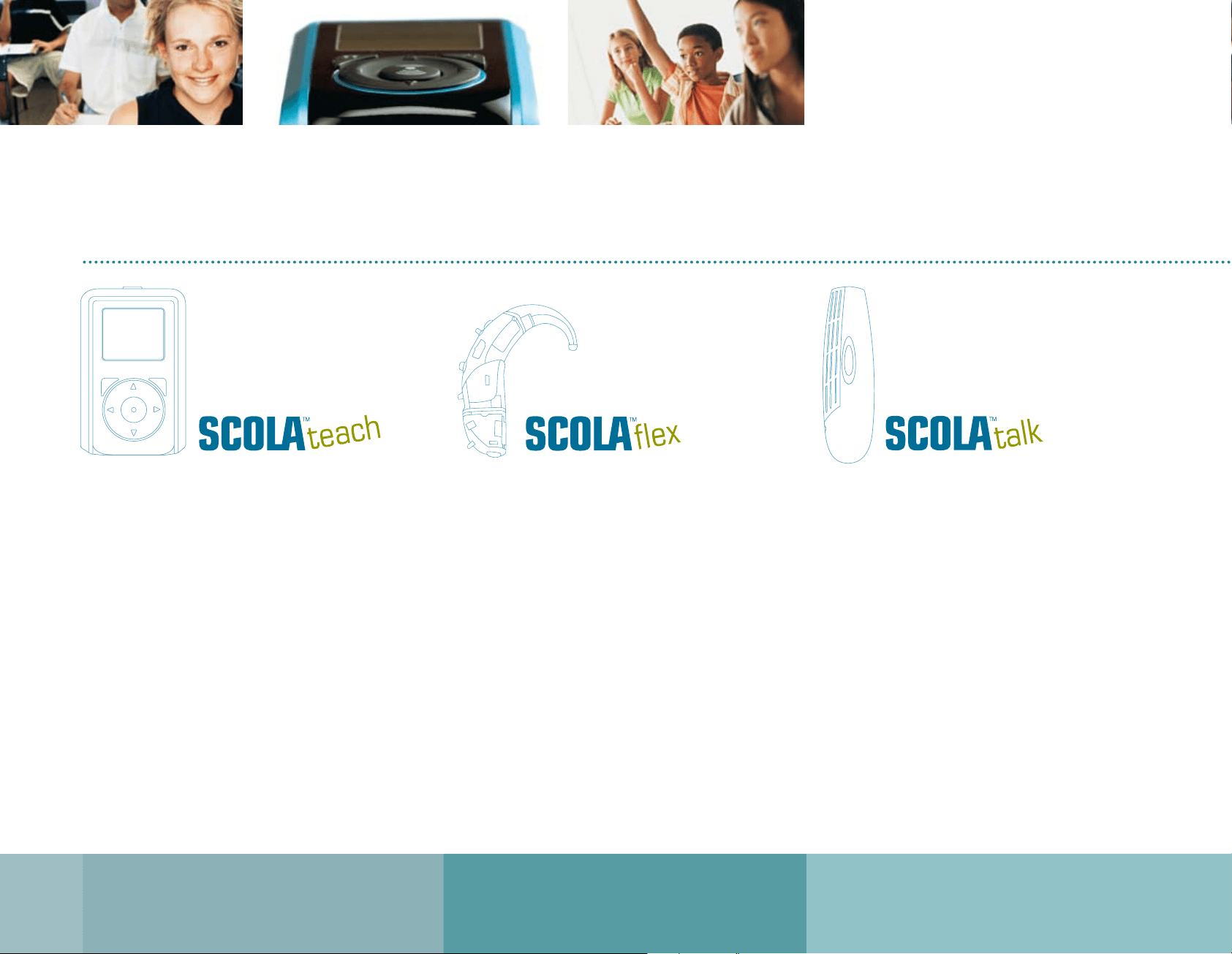
The SCOLA system consists of the SCOLAteach
transmitter, the SCOLAflex receiver with its unique
slide-on system and the SCOLAtalk microphone.
www.widex.com
Why you should choose SCOLA
Robustly designed for children’s active lifestyles.
Intuitive, menu-driven operation with “easy to navigate”
keypad.
Team Teaching function (TT version).
Channel Check and Channel Tracer function.
3 usage modes: User mode, parent/teacher mode and
professional mode.
SCOLAflex channel management, remote settings of
controls, user name and fitting via synchronisation.
Rechargeable battery or optional standard AA battery
operation.
On the road charging from laptop via standard USB cable.
Optional directional microphone, boom mic and neck
cord microphone with integrated antenna.
•
•
•
•
•
•
•
•
•
Integrated design minimises size.
Flexible slide-on interface supporting Widex and other
manufacturers’ devices.
Remotely enable FM switch.
Channel Scan button to select among the available
channels.
Both controls can be set to fulfil individual needs of use.
Special control of DAI (direct audio input) modes with
Widex hearing aids.
•
•
•
•
•
•
Multi-channel FM microphone for personal use.
Built-in directional microphone system:
Omnidirectional, directional and super-directional.
Directional and super-directional settings increase the
signal-to-noise ratio.
Versatile input for both external microphone and line
input from television, radio or AV device.
Rechargeable batteries or optional standard AAA battery
operation.
•
•
•
•
•
Why SCOLA | 3

www.widex.com
4 | Control
The teacher is in control
The new SCOLA™ FM system has been specifically
developed for children and educational environments.
The new challenges posed by changing patterns in
contemporary education, such as increased integration
of hearing-impaired children in the classroom, group-
learning scenarios and the teacher’s role as on-the-move
“consultant”, make it even more important that children
with hearing loss have the same opportunities as their
classmates.
To prevent unwanted manual operation by the child, the
two receiver controls can be turned on and off either
temporarily or permanently from the SCOLAteach.
SCOLAsystem
Key selling points
* Optional
SCOLAflex
SCOLAteach SCOLAtalk
Robust (Child ready)
✔
✔ ✔
Multi channel system
✔ ✔ ✔
Receiver scanning
✔
NA NA
DAI control of Widex HA
✔
NA NA
Versatile FM/audio shoe option
✔
NA NA
Team Teaching NA
✔
•
Channel Tracer NA
✔
•
Parent / Teacher control
✔ ✔
•
Programming for professionals NA
✔
•
Directional microphone system NA
✔
*
✔
External microphone NA
✔ ✔
Audio connection NA
✔ ✔
www.widex.com
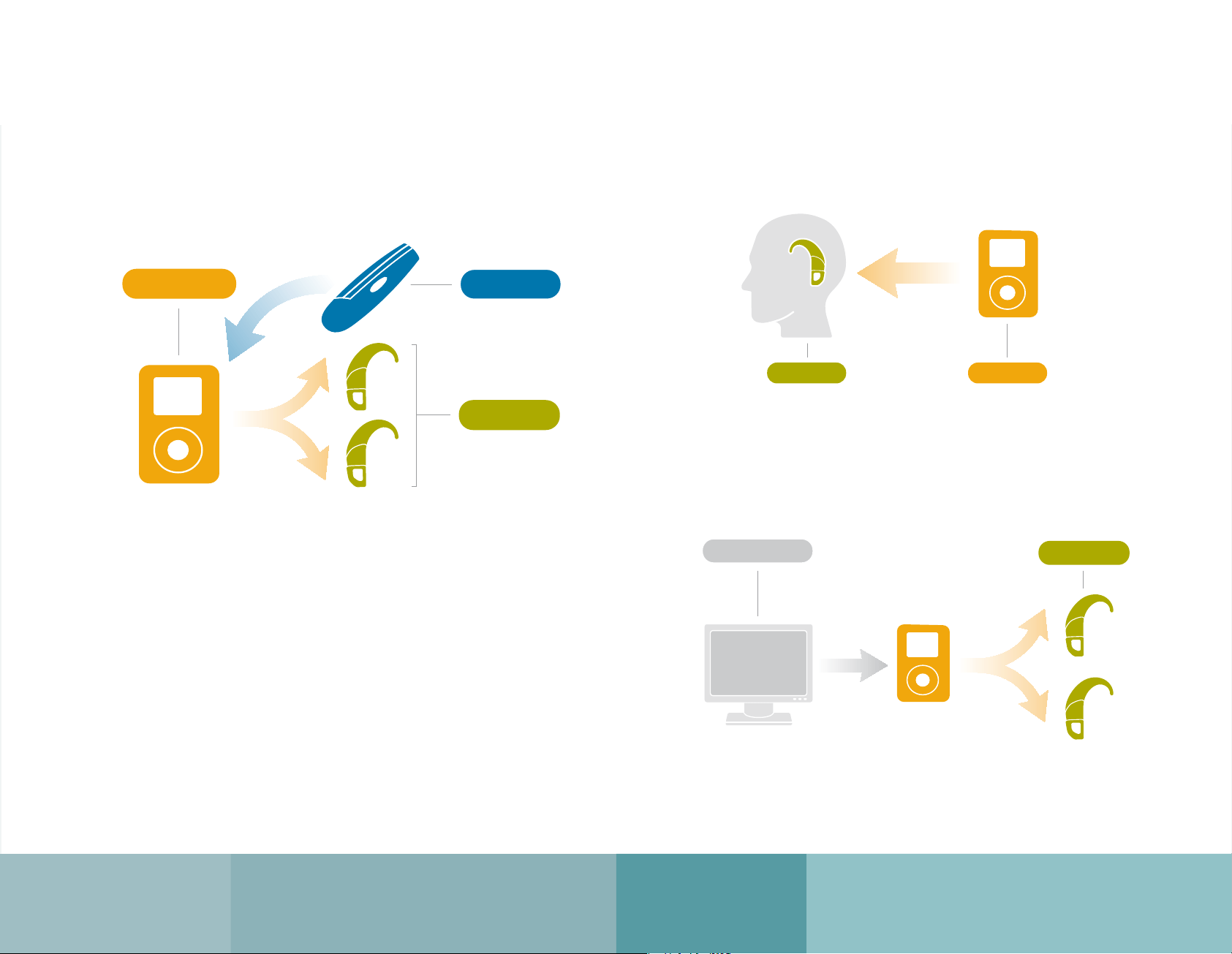
Team Teaching
The Team Teaching (TT) function is necessary in situations
where the hearing aid users (Team B) need to listen to two
FM transmitters at the same time, for example, the teacher
and another student or guest speaker (Team A).
SCOLAteach TT version is supplied with an additional built-in
FM receiver that, when the TT function is active, will relay the
signal from the extra FM microphone - for example a SCOLA-
talk - along with the microphone signal from SCOLAteach.
Multimedia support
Virtually all audio-visual sources are supported by the SCOLA transmitter via a jack
socket. This allows pupils to receive a direct noise-free signal from the multimedia
source in parallel with the signal from the teacher.
Synchronisation
Aligning the channels on a pupil’s receiver is simple. The teacher can discretely
set each individual’s receiver by sending a control signal from the SCOLAteach.
,TKSHLDCH@
2STCDMSR
3D@BGDQ
3D@L
3D@L!
3D@BGDQ2STCDMS
BL
,TKSHLDCH@
2STCDMSR
3D@BGDQ
3D@L
3D@L!
3D@BGDQ2STCDMS
BL
,TKSHLDCH@
2STCDMSR
3D@BGDQ
3D@L
3D@L!
3D@BGDQ2STCDMS
BL
System features | 5
www.widex.com
6 | Unique design
SCOLAflex
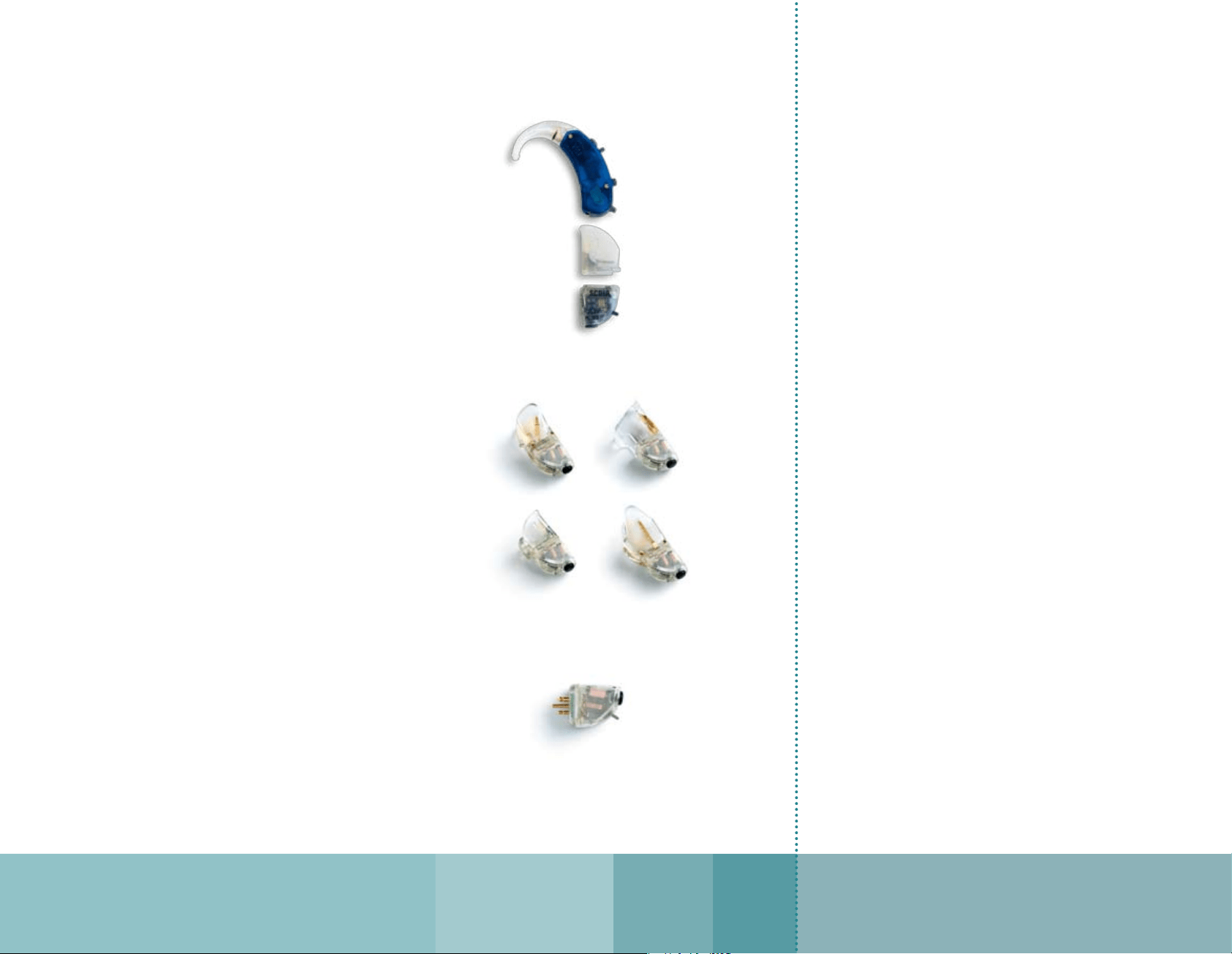
Unique slide-on design
Widex has developed a series of new slide-on shoes for
Widex BTE hearing instruments to accommodate the new
SCOLAflex receiver. The unique flexible slide-on design
has the look of an integrated shoe and FM receiver. But
unlike integrated receivers, the SCOLAflex receiver can
also be used with your client’s future hearing aids.
The SCOLAflex receiver has been specially designed for
use with Widex hearing instruments. It can, however, be
supplied with a small adaptor, allowing connection to any
audio shoe that has a three-pin europlug interface.
Standard or optional locking device ensures extra secure
connection between the audio shoe and the hearing aid.
The audio shoe locks the battery compartment so the
child cannot switch off the hearing aid inadvertently
during use.
•
•
SCOLAteach
Three operating modes
The SCOLA system is operated through three different modes
User mode
Easily select the transmitting channel
Activate the Team Teaching function (requires
SCOLAteach
TT version and an extra FM microphone)
Remote control/synchronise the SCOLAflex
•
•
•
•
Teacher mode
Preset the operating controls on the SCOLAflex receiver
to prevent tampering by the child
Adjust the microphone and line input sensitivity
Scan and detect signals on the available channels and
alert the user not to use such channels to minimise the
risk of interference
Check all available channels in the transmitter for
disturbing signals
Select language
•
•
•
•
•
SCOLAflex –
Slide-on shoes are available for all Widex BTE’s
Optional slide-on male adaptor for use
with FM shoes with europlugs.
SCOLAflex –
Innovative modular slide-on design.
www.widex.com
Menus / Accessories | 7
Hearing care professional mode
Enter and edit the user’s name
Extend or reduce the number of available transmitting and
Team Teaching channels
Select/deselect the SCOLAflex response when synchronising
Select/deselect auto key lock function
Restore to default setting
•
•
•
•
•
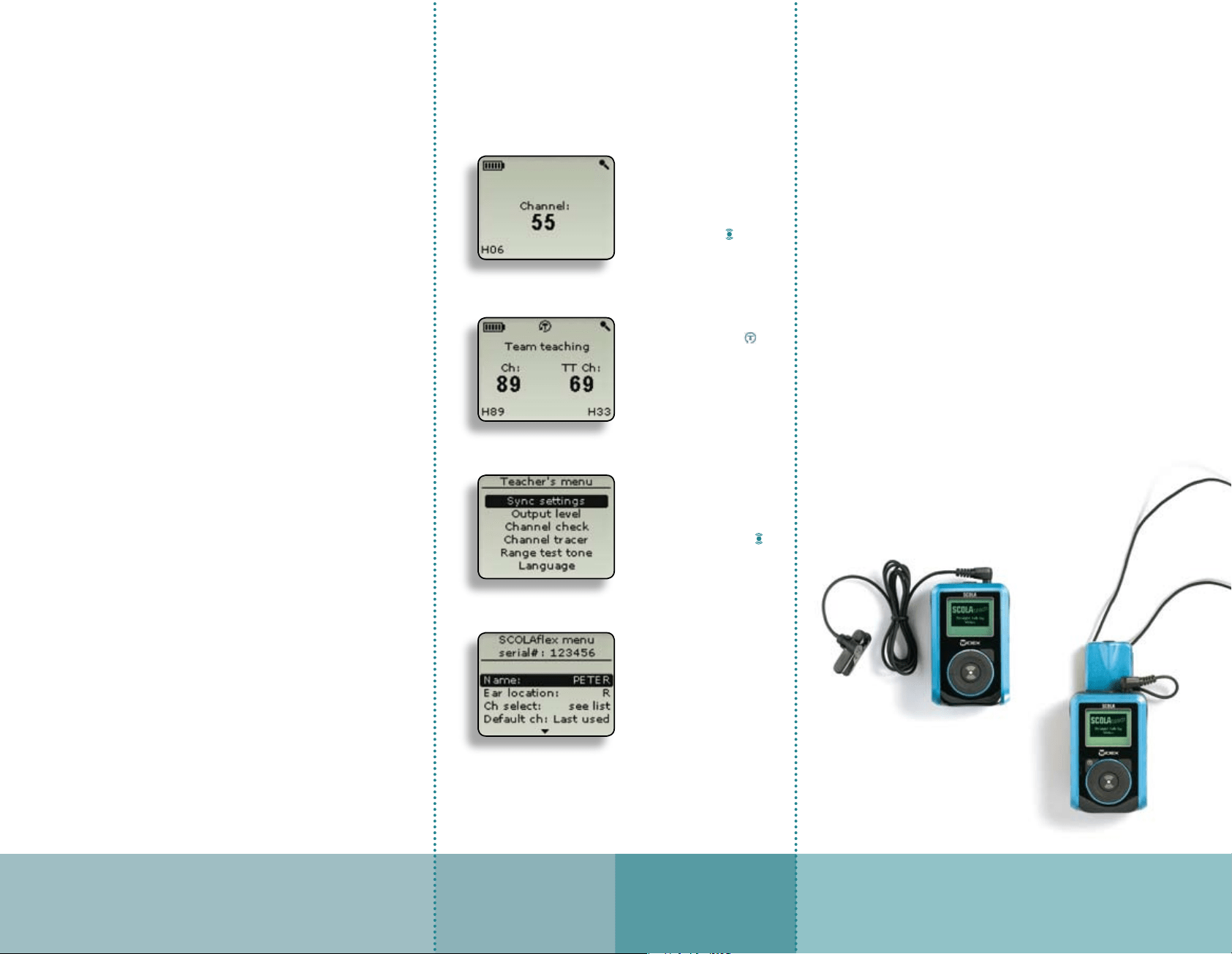
In user mode you can
change channel by holding
either ▲ or ▼ and then
select another channel by
pressing ▲ or ▼.
Accept change with
Activate Team Teaching
function by holding the
Select the TT channel as
above. The channel tracer
function will guide you to
select interference free TT
channel.
Teacher/parent mode is menu
controlled and activated by a
2-key combination. Navigate
to the functions using the ▲
or ▼ keys and select with
Professional mode is secured
by a 2-key combination and a
warning screen. Select either
settings in SCOLAteach or in
SCOLAflex and choose
between several set-up
possibilities, i.e. name, ear
location, channels, Mode
switch setting, FM gain, etc.
In the professional mode it is possible to programme the
SCOLAteach and SCOLAflex.
SCOLAteach
SCOLAflex
Enter and edit the name of the SCOLAflex user
Set the ear location
Extend or reduce the number of available receiving channels
Permanently set the FM switch function: manual operation,
always in FM or always in FM+M
Permanently set the channel scan button on or off
Set the FM gain individually in FM and FM+M mode
Set the sound of beep tones/response signals
Set the noise squelch level
Perform a synchronisation to transfer the settings to
SCOLAflex
Restore to default setting
•
•
•
•
•
•
•
•
•
•
SCOLAteach
Standard Accessories
Omnidirectional clip-on lapel microphone
Storage box
Audio cable
Battery charger
Rechargeable AA batteries
Optional Accessories
Directional lapel microphone
Boom microphone
Neck-cord microphone with built-in antenna
SCART interface for TV
www.widex.com
[
The Widex Paediatric Partnership
]
At Widex we believe that early
intervention, combined with the
exciting technical advantages
available with digital technology,
offers hearing-impaired children an
excellent start to a lifetime of
learning, giving, and experiencing –
through all five senses. We will
therefore continue to commit
significant resources to developing
hearing instruments and
professional expertise that can help
hearing-impaired children realise
their maximum potential.
The combined efforts of parents,
hearing healthcare professionals
and Widex to help children hear
better forms the Widex Paediatric
Partnership.
It is our mission, through
originality, perseverance and
reliability, to develop high
quality hearing instruments
that give people with a hearing
loss the same opportunities for
communication as those with
normal hearing.
Printed by FB / 01-07
9 502 0922 001 #01
¡9 502 0922 001|¤ ¡#01v¤