www.eureka.com 1
Eureka stands by our Clean Promise seal.
Learn more at www.eureka.com/cleanpromise
www.eureka.com
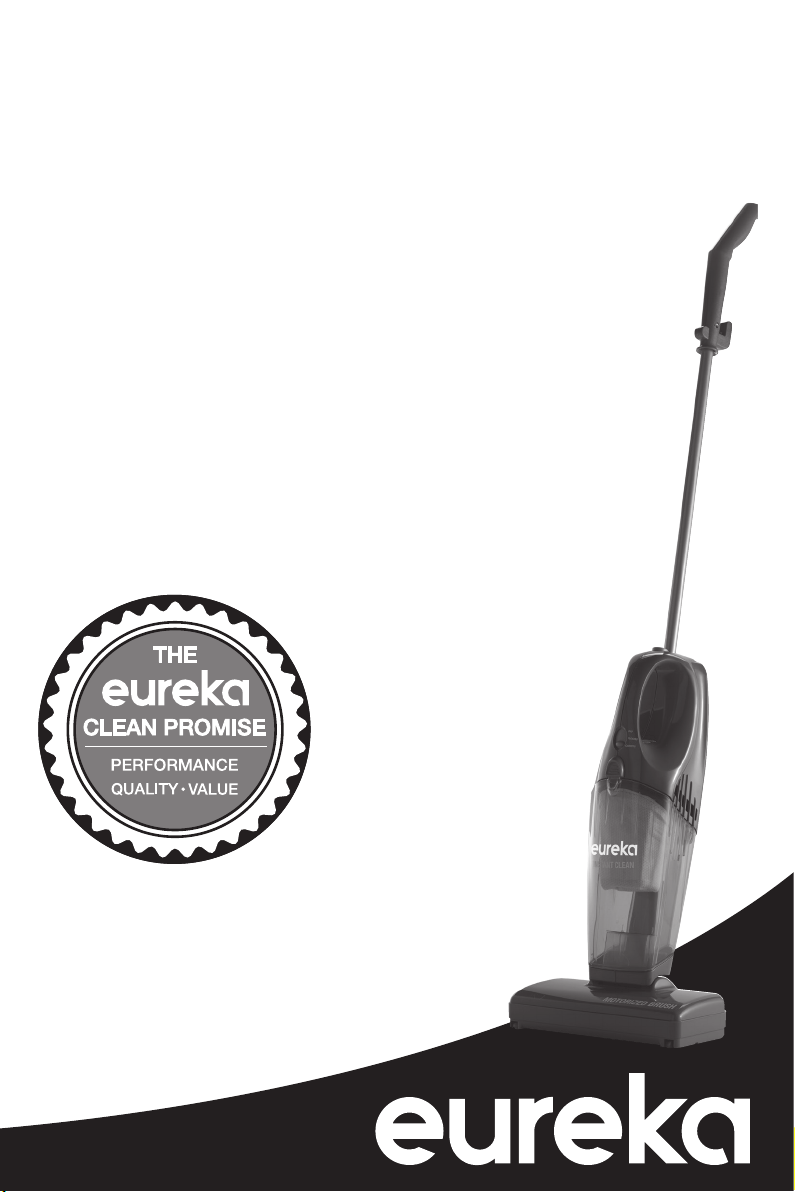
Owner’s Guide
Model 95
Cordless, Rechargeable Vacuum Cleaner;
Household Type
Note: Charge 14-16
hours before first use.
Thank you for purchasing your new Eureka vacuum!
Important instructions
For easy assembly, please
take a few moments to read
this owner’s guide.
If you have questions about your
new vacuum, please contact our
customer service HELPLINE
at 1-800-282-2886.
We’re here to help!
2 Eureka Customer Service HELPLINE 1-800-282-2886
Contents
Important Safeguards .........................3
What comes in the carton ......................4
How to assemble your vacuum cleaner. . . . . . . . . . . .5
How to use your vacuum cleaner ................6
How to maintain your vacuum cleaner ............7
Problem Solving .............................9
How to order replacement parts ................10
The Eureka limited warranty ...................11
Where to nd important vacuum information
Please Retain
We suggest you record the model, type and serial
numbers below. They are located on the back of
your cleaner. For prompt and complete service
information, always refer to these numbers when
inquiring about service.
Model & Type ______________________________
Serial No. _________________________________
It is also important to keep your receipt as proof of date of purchase.
This Owner’s Guide provides important instructions to
prolong the life of your Eureka vacuum cleaner.
Registration: To register your product visit www.eureka.com and click on the ‘Register
Your Product’ link in the top right corner.
Inspection: Carefully unpack and inspect your new Eureka vacuum cleaner for shipping
damage. Each unit is tested and thoroughly inspected before shipping. For instructions
regarding any shipping damage, call Eureka Customer Service HELPLINE 1-800-282-2886
immediately.
!
Follow caution information wherever you see this symbol.

www.eureka.com 3
IMPORTANT SAFEGUARDS
When using an electrical appliance, basic precautions should always be followed, including the following:
READ ALL INSTRUCTIONS BEFORE USING THIS VACUUM CLEANER
WARNING
To reduce the risk of re,
electric shock, or injury:
• Do not use outdoors or on wet
surfaces.
•
Do not use outdoors or on wet surfaces.
Do not charge the unit outdoors.
• Do not operate the vacuum cleaner or
charger that has been damaged in any
way. If vacuum cleaner is not working as it
xhould, has been dropped, damaged, left
outdoors, or dropped into water, with “call
the Eureka Customer Service HELPLINE
at 1-800-282-2886.
• To avoid excessive heat and damage to
the unit or batteries, do not operate the
vacuum cleaner while in the charging
stand.
• Do not allow to be used as a toy. Close
attention is necessary when used by or
near children.
• Use only as described in this manual. Use
only manufacturer’s recommended
attachments.
• Use only the charger provided to
recharge; Eureka model JOD-S-
100020A5-C-3 for 120 volt.
• Do not pull or carry by the charger by the
cord, use cord as a handle, close a door
on cord, or pull cord around sharp edges
or corners. Do not run vacuum cleaner
over cord. Keep cord away from heated
surfaces.
• Do not use extension cords or outlets with
inadequate current carrying capacity.
• Do not unplug by pulling on cord. To
unplug, grasp the plug, not the cord.
• Do not handle charger or vacuum cleaner
with wet hands.
• DO NOT MUTILATE OR INCINERATE
BATTERIES AS THEY WILL EXPLODE
AT HIGH TEMPERATURES.
• Leaks from battery cells can occur under
extreme usage or temperature conditions.
If the liquid gets into the eyes, ush them
immediately with clean water for a
minimum of 10 minutes. Seek medical
attention.
• The terminal on the vacuum cleaner
should be kept free and clean of objects.
While there is no shock hazard from the
terminal, a aburn could occur if metal
objects are inserted into the terminal area.
• This vacuum cleaner creates suction.
Keep hair, loose clothing, ngers, and all
parts of body away from openings and
moving parts. Do not put any object in
openings. Do not use with any opening
blocked. Keep free of dust, lint, hair and
anything that may reduce airow.
• Do not pick up anything that is burning or
smoking, such as cigarettes, matches, or
hot ashes.
• Do not use without a lter in place. When
servicing the unit, never put ngers on
other objects into the fan chamber in case
the unit would accidentally be turned on.
• Use extra care when cleaning on stairs.
• Do not pick up ammable or combustible
liquids such as gasoline, or use in areas
where they may be present.
• Locate the wall bracket and charger
indoors in a a cool, dry area not exposed
to the weather to avoid electrical shock
and/or cleaner damage.
• Keep your work area well lighted.
• Unplug electrical appliances before
vacuuming them.
• WARNING: This product contains
chemicals known to the State of California
to cause cancer, birth defects or
reproductive harm. WASH HANDS
AFTER HANDLING
SAVE THESE INSTRUCTIONS
!
4 Eureka Customer Service HELPLINE 1-800-282-2886
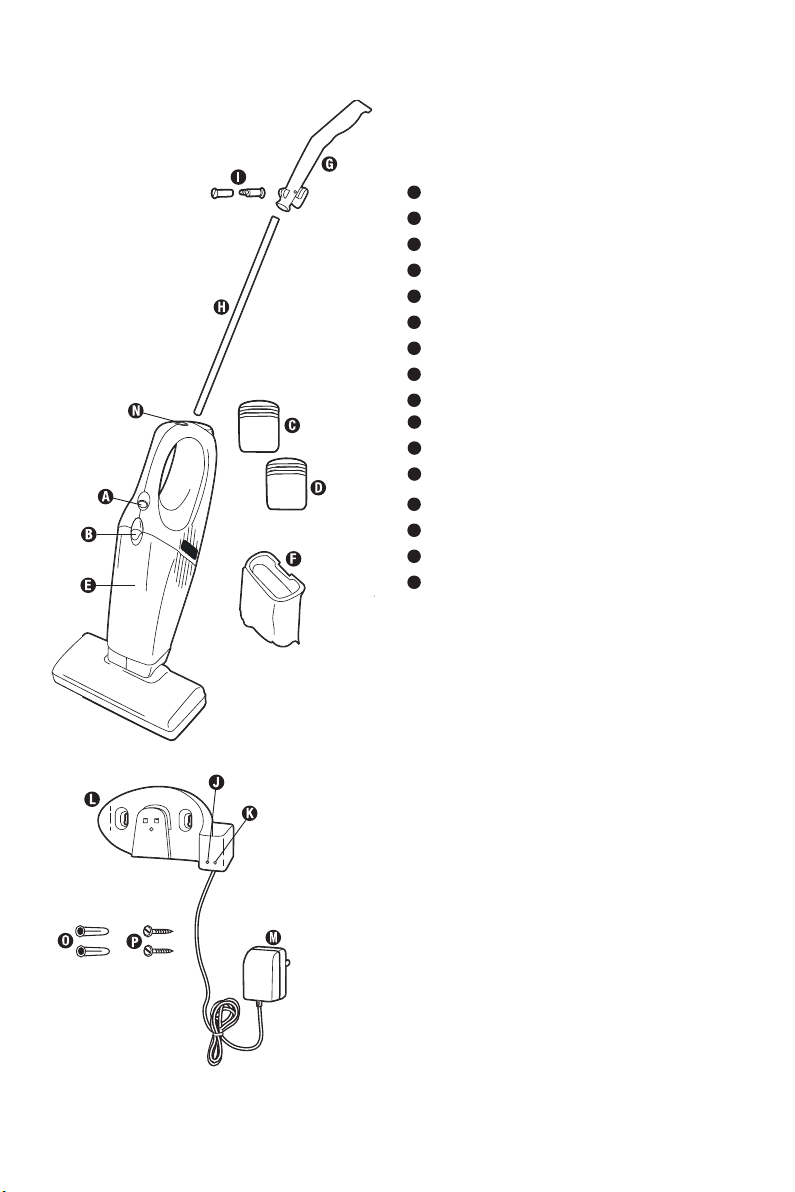
Parts List
Note: The charger and the wall bracket
are in the packing material of the
shipping carton.
A
Power switch
B
Dust cup latch
C
Battery pack (on back of cleaner)
D
Extra battery pack (on some models)
E
Dust cup
F
Dust cup lter (inside dust cup)
G
Handle grip
H
Handle
I
Handle bolt
M
Charger plug
N
Lock button
O
Plastic anchors
P
Wall screws
J
Wall bracket / counter bracket
K
Power on to charging stand
L
Charge light for unit or extra battery
J
K
L
www.eureka.com 5
How to assemble your vacuum cleaner
H
G
M
I
O
N
L
Fig. 1
Fig. 2
Fig. 3
Assemble completely and charge batteries for 14-16
hours before using.
CAUTION : Use only Eureka model JOD-S-100020A5-C-3
charger. Have a screwdriver available for assembly (not
included).
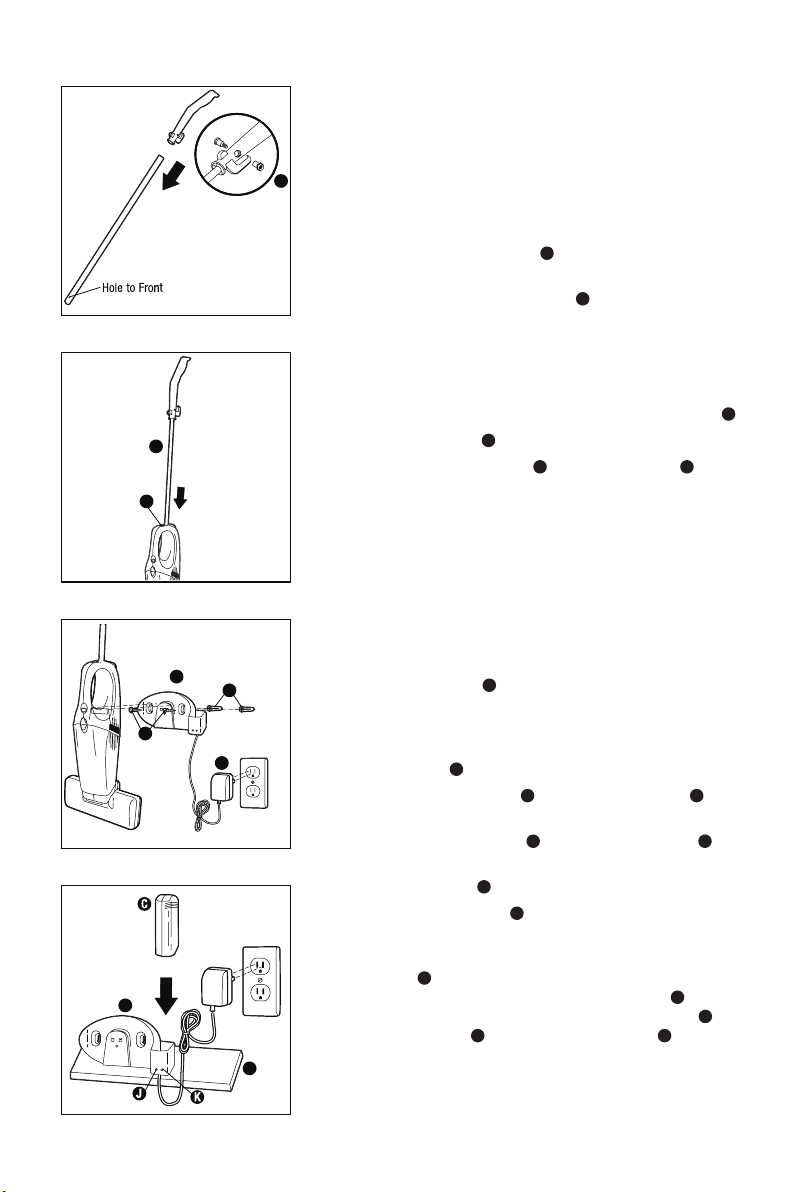
Attach Handle Grip
(Fig. 1)
Step 1: Locate the 2-part bolt
H
in the assembly package.
Step 2: Align the handle grip and handle tube holes and
secure with the 2-part bolt
H
. Tighten the bolt
Note: The single hole in the handle tube faces
forward in relation to the handle grip.
Attach Handle
(Fig. 2)
Step 1: Use your thumb to pull back on the lock button
M
.
Step 2: Push handle
G
into top of cleaner.
Step 3: Release lock button
M
and rotate handle
G
until it
locks into place.
Secure Wall Bracket on Wall
(Fig. 3)
Have a 1/4 inch drill available for assembly (not included).
Cleaner hangs in bracket with the nozzle end down. Mount
on a wall in close proximity to an electrical outlet where
there are not dangerous objects hidden beneath the wall
surface like electrical wires, pipes, etc. Leave 14 inches
above the oor for clearance.
Step 1: Hold bracket
I
against wall to mark location for
screws. Make sure the wall bracket is positioned
vertically, with the charger socket at the bottom.
Step 2: Use a 1/4 inch drill for drilling holes for the plastic
anchors
N
.
Step 3: Insert the anchors
N
and drive the screws
O
into
both holes.
Step 4: Tighten the screws
O
to secure the bracket
I
.
Step 5: Place cleaner, with the nozzle pointed down, on the
wall bracket
I
.
Step 6: Plug the charger
L
in to an electrical outlet.
Note: This charger has been designed to use as either
a wall mounted charger or to sit on a counter or
shelf
P
. To use on a counter or shelf, locate next
to an electrical outlet. Take the battery
C
out of
the cleaner and put in the counter bracket
I
. The
charge light
J
indicates power on to
K
the battery
is charging (Fig. 4).
I
P
Fig. 4
6 Eureka Customer Service HELPLINE 1-800-282-2886
How to assemble your vacuum cleaner
(continued)
AA
O
Charge the Batteries
Note: Charge the batteries for 14-16 hours before
initial use. A cleaner may lose charge in
shipment. The charger plug will become
warm, however this is not a cause for
concern.
Note: If the batteries are completely void of
charge, the charging light may not shine
until there is sufcient charge in the
batteries to provide power.
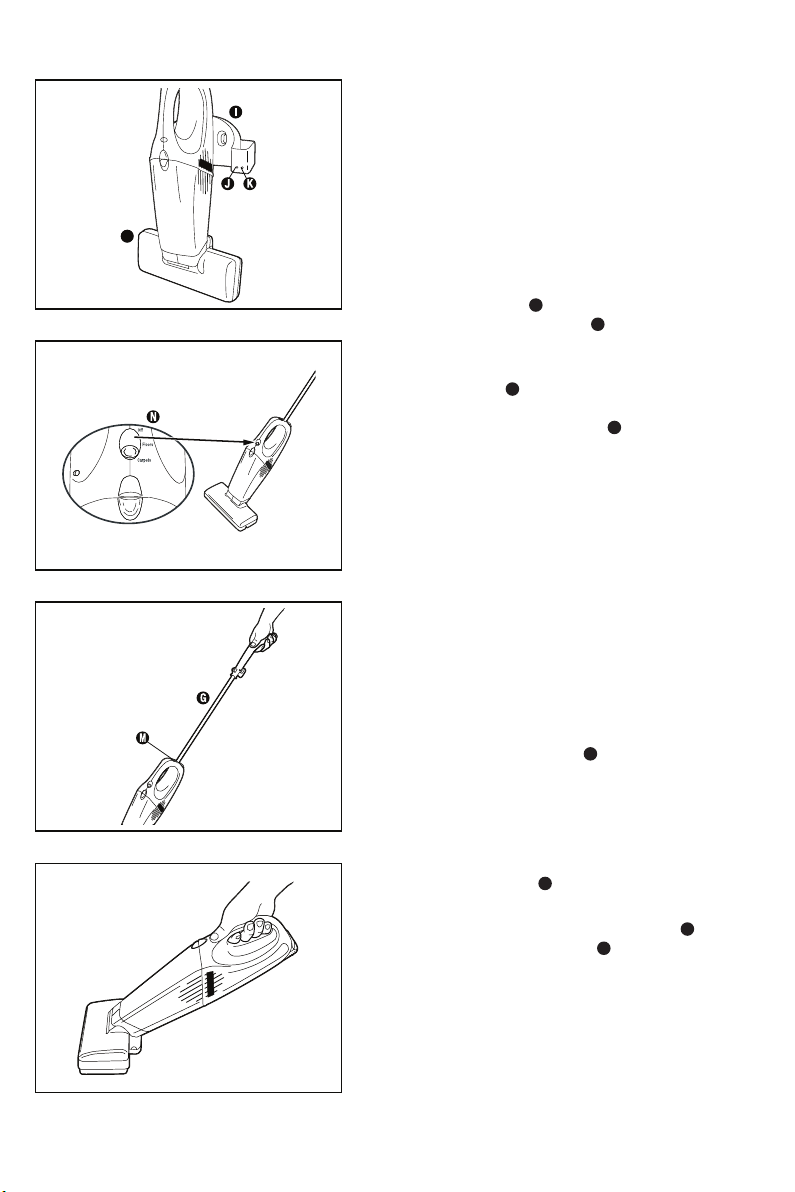
Step 1: Turn the nozzle
O
down and lower the
cleaner onto the bracket
I
(Fig. 5) or
remove the battery from the cleaner and
place battery in charging stand.
Step 2: Charge light
J
shows a steady glow
after the charger is connected with the
power supply. Charge light
K
blinks while
charging. It will stop blinking when charge is
complete. It is all right to leave the cleaner
on constant charge so it is always ready to
use. Unplug only if it will not be in use for
several weeks at a time.
Note: You can charge a battery in the unit and an
extra battery (optional) at the same time.
How to use
Power Switch
Note: On initial use, the clear plastic shipping
switch lock must be removed to activate
the switch. Pull on tab to remove.
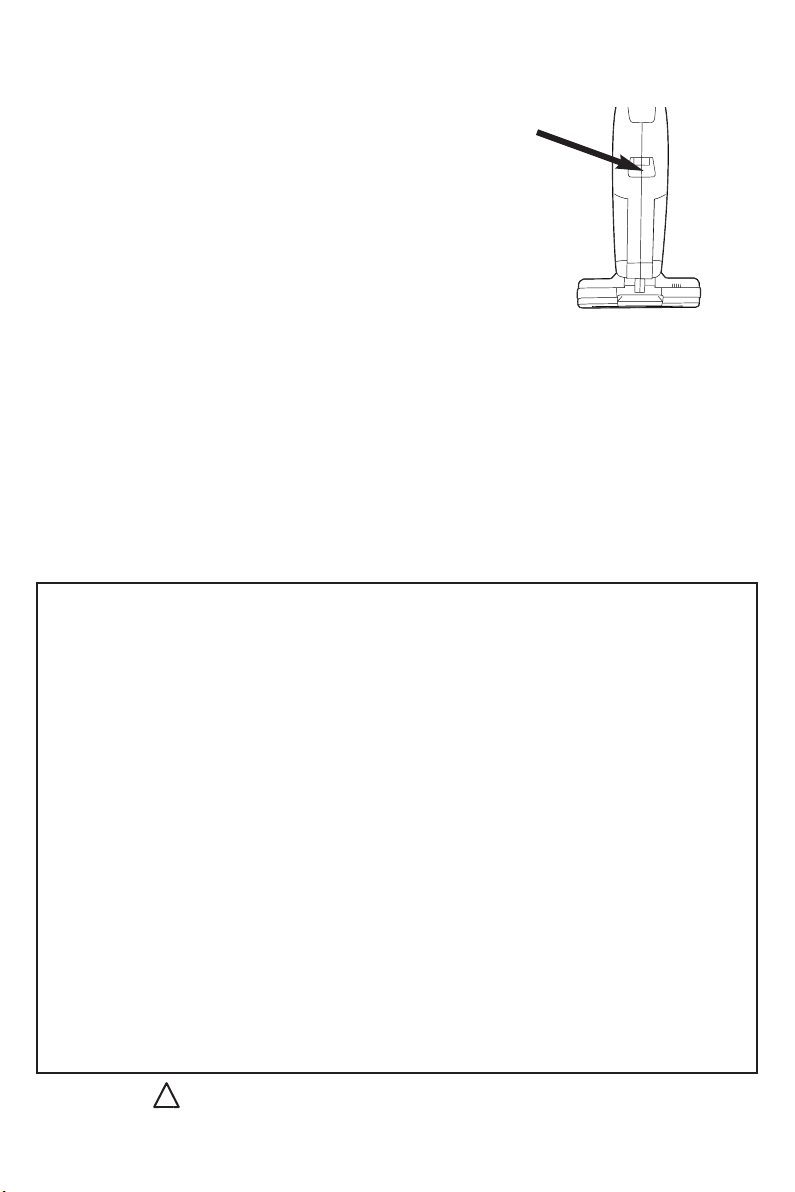
Step 1: Push the power switch
N
down to turn on;
push up to turn off (Fig. 6).
Select type of cleaning. Carpet cleaning
starts the brush roll turning. Bare oor
cleaning stops the brush roll (Fig. 6).
Step 2: To use on bare oors or area rugs, make
sure that handle
G
is attached to the
cleaner body (Fig. 7).
Step 3: To use as a handvac remove handle
G
by
releasing the lock button
M
(Fig. 8).
Fig. 5
Fig. 6
Fig. 7
Fig. 8
www.eureka.com 7
How to maintain your vacuum cleaner
The instructions given in this booklet serve as a guide
to routine maintenance. Keep the cleaner operating at
top efciency. Empty the dust cup after each use.
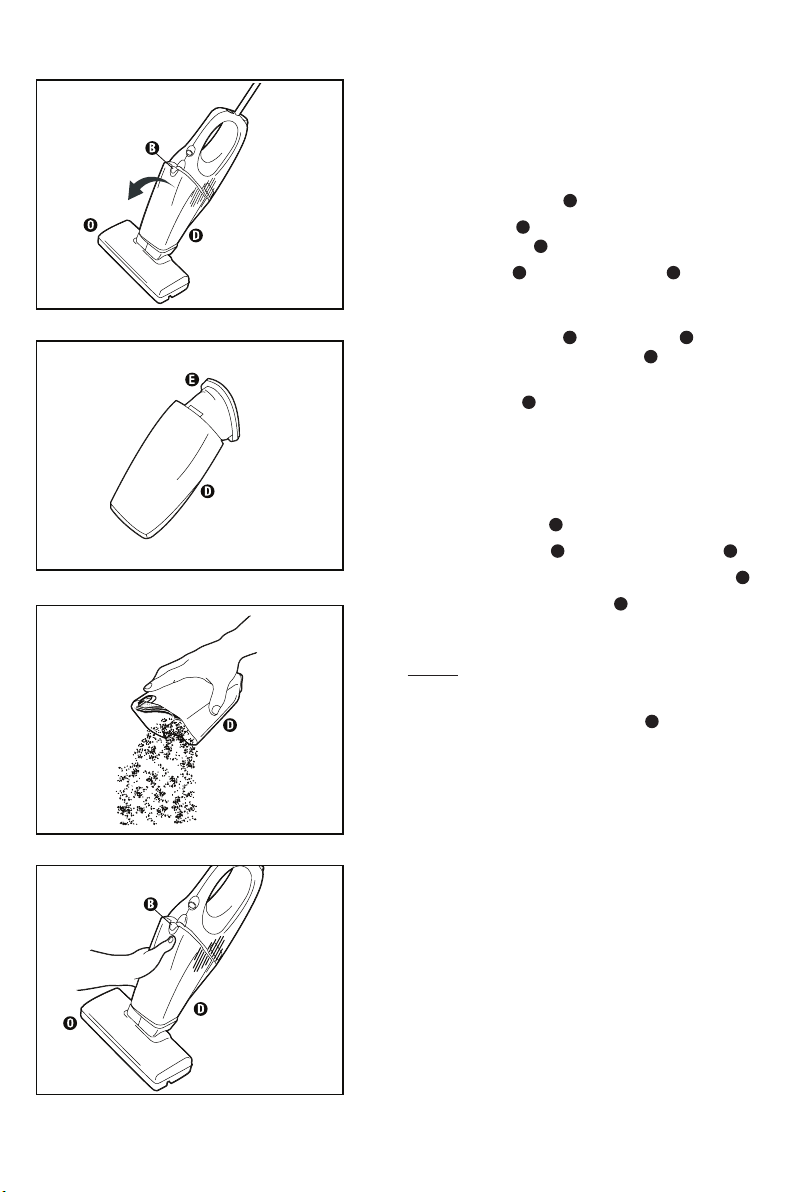
Empty Dust Cup
Step 1: Slide dust cup latch
B
up.
Step 2: Pull dust cup
D
from handle section and lift
from the nozzle
O
(Fig. 9).
Step 3: Pull the lter
E
out of the dust cup
D
, shake
contents of dust cup into a waste container
(Fig. 10).
Step 4: To replace dust cup
D
, reinstall lter
E
in dust
cup and t dust cup into nozzle
O
.
Step 5: Gently squeeze the sections together until the
dust cup latch
B
locks the cup in place (Fig. 11).
Clean Dust Cup Filter
Note: Do NOT operate cleaner without the lter in
place. Clean the dust cup lter as necessary.
Step 1: Remove dust cup
D
.
Step 2: Pull dust cup lter
E
frame out of dust cup
D
.
Step 3: Shake and brush the dust and dirt from lter
E
.
Step 4: If desired, launder the lter
E
by hand. Wash
lter in warm water using mild detergent.
Note: The dust cup lter is not dishwasher safe.
Do not put in dishwasher.
Step 5: Air dry thoroughly.
Step 6: Replace lter frame in dust cup
D
by pushing
the seal located at the top in rmly to ensure
proper lter performance.
Replace a dirty or torn lter. Order additional dust cup
lter, part number 61544.
Fig. 9
Fig. 11
Fig. 12
Fig. 10
8 Eureka Customer Service HELPLINE 1-800-282-2886
How to maintain your vacuum cleaner
(continued)
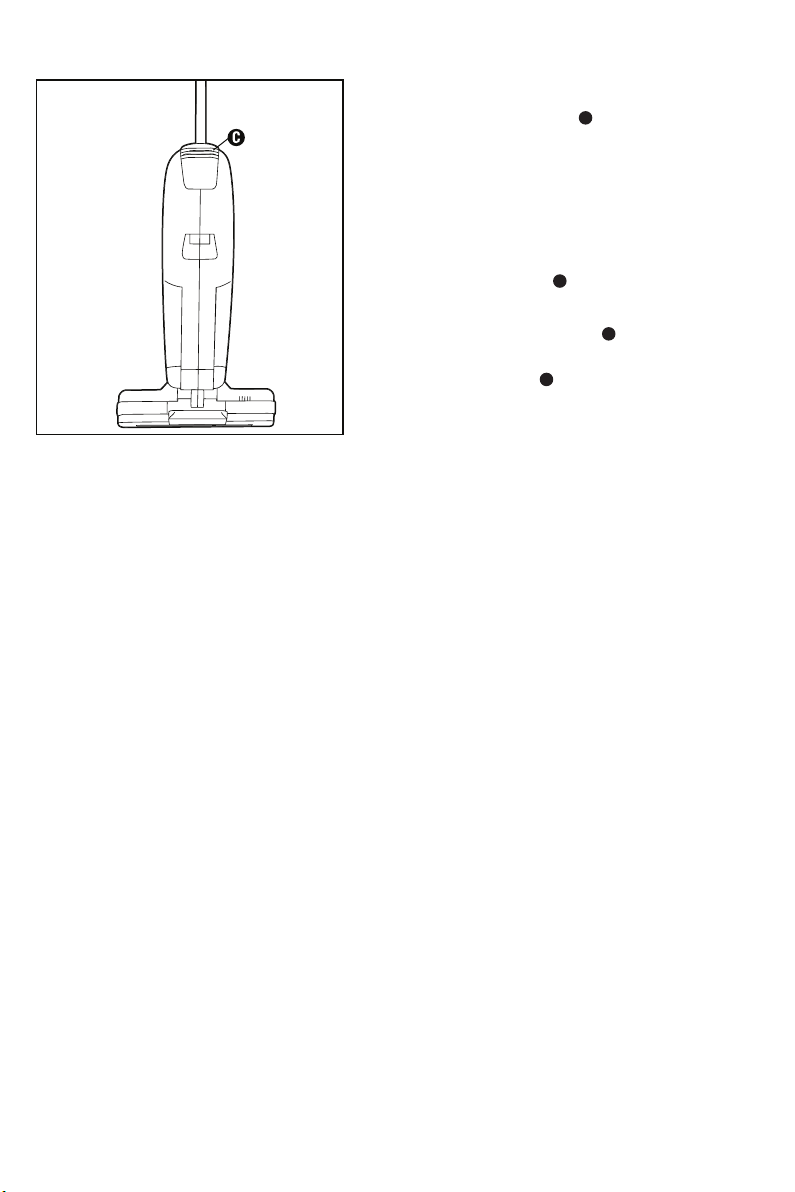
Battery Disposal
Note: Dispose of the battery
C
when it no longer
holds a charge.
CAUTION: Do not short circuit or dispose of in re.
Dispose of properly.
Step 1: Push up on nger grips on the back of
disposable battery
C
.
Step 2: Pull up and out to remove (Fig 13).
Step 3: Hold replacement battery
C
so nger grips on
the back of the battery are facing outward.
Step 4: Push the battery
C
down into the cleaner until it
snaps securely into place.
CAUTION: To avoid risk of re, use Eureka battery
pack, part number A07021501.
Note: This equipment has been tested and found to
comply with the limits for a Class B digital device,
pursuant to part 15 of the FCC Rules. These limits
are designed to provide reasonable protection against
harmful interference in a residential installation. This
equipment generates, uses and can radiate radio
frequency energy and, if not installed and used in
accordance with the instructions, may cause harmful
interference to radio communications. However, there
is no guarantee that interference will not occur in a
particular installation. If this equipment does cause
harmful interference to radio or television reception,
which can be determined by turning the equipment
off and on, the user is encouraged to try to correct the
interference by one or more of the following measures:
— Reorient or relocate the receiving antenna.
— Increase the separation between the equipment and
receiver.
— Connect the equipment into an outlet on a circuit
different from that to which the receiver is connected.
— Consult the dealer or an experienced radio/TV
technician for help.
Fig. 13
www.eureka.com 9
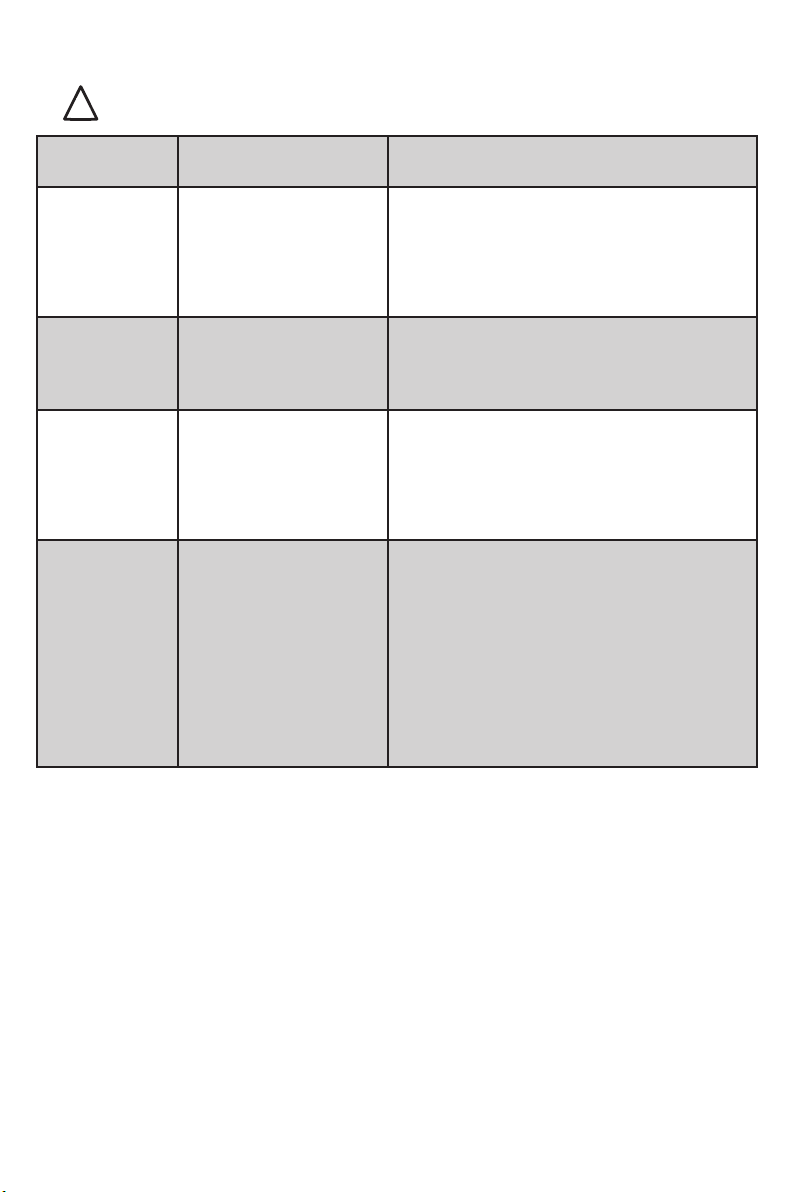
Problem solving
!
Note: Turn off the switch and unplug the electrical cord before servicing.
Problem Cause Solution
Cleaner will
not run
Battery low
Battery not installed
correctly in cleaner
• Charge battery
• Reinstall battery and rmly press in
place
Cleaner only
runs a short
time
Low battery charge • Charge battery
Battery will
not charge
Charger not connected
to power supply
Battery life depleted
• Plug in charger
• Replace battery
Will not pick
up
Low battery
Dirty lter
Brushroll clogged
Air path clogged
• Charge battery
• Clean lter
• Remove hair, string, lint from brushroll
• Remove clog from air path
10 Eureka Customer Service HELPLINE 1-800-282-2886
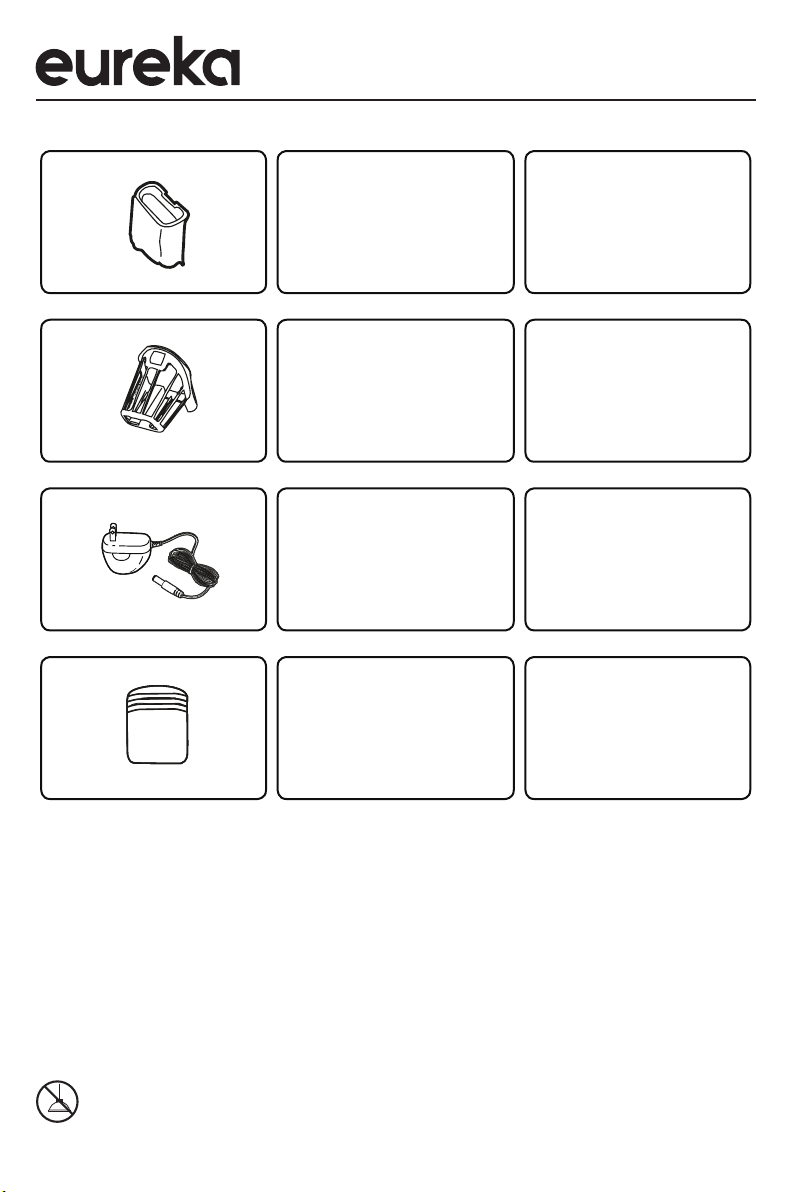
Order genuine Eureka accessories and replacement parts
Visit www.eureka.com or call 1-800-282-2886
Image Part name Part #
61544B
61676
A07520501
A07021501
Filter
Filter Cage
Charger
JOD-S-100020A5-C-3
Battery Pack
Do Not Oil the motor at any time. The bearings are permanently lubricated and sealed.
To reduce the risk of electric shock, this appliance has a polarized plug (one blade is wider than the
other). This plug will t in a polarized outlet only one way. If the plug does not t fully into the outlet, reverse
the plug. If it still does not t, contact a qualied electrician to install the proper outlet. Do not change the
plug in any way.
Automatic Motor Shut-Off
To protect from overheating, this vacuum cleaner is equipped with a thermostat which automatically shuts off
the motor if it overheats. Should this happen:
Step 1: Turn off the switch and unplug the cleaner because the Thermostat will allow the cleaner to
automatically start running again when the motor cools (approximately 30 minutes).
Step 2: Check the hose, bag and lter regularly, as a clogged hose, full bag or dirty lter could cause the
motor to overheat.
Step 3: If the cleaner will not operate after cooling for approximately 30 minutes, call 1-800-282-2886 for
customer service or take it to a Eureka Authorized Service Center for repair.
This cleaner is designed to pick up dirt and dust particles. Avoid picking up hard or sharp objects that could
damage the vacuum cleaner.

www.eureka.com 11
The Eureka one-year limited warranty
Midea America Corp. (“Eureka”), subject to
the terms and conditions herein, warrants this
vacuum cleaner to be free from defects in
material and workmanship for a term of one
year from the date of original purchase when
used in accordance with the Eureka operating
and maintenance instructions and under normal
household usage. This warranty is granted only to
the original purchaser and members of immediate
household, and is applicable only to original
purchases from Eureka authorized resellers.
What Eureka will do:
Eureka will, at its option, repair or replace a
defective vacuum or vacuum part that is covered
by this warranty. Repairs may be performed using
new or refurbished parts that meet or exceed
Eureka specications for new parts. If Eureka
elects to replace the vacuum, the replacement may
be a reconditioned unit. Depending on availability
of products, Eureka reserves the right to provide
you with a replacement product that is the same
or similar, or substitute equivalent of the original
product. As a matter of warranty policy, Eureka will
not refund the consumer’s purchase price.
This warranty does not cover:
• Normal wear and tear of the vacuum and
vacuum parts that require replacement under
normal use such as disposable dust bags,
lters, drive belts, light bulbs, brush‑roll, bristles,
impellers and cleaning.
• Damages or malfunctions resulting from:
improper or unreasonable use or maintenance,
abuse, negligence, failure to follow instructions
contained in any written materials that
accompany the product, deterioration by reason
of excess moisture, corrosive atmosphere,
lightning, power surges, connections to
improper voltage supply, unauthorized
alteration, or other external causes such
as extremes in temperature or humidity,
modications, scratches or discoloration,
accidents, misuse, or acts of God. This warranty
also does not cover damage resulting from
repair or attempted repair by anyone other
than Eureka or an authorized Eureka Warranty
Station. This warranty is not applicable to any
product that has been altered or on which the
serial number has been defaced, modied or
removed. Altering, erasing, or forging any proof-
of-purchase documents voids any applicable
product warranty.
Obtaining warranty service:
To obtain warranty service you must contact
the Eureka Service Team, toll free, at 1-800-
282-2886 or email [email protected],
to discuss the warranty claim and procedures
to be followed. All warranty claims must include
submission of proof-of-purchase documentation.
For additional information, you may also visit
www.eureka.com.
Shipping charges:
You will be responsible for any initial shipping
and insurance charges if the defective product(s)
must be shipped for warranty service or warranty
evaluation; however, Eureka or a Eureka
Authorized Warranty Station will pay the return
shipping charges if repairs are covered by the
warranty. When returning parts for repair, you
must include the model, type and serial number.
If any product submitted for warranty service
is found to be ineligible, an estimate of repair
cost will be furnished and the repair performed
only if requested by the owner and upon receipt
of payment or acceptable arrangements for
payment.
Further limitations and exclusions:
Any warranty that may be implied in connection
with your purchase or use of the vacuum,
including any warranty of Merchantability or any
warranty of Fitness For A Particular Purpose is
limited to the duration of this limited warranty.
Some states do not allow limitations on how
long an implied warranty lasts, so the above
limitations may not apply to you.
Your relief for the breach of this warranty is
limited to the relief expressly provided above.
In no event shall the manufacturer be liable for
any consequential or incidental damages you
may incur in connection with your purchase
or use of the vacuum. Some states do not
allow the exclusion or limitation of incidental or
consequential damages, so the above limitation
or exclusion may not apply to you.
This warranty gives you specic legal rights. You
may also have other rights, which may vary by
state.
Midea America Corp.
200 Rivers Edge Drive
Medford, MA. 02155
USA
12 Eureka Customer Service HELPLINE 1-800-282-2886
Do not return to the store, call
Eureka Customer Service
HELPLINE 1-800-282-2886
www.eureka.com
Eureka stands by our Clean Promise seal.
Learn more at www.eureka.com/cleanpromise
Owner’s Guide
© 2018 Midea Corp. Printed in China 02155180_WMT_rev4