
Online Edition for Part no. 01 40 2 607 530 - © 03/11 BMW AG

Cooper
Cooper S
Cooper S ALL4
Congratulations on your new MINI
This Owner's Manual should be considered a permanent part of
this vehicle. It should stay with the vehicle when sold to provide
the next owner with important operating, safety and mainte-
nance information.
We wish you an enjoyable driving experience.
Online Edition for Part no. 01 40 2 607 530 - © 03/11 BMW AGOnline Edition for Part no. 01 40 2 607 530 - © 03/11 BMW AG

© 2011 Bayerische Motoren Werke
Aktiengesellschaft
Munich, Germany
Reprinting, including excerpts, only with the
written consent of BMW AG, Munich.
US English II/11
Printed on environmentally friendly paper,
bleached without chlorine, suitable for recycling.
Online Edition for Part no. 01 40 2 607 530 - © 03/11 BMW AGOnline Edition for Part no. 01 40 2 607 530 - © 03/11 BMW AG

CONTENTS
The fastest way to find information on a particu-
lar topic or item is by using the index, refer to
page 180.
Notes
4 General information
6 Reporting safety defects
AT A GLANCE
10 Cockpit
16 Radio MINI Boost CD
Controls
20 Opening and closing
32 Adjustments
38 Transporting children safely
41 Driving
51 Controls overview
59 Technology for driving comfort and safety
71 Lamps
76 Climate
81 Practical interior accessories
Driving tips
90 Things to remember when driving
Entertainment
102 Radio MINI Boost CD
Communications
114 Telephone
Mobility
128 Refueling
130 Wheels and tires
138 Under the hood
142 Maintenance
144 Care
148 Replacing components
158 Giving and receiving assistance
162 Indicator and warning lamps
Reference
176 Technical data
180 Everything from A to Z
Online Edition for Part no. 01 40 2 607 530 - © 03/11 BMW AGOnline Edition for Part no. 01 40 2 607 530 - © 03/11 BMW AG

Notes General information
4
General information
Using this Owner's
Manual
We have tried to make all the information in this
Owner's Manual easy to find. The fastest way to
find specific topics is to refer to the detailed
index at the back of the manual. If you wish to
gain an initial overview of your vehicle, you will
find this in the first chapter.
Should you wish to sell your MINI at some time in
the future, remember to hand over this Owner's
Manual to the new owner; it is an important part
of the vehicle.
Additional sources of information
Should you have any other questions, your MINI
dealer will be glad to advise you at any time.
You can find more information about the MINI,
for example on its technology, on the Internet at
www.MINI.com.
Symbols used
Indicates precautions that must be fol-
lowed precisely in order to avoid the pos-
sibility of personal injury and serious damage to
the vehicle.<
Indicates information that will assist you in
gaining the optimum benefit from your
vehicle and enable you to care more effectively
for your vehicle.<
Refers to measures that can be taken to
help protect the environment.<
< Marks the end of a specific item of informa-
tion.
* Indicates special equipment, country-specific
equipment and optional accessories, as well as
equipment and functions not yet available at the
time of printing.
Symbols on vehicle components
Indicates that you should consult the rele-
vant section of this Owner's Manual for
information on a particular part or assembly.
The individual vehicle
The manufacturer of your MINI is the Bayerische
Motoren Werke Aktiengesellschaft, BMW AG.
When you ordered your MINI, you chose various
items of equipment. This Owner's Manual
describes the entire array of options and equip-
ment that the manufacturer of your MINI makes
available with a specific model range.
Bear in mind that the manual may contain infor-
mation on accessories and equipment that you
have not specified for your own vehicle. Sections
describing options and special equipment are
marked by asterisks
* to assist you in identifying
possible differences between the descriptions in
this manual and your own vehicle's equipment.
If your MINI features equipment not described in
this Owner's Manual, observe the enclosed Sup-
plementary Owner's Manuals.
Status of this Owner's
Manual at time of
printing
The high level of safety and quality of MINI vehi-
cles is ensured by continuous development. For
this reason, it is possible in exceptional cases
that features described in this Owner's Manual
could differ from those on your vehicle.
Online Edition for Part no. 01 40 2 607 530 - © 03/11 BMW AGOnline Edition for Part no. 01 40 2 607 530 - © 03/11 BMW AG

General information Notes
5
For your safety
Maintenance and repair
Advanced technology, e.g. the use of
modern materials and powerful electron-
ics, requires specially adapted maintenance and
repair methods. Therefore, have the necessary
work on your MINI only carried out by a MINI
dealer or a workshop that has specially trained
personnel working in accordance with the spec-
ifications of the MINI manufacturer. If this work
is not carried out properly, there is a danger of
subsequent damage and related safety haz-
ards.<
Parts and accessories
For your own safety, use genuine parts
and accessories approved by the manu-
facturer of the MINI.
When you purchase accessories tested
and approved by the manufacturer of the MINI
and Original MINI Parts, you simultaneously
acquire the assurance that they have been thor-
oughly tested by the manufacturer of the MINI
to ensure optimum performance when installed
on your vehicle.
The manufacturer of the MINI warrants these
parts to be free from defects in material and
workmanship.
The manufacturer of the MINI will not accept any
liability for damage resulting from installation of
parts and accessories not approved by the man-
ufacturer of the MINI.
The manufacturer of the MINI cannot test every
product made by other manufacturers to verify
if it can be used on a MINI safely and without risk
to either the vehicle, its operation, or its occu-
pants.
Original MINI Parts, MINI Accessories and other
products approved by the manufacturer of the
MINI, together with professional advice on using
these items, are available from all MINI dealers.
Installation and operation of accessories that
have not been approved by the manufacturer of
your MINI, such as alarms, radios, amplifiers,
radar detectors, wheels, suspension compo-
nents, brake dust shields, telephones, including
operation of any mobile phone from within the
vehicle without using an externally mounted
antenna, or transceiver equipment, for instance,
CBs, walkie-talkies, ham radios or similar acces-
sories, may cause extensive damage to the vehi-
cle, compromise its safety, interfere with the
vehicle's electrical system or affect the validity of
the MINI Limited Warranty. See your MINI dealer
for additional information.<
Maintenance, replacement, or repair of
the emission control devices and systems
may be performed by any automotive repair
establishment or individual using any certified
automotive part.<
California Proposition 65 warning
California law requires us to issue the following
warning:
Engine exhaust and a wide variety of
automobile components and parts,
including components found in the interior fur-
nishings in a vehicle, contain or emit chemicals
known to the State of California to cause cancer
and birth defects and reproductive harm. In
addition, certain fluids contained in vehicles and
certain products of component wear contain or
emit chemicals known to the State of California
to cause cancer and birth defects or other repro-
ductive harm.
Battery posts, terminals and related accessories
contain lead and lead compounds. Wash your
hands after handling.
Used engine oil contains chemicals that have
caused cancer in laboratory animals. Always
protect your skin by washing thoroughly with
soap and water.<
Online Edition for Part no. 01 40 2 607 530 - © 03/11 BMW AGOnline Edition for Part no. 01 40 2 607 530 - © 03/11 BMW AG

Notes General information
6
Service and warranty
We recommend that you read this publication
thoroughly.
Your MINI is covered by the following warran-
ties:
> New Vehicle Limited Warranty
> Rust Perforation Limited Warranty
> Federal Emissions System Defect Warranty
> Federal Emissions Performance Warranty
> California Emission Control System Limited
Warranty
Detailed information about these warranties is
listed in the Service and Warranty Information
Booklet for US models or in the Warranty and
Service Guide Booklet for Canadian models.
Your vehicle has been specifically adapted and
designed to meet the particular operating con-
ditions and homologation requirements in your
country and continental region in order to
deliver the full driving pleasure while the vehicle
is operated under those conditions. If you wish
to operate your vehicle in another country or
region, you may be required to adapt your vehi-
cle to meet different prevailing operating condi-
tions and registration requirements. You should
also be aware of any applicable warranty limita-
tions or exclusions for such country or region. In
such a case, please contact Customer Relations
for further information.
Maintenance
Maintain the vehicle regularly to sustain road
safety, operational reliability and the New Vehi-
cle Limited Warranty.
Specifications for required maintenance mea-
sures:
> MINI Maintenance System
> Service and Warranty Information Booklet
for US models
> Warranty and Service Guide Booklet for
Canadian models
If the vehicle is not maintained according to
these specifications, this could result in serious
damage to the vehicle. Such damage is not cov-
ered by the MINI New Vehicle Limited Warranty.
Reporting safety defects
For US customers
The following applies only to vehicles owned
and operated in the US.
If you believe that your vehicle has a defect that
could cause a crash or could cause injury or
death, you should immediately inform the
National Highway Traffic Safety Administration,
NHTSA, in addition to notifying MINI of North
America, LLC, P.O. Box 1227, Westwood, New
Jersey 07675-1227, Telephone 1-800-831-
1117.
If NHTSA receives similar complaints, it may
open an investigation, and if it finds that a safety
defect exists in a group of vehicles, it may order
a recall and remedy campaign. However, NHTSA
cannot become involved in individual problems
between you, your dealer, or MINI of North
America, LLC.
To contact NHTSA, you may call the Vehicle
Safety Hotline toll-free at 1-888-327-4236 (TTY:
1-800-424-9153); go to http://www.safer-
car.gov; or write to: Administrator, NHTSA, 400
Seventh Street, SW., Washington, DC 20590. You
can also obtain other information about motor
vehicle safety from http://www.safercar.gov
For Canadian customers
Canadian customers who wish to report a
safety-related defect to Transport Canada,
Defect Investigations and Recalls, may tele-
phone the toll-free hotline 1-800-333-0510.
You can also obtain other information about
motor vehicle safety from http://www.tc.gc.ca/
roadsafety.
Online Edition for Part no. 01 40 2 607 530 - © 03/11 BMW AGOnline Edition for Part no. 01 40 2 607 530 - © 03/11 BMW AG

General information Notes
7
Online Edition for Part no. 01 40 2 607 530 - © 03/11 BMW AGOnline Edition for Part no. 01 40 2 607 530 - © 03/11 BMW AG

Watch Me.
Online Edition for Part no. 01 40 2 607 530 - © 03/11 BMW AG

Controls
Driving tips
Entertainment
Communications
Mobility
Reference
AT A GLANCE
Online Edition for Part no. 01 40 2 607 530 - © 03/11 BMW AG
AT A GLANCE Cockpit
10
Cockpit
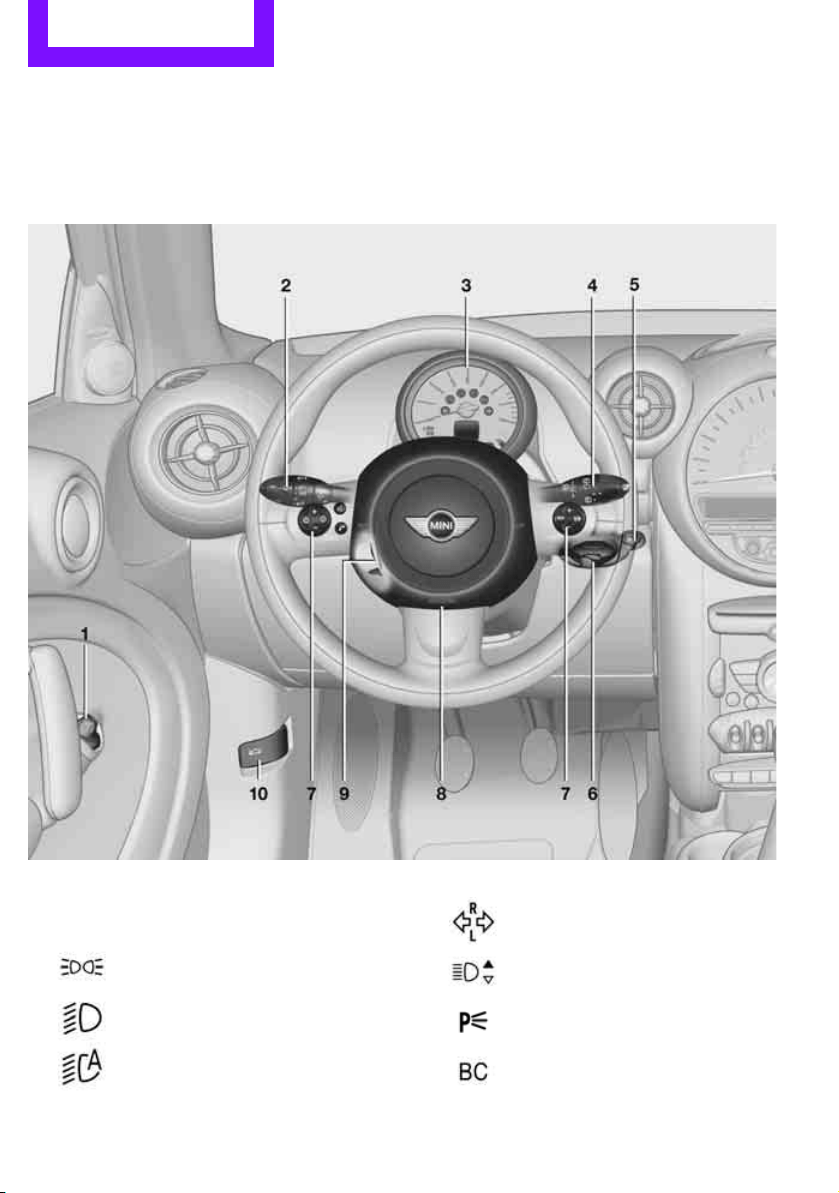
Around the steering wheel: Controls and displays
1 Adjusting the exterior mirrors, folding them
in and out
* 36
2
Parking lamps 71
Low beams 71
Automatic headlamp
control
* 71
Adaptive Light Control
* 73
Turn signals 46
High beams 74
Headlamp flasher 46
Roadside parking lamps
* 74
Computer
* 52
Online Edition for Part no. 01 40 2 607 530 - © 03/11 BMW AGOnline Edition for Part no. 01 40 2 607 530 - © 03/11 BMW AG
Cockpit AT A GLANCE
11
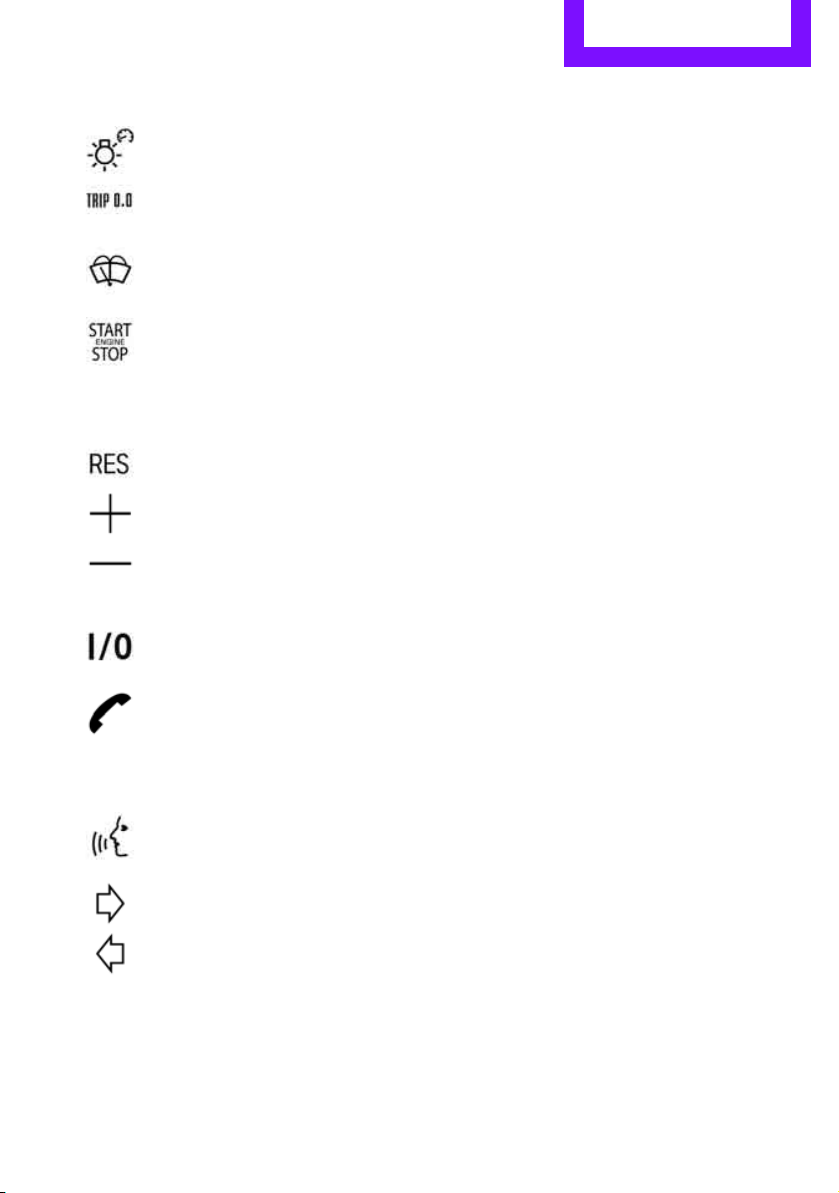
6 Ignition lock 41
7 Buttons
* on steering wheel
8 Horn: the entire surface
9 Adjusting the steering wheel 37
10 Releasing the hood 138
3 Tachometer 12
Instrument lighting 74
Resetting the trip odometer 51
4
Wiper system 47
5
Switching the ignition on/off and
starting/stopping the engine 41
Continuing cruise control
* 49
Right:
Storing speed and accelerating or
decelerating
Left:
Increase or reduce volume
Activating/deactivating cruise
control
* 49
Telephone
*:
Accepting and ending a call, start-
ing dialing
* of selected phone
number and redialing if no phone
number is selected
Activating/deactivating voice acti-
vation system
*
Changing the radio station
Selecting a music track
Scrolling through the redial list
Online Edition for Part no. 01 40 2 607 530 - © 03/11 BMW AGOnline Edition for Part no. 01 40 2 607 530 - © 03/11 BMW AG
AT A GLANCE Cockpit
12
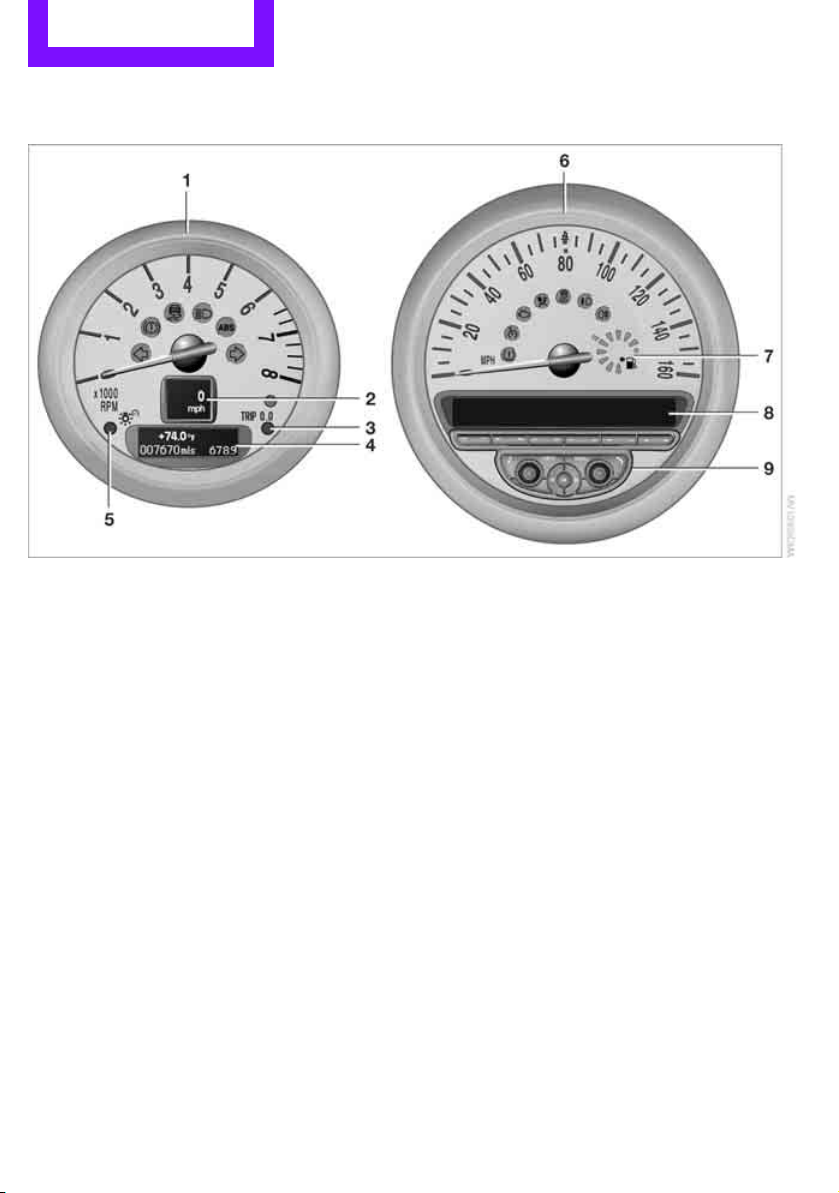
Displays
1 Tachometer 51
With indicator and warning lamps 13
2 Display for
> Current vehicle speed 51
> Indicator and warning lamps 13
3 Resetting the trip odometer 51
4 Display for
> Position of automatic transmission
* 43
> Computer
* 52
> Date of next scheduled service, and
remaining distance to be driven 55
> Odometer and trip odometer 51
> Initializing the Flat Tire Monitor
* 63
> Resetting the Tire Pressure Monitor
* 65
> Settings and information 52
> Personal Profile settings 20
5 Instrument lighting 74
6 Speedometer
With indicator and warning lamps 13
7 Fuel gauge 51
8 Radio display 16
9 Radio 16
Online Edition for Part no. 01 40 2 607 530 - © 03/11 BMW AGOnline Edition for Part no. 01 40 2 607 530 - © 03/11 BMW AG
Cockpit AT A GLANCE
13
Indicator and warning
lamps
The concept
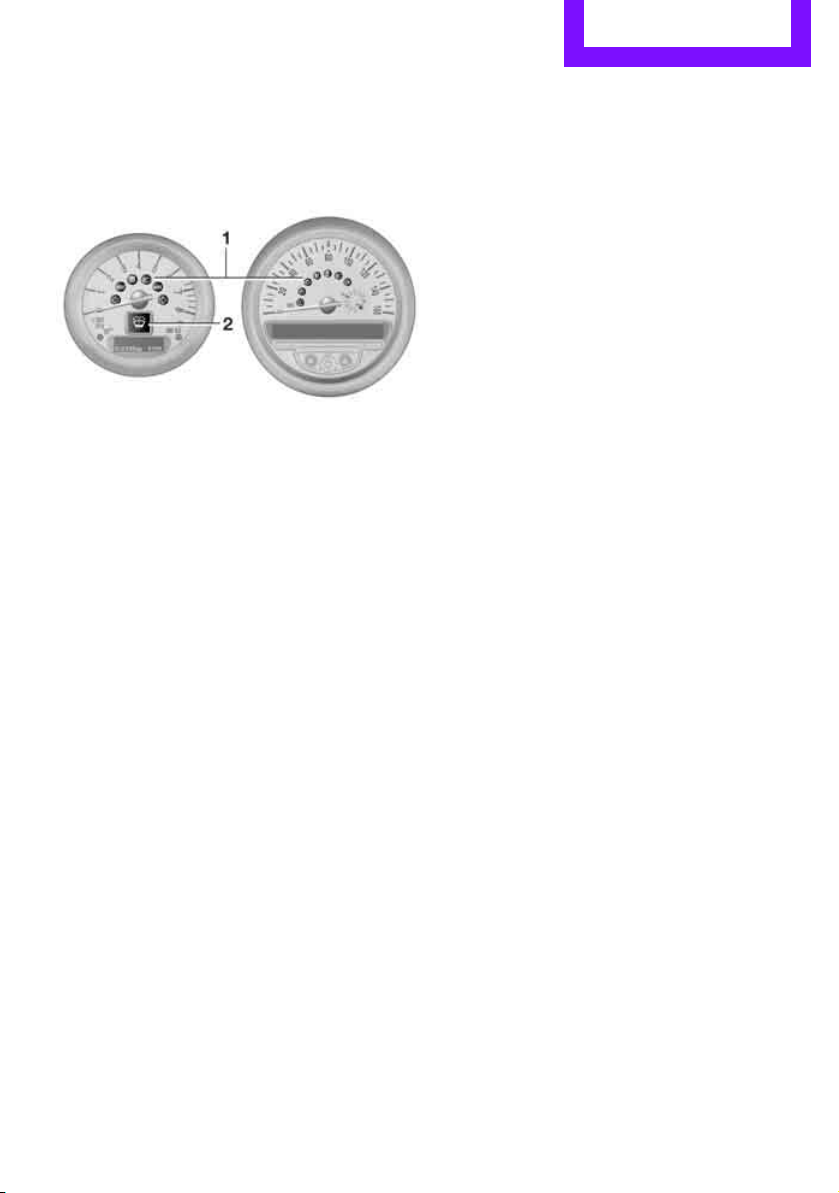
Indicator and warning lamps can light up in var-
ious combinations and colors in indicator area 1
or 2.
Some lamps are checked for proper functioning
and thus come on briefly when the engine is
started or the ignition is switched on.
What to do in case of a malfunction
A list of all indicator and warning lamps, as well
as notes on possible causes of malfunctions and
on how to respond, can be found starting on
page 162.
Online Edition for Part no. 01 40 2 607 530 - © 03/11 BMW AGOnline Edition for Part no. 01 40 2 607 530 - © 03/11 BMW AG
AT A GLANCE Cockpit
14
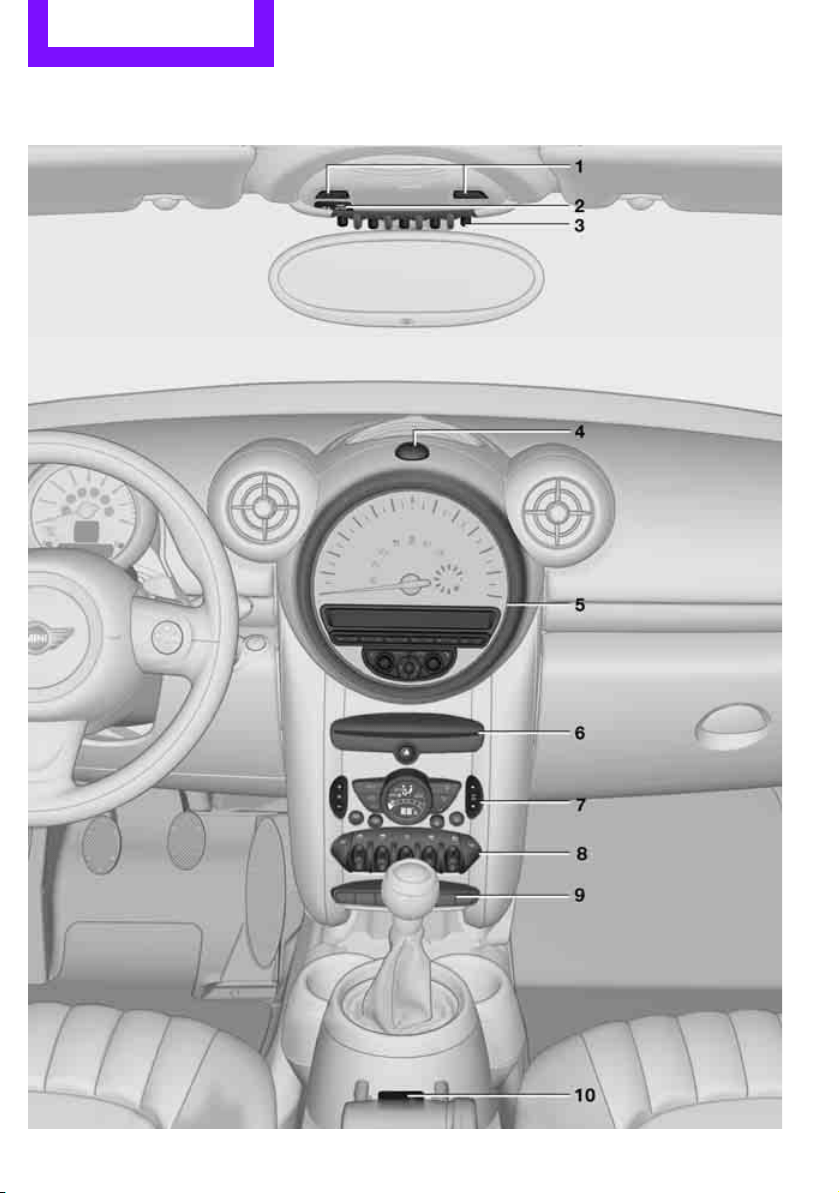
Around the center console
Online Edition for Part no. 01 40 2 607 530 - © 03/11 BMW AGOnline Edition for Part no. 01 40 2 607 530 - © 03/11 BMW AG
Cockpit AT A GLANCE
15
1 Microphone for voice activation system*
and for telephone in hands-free mode*
2 Indicator/warning lamp* for front passen-
ger airbags 69
4 Hazard warning flashers
5 Speedometer 12
6 Radio/CD
7 Air conditioner or automatic climate
control
* 76
8 Switches in the center console
9 Buttons in the center console
10 AUX-IN connection
USB audio interface
* 109
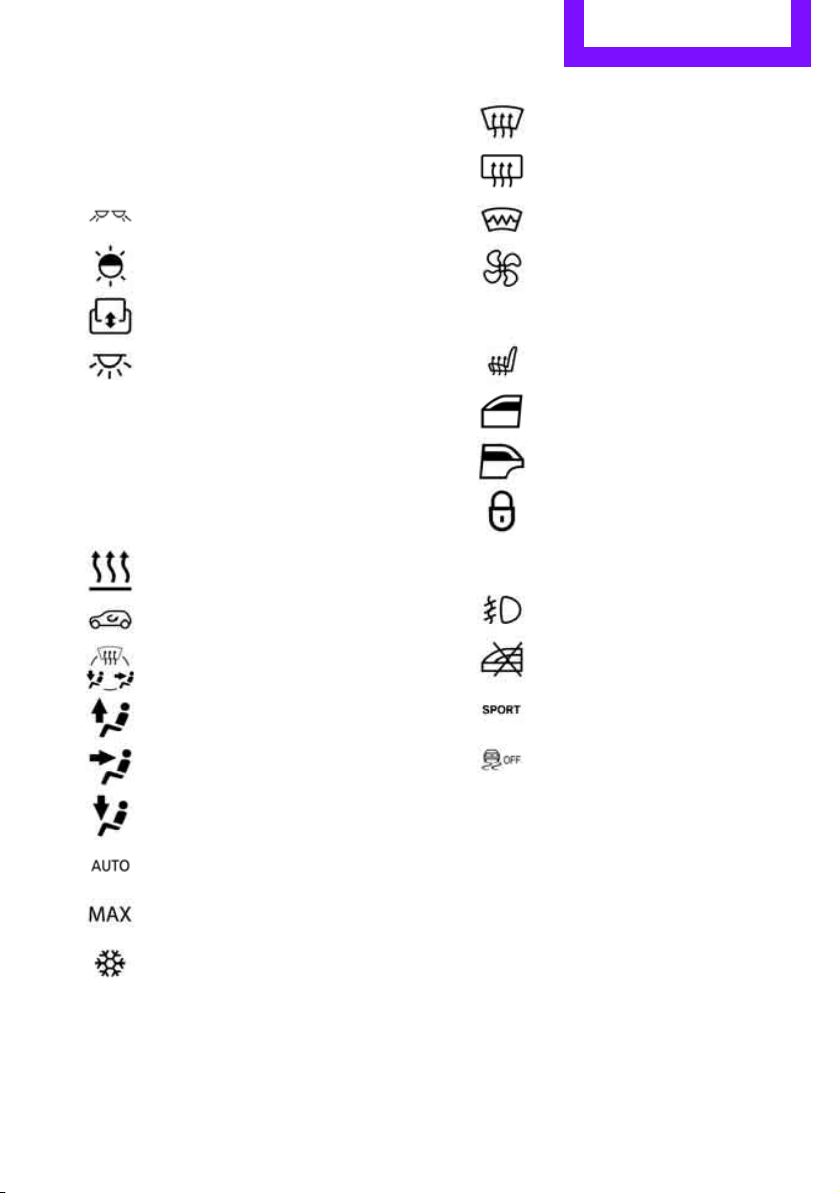
3
Reading lamps
* 75
Ambient lighting
* 75
Glass roof, electric
* 29
Interior lamps 75
Temperature
Recirculated-air mode
Air distribution for air conditioner
Air distribution to the windshield
*
Air distribution to the upper body
area
*
Air distribution to the footwell*
Automatic air distribution and flow
rate
*
Maximum cooling*
Cooling function
Defrosting windows*
Rear window defroster
Windshield heating
*
Air flow rate
Seat heating
* 35
Power windows, front 30
Power windows, rear 30
Central locking system, inside 24
Fog lamps
* 74
Safety switch for power windows in
rear passenger compartment 31
Sport button
* 62
Driving stability control systems
Dynamic Stability Control DSC 60
Dynamic Traction Control
DTC* 61
Online Edition for Part no. 01 40 2 607 530 - © 03/11 BMW AGOnline Edition for Part no. 01 40 2 607 530 - © 03/11 BMW AG
AT A GLANCE Radio MINI Boost CD
16
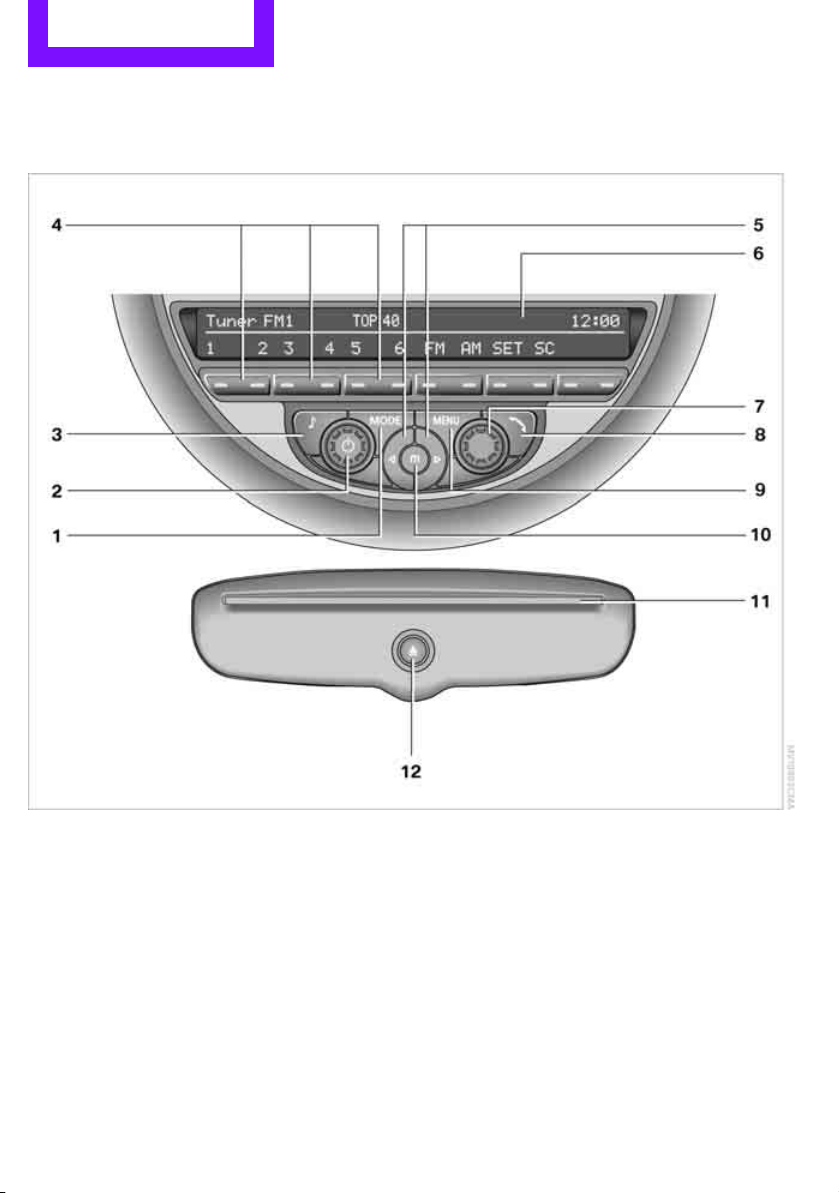
Radio MINI Boost CD
1 Selecting audio sources
2 On/off
*, loudspeaker controls
3 Accessing settings
> Speed-dependent volume
> Tone settings
4 Function buttons for confirming the menu
items displayed above them
5 Changing stations, tracks
> Changing stations
> Changing tracks on the CD player
6 Display
7 Selecting functions
> Turn: selecting a menu item or setting a
value
> Press: confirming a selection or storing
settings
8 Generating/ending voice connections
9 Calling up the settings menu
10 Manually selecting a frequency
11 CD slot
12 Ejecting a CD
Online Edition for Part no. 01 40 2 607 530 - © 03/11 BMW AGOnline Edition for Part no. 01 40 2 607 530 - © 03/11 BMW AG
Radio MINI Boost CD AT A GLANCE
17
Menu navigation
Radio and telephone functions* can be called
up by using the buttons on the radio and menus.
Calling up the settings menu
Press the MENU button
> Settings
> MINI phone numbers
> Telephone
*
Calling up the audio menu
Press the MODE button
> Radio
> HD Radio
*
> Satellite radio*
> CD player
> External audio device, e.g., MP3 player
> USB audio interface
*
Selecting a menu item
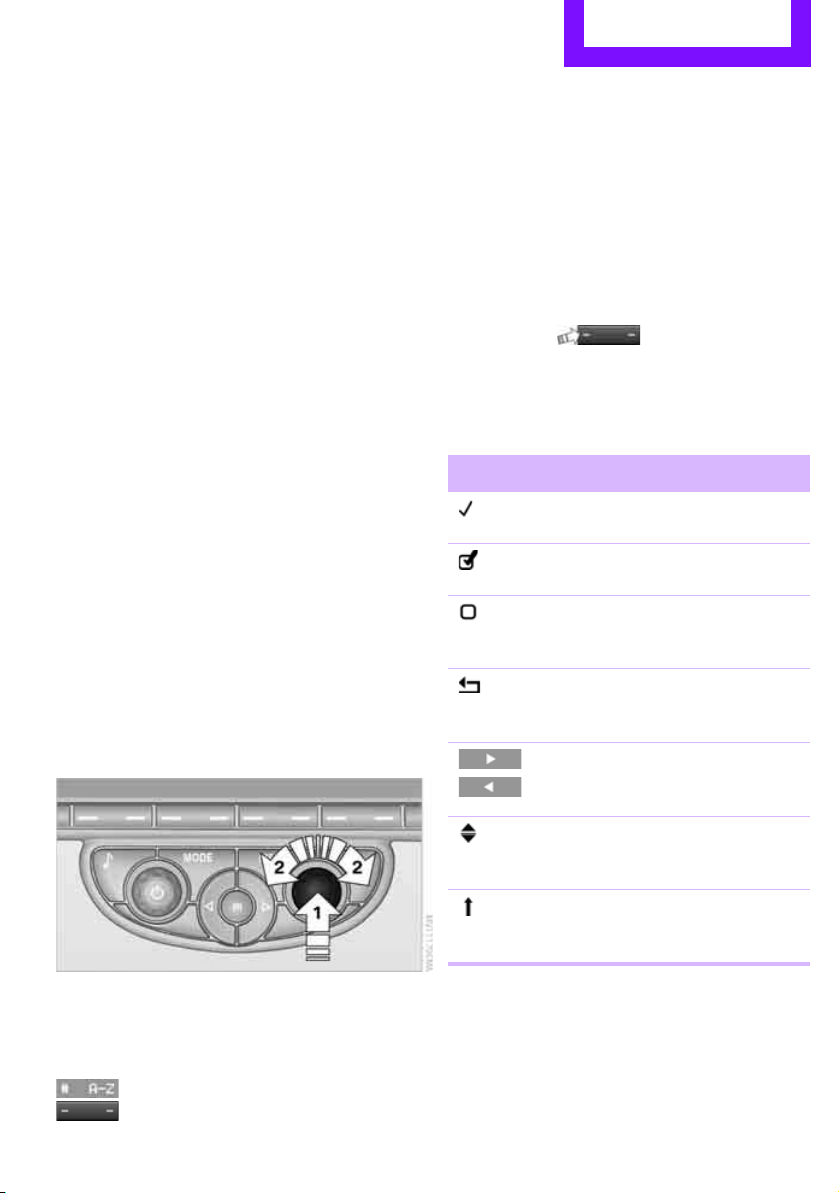
Menu items can be selected by using the knob
on the right or by using the function buttons
For the knob on the right
1. Turn the knob, arrow 2, to select a menu
item, e.g., "CONFIG".
2. Press the knob, arrow 1, to confirm a high-
lighted function.
Via function buttons
Press the button.
To carry out a function that is shown on the dis-
play, press the button that is below to the left or
right.
If a function is displayed, press the button in the
middle.
Representation in the Owner's Manual
Function buttons that can be pressed on the
right or on the left are provided with an arrow on
each side.
E.g., press the button on the left.
Menu items that are to be selected are displayed
in quotes, for example "CONFIG".
Symbols on the display
Symbol Function
The function is selected
The function is activated
The function is deacti-
vated
Exit menu, one menu
back
Displaying other menu
items
Scroll display, list contains
more than two inputs
Changing to parent direc-
tory
Online Edition for Part no. 01 40 2 607 530 - © 03/11 BMW AGOnline Edition for Part no. 01 40 2 607 530 - © 03/11 BMW AG
Handle Me.
Online Edition for Part no. 01 40 2 607 530 - © 03/11 BMW AG

AT A GLANCE
Driving tips
Entertainment
Communications
Mobility
Reference
Controls
Online Edition for Part no. 01 40 2 607 530 - © 03/11 BMW AG
Controls Opening and closing
20
Opening and closing
Keys/remote controls
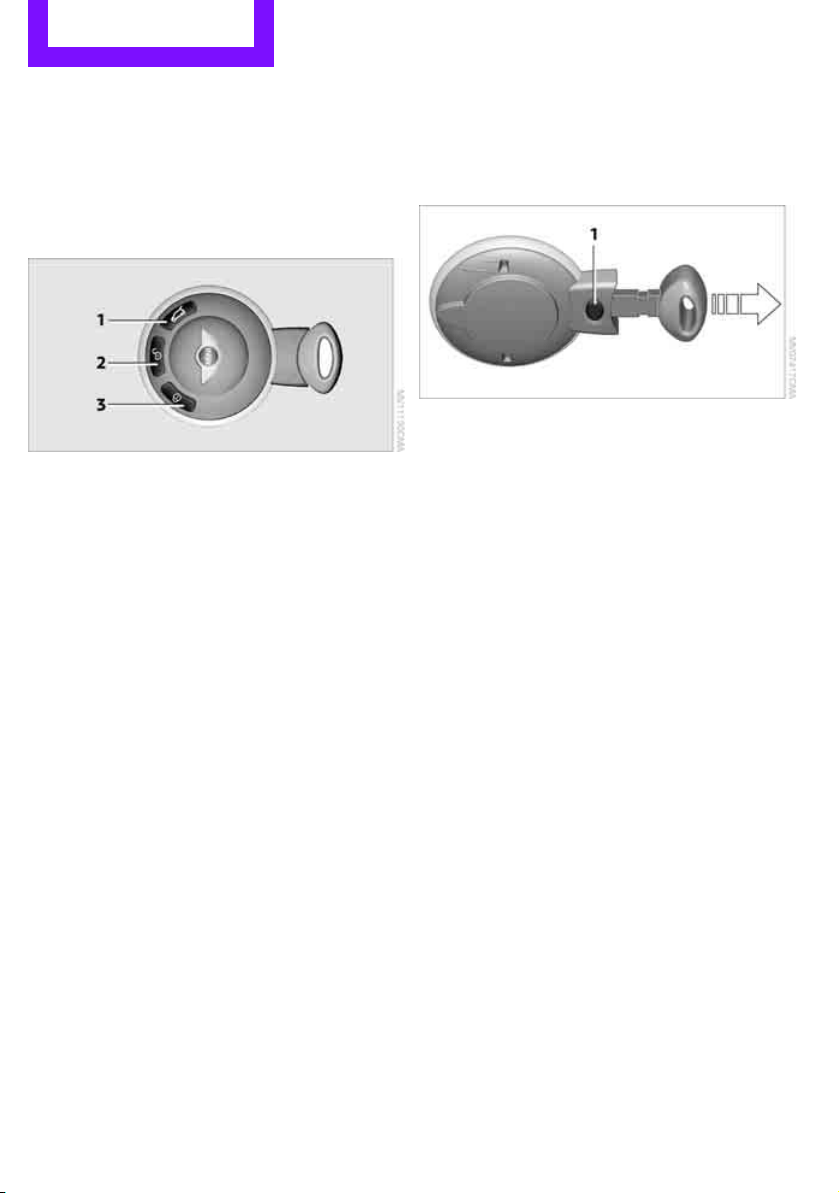
Buttons for the remote control
1 Opening the liftgate
2 Unlocking
3 Locking
General information
Each remote control contains a rechargeable
battery that is recharged when it is in the igni-
tion lock while the car is being driven. You
should therefore use each remote control at
least twice a year to maintain the charge status.
In vehicles equipped with Comfort Access
*, the
remote control contains a replaceable battery,
page 29.
If more than one remote control unit is used, the
settings called up and implemented depend on
which remote control is recognized when the
car is unlocked, refer to Personal Profile,
page 20.
In addition, information about service require-
ments is stored in the remote control, refer to
Service data in the remote control, page 142.
New remote controls
Your MINI dealer can supply new remote con-
trols as additional units or as replacements in the
event of loss.
Integrated key
Press button 1 to release the key.
The integrated key fits the following locks:
> Driver's door, page 24.
Personal Profile
The concept
The functions of your MINI can be set individu-
ally. By means of Personal Profiles, most of these
settings are stored for the remote control cur-
rently in use. When you unlock the car, the
remote control is recognized and the settings
stored for it are called up and implemented.
This means that your settings will be activated
for you, even if in the meantime your car was
used by someone else with another remote con-
trol and the corresponding settings.
At most three remote controls can be set for
three different people. A prerequisite is that
each person uses a separate remote control.
Personal Profile settings
For more information on specific settings, refer
to the specified pages.
> Response of the central locking system
when the car is being unlocked 21
> Automatic locking of the vehicle 25
> Triple turn signal activation 46
Online Edition for Part no. 01 40 2 607 530 - © 03/11 BMW AGOnline Edition for Part no. 01 40 2 607 530 - © 03/11 BMW AG
Opening and closing Controls
21
> Settings for the displays in the speedometer
and tachometer:
> 12 h/24 h mode of the clock, refer to For-
mats and units of measure 54
> Date format, refer to Formats and units
of measure 54
> Units of measure for fuel consumption,
distance covered/remaining distances
and temperature, refer to Formats and
units of measure 54
> Light settings:
> Pathway lighting 71
> Daytime running lights 72
> Automatic climate control
*: activating/
deactivating the AUTO program, setting the
temperature, air volume and air
distribution 78
> Entertainment:
> Adjusting volume levels 102
> Tone control 103
Central locking system
The concept
The central locking system is ready for operation
whenever the driver's door is closed.
The system simultaneously engages and
releases the locks on the following:
> Doors
> Liftgate
> Fuel filler flap
Operating from outside
> Via the remote control
> Via the door lock
*
> In cars with Comfort Access*, via the door
handles on the driver's and passenger's
sides
The remote control can also be used to switch
on/off the welcome lamps and interior lamps.
The alarm system
* is also activated or deacti-
vated, page 26.
Operating from inside
Button for central locking system, page 24.
In the event of a sufficiently severe accident, the
central locking system unlocks automatically. In
addition, the hazard warning flashers and inte-
rior lamps come on.
Opening and closing:
from outside
Persons or animals in a parked vehicle
could lock the doors from the inside. Take
the key with you when you leave the vehicle so
that the vehicle can be opened from the out-
side.<
Using the remote control
Unlocking
Press the button.
The welcome lamps and interior lamps come on.
Unlocking mode
You can also set which parts of the car are
unlocked. The setting is stored for the remote
control in use.
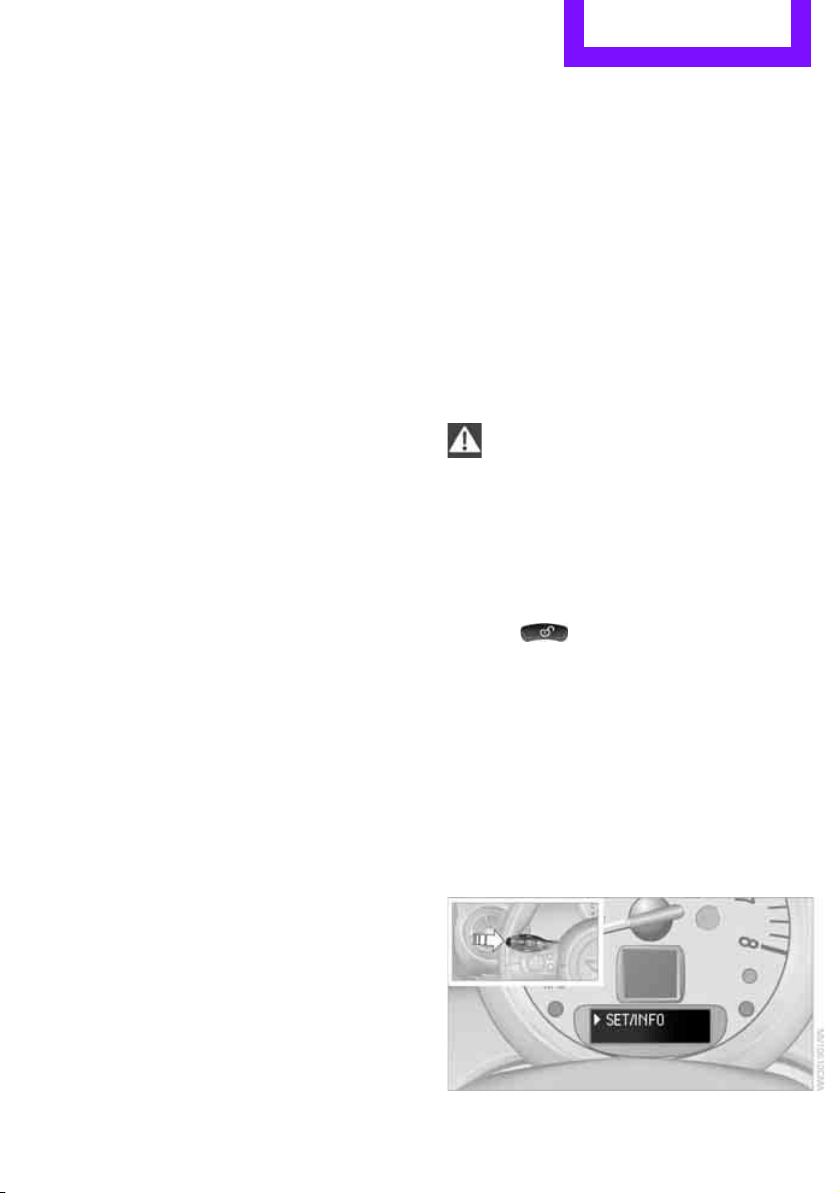
1. Switch on the ignition, refer to page 41.
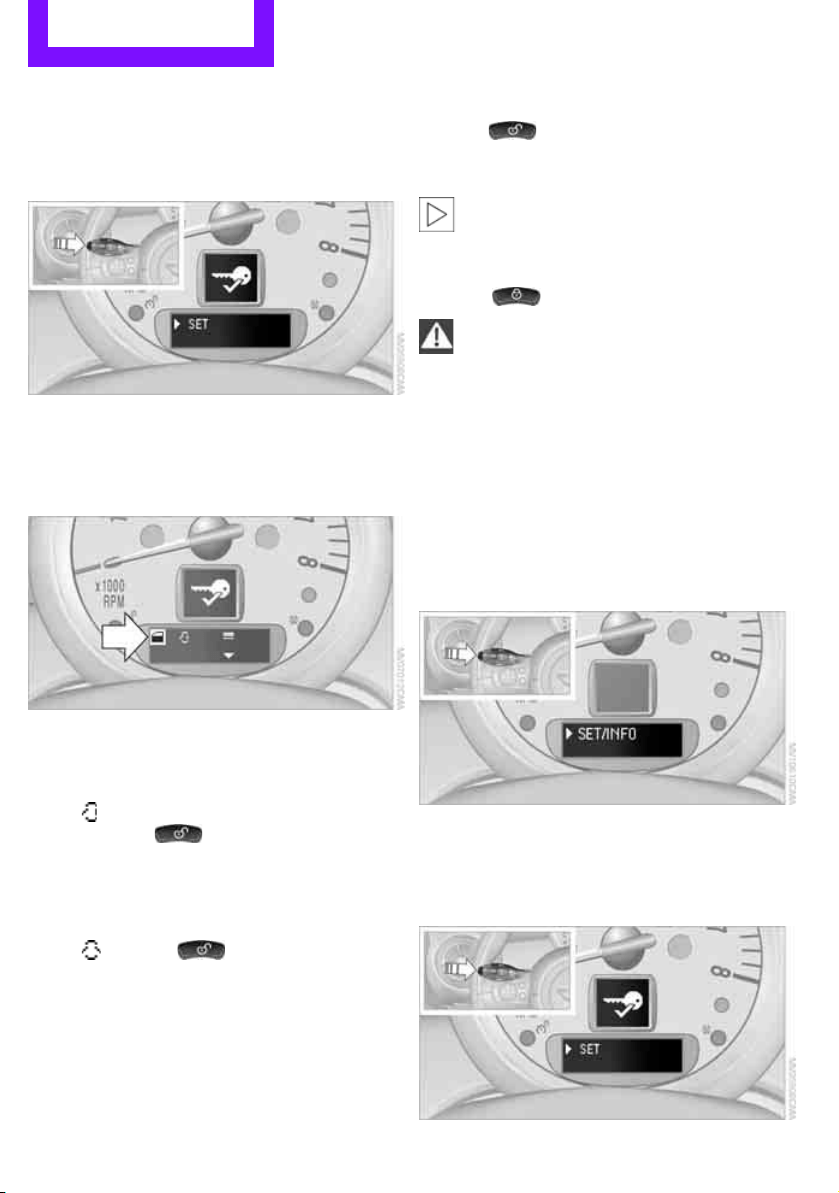
2. Press the button on the turn signal indicator
as often as necessary until "SET/INFO" is dis-
played.
Online Edition for Part no. 01 40 2 607 530 - © 03/11 BMW AGOnline Edition for Part no. 01 40 2 607 530 - © 03/11 BMW AG
Controls Opening and closing
22
3. Press and hold the button until the display
changes.
4. Press the button as often as necessary until
the symbol and "SET" are displayed.
5. Press and hold the button until the display
changes.
6. Briefly press the button repeatedly until the
display shows the illustrated symbol, arrow.
7. Press and hold the button until the display
changes.
8. Press the button to select:
>
Press the button once to unlock
only the driver's door and the fuel filler
flap
*.
Press the button twice to unlock the
entire vehicle.
> Press the button once to
unlock the entire vehicle.
9. Press and hold the button until the display
changes. The setting is stored for the remote
control currently in use.
Convenient opening
Hold the button down.
The power windows are opened and the glass
roof
* is tilted.
Convenient closing is not possible by
means of the remote control.<
Locking
Press the button.
Do not lock the vehicle from the outside if
there is any person inside, because the
vehicle cannot be unlocked from inside without
special knowledge.<
Setting confirmation signals
To have the vehicle confirm when it has been
locked or unlocked.
1. Switch on the ignition, refer to page 41.
2. Press the button on the turn signal indicator
as often as necessary until "SET/INFO" is dis-
played.
3. Press and hold the button until the display
changes.
4. Press the button as often as necessary until
the symbol and "SET" are displayed.
Online Edition for Part no. 01 40 2 607 530 - © 03/11 BMW AGOnline Edition for Part no. 01 40 2 607 530 - © 03/11 BMW AG
Opening and closing Controls
23
5. Press and hold the button until the display
changes.
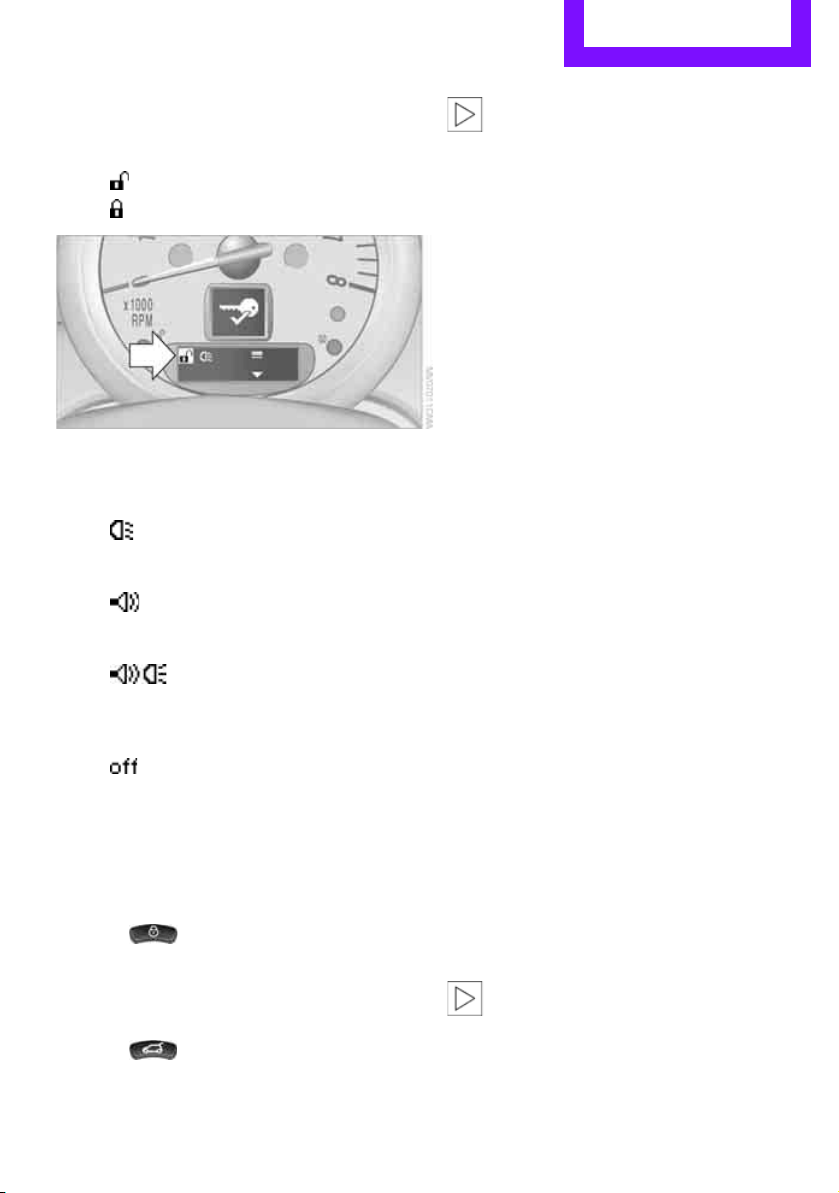
6. Press the button to select, arrow:
> Confirmation signal during unlocking
> Confirmation signal during locking
7. Press and hold the button until the display
changes.
8. Press the button to select:
>
The hazard warning flashers light up dur-
ing unlocking/locking.
>
An acoustic signal sounds during unlock-
ing/locking.
>
The hazard warning flashers light up and
an acoustic signal
* sounds during
unlocking/locking.
>
The function is deactivated.
9. Press and hold the button until the display
changes. The setting is stored.
Switching on interior lamps
While the car is locked:
Press the button.
You can also use this function to locate your
vehicle in parking garages, etc.
Unlocking liftgate
Press the button for approx. 1 second
and then release it.
When it is opened, the liftgate swings out
and up toward the rear. Make sure that
adequate clearance is available before opening.
To prevent accidentally locking yourself out, do
not place the key down in the cargo area. If the
liftgate was locked before opening, it will be
locked again after it is closed.
Before and after each trip, check that the liftgate
has not been inadvertently unlocked.<
Malfunctions
The remote control may malfunction due to
local radio waves. If this occurs, unlock and lock
the car at the door lock with the integrated key.
If the car can no longer be locked with a remote
control, the battery in the remote control is dis-
charged. Use this remote control during an
extended drive; this will recharge the battery,
page 20.
For US owners only
The transmitter and receiver units comply with
part 15 of the FCC/Federal Communications
Commission regulations. Operation is governed
by the following:
FCC ID:
LX8766S
LX8766E
LX8CAS
Compliance statement:
This device complies with part 15 of the FCC
Rules. Operation is subject to the following two
conditions:
> This device must not cause harmful interfer-
ence, and
> this device must accept any interference
received, including interference that may
cause undesired operation.
Any unauthorized modifications or
changes to these devices could void the
user's authority to operate this equipment.<
Online Edition for Part no. 01 40 2 607 530 - © 03/11 BMW AGOnline Edition for Part no. 01 40 2 607 530 - © 03/11 BMW AG
Controls Opening and closing
24
Using the door lock
You can set which parts of the car are unlocked,
page 21.
Do not lock the vehicle from the outside if
there is any person inside, because the
vehicle cannot be unlocked from inside without
special knowledge.<
When there is no alarm system
* or Com-
fort Access
*, only the driver's door is
locked with the door lock.<
To lock all doors, the fuel filler flap, and the lift-
gate together:
> With the doors closed, press the interior cen-
tral locking button, page 24 to lock the vehi-
cle.
> Unlocking and opening the driver or passen-
ger door, page 24.
Locking the vehicle.
> Lock the driver's door with the integrated
key via the door lock, or
> press the safety lock button on the pas-
senger's door and close the door from
the outside.
Convenient operation
With an alarm system* or Comfort Access*, the
windows and glass roof
* can be operated via
the door lock.
Opening/closing
Hold the key in the position for unlocking or
locking.
Watch during the closing process to be
sure that no one is injured. Releasing the
key stops the operation.<
Manual operation
In the event of an electrical malfunction, the
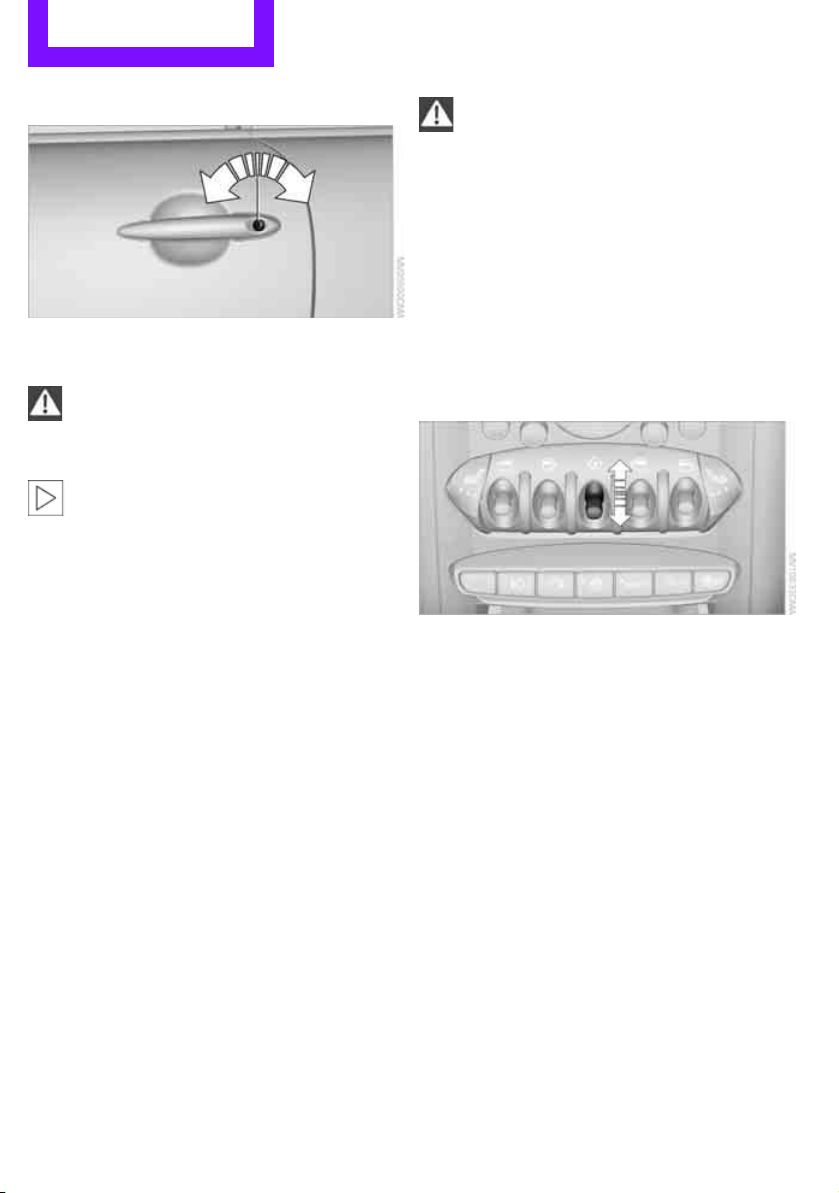
driver's door can be unlocked or locked by turn-
ing the integrated key in the door lock to the end
positions.
Opening and closing:
from inside
The switch locks or unlocks the doors and lift-
gate when the doors are closed, but the anti-
theft system is not activated. The fuel filler flap
remains unlocked
*.
Unlocking and opening
> Either unlock the doors together using the
switch for the central locking system and
then pull the door handle above the armrest
or
> pull on the door handle of either door twice:
the first time unlocks the door, the second
time opens it.
Locking
> Press the switch or
> press down the safety lock button of a door.
To prevent you from being locked out, the
open driver's door cannot be locked using
the lock button.
Online Edition for Part no. 01 40 2 607 530 - © 03/11 BMW AGOnline Edition for Part no. 01 40 2 607 530 - © 03/11 BMW AG
Opening and closing Controls
25
Persons or animals in a parked vehicle
could lock the doors from the inside. Take
the key with you when you leave the vehicle so
that the vehicle can be opened from the out-
side.<
Automatic locking*
You can also set the situations in which the car
locks. The setting is stored for the remote con-
trol in use.
1. Switch on the ignition, refer to page 41.
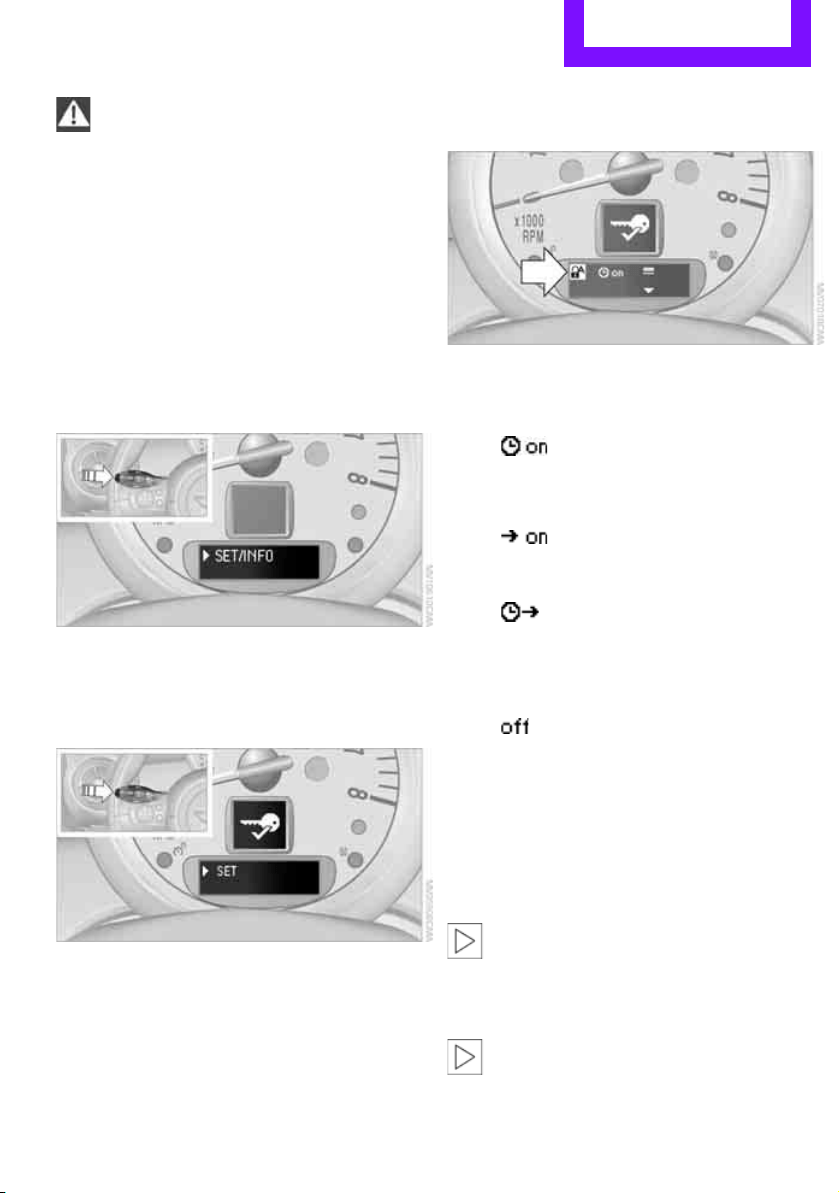
2. Press the button on the turn signal indicator
as often as necessary until "SET/INFO" is dis-
played.
3. Press and hold the button until the display
changes.
4. Press the button as often as necessary until
the symbol and "SET" are displayed.
5. Press and hold the button until the display
changes.
6. Briefly press the button repeatedly until the
display shows the illustrated symbol, arrow.
7. Press and hold the button until the display
changes.
8. Press the button to select:
>
The central locking system automatically
locks the vehicle after some time if no
door has been opened.
>
The central locking system automatically
locks the vehicle as soon as you drive off.
>
The central locking system automatically
locks the vehicle after some time if no
door has been opened, or as soon as you
drive off.
>
The central locking system remains
unlocked.
9. Press and hold the button until the display
changes. The setting is stored.
Liftgate
To avoid damage, make sure there is suf-
ficient clearance before opening the lift-
gate.<
Opening
In some market-specific versions, the lift-
gate cannot be unlocked using the remote
control unless the vehicle is unlocked first.
Only drive with the liftgate fully closed; other-
Online Edition for Part no. 01 40 2 607 530 - © 03/11 BMW AGOnline Edition for Part no. 01 40 2 607 530 - © 03/11 BMW AG
Controls Opening and closing
26
wise, the tail lamps will be obscured and driving
safety will be compromised.<
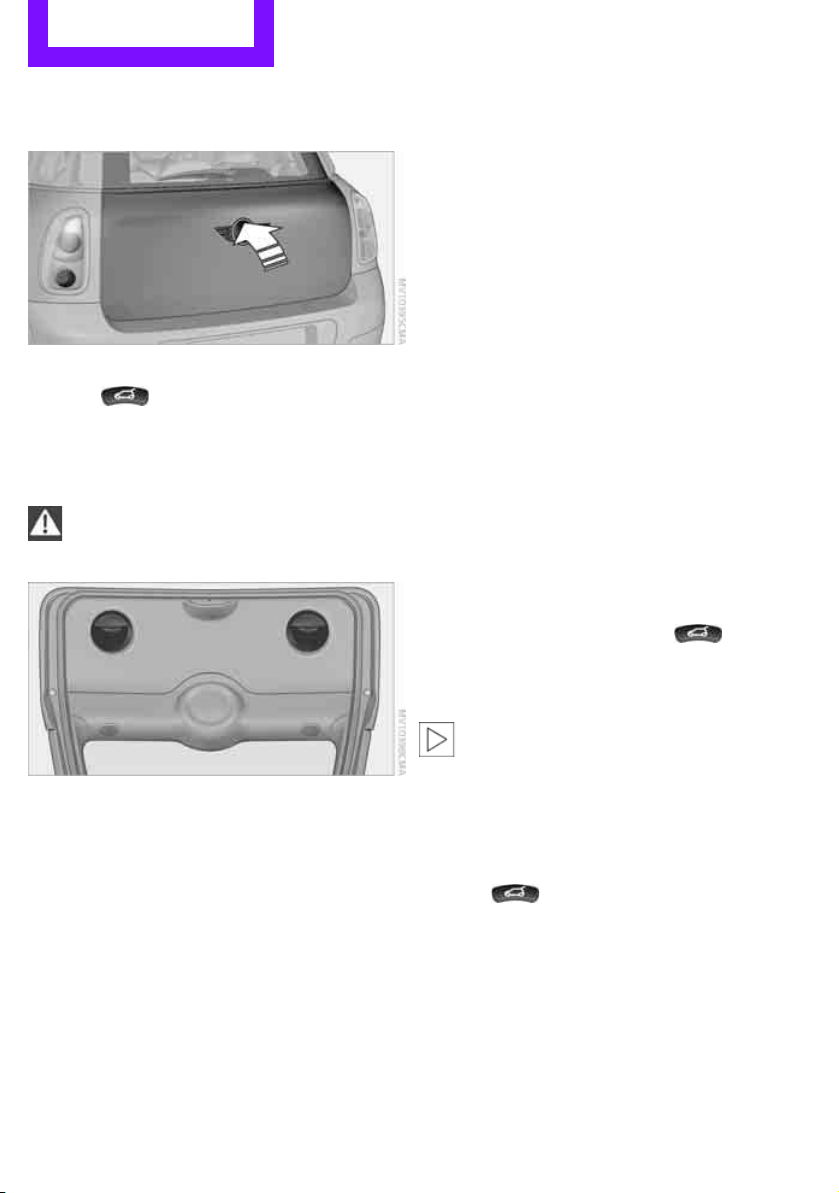
Press the top side of the MINI emblem, arrow, or
Press the button on the remote control
for approx. 1 second and then release it. The lift-
gate is unlocked.
Closing
Make sure that the closing path of the lift-
gate is clear; otherwise, injuries may
occur.<
The handle recesses on the interior trim panel of
the liftgate make it easier to pull it down.
Alarm system*
The concept
The alarm system, when activated, reacts if:
> A door, the engine compartment lid or the
liftgate is opened
> There is movement inside the car
> The car's inclination changes, for instance if
an attempt is made to jack it up and steal the
wheels or to raise it prior to towing away
> There is an interruption in the power supply
from the battery
The alarm system briefly indicates unauthorized
entry or tampering by means of:
> An acoustic alarm
> Switching on the hazard warning flashers
Arming and disarming
Whenever the car is locked or unlocked, the
alarm system is armed or disarmed.
Even when the alarm system is armed, you can
open the liftgate by means of the button
on the remote control.
When you subsequently close the liftgate it is
again locked and monitored.
In certain market-specific versions,
unlocking via the door lock triggers the
alarm.<
Panic mode*
You can activate the alarm system if you find
yourself in a dangerous situation.
Press the button for at least two seconds.
Switching off the alarm:
Press any button.
Switching off an alarm
> Unlock the car with the remote control.
> Insert the key fully into the ignition lock.
> In cars with Comfort Access
*, press the but-
ton on the door lock.
Online Edition for Part no. 01 40 2 607 530 - © 03/11 BMW AGOnline Edition for Part no. 01 40 2 607 530 - © 03/11 BMW AG
Opening and closing Controls
27
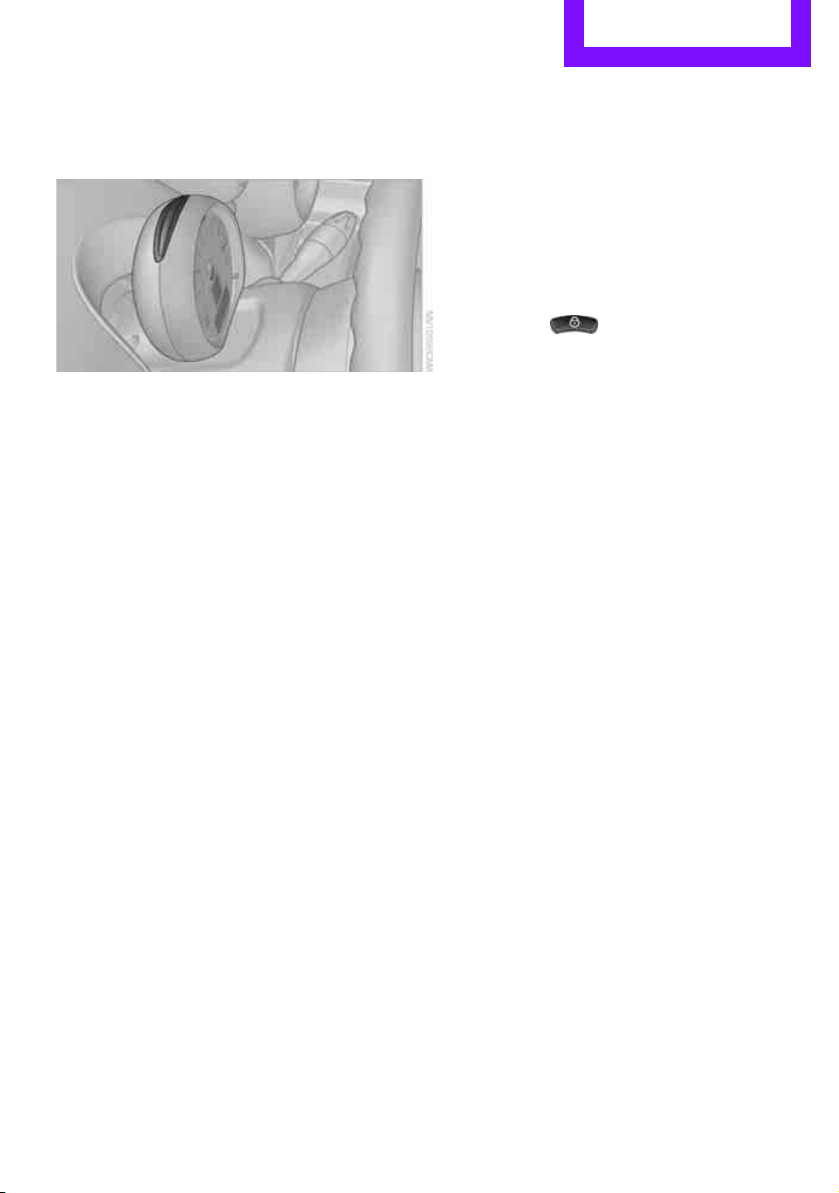
Display on the revolution counter
When the system is armed, all LEDs pulse. After
approx. 16 minutes one LED flashes.
> LEDs pulse or LED flashes: system is armed.
> One LED flashes at short intervals:
A door, the hood or the liftgate is not prop-
erly closed. Even if these are not closed fully,
the remaining items are deadlocked and the
LEDs pulse after approx. 10 seconds for
approx. 16 minutes. Afterwards, one LED
flashes.
The interior movement detector is not acti-
vated.
> LEDs go out after the vehicle is unlocked:
No attempt was made to tamper with the
car.
> LEDs flash after unlocking until the key is
inserted in the ignition, but for no longer
than approx. 5 minutes: an attempt was
made to tamper with the car.
Tilt alarm sensor
The vehicle's inclination is monitored. The alarm
is triggered, for instance, if an attempt is made
to steal the car's wheels or tow it away.
Interior movement detector
Before the interior movement detector can
operate correctly, the windows and glass roof
must be closed.
Avoiding false alarms
The tilt alarm sensor and the interior movement
detector can be switched off together.
This prevents false alarms, e.g. in the following
situations:
> In duplex garages
> When being transported on car-carrying
trains, ferries or trailers
> If pets are to remain inside the car
Switching off the tilt alarm sensor and
interior movement detector
> Press the button on the remote con-
trol twice in succession.
> Lock the vehicle twice with the integrated
key.
LEDs flash in short succession for approx.
2 seconds.
The tilt alarm sensor and the interior movement
detector are switched off until the car is next
unlocked and locked.
Comfort Access*
Comfort Access enables you to enter your vehi-
cle without having to hold the remote control in
your hand. All you need to do is wear the remote
control close to your body, e.g. in your jacket
pocket. The vehicle automatically detects the
remote control within the immediate vicinity or
in the passenger compartment.
Functional requirements
> The vehicle or the liftgate can only be locked
when the vehicle detects that the remote
control currently in use is outside of the
vehicle.
> The vehicle cannot be locked or unlocked
again until after approx. 2 seconds.
> The engine can only be started when the
vehicle detects that the remote control is
inside the vehicle.
> The doors and liftgate must be closed to be
able to operate the windows and glass sun-
roof
*.
Online Edition for Part no. 01 40 2 607 530 - © 03/11 BMW AGOnline Edition for Part no. 01 40 2 607 530 - © 03/11 BMW AG
Controls Opening and closing
28
Comfort Access supports the following func-
tions:
> Unlocking/locking the vehicle
> Convenient closing
> Unlocking the liftgate separately
> Starting the engine
Comparison to standard remote controls
Essentially, it makes no difference whether you
control the above-mentioned functions using
Comfort Access or by pressing the buttons on
the remote control for Comfort Access.
Instructions on opening and closing are found
starting on page 20.
Special features regarding the use of Comfort
Access are described below.
If you notice a brief delay while opening or
closing the windows or glass roof, the sys-
tem is checking whether a remote control is
inside the vehicle. Repeat the opening or closing
procedure, if necessary.<
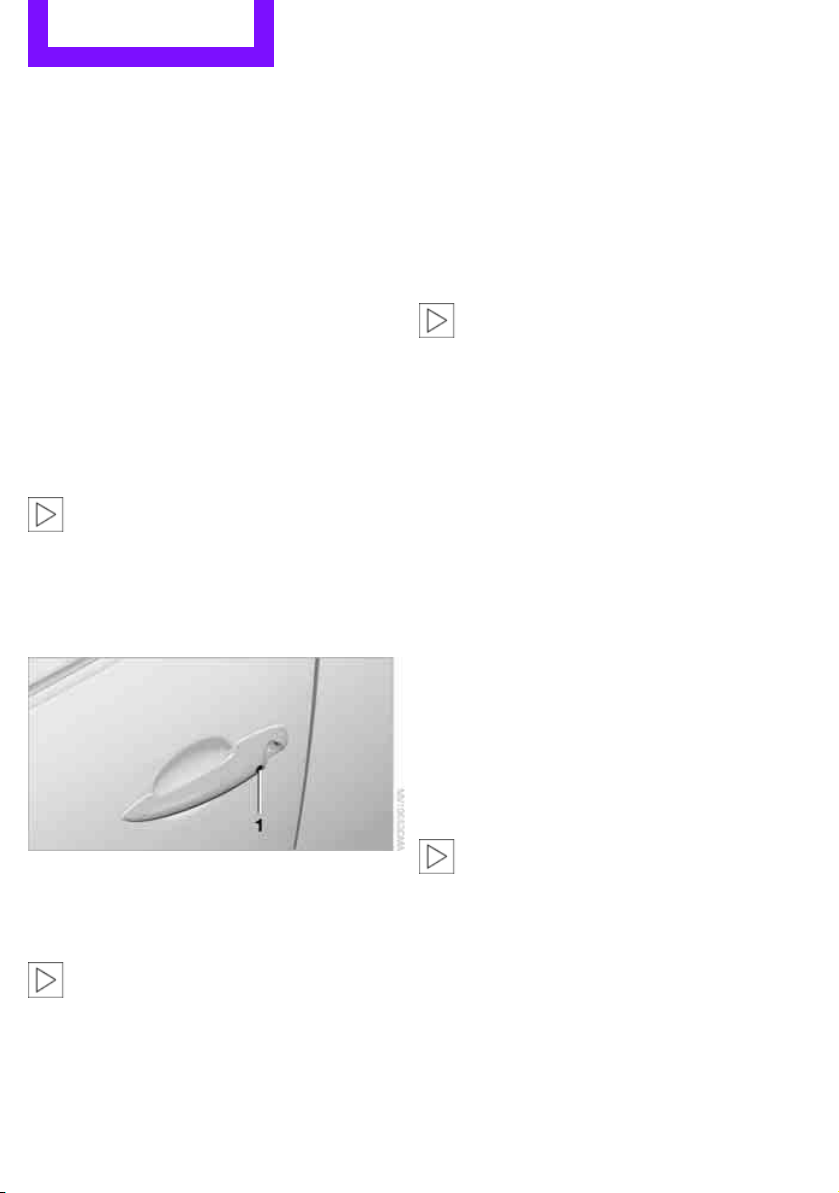
Unlocking
Press button 1.
Depending on the setting, refer to Unlocking
mode on page 21, only the driver's door or the
entire vehicle is unlocked.
Press the button again to lock the vehicle
again.<
Convenient opening with the remote control,
refer to page 22.
Locking
Press button 1.
For Convenient closing, press and hold button 1.
In addition, the windows and the glass sunroof
*
are closed.
Unlocking the liftgate separately
Press the top side of the MINI emblem.
If the vehicle detects that a remote control
has been accidentally left inside the
locked vehicle's cargo area after the liftgate is
closed, the liftgate will reopen slightly. The haz-
ard warning flashers flash and an acoustic sig-
nal
* sounds.<
Windows and glass roof, electric*
If the engine is switched off, you can still operate
the windows and glass sunroof so long as a door
or the liftgate has not been opened.
If the doors and liftgate are closed again and the
remote control is located inside the vehicle, the
windows and the glass sunroof can be operated
again.
Insert the remote control into the ignition lock to
be able to operate the windows or glass sunroof
when the engine is switched off and the doors
are open.
Switching on radio readiness
Switch on radio readiness by briefly pressing the
Start/Stop button, page 41.
Do not depress the brake or the clutch;
otherwise, the engine will start.<
Starting the engine
The engine can be started or the ignition can be
switched on when a remote control is inside the
vehicle. It is not necessary to insert a remote
control into the ignition lock, page 41.
Online Edition for Part no. 01 40 2 607 530 - © 03/11 BMW AGOnline Edition for Part no. 01 40 2 607 530 - © 03/11 BMW AG
Opening and closing Controls
29
Switching off the engine in cars with
automatic transmission
The engine can only be switched off when the
selector lever is in position P, page 43.
To switch the engine off when the selector lever
is in position N, the remote control must be in
the ignition lock.
Before driving a vehicle with automatic
transmission into a car wash
1. Insert remote control into ignition lock.
2. Depress the brake.
3. Move the selector lever to position N.
4. Switch off the engine.
The vehicle can roll.
Malfunction
Comfort Access may malfunction due to local
radio waves.
If this happens, open or close the vehicle via the
buttons on the remote control or using the inte-
grated key.
Insert the remote control into the ignition lock
and start the engine.
Warning lamps
The warning lamp lights up when an
attempt is made to start the engine: the
engine cannot be started. The remote
control is not inside the vehicle or is malfunc-
tioning. Take the remote control with you inside
the vehicle or have it checked. If necessary,
insert another remote control into the ignition
lock.
The warning lamp lights up when the
engine is running: the remote control is
no longer inside the vehicle. After the
engine is switched off, the engine can only be
restarted within approx. 10 seconds.
The indicator lamp lights up: replace the
battery in the remote control.
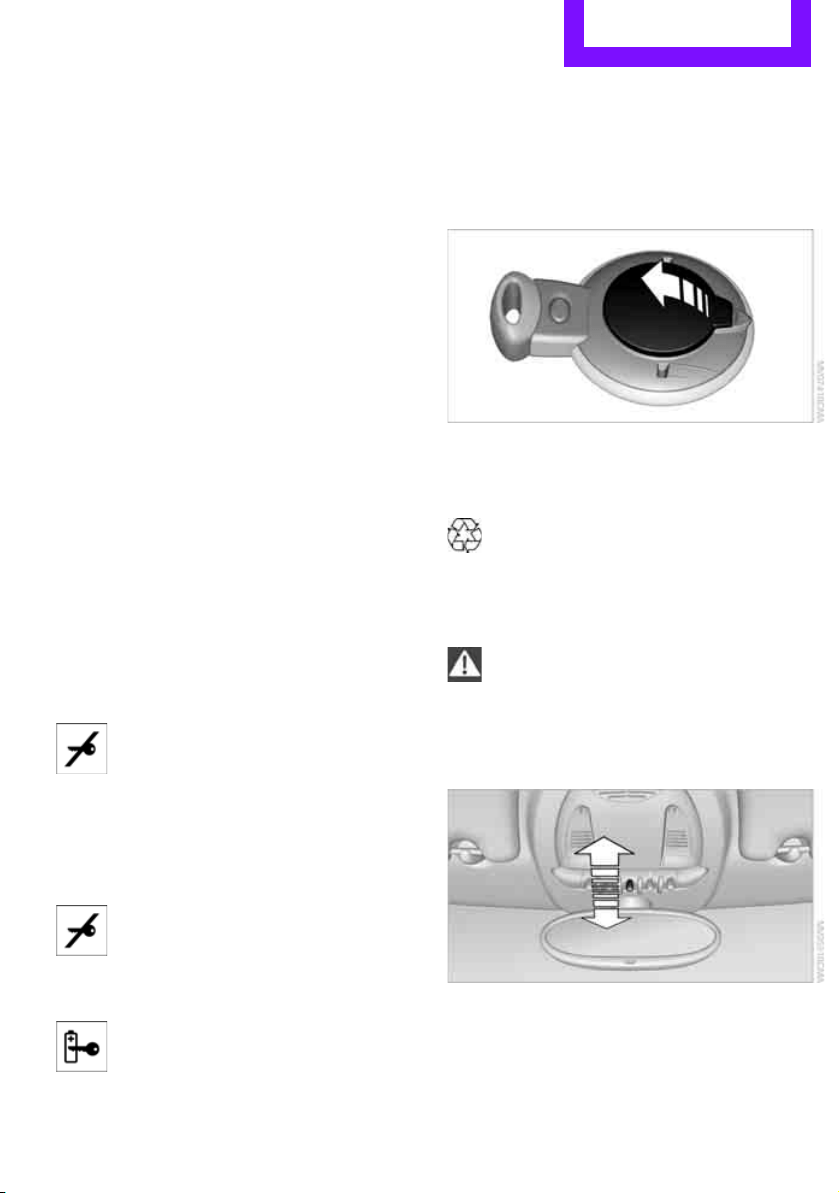
Replacing the battery
The remote control for Comfort Access contains
a battery that will need to be replaced from time
to time.
1. Remove the cover.
2. Insert the new battery with the plus side fac-
ing up.
3. Press the cover on to close.
Take the old battery to a recycling center
or to your MINI dealer.<
Glass roof, electric*
To prevent injuries, exercise care when
closing the glass roof and keep it in your
field of vision until it is shut.
Take the key with you when you leave the car;
otherwise, children could operate the roof and
possibly injure themselves.<
Tilting
> Press the switch backward to the resistance
point and hold it there.
Both glass roofs are tilted.
Releasing the switch stops the movement.
Online Edition for Part no. 01 40 2 607 530 - © 03/11 BMW AGOnline Edition for Part no. 01 40 2 607 530 - © 03/11 BMW AG
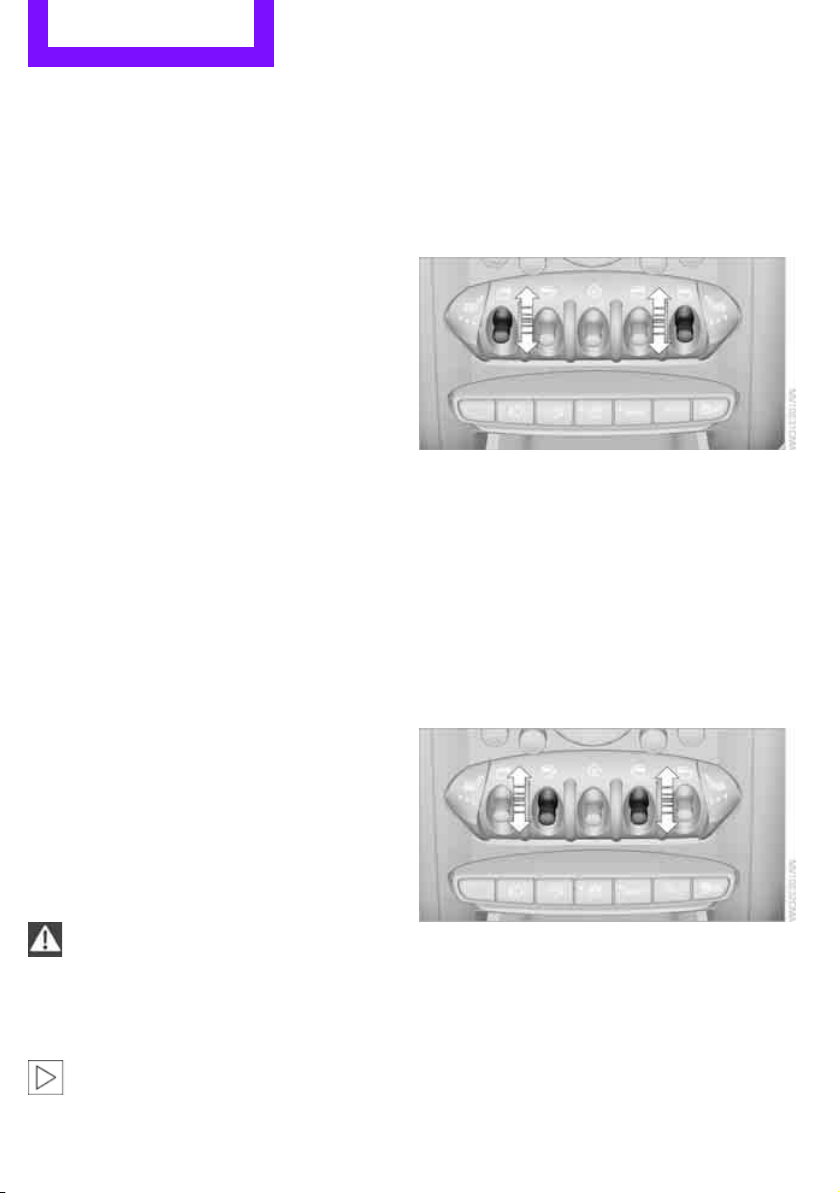
Controls Opening and closing
30
> With the ignition switched on, press the
switch backward beyond the resistance
point.
Both closed roofs are tilted fully.
Pressing again stops the movement.
Opening, closing
With the ignition switched on and the glass sun-
roof tilted, press the switch backward and hold it
there.
The front glass roof opens.
The rear glass roof is closed.
Releasing the switch stops the movement.
The glass sunroof can be closed in the same way
by pressing the switch forward.
The front glass roof remains in a tilted position.
The rear glass roof is tilted. Pressing on the
switch again closes both roofs completely.
Convenient operation via door lock or Comfort
Access, refer to page 22, 24, 28.
Roller sun blind
The roller sun blind can be opened and closed
independently of the glass roof.
Following interruptions in electrical
power supply
After a power failure, there is a possibility that
the glass roof can only be tilted. In this case,
have the system initialized. The manufacturer of
your MINI recommends that you have this work
done by your MINI dealer.
Windows
To prevent injuries, exercise care when
closing the windows.
Take the remote control with you when you
leave the car; otherwise, children could operate
the electric windows and possibly injure them-
selves.<
If, after a window is opened and closed
several times in close succession, the win-
dow can only be closed and not opened, the sys-
tem is overheated. Let the system cool for sev-
eral minutes with the ignition switched on or the
engine running.<
Opening, closing
Front window
> Press the switch downward.
The window opens until you release the
switch.
> Push the switch downward.
As of radio readiness, the windows will open
automatically. Push the switch again to stop
the opening movement.
The window can be closed in the same way by
pressing the switch up.
Rear window
> Press the switch downward.
The window opens until you release the
switch.
> Push the switch downward.
As of radio readiness, the windows will open
automatically. Push the switch again to stop
the opening movement.
Online Edition for Part no. 01 40 2 607 530 - © 03/11 BMW AGOnline Edition for Part no. 01 40 2 607 530 - © 03/11 BMW AG
Opening and closing Controls
31
The window can be closed in the same way by
pressing the switch up.
After switching off the ignition
When the ignition is switched off, the windows
can still be operated for approx. 1 minute as
long as no door is opened.
Take the key with you when you leave the
car; otherwise, children could operate the
electric windows and possibly injure them-
selves.<
Pinch protection system
If the closing force rises beyond a predefined
threshold during closing, the system will stop
moving the window prior to lowering it again
slightly.
Even though there is the pinch protection
system, always ensure that the window's
travel path is clear; otherwise, the safety system
might fail to detect certain kinds of obstructions,
such as thin objects, and the window would con-
tinue closing.
Do not install any accessories that might inter-
fere with window movement. Otherwise, the
pinch protection system could be impaired.<
Closing without pinch protection
If there is an external danger, or if ice on the win-
dows, etc., prevents you from closing the win-
dows normally, the window can be closed man-
ually.
1. Press the switch upward and hold it there.
Pinch protection is limited and the window
reopens slightly if the closing force exceeds
a certain value.
2. Press the switch upward again within
approx. 4 seconds and hold it there. The
window closes without pinch protection.
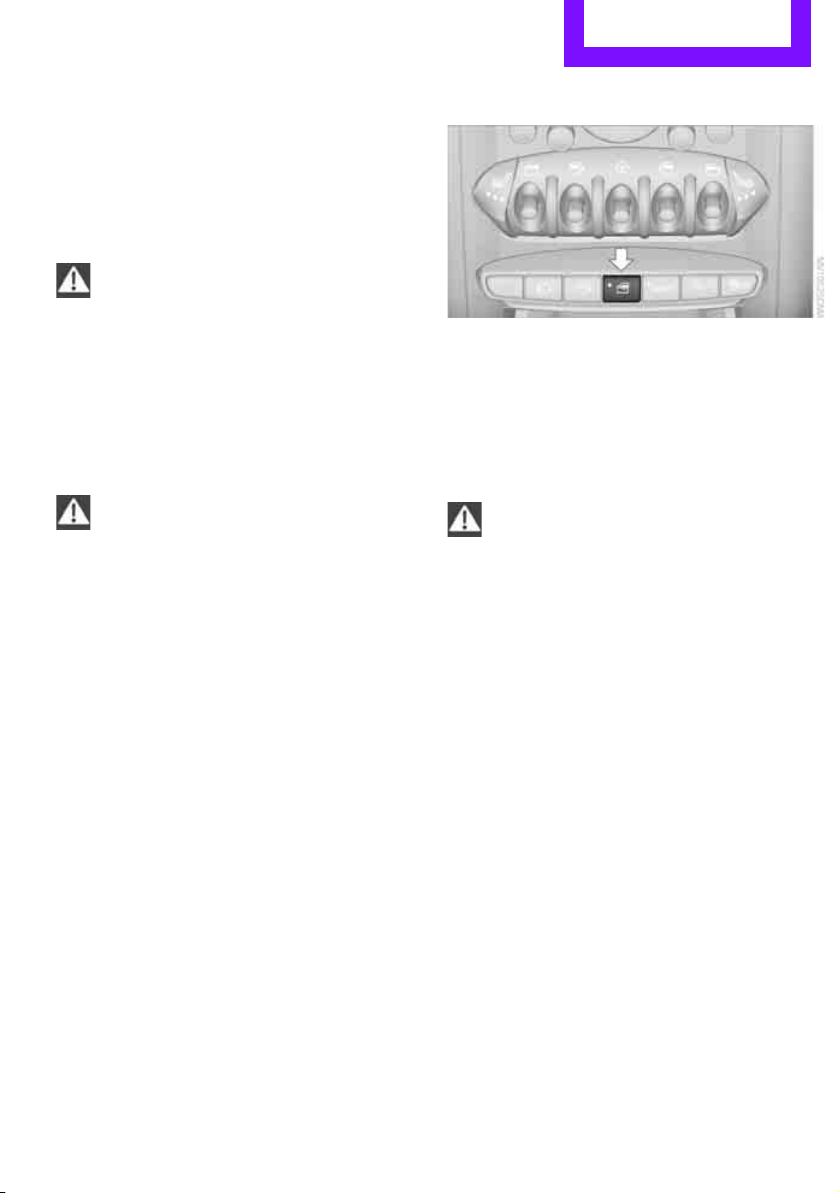
Safety switch
With the safety switch, you can prevent the rear
windows from being opened or closed via the
switches in the rear passenger area, by children,
for example.
Press the button, arrow.
The LED lights up when this safety feature is acti-
vated.
Always press the safety switch when chil-
dren ride in the rear, otherwise uncon-
trolled closing of the windows could lead to inju-
ries.<
Online Edition for Part no. 01 40 2 607 530 - © 03/11 BMW AGOnline Edition for Part no. 01 40 2 607 530 - © 03/11 BMW AG

Controls Adjustments
32
Adjustments
Sitting safely
The ideal sitting position can make a vital contri-
bution to relaxed, fatigue-free driving. In con-
junction with the safety belts, the head restraints
and the airbags, the seated position has a major
influence on your safety in the event of an acci-
dent. To ensure that the safety systems operate
with optimal efficiency, we strongly urge you to
observe the instructions contained in the follow-
ing section.
For additional information on transporting chil-
dren safely, refer to page 38.
Airbags
Always maintain an adequate distance
between yourself and the airbags. Always
grip the steering wheel on the rim, with your
hands in the 3 o'clock and 9 o'clock positions, to
minimize the risk of injury to the hands or arms
in the event of the airbag being triggered off.
No one and nothing should come between the
airbags and the seat occupant.
Do not use the cover of the front airbag on the
front passenger side as a storage area. Ensure
that the front passenger is correctly seated, e.g.
that no feet or legs are propped against the
dashboard. Otherwise, leg injury could result if
the front airbag suddenly deployed.
Make sure that passengers keep their heads
away from the side airbag and do not lean
against the cover of the head airbag, otherwise
injuries can occur when the airbags are trig-
gered.<
Even if you follow all the instructions, injuries
resulting from contact with airbags cannot be
fully excluded, depending on the circumstances.
The ignition and inflation noise may provoke a
mild hearing loss in extremely sensitive individ-
uals. This effect is usually only temporary.
For airbag locations and additional information
on airbags, refer to page 68.
Head restraint
A correctly adjusted head restraint reduces the
risk of neck injury in the event of an accident.
Adjust the head restraint in such a way
that its center is at approx. ear level. Oth-
erwise, there is an increased risk of injury in the
event of an accident.<
Head restraints, refer to page 34.
Safety belt
Before every drive, make sure that all occupants
wear their safety belts. Airbags complement the
safety belt as an additional safety device, but
they do not represent a substitute.
Number of safety belts
Never allow more than one person to
wear a single safety belt. Never allow
infants or small children to ride in a passenger's
lap.
Make sure that the belt in the lap area sits low
across the hips and does not press against the
abdomen. The safety belt must not rest against
the throat, run across sharp edges, pass over
hard or fragile objects or be pinched. Fasten the
safety belt so that it is pulled taut across the lap
and shoulder, fitting the body snugly without
any twists. Otherwise, the belt could slide over
the hips in the event of a frontal collision and
injure the abdomen. Avoid wearing bulky cloth-
ing and regularly pull the belt in the upper-body
area taut; otherwise, its restraining effect could
be impaired.<
Safety belts, refer to page 35.
Online Edition for Part no. 01 40 2 607 530 - © 03/11 BMW AGOnline Edition for Part no. 01 40 2 607 530 - © 03/11 BMW AG
Adjustments Controls
33
Seats
Note before adjusting
Never attempt to adjust your seat while
the vehicle is moving. The seat could
respond with unexpected movement, and the
ensuing loss of vehicle control could lead to an
accident.
On the front passenger seat as well, do not
incline the backrest too far to the rear while the
vehicle is being driven; otherwise, there is a dan-
ger in the event of an accident of sliding under
the safety belt, eliminating the protection nor-
mally provided by the belt.<
Comply with the instructions on head restraint
height on page 34 and on damaged safety belts
on page 36.
Seat adjustment, front
Observe the instructions on page 33 to
ensure the best possible personal protec-
tion.<
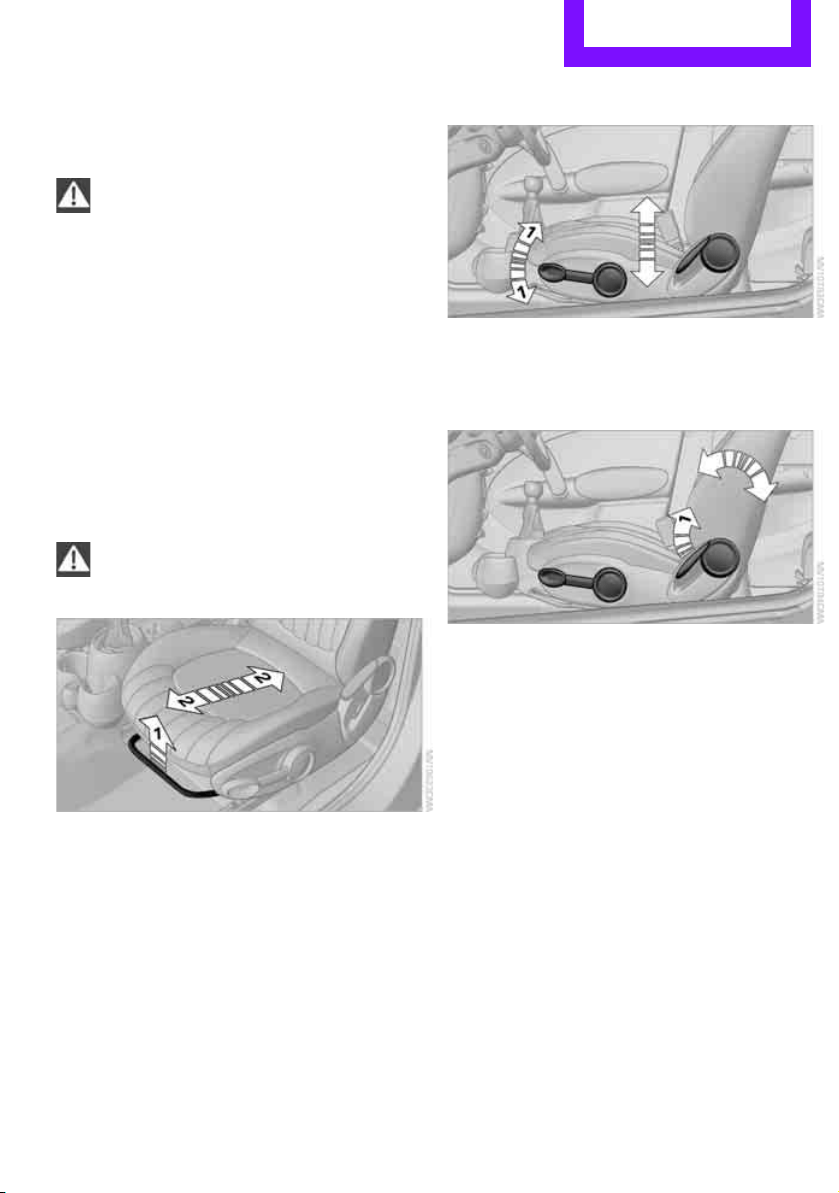
Longitudinal direction
Pull lever, arrow 1, and move the seat into the
desired position, arrows 2.
After releasing the lever, slightly move the seat
forwards or backwards so that it properly
engages.
Height
Pull up or push down the lever repeatedly,
arrows 1, until the desired height is reached.
Backrest
Pull lever, arrow 1, and apply weight to or
remove weight from the backrest as needed.
Lumbar support*
You can also adjust the contour of the backrest
to obtain additional support in the lumbar
region.
The upper hips and spinal column receive sup-
plementary support to help you maintain a
relaxed, upright sitting position.
Online Edition for Part no. 01 40 2 607 530 - © 03/11 BMW AGOnline Edition for Part no. 01 40 2 607 530 - © 03/11 BMW AG
Controls Adjustments
34
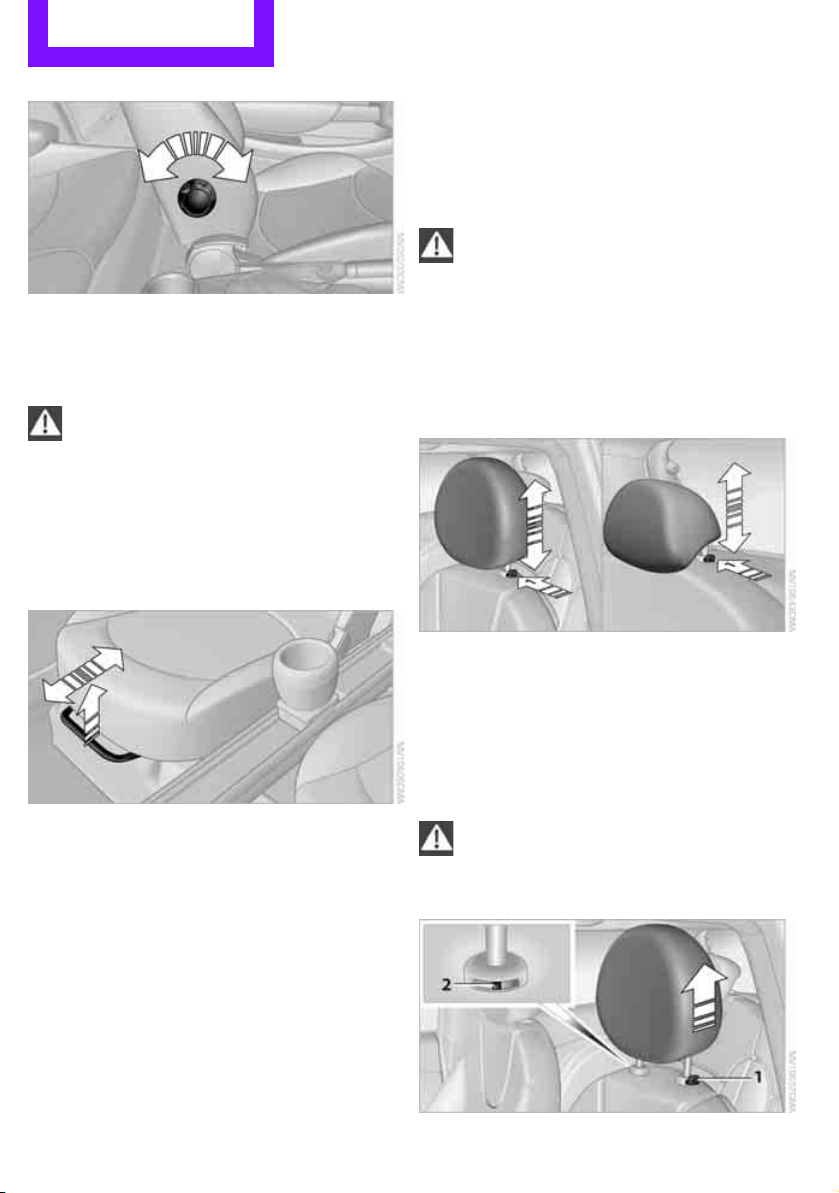
Turn the wheel to increase or decrease the cur-
vature.
Seat adjustment, rear
Do not adjust rear seats while the vehicle
is moving; otherwise, passengers could be
injured.
Make sure that the locking devices of the rear
seats engage properly. Otherwise the restrain-
ing effect of the safety belts during an accident
could be reduced.<
Longitudinal adjustment
1. Pull the lever and slide the seat into the
desired position.
2. Release the lever and move the seat slightly
forward or back so that it engages properly.
Backrest
Adjusting backrest angle, refer to page 92.
Head restraints
Correctly adjusted head restraint
A correctly adjusted head restraint reduces the
risk of neck injury in the event of an accident.
Correctly adjust the head restraints of all
occupied seats; otherwise, there is an
increased risk of injury in an accident.<
Height
Adjust the head restraint so that its center is
approximately at ear level.
Height adjustment
To raise: pull up.
To lower: press the button, arrow 1, and slide
the head restraint down.
Removing
Only remove a head restraint if no one will be
sitting on the seat in question.
Reinstall the head restraint before trans-
porting passengers, as otherwise the head
restraint cannot provide its protective func-
tion.<
Online Edition for Part no. 01 40 2 607 530 - © 03/11 BMW AGOnline Edition for Part no. 01 40 2 607 530 - © 03/11 BMW AG
Adjustments Controls
35
Front
1. Pull up as far as it will go.
2. Fold the backrest back slightly.
3. Press button 1 and pull the head restraint
out as far as it will go.
4. Also press button 2 with a suitable tool and
completely remove the head restraint.
5. Fold back the backrest.
Rear
1. Pull up as far as it will go.
2. Fold the backrest forward slightly.
3. Press button 1 and pull the head restraint
out completely.
4. Also press button 2 with a suitable tool and
completely remove the head restraint.
5. Fold rear seat backrest back into position.
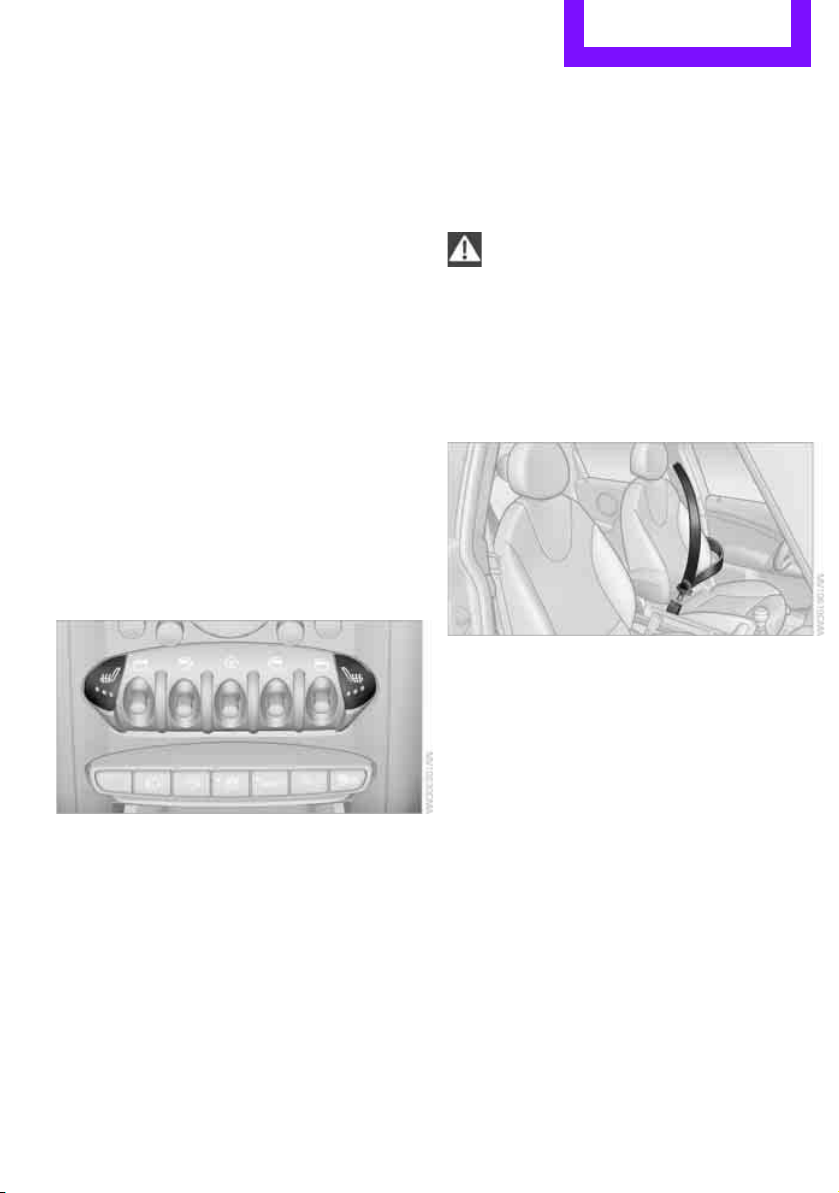
Seat heating*
Switching on
Press once for each temperature level.
Three LEDs indicate the highest temperature.
If you continue driving within the next
15 minutes, the seat heating is automatically
activated at the previously set temperature.
The temperature is lowered or the heating is
switched off entirely to reduce the drain on the
battery.
The LEDs stay lit.
Switching off
Press button longer.
Safety belts
Observe the instructions on page 33 to
ensure the best possible personal protec-
tion.<
Before every drive, make sure that all occupants
wear their safety belts. Airbags complement the
safety belt as an additional safety device, but
they do not represent a substitute.
Front and rear seats
Closing
Make sure you hear the lock engage in the belt
buckle.
The upper belt anchor is suitable for adults of
any stature as long as the seat is adjusted prop-
erly, page 33.
Opening
1. Grasp the belt firmly.
2. Press the red button in the buckle.
3. Guide the belt into its reel.
Height adjustment for rear seat belt
tongues
When the outer rear seats are unoccupied, the
seat belt tongues can be slid back to the cargo
area trim panel with a clasp to prevent noise.
Online Edition for Part no. 01 40 2 607 530 - © 03/11 BMW AGOnline Edition for Part no. 01 40 2 607 530 - © 03/11 BMW AG
Controls Adjustments
36
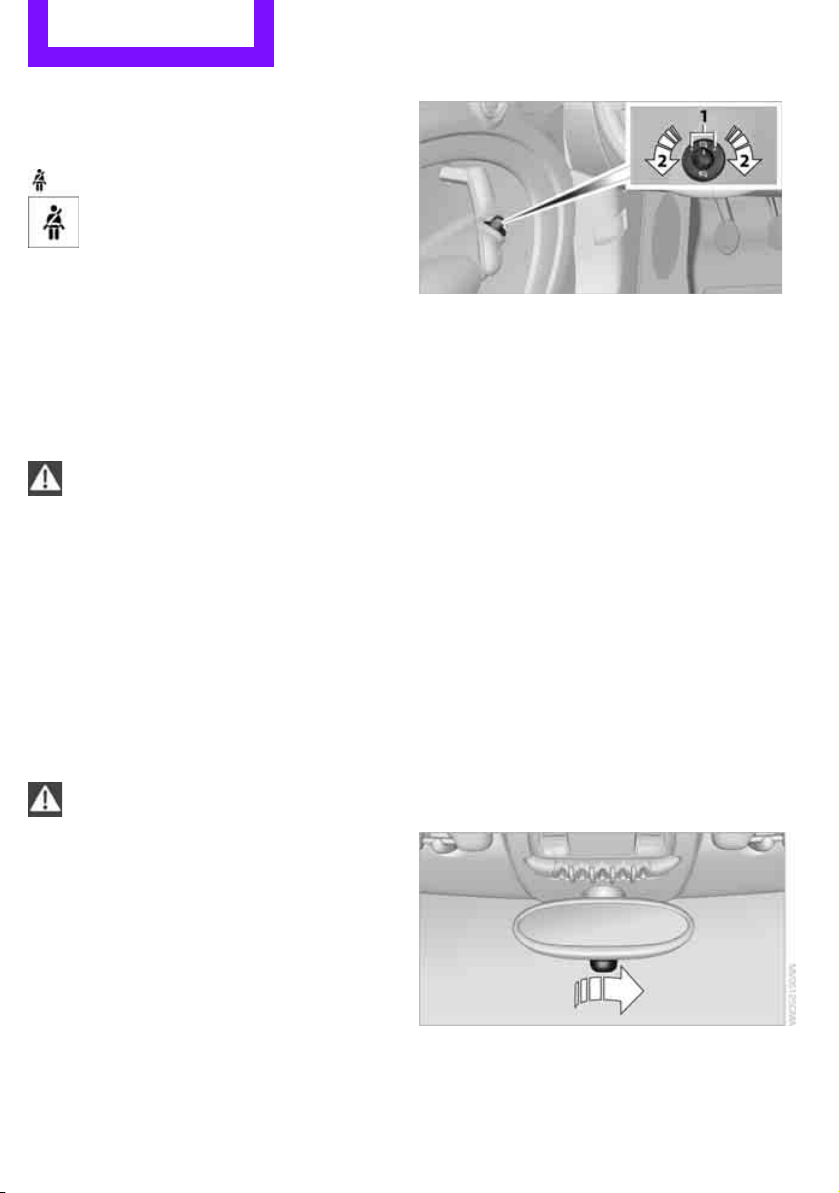
Safety belt reminder
Front seats
The indicator lamps come on and an
acoustic signal sounds.Check whether
the safety belt has been fastened cor-
rectly. The 'Fasten safety belts'
reminder is issued when the driver's safety belt
has not been fastened. The 'Fasten safety belts'
reminder is also activated at road speeds above
approx. 5 mph or 8 km/h if the front passenger's
safety belt has not been fastened, if objects are
placed on the front passenger seat, or if driver or
front passenger unfasten their safety belts.
Damage to safety belts
If the safety belts are damaged or stressed
in an accident: have the safety belt system
and its seat-belt tensioners replaced and the
belt anchors checked. Have this work carried out
only by a MINI dealer or by a workshop that has
specially trained personnel working in accor-
dance with the specifications of the MINI manu-
facturer; otherwise, correct operation of these
safety systems is not ensured.<
Mirrors
Exterior mirrors
The mirror on the passenger's side is more
curved than the driver's mirror. The
objects seen in the mirror are closer than they
appear. Do not gauge your distance from traffic
behind you on the basis of what you see in the
mirror; otherwise, there is an increased risk of an
accident.<
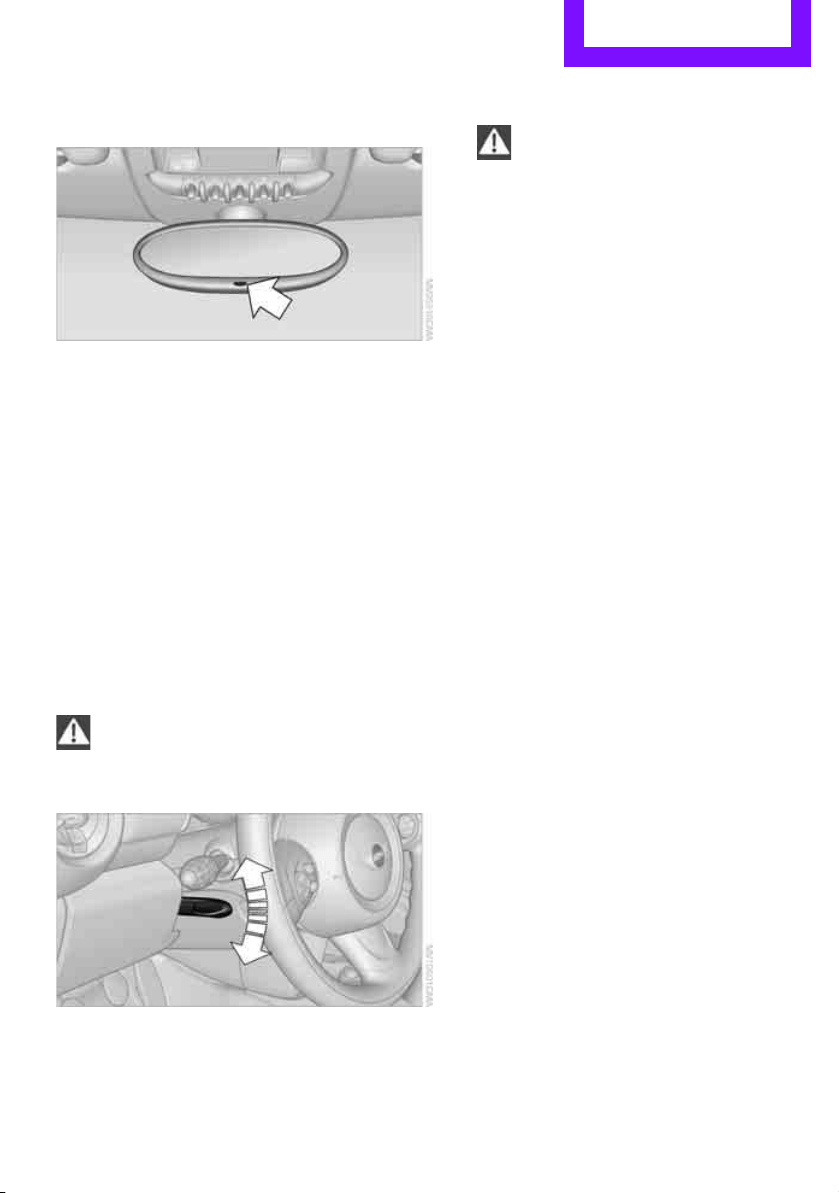
1 Adjusting the left or right exterior mirror
2 Folding mirrors in and out
*
Manual adjustment
The mirrors can also be adjusted manually: press
the edge of the glass.
Folding mirrors in and out*
Turn the knob beyond the pressure point in
direction 2. The mirrors can be folded in at road
speeds up to approx. 20 mph/30 km/h.
This can be beneficial in narrow streets, for
example, or for moving mirrors that were folded
in by hand back out into their correct positions.
Automatic heating*
At external temperatures below a certain limit,
both exterior mirrors are automatically heated
while the engine is running or the ignition
switched on.
Interior rearview mirror
To reduce glare from vehicles behind you when
you are driving at night:
Turn the knob.
Online Edition for Part no. 01 40 2 607 530 - © 03/11 BMW AGOnline Edition for Part no. 01 40 2 607 530 - © 03/11 BMW AG
Adjustments Controls
37
Interior and exterior mirrors,
automatic dimming feature*
It is controlled by two photosensors:
> Inside the interior rearview mirror, arrow.
> On the back of the mirror.
For proper function:
> Keep the photosensors clean.
> Do not cover the area between the interior
rearview mirror and the windshield.
> Do not place stickers or decals on the wind-
shield in front of the mirror.
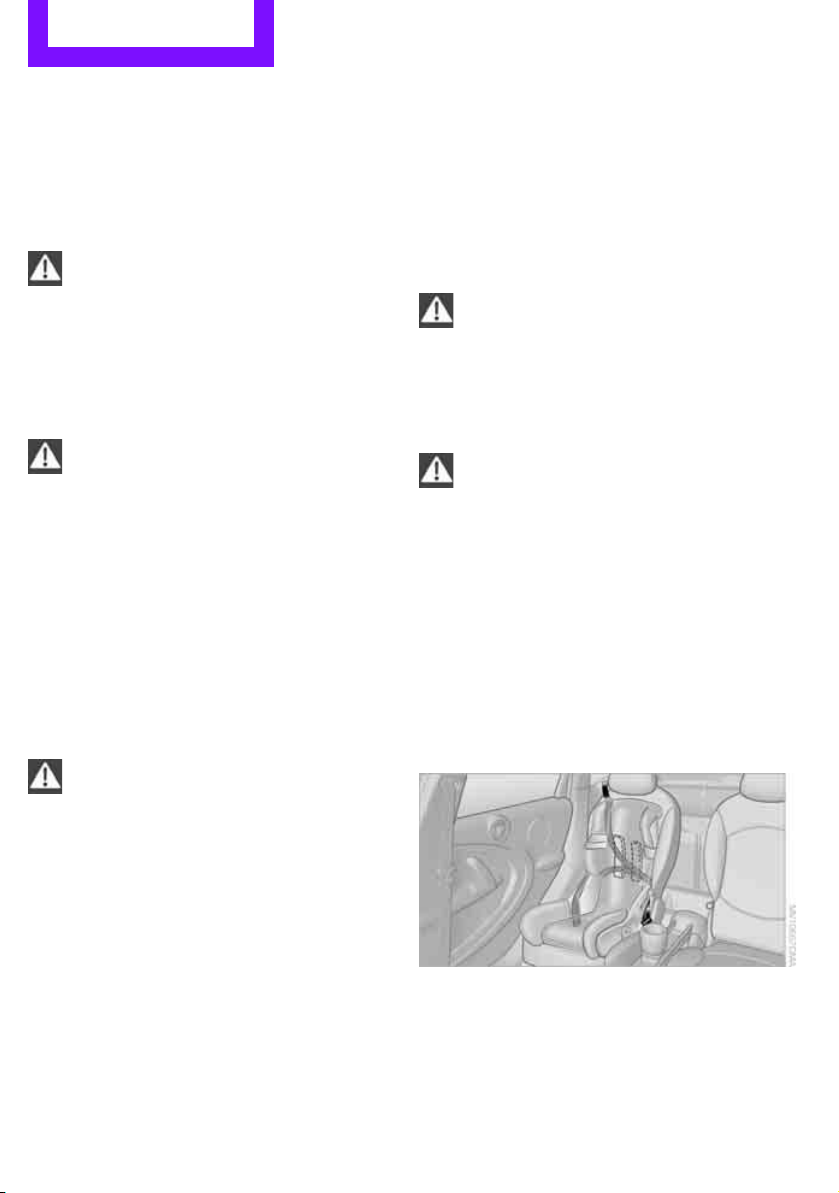
Steering wheel
Adjustments
Do not adjust the steering wheel position
while the car is in motion; otherwise, there
is a risk of accident due to an unexpected move-
ment.<
1. Fold the lever down.
2. Move the steering wheel to the preferred
distance and angle to suit your seated posi-
tion.
3. Swing the lever back up.
Do not use force to swing the lever
back up; otherwise, the mechanism
will be damaged.<
Online Edition for Part no. 01 40 2 607 530 - © 03/11 BMW AGOnline Edition for Part no. 01 40 2 607 530 - © 03/11 BMW AG
Controls Transporting children safely
38
Transporting children safely
The right place for
children
Do not leave children unattended in the
vehicle; otherwise, they could endanger
themselves and/or other persons by opening the
doors, for example.<
Children should always sit in the rear
Accident research has shown that the safest
place for children is on the rear seat.
Only transport children under the age of
13 or smaller than 5 ft/150 cm in the rear
in a child restraint system suitable for their age,
weight and size. Otherwise, there is an
increased risk of injury in the event of an acci-
dent.<
Children 13 years of age or older must be buck-
led in with a safety belt as soon as there no
longer is any child restraint system that is appro-
priate for their age, size and weight.
Exception for front passenger seat
Front passenger airbags
Should it be necessary to use a child
restraint system on the front passenger
seat, the front and side airbags must be deacti-
vated. Otherwise, there is an increased risk of
injury to the child if the airbags deploy, even if
the child is seated in a child restraint system.<
For more information on automatic deactivation
of the front passenger airbags, refer to page 68.
Child restraint systems,
installation
Before installing a child restraint system on the
rear seats, move the seat as far back as possible.
After the child restraint system has been
installed on the respective rear seat, move the
backrest forward so that the it rests lightly
against the child restraint system, refer to Rear
seat backrests on page 92.
Observe the child restraint system manu-
facturer's instructions when selecting,
installing and using child restraint systems. Oth-
erwise, the protective effect may be dimin-
ished.<
On the front passenger seat
After installing a child restraint system on
the front passenger seat, make sure that
the front, side, and knee airbags for the front
passenger are deactivated; otherwise, there is
an increased risk of injury if the airbags deploy.<
Seat position
Before installing a child restraint system, move
the front passenger seat as far back and up
* as
possible to obtain the best possible position for
the belt. Do not change the seat position after
this.
Child seat security
All rear safety belts and the safety belt for the
front passenger can be prevented from being
pulled out in order to secure child restraint sys-
tems.
Online Edition for Part no. 01 40 2 607 530 - © 03/11 BMW AGOnline Edition for Part no. 01 40 2 607 530 - © 03/11 BMW AG
Transporting children safely Controls
39
To lock the safety belt
1. Secure the child restraint system with the
belt.
2. Pull the belt strap all the way out.
3. Allow the belt strap to retract and pull it taut
against the child restraint system.
The safety belt is locked.
To unlock the safety belt
1. Open the belt buckle
2. Remove the child restraint system.
3. Allow the safety belt strap to retract all the
way.
LATCH child restraint
fixing system
LATCH: Lower Anchors and Tethers for Children.
To install and use the LATCH child restraint
system, follow the operating and safety
instructions provided by the manufacturer of the
system; otherwise, the protective function of the
seat may be compromised.<
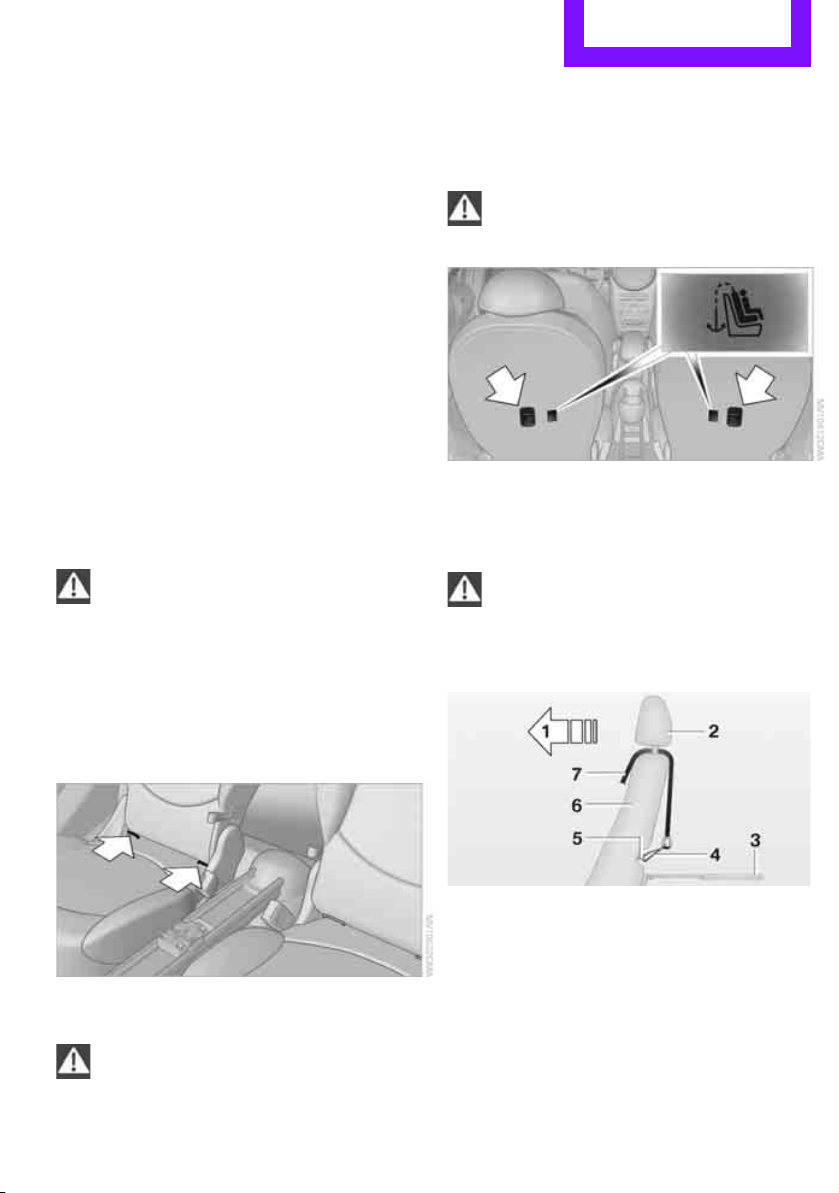
Anchor points for LATCH anchors
Before installing the child seat, pull the belt out
of the area for the child restraint fixing system.
The mounts for the lower LATCH anchors are
located at the points indicated by the arrows.
Make sure that both lower LATCH anchors
are properly engaged and that the child
restraint system rests firmly against the seat
backrest; otherwise, the protective function of
the seat may be compromised.<
Child restraint system with tether strap
Use the tether strap anchors to secure
child restraint systems only; otherwise, the
anchors could be damaged.<
There are two additional anchors for child
restraint systems with tether straps, arrows.
Placement of the tether strap
Make sure the upper retaining strap does
not run over sharp edges and is not
twisted as it passes to the top anchor. Other-
wise, the strap will not properly secure the child
restraint system in the event of an accident.<
1 Direction of travel
2 Head restraint
3 Rear cargo well
4 Tether strap hook
5 Anchor
6 Seat backrest
7 Tether strap of the child restraint system
Online Edition for Part no. 01 40 2 607 530 - © 03/11 BMW AGOnline Edition for Part no. 01 40 2 607 530 - © 03/11 BMW AG
Controls Transporting children safely
40
Attaching upper retaining strap to the
attachment point
1. Slide the head restraint upward.
2. Guide the tether strap between the head
restraint holders.
3. Attach the tether strap to the anchor using
the hook.
4. Push the head restraint into its lowermost
position.
5. Pull the retaining strap tight.
Securing doors and
windows
Rear doors
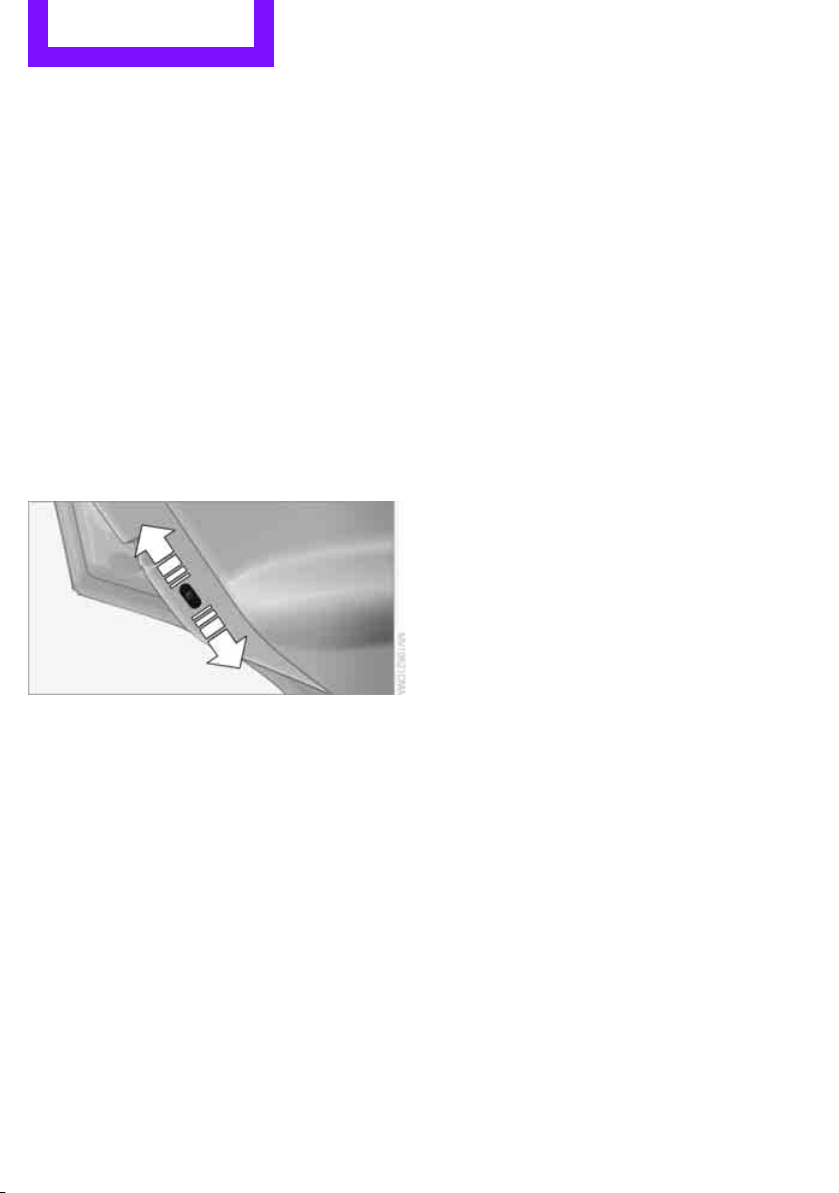
Slide down the safety lever on the rear doors.
The door can now be opened from the outside
only.
Safety switch for power windows
The rear power windows are blocked and can-
not be operated from the rear. Press safety
switch, refer to page 31.
Online Edition for Part no. 01 40 2 607 530 - © 03/11 BMW AGOnline Edition for Part no. 01 40 2 607 530 - © 03/11 BMW AG
Driving Controls
41
Driving
Ignition lock
Inserting the key into the ignition lock
Insert the key all the way into the ignition lock.
Radio readiness
Individual electrical consumers can operate.
Removing the key from the ignition lock
Press in the key briefly. It is ejected slightly.
At the same time:
> The ignition is switched off if it was on
beforehand.
Automatic transmission
The key can only be removed if the selector lever
is in position P: interlock.
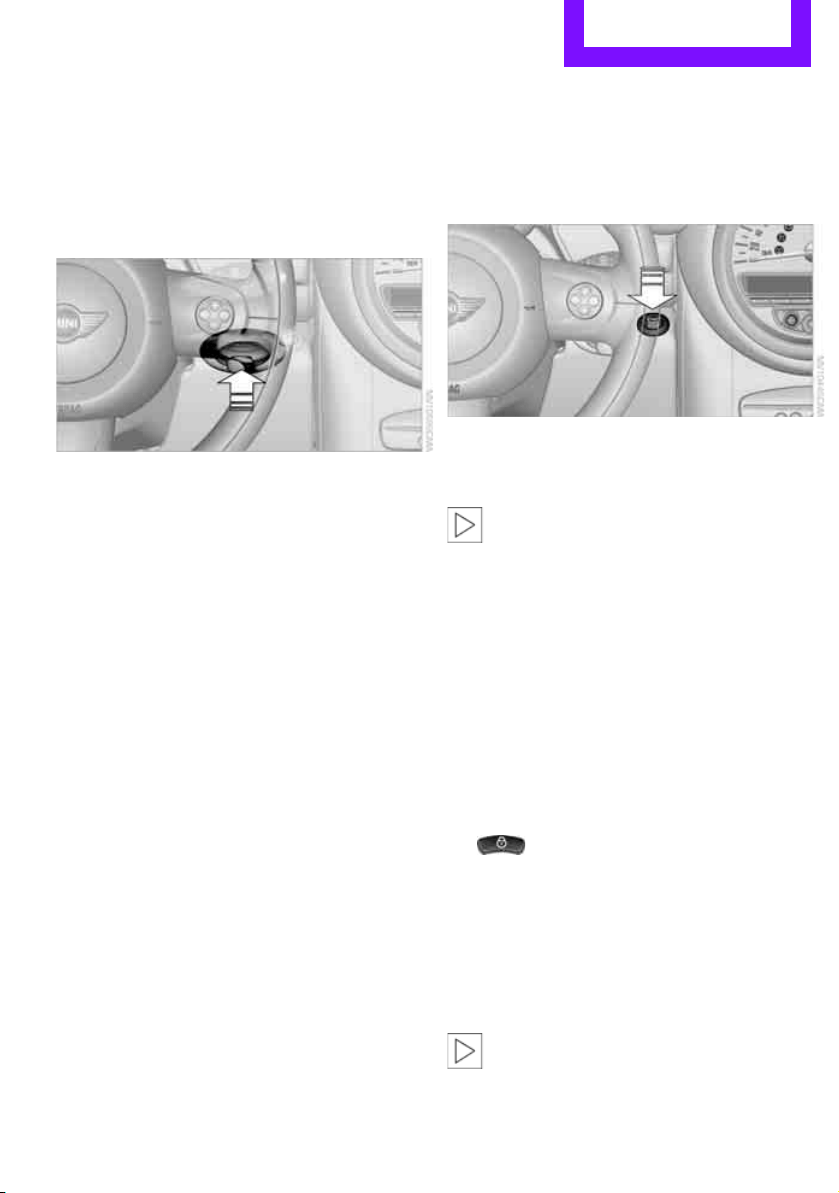
Start/Stop button
Press the Start/Stop button to switch radio readi-
ness or the ignition on and off. Do not depress
the brake or clutch while doing so.
If the Start/Stop button is pressed while
the clutch is depressed in the manual
transmission or the brake pedal is depressed in
the automatic transmission, the engine starts.<
Radio readiness
Individual electrical consumers can operate. The
time and external temperature are displayed in
the tachometer.
Radio readiness is switched off automatically:
> When the key is removed from the ignition
lock
> When using Comfort Access
* by pushing the
button on the door handle or the
button on the remote control, refer to
Locking on page 28
> After a certain has elapsed
Ignition on
Most indicator and warning lamps in indicator
area 1, page 13, light up for varying lengths of
time.
When the engine is off, switch off the igni-
tion and any unnecessary electrical con-
sumers in order to preserve the battery.<
Online Edition for Part no. 01 40 2 607 530 - © 03/11 BMW AGOnline Edition for Part no. 01 40 2 607 530 - © 03/11 BMW AG
Controls Driving
42
Radio readiness and ignition off
All indicator and warning lamps in the displays
go out.
The ignition switches off automatically if the
driver's door is opened. Pressing the Start/Stop
button again switches the ignition back on.
The ignition is not switched off in situations such
as the following:
> The clutch or brake is depressed
> The low beams are switched on
Starting the engine
Do not allow the engine to run in enclosed
areas; otherwise, inhalation of the noxious
exhaust gases can lead to loss of consciousness
and death. Exhaust gases contain carbon mon-
oxide, an odorless and colorless, but highly toxic
gas. Never leave an unattended vehicle with the
engine running; otherwise, such a vehicle repre-
sents a potential safety hazard.
Before leaving the car while the engine is run-
ning, place the transmission in neutral or move
the selector lever to position P and forcefully
apply the parking brake to prevent the car from
moving.<
Avoid frequent starting in quick succes-
sion or repeated start attempts in which
the engine does not start. Otherwise, the fuel is
not burned or inadequately burned and there is
a danger of overheating and damaging the cat-
alytic converter.<
Do not let the engine warm up with the vehicle
at a standstill. Move off immediately at a moder-
ate engine speed.
When starting the engine, do not depress the
accelerator pedal.
Manual transmission
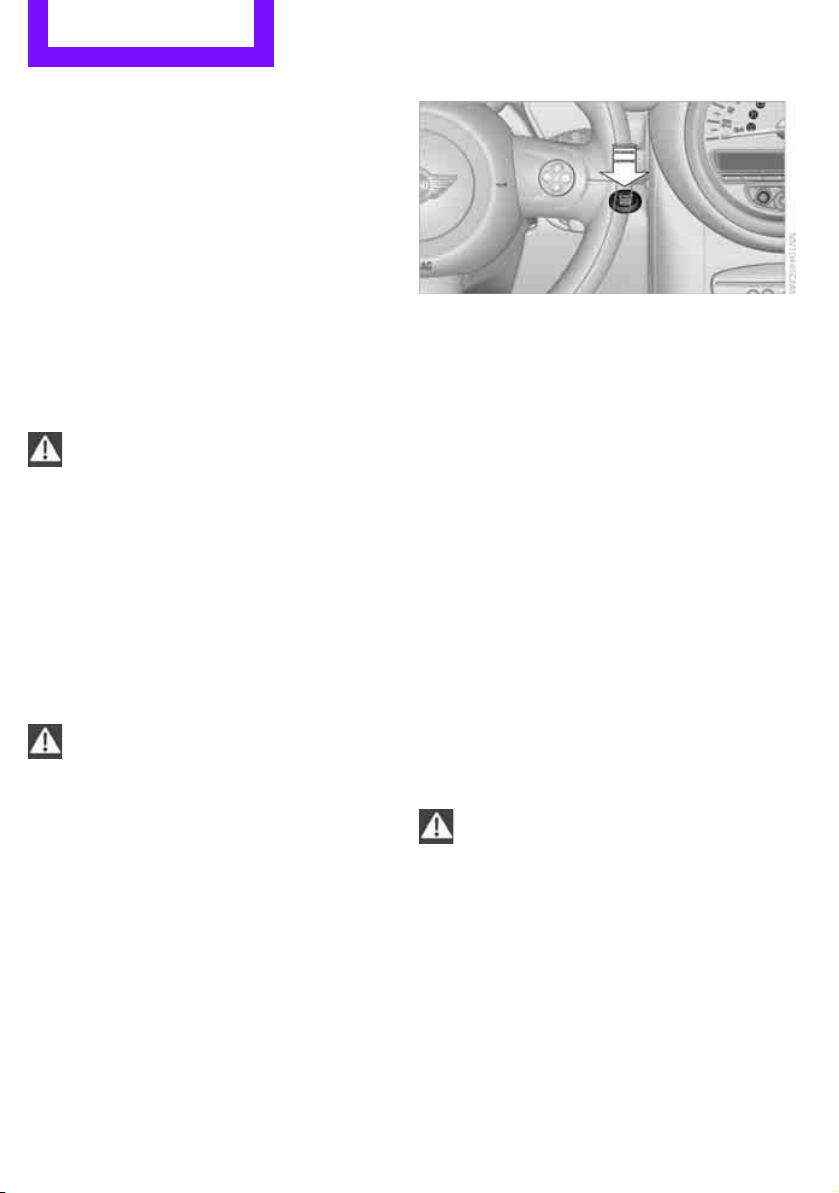
Key in ignition lock or inside vehicle with Com-
fort Access, refer to page 27.
1. Depress the brake.
2. Depress the clutch.
3. Press the Start/Stop button.
Automatic transmission*
Key in ignition lock or inside vehicle with Com-
fort Access, refer to page 27.
1. Depress the brake.
2. Shift the selector lever into position P or N.
3. Press the Start/Stop button.
The starter operates automatically for a certain
time, and stops automatically as soon as the
engine has started.
Switching off the engine
Always take the key with you when you
leave the vehicle.
When parking, apply the parking brake force-
fully; otherwise, the vehicle could begin to roll.<
Manual transmission
1. With the car at a standstill, press the Start/
Stop button.
2. Shift into first gear or reverse.
3. Forcefully apply the parking brake.
Online Edition for Part no. 01 40 2 607 530 - © 03/11 BMW AGOnline Edition for Part no. 01 40 2 607 530 - © 03/11 BMW AG
Driving Controls
43
Automatic transmission*
1. With the car at a stop, move the selector
lever to position P.
2. Press the Start/Stop button.
3. Forcefully apply the parking brake.
Before driving into a car wash
By following these steps, the vehicle is able to
roll:
1. Place the remote control, even with Comfort
Access, in the ignition lock.
2. Depress the brake.
3. Move the selector lever to position N.
4. Switch off the engine.
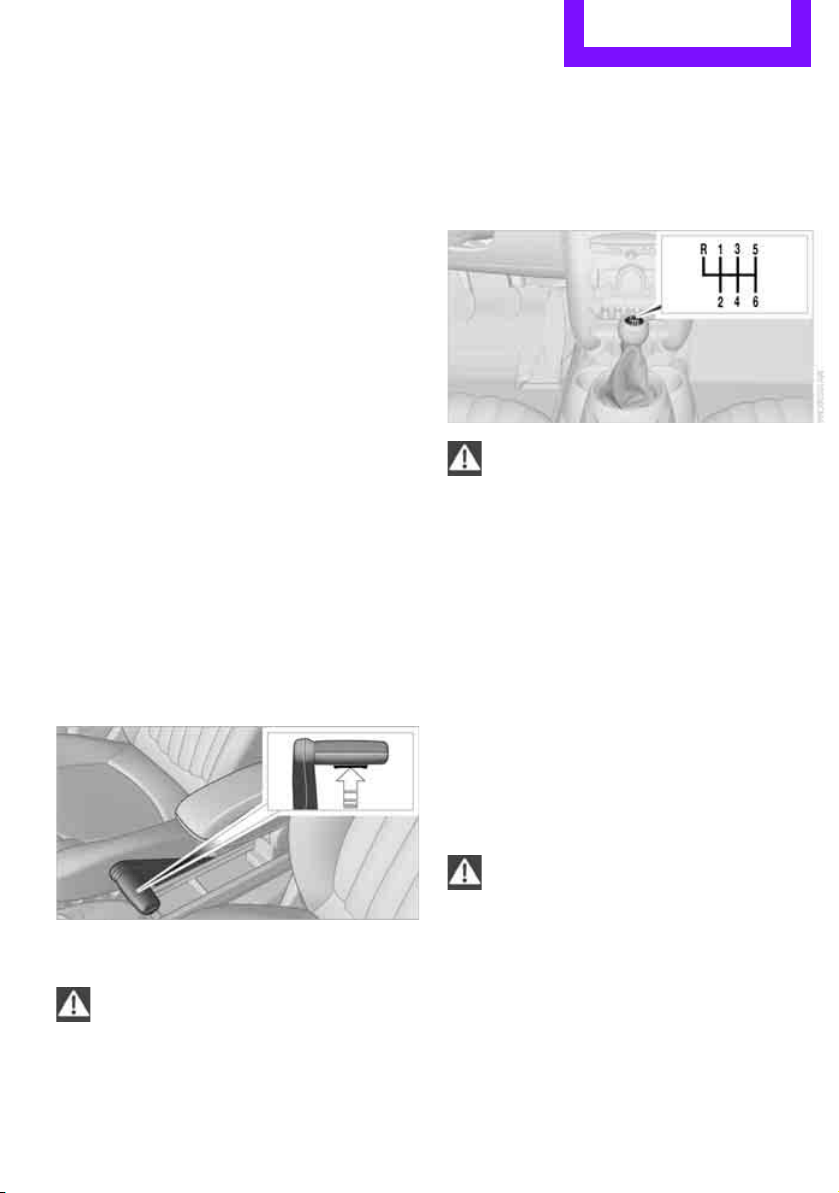
Parking brake
The parking brake is primarily intended to pre-
vent the vehicle from rolling while parked; it
brakes the rear wheels.
Applying
The lever locks in position automatically.
Releasing
Pull upward slightly, press the button, arrow,
and guide the lever down.
In exceptional cases, if the parking brake
has to be used to slow or stop the car, do
not pull the lever up too hard. In doing so, con-
tinuously press the button of the parking brake
lever.
Otherwise, excessive force could lead to over-
braking and loss of traction, i.e. fishtailing, at the
rear axle.<
Manual transmission
When shifting into 5th or 6th gear, press
the gearshift lever to the right. Otherwise,
the engine could be damaged if you inadvert-
ently shift into 3rd or 4th gear.<
Reverse gear
Select this only when the vehicle is stationary.
When the gearshift lever is pressed to the left, a
slight resistance has to be overcome.
Automatic transmission*
with Steptronic
In addition to the fully automatic mode, you can
shift gears manually using Steptronic, page 45.
Parking the vehicle
To prevent the vehicle from rolling, always
select position P and apply the parking
brake before leaving the vehicle with the engine
running.<
Removing the key
To remove the key from the ignition lock, first
move the selector lever into position P and then
switch off the engine: interlock. Remove the key
from the ignition lock, refer to page 41.
Online Edition for Part no. 01 40 2 607 530 - © 03/11 BMW AGOnline Edition for Part no. 01 40 2 607 530 - © 03/11 BMW AG
Controls Driving
44
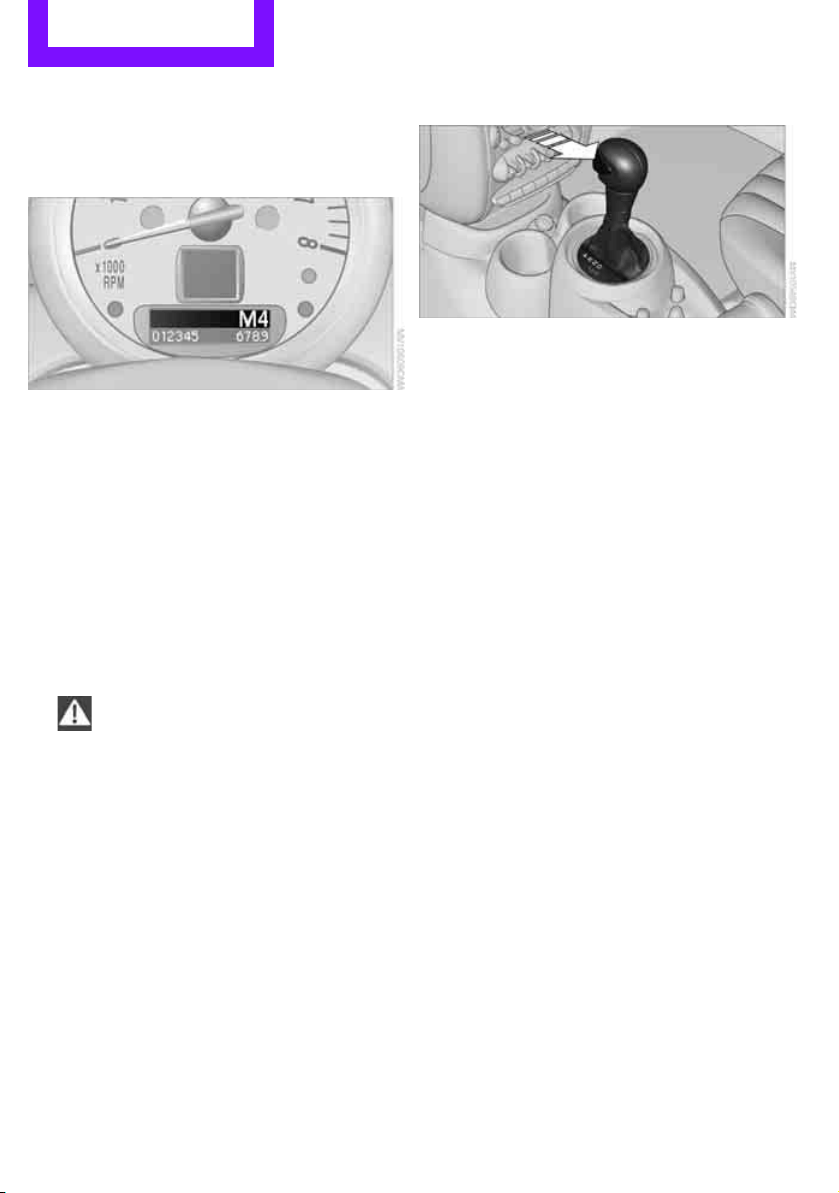
Selector lever positions
P R N D M/S + –
Displays in the tachometer
P R N D DS M1 to M6
The selector lever position is displayed, or the
current gear in the manual mode.
Changing selector lever positions
> The selector lever can only be moved out of
position P when the ignition is switched on
or the engine is running.
> Before moving the lever away from P or N
with the vehicle stationary, first depress the
brake; otherwise, the selector lever will
refuse to move: shiftlock.
To prevent the vehicle from creeping
after you select a driving position,
depress the brake until you are ready to
start.<
A lock prevents accidental shifting into selector
lever positions R and P.
Overriding the selector lever lock
Press the button on the front of the selector
lever, arrow.
P Park
Select this only when the vehicle is stationary.
The transmission locks to prevent the drive
wheels from turning.
R Reverse
Select this only when the vehicle is stationary.
N Neutral
Select this when you are in a car wash, for exam-
ple. The vehicle can roll.
D Drive, automatic position
Position for normal vehicle operation. All for-
ward gears are selected automatically.
Under normal operating conditions, the fuel
consumption is lowest when driving in position
D.
Kickdown
Kickdown enables you to achieve maximum
performance.
Depress the accelerator pedal beyond the full-
throttle resistance point.
Online Edition for Part no. 01 40 2 607 530 - © 03/11 BMW AGOnline Edition for Part no. 01 40 2 607 530 - © 03/11 BMW AG
Driving Controls
45
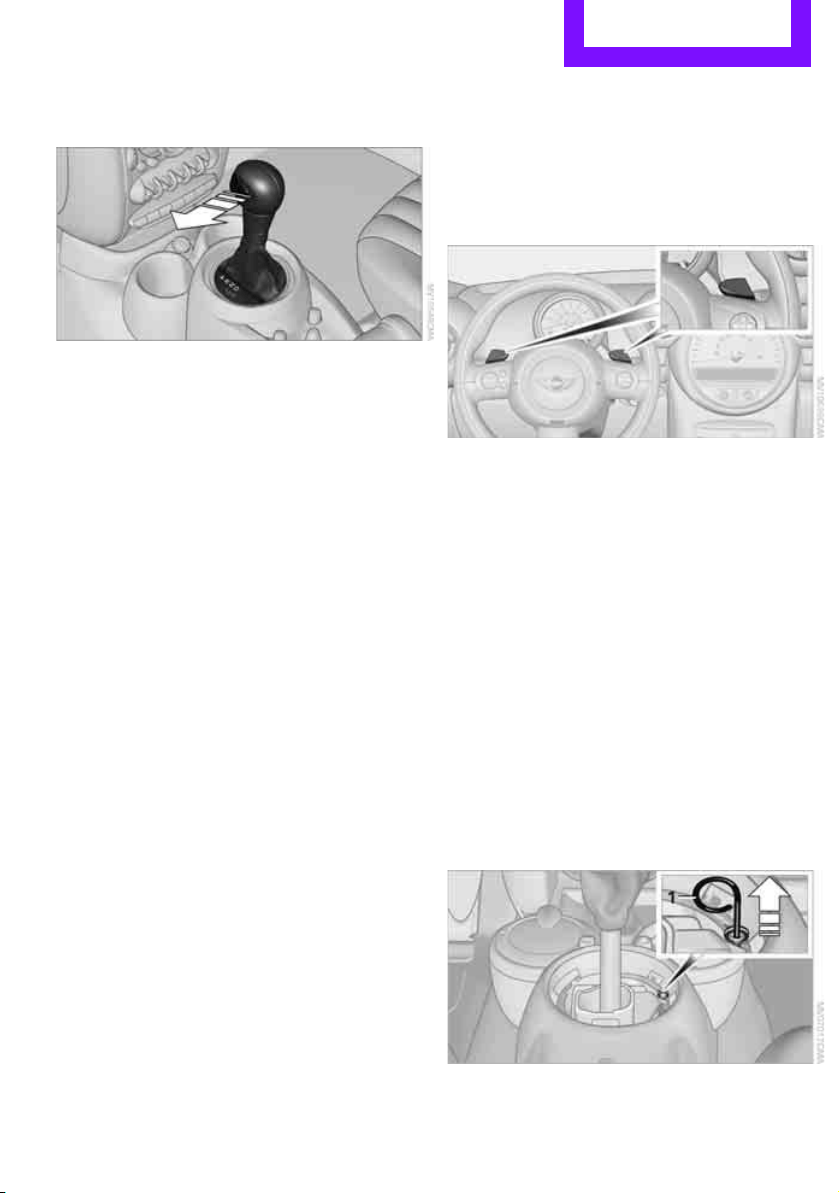
Sports programming and manual mode
M/S
Move the selector lever from position D to the
left into the M/S shifting slot:
The Sport program is activated and DS is dis-
played. This position is recommended for a per-
formance-oriented driving style.
To deactivate the Sport program or manual
mode M/S, move the selector lever to the right
into position D.
Shifting with the selector lever
Push the selector lever forward or pull it back to
activate manual operation. Steptronic shifts the
gear.
> Pull the selector lever in the + direction.
Transmission shifts up.
> Push the selector lever in the – direction.
Transmission shifts down.
The selected gear is displayed in the tachome-
ter, e.g. M1.
To use the automatic mode again, move the
selector lever to the right into position D.
Upshifts and downshifts are executed only when
they will result in a plausible combination of
engine and vehicle speed; thus, for example, a
downshift that would cause the engine to over-
rev will not be executed by the system. The
selected gear is displayed briefly, followed by
the current gear.
Shifting on the steering wheel*
With the selector lever in position D, automatic
drive, you can shift gears using the shift paddles
on the steering wheel. The transmission auto-
matically switches to manual mode.
If you do not shift gears with the shift paddles or
accelerate for a certain amount of time, the
transmission automatically returns to D, auto-
matic drive.
> Pull one of the shift paddles.
Transmission shifts up.
> Push one of the shift paddles.
Transmission shifts down.
M1 through M6 are displayed in the tachometer.
Manually releasing the selector lever
lock
Should the selector lever refuse to move out of
position P even though the ignition is switched
on, the brake is depressed and the button on the
selector lever is pressed, the selector lever lock
can be overridden:
1. Unclip the sleeve of the selector lever.
2. Pull the sleeve up over the selector lever
until the sleeve is inside out. Disconnect the
cable connector if necessary.
3. Insert extractor hook 1 into the loop on the
passenger's side.
Online Edition for Part no. 01 40 2 607 530 - © 03/11 BMW AGOnline Edition for Part no. 01 40 2 607 530 - © 03/11 BMW AG
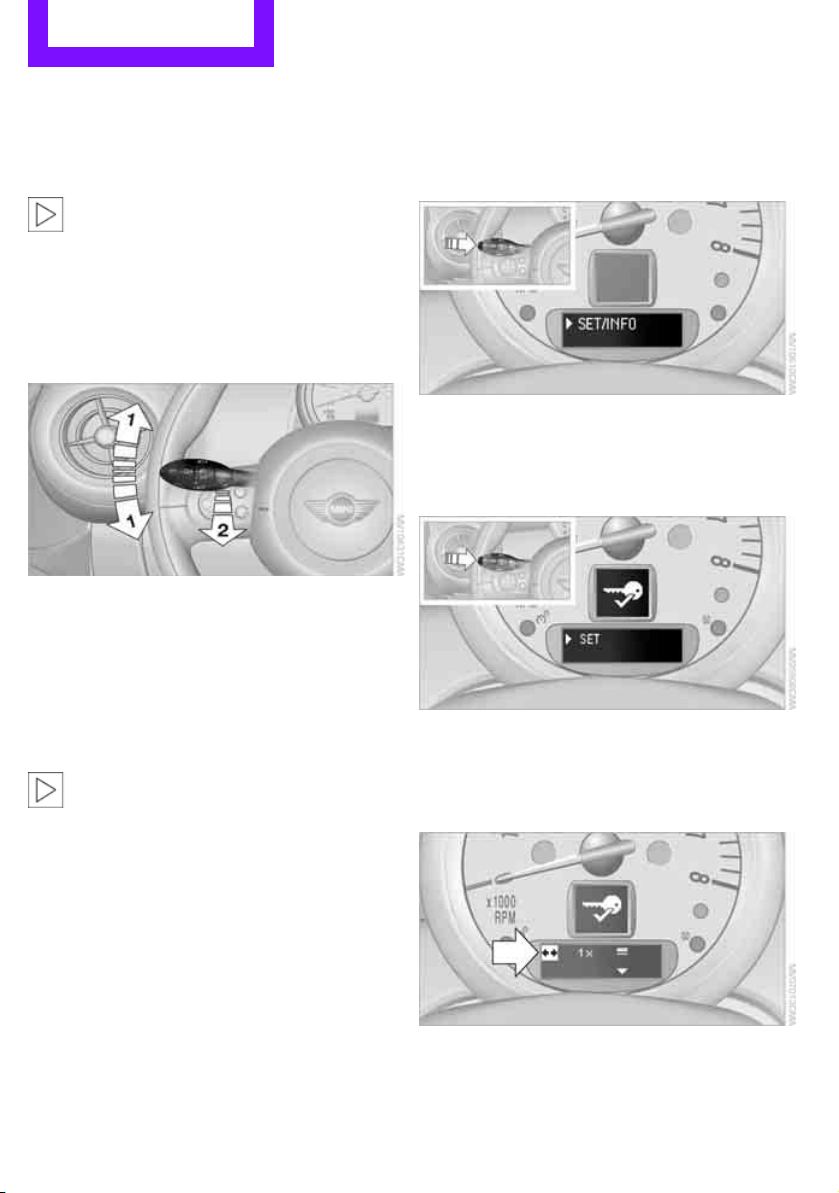
Controls Driving
46
4. Pull the loop up.
5. Move the selector lever into the desired
position by pressing the button on the front
of the selector lever.
Before manually unlocking the selector
lever lock, firmly set the parking brake to
prevent the vehicle from rolling away.<
Turn signals/
headlamp flasher
1 Turn signal
2 Headlamp flasher
Using turn signals
Press the lever beyond the resistance point.
To turn off manually, press the lever to the resis-
tance point.
Unusually rapid flashing of the indicator
lamp indicates that an indicator bulb has
failed.<
Indicating a turn briefly
Press the lever as far as the resistance point for
as long as you wish to indicate a turn.
Triple turn signal activation
Press the lever as far as the resistance point.
You can set whether the turn signal flashes once
or three times.
1. Switch on the ignition, refer to page 41.
2. Press the button on the turn signal indicator
as often as necessary until "SET/INFO" is dis-
played.
3. Press and hold the button until the display
changes.
4. Press the button as often as necessary until
the symbol and "SET" are displayed.
5. Press and hold the button until the display
changes.
6. Briefly press the button repeatedly until the
display shows the illustrated symbol, arrow.
7. Press and hold the button until the display
changes.
Online Edition for Part no. 01 40 2 607 530 - © 03/11 BMW AGOnline Edition for Part no. 01 40 2 607 530 - © 03/11 BMW AG
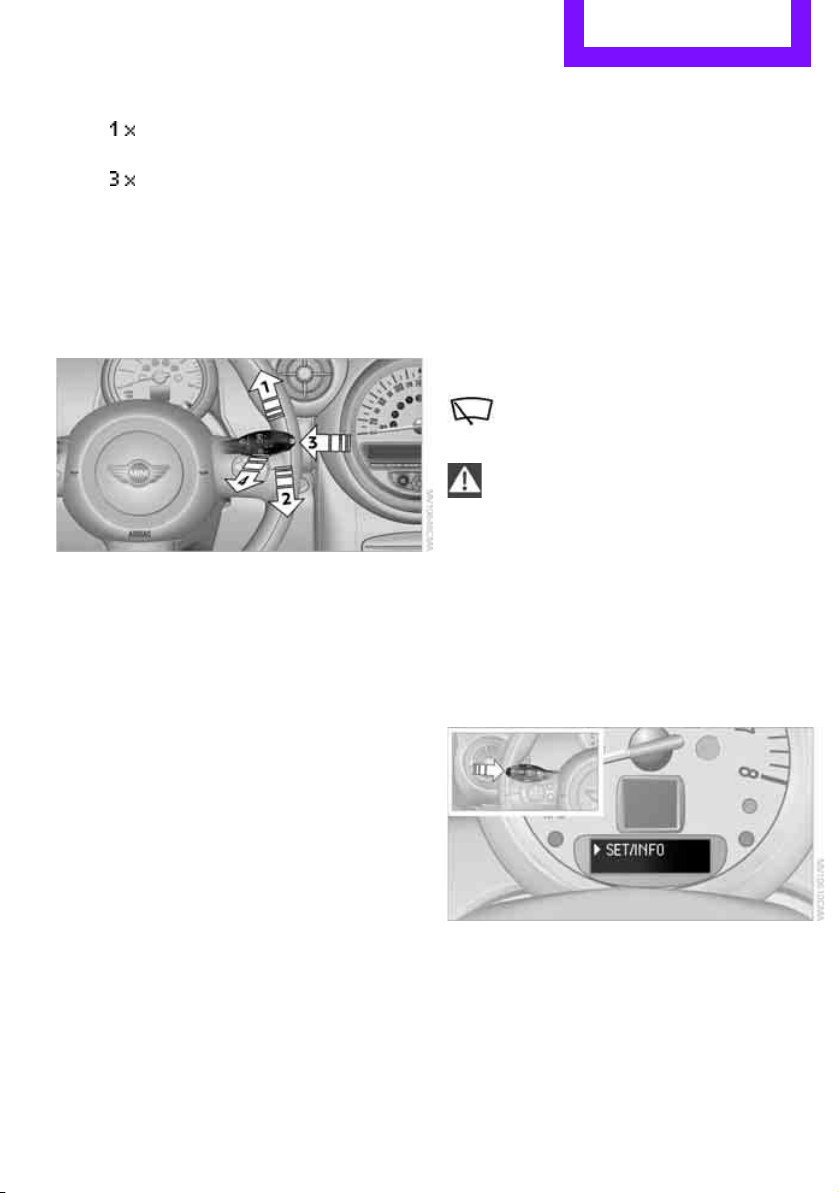
Driving Controls
47
8. Press the button to select:
>
Brief indication of a turn.
>
Triple turn signal.
9. Press and hold the button until the display
changes. The setting is stored.
Wiper system
1 Switching on wipers
2 Switching off wipers or brief wipe
3 Activating/deactivating intermittent wipe or
rain sensor
*
4 Cleaning windshield and headlamps*
Switching on wipers
Press the lever upward, arrow 1.
The lever automatically returns to its initial posi-
tion when released.
Normal wiper speed
Press once.
The system switches to intermittent operation
when the vehicle is stationary.
Fast wiper speed
Press twice or press beyond the resistance point.
The system switches to normal speed when the
vehicle is stationary.
Intermittent wipe or rain sensor*
If the car is not equipped with a rain sensor, the
intermittent-wipe time is preset.
If the car is equipped with a rain sensor, the time
between wipes is controlled automatically and
depends on the intensity of the rainfall. The rain
sensor is mounted on the windshield, directly in
front of the interior rearview mirror.
Activating intermittent wipe or rain
sensor
Press button, arrow 3.
This symbol is displayed in the tachom-
eter.
Deactivate the rain sensor before entering
an automatic car wash. Failure to do so
could result in damage caused by undesired
wiper activation.<
Adjusting the sensitivity of the rain
sensor
1. Switch on the ignition, refer to page 41.
2. Press the button on the turn signal indicator
as often as necessary until "SET/INFO" is dis-
played.
3. Press and hold the button until the display
changes.
Online Edition for Part no. 01 40 2 607 530 - © 03/11 BMW AGOnline Edition for Part no. 01 40 2 607 530 - © 03/11 BMW AG
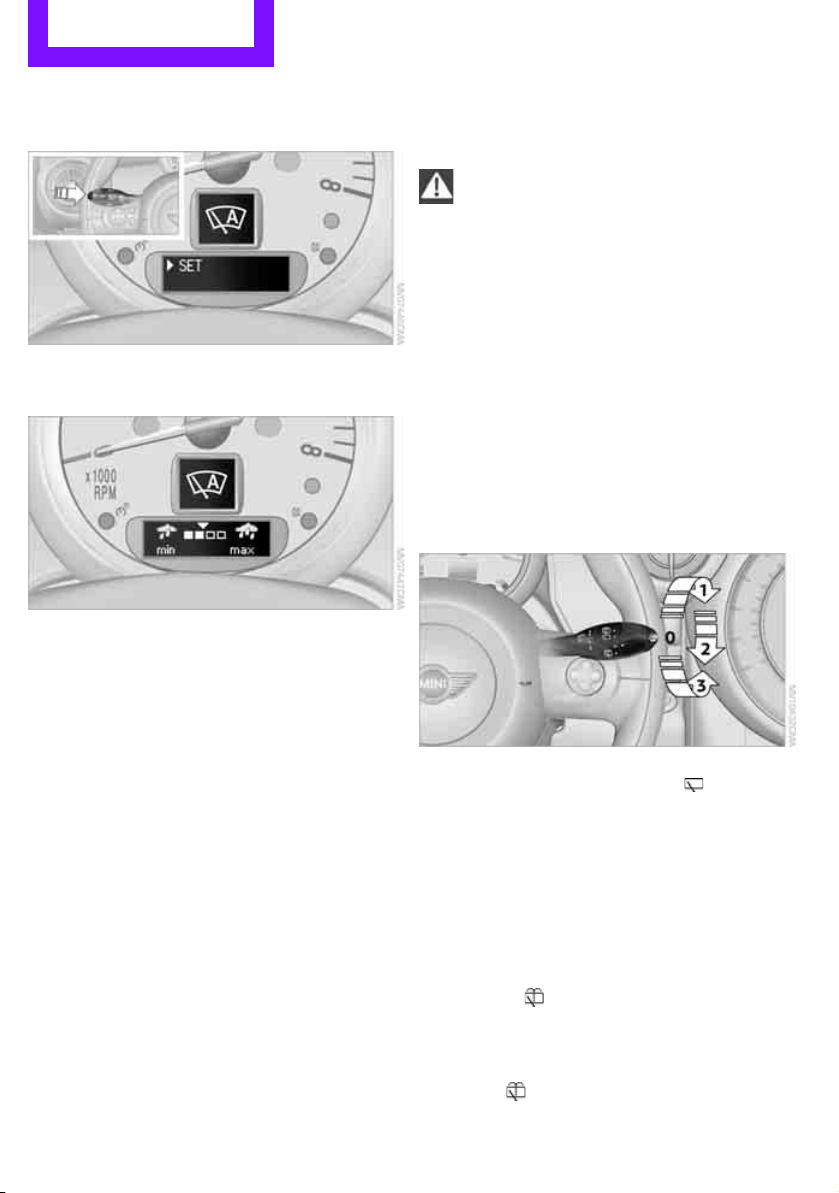
Controls Driving
48
4. Press the button as often as necessary until
the symbol and "SET" are displayed.
5. Press and hold the button until the display
changes.
6. Press the button to select the desired sensi-
tivity.
7. Wait, or press and hold the button until the
display changes.
The settings are stored.
Deactivating intermittent wipe or rain
sensor
Press the button again, arrow 3.
Brief wipe
Press the lever downward once, arrow 2.
Cleaning windshield and headlamps*
Pull the lever, arrow 4.
Washer fluid is sprayed onto the windshield and
the wipers are operated briefly.
When the vehicle lighting system is switched on,
the headlamps are cleaned at regular and
appropriate intervals.
In cars equipped with an alarm system, the
headlamps cannot be cleaned when the hood is
open.
Do not use the washers when the washer
fluid reservoir is empty; otherwise, you will
damage the washer pump.
Only use the washers if the hood has been com-
pletely closed; otherwise, the headlamp washer
system
* may be damaged. Do not use the
washers if there is any danger that the fluid will
freeze on the windshield. If you do, your vision
could be obscured. For this reason, use anti-
freeze.<
Window washer nozzles
The window washer nozzles are heated auto-
matically
* while the engine is running or the
ignition is switched on.
Rear window wiper
0 Rear wipers parked
1 To switch on intermittent wipe :
Turn the cap to level 1.
Operation is continuous in reverse gear.
The rear wiper does not move if the cap is in
interval stage 1 before the ignition is switched
on.
Cleaning the rear window
2 To clean the rear window during intermit-
tent wipe :
Turn the cap further to level 2 and hold it
there.
3 To clean the rear window when wipers are
parked :
Turn the cap to level 3 and hold it there.
Online Edition for Part no. 01 40 2 607 530 - © 03/11 BMW AGOnline Edition for Part no. 01 40 2 607 530 - © 03/11 BMW AG
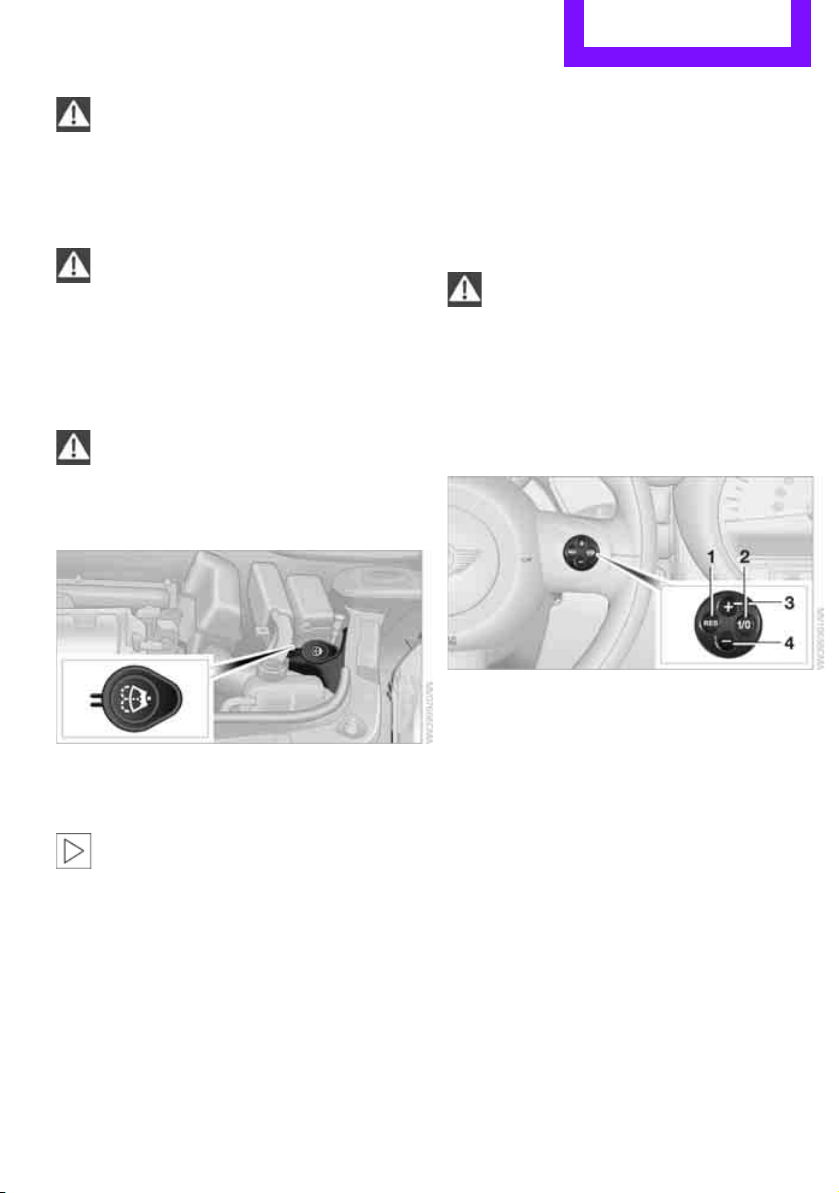
Driving Controls
49
Do not use the washers when the washer
fluid reservoir is empty; otherwise, you will
damage the washer pump.<
Washer fluid
Washer fluid is flammable. Keep it away
from ignition sources, only store it in the
closed, original container, and keep out of reach
of children; otherwise, there is a danger of
injury. Comply with the instructions on the con-
tainer.<
Washer fluid reservoir
Only refill washer fluid that contains anti-
freeze when the engine is cool, to avoid
contact with hot engine parts. Otherwise, fluid
spills constitute a fire hazard and a risk to per-
sonal safety.<
Fill with water and, if required, with a washer
antifreeze, according to manufacturer's recom-
mendations.
Mix the water and antifreeze before filling
the washer fluid reservoir to make sure
the correct concentration is maintained.<
Capacity
Approx. 4.2 US quarts/4 liters.
Cruise control*
The concept
Cruise control is available at vehicle speeds of at
least approx. 20 mph or 30 km/h. The car then
stores and maintains the speed that you specify
using the button on the steering wheel.
Do not use cruise control when driving at
constant speed is prevented by adverse
conditions, e.g. winding roads, dense traffic or
poor road conditions due to, e.g., snow, rain, ice
or loose surfaces. Otherwise, you could lose con-
trol of the vehicle and cause an accident as a
result.<
Activating
1 Resuming cruise control
2 Activating/deactivating cruise control
3 Maintaining, storing and increasing speed
4 Maintaining, storing and decreasing speed
Indicator lamp in the speedometer lights up. The
cruise control system is ready and can be acti-
vated.
Activating/deactivating cruise control
Press button 2.
The system is automatically deactivated if:
> braking takes place
> the clutch is engaged
> the transmission is set on N
> the stability control system is on
Cruise control is not deactivated by depressing
the accelerator pedal. Once the accelerator
Online Edition for Part no. 01 40 2 607 530 - © 03/11 BMW AGOnline Edition for Part no. 01 40 2 607 530 - © 03/11 BMW AG
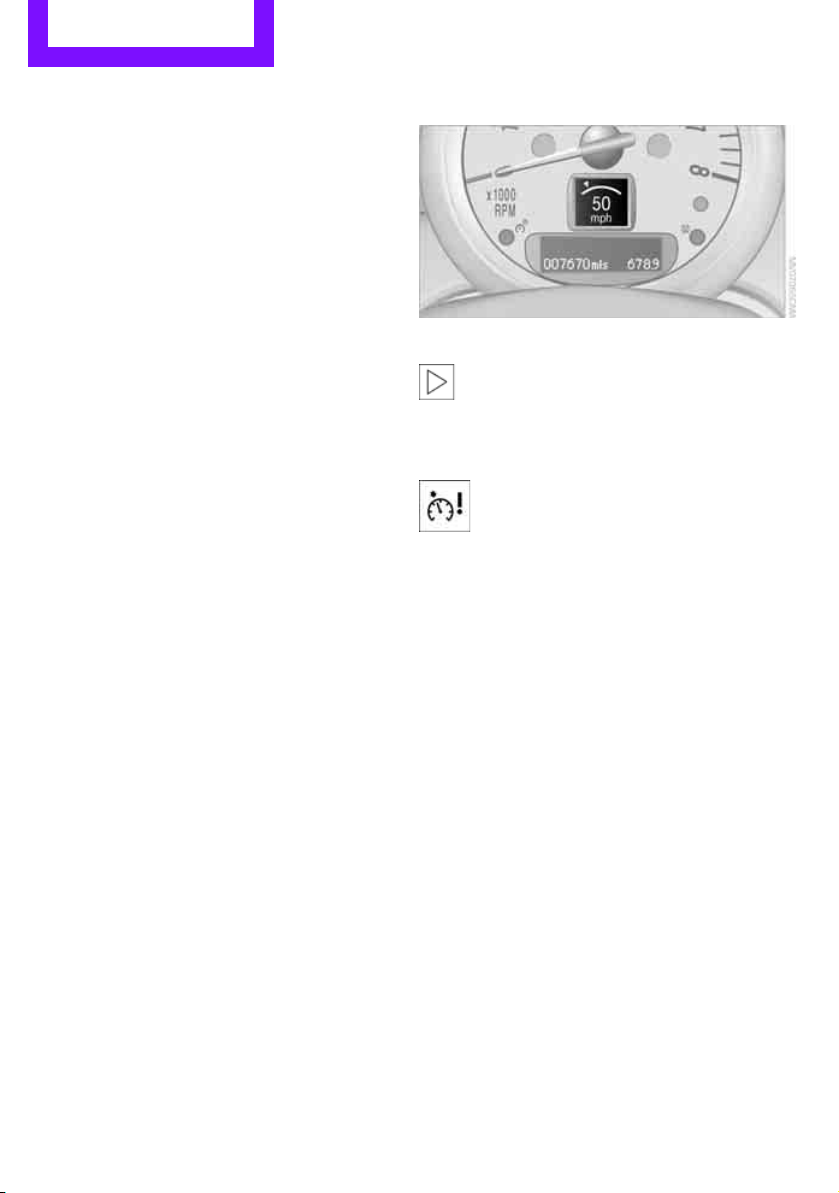
Controls Driving
50
pedal is released, the stored speed is achieved
again and maintained.
The stored speed is cleared when the ignition is
switched off.
Maintaining current speed
Press button 3.
The system maintains and stores the current
vehicle speed.
If, on a downhill grade, the engine braking effect
is not sufficient, the controlled speed may be
exceeded. On uphill grades vehicle speed may
drop if the engine output is insufficient.
Increasing speed
Press button 3 repeatedly until the desired
speed is reached. Every time you press the but-
ton, the speed increases by approx. 1 mph or
2km/h.
Accelerating using the button
Press and hold button 3.
The vehicle accelerates without pressure on the
accelerator pedal. After the button is released,
the driving speed is maintained and stored.
Decreasing speed
Press button 4 repeatedly until the desired
speed is reached.
The functions here are the same as for increas-
ing the speed or accelerating, except that the
speed will be decreased.
Resuming a speed stored beforehand
Press button 1.
The last speed stored is achieved again and
maintained.
The stored speed is cleared when the ignition is
switched off.
Display in tachometer*
Selected speed is displayed briefly.
If --- mph or --- km/h is displayed briefly in
the tachometer, the conditions necessary
for operation may not be fulfilled.<
Malfunction
The warning lamp in the tachometer
lights up if the system fails.
Online Edition for Part no. 01 40 2 607 530 - © 03/11 BMW AGOnline Edition for Part no. 01 40 2 607 530 - © 03/11 BMW AG
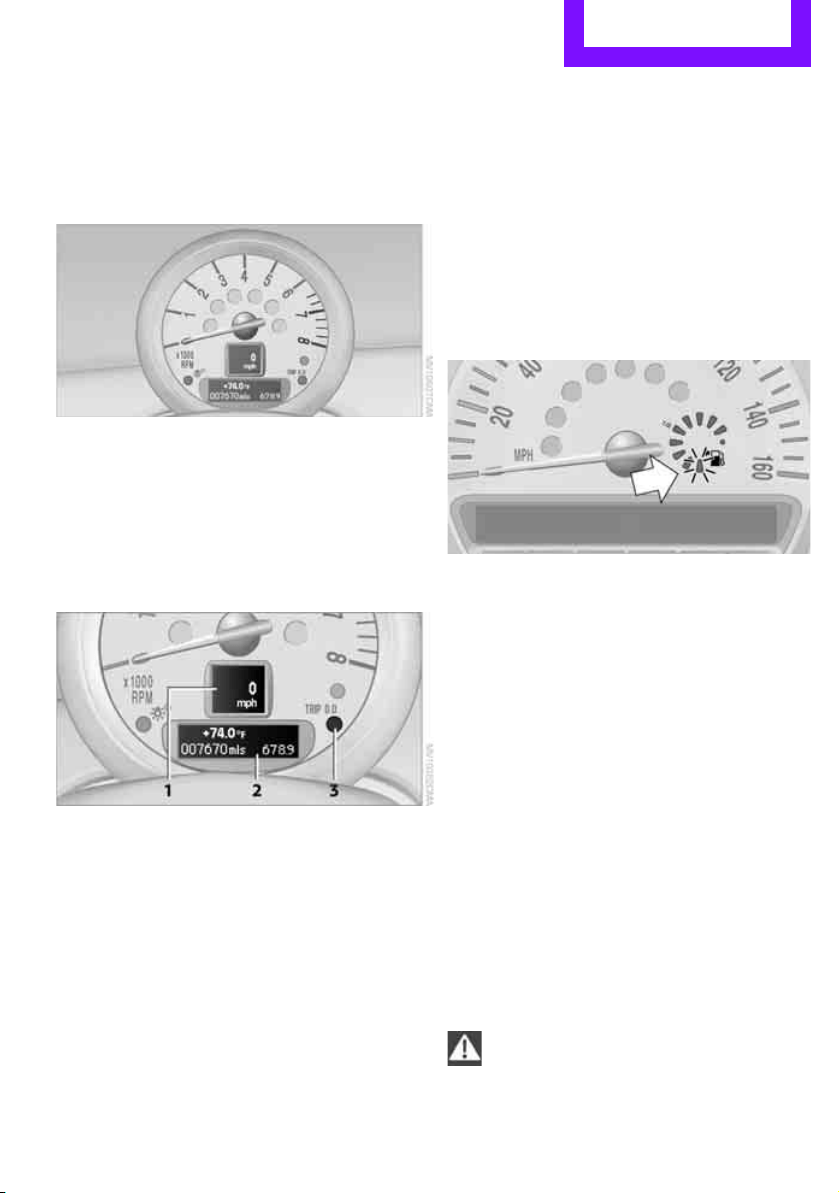
Controls overview Controls
51
Controls overview
Tachometer
Never operate the engine with the needle in the
red overspeed zone of the gauge. In this range,
the fuel supply is interrupted to protect the
engine.
Displays in tachometer
1 Current vehicle speed
2 Odometer, trip odometer, and external tem-
perature display
3 Resetting the trip odometer
Odometer and trip odometer
Resetting the trip odometer
With the ignition switched on, press knob 3 in
the tachometer.
Units of measure
Select the respective units of measure, miles or
km for the odometer as well as 7 or 6 for the
external temperature, page 54.
Fuel gauge
Fuel tank capacity
Approx. 12.4USgal/47liters.
You will find information on refueling on
page 128.
If the tilt of the vehicle varies for a longer period,
when you are driving in mountainous areas, for
example, the indicator may fluctuate slightly.
The arrow next to the gas pump symbol of the
fuel gauge points toward the side of the vehicle
with the fuel filler flap.
Reserve
Once the fuel level has fallen to the reserve zone
of approx. 2.1 US gal/8 liters, the remaining
LEDs change from orange to red, arrow. The
tachometer
displays the remaining cruising
range. An indicator lamp lights up when the
remaining range is less than approx. 30 miles/
50 km.
If the range displayed is less than
30 miles/50 km, be sure to refuel; other-
wise, engine functions are not guaranteed and
damage could occur.<
Online Edition for Part no. 01 40 2 607 530 - © 03/11 BMW AGOnline Edition for Part no. 01 40 2 607 530 - © 03/11 BMW AG
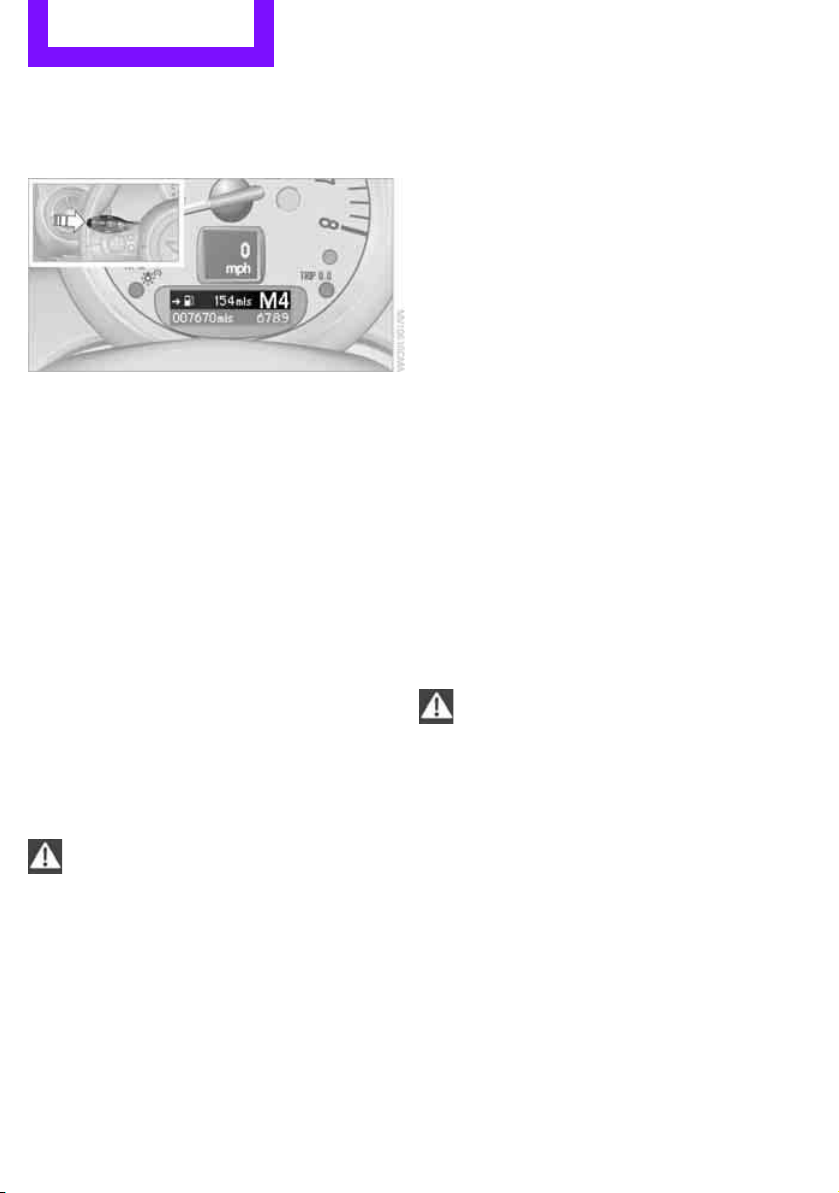
Controls Controls overview
52
Computer*
Displays in the tachometer
Press the button in the turn signal lever repeat-
edly to call up various items of information.
The following items of information are displayed
in the order listed:
> Cruising range
> Average fuel consumption
> Current fuel consumption
> Average speed
> Outside temperature display
To set the corresponding units of measure, refer
to Formats and units of measure on page 54.
Cruising range
Displays the estimated cruising range available
with the remaining fuel. The range is calculated
on the basis of the way the car has been driven
over the last 18 miles/30 km and the amount of
fuel currently in the tank.
If the range displayed is less than
30 miles/50 km, be sure to refuel; other-
wise, engine functions are not guaranteed and
damage could occur.<
Average fuel consumption
Calculated for the time the engine has been run-
ning.
To reset average fuel consumption: press the
button in the turn signal lever for approx.
2seconds.
Current fuel consumption
Displays the current fuel consumption to allow
you to see whether your current driving style is
conducive to fuel economy with minimum
exhaust emissions.
Average speed
Periods with the vehicle parked and the engine
switched off are not included in the calculations
of average speed.
To reset average speed: press the button in the
turn signal lever for approx. 2 seconds.
External temperature warning
When the displayed temperature sinks to
approx. +377/+36, a signal sounds and a
warning lamp lights up. There is an increased
risk of black ice.
Even at temperatures above +377/+36
ice can form. Therefore, drive carefully,
e.g. on bridges and sections of road in the
shade; otherwise, there is an increased accident
risk.<
Settings and information
Operating principle
Certain settings and information are only avail-
able when the ignition is switched on, the vehi-
cle is at a standstill and the doors are closed.
Online Edition for Part no. 01 40 2 607 530 - © 03/11 BMW AGOnline Edition for Part no. 01 40 2 607 530 - © 03/11 BMW AG
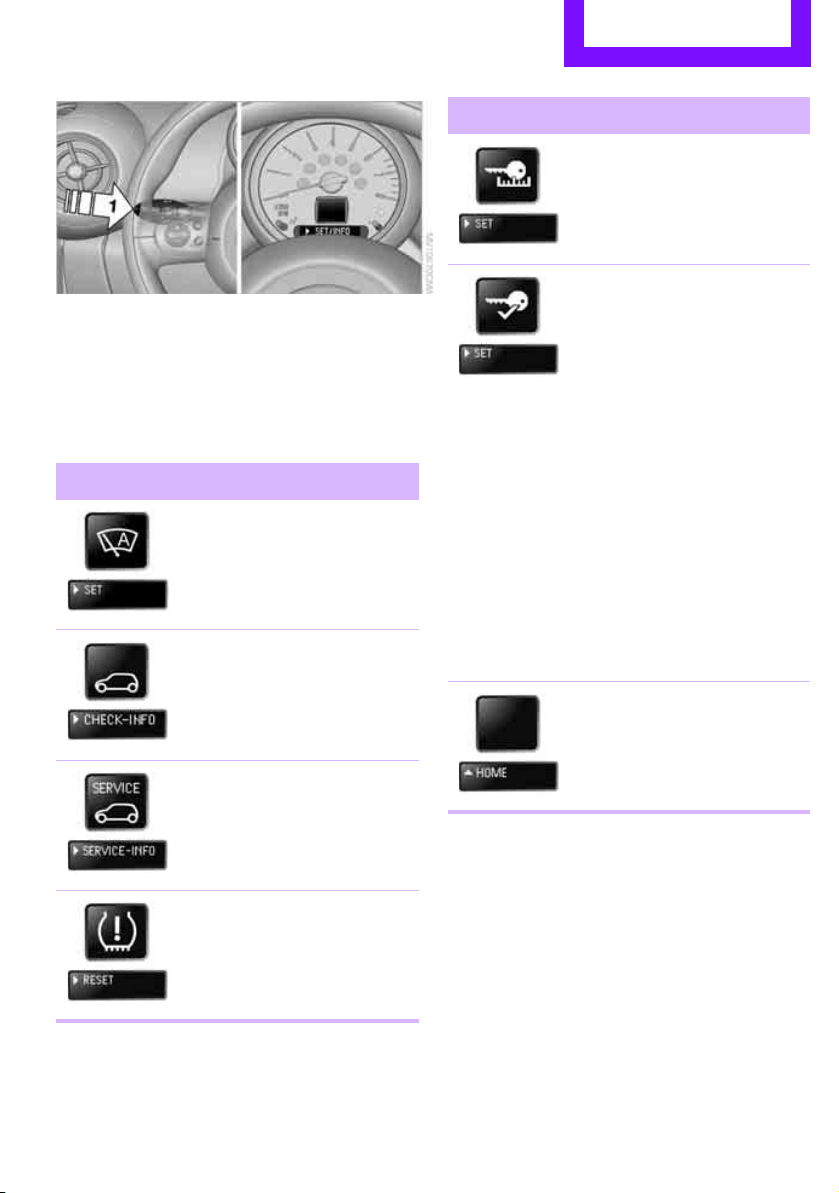
Controls overview Controls
53
1 Button for:
> Selecting display
> Setting values
> Confirming selected display or set values
> Calling up computer information 52
Symbol Function
Adjusting rain
sensor
* 47
Calling up Check
Control 57
Displaying vehicle
check 58
Initializing the Flat Tire
Monitor 63
Resetting the Tire Pres-
sure Monitor 65
Setting formats and units
of measure, resetting to
factory settings 55
Adjusting settings
> Confirmation sig-
nals when locking
and unlocking the
vehicle 22
> Response during
unlocking
procedure 21
> Automatic
locking 25
> Pathway
lighting 71
> Daytime running
lights 72
> Triple turn signal
activation 46
Exiting the menu
Symbol Function
Online Edition for Part no. 01 40 2 607 530 - © 03/11 BMW AGOnline Edition for Part no. 01 40 2 607 530 - © 03/11 BMW AG
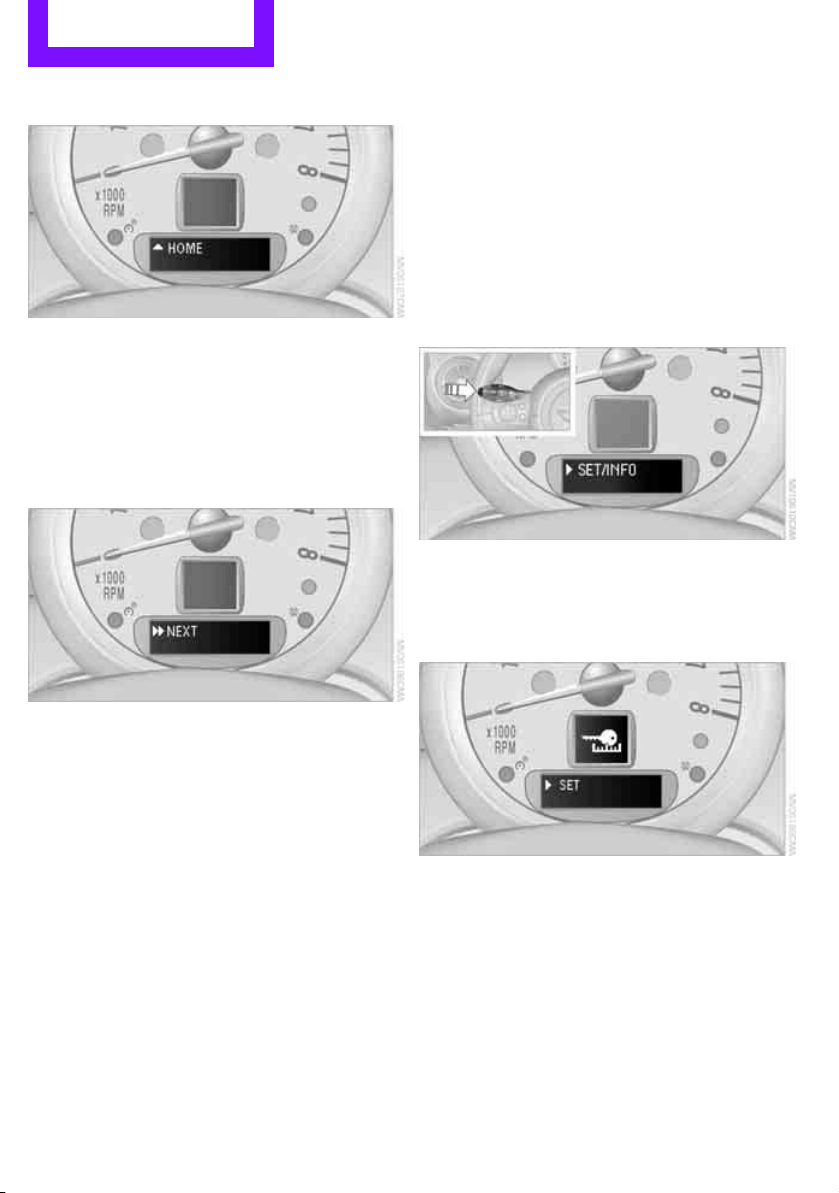
Controls Controls overview
54
Exiting displays
1. Briefly press the button in the turn signal
lever repeatedly until "HOME" is displayed.
2. Press the button for a longer period.
Displays are also exited if no entries are made
for approx. 8 seconds.
Next setting or item of information
1. While in a setting or information item, briefly
press the button in the turn signal indicator
repeatedly until "NEXT" is displayed.
2. Press the button for a longer period.
The display changes directly to the next setting
or item of information.
Formats and units of
measure
To set the formats and units of measure. The set-
tings are stored for the remote control currently
in use, refer also to Personal Profile on page 20.
1. Switch on the ignition, refer to page 41.
2. Press the button on the turn signal indicator
as often as necessary until "SET/INFO" is dis-
played.
3. Press and hold the button until the display
changes.
4. Press the button as often as necessary until
the symbol and "SET" are displayed.
5. Press and hold the button until the display
changes.
6. Briefly press the button repeatedly until the
display shows the illustrated symbol, arrow.
Online Edition for Part no. 01 40 2 607 530 - © 03/11 BMW AGOnline Edition for Part no. 01 40 2 607 530 - © 03/11 BMW AG
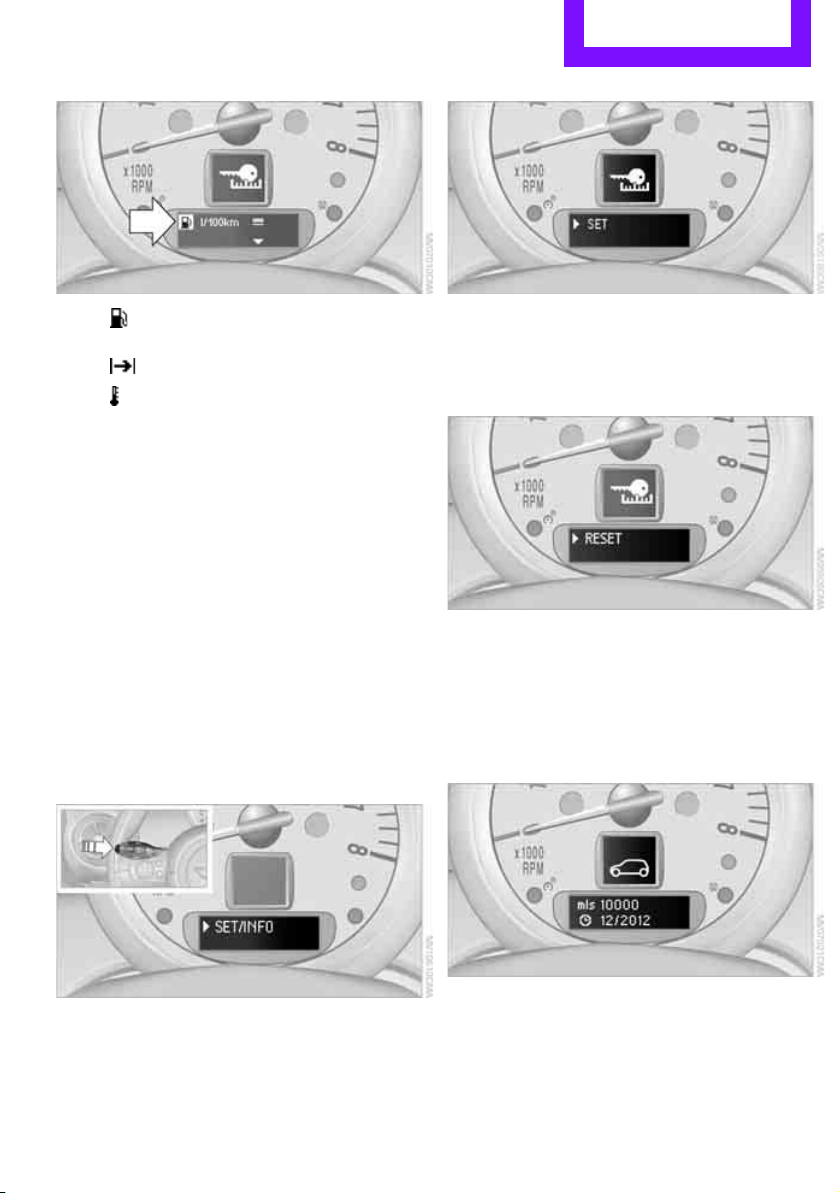
Controls overview Controls
55
> Fuel consumption: l/100 km, mpg,
km/l
*
> Distance covered: miles, km
> Temperature: 7, 6
7. Press and hold the button until the display
changes.
8. Press the button briefly to change the for-
mat or unit of measure.
9. Press and hold the button until the display
changes.
The settings are stored.
Resetting to factory settings
The settings for formats and units of measure
can be reset to the factory settings. The settings
are stored for the remote control currently in
use, refer also to Personal Profile on page 20.
1. Press the button on the turn signal indicator
as often as necessary until "SET/INFO" is dis-
played.
2. Press and hold the button until the display
changes.
3. Press the button as often as necessary until
the symbol and "SET" are displayed.
4. Press and hold the button until the display
changes.
5. Press the button as often as necessary until
RESET" is displayed.
6. Press and hold the button until the display
changes to the first setting.
The settings are reset.
Service requirements
The remaining driving distance and the date of
the next scheduled service are briefly displayed
immediately after you start the engine or switch
on the ignition.
Online Edition for Part no. 01 40 2 607 530 - © 03/11 BMW AGOnline Edition for Part no. 01 40 2 607 530 - © 03/11 BMW AG
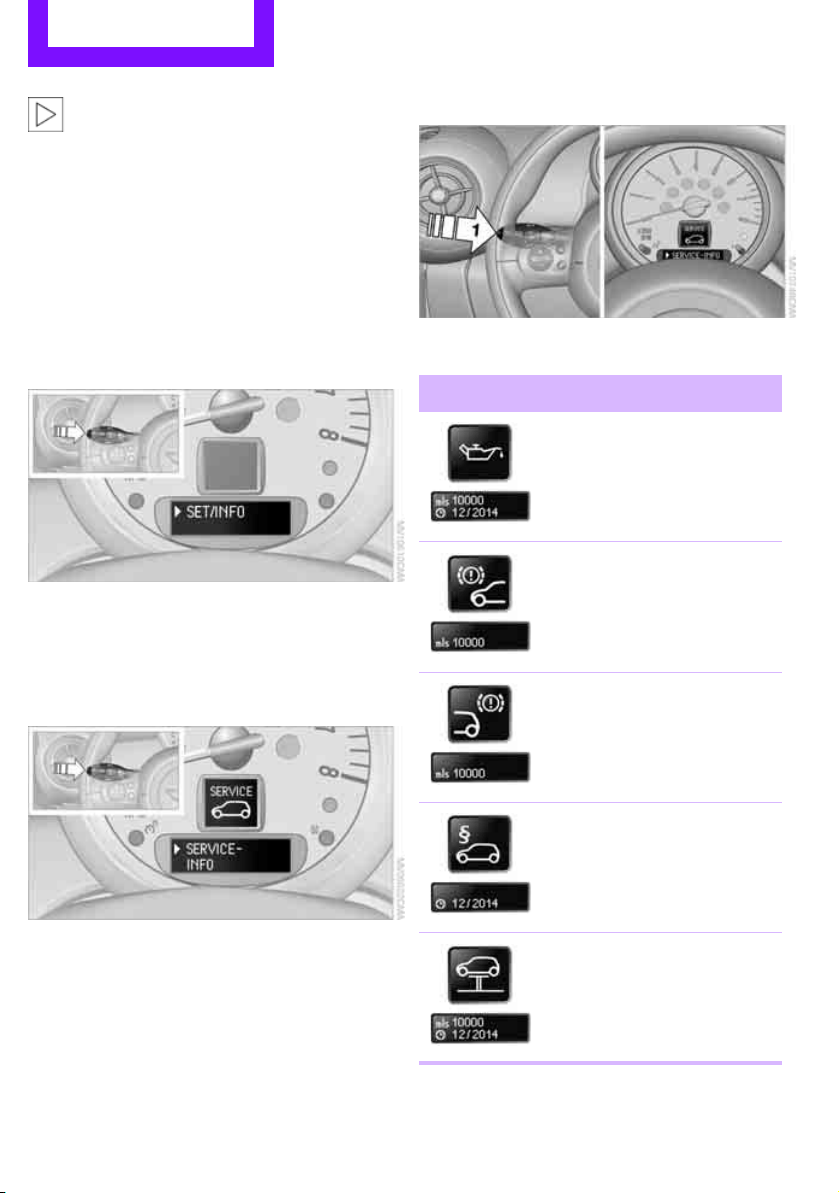
Controls Controls overview
56
The extent of service work required can be
read out from the remote control by your
MINI dealer.<
Displaying vehicle check
For certain maintenance operations, you can
view the respective distance remaining or due
date individually in the tachometer.
1. Switch on the ignition, refer to page 41.
2. Press the button on the turn signal indicator
as often as necessary until "SET/INFO" is dis-
played.
3. Press and hold the button until the display
changes.
4. Briefly press the button repeatedly until the
corresponding symbol and "SERVICE- INFO"
are displayed.
5. Press and hold the button until the display
changes.
6. Briefly press the button to display the indi-
vidual service items, refer to the following
information.
Possible displays
1 Button for selecting information
Symbol Function
Engine oil*
Front brakes
Rear brakes
Roadworthiness test
Vehicle check
Online Edition for Part no. 01 40 2 607 530 - © 03/11 BMW AGOnline Edition for Part no. 01 40 2 607 530 - © 03/11 BMW AG
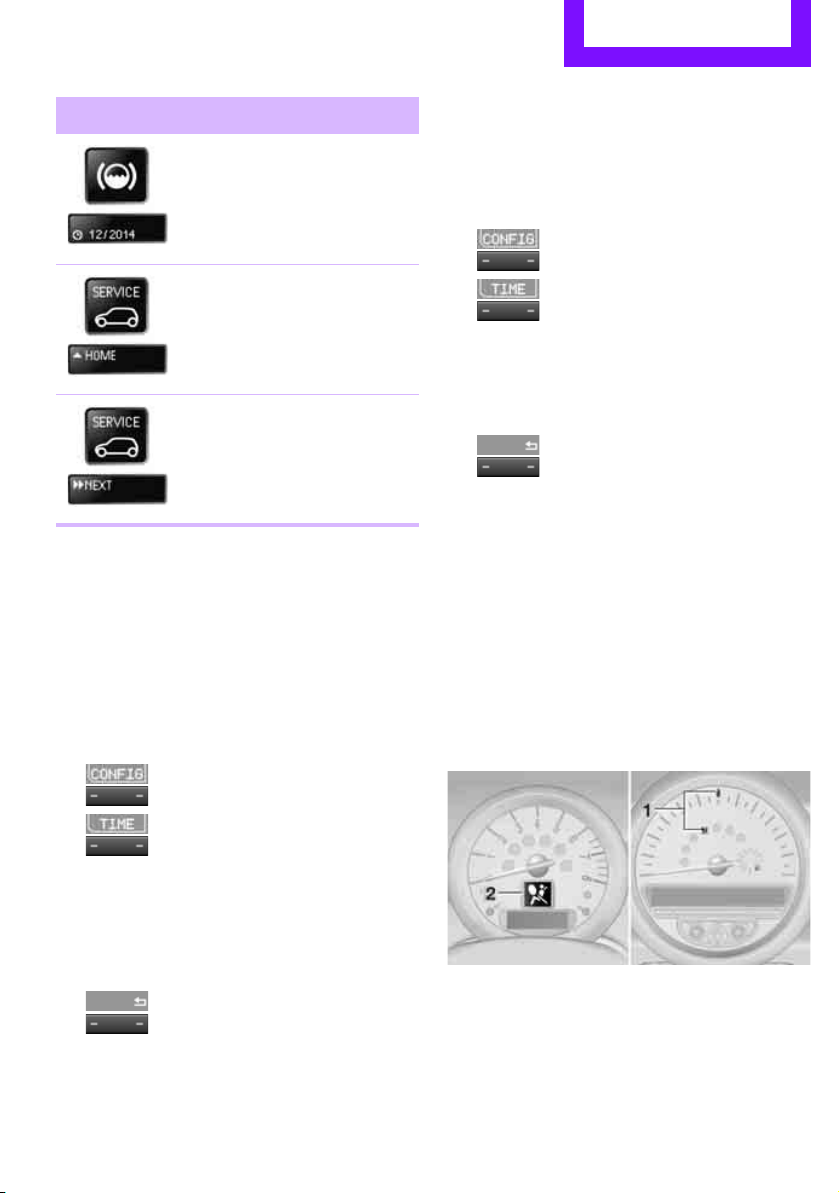
Controls overview Controls
57
More information on the MINI Maintenance Sys-
tem can be found on page 142.
Clock
Setting the time
Radio MINI Boost CD:
1. Press the MENU button.
2.
Press the button.
3.
Press the button.
4. Select the desired menu item "FORMAT",
"STD" or "MIN" and press the respective but-
ton.
5. Turn the button on the right to set values.
6. Press the button on the right to store values.
7.
Press the button to exit setting
values.
Date
Setting date
Radio MINI Boost CD:
1. Press the MENU button.
2.
Press the button.
3.
Press the button.
4. Select the desired menu item "TT", "MM" or
"JJ".
5. Turn the button on the right to set values.
6. Press the button on the right to store values.
7.
Press the button to exit setting
values.
Check Control
The concept
The Check Control monitors vehicle functions
and alerts you to any malfunctions in the sys-
tems monitored. Check Control messages
involve indicator or warning lamps in the dis-
plays and, in some circumstances, an acoustic
signal.
Indicator and warning lamps can light up in var-
ious combinations and colors in the indicator
areas 1 and 2.
Brake fluid
Exit display 54
Next setting or item of
information 54
Symbol Function
Online Edition for Part no. 01 40 2 607 530 - © 03/11 BMW AGOnline Edition for Part no. 01 40 2 607 530 - © 03/11 BMW AG
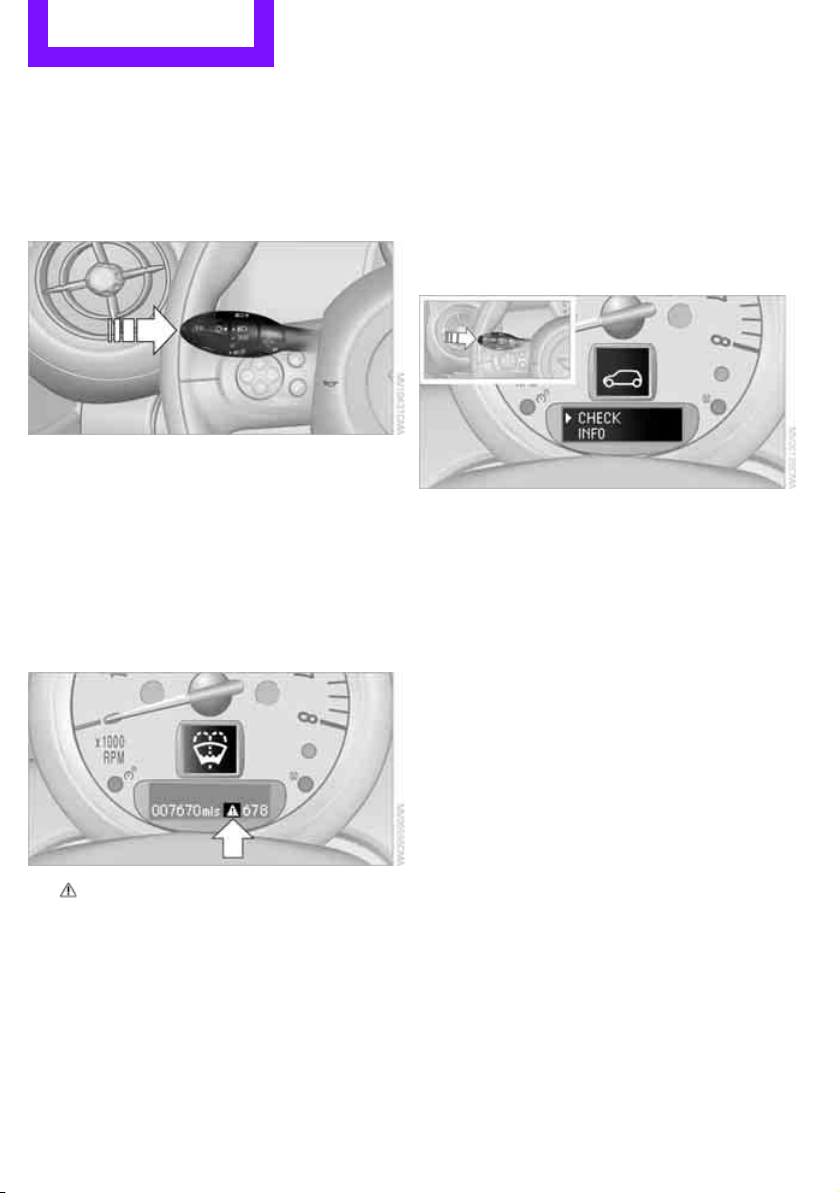
Controls Controls overview
58
What to do in case of a malfunction
The meaning of each lamp in the event of a mal-
function and tips on how to respond are listed
starting on page 162.
Hiding Check Control messages
Press the button in the turn signal lever.
> Some Check Control messages are displayed
until the malfunctions have been rectified.
They cannot be hidden. If several malfunc-
tions occur at the same time, they are dis-
played in succession.
> Other Check Control messages are automat-
ically hidden after approx. 20 seconds, but
remain stored.
The symbol indicates that Check Control mes-
sages have been stored. Check Control mes-
sages can be viewed whenever it is convenient.
Viewing stored Check Control messages
Stored Check Control messages can only be dis-
played if the driver's door is closed.
1. Press the button on the turn signal indicator
as often as necessary until "SET/INFO" is dis-
played.
2. Press and hold the button until the display
changes.
3. Briefly press the button repeatedly until the
corresponding symbol and "CHECK INFO"
appear in the display.
4. Hold the button down.
If there are no Check Control messages, then
"CHECK OK" is displayed.
If a Check Control message has been stored,
the corresponding message is displayed.
5. Press the button to display any other mes-
sages.
Online Edition for Part no. 01 40 2 607 530 - © 03/11 BMW AGOnline Edition for Part no. 01 40 2 607 530 - © 03/11 BMW AG

Technology for driving comfort and safety Controls
59
Technology for driving comfort and
safety
Park Distance Control
PDC*
The concept
PDC assists you with parking in reverse. Acoustic
signals warn you of the presence of an object
behind the vehicle. The measurement is carried
out by four ultrasonic sensors in the rear
bumper.
An acoustic warning sounds when an
object is approx. 24 in/60 cm from the
corner sensors or approx. 5 ft/1.50 m from the
center sensors. PDC is a parking aid that can dis-
play objects, which are slowly being
approached, which is the usual case when park-
ing a vehicle. Avoid approaching an object at
high speed; otherwise, physical circumstances
may lead to the system warning being issued
too late.<
Automatic mode
With the engine running or the ignition switched
on, the system is activated automatically after
approx. 1 second when you engage reverse
gear or move the automatic transmission selec-
tor lever to position R. Wait this short period
before driving.
Acoustic signals
As the distance between vehicle and object
decreases, the intervals between the tones
become shorter. If the distance to the nearest
object falls to below roughly 1 ft/30 cm, then a
continuous tone sounds.
If the distance remains constant, e.g. when driv-
ing parallel to a wall, the acoustic signal stops
after approx. 3 seconds.
Adjustments
The volume of the acoustic signals can be set,
refer to page 102.
Malfunction
Indicator lamp lights up. PDC has failed.
Have the system checked.
To avoid this problem, keep the sensors
clean and free of ice or snow in order to ensure
that they will continue to operate effectively.
When using a high-pressure cleaner, do not
direct the jet toward the sensors for lengthy
periods and only spray from a distance of at least
4in/10cm.
System limitations
Even with PDC, final responsibility for esti-
mating the distance between the vehicle
and any obstructions always remains with the
driver. Sensors, too, have blind spots in which
objects cannot be detected. Moreover, ultra-
sonic detection can reach its physical limits with
objects such as trailer tow bars and couplings,
thin and wedge-shaped objects, etc. Low
objects already indicated, such as curbs, may
enter the sensors' blind spots before or after a
continuous audible signal is given. Higher, pro-
truding objects, such as wall ledges, may not be
detectable. Therefore, always drive cautiously;
otherwise, there is a risk of personal injury or
property damage. Loud sound sources outside
or inside the car can drown out the PDC signal.<
Driving stability control
systems
Your MINI has a number of systems that help to
maintain the vehicle's stability even in adverse
driving conditions.
Online Edition for Part no. 01 40 2 607 530 - © 03/11 BMW AGOnline Edition for Part no. 01 40 2 607 530 - © 03/11 BMW AG
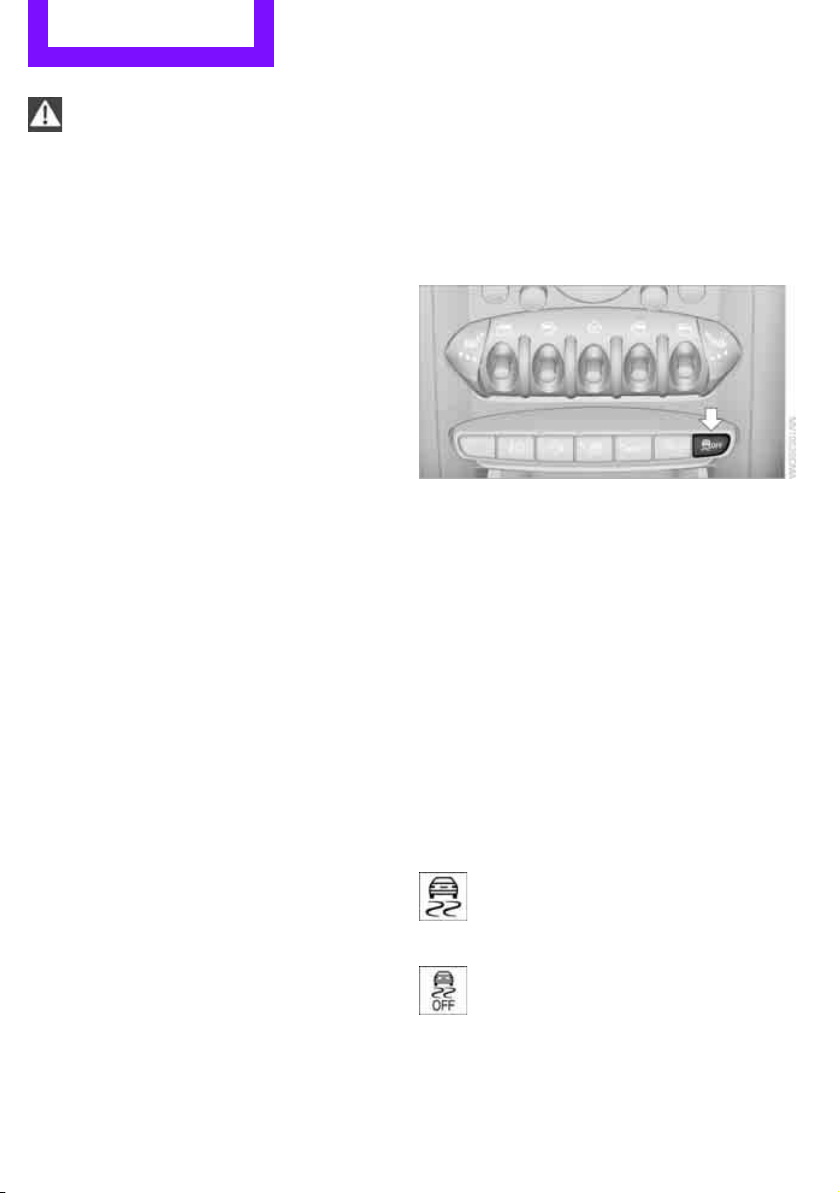
Controls Technology for driving comfort and safety
60
The laws of physics cannot be repealed,
even with driving stability control systems.
An appropriate driving style always remains the
responsibility of the driver. Therefore do not
reduce the additional safety margin by engaging
in hazardous driving thereby running the risk of
an accident.<
Antilock Brake System ABS
ABS prevents locking of the wheels during brak-
ing. Safe steering response is maintained even
during full braking. Active safety is thus
increased.
Braking safely, refer to page 91.
ABS is operational every time you start the
engine.
Cornering Brake Control CBC
Driving stability and steering characteristics are
further enhanced while braking in turns or dur-
ing a lane change.
Electronic brake-force distribution EBV
The system controls the brake pressure in the
rear wheels to ensure stable braking behavior.
Brake Assist
Rapidly depressing the brake causes this system
to automatically develop maximum braking
force. Thus, the system helps keep braking dis-
tance to a minimum. At the same time, all the
benefits provided by ABS are exploited.
Do not reduce the pressure on the brake for the
duration of the full braking application.
Dynamic Stability Control DSC
The concept
DSC prevents the driving wheels from losing
traction when you pull away from rest or accel-
erate.
DSC also detects unstable driving conditions
such as when the vehicle's rear end fishtails or
the vehicle is sliding on its front wheels. In these
cases, DSC helps the vehicle maintain a safe
course within physical limits by reducing engine
output and through braking actions at the indi-
vidual wheels.
Every time that the engine is started, the DSC is
ready to operate.
Deactivating DSC
Press the button until the DSC OFF indicator light
on the speedometer is on and DSC OFF is dis-
played on the tachometer. DSC is deactivated.
Stabilizing and propulsion promoting actions are
no longer executed.
When driving with snow chains or to 'rock free'
in snow, it can be helpful to switch off DSC for a
brief period.
To increase vehicle stability, activate DSC again
as soon as possible.
Activating DSC
Press the button again: the DSC indicator lamps
in the display elements go out.
For better control
The indicator light on the tachometer is
flashing:
The DSC controls the driving and brak-
ing forces.
The indicator light DSC OFF on the
speedometer is on and DSC OFF is dis-
played on the tachometer:
DSC is deactivated.
Online Edition for Part no. 01 40 2 607 530 - © 03/11 BMW AGOnline Edition for Part no. 01 40 2 607 530 - © 03/11 BMW AG
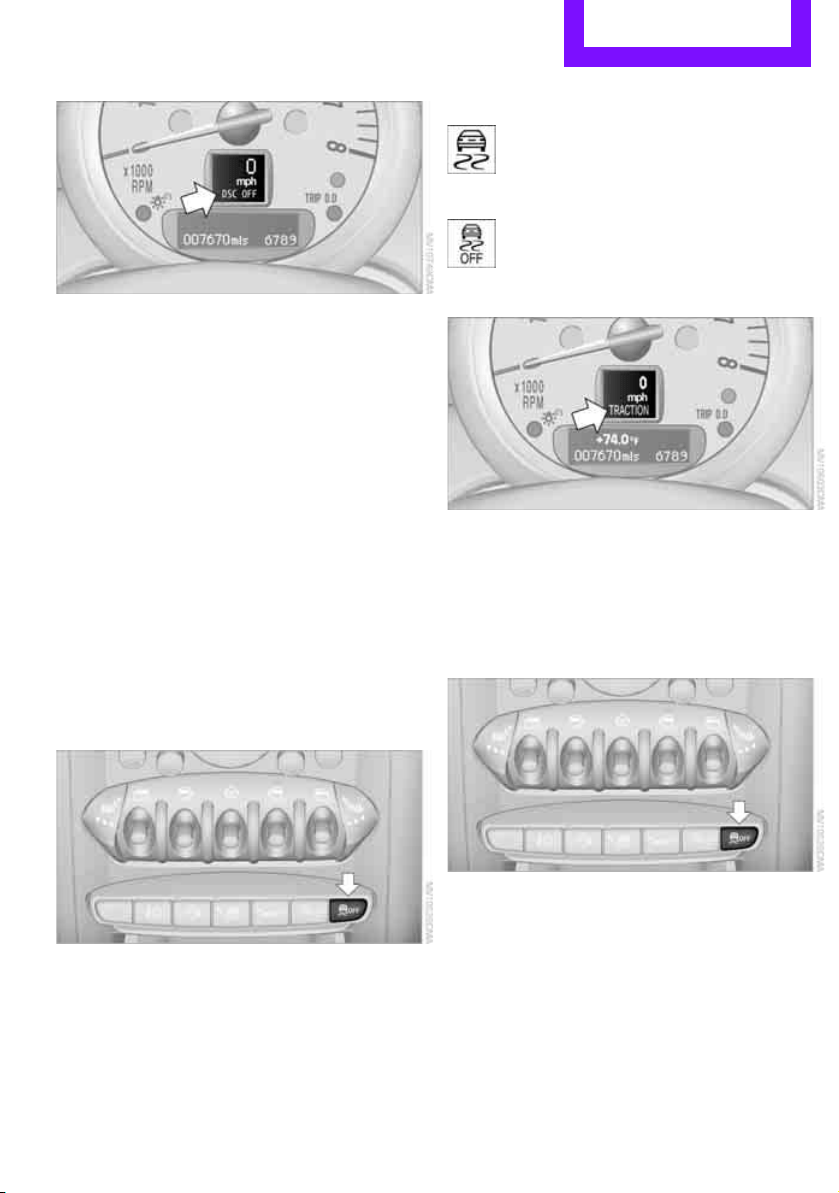
Technology for driving comfort and safety Controls
61
Dynamic Traction Control DTC*
The concept
DTC is a type of DSC that is propulsion optimized
for special road conditions such as uncleared
snowy roads. The system ensures maximum
propulsion though with restricted driving stabil-
ity. You therefore need to drive with suitable
caution.
In the following exceptional situations, it can be
useful to briefly activate DTC:
> when driving on snow-covered inclines, in
slush, or on uncleared snowy roads
> when rocking the vehicle free, driving out of
deep snow or on loose surfaces
> when driving with snow chains
Activating the DTC*
Press the button; the indicator light DSC OFF on
the speedometer comes on and TRACTION is
displayed on the tachometer.
The Dynamic Stability Control DSC is deacti-
vated; the Dynamic Traction Control DTC is acti-
vated.
For better control
The indicator light on the tachometer is
flashing:
DTC controls the driving and braking
forces.
The indicator light on the speedometer
is on and TRACTION is displayed on the
tachometer:
DTC is activated.
Deactivating the DTC*
Press button again, the indicator light DSC OFF
on the speedometer and TRACTION on the
tachometer go out.
Deactivating the DTC* and DSC together
Press the button for at least 3 seconds; the indi-
cator light DSC OFF on the speedometer comes
on and DSC OFF is displayed on the tachometer.
The Dynamic Traction Control DTC and Dynamic
Stability Control DSC are both deactivated. There
will be no more stabilizing interventions.
Interventions (differential lock
*) in braking
occur to improve propulsion when drive wheels
are rotating unevenly, even when the DSC is
deactivated.
Online Edition for Part no. 01 40 2 607 530 - © 03/11 BMW AGOnline Edition for Part no. 01 40 2 607 530 - © 03/11 BMW AG
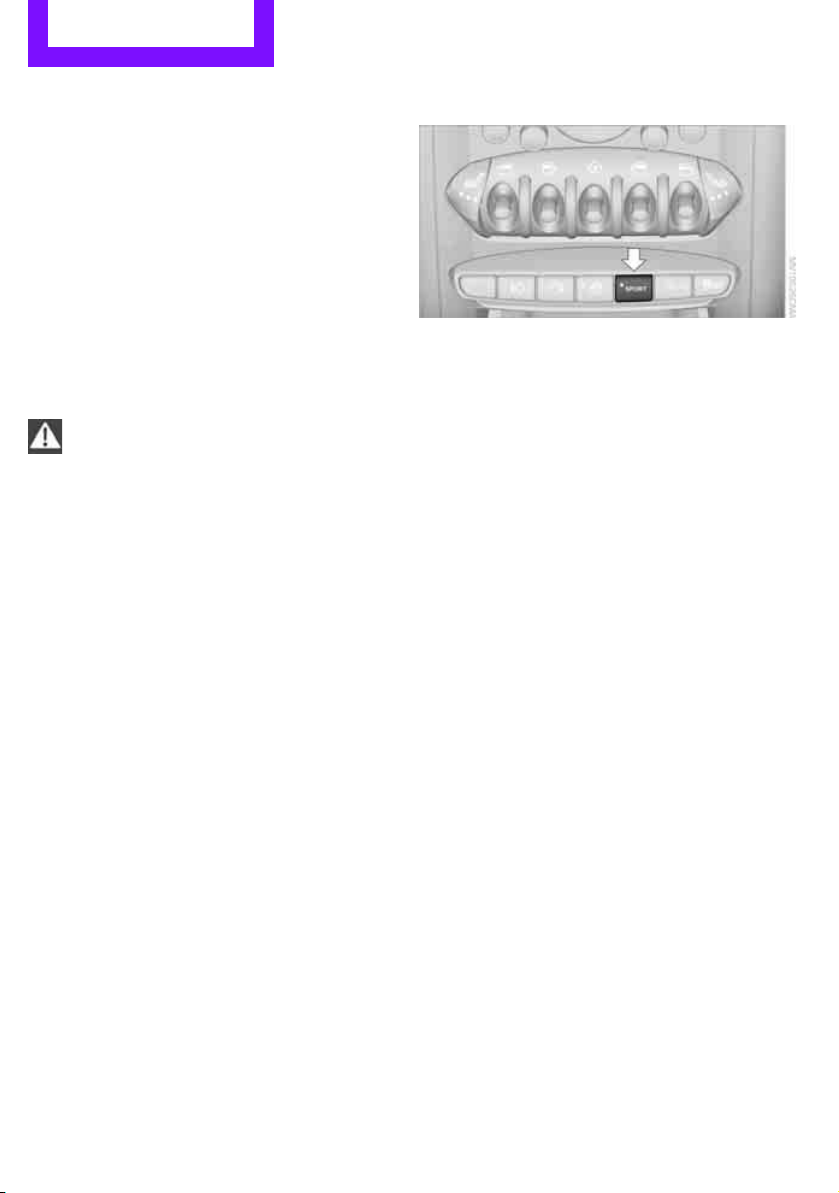
Controls Technology for driving comfort and safety
62
Activating DSC
Press the button again: the indicator lamps go
out.
Hill Assist
Hill Assist aids you in comfortably driving off on
inclines. It is not necessary to use the parking
brake for this.
1. Hold the MINI with the brake.
2. Release the brake and immediately drive
off.
Hill Assist holds the car in place for approx.
2 seconds after the brake is released.
Depending on the load and gradient, the
vehicle can roll backward slightly during
this period. After you release the brake, immedi-
ately start driving since the Hill Assist only holds
the vehicle for about 2 seconds, and it will start
to roll backward.<
ALL4 all-wheel drive system*
ALL4 is the all-wheel drive system of your MINI.
The combined effects of ALL4 and DSC further
optimize the traction and dynamic driving char-
acteristics. The ALL4 all-wheel drive system vari-
ably distributes the drive force to the front and
rear axle depending on the driving situation and
prevailing road conditions.
Sport button*
Pressing the button causes your MINI to respond
even more sportily.
> Engine responds more spontaneously to
movements of the accelerator.
> Steering response is more direct.
> Cooper S: the engine sounds more sporty in
coasting mode.
With automatic transmission:
> More rapid gear shifting in Sport program.
Activating the system
Press the SPORT button.
The LED lights up.
SPORT is briefly displayed in the tachometer.
Deactivating the system
> Press the SPORT button again.
> Switch off the engine.
Flat Tire Monitor FTM
The concept
The system does not measure the actual infla-
tion pressure in the tires.
The system detects a pressure loss in a tire by
comparing the rotational speeds of the individ-
ual wheels while moving.
In the event of a pressure loss, the diameter and
therefore the rotational speed of the corre-
sponding wheel change. This is detected and
reported as a flat tire.
Functional requirement
The system must have been initialized while the
tire inflation pressure was correct; otherwise,
reliable signaling of a flat tire is not ensured.
Initialize the system after every correction of the
tire inflation pressure and after every tire or
wheel change.
Online Edition for Part no. 01 40 2 607 530 - © 03/11 BMW AGOnline Edition for Part no. 01 40 2 607 530 - © 03/11 BMW AG
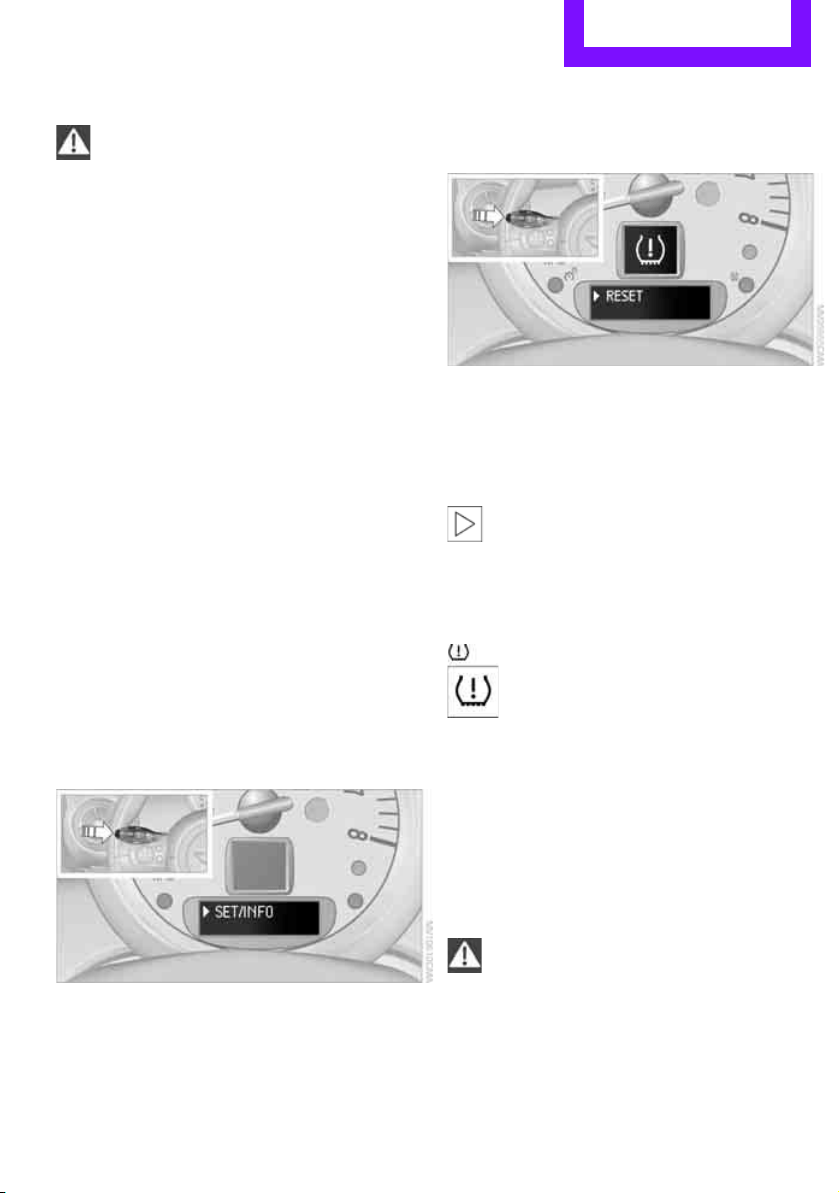
Technology for driving comfort and safety Controls
63
System limitations
Sudden serious tire damage caused by
external influences cannot be indicated in
advance.<
A natural, even pressure loss in all four tires can-
not be detected. Therefore, check the tire infla-
tion pressure regularly.
In the following situations, the system could be
delayed or malfunction:
> System has not been initialized
> Driving on snowy or slippery road surface
> Performance-oriented style of driving: slip in
the drive wheels, high lateral acceleration
> Snow chains are attached
Initializing the system
The initialization process adopts the set inflation
tire pressures as reference values for the detec-
tion of a flat tire. Initialization is started by con-
firming the inflation pressures.
Do not initialize the system when driving with
snow chains.
Using the button in the turn signal lever
1. Start the engine, but do not start driving.
2. Press the button on the turn signal indicator
as often as necessary until "SET/INFO" is dis-
played.
3. Press and hold the button until the display
changes.
4. Briefly press the button repeatedly until the
corresponding symbol and "RESET" are dis-
played.
5. Press and hold the button until the display
changes.
6. Start driving.
Initialization is completed while the car is on
the move, without any feedback.
The initialization is completed during driv-
ing, which can be interrupted at any time.
When driving resumes, the initialization is con-
tinued automatically.<
Indication of a flat tire
The warning lamps come on in yellow
and red. An acoustic signal also sounds.
There is a flat tire or a major loss in tire
inflation pressure.
1. Reduce speed and stop the vehicle with cau-
tion. Avoid sudden braking and steering
maneuvers.
2. Check whether the vehicle is equipped with
normal tires or with run-flat tires
*.
Run-flat tires, refer to page 136, are identi-
fied by a circular symbol containing the let-
ters RSC on the tire sidewall.
If the vehicle is not equipped with run-flat
tires, do not continue driving; continuing
to drive can result in serious accidents.<
When a flat tire is reported, the Dynamic Stability
Control DSC is activated.
Online Edition for Part no. 01 40 2 607 530 - © 03/11 BMW AGOnline Edition for Part no. 01 40 2 607 530 - © 03/11 BMW AG

Controls Technology for driving comfort and safety
64
Actions in the event of a flat tire
Normal tires*
1. Identify the damaged tire.
To do so, check the inflation pressure in all
four tires.
The inflation pressure display of the Mobility
System, page 152, can be used for this pur-
pose.
If the inflation pressure in all four tires is cor-
rect, the Flat Tire Monitor might not have
been initialized. The system must then be
initialized.
If it is not possible to identify the damaged
tire, contact your MINI dealer
2. Use the Mobility System to remedy the flat
tire on the damaged wheel, refer to
page 152.
Run-flat tires*
You can continue driving with a damaged tire at
speeds up to 50 mph or 80 km/h.
Continued driving with a flat tire
When driving with a damaged tire:
1. Avoid sudden braking and steering maneu-
vers.
2. Do not exceed a speed of 50 mph or 80 km/
h.
3. At the next opportunity, check the air pres-
sure in all four tires.
If the inflation pressure in all four tires is cor-
rect, the Flat Tire Monitor might not have
been initialized. The system must then be
initialized.
Possible driving distance with complete loss of
tire inflation pressure:
The distance it is possible to drive depends on
the load and the stress on the vehicle while driv-
ing.
With an average load, it may be possible to drive
for approx. 50 miles/80 km.
When driving with damaged tires, the handling
characteristics change, e.g. the vehicle will skid
sooner when braking, braking distances will be
longer, or self-steering response will change.
Adapt your driving style accordingly. Avoid turn-
ing abruptly and driving over obstacles such as
curbs, potholes, etc.
Since the possible driving distance depends to a
considerable degree on the strain exerted on
the vehicle while driving, it can be shorter or,
with a gentle driving style, can also be longer,
depending on the speed, road condition, exter-
nal temperature, vehicle load, etc.
Drive cautiously and do not exceed a
speed of 50 mph/80 km/h.
A loss of tire inflation pressure results in a
change in the handling characteristics, e.g.
reduced lane stability during braking, a longer
braking distance and altered self-steering prop-
erties.<
Vibrations or loud noises while driving can
indicate final failure of the tire. Reduce
your speed and bring the vehicle to a stop; oth-
erwise, pieces of tire may come off, which could
result in an accident. Do not continue driving
and contact your MINI dealer.<
Tire Pressure Monitor
TPM*
The concept
Measuring the inflation pressure in the four
mounted tires. The system notifies you if there is
a significant loss of pressure in one or more tires.
Functional requirement
The system must have been reset while the
inflation pressure was correct; otherwise, reli-
able signaling of a flat tire is not ensured.
Always use wheels with TPM electronics to
ensure that the system will operate properly.
Online Edition for Part no. 01 40 2 607 530 - © 03/11 BMW AGOnline Edition for Part no. 01 40 2 607 530 - © 03/11 BMW AG
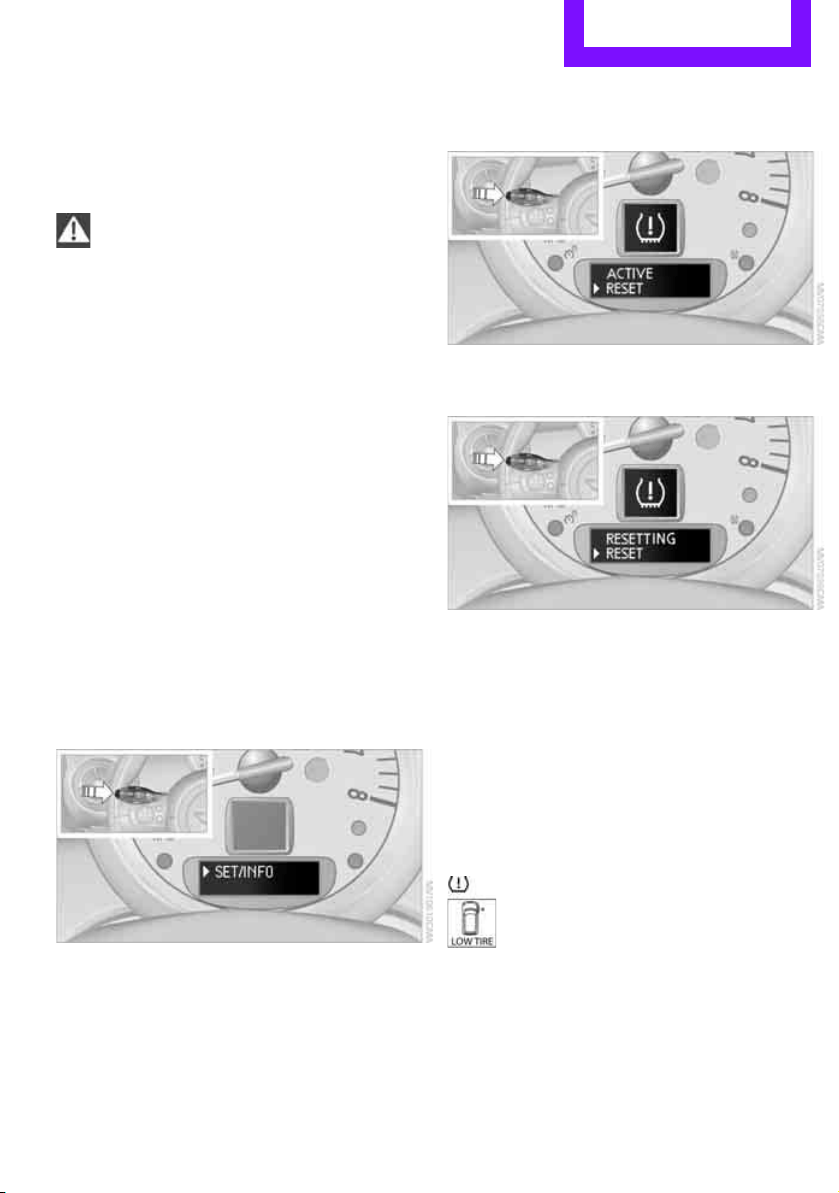
Technology for driving comfort and safety Controls
65
Reset the system again after each correction of
the tire inflation pressure and after every tire or
wheel change.
System limitations
Sudden, serious tire damage caused by
external influences cannot be indicated in
advance.<
The system does not operate correctly if it has
not been reset. For example, a flat tire may be
indicated despite correct tire inflation pressures.
The system is inactive and cannot indicate a flat
tire:
> If a wheel without TPM electronics is
mounted
> Interference with TPM by other systems or
devices with the same transmission fre-
quency.
Resetting system
Reset the system again after each correction of
the tire inflation pressure and after every tire or
wheel change.
1. Start the engine, but do not start driving.
2. Press the button on the turn signal indicator
as often as necessary until "SET/INFO" is dis-
played.
3. Press and hold the button until the display
changes.
4. Briefly press the button repeatedly until the
symbol for Tire Pressure Monitor and
"ACTIVE" are displayed.
The Tire Pressure Monitor can be reset by
selecting "RESET".
5. Press and hold the button until "RESETTING"
is displayed.
6. Start driving.
After driving a few minutes, the set inflation
pressures in the tires are accepted as the tar-
get values to be monitored. The system
reset is completed during your drive, and
can be interrupted at any time. When driving
resumes, the reset is continued automati-
cally. The indicator lamp goes out after the
system reset is completed.
Message with low tire inflation pressure
The warning lamps come on in yellow
and red. An acoustic signal also sounds.
The position of the faulty tire is dis-
played.
> There is a flat tire or substantial loss of tire
pressure in the indicated wheel.
> The system was not reset after a wheel
change and thus issues a warning based on
the inflation pressures initialized last.
Online Edition for Part no. 01 40 2 607 530 - © 03/11 BMW AGOnline Edition for Part no. 01 40 2 607 530 - © 03/11 BMW AG

Controls Technology for driving comfort and safety
66
1. Reduce speed and stop the vehicle with cau-
tion. Avoid sudden braking and steering
maneuvers.
2. Check whether the vehicle is equipped with
normal tires or with run-flat tires.
Run-flat tires, refer to page 136, are identi-
fied by a circular symbol containing the let-
ters RSC on the tire sidewall.
When a low inflation pressure is reported, the
Dynamic Stability Control DSC is activated.
Actions in the event of a flat tire
Normal tires
1. Identify the damaged tire.
To do so, check the inflation pressure in all
four tires. The inflation pressure display of
the Mobility System, page 152, can be used
for this purpose.
If the inflation pressure is correct in all four
tires, then the Tire Pressure Monitor may not
have been reset. The system must then be
reset.
If it is not possible to identify the damaged
tire, contact your MINI dealer.
2. Use the Mobility System to remedy the flat
tire on the damaged wheel, refer to
page 152.
The use of tire sealant, e.g. Mobility System,
can damage the TPM wheel electronics. In
this case, have the electronics checked and
replaced if necessary at your earliest oppor-
tunity.
Run-flat tires*
You can continue driving with a damaged tire at
speeds up to 50 mph/80 km/h.
If the vehicle is not equipped with run-flat
tires, do not continue driving; continuing
to drive can result in serious accidents.<
Continued driving with a flat tire
When driving with a damaged tire:
1. Avoid sudden braking and steering maneu-
vers.
2. Do not exceed a speed of 50 mph or 80 km/
h.
3. At the next opportunity, check the air pres-
sure in all four tires.
If the inflation pressure is correct in all four
tires, then the Tire Pressure Monitor may not
have been reset. The system must then be
reset.
Possible driving distance with complete loss of
tire inflation pressure:
The distance it is possible to drive depends on
the load and the stress on the vehicle while driv-
ing.
With an average load, it may be possible to drive
for approx. 50 miles/80 km.
When driving with damaged tires, the handling
characteristics change, e.g. the vehicle will skid
sooner when braking, braking distances will be
longer, or self-steering response will change.
Adapt your driving style accordingly. Avoid turn-
ing abruptly and driving over obstacles such as
curbs, potholes, etc.
Since the possible driving distance depends to a
considerable degree on the strain exerted on
the vehicle while driving, it can be shorter or,
with a gentle driving style, can also be longer,
depending on the speed, road condition, exter-
nal temperature, vehicle load, etc.
Drive cautiously and do not exceed a
speed of 50 mph/80 km/h.
A loss of tire inflation pressure results in a
change in the handling characteristics, e.g.
reduced lane stability during braking, a longer
braking distance and altered self-steering prop-
erties.<
Vibrations or loud noises while driving can
indicate complete failure of the tire.
Reduce your speed and bring the vehicle to a
stop; otherwise, pieces of tire may come off,
which could result in an accident. Do not con-
tinue driving and contact your MINI dealer.<
Online Edition for Part no. 01 40 2 607 530 - © 03/11 BMW AGOnline Edition for Part no. 01 40 2 607 530 - © 03/11 BMW AG

Technology for driving comfort and safety Controls
67
Malfunction
The small warning lamp flashes in yel-
low and then lights up continuously; the
larger warning lamp lights up in yellow.
No flat tire can be detected.
Display in the following situations:
> Wheel without TPM electronics is mounted:
If need be, have it checked by your MINI
dealer.
> Malfunction:
Have the system checked
> TPM was unable to complete the resetting
procedure; reset the system again.
The small warning lamp flashes in yel-
low and then lights up continuously; the
larger warning lamp lights up in yellow.
No flat tire can be detected.
Display in the following situation:
> Interference due to systems or devices that
use the same radio frequency:
The system automatically reactivates once it
is outside of the field of interference.
Declaration according to NHTSA/
FMVSS 138 Tire Pressure Monitoring
Systems
Each tire, including the spare, should be
checked monthly when cold and inflated to the
inflation pressure recommended by the vehicle
manufacturer on the vehicle placard or tire infla-
tion pressure label. If your vehicle has tires of a
different size than the size indicated on the vehi-
cle placard or tire inflation pressure label, you
should determine the proper tire inflation pres-
sure for those tires. As an added safety feature,
your vehicle has been equipped with a tire pres-
sure monitoring system TPMS that illuminates a
low tire pressure telltale when one or more of
your tires are significantly underinflated.
Accordingly, when the low tire pressure telltale
illuminates, you should stop and check your tires
as soon as possible, and inflate them to the
proper pressure. Driving on a significantly
underinflated tire causes the tire to overheat
and can lead to tire failure. Underinflation also
reduces fuel efficiency and tire tread life, and
may affect the vehicle's handling and stopping
ability. Please note that the TPMS is not a substi-
tute for proper tire maintenance, and it is the
driver's responsibility to maintain correct tire
pressure, even if underinflation has not reached
the level at which the TPMS low tire pressure tell-
tale illuminates.
The TPMS malfunction indicator is combined
with the low tire pressure telltale. When the sys-
tem detects a malfunction, the telltale will flash
for approximately one minute and then remain
continuously lit. This sequence will continue
upon subsequent vehicle startups as long as the
malfunction exists. When the malfunction indi-
cator is illuminated, the system may not be able
to detect or signal low tire pressure as intended.
TPMS malfunctions may occur for a variety of
reasons, including the installation of replace-
ment or alternate tires or wheels on the vehicle
that prevent the TPMS from functioning prop-
erly. Always check the TPMS malfunction telltale
after replacing one or more tires or wheels on
your vehicle to ensure that the replacement or
alternate tires and wheels allow the TPMS to
continue to function properly.
Online Edition for Part no. 01 40 2 607 530 - © 03/11 BMW AGOnline Edition for Part no. 01 40 2 607 530 - © 03/11 BMW AG
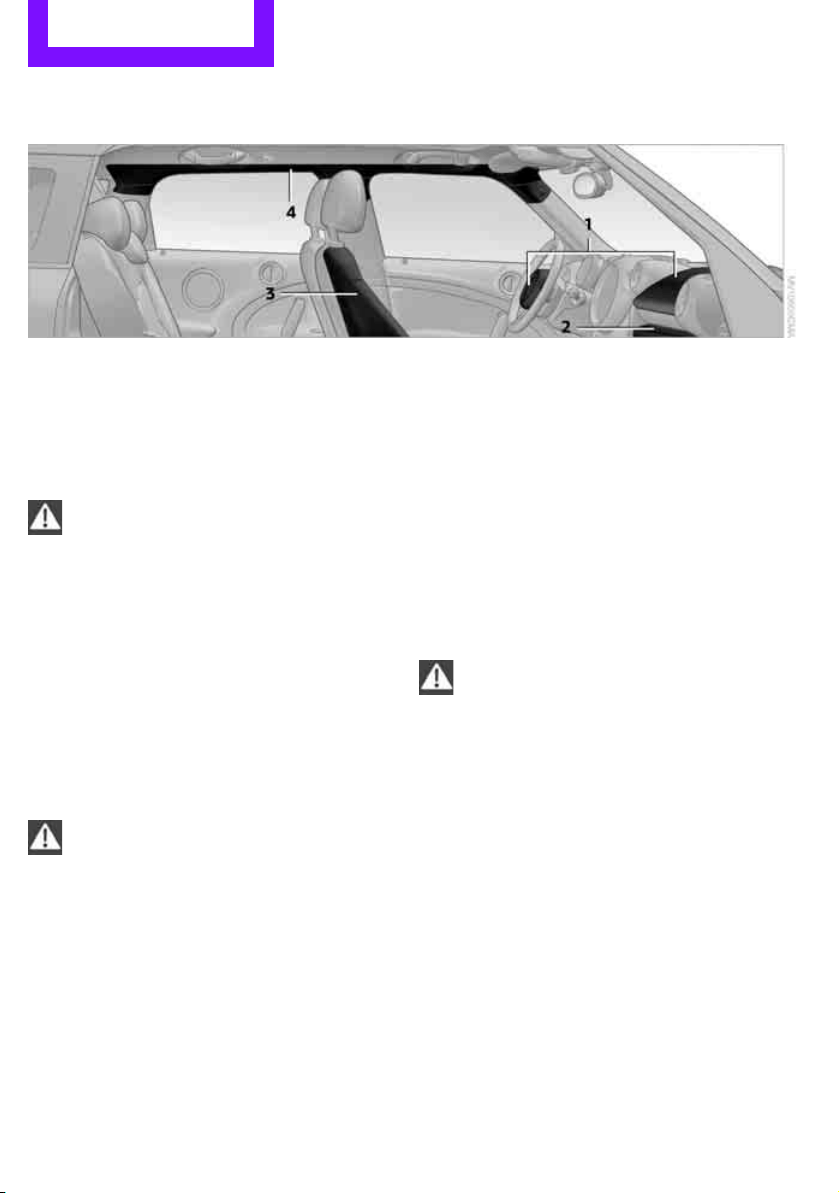
Controls Technology for driving comfort and safety
68
Airbags
The following airbags are located under the
marked covers:
1 Front airbags
2 Knee airbag
3 Side airbags in backrests
4 Head airbags at the front and rear
Protective action
Observe the instructions on page 32 to
ensure the best possible personal protec-
tion.<
The front airbags help protect the driver and
front passenger by responding to frontal
impacts in which safety belts alone cannot pro-
vide adequate restraint. When needed, the head
and side airbags help provide protection in the
event of side impact. The relevant side airbag
supports the side upper body area. The head air
bag supports the head.
The airbags are designed to not be triggered in
every type of collision, e.g. not in minor acci-
dents, certain rollover situations or rear impacts.
Do not apply adhesive materials to the
cover panels of the airbags, cover them or
modify them in any other way.
Keep the dashboard and window on the passen-
ger side free from obstruction, i.e. do not cover it
with adhesive film or coverings, and do not affix
any holders such as for a navigation device or a
mobile phone.
Do not attach seat covers, cushions or other
objects not specifically approved for seats with
integral side airbags to the front seats. Do not
hang items of clothing such as coats or jackets
over the backrests. Do not attempt to remove
the airbag retention system from the vehicle. Do
not modify the individual components of the
system or its wiring in any way. This includes the
upholstery in the center of the steering wheel,
on the instrument cluster, the doors, and the
roof pillars as well as the sides of the headliner.
Do not attempt to remove or dismantle the
steering wheel.<
Do not touch the individual components
immediately after the system has been
triggered, because there is a danger of burns.
Have the testing, repair, removal, and disposal
of airbag generators executed only by your MINI
dealer or a workshop that has the required
explosives licenses.
Otherwise, unprofessional attempts to service
the system could lead to failure in an emergency
or undesired airbag activation, either of which
could result in personal injury.<
Warning notices and information about the air-
bags can also be found on the sun visors.
Automatic deactivation of the front
passenger airbags
The presence of a passenger in the front passen-
ger seat is detected by measuring the resistance
of the human body. The system correspondingly
Online Edition for Part no. 01 40 2 607 530 - © 03/11 BMW AGOnline Edition for Part no. 01 40 2 607 530 - © 03/11 BMW AG
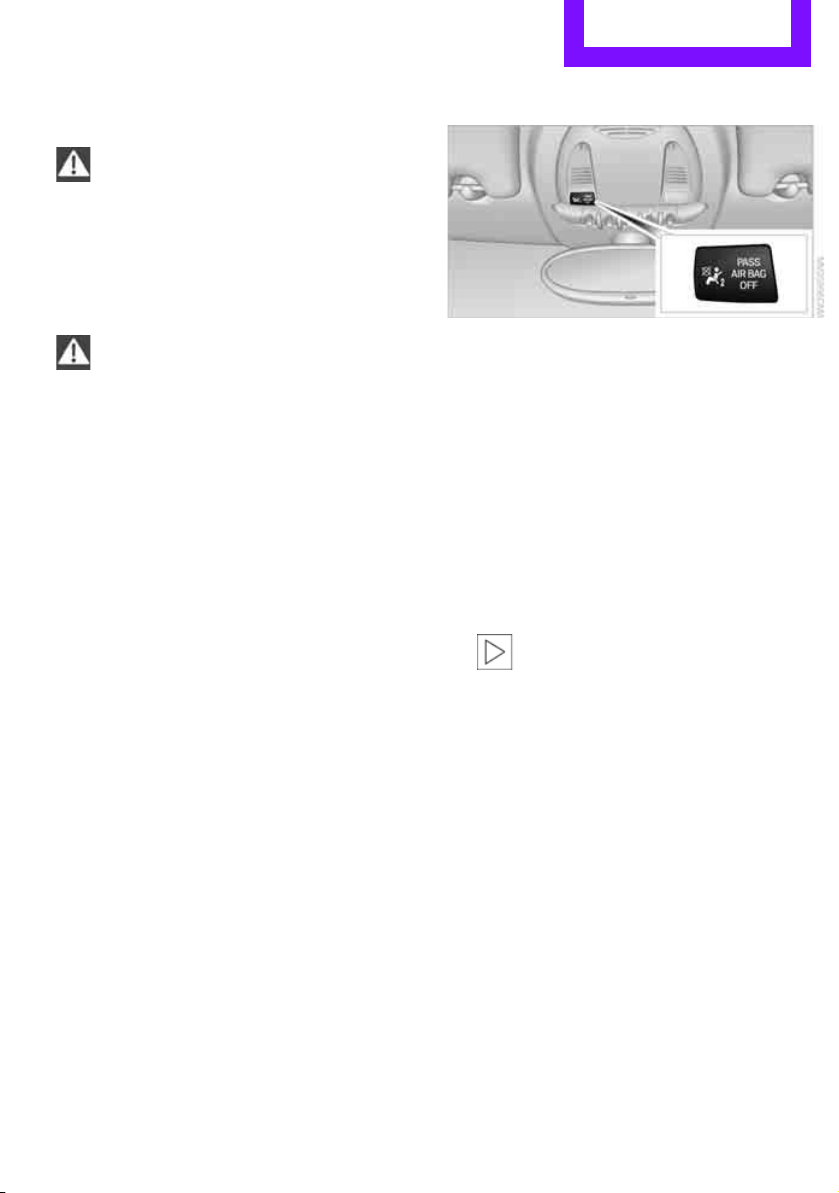
Technology for driving comfort and safety Controls
69
activates or deactivates the front, side, and knee
airbags for the front passenger.
Make sure that the front passenger's feet
remain in the footwell; otherwise, it is not
possible to guarantee the function of the front
passenger airbags.<
The indicator lamp above the interior rearview
mirror shows the current status of the front pas-
senger airbags, deactivated or activated, refer to
Status of front passenger airbags below.
Before transporting a child on the front
passenger seat, read the safety informa-
tion and follow the instructions under Transport-
ing children safely, page 38.<
Malfunction of the automatic
deactivation
When teenagers and adults assume certain sit-
ting positions, this can cause the front, side, and
knee airbags to deactivate. The indicator lamp
for the front passenger airbags lights up when
this occurs. In such cases, the passenger should
change his or her sitting position so that the
front passenger airbags are activated and the
indicator lamp goes out. If the desired airbag
status cannot be achieved by changing the sit-
ting position, transport the relevant passenger
on a rear seat.
> Do not attach covers, cushions, ball mats or
other items to the front passenger seat
unless they are specifically recommended
by the manufacturer of your MINI.
> Do not place items on the front passenger
seat.
> Do not place items under the seat which
could press against the seat from below.
Status of front passenger airbags
The indicator lamp for the front passenger air-
bags shows the functional status of the front
passenger's front, side, and knee airbags in
accordance with whether and how the front
passenger seat is occupied. The indicator lamp
shows whether the front passenger airbags are
activated or deactivated.
> The indicator lamp lights up when a child in
a specially designated child restraint system
is properly detected on the seat or the seat is
unoccupied.
The front, side, and knee airbags for the
front passenger are not activated.
Most child seats are detected by the
system. This particularly applies to
child seats that were required by NHTSA at
the time of manufacture of the vehicle. After
installing a child seat, check that the indica-
tor lamp for the front passenger airbags
lights up. It indicates that the child seat has
been detected and that the front passenger
airbags are deactivated.<
> The indicator lamp does not come on as long
as a person of sufficient size and in a correct
sitting position is detected on the seat.
The front, side, and knee airbags for the
front passenger are activated.
Online Edition for Part no. 01 40 2 607 530 - © 03/11 BMW AGOnline Edition for Part no. 01 40 2 607 530 - © 03/11 BMW AG
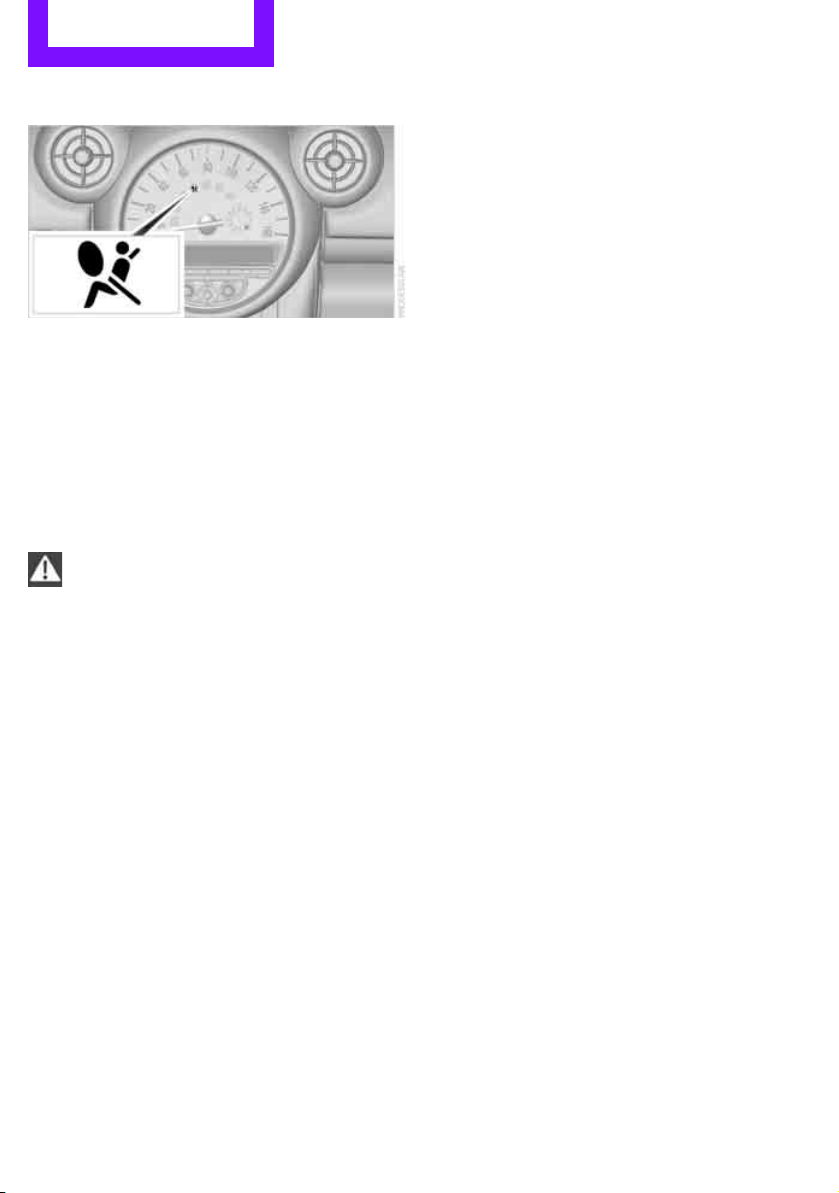
Controls Technology for driving comfort and safety
70
Operational readiness of airbag system
As of radio readiness, page 41, the warning
lamp lights up briefly to indicate that the entire
airbag system and the belt tensioners are oper-
ational.
Airbag system malfunction
> The warning lamp does not come on when
radio readiness is switched on.
> The warning lamp stays lit continuously.
In the event of a fault in the airbag system,
have it checked without delay; otherwise,
there is the risk that the system will not function
as intended even if a severe accident occurs.<
Online Edition for Part no. 01 40 2 607 530 - © 03/11 BMW AGOnline Edition for Part no. 01 40 2 607 530 - © 03/11 BMW AG
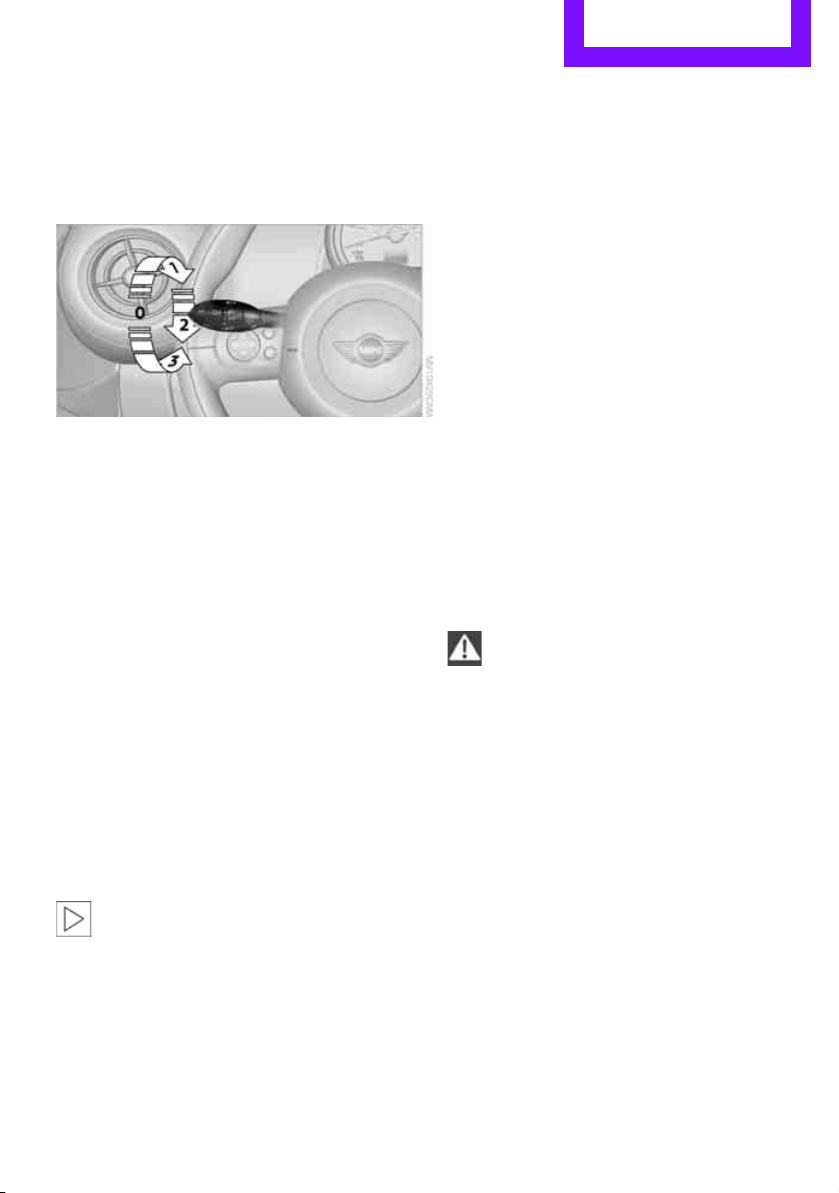
Lamps Controls
71
Lamps
Parking lamps/low beams
0 Lamps off and daytime running lights
1 Parking lamps and daytime running lights
2 Low-beam headlamps and welcome lamps
3 Automatic headlamp control
*, daytime run-
ning lights, welcome lamps, and Adaptive
Light Control
*
When you open the driver's door with the igni-
tion switched off, the exterior lighting is auto-
matically switched off if the light switch is in
position 0, 2 or 3.
Switch on the parking lamps if necessary, switch
position 1.
Parking lamps
Turn the light switch to position 1.
The front, rear and side vehicle lighting is
switched on.
Activation of lights on one side of the vehicle for
parking, page 74.
The parking lamps will discharge the bat-
tery. Therefore, do not leave them on for
unduly long periods of time; otherwise, the bat-
tery might not have enough power to start the
engine.<
Low beams
Turn the light switch to position 2.
The low beams come on when the ignition is on.
Automatic headlamp control*
When the switch is in position 3, the low beams
are switched on and off automatically depend-
ing on ambient light conditions, e.g. in a tunnel,
in twilight, or if there is precipitation. Adaptive
Light Control
* is active.
The headlamps may also come on when the sun
is sitting low on a blue sky.
When driving into tunnels with bright overhead
lights, there may be a delay before the head-
lamps come on.
The low beams remain switched on indepen-
dent of the ambient lighting conditions when
you switch on the fog lamps
*.
If the daytime running lights are activated,
page 72, the low beams are always switched on
with the light switch in position 3 and the igni-
tion on. The exterior lamps are automatically
switched off after the vehicle is parked.
The automatic headlamp control cannot
serve as a substitute for your personal
judgment in determining when the lamps
should be switched on in response to ambient
lighting conditions. For example, the system
cannot detect fog or hazy weather. To avoid
safety risks, you should respond to these kinds
of low-visibility situations by switching the head-
lamps on manually.<
Welcome lamps
If you leave the light switch in the low beam or
automatic headlamp control position when you
switch off the ignition, the parking lamps and
interior lamps come on for a certain time as soon
as the vehicle is unlocked.
Pathway lighting
If you activate the headlamp flasher after
switching off the ignition with the lamps
switched off, the low beams come on and
remain on for a certain time.
Online Edition for Part no. 01 40 2 607 530 - © 03/11 BMW AGOnline Edition for Part no. 01 40 2 607 530 - © 03/11 BMW AG
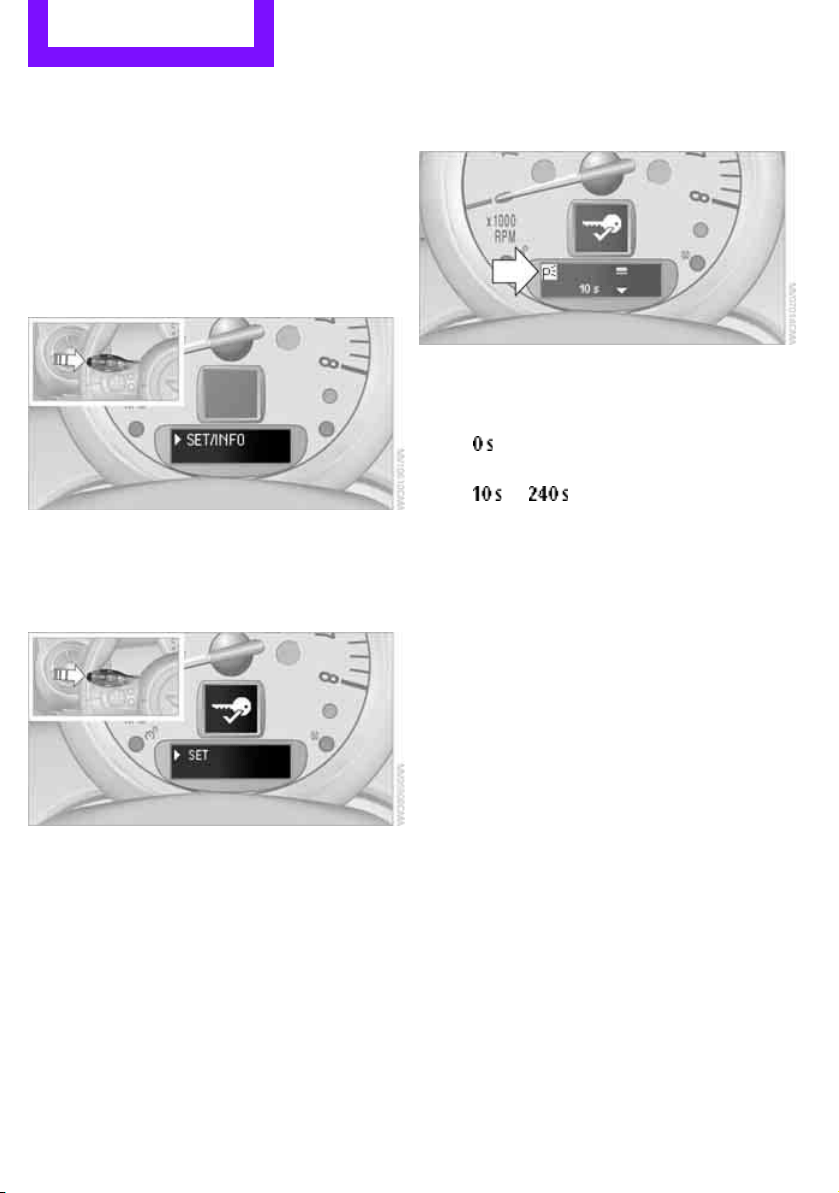
Controls Lamps
72
The setting is stored for the remote control in
use, refer to Personal Profile, page 20.
Setting the duration or deactivating the
function
1. Switch on the ignition, refer to page 41.
2. Press the button on the turn signal indicator
as often as necessary until "SET/INFO" is dis-
played.
3. Press and hold the button until the display
changes.
4. Press the button as often as necessary until
the symbol and "SET" are displayed.
5. Press and hold the button until the display
changes.
6. Briefly press the button repeatedly until the
display shows the illustrated symbol.
7. Press and hold the button until the display
changes.
8. Press the button to select:
>
The function is deactivated.
> ...
Select the appropriate duration, e.g.
40 seconds.
9. Press the button for a longer period.
The setting is stored.
Daytime running lights*
The light switch can remain in the lamps off,
parking lamps or automatic headlamp control
*
position.
In the lamps off position, the exterior lighting is
automatically switched off after the vehicle is
parked. In the parking lamps position, the park-
ing lamps will stay on after the ignition is
switched off.
Switch on the parking lamps separately if
needed.
Activating/deactivating daytime
running lights
The setting is stored for the remote control in
use, refer to Personal Profile, page 20.
Online Edition for Part no. 01 40 2 607 530 - © 03/11 BMW AGOnline Edition for Part no. 01 40 2 607 530 - © 03/11 BMW AG
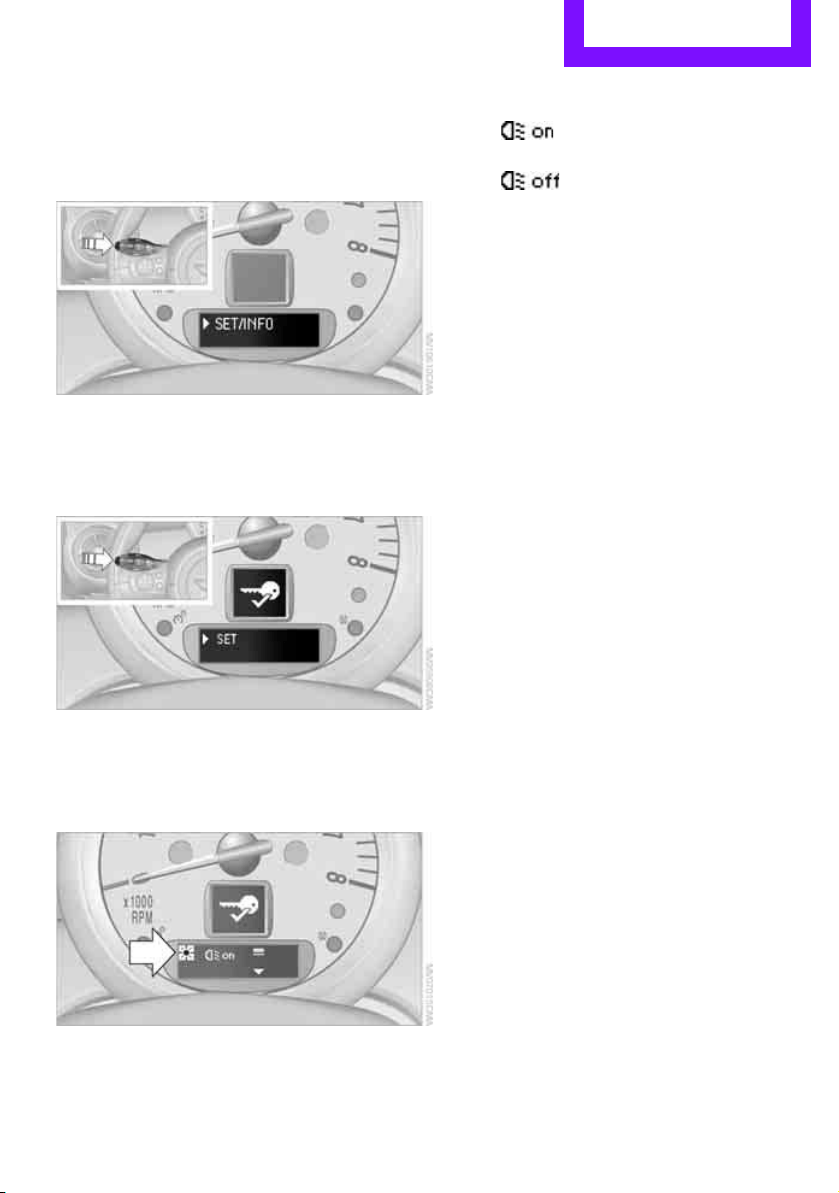
Lamps Controls
73
1. Switch on the ignition, refer to page 41.
2. Press the button on the turn signal indicator
as often as necessary until "SET/INFO" is dis-
played.
3. Press and hold the button until the display
changes.
4. Press the button as often as necessary until
the symbol and "SET" are displayed.
5. Press and hold the button until the display
changes.
6. Briefly press the button repeatedly until the
display shows the illustrated symbol, arrow.
7. Press and hold the button until the display
changes.
8. Press the button to select:
>
Daytime running lights activated.
>
Daytime running lights deactivated.
9. Press the button for a longer period.
The setting is stored.
Adaptive Light Control*
The concept
Adaptive Light Control is a variable headlamp
control system that enables better illumination
of the road surface. Depending on the steering
angle and other parameters, the light from the
headlamp follows the course of the road.
Activating Adaptive Light Control
With the ignition switched on, turn the light
switch to position 3, refer to page 71.
Standstill function
*: to avoid blinding oncoming
traffic, the Adaptive Light Control directs light
toward the front passenger side when the vehi-
cle is at a standstill.
In reverse, the Adaptive Light Control is not acti-
vated.
Malfunction
A message is displayed.
The Adaptive Light Control is malfunctioning or
failed. Have the system checked as soon as pos-
sible.
Online Edition for Part no. 01 40 2 607 530 - © 03/11 BMW AGOnline Edition for Part no. 01 40 2 607 530 - © 03/11 BMW AG
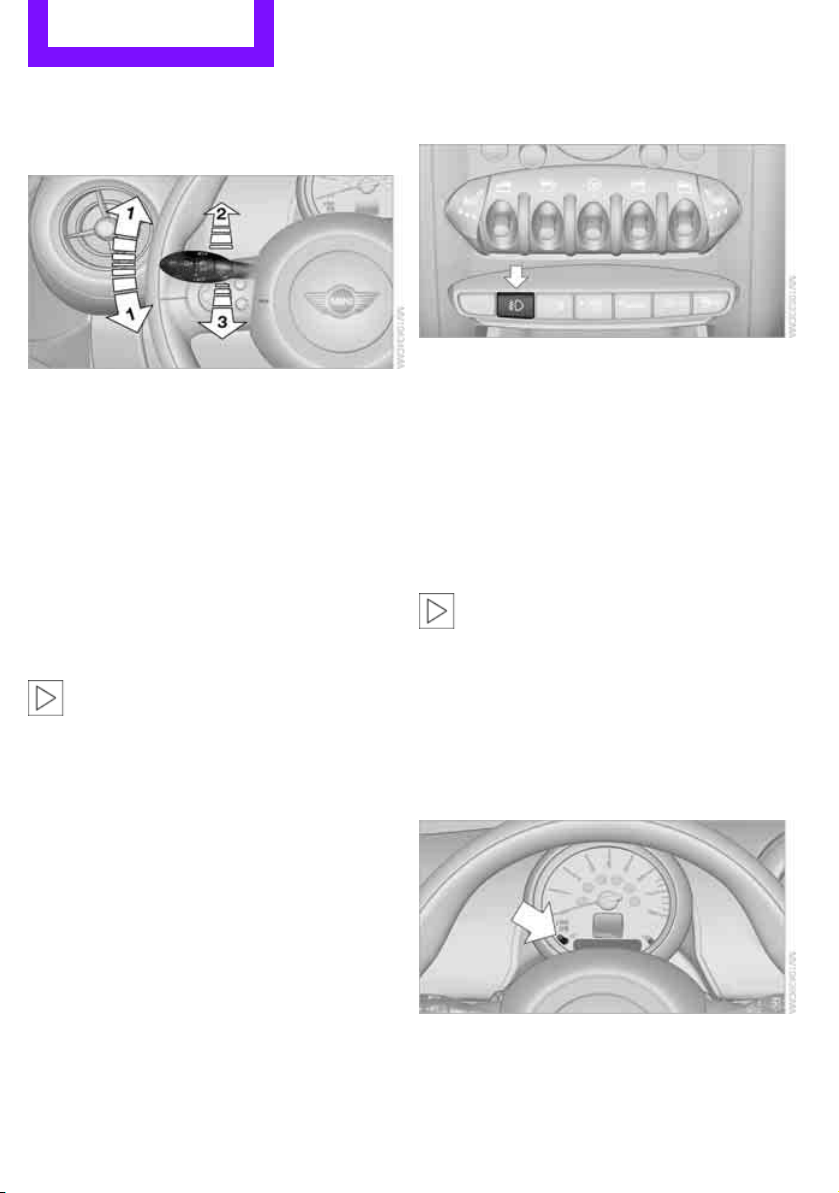
Controls Lamps
74
High beams/
roadside parking lamps
1 Turn signals/roadside parking lamps*
2 Switching on high beams
3 Switching off high beams/headlamp flasher
Roadside parking lamps, left or right*
The vehicle can be illuminated on one side for
parking. Comply with local regulations when
doing so.
Switching on
After parking the vehicle, press and hold the
lever up or down, arrow 1.
The roadside parking lamps drain the bat-
tery. Therefore, do not leave them on for
unduly long periods of time; otherwise, the bat-
tery might not have enough power to start the
engine.<
Switching off
Press the lever up or down to the pressure point.
Fog lamps*
Press the button to switch the lamps on and off.
Fog lamps*
The parking lamps or low beams must be
switched on for the fog lamps to operate. The
green indicator lamp lights up when the fog
lamps are switched on.
Depending on your vehicle's equipment, the fog
lamps are switched off when you activate the
headlamp flasher or switch on the high beams.
If the automatic headlamp control is acti-
vated, the low beams will come on auto-
matically when you switch on the fog lamps.<
Instrument lighting
You can adjust the brightness of the instrument
lighting only when the parking lamps or the low
beams are on.
Increasing brightness
Press and hold the button until the desired
brightness is reached.
Online Edition for Part no. 01 40 2 607 530 - © 03/11 BMW AGOnline Edition for Part no. 01 40 2 607 530 - © 03/11 BMW AG
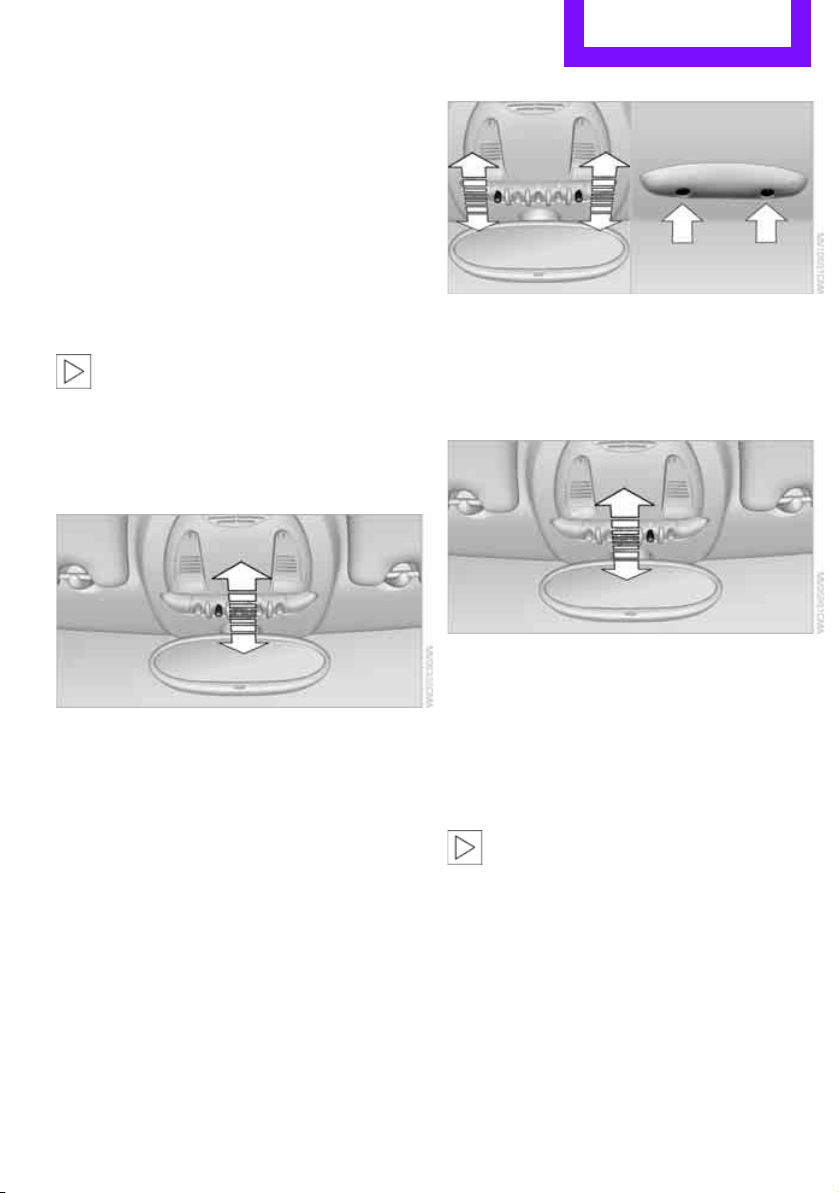
Lamps Controls
75
Reducing brightness
Press the button briefly.
The brightness decreases every time the button
is pressed.
Interior lamps
The interior lamps, the footwell lamps*, the
entry lamps
*, and the cargo area lamp are con-
trolled automatically.
To reduce the drain on the battery, a short
while after the ignition is switched off,
refer to Start/Stop button on page 41, all lights in
the vehicle's passenger compartment are
switched off.<
Switching interior lamps on/off manually
To switch the interior lamps on/off.
Press the switch.
To switch off the interior lamps permanently,
press the switch for about 3 seconds.
Reading lamps*
Reading lamps are provided in the front and
rear* adjacent to the interior lamps.
To switch the reading lamps on and off.
In the front: press the switch.
In the rear: press the button.
Ambient lighting*
The color and brightness of the ambient lighting
can be changed.
> Press the switch forward.
The color changes in stages.
> Press the switch toward the rear.
The brightness changes in stages.
Intermediate settings and colors are possible.
For a continuous color change in the
ambient lighting, press and hold the
switch toward the front for longer than
10 seconds.<
Online Edition for Part no. 01 40 2 607 530 - © 03/11 BMW AGOnline Edition for Part no. 01 40 2 607 530 - © 03/11 BMW AG
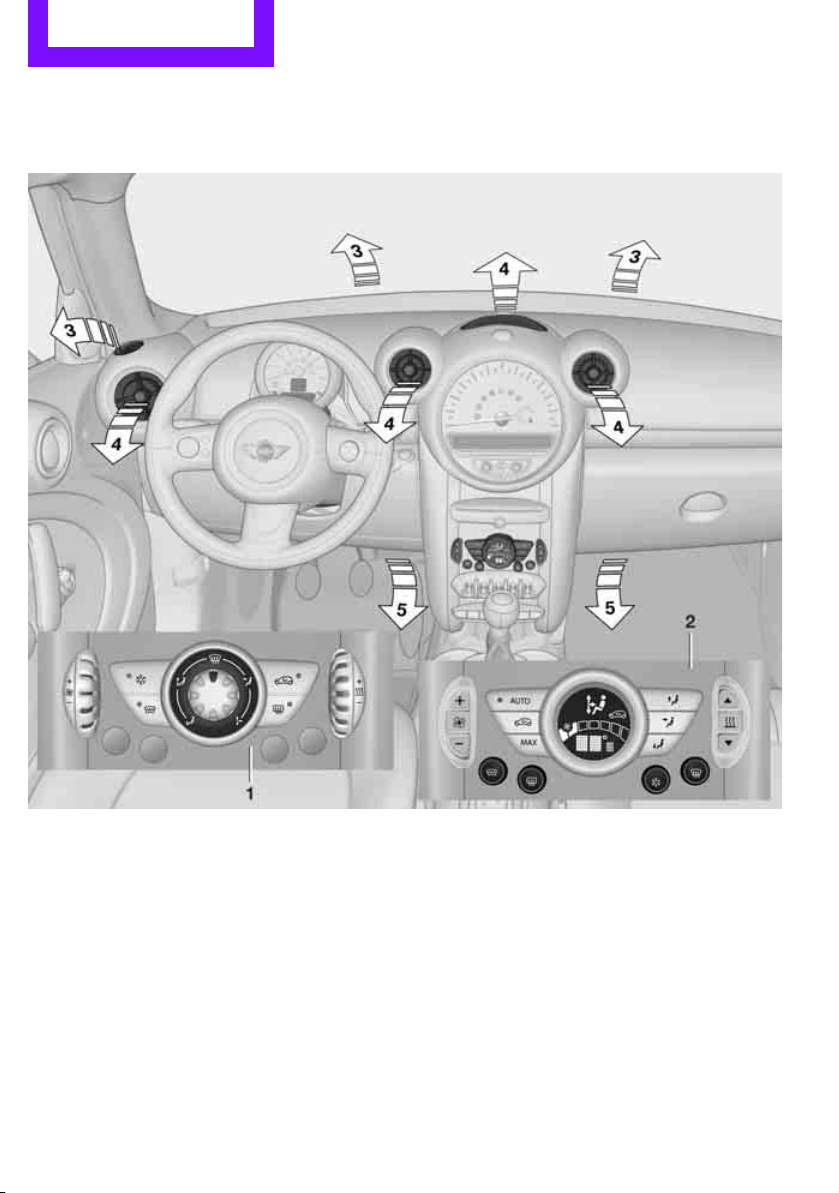
Controls Climate
76
Climate
Equipment versions
Depending on your vehicle's equipment, your
MINI contains an air conditioner
or an automatic
climate control
*.
1 Air conditioner 77
2 Automatic climate control
* 78
Air vents
3 Airflow directed toward the windshield and
side windows
4 Air to the upper body area, draft-free venti-
lation
5 Air to the footwell
Online Edition for Part no. 01 40 2 607 530 - © 03/11 BMW AGOnline Edition for Part no. 01 40 2 607 530 - © 03/11 BMW AG
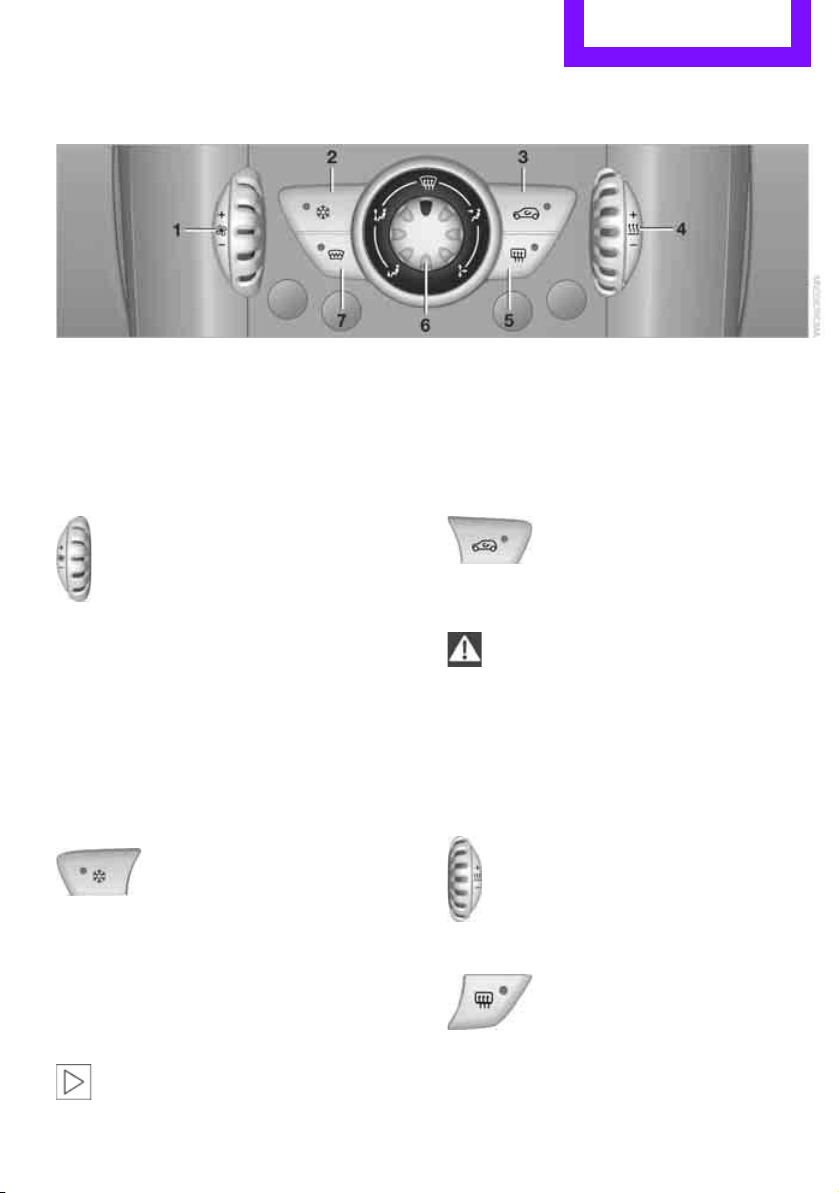
Climate Controls
77
Air conditioner
1 Air flow rate
2 Cooling function
3 Recirculated-air mode
4 Temperature
5 Rear window defroster
6 Air distribution
7 Windshield heating
*
Air flow rate
Adjust the air flow rate. The higher the
rate, the more effective the heating or
cooling will be.
The air flow rate is lowered or switched off
entirely to reduce the drain on the battery.
Switching the system on/off
Turn the air flow rate rotary switch to 0. Blower
and air conditioner are completely switched off
and the air supply is cut off.
Set any desired air flow rate to switch on the air
conditioner.
Cooling function
When the cooling function is on,
the air is cooled, dried, then
reheated according to the temper-
ature setting. This function is only available
while the engine is running.
The cooling function helps prevent condensa-
tion on the windows or removes it quickly.
Depending on the weather, the windshield may
fog over briefly when the engine is started.
To cool the air more quickly and intensely
when the external temperature is high,
you can switch on the recirculated-air mode.<
Recirculated-air mode
If the air outside the car has an
unpleasant odor or contains pollut-
ants, shut off the supply to the inte-
rior of the car temporarily. The system then
recirculates the air currently within the vehicle.
If the windows fog in recirculated-air
mode, switch off the recirculated-air
mode and increase the air volume if necessary.
The recirculated-air mode should not be used
over an extended period of time; otherwise, the
air quality in the passenger compartment will
deteriorate continuously.<
Temperature
Turn upward, red, to increase the temper-
ature.
Turn downward, blue, to decrease the
temperature.
Rear window defroster
The defroster is switched off auto-
matically after a certain time.
The rear window heating is lowered
or switched off entirely to reduce the drain on
the battery.
Online Edition for Part no. 01 40 2 607 530 - © 03/11 BMW AGOnline Edition for Part no. 01 40 2 607 530 - © 03/11 BMW AG
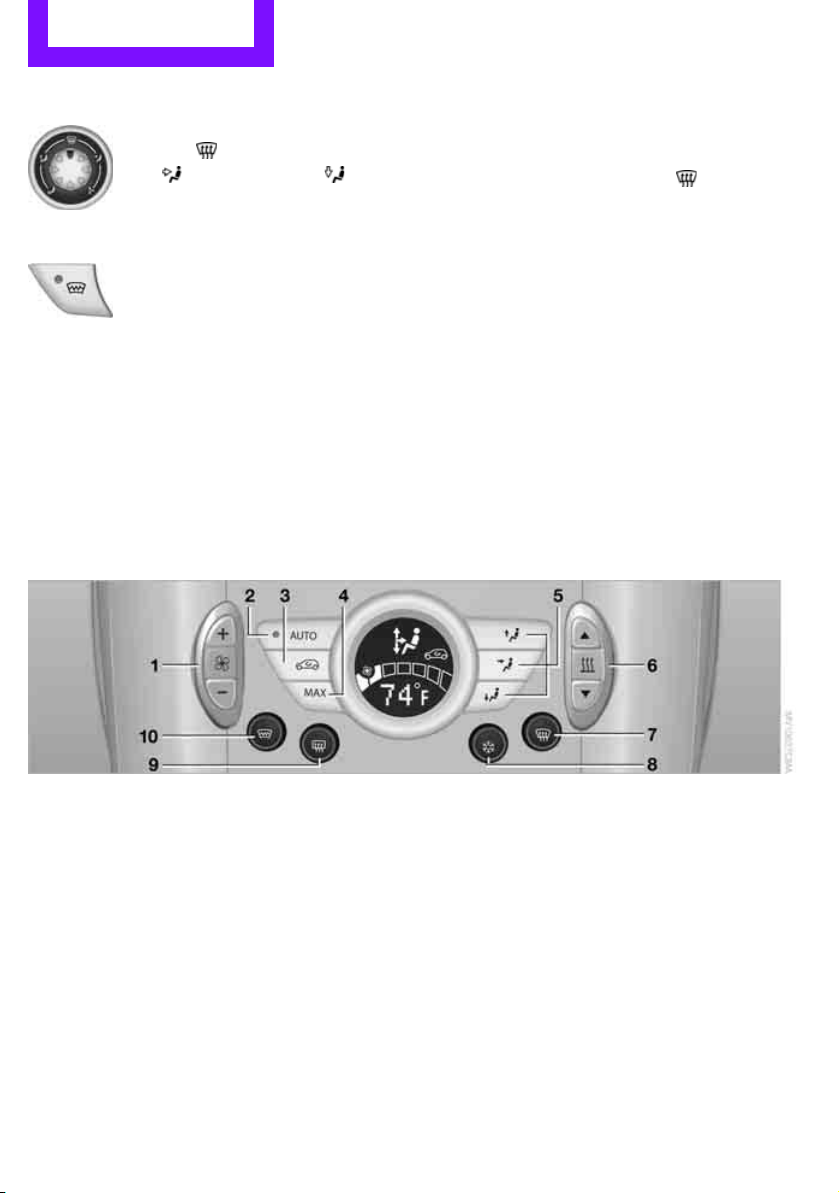
Controls Climate
78
Air distribution
Direct the flow of air to the
windows , to the upper body
area or to the footwell .
Intermediate settings are possible.
Windshield heating*
The windshield heating is switched
off automatically after a short time.
The front window heating is low-
ered or switched off entirely to reduce the drain
on the battery.
Defrosting windows and removing
condensation
1. Set air flow rate to the maximum level.
2. Set air distribution to position .
Condensation is removed from the windows
more quickly when the cooling function
* is
also activated.
3. Set to the highest temperature, red.
4. Deactivate recirculated-air mode.
5. Turn on windshield heating if necessary.
6. Turn on rear window defroster if necessary.
Microfilter
The microfilter captures dust and pollen. The
microfilter is changed by your MINI dealer dur-
ing routine maintenance work.
Automatic climate control*
1 Air flow rate, manual
2 AUTO program
3 Recirculated-air mode
4 Maximum cooling
5 Air distribution, manual
6 Temperature
7 Defrosting windows and removing conden-
sation
8 Cooling function
9 Rear window defroster
10 Windshield heating
*
Comfortable interior climate
AUTO program 2 offers the ideal air distribution
and air flow rate for almost all conditions, refer
to AUTO program below. All you need to do is
select an interior temperature which is comfort-
able for you.
The following sections inform you in detail about
how to adjust the settings.
Most settings are stored for the remote control
currently in use, refer also to Personal Profile set-
tings on page 20.
Online Edition for Part no. 01 40 2 607 530 - © 03/11 BMW AGOnline Edition for Part no. 01 40 2 607 530 - © 03/11 BMW AG
Climate Controls
79
Air flow rate, manual
Press the – button to reduce air flow. Press
the + button to increase it.
You can reactivate the automatic mode
for the air flow rate with the AUTO button.
The air flow rate is lowered or switched off
entirely to reduce the drain on the battery. The
display remains the same.
Switching the system on/off
Reduce the air flow by pressing the – button
repeatedly until the system is switched off. All
displays go out.
Press the AUTO button to switch the automatic
climate control back on.
AUTO program
The AUTO program adjusts the air
distribution to the windshield and
side windows, toward the upper body area and
into the footwell for you. The air flow rate and
your temperature specifications will be adapted
to outside influences in accordance with sea-
sonal changes, e.g. sunlight.
The cooling function is automatically switched
on along with the AUTO program.
Recirculated-air mode
Recirculated-air mode: the supply
of outside air is permanently shut
off. The system then recirculates
the air currently within the vehicle.
If condensation starts to form on the
inside window surfaces, press the AUTO
button or switch off the recirculated-air mode
and, if necessary, increase the air flow rate.
The recirculated-air mode should not be used
over an extended period of time; otherwise, the
air quality in the passenger compartment will
deteriorate continuously.<
Maximum cooling
At external temperatures above
327/06 and when the engine is
running, you obtain a maximum
cooling effect as soon as possible.
The automatic climate control goes into recircu-
lated-air mode at the lowest temperature. Air
flows at maximum rate from the vents for the
upper body area. You should therefore open
them for maximum cooling.
Air distribution, manual
The flow of air is directed to the
windows, to the upper body area or
to the footwell as selected.
You can switch the automatic air
distribution back on by pressing the AUTO but-
ton.
Temperature
Set the desired temperature individually.
The automatic climate control achieves
this temperature as quickly as possible
regardless of the season, using maximum
cooling or heating power if necessary, and then
maintains it.
If you switch between different tempera-
ture settings in quick succession, the auto-
matic climate control does not have enough
time to achieve the set temperature.<
Rear window defroster
The defroster is switched off auto-
matically after a certain time.
Depending on your vehicle's equip-
ment, the upper wires serve as an
antenna and are not part of the rear window
defroster.
Online Edition for Part no. 01 40 2 607 530 - © 03/11 BMW AGOnline Edition for Part no. 01 40 2 607 530 - © 03/11 BMW AG
Controls Climate
80
Defrosting windows and removing
condensation
Quickly removes ice and condensa-
tion from the windshield and front
side windows.
For this purpose, also switch on the
cooling function.
The windshield heating
* is switched on auto-
matically.
Windshield heating*
The windshield heating is switched
off automatically after a certain
time.
Cooling function
The passenger compartment can only be cooled
while the engine is running.
When the cooling function is on,
the air is cooled, dried, then
reheated according to the temper-
ature setting.
The cooling function helps prevent condensa-
tion on the windows or removes it quickly.
Depending on the weather, the windshield may
fog over briefly when the engine is started. The
recirculated-air mode may be switched on auto-
matically.
When the AUTO button is pressed, the cooling
function switches on automatically.
Microfilter/activated-charcoal filter
The microfilter captures dust and pollen. The
activated-charcoal filter provides additional pro-
tection by filtering gaseous pollutants from the
outside air. Your MINI dealer replaces this com-
bined filter as a standard part of your scheduled
maintenance.
You can call up further information in the service
requirements display, page 55.
Ventilation
1 Knob for continuous opening and closing
2 Jet for direction of air flow
Opening/closing
Turn the knob.
Direction of air flow
Swivel the entire jet.
Online Edition for Part no. 01 40 2 607 530 - © 03/11 BMW AGOnline Edition for Part no. 01 40 2 607 530 - © 03/11 BMW AG
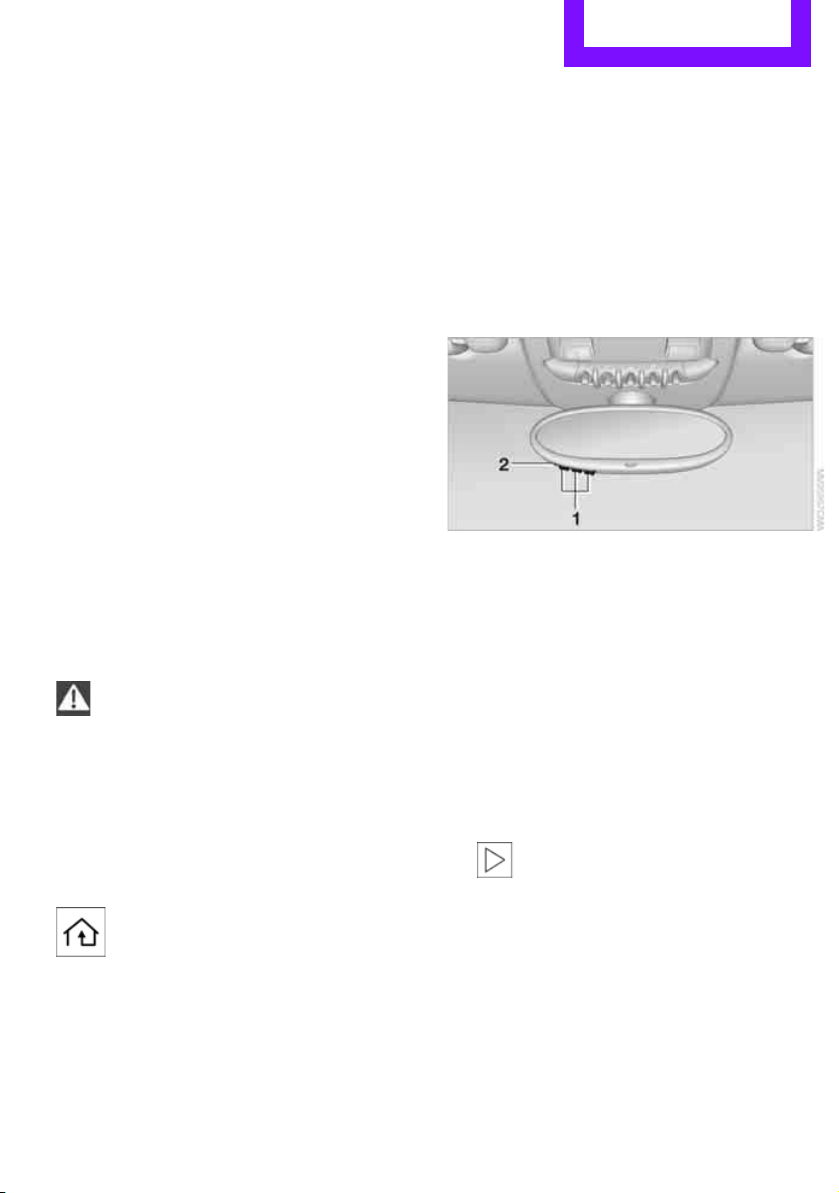
Practical interior accessories Controls
81
Practical interior accessories
Integrated universal
remote control*
The concept
The integrated universal remote control can
replace as many as three hand-held transmitters
for various remote-controlled devices, such as
garage and gate openers and lighting systems.
The integrated universal remote control regis-
ters and stores signals from the original hand-
held transmitters.
The signal of an original hand-held transmitter
can be programmed on one of the three mem-
ory buttons 1. The system in question can then
be operated by means of the programmed
memory button 1. The LED 2 flashes to confirm
transmission of the signal.
If you decide to sell your vehicle one day, in the
interest of your own security, remember to clear
the stored programs before the vehicle leaves
your possession, page 82.
To prevent possible damage or injury,
before programming or using the inte-
grated universal remote control, always inspect
the immediate area to make certain that no
people, animals or objects are within the travel
range of the device. Comply also with the safety
instructions supplied with the original hand-held
transmitter.<
Checking compatibility
If this symbol appears on the package
or in the instructions supplied with the
original hand-held transmitter, you can
assume that the radio remote control device is
compatible with the integrated universal remote
control.
For additional information, please contact your
MINI dealer or call: 1-800-355-3515.
You can also obtain information on the Internet
at:
www.homelink.com
HomeLink is a registered trademark of Johnson
Controls, Inc.
Programming
1 Memory buttons
2 LED
Fixed-code hand-held transmitters
1. Switch on the ignition, page 41.
2. When starting operation for the first time:
press both outer memory buttons 1 for
approx. 20 seconds until the LED 2 flashes
rapidly. All stored programs are cleared.
3. Hold the original hand-held transmitter at a
distance of approx. 1 in/2.5 cm to 3 in/8 cm
from the memory buttons 1.
The required distance between the
hand-held transmitter and the mem-
ory buttons 1 depends on the system of the
respective original hand-held transmitter
used.<
4. Simultaneously press the transmit key on
the original hand-held transmitter and the
desired memory button 1 on the integrated
universal remote control. The LED 2 flashes
slowly at first. As soon as the LED 2 flashes
rapidly, release both buttons. If the LED 2
does not flash rapidly after approx.
Online Edition for Part no. 01 40 2 607 530 - © 03/11 BMW AGOnline Edition for Part no. 01 40 2 607 530 - © 03/11 BMW AG

Controls Practical interior accessories
82
60 seconds, alter the distance and repeat
this step.
Canada: if the LED is not flashing rapidly
after 60 seconds, change the distance and
repeat the step or, if the programming was
interrupted by the hand-held transmitter,
press and hold the memory button and
press the button on the hand-held transmit-
ter for 2 seconds and release several times.
5. To program other original hand-held trans-
mitters, repeat steps 3 and 4.
The corresponding memory button 1 is now
programmed with the signal of the original
hand-held transmitter.
You can operate the system with the engine
running or with the ignition switched on.
If the system fails to function even after
repeated programming, check whether
the original hand-held transmitter uses an alter-
nating-code system. To do so, either read the
instructions for the original hand-held transmit-
ter or hold down the programmed memory
button 1 of the integrated universal remote con-
trol. If the LED 2 on the integrated universal
remote control flashes rapidly and then remains
lit for about two seconds, then the original
hand-held transmitter uses an alternating-code
system. If it uses an alternating-code system,
program the memory buttons 1 as described
under Alternating-code hand-held transmit-
ters.<
Alternating-code hand-held
transmitters
To program the integrated universal remote
control, consult the operating instructions for
the device to be set. You will find information
there on the possibilities for synchronization or
programming of additional hand-held transmit-
ters.
When programming hand-held transmitters that
employ an alternating code, please observe the
following supplementary instructions:
Programming will be easier with the aid of
a second person.<
1. Park your vehicle within the range of the
remote-controlled device.
Do not exceed a distance of 164 ft/
50 m from the radio remote con-
trolled device.<
2. Program the integrated universal remote
control as described above in the section
Fixed-code hand-held transmitters.
3. Locate the button on the receiver of the
device to be set, e.g. on the drive unit.
4. Press the button on the receiver of the
device to be set. After step 4, you have
approx. 30 seconds for the next step 5.
5. Press and hold the programmed memory
button 1 on the integrated universal remote
control for approx. 3 seconds.
If necessary, repeat the step up to three
times.
The corresponding memory button 1 is now
programmed with the signal of the original
hand-held transmitter.
Clearing stored programs
Press both outer memory buttons 1 for approx.
20 seconds until the LED 2 flashes: all stored
programs are cleared.
It is not possible to clear individual programs.
Reassigning individual programs
1. Hold the original hand-held transmitter at a
distance of approx. 1in/2.5cm to 3in/8cm
from the memory buttons 1.
The required distance between the
hand-held transmitter and the mem-
ory buttons 1 depends on the system of the
respective original hand-held transmitter
used.<
2. Press the desired memory button 1 of the
integrated universal remote control.
If the LED 2 flashes slowly after approx.
20 seconds, press the transmit key of the
Online Edition for Part no. 01 40 2 607 530 - © 03/11 BMW AGOnline Edition for Part no. 01 40 2 607 530 - © 03/11 BMW AG
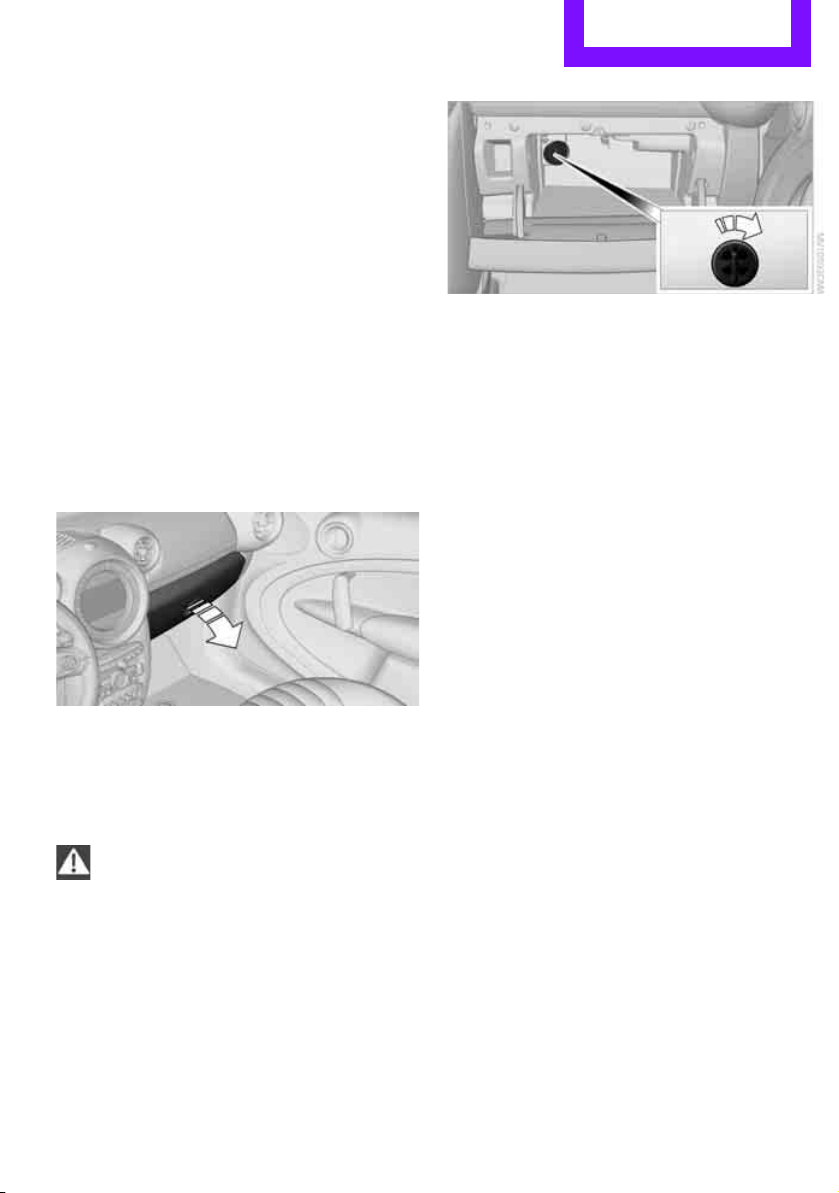
Practical interior accessories Controls
83
original hand-held transmitter and release
both buttons as soon as the LED 2 flashes
rapidly.
If the LED 2 does not flash rapidly after
approx. 60 seconds, alter the distance and
repeat this step.
Canada: if the LED is not flashing rapidly
after 60 seconds, change the distance and
repeat the step or, if the programming was
interrupted by the hand-held transmitter,
press and hold the memory button and
press the button on the hand-held transmit-
ter for 2 seconds and release several times.
Glove compartment
Opening
Pull the handle to open the cover.
The light in the glove compartment comes on.
Closing
Fold cover up.
To prevent injury in the event of an acci-
dent, close the glove compartment after
use while the vehicle is being driven.<
Ventilation*
Depending on your vehicle's equipment, the
glove compartment can be ventilated and, if the
cooling function
* is switched on, can also be
cooled.
Opening
Rotate the switch in the direction of the arrow.
Closing
Rotate the switch in the opposite direction of the
arrow until it is in the vertical position.
Depending on the temperature setting of the air
conditioner or the automatic climate control,
high temperatures may result in the glove com-
partment.
Connection for external
audio device
You can connect an external audio device such
as a CD or MP3 player and play audio tracks over
the vehicle's speaker system, refer to the Enter-
tainment chapter, page 109.
Center armrest*
Storage compartment
The center armrest between the front seats con-
tains either a compartment or the cover for the
mobile phone base plate
* or the snap-in
adapter
*.
Online Edition for Part no. 01 40 2 607 530 - © 03/11 BMW AGOnline Edition for Part no. 01 40 2 607 530 - © 03/11 BMW AG
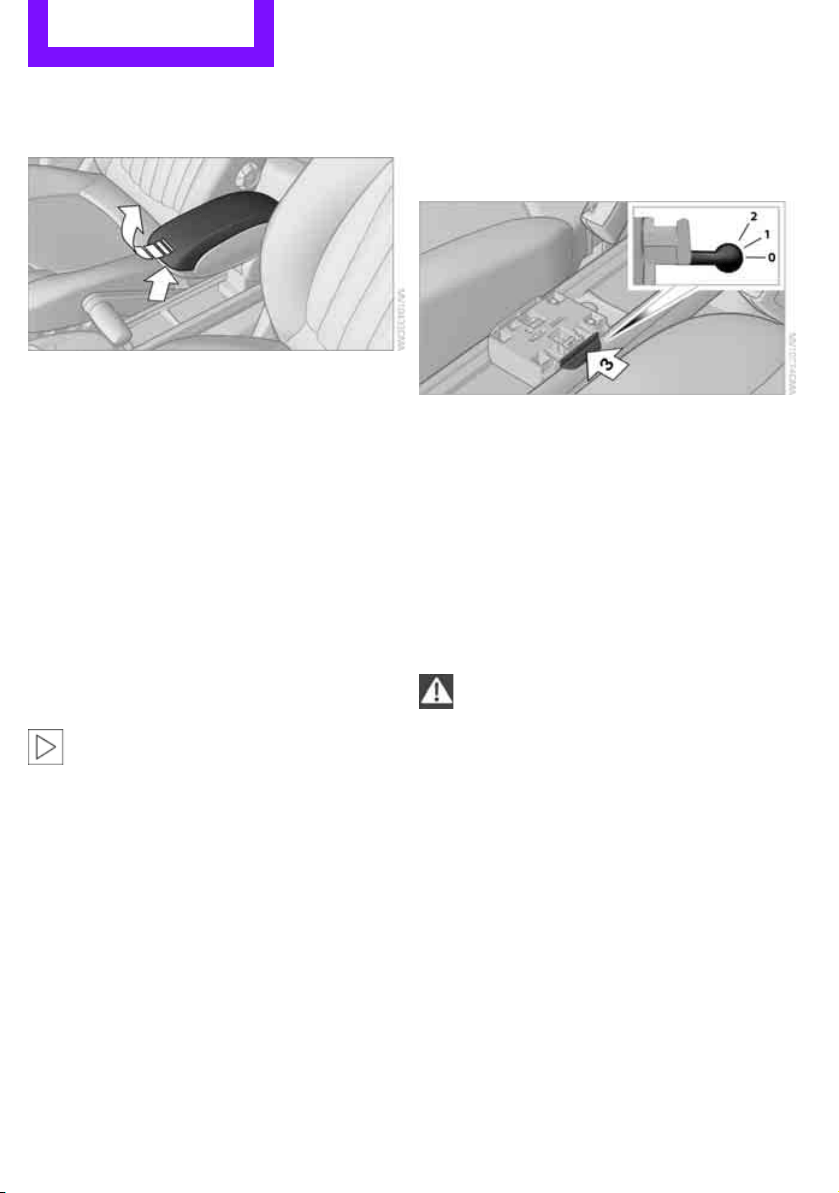
Controls Practical interior accessories
84
Opening
Press the button, arrow, and lift the cover.
Storage compartments
In the vehicle interior
Depending on your vehicle's equipment, you
will find storage compartments in the front and
rear doors and in the center console
*.
Pockets
* are provided on the backrest rear pan-
els of the front seats.
Center Rail
On the Center Rail, a variety of accessories can
be fastened to a special base plate and moved
to various positions, e.g. a cupholder
* or a
mobile phone holder
*.
Do not attach accessory parts in the vicin-
ity of the parking brake; otherwise, they
can be damaged when the parking brake lever is
actuated.<
Example: cupholder
Inserting base plate
The lever 3 can be locked in three positions.
0 Locking
1 Sliding along the rail
2 Inserting base plate
For inserting, move the lever into position 2.
Sliding and locking
1. Push lever 3 into position 1.
2. Slide the base plate.
3. Push the lever 3 down, into position 0, and
lock the base plate in place.
Lock the base plate in place before driv-
ing; otherwise, injuries may result in the
event of an accident.<
Installing cupholder
1. Lock base plate in place if necessary, refer to
Sliding and locking.
2. Pull the lever 6 up to unlock the mounts.
Online Edition for Part no. 01 40 2 607 530 - © 03/11 BMW AGOnline Edition for Part no. 01 40 2 607 530 - © 03/11 BMW AG
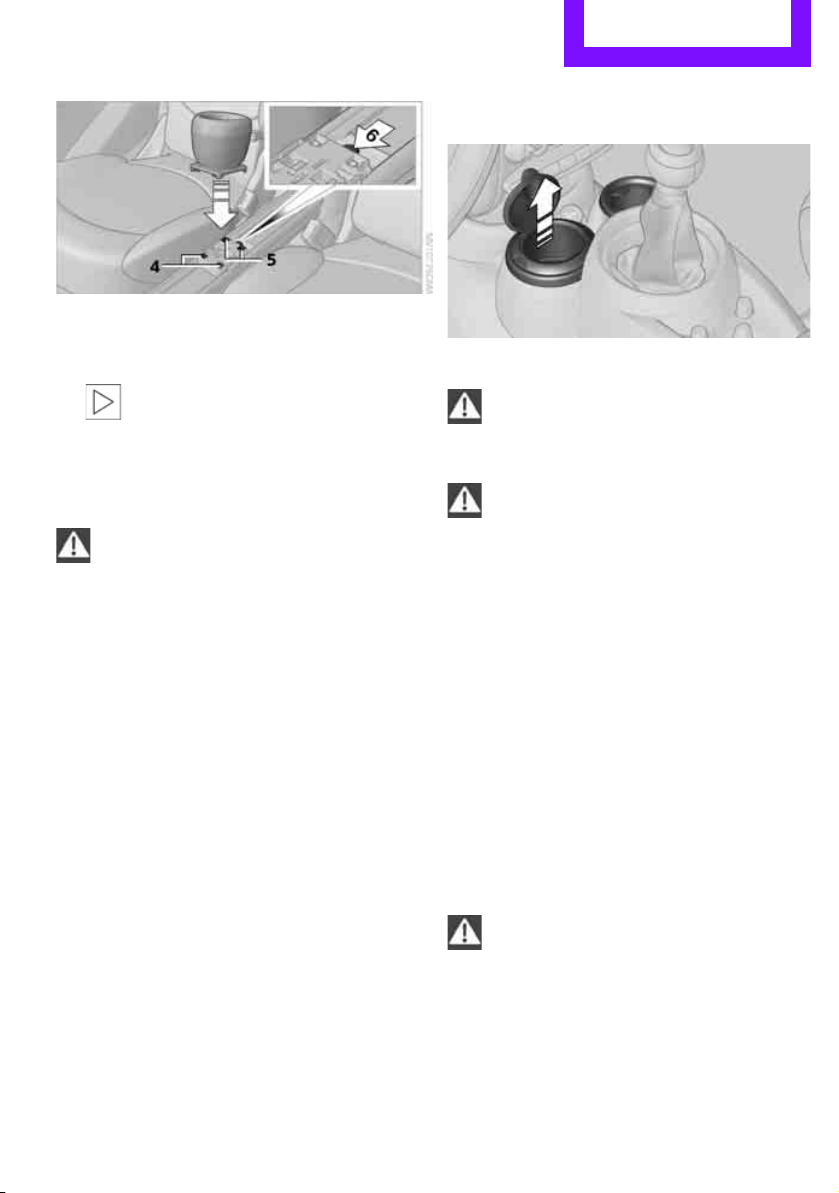
Practical interior accessories Controls
85
3. First insert the cupholder into the front
mounts 4 and then snap it into the rear
mounts 5.
Make sure that the lever 6 is situated
opposite the mount 4.<
Clothes hooks
There are clothes hooks on the grab handles in
the rear passenger compartment.
Items of clothing hung from the hooks
must not obstruct the driver's view. Do not
hang heavy objects from the hooks; otherwise,
they could endanger the car's occupants, e.g. in
case of heavy braking or sudden swerving.<
In the cargo area
Depending on your vehicle's equipment, you
have the following storage options:
> Storage compartment under the flat load
floor
*
> Bag holder on the support for the cargo area
cover
Cupholders and ashtray*
Cupholders*
Use lightweight, nonbreakable containers
and do not transport hot beverages. Oth-
erwise, there is an increased risk of injury in the
event of an accident.<
Do not push unsuitable containers forcibly
into the cupholder. Otherwise, you may
damage it.<
Additional cupholders can be attached to the
Center Rail in the rear passenger compartment.
Ashtray*
The ashtray is located in one of the cupholders in
the center console.
Emptying
Remove the entire ashtray.
Lighter
With the engine running or the ignition switched
on, press in the cigarette lighter.
The lighter can be pulled out as soon as it pops
back out.
Hold or touch the hot cigarette lighter by
the knob only. Holding or touching it in
other areas could result in burns.
When leaving the car, always remove the key so
that children cannot operate the cigarette
lighter and burn themselves.<
Online Edition for Part no. 01 40 2 607 530 - © 03/11 BMW AGOnline Edition for Part no. 01 40 2 607 530 - © 03/11 BMW AG
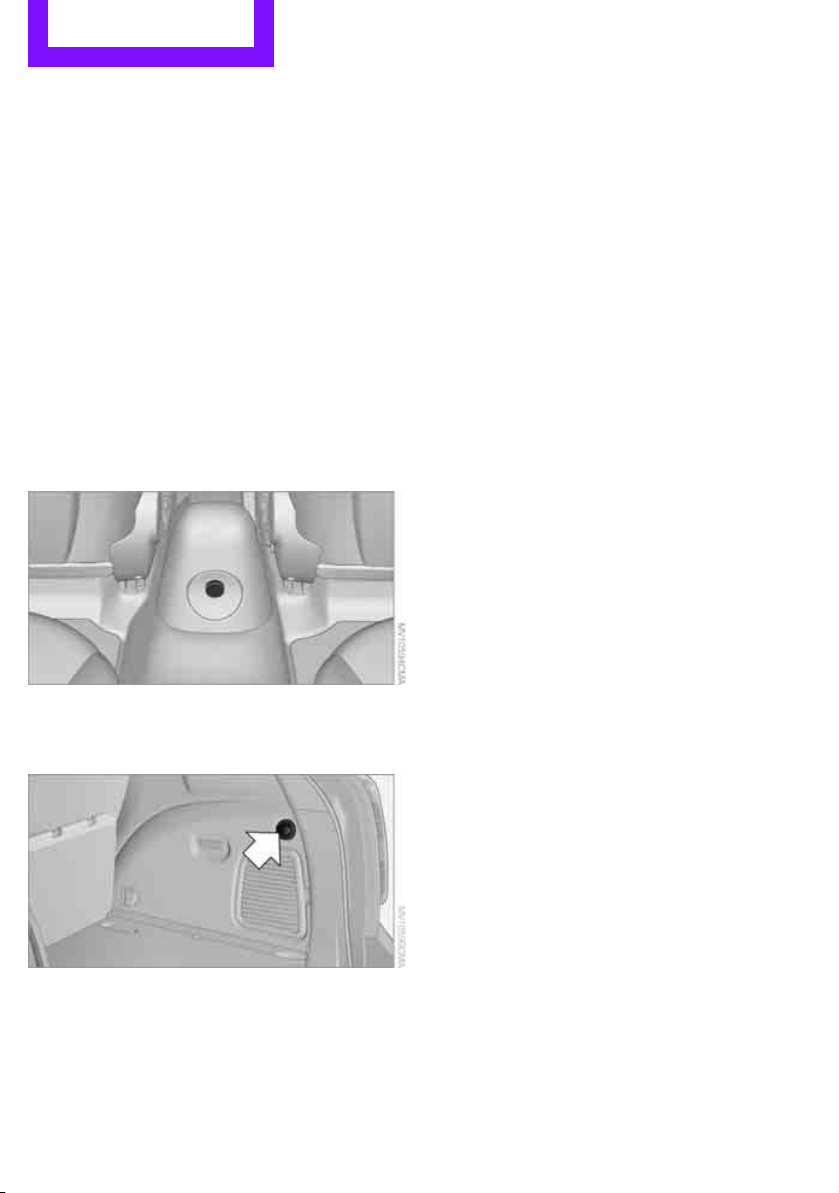
Controls Practical interior accessories
86
Connecting electrical
appliances
In your MINI, when the engine is running or the
ignition is switched on, you can use electrical
devices such as flashlights, car vacuum cleaners,
etc., up to approx. 140 watts at 12 volts, as long
as one of the following sockets is available.
Avoid damaging the sockets by attempting to
insert plugs of unsuitable shape or size.
Cigarette lighter socket
Remove the lighter* or cover from the socket.
Sockets*
In the rear passenger compartment
Pull out the cover.
In the cargo area
Pull out the cover.
Online Edition for Part no. 01 40 2 607 530 - © 03/11 BMW AGOnline Edition for Part no. 01 40 2 607 530 - © 03/11 BMW AG

Practical interior accessories Controls
87
Online Edition for Part no. 01 40 2 607 530 - © 03/11 BMW AGOnline Edition for Part no. 01 40 2 607 530 - © 03/11 BMW AG
Drive Me.
Online Edition for Part no. 01 40 2 607 530 - © 03/11 BMW AG

AT A GLANCE
Controls
Entertainment
Communications
Mobility
Reference
Driving tips
Online Edition for Part no. 01 40 2 607 530 - © 03/11 BMW AG

Driving tips Things to remember when driving
90
Things to remember when driving
Break-in period
Moving parts need breaking-in time to adjust to
each other. Please follow the instructions below
in order to achieve the optimal service life and
economy of operation for your vehicle.
Engine and differential
Always obey all official speed limits.
Up to 1,200 miles/2,000 km
Drive at varying engine and road speeds, but do
not exceed the following:
> Gasoline engine
4,500 rpm or 100 mph/160 km/h
Avoid full-throttle operation and use of the
transmission's kickdown mode.
After driving 1,200 miles/2,000 km
Engine and vehicle speeds can be gradually
increased.
Tires
Due to technical factors associated with their
manufacture, tires do not achieve their full trac-
tion potential until after an initial break-in
period. Therefore, drive cautiously during the
first 200 miles/300 km.
Brake system
Brakes require an initial break-in period of
approx. 300 miles/500 km to achieve optimized
contact and wear patterns between brake pads
and rotors. Drive cautiously during this break-in
period.
Clutch
The function of the clutch reaches its optimal
level only after a distance driven of approx.
300 miles/500 km. During this break-in period,
engage the clutch gently.
Following part replacement
The same break-in procedures should be
observed if any of the components mentioned
above have to be renewed in the course of the
vehicle's operating life.
General driving notes
Closing liftgate
Only drive with the liftgate closed. Failure
to do so may endanger passengers or
other road users or may damage the vehicle in
the event of an accident or a braking and eva-
sive maneuver. In addition, exhaust gas may
flow into the passenger compartment.<
If special circumstances make it absolutely nec-
essary to drive with the liftgate open:
1. Close all windows and the glass sunroof
*.
2. Switch off recirculated-air mode and switch
the airflow control of the air conditioner or
automatic climate control to high, refer to
page 77 or 79.
Hot exhaust system
As in all vehicles, extremely high tempera-
tures are generated on the exhaust sys-
tem. Do not remove the heat shields installed
adjacent to various sections of the exhaust sys-
tem, and never apply undercoating to them.
When driving, standing at idle and while park-
ing, take care to avoid possible contact between
the hot exhaust system and any highly flamma-
ble materials such as hay, leaves, grass, etc. Such
contact could lead to a fire, with the risk of seri-
ous personal injuries and property damage. Do
not touch hot exhaust tail pipes. Otherwise,
there is a risk of burns.<
Online Edition for Part no. 01 40 2 607 530 - © 03/11 BMW AGOnline Edition for Part no. 01 40 2 607 530 - © 03/11 BMW AG

Things to remember when driving Driving tips
91
Hydroplaning
When driving on wet or slushy roads,
reduce road speed. If you do not, a wedge
of water can form between tires and road sur-
face. This situation, known as hydroplaning, can
cause partial or complete loss of tire contact
with the road surface, so that the car cannot be
steered or braked properly.<
The risk of hydroplaning increases with declining
tread depth on the tires, refer also to Tread
depth on page 135.
Driving through water
Drive through water on the road only if it is
not deeper than 1 ft/30 cm, and then only
at walking speed at the most. Otherwise, the
vehicle's engine, the electrical systems and the
transmission may be damaged.<
Parking brake on inclines
On inclines, do not hold the vehicle with
the clutch; use the parking brake. Other-
wise, greater clutch wear will result.<
For information on driving off using Hill Assist,
refer to page 62.
Braking safely
Your MINI is equipped with ABS. If you are in a
situation which requires full braking, it is best to
brake using maximum brake pressure. Since the
vehicle maintains steering responsiveness, you
can still avoid possible obstacles with a mini-
mum of steering effort.
The pulsation of the brake pedal, together with
the sound of hydraulic regulation, indicates that
ABS is functioning properly.
Objects in the movement range of the
pedals
Keep floor mats, carpet, and other objects
out of the movement range of the pedals;
otherwise, they may inhibit the function of the
pedals during driving. Do not place additional
floor mats onto an existing one or onto other
objects. Only use floor mats that have been
approved for the vehicle and can be appropri-
ately fastened. Make sure that the floor mats are
securely fastened again after they have been
removed, e.g. for cleaning.<
Driving in wet conditions
When roads are wet or there is heavy rain, briefly
exert gentle pressure on the brake pedal every
few miles. Monitor traffic conditions to ensure
that this maneuver does not endanger other
road users. The heat generated in this process
helps dry the pads and rotors to ensure that.
Then full braking force will be immediately avail-
able when it is needed.
Hills
To prevent overheating and the resulting
reduced efficiency of the brake system,
drive long or steep downhill gradients in the
gear in which the least braking is required. Even
light but consistent brake pressure can lead to
high temperatures, brake wear and possibly
even brake failure.<
You can increase the engine's braking effect by
shifting down, all the way to first gear if neces-
sary. This strategy helps you avoid placing
excessive loads on the brake system. Downshift-
ing during manual operation of the automatic
transmission, refer to page 45.
Never drive with the clutch held down,
with the transmission in neutral or with
the engine switched off; otherwise, engine brak-
ing action will not be present or there will be no
power assistance to the brakes or steering.
Never allow floor mats, carpets or any other
objects to protrude into the area around the
pedals; otherwise, pedal function could be
impaired.<
Corrosion on brake rotors
When the vehicle is driven only occasionally,
during extended periods when the vehicle is not
used at all, and in operating conditions where
brake applications are less frequent, there is an
Online Edition for Part no. 01 40 2 607 530 - © 03/11 BMW AGOnline Edition for Part no. 01 40 2 607 530 - © 03/11 BMW AG
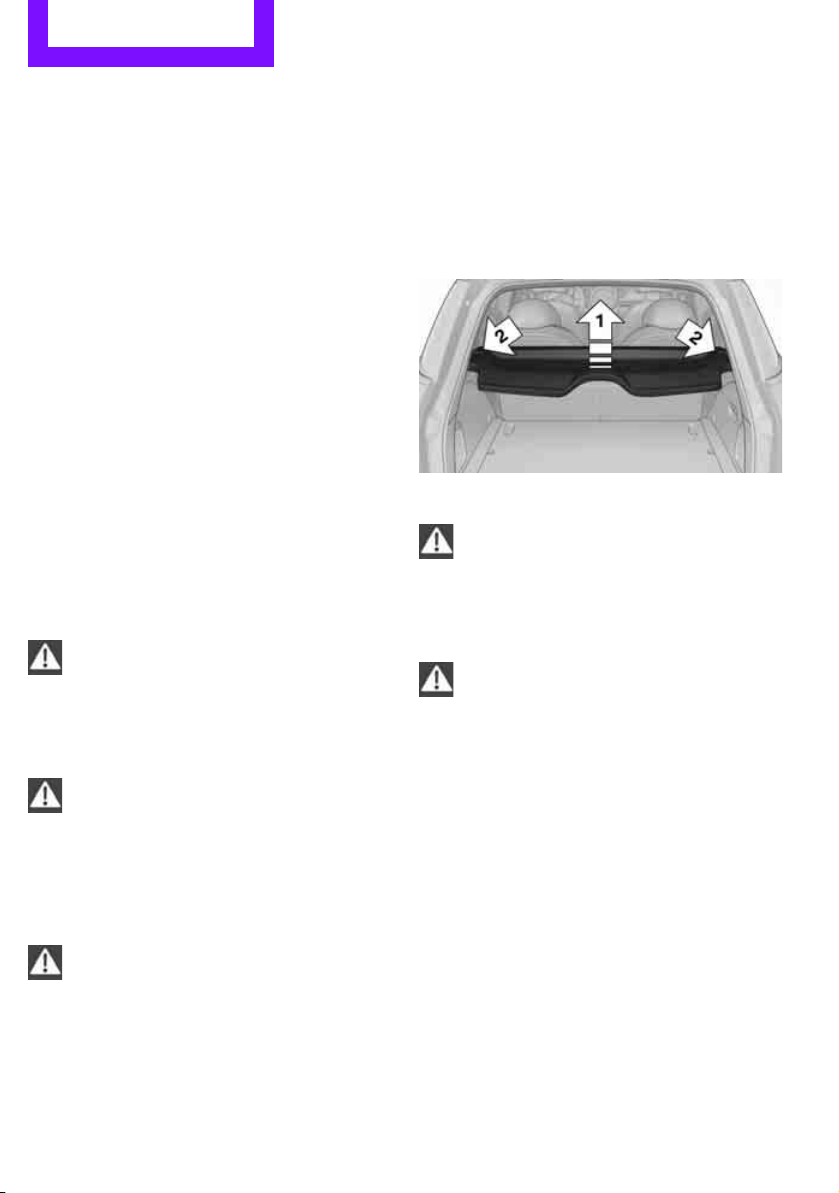
Driving tips Things to remember when driving
92
increased tendency for corrosion to form on
rotors, while contaminants accumulate on the
brake pads. This occurs because the minimum
pressure which must be exerted by the pads
during brake applications to clean the rotors is
not reached.
Should corrosion form on the brake rotors, the
brakes will tend to respond with a pulsating
effect that even extended application will fail to
cure.
When the vehicle is parked
Condensation forms while the automatic climate
control is in operation, and then exits under the
vehicle. Traces of condensed water under the
vehicle are therefore normal.
In the MINI Cooper S, the coolant pump may
continue to run for some time after the engine is
switched off. This will generate noise in the
engine compartment.
Cargo loading
To avoid loading the tires beyond their
approved carrying capacity, never over-
load the vehicle. Overloading can lead to over-
heating and increases the rate at which damage
develops inside the tires. The ultimate result can
assume the form of a sudden blowout.<
Avoid fluid spills in the cargo area as they
could damage the vehicle.<
Expanding cargo area
Cargo area cover
Do not place any objects on the cover;
otherwise, they could endanger the car's
occupants, e.g. in the case of braking or sudden
swerving, or they may damage the cover.<
When you open the liftgate, the roll-up cover is
raised.
To load bulky luggage, the cover can be
removed.
1. Unhook the lift straps from the liftgate.
2. Lift the cover slightly, arrow 1, and pull it
rearward out of the bracket, arrow 2.
Rear seat backrest
Before folding down the rear seat back-
rests, ensure that the range of motion for
the backrests is unobstructed. Ensure that there
is no one within the range of motion of the back-
rest or that no one reaches into that region. Oth-
erwise, injury or damage can result.<
To ensure that the safety systems con-
tinue to provide optimized protection,
observe the safety belt information on
page 35.<
Expand the cargo area by raising the split rear
seat backrests to a steeper angle.
The backrests can be adjusted as needed in
10 stages between a comfort position and a
transport position or can be folded down.
In the comfort position, the backrests are as far
back as possible; in the transport position, they
are in an approximately vertical position.
Before installing a child restraint system,
observe the instructions starting on page 38.
Online Edition for Part no. 01 40 2 607 530 - © 03/11 BMW AGOnline Edition for Part no. 01 40 2 607 530 - © 03/11 BMW AG
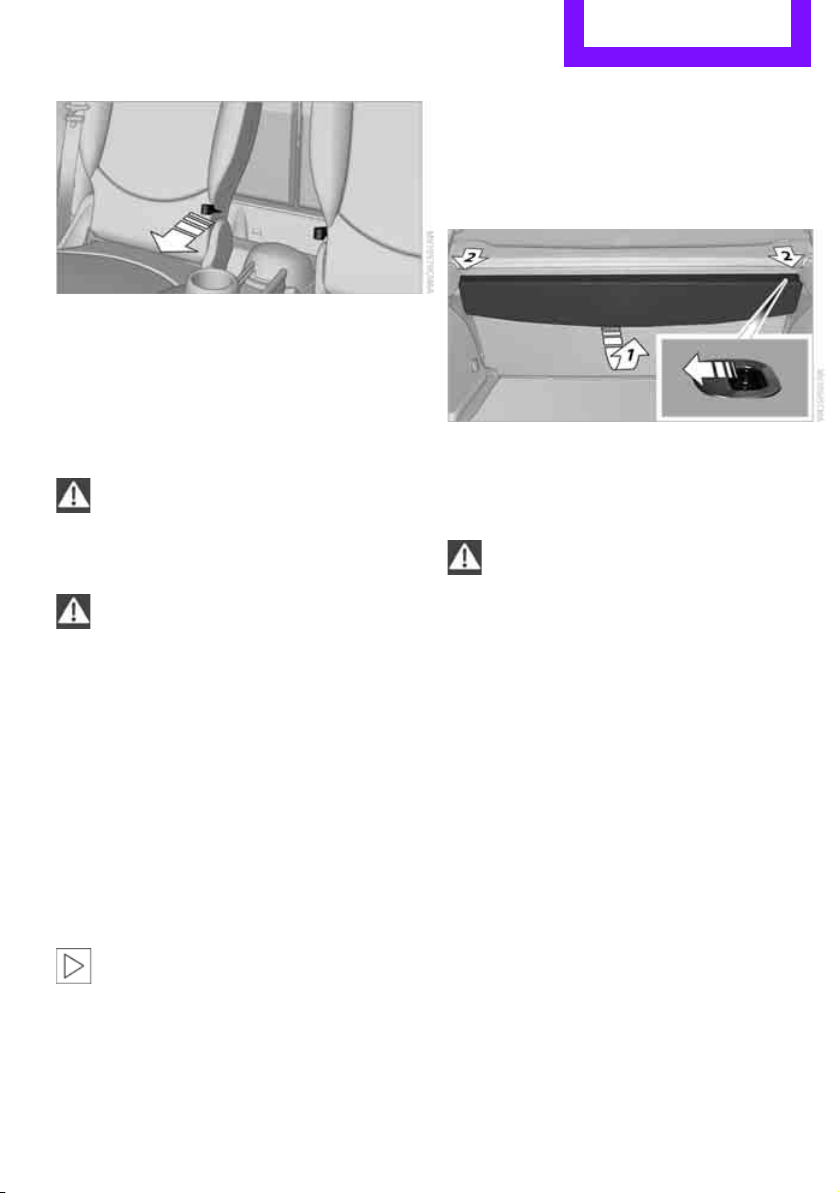
Things to remember when driving Driving tips
93
1. Hold on to the backrest near the top, for
example on the headrest, and pull on the
loop, arrow.
2. Lock backrest in the desired position or fold
down.
Folding the backrests back into position
When folding the backrest, ensure that the
lock properly engages. Otherwise, for
example during braking and avoidance maneu-
vers, cargo can be thrown into the interior and
endanger the occupants.<
If the rear seat backrests are positioned at
a steeper angle, do not install child
restraint systems in the rear of the vehicle as
their protective features may be ineffective.<
When backrests are folded back from the
folded-down position, they lock in the transport
position.
To set the desired backrest angle or a comfort-
able position, pull the loop forward and adjust
the backrest.
Cargo area privacy screen
Between the cargo area and the rear seat back-
rest, there is a cargo area privacy screen. It can
be folded down and used as a loading platform.
When the rear seat backrests are folded
down, do not fold the privacy screen
upright. In an accident, cargo could fold down
the privacy screen and damage it.<
Folding down the privacy screen
1. If necessary, remove the cargo area cover,
refer to page 92.
2. Fold the privacy screen up and to the rear,
arrow 1.
3. Release the locking mechanisms on the left
and right sides, arrows 2.
4. Grasp the outer sides of the privacy screen
and guide it downward.
Do not exceed the maximum load of
330 lbs./150 kg of the privacy screen
when it is in folded down into the loading plat-
form position; otherwise, damage may occur.<
Folding the privacy screen forward
1. Fold down rear seat backrests.
2. Unlock privacy screen, see above.
3. Grasp the outer sides of the privacy screen
and guide it forward onto the folded-down
rear seat backrests.
Removing
1. Removing cargo area cover, page 92.
2. Fold the privacy screen up and to the rear
and unlock it, refer to Folding the privacy
screen forward.
Online Edition for Part no. 01 40 2 607 530 - © 03/11 BMW AGOnline Edition for Part no. 01 40 2 607 530 - © 03/11 BMW AG
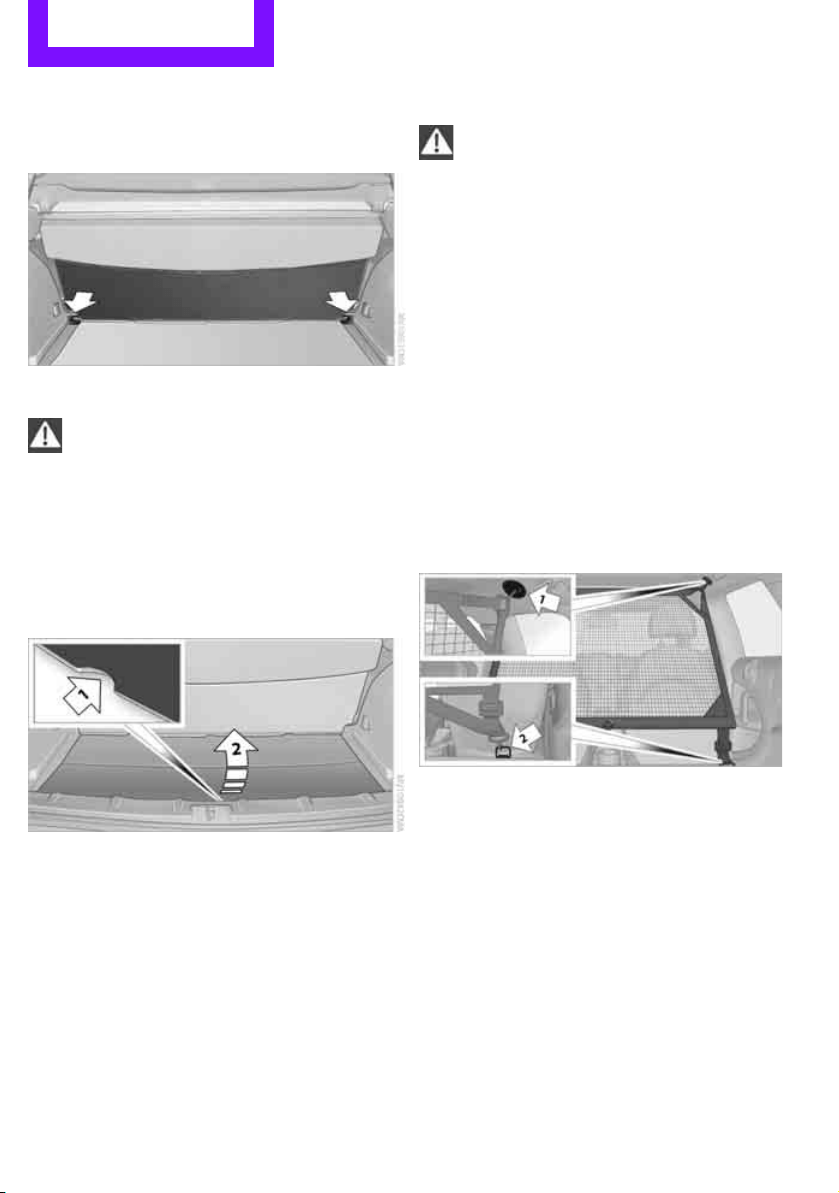
Driving tips Things to remember when driving
94
3. Remove it from the guides on the cargo area
floor, arrows, and remove the privacy
screen.
Flat load floor*
Do not exceed the maximum load of
150 kg for the load floor; otherwise, dam-
age may result.<
Access to the storage space
Under the load floor, there is storage space, e.g.,
for the cargo net
*.
1. Reach into the recess, arrow 1, at the back
edge of the load floor.
2. Lift up load floor behind and fold forwards,
arrow 2.
Before closing the liftgate, put the load floor
back on the cargo area floor.
Removing
If necessary, the load floor can be removed. To
do this, lift the load floor at the recess, fold up
and remove.
Cargo net*
Ensure that the cargo net is firmly
attached; otherwise, injuries may occur.<
Before installing
1. Remove the pouch with the cargo net from
the storage compartment under the pull-out
floor panel in the cargo area.
2. Remove the cargo net from the pouch, then
unroll and unfold it.
After use, fold the cargo net together, roll it
back up in the same way, and place it in the
pouch so that it can be stowed under the
floor panel again. When doing so, make sure
that hooks and tensioning buckles do not
rest against the rod elements.
3. Unfold the cargo net until the rod elements
snap into place.
Installing behind the front seats
1. If necessary, remove the cargo area cover.
2. Fold down the rear seat backrests, refer to
Expanding cargo area.
3. Insert each cargo net mounting pin all the
way into its respective front mount in the
headliner, arrow 1, and push it forward.
4. Attach the hook, arrow 2, at the bottom of
each retaining strap to the respective eye on
the vehicle floor.
5. Lash the cargo net securely. To do so,
tighten the retaining straps at the tensioning
buckles.
Online Edition for Part no. 01 40 2 607 530 - © 03/11 BMW AGOnline Edition for Part no. 01 40 2 607 530 - © 03/11 BMW AG
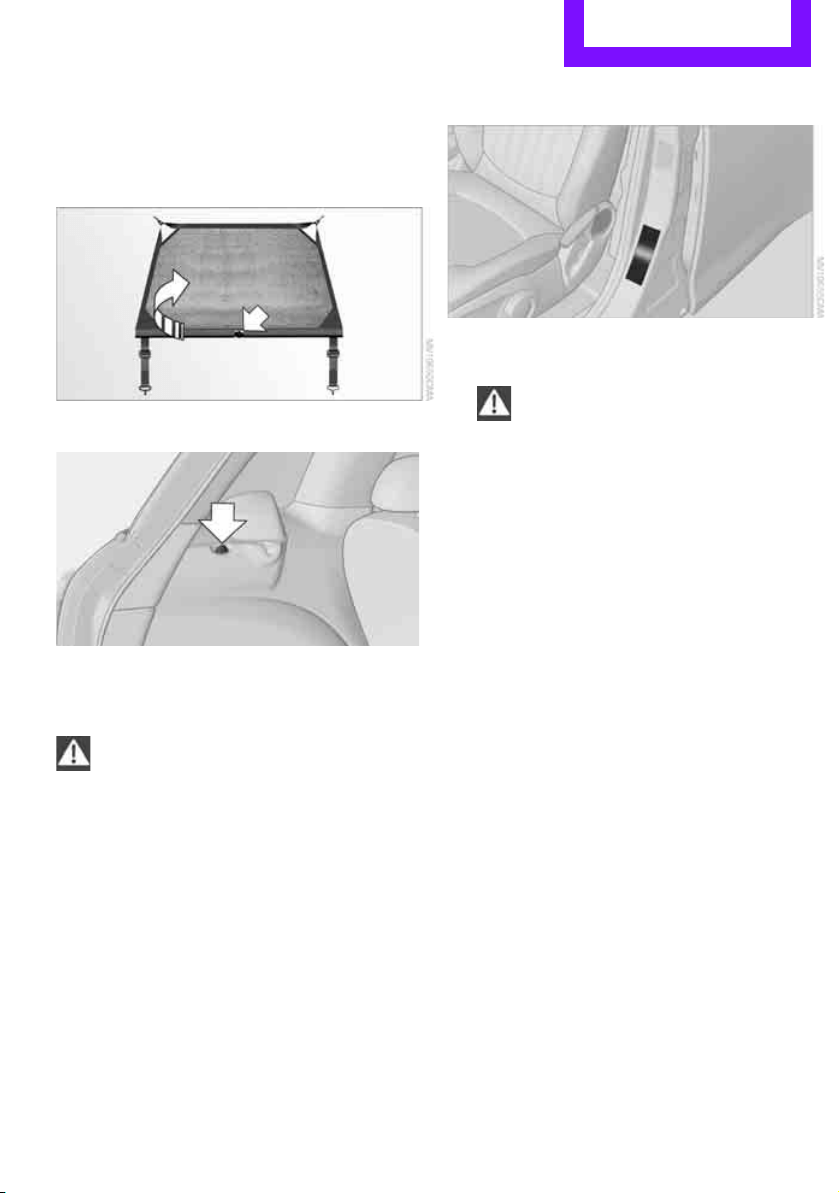
Things to remember when driving Driving tips
95
Removing
When removing and stowing the cargo net, pro-
ceed in the reverse sequence.
To fold closed, press the release button, arrow.
Bag holders*
Holders on the left and right side of the support
for the cargo area cover, arrow, e.g. for hanging
shopping bags or storage bags.
Only hang light shopping bags or suitable
items on the holders. Otherwise, this may
create a hazard due to flying objects, for exam-
ple in the event of braking and evasive maneu-
vers.
Transport heavy luggage only if it is appropri-
ately secured in the cargo area.<
Determining cargo limit
1. Locate the following statement on your
vehicle's placard
*:
The combined weight of occupants
and cargo should never exceed
XXX lbs. or YYY kg. Otherwise, damage to
the vehicle and unstable driving conditions
may result.<
2. Determine the combined weight of the
driver and passengers that will be riding in
your vehicle.
3. Subtract the combined weight of the driver
and passengers from XXX pounds or YYY
kilograms.
4. The resulting figure equals the available
amount of cargo and luggage load capacity.
For example, if the XXX amount equals
1,400 lbs. and there will be four 150-lb. pas-
sengers in your vehicle, the amount of avail-
able cargo and luggage load capacity is
650 lbs.:
1,400 lbs. minus 750 lbs. = 650 lbs.
5. Determine the combined weight of luggage
and cargo being loaded on the vehicle. That
weight may not safely exceed the available
cargo and luggage load capacity calculated
in step 4.
6. If your vehicle will be towing a trailer, part of
the load from your trailer will be transferred
to your vehicle. Consult the manual for
transporting a trailer to determine how this
may reduce the available cargo and luggage
load capacity of your vehicle.
Online Edition for Part no. 01 40 2 607 530 - © 03/11 BMW AGOnline Edition for Part no. 01 40 2 607 530 - © 03/11 BMW AG
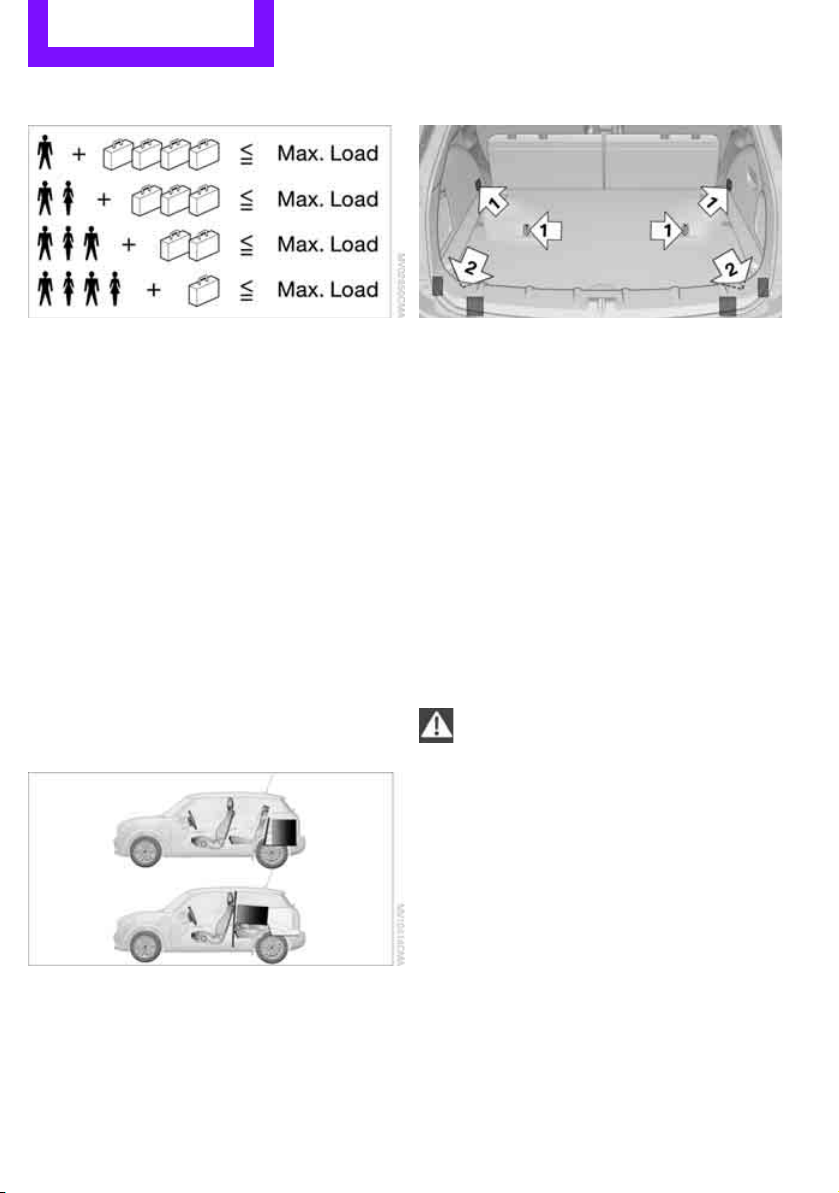
Driving tips Things to remember when driving
96
Load
The permissible load is the sum of the occu-
pants' weights and the weight of the cargo. The
greater the weight of the occupants, the less
cargo/luggage can be transported.
Stowing cargo
> Position heavy objects as low and as far for-
ward as possible, ideally directly behind the
rear seat backrests.
> Cover sharp edges and corners.
> For very heavy cargo when the rear seat is
not occupied, secure each safety belt in the
respective opposite buckle.
> Do not stack higher than the top edge of the
backrests.
> Use the cargo net, refer to page 94. Ensure
that no objects can penetrate through the
net.
Securing cargo
> Secure smaller and lighter items using
retaining or draw straps
*.
> Heavy-duty cargo straps
* for securing larger
and heavier objects are available at your
MINI dealer.
> These cargo straps are fastened using eight
*
securing eyes.
Two of them are located on the side wall
*,
arrows 1, of the cargo area.
Two of them are located on the rear wall,
arrows 2, of the cargo area.
To use the lower lashing eyes, raise or remove
the pull-out floor panel.
Comply with the information enclosed with the
load-securing devices.
Always position and secure the cargo as
described above, so that it cannot endan-
ger the car's occupants, for example if sudden
braking or swerves are necessary.
Do not exceed the approved gross vehicle
weight and axle loads, page 178; otherwise, the
vehicle's operating safety is no longer assured
and the vehicle will not be in compliance with
the construction and use regulations.
Heavy or hard objects should not be carried
loose inside the car, since they could be thrown
around, for example as a result of heavy braking,
sudden swerves, etc., and endanger the occu-
pants. Do not secure cargo using the fastening
points for the tether strap, page 39; they may
become damaged.<
Online Edition for Part no. 01 40 2 607 530 - © 03/11 BMW AGOnline Edition for Part no. 01 40 2 607 530 - © 03/11 BMW AG
Things to remember when driving Driving tips
97
Roof-mounted luggage
rack*
A special rack system is available as an option for
your MINI. Your MINI dealer will be glad to
advise you. Comply with the installation instruc-
tions supplied with the rack system.
Loading roof-mounted luggage rack
Because roof racks raise the vehicle's center of
gravity when loaded, they have a major effect
on vehicle handling and steering response.
You should therefore always remember not to
exceed the approved roof load capacity, the
approved gross vehicle weight or the axle loads
when loading the rack.
You can find the applicable data under Weights
on page 178.
The roof load must be distributed uniformly and
should not be too large in area. Heavy items
should always be placed at the bottom.
When loading, make sure that there is sufficient
space for the movement of the glass sunroof.
Fasten roof-mounted cargo correctly and
securely to prevent it from shifting or falling off
during the trip.
Drive smoothly. Avoid sudden acceleration and
braking maneuvers, and take corners gently.
Rear luggage rack
A special rear-mounted luggage rack is available
as an optional accessory. It does not require a
trailer hitch.
Please comply with the precautions included
with the installation instructions.
Mounting points
The mounting points are located under the cov-
ers in the bumper.
Remove the covers, refer to page 160.
Loading rear luggage rack
When loading, make sure that you do not
exceed the approved gross vehicle weight and
axle loads.
You can find the applicable data under Weights
on page 178.
Saving fuel
Fuel consumption depends on a number of dif-
ferent factors. The implementation of certain
measures, your driving style and regular mainte-
nance can have an influence on fuel consump-
tion and on the environmental impact.
Remove unnecessary cargo
Additional weight increases fuel consumption.
Remove attached parts no longer in use
Remove auxiliary mirrors, roof- or rear-mounted
luggage racks whenever you are not using
them.
Attached parts on the vehicle affect its aerody-
namics and increase fuel consumption.
Check tire inflation pressure regularly
Check and, if necessary, correct tire inflation
pressure at least twice a month and before start-
ing on a long trip.
Online Edition for Part no. 01 40 2 607 530 - © 03/11 BMW AGOnline Edition for Part no. 01 40 2 607 530 - © 03/11 BMW AG

Driving tips Things to remember when driving
98
Low inflation pressure increases rolling resis-
tance and thus leads to greater fuel consump-
tion and tire wear.
Drive off immediately
Do not wait for the engine to warm up while the
vehicle remains stationary. Start driving right
away, but at moderate engine speeds. This is the
fastest way for the cold engine to reach its oper-
ating temperature.
Think ahead while driving
Avoid unnecessary acceleration and braking. by
maintaining a suitable distance to the vehicle
driving ahead.
Driving smoothly and anticipating impending
traffic situations reduces fuel consumption.
Avoid high engine speeds
Use first gear only for driving off. In second and
higher gears, accelerate smoothly to a suitable
engine and road speed. In doing so, avoid high
engine speeds and shift up early.
When you reach your desired traveling speed,
shift to the highest suitable gear and drive at
constant speed.
As a rule: driving at low engine speeds lowers
fuel consumption and reduces wear.
Coasting
When approaching a red traffic light, take your
foot off the accelerator and let the vehicle coast
to a halt in the highest suitable gear.
On a downhill gradient, take your foot off the
accelerator and let the vehicle coast in a suitable
gear.
Fuel supply is shut off automatically when the
vehicle is coasting.
Switch off the engine during lengthy
stops
Switch off the engine when stopping for lengthy
periods, e.g. at traffic lights, railroad crossings or
in traffic jams.
Have the vehicle serviced
Have your vehicle serviced regularly to achieve
good economy and a long vehicle life. The man-
ufacturer of your MINI recommends having the
vehicle serviced by a MINI dealer. Also note the
MINI Maintenance System, page 142.
Driving on poor roads
Your MINI is at home on all roads and surfaces. It
combines an all-wheel drive system* with the
advantages of a normal passenger car.
Do not drive on unpaved terrain, as other-
wise the vehicle may be damaged.<
When you are driving on poor roads, there are a
few points which you should strictly observe for
your own safety, for that of your passengers,
and for the safety of the vehicle:
> Familiarize yourself with the vehicle before
beginning to drive and do not take risks
under any circumstances.
> Adapt your speed to road conditions. The
steeper and rougher the road surface is, the
lower the speed should be.
> When driving on very steep uphill or down-
hill grades, make sure in advance that the
engine oil and coolant levels are close to the
maximum mark, refer to page 139.
> While driving, watch carefully for obstacles
such as rocks or holes. Try to avoid these
obstacles whenever possible.
> Make sure that the undercarriage does not
touch the ground, for example on hilltops
and bumpy roads. The ground clearance of
the vehicle is a maximum of approx. 6.0 in/
15 cm. Please note that the ground clear-
ance can vary depending on loading and the
driving conditions of the vehicle.
> Only drive through road surface water up to
a maximum water depth of 1 ft/30 cm and
only at walking speed; do not remain sta-
tionary.
Online Edition for Part no. 01 40 2 607 530 - © 03/11 BMW AGOnline Edition for Part no. 01 40 2 607 530 - © 03/11 BMW AG

Things to remember when driving Driving tips
99
> After driving through water at low speed,
lightly press the brake pedal several times to
dry the brakes and to prevent the braking
effect from being reduced by wetness.
> Depending on the condition of the surface, it
may be practical to briefly activate DTC, refer
to DTC Dynamic Traction Control on
page 61.
> If the drive wheels spin on one side, depress
the accelerator pedal sufficiently so that the
driving stability control systems can distrib-
ute the drive forces to the individual wheels.
After driving on poor roads, please observe the
following points to maintain the driving safety of
the vehicle:
> Clean the coarsest dirt from the body.
> Clean mud, snow, ice, etc. from the wheels
and tires and check the tires for damage.
Online Edition for Part no. 01 40 2 607 530 - © 03/11 BMW AGOnline Edition for Part no. 01 40 2 607 530 - © 03/11 BMW AG
Rock Me.
Online Edition for Part no. 01 40 2 607 530 - © 03/11 BMW AG

AT A GLANCE
Controls
Driving tips
Communications
Mobility
Reference
Entertainment
Online Edition for Part no. 01 40 2 607 530 - © 03/11 BMW AG
Entertainment Radio MINI Boost CD
102
Radio MINI Boost CD
switching Radio on/off
Press the knob on the left. The radio
selects the last set audio source:
>Radio
> HD Radio
*
> Satellite radio*
> CD
> External audio device
> USB audio interface*.
Listening to the radio when the ignition
is switched off
After turning off the radio, which was ready for
operation, the radio functions are available for
approx. 20 minutes.
The radio can also be turned on again.
To spare the battery, ensure that the radio
is turned off when leaving the vehicle.<
Adjusting volume
Press left rotary knob. The settings are
stored for the remote control currently
in use.
As soon as you make a phone call using
the hands-free device, the radio will auto-
matically be muted.<
Setting the volume for the PDC* and bell
You can raise or lower the audio signals for the
PDC or bell with respect to the volume of the
audio sources.
The audio signals have a set minimum and max-
imum volume, below which they can not fall and
above which they can not go.
Set the audio source to a high volume to
be able to better set the volume of the
audio signals.<
1. Press the button.
2.
Press the button if necessary.
3.
Press the button
or
Press the button.
4. Select the desired volume and press the but-
ton on the right.
Setting the speed-dependent volume
The speed-dependent volume controls auto-
matically increase the volume as the speed of
the vehicle increases. You can set different levels
for increasing the volume.
1. Press the button.
2.
Press the button if necessary.
3.
Press the button.
4. Select the desired volume and press the but-
ton on the right.
Setting the volume for external audio
devices
Your radio has the option of connecting to an
external audio device, e.g., an MP3 player, and
playing it over the loudspeakers in the vehicle.
You can set the volume by using the radio.
Connecting an external device, refer to
page 109.
To adjust the volume of an external audio device
to the radio:
1. Press the MODE button.
2.
Press the button.
3.
Press the button.
Online Edition for Part no. 01 40 2 607 530 - © 03/11 BMW AGOnline Edition for Part no. 01 40 2 607 530 - © 03/11 BMW AG
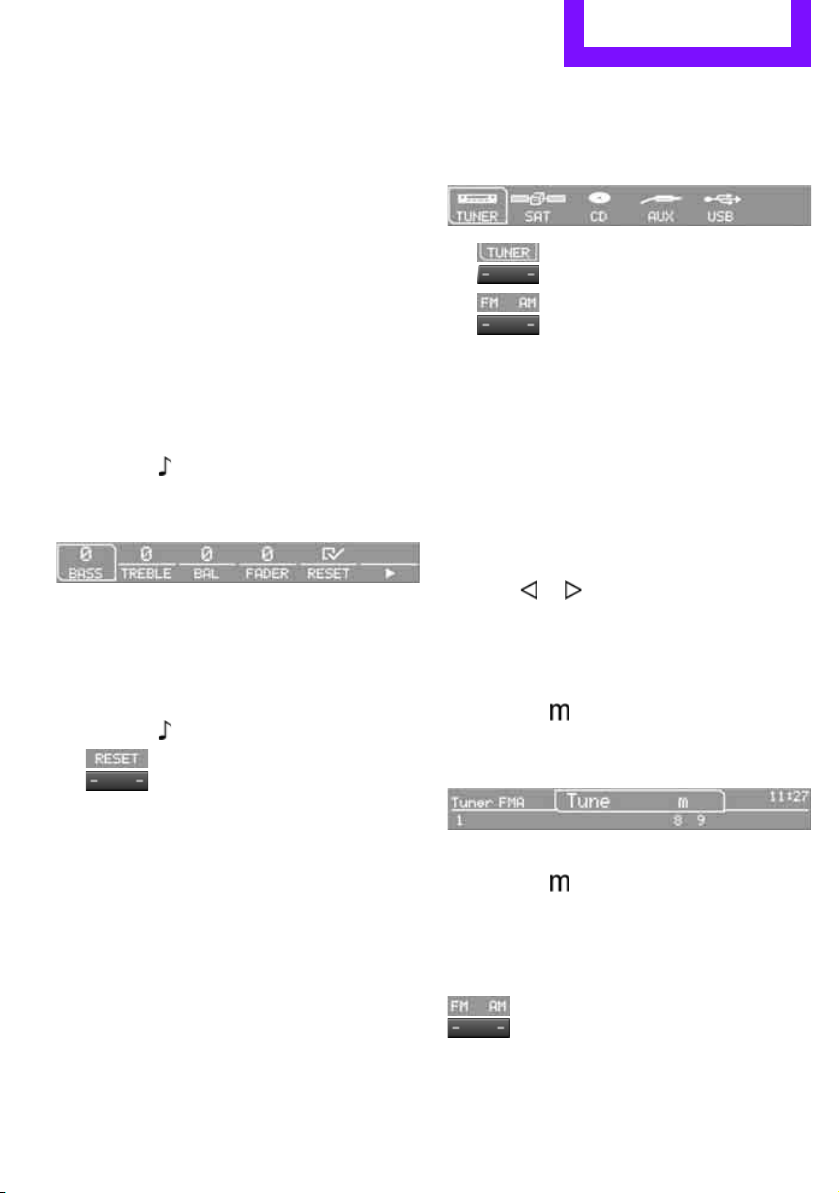
Radio MINI Boost CD Entertainment
103
4. Select the desired volume and press the but-
ton on the right.
Setting tone controls
You can select between the following settings:
> Bass: bass setting.
> Treble: treble setting.
> Balance: volume distribution right/left.
> Fader: volume distribution front/back.
The tone settings are set for all audio sources at
once.
Setting the bass, treble and balance
1. Press the button.
2. Select the desired tone setting and press the
button on the right.
3. Select the desired volume and press the but-
ton on the right.
Resetting tone settings
The tone settings are reset to the middle values.
1. Press the button.
2.
Press the button.
Time
Setting the time, date and time format
You can set the time, date and time format, refer
to page 57.
Radio
Your radio is designed to receive FM and AM sig-
nals.
Listening to the radio
1. Switch on the radio, refer to page 102.
2. If necessary, press the MODE button.
3.
Press the button.
4.
Press the corresponding button as
often as necessary until the desired wave-
length band is selected.
> AM: AM and AMA
> FM: FM1/FM2 and FMA
Selecting a station
The setting is stored for the remote control in
use.
Next station
Press the … button.
The next station that can be received is selected.
Selecting stations manually by
frequency
1. Press the button.
2. Press the button each time to enter a
desired frequency.
Or, by using the button on the right:
1. Press the button.
2. Turn the knob on the right until the desired
frequency is reached.
Automatically update strongest stations
Press the corresponding button as long
as necessary until "Autostore" is displayed.
Several seconds may go by until the stations are
stored and one of the stations can be heard.
Online Edition for Part no. 01 40 2 607 530 - © 03/11 BMW AGOnline Edition for Part no. 01 40 2 607 530 - © 03/11 BMW AG
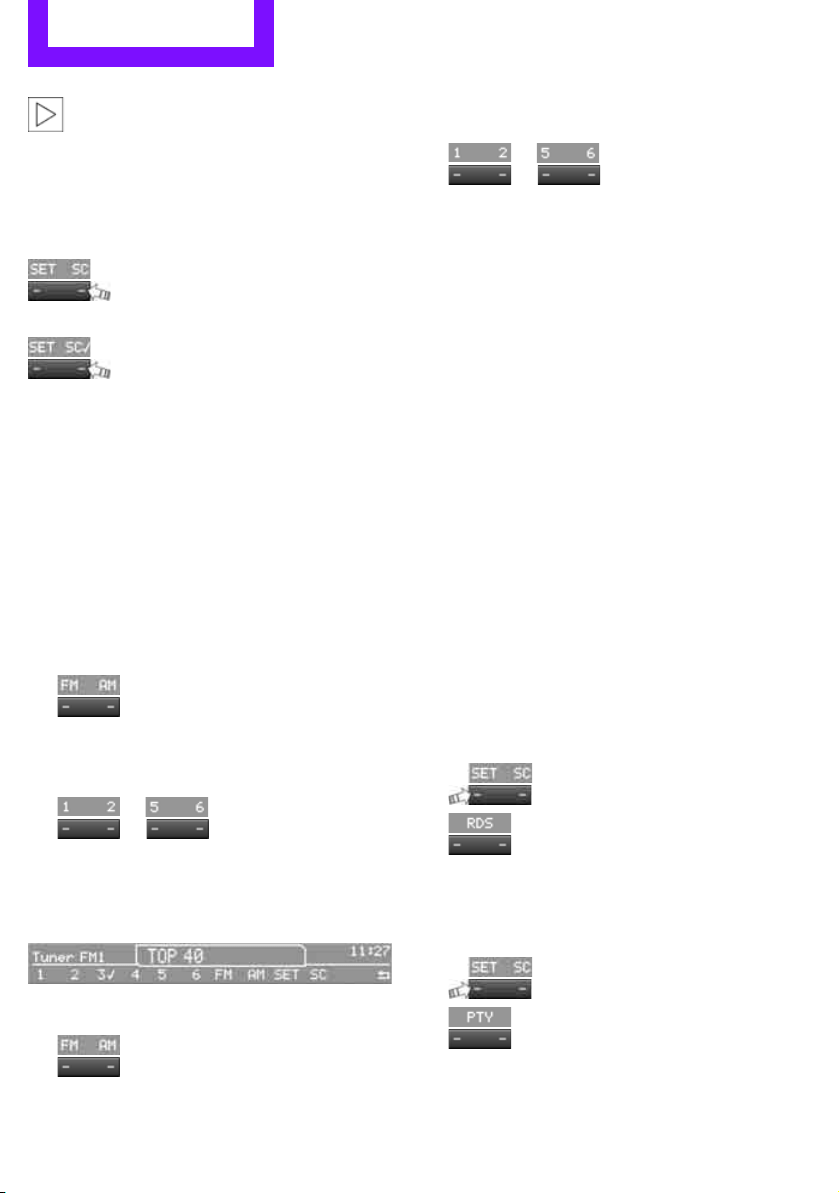
Entertainment Radio MINI Boost CD
104
If you do not wish to use the Autostore
feature, you can store six stations of your
choice in the FMA or AMA memory levels.<
Playing and selecting stations, scan
You can play all the stations that can be received
for approx. 10 seconds.
Press the button.
Interrupting the scan and selecting a station:
Press the button.
Storing and recalling stations
Memory presets
Your radio can store 30 stations:
> FM1, FM2: six stations of your choice for
each
> AM: six stations of your choice
> FMA/AMA: automatically, the six strongest
stations
Storing a station
1.
Press the corresponding button as
often as necessary until the desired fre-
quency range is selected
2. Selecting stations.
3.
… Press and hold the
desired button until the station can again be
heard after a short interruption.
The memory level and the selected button
are shown on the display, e.g.:
Recalling stored stations
1.
Press the corresponding button as
often as necessary until the desired wave-
length band is selected.
2.
… Press the desired but-
ton.
For the knob on the right:
Turn the knob on the right as long as necessary
until the desired station has been reached.
RDS – Radio Data System
The Radio Data System transmits additional
information in the FM frequency range. RDS sta-
tions have the following features:
> For stations that broadcast over several fre-
quencies, the frequency with the best recep-
tion quality is automatically selected.
> Under good reception conditions, the sta-
tion names are displayed.
> Additional information can be shown on the
display, e.g., text messages from the station.
> Over RDS, some stations transmit the type of
the received program, PTY. At the option of
the station, this can be shown briefly on the
display, e.g., messages, NEWS. Using PTY,
warnings regarding catastrophies can also
be displayed, e.g., "ALARM".
Switching RDS on/off
1.
Press the button.
2.
Press the button.
The name of the current station is displayed if it
transmits RDS information.
Displaying the program type
1.
Press the button.
2.
Press the button.
Online Edition for Part no. 01 40 2 607 530 - © 03/11 BMW AGOnline Edition for Part no. 01 40 2 607 530 - © 03/11 BMW AG
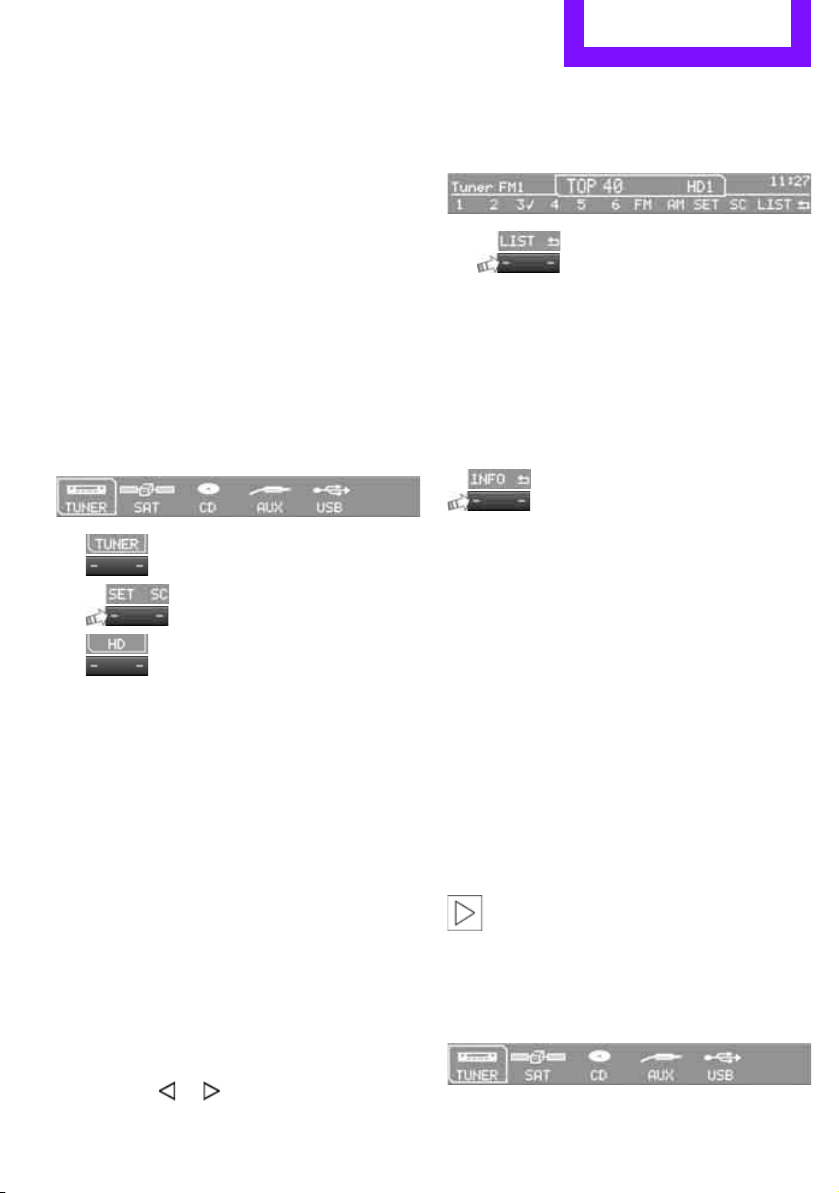
Radio MINI Boost CD Entertainment
105
HD Radio™ reception*
Many radio stations transmit analog and digital
signals. If a digital radio network is available,
these stations can be received digitally and thus
with improved sound quality.
License conditions
HD Radio™ technology is manufactured under
U.S. and Foreign Patents licensed from iBiquity
Digital Corp. HD Radio™ and the HD and HD
Radio logos are proprietary trademarks of iBiq-
uity Digital Corp.
Activating/deactivating digital radio
reception
1. Press the MODE button.
2.
Press the button.
3.
Press the button.
4.
Press the button.
"HD": a station has been received digitally.
"(HD)": a station is transmitting digital signals;
however, digital radio reception is switched off.
For some stations, the digital signals are not
broadcast simultaneously with the analog sig-
nals. If you are in an area where the selected sta-
tion can not be continuously received digitally,
then the playback switches between analog and
digital reception. As a result, the reception can
be interrupted and then resume from time to
time. In this type of situation, it is suggested that
digital radio reception be turned off.
Selecting programs from a digital
station*
Some stations broadcast several programs. To
select one of these programs:
1. Press the … button as often as neces-
sary until the desired digital station is dis-
played.
If a station broadcasts several programs,
then, e.g., "HD1" is displayed.
2.
Press the button.
3. Select the desired program.
Up to eight programs per station can be
selected, "HD1" to "HD8".
Displaying additional information
For digital stations, additional information about
the current track is displayed, e.g., the name of
the artist.
Press the button.
The information is displayed.
Operation indicators
Acquiring
A search for digital stations is being conducted.
No Signal
No digital station has been found.
Satellite radio*
You can receive more than 100 different chan-
nel with higher audio quality.
The channels are offered in defined packages.
To receive the channels of your choice, you have
to approve the package.
You may experience signal drops and
muting events related to this new technol-
ogy.<
Enabling or blocking channels
1. Press the MODE button.
Online Edition for Part no. 01 40 2 607 530 - © 03/11 BMW AGOnline Edition for Part no. 01 40 2 607 530 - © 03/11 BMW AG
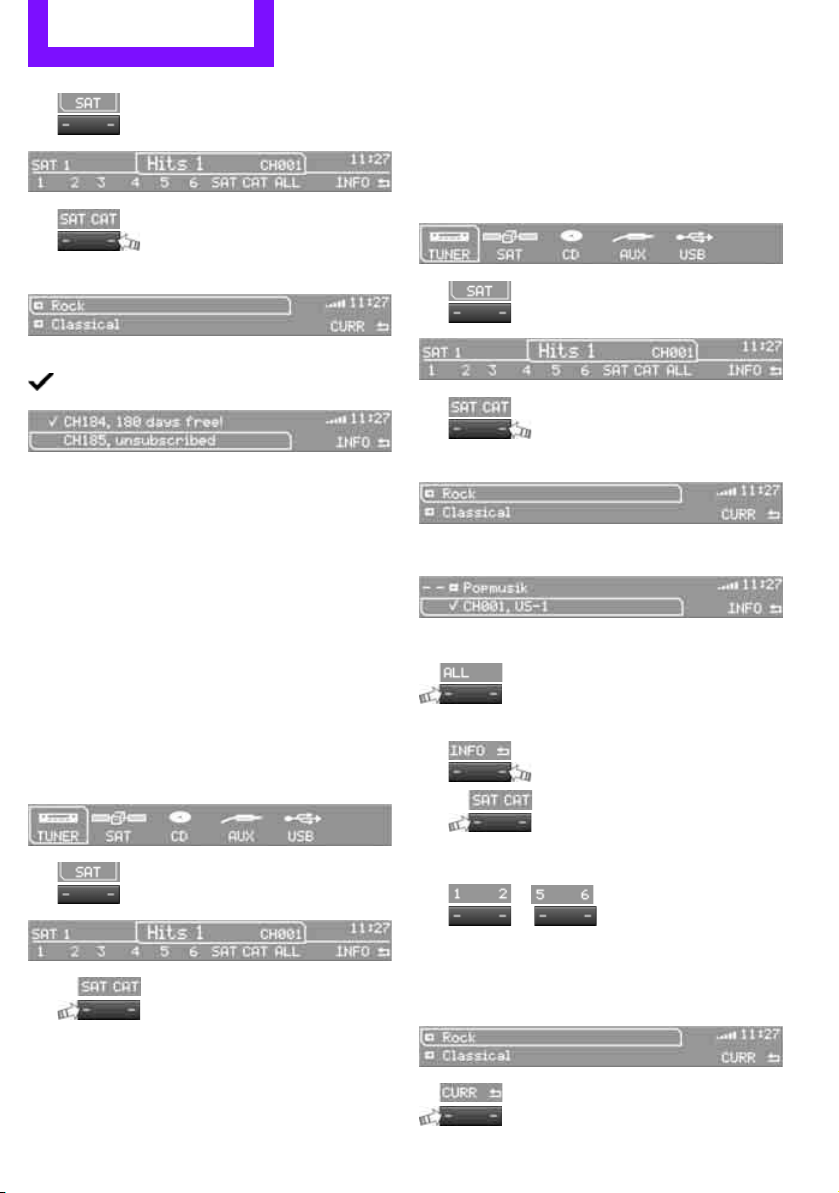
Entertainment Radio MINI Boost CD
106
2.
Press the button.
3.
Press the button.
4. Select the desired category.
The channels are displayed.
This symbol indicates the current channel.
Activating
1. Turn the knob on the right to select a chan-
nel that is not yet activated.
2. Press the knob on the right to confirm a
channel.
A phone number and the electronic serial
number, ESN, are displayed. When activat-
ing, the electronic serial number is required.
3. To activate the channels:
Dial the phone number.
Blocking
1. Press the MODE button.
2.
Press the button.
3.
Press the button for a longer
period.
A phone number and the electronic serial
number, ESN, are displayed. For blocking,
the electronic serial number is required.
4. To block channels:
Dial the phone number.
To select and store a channel
1. Press the MODE button.
2.
Press the button.
3.
Press the button.
4. Select the desired category.
5. Select desired channel.
To display all the channels:
Press the button.
To store a channel:
1.
Press the button.
2.
Press the button as often as nec-
essary until the desired memory level, SAT 1
or SAT 2, is reached.
3.
... Keep the desired but-
ton pressed until the channel can again be
heard after a short interruption.
Changing to the current channel
Press the button.
Online Edition for Part no. 01 40 2 607 530 - © 03/11 BMW AGOnline Edition for Part no. 01 40 2 607 530 - © 03/11 BMW AG
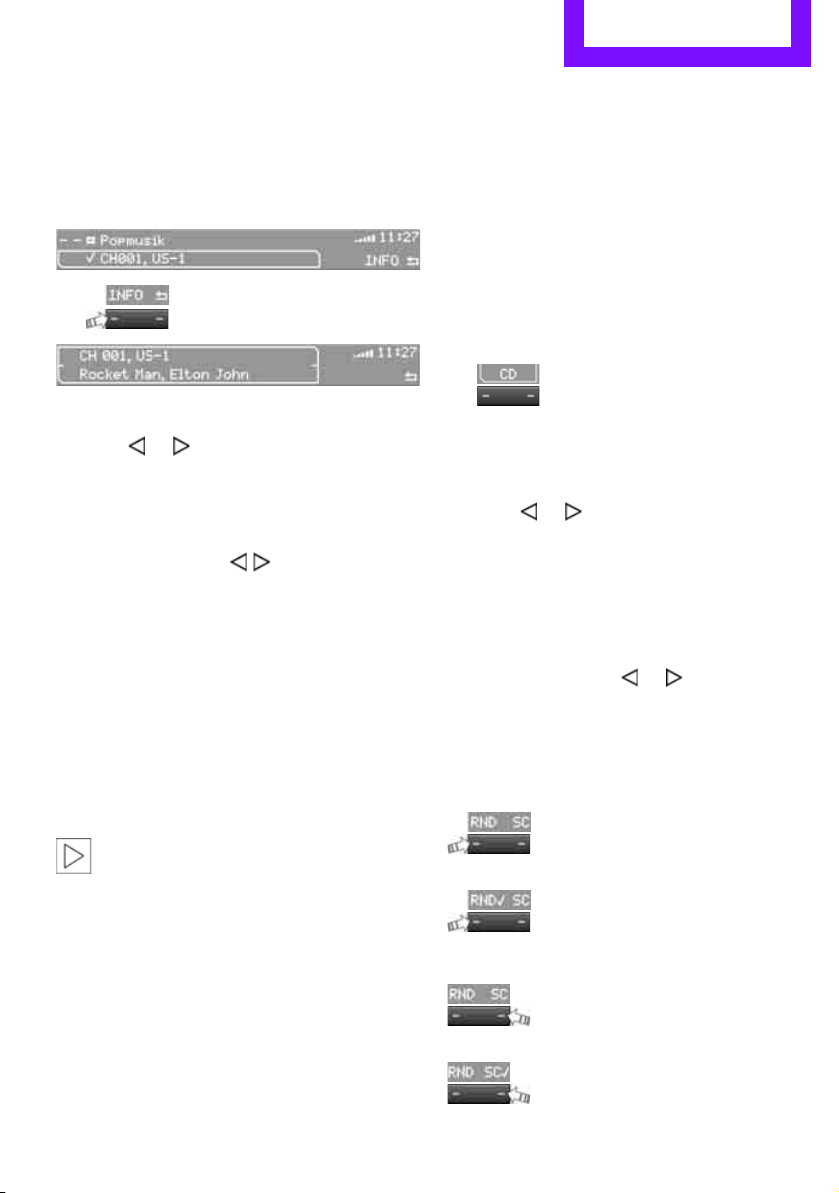
Radio MINI Boost CD Entertainment
107
Additional information
The name of the channel and additional infor-
mation about the current track is displayed, e.g.,
the name of the artist.
1. Selecting a desired channel.
2.
Press the button.
Changing channels using buttons
Press the … button for the corresponding
direction.
The next activated channel is recalled.
Search function
1. Press and hold the button for the cor-
responding direction.
The activated channels are shown, one after
another, on the display.
2. Release the button to select the displayed
channel.
Notes
When there is a signal blockage or the transmis-
sion is suspended momentarily for more than
4 seconds, a message appears on the Control
Display.
Service may be interrupted or unavailable
for specific reasons such as environmental
or topographic conditions and others that Satel-
lite Radio cannot directly control.
Signals may not be available under tunnels, in
parking garages, next to tall buildings, nearby
trees with dense foliage, nearby mountains or
other possible strong sources of radio interfer-
ence.
Service should resume normally after the source
of signal unavailability has been cleared.<
CD player
Starting the CD player
Some time may pass until the CD player starts.
1. Turning on the radio, refer to page 102.
2. Insert the CD with the printed side up into
the CD slot.
If there is already a CD in the CD slot:
1. Switch on the radio, if necessary.
2. Press the MODE button.
3.
Press the button.
Changing the music track
Jumping tracks
Press the … button as often as necessary
until the desired track is reached.
Using the knob on the right:
Turn the knob on the right until the desired track
has been reached.
Fast forward/reverse
1. Press and hold the … button.
The track can be heard but is distorted.
2. To cancel the fast forward/reverse, release
the button.
Random order
Press the button.
To terminate the random generator:
Press the button.
Playing a track and selecting, scan
Press the button.
To cancel the scan and select a track:
Press the button.
Online Edition for Part no. 01 40 2 607 530 - © 03/11 BMW AGOnline Edition for Part no. 01 40 2 607 530 - © 03/11 BMW AG
Entertainment Radio MINI Boost CD
108
Selecting MP3 music tracks
The CD player can also play CDs with com-
pressed audio data, such as MP3 and WMA.
Selecting a track
1.
Press the button.
2. Select the desired folder and press the but-
ton on the right.
> : press the button on the right to open
a folder
> : press the button on the right to close
a folder
3. If necessary, select additional subfolders
and press the button on the right.
4. Select the desired track and press the button
on the right.
During playback, you can browse through the
folder.
To change to the current track:
Press the button.
Track display
You can call up any input information on the cur-
rent music track:
1.
Press the button.
2.
Press the button.
Ejecting the CD out of the CD player
Press the button.
The CD is partially ejected from the CD slot.
Operation indicators
> "Insert CD"
The CD slot is empty.
> "Error CD"
The CD can not be read or is defective.
> "Temp. CD"
The operating temperature is too high.
Notes
CD players are laser products of Class 1. Do
not operate if the cover is damaged; oth-
erwise, serious injury to eyes may result.
Do not use CDs with after-market labels; other-
wise, the labels can loosen as a result of the heat
generated during playback and possibly cause
irreparable damage to the system.
Only use round CDs with a standard diameter of
4.7 in/12 cm and do not play CDs with adapters,
e.g., single CDs; otherwise, the CDs or the adapt-
ers may jam and it may not be possible to eject
them.
Do not use combined CD/DVDs, e.g., DVD
Plus
;
otherwise, the CD/DVD may jam and it may not
be possible to eject it.<
General malfunctions
The CD players are optimized for operation in
vehicles. They may be more sensitive to defec-
tive CDs than players for stationary use.
If a CD can not be played, first check if the CD is
properly inserted.
Humidity
If there is high humidity, the CD or the focusing
lens for the laser beam may get fogged up and
playing the CD may temporarily not be possible.
Malfunctions with individual CDs
If there are malfunctions with individual CDs,
then they may be due to the following causes.
CDs that you burned yourself
Potential problems with home-burned CDs are,
for example, inconsistent data generation and
burning processes, as well as low quality or
excessive aging of the blanks that are used.
Only write on the upper surface of CDs with a
writing instrument that is suitable for the pur-
pose.
Online Edition for Part no. 01 40 2 607 530 - © 03/11 BMW AGOnline Edition for Part no. 01 40 2 607 530 - © 03/11 BMW AG
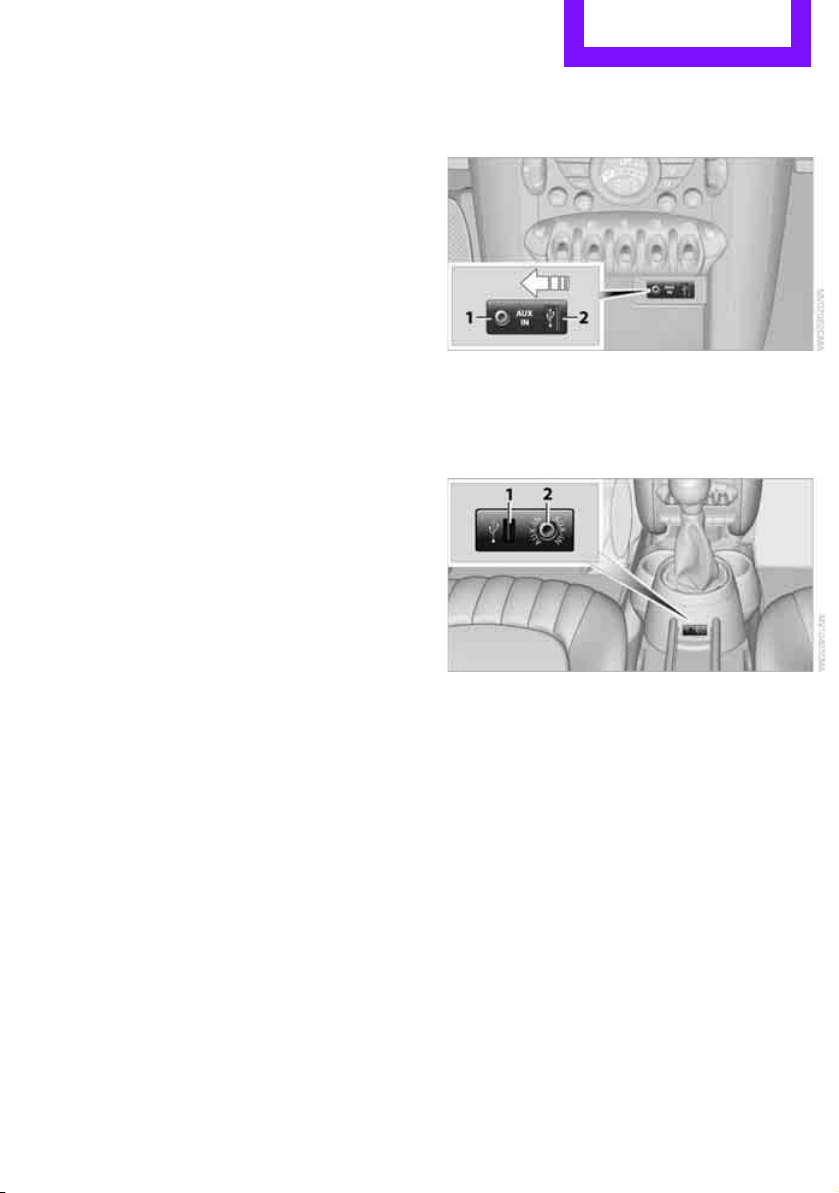
Radio MINI Boost CD Entertainment
109
Damaged CDs
Avoid finger prints as well as dust, scratches and
moisture.
Store CDs in sleeves.
Do not expose CDs to a temperature greater
than 1227/506, elevated humidity or direct
sunlight.
CDs with copy protection
CDs are often provided with copy protection
from the manufacturer. This can result in CDs not
playing or playing back in only a limited fashion.
Care
If necessary, clean the reflecting side of the CD
with a commercially available cleaning cloth by
wiping in a straight line from the center out-
wards.
USB audio interface*
> iPods/iPhones or USB devices such as MP3
players and USB memory sticks: connect via
the USB audio interface
> iPhone/mobile phone music players: con-
nection using a snap-in adapter
*, refer to
page 124.
> Only one iPod/iPhone can be connected to
the vehicle. Output from an iPod/iPhone to
the USB audio interface is only possible if
there is no iPhone in the snap-in adapter.
> Popular audio files, such as MP3, AAC and
M3U playlists, can be played. Depending on
the audio file, proper playback can not be
ensured in every case,
such as for bit rates greater than 256 kbit/s.
> Music tracks with integrated Digital Rights
Management (DRM) cannot be played.
Because of the large number of audio devices on
the market, it can not be ensured that every
device will properly operate in the vehicle. Addi-
tional information may be found at
www.mini.com/connectivity or at a dealer.
Connecting
MINI, MINI Convertible, MINI Clubman:
1 Connection for audio playback:
TRS connector 1/8"/3.5 mm
2 USB interface
*
MINI Countryman:
1 USB interface
*
2 Connection for audio playback:
TRS connector 1/8"/3.5 mm
Apple iPod/iPhone
Use the special cable adapter for Apple iPods/
iPhones to produce the connection. The cable
adapter is required for a proper connection.
For additional information, contact your MINI
dealer or visit the Internet at www.mini.com/
connectivity
To play audio tracks over the car's speaker sys-
tem, connect the iPod to ports 1 and 2.
The iPod/iPhone's menu structure is supported
by the USB audio interface.
Online Edition for Part no. 01 40 2 607 530 - © 03/11 BMW AGOnline Edition for Part no. 01 40 2 607 530 - © 03/11 BMW AG
Entertainment Radio MINI Boost CD
110
USB device
To play audio tracks over the car's speaker sys-
tem, connect the USB device to port 2.
After first connecting, the track information is
transferred to the vehicle. The time required is
dependent on the USB device and on the num-
ber of tracks.
Information from up to four USB devices or
approx. 20,000/ tracks can be stored in the
vehicle.
Starting audio playback
iPod
1. Press the MODE button.
2.
Press the button.
USB device
1. Press the MODE button.
2.
Press the button.
Changing music tracks
Jumping tracks
Press the … button as often as necessary
until the desired track is reached.
Using the knob on the right:
Turn the knob on the right until the desired track
has been reached.
Fast forward/reverse
1. Press and hold the … button.
The track can be heard but is distorted.
2. To cancel the fast forward/reverse, release
the button.
Random order
Press the button.
The current track is played to the end.
Afterwards, the tracks in the current folder are
played back in random order.
To terminate the random generator:
Press the button.
Selecting a track
Select the desired list, e.g., "LIST":
1.
Press the button.
2. Select the desired folder and press the but-
ton on the right.
> : press the button on the right to open
a folder
> : press the button on the right to close
a folder
3. If desired, select additional subfolders and
press the button on the right.
4. Select the desired track and press the button
on the right.
During playback, you can browse through the
folder.
To change to the current track:
Press the button.
Track display
You can call up any input information on the cur-
rent music track:
Press the button.
Adjusting the iPod volume*
The volume of the iPod can be lower or higher
than the audio sources for the radio.
To adjust the volume of the iPod to the volume
of the other audio sources:
1.
Press the button.
2. Select the desired volume and press the but-
ton on the right.
Online Edition for Part no. 01 40 2 607 530 - © 03/11 BMW AGOnline Edition for Part no. 01 40 2 607 530 - © 03/11 BMW AG

Radio MINI Boost CD Entertainment
111
Notes
> The USB audio interface supplies the con-
nected audio devices with power, provided
that this is supported by the audio device.
For this reason, audio devices are not to be
connected to a receptacle in the vehicle dur-
ing operation.
> Do not expose audio devices to extreme
ambient conditions, for example, very high
temperatures; refer to the operating instruc-
tions for the audio device.
> Do not connect any devices, e.g. fans or
lamps, to the USB audio interface.
> Do not connect USB hard drives.
Online Edition for Part no. 01 40 2 607 530 - © 03/11 BMW AGOnline Edition for Part no. 01 40 2 607 530 - © 03/11 BMW AG

Connect Me.
Online Edition for Part no. 01 40 2 607 530 - © 03/11 BMW AG

AT A GLANCE
Controls
Driving tips
Entertainment
Mobility
Reference
Communications
Online Edition for Part no. 01 40 2 607 530 - © 03/11 BMW AG

Communications Telephone
114
Telephone
Overview
The concept
Mobile phones or other external devices, e.g.
audio players, can be connected to the vehicle
via Bluetooth.
Bluetooth® is a registered trademark of Blue-
tooth® SIG, Inc.
Your MINI is equipped with a complete mobile
phone preparation. After a suitable mobile
phone is paired with the vehicle once, the
mobile phone can be controlled via the radio,
the buttons
* on the steering wheel, and by
voice
*.
It may be necessary for some functions to be
activated by the mobile phone provider.
Only make entries when traffic conditions
permit. Do not hold the mobile phone in
your hand while you are driving; use the hands-
free system instead. If you do not observe this
precaution, your being distracted can endanger
vehicle occupants and other road users.<
Snap-in adapter*
The snap-in adapter, refer to page 124, makes it
possible to:
> Accommodate the mobile phone.
> Recharge its battery.
> Connect it to an external antenna of the
vehicle.
This assures a better network connection
and constant sound quality.
A mobile phone that is connected to the vehicle
should not be operated via the mobile phone
keypad; otherwise, malfunctions may occur.
Suitable mobile phones
For precise information as to which mobile
phones and external devices with Bluetooth
interfaces are supported by the mobile phone
preparation, go to www.mini.com/connectivity.
*
Online Edition for Part no. 01 40 2 607 530 - © 03/11 BMW AGOnline Edition for Part no. 01 40 2 607 530 - © 03/11 BMW AG
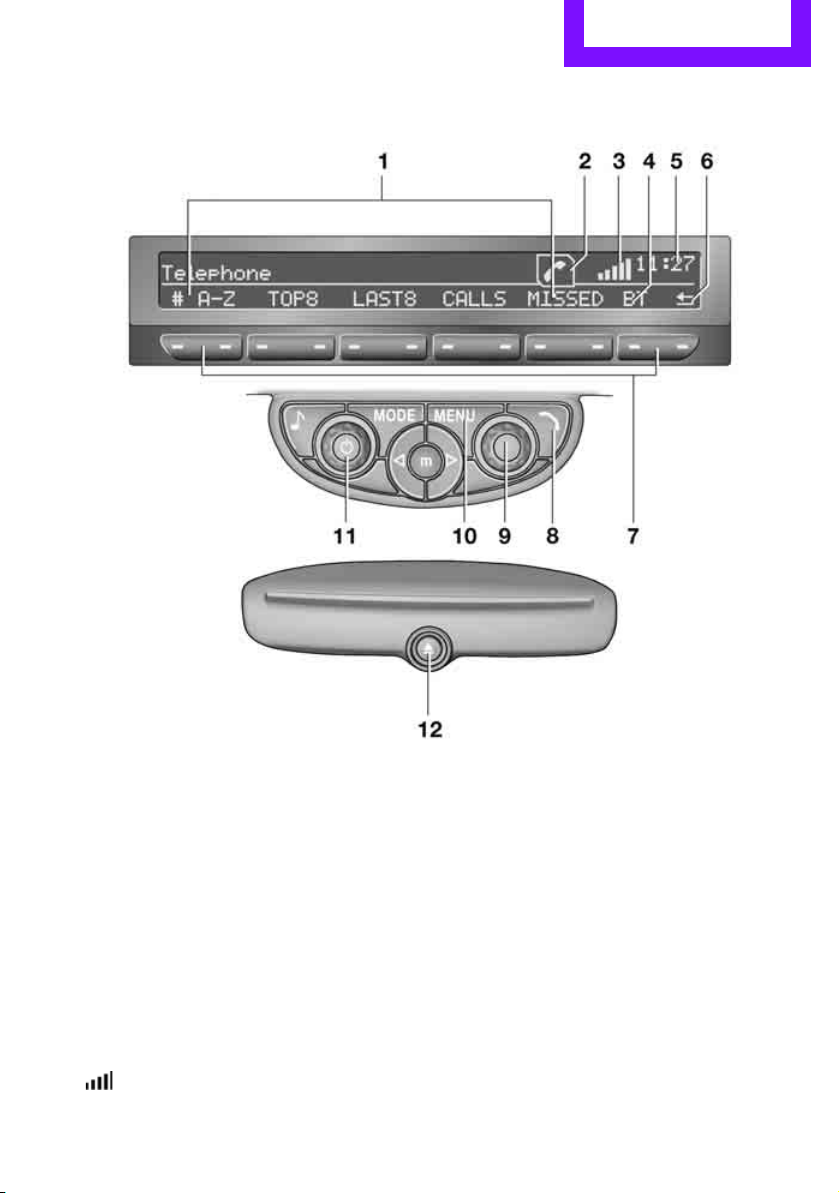
Telephone Communications
115
Operating the mobile phone via the radio
To open the menu show above, refer to
page 120.
1 Making and receiving phone calls 119
> "#": dial phone number
> "A-Z": phone book
> "TOP8": most frequently dialed phone
numbers
> "LAST8": last phone numbers dialed
> "CALLS": accepted calls
> "MISSED": missed calls
2 Marking to select a function
3 Reception of the mobile phone network:
flashes when a call is being made
4 Pairing a new mobile phone, delete pairing
data of a mobile phone, or switching Blue-
tooth on/off 116
5 Time
6 Backspace
7 Function buttons for confirming the func-
tions displayed above them
8 Redialing, answering a call, starting to dial,
ending a call, and switching to the phone
menu
9 Selecting and confirming function
> Turn: to select a function or number
> Press: to activate a function or number
Online Edition for Part no. 01 40 2 607 530 - © 03/11 BMW AGOnline Edition for Part no. 01 40 2 607 530 - © 03/11 BMW AG
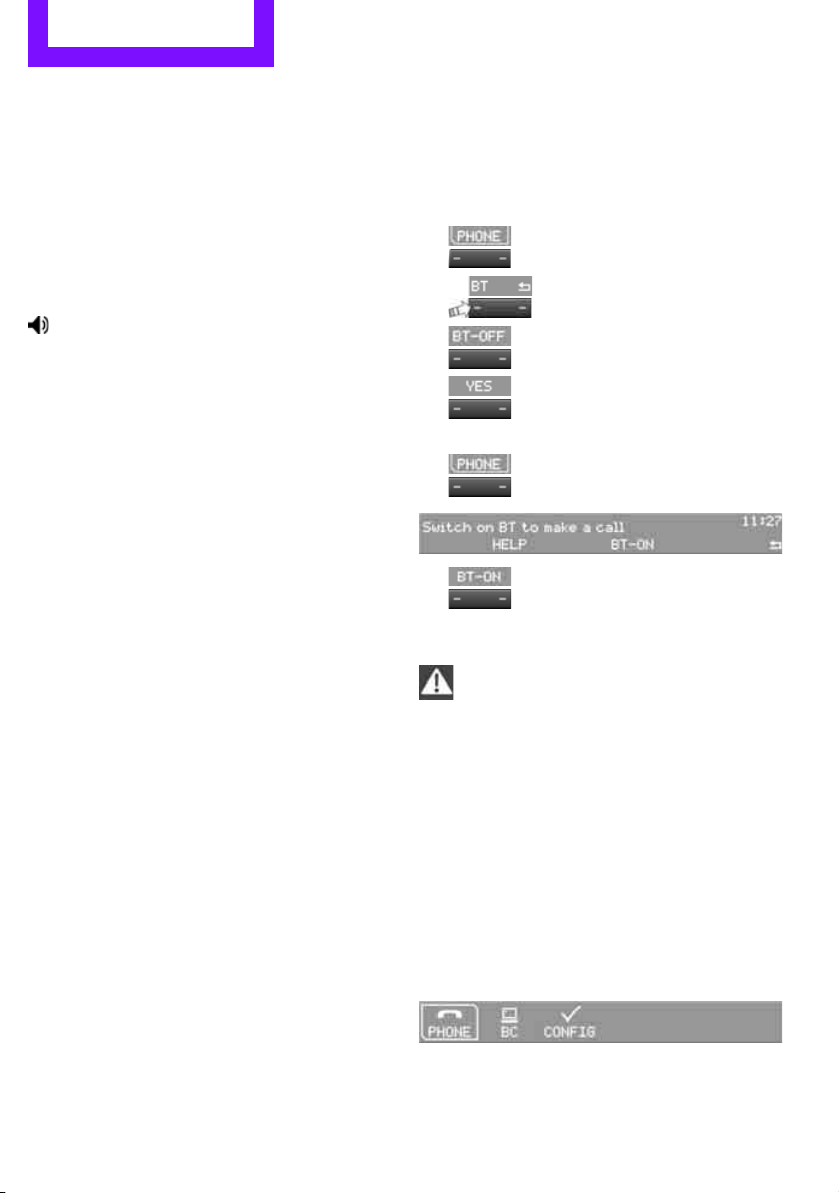
Communications Telephone
116
10 Switching displays 120
> "PHONE": telephone
> "COMP": computer
> "CONFIG": adjusting
11 Radio on/off, volume
> Press: to switch radio on/off
> Turn: adjusting volume 119
12 Ejecting CD
This symbol appears on the radio display
when a phone call is being made with the
hands-free system.
Pairing/unpairing mobile
phone
Overview
The pairing data of four mobile phones can be
stored simultaneously in the vehicle. When the
engine is running or the ignition is switched on,
each paired mobile phone is automatically
detected as soon as it is present in the passenger
compartment.
Requirements
> Suitable mobile phone, refer to page 114.
> Mobile phone operational.
> Bluetooth activated in vehicle, refer to
page 116, and in the mobile phone.
> Bluetooth presets in the mobile phone are
required, e.g. connection not confirmed or
visible, refer to Owner's Manual for the
mobile phone.
> A number with at least 4 and at most
16 digits has been established as the Blue-
tooth passkey. Only required once for pair-
ing.
> Ignition switched on.
Activating/deactivating Bluetooth link
Bluetooth is not permitted everywhere. Comply
with all safety guidelines and regulations.
To deactivate the Bluetooth connection:
1. Press the MENU button.
2.
Press the button.
3.
Press the button.
4.
Press the button.
5.
Press the button.
To reactivate the Bluetooth connection:
1.
Press the button.
2.
Press the button.
Pairing and connecting
Only pair the mobile phone when the
vehicle is stopped; otherwise, inattention
may lead to endangerment of passengers or
other road users.<
Switching on ignition
1. Insert the remote control as far as possible
into the ignition lock.
2. Switch on the ignition; to do so, press the
Start/Stop button without stepping on the
brake or clutch pedal.
Preparation on the radio display
3. Press the MENU button.
Online Edition for Part no. 01 40 2 607 530 - © 03/11 BMW AGOnline Edition for Part no. 01 40 2 607 530 - © 03/11 BMW AG
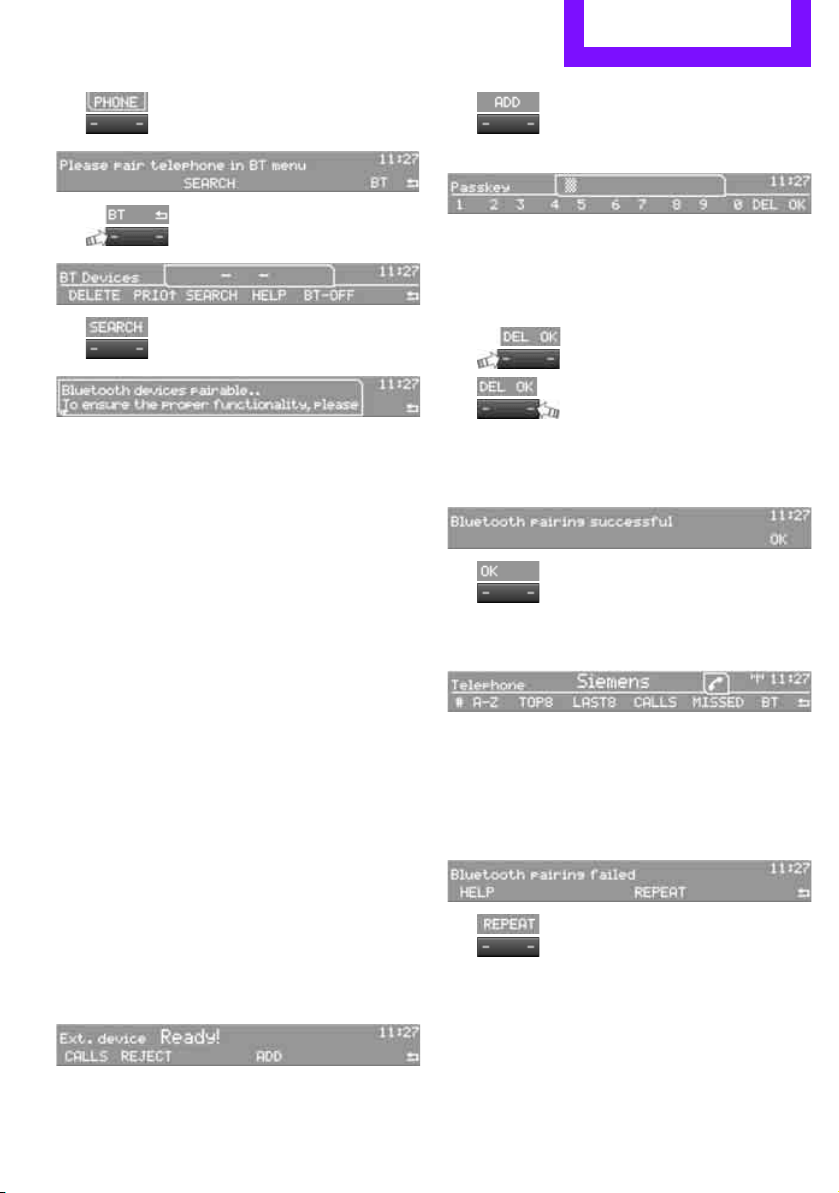
Telephone Communications
117
4.
Press the button.
5.
Press the button.
6.
Press the button.
Turn the right rotary knob to display the Blue-
tooth name of your vehicle on the display.
Preparation with mobile phone
7. Other operations must be performed on the
mobile phone and differ depending on the
type of mobile phone, refer to Owner's Man-
ual for the mobile phone, e.g. under Con-
necting or pairing Bluetooth device. The
Bluetooth name of the vehicle appears on
the mobile phone display.
8. Select the Bluetooth name of the vehicle on
the mobile phone display.
Pairing
The mobile phone or the radio display will
prompt you to enter the same Bluetooth pass-
key.
Depending on the mobile phone, you have
approx. 30 seconds to enter the Bluetooth pass-
key using the mobile phone and the radio dis-
play.
If the Bluetooth passkey can be entered using
the radio, then the following appears on the dis-
play:
:
9. Enter the Bluetooth passkey using the num-
ber buttons of the mobile phone.
10.
Press the button to enter the Blue-
tooth passkey using the radio.
11. Using the function buttons 0-9, enter the
same Bluetooth passkey that was entered
into the mobile phone.
To delete the last digit:
Press the button.
12.
Press the button to confirm the
Bluetooth passkey.
The following display will appear after a few
seconds:
13.
Press the button if necessary.
The following display will appear after the
mobile phone is paired:
If pairing was successful, the mobile phone
appears at the top of the list of mobile phones.
If the pairing was not successful: what to do if…,
refer to page 118.
To repeat the pairing procedure:
1.
Press the button.
2. Repeat steps 6 to 13.
If the pairing was not successful when repeated:
> Suitable phones can be found at
www.mini.com/connectivity
> E-mail: [email protected]
> Hotline, also refer to page 124.
Online Edition for Part no. 01 40 2 607 530 - © 03/11 BMW AGOnline Edition for Part no. 01 40 2 607 530 - © 03/11 BMW AG
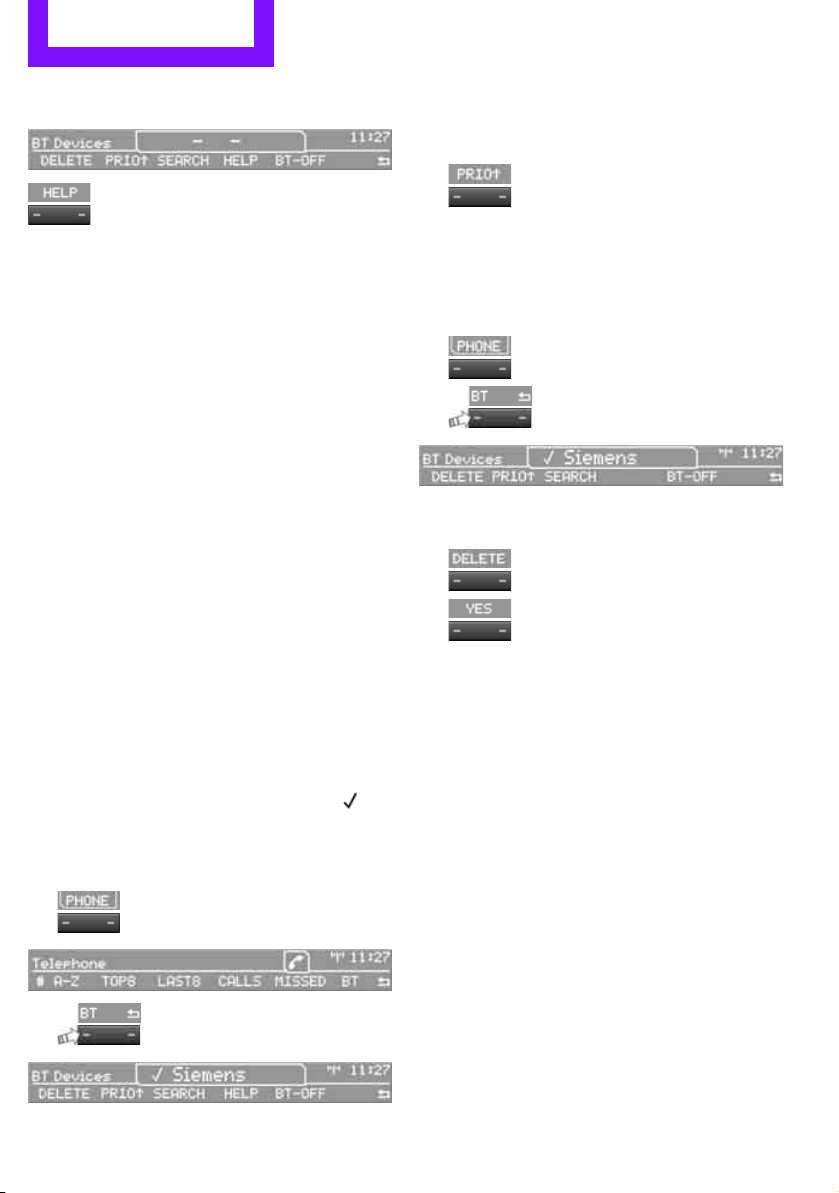
Communications Telephone
118
To display the Hotline phone number:
Press the button.
Turn the right rotary knob to display the Hotline
phone number and to display required pairing
information on the display.
Following the initial pairing
> The mobile phone is detected/connected in
the vehicle within a short period of time
when the engine is running or radio readi-
ness is switched on.
> After identification, phone book entries are
imported from the mobile phone and/or SIM
card
* of the telephone, depending on the
telephone.
> Specific settings may be necessary in some
mobile phones, e.g. authorization or a
secure connection, refer to the mobile
phone operating instructions.
Connecting a particular mobile phone
If more than one mobile phone is detected by
the vehicle, the mobile phone at the top of the
list is connected. A different mobile phone can
be connected by selecting it.
The connected mobile phone is identified with
the following symbol in the radio display:
To change the sequence of mobile phones in the
list:
1. Press the MENU button.
2.
Press the button.
3.
Press the button.
4. Turn the right rotary knob until the display
shows the mobile phone whose position in
the list is to be changed.
5.
Press the button the number of
times required to reach the desired position.
Unpairing mobile phone
1. Switch off mobile phone.
2. Press the MENU button.
3.
Press the button.
4.
Press the button.
5. Turn the right rotary knob to show the
desired mobile phone on the radio display.
6.
Press the button.
7.
Press the button to acknowledge
the message displayed.
What to do if…
For information on suitable mobile phones, refer
to page 114.
The mobile phone could not be paired or con-
nected.
> Is Bluetooth activated in the vehicle and in
the mobile phone? Activate Bluetooth in the
vehicle and in the mobile phone.
> Do the Bluetooth passkeys on the mobile
phone and the vehicle match? Enter the
same passkey on the mobile phone and via
the radio.
> Is the passkey input taking longer than
30 seconds? Repeat the pairing procedure.
> Are too many Bluetooth devices connected
to the mobile phone? If so, delete the con-
nections with other devices on the mobile
phone.
Online Edition for Part no. 01 40 2 607 530 - © 03/11 BMW AGOnline Edition for Part no. 01 40 2 607 530 - © 03/11 BMW AG
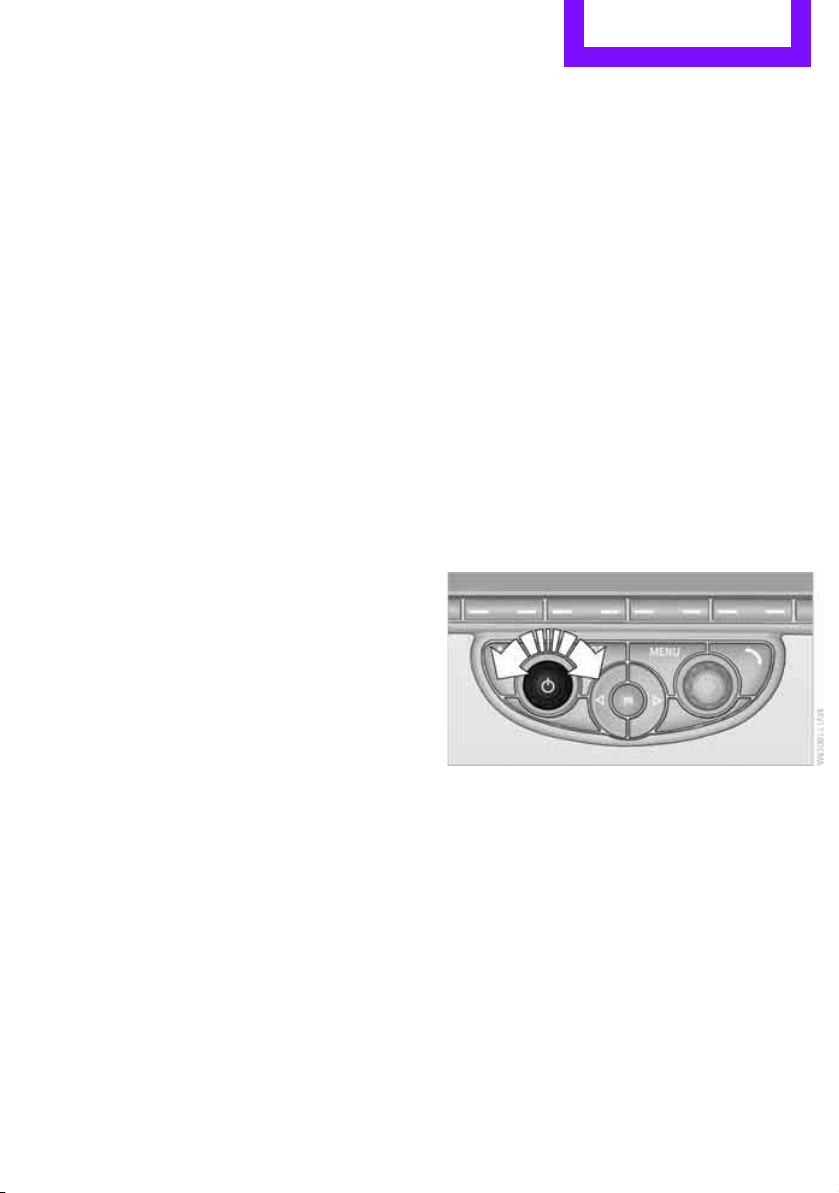
Telephone Communications
119
> Is the mobile phone in power economy
mode or does it only have a small amount of
battery charge remaining? Charge the
mobile phone in the snap-in adapter
* or via
a charging cable.
> Depending on the mobile phone, it may only
be possible to connect one device to the
vehicle. Unpair the connected device from
the vehicle and only pair and connect one
device.
> Is the mobile phone no longer responding?
Switch the mobile phone off and back on
again. Repeat the pairing procedure.
> Delete the pairing on the mobile phone and
possibly on the radio and retry.
Phone book entries are not displayed, not all of
them are displayed, or they are displayed
incompletely.
> The transfer of phone book entries has not
yet completed.
> It is possible that only the phone book
entries of the mobile phone or the SIM card
*
are transferred.
> It may not be possible to display phone book
entries with special characters.
> The number of phone book entries to be
stored is too high.
> The data volume of the phone book entry is
too great, e.g. due to additionally stored
information such as notes? Reduce the data
volume.
The telephone connection quality is low.
> Depending on the mobile phone, it is possi-
ble to adjust the strength of the Bluetooth
signal.
> Insert the mobile phone into the snap-in
adapter
* or place it in the vicinity of the cen-
ter console.
> Adjust the volume of the microphone and
speaker separately.
If you have gone through all items in the list and
still cannot activate the desired function please
contact the Hotline or your MINI dealer.
Operation
Overview
The following functions can be operated using
the radio:
> Accepting/refusing a call
> Dialing phone numbers
> Dialing a phone number from the phone
book
> Dialing a stored phone number, e.g. from
the list of accepted calls
> Ending a call
When the ignition is switched off and radio
readiness switched on, e.g. after removal of the
infrared remote control, an ongoing conversa-
tion can be continued for a maximum of
25 minutes using the hands-free system.
Adjusting volume
Turn the knob until the desired volume is
reached.
The volume for incoming calls and call volume
can be adjusted independently of each other.
The setting is stored for the remote control cur-
rently in use.
Incoming call
Receiving calls
If the phone number of the caller is stored in the
phone book and the phone number is transmit-
ted, then the name of the entry is displayed.
Online Edition for Part no. 01 40 2 607 530 - © 03/11 BMW AGOnline Edition for Part no. 01 40 2 607 530 - © 03/11 BMW AG
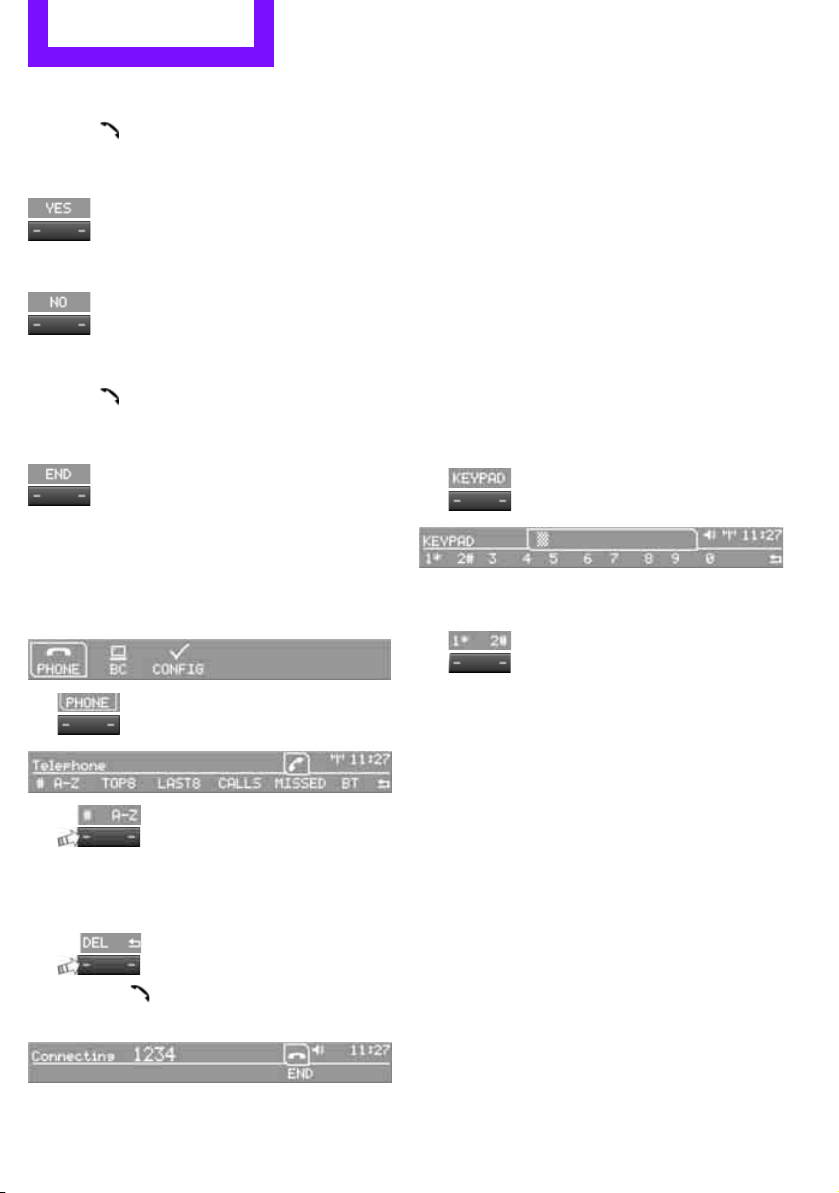
Communications Telephone
120
Accepting a call
Press the button on the radio or on the steer-
ing wheel.
Alternative:
Press the button.
Callrejecting
Press the button.
Ending a call
Press the button on the radio or on the steer-
ing wheel.
Alternative:
Press the button.
Entering phone numbers
Dialing a number
1. Press the MENU button.
2.
Press the button
3.
Press the button.
4. Enter the desired phone number using the
0-9 buttons.
To delete the last digit:
Press the button.
5. Press the button on the radio or on the
steering wheel.
Alternative:
Press the right rotary knob to dial the phone
number.
For your phone number to be displayed to the
person you are calling, the display of phone
numbers must be enabled by your service pro-
vider.
Keypad dialing
Use keypad dialing to gain access to network
services or to control devices, e.g. to remotely
access an answering machine. This requires the
DTMF code.
This function is available if a connection has
been established and the call is being made
using the hands-free system.
1.
Press the button.
2. Enter the desired code using the 0-9 but-
tons.
3.
If needed, press and hold the but-
ton on the right or left side to enter special
characters.
Dialing a phone number from the phone
book or from phone numbers stored in a
list
Phone numbers dialed, incoming calls, and
phone book entries are stored in lists when the
mobile phone is connected to the vehicle via
Bluetooth. If the caller is entered in the phone
book, then the name of the entry is displayed
instead of the phone number.
Select the desired name from the list and estab-
lish the connection.
There are five available lists:
> "A-Z"
The entries of the phone book, the SIM
card
*, or the mobile phone, composed of a
Online Edition for Part no. 01 40 2 607 530 - © 03/11 BMW AGOnline Edition for Part no. 01 40 2 607 530 - © 03/11 BMW AG
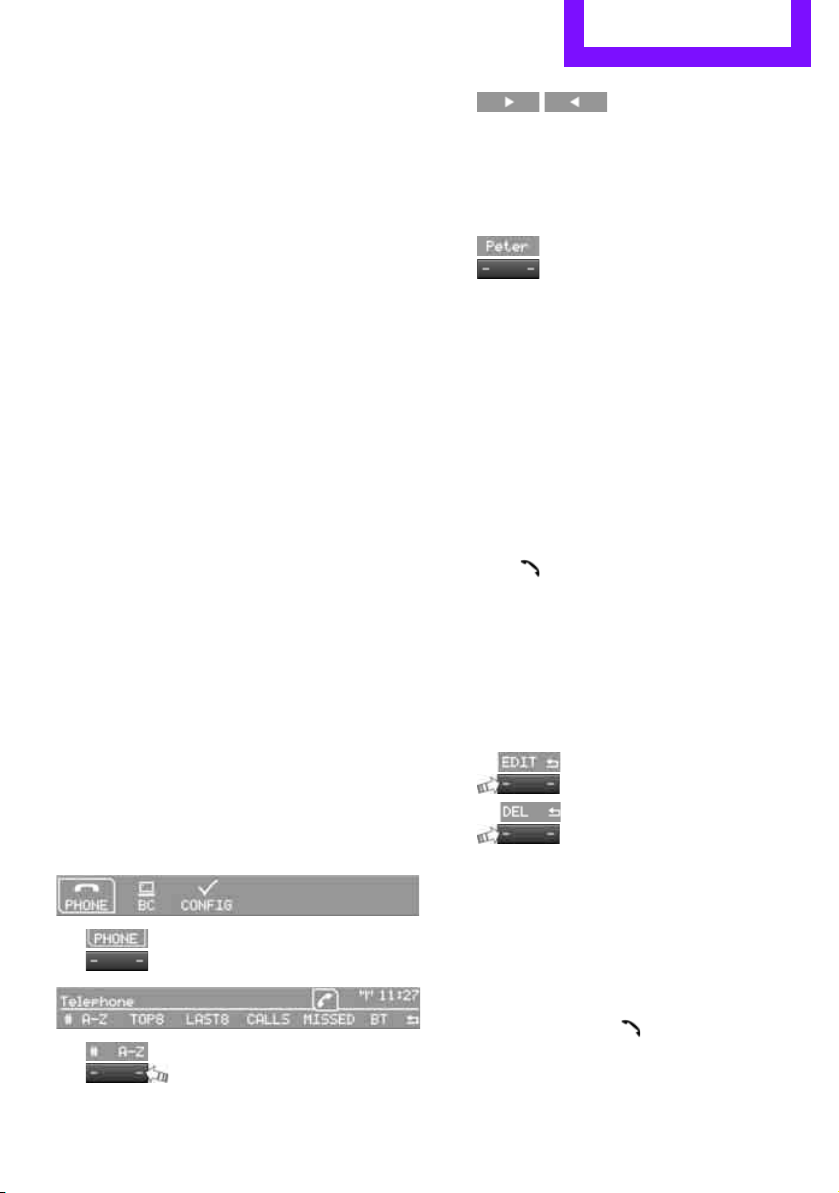
Telephone Communications
121
name and phone number, are sorted alpha-
betically.
> "TOP8"
The Top 8 list automatically stores the eight
phone numbers of the phone book that are
dialed the most frequently.
> "LAST8"
The last eight phone numbers you have
dialed are stored automatically. The phone
number dialed last appears at the top of the
list.
> "CALLS"
The phone numbers of the last eight
accepted calls are stored. This requires the
phone number of the caller to have been
transmitted.
> "MISSED"
The phone numbers of the last eight calls
that were not accepted are stored. This
requires the phone number of the caller to
have been transmitted.
Dialing a phone number from the phone
book
The A-Z list is available for phone book entries. If
entries with different names, but the same
phone number are transferred from the mobile
phone to the vehicle, only one entry is displayed.
The displays of the phone book entries on the
radio display can differ from the displays on the
mobile phone display, e.g. sequence of the first
and last names.
1. Press the MENU button.
2.
Press the button.
3.
Press the button.
The arrows indicate that
additional letters can be displayed.
Turn the right rotary knob to display addi-
tional letters.
4. Turn the right rotary knob to select the first
letters of the desired entry.
5.
Press the button if so desired.
The phone number is dialed.
To display all entries:
1. Turn the right rotary knob to select the first
letters of the desired entry and press the
right rotary knob.
2. Turn the right rotary knob to select the
desired entry and press the right rotary
knob.
The phone number is dialed.
The phone number can also be dialed using the
buttons on the steering wheel or radio:
Press the button.
Editing and dialing a phone number
from the phone book
The phone number of an entry can be edited
before a call. This change is not stored in the
phone book.
1. Select an entry.
2.
Press the button.
3.
Press the button to delete a digit.
4. Enter additional digits using the 0-9 buttons.
5. Press the right rotary knob to dial the phone
number.
Dialing a phone number from the phone
book using buttons on the steering
wheel
1. Press and hold the button to display the
telephone menu.
2. Use the arrow buttons on the steering wheel
to scroll through the phone book.
Online Edition for Part no. 01 40 2 607 530 - © 03/11 BMW AGOnline Edition for Part no. 01 40 2 607 530 - © 03/11 BMW AG
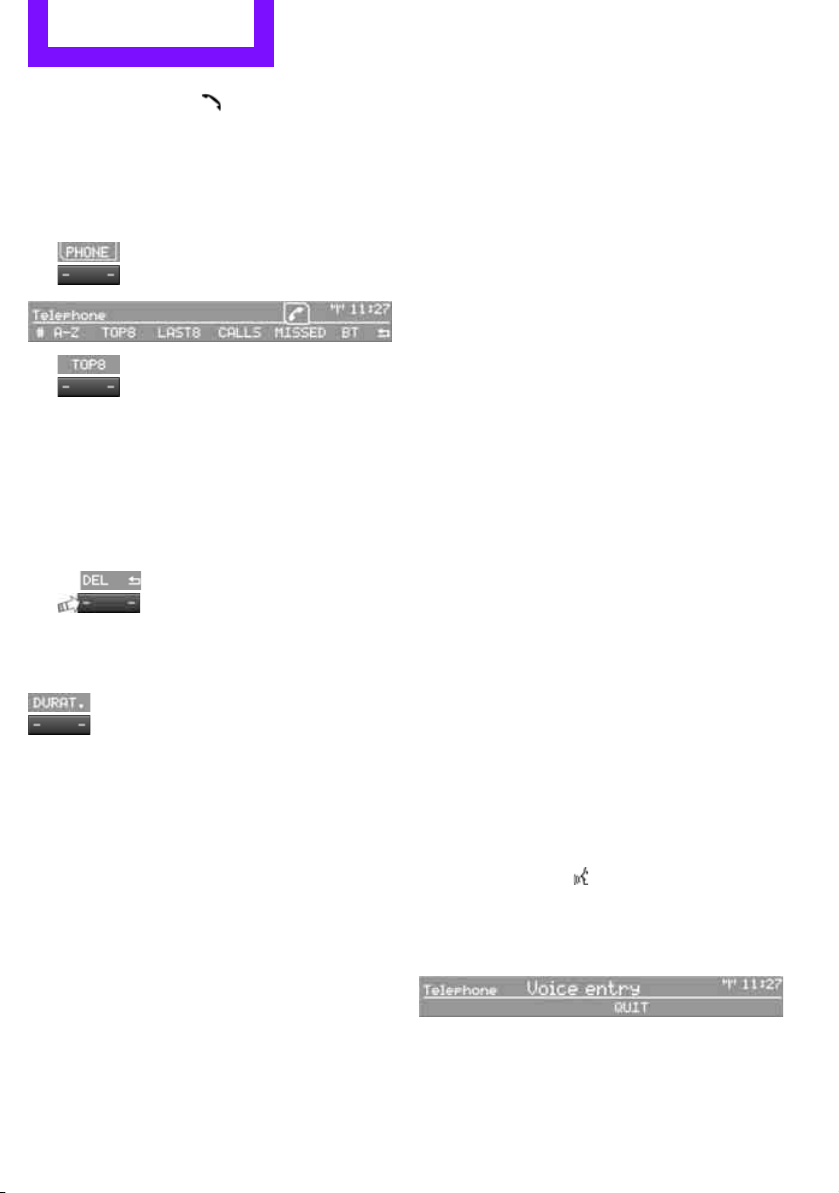
Communications Telephone
122
3. Press and hold the button to dial the
phone number.
Dialing a phone number stored in a list
To select an entry and establish a connection:
1. Press the MENU button.
2.
Press the button.
3.
Press the desired button to select
one of the four lists.
4. Turn the right rotary knob to select an entry
and press the right rotary knob to dial the
phone number.
Deleting an individual entry
1. Select the desired entry from the list.
2.
Press the button.
Displaying call duration
To display the duration during a call:
Press the button.
Hands-free system
General information
Calls being conducted using the hands-free sys-
tem can be continued using the mobile phone
and vice versa.
From the mobile phone to the hands-
free system
Calls that have been initiated from outside the
Bluetooth range of the vehicle can be continued
using the hands-free system if the ignition is
switched on.
Depending on the mobile phone, the call is
automatically switched to hands-free mode.
If the switch does not occur automatically, then
follow the instructions that appear on the dis-
play of the mobile phone, also refer to the
Owner's Manual for the mobile phone.
From hands-free system to mobile
phone
Calls being conducted using the hands-free sys-
tem can also be continued using the mobile
phone if so desired, depending on the mobile
phone.
At this point, follow the instructions that appear
on the display of the mobile phone, also refer to
the Owner's Manual for the mobile phone.
Operation by voice*
The concept
> The mobile phone can be operated without
removing your hand from the steering
wheel.
> In many cases, the entry process is sup-
ported by means of announcements or
questions.
> {...} Verbal instructions to use with the voice
activation system.
> {{...}}
Identifies the anwsers generated by
the voice activation system.
Voice commands
Activating voice activation system
1. Briefly press the button on the steering
wheel.
An acoustic signal indicates that commands
can be spoken aloud. Display on the radio:
2. Say the command.
Online Edition for Part no. 01 40 2 607 530 - © 03/11 BMW AGOnline Edition for Part no. 01 40 2 607 530 - © 03/11 BMW AG

Telephone Communications
123
Finishing voice input
Press the button on the steering wheel
briefly
or
Possible commands
Having possible commands read aloud
Press the button on the steering wheel.
Possible commands are read aloud.
Each digit can be spoken individually or com-
bined into a sequence to accelerate the entry
process.
Using alternative commands
There are often a number of commands to run a
function, e.g.:
Example: dialing phone numbers
1. Briefly press the button on the steering
wheel.
2. {Dial number}
3. The system replies: {{Please say the num-
ber}}
4. For example: {123 456 7890}
5. The system replies: {{123 456 7890. Con-
tinue?}}
6. {Dial}
The system replies: {{Dialing number}}
Calling
Dialing phone numbers
The connection to the desired subscriber is
established.
Correcting phone number
Digit sequences can be deleted after the system
has repeated the digits.
The command can be repeated as often as nec-
essary.
Deleting phone number
All digits entered up to this point are deleted.
Redialing
Voice phone book*
Depending on how your vehicle is equipped, it
may be necessary to create your own voice
phone book.
Depending on the equipment you have, the
entries are imported from the mobile phone's
memory or have to be entered independently of
it. In this case, phone numbers stored in the
mobile phone cannot be accessed by voice or
stored in the mobile phone by voice.
Storing the entry
Deleting the entry
{Cancel}.
{Help}.
{Dial name} or {Name}.
1. {Dial number}.
2. Say the phone number.
3. {Dial}.
{Correct number}.
{Delete}.
{Redial}.
1. {Save name}.
2. Say the name aloud. Do not exceed a
speaking duration of about 2 seconds.
3. Say the phone number after being
prompted to do so by the system.
4. {Save}.
1. {Delete name}.
2. Say the name when prompted.
3. Confirm the query with {Yes}.
Online Edition for Part no. 01 40 2 607 530 - © 03/11 BMW AGOnline Edition for Part no. 01 40 2 607 530 - © 03/11 BMW AG
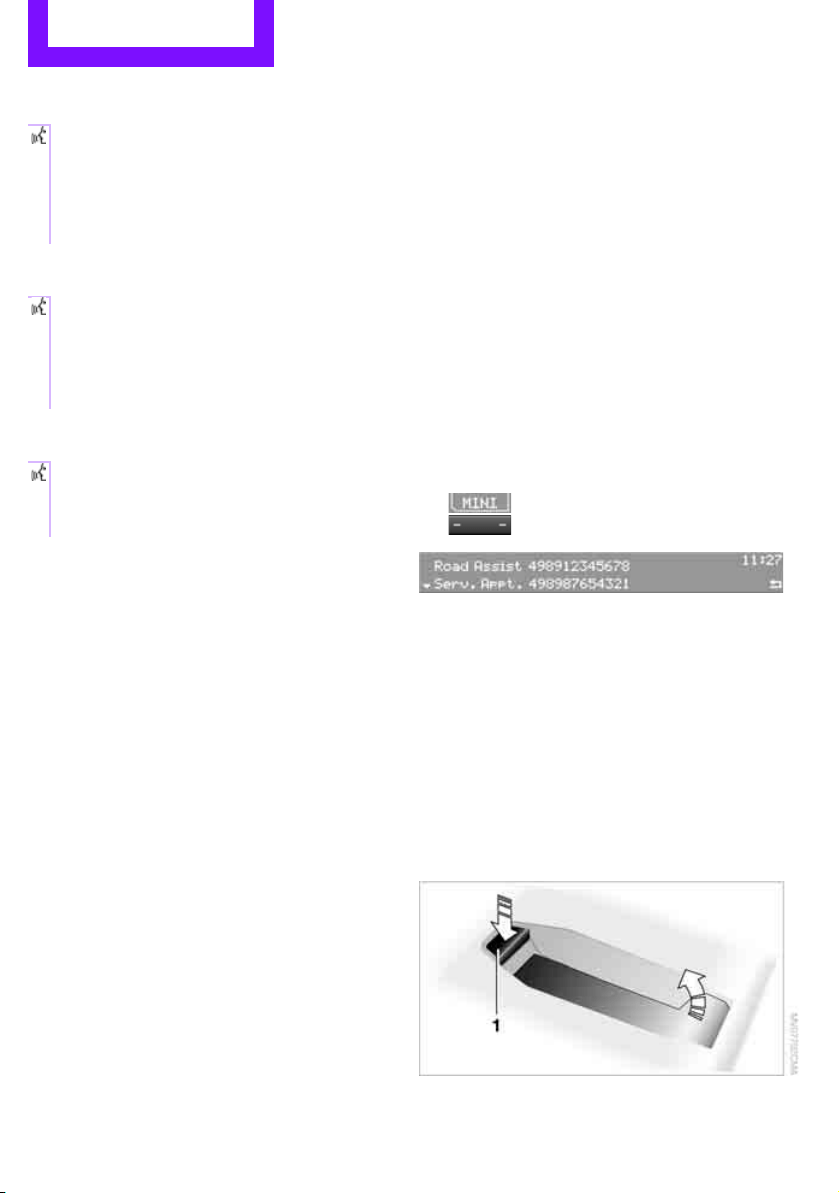
Communications Telephone
124
Deleting all entries
To listen to and select the entries:
Selecting an entry
Adjusting volume
Turn knob during announcement.
> The volume remains the same, even if the
volume of other audio sources is changed.
> The volume is stored for the remote control
currently in use.
Notes
Do not use the voice activation system to initiate
an emergency call. In stressful situations, the
voice and vocal pitch can change. This can
unnecessarily delay the establishment of a tele-
phone connection.
Ambient conditions
> Say the commands, numbers and letters
smoothly and with normal volume, empha-
sis and speed.
> Always say commands in the language of
the voice activation system.
> Keep doors, windows, glass sunroof
*/pan-
oramic sunroof
*, or convertible top* closed
to avoid noise interference.
> Avoid ambient noise in the vehicle while
speaking.
MINI contact*
When the ignition is switched on, several MINI
dealer phone numbers can be displayed.
> "Road Assist": roadside service
*, if you
require assistance in the event of a flat tire.
> "Service": MINI dealer, for example if you
need to make a service appointment.
> "Cust Relat": MINI Hotline
* for information
about your vehicle.
Displaying phone numbers
1. Press the MENU button.
2.
Press the button.
3. Turn the right rotary knob until the desired
phone number is displayed.
Snap-in adapter*
Installation location
In the center armrest.
Inserting snap-in adapter
1. Press the button and remove the cover.
1. {Delete phonebook}.
The dialog for deleting phone book is
opened.
2. Confirm the query with {Yes}.
3. Confirm the query again with {Yes}.
1. {Read phonebook}.
The dialog for reading phone book is
opened.
2. Say {Dial number} when the desired
entry is read.
1. {Dial name}.
2. Say the name when prompted.
3. Confirm the query with {Yes}.
Online Edition for Part no. 01 40 2 607 530 - © 03/11 BMW AGOnline Edition for Part no. 01 40 2 607 530 - © 03/11 BMW AG
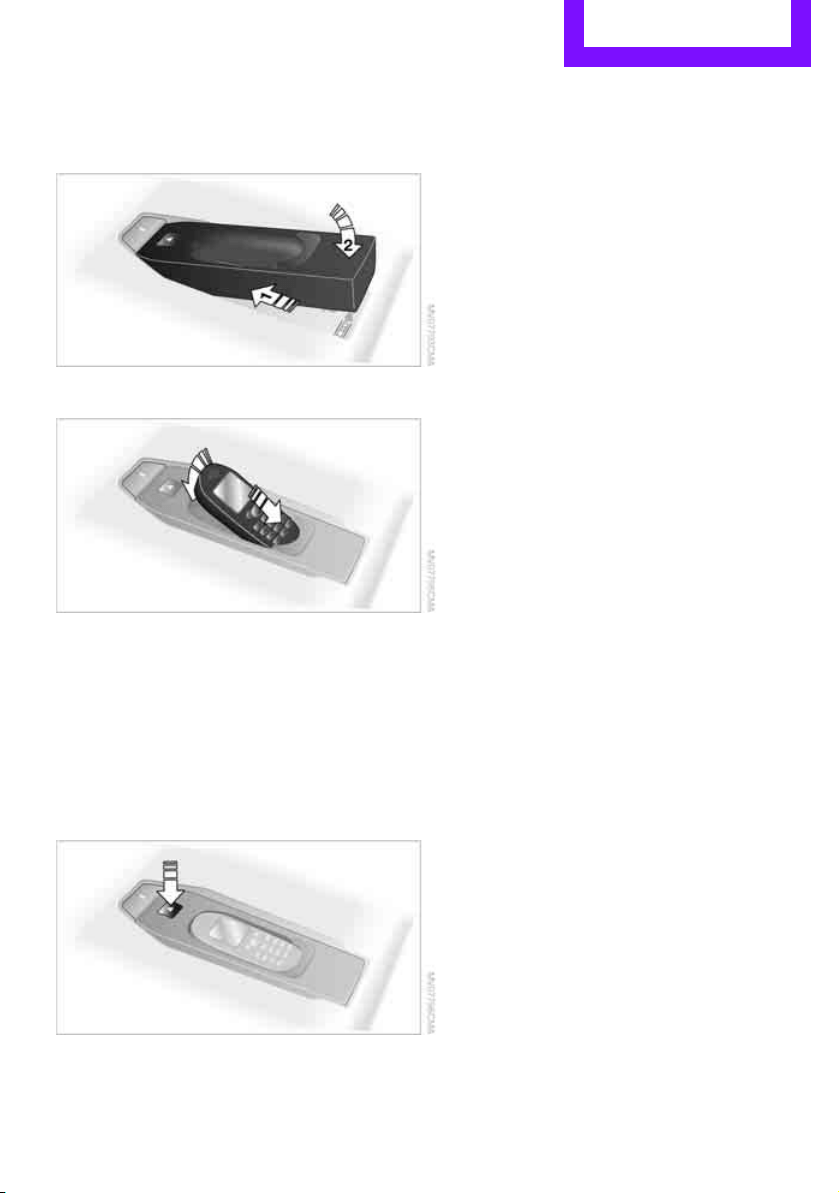
Telephone Communications
125
2. Insert the snap-in adapter at the front,
arrow 1, and press downward, arrow 2, until
it clicks into place.
Inserting mobile phone
1. Depending on the mobile phone, it may be
necessary to remove the protective cap of
the antenna connector and from the USB
connection of the mobile phone.
2. Push the mobile phone with the buttons fac-
ing upward toward the electrical connec-
tions and press down until it engages.
Removing mobile phone
Press the button and remove the mobile phone.
Online Edition for Part no. 01 40 2 607 530 - © 03/11 BMW AGOnline Edition for Part no. 01 40 2 607 530 - © 03/11 BMW AG

Move Me.
Online Edition for Part no. 01 40 2 607 530 - © 03/11 BMW AG

AT A GLANCE
Controls
Driving tips
Entertainment
Communications
Reference
Mobility
Online Edition for Part no. 01 40 2 607 530 - © 03/11 BMW AG
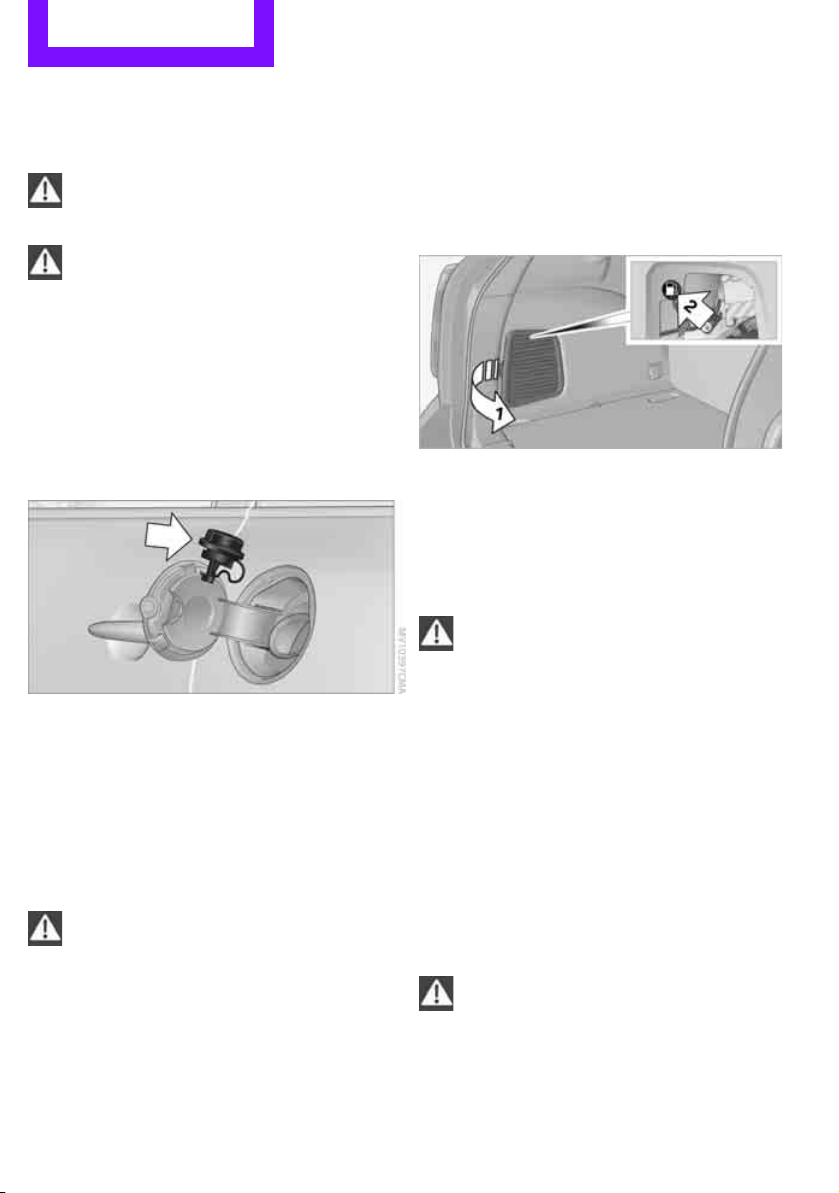
Mobility Refueling
128
Refueling
Switch off the engine before refueling;
otherwise, fuel cannot be added to the
tank and a message will be displayed.<
Take all precautionary measures and
observe all applicable regulations when
handling fuel. Do not carry any spare fuel con-
tainers in your vehicle. They can develop a leak
and cause an explosion or cause a fire in the
event of an accident.<
Fuel filler flap
Opening
1. Open the fuel filler flap.
2. Turn the fuel cap counterclockwise.
3. Place the fuel cap in the bracket attached to
the fuel filler flap.
Closing
Fit the cap and turn it clockwise until you clearly
hear a click.
Do not pinch the band attached to the
cap; otherwise, the cap cannot be closed
properly and fuel vapors can escape. A message
will be displayed if the fuel cap is loose or miss-
ing.<
Manually releasing the fuel filler flap
In the event of an electrical malfunction, you can
manually release the fuel filler flap:
1. Open cargo area trim panel, arrow 1.
2. Pull the green knob with the gas pump sym-
bol, arrow 2.
The fuel filler flap opens.
Observe the following when refueling
Take all precautionary measures and
observe all applicable regulations when
handling fuel; otherwise, there is a danger of
personal injury and property damage.<
When refueling, insert the filler nozzle com-
pletely into the filler pipe. Avoid lifting the filler
nozzle while filling the tank, as that would lead
to
> premature pump shutoff
> reduced efficiency of the fuel-vapor recov-
ery system.
The fuel tank is full when you top off twice after
the first time that the fuel pump nozzle clicks off.
Fuel tank capacity
Refuel as soon as possible once your cruis-
ing range falls below 30 miles/50 km, oth-
erwise engine functions are not ensured and
damage can occur.<
Approx. 12.3 US gal/47 liters, including the
reserve capacity of 2.1 US gal/8 liters.
Online Edition for Part no. 01 40 2 607 530 - © 03/11 BMW AGOnline Edition for Part no. 01 40 2 607 530 - © 03/11 BMW AG
Refueling Mobility
129
Fuel specifications
Fuels that are labeled at the pump as containing
metal may not be used.
Do not fill the tank with leaded gasoline or
gasoline that contains metal additives,
such as manganese or iron; otherwise, long term
damage to the catalytic converter or other com-
ponents may result.
Do not fill the tank with E85, i.e. fuel containing
85% ethanol, nor with FlexFuel. Otherwise, the
engine and fuel supply system will be dam-
aged.<
Required fuel
Super premium gasoline/AKI 91
This gasoline is highly recommended.
However, you may also use gasoline with less
AKI. The minimum AKI rating is:
> Cooper S: 89
> Cooper: 87
If you use gasoline with this minimum AKI rating,
the engine may produce knocking sounds when
starting at high outside temperatures. This has
no effect on the engine life.
Do not use any gasoline below the speci-
fied minimum fuel grade. Otherwise, the
engine could be damaged.<
Use high-quality brands
Field experience has indicated significant differ-
ences in fuel quality: volatility, composition,
additives, etc., among gasolines offered for sale
in the United States and Canada. Fuels contain-
ing up to and including 10% ethanol or other
oxygenates with up to 2.8% oxygen by weight,
that is, 15% MTBE or 3% methanol plus an
equivalent amount of cosolvent, will not void
the applicable warranties with respect to defects
in materials or workmanship.
The use of poor-quality fuels may result in
drivability, starting and stalling problems
especially under certain environmental condi-
tions such as high ambient temperature and
high altitude.
Should you encounter drivability problems
which you suspect could be related to the fuel
you are using, we recommend that you respond
by switching to a recognized high-quality brand
such as gasoline that is advertised as Top Tier
Detergent Gasoline.
Failure to comply with these recommendations
may also result in unscheduled maintenance.<
Online Edition for Part no. 01 40 2 607 530 - © 03/11 BMW AGOnline Edition for Part no. 01 40 2 607 530 - © 03/11 BMW AG
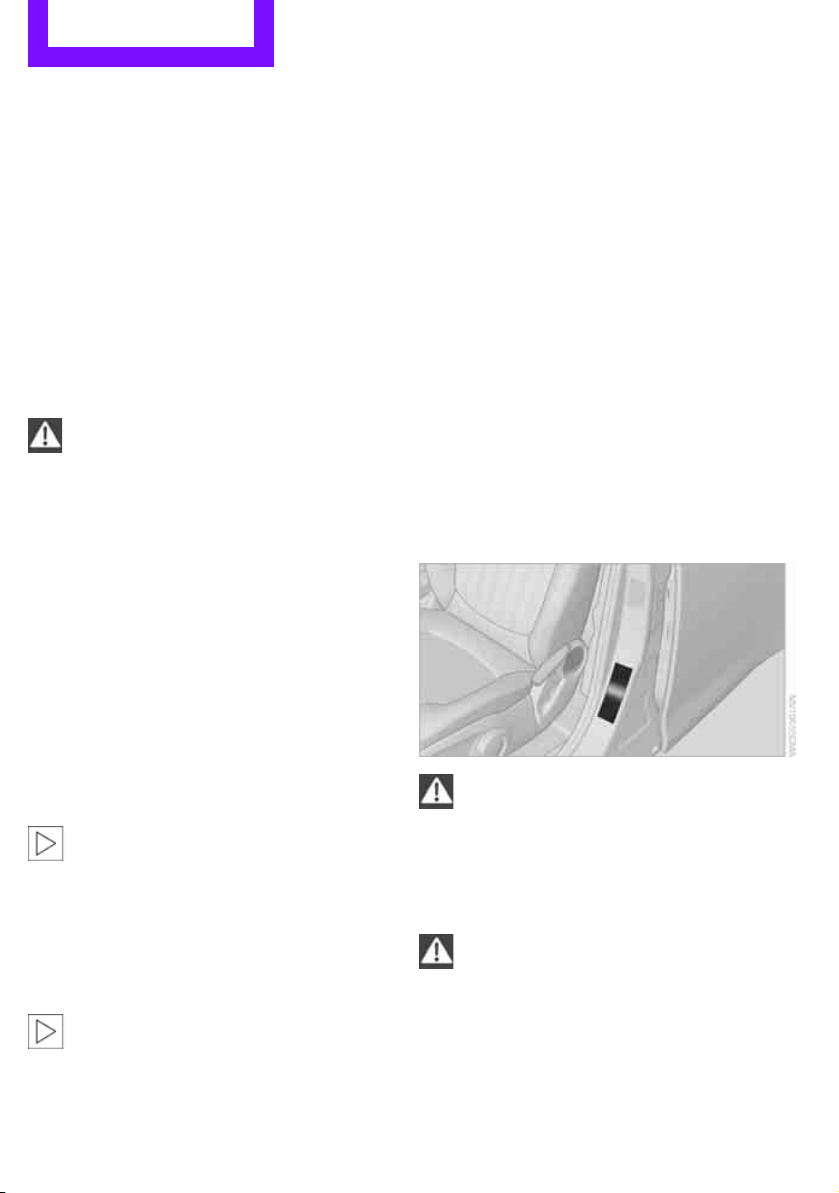
Mobility Wheels and tires
130
Wheels and tires
Tire inflation pressures
Information for your safety
It is not merely the tires' service life, but also
driving comfort and, to a great extent, driving
safety that depend on the condition of the tires
and the maintenance of the specified tire pres-
sure.
Checking pressure
Check the tire inflation pressure regularly
and correct it, if necessary: at least twice a
month and before starting long trips. If you fail
to observe this precaution you may be driving
on tires with incorrect tire pressures, a condition
that can not only compromise your vehicle's
driving stability, but also lead to tire damage and
the risk of an accident. Do not drive with
deflated, i.e. flat tires, except when using run-
flat tires. A flat tire will seriously impair your
vehicle's handling and braking response.
Attempts to drive on a flat tire can lead to loss of
control over the vehicle.<
Check the tire inflation pressures only on cold
tires. This means after a maximum of 1.25 miles/
2 km driving or when the vehicle has been
parked for at least 2 hours. When tires are warm,
the tire inflation pressure is higher.
After adjusting the tire inflation pressure,
reinitialize the flat tire monitor, page 63,
or reset the Tire Pressure Monitor, page 65.<
Pressure specifications
The tables below provide all the correct inflation
pressures for the specified tire sizes at ambient
temperature.
The tire inflation pressures apply to the
tire sizes approved and the tire brands
recommended by the manufacturer of your
MINI. Your MINI dealer will be glad to advise
you.<
For correct identification of the right tire infla-
tion pressures, observe the following:
> Tire sizes for your vehicle
> Maximum allowable driving speed
Tire inflation pressures for driving up to
100 mph or 160 km/h
For normal driving up to 100 mph or 160 km/h
and to achieve optimum driving comfort, adjust
pressures to the respective tire inflation pres-
sures listed on the following pages in the col-
umns for traveling speeds up to a maximum of
100 mph or 160 km/h.
These tire inflation pressures can also be found
on the driver's side door pillar when the driver's
door is open.
The maximum permitted speed for these
tire inflation pressures is 100 mph or
160 km/h. Do not exceed this speed; otherwise,
tire damage and accidents may occur.<
Tire inflation pressures for driving above
100 mph or 160 km/h
In order to drive at maximum speeds in
excess of 100 mph or 160 km/h, adjust
pressures to the respective tire inflation pres-
sures listed on the following pages in the col-
umns for traveling speeds including those
exceeding 100 mph or 160 km/h. Otherwise,
tire damage and accidents could occur.<
Online Edition for Part no. 01 40 2 607 530 - © 03/11 BMW AGOnline Edition for Part no. 01 40 2 607 530 - © 03/11 BMW AG

Wheels and tires Mobility
131
Observe all national and local maximum speed
limits; otherwise, violations of the law could
occur.
Online Edition for Part no. 01 40 2 607 530 - © 03/11 BMW AGOnline Edition for Part no. 01 40 2 607 530 - © 03/11 BMW AG
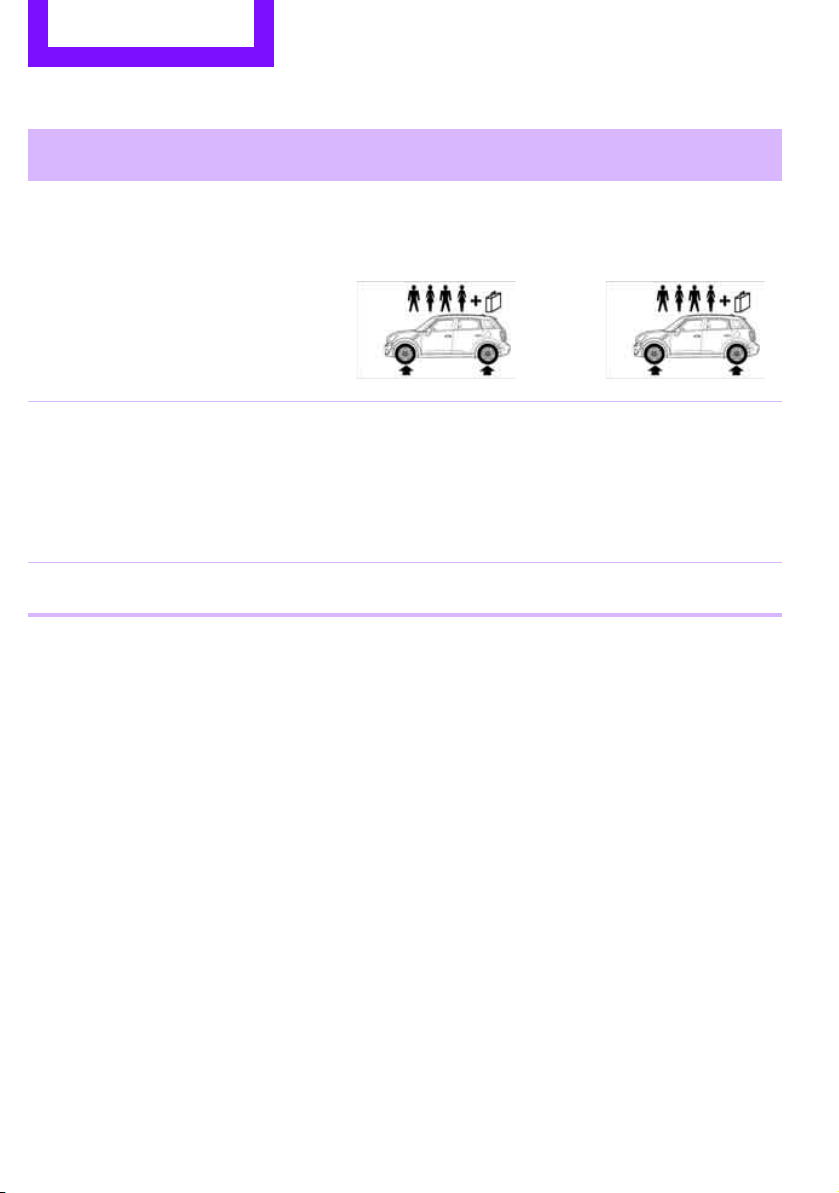
Mobility Wheels and tires
132
Tire inflation pressures MINI Cooper Countryman
Tire size Pressure specifications in psi/kPa
Speeds up to a
max. of 100 mph /
160 km/h
Speeds including those
exceeding
100 mph / 160 km/h
All pressure specifications in the
table are indicated in psi/kilopas-
cal with cold tires. Cold = ambient
temperature
195/60 R 16 89 H M+S
205/55 R 17 91 H M+S
205/55 R 17 91 H M+S RSC
205/55 R 17 91 V RSC
225/45 R 18 91 V RSC
225/40 R 19 89 V RSC
32/220 32/220 35/240 35/240
More details on the permissible load and weights can be found on page 178.
Online Edition for Part no. 01 40 2 607 530 - © 03/11 BMW AGOnline Edition for Part no. 01 40 2 607 530 - © 03/11 BMW AG
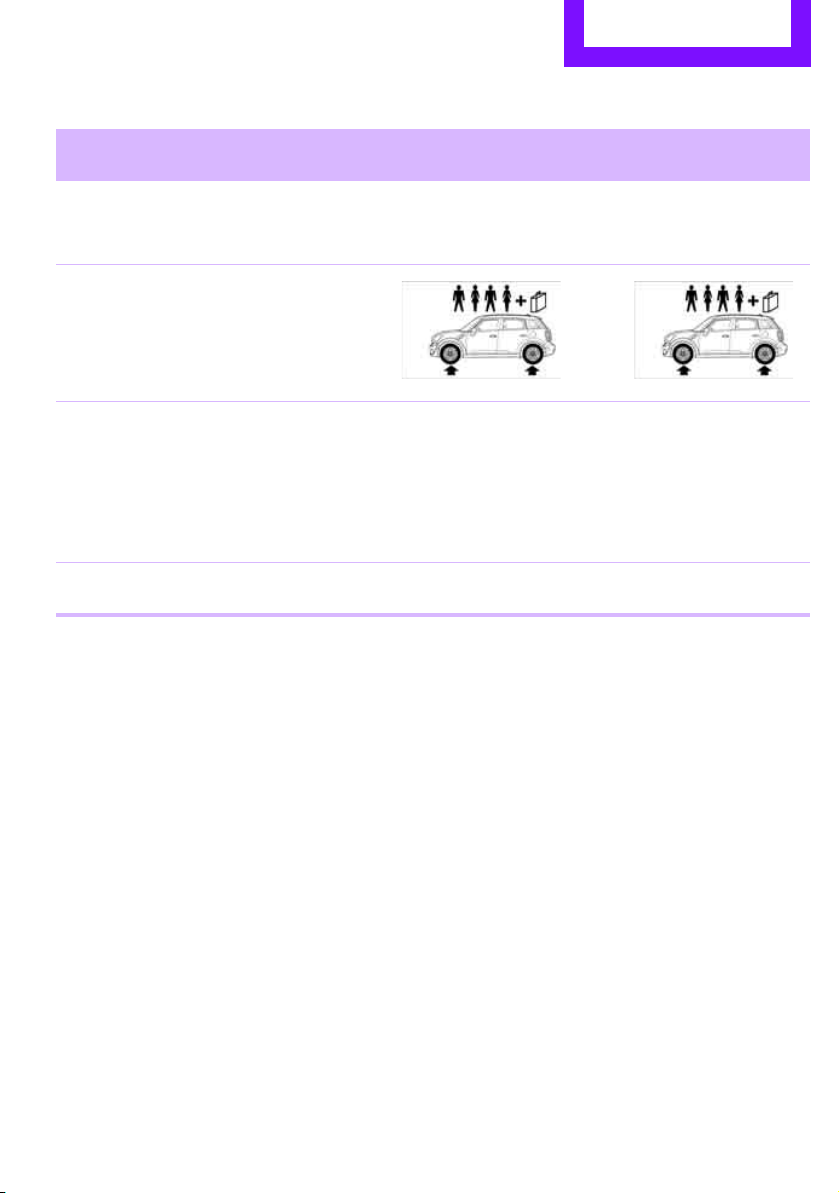
Wheels and tires Mobility
133
Tire inflation pressures MINI Cooper S Countryman / Cooper S ALL4 Countryman
Tire size Pressure specifications in psi/kPa
Speeds up to a
max. of 100 mph /
160 km/h
Speeds including those
exceeding
100 mph / 160 km/h
All pressure specifications in the
table are indicated in psi/kilopas-
cal with cold tires. Cold = ambient
temperature
195/60 R 16 89 H M+S
205/55 R 17 91 H M+S
205/55 R 17 91 H M+S RSC
205/55 R 17 91 V RSC
225/45 R 18 91 V RSC
225/40 R 19 89 V RSC
32/220 32/220 38/260 38/260
More details on the permissible load and weights can be found on page 178.
Online Edition for Part no. 01 40 2 607 530 - © 03/11 BMW AGOnline Edition for Part no. 01 40 2 607 530 - © 03/11 BMW AG

Mobility Wheels and tires
134
Tire identification marks
Knowledge of the labeling on the side of the tire
makes it easier to identify and choose the right
tires.
Tire size
Speed letter
Q = up to 100 mph or 160 km/h
T = up to 118 mph or 190 km/h
H = up to 131 mph or 210 km/h
V = up to 150 mph or 240 km/h
W = up to 167 mph or 270 km/h
Y = up to 186 mph or 300 km/h
Tire Identification Number
Tires with DOT codes meet the guidelines of the
US Department of Transportation.
DOT code:
Uniform Tire Quality Grading
Quality grades can be found where applicable
on the tire sidewall between tread shoulder and
maximum section width. For example:
Tread wear 200 Traction AA
Temperature A
DOT Quality Grades
Tread wear
Traction AA A B C
Temperature A B C
All passenger car tires must conform to
Federal Safety Requirements in addition
to these grades.<
Tread wear
The tread wear grade is a comparative rating
based on the wear rate of the tire when tested
under controlled conditions on a specified gov-
ernment test course. For example, a tire graded
150 would wear one and one-half (1γ) times as
well on the government course as a tire graded
100. The relative performance of tires depends
upon the actual conditions of their use, how-
ever, and may depart significantly from the
norm due to variations in driving habits, service
practices and differences in road characteristics
and climate.
Traction
The traction grades, from highest to lowest, are
AA, A, B, and C.
Those grades represent the tire’s ability to stop
on wet pavement as measured under controlled
conditions on specified government test sur-
faces of asphalt and concrete. A tire marked C
may have poor traction performance.
The traction grade assigned to this tire is
based on straight-ahead braking traction
tests, and does not include acceleration, corner-
ing, hydroplaning, or peak traction characteris-
tics.<
Temperature
The temperature grades are A, the highest, B,
and C, representing the tire's resistance to the
generation of heat and its ability to dissipate
heat when tested under controlled conditions
on a specified indoor laboratory test wheel. Sus-
tained high temperature can cause the material
of the tire to degenerate and reduce tire life, and
excessive temperature can lead to sudden tire
e.g.
Nominal width in mm
Aspect ratio
in Ξ
Radial belt construction
Rim diameter in inches
Load rating,
not on ZR tires
Speed code letter, in
front of the R on ZR tires
225/45 R 17 91 V
For instance:
Manufacturer's
code for tire make
Tire size and
tire design
Tire age
DOT xxxx xxx 0211
Online Edition for Part no. 01 40 2 607 530 - © 03/11 BMW AGOnline Edition for Part no. 01 40 2 607 530 - © 03/11 BMW AG
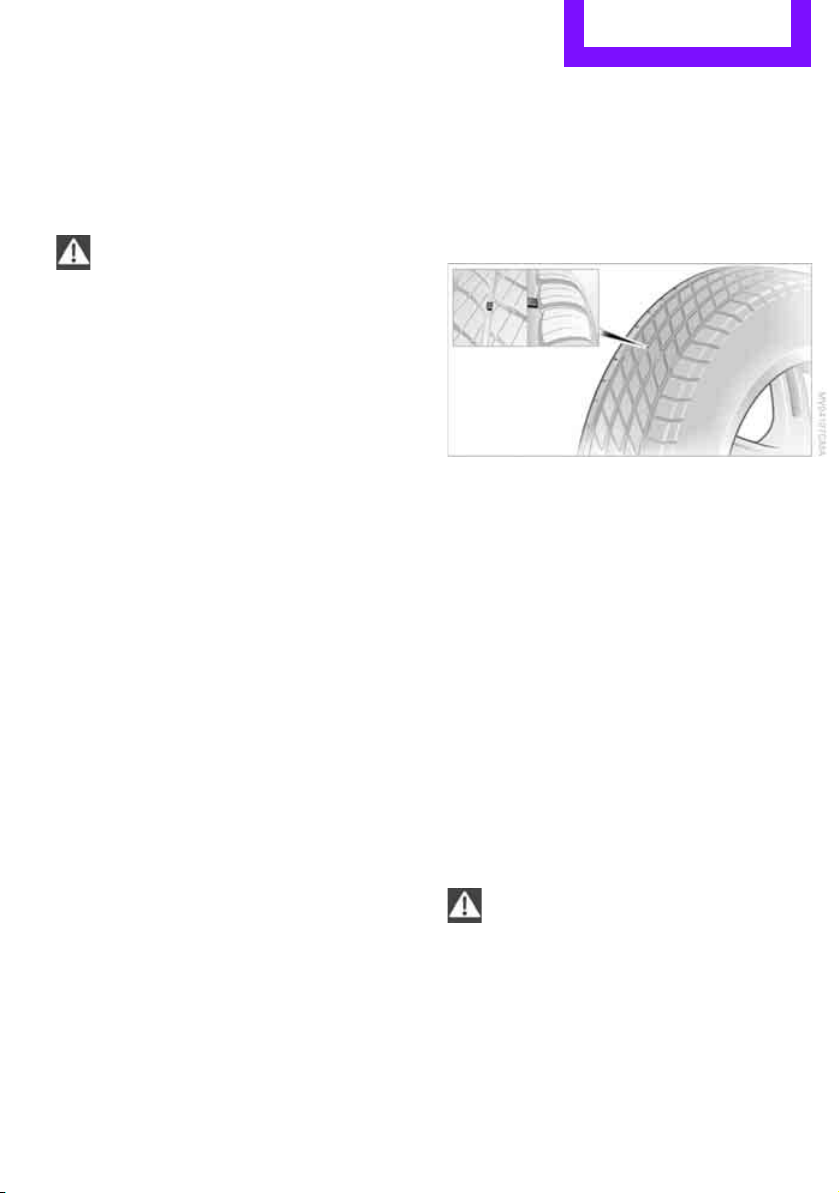
Wheels and tires Mobility
135
failure. The grade C corresponds to a level of
performance which all passenger car tires must
meet under the Federal Motor Vehicle Safety
Standard No. 109. Grades B and A represent lev-
els of performance on the laboratory test wheel
that exceed the minimum required by law.
The temperature grade for this tire is
established for a tire that is properly
inflated and not overloaded. Excessive speed,
underinflation, or excessive loading, either sep-
arately or in combination, can cause heat
buildup and possible tire failure.<
RSC - run-flat tires*
You will recognize run-flat tires by a circular
symbol containing the letters RSC on the side of
the tire, page 136.
M+S
Winter and all-season tires.
These have better winter properties than sum-
mer tires.
XL
Designation for specially reinforced tires.
Tire condition
Inspect your tires regularly for tread wear, signs
of damage and for foreign objects lodged in the
tread. Check the tread depth.
Tread depth
The tread depth should not drop below 0.12 in/
3 mm, although, for example, European legisla-
tion only specifies a minimum tread depth of
0.063 in/1.6 mm. At tread depths below 0.12 in/
3 mm there is an increased risk of high-speed
hydroplaning, even when only small amounts of
water are present on the road surface.
Winter tires
When winter tires wear down past a tread depth
of 0.16 in/4 mm, they become perceptibly less
suitable for winter conditions. In the interest of
safety, new tires should be installed.
Minimum tread depth
Wear indicators in the base of the tread groove
are distributed around the tire's circumference;
the letters TWI, for Tread Wear Indicator, on the
tire's sidewalls identify tires that incorporate
these wear indicators. If the tire tread has been
driven down to the wear indicators, a tread
depth of 0.063 in/1.6 mm has been reached.
Tire damage
Due to low-profile tires, please note that wheels,
tires and suspensions parts are more susceptible
to road hazards and consequential damages.
Unusual vibrations encountered during normal
vehicle operation can indicate tire failure or
some other vehicle defect. This can, for exam-
ple, be caused by driving over curbs. The same
applies to any other abnormal road behavior,
such as pulling severely to the right or left.
In these cases, reduce speed immediately
and have wheels and tires thoroughly
checked. To do so, drive carefully to the nearest
MINI dealer or tire shop that works according to
MINI repair procedures with correspondingly
trained personnel. If necessary, have the vehicle
towed there.
Otherwise, tire damage can be extremely dan-
gerous for vehicle occupants and other road
users.<
Online Edition for Part no. 01 40 2 607 530 - © 03/11 BMW AGOnline Edition for Part no. 01 40 2 607 530 - © 03/11 BMW AG
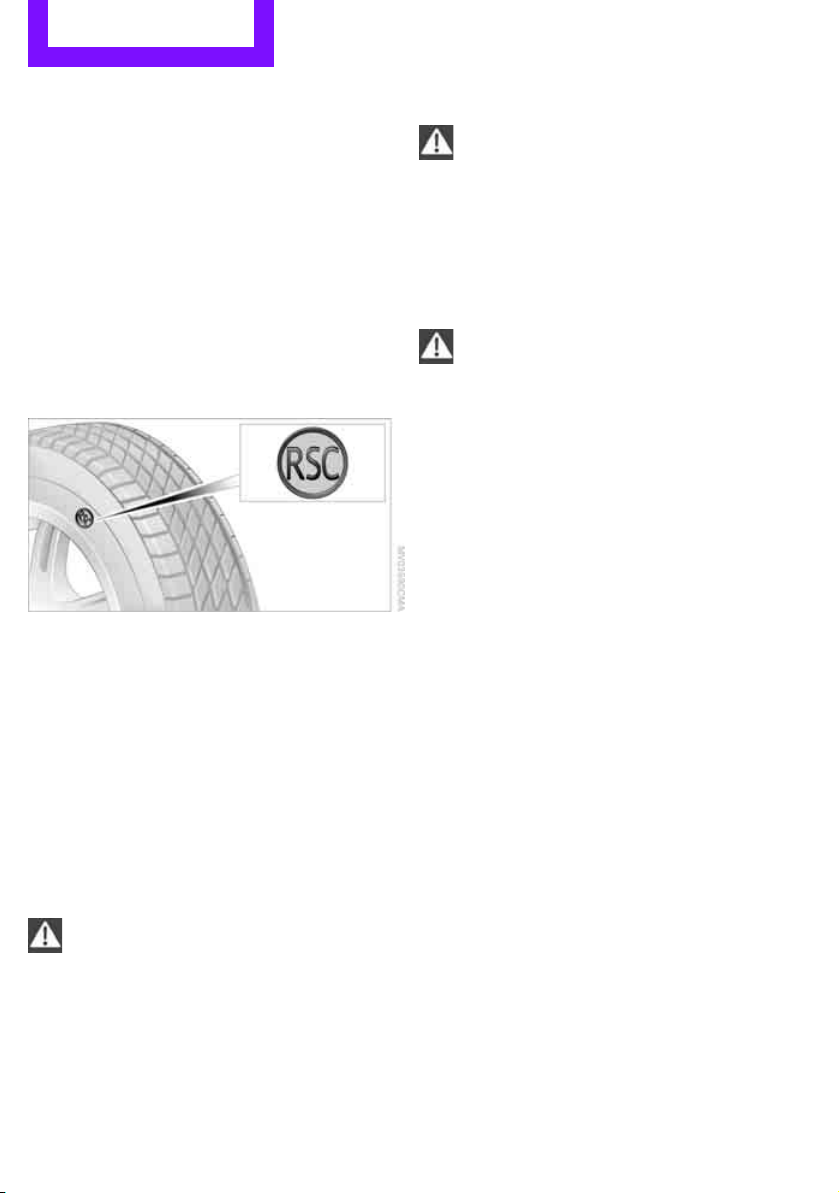
Mobility Wheels and tires
136
Tire age
The manufacturing date of tires is contained in
the tire coding:
DOT ... 0211 means that the tire was manufac-
tured in week 2 of 2011.
For various reasons, such as the development of
brittleness, the manufacturer of your MINI rec-
ommends tire replacement after no more than
6 years, regardless of the actual wear of the
tires.
Run-flat tires*
The symbol identifying run-flat tires is a circle
with the letters RSC on the sidewall.
Run-flat tires comprise a conditionally self-sup-
porting tire and a special rim. The reinforcement
in the sidewalls ensures that the tire can con-
tinue to be used subject to certain restrictions,
even if depressurized.
For information on continuing to drive with a flat
tire, refer to Indication of a flat tire, page 63.
New wheels and tires
Have new wheels and tires mounted only
by your MINI dealer or a specialized tire
shop that has specially trained personnel work-
ing in accordance with the specifications of the
MINI manufacturer. If this work is not carried out
properly, there is a danger of subsequent dam-
age and related safety hazards. Make sure that
the new wheels are balanced.<
Retreaded tires
The manufacturer of your MINI recom-
mends that you avoid using retreaded
tires, as this could impair driving safety. The
causes for this include potentially different tire
casing structures and often wide variations in
tire age, which can result in a limited service
life.<
Correct wheels and tires
The manufacturer of your MINI recom-
mends mounting only wheels and tires
that it has specifically approved for use on your
particular model. Although other wheels and
tires may theoretically have the same dimen-
sions, variations in factors such as manufactur-
ing tolerances can result in contact between tire
and bodywork, ultimately leading to serious
accidents. The manufacturer of your MINI can-
not evaluate non-approved wheels and tires to
determine if they are suited for use, and there-
fore cannot ensure the operating safety of the
vehicle if they are mounted.<
Your MINI dealer will be glad to inform you
about the correct wheel and tire combination for
your vehicle.
The correct combination of wheels and tires is
also necessary to ensure reliable operation of
various vehicle systems such as ABS and DSC.
To maintain good handling and vehicle
response, use only tires of a single brand and
tread configuration. After a tire has been dam-
aged, mount the previous wheel and tire combi-
nation again as soon as possible.
Wheels with Tire Pressure Monitor TPM
electronics
When mounting new tires or changing over from
summer to winter tires, or vice versa, only use
wheels with TPM electronics; otherwise, the Tire
Pressure Monitor may not be able to detect a
puncture, refer to page 65. Your MINI dealer will
be glad to advise you.
Online Edition for Part no. 01 40 2 607 530 - © 03/11 BMW AGOnline Edition for Part no. 01 40 2 607 530 - © 03/11 BMW AG
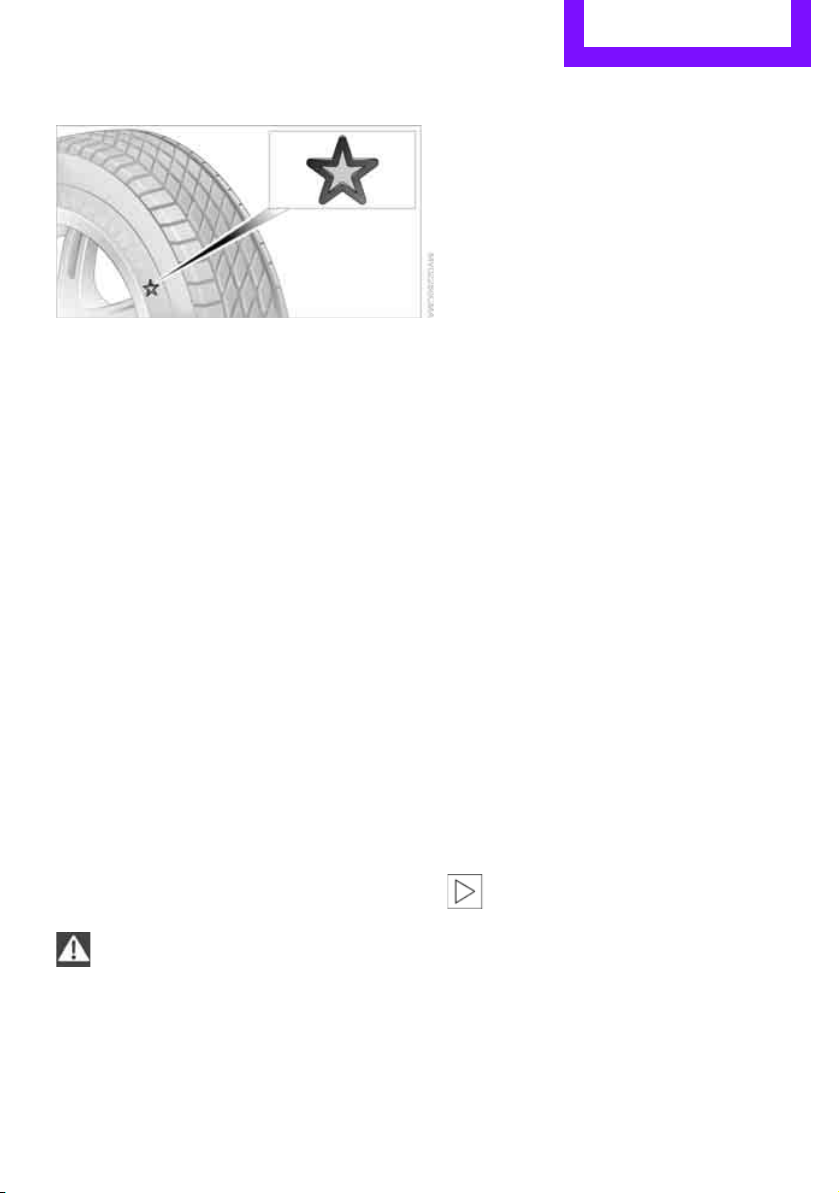
Wheels and tires Mobility
137
Recommended tire brands
For each tire size, the manufacturer of your MINI
recommends certain tire brands. They are
marked with a clearly visible MINI designation
on the sidewall of the tire.
When properly used, these tires meet the high-
est standards in terms of safety and handling
characteristics.
Run-flat tires*
When mounting new tires or changing over from
summer to winter tires and vice versa, mount
run-flat tires for your own safety. Keep in mind
that no space-saver spare tire is available in the
event of a flat. Your MINI dealer will be glad to
advise you.
Special characteristics of winter tires
The manufacturer of your MINI recommends the
use of winter tires on snowy roads or if temper-
atures drop below 457/ +76. Although all-sea-
son M+S tires provide better winter traction than
summer tires, they generally fail to provide the
same levels of cold-weather performance as
winter tires.
Pay attention to speed
Always comply with the speed limit for the
winter tires mounted on your car; failure
to do so could result in tire damage and acci-
dents.<
If the car is capable of speeds higher than that
permitted for the winter tires, a label stating the
maximum permitted speed for the mounted
tires must be displayed in your field of view. This
label is available at your tire dealer or MINI
dealer.
Storage
Always store wheels and tires in a cool, dry place
with as little exposure to light as possible.
Always protect tires against all contact with oil,
grease and fuels.
Do not exceed the maximum tire inflation pres-
sure indicated on the side wall of the tire.
Swapping wheels among the axles
Depending on the individual use, front and rear
tires may exhibit different wear and tear.
In order to maintain an even wear and tear, the
wheels may be rotated between the axles. Your
MINI dealer will be glad to advise you.
Always check the inflation pressure after the tire
rotation, if necessary change the pressure.
Snow chains*
Only certain types of fine-link snow chains have
been tested by the manufacturer of your MINI,
classified as road-safe and recommended. Con-
tact your MINI dealer for more details.
Only attach snow chains in pairs to the front
wheels with the following tires.
> 195/60 R 16 M+S
Observe the manufacturer's instructions when
mounting snow chains. Do not exceed a speed
of 30 mph or 50 km/h.
Do not initialize the Flat Tire Monitor if
snow chains are mounted; otherwise, the
instrument might issue an incorrect reading.
When driving with snow chains, it can be useful
to briefly deactivate the DSC or activate the DTC,
refer to page 61.<
Online Edition for Part no. 01 40 2 607 530 - © 03/11 BMW AGOnline Edition for Part no. 01 40 2 607 530 - © 03/11 BMW AG
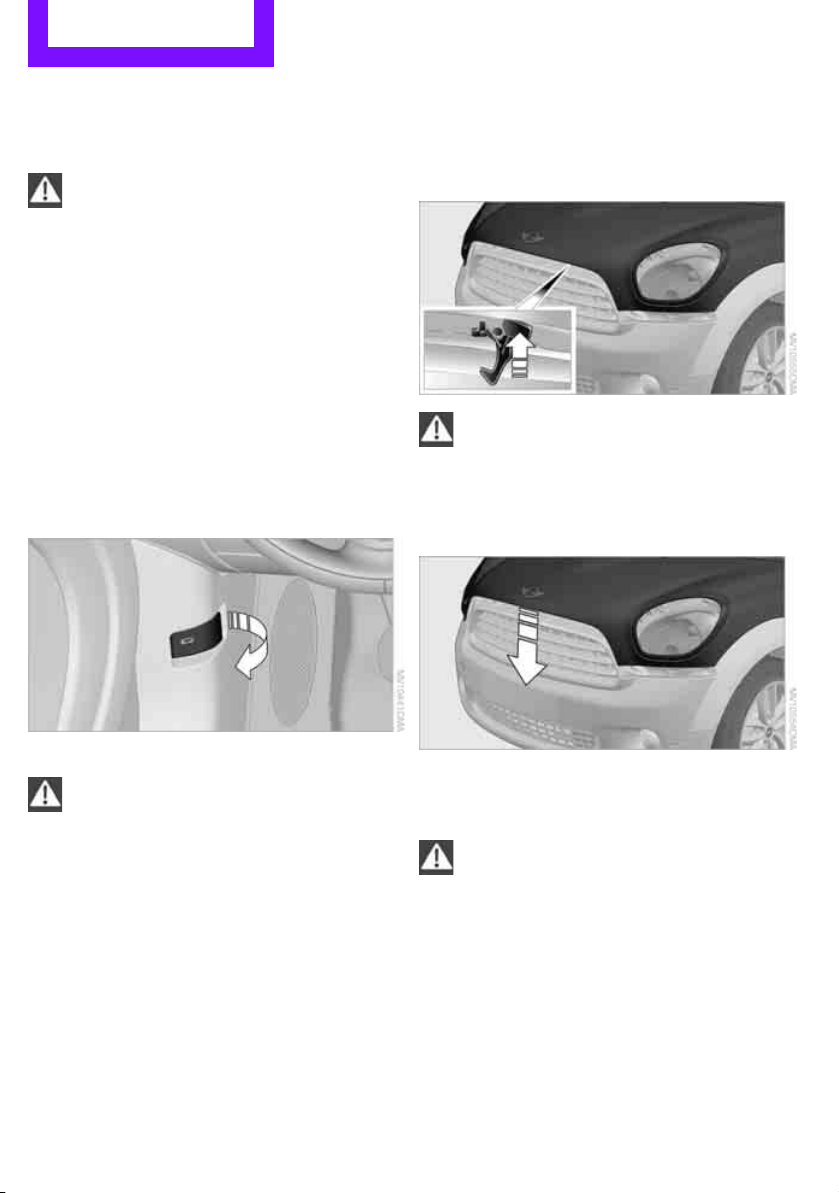
Mobility Under the hood
138
Under the hood
Never attempt to perform any service or
repair operations on your vehicle without
the required professional technical training. If
you are not familiar with the regulations to be
observed, have the necessary work on your
vehicle carried out only by a MINI dealer or a
workshop that has specially trained personnel
working in accordance with the specifications of
the MINI manufacturer. If this work is not carried
out properly, there is a danger of subsequent
damage and related safety hazards.<
Hood
Releasing
Pull the lever.
Do not clean the windshield and head-
lamps if the hood is unlocked as this may
damage the headlamp washer system
*.<
Opening
To avoid damage, make sure that the
wiper arms are against the windshield
before you open the hood.<
Press the release handle and open the hood.
Closing
Close the hood from a height of approx. 16 in/
40 cm with momentum. It must be clearly heard
to engage.
If you notice any signs while driving your
vehicle that the hood is not completely
closed, stop at once and close it securely.
Make sure that the closing path of the hood is
clear; otherwise, injuries may result.<
Online Edition for Part no. 01 40 2 607 530 - © 03/11 BMW AGOnline Edition for Part no. 01 40 2 607 530 - © 03/11 BMW AG
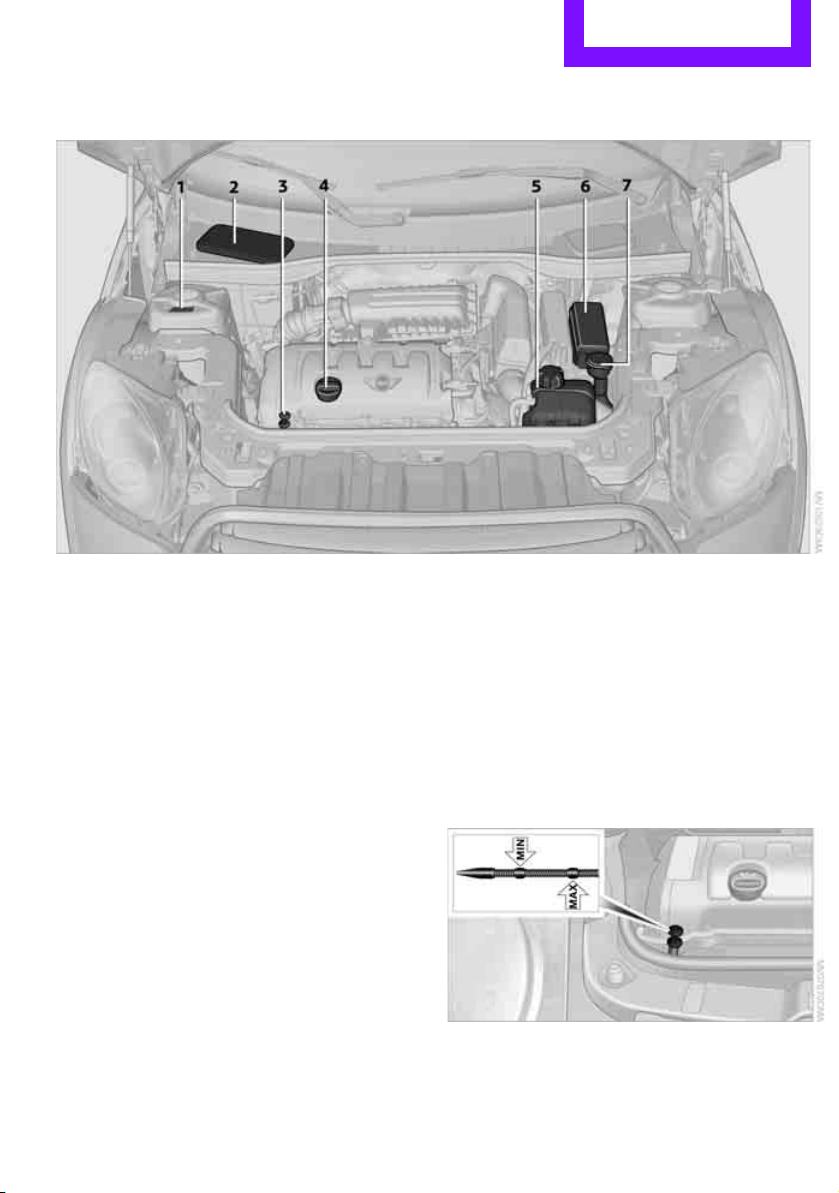
Under the hood Mobility
139
Important parts of the engine compartment
1 Vehicle identification number*
2 Battery, under the cover 159
3 Engine oil dipstick 139
4 Engine oil filler neck 140
5 Coolant expansion tank 140
6 Engine compartment fuse box 156
7 Reservoir for washer fluid for the headlamp
and window washer system 49
Engine oil
The engine oil consumption is dependent on
driving style and driving conditions.
Check the engine oil level regularly, e.g. when
refueling.
Checking engine oil level
1. With the vehicle's engine at normal operat-
ing temperature, i.e. after uninterrupted
driving for at least 6 miles/10 km, park the
vehicle on a level surface.
2. Switch off the engine.
3. Pull the dipstick out after approx. 5 minutes
and wipe it off with a lint-free cloth, paper
towel or similar material.
4. Carefully push the dipstick all the way into
the guide tube and pull it out again.
The oil level should be between the two
marks on the dipstick.
The oil quantity corresponding to the difference
between the two marks on the dipstick is
1 US quart/1 liter.
Online Edition for Part no. 01 40 2 607 530 - © 03/11 BMW AGOnline Edition for Part no. 01 40 2 607 530 - © 03/11 BMW AG
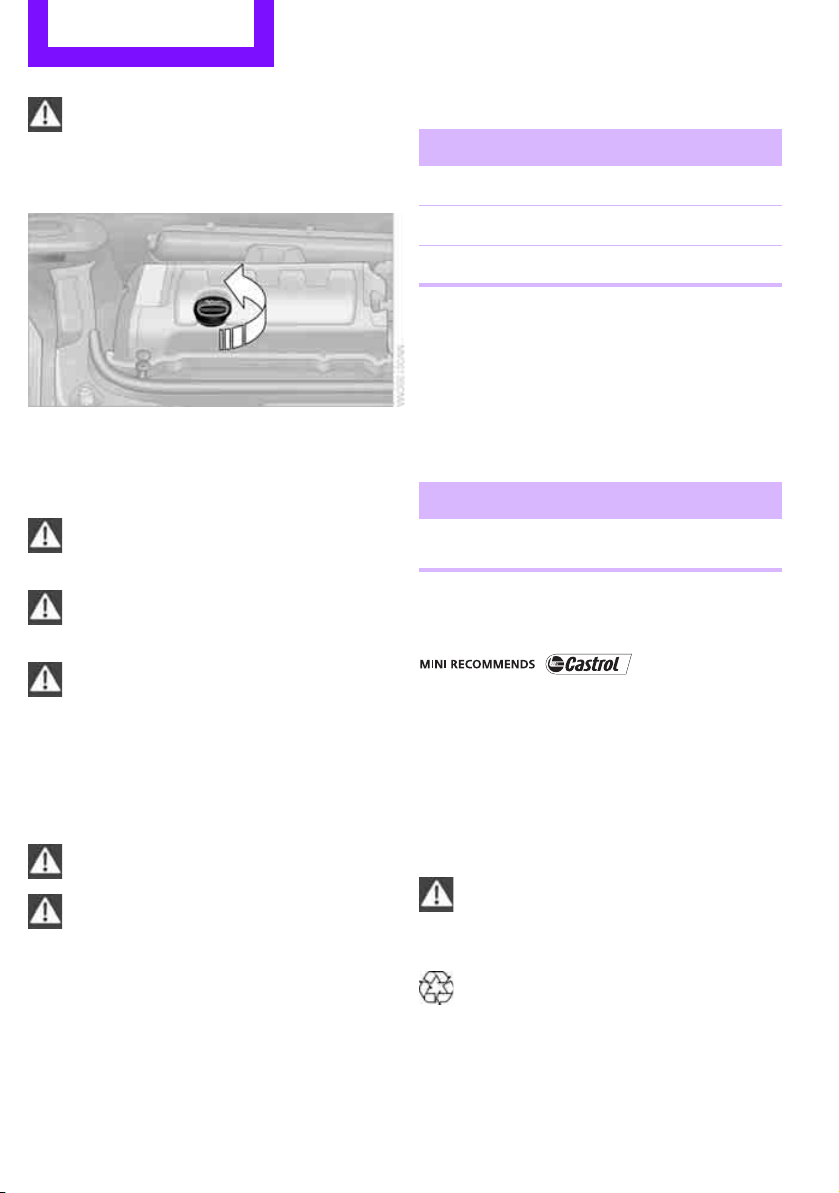
Mobility Under the hood
140
Do not fill beyond the upper mark on the
dipstick. Excess oil will damage the
engine.<
Adding engine oil
Do not add the maximum quantity of
1 US quart/1 liter of engine oil until the oil level
has dropped to just above the lower mark on the
dipstick, page 139.
Add oil within the next 30 miles/50 km;
otherwise, the engine could be dam-
aged.<
If too much oil is added, immediately have
the vehicle checked; otherwise, engine
damage may result.<
Keep oils, greases, etc. out of the reach of
children and comply with the warnings on
the containers. Otherwise, health hazards may
result.<
Oil types for re-filling
Notes
Do not use oil additives as this could result
in engine damage.<
When choosing oil, ensure that it belongs
to one of the SAE viscosity classes 0W-40,
0W-30, 5W-40 and 5W-30; otherwise, malfunc-
tions and damage to the engine may result.<
The engine oil quality is critical for the life of the
engine.
Some types of oil may not be available in every
country.
Approved oil types
Additional information on approved types of oil
can be found at a dealer.
Alternative oil types
If the approved engine oils are not available, up
to 1 US quart/1 liter of another oil with the fol-
lowing specification may be used:
Oil change
Only dealers are to perform oil changes.
Coolant
Coolant consists of half water and half additive.
Not all commercially available additives are suit-
able for your MINI. Your MINI dealer knows
which additives are suitable and will be glad to
advise you.
Only use suitable additives; otherwise,
engine damage may result. Because addi-
tives are harmful to your health, it is important
to follow the instructions on the containers.<
Comply with the appropriate environmen-
tal protection regulations when disposing
of coolant additives.<
Gasoline engines
BMW High Performance SAE 5W-30
BMW Longlife-01
BMW Longlife-01 FE
Gasoline engines
API SM or higher specifications
Online Edition for Part no. 01 40 2 607 530 - © 03/11 BMW AGOnline Edition for Part no. 01 40 2 607 530 - © 03/11 BMW AG
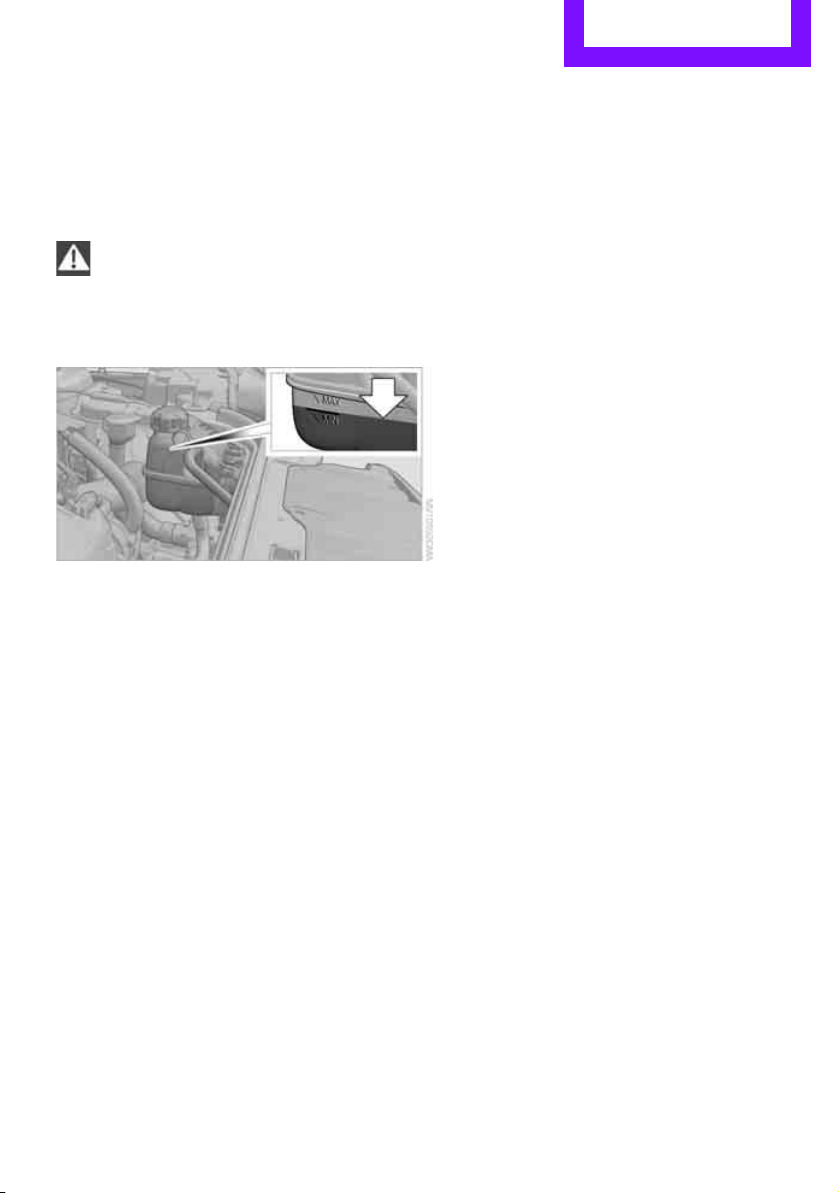
Under the hood Mobility
141
Coolant temperature
If the coolant, and therefore the engine, should
overheat, then a warning light will go on, refer to
page 165.
Checking coolant level
Do not add coolant to the cooling system
when the engine is hot. Escaping coolant
can cause burns.<
Do not open the hood until the engine has
cooled down.
The coolant level is correct if it is between the
Min and Max markings.
Topping off
1. Turn the cap of the expansion tank a little
counterclockwise to allow any accumulated
pressure to escape, then continue turning to
open.
2. Slowly fill to the correct fluid level; do not
overfill.
3. Close by turning the cap.
Have the reason for the coolant loss eliminated
as soon as possible.
Online Edition for Part no. 01 40 2 607 530 - © 03/11 BMW AGOnline Edition for Part no. 01 40 2 607 530 - © 03/11 BMW AG
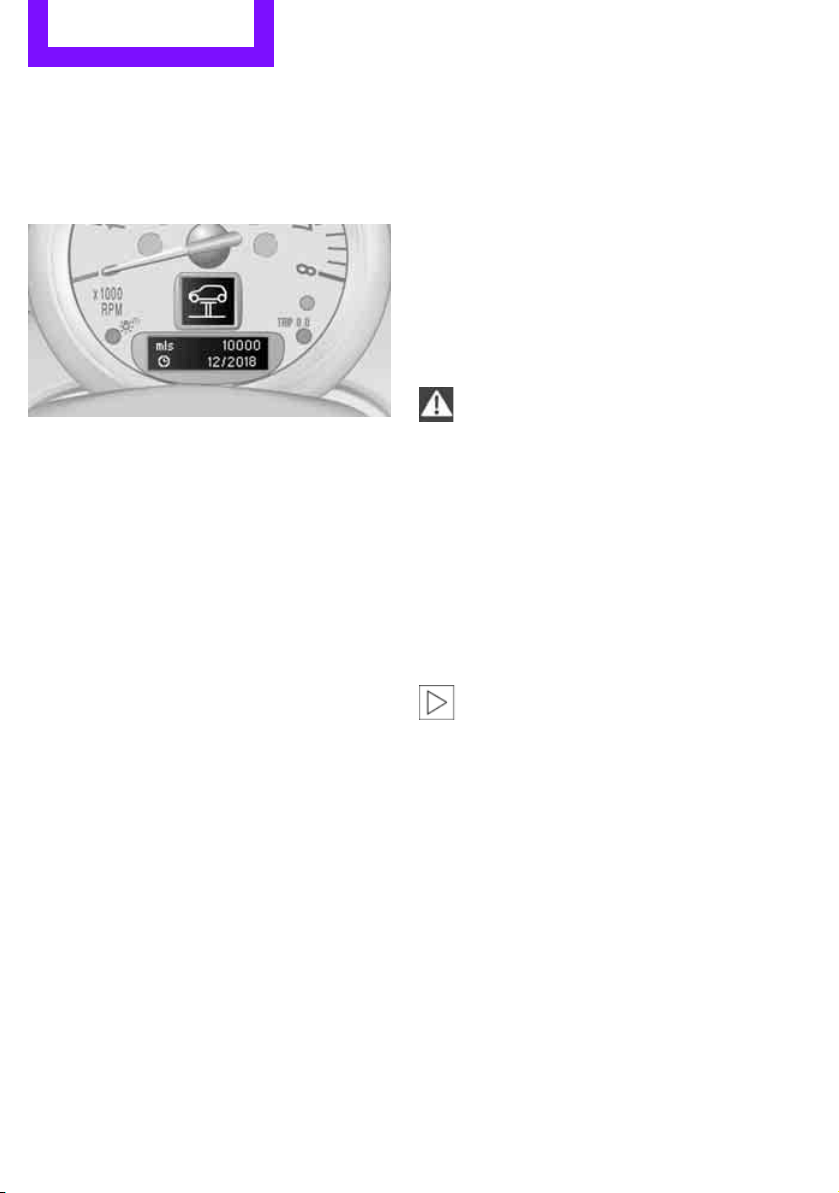
Mobility Maintenance
142
Maintenance
MINI Maintenance System
The MINI Maintenance System supports the
preservation of the traffic and operating safety
of your MINI. The objective is to optimize efforts
with respect to minimal vehicle maintenance
costs.
If and when you come to sell your MINI, a com-
prehensive record of servicing will prove a signif-
icant benefit.
Condition Based Service CBS
Sensors and special algorithms take the different
driving conditions of your MINI into account.
Condition Based Service uses this to determine
the current and future service requirements. By
letting you define a service and maintenance
regimen that reflects your own individual
requirements, the system builds the basis for
trouble-free driving.
In the tachometer, you can have the remaining
times or distances for selected maintenance
tasks and any legally prescribed dates displayed,
page 55.
Service data in the remote control
Your vehicle continuously stores service-
requirement information in the remote control
while you are driving. Your MINI dealer can read
out this data from the remote control unit, and
propose an optimized maintenance approach.
Whenever you take your car in for servicing you
should therefore hand your MINI dealer the
remote control unit that you last used.
Make sure that the date in the tachometer
is always set correctly, page 57; otherwise,
the effectiveness of Condition Based Service CBS
is not assured.<
Service and Warranty Information
Booklet for US models and Warranty and
Service Guide Booklet for Canadian
models
Please consult your Service and Warranty Infor-
mation Booklet for US models and Warranty and
Service Guide Booklet for Canadian models for
additional information on service requirements.
The manufacturer of the MINI recom-
mends that you have service and repair
operations performed at your MINI dealer.
Take the time to ensure that these service pro-
cedures are confirmed by entries in your vehi-
cle's Service and Warranty Information Booklet
for US models and Warranty and Service Guide
Booklet for Canadian models. These entries ver-
ify that your vehicle has received the specified
regular maintenance.<
Online Edition for Part no. 01 40 2 607 530 - © 03/11 BMW AGOnline Edition for Part no. 01 40 2 607 530 - © 03/11 BMW AG
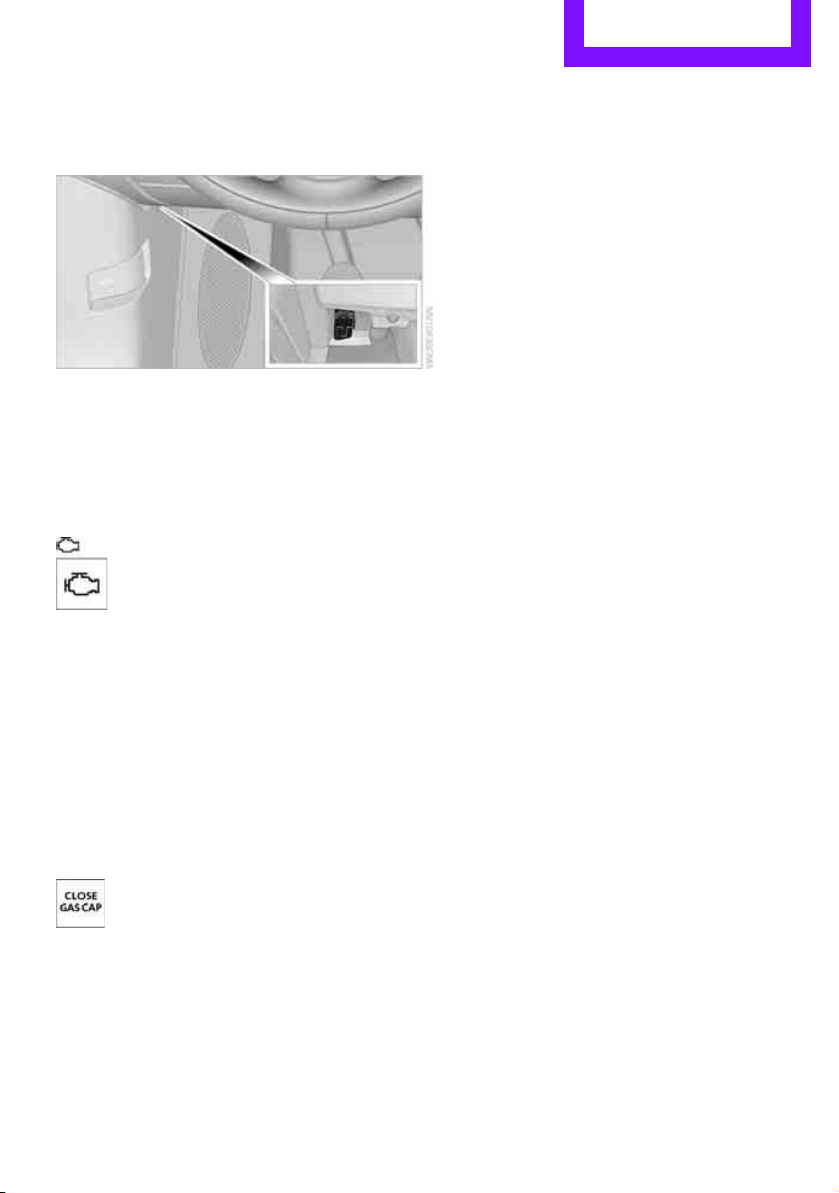
Maintenance Mobility
143
Socket for On-Board
Diagnosis OBD
The primary components that make up the
emissions can be checked by a device via the
OBD socket.
Emissions
The warning lamps come on. The vehicle
is producing higher emissions. You can
continue your journey, but moderate
your speed and exercise due caution.
Have the car checked as soon as possible.
Under certain circumstances, one of the lamps
will flash or light up continuously. This indicates
excessive misfiring or a malfunction in the
engine. If this happens, reduce your speed and
visit the nearest MINI dealer as soon as possible.
Severe misfiring can quickly lead to serious dam-
age of emissions-related components, espe-
cially the catalytic converter. In addition,
mechanical engine components can become
damaged.
If the fuel filler cap is not properly tight-
ened, the OBD system may conclude
that fuel vapors are escaping, causing
an indicator to light up. If the filler cap is then
tightened, the indicator should go out within a
few days.
Data memory
Your vehicle displays data about the operation,
malfunctions, and user settings. These data are
stored in the vehicle and can be partly stored in
the remote control; the data can be read by suit-
able devices, in particular at your service center.
The data read out are used for supporting the
service processes and repair or for optimization
and development of vehicle functions.
Online Edition for Part no. 01 40 2 607 530 - © 03/11 BMW AGOnline Edition for Part no. 01 40 2 607 530 - © 03/11 BMW AG

Mobility Care
144
Care
Car-care products
Regular cleaning and care helps to maintain the
value of your MINI.
The manufacturer of your MINI recommends
using manufacturer-approved products to clean
and care for your vehicle.
Your MINI dealer would be pleased to advise
you on cleaning and care products and services
for your MINI.
The ingredients of original MINI Care Prod-
ucts have been tested, and the products
have been tested in the laboratory and in prac-
tice. They offer optimum care and protection for
your vehicle.<
Do not use any cleansers containing alco-
hol or solvents as these may cause dam-
age.<
Cleaning agents may contain hazardous
or health-damaging substances. Follow
the warning and hazard instructions on the
packaging. For interior cleaning, always open
the doors or windows of the vehicle.
Do not use any products that are not intended
for cleaning the vehicle.<
External care
Washing your vehicle
Especially during the winter months the
vehicle should be frequently washed. Dirt
and road salt can damage the vehicle.<
After washing the vehicle, apply the
brakes briefly to dry them; otherwise,
water can reduce braking efficiency over the
short term and the brake rotors can corrode.<
Car washes
Preference should be given to cloth car washes.
Do not use automatic high-pressure car
washes; otherwise, water may drip into
the vehicle around the windows.<
Before driving into the car wash, check if the sys-
tem is suitable for your MINI. Observe the fol-
lowing points:
> Vehicle dimensions, page 177
> If necessary: fold in the outside mirrors,
page 36
> Maximum permissible tire width
Avoid car washes with tracks higher than
4 in/10 cm; otherwise, the chassis could
be damaged.<
Preparations for driving into the car wash:
> Unscrew the rod antenna.
> Deactivate the rain sensor
* to prevent unin-
tentional wiping.
> Deactivate rear window wiper and protect it
from damage. Ask the car wash operator
about measures that can be taken to protect
the wipers.
> Remove additional attachments, e.g. spoil-
ers or telephone antennas, if there is a pos-
sibility that they could be damaged.
> Inserting the remote control into the ignition
lock.
Automatic transmission
Before driving into the car wash, make sure that
the vehicle can roll:
1. Place the remote control, even with Comfort
Access, in the ignition lock.
2. Move the selector lever to position N.
3. Release the parking brake.
4. Switch off the engine.
Online Edition for Part no. 01 40 2 607 530 - © 03/11 BMW AGOnline Edition for Part no. 01 40 2 607 530 - © 03/11 BMW AG

Care Mobility
145
5. Insert the remote control in the ignition lock
so that the vehicle can roll.
Steam jets/high-pressure washers
When using steam jets or high-pressure
washers, make sure that you maintain suf-
ficient distance from the vehicle and do not
exceed a maximum temperature of 1407/606.
If the distance is too close, the pressure too high,
or the temperature too high, parts of the vehicle
can be damaged, or water can penetrate.
Observe the operating instructions for high-
pressure washers.<
Do not spray sensors such as Park Dis-
tance Control with high-pressure washers
for a long time and maintain the greatest possi-
ble distance of approx. 1 ft/30 cm from them.<
Manual washing
Use a great deal of water and, if necessary, car
shampoo when washing your car by hand. Clean
the vehicle with a sponge or a washing brush
applying a slight amount of pressure.
Before cleaning the windshield, deacti-
vate the rain sensor or turn off the ignition
to prevent unintentional wiping.<
Observe local regulations regarding wash-
ing vehicles by hand.<
Headlamps
Do not wipe dry and do not use abrasive or cor-
rosive cleaning agents. Remove dirt and con-
tamination, such as insects, by soaking with
shampoo and then washing with plenty of
water.
Do not remove accumulated ice and snow with
an ice scraper; use window deicers instead.
Windows
Clean the outside and inside of the windows and
mirrors with a window cleaner.
Do not clean the mirrors with cleaners
containing quartz.<
Wiper blades
Clean with soapy water and change regularly to
prevent the formation of streaks.
Wax, preservatives and dirt on the win-
dows cause streaks when the windshield
wipers are on, and can cause premature wear of
the wiper blades and interfere with the rain sen-
sor.<
Paintwork, care
Regular care helps your vehicle retain its value
and protects the paint from the long-term
effects of aggressive substances.
In some regions, environmental factors can
affect the vehicle paintwork and damage it. It is
therefore important to adjust the frequency and
extent of vehicle care correspondingly.
Immediately remove aggressive materials such
as spilled fuel, oil, grease, brake fluid, tree sap or
bird droppings to prevent damage to the paint-
work.
Removing paintwork damage
Depending on the severity of the damage,
immediately repair stone damage or
scratches to prevent rusting.<
The manufacturer of the MINI recommends
repairing paint damage professionally according
to factory specifications with original MINI
paints.
Preservation
Preservation is necessary when water no longer
beads on the clean paint surface. To preserve
the paint, only use preservatives that contain
carnauba or synthetic waxes.
Rubber seals
Only treat with water or rubber care products.
Do not use silicon sprays or other silicon-
containing care products on rubber seals;
otherwise, noise and damage could occur.<
Online Edition for Part no. 01 40 2 607 530 - © 03/11 BMW AGOnline Edition for Part no. 01 40 2 607 530 - © 03/11 BMW AG

Mobility Care
146
Chrome parts*
Carefully clean vehicle parts such as the radiator
grill and door handles with copious quantities of
water and, if necessary, a shampoo additive,
especially when contaminated with road salt.
For additional treatment, use chrome polish.
Light alloy wheels*
The system produces brake dust that collects on
the light alloy wheels. Clean them regularly with
acid-free wheel cleaner.
Do not use aggressive, acid-containing,
highly alkaline, or abrasive cleansers or
steam jets hotter than 1407/606 as they may
cause damage.<
External sensors
Keep the outside sensors on the vehicle
such as the Park Distance Control clean
and ice-free to ensure that they function prop-
erly.<
internal Care
Upholstery/fabrics
Regularly use a vacuum cleaner to remove sur-
face dirt.
In case of serious spots such as liquid stains, use
a soft sponge or lint-free microfiber cloth and
suitable interior cleaners. Observe the instruc-
tions on the packaging.
Clean upholstery up to the seams. Do not
rub forcefully.<
Velcro fasteners on pants or other items of
clothing can damage seat covers. Make
sure that all Velcro fasteners are closed.<
Leather/leather coverings*
The leather processed by the manufac-
turer of your MINI is a high-quality natural
product. Light variations in the grain is one of
the typical properties of natural leather.<
Dust and road grit in the pores and folds of the
leather have an abrasive effect, leading to
increased wear and causing the leather surface
to become brittle prematurely. Use a cloth or
vacuum cleaner to remove dust on a regular
basis.
Especially when the leather has a light color, it
should be cleaned regularly since it tends to get
heavily soiled.
Treat the leather twice a year using a leather
lotion since dirt and grease will gradually attack
the leather's protective layer.
Carpets/floor mats*
Keep floor mats, carpet, and other objects
out of the movement range of the pedals;
otherwise, they may inhibit the function of the
pedals during driving.
Do not place additional floor mats onto an exist-
ing one or onto other objects.
Only use floor mats that have been approved for
the vehicle and can be appropriately fastened.
Make sure that the floor mats are securely fas-
tened again after they have been removed, e.g.
for cleaning.<
Floor mats can be removed to be cleaned.
If the carpets are very dirty, clean with a microfi-
ber cloth and water or an interior cleaner. When
doing so, rub forward and back in the driving
direction; otherwise, the carpet may become
matted.
Interior plastic parts
These include:
> Plastic surfaces
> Lamp glass
> Display panes
> Mat parts
Only clean with water and, if necessary, solvent-
free plastic cleaners.
Do not use solvents such as alcohol, lac-
quer thinner, cold cleaners, fuel, or similar,
as these will damage the surfaces.<
Online Edition for Part no. 01 40 2 607 530 - © 03/11 BMW AGOnline Edition for Part no. 01 40 2 607 530 - © 03/11 BMW AG

Care Mobility
147
Decorative strips*
Only clean decorative strips with moist cloths.
Wipe dry with a soft cloth.
Safety belts
Dirty belt straps impede the reeling action and
thus have a negative impact on safety.
Do not clean chemically, as this may
destroy the webbing.<
Displays
To clean displays such as radios or display ele-
ments, use a display cleaning cloth or a soft,
non-scratching, lint-free cloth.
Avoid pressing too hard when cleaning
the display as this can cause damage.<
Do not use chemical or abrasive house-
hold cleaning agents. Keep fluids of any
kind away from the device. Surfaces or electrical
components may otherwise become corroded
or damaged.<
CD/DVD drives
Do not use cleaning CDs as this could
damage parts of the drive.<
Vehicle storage
If you are not going to drive your car for more
than three months, please ask for advice from
your MINI dealer or a workshop that works
according to MINI manufacturer specifications.
Online Edition for Part no. 01 40 2 607 530 - © 03/11 BMW AGOnline Edition for Part no. 01 40 2 607 530 - © 03/11 BMW AG
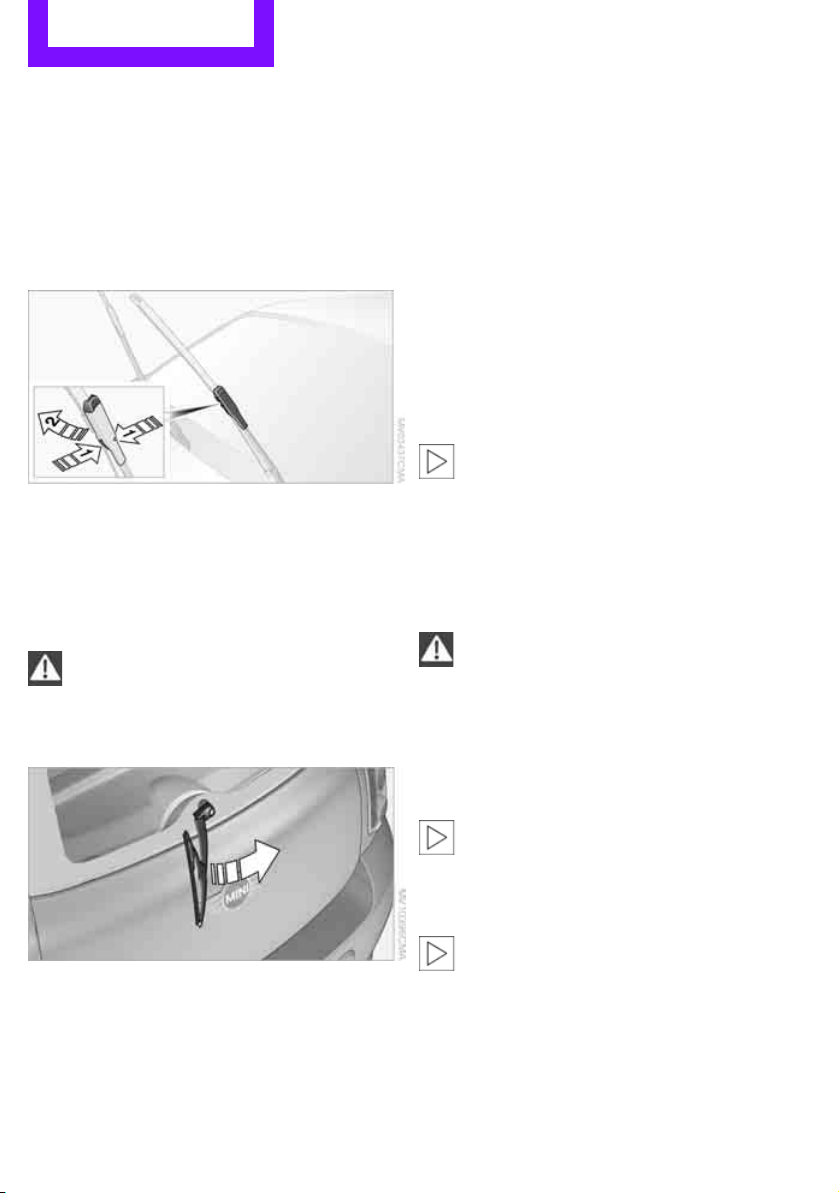
Mobility Replacing components
148
Replacing components
Wiper blades
Changing the front wiper blades
1. Fold out the wiper arm and hold it.
2. Press together the locking spring, arrows 1,
and fold out the wiper blade, arrow 2.
3. Pull the wiper blade forward and out of the
catch mechanism.
4. Press the new wiper blade into the fixture
until it engages audibly.
To avoid damage, make sure that the
wiper arms are against the windshield
before you open the hood.<
Changing the rear wiper blade
1. Fold out the wiper arm and hold it.
2. Rotate the wiper blade toward the back as
far as it will go, arrow.
3. Press the wiper blade against the limit and
thus out of the mounting.
4. Press the new wiper blade into the fixture
until it engages audibly.
Lamps and bulbs
Lamps and bulbs make an essential contribution
to vehicle safety. They should, therefore, be
handled carefully. The manufacturer of your
MINI recommends having your MINI dealer per-
form any work that you do not feel competent to
perform yourself or that is not described here.
Never touch the glass of new bulbs with
your bare fingers, as even minute
amounts of contamination will burn into the
bulb's surface and reduce its service life. Use a
clean tissue, cloth or something similar, or hold
the bulb by its base.<
You can obtain a selection of replacement bulbs
at your MINI dealer.
When working on electrical systems,
always begin by switching off the con-
sumer in question; otherwise, short circuits
could result. To avoid possible injury or equip-
ment damage when replacing bulbs, observe
any instructions provided by the bulb manufac-
turer.<
Caring for headlamps, refer to page 145.
For any bulb replacement not described
below, contact a MINI dealer or a work-
shop that has specially trained personnel work-
ing in accordance with the specifications of the
MINI manufacturer.<
For checking and adjusting headlamp aim,
please contact your MINI dealer.<
Light-emitting diodes LEDs
Light-emitting diodes installed behind translu-
cent lenses serve as the light sources for many of
the controls and displays in your vehicle. These
light-emitting diodes are related to conven-
Online Edition for Part no. 01 40 2 607 530 - © 03/11 BMW AGOnline Edition for Part no. 01 40 2 607 530 - © 03/11 BMW AG
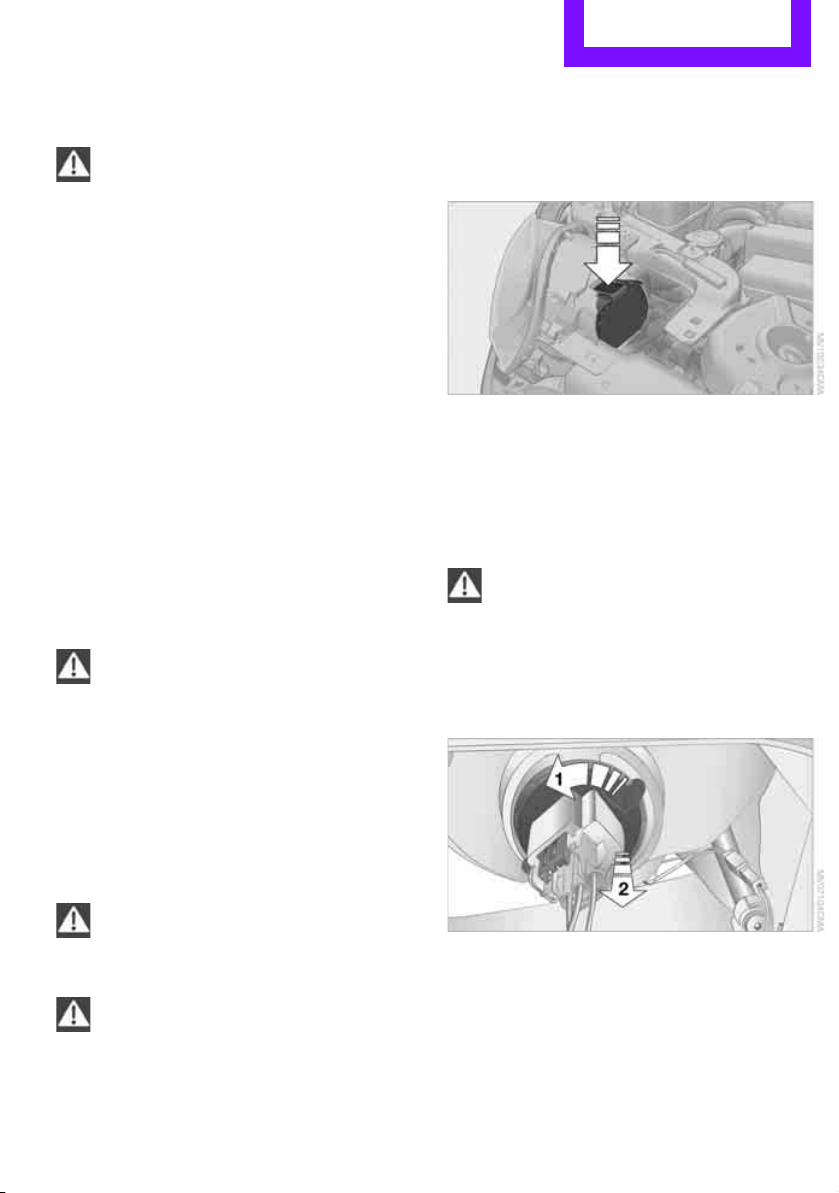
Replacing components Mobility
149
tional laser diodes, and legislation defines them
as Class 1 light-emitting diodes.
Do not remove the covers or expose the
eyes directly to the unfiltered light source
for several hours; otherwise, this could cause
irritation of the retina.<
Headlamp glass lens
In cool or humid weather, condensation may
occur on the interior of outside lights. The con-
densation disappears a short time after the light
is switched on. The headlamps do not need to
be changed. If a lot of moisture is present, e.g.
water droplets in the light, have them checked
by your service center.
Xenon lamps*
The service life of these bulbs is very long and
the probability of failure very low, provided that
they are not switched on and off an excessive
number of times. If a xenon lamp fails neverthe-
less, switch on the fog lamps and continue the
journey with great care, provided that local leg-
islation does not prohibit this.
Have any work on the xenon lamp system,
including bulb replacement, carried out
only by a MINI dealer or a workshop that has
specially trained personnel working in accor-
dance with the specifications of the MINI manu-
facturer. Due to high voltage, there is a risk of
fatal injury if work on the xenon lamps is carried
out improperly.<
Halogen low beams and high beams
H13 bulb, 60/55 watts
The H13 bulb is pressurized. Therefore,
wear safety glasses and protective gloves.
Otherwise, there is a risk of injury if the bulb is
damaged.<
Be careful when installing the cover; oth-
erwise, leaks could occur and cause dam-
age to the headlamp system.<
Accessing the lamp from the engine
compartment
The low-beam/high-beam bulb can be changed
from the engine compartment.
Removing the cover:
1. Press the tab.
2. Flip open the cover and take it out of the
holder.
Follow the same steps in reverse order to reat-
tach the cover.
Be careful when installing the cover; oth-
erwise, leaks could occur and cause dam-
age to the headlamp system.<
Replacing the bulb
1. Turn the lamp counterclockwise, arrow 1,
and remove it, arrow 2.
Online Edition for Part no. 01 40 2 607 530 - © 03/11 BMW AGOnline Edition for Part no. 01 40 2 607 530 - © 03/11 BMW AG
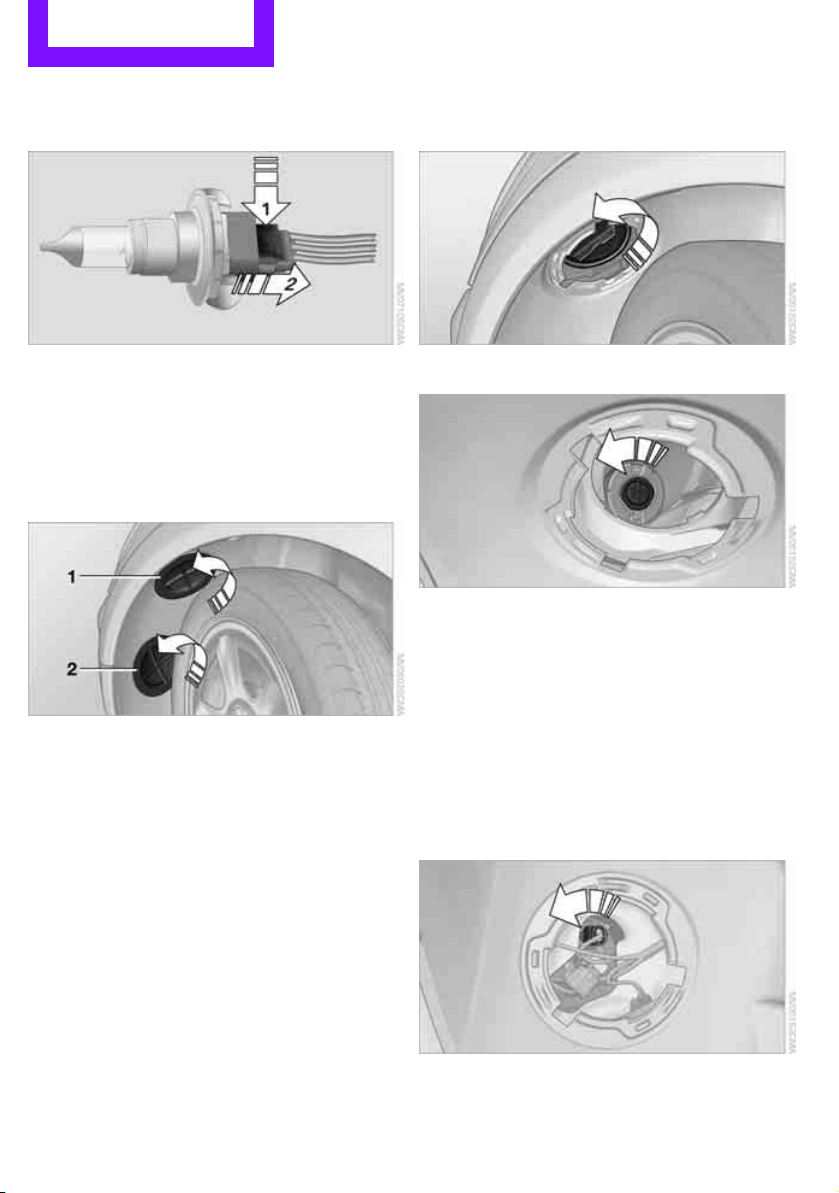
Mobility Replacing components
150
2. Push on the catch, arrow 1, and disconnect
the connector, arrow 2.
3. To insert the new bulb and replace the
cover, proceed in reverse order.
Turn signals, parking lamps, roadside
parking lamps, and fog lamps
Accessing the lamps via the wheel well
1 Turn signal
2 Parking/roadside parking/fog lamps
Replacing a turn signal bulb
21 watt bulb, P21W, if necessary PY 21 W
1. Turn in the wheel.
2. Remove cover 1.
To do so, turn the cover counterclockwise.
3. Remove the inside cover.
To do so, turn the cover counterclockwise.
4. Unscrew the bulb counterclockwise.
5. To insert the new bulb and replace the cov-
ers, proceed in reverse order.
Replacing a parking/roadside parking
lamp bulb
5 watt bulb, W 5 W
1. Turn in the wheel.
2. Remove cover 2.
To do so, turn the cover counterclockwise.
3. Unscrew the upper bulb counterclockwise.
4. To insert the new bulb and replace the
cover, proceed in reverse order.
Online Edition for Part no. 01 40 2 607 530 - © 03/11 BMW AGOnline Edition for Part no. 01 40 2 607 530 - © 03/11 BMW AG
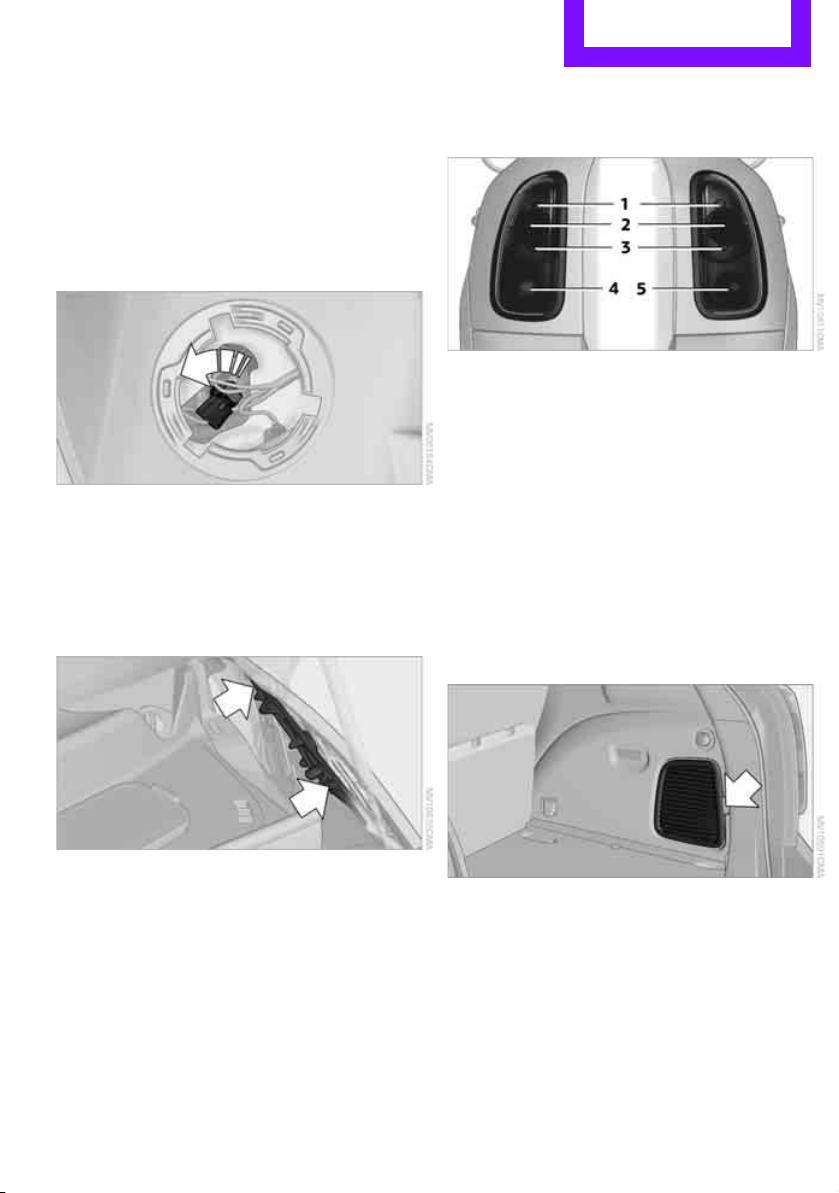
Replacing components Mobility
151
Replacing a fog lamp bulb
H8 bulb, 35 watts
1. Turn in the wheel.
2. Remove cover 2.
To do so, turn the cover counterclockwise.
3. Pull the cable connector.
4. Unscrew the lower bulb counterclockwise.
5. To insert the new bulb and replace the
cover, proceed in reverse order.
Side turn signals
5watt bulb, W5W
1. Open hood.
2. Squeeze clamping clip, arrows, and remove
bulb holder.
3. Unscrew bulb counterclockwise and
replace.
4. To insert the new bulb and replace the
cover, proceed in reverse order.
Side marker lamps
Have these bulbs replaced by your MINI dealer.
Tail lamps
Bulb P 21 W
1 Brake/tail lamp
2 Turn signal
3 Brake/tail lamp
4 Backup lamps
5 Backup lamps
Changing
All bulbs are integrated in a central bulb holder.
1. Switch off the light and remove the infrared
remote control from the ignition lock.
2. Push the cover panel out from the rear of the
cargo area side trim panel and remove it.
Online Edition for Part no. 01 40 2 607 530 - © 03/11 BMW AGOnline Edition for Part no. 01 40 2 607 530 - © 03/11 BMW AG
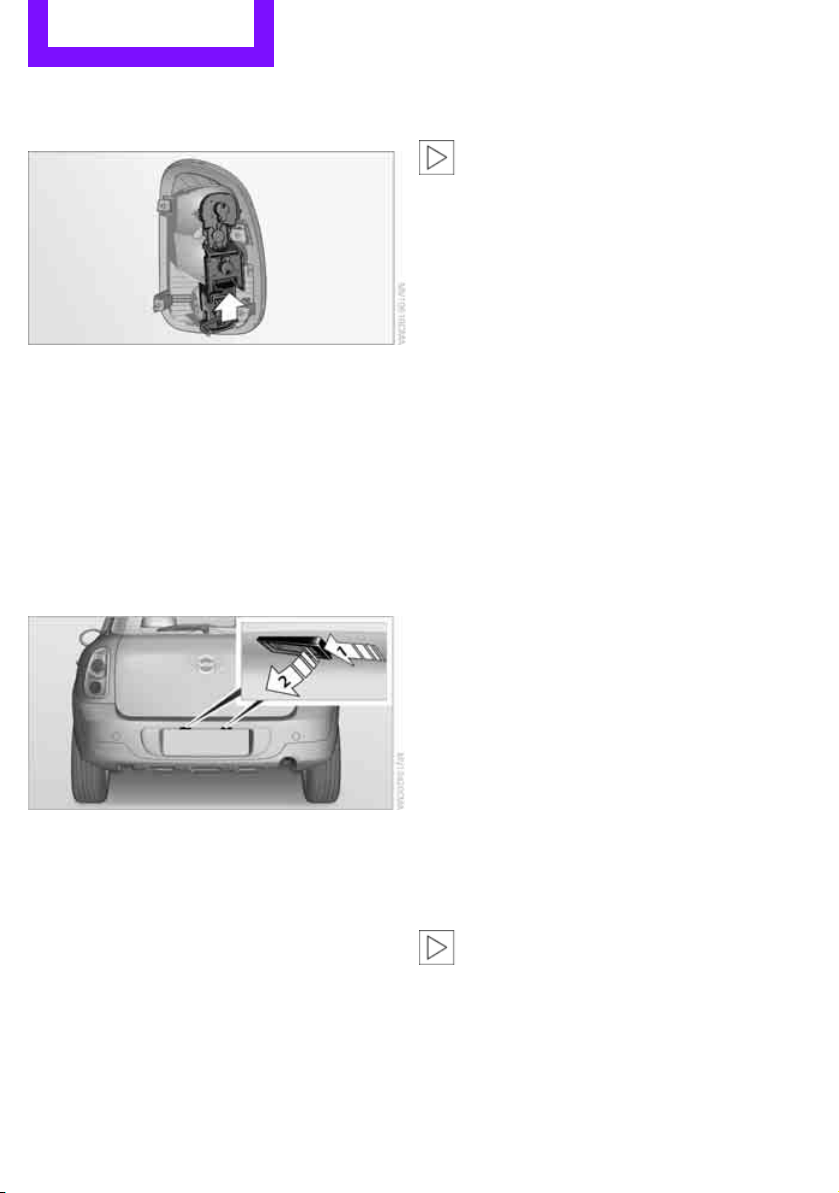
Mobility Replacing components
152
3. Disengage the bulb holder by pressing down
on the clamping clip, arrow.
4. Remove bulb holder.
5. Apply gentle pressure to the bulb while turn-
ing it to the left for removal and replace-
ment.
6. Re-engage the bulb holder so that it audibly
clicks into place.
7. Replace the cover panel.
License plate lamps
5 watt bulb, C 5 W
1. Using a screwdriver, push the lamp to the
left in the tab of the lamp housing, arrow 1.
2. Remove the lamp, arrow 2.
3. Replace the bulb.
4. Insert the lamp.
Center brake lamp
This lamp uses LED technology for operation. In
the event of a malfunction, contact your MINI
dealer or a workshop that has specially trained
personnel working in accordance with the spec-
ifications of your MINI manufacturer.
Repairing a flat tire
Safety measures in the event of a break-
down:
Park the vehicle as far as possible from moving
traffic and switch on the hazard warning flash-
ers.
Turn the steering wheel until the front wheels
are in the straight-ahead position and engage
the steering wheel lock. Engage the parking
brake and shift into 1st or reverse gear or place
the selector lever in position P.
All passengers should be outside the vehicle and
in a safe place, e.g. behind a guardrail.
Erect a warning triangle or warning flasher at the
appropriate distance if necessary. Comply with
all safety guidelines and regulations.<
In the event of a flat tire, different procedures
should be followed depending on the equip-
ment included in your vehicle:
> MINI Mobility System, refer to the following
section
> Run-flat tires, page 136
MINI Mobility System*
The Mobility System is located under the left
front seat.
Preparations
Use of the MINI Mobility System may be ineffec-
tive if the tire puncture measures approx. 1/8 in/
4 mm or more. Contact the nearest MINI dealer
if the tire cannot be made drivable with the
Mobility System.
Do not remove foreign bodies which have pen-
etrated the tire if possible.
Follow the instructions on using the Mobil-
ity System found on the compressor and
the sealant bottle.<
Remove the adhesive label for the speed limit
from the sealant bottle and affix it to the steer-
ing wheel.
Online Edition for Part no. 01 40 2 607 530 - © 03/11 BMW AGOnline Edition for Part no. 01 40 2 607 530 - © 03/11 BMW AG
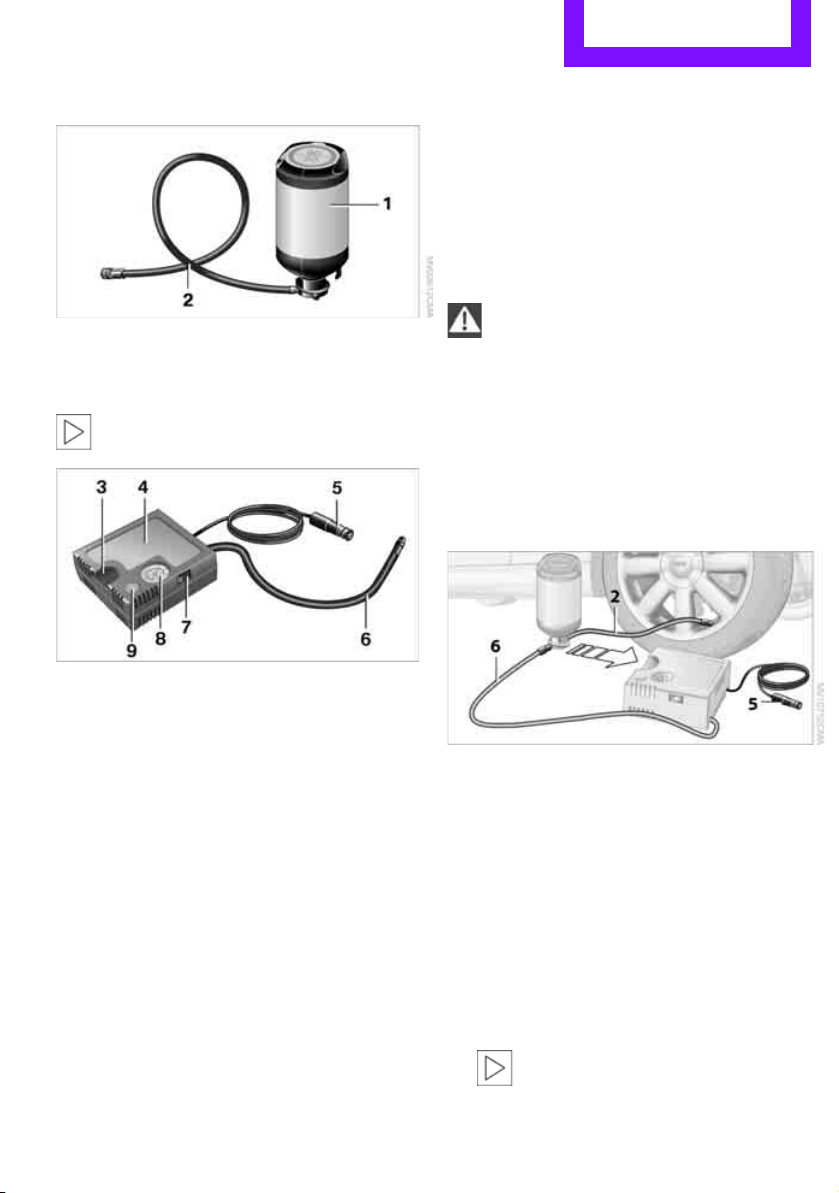
Replacing components Mobility
153
Sealant and compressor
1 Sealant bottle and adhesive label with speed
limit
2 Filling hose
Note the use-by date on the sealant bot-
tle.<
3 Holder for the sealant bottle
4 Compressor
5 Plug and cable for the socket in the vehicle
interior, page 86
6 Connection hose to connect the compressor
and sealant bottle or the compressor and
wheel
7 On/off switch
8 Pressure gauge for indicating the tire infla-
tion pressure
9 Release button for reducing the tire inflation
pressure
Connector, cable and connection hose are
stored in the compressor housing.
Using the Mobility System
To repair a tire puncture with the Mobility Sys-
tem, proceed as follows:
> Filling the tire with sealant
> Distributing the sealant
> Correct the tire inflation pressure
Filling the tire with sealant
Proceed in the specified order; otherwise,
sealant may emerge under high pres-
sure.<
1. Shake the sealant bottle.
2. Pull the connecting hose 6 completely out of
the compressor housing and screw it onto
the connector of the sealant bottle. Make
sure that the hose is not kinked.
3. Insert the sealant bottle on the compressor
housing in an upright position.
4. Unscrew the dust cap from the valve of the
defective wheel and screw the filling hose 2
of the sealant bottle onto the valve.
5. Ensure that the compressor is switched off.
6. Insert the plug 5 into the lighter socket/
power socket in the vehicle interior,
page 86.
7. With the engine running:
Switch on the compressor and let it run for
approx. 3 to 8 minutes to fill the tire with
sealant and achieve a tire inflation pressure
of approx. 26 psi/180 kPa.
When filling with the sealant, the infla-
tion pressure can briefly rise to
Online Edition for Part no. 01 40 2 607 530 - © 03/11 BMW AGOnline Edition for Part no. 01 40 2 607 530 - © 03/11 BMW AG

Mobility Replacing components
154
approx. 73 psi/500 kPa. Do not switch off
the compressor during this phase.<
Do not run the compressor for longer
than 10 minutes; otherwise, the
device will overheat and possibly be dam-
aged.<
8. Switch off the compressor.
If an air pressure of 26 psi/180 kPa is not
reached:
1. Unscrew the filling hose 2 from the wheel
and drive the vehicle forward and backward
approx. 33 ft/10 m to distribute the liquid
sealant in the tire evenly.
2. Inflate the tire again with the compressor.
If an inflation pressure of 26 psi/180 kPa
still cannot be reached, the tire is too
heavily damaged. Please contact the nearest
MINI dealer.<
Stowing Mobility System
1. Unscrew filler hose 2 of the sealant bottle
from the wheel.
2. Unscrew connecting hose of the
compressor 6 from the sealant bottle.
3. Connect the filler hose 2 of the sealant bot-
tle to the unoccupied connection on the
sealant bottle.
This prevents the rest of the sealant from
escaping from the bottle.
4. Wrap the empty sealant bottle in suitable
material to avoid dirtying the cargo area.
5. Stow Mobility System back in the vehicle.
Distributing the sealant
Immediately drive approx. 3 miles/5 km so that
the sealant evenly distributes itself.
Do not exceed speeds of 50 mph/
80 km/h.
If possible, do not drop below 10 mph/
20 km/h.<
Correct the tire inflation pressure
1. After driving approx. 3 miles/5 km or ten
minutes, stop at a suitable location.
2. Screw the connection hose 6 of the com-
pressor directly onto the tire valve.
3. Insert the plug 5 into the power socket in
the vehicle interior.
4. Correct inflation pressure to 26 psi/180 kPa.
With the engine running:
> To increase the inflation pressure: switch on
the compressor. To check the current infla-
tion pressure, switch off the compressor.
Do not run the compressor for longer
than 10 minutes; otherwise, the
device will overheat and possibly be dam-
aged.<
> To decrease the inflation pressure: press the
release button 9.
If the tire cannot maintain the inflation
pressure, drive the vehicle again, refer to
Distributing the sealant. Then repeat steps
1to4.
If an inflation pressure of 26 psi/180 kPa still
cannot be reached, the tire is too heavily dam-
aged. Contact the nearest MINI dealer.<
Driving on
Do not exceed the permitted maximum
speed of 50 mph/80 km/h; doing so may
result in an accident.<
Replace the defective tire as soon as possible
and have the new wheel/tire assembly bal-
anced.
Have the Mobility System refilled.
Online Edition for Part no. 01 40 2 607 530 - © 03/11 BMW AGOnline Edition for Part no. 01 40 2 607 530 - © 03/11 BMW AG
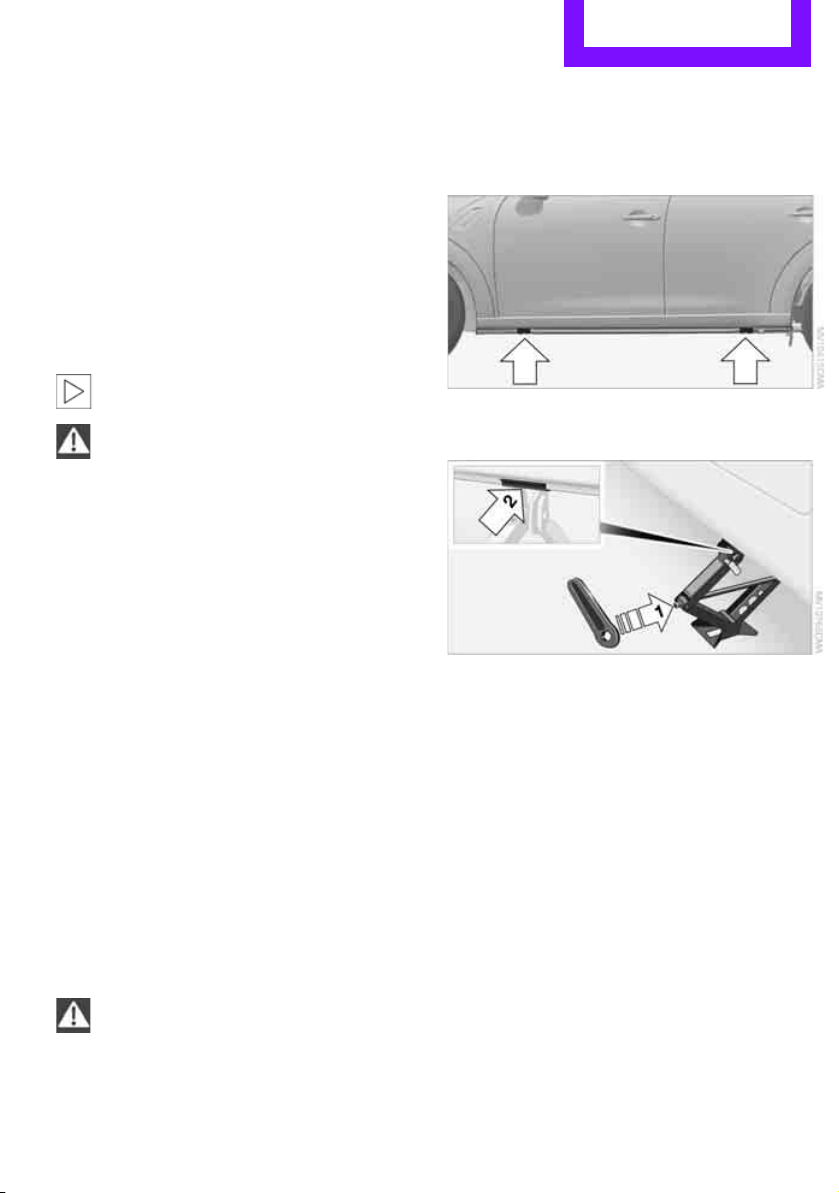
Replacing components Mobility
155
Changing wheels
The pouch with the wheel changing kit* is
stored under the flat load floor
*. It includes:
> Vehicle jack
> Reversible ratchet
> Wheel stud wrench
> Extractor hook for wheel center cover
> Chock
Preparing for a wheel change
Observe the safety precautions regarding
flat tires on page 152.<
Additional safety measures when chang-
ing tires:
Only change the tire when parked on a surface
that is level, firm and not slippery.
The vehicle or the jack could slip sideways on
soft or slippery support surfaces, such as snow,
ice, flagstones, etc.
Do not use a wooden block or similar object as a
support base for the jack, as this would prevent
it from extending to its full support height and
reduce its load-carrying capacity.
Do not lie under the vehicle or start the engine
when the vehicle is supported by the jack; other-
wise, there is a risk of fatal injury.<
1. Place the foldable chock
* behind the front
wheel on the other side of the vehicle or in
front of the wheel if the vehicle is on an
incline. If the wheel is changed on a surface
with a more severe slope, take additional
precautions to secure the vehicle from roll-
ing.
2. Uncover the lug bolts if necessary.
3. Loosen the lug bolts by a half turn.
Jacking up the vehicle
The vehicle jack is designed for changing
wheels only. Do not attempt to raise
another vehicle model with it or to raise any load
of any kind. To do so could cause accidents and
personal injury.<
1. Place the jack at the jacking point closest to
the wheel.
The jack base must be perpendicular to the
surface beneath the jacking point.
2. Slide reversible ratchet onto the fixture on
the jack, arrow 1.
3. As you ratchet up the jack, place the jack
head onto the lifting point on the body,
arrow 2.
4. Jack the vehicle up until the wheel you are
changing is raised off the ground.
Mounting the wheel
1. Unscrew the lug bolts and remove the
wheel.
2. Remove accumulations of mud or dirt from
the mounting surfaces of the wheel and
hub. Clean the lug bolts.
3. Lift the new wheel into place.
4. Screw at least two lug bolts finger-tight into
opposite bolt holes.
5. Screw in the remaining bolts.
6. Tighten all the lug bolts firmly in a diagonal
pattern.
Online Edition for Part no. 01 40 2 607 530 - © 03/11 BMW AGOnline Edition for Part no. 01 40 2 607 530 - © 03/11 BMW AG

Mobility Replacing components
156
7. Lower the vehicle.
8. Remove the jack.
Tightening the lug bolts
Tighten the lug bolts in a diagonal pattern.
Immediately have the wheels checked
with a calibrated torque wrench to ensure
that the lug bolts are firmly seated. Otherwise,
incorrectly tightened lug bolts can present a
safety hazard.<
Tightening torque: 103.3 lb ft or 140 Nm.
Replace the defective tire as soon as possible
and have the new wheel/tire assembly bal-
anced.
Vehicle battery
Maintenance
The battery is 100% maintenance-free, the
electrolyte will last for the life of the battery
when the vehicle is operated in a temperate cli-
mate.
Battery replacement
Only use vehicle batteries that have been
approved for your vehicle by the manu-
facturer; otherwise, the vehicle could be dam-
aged and systems or functions may not be fully
available.<
After a battery replacement, have the battery
registered on the vehicle by your dealer to
ensure that all comfort functions are fully avail-
able.
Charging the battery
Only charge the battery in the vehicle when the
engine is off. Connections, refer to Jump-start-
ing on page 158.
Disposal
After replacing old batteries, return the
used batteries to your MINI dealer or to a
recycling center. Maintain the battery in an
upright position for transport and storage.
Always secure the battery against tipping over
during transport.<
Power failure
After a temporary power loss, some equipment
may not be fully functional and may require ini-
tialization. Individual settings are also lost and
must be reprogrammed:
> Time and date
These values must be updated, page 57.
> Radio
In some cases, stations may have to be
stored again, page 104.
> Glass sunroof
*, electric
It may only be possible to tilt the sunroof, if
applicable. The system must be initialized.
Contact your nearest MINI dealer.
Fuses
Do not attempt to repair a blown fuse or
replace it with a fuse of a different color or
Ampere rating. To do this could cause a fire in
the vehicle resulting from a circuit overload.
Have the fuse changed only by a MINI dealer or
a workshop that has specially trained personnel
working in accordance with the specifications of
the MINI manufacturer.<
A fuse allocation diagram is located on the inside
of the fuse box cover panels.
Online Edition for Part no. 01 40 2 607 530 - © 03/11 BMW AGOnline Edition for Part no. 01 40 2 607 530 - © 03/11 BMW AG
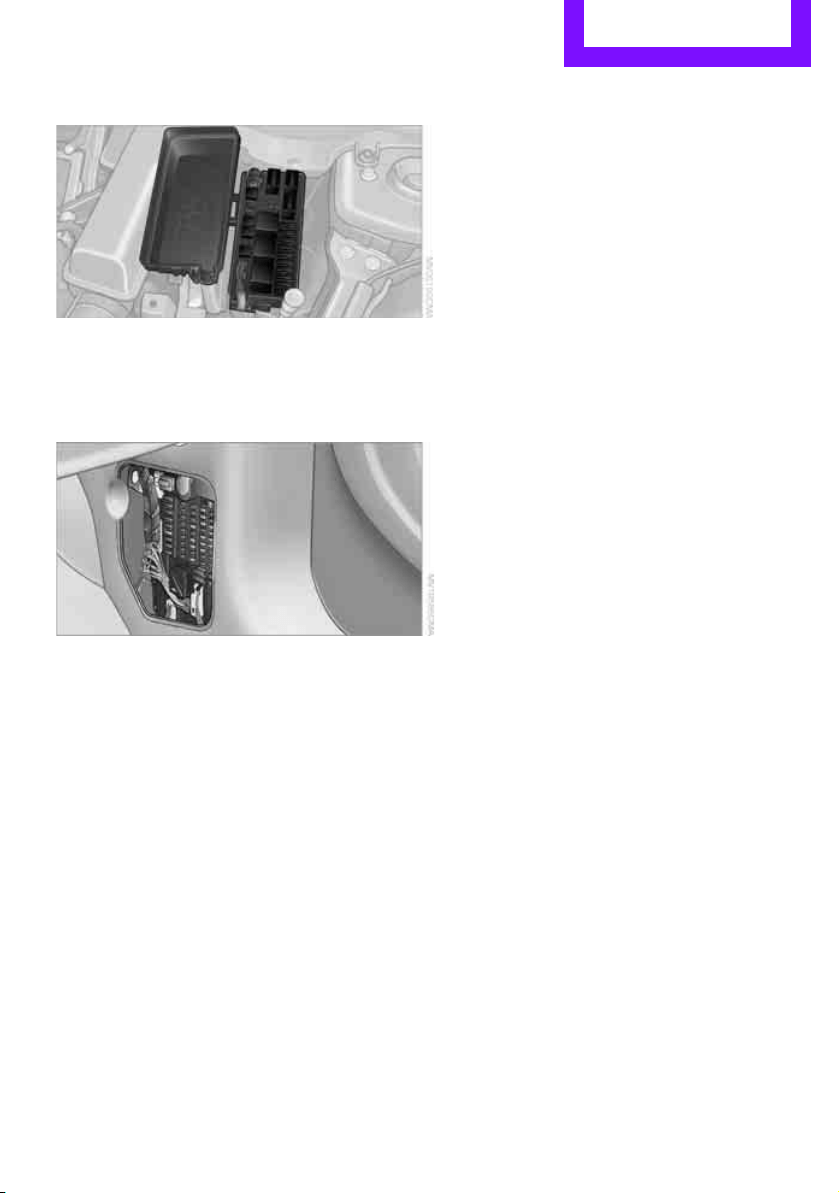
Replacing components Mobility
157
In the engine compartment
Opening the cover
Press the latch.
In the vehicle interior
On the right side of the footwell.
Opening the cover
Press out at the recess.
Online Edition for Part no. 01 40 2 607 530 - © 03/11 BMW AGOnline Edition for Part no. 01 40 2 607 530 - © 03/11 BMW AG
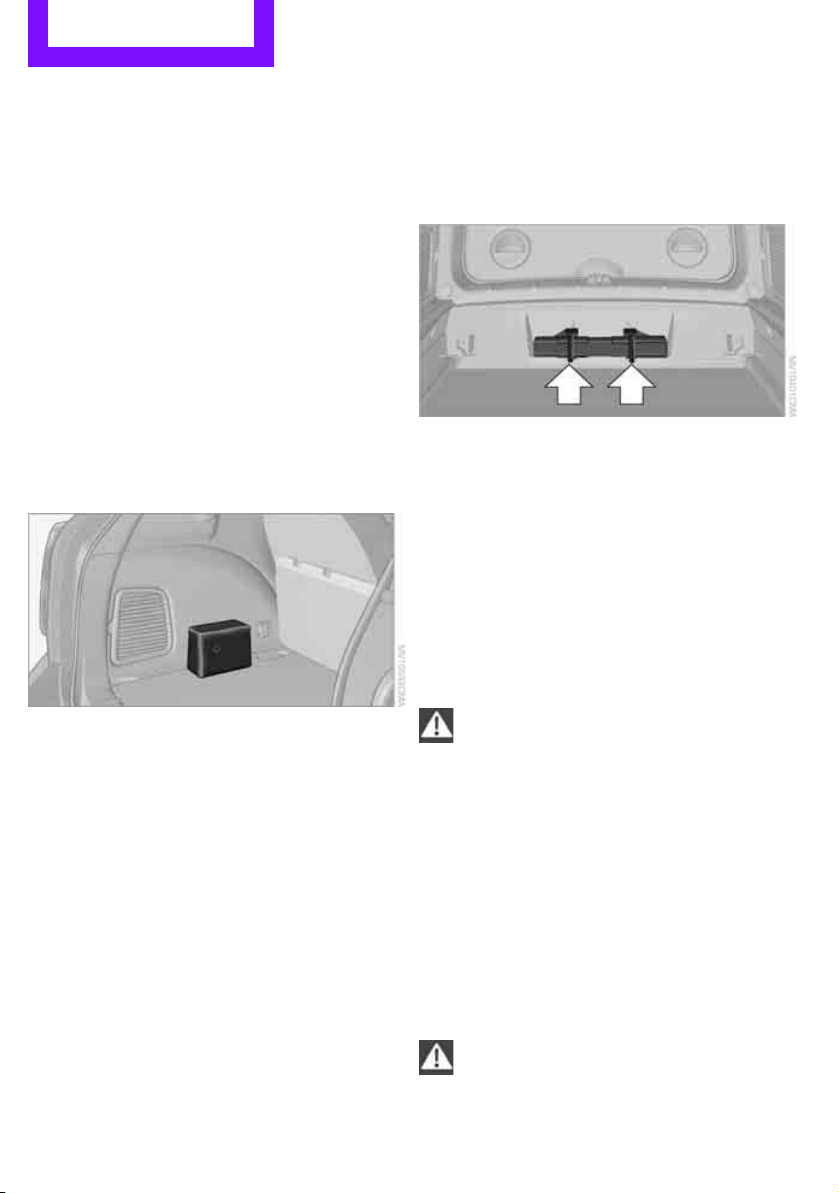
Mobility Giving and receiving assistance
158
Giving and receiving assistance
Roadside Assistance
Roadside Assistance is available by phone
24 hours a day in many countries. You can
obtain assistance there in the event of a vehicle
breakdown.
First aid pouch*
Some of the articles contained in the first aid
pouch have a limited service life. Therefore,
check the expiration dates of the contents regu-
larly and replace any items in good time, if nec-
essary.
The first aid pouch is located on the rear cargo
well by the left side trim panel or under the pull-
out floor panel.
Warning triangle*
In the cargo area under the loading sill.
To remove, open the two clasps.
Jump-starting
If the car's own battery is flat, your MINI's engine
can be started by connecting two jumper cables
to another vehicle's battery. You can also use
the same method to help start another vehicle.
Only use jumper cables with fully-insulated
clamp handles.
Do not touch any electrically live parts
when the engine is running, or a fatal acci-
dent may occur. Carefully adhere to the follow-
ing sequence, both to prevent damage to one or
both vehicles, and to guard against possible per-
sonal injuries.<
Preparation
1. Check whether the battery of the other vehi-
cle has a voltage of 12 volts and approxi-
mately the same capacitance in Ah. This
information can be found on the battery.
2. Switch off the engine of the support vehicle.
3. Switch off any consumers in both vehicles.
There must not be any contact between
the bodies of the two vehicles; otherwise,
there is a danger of shorting.<
Online Edition for Part no. 01 40 2 607 530 - © 03/11 BMW AGOnline Edition for Part no. 01 40 2 607 530 - © 03/11 BMW AG
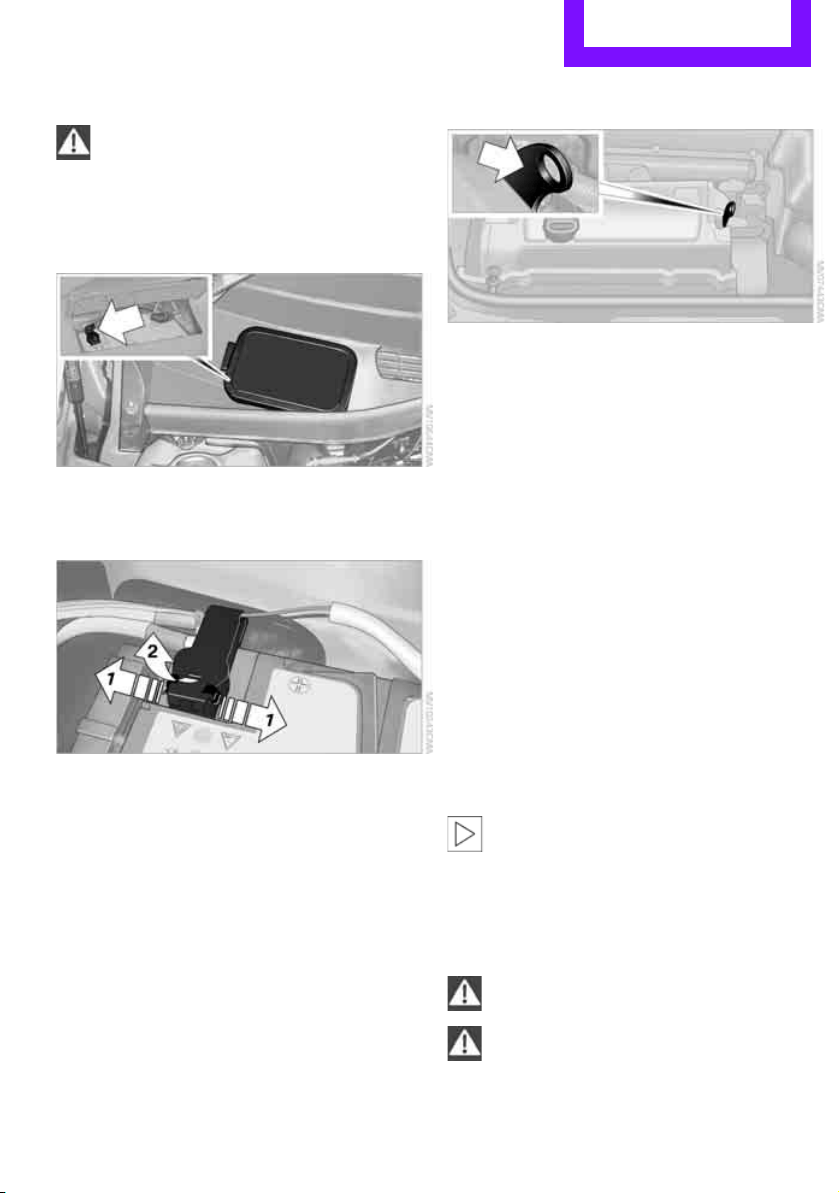
Giving and receiving assistance Mobility
159
Connecting jumper cables
Connect the jumper cables in the correct
order, so that no sparks which could cause
injury occur.<
1. Open the battery cover in the engine com-
partment to access the positive terminal of
your MINI.
2. Release the tabs on the left and right sides of
the positive terminal cover
*, arrows 1, and
lift the cover to open, arrow 2.
3. Attach one terminal clamp of the plus/+
jumper cable to the positive terminal of the
battery or to a starting-aid terminal of the
vehicle providing assistance.
4. Attach the second terminal clamp of the
plus/+ jumper cable to the positive terminal
of the battery or a starting-aid terminal of
the vehicle to be started.
5. Attach one terminal clamp of the minus/–
jumper cable to the negative terminal of the
battery or to an engine or body ground of
the assisting vehicle.
Body ground in MINI:
6. Attach the second terminal clamp of the
minus/– jumper cable to the negative termi-
nal of the battery or to the engine or body
ground of the vehicle to be started.
Starting the engine
1. Start the engine of the donor vehicle and
allow it to run for a few minutes at slightly
increased idle speed.
2. Start the engine of the other vehicle in the
usual manner.
If the first start attempt is not successful,
wait a few minutes before another attempt
in order to allow the discharged battery to
recharge.
3. Let the engines run for a few minutes.
4. Disconnect the jumper cables by reversing
the above connecting sequence.
If necessary, have the battery checked and
recharged.
Never use spray fluids to start the
engine.<
Tow-starting, towing
away
Observe applicable laws and regulations
for tow-starting and towing.<
Do not transport any passengers other
than the driver in a vehicle that is being
towed.<
Online Edition for Part no. 01 40 2 607 530 - © 03/11 BMW AGOnline Edition for Part no. 01 40 2 607 530 - © 03/11 BMW AG
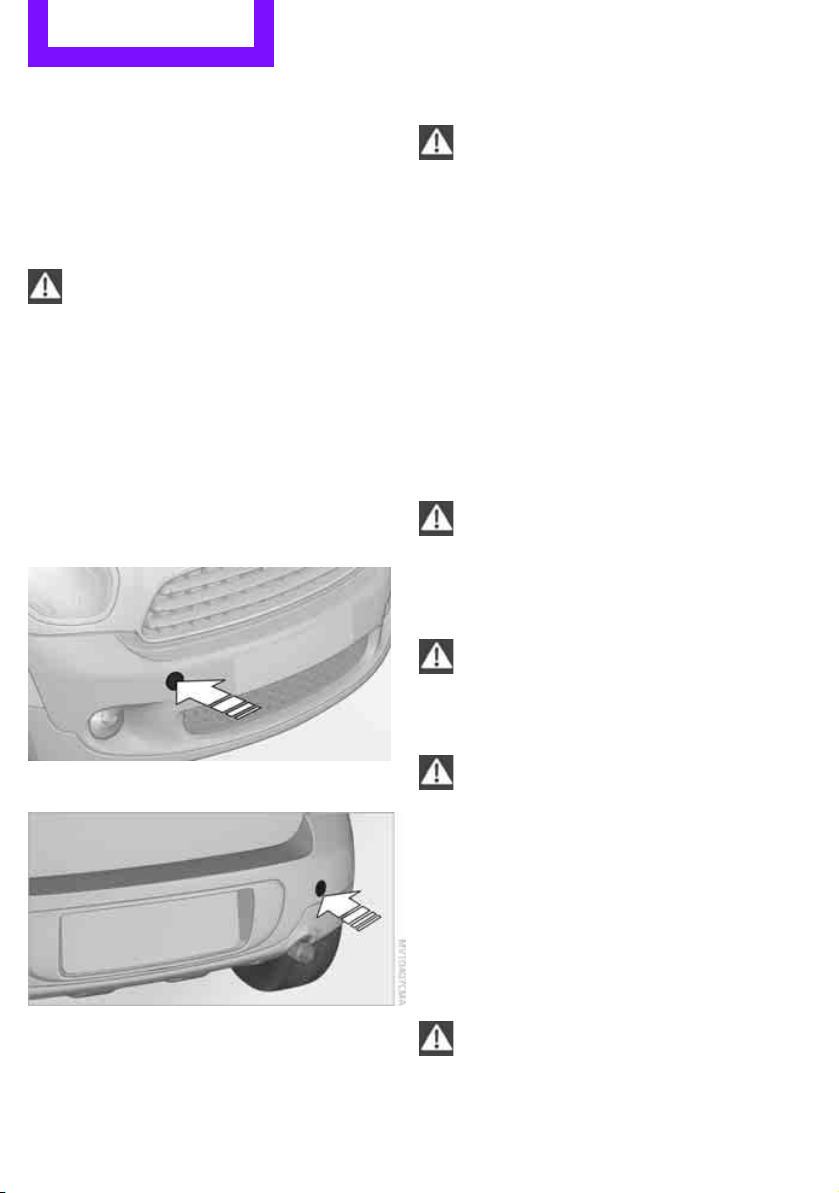
Mobility Giving and receiving assistance
160
Using a tow fitting
The screw-in tow fitting must always be carried
in the car. It can be screwed in at the front or at
the right rear.
The tow fitting can be found under the right
front seat or in the pocket of the tire changing
set
* in the cargo area.
Use only the tow fitting provided with the
vehicle and screw it all the way in. Use the
tow fitting for towing on paved roads only. Avoid
lateral loading of the tow fitting, e.g. do not lift
the vehicle by the tow fitting. Otherwise, the tow
fitting and the vehicle could be damaged.<
Access to screw thread
Press the lower part of the cover. This will push
out the upper edge of the cover, which can then
be removed.
Front
Rear
Being towed
Make sure that the ignition is switched on,
refer to page 41; otherwise, the low
beams, tail lamps, turn signals, and windshield
wipers may be unavailable. Do not tow the vehi-
cle with just the rear axle raised, as this would
allow the steering to turn.<
There is no power assist while the engine is off.
Thus, braking and steering will require increased
effort.
Switch on the hazard warning flashers, depend-
ing on local regulations.
Manual transmission
Gearshift lever in neutral position.
Automatic transmission
Tow vehicles with automatic transmission
only with a tow truck or with the front
wheels lifted; otherwise, the transmission can be
damaged.<
Towing methods
Do not lift vehicle by tow fitting or body
and chassis parts, otherwise damage may
result.<
With towbar
The towing vehicle must not be lighter
than the towed vehicle; otherwise, it may
be impossible to maintain control.<
The tow fittings used should be on the same side
on both vehicles. Should it prove impossible to
avoid mounting the tow bar at an angle, please
observe the following:
> Clearance and maneuvering capability will
be sharply limited during cornering.
> The tow bar will generate lateral forces if it is
attached offset.
Attach the tow bar to the tow fittings only,
as attaching it to other parts of the vehicle
could result in damage.<
Online Edition for Part no. 01 40 2 607 530 - © 03/11 BMW AGOnline Edition for Part no. 01 40 2 607 530 - © 03/11 BMW AG
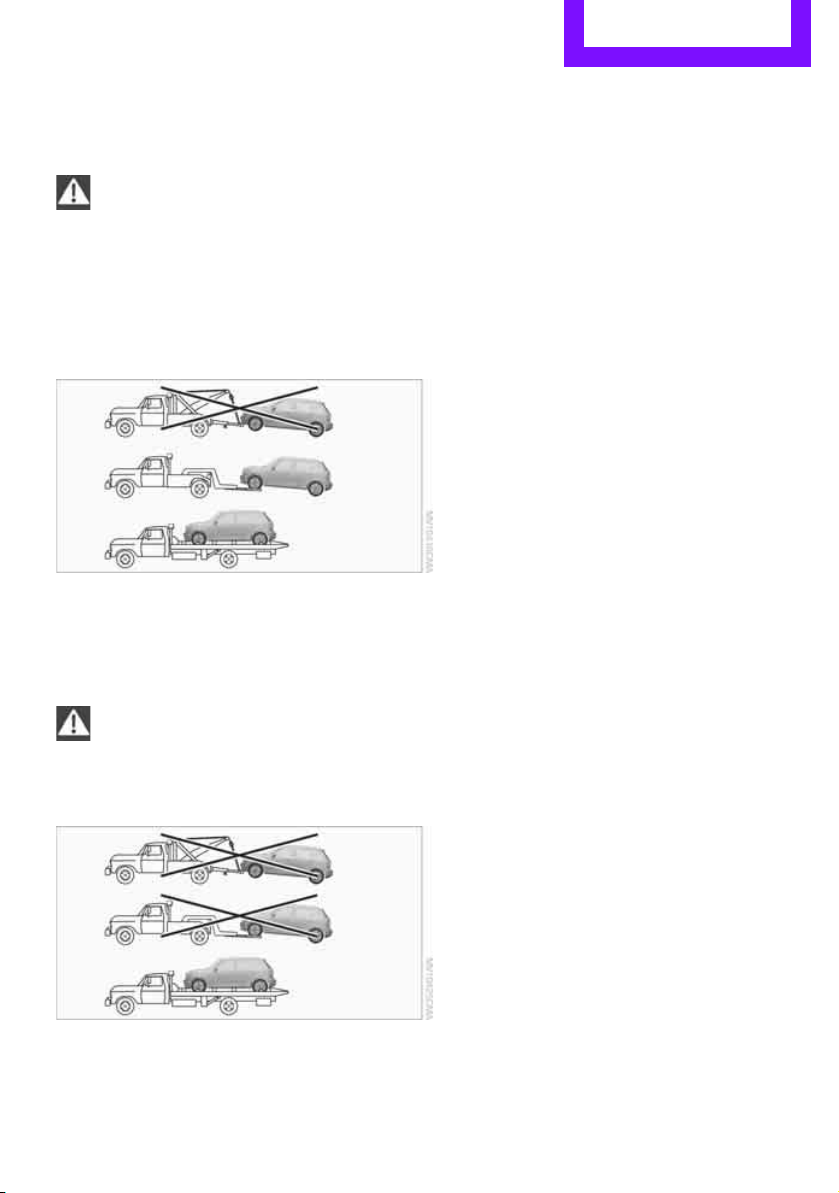
Giving and receiving assistance Mobility
161
With tow rope
When starting off in the towing vehicle, make
sure that the tow rope is taut.
To avoid jerking and the associated
stresses on vehicle components when
towing, always use nylon ropes or nylon straps.
Attach the tow rope to the tow fittings only, as
attaching it to other parts of the vehicle could
result in damage.<
With tow truck: vehicles without ALL4
all-wheel drive
Have the MINI Countryman transported by a tow
truck with a so-called lift bar or on a flat bed.
With tow truck: vehicles with ALL4 all-
wheel drive
Do not have your vehicle with ALL4 all-
wheel drive towed with the front or rear
axle raised individually; otherwise, the wheels
may lock and the transfer case may be dam-
aged.<
Only have your MINI Countryman transported
on a flat bed.
Tow-starting
Avoid tow-starting the vehicle whenever possi-
ble; instead, jump-start the engine, page 158.
Vehicles with a catalytic converter should only
be tow-started when the engine is cold, vehicles
with an automatic transmission cannot be tow-
started at all.
1. Switch on hazard warning flashers, comply
with local regulations.
2. Switch on the ignition, page 41.
3. Shift into 3rd gear.
4. Have the vehicle tow-started with the clutch
completely depressed and then slowly
release the clutch. After the engine starts,
immediately depress the clutch completely
again.
5. Stop at a suitable location, remove the tow
bar or rope and switch off the hazard warn-
ing flashers.
6. Have the vehicle checked.
Online Edition for Part no. 01 40 2 607 530 - © 03/11 BMW AGOnline Edition for Part no. 01 40 2 607 530 - © 03/11 BMW AG
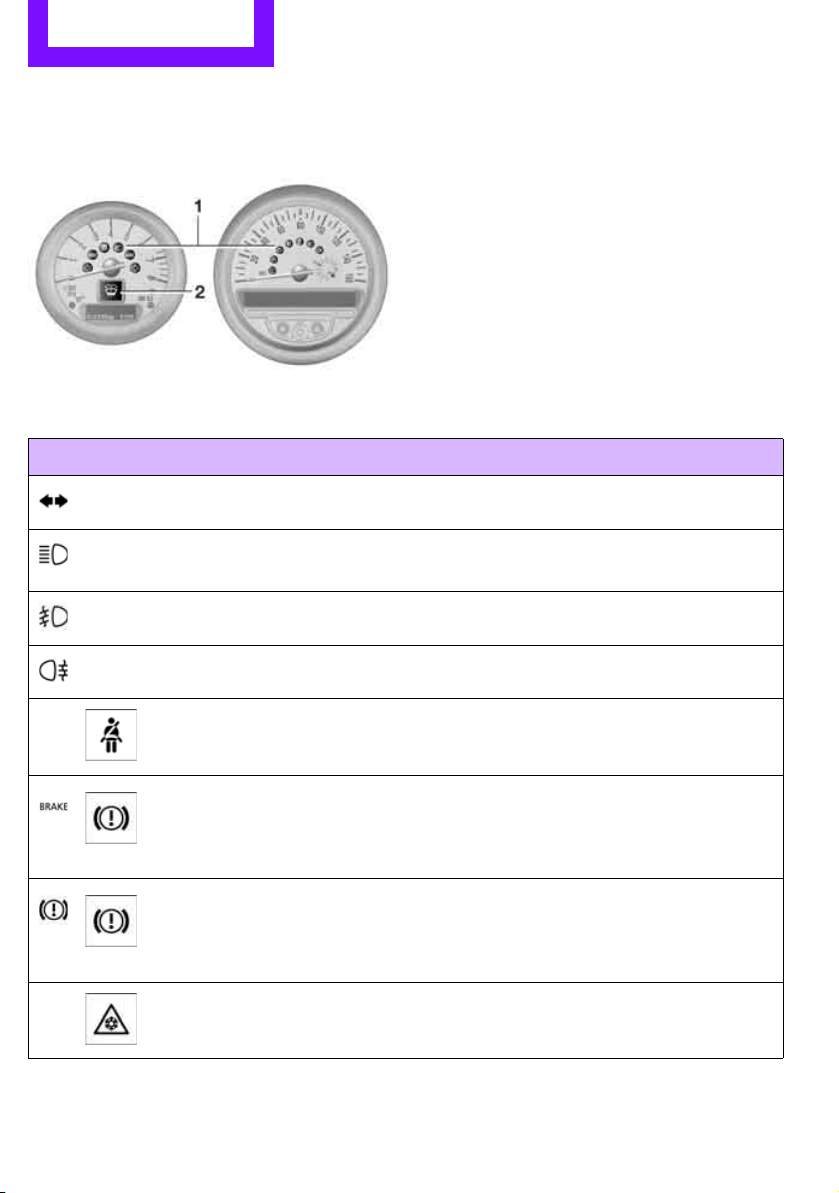
Mobility Indicator and warning lamps
162
Indicator and warning lamps
Indicator and warning lamps can light up in var-
ious combinations and colors in indicator area 1
or 2. Refer to the table for information on causes
and how to react. Note whether a lamp lights up
alone or in combination with another. Some
lamps can light up in different colors. Corre-
sponding distinctions are made in the text.
1 2 Cause What to do
Turn signals
High beams/headlamp flasher
switched on
Fog lamps switched on
Rear fog lamp switched on
Fasten safety belts Fasten your safety belt, refer also to
page 36.
Indication in US models
Parking brake applied Release the parking brake.
Indication in Canadian models
Parking brake applied Release the parking brake.
External temperature warning Drive cautiously, refer also to page 52.
Online Edition for Part no. 01 40 2 607 530 - © 03/11 BMW AGOnline Edition for Part no. 01 40 2 607 530 - © 03/11 BMW AG
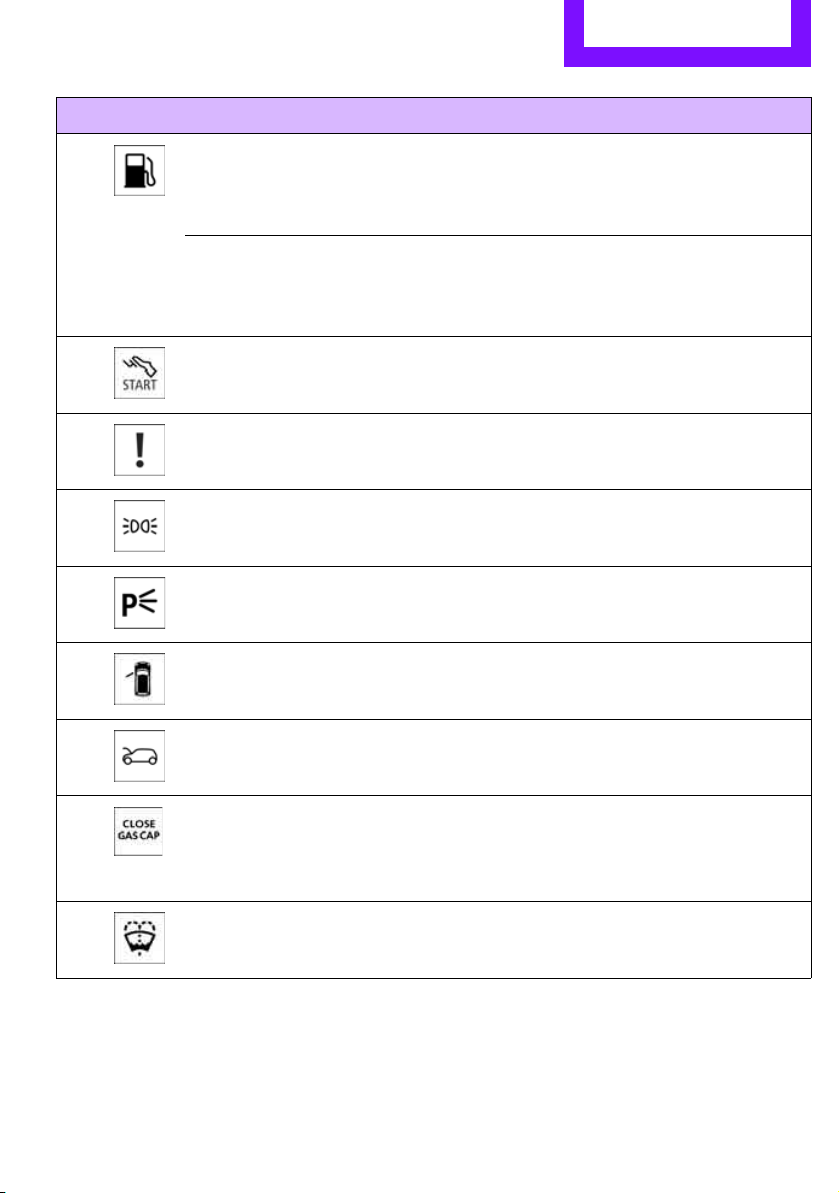
Indicator and warning lamps Mobility
163
Lights up briefly:
Approx. 2.1 US gal/8 liters of fuel are
still in the tank
Remains on:
The remaining range is at most
30 miles/50 km, page 51
Engine refuses to start Depress the brake or clutch in order to
start the engine, page 41.
Ignition switched on and driver's door
open
Switch off the ignition, page 41, or
close the driver's door.
Lamps still on
Roadside parking lamps on
Door open
Hood open
Fuel cap missing or loose Make sure that the fuel cap is correctly
positioned and close it until it audibly
clicks. Do not jam the strap between
the fuel cap and the vehicle.
Window washer fluid level too low Add washer fluid as soon as possible,
page 49.
1 2 Cause What to do
Online Edition for Part no. 01 40 2 607 530 - © 03/11 BMW AGOnline Edition for Part no. 01 40 2 607 530 - © 03/11 BMW AG
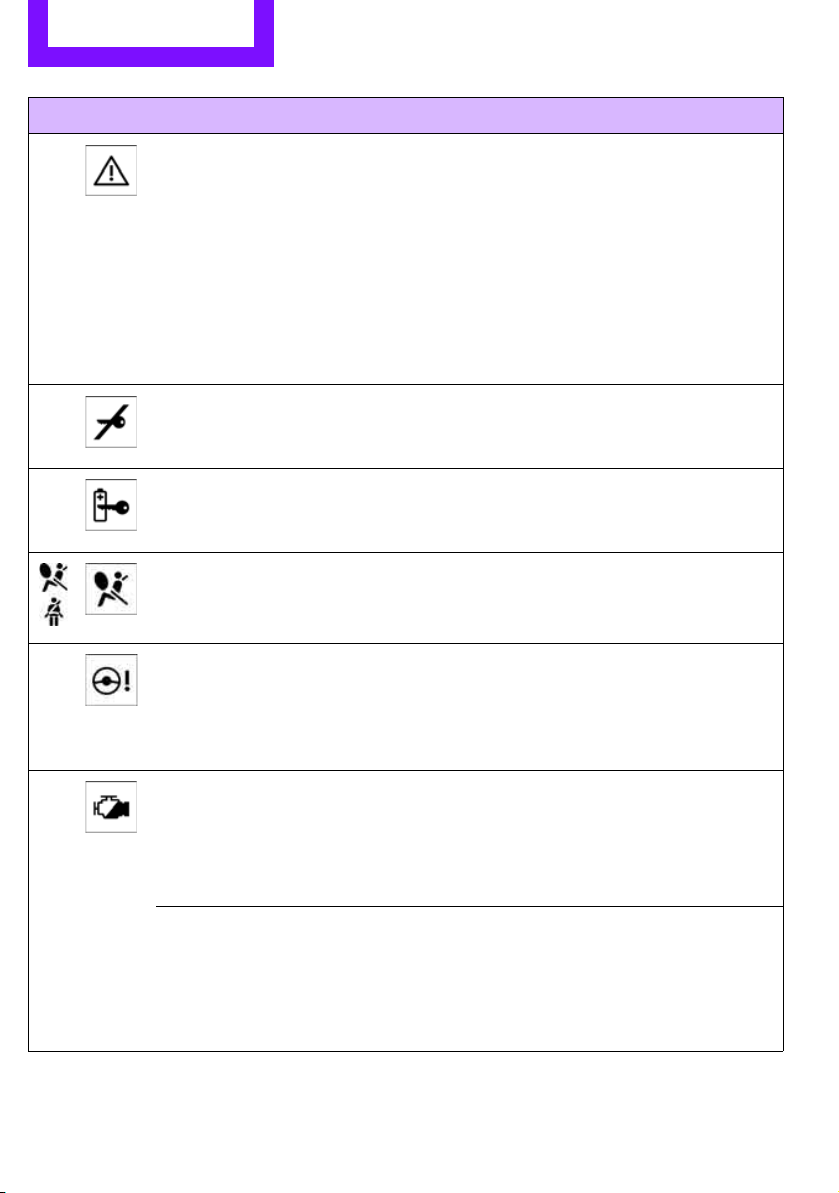
Mobility Indicator and warning lamps
164
Lights up in red:
Service due Arrange a service appointment.
Check service requirements,
page 142.
Lights up in yellow:
The engine will start the next time the
Start/Stop button is briefly pressed,
possibly without the brake or clutch
being depressed
Remote control malfunctioning or, in
cars with Comfort Access, not
detected
The engine cannot be started. Have
the remote control checked, if neces-
sary.
Remote control battery is discharged Use the remote control for a longer
journey or, in cars with Comfort
Access, replace the battery.
Belt tensioners and/or airbag system
failed
Have the system checked immedi-
ately. Fasten the safety belts anyway.
Power steering failed You can continue your journey, but
moderate your speed and exercise
due caution. Steering response will be
markedly different. Have the system
checked without delay.
Lights up in red:
Engine malfunction
Stop the car and switch off the
engine. You cannot continue your
journey. Contact your MINI dealer.
Lights up in yellow:
Full engine power no longer available You can continue your journey, but
moderate your speed and exercise
due caution. Have the engine
checked as soon as possible.
1 2 Cause What to do
Online Edition for Part no. 01 40 2 607 530 - © 03/11 BMW AGOnline Edition for Part no. 01 40 2 607 530 - © 03/11 BMW AG
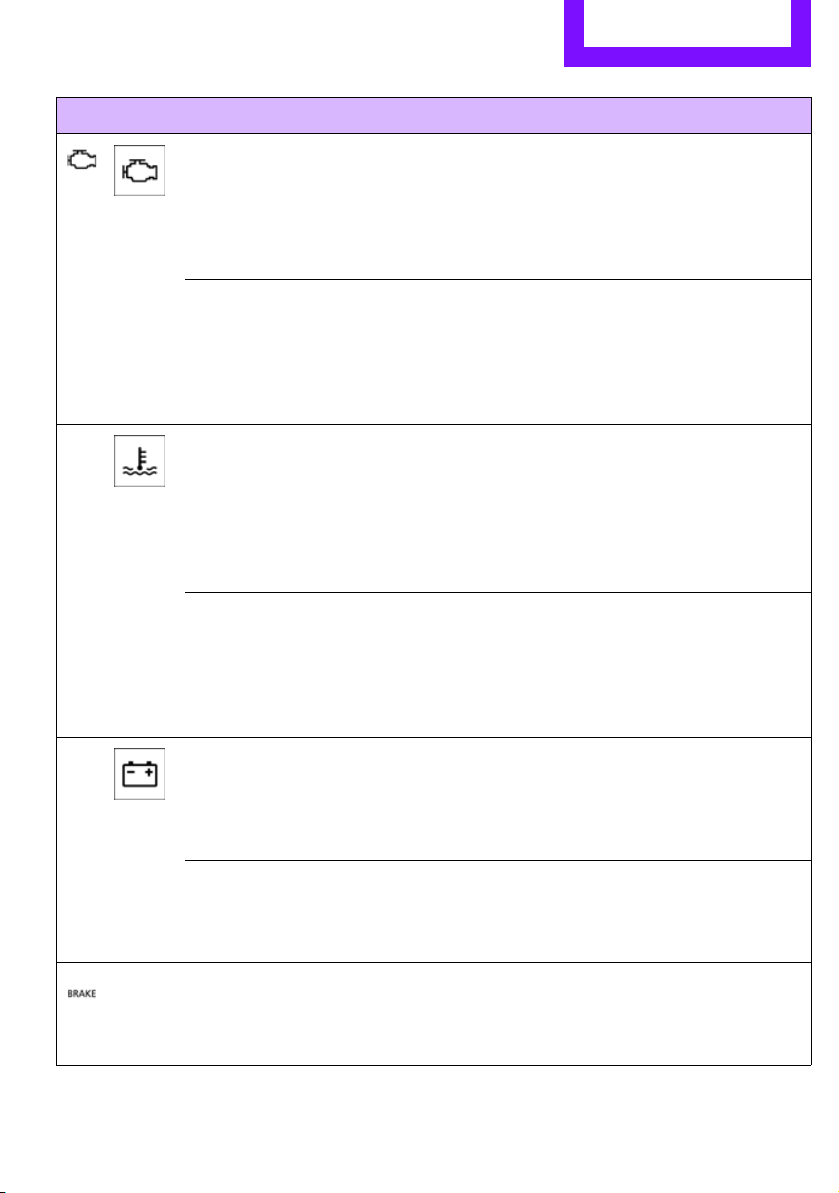
Indicator and warning lamps Mobility
165
Indicator lamp 1 flashes:
Engine malfunction under high load.
High engine load will result in dam-
age to the catalytic converter
You can continue your journey, but
moderate your speed and exercise
due caution. Have the vehicle
checked without delay.
Indicator lamp 1 comes on:
Engine malfunction with adverse
effect on exhaust emissions
You can continue your journey, but
moderate your speed and exercise
due caution. Have the car checked as
soon as possible.
Lights up in red:
Engine overheating Carefully bring the car to a stop,
switch off the engine and allow it to
cool down. Do not open the hood;
otherwise, there is a risk of injury from
scalding. Contact your MINI dealer.
Lights up in yellow:
Engine too hot Continue driving at more moderate
speed so that the engine can cool
down. Have the engine checked with-
out delay if the situation reoccurs.
Lights up in red:
Battery is no longer being charged.
Alternator malfunction
Switch off all unnecessary electrical
consumers. Have the battery checked
without delay.
Lights up in yellow:
Battery charge level very low, battery
aged or not securely connected
Have the battery checked as soon as
possible.
Indication in US models
Parking brake applied
1 2 Cause What to do
Online Edition for Part no. 01 40 2 607 530 - © 03/11 BMW AGOnline Edition for Part no. 01 40 2 607 530 - © 03/11 BMW AG
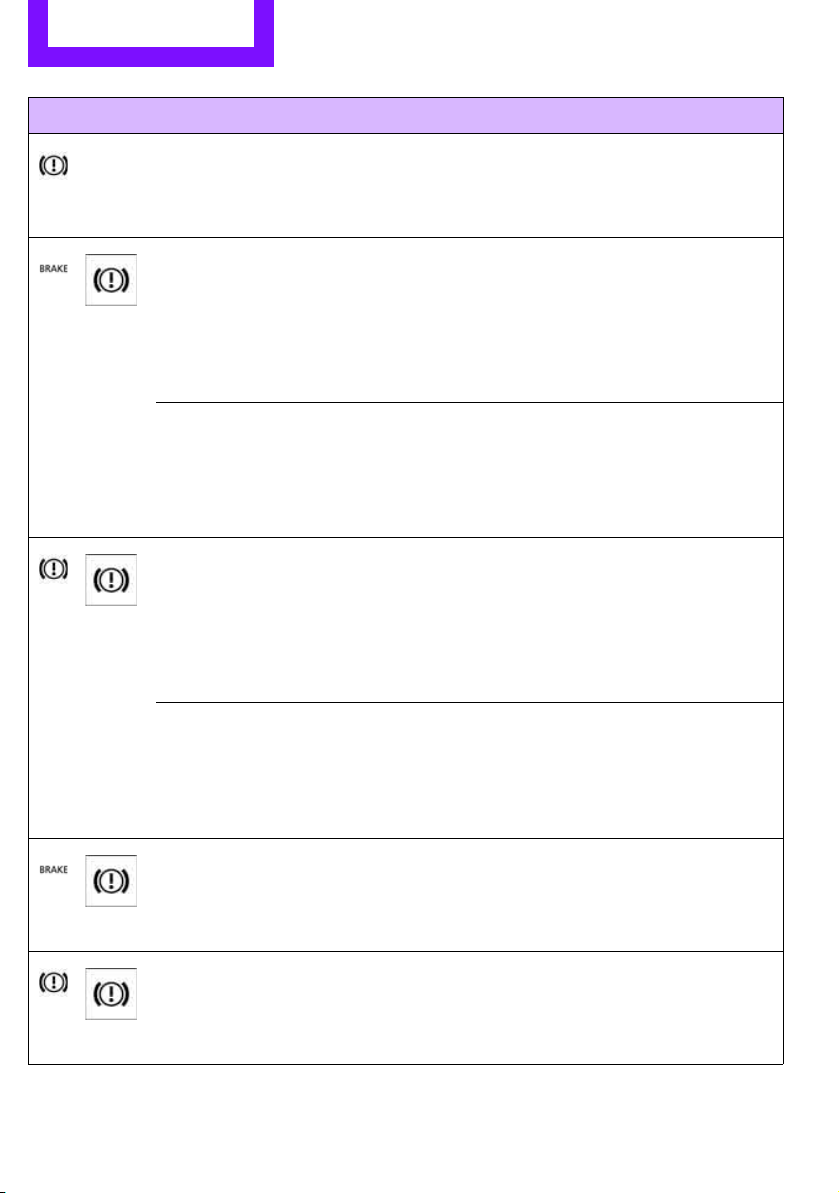
Mobility Indicator and warning lamps
166
Indication in Canadian models
Parking brake applied
Indication in US models
Lights up in red:
Brake fluid level too low Braking action is reduced, stop with
care. Contact the nearest MINI dealer.
Lights up in yellow:
Hill Assist failed. The car will not be
held in place after the brake is
released
Have the system checked as soon as
possible.
Indication in Canadian models
Lights up in red:
Brake fluid level too low Braking action is reduced, stop with
care. Contact the nearest MINI dealer.
Lights up in yellow:
Hill Assist failed. The car will not be
held in place after the brake is
released
Have the system checked as soon as
possible.
Indication in US models
Brake pads worn Have the condition of the brake pads
checked without delay.
Indication in Canadian models
Brake pads worn Have the condition of the brake pads
checked without delay.
1 2 Cause What to do
Online Edition for Part no. 01 40 2 607 530 - © 03/11 BMW AGOnline Edition for Part no. 01 40 2 607 530 - © 03/11 BMW AG
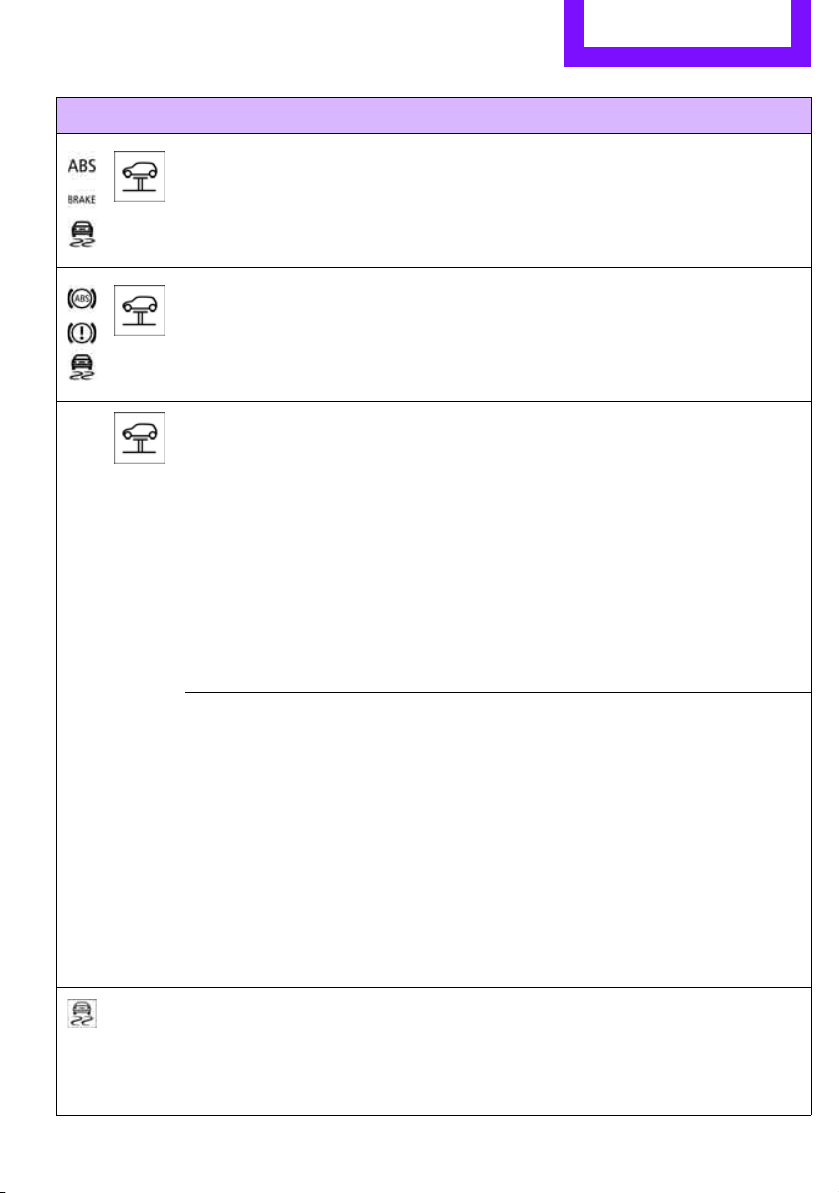
Indicator and warning lamps Mobility
167
Indication in US models
Vehicle electronics failed You cannot continue your journey.
Contact your MINI dealer.
Indication
* in Canadian models
Vehicle electronics failed You cannot continue your journey.
Contact your MINI dealer.
Lights up in red: Have the system in question checked
without delay.
> Starter failed or The engine cannot be restarted.
> ignition malfunctioning. Engine
restart only possible when brake
is depressed or
> lighting system failed. Low
beams/tail lamps and brake
lamps still operational. All other
lamps failed
Depress the brake to start the engine
again.
Lights up in yellow:
> Control of the brake lamps failed
or
> fuel supply malfunctioning
You can continue your journey, but
moderate your speed and exercise
due caution. Have the system in ques-
tion checked without delay.
> Drive malfunctioning
You can continue your journey, but
moderate your speed and exercise
due caution. Transmission limp-home
program active with restricted range
of gears. Have the system checked
immediately.
Flashing:
Dynamic Stability Control DSC or
Dynamic Traction Control DTC is con-
trolling drive and braking forces, refer
also to page 59
1 2 Cause What to do
Online Edition for Part no. 01 40 2 607 530 - © 03/11 BMW AGOnline Edition for Part no. 01 40 2 607 530 - © 03/11 BMW AG
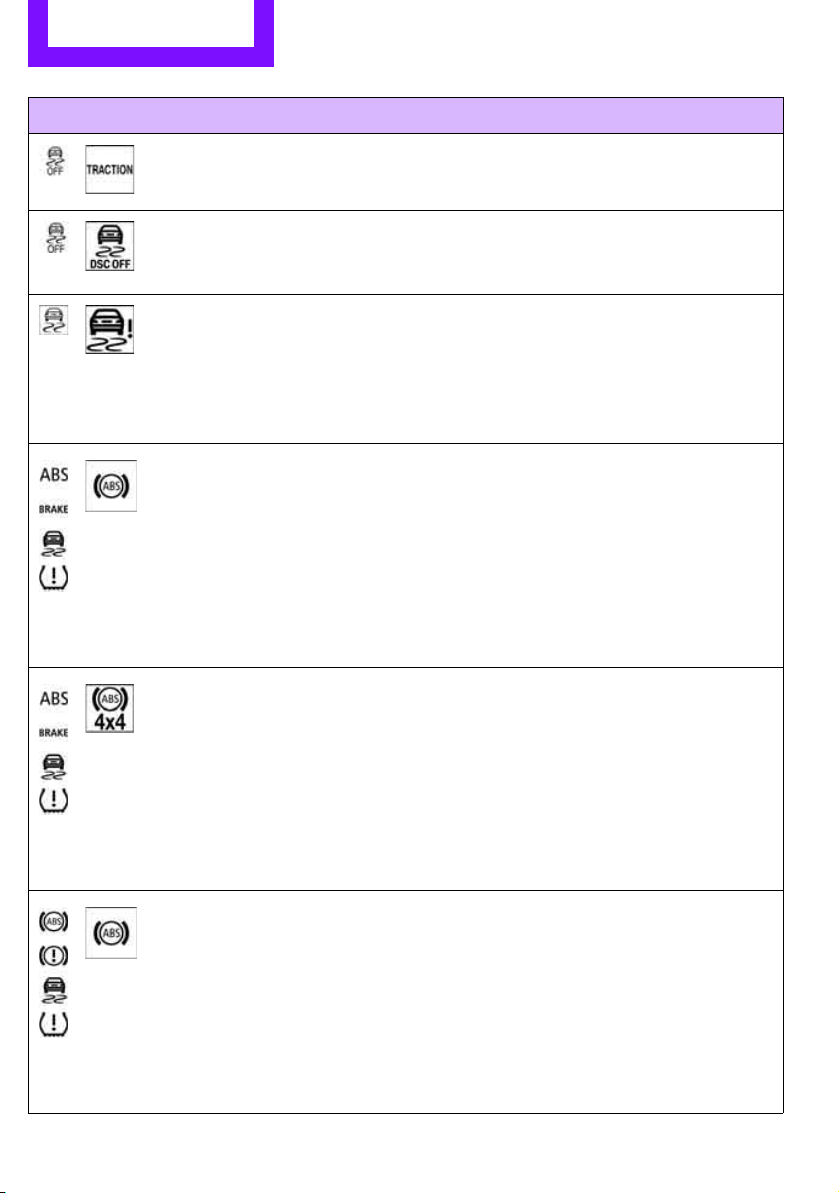
Mobility Indicator and warning lamps
168
Dynamic Traction Control DTC is acti-
vated, refer also to page 61
The Dynamic Stability Control DSC
and Dynamic Traction Control DTC
are deactivated, refer also to page 59
Driving stability limited during accel-
eration and cornering.
Driving style must be adjusted.
The Dynamic Stability Control DSC
and Dynamic Traction Control DTC
systems have failed
Driving stability limited during accel-
eration and cornering.
You can continue your journey, but
moderate your speed and exercise
due caution. Have the system
checked as soon as possible.
Indication in US models
The driving stability control systems,
including ABS and the Tire Pressure
Monitor, have failed, refer also to
page 59
Reduced braking and driving stability.
Drive cautiously and think well ahead.
Avoid braking with full force, driving
on rough tracks, and depressing the
accelerator pedal to full throttle or
kickdown position. Have the system
checked immediately.
Indication in US models
The driving stability control systems,
including ABS, ALL4 all-wheel drive,
and the Tire Pressure Monitor, have
failed, refer also to page 59
Reduced braking and driving stability.
Drive cautiously and think well ahead.
Avoid braking with full force, driving
on rough tracks, and depressing the
accelerator pedal to full throttle or
kickdown position. Have the system
checked immediately.
Indication
* in Canadian models
The driving stability control systems,
including ABS and the Flat Tire Moni-
tor or the Tire Pressure Monitor
*,
have failed, refer also to page 59
Reduced braking and driving stability.
Drive cautiously and think well ahead.
Avoid braking with full force, driving
on rough tracks, and depressing the
accelerator pedal to full throttle or
kickdown position. Have the system
checked immediately.
1 2 Cause What to do
Online Edition for Part no. 01 40 2 607 530 - © 03/11 BMW AGOnline Edition for Part no. 01 40 2 607 530 - © 03/11 BMW AG
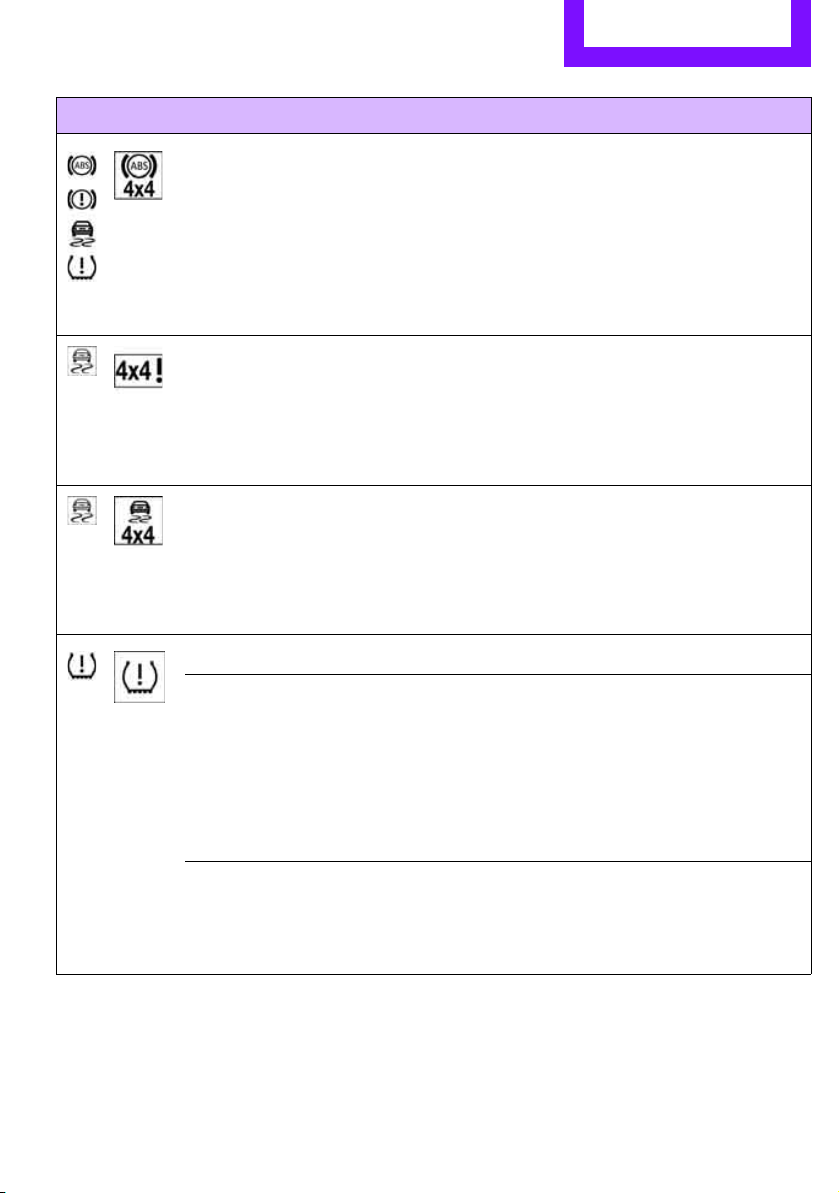
Indicator and warning lamps Mobility
169
Indication* in Canadian models
The driving stability control systems,
including ABS, ALL4 all-wheel drive,
and the Flat Tire Monitor or the Tire
Pressure Monitor
*, have failed, refer
also to page 59
Drive cautiously and think well ahead.
Avoid braking with full force, driving
on rough tracks, and depressing the
accelerator pedal to full throttle or
kickdown position. Have the system
checked immediately.
ALL4 all-wheel drive has failed. Continued driving is possible. Drive
cautiously and think well ahead. Avoid
rough track driving, full-throttle oper-
ation, and use of the transmission's
kickdown mode. Have the system
checked immediately.
ALL4 all-wheel drive and DSC have
failed.
Continued driving is possible. Drive
cautiously and think well ahead. Avoid
rough track driving, full-throttle oper-
ation, and use of the transmission's
kickdown mode. Have the system
checked immediately.
Vehicles with Flat Tire Monitor
*
Light up in yellow and red:
> Tire damage
Carefully bring the car to a stop.
Observe the information starting on
page 62.
> Flat Tire Monitor not initialized
Initialize Flat Tire Monitor, page 63.
Light up in yellow:
Flat Tire Monitor failed. Punctures are
not indicated
Have the system checked.
1 2 Cause What to do
Online Edition for Part no. 01 40 2 607 530 - © 03/11 BMW AGOnline Edition for Part no. 01 40 2 607 530 - © 03/11 BMW AG
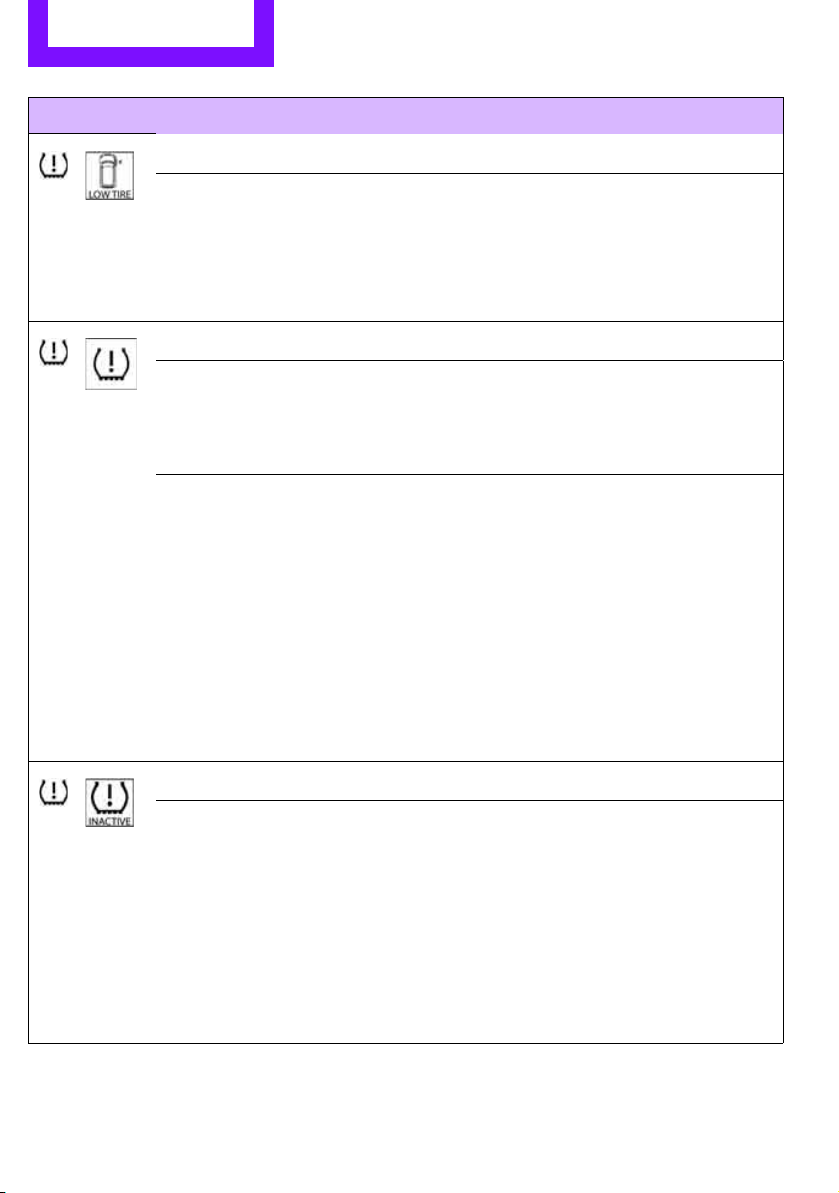
Mobility Indicator and warning lamps
170
Vehicles with Tire Pressure Monitor*
Light up in yellow and red:
There is a flat tire or significant tire
pressure loss, e.g. in the front right
tire
Carefully bring the car to a stop.
Observe the information starting on
page 64.
Vehicles with Tire Pressure Monitor
*
Light up in yellow:
Tire Pressure Monitor not initialized
Check the inflation pressure and reset
the system, page 65.
The small lamp flashes yellow and
then stays on, the large lamp lights
up in yellow:
> Wheel mounted without TPM
electronics
Have the system checked.
> The TPM is temporarily malfunc-
tioning due to other systems or
devices using the same radio fre-
quency.
Vehicles with Tire Pressure Monitor
*
The small lamp flashes yellow and
then stays on, the large lamp lights
up in yellow:
> Tire Pressure Monitor failed.
Punctures are not indicated
Have the system checked.
> Wheel mounted without TPM
electronics
Have the system checked.
1 2 Cause What to do
Online Edition for Part no. 01 40 2 607 530 - © 03/11 BMW AGOnline Edition for Part no. 01 40 2 607 530 - © 03/11 BMW AG
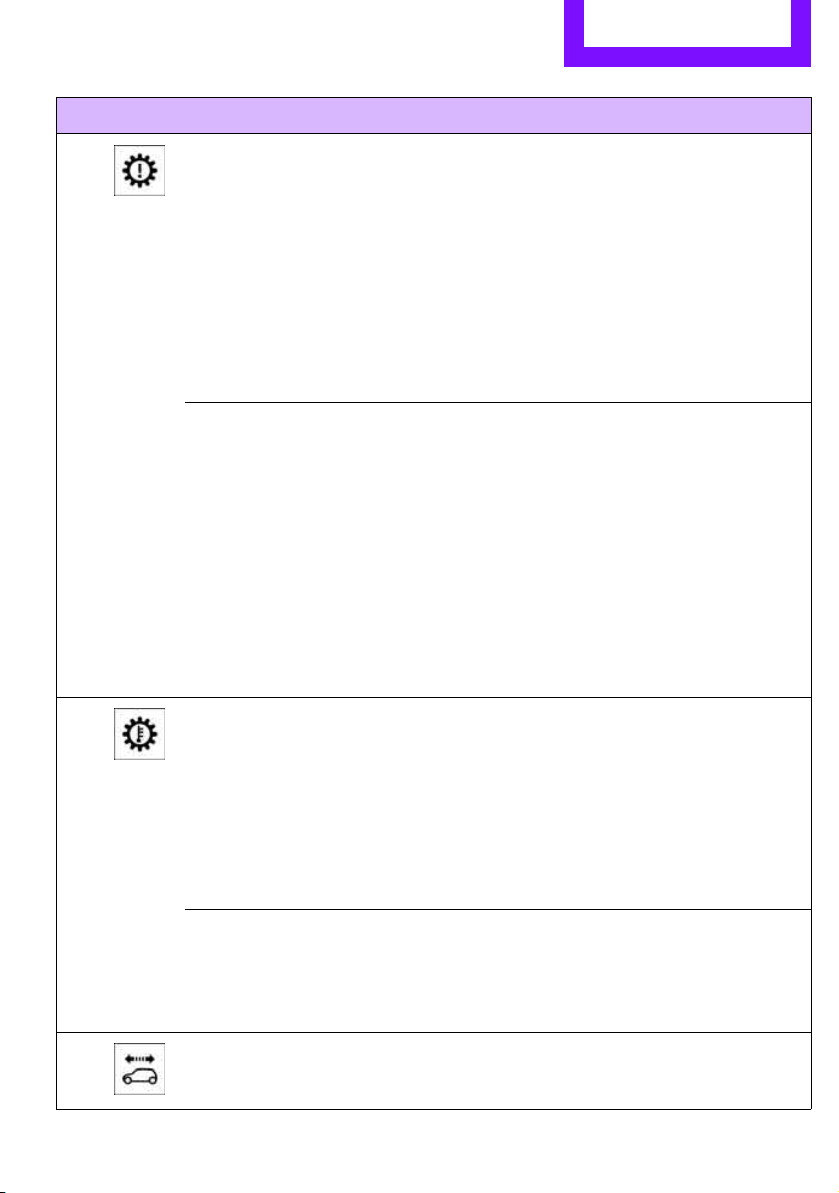
Indicator and warning lamps Mobility
171
Lights up in red:
> Transmission limp-home pro-
gram active with restricted range
of gears, possibly with reduced
acceleration
You can continue your journey, but
moderate your speed and exercise
due caution. Have the system
checked without delay.
> Gears can be engaged without
depressing the brake
Always depress the brake to engage a
gear.
> Automatic selector lever locked Manually releasing the selector lever
lock, page 45.
Lights up in yellow: Have the system checked as soon as
possible.
> Automatic selector lever locked:
Selector lever locked in position P
with engine running and brake
depressed or
Manually releasing the selector lever
lock, page 45.
> brake signal malfunctioning: gear
can be engaged without depress-
ing the brake
To engage a gear while the vehicle is
at a standstill, always depress the
brake. Before leaving the vehicle,
move the selector lever to position P
and switch off the engine.
Lights up in red:
Transmission overheating Bring the car to a stop and move the
selector lever to position P. Allow the
transmission to cool down. You can
continue your journey, but moderate
your speed and exercise due caution.
Have the system checked if the situa-
tion reoccurs.
Lights up in yellow:
Transmission too hot Avoid high engine loads. You can con-
tinue your journey, but moderate
your speed and exercise due caution.
Selector lever position P not engaged.
Vehicle not prevented from rolling
1 2 Cause What to do
Online Edition for Part no. 01 40 2 607 530 - © 03/11 BMW AGOnline Edition for Part no. 01 40 2 607 530 - © 03/11 BMW AG
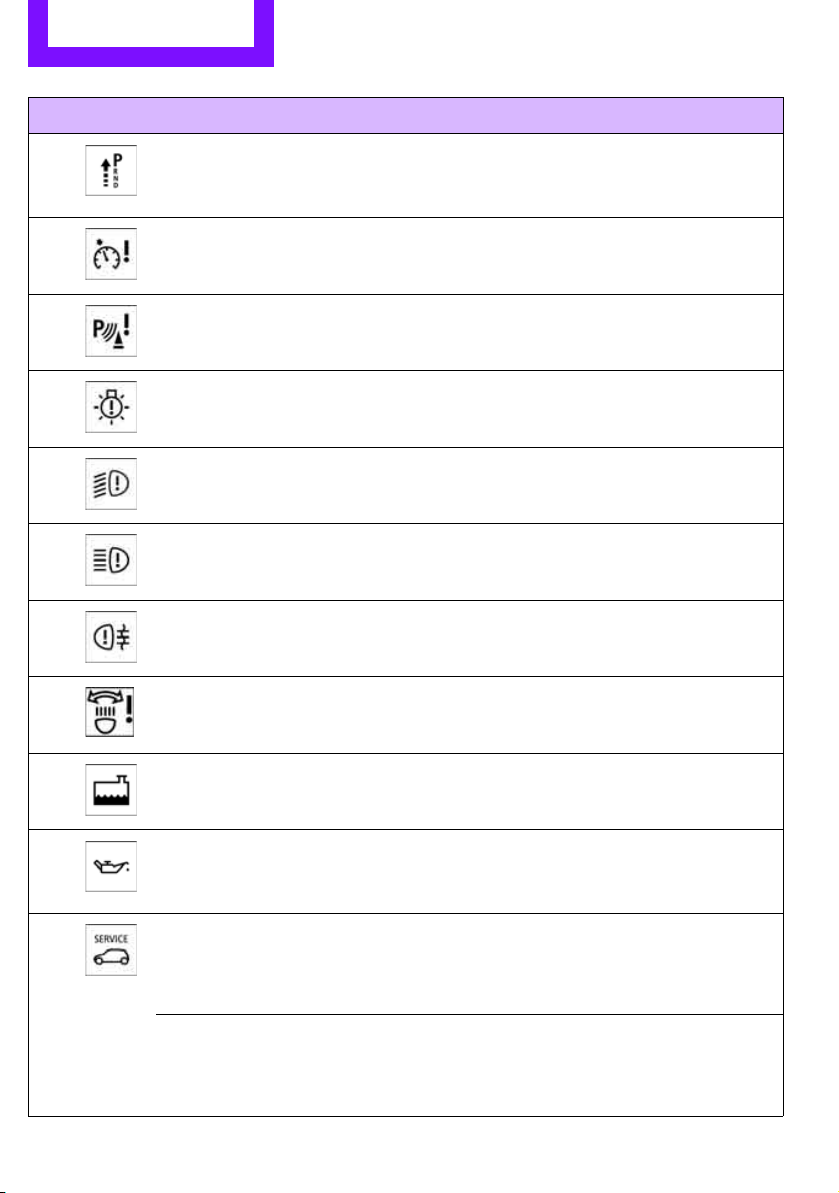
Mobility Indicator and warning lamps
172
Selector lever position P not engaged.
Ignition cannot be switched off
Engage selector lever position P when
you wish to switch off the ignition,
page 41.
Cruise control system failed Have the system checked.
Park Distance Control failed Have the system checked.
Bulb of exterior lighting system failed Have the exterior lighting checked as
soon as possible.
Low-beam headlamp or fog lamp
failed
Have the lamps checked as soon as
possible.
High-beam headlamp failed Have the high-beam headlamps
checked.
Rear fog lamp failed Have the rear fog lamp checked.
Adaptive Light Control has failed
Coolant level too low Add coolant immediately, page 140.
Engine oil pressure too low Stop immediately and switch off the
engine. You cannot continue your
journey. Contact your MINI dealer.
Lights up in red:
Service appointment overdue Arrange a service appointment.
Check service requirements, page 55.
Lights up in yellow:
Service due Arrange a service appointment.
Check service requirements, page 55.
1 2 Cause What to do
Online Edition for Part no. 01 40 2 607 530 - © 03/11 BMW AGOnline Edition for Part no. 01 40 2 607 530 - © 03/11 BMW AG
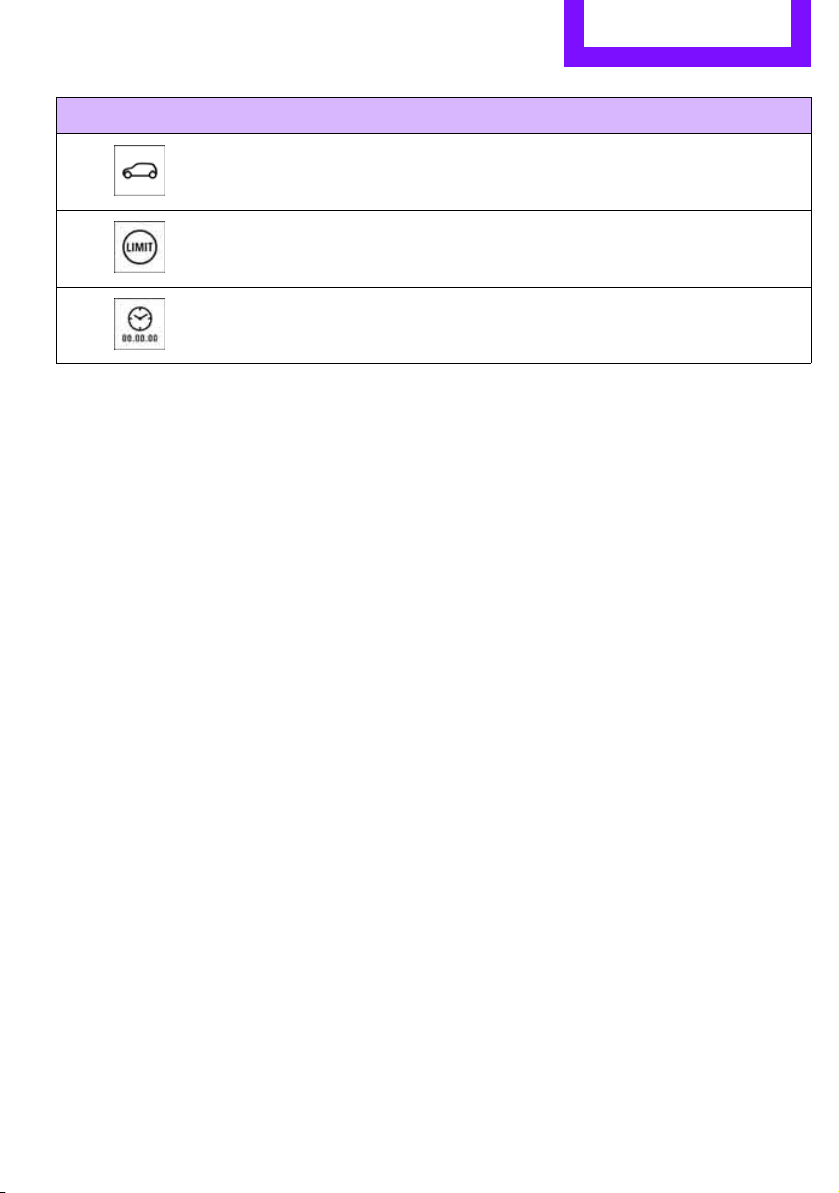

Find Me.
Online Edition for Part no. 01 40 2 607 530 - © 03/11 BMW AG

AT A GLANCE
Controls
Driving tips
Entertainment
Communications
Mobility
Reference
Online Edition for Part no. 01 40 2 607 530 - © 03/11 BMW AG

Reference Technical data
176
Technical data
Engine data
Cooper Cooper S
Displacement cu in/cmμ 97.5/1,598 97.5/1,598
Number of cylinders 4 4
Maximum power out-
put
hp 121 181
At engine speed rpm 6,000 5,500
Maximum torque
with overboost
lb ft/Nm 114/155
–
177/240
192/260
At engine speed
with overboost
rpm 4,250
–
1,600-5,000
1,700-4,500
Overboost briefly raises the maximum torque at high rates of acceleration, e.g. when passing.
Online Edition for Part no. 01 40 2 607 530 - © 03/11 BMW AGOnline Edition for Part no. 01 40 2 607 530 - © 03/11 BMW AG
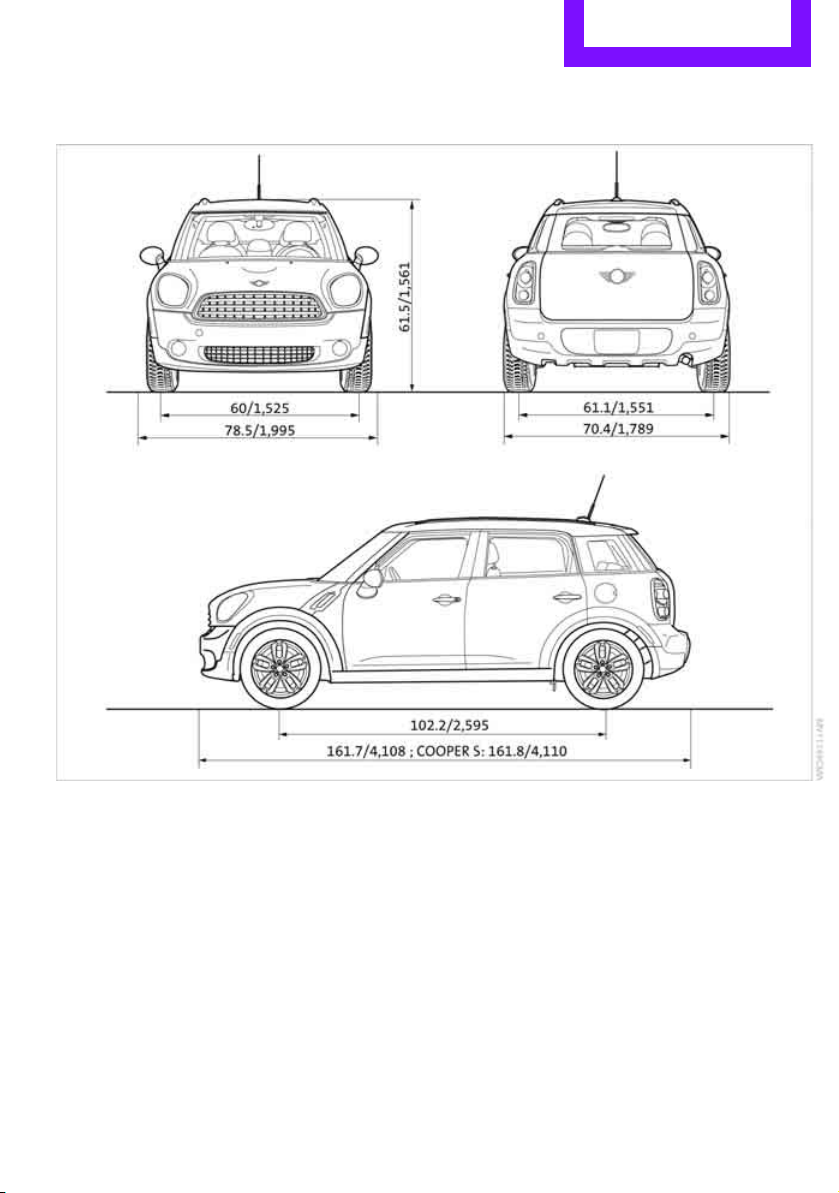
Technical data Reference
177
Dimensions
All dimensions in inches/mm. Minimum turning radius dia.: 38.1 ft/11.6 m.
Information after the semicolon: different values for MINI Cooper S.
Online Edition for Part no. 01 40 2 607 530 - © 03/11 BMW AGOnline Edition for Part no. 01 40 2 607 530 - © 03/11 BMW AG

Reference Technical data
178
Weights
Never exceed either the approved axle loads or
the gross vehicle weight.
Cooper Cooper S Cooper S ALL4
Curb weight, ready for travel, with all optional extras
> Manual transmission lbs./kg 2,954/1,340 3,053/1,385 3,208/1,455
> Automatic transmis-
sion
lbs./kg
3,020/1,370 3,097/1,405 3,252/1,475
Approved gross weight
> Manual transmission lbs./kg 3,858/1,750 3,990/1,810 4,101/1,860
> Automatic transmis-
sion
lbs./kg
3,924/1,780 4,034/1,830 4,145/1,880
Approved front axle load
> Manual transmission lbs./kg 2,028/920 2,105/955 2,161/980
> Automatic transmis-
sion
lbs./kg
2,094/950 2,150/975 2,205/1,000
Approved rear axle load lbs./kg 1,918/870 1,918/870 2,017/915
Approved roof load capac-
ity
lbs./kg
165/75 165/75 165/75
Cargo area capacity cu ft/
liters
12.4 - 41.3/
350 - 1,170
12.4 - 41.3/
350 - 1,170
12.4 - 41.3/
350 - 1,170
Online Edition for Part no. 01 40 2 607 530 - © 03/11 BMW AGOnline Edition for Part no. 01 40 2 607 530 - © 03/11 BMW AG

Technical data Reference
179
Capacities
US gal/US quarts Liters Notes
Fuel tank 12.4/– approx. 47 Fuel grade: page 129
Including reserve of 2.1/– approx. 8
Window washer system incl.
headlamp washer system –/4.2 approx. 4 For more details: page 49
Online Edition for Part no. 01 40 2 607 530 - © 03/11 BMW AGOnline Edition for Part no. 01 40 2 607 530 - © 03/11 BMW AG

180
Reference Everything from A to Z
Everything from A to Z
Index
A
ABS Antilock Brake System 60
Accessories, refer to Your
individual vehicle 4
Acknowledgment signals for
locking/unlocking vehicle 22
Activated-charcoal filter for
automatic climate control 80
Adaptive Light Control 73
Additives
– coolant 140
– engine oil 140
Adjusting temperature inside
the car, refer to Air
conditioner 77
Adjusting temperature inside
the car, refer to Automatic
climate control 78
Air conditioner 76
Air conditioning mode
– air conditioner 77
– automatic climate control 78
– ventilation 80
Air distribution
– automatic 79
– individual 78
– manual 78
Air flow rate 77, 79
– air conditioning system 77
– automatic climate control 79
– heating, ventilation 77
Air outlets, refer to Air vents 76
Air pressure, checking, refer to
Tire inflation pressure 130
Air recirculation, refer to
Recirculated-air
mode 77, 79
Air supply
– air conditioner 77
– automatic climate control 78
– ventilation 80
Air vents 76
Airbags 68
– sitting safely 32
– warning lamp 70
Airing, refer to Ventilation 80
AKI, refer to Fuel grade 129
Alarm system 26
ALL4 all-wheel drive system 62
All-season tires, refer to Winter
tires 137
All-wheel drive, refer to
ALL4 62
Ambient air, refer to
Recirculated-air
mode 77, 79
Ambient lighting 75
Antenna, care 144
An
tifreeze
– coolant 140
– washer fluid 49
Antilock Brake System ABS 60
Anti-theft alarm system, refer
to Alarm system 26
Approved axle loads, refer to
Weights 178
Approved engine oils 140
Approved gross vehicle
weight, refer to Weights 178
Armrest, refer to Center
armrest 83
Ashtray 85
Assistant systems, refer to
– Dynamic Stability Control
DSC 60
Audio device, external 83
AUTO program for automatic
climate control 79
Auto radio, refer to Radio MINI
Boost CD 102
Automatic
– air distribution 79
– air flow rate 79
– cruise control 49
– headlamp control 71
Automatic climate control 76
– automatic air distribution 79
Automatic station search 103
Automatic station storage 103
Automatic transmission with
Steptronic 43
– interlock 44
– overriding selector lever
lock 45
– shiftlock 44
– sport program 45
AUX In connection 102
AUX-IN, refer to External audio
device 83
Average fuel consumption 52
– setting the units 54
Average speed 52
Axle loads, refer to
Weights 178
B
Background lighting, refer to
Ambient lighting 75
Backrests, refer to Seats 33
Backup lamps
– replacing bulb 151
Band-aids, refer to First aid
pouch 158
Bar, refer to Tow-starting,
towing away 160
Base plate for telephone or
mobile phone
– refer to Snap-in adapter 124
Online Edition for Part no. 01 40 2 607 530 - © 03/11 BMW AGOnline Edition for Part no. 01 40 2 607 530 - © 03/11 BMW AG

Everything from A to Z Reference
181
Battery 156
– charging 156
– disposal 29, 156
– jump-starting 158
– temporary power failure 156
Battery renewal
– remote control 29
Being towed 160
Bell
– volume 102
Belt tensioner, refer to Safety
belts 35
Belts, refer to Safety belts 35
Beverage holders, refer to
Cupholders 85
Black ice, refer to External
temperature warning 52
Blower, refer to Air flow
rate 77, 79
Bluetooth, activating/
deactivating 116
Bottle holders, refer to
Cupholders 85
Brake Assist 60
Brake fluid, refer to Service
requirements 55
Brake lamps
– replacing bulbs 151
Brake pads, breaking in 90
Brake rotors 91
– brakes 90
– breaking in 90
Brake system 90
– breaking in 90
– disc brakes 91
– MINI Maintenance
System 142
Brakes
– ABS 60
– breaking in 90
– MINI Maintenance
System 142
– parking brake 43
– service requirements 55
Brakes, refer to Braking
safely 91
Breakdown service, refer to
Roadside Assistance 158
Break-in period 90
Breaking in the clutch 90
Bulb changing, refer to Lamps
and bulbs 148
Button for starting the
engine 41
Buttons on the steering
wheel 11
C
California Proposition 65
warning 5
Call
– accepting 119
– ending 120
– rejecting 120
Calling, refer to Phone
numbers, dialing 120
Can holders, refer to
Cupholders 85
Capacities 179
Car battery, refer to Vehicle
battery 156
Car care 144
Car key, refer to Keys/remote
controls 20
Car phone
– installation location, refer to
Center armrest 83
Car phone, refer to
Telephone 114
Car wash
– before driving in 43
Car wash, care 144
Car washes 144
Care 144
– car washes 144
– car-care products 144
– CD/DVD drives 147
– external 144
– high-pressure washers 145
– internal 146
– leather 146
– manual washing 145
– upholstery and fabrics 146
– windows 145
– wiper blades 145
Cargo area 92
– capacity 178
– Comfort Access 28
– lamp 75
– opening from outside 25
– trunk lid, refer to Liftgate 25
Cargo area, expanding 92
Cargo area lamp 75
Cargo area lid, refer to
Liftgate 25
Cargo area partition net, refer
to Cargo net 94
Cargo loading 95
– securing cargo 96
– stowing cargo 96
– vehicle 92
Cargo net 94
Cargo, securing 96
Carpets, care 146
Catalytic converter, refer to
Hot exhaust system
90
CD
player 107
– changing the track 107
– fast forward/reverse 107
– playing a track 107
– random order 107
– starting 107
– volume 102
Center armrest 83
Center brake lamp 152
Center console, refer to
Around the center
console 14
Center Rail 84
Online Edition for Part no. 01 40 2 607 530 - © 03/11 BMW AGOnline Edition for Part no. 01 40 2 607 530 - © 03/11 BMW AG

Reference Everything from A to Z
182
Center Rail, refer to Storage
compartments 84
Central locking system 21
– Comfort Access 27
– from inside 24
– from outside 21
– setting unlocking
behavior 21
Changing bulbs 148
Changing wheels 155
Chassis number, refer to
Engine compartment 139
Check Control 57
Child restraint fixing system
LATCH 39
Child restraint systems 38
Child seats 38
Child-safety locks 40
Chrome parts, care 146
Chrome parts, refer to
Care 144
Cigarette lighter 85
Cleaning headlamps 48
– washer fluid 49
Clock
– 12 h/24 h mode 54
– setting time 57
Closing
– from inside 24
– from outside 21
Clothes hooks 85
Cockpit 10
Cold start, refer to Starting the
engine 42
Comfort Access 27
– replacing the battery 29
– what to observe before
entering a car wash 29
Comfort area, refer to Around
the center console 14
Compartment for remote
control, refer to Ignition
lock 41
Compressed audio files 107
Computer 52
Condensation, refer to When
the vehicle is parked 92
Condition Based Service
CBS 142
Configuring settings, refer to
Personal Profile 20
Connecting vacuum cleaner,
refer to Connecting electrical
appliances 86
Consumption, refer to Average
fuel consumption 52
Controls and displays 10
Convenient access, refer to
Comfort Access 27
Convenient operation
– windows 22
Convenient start, refer to
St
arting the engine 42
Coolant 140
– checking level 141
– filling 141
– temperature 141
Coolant temperature 141
Cooling fluid, refer to
Coolant 140
Cooling, maximum 79
Copyright 2
Cornering light, refer to
Adaptive Light Control 73
Cruising range 52
Cupholders 85
Curb weight, refer to
Weights 178
Current fuel consumption 52
D
Dashboard instruments, refer
to Displays 12
Dashboard lighting, refer to
Instrument lighting 74
Dashboard, refer to Cockpit 10
Data 176
– capacities 179
– dimensions 177
– engine 176
– weights 178
Data memory 143
Date
– setting 57
Date setting 103
Daytime running lights 72
DBC Dynamic Brake Control,
refer to Brake Assist 60
Deactivating front passenger
airbags 68
Deadlocking, refer to
Locking 22
Defect
– door lock 24
– fuel filler flap 128
Defogging windows 78, 80
Defrost position, refer to
Defrosting windows 78, 80
Defrosting windows 78, 80
Defrosting windows and
removing condensation
– air conditioner 78
– automatic climate control 80
Defrosting windshield, refer to
Defrosting windows 78, 80
Differential, breaking in 90
Digital radio, refer to HD
Radio 105
Dimensions 177
Dipstick, engine oil 139
Directional indicators, refer to
Turn signals 46
Displacement, refer to Engine
data 176
Display lighting, refer to
Instrument lighting 74
Displays 12
– instrument cluster 12
Displays and controls 10
Displays, care 147
Disposal
– of coolant 140
– remote control battery 29
– vehicle battery 156
Distance remaining to service,
refer to Service
requirements 55
Distance warning, refer
to Park
Distance Control PDC 59
Online Edition for Part no. 01 40 2 607 530 - © 03/11 BMW AGOnline Edition for Part no. 01 40 2 607 530 - © 03/11 BMW AG

Everything from A to Z Reference
183
Door key, refer to Integrated
key/remote control 20
Door lock 24
Door lock, confirmation
signals 22
Doors, manual operation 24
DOT Quality Grades 134
Drinks holders, refer to
Cupholders 85
Drive-off assistant, refer to Hill
Assist 62
Driving dynamics control, refer
to Sport button 62
Driving lamps, refer to Parking
lamps/low beams 71
Driving notes 90
Driving off on inclines, refer to
Hill Assist 62
Driving stability control
systems 59
Driving through water 91
Driving tips, refer to Driving
notes 90
Dry air, refer to Cooling
function 80
DSC Dynamic Stability
Control 60
DTC Dynamic Traction
Control 61
Dynamic Brake Control DBC,
refer to Brake Assist 60
Dynamic Stability Control
DSC 60
Dynamic Traction Control
DTC 61
E
Eject button 108
Electrical malfunction
– door lock 24
– fuel filler flap 128
Electronic brake-force
distribution 60
Electronic Stability Program
ESP, refer to Dynamic
Stability Control DSC 60
Emergency operation, refer to
Manual operation
– door lock 24
– fuel filler flap 128
– transmission lock, automatic
transmission 45
Emergency services, refer to
Roadside Assistance 158
Engine
– breaking in 90
– data 176
– overheated, refer to Coolant
temperature 141
– speed 176
– starting 42
– starting, Comfort Access 27
– switching off 42
Engine compartment 139
Engine coolant, refer to
Coolant 140
Engine oil
– adding 140
– additives, refer to Approved
engine oils 140
– alternative oil types 140
– approved engine oils 140
– capacity 140
– checking level 139
– dipstick 139
– intervals between changes,
refer to Service
requirements 55
– MINI Maintenance
System 142
Engine oil level, checking 139
Engine output, refer to Engine
data 176
Engine starting, refer to
Starting the engine 42
ESP Electronic Stability
Program, refer to Dynamic
Stability Control DSC 60
Exhaust system, refer to Hot
exhaust system 90
Exterior mirrors 36
– adjusting 36
– automatic dimming
feature 37
– automatic heating 36
– folding in and out 36
External audio device 83, 102
External temperature display
– change units of measure 54
– in the on-board computer
54
Exte
rnal temperature
warning 52
Eyes
– for tow-starting and towing
away 160
– for tying down loads 96
F
Failure messages, refer to
Check Control 57
Failure of an electrical
consumer 156
Fast forward
– CD 107
Fastening safety belts, refer to
Safety belts 35
Fault messages, refer to Check
Control 57
Faulty
– tire 63
Filter
– microfilter for air
conditioner 78
– microfilter/activated-
charcoal filter for automatic
climate control 80
Fine wood, care 147
First aid pouch 158
Fixture for remote control,
refer to Ignition lock 41
Flash when locking/
unlocking 22
Flat load floor 94
Flat tire
– run-flat tires 136
– Tire Pressure Monitor TPM 64
Online Edition for Part no. 01 40 2 607 530 - © 03/11 BMW AGOnline Edition for Part no. 01 40 2 607 530 - © 03/11 BMW AG

Reference Everything from A to Z
184
Flat Tire Monitor FTM 62
– indicating a flat tire 63
– initializing the system 63
– snow chains 63
– system limits 63
Flat tires, refer to Tire
condition 135
Floor mats, care 146
Floor plate, refer to Flat load
floor 94
Fog lamps
– replacing bulb 150
Folding rear seat backrest 92
Footbrake, refer to Braking
safely 91
Footwell lamps 75
For your own safety 5
Four-wheel drive, refer to
ALL4 62
Front airbags 68
Front fog lamps 74
– indicator lamp 162
– replacing bulb 150
Front seat adjustment 33
Frost on windows, refer to
Defrosting windows 78, 80
FTM, refer to Flat Tire
Monitor 62
Fuel 129
– gauge 51
– high-quality brands 129
– quality 129
– specifications 129
– tank capacity 179
Fuel clock, refer to Fuel
gauge 51
Fuel consumption display
– average fuel consumption 52
Fuel display, refer to Fuel
gauge 51
Fuel filler flap 128
– releasing in the event of
electrical malfunction 128
Fuses 156
G
Garage door opener, refer to
Integrated universal remote
control 81
Gasoline
– refer to Average fuel
consumption 52
Gasoline display, refer to Fuel
gauge 51
Gasoline, refer to Required
fuel 129
Gear indicator
– automatic transmission with
Steptronic 44
Gear shifting
– automatic transmission 44
– manual transmission 43
Gearshift lever
– automatic transmission with
Steptronic 44
– manual transmission 43
General driving notes 90
Glass roof, electric 29
– convenient operation 22, 24
– opening, closing 30
– remote control 22
– tilting 29
Glove compartment 83
Grills, refer to Air vents 76
Gross vehicle weight, refer to
Weights 178
H
Halogen lamps
– replacing bulb 149
Handbrake, refer to Parking
brake 43
Hands-free system 14, 122
Hazard warning flashers 14
HD Radio 105
Head airbags 68
Head Light, refer to Adaptive
Light Control 73
Head restraints 34
– sitting safely 32
Headlamp control,
automatic 71
Headlamp flasher 46
– indicator lamp 11, 162
Headlamp glass lens 149
Headlamps
– replacing bulb 149
Headlamps, care 145
Heated
– mirrors 36
– rear window 77, 79
– seats 35
Heating 76
– mirrors 36
– rear window 77, 79
– seats 35
Heavy loads, refer to Stowing
cargo 96
Height adjustment
– seats 33
– steering wheel 37
Height, refer to
Dimensions 177
High beams 74
– headlamp flasher 74
– indicator lamp 162
– replacing bulb 149
High water, refer to Driving
through water 91
Hill Assist 62
Hills 91
Holders for cups 85
Homepage 4
Hood 138
Horn 10
Hot exhaust system 90
Hydroplaning 91
I
IBOC, refer to HD Radio 105
Ice warning, refer to External
temperature warning 52
Ignition 41
– switched off 42
– switched on 41
Online Edition for Part no. 01 40 2 607 530 - © 03/11 BMW AGOnline Edition for Part no. 01 40 2 607 530 - © 03/11 BMW AG

Everything from A to Z Reference
185
Ignition key position 1, refer to
Radio readiness 41
Ignition key position 2, refer to
Ignition on 41
Ignition key, refer to
Integrated key/remote
control 20
Ignition lock 41
Imprint 2
Incoming call 119
Indicator and warning
lamps 13, 162
– Tire Pressure Monitor TPM 65
Indicator lighting, refer to
Instrument lighting 74
Individual air distribution 78
Individual settings, refer to
Personal Profile 20
Inflation pressure monitoring,
refer to Tire Pressure Monitor
TPM 64
Initializing
– Flat Tire Monitor FTM 63
– glass roof, electric 30
Instrument cluster, refer to
Displays 12
Instrument lighting 74
Instrument panel, refer to
Cockpit 10
Instrument panel, refer to
Displays 12
Integrated key 20
Integrated universal remote
control 81
Interior lamps 75
– remote control 23
Interior rearview mirror 36
– automatic dimming
feature 37
Interlock 44
Intermittent mode of the
wipers 47
Internet page 4
J
Jacking points 155
Jets, refer to Window washer
nozzles 48
Jumpering, refer to
Jump-starting 158
Jump-starting 158
K
Key Memory, refer to Personal
Profile 20
Key, refer to Keys/remote
controls 20
Keyless opening and closing,
refer to Comfort Access 27
Keyless-Go, refer to Comfort
Access 27
Keypad dialing 120
Kickdown 44
– automatic transmission with
Steptronic 44
Knock control 129
L
Lamps and bulbs, replacing
bulbs 148
Lamps, refer to Parking lamps/
Low beams 71
Lashing eyes, refer to Securing
cargo 96
LATCH child restraint fixing
system 39
Leather care 146
LEDs light-emitting diodes 148
Length, refer to
Dimensions 177
License plate lamp
– bulb replacement 152
Liftgate 25
– Comfort Access 28
– opening from outside 25
– opening/closing 25
– unlocking with remote
control 23
Light
– automatic headlamp
control 71
Light alloy wheels, care 146
Light switch 71
Light-emitting diodes
LEDs 148
Lighter 85
– socket 86
Lighting
– lamps and bulbs 148
– of the instruments 74
– of vehicle, refer to Lamps 71
Limit 173
Listening to test scan
– Radio MINI Boost CD 104
Load 95
Load securing equipment,
refer to Securing cargo 96
Lock buttons of doors, refer to
Locking 24
Locking
– adjusting confirmation
signal 22
– from inside 24
– from outside 22
– without remote control, refer
to Comfort Access 27
Locking and unlocking doors
– confirmation signals 22
– from inside 24
– from outside 21
Longlife oils
– approved motor oils 140
Low beams 71
– automatic 71
– replacing bulb 149
Lower back support, refer to
Lumbar support 33
Luggage compartment
– doors, refer to Liftgate 25
Lug
gage compartment
partition net, refer to Cargo
net 94
Luggage rack, refer to Roof-
mounted luggage rack 97
Online Edition for Part no. 01 40 2 607 530 - © 03/11 BMW AGOnline Edition for Part no. 01 40 2 607 530 - © 03/11 BMW AG

Reference Everything from A to Z
186
Luggage rack, refer to
Roof-mounted luggage
rack 97
Lumbar support 33
M
M+S tires, refer to Winter
tires 137
Maintenance, refer to Service
and Warranty Information
Booklet for US models and
Service Guide Booklet for
Canadian models
Maintenance system 142
Malfunction warnings, refer to
Check Control 57
Manual air distribution 78
Manual mode
– automatic transmission with
Steptronic 45
Manual operation
– door lock 24
– fuel filler flap 128
– transmission lock, automatic
transmission 45
Manual station search 103
Manual transmission 43
Manual washing 145
Master key, refer to Integrated
key/remote control 20
Maximum cooling 79
Maximum speed
– with winter tires 137
Medical assistance, refer to
First aid pouch 158
Microfilter
– for air conditioner 78
– for automatic climate
control 80
– MINI Maintenance
System 142
Microfilter/activated-charcoal
filter
– MINI Maintenance
System 142
Microphone for telephone 14
MINI Internet page 4
MINI Maintenance System 142
Mirror dimming feature 37
Mirrors 36
– exterior mirrors 36
– heating 36
– interior rearview mirror 36
Mobile phone
– adjusting volume 119
– connecting, refer to Mobile
phone, pairing 116
– installation location, refer to
Center armrest 83
– pairing 116
– what to do if…. 118
Mobile phone, installation
location, refer to Center
armrest 83
Mobility System 152
Modifications, technical, refer
to For your own safety 5
Monitoring system for tire
pressures, refer to Flat Tire
Monitor 62
MP3 107
Mu
ltifunction switch
– refer to Turn signals/
headlamp flasher 46
– refer to Wiper system 47
Multifunctional steering
wheel, refer to Buttons on
the steering wheel 11
Music tracks
– playing a track 107
– random order 107
N
Neck support, refer to Head
restraints 34
Nets, refer to Storage
compartments 84
New tires 136
Number of cylinders, refer to
Engine data 176
Number of safety belts 32
Nylon rope, refer to Tow
rope 161
O
OBD socket, refer to Socket for
On-Board Diagnosis 143
Octane ratings, refer to Fuel
specifications 129
Odometer 51
Oil consumption 139
Oil level 139
Oil, refer to Engine oil 139
Oil types 140
Old batteries, refer to
Disposal 156
Opening and closing
– Comfort Access 27
– from inside 24
– from outside 21
– using the door lock 24
– using the remote control 21
Opening and unlocking
– from inside 24
Outlets
– refer to Ventilation 80
Outlets, refer to Air vents 76
Output, refer to Engine
data 176
Outside-air mode
– automatic climate control 79
Overheated engine, refer to
Coolant temperature 141
Online Edition for Part no. 01 40 2 607 530 - © 03/11 BMW AGOnline Edition for Part no. 01 40 2 607 530 - © 03/11 BMW AG

Everything from A to Z Reference
187
P
Paintwork, care 145
Park Distance Control PDC 59
Parking
– vehicle 42
Parking aid, refer to Park
Distance Control PDC 59
Parking brake 43
Parking lamps, replacing
bulb 150
Parking lamps/low beams 71
Parts and accessories, refer to
Your individual vehicle 4
Pathway lighting 71
PDC
– volume 102
Personal Profile 20
Phone numbers
– dialing 120
Pinch protection system
– windows 31
Plastic parts, care 146
Playing a track scan
– CD 107
Pollen
– refer to Microfilter for air
conditioner 78
– refer to
Microfilter/activated-
charcoal filter for automatic
climate control 80
Power failure 156
Power window
– safety switch 31
Power windows 30
Power windows, refer to
Windows 30
Pressure monitoring of tires,
refer to Tire Pressure Monitor
TPM 64
Pressure monitoring, tires 62
– Flat Tire Monitor 62
Pressure, tires 130
Protective function, refer to
Pinch protection system
– windows 31
PTY 104
Puncture
– Flat Tire Monitor 62
R
Radio
– HD Radio 105
Radio key, refer to Integrated
key/remote control 20
Radio MINI Boost CD
– playing stations 104
– recalling stations 104
– satellite radio 105
– station search 103
– storing stations 104
– switching on/off 102
– tone control 103
– volume 102
Radio position, refer to Radio
readiness 41
Radio readiness 41
– switched off 42
– switched on 41
Rain sensor 47
Range, refer to Cruising
range 52
RDS 104
Reading lamps 75
Rear fog lamp
– indicator lamp 162
Rear lamps
– bulb replacement 151
Rear lamps, refer to Tail
lamps 151
Rear seat backrest, folding 92
Rear seats
– adjusting 34
– folding down the
backrests 92
Rear window
– windshield wiper 48
Rear window defroster 77, 79
Rear window safety switch 31
Rear-mounted luggage
rack 97
Rearview mirror, refer to
Mirrors 36
Reception
– quality 104
– radio station 103
Recirculated-air mode 77, 79
Recirculation of air, refer to
Recirculated-air
mode 77, 79
Reclining seat, refer to
Backrest 33
Refueling 128
Releasing
– hood 138
Remote control 20
– battery renewal 29
– Comfort Access 27
– garage door opener 81
– liftgate 23
– malfunct
ions 23, 29
– service data 142
Replacement remote
control 20
Replacing bulbs, refer to
Lamps and bulbs 148
Replacing tires, refer to New
wheels and tires 136
Reporting safety defects 6
Reserve warning, refer to Fuel
gauge 51
Reservoir for washer
systems 49
Reset, refer to Resetting tone
settings 103
Restraint systems
– for children 38
– refer to Safety belts 35
Reverse
– CD 107
Reverse gear
– automatic transmission with
Steptronic 44
– manual transmission 43
Online Edition for Part no. 01 40 2 607 530 - © 03/11 BMW AGOnline Edition for Part no. 01 40 2 607 530 - © 03/11 BMW AG

Reference Everything from A to Z
188
Roadside Assistance 158
Roadside parking lamps 74
– replacing bulb 150
Roadworthiness test, refer to
Service requirements 55
Roof load capacity 178
Roof-mounted luggage
rack 97
Rope, refer to Tow-starting,
towing away 161
RSC Run-flat System
Component, refer to Run-flat
tires 136
Rubber parts, care 145
Run-flat System Component
RSC, refer to Run-flat
tires 136
Run-flat tires 136
– flat tire 63
– Flat Tire Monitor 63
– tire inflation pressure 130
– tire replacement 136
– winter tires 137
S
Safety belt
– number 32
Safety Belt Reminder 36
Safety belts 35
– damage 36
– indicator lamp 36
– reminder 36
– sitting safely 32
Safety belts, care 147
Safety systems
– airbags 68
– Antilock Brake System
ABS 60
– driving stability control
systems 59
– Dynamic Stability Control
DSC 60
– safety belts 35
Safety tires, refer to Run-flat
tires 136
Satellite radio 105
– enabling 105
Scan, listening to test
– Radio MINI Boost CD 104
Screw thread for tow
fitting 160
Searching
– CD player 107
– radio 103
Searching for a music track
– CD 107
Seat adjustment
– mechanical 33
– rear 34
Seats 33
– adjusting the seats 33
– heating 35
– sitting safely 32
Securing the vehicle
– from inside 24
– from outside 21
Selector lever
– automatic transmission with
Steptronic 44
Selector lever lock
– automatic transmission with
Steptronic, refer to
Shiftlock 44
– overriding manually 45
Selector lever positions
– automatic transmission with
Steptronic 44
Service car, refer to Roadside
Assistance 158
Service data in the remote
control 142
Service Interval Display, refer
to Condition Based Service
CBS 142
Service, refer to Roadside
Assistance 158
Service requirement display,
refer to Condition Based
Service CBS 142
Service requirements 55
Setting the time format 103
Setti
ngs
– clock, 12 h/24 h mode 54
Settings and information 52
Shift paddles 45
Shifting gears
– automatic transmission with
Steptronic 45
– manual transmission 43
Shiftlock
– automatic transmission, refer
to Changing selector lever
positions 44
Side airbags 68
Side marker lamps, replacing
bulbs 151
Side turn signal
– replacing bulb 151
Side windows, refer to
Windows 30
Signal horn, refer to Horn 10
Sitting safely 32
– airbags 32
– safety belts 32
– with head restraint 32
Size, refer to Dimensions 177
Sliding/tilt sunroof
– refer to Glass roof, electric 29
Slot for remote control 41
Smokers' package, refer to
Ashtray 85
Snap-in adapter
– inserting/removing 124
– use 114
Snap-in adapter, refer to
Center armrest storage
compartment 83
Snow chains 137
Socket for On-Board Diagnosis
OBD 143
Socket, refer to Connecting
electrical appliances 86
Special oils, refer to Approved
engine oils 140
Speed 176
– with winter tires 137
Speed-dependent volume 102
Online Edition for Part no. 01 40 2 607 530 - © 03/11 BMW AGOnline Edition for Part no. 01 40 2 607 530 - © 03/11 BMW AG

Everything from A to Z Reference
189
Speedo, refer to
Speedometer 12
Speedometer 12
Split rear seat backrest, refer to
Expanding the cargo area 92
Sport button 62
Stability control, refer to
Driving stability control
systems 59
Start/Stop button 41
– starting the engine 42
– switching off the engine 42
Starting assistance, refer to
Jump-starting 158
Starting, refer to Starting the
engine 42
Starting the engine
– Start/Stop button 41
Start-off assistance, refer to
– DSC 60
– Hill Assist 62
Stations, refer to Radio MINI
Boost CD 104
Status of this Owner's Manual
at time of printing 4
Steering wheel 37
– adjustment 37
– buttons on steering wheel 11
– lock 41
– shift paddles 45
Steptronic, refer to Automatic
transmission with
Steptronic 43
Storage area
– cargo area 92
Storage compartments 84
Storage space
– storage compartments 84
Storing the vehicle 147
Storing tires 137
Stowage, refer to Storage
compartments 84
Summer tires, refer to Wheels
and tires 130
Switches, refer to Cockpit 10
Switching off
– engine 42
Switching off the engine
– Start/Stop button 41
Switching on
– CD player 102, 107
– Radio MINI Boost CD 102
Switching the cooling function
on and off 80
Symbols 4
T
Tachometer 51
Tail lamp, refer to Tail
lamps 151
– replacing bulb 151
Tail lamps 151
Tank volume, refer to
Capacities 179
Technical data 176
Technical modifications 5
Telephone 114
– hands-free system 122
– installation location, refer to
Center armrest 83
– voice commands 122
Temperature display
– setting the units 54
Temperature of coolant, refer
to Coolant temperature 141
Temperature setting
– air conditioner 77
– automatic climate control 79
Tempomat, refer to Cruise
control 49
Tensioning straps, refer to
Securing cargo 96
The individual vehicle 4
Third brake lamp, refer to
Center brake lamp 152
Three-point safety belt 35
Tightening the lug bolts
– torque 156
Tightening torque, refer to
Tightening lug bolts 156
Time
– setting 103
Tire failure
– Flat Tire Monitor 63
– indicator/warning lamp 63
– MINI Mobility System 152
– run-flat tires 64
– Tire Pressure Monitor 64
Tire inflation pressure 130
– loss 63
Tire Pressure Monitor TPM 64
– limitations of system 65
– resetting system 65
– warning lamp 65
Tire pressure monitoring, refer
to Flat Tire Monitor 62
Tire Quality Grading 134
Tires
– age 136
– breaking in 90
– changing, refer to Changing
wheels 155
– condition 135
– damage 135
– inflation pressure 130
– inflation pressure loss
65
– minimu
m tread depth 135
– new tires 136
– pressure monitoring, refer to
Flat Tire Monitor 62
– pressure monitoring, refer to
Tire Pressure Monitor
TPM 64
– puncture 63
– size 134
– wear indicators, refer to
Minimum tread depth 135
– winter tires 137
– with emergency operation
properties 136
Tires with emergency
operation properties, refer to
Run-flat tires 136
Tires with safety features, refer
to Run-flat tires 136
Tone
– control 103
– middle setting 103
Online Edition for Part no. 01 40 2 607 530 - © 03/11 BMW AGOnline Edition for Part no. 01 40 2 607 530 - © 03/11 BMW AG

Reference Everything from A to Z
190
Torque 176
– lug bolts 156
Tow bar 160
Tow fitting 160
– screw thread 160
Tow fittings for tow-starting
and towing away 160
Tow rope 161
Towing 159
– car with automatic
transmission 160
– methods 160
Tow-starting 159
TPM, refer to Tire Pressure
Monitor 64
Track width, refer to
Dimension 177
Traction control, refer to
– Dynamic Stability Control
DSC 60
Transmission
– automatic transmission with
Steptronic 43
– manual transmission 43
– overriding selector lever lock
for automatic transmission
with Steptronic 45
Transport securing devices,
refer to Securing cargo 96
Transporting children safely 38
Tread depth, refer to Minimum
tire tread 135
Trip odometer 51
Trip-distance counter, refer to
Trip odometer 51
Triple turn signal activation 46
Turn signal 46
– front, replacing bulb 150
– indicator lamp 12
– rear, replacing bulb 151
– side, replacing bulb 151
Turning circle, refer to
Dimensions 177
Tying down loads, refer to
Cargo loading 96
U
Uniform Tire Quality Grading
UTQR 134
Units
– average fuel consumption 54
– temperature 54
Universal garage door opener,
refer to Integrated universal
remote control 81
Universal remote control 81
Unlatching, refer to
Unlocking 28
Unlocking
– from inside 24
– from outside 21
– liftgate 28
– setting unlocking
behavior 21
– without remote control, refer
to Comfort Access 27
Upholstery, care 146
USB audio interface 109
V
Vehicle
– battery 156
– breaking in 90
– cargo loading 92
– dimensions 177
– identification number, refer
to Engine compartment 139
– parking 42
– storage 147
– weight 178
Vehicle jack
– jacking points 155
Ventilation
– air conditioner 80
Ventilation, refer to Climate
control 76
Vents, refer to Air vents 76
Vents, refer to Ventilation 80
Voice commands
– telephone 122
Voice phone book 123
Volume
– bell 102
– mobile phone 119
– PDC 102
– setting
speed-dependent 102
Volume of cargo area 178
W
Warning and indicator
lamps 13, 162
Warning messages, refer to
Check Control 57
Warning triangle 158
Washer fluid 49
– capacity of reservoir 49
Washer fluid reservoir 49
Washer/wiper system
– washer fluid 49
Waste tray, refer to Ashtray 85
Water on roads, refer to
Driving through water 91
Waterfall lighting, refer to
Ambient lighting 75
Wear indicators in tires, refer to
Minimum tread depth 135
Weights 178
Welcome lamps 71
Wheelbase, refer to
Dimensions 177
Wheels and tires 130
Wheels, new 136
Width, refer to
Dimensions 177
Window washer, refer to
Washer fluid 49
Window washer reservoir,
refer to Washer fluid
– volume, refer to
Capacities 179
Window washer system 47
– washer fluid 49
– washer jets 48
Online Edition for Part no. 01 40 2 607 530 - © 03/11 BMW AGOnline Edition for Part no. 01 40 2 607 530 - © 03/11 BMW AG

Everything from A to Z Reference
191
Windows 30
– closing 30
– convenient operation 22
– opening 30
– pinch protection system 31
– safety switch 31
Windshield
– cleaning 48
– defrosting and removing
condensation 78, 80
Windshield wiper blades,
changing 148
Windshield wipers, refer to
Wiper system 47
Winter tires 137
– storage 137
Wiper blade replacement 148
Wiper system 47
WMA 107
Work in the engine
compartment 138
X
Xenon lamps
– replacing bulb 149
Online Edition for Part no. 01 40 2 607 530 - © 03/11 BMW AGOnline Edition for Part no. 01 40 2 607 530 - © 03/11 BMW AG

Online Edition for Part no. 01 40 2 607 530 - © 03/11 BMW AGOnline Edition for Part no. 01 40 2 607 530 - © 03/11 BMW AG

Online Edition for Part no. 01 40 2 607 530 - © 03/11 BMW AGOnline Edition for Part no. 01 40 2 607 530 - © 03/11 BMW AG

01 40 2 607 530 ue
*BL260753000J*
DRIVE ME.
Online Edition for Part no. 01 40 2 607 530 - © 03/11 BMW AG