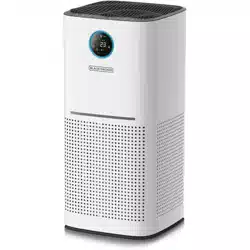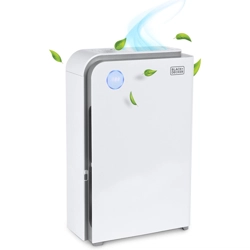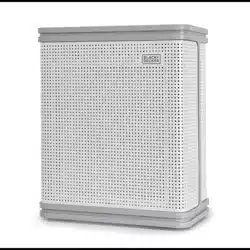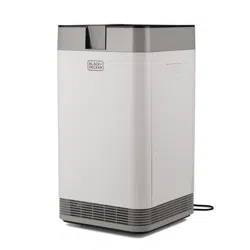
INSTRUCTION MANUAL
Thank you for choosing BLACK+DECKER!
PLEASE READ BEFORE RETURNING THIS PRODUCT FOR
ANY REASON.
If you have a question or experience a problem with your BLACK+DECKER
purchase, go to www.blackanddecker.com/instantanswers
If you can’t find the answer or do not have access to the Internet, call
844-299-0879 from 10:30 a.m. to 6:30 p.m. EST Mon. - Fri. to speak with an
agent. Please have the catalog number available when you call.
SAVE THIS MANUAL FOR FUTURE REFERENCE.
CATALOG NUMBER
BAPT01
BAPT02
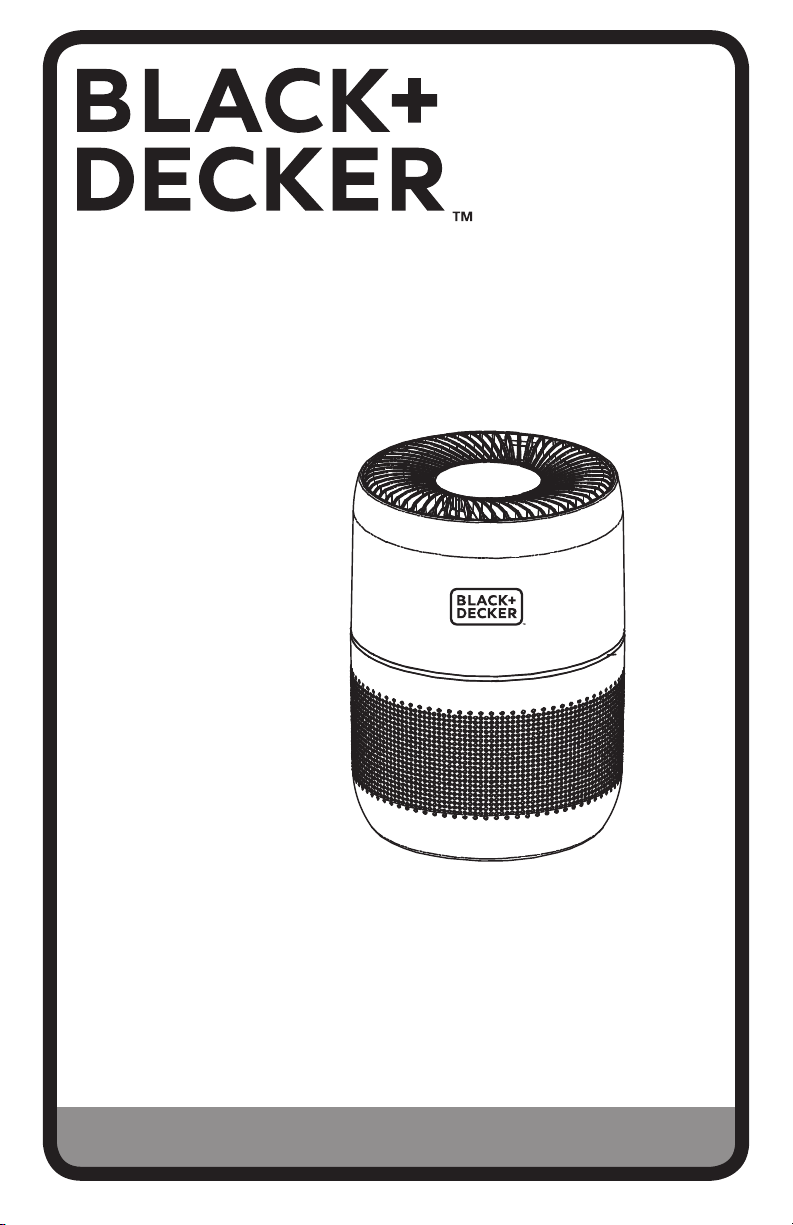
Tabletop Air Purifier

Page 2
Thank you for purchasing our
BLACK+DECKER product. This
easy-to-use manual will guide you
in getting the best use of your
air purifier.
Remember to record the model and
serial numbers. They are on a label
in the rear.
Staple your receipt to your manual.
You will need it to obtain warranty service.
Model number
Serial number
Date of purchase
PRODUCT REGISTRATION
CONTENTS
SAFETY INFORMATION
Important Safety Instructions ..........................................................................................................................................3-4
Electrical Requirements ..........................................................................................................................................................5
SET UP & USE
Parts & Features .........................................................................................................................................................................6
Operating Instructions
Cleaning & Maintenance ....
....................................................................................................................................................11
TROUBLESHOOTING & WARRANTY
Troubleshooting..........................................................................................................................................................................12
Limited Warranty .................................................................................................................................................................13-14
..........................................................
.......................................................................................
7-10
Page 3
SAFETY INFORMATION
1. READ ALL INSTRUCTIONS BEFORE USE.
2. Only use the air purifier as described in this manual.
3.
To avoid fire or shock hazard, plug the appliance directly into a
120V AC electrical outlet.
4.
Remove all packaging material, including the plastic wrap over
the filter before use.
5.
If the adapter, its cord, or plug is damaged, it must be replaced by
the manufacturer. Do not attempt to use a substitute adapter as it
could result in hazard and/or injury. Contact customer service for
further assistance.
6.
Check the household voltage to ensure it matches the appliance’s
rated specification.
7.
Do not let cord touch any hot surface and make sure that it does not
hang over a table edge or counter.
8.
Place air purifier on a firm, flat, level surface.
9.
Do not use this product on wet surfaces. This air purifier is not intended
for use in bathrooms, laundry areas and similar indoor locations. Never
locate air purifier where it may fall into bathtub or other water container.
10.
Avoid exposure to direct sunlight.
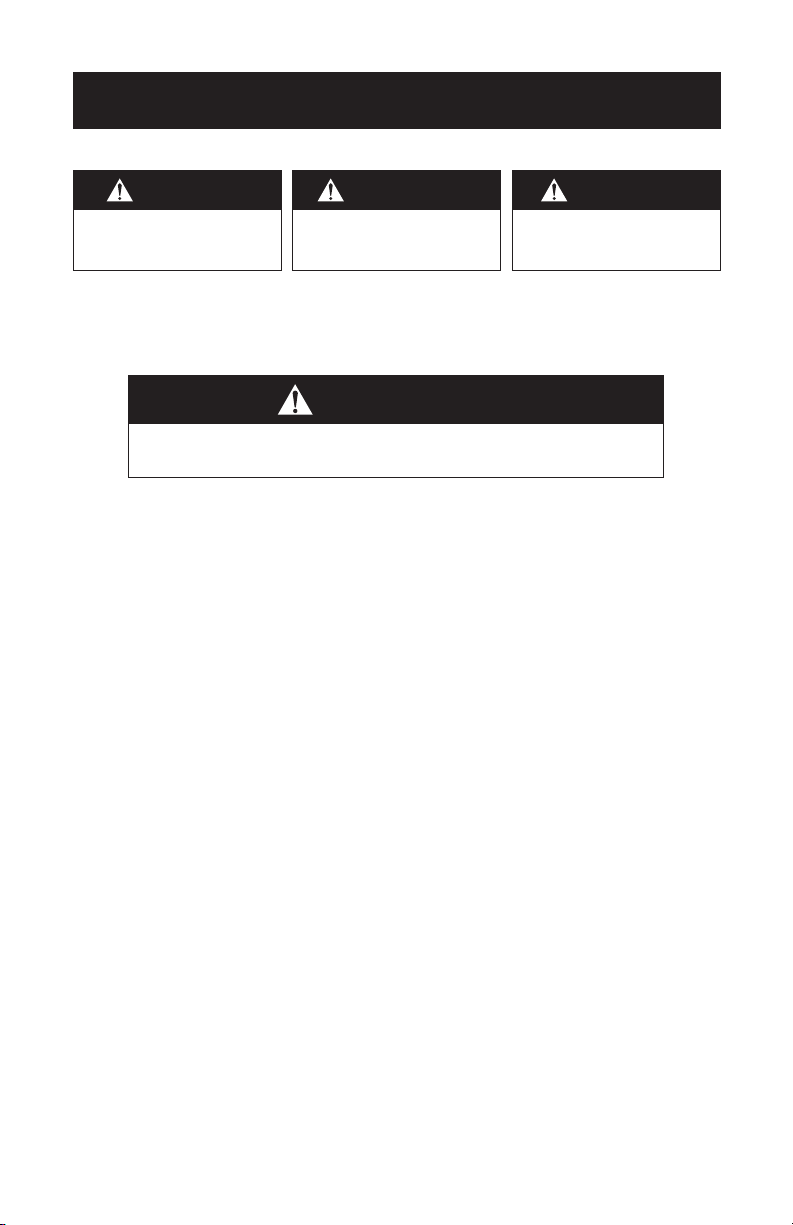
WARNING
When using electrical appliances, basic safety precautions
should be followed, including the following:
DANGER
DANGER - Immediate hazards
which WILL result in severe
personal injury or death
WARNING
WARNING - Hazards or unsafe
practices which COULD result in
severe personal injury or death
CAUTION
CAUTION - Hazards or unsafe
practices which COULD result in
minor personal injury
IMPORTANT SAFETY INSTRUCTIONS

Page 4
11. Close supervision is necessary when any appliance is used by or
near children.
12.
To reduce the risk of electric shock, do not remove screws. Do not
attempt to repair or replace parts except for filters.
13.
Unplug the appliance before cleaning it. Wipe it with a soft cloth.
14. Unplug the air purifier before removing the filter.
15.
Do not immerse the appliance or the power cord in water or other
liquids.
16.
Do not use any detergents, glass or household cleaner, furniture polish,
gasoline, paint thinner or other solvent to clean any part of the
air purifier.
17.
If you spill any liquid on the unit, it can cause serious damage. Switch
it o and unplug immediately.
18.
Do not block, cover or obstruct the air vents. Do not place anything
on top of the unit.
19.
Do not run cord under carpeting. Do not cover cord with
throw rugs, runners, or similar coverings. Do not route
cord under furniture or appliances. Arrange cord away
from trac area and where it will not be tripped over.
20.
WARNING - To reduce the risk of fire or electric shock,
DO NOT use this air purifier with any solid-state speed
control devices.
21.
Do not use outdoors.
SAFETY INFORMATION
READ AND SAVE THESE
INSTRUCTIONS
HOUSEHOLD USE ONLY

Page 5
WARNING
This appliance in not intended for use by persons (including children) with reduced
physical, sensory or mental capabilities, or lack of experience and knowledge, unless
they have been given supervision or instruction concerning the use of the appliance
by a person responsible for their safety. Children should be supervised to ensure
that they do not play with the appliance.
This appliance can be used by children aged from 8 years and above and persons with
reduced physical, sensory or mental capabilities or lack of experience or knowledge if they
have been given supervision or instruction concerning the use of the appliance in a safe
way and understand the hazards involved. Children should not play with the appliance.
Cleaning and user maintenance shall not be made by children without supervision.
OPERATING CONDITION
The air purifier should be operated between a temperature range of 64°F (18°C)
- 140°F (18°C) and a Relative Humidity under 90%.
NOTE:
Unit performance may be aected when in use outside of these operating
conditions.
SAFETY INFORMATION

Page 6
PARTS & FEATURES
SET UP & USE
Touch screen controls
Air Quality Indicator light
(Model BAPT02 only)
Exterior housing
AC Power Adapter
3-Stage HEPA Filter
(Replacement Part Model
Number: AF1)
Aromatherapy Sponges
AC Input
Connection
Particle Sensor
Air vents
Bottom Filter Cover

Page 7
SET UP & USE
OPERATING INSTRUCTIONS
Before using the air purifier for the first time, remove all packaging material, including
the plastic bag the filter is wrapped in.
NOTE:
Refer to CLEANING AND MAINTENANCE section of this manual for
information on how to access and install the filter.
Place the Air Purifier on a firm level surface with the controls facing upwards, making
sure nothing is obstructing the air flow on any side of the air purifier.
Plug the AC power adapter into the AC input connection located at the bottom rear
of the unit. Plug the AC adapter into the wall socket.
When the air purifier is plugged in, it will beep and the POWER button will
illuminate.
Tap the POWER button on the air purifier to start the air purifier. The fan speed
will set at LOW.
Page 8
SET UP & USE
CONTROL PANEL
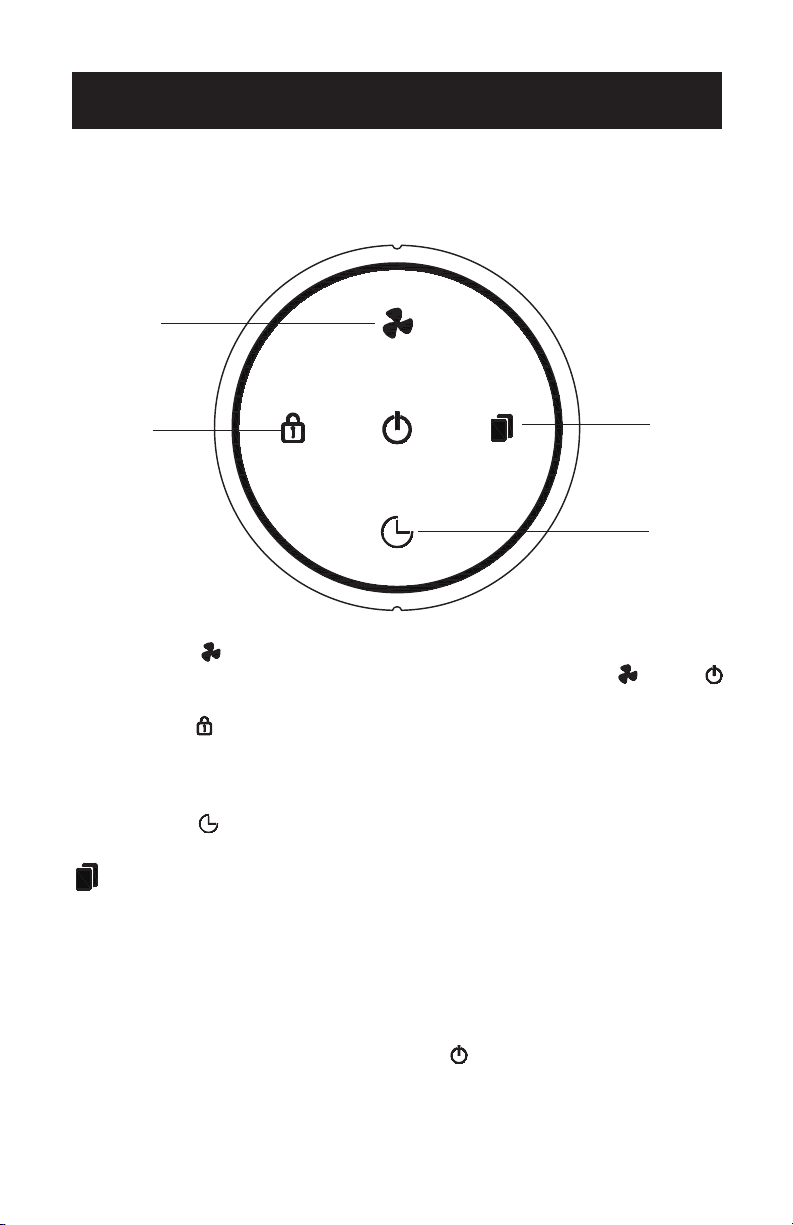
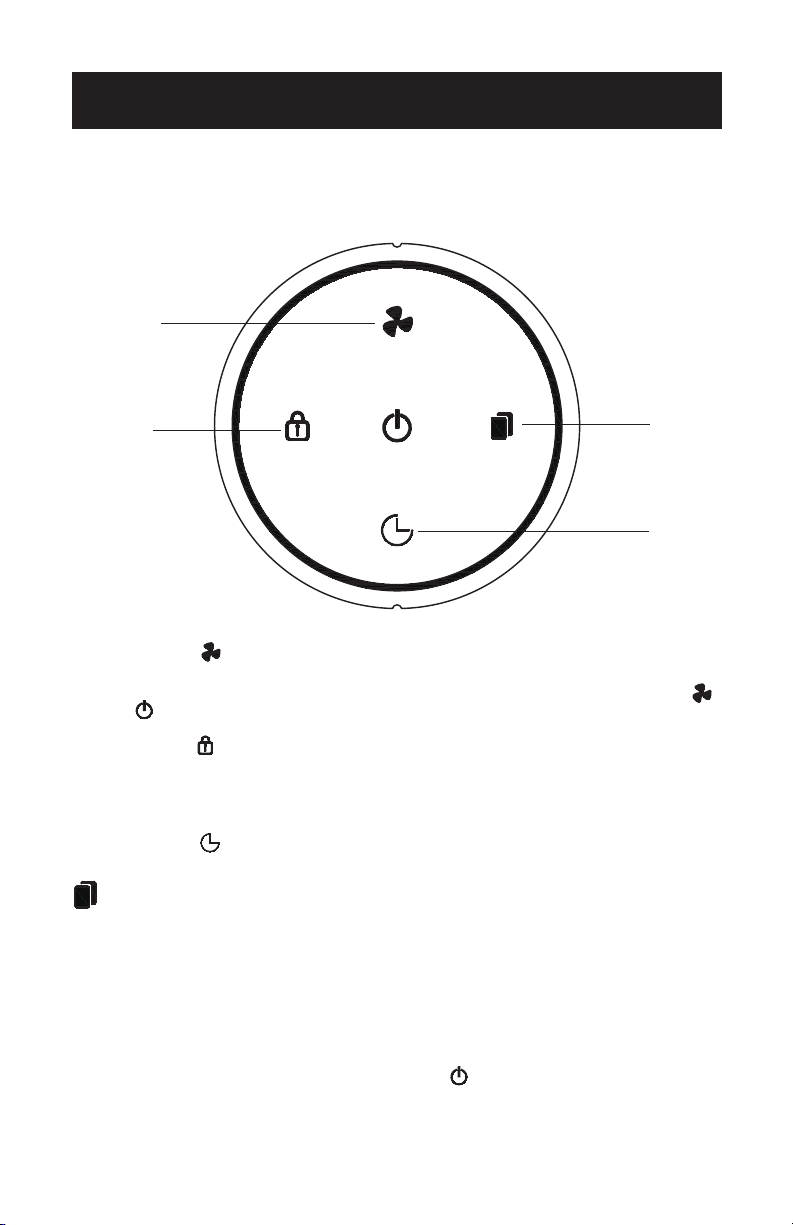
Model BAPT01
Press the SPEED button repeatedly to scroll though LOW, MEDIUM, HIGH and SLEEP
settings. When in sleep mode, the fan will operate at low speed. Only the and the
lights will be illuminated
Press the LOCK button for 3 seconds to turn on the child lock function. When the icon
flashes the child lock is activated so that the settings cannot inadvertently be changed.
Press the LOCK button again to turn the child lock o. When the icons are illuminated,
the child lock function in not activated.
Press the TIMER button to scroll through the number of hours (1H, 2H, 4H, 8H) and select
the number of hours for the air purifier to shut o.
REPLACE FILTER Indicator Light
After 2,000 hours of use, the REPLACE FILTER indicator light will flash and there will be
an audible beep. Replace the filter with a new one. Press the REPLACE FILTER indicator
light for 3 seconds until the control panel lights illuminate and the unit will no longer
make a beeping sound
NOTE: Refer to CLEANING AND MAINTENANCE section of this manual for information
on how to access and install the filter.
To shut o the unit at any time, press the POWER button until all indicator lights to OFF.
4h
8h
1h
2h
Sleep
Low
Mid
High
SPEED
LOCK
TIMER
REPLACE
FILTER
SET UP & USE
CONTROL PANEL
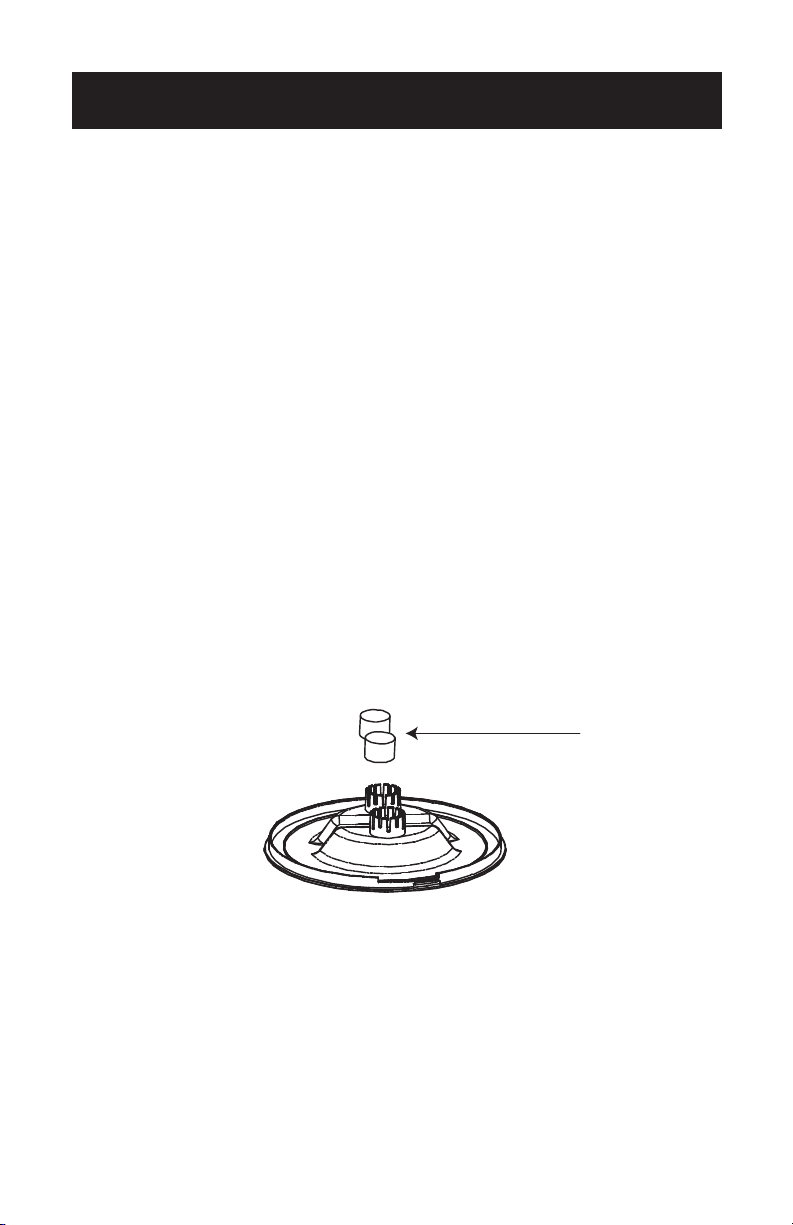
Model BAPT02
Press the SPEED button repeatedly to scroll though LOW, HIGH, AUTO and SLEEP
settings. In AUTO mode, the fan speed is automatically set according to the air quality
in the in room. When in sleep mode, the fan will operate at a lower speed. Only the
and the lights will be illuminated
Press the LOCK button for 3 seconds to turn on the child lock function. When the icon
flashes the child lock is activated so that the settings cannot inadvertently be changed.
Press the LOCK button again to turn the child lock o. When the icons are illuminated,
the child lock function in not activated.
Press the TIMER button to scroll through the number of hours (1H, 2H, 4H, 8H) and select
the number of hours for the air purifier to shut o.
REPLACE FILTER Indicator Light
After 2,000 hours of use, the REPLACE FILTER indicator light will flash and there will be
an audible beep. Replace the filter with a new one. Press the REPLACE FILTER indicator
light for 3 seconds until the control panel lights illuminate and the unit will no longer
make a beeping sound
NOTE: Refer to CLEANING AND MAINTENANCE section of this manual for information
on how to access and install the filter.
To shut o the unit at any time, press the POWER button until all indicator lights to OFF.
Page 9
SPEED
LOCK
TIMER
REPLACE
FILTER
4h
8h
1h
2h
Sleep
Low
High
Auto
Page 10
SET UP & USE
AIR QUALITY INDICATOR LIGHTS
model BAPT02 only
This model has indicator lights which will change color according to the air quality
detected by the particle sensor.
Color of light Air Quality
Blue Excellent
Green Good
Purple Fair
Red Poor
The air quality indicator lights will not glow when the air purifier is in sleep mode.
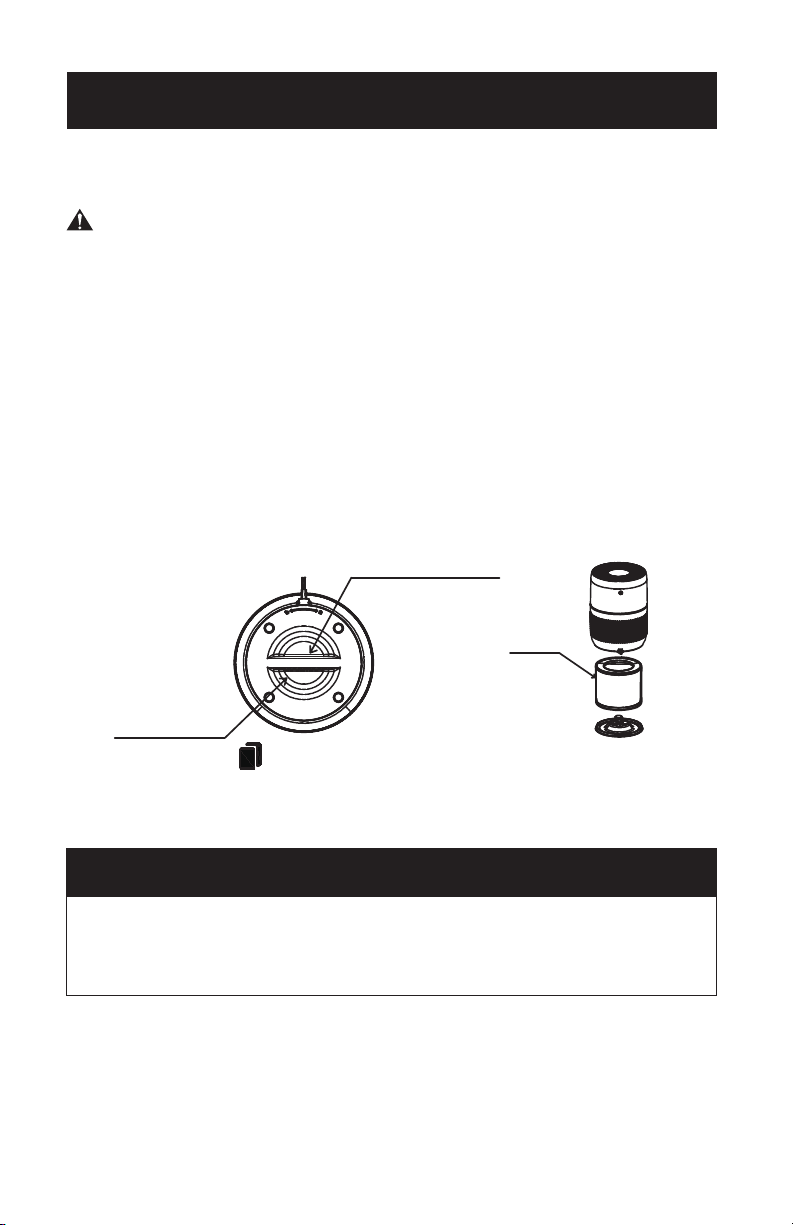
OPTIONAL AROMATHERAPY
Your air purifier comes with 2 sponges located on the bottom filter cover that allows you
to add essential oils (not included). If you wish to add fragrance to the air, moisten the
sponges and add a drop of the essential oil fragrance of your choice on to each sponge.
The fan will disperse the fragrance in the air through the air vents.
CLEANING AND MAINTENANCE
WARNING: Be sure to unplug from the electrical supply source before cleaning
or changing the filter.
Do not use liquids to clean the air purifier.
Do not attempt to disassemble the air purifier for cleaning.
• Wipe the exterior of the air purifier with a soft, dry cloth. Make sure the particle
sensor does not become clogged with dust.
•
If necessary, wipe only the exterior housing with a damp cloth, then immediately
dry.
• You can vacuum the inside of the air purifier.
STORAGE
NOTE:
If you are not going to use the air purifier for a long time make sure it is clean and
dry. Wrap the filter in plastic. Store in a cool dry place.
After replacing the filter, press the REPLACE FILTER indicator light for 3
seconds until the control panel lights illuminate and the unit does not make
any beeping sound in order to reset it.
FILTER INSTALLATION
REPLACEMENT FILTER
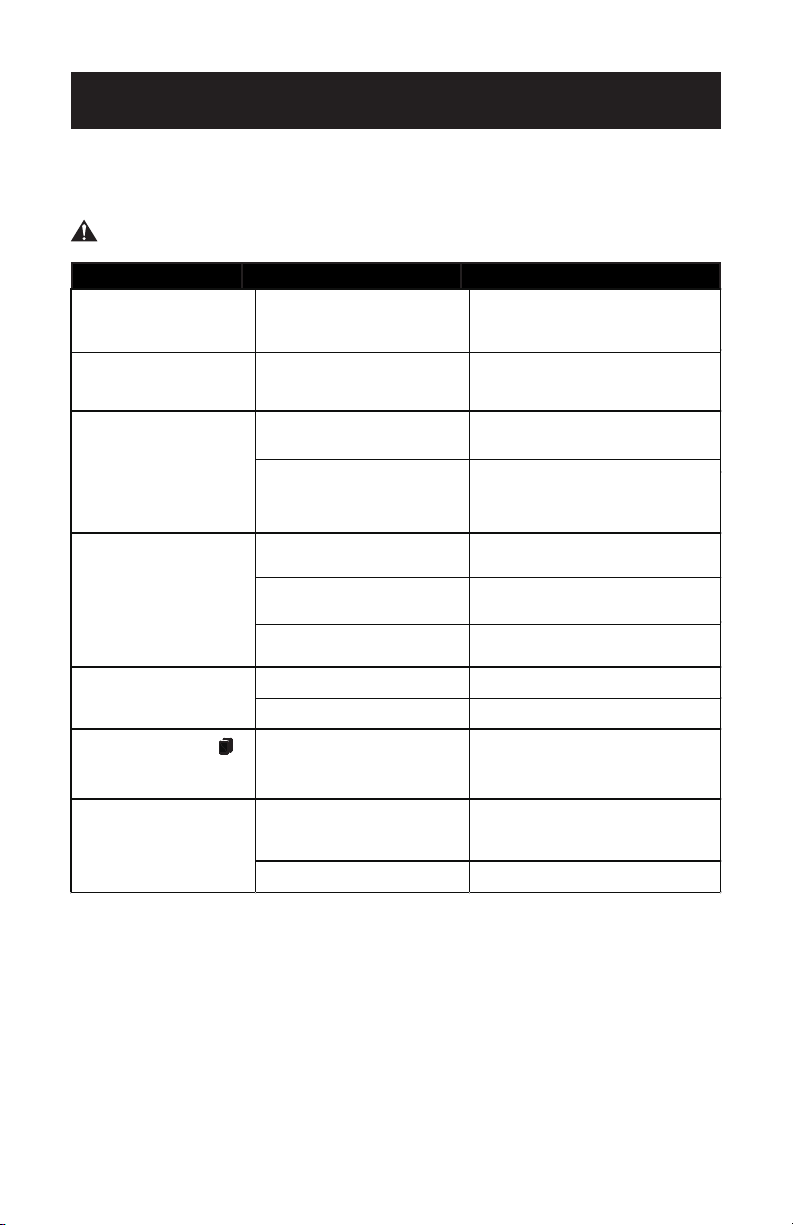
Your air purifier comes with a 3-stage (Pre-filter + HEPA+ Activated Carbon) Filter.
To access the filter, turn the bottom filter cover by the handle counterclockwise (towards
the unlock symbol) to remove it. Lift the filter out of the air purifier. Remove the
plastic bag and reinstall the filter.
Replace the filter cover by turning it clockwise (towards the lock symbol) until it
locks in place.
Use Replacement Filter Model AF1. To purchase a replacement filter, it is
recommended that you check with the retailer where you purchased your air purifier,
or major online retailers. You can also contact the BLACK+DECKER Customer
Satisfaction Center at 844-299-0879 or [email protected].
The REPLACE FILTER indicator light will illuminate after 2,000 hours of use.
You may need to replace the filter sooner if you are using the air purifier in an environment
with poor air quality. If you notice that the filter does not appear visibly clean, or air
purification seems to have decreased, the filter should be replaced.
SET UP & USE
Bottom cover rotating handle
bottom cover handle
Filter
Page 11
TROUBLESHOOTING & WARRANTY
SPECIFICATIONS
• Voltage: DC 24V
• Unit Dimensions (W x D x H): 8.9” x 8.9” x 12.2”
• Net Weight: Approx. 3.3 lbs
TROUBLE POSSIBLE CAUSE POSSIBLE REMEDY
not work properly, contact the BLACK+DECKER customer service center or the nearest
authorized service center.
WARNING: Users must never troubleshoot internal components.
Appliance does not turn on Appliance is not plugged in
Check that the AC Power Adapter is properly
connected to the air purifier and that the
adapter is plugged into a working outlet
The fan does not work
Something is obstructing the fan.
Packing material may not have
been removed
Make sure nothing is obstructing the fan
and all material has been removed from
the unit and the filter.
The filter needs to be re
placed
Replace filter
The filter was not installed correctly
Make sure the filter was installed properly
with the plastic bag removed. After
installing the filter, press the REPLACE
FILTER indicator light for 3 seconds
There is not enough clearance
around the air purifier
Make sure nothing is obstructing the
airflow around the air purifier.
Air Purifier is set at a low speed
setting
Set at a higher speed setting
The filter needs to be replaced Replace filter
Something may be obstructing the fan
or an object may be inside the air purifier.
Remove any foreign object from the air purifier
The plastic packaging may not have
been removed from the filter.
Make sure the filter was installed on a firm
level surface with the plastic bag removed
The REPLACE FILTER
light is still illuminated after
replacing the filter
The filter was not installed correctl
y
or the filter was not reset by pressin
g
the REPLACE FILTER button
Make sure the filter was installed properly
with the plastic bag removed. After
installing the filter, press the REPLACE
FILTER indicator light for 3 seconds
There is a source of pollution near
the air purifier such as someone is
smoking.
After operating the air purifier for a
period of time, the air quality indicator
will turn blue or green when the air
quality is getting better.
The particle sensor may be clogge
d
with dust or other debris.
Wipe the particle sensor and make sure
there is no dust or debris obstructing it.
Air quality indicator is
always red (Model BAPT02 only)
The air purification is poor
The air purifier beeps
Air purifier is noisy
Troubleshoot your problem by using the chart below. If the air purifier still does
Page 12

TROUBLESHOOTING & WARRANTY
BEFORE YOU CALL FOR SERVICE
IF THE APPLIANCE FAILS TO OPERATE:
A) Check to make sure that the air purifier is plugged in securely. If it is not,
remove the plug from the outlet, wait 10 seconds and plug it in again securely.
B) Check for a blown circuit fuse or a tripped main circuit breaker. If these seem
to be operating properly, test the outlet with another appliance.
IF NONE OF THE ABOVE SOLVES THE PROBLEM, CONTACT A QUALIFIED
TECHNICIAN.
WARNING: USER SHOULD NOT TRY TO ADJUST OR REPAIR THIS
APPLIANCE. THERE ARE NO USER SERVICEABLE PARTS INSIDE.
IMPORTANT
DO NOT RETURN THIS PRODUCT TO THE STORE
If you have a problem with this product, please contact the
BLACK+DECKER Customer Satisfaction Center at
844-299-0879 or service@equitybrands.com
DATED PROOF OF PURCHASE, MODEL # AND SERIAL #
REQUIRED FOR WARRANTY SERVICE
Page 13

TROUBLESHOOTING & WARRANTY
LIMITED WARRANTY
Any repair, replacement, or warranty service,
and all questions about this product should be
directed to BLACK+DECKER at 844-299-0879
from the USA or Puerto Rico.
BLACK+DECKER warrants to the original purchaser
that the product will be free from defects in material,
parts and workmanship for the period designated for
this product. The warranty commences the day the
product is purchased and covers up to a period of 1
year (12 months) for labor/1 year (12 months) for parts
(manufacturing defects only).
BLACK+DECKER agrees that it will, at its option,
replace the defective product with either a new
or remanufactured unit equivalent to your original
purchase during the warranty period.
Exclusions: This warranty does not apply to the
below:
1. If the appearance or exterior of
the product has been damaged or
defaced, altered or modified in design or
construction.
2. If the product original serial number
has been altered or removed or cannot
be readily determined.
3. If there is damage due to power line
surge, user damage to the AC power
cord or connection to improper voltage
source.
4. If damage is due to general misuse,
accidents or acts of God.
5. If repair attempts are done by
unauthorized service agents, use of
parts other than genuine parts or parts
obtained from persons other than
authorized service companies.
6. On units that have been transferred
from the original owner.
7. On products that have been purchased
as refurbished, like new, second-hand, or
an “As-Is” or “Final Sale” terms.
8. To products used in a commercial or
rental s
etting.
9. To products used in settings other than
ordinary household use or used other
than in accordance with the provided
instructions.
10. To damages for service calls for
improper installations.
11. Transportation and shipping costs
associated with the replacement of the
unit.
12. Service calls to instruct you how to use
your product.
13. Service calls to repair or replace the
house fuse, reset the circuit breaker or
correct the wiring in the house.
REPAIR OR REPLACEMENT AS PROVIDED UNDER
THIS WARRANTY IS THE EXCLUSIVE REMEDY OF
THE CUSTOMER; BLACK+DECKER. SHALL NOT BE
LIABLE FOR ANY INCIDENTAL OR CONSEQUENTIAL
DAMAGES FOR BREACH OF ANY EXPRESS OR
IMPLIED WARRANTY ON THIS PRODUCT, EXCEPT
TO THE EXTENT PROHIBITED BY APPLICABLE LAW.
ANY IMPLIED WARRANTY OF MERCHANTABILITY
OF FITNESS FOR A PA
RTICULAR PURPOSE ON THIS
PRODUCT IS LIMITED TO THE DURATION OF THE
WARRANTY.
Some states do not allow the exclusion or limitations
of incidental or consequential damages, or limitations
on how long the warranty lasts. In these cases the
above exclusions or limitations may not apply to you.
This warranty gives you specific legal rights and you
may also have other rights which vary from state to
state.
Obtaining Service: To obtain service, product
literature, supplies or accessories please call
844-299-0879 to create a ticket for exchange/repair.
Please make sure to provide the date of purchase,
model number and a brief description of the problem.
Our customer service representative
will contact you or send detailed return instructions.
BLACK+DECKER does not warrant that the appliance will work
properly in all environmental conditions, and makes no warranty
and representation, either implied or expressed, with respect
to the quality, performance, merchantability, or fitness for a
particular purpose other than the purpose identified within this
user’s manual. BLACK+DECKER has made every eort ensure
that this user’s manual is accurate and disclaims liability for any
inaccuracies or omissions that may have occurred. Information in
this user’s manual is subject to change without notice and does
not represent a commitment on the part of BLACK+DECKER.
BLACK+DECKER reserves the right to make improvements to
this user’s manual and/or to the products described in this user’s
manual at any time without notice. If you find information in this
manual that is incorrect, misleading, or incomplete, please contact
us at 844-299-0879.
W Appliance Co.
1356 Broadway
New York, NY 10018
Page 14

BLACK & DECKER, BLACK+DECKER, the BLACK & DECKER and
BLACK+DECKER logos and product names and the orange and black color
scheme are trademarks of The Black & Decker Corporation, used under license.
All rights reserved.
Product in this box may dier slightly from that pictured. Does not aect
function. Not all accessories shown in photography are included in this
package.
Imported by W Appliance, Inc., 1356 Broadway, New York, NY 10018
September 2019 Printed in China