Flats4ns
ACOUSTIC SOUNDHOLE PICKUP
FP-I / FP-IW / FR2
MANUAL
INTRODUCTION
Welcome to your attention to the Acoustic Guitar Pickups
developed and manufactured by Flanger, the models are:
FP I/FP IW/FR2.
All of them are with different features, the functions
covered Magnetic Control, Microphone Control, Treble/
Middle/Bass, Reverb, Chorus and so on, moreover, warm
tone and much gain;Easyfor Using,the highcapacity built-in
lithium battery which can be used around 4-6 hours
continuously after a fully charge, you can enjoy playing
and your musicwithout anyworries; Suitablefor the players,
Guitar fans and the professionals.
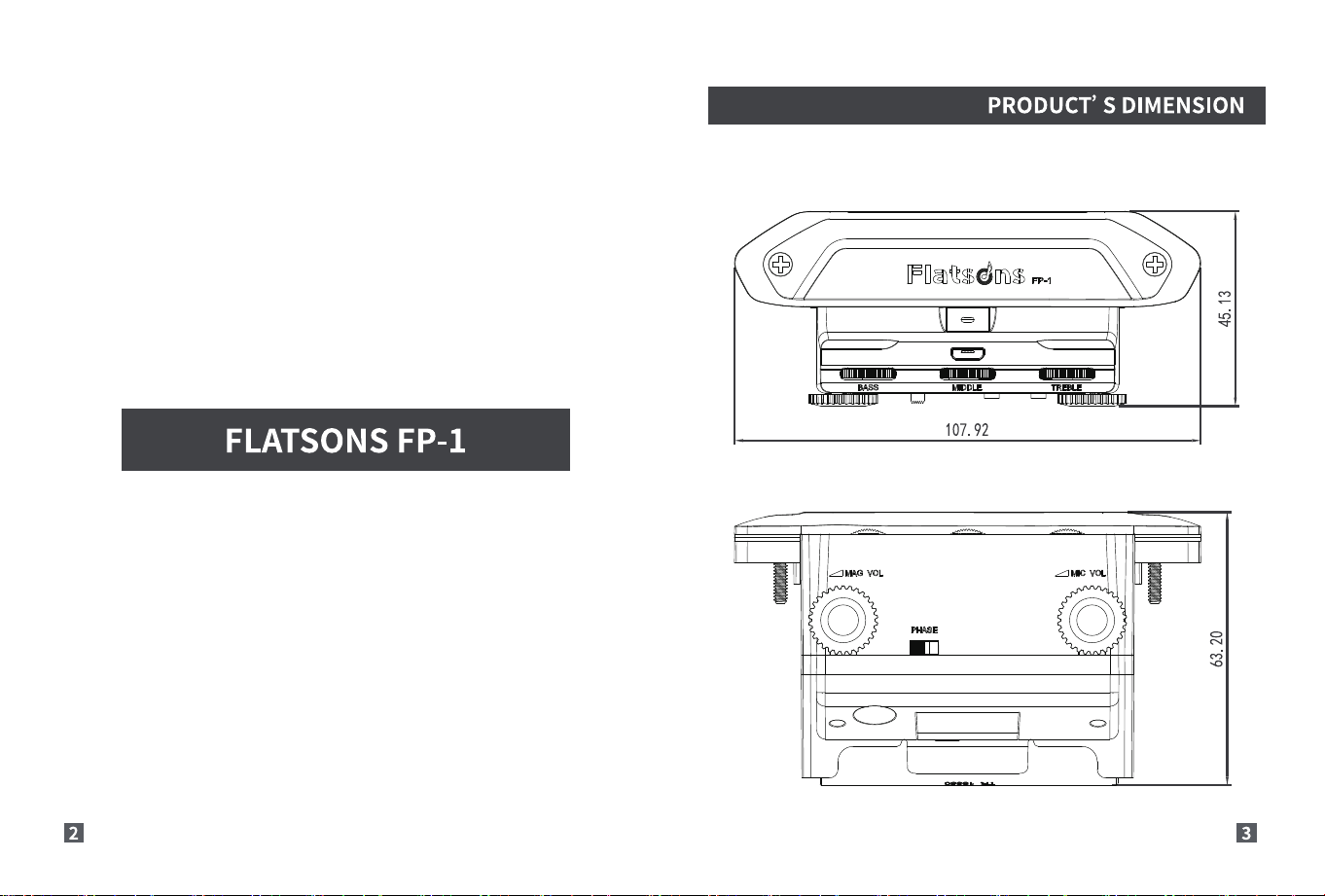
I-dd SNOSIVU
LOL
IIIII,
supn\Q204
NOISN3VVlO S ,nnooud
DESCRIPTION DESCRIPTION
(Hatsdns
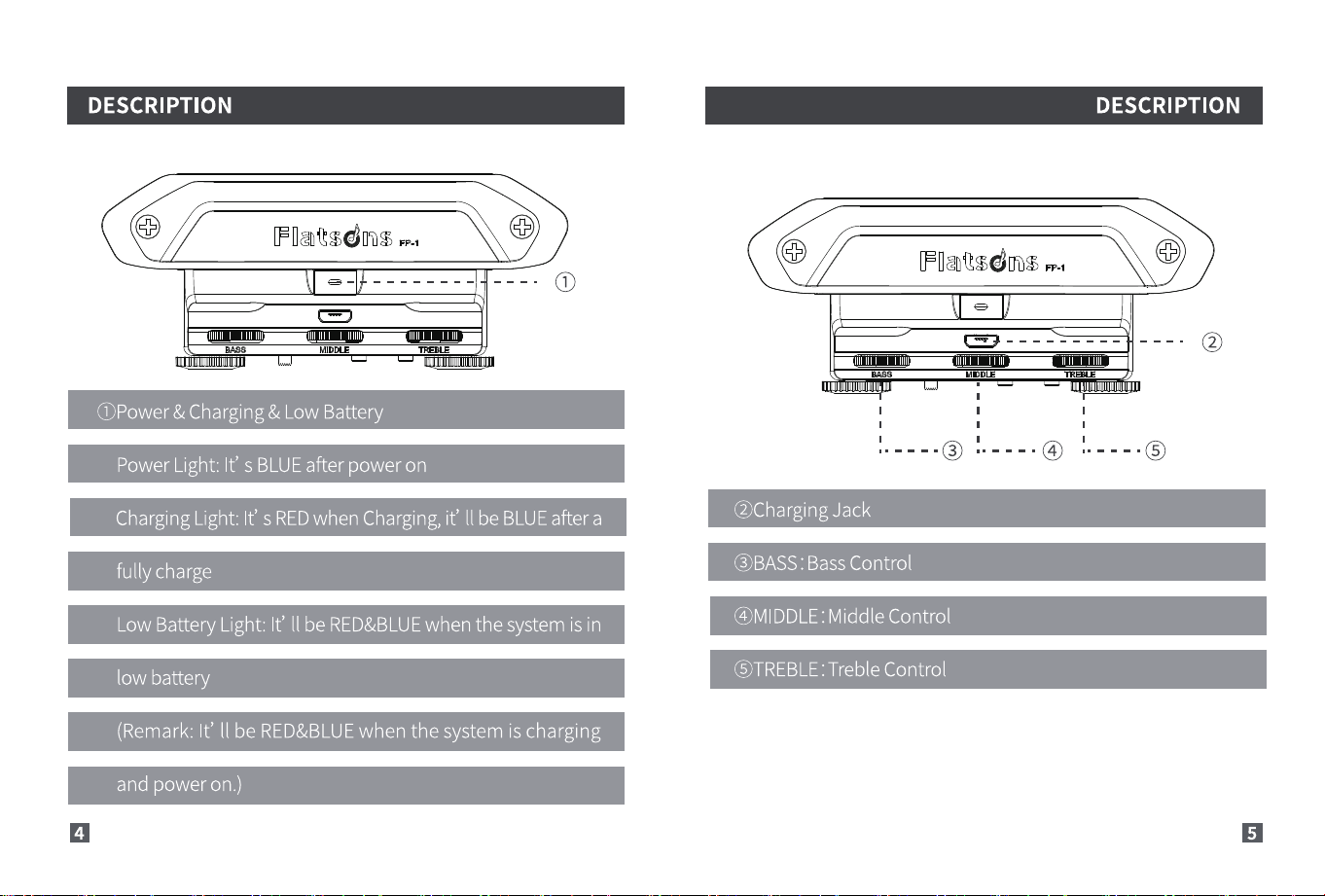
(j)Power& Charging&LowBattery
Power Light: It' s BLUEafter power on
Charging Light: It' s REDwhen Charging,it' II be BLUEafter a
fully charge
Low Battery Light: It' II be RED&BLUEwhen the system is in
low battery
(Remark:It' II be RED&BLUEwhen the systemis charging
and power on.)
4
FOa@sdns
o O
@ChargingJack
OBASS : Bass Control
@MIDDLE : Middle Control
STREBLE:Treble Control
DESCRIPTION
F]ätsdns
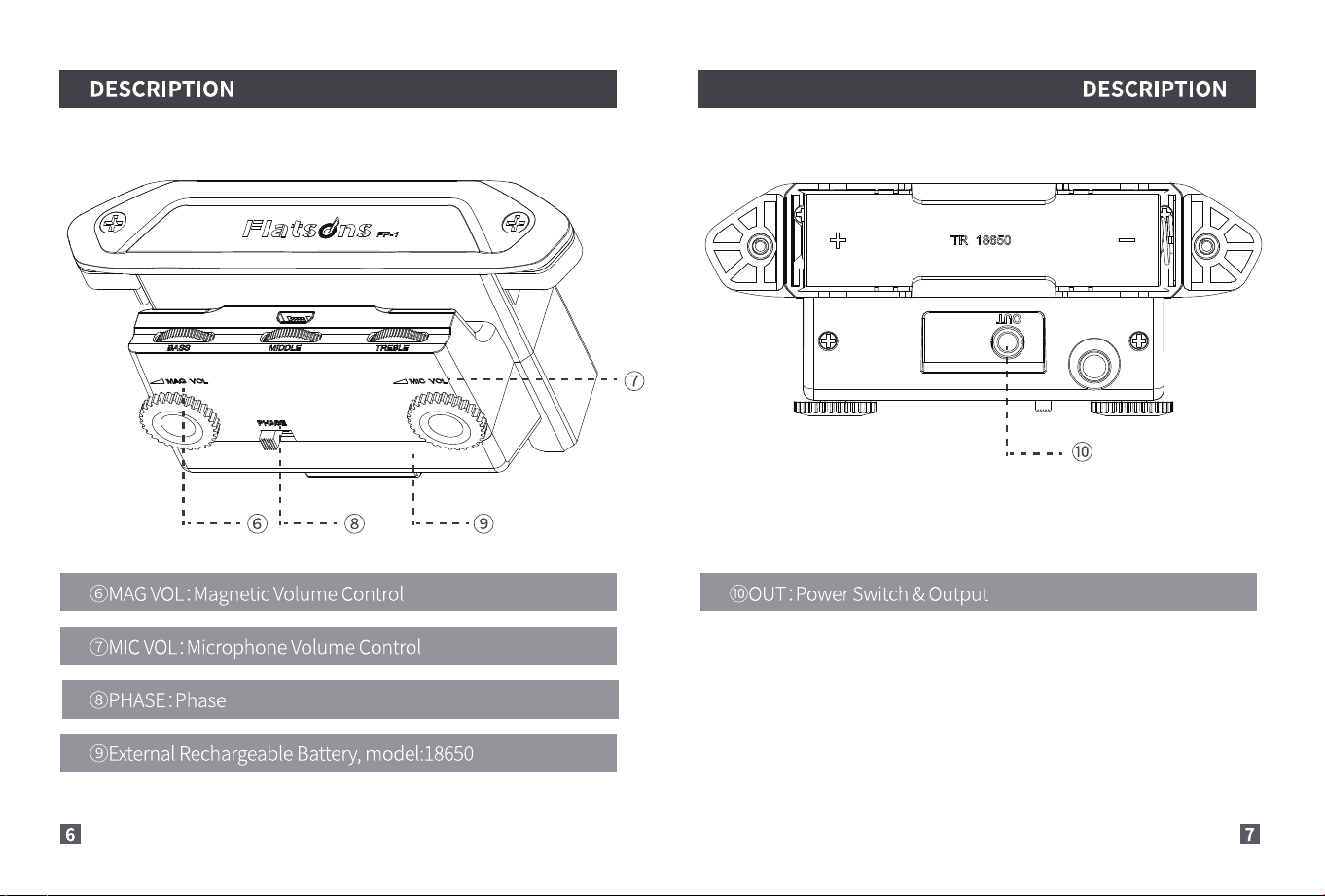
(6)MAGVOL:MagneticVolumeControl
OMIC VOL:Microphone Volume Control
@PHASE: Phase
@ExternalRechargeableBattery,model:18650
DESCRIPTION
TR 18650
OOUT : Power Switch & Output
INSTALLATION GUIDANCE
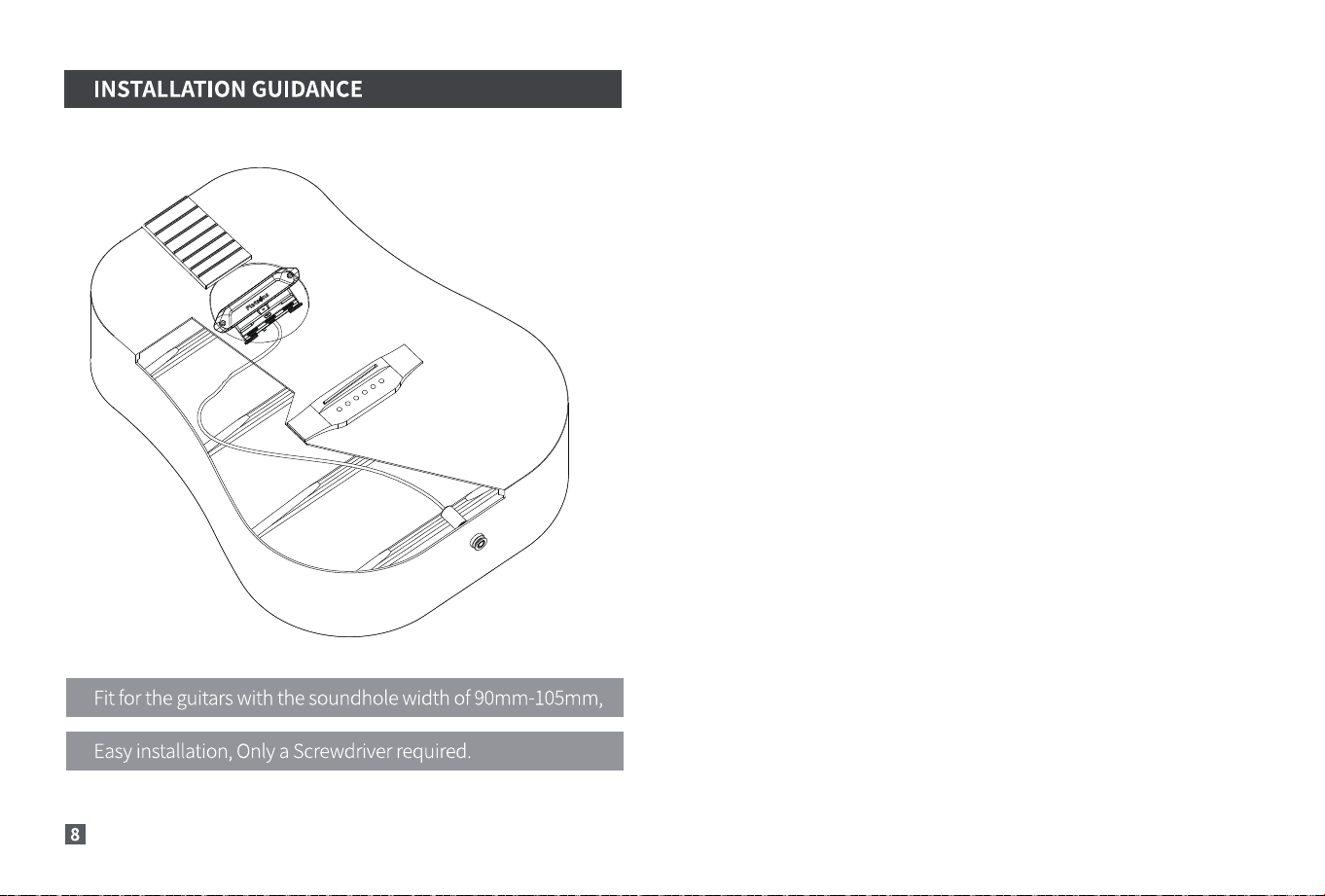
Fit for the guitars with the soundhole width of 90mm-105mm,
Easyinstallation, Only a Screwdriver required.
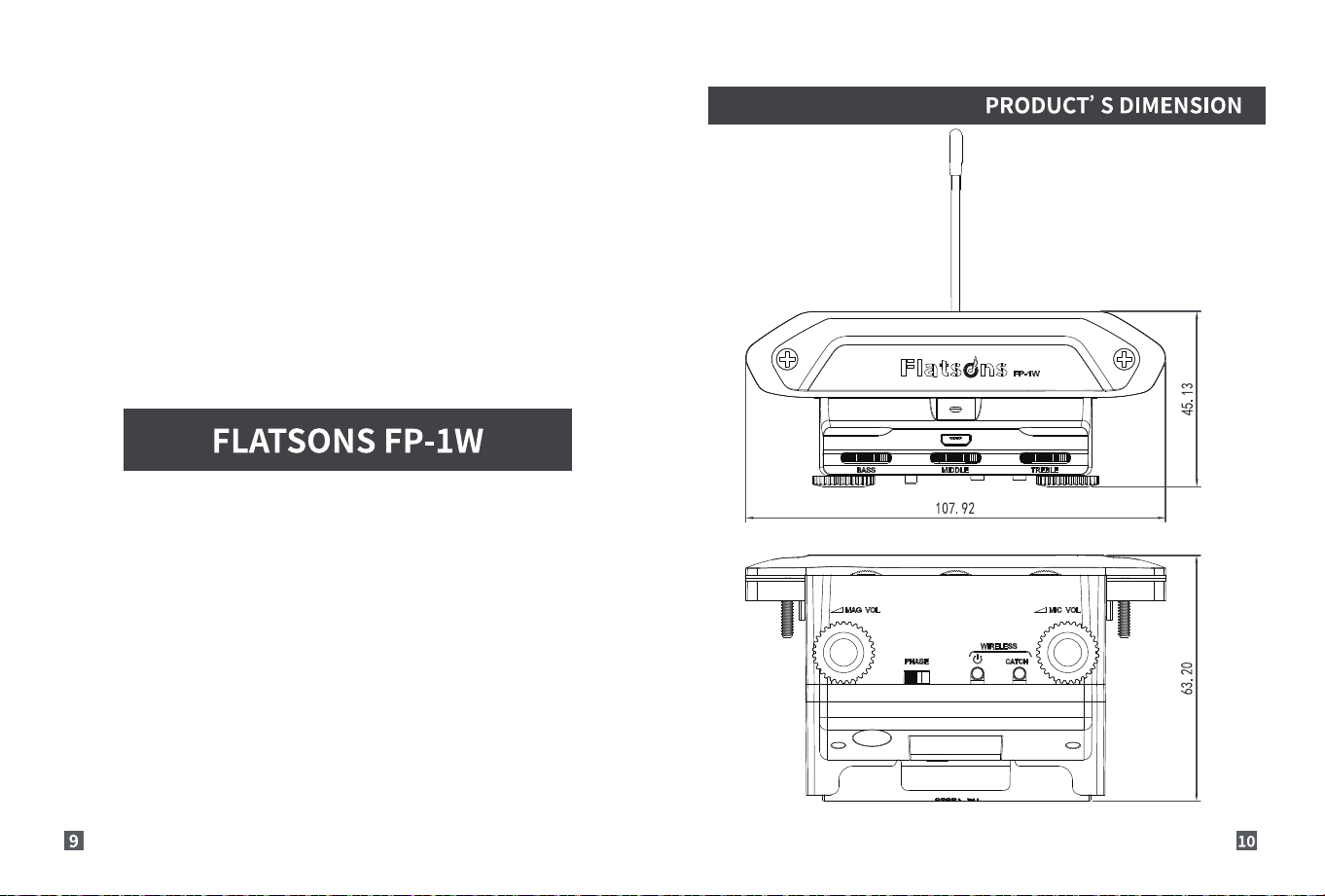
PRODUCT' S DIMENSION
FLATSONS FP-IW
107 92
e) CATO.
DESCRIPTION
O
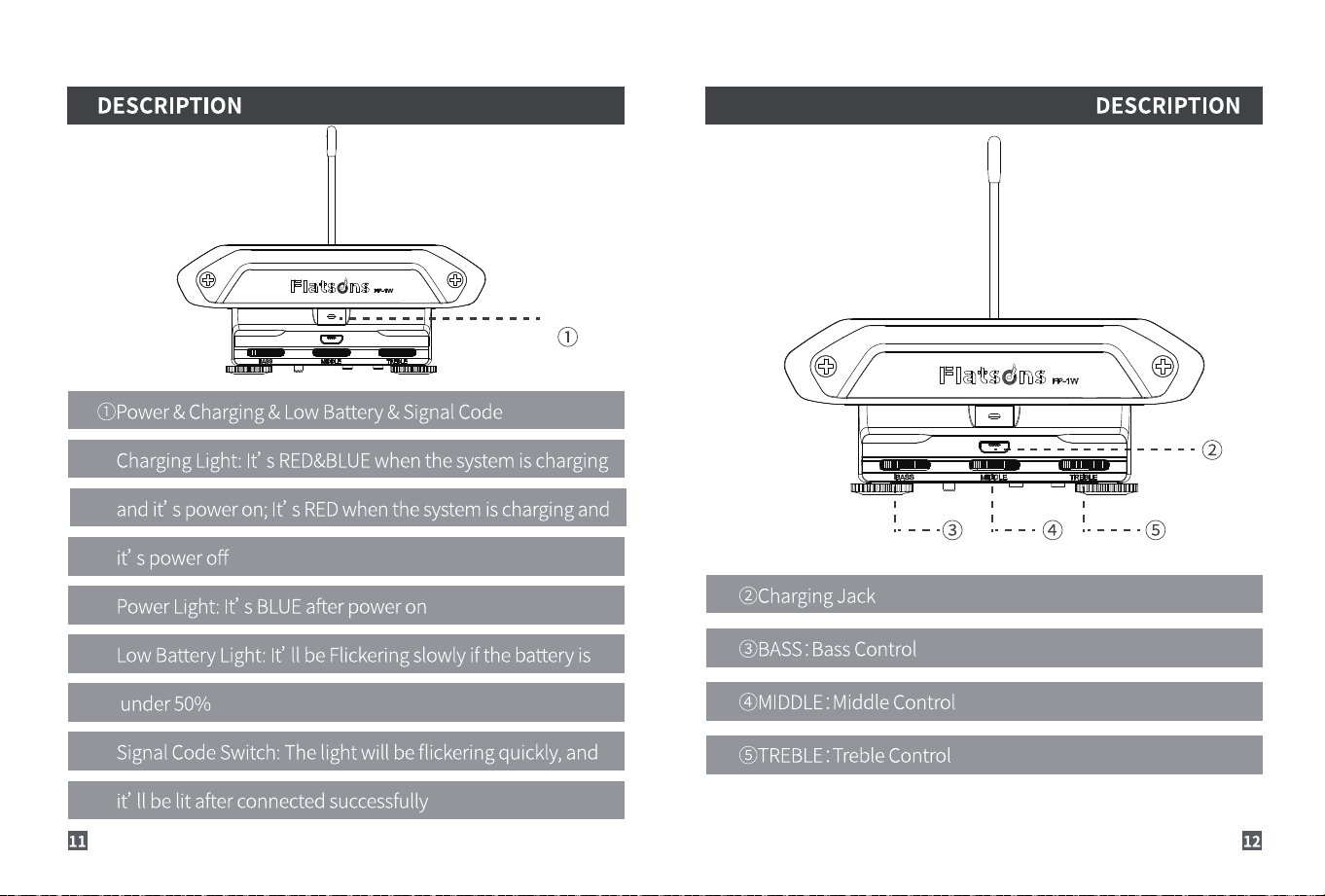
OPower& Charging& LowBattery&SignalCode
Charging Light: It' s RED&BLUEwhen the system is charging
and it' s power on; It' s REDwhen the systemis charging and
it' s power off
Power Light: It' s BLUEafter power on
Low Battery Light: It' II be Flickeringslowly if the battery is
under 50%
Signal CodeSwitch: The light will be flickering quickly, and
it' II be lit after connected successfully
11
Haftsdns
DESCRIPTION
0
O
@Charging Jack
OBASS : Bass Control
@MIDDLE: Middle Control
: Treble Control
O
12
DESCRIPTION DESCRIPTION
PLIat$dD$
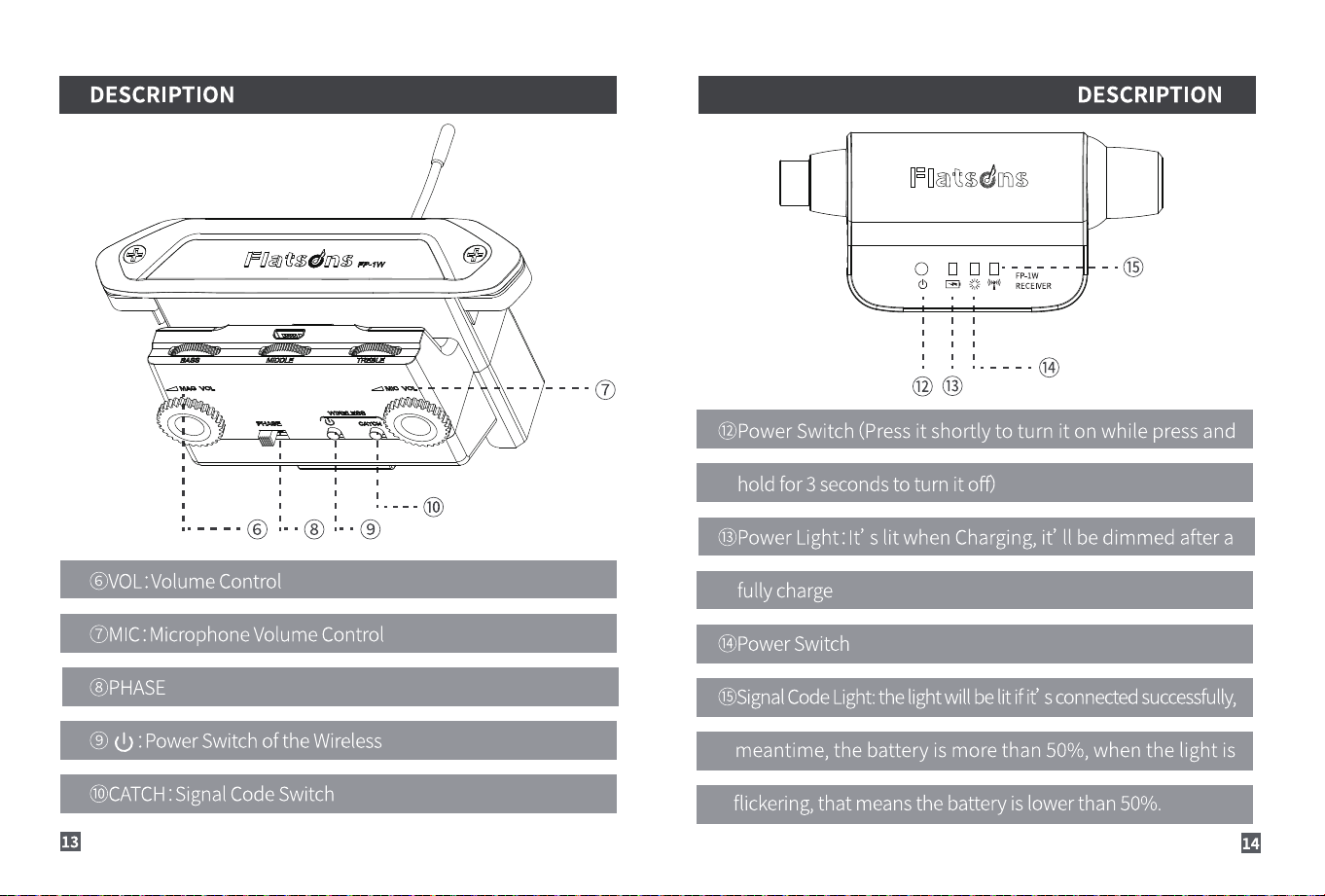
COVOL:Volume Control
OMIC :Microphone Volume Control
@PHASE
@ d) : PowerSwitch of the Wireless
OCATCH:SignalCodeSwitch
13
O
F atsdns
0 000•-----
d) CS) RECEIVER
@Power Switch (press it shortly to turn it on while press and
hold for 3 seconds to turn it off)
@PowerLight: It' s lit when Charging,it' II be dimmed after a
fully charge
@Power Switch
09SignalCodeLight:the lightwillbelit ifit' sconnectedsuccessfully,
meantime, the battery is more than 50%, when the light is
flickering, that meansthe battery is lower than 50%.
14
INSTALLATION GUIDANCE
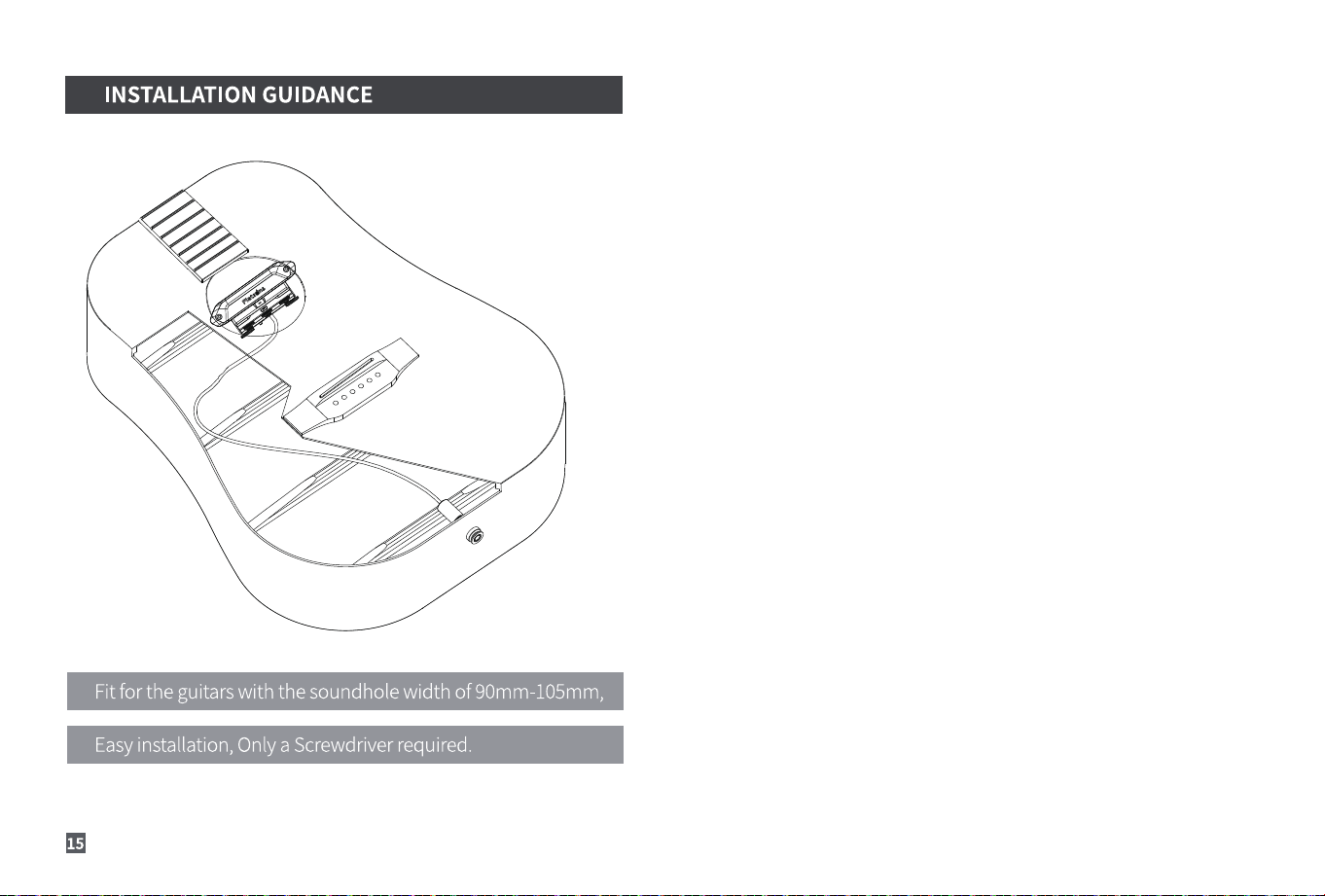
Fitfor the guitars with the soundhole width of 90mm-105mm,
Easyinstallation, Only a Screwdriver required.
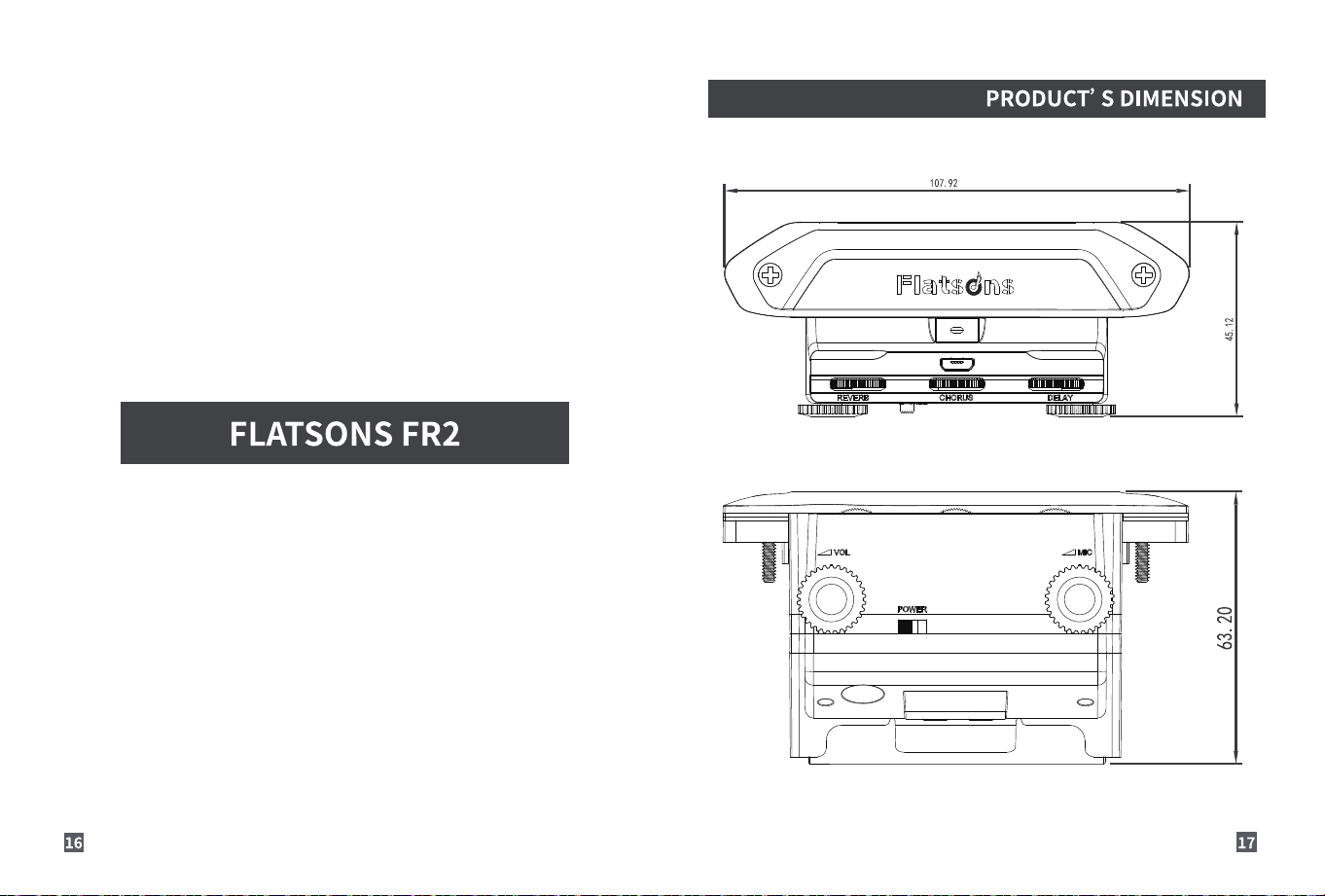
PRODUCT' S DIMENSION
107. 92
FOatsdns
FLATSONS FR2
Ili—ill
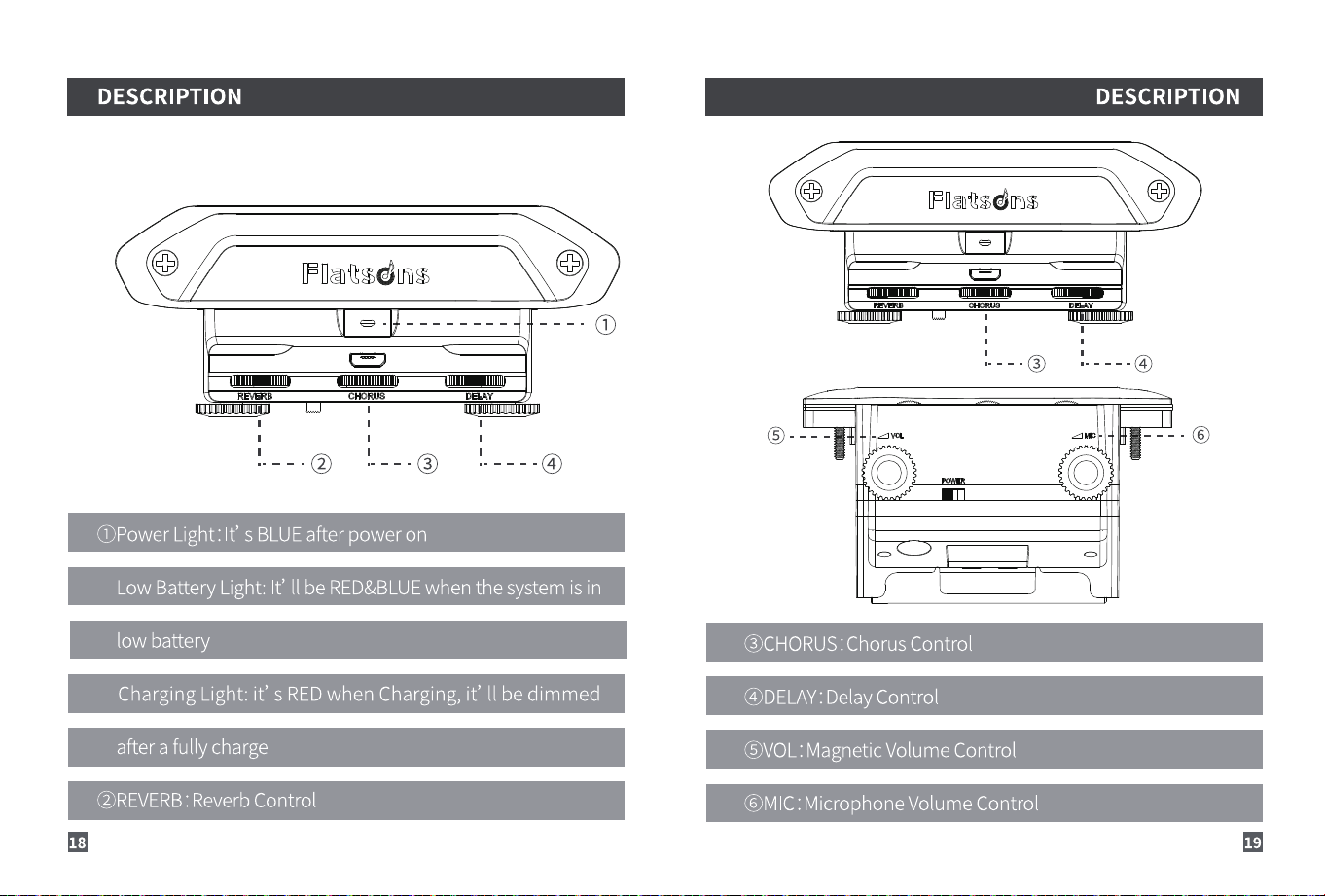
DESCRIPTION
IFOæo@sdns
OPower Light:It's BLUEafter poweron
LowBatteryLight:It' II beRED&BLUEwhenthesystemis in
low battery
ChargingLight:it' sREDwhen Charging,it' IIbe dimmed
after a fully charge
@REVERB: Reverb Control
DESCRIPTION
FOatsdns
Ili—ill
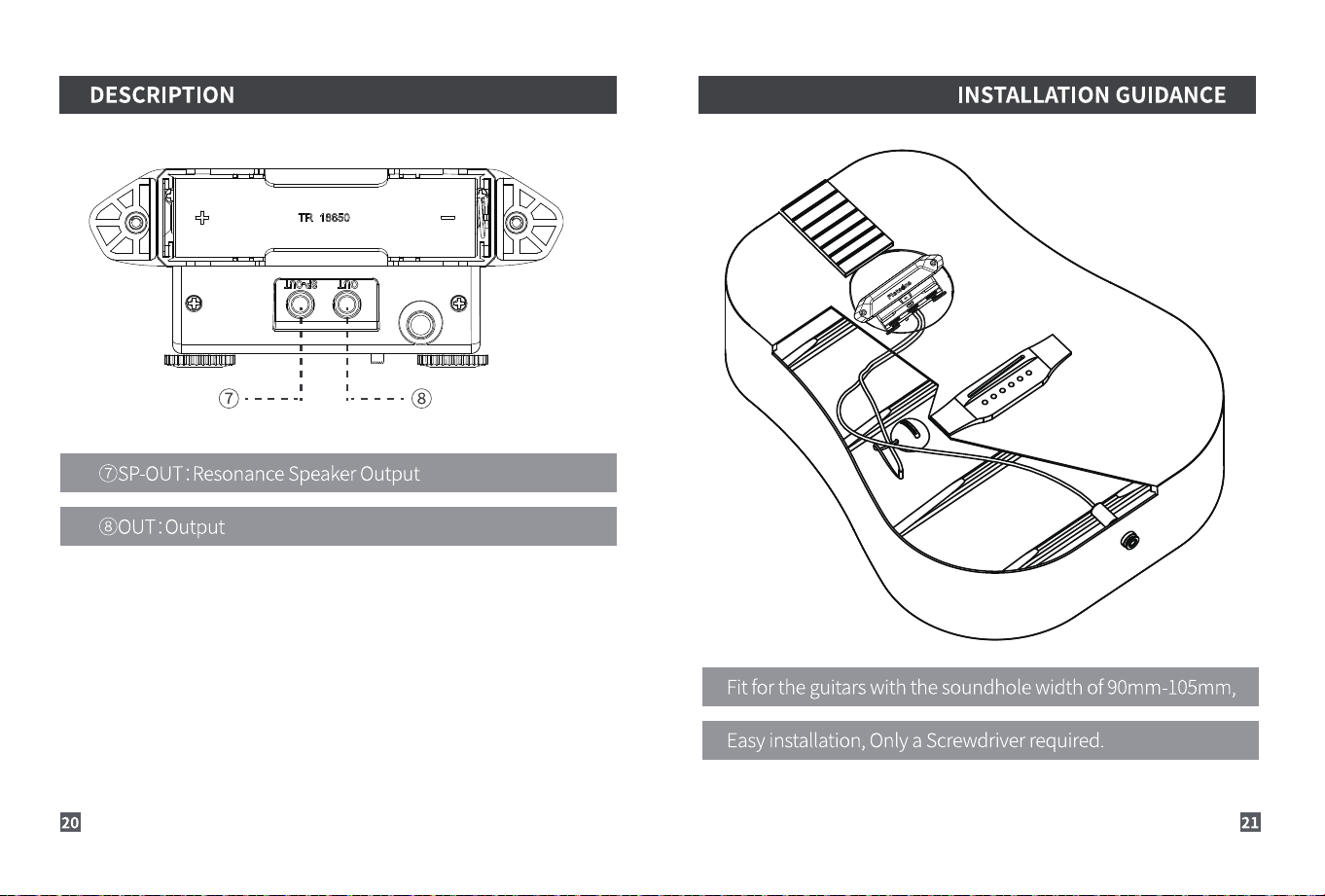
@CHORUS :Chorus Control
@DELAY:DelayControl
($)VOL:Magnetic Volume Control
@MIC: Microphone Volume Control
DESCRIPTION
TR 18650
: ResonanceSpeakerOutput
INSTALLATION GUIDANCE
Fitfor the guitars with the soundhole width of 90mm-105mm,
Easyinstallation, Only a Screwdriver required.
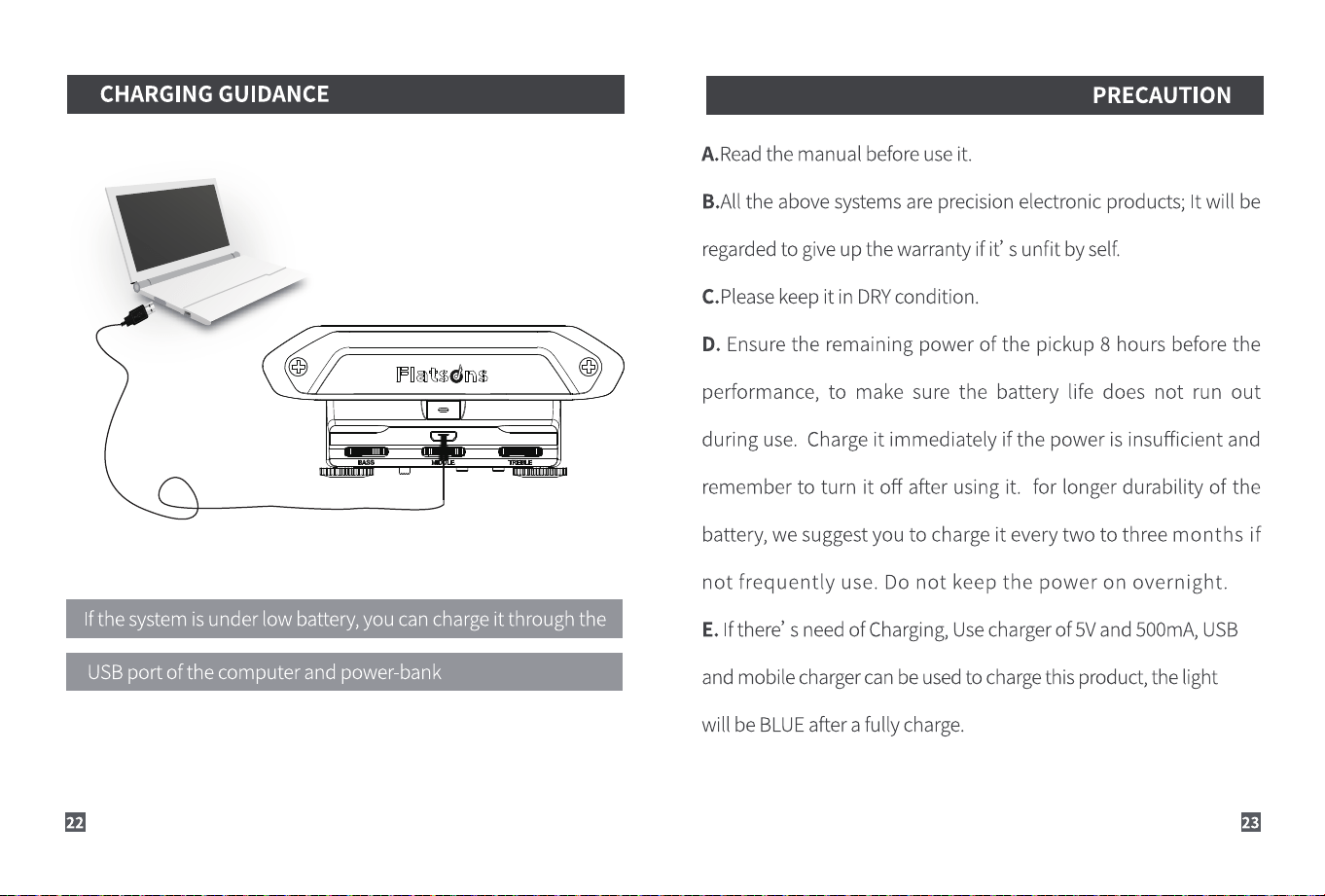
CHARGING GUIDANCE
Ifthe system isunder low battery,you can chargeit through the
USBport of the computer and power-bank
PRECAUTION
A.Read the manual before use it.
B.AIIthe above systems are precision electronic products; It will be
regardedto give up the warranty if it' s unfit by self.
C.Pleasekeep it in DRYcondition.
D. Ensure the remaining power of the pickup 8 hours before the
performance, to make sure the battery life does not run out
during use. Charge it immediately if the power is insufficient and
remember to turn it off after using it. for longer durability of the
battery, we suggest you to charge it every two to three months if
not frequently use. Do not keep the power on overnight.
E.Ifthere' s needof Charging,Usechargerof 5Vand500mA,USB
and mobile charger can be usedto chargethis product, the light
will be BLUEafter a fully charge.
PRECAUTION
F.Regardto FP-I,ifyou don' t useit for a longtime, pleaseunplug
th e cable, there' s the built-in power switch inside the endpin,
so it' IIcut off the power whenyou unplug the cable.
G.Regardto FP-IW, please pay attention to the following instruc
tions if it' s the first time you use it:
a.Press and hold the power switch; the transmitter and receiver
will be automatically matched after turning on, meanwhile, the
signal light both of the pickup and receiver will be on, connected
successfully;
b.If it failed to connect after turning on, please turn off the receiv-
er and transmitter, and match it one by one; Pressand hold both
of the power and signal of the transmitter in the same time for 3
seconds, release them when the signal light keeps flickering ,
then, pressthe power of the receiver shortly to turn on it, the
PRECAUTION
receiverwill be flickered three times and off, press the signal short
ly to quit ,the signal lights both of receiver and transmitter are on,
congratulations, connected successfully,please enjoy your time.
c.One system can take care of 8 receivers in the same time, when
it' s in need, the transmitter must be matched each receiver one
by one, and the transmitter and receiver should be turned off after
code check, then to do the next matching according to the above
steps, you can turn on all the receiversin the same time after code
check.
H.For better protecting the system, please turn off before
charging it.