V1
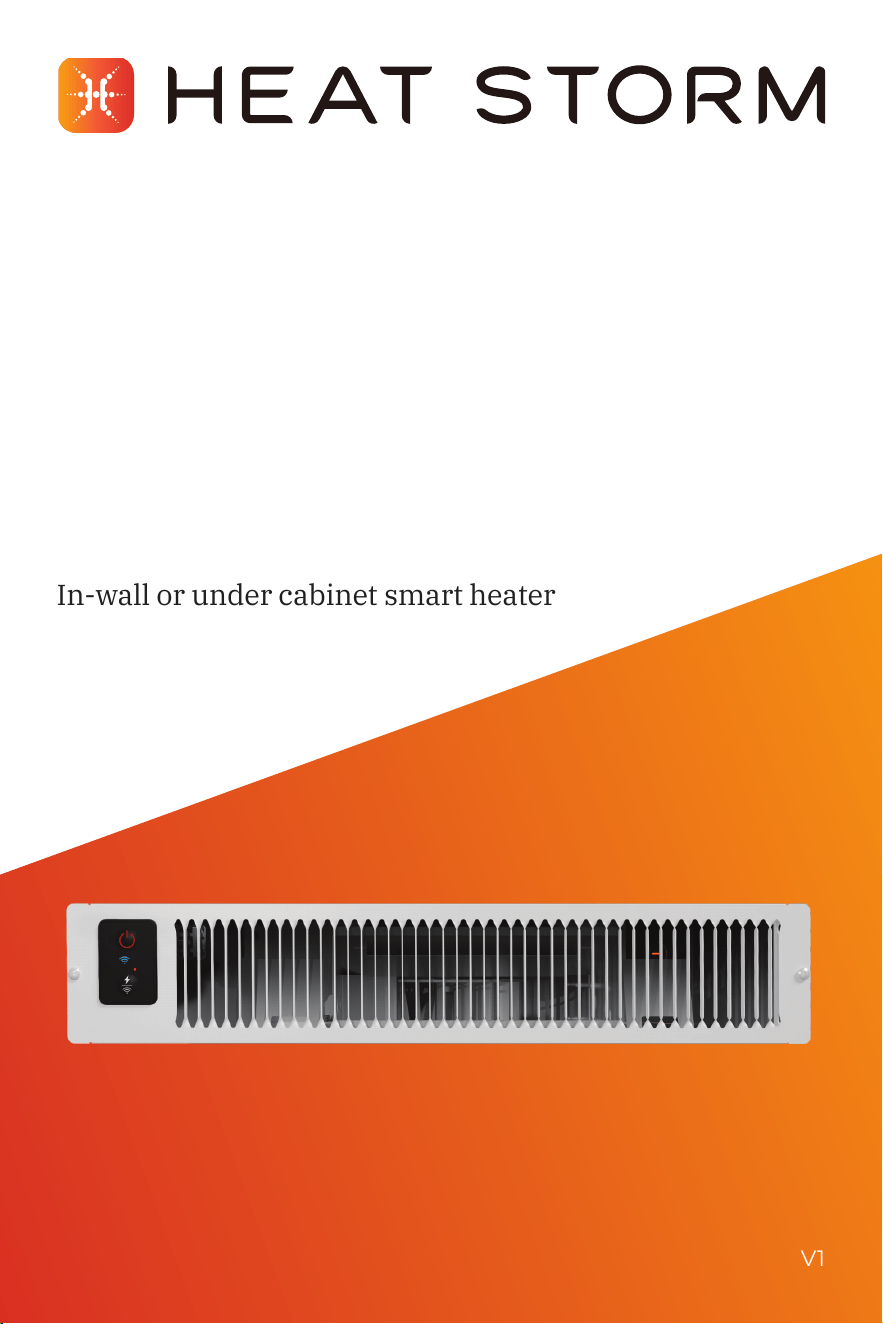
Model: HS-1500-KP
1
500 W | Forced air
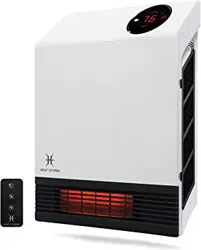
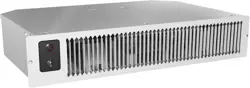
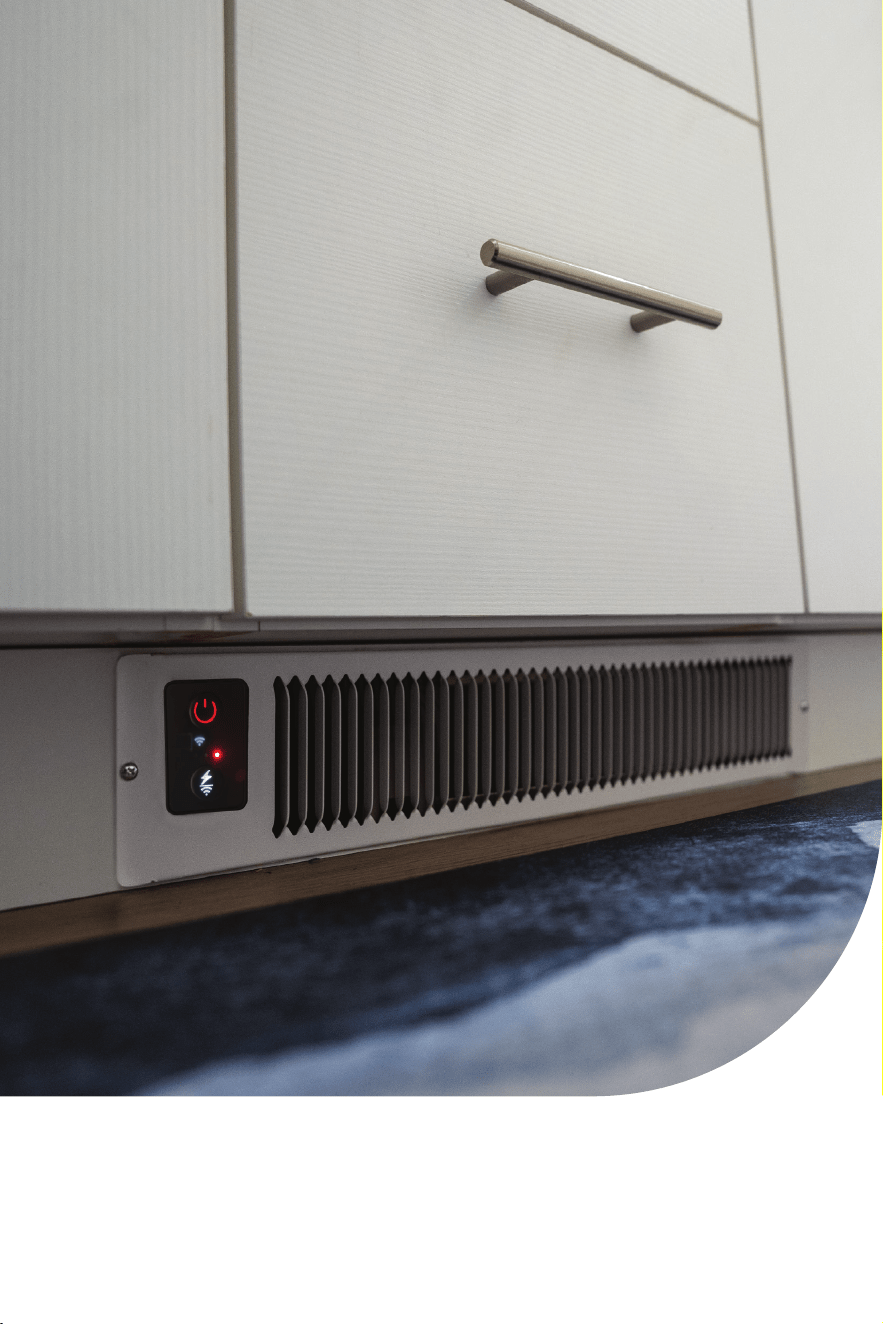
In-wall or under cabinet smart heater
User
manual
2
Table of contents:
Important instructions ����������������������������������������������������������������������������� 3
Installation instructions ��������������������������������������������������������������������������� 6
Operations & controls ������������������������������������������������������������������������������12
Wi-Fi Setup ������������������������������������������������������������������������������������������������14
Troubleshooting guide ����������������������������������������������������������������������������� 16
Return policy ���������������������������������������������������������������������������������������������18
1-year limited warranty ���������������������������������������������������������������������������18
Thank you and congratulations on your Heat Storm Heater!
Please read and keep all safety and use instructions. Should
you have any questions or concerns, please don't hesitate to
reach out to us at 435-752-6611 or cs@heatstorm�com�
SPECIFICATIONS
Wattage: 1500 LxWxH: 19�4 x 12�2 x3�7 inches
Amps: 12�5 Weight: 10�8 lbs
BTU: 5200 Decibels: 42-47
Voltage: 120V Cord length: 6 ft or hardwired
CFM: 32 Heat settings: 2
Square footage: 150-750 ft
2
Heating: Forced air

3
Important instructions
Please read and understand this entire manual before attempting
to assemble, operate, or install the product� Use this heater only as
described in the manual� If the directions are not followed, an electric
shock or re may result causing property damage, personal injury,
or death�
SAFETY GUIDELINES
• Adhere to basic precautions to minimize the risk of re, electric
shock, and injury when using electrical appliances.
• The heater becomes hot during operation; avoid direct contact with
hot surfaces to prevent burns�
• Exercise extreme caution in the presence of children, or individuals
with reduced physical, sensory, or mental capabilities, or when the
appliance is unattended� Children should not play with the appliance�
• Individuals with reduced capabilities should not operate the
appliance without supervision or proper instruction�
• The heater includes a thermostat limiter� If the inner temperature
overheats or abnormal heating occurs, power will be cut off to
prevent the risk of re or heater damage.
WARNING
• For any maintenance please contact an authorized
service representative�
• High temperature, risk of re, keep electrical cords, drapery,
furnishings, and other combustibles at least 3 feet (0�9 m) from the
front of the heater and away from the side and rear� To reduce the
risk of re, do not store or use gasoline or other ammable vapors
and liquids in the vicinity of the heater�
• Heat Storm Infrared Heaters are considered to be an appliance�
Each heater and appliance should be on its own circuit�
• DO NOT operate if the following occurs:
» Heater has a damaged cord or plug�
» After the heater malfunctions�
» Heater has been dropped or damaged in any manner�
Turn off the heater, disconnect the cord, and have heater inspected/
serviced by an electrician before reusing or discard the heater�

4
CAUTION
• To prevent electric shock, match the wide blade of the plug to the
wide slot and fully insert�
• Turn off and wait for the fan to stop before disconnecting�
• Do not insert foreign objects into ventilation or exhaust openings
to prevent electric shock, re, or heater damage.
• Do not block air intakes or exhaust�
• Under no circumstances should this heater be modied.
Modications will void the warranty. Parts removed for servicing
must be replaced prior to operation�
• Hardwire or plug the heater directly into a wall outlet; do not use
extension cords, surge protectors, or relocatable power taps� This
heater is designed for standard 120-volt outlets and should only
be connected to a proper 3-prong polarized outlet�
• Ensure the cord is not under carpeting, covered with rugs,
runners, or similar coverings� Avoid routing it under furniture
or appliances and position it away from high-trafc areas to
prevent tripping hazards�
• If the supply cord is damaged, it must be replaced by the
manufacture, its service agent, or similarly qualied persons in
order to avoid a hazard�
• Do not use in the following areas: outdoors, closets, or locations
with gasoline, paint, or ammable liquids.
• To avoid excessive room temperatures which can cause
hyperthermia: DO NOT leave product running unattended in
a conned space around infants, or individuals with reduced
physical, sensory, or mental capabilities�
5
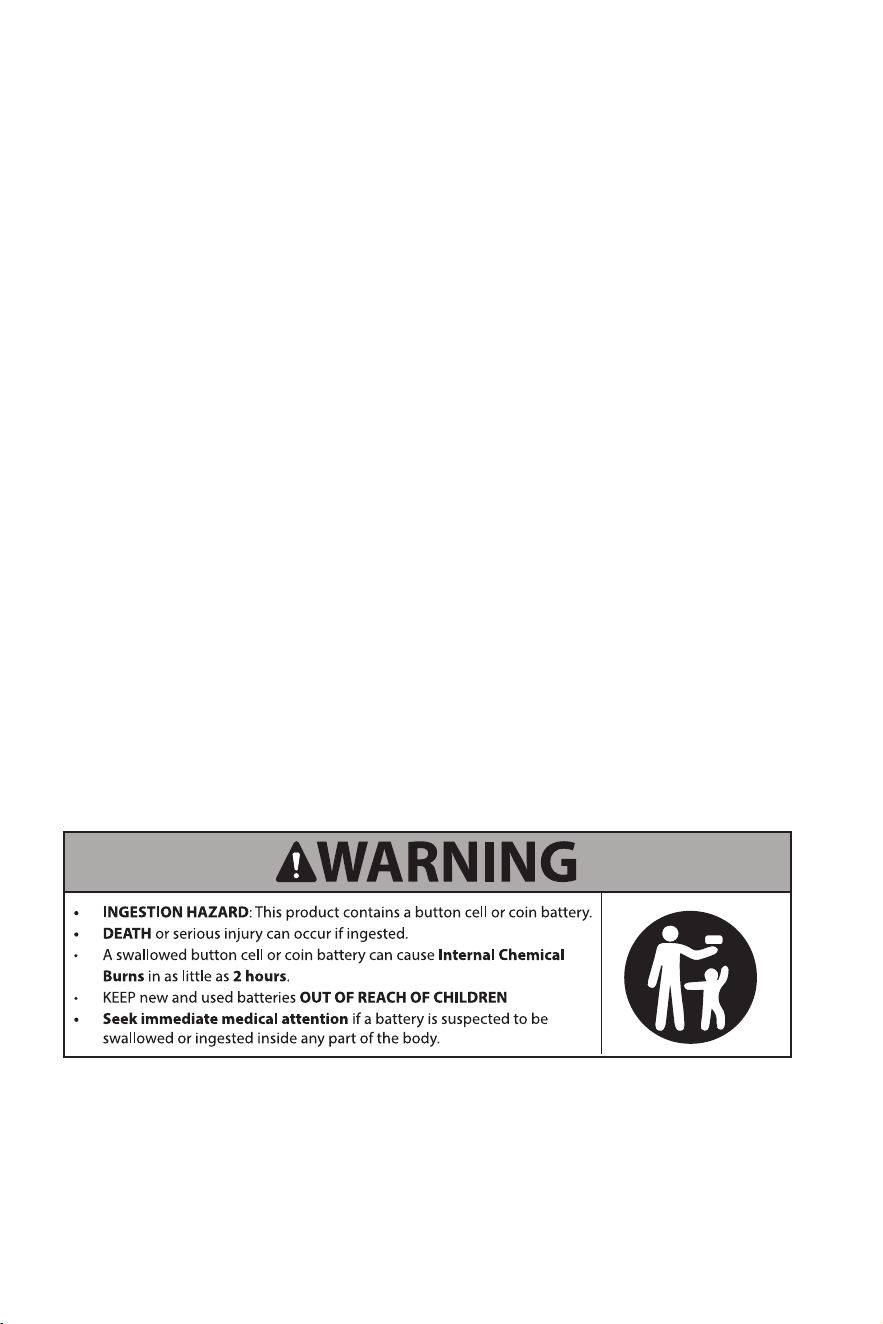
BATTERY WARNING
• The remote contains a lithium button/coin cell battery� If a
new or used lithium button/coin cell battery is swallowed or
enters the body, it can cause severe internal burns and can
lead to death in as little as 2 hours� If you think batteries have
been swallowed or placed inside any part of the body, seek
immediate medical attention� Call a local poison control center
for treatment information�
• Even used batteries may cause severe injury or death.
• Remove and immediately recycle or dispose of used batteries
according to local regulations and keep them away from children�
Do NOT dispose of batteries in household trash or incinerate�
• Battery type Li-Mn CR2025 3�0V� Do not mix old and new batteries,
different brands or types of batteries, such as alkaline, carbon-zinc,
or rechargeable batteries�
• Non-rechargeable batteries are not to be recharged�
• Do not force discharge, recharge, disassemble, or heat above
140°F specied temperature rating or incinerate. Doing so may
result in injury.
• Ensure the batteries are installed correctly according to polarity
(+ and -)�
• Remove and immediately recycle or dispose of batteries from
equipment not used for an extended period of time according to
local regulations�
• Always completely secure the battery compartment� If the battery
compartment does not close securely, stop using the product,
remove the batteries, and keep them away from children�

6
Installation instructions
Installation should be carried out by a certied electrician or a person
possessing the required expertise� Ensure that the heater is installed
correctly before activating the power�
HEATER LOCATION
When choosing a location for your new heater, ensure that the general
instructions are followed� Your heater must be properly installed prior
to operation. Do not prop the heater up against objects or use the
heater with the grill placed vertically� For best effect, install the heater
out of direct sunlight�
Basement or garage use
The heater can be utilized in a nished basement with drywall and
carpet� For other scenarios, consider Heat Storm Outdoor Infrared
Heaters� Visit heatstorm�com for details�
Vaulted or cathedral ceilings
The heater can be used with vaulted or cathedral ceilings� However,
initial room heating may take longer� Once the desired temperature is
reached, the heater will cycle accordingly�
Poorly insulated areas
Note that rooms with poor insulation may not retain heat efciently,
potentially leading to longer or more frequent operation�
Cold climate installation note
Placing the unit under a window or on a poorly insulated wall may
result in the heater reading a colder ambient temperature than the
actual room temperature�
Heating multiple rooms
Effectiveness depends on oor plan openness and room sizes.
Experiment to nd the most suitable conguration.
NOTE: Designed for supplemental heating in spaces from 150 to 750 square feet.
7
CAUTION
High temperature, risk of re, keep electrical cords,
drapery, furnishings, and other combustibles at least
3 feet (0�9 m) from the front of the heater and away
from the side and rear. To reduce the risk of re, do
not store or use gasoline or other ammable vapors
and liquids in the vicinity of the heater�
DO NOT USE in the following areas:
• Outdoors - use Heat Storm Outdoor Infrared Heaters
• Locations with gasoline, paint, or ammable liquids
• Wet or moist locations
• Closets
POWER CONNECTION GUIDELINES
This heater is wired for an outlet or the cord can be cut to
hardwire the heater�
Heat Storm Infrared Heaters are considered to be an appliance�
Each heater and appliance should be on its own circuit�
Plug the heater directly into a wall outlet; do not use extension cords,
surge protectors, or relocatable power taps� This heater is designed for
standard 120-volt outlets and should only be connected to a proper
3-prong polarized outlet�
Ensure the cord is not under carpeting, covered with rugs,
runners, or similar coverings� Avoid routing it under furniture
or appliances and position it away from high-trafc areas to
prevent tripping hazards�
TOOLS NEEDED FOR INSTALLATION
• Drywall saw
• Utility knife
• Wire cutter and stripper for hardwiring
• Philips screwdriver
Missing parts? Email us at cs@heatstorm.com
8
STEP 1: INSERT MOUNTING BRACKET
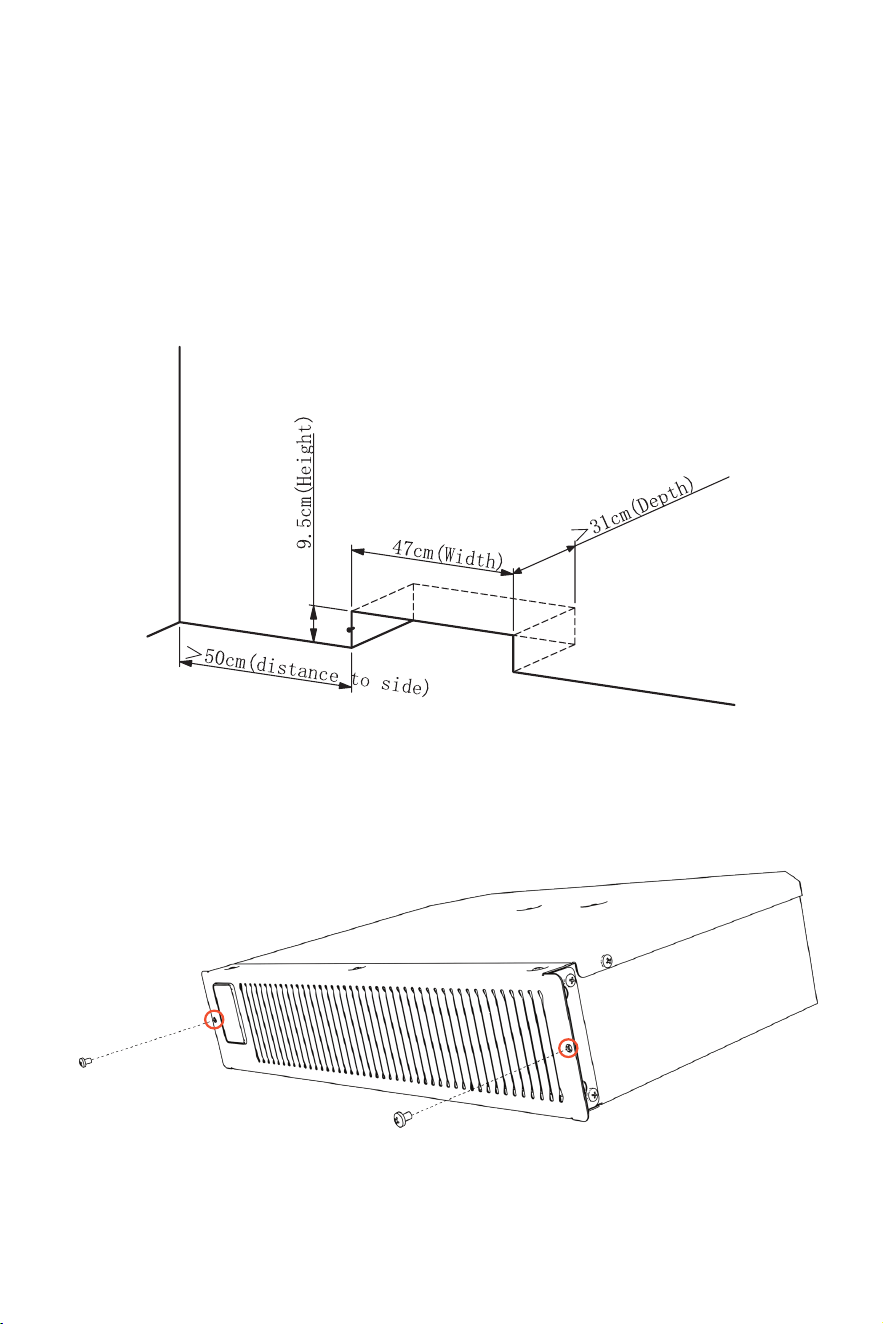
Create a hole
Cut a rectangular hole in wood or gypsum board with the
following dimensions: 3 3/4" high, 18 1/2" cm wide, and at least
12" deep. Ensure there is at least 20" of space between the
hole and any nearby cabinets or walls, and install a built-in
electrical socket inside the hole for easy connection�
1-1
Remove front screws
Remove the two M4x7 screws located on the front cover, as
shown in the image�
1-2
>12"
18 1/2"
3 3/4"
20"
9
Not hardwiring? Plug the heater in and skip to Step 3 (page 11)
STEP 2: HARDWIRE HEATER (OPTIONAL)
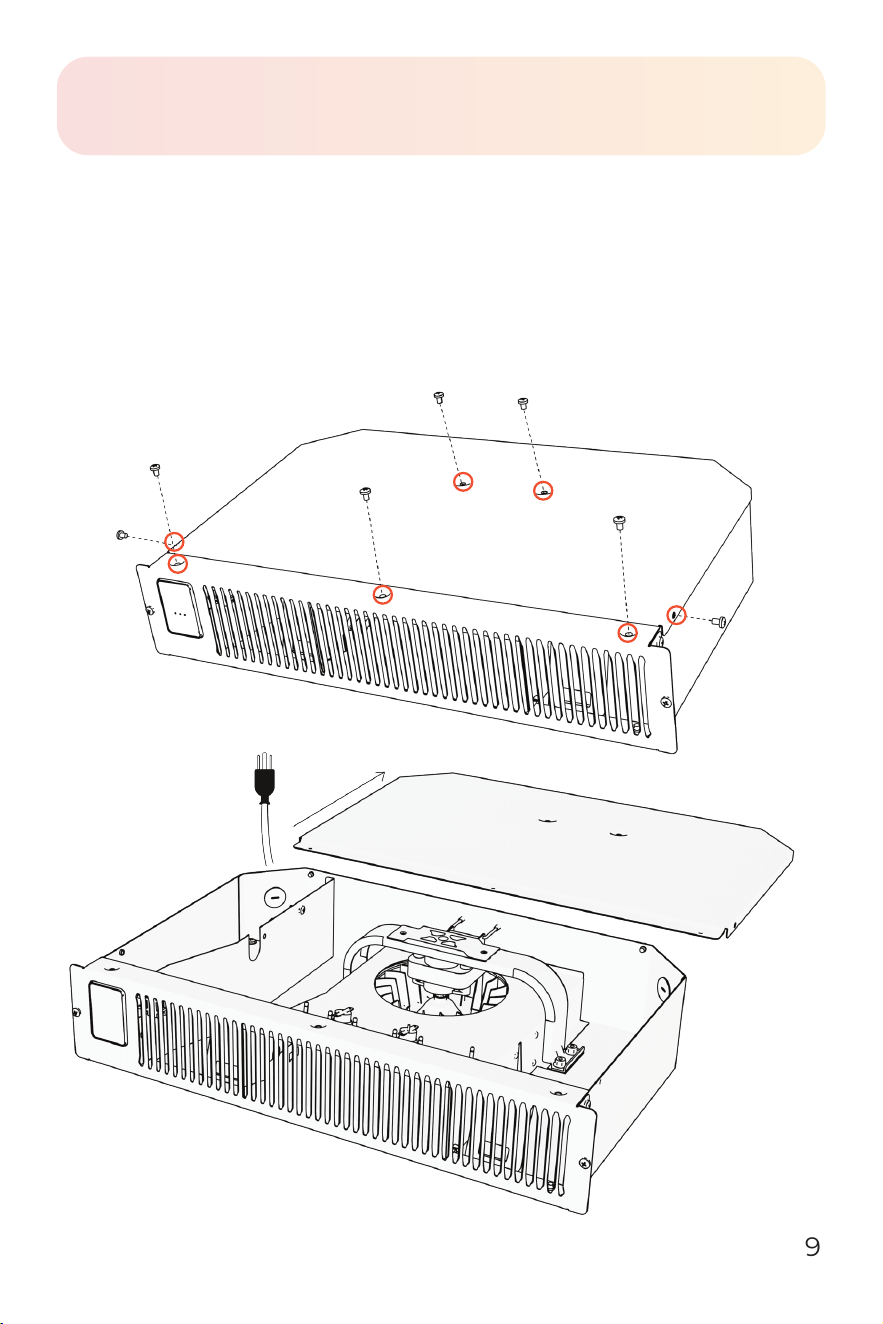
Remove heater top
Remove all screws on the top and side of the heater as shown
in the picture� Then, slide the top cover backward to remove it�
2-1
10
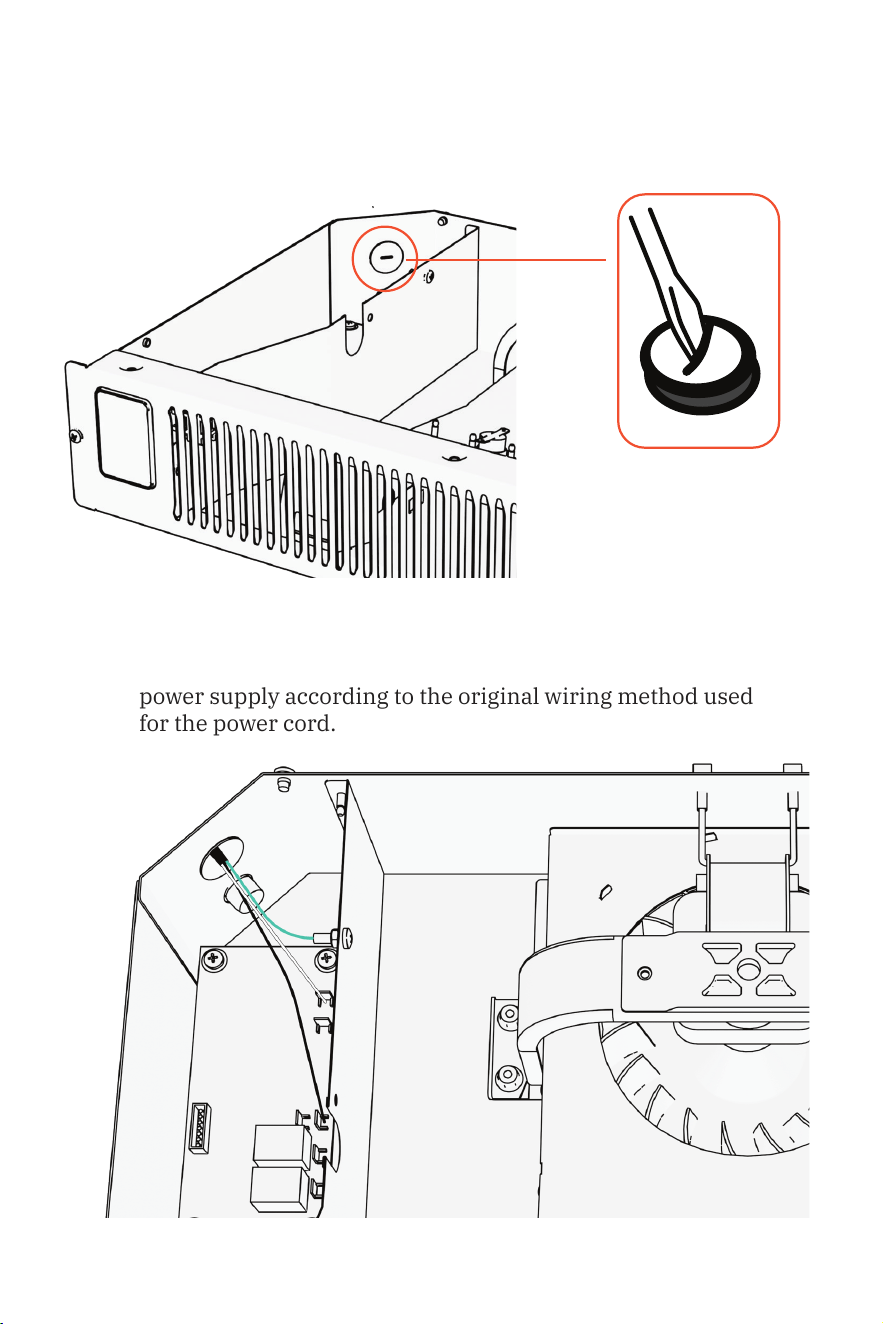
Remove hole cover
Use a screwdriver to remove the hole cover� Once removed,
feed your wire into the box, ensuring that the wires are
stripped and ready for connection�
2-2
Connect wires
Disconnect the current power cord and connect the 120V AC
power supply according to the original wiring method used
for the power cord�
2-3
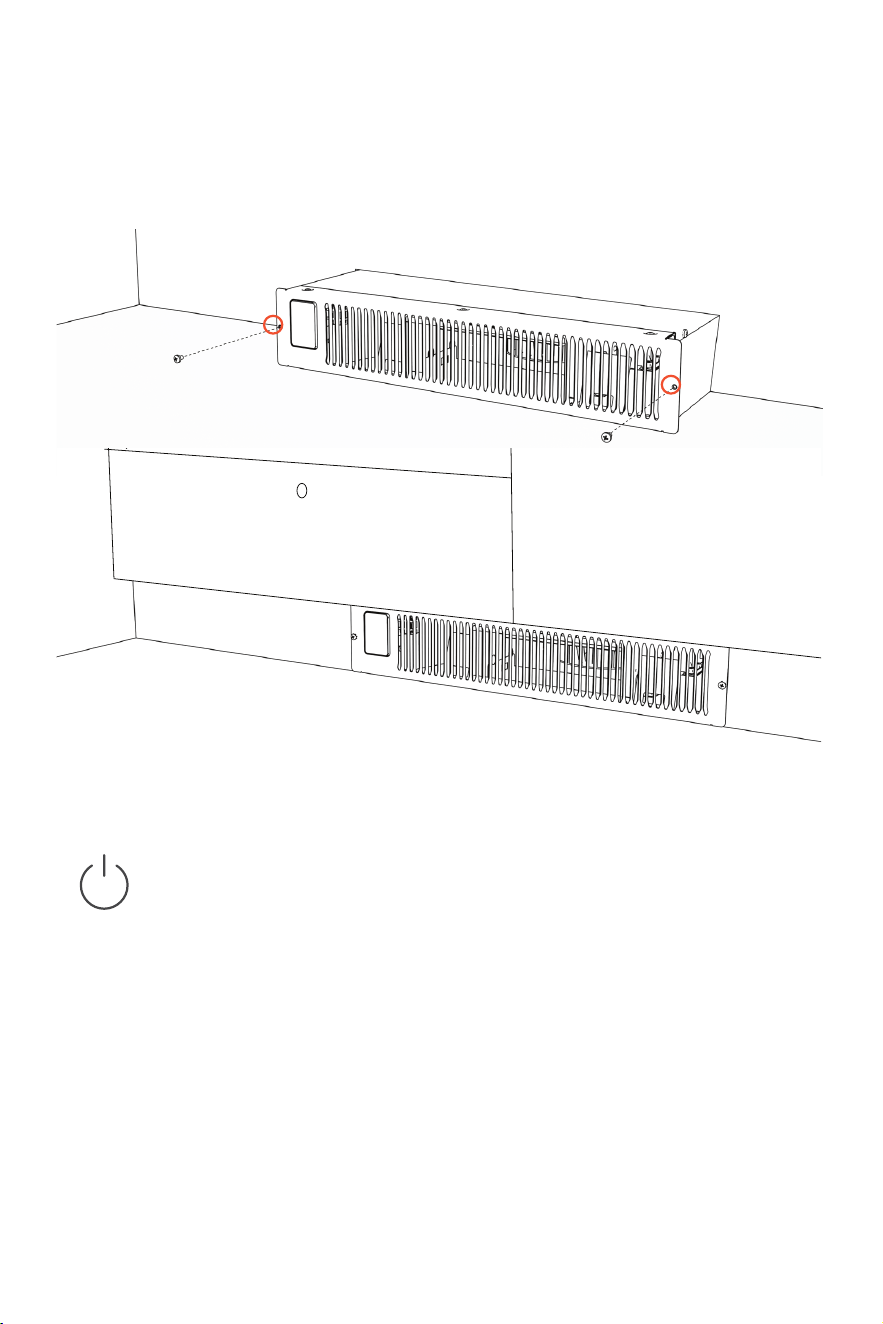
STEP 3: INSTALL HEATER
Install the heating base
Slide the heater into the rectangular hole and secure it in
place using the two ST4�0x25mm screws from the kit�
3-1
Operations & controls
Power ON/OFF
Press the power icon to alternate between on(red) and
off (white)�
Child lock
Press and hold the power icon for 3 seconds to engage/
disengage child lock� When the child lock is on a red lock icon
will appear and no changes can be made to the settings until
the child lock is turned off�
Factory reset
Power off heater and allow time for elements to cool� Unplug
and plug in heater� Within 3 minutes of plugging in heater,
press and hold power icon for 10 seconds to reset the heater to
factory settings�
12
Change working mode
Press the lightning/Wi-Fi button to toggle between low, auto,
and high working modes�
• Low mode | Green
Heater runs at 50% power, effectively halving the wattage�
• Auto mode | White
Heater runs at full power until it's within 2 degrees of the
set temperature� It then shifts to 50% power to achieve
and maintain the desired temperature� This ensures more
frequent, energy-efcient operation while effectively
maintaining the set temperature�
NOTE: The fan will turn on and off to circulate air. The heater is trying
to determine if the ambient temperature in the room has changed.
• High mode | Red
Heater runs at 100% power�
NOTE: After the heater function or power is turned off, the blower will
continue for several minutes to cool internal components.
Wi-Fi discovery mode
Press and hold the lightning/Wi-Fi symbol for 5 seconds to
enable the Wi-Fi discovery mode (will blink blue)� Refer to
page 14 for guidance on connecting to Wi-Fi� The blinking
blue light will turn to a solid blue once Wi-Fi is connected�
Pair external therostat
Press and hold both the power and mode buttons on the
heater for 5 seconds� The light will begin blinking red,
indicating it’s in discovery mode� Next, press and hold the
button on the back of the external thermostat for 5 seconds
until you hear a beep� Once paired, the thermostat indicator
light will glow red, conrming a successful connection.
+
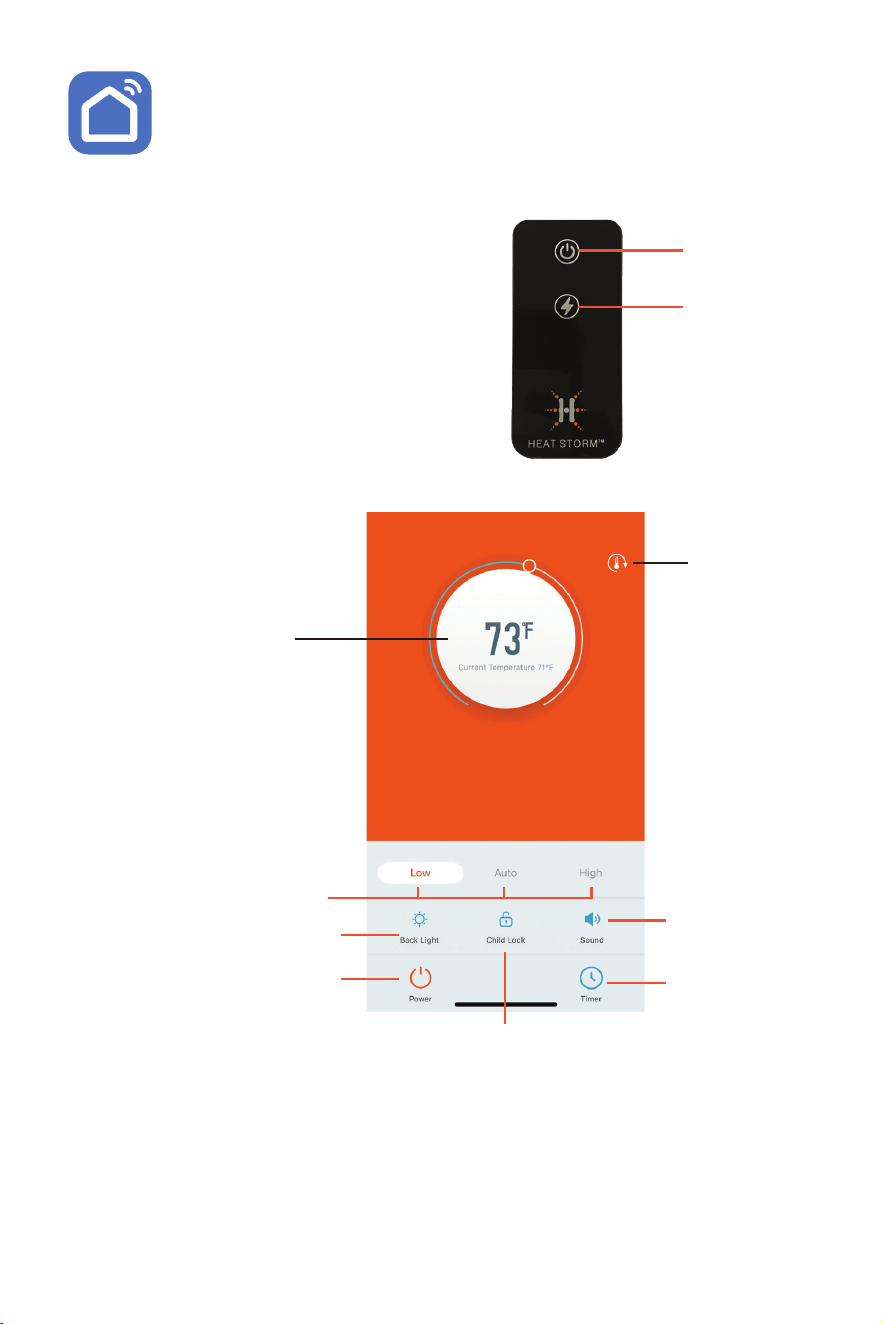
REMOTE CONTROL
Power
Working mode
The remote will function the same
as the buttons on your unit� If you
have any questions on how a function
works, please refer to the previous
control descriptions�
APP CONTROLS
Temperature setting
Pair external
thermostat &
Thermostat
calibration:
See instructions
on page 17
Working mode
Display brightness
Set operation
schedules
Power
Child lock
Sound
Selecting Celsius or Fahrenheit
Navigate to the Me section in the app� Tap the settings icon
in the top right corner� Select Temperature Unit to change
the temperature unit�
14
SMART LIFE APP
Manage your Heat Storm Smart Heater conveniently
anytime and anywhere you desire. With just a tap of your
nger, you can adjust temperatures, create schedules, set a child
lock, and ensure warmth according to your preferences�
Prepare your phone
Enable Wi-Fi and Bluetooth® on your phone� Connect to your phone
to a 2�4 GHz Wi-Fi network� Your phone needs to be connected to the
same Wi-Fi that you want to connect your heater to�
NOTE: for some dual band routers, you may need to manually create a network
dedicated to 2.4 GHz.
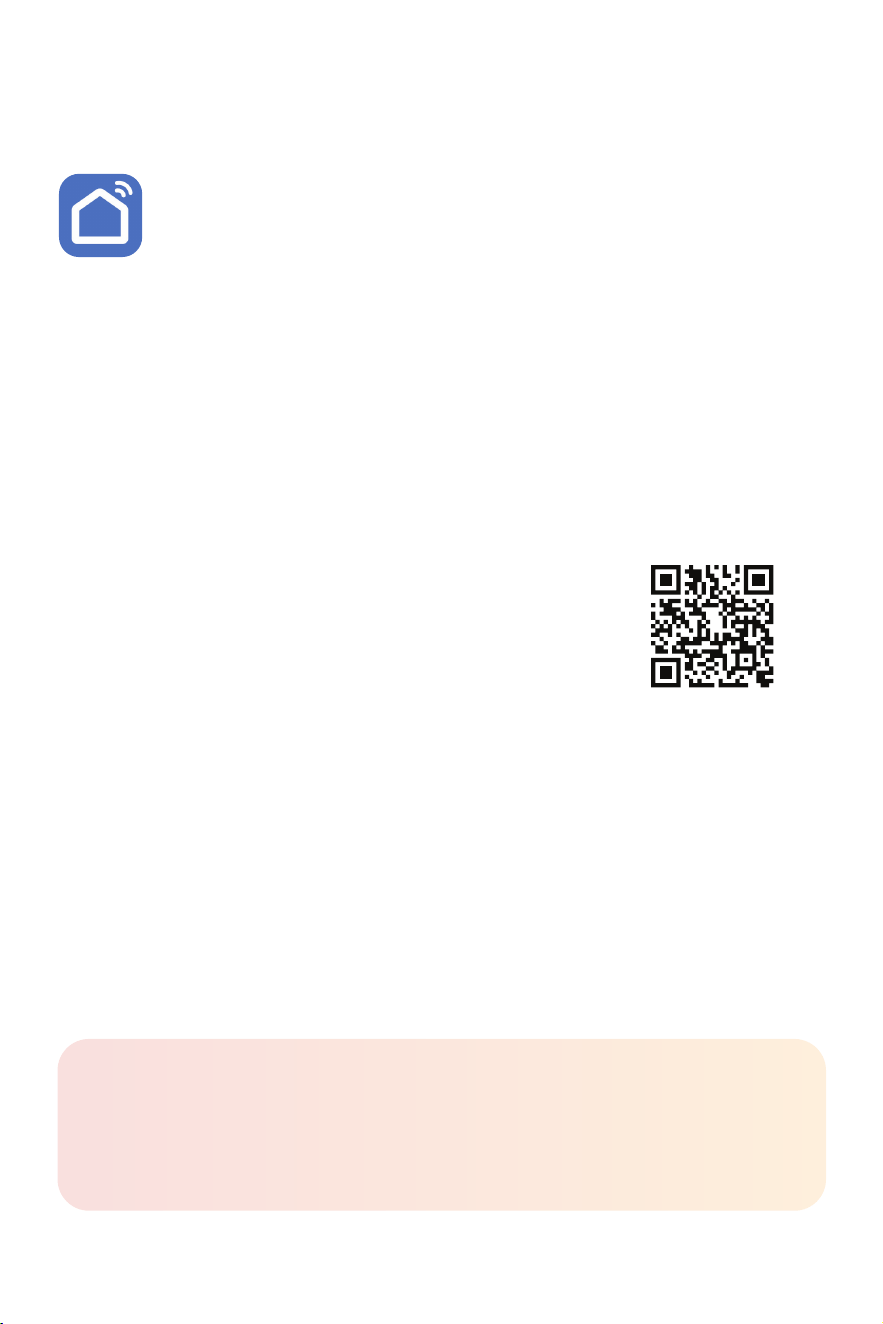
Download the Smart Life App
Download the app by scanning the QR code or search
for Smart Life in the App Store or on Google Play� Once
the app is downloaded, sign up, and agree to the User
Agreement and Privacy Policy�
Register with your email, set your password, and create a new home
in the Smart Life app�
CONNECT YOUR HEATER TO WI-FI
The Smart Life app offers multiple methods for Wi-Fi setup� If one
method fails, don't worry —simply move on to the next one�
It’s essential to note that the app might undergo updates over time�
As a result, the app prompts you encounter may differ slightly from
the manual� For the most accurate and up-to-date guidance, follow
the prompts within the app�
Wi-Fi® setup
Need help?
Visit heatstorm.com/wi for video tutorials and helpful tips.

15
EASY CONNECT
*Ensure your phone's Wi-Fi, Bluetooth®, and location functions are all activated.
Choose Wi-Fi
Enter your case-sensitive Wi-Fi network name and password, then
tap “Conrm.” Press "Next" if prompted to reset the heater.
Conguration process
Wait for the connection to be completed� Please be patient, as this
may take a few minutes� The app will notify you that the device was
successfully added. Select “done” to enter the control interface.
3
2
Add device
When the machine is on, press and hold the Wi-Fi/sun button on
the control panel for 5 seconds until the Wi-Fi indicator light begins
ashing slowly. Add the appliance in the app:
i� If a pop-up is displayed, tap "Go to add". If you don't get a pop-
up, tap the plus icon in the top right corner. Select "Add device."
ii� Choose "small home appliance," then nd "Heater (BLE) .
1
Choose Wi-Fi
Enter your case-sensitive Wi-Fi network name and password, then
tap “Conrm.” Press "Next" if it is asking you to reset your heater.
Conguration process
Wait for the connection to be completed� Please be patient, as this
may take a few minutes� The app will notify you that the device was
successfully added. Select “done” to enter the control interface.
4
Conguration mode
Conrm the Wi-Fi indicator light on control panel is ashing
quickly and select "blinking quickly" within the app. Then click on
“Finish network conguration”.
2
Add device
i� When the machine is on, press and hold the Wi-Fi/sun button
on the control panel for 5 seconds until the Wi-Fi indicator light
begins ashing.
ii� In the app, tap the plus icon in the top right corner�
iii� Select “Add device.” Choose “Small home appliance.”
iv� Tap “Heater (Wi-Fi).”
1
3
MANUAL CONNECT

Troubleshooting guide
RECALIBRATING YOUR HEATER
If your heater is not working like normal, try resetting it� Heaters are
like other electronics, sometimes they need a reboot (refer to the
factory reset on page 11)� If an issue persists, contact customer service
at 435-752-6611�
FAN
Not blowing air
When powering the heater ON, it does not blow any air at rst. The initial
15 seconds allow the infrared elements to heat up, ensuring that when
the fan turns on, warm air is circulated into the room�
Not blowing warm air
• Ensure the air inlet is not blocked�
• The ambient temperature (displayed) is higher than the
ther mostat setting�
• There is something blocking the air ow. Move the object out of the
way of the heater� This is common if the heater is in a closet or under
a desk�
Continuing to blow air when heater is turned off
This is the cool down phase� The heater will run for several minutes (up
to 12) to cool the internal components� This increases the lifespan of
the infrared elements. If the heater did not nish the cooling procedure
when it was unplugged, the fan will blow immediately when the heater is
powered back on�
Heater fails to reach the set temperature and continues to run.
Possible reasons for temperature discrepancies:
1. Ensure clean lters.
2. Address drafty or poorly insulated rooms�
3. Keep doors closed for efcient heating.
4. Place the heater on an interior wall, away from windows�
5. If issues persist, consider the heater's size suitability for the room�
Optimal for spaces between 150-750 sq� ft�, with primary heating
around 150 sq� ft�*
*Square footage recommendations may vary based on home insulation.
Placing the heater near objects can impede air circulation in the room,
resulting in uneven temperatures within the same space�

17
Unplug the unit from the wall outlet for 2 hours� Reconnect the
unit after this period� If the issue persists, contact customer
service at 435-752-6611�
Fan runs for under a minute and then turns off
The fan is turning on to attempt to create air ow within your room.
The heater is trying to determine if the ambient temperature in the
room has changed�
THERMOSTAT CALIBRATION
Ambient temperature reading of the heater different then the
reading on my central heating thermostat.
Thermostat readings may uctuate depending on the surroundings. You
can manually calibrate the thermostat on the heater to align with your
central HVAC system� You may need to attempt calibration multiple times
to align your heater thermostat with your HVAC system�
1. In the Smart Life app, tap on your heater to enter the
temperature adjusting screen. Press the
icon to enter the
temperature calibration page�
2. Adjust the Heat Storm's thermostat with the slider to reach the
same temperature as your central HVAC�
NOTE: Generally, Heat Storm heater thermostats are more precise than home central
thermostats. Adjusting your Heat Storm heater to align with your central system may
result in reduced efciency.
BURNING PLASTIC SMELL
A light plastic odor is normal for new, unused heaters� If the smell
persists for more than a couple of hours, call customer service at
435-752-6611�
ERROR CODES
EE : Temperature sensor (probe) error, when this code shows, the
heating element and fan are turned off� Unplug heater and check if the
temperature sensor is loose, disconnected, or damaged�
EO : Program setup failure� Unplug and plug in again� If error persists,
the PCBA needs to be replaced�
UH: Incorrect high voltage power supply error� Unplug heater
immediately� Attempt plugging the heater into a different outlet and
ensure it is the sole major appliance on the circuit.
LO: The temperature is less than 16° F (-9 °C)
HI: The temperature is greater than 99° F (37°C)

Returns & exchanges
Eligibility
Returns are available for items purchased from heatstorm�com if the
following conditions are met:
1. Returned within 30 days of receiving the order�
2. In new condition with the original packaging with manuals
and accessories�
3. Proof of purchase is provided�
Shipping & fees
• Return shipping is the customer's responsibility�
• Original shipping charges and handling fees will be deducted
from the refund�
• A 20% restocking fee applies for returns beyond 30 days�
• Shipping costs for Canadian orders are non-refundable�
1-year limited warranty
The manufacturer warrants this product and included accessories
against defects in materials and workmanship under normal use
for a period of ONE (1) YEAR from the date of retail purchase by the
original end-user purchaser�
EXCLUSIONS AND LIMITATIONS
1. Install and operate the electric heater strictly in accordance
with the provided instructions at all times� Unauthorized
repairs, alterations, willful abuse, accidents, or misuse of the
product will void this warranty�
2. This warranty is exclusive to the original owner, valid only if
the purchase was made through an authorized supplier of the
product, and is non-transferable�
3. The warranty is limited to repairing or replacing defective
parts in material or workmanship� This applies only if the said
part(s) have been exposed to normal conditions of use and
service, conrmed by the manufacturer's inspection.
4. The manufacturer may, at its discretion, fulfill warranty
obligations by refunding the wholesale price of the
defective part(s)�

19
5. Costs related to installation, labor, construction, transportation,
or any other associated expenses arising from defective
part(s), repair, replacement, or otherwise, are not covered by
this warranty� The manufacturer disclaims responsibility
for such costs�
6. The owner/user assumes all risks, including any direct, indirect,
or consequential loss or damage resulting from product use,
except as mandated by law�
7. All other warranties, whether expressed or implied, pertaining to
the product, its components, accessories, or any manufacturer
obligations/liabilities, are expressly excluded� The manufacturer
neither assumes nor authorizes any third party to assume
additional liabilities related to the product sale�
8. The manufacturer neither assumes nor authorizes any third
party to assume on its behalf, any other liabilities with respect to
the sale of the product�
9. The warranties as outlined in this document do not apply to
non-accessories used in conjunction with the installation of
this product�
10. Specic legal rights provided; additional rights may vary
by state� Warranty void if prolonged exposure to dampness,
unauthorized alteration, willful abuse, accident, misuse, or lack
of original purchase receipt�
WARRANTY REDEMPTION
Reach out to Heat Storm customer service at 435-752-6611 during the
warranty period� Please have your sales receipt, purchase location,
and product model information ready� Troubleshooting support will be
offered over the phone� If the issue persists, you may be requested to
email proof of purchase and a photo of the manufacturer sticker to cs@
heatstorm�com�
Replacement parts:
In some cases, we may send you a replacement part along with repair
instructions. This is classied as an authorized repair and does not void
your warranty�
Unit repairs:
If the situation warrants, we will have you send the defective product
to us for inspection� Our technicians will repair the product or provide
a new unit if your heater is deemed irreparable� For units beyond the
30-day return policy, shipping costs are the consumers responsibility�
If interested in our discounted shipping rates, kindly inform your
customer service representative�
Need help?
435-752-6611 cs@heatstorm�com heatstorm�com