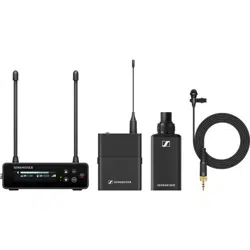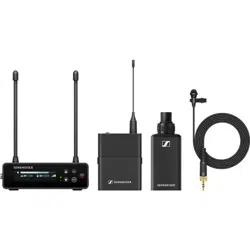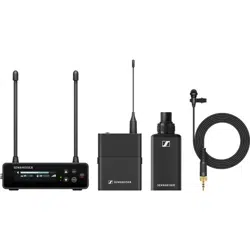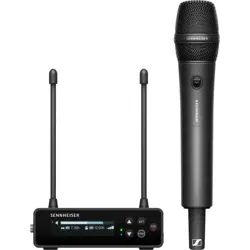
Sennheiser electronic GmbH & Co. KG
Am Labor 1, 30900 Wedemark, Germany, www.sennheiser.com
XS Wireless Digital - v2.1
Instruction Manual
XS Wireless Digital
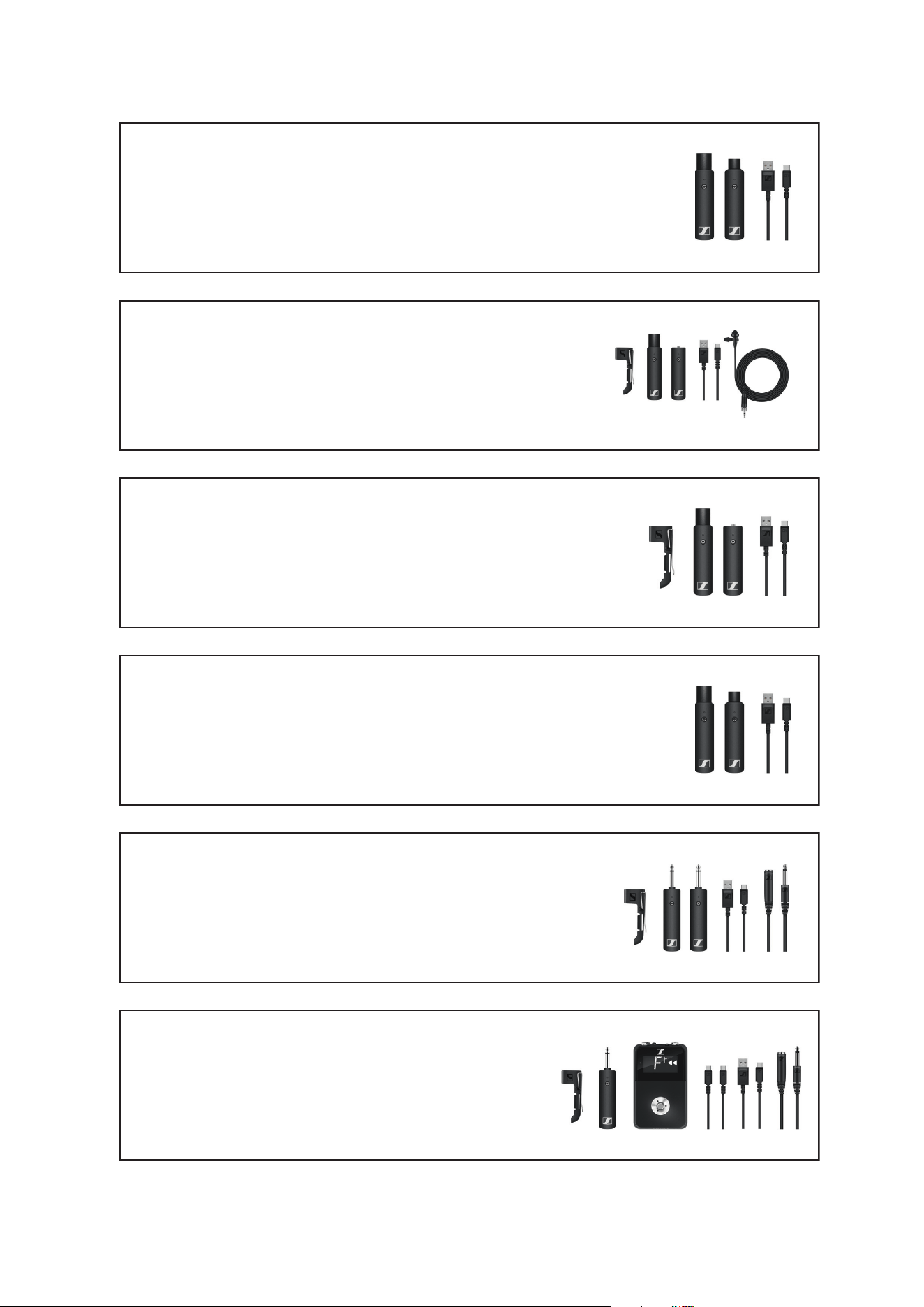
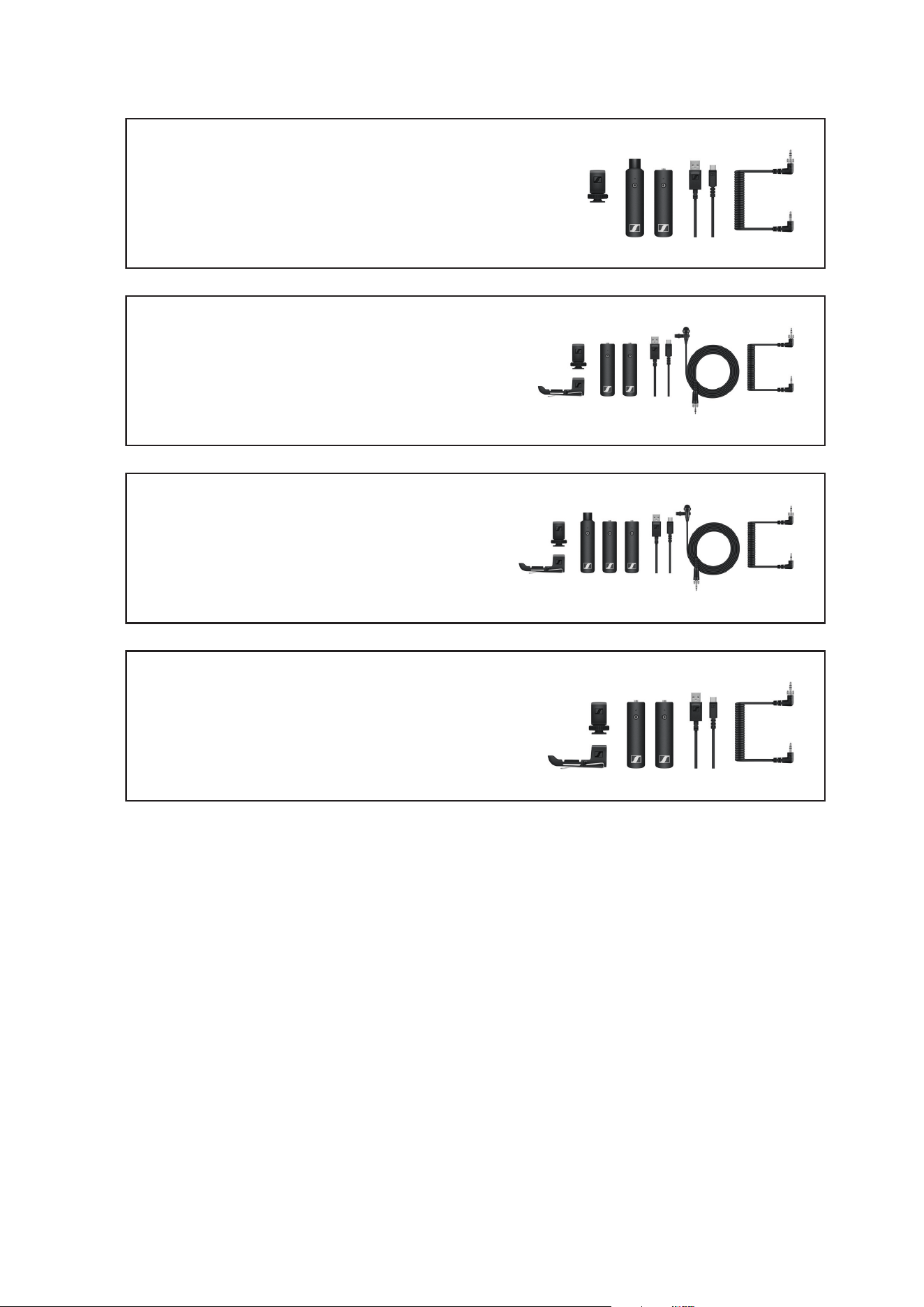
Package contents
3
VOCAL SET
Package contents
►
►
Additional information
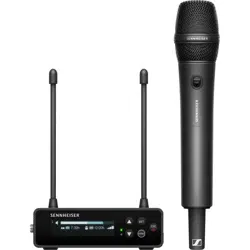
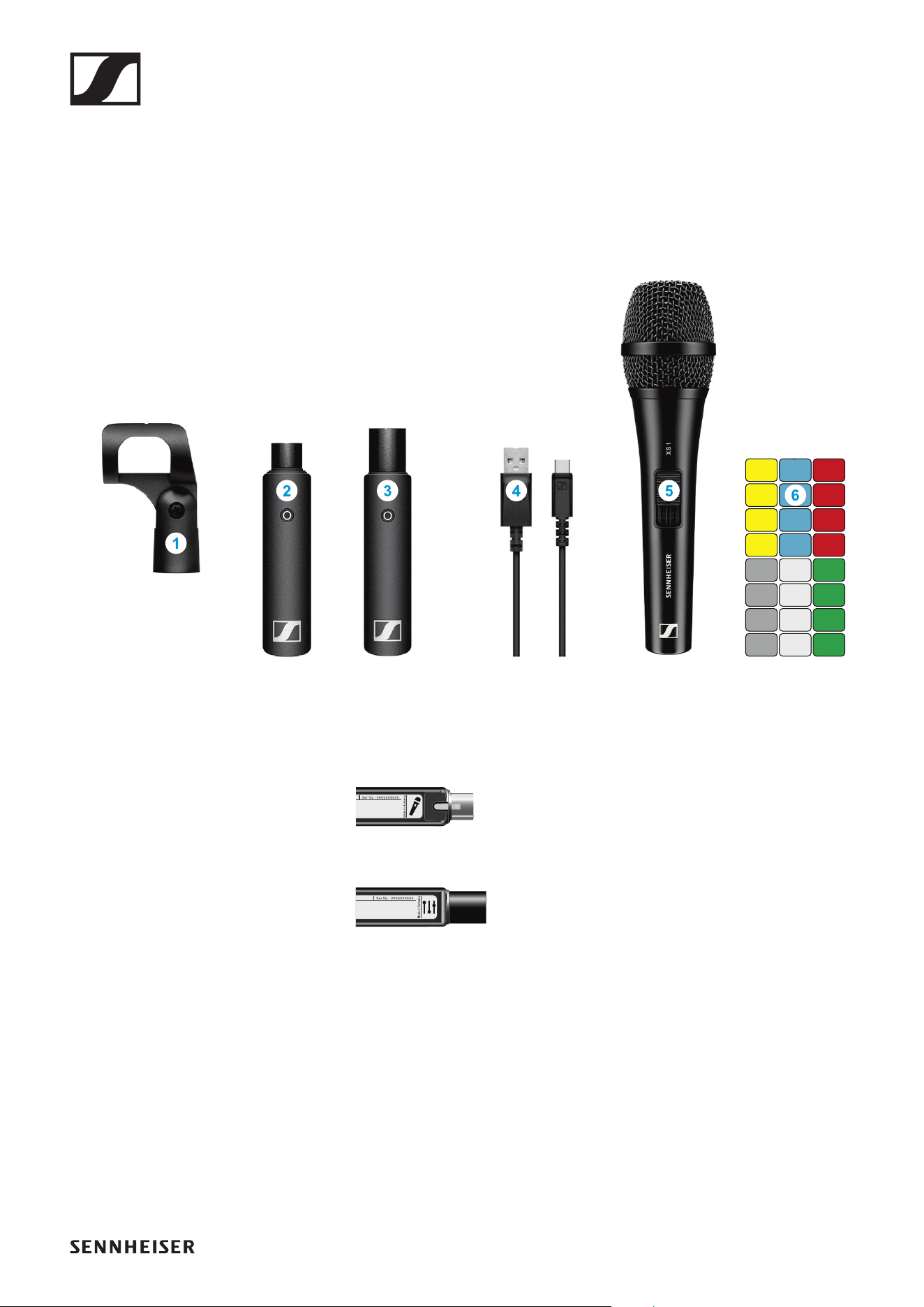
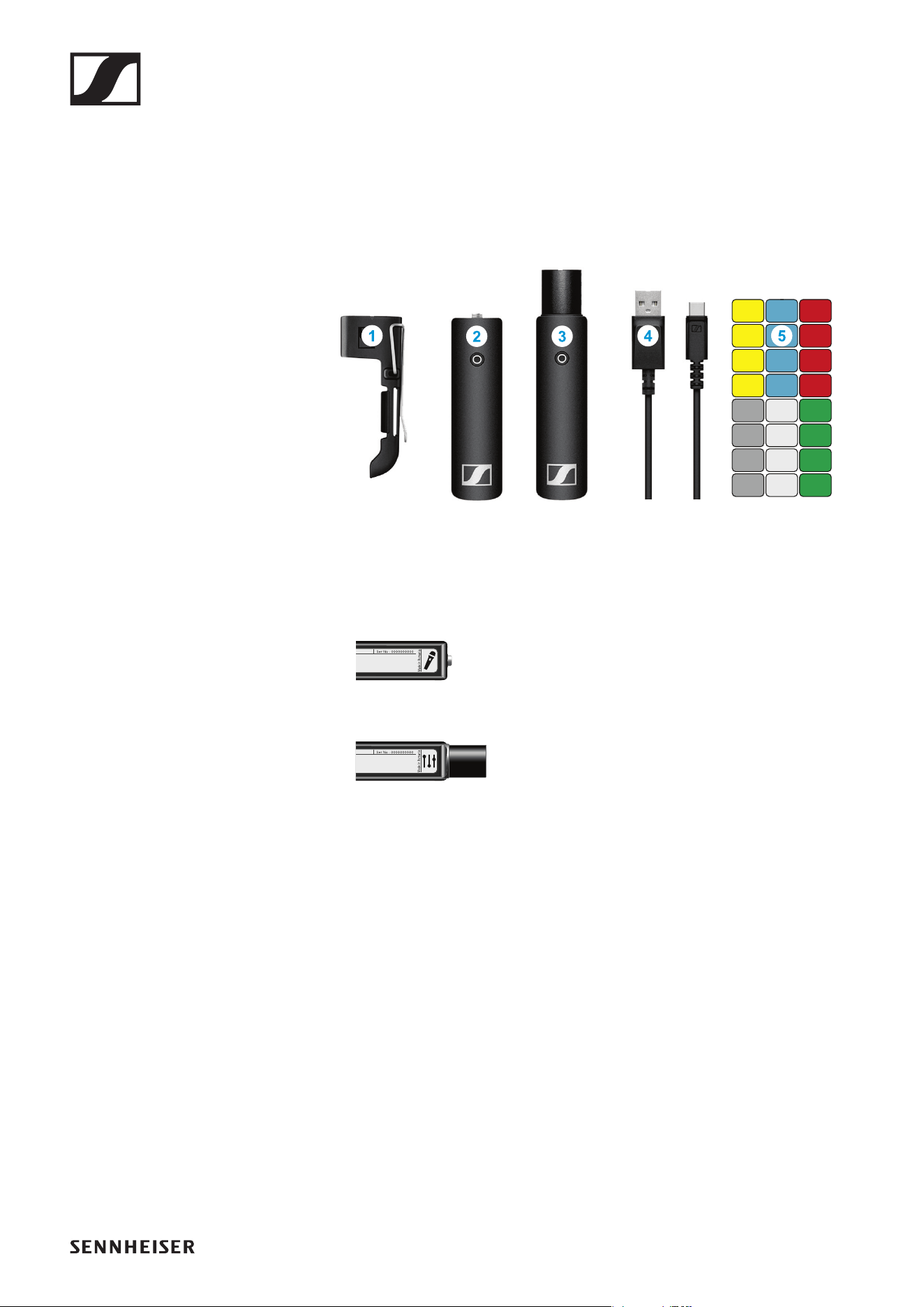
1 Microphone clamp for fastening the vocal microphone to a stand
2 XSW Digital TX XLR: transmitter (female XLR socket) for connecting to
the vocal microphone
►
3 XSW Digital RX XLR: receiver (male XLR plug) for connecting to a mixing
console
►
4 Charging cable (USB-A to USB-C) for charging the transmitter and re-
ceiver
5 XS 1: vocal microphone
6 Stickers for labeling transmission paths
Operation
4
Operation
Connecting the transmitter to the vocal microphone
►
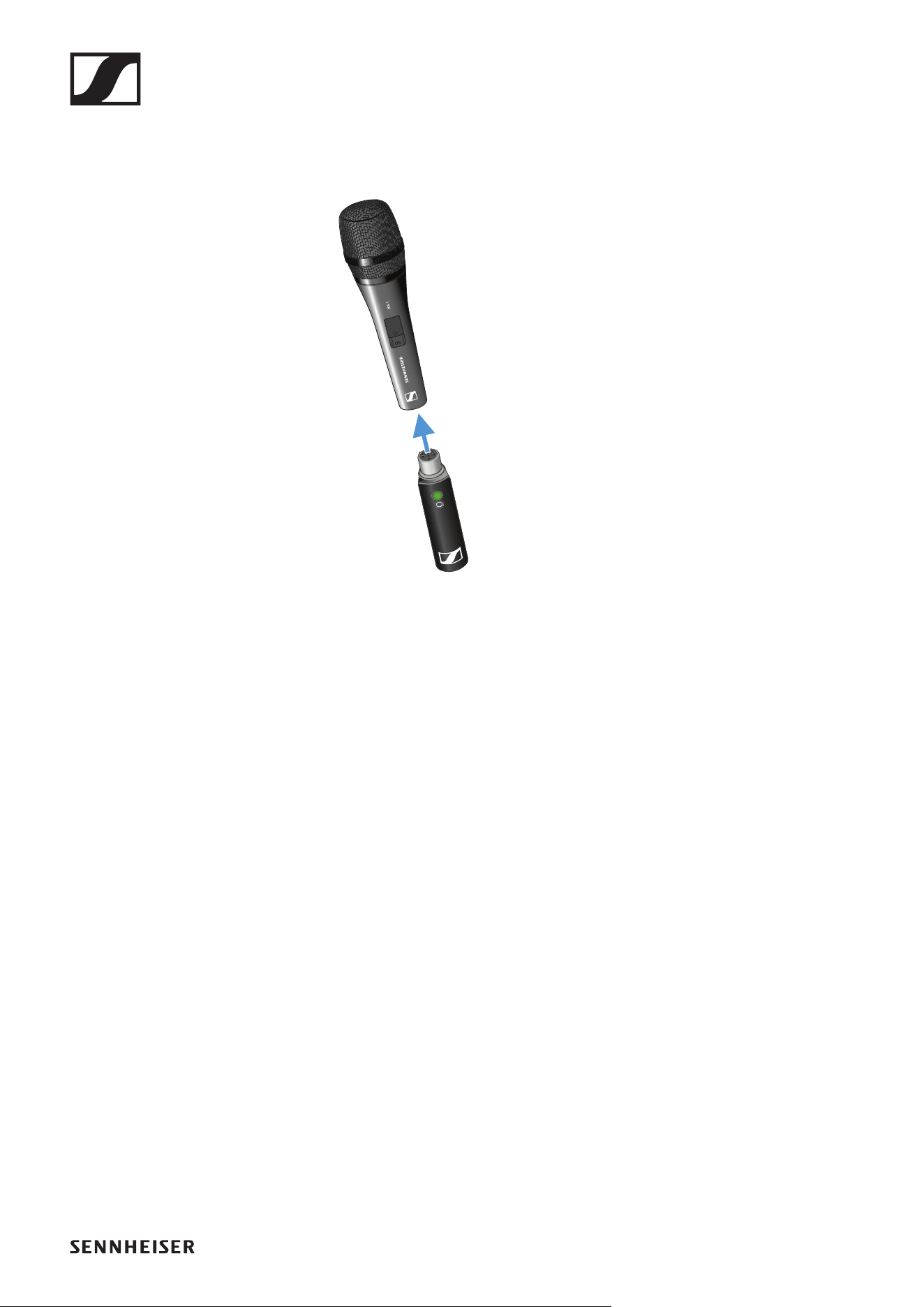
▷ Plug the transmitter into the XLR socket on the vocal microphone.
Connecting the receiver to a mixing console
▷ Plug the receiver into the XLR input of a channel on your mixing con-
sole.
Operation
5
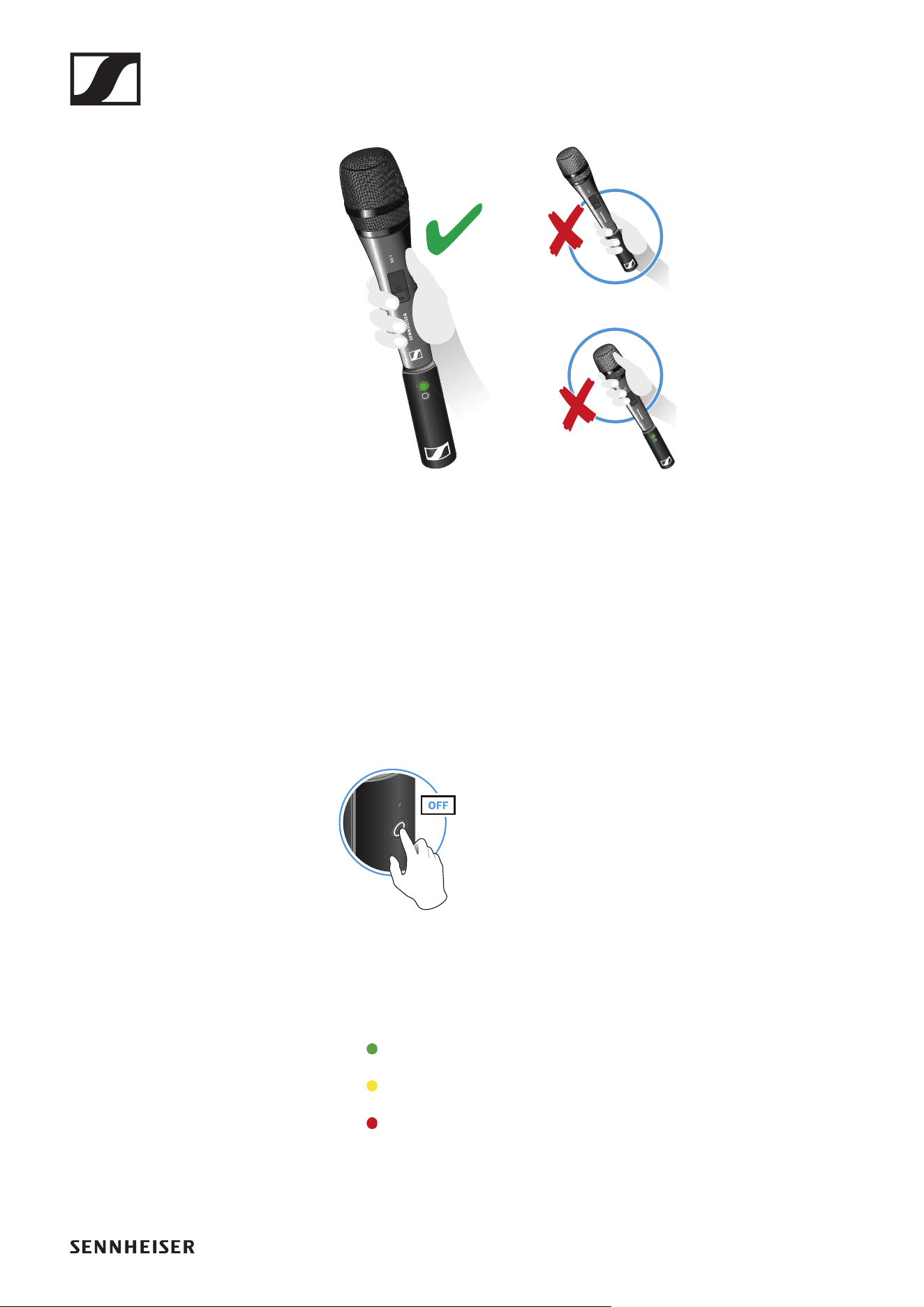
Holding the vocal microphone
►
▷ Grip the vocal microphone only by the handle.
▷ You can also use the microphone clamp to fasten the vocal microphone
to a stand.
▷ Hold the microphone 5 to 10 cm in front of your mouth when singing.
▷ Do not grab the transmitter. The range may decrease if the transmitter
is covered.
▷ Do not touch the microphone basket. The sound may be distorted if the
microphone basket is covered.
Switching on the transmitter and receiver
►
▷ Briefly press the button on the transmitter and the button on the receiv-
er.
The status LEDs indicate the charge level for four seconds.
▷ During these four seconds, check that the transmitter and receiver are
sufficiently charged.
> 75%
5% – 75%
< 5%
If the status LED remains red, you should charge the rechargeable bat-
tery first. If the status LED flashes red, the charge level is too low. You
have to charge the rechargeable battery first (see „Charging the re-
chargeable battery“).
Operation
6
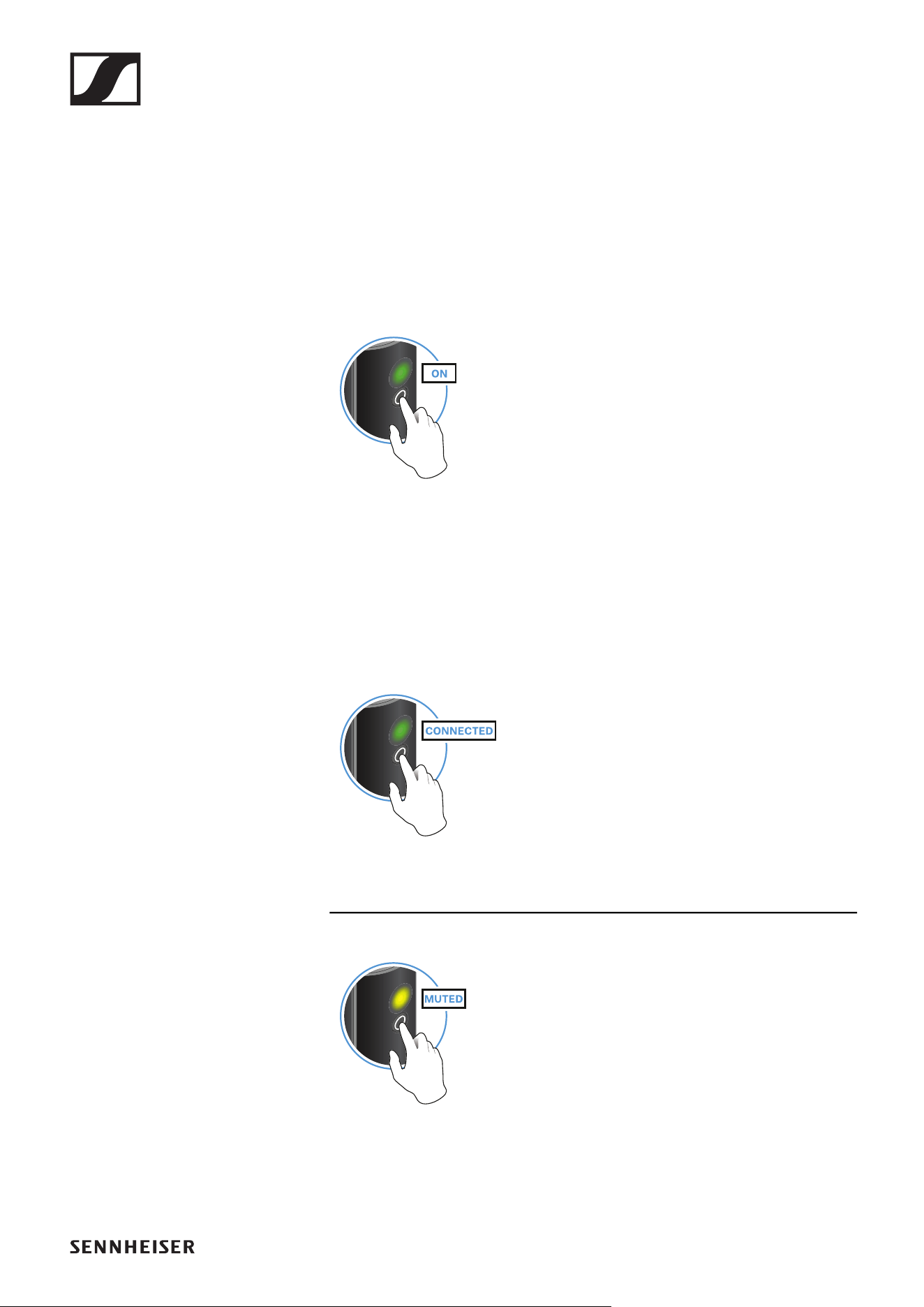
After four seconds, the status LED starts flashing green. The flashing
indicates that a wireless connection is being established.
The status LEDs remain green once the transmitter and receiver are
connected. If the status LEDs do not remain green, either the charge
level is below 15% (see „Checking the charge level during use“) or the
transmitter and receiver are not paired (see „Pairing“).
Switching off the transmitter and receiver
►
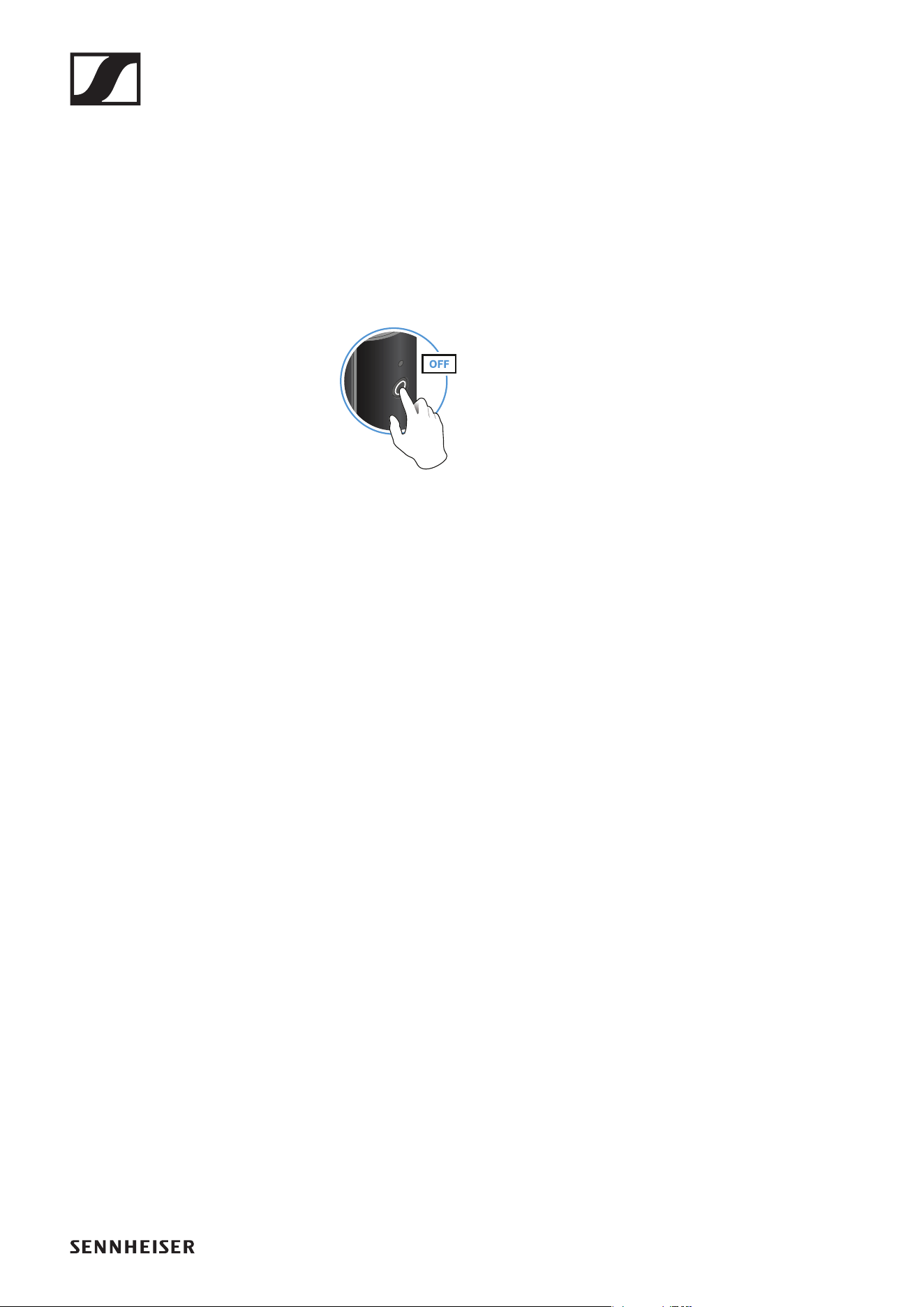
▷ Press the button on the transmitter and the button on the receiver until
the status LEDs switch off.
Muting the audio signal
When using a set, you can mute the audio signal. The audio signal can then
be unmuted.
►
▷ To mute the audio signal: Briefly press the button on the transmitter or
receiver.
►
▷ To unmute the audio signal: Briefly press the button on the transmitter
or receiver.
Operation
7
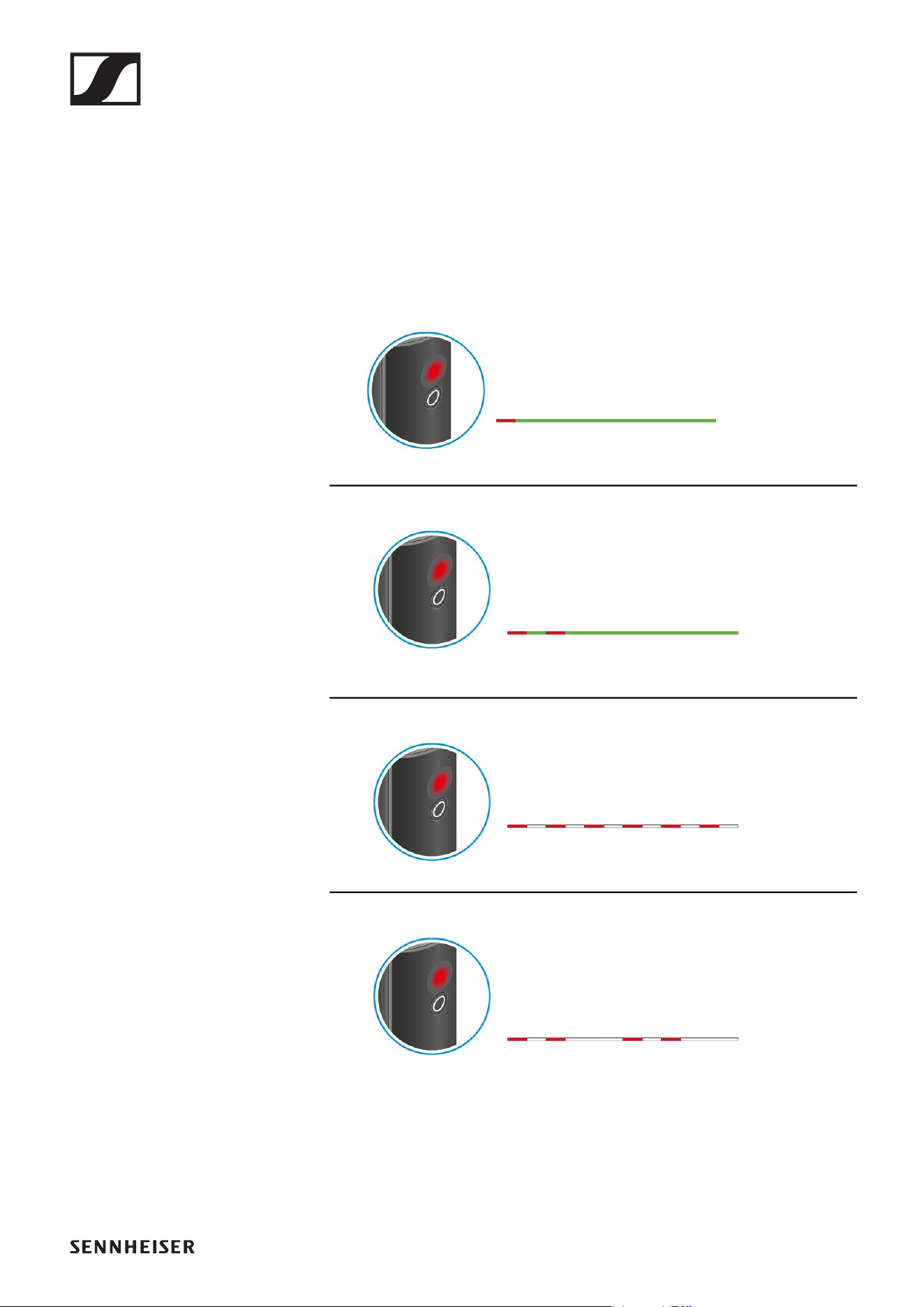
Checking the charge level during use
The status LED remains green during use as long as the rechargeable bat-
tery has sufficient charge. The status LED begins flashing red and green in
alternation when the charge level falls below 15%. Once the charge level
falls below 5%, the status LED flashes only red.
In addition to the local charge level, the status LED on a transmitter or re-
ceiver also provides information about the charge level of the connected
transmitter or receiver. This allows you to check the charge levels at any
time.
The charge level is below 15%.
The charge level of the connected transmitter/
receiver is below 15%.
The charge level is below 5%.
The charge level of the connected transmitter/
receiver is below 5%.
Operation
8
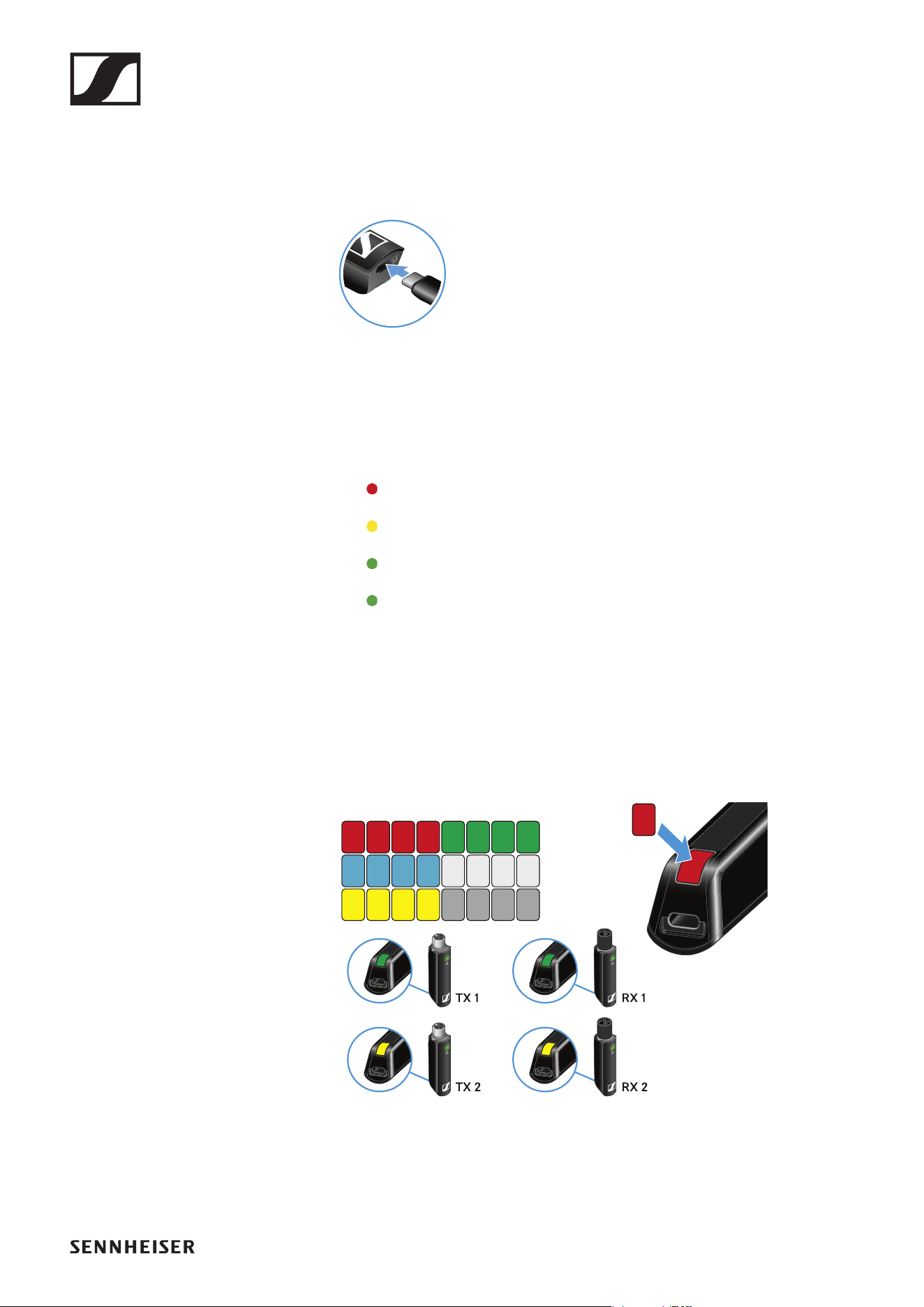
Charging the rechargeable battery
To minimize charging time and monitor the charging status the transmitter
or receiver should be switched off before you charge the battery.
However the transmitter or receiver can be charged while in operation.
►
▷ Plug the small end of the USB charging cable into the USB port on the
transmitter or receiver.
▷ Plug the large end of the USB charging cable into the USB port on a
conventional USB power supply unit.
▷ Plug the USB power supply unit into the wall socket.
The status LED indicates the charge level.
< 5%
5% – 75%
> 75%
100%
Using stickers to label transmission paths
You can use the colored stickers to show which transmitter belongs to
which receiver.
►
Operation
9
Pairing
The transmitter and the receiver of a set are pre-paired at the factory and
therefore ready for immediate use. The wireless connection is established
once the transmitter and receiver are switched on and within range of each
other.
You can pair up to four transmitters to the receiver.
Please note that you can only use one transmitter at a time. The other
paired transmitters must be switched off in the meantime.
▷ Make sure that both the transmitter and receiver are switched off.
►
▷ Press the button on the transmitter and the button on the receiver until
the status LEDs start flashing green and red in alternation.
The status LEDs will remain green once the transmitter and receiver
are paired and connected. If the status LEDs do not remain green, the
charge level is below 15% (see „Checking the charge level during use“).
Out-of-range monitoring
The status LEDs begin flashing red when the transmitter and receiver are
almost out of range.
Correcting faults
If the status LED remains red, a fault has occurred.
▷ Unplug any connected USB cables from the UBS port.
▷ Switch the transmitter and receiver off and on again.
▷ Perform pairing, if necessary.
▷ If this does not correct the fault, please contact Sennheiser customer
service:
www.sennheiser.com/service-support
Package contents
10
LAVALIER SET
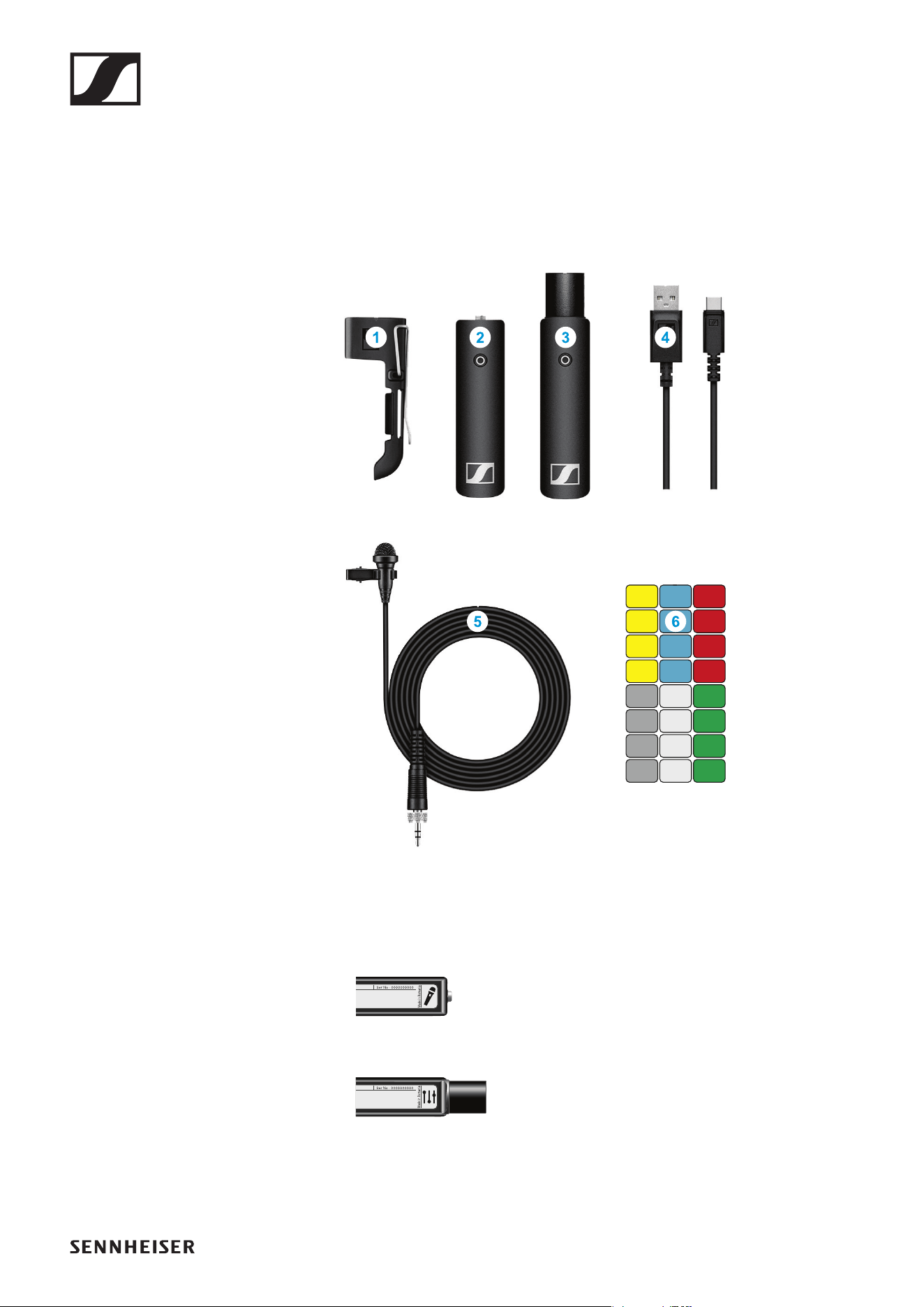
Package contents
►
Additional information
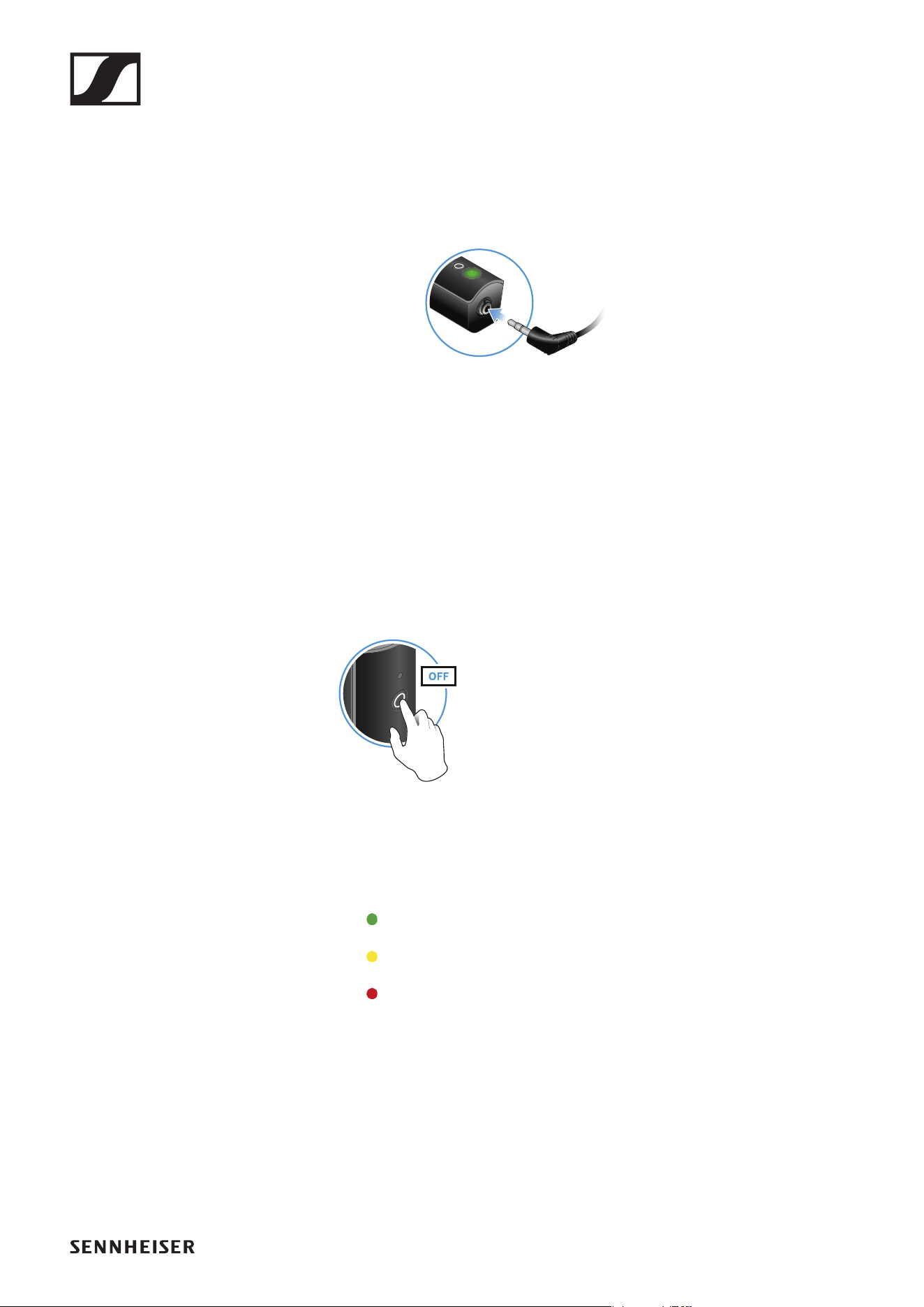
1 Belt clip for the transmitter
2 XSW Digital TX 35: transmitter (3.5 mm jack socket) for connecting to
the clip-on microphone
►
3 XSW Digital RX XLR: receiver (male XLR plug) for connecting to a mixing
console
►
4 Charging cable (USB-A to USB-C) for charging the transmitter and re-
ceiver
5 ME 2-2: clip-on microphone
6 Stickers for labeling transmission paths
Operation
11
Operation
Connecting the clip-on microphone to the transmitter
►
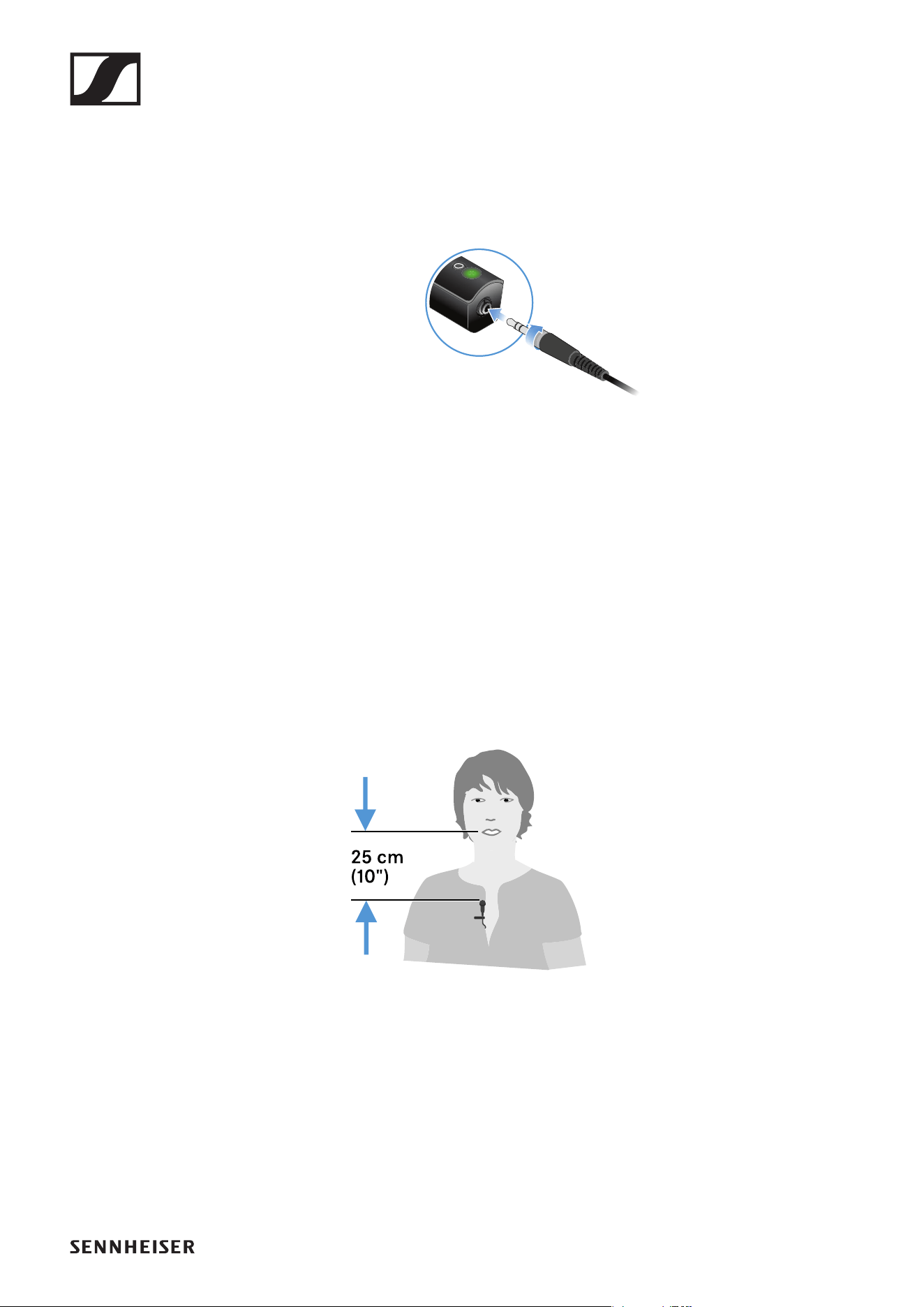
▷ Plug the clip-on microphone’s screw-on jack plug into the jack socket
on the transmitter.
▷ Lock the jack plug by screwing down the coupling ring.
If the jack plug is not firmly locked, crackling noise can appear in the
audio signal.
▷ Insert the transmitter into the belt clip.
▷ Fasten the belt clip to your clothes, for example on your belt or waist-
band.
Attaching the clip-on microphone
►
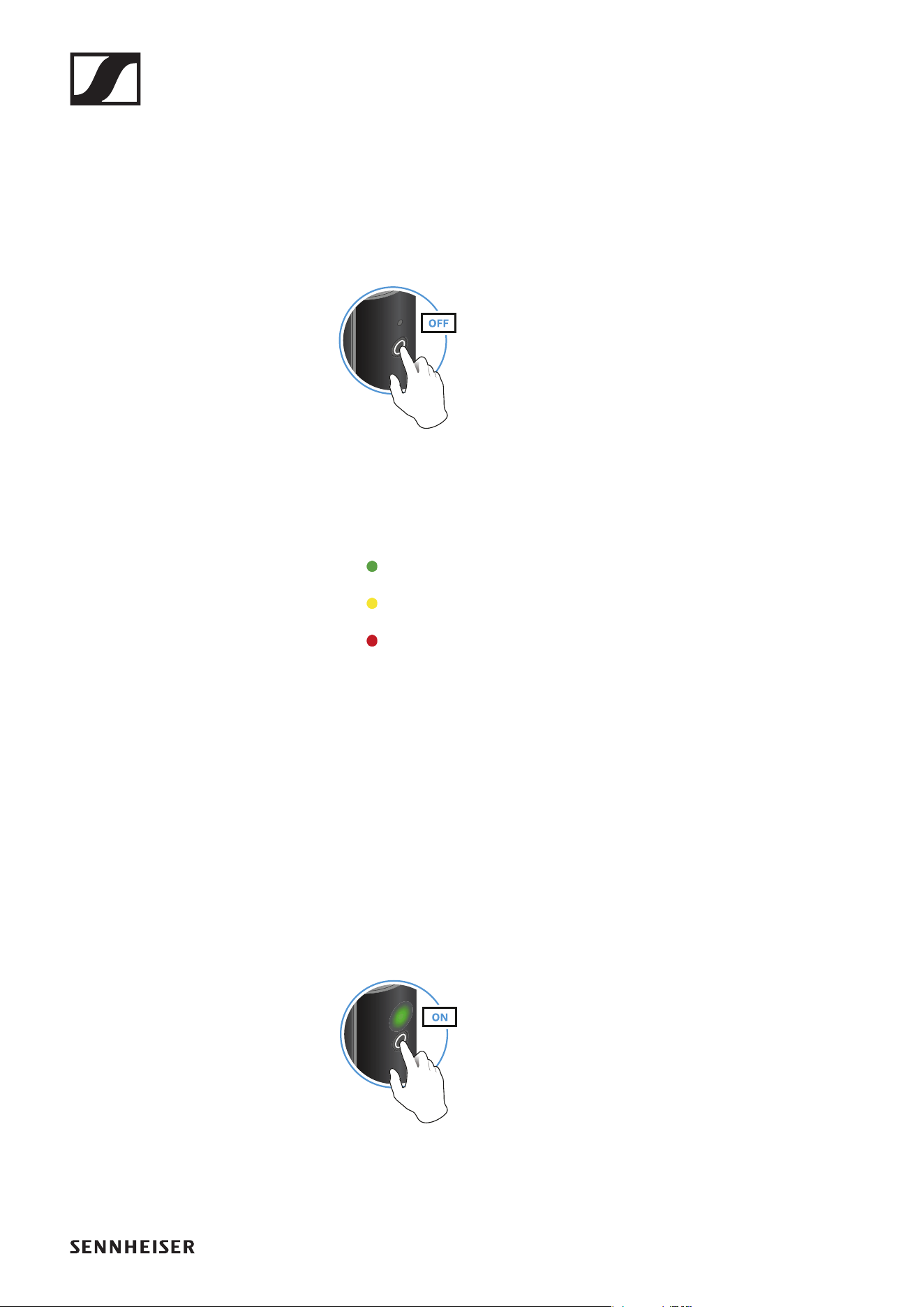
▷ Fasten the clip-on microphone to your clothes, for example on your col-
lar or lapel.
▷ The distance to your mouth should be about 25 cm. The distance af-
fects the sensitivity of the clip-on microphone. Reduce the distance if
you are speaking at a low volume, and increase it when speaking loudly.
Operation
12
Connecting the receiver to a mixing console
▷ Plug the receiver into the XLR input of a channel on your mixing con-
sole.
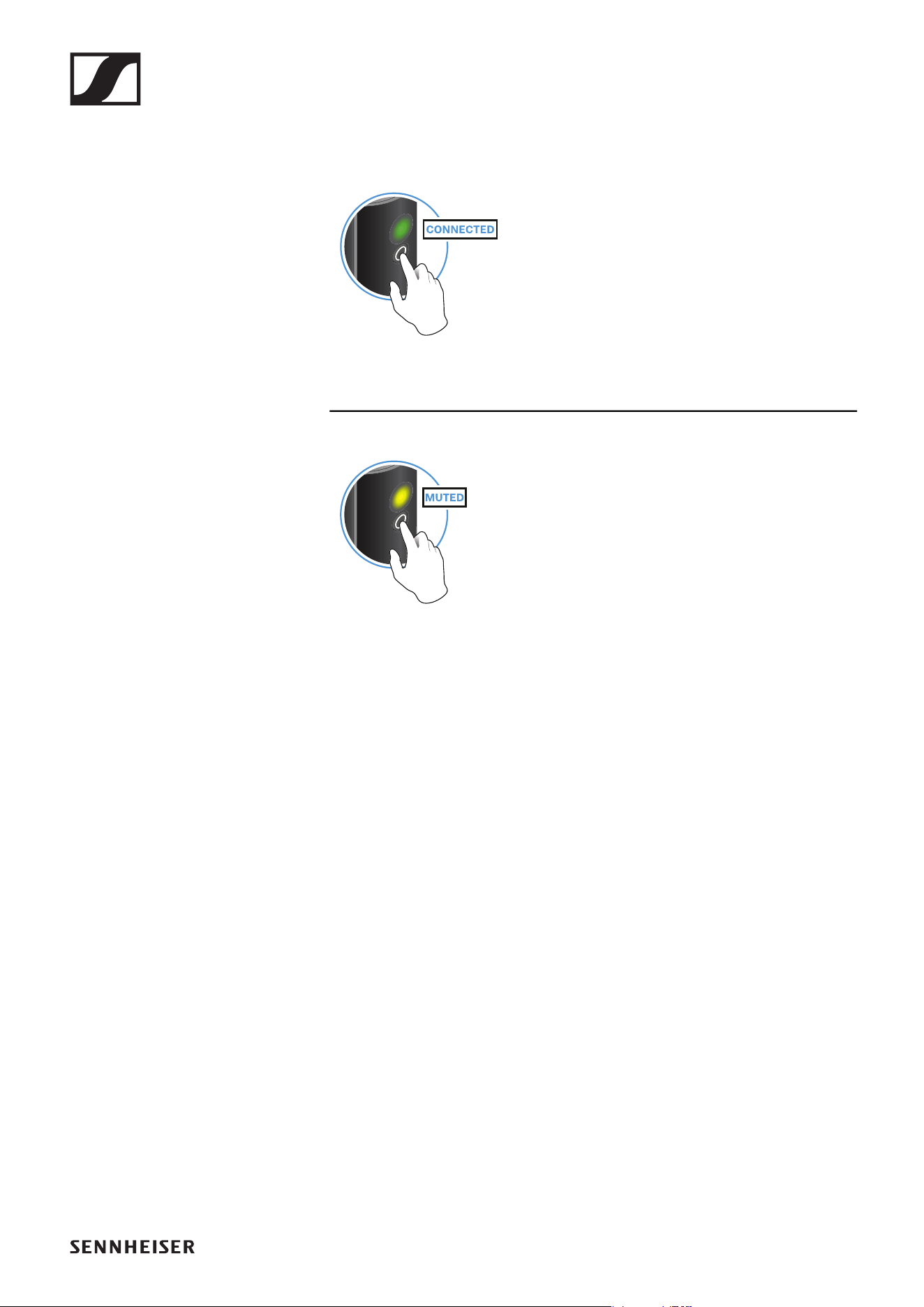
Switching on the transmitter and receiver
►
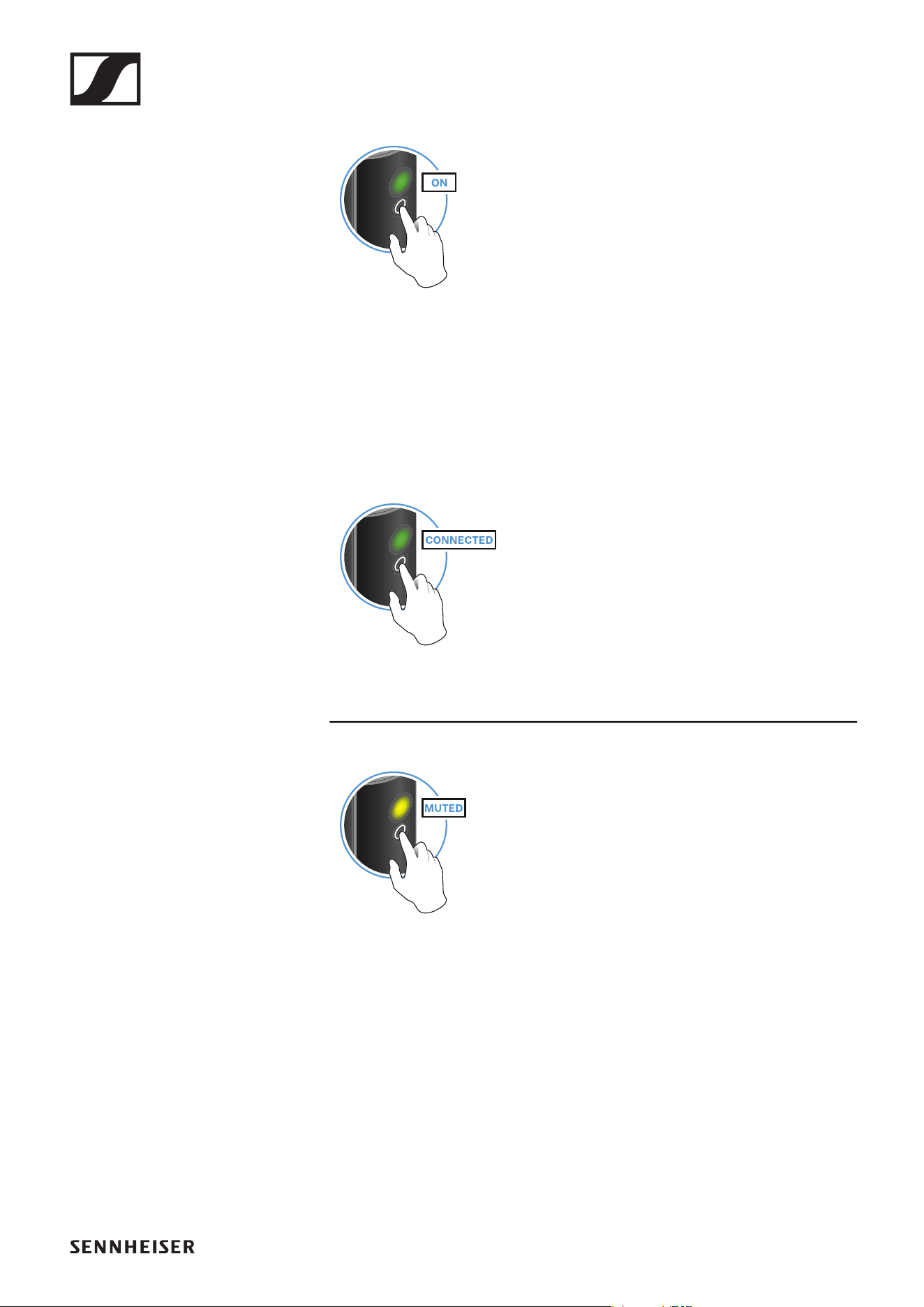
▷ Briefly press the button on the transmitter and the button on the receiv-
er.
The status LEDs indicate the charge level for four seconds.
▷ During these four seconds, check that the transmitter and receiver are
sufficiently charged.
> 75%
5% – 75%
< 5%
If the status LED remains red, you should charge the rechargeable bat-
tery first. If the status LED flashes red, the charge level is too low. You
have to charge the rechargeable battery first (see „Charging the re-
chargeable battery“).
After four seconds, the status LED starts flashing green. The flashing
indicates that a wireless connection is being established.
The status LEDs remain green once the transmitter and receiver are
connected. If the status LEDs do not remain green, either the charge
level is below 15% (see „Checking the charge level during use“) or the
transmitter and receiver are not paired (see „Pairing“).
Switching off the transmitter and receiver
►
▷ Press the button on the transmitter and the button on the receiver until
the status LEDs switch off.
Operation
13
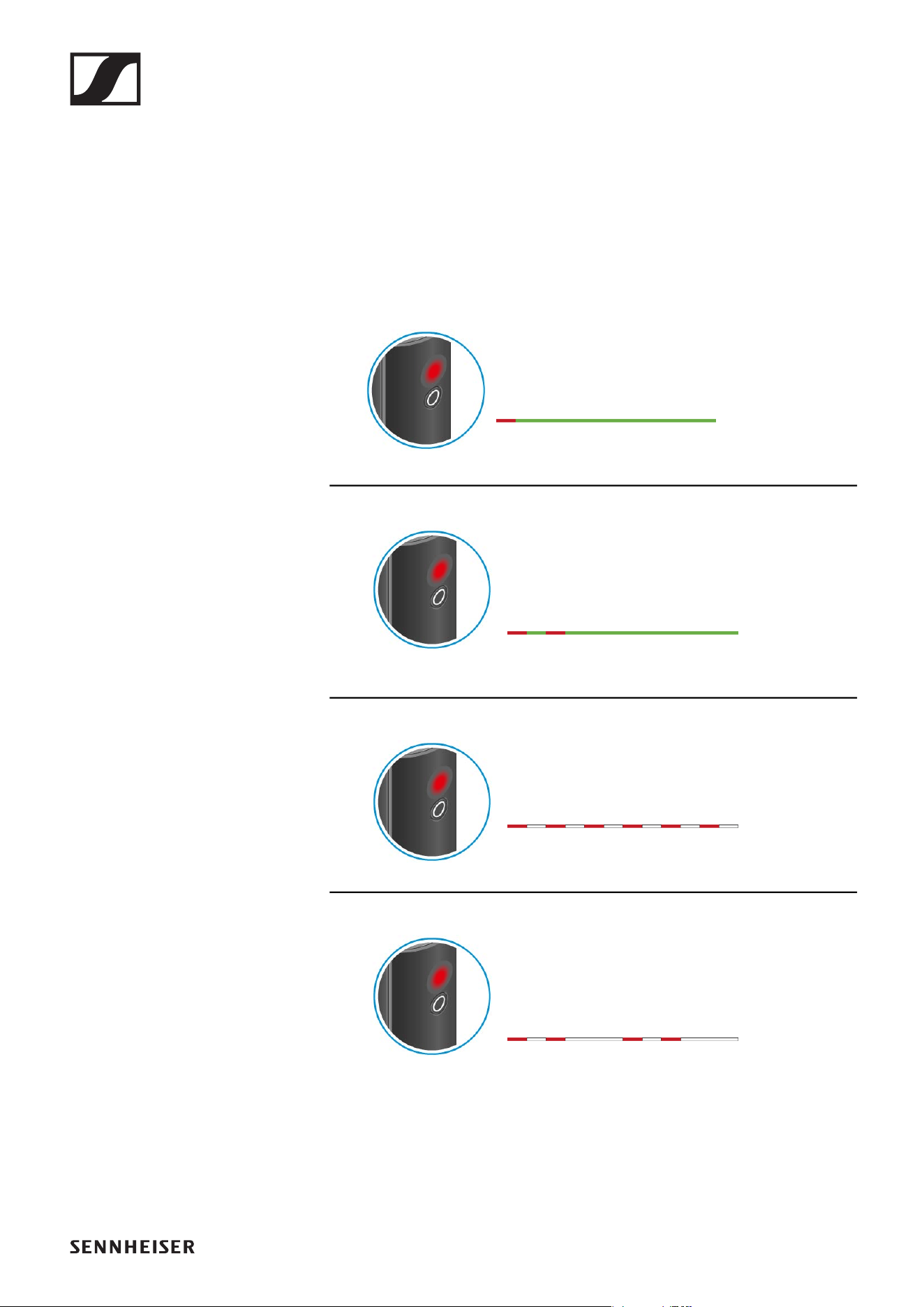
Muting the audio signal
When using a set, you can mute the audio signal. The audio signal can then
be unmuted.
►
▷ To mute the audio signal: Briefly press the button on the transmitter or
receiver.
►
▷ To unmute the audio signal: Briefly press the button on the transmitter
or receiver.
Operation
14
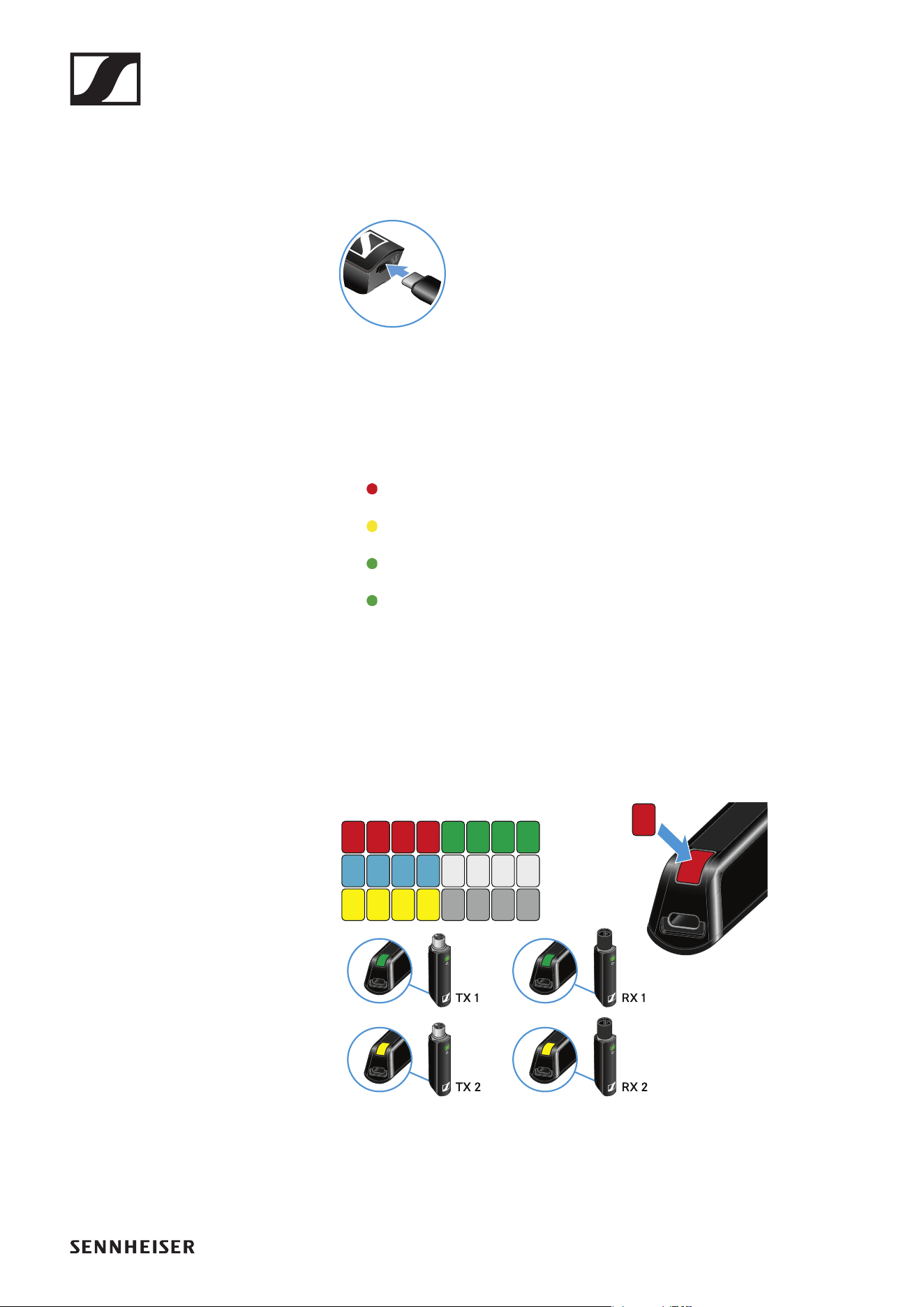
Checking the charge level during use
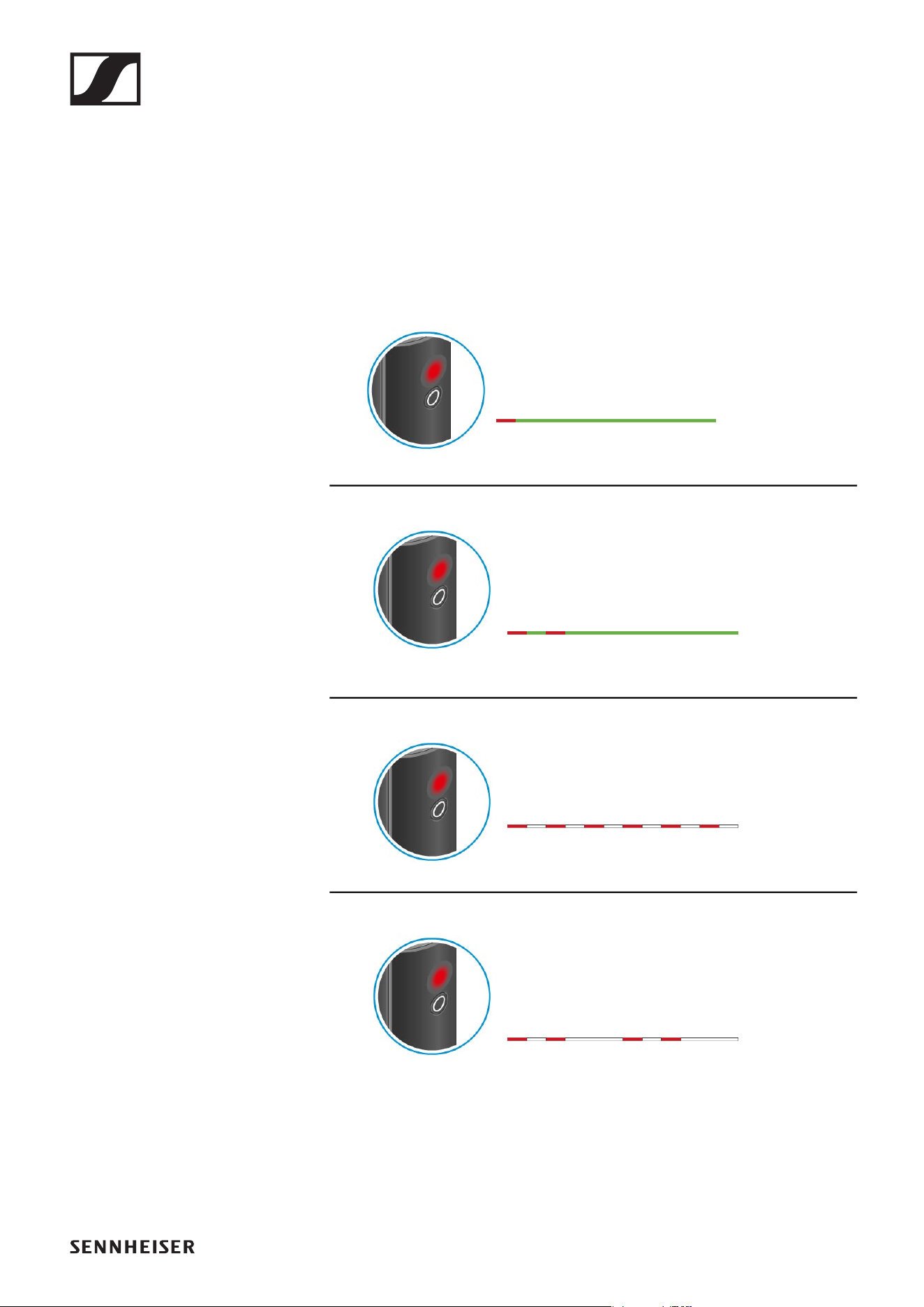
The status LED remains green during use as long as the rechargeable bat-
tery has sufficient charge. The status LED begins flashing red and green in
alternation when the charge level falls below 15%. Once the charge level
falls below 5%, the status LED flashes only red.
In addition to the local charge level, the status LED on a transmitter or re-
ceiver also provides information about the charge level of the connected
transmitter or receiver. This allows you to check the charge levels at any
time.
The charge level is below 15%.
The charge level of the connected transmitter/
receiver is below 15%.
The charge level is below 5%.
The charge level of the connected transmitter/
receiver is below 5%.
Operation
15
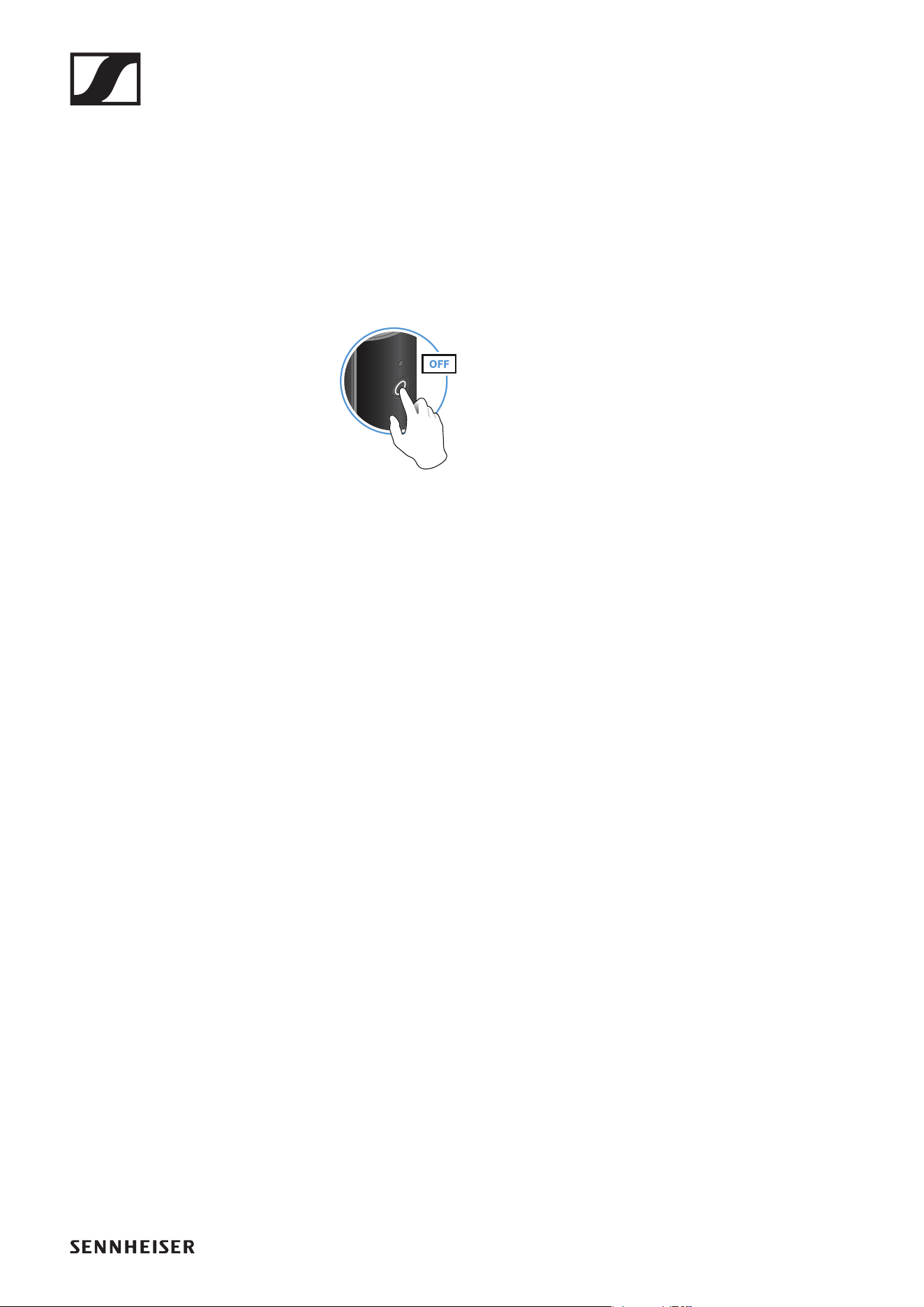
Charging the rechargeable battery
To minimize charging time and monitor the charging status the transmitter
or receiver should be switched off before you charge the battery.
However the transmitter or receiver can be charged while in operation.
►
▷ Plug the small end of the USB charging cable into the USB port on the
transmitter or receiver.
▷ Plug the large end of the USB charging cable into the USB port on a
conventional USB power supply unit.
▷ Plug the USB power supply unit into the wall socket.
The status LED indicates the charge level.
< 5%
5% – 75%
> 75%
100%
Using stickers to label transmission paths
You can use the colored stickers to show which transmitter belongs to
which receiver.
►
Operation
16
Pairing
The transmitter and the receiver of a set are pre-paired at the factory and
therefore ready for immediate use. The wireless connection is established
once the transmitter and receiver are switched on and within range of each
other.
You can pair up to four transmitters to the receiver.
Please note that you can only use one transmitter at a time. The other
paired transmitters must be switched off in the meantime.
▷ Make sure that both the transmitter and receiver are switched off.
►
▷ Press the button on the transmitter and the button on the receiver until
the status LEDs start flashing green and red in alternation.
The status LEDs will remain green once the transmitter and receiver
are paired and connected. If the status LEDs do not remain green, the
charge level is below 15% (see „Checking the charge level during use“).
Out-of-range monitoring
The status LEDs begin flashing red when the transmitter and receiver are
almost out of range.
Correcting faults
If the status LED remains red, a fault has occurred.
▷ Unplug any connected USB cables from the UBS port.
▷ Switch the transmitter and receiver off and on again.
▷ Perform pairing, if necessary.
▷ If this does not correct the fault, please contact Sennheiser customer
service:
www.sennheiser.com/service-support
Package contents
17
PRESENTATION BASE SET
Package contents
►
Additional information
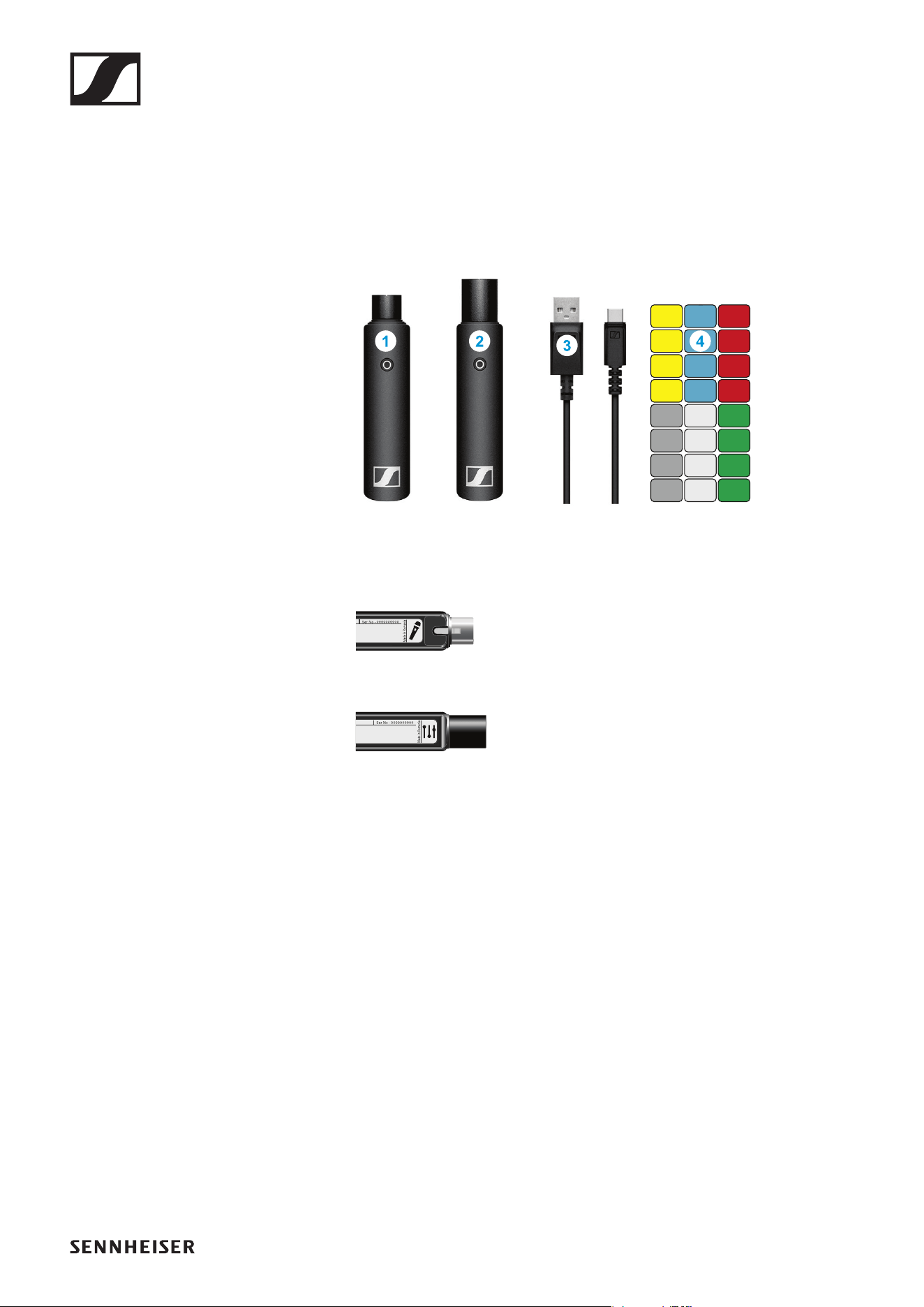
1 Belt clip for the transmitter
2 XSW Digital TX 35: transmitter (3.5 mm jack socket) for connecting to a
microphone with a jack plug (3.5 mm)
►
3 XSW Digital RX XLR: receiver (male XLR plug) for connecting to a mixing
console
►
4 Charging cable (USB-A to USB-C) for charging the transmitter and re-
ceiver
5 Stickers for labeling transmission paths
Operation
18
Operation
Connecting the microphone to the transmitter
►
►
▷ Plug your microphone’s jack plug into the jack socket on the transmit-
ter.
▷ Insert the transmitter into the belt clip.
▷ Fasten the belt clip to your clothes, for example on your belt or waist-
band.
Connecting the receiver to a mixing console
▷ Plug the receiver into the XLR input of a channel on your mixing con-
sole.
Switching on the transmitter and receiver
►
▷ Briefly press the button on the transmitter and the button on the receiv-
er.
The status LEDs indicate the charge level for four seconds.
▷ During these four seconds, check that the transmitter and receiver are
sufficiently charged.
> 75%
5% – 75%
< 5%
If the status LED remains red, you should charge the rechargeable bat-
tery first. If the status LED flashes red, the charge level is too low. You
have to charge the rechargeable battery first (see „Charging the re-
chargeable battery“).
After four seconds, the status LED starts flashing green. The flashing
indicates that a wireless connection is being established.
The status LEDs remain green once the transmitter and receiver are
connected. If the status LEDs do not remain green, either the charge
level is below 15% (see „Checking the charge level during use“) or the
transmitter and receiver are not paired (see „Pairing“).
Operation
19
Switching off the transmitter and receiver
►
▷ Press the button on the transmitter and the button on the receiver until
the status LEDs switch off.
Muting the audio signal
When using a set, you can mute the audio signal. The audio signal can then
be unmuted.
►
▷ To mute the audio signal: Briefly press the button on the transmitter or
receiver.
►
▷ To unmute the audio signal: Briefly press the button on the transmitter
or receiver.
Operation
20
Checking the charge level during use
The status LED remains green during use as long as the rechargeable bat-
tery has sufficient charge. The status LED begins flashing red and green in
alternation when the charge level falls below 15%. Once the charge level
falls below 5%, the status LED flashes only red.
In addition to the local charge level, the status LED on a transmitter or re-
ceiver also provides information about the charge level of the connected
transmitter or receiver. This allows you to check the charge levels at any
time.
The charge level is below 15%.
The charge level of the connected transmitter/
receiver is below 15%.
The charge level is below 5%.
The charge level of the connected transmitter/
receiver is below 5%.
Operation
21
Charging the rechargeable battery
To minimize charging time and monitor the charging status the transmitter
or receiver should be switched off before you charge the battery.
However the transmitter or receiver can be charged while in operation.
►
▷ Plug the small end of the USB charging cable into the USB port on the
transmitter or receiver.
▷ Plug the large end of the USB charging cable into the USB port on a
conventional USB power supply unit.
▷ Plug the USB power supply unit into the wall socket.
The status LED indicates the charge level.
< 5%
5% – 75%
> 75%
100%
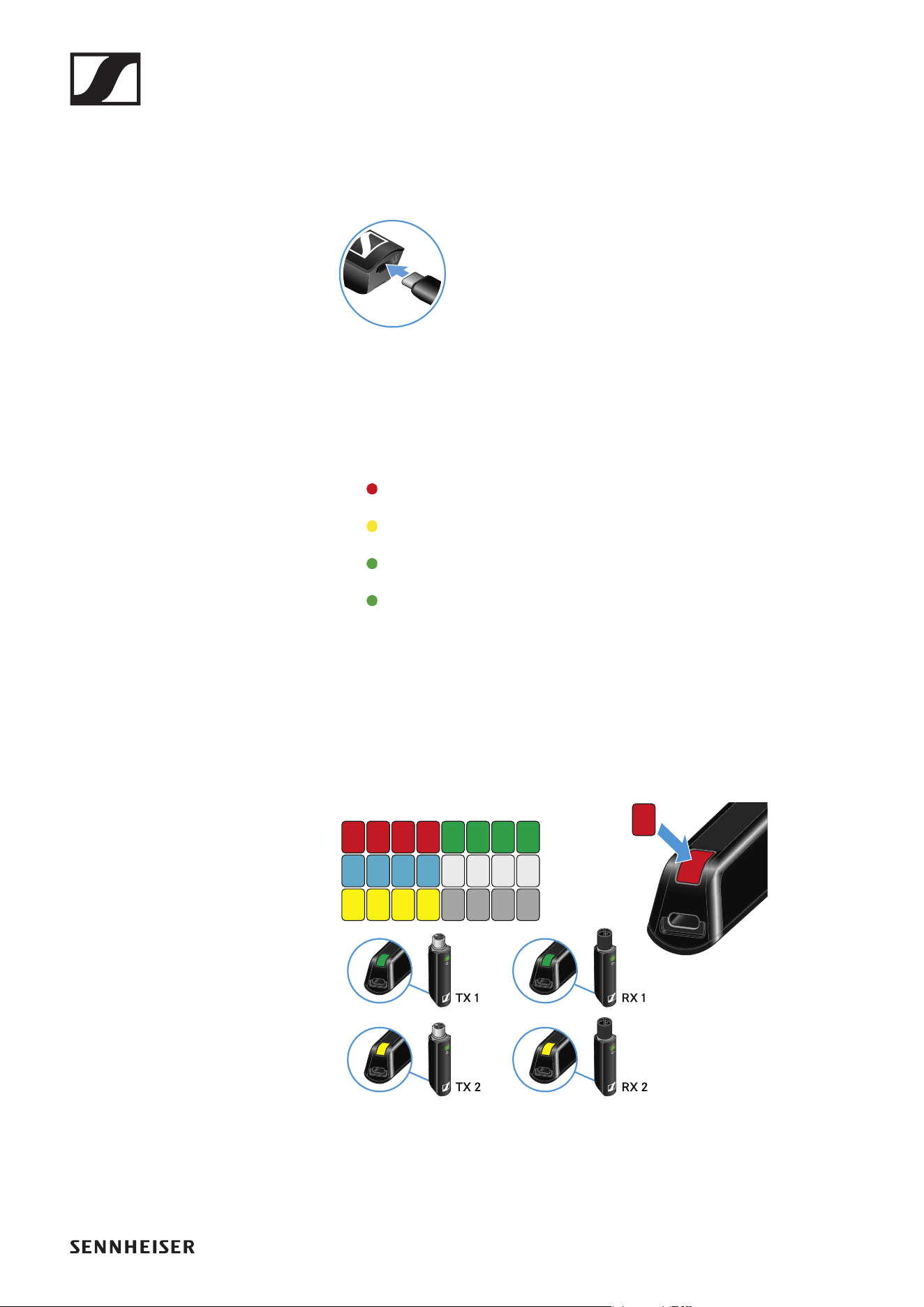
Using stickers to label transmission paths
You can use the colored stickers to show which transmitter belongs to
which receiver.
►
Operation
22
Pairing
The transmitter and the receiver of a set are pre-paired at the factory and
therefore ready for immediate use. The wireless connection is established
once the transmitter and receiver are switched on and within range of each
other.
You can pair up to four transmitters to the receiver.
Please note that you can only use one transmitter at a time. The other
paired transmitters must be switched off in the meantime.
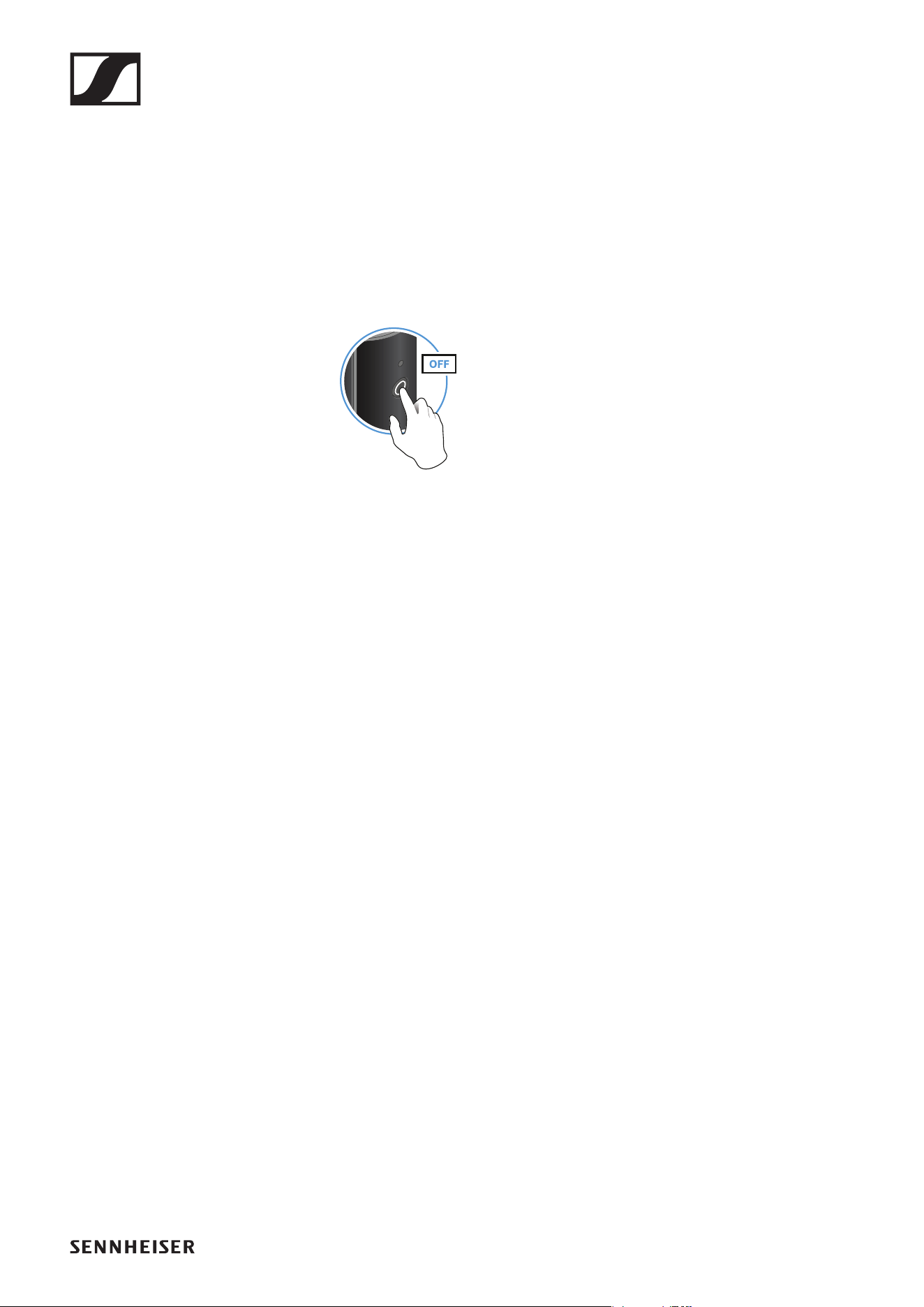
▷ Make sure that both the transmitter and receiver are switched off.
►
▷ Press the button on the transmitter and the button on the receiver until
the status LEDs start flashing green and red in alternation.
The status LEDs will remain green once the transmitter and receiver
are paired and connected. If the status LEDs do not remain green, the
charge level is below 15% (see „Checking the charge level during use“).
Out-of-range monitoring
The status LEDs begin flashing red when the transmitter and receiver are
almost out of range.
Correcting faults
If the status LED remains red, a fault has occurred.
▷ Unplug any connected USB cables from the UBS port.
▷ Switch the transmitter and receiver off and on again.
▷ Perform pairing, if necessary.
▷ If this does not correct the fault, please contact Sennheiser customer
service:
www.sennheiser.com/service-support
Package contents
23
XLR BASE SET
Package contents
►
Additional information
1 XSW Digital TX XLR: transmitter (female XLR socket) for connecting to
a microphone with an XLR plug (male)
►
2 XSW Digital RX XLR: receiver (male XLR plug) for connecting to a mixing
console
►
3 Charging cable (USB-A to USB-C) for charging the transmitter and re-
ceiver
4 Stickers for labeling transmission paths
Operation
24
Operation
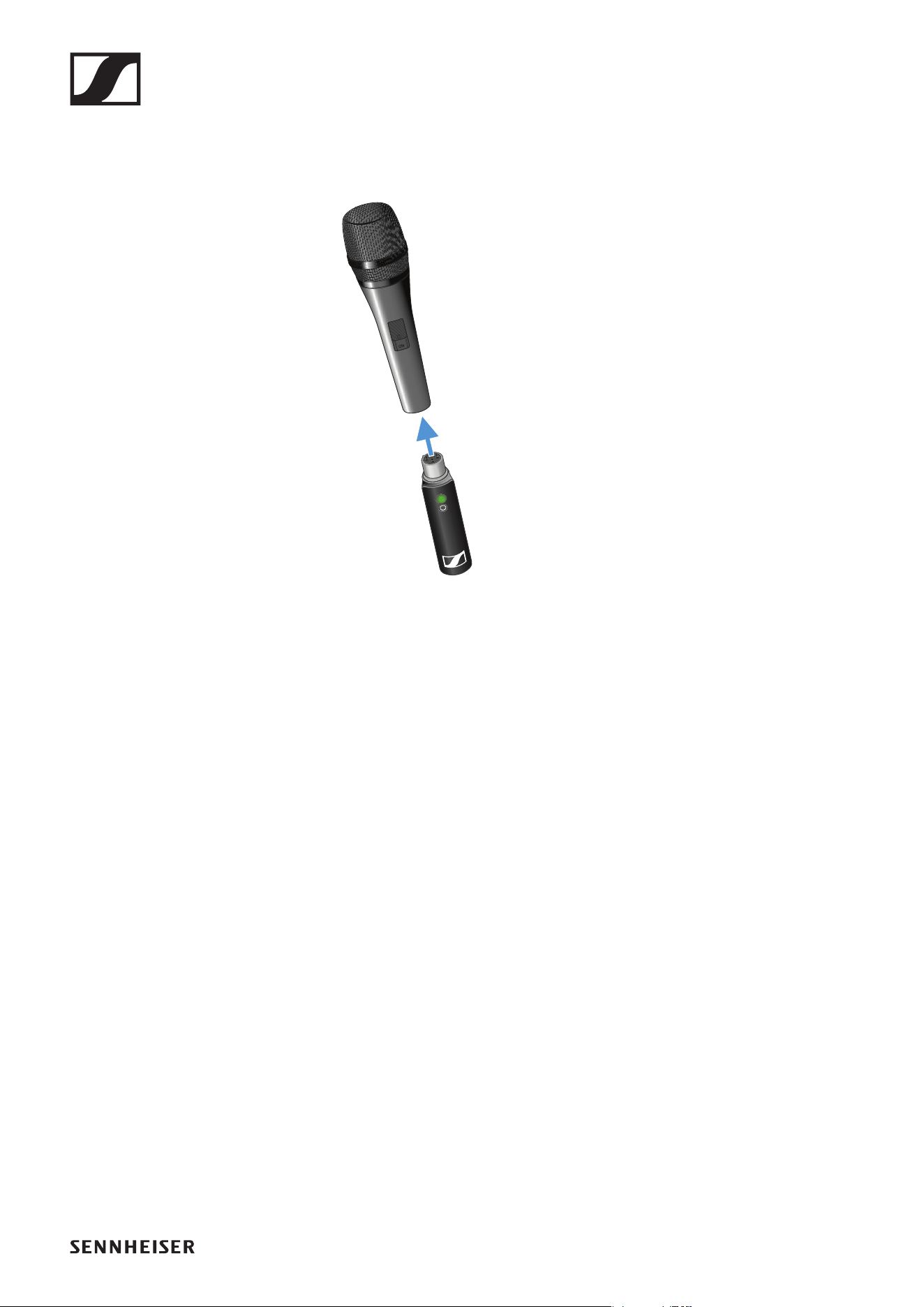
Connecting the transmitter to the microphone
►
▷ Plug the transmitter into the XLR socket on your microphone.
Connecting the receiver to a mixing console
▷ Plug the receiver into the XLR input of a channel on your mixing con-
sole.
Operation
25
Holding the microphone
►
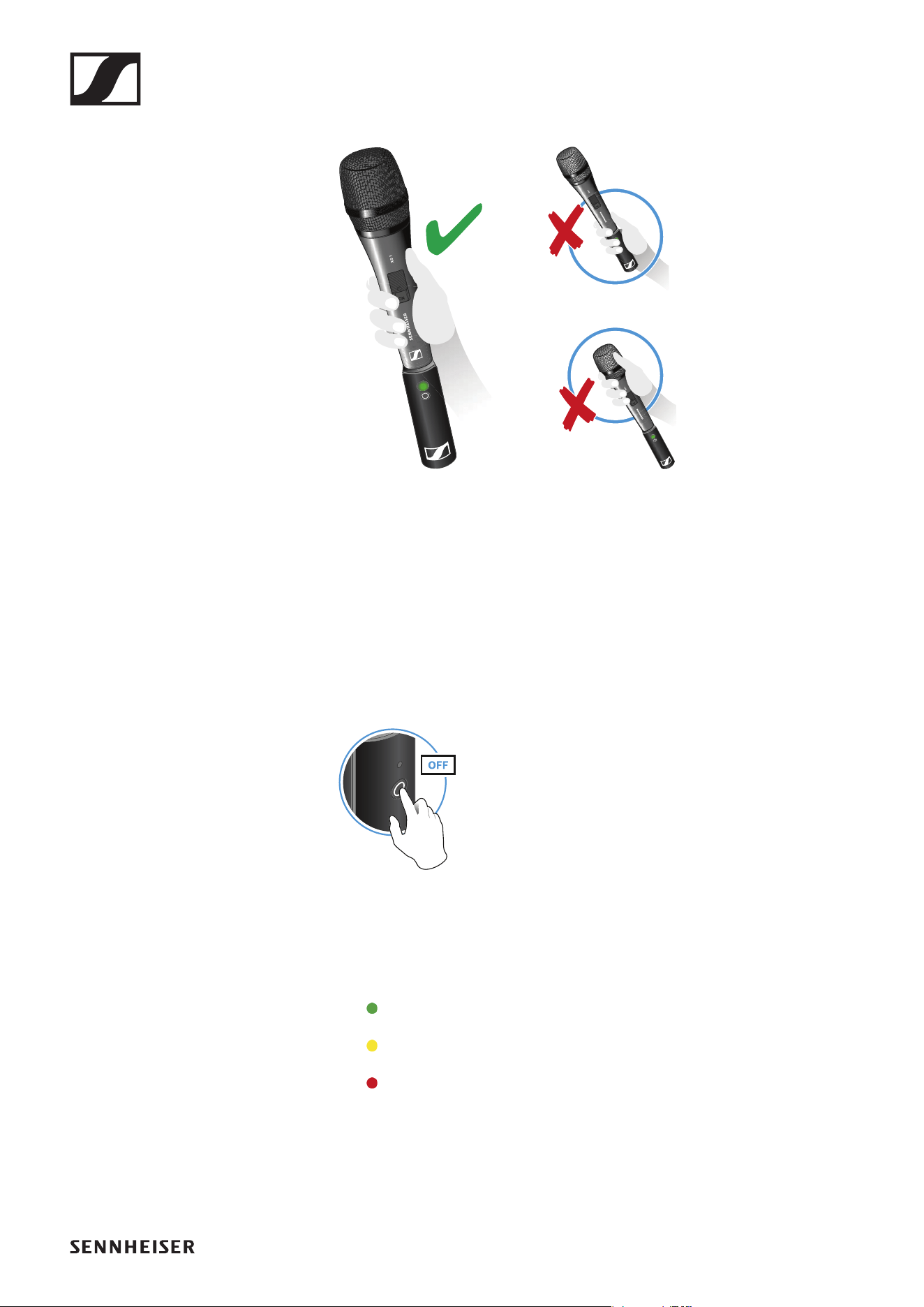
▷ Grip the microphone only by the handle.
▷ Hold the microphone 5 to 10 cm in front of your mouth.
▷ Do not grab the transmitter. The range may decrease if the transmitter
is covered.
▷ Do not touch the microphone basket. The sound may be distorted if the
microphone basket is covered.
Switching on the transmitter and receiver
►
▷ Briefly press the button on the transmitter and the button on the receiv-
er.
The status LEDs indicate the charge level for four seconds.
▷ During these four seconds, check that the transmitter and receiver are
sufficiently charged.
> 75%
5% – 75%
< 5%
If the status LED remains red, you should charge the rechargeable bat-
tery first. If the status LED flashes red, the charge level is too low. You
have to charge the rechargeable battery first (see „Charging the re-
chargeable battery“).
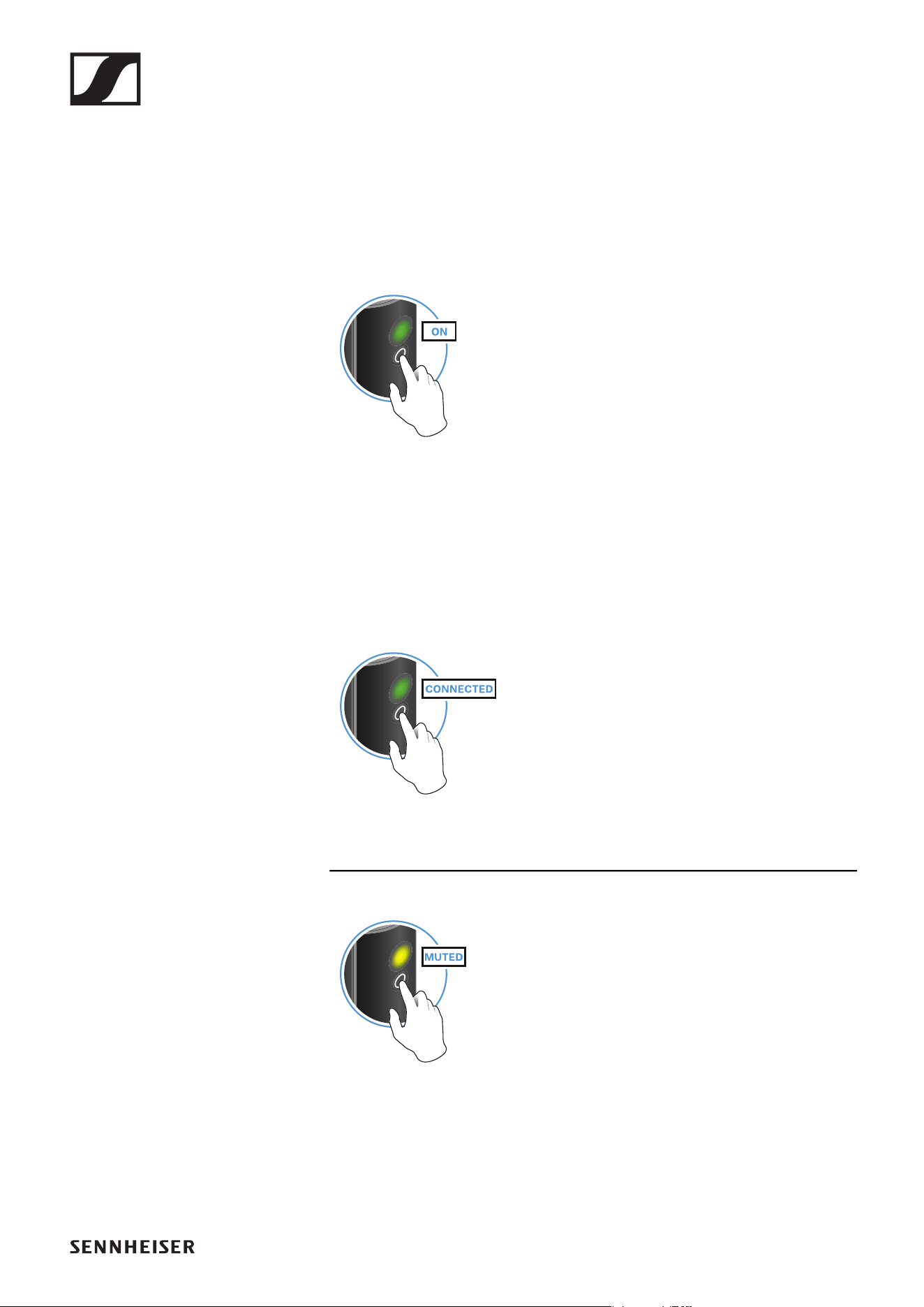
After four seconds, the status LED starts flashing green. The flashing
indicates that a wireless connection is being established.
Operation
26
The status LEDs remain green once the transmitter and receiver are
connected. If the status LEDs do not remain green, either the charge
level is below 15% (see „Checking the charge level during use“) or the
transmitter and receiver are not paired (see „Pairing“).
Switching off the transmitter and receiver
►
▷ Press the button on the transmitter and the button on the receiver until
the status LEDs switch off.
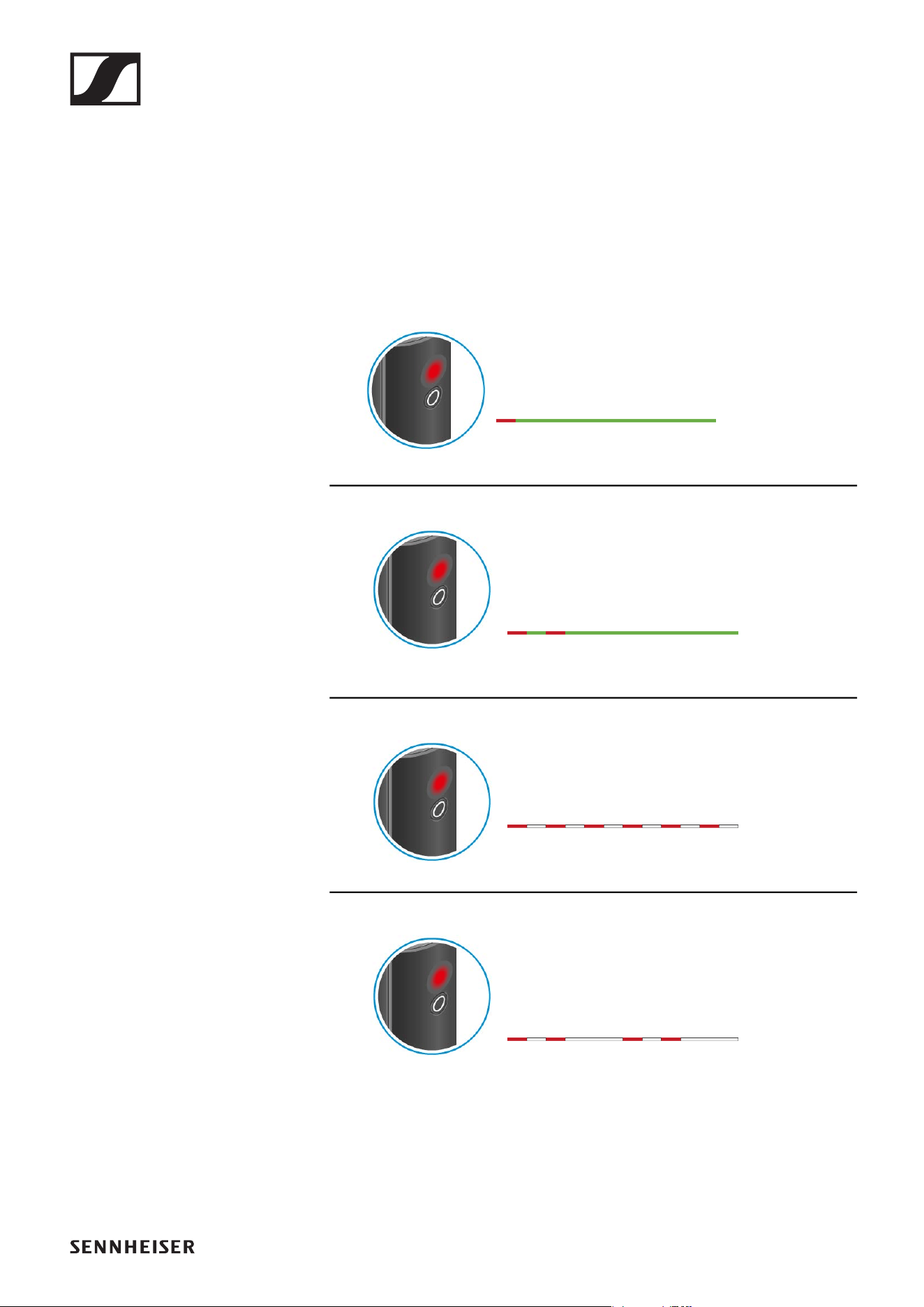
Muting the audio signal
When using a set, you can mute the audio signal. The audio signal can then
be unmuted.
►
▷ To mute the audio signal: Briefly press the button on the transmitter or
receiver.
►
▷ To unmute the audio signal: Briefly press the button on the transmitter
or receiver.
Operation
27
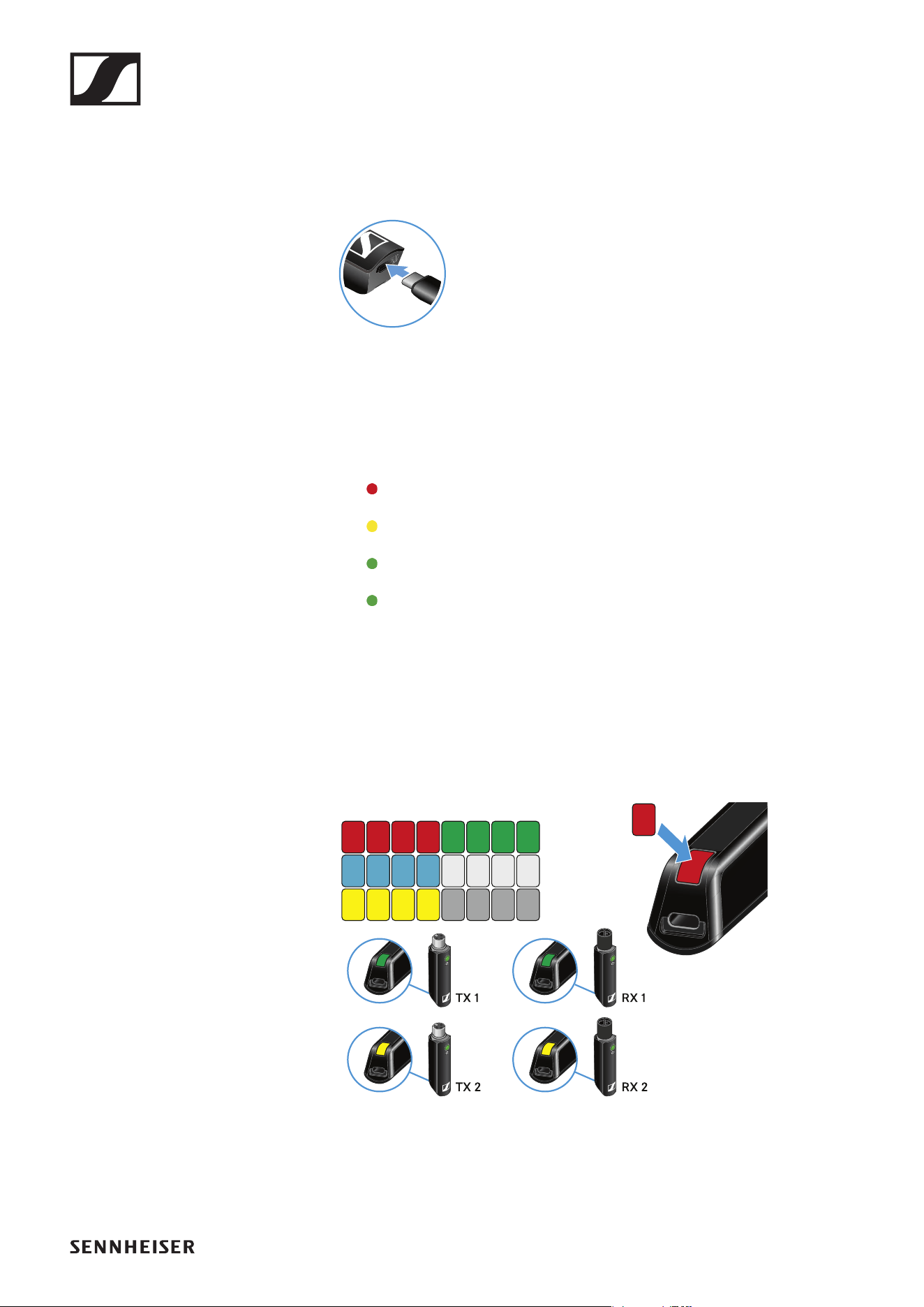
Checking the charge level during use
The status LED remains green during use as long as the rechargeable bat-
tery has sufficient charge. The status LED begins flashing red and green in
alternation when the charge level falls below 15%. Once the charge level
falls below 5%, the status LED flashes only red.
In addition to the local charge level, the status LED on a transmitter or re-
ceiver also provides information about the charge level of the connected
transmitter or receiver. This allows you to check the charge levels at any
time.
The charge level is below 15%.
The charge level of the connected transmitter/
receiver is below 15%.
The charge level is below 5%.
The charge level of the connected transmitter/
receiver is below 5%.
Operation
28
Charging the rechargeable battery
To minimize charging time and monitor the charging status the transmitter
or receiver should be switched off before you charge the battery.
However the transmitter or receiver can be charged while in operation.
►
▷ Plug the small end of the USB charging cable into the USB port on the
transmitter or receiver.
▷ Plug the large end of the USB charging cable into the USB port on a
conventional USB power supply unit.
▷ Plug the USB power supply unit into the wall socket.
The status LED indicates the charge level.
< 5%
5% – 75%
> 75%
100%
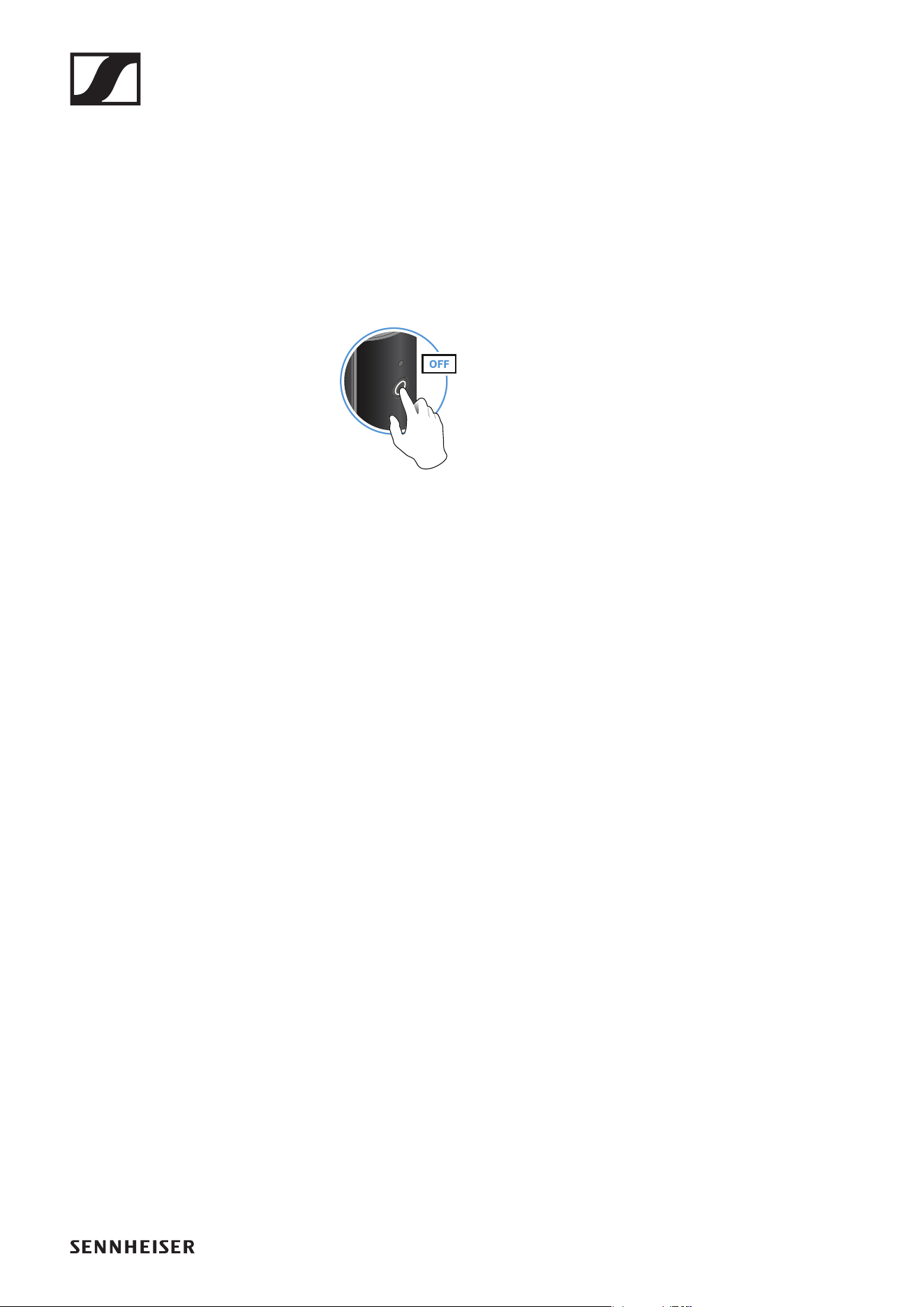
Using stickers to label transmission paths
You can use the colored stickers to show which transmitter belongs to
which receiver.
►
Operation
29
Pairing
The transmitter and the receiver of a set are pre-paired at the factory and
therefore ready for immediate use. The wireless connection is established
once the transmitter and receiver are switched on and within range of each
other.
You can pair up to four transmitters to the receiver.
Please note that you can only use one transmitter at a time. The other
paired transmitters must be switched off in the meantime.
▷ Make sure that both the transmitter and receiver are switched off.
►
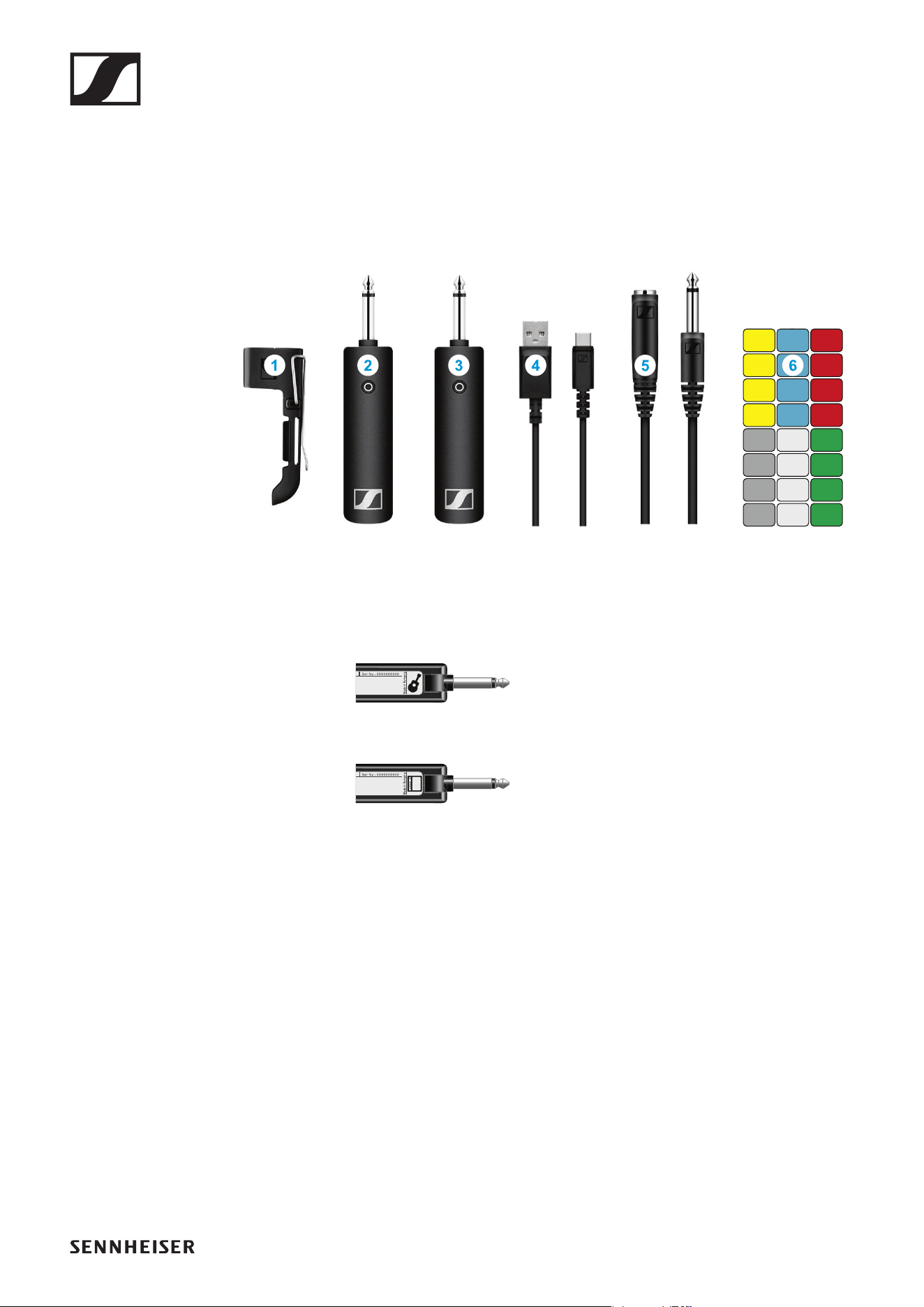
▷ Press the button on the transmitter and the button on the receiver until
the status LEDs start flashing green and red in alternation.
The status LEDs will remain green once the transmitter and receiver
are paired and connected. If the status LEDs do not remain green, the
charge level is below 15% (see „Checking the charge level during use“).
Out-of-range monitoring
The status LEDs begin flashing red when the transmitter and receiver are
almost out of range.
Correcting faults
If the status LED remains red, a fault has occurred.
▷ Unplug any connected USB cables from the UBS port.
▷ Switch the transmitter and receiver off and on again.
▷ Perform pairing, if necessary.
▷ If this does not correct the fault, please contact Sennheiser customer
service:
www.sennheiser.com/service-support
Package contents
30
INSTRUMENT BASE SET
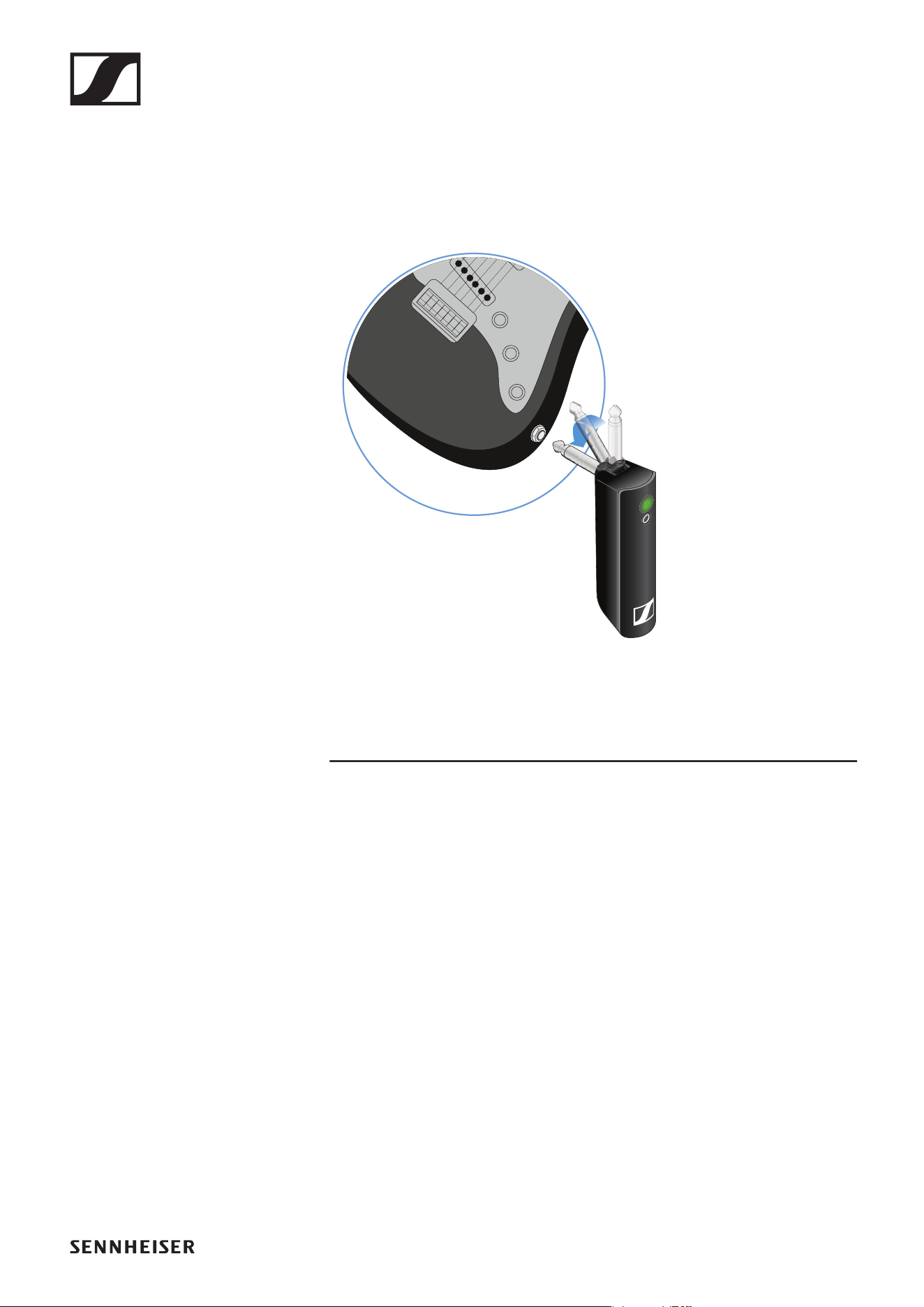
Package contents
►
Additional information
1 Belt clip for the transmitter
2 XSW Digital TX 63: transmitter (6.3 mm jack plug) for connecting to an
instrument with a jack socket (6.3 mm) or to the extension cable
►
3 XSW Digital RX 63: receiver (6.3 mm jack plug) for connecting to an am-
plifier
►
4 Charging cable (USB-A to USB-C) for charging the transmitter and re-
ceiver
5 Extension cable (jack socket to jack plug, 6.3 mm)
6 Stickers for labeling transmission paths
Operation
31
Operation
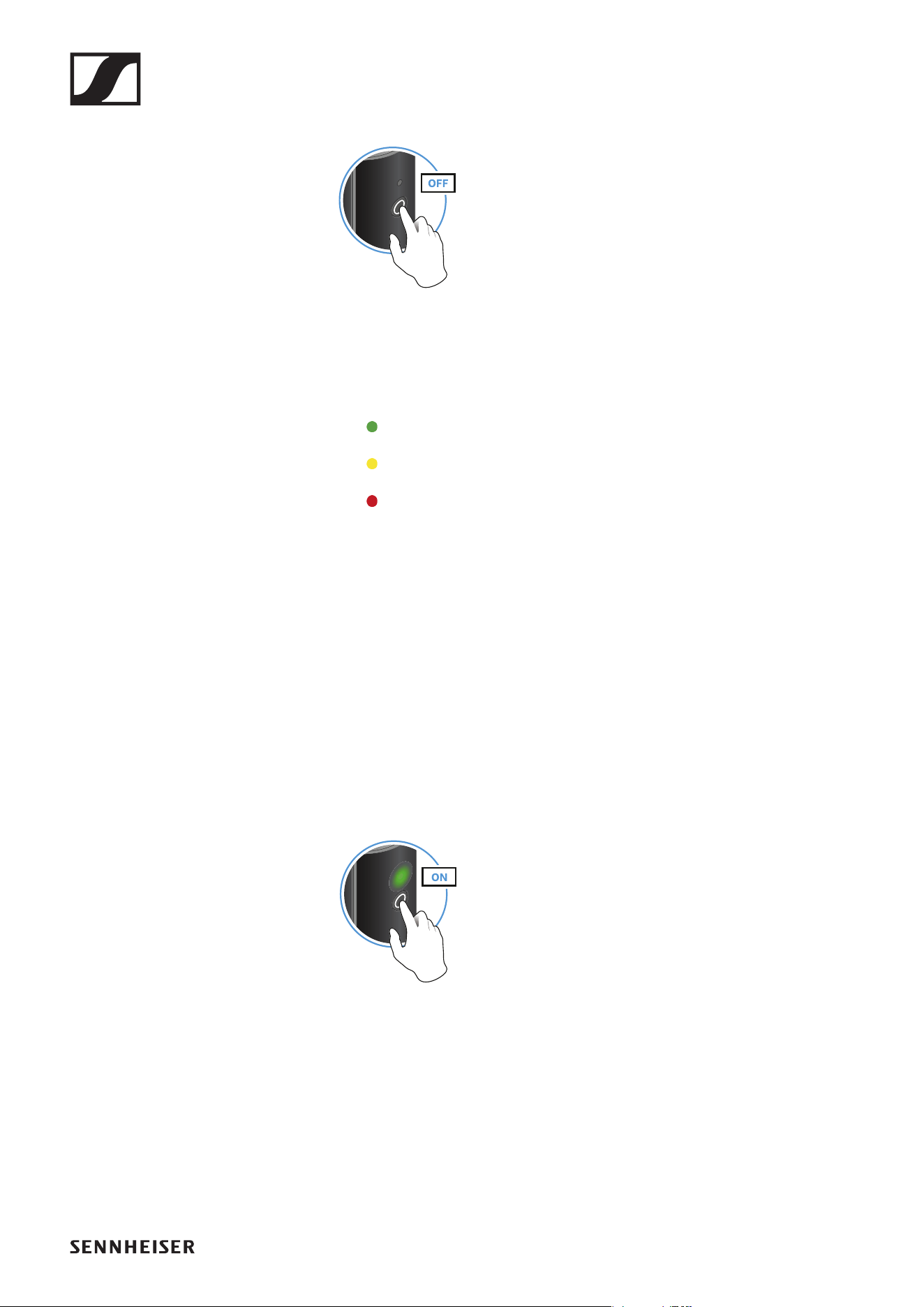
Connecting the transmitter to an instrument
You can connect the transmitter either directly to your instrument or using
the extension cable and the belt clip.
►
Direct connection
▷ Plug the transmitter into the jack socket on your instrument.
▷ Align the transmitter so that you can easily see the status LED.
Connection with extension cable
▷ Plug the extension cable into the jack socket on your instrument.
▷ Plug the transmitter into the jack socket on the extension cable.
▷ Insert the transmitter into the belt clip.
▷ Fasten the belt clip to the guitar strap or your clothes, for example on
your belt or waistband.
Connecting the receiver to an amplifier
▷ Plug the receiver’s jack plug into the input socket on your amplifier.
Operation
32
Switching on the transmitter and receiver
►
▷ Briefly press the button on the transmitter and the button on the receiv-
er.
The status LEDs indicate the charge level for four seconds.
▷ During these four seconds, check that the transmitter and receiver are
sufficiently charged.
> 75%
5% – 75%
< 5%
If the status LED remains red, you should charge the rechargeable bat-
tery first. If the status LED flashes red, the charge level is too low. You
have to charge the rechargeable battery first (see „Charging the re-
chargeable battery“).
After four seconds, the status LED starts flashing green. The flashing
indicates that a wireless connection is being established.
The status LEDs remain green once the transmitter and receiver are
connected. If the status LEDs do not remain green, either the charge
level is below 15% (see „Checking the charge level during use“) or the
transmitter and receiver are not paired (see „Pairing“).
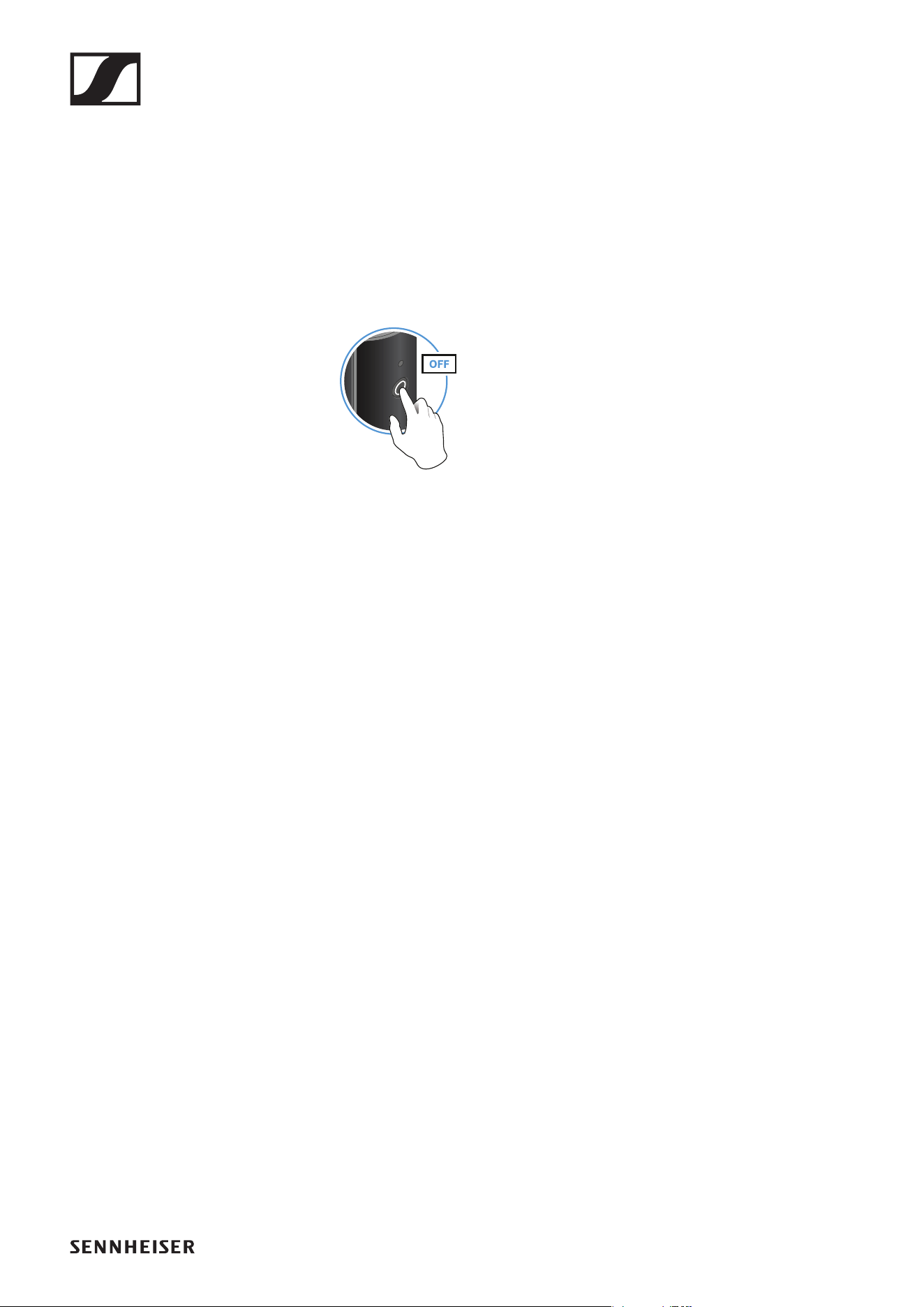
Switching off the transmitter and receiver
►
▷ Press the button on the transmitter and the button on the receiver until
the status LEDs switch off.
Operation
33
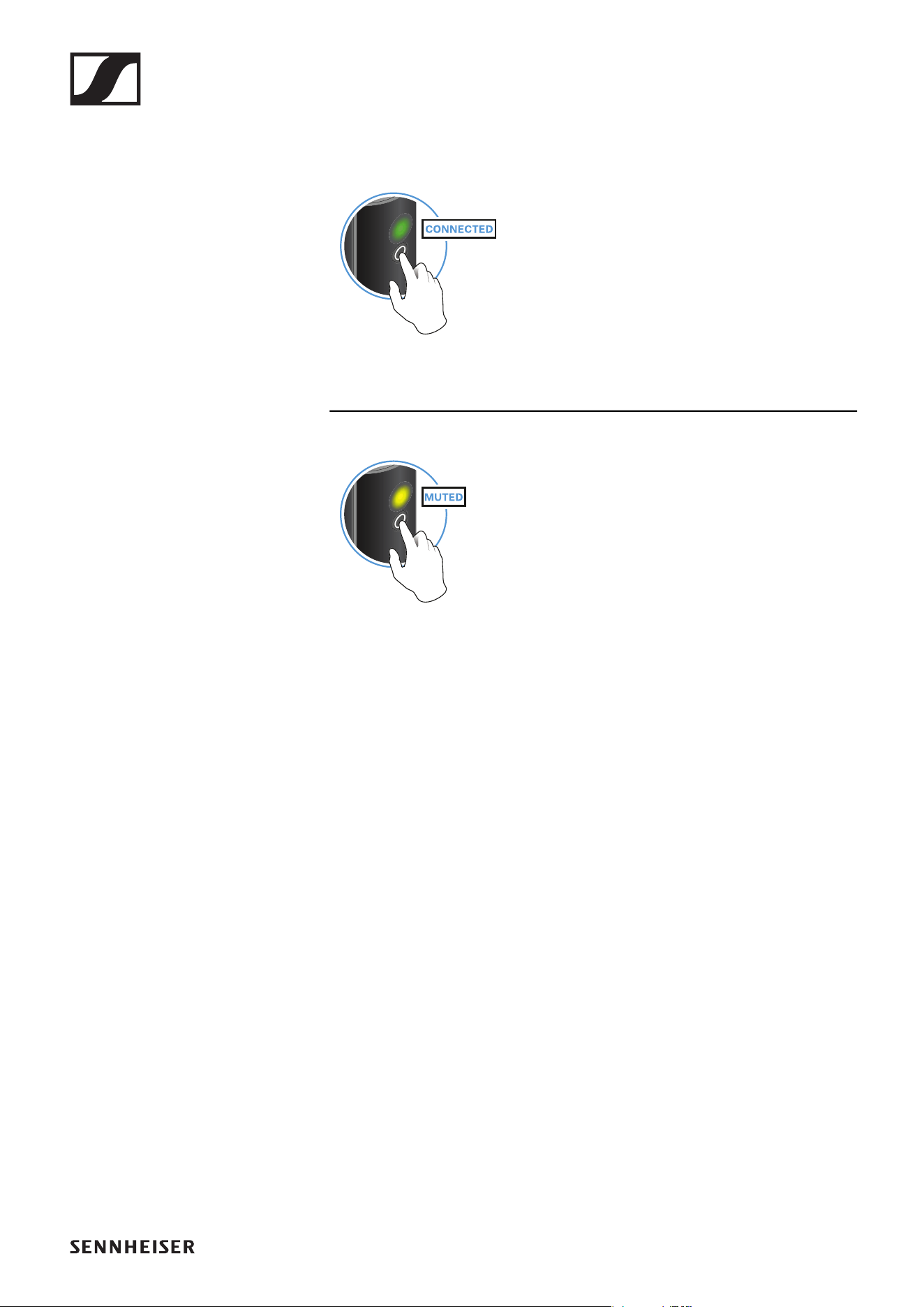
Muting the audio signal
When using a set, you can mute the audio signal. The audio signal can then
be unmuted.
►
▷ To mute the audio signal: Briefly press the button on the transmitter or
receiver.
►
▷ To unmute the audio signal: Briefly press the button on the transmitter
or receiver.
Operation
34
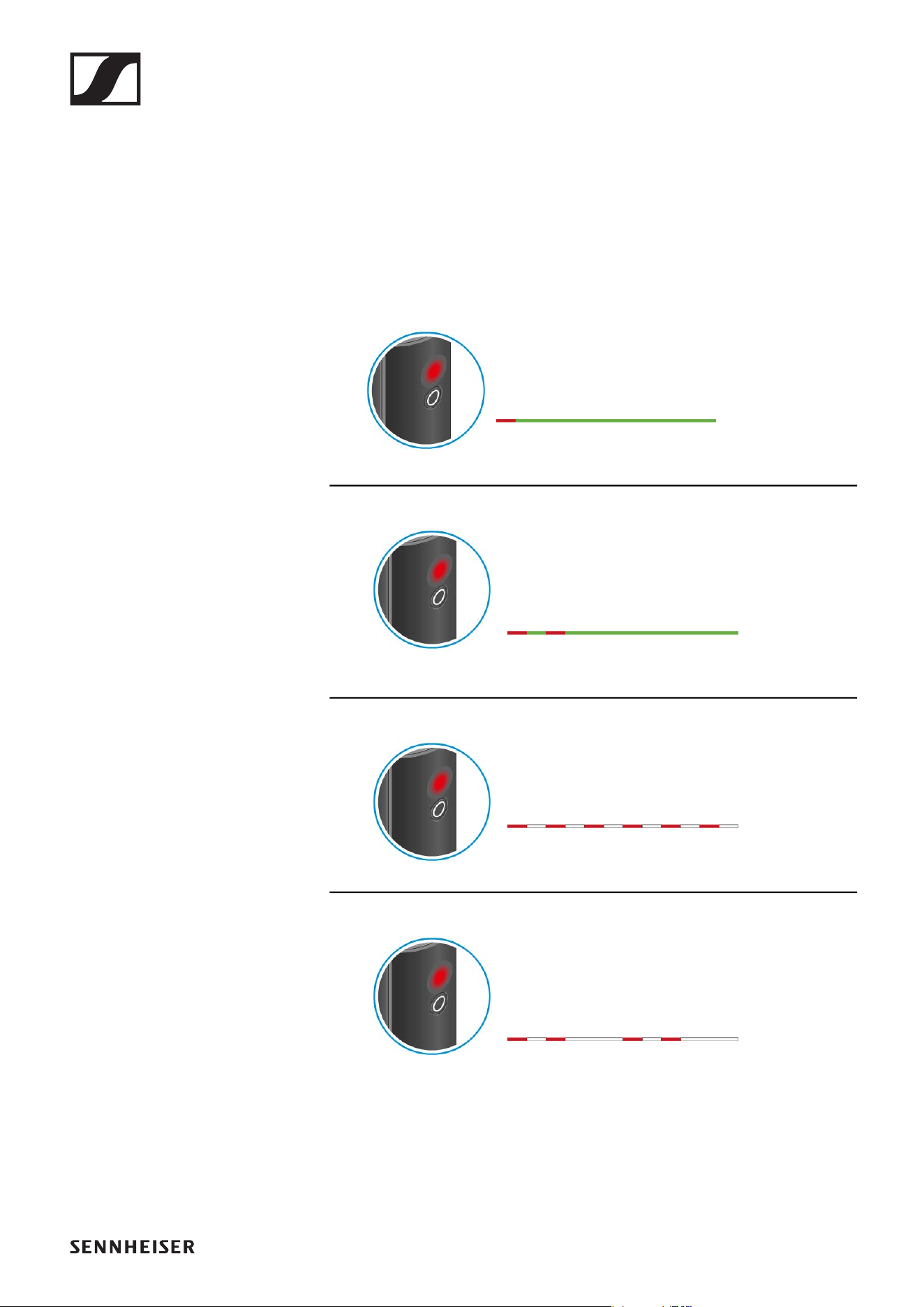
Checking the charge level during use
The status LED remains green during use as long as the rechargeable bat-
tery has sufficient charge. The status LED begins flashing red and green in
alternation when the charge level falls below 15%. Once the charge level
falls below 5%, the status LED flashes only red.
In addition to the local charge level, the status LED on a transmitter or re-
ceiver also provides information about the charge level of the connected
transmitter or receiver. This allows you to check the charge levels at any
time.
The charge level is below 15%.
The charge level of the connected transmitter/
receiver is below 15%.
The charge level is below 5%.
The charge level of the connected transmitter/
receiver is below 5%.
Operation
35
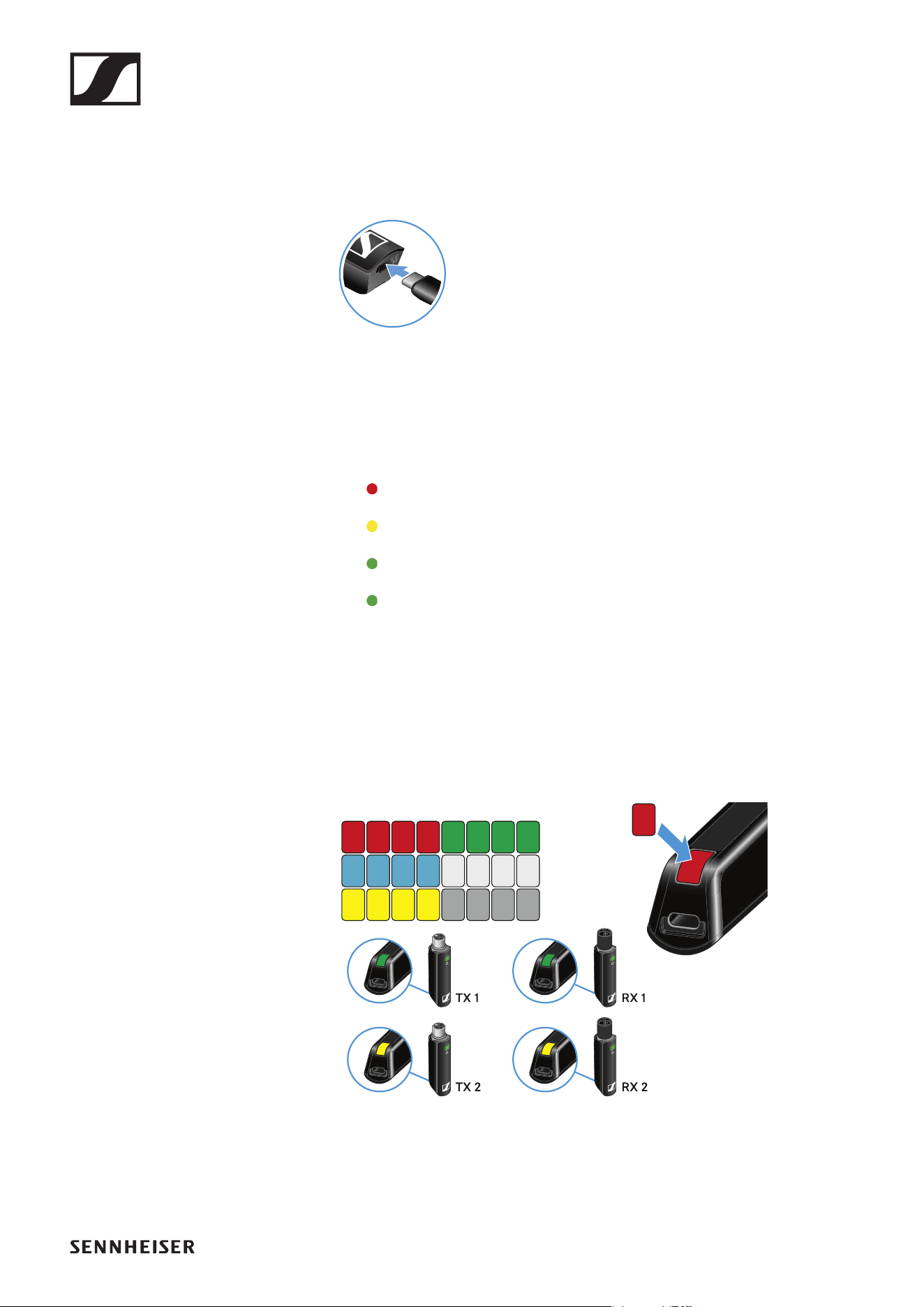
Charging the rechargeable battery
To minimize charging time and monitor the charging status the transmitter
or receiver should be switched off before you charge the battery.
However the transmitter or receiver can be charged while in operation.
►
▷ Plug the small end of the USB charging cable into the USB port on the
transmitter or receiver.
▷ Plug the large end of the USB charging cable into the USB port on a
conventional USB power supply unit.
▷ Plug the USB power supply unit into the wall socket.
The status LED indicates the charge level.
< 5%
5% – 75%
> 75%
100%
Using stickers to label transmission paths
You can use the colored stickers to show which transmitter belongs to
which receiver.
►
Operation
36
Pairing
The transmitter and the receiver of a set are pre-paired at the factory and
therefore ready for immediate use. The wireless connection is established
once the transmitter and receiver are switched on and within range of each
other.
You can pair up to four transmitters to the receiver.
Please note that you can only use one transmitter at a time. The other
paired transmitters must be switched off in the meantime.
▷ Make sure that both the transmitter and receiver are switched off.
►
▷ Press the button on the transmitter and the button on the receiver until
the status LEDs start flashing green and red in alternation.
The status LEDs will remain green once the transmitter and receiver
are paired and connected. If the status LEDs do not remain green, the
charge level is below 15% (see „Checking the charge level during use“).
Out-of-range monitoring
The status LEDs begin flashing red when the transmitter and receiver are
almost out of range.
Correcting faults
If the status LED remains red, a fault has occurred.
▷ Unplug any connected USB cables from the UBS port.
▷ Switch the transmitter and receiver off and on again.
▷ Perform pairing, if necessary.
▷ If this does not correct the fault, please contact Sennheiser customer
service:
www.sennheiser.com/service-support
Package contents
37
PEDALBOARD SET
Package contents
►
►
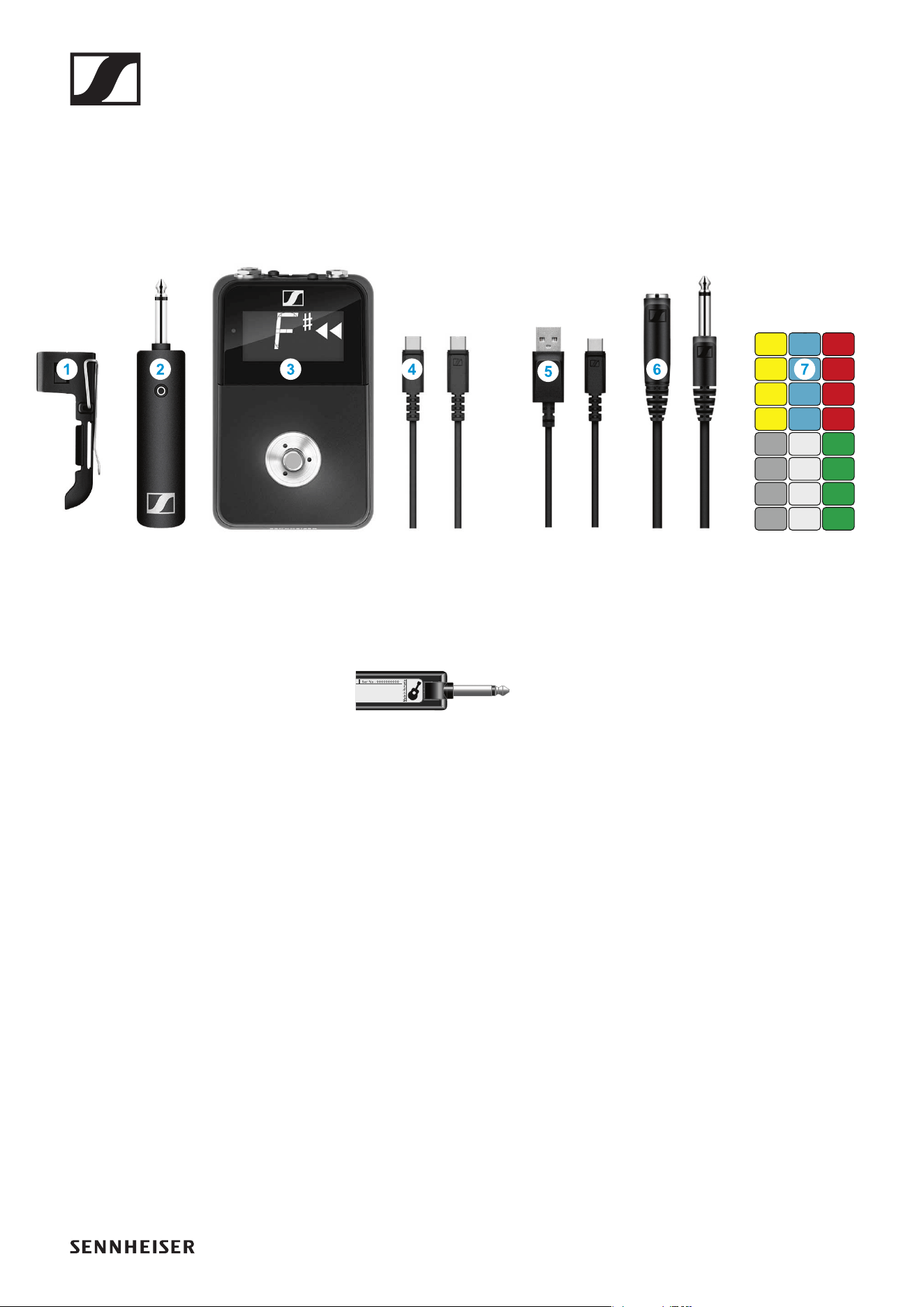
Additional information
1 Belt clip for the transmitter
2 XSW Digital TX 63: transmitter (6.3 mm jack plug) for connecting to an
instrument with a jack socket (6.3 mm) or to the extension cable
►
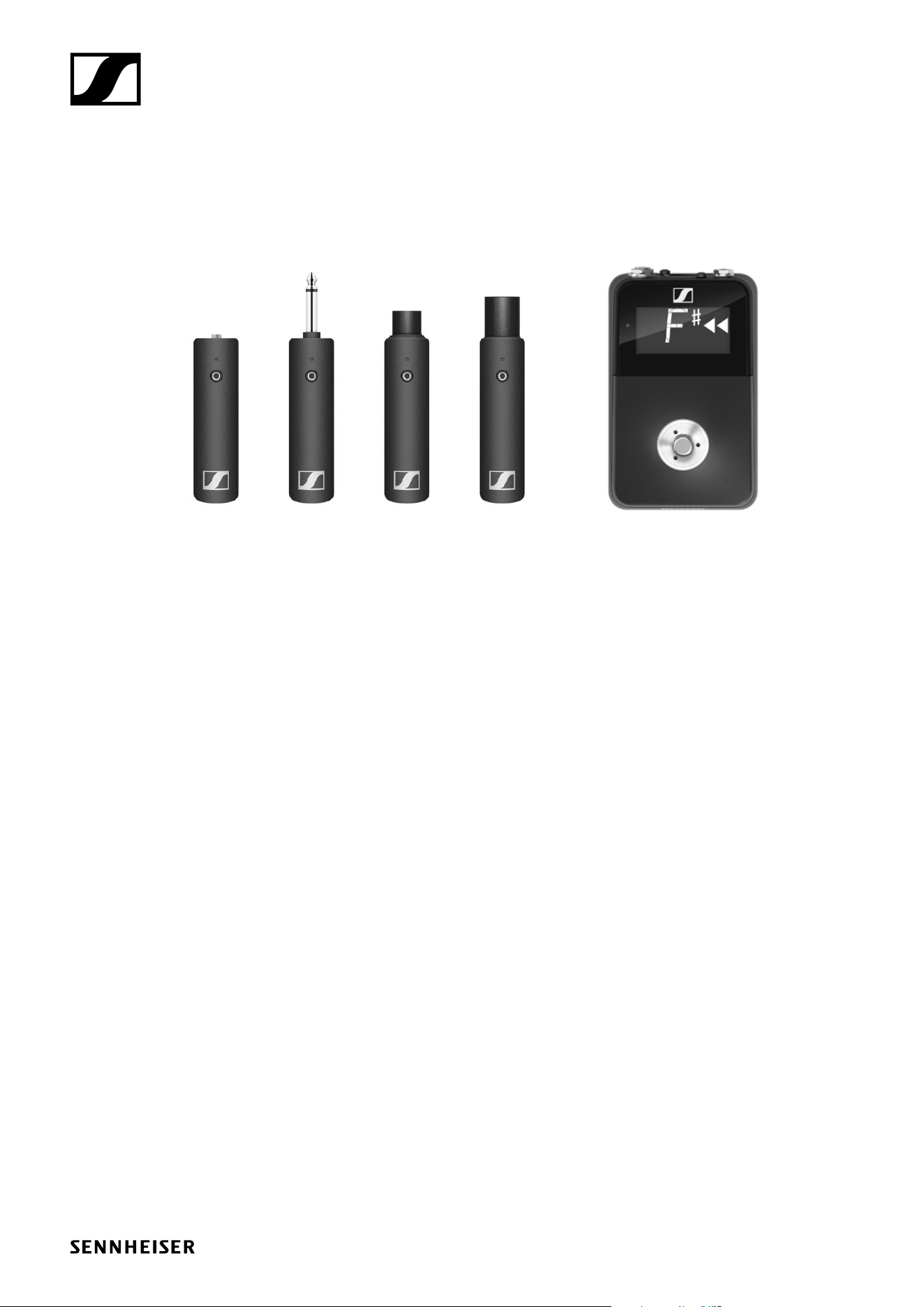
3 XSW Digital RX Pedal: receiver with built-in tuning device for connect-
ing to a guitar amplifier or mixing console
(power supply unit with appropriate country adapter included)
4 Charging cable (USB-C to USB-C) for charging the transmitter via the
receiver’s USB-C port
5 Charging cable (USB-A to USB-C) for charging the transmitter using a
USB power supply unit
6 Extension cable (jack socket to jack plug, 6.3 mm)
7 Stickers for labeling transmission paths
Operation
38
Operation
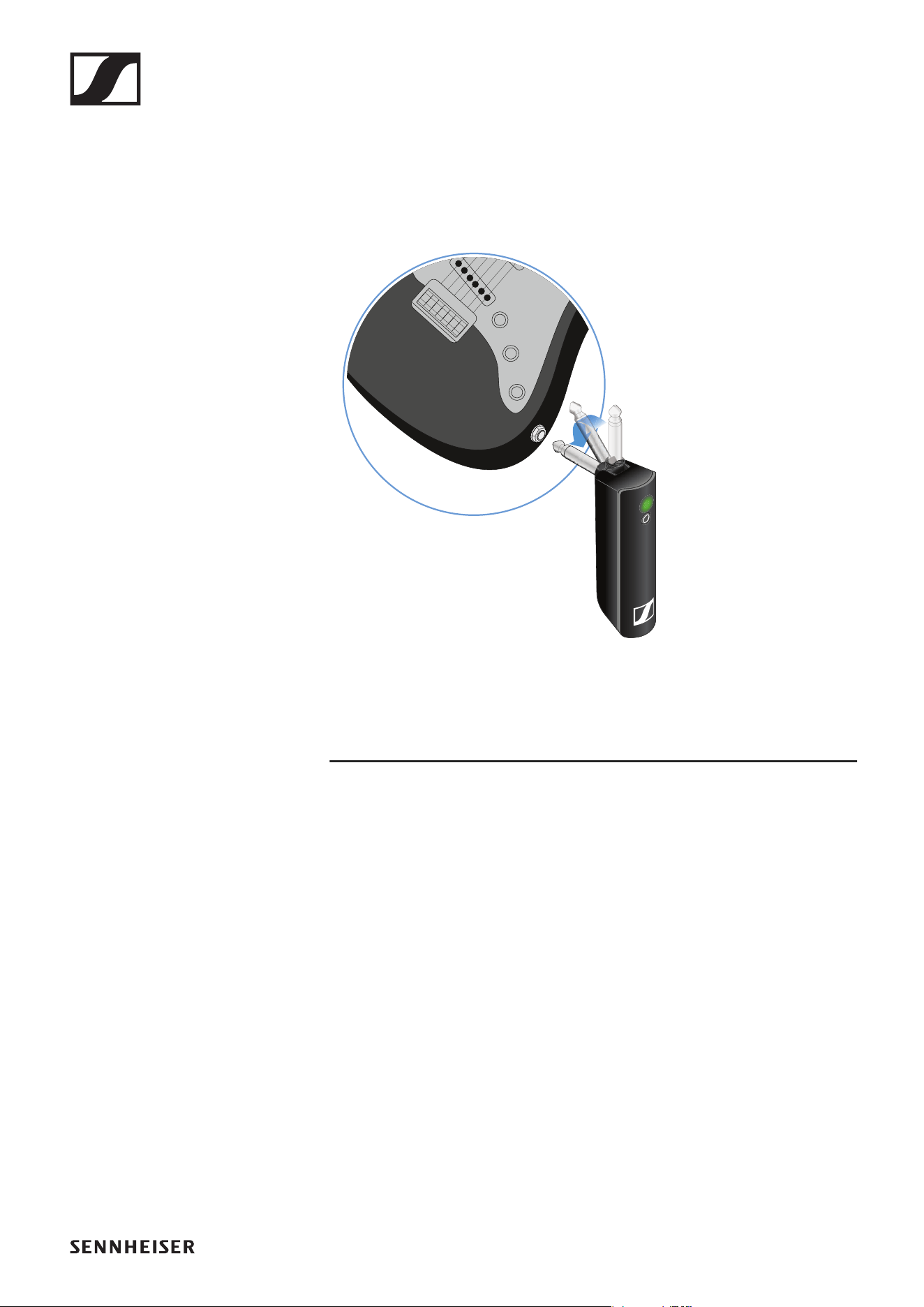
Connecting the transmitter to an instrument
You can connect the transmitter either directly to your instrument or using
the extension cable and the belt clip.
►
Direct connection
▷ Plug the transmitter into the jack socket on your instrument.
▷ Align the transmitter so that you can easily see the status LED.
Connection with extension cable
▷ Plug the extension cable into the jack socket on your instrument.
▷ Plug the transmitter into the jack socket on the extension cable.
▷ Insert the transmitter into the belt clip.
▷ Fasten the belt clip to the guitar strap or your clothes, for example on
your belt or waistband.

Operation
39
Attaching the receiver to the Pedalboard
If necessary, you can attach the receiver to your Pedalboard.
▷ Use the provided fastening options on the Pedalboard, for example the
adhesive hook-and-loop fastener strips.
▷ Alternatively, you can attach the receiver with screws using the thread-
ed holes on the bottom of the receiver (M5 × 10). A drill template is in-
cluded.
If using multiple effects devices on your Pedalboard, the receiver
must always be the first device in the series, since it is a wireless re-
ceiver and therefore does not have an input socket for connecting it
with a cable.
Connecting the receiver to an amplifier
You can connect the receiver to an amplifier using a cable with jack plugs
(6.3 mm) or connect it to the next device on the Pedalboard.
▷ Connect the receiver’s output to the input socket on your amplifier or
on the next device on the Pedalboard.
If using multiple effects devices on your Pedalboard, the receiver
must always be the first device in the series, since it is a wireless re-
ceiver and therefore does not have an input socket for connecting it
with a cable.
Connecting the receiver to a mixing console
You can connect the receiver to a mixing console using an XLR cable.
▷ Connect the receiver’s XLR output to the XLR input of a channel on your
mixing console.
Operation
40
Switching on the transmitter and receiver
Switching on the receiver:
►
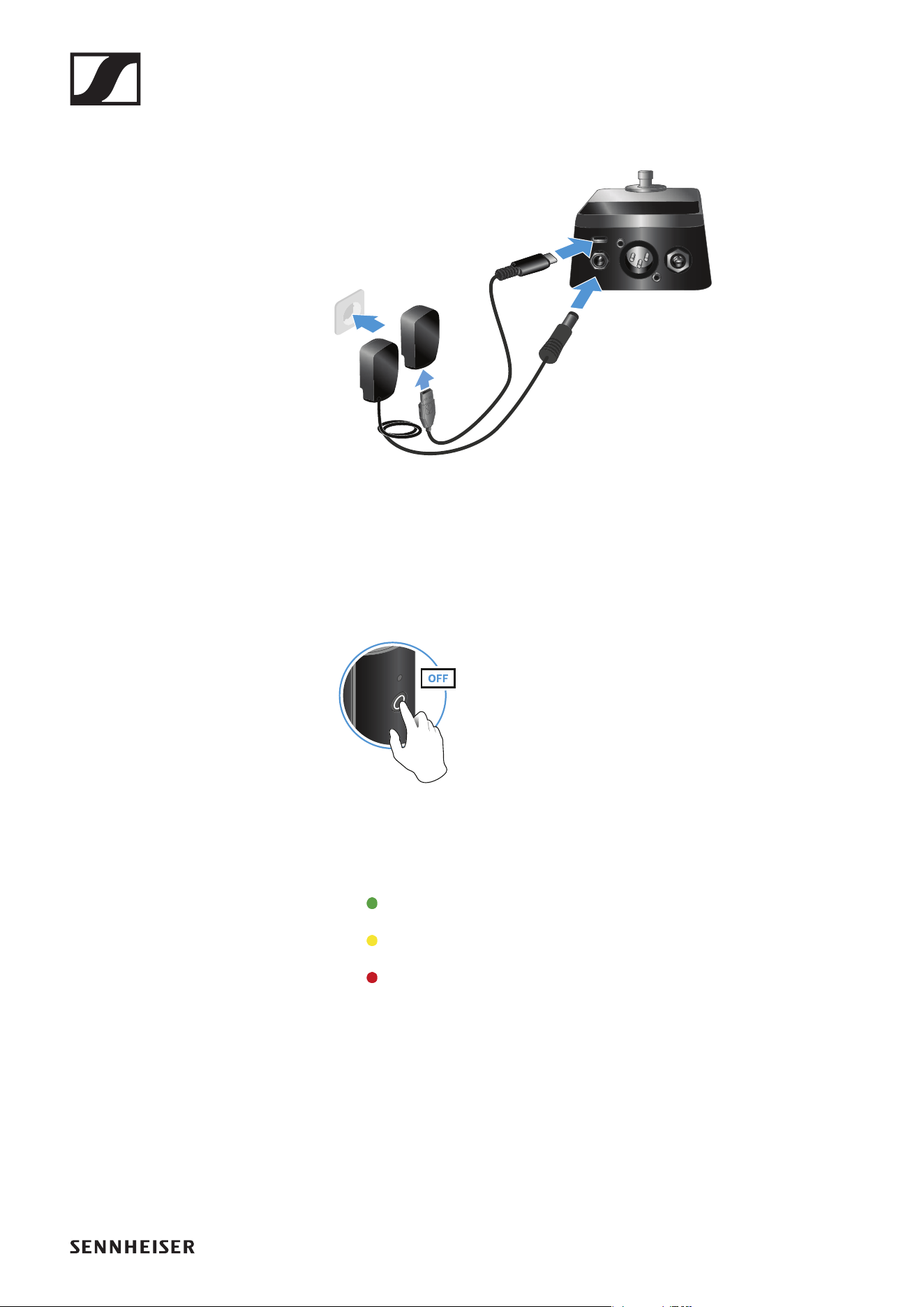
▷ Connect the receiver to the power supply system. You can use the in-
cluded power supply unit or power the receiver via the USB port. Bat-
tery operation is not possible.
The status LED starts flashing green. The flashing indicates that a wire-
less connection is being established.
Switching on the transmitter:
►
▷ Briefly press the button on the transmitter.
The status LED indicates the charge level for four seconds.
▷ During these four seconds, check that the transmitter is sufficiently
charged.
> 75 %
5 % – 75 %
< 5 %
If the status LED remains red, you should charge the rechargeable bat-
tery first. If the status LED flashes red, the charge level is too low. You
must charge the rechargeable battery first (see „Charging the re-
chargeable battery“).
After four seconds, the status LED starts flashing green. The flashing
indicates that a wireless connection is being established.
The status LEDs remain green once the transmitter and receiver are
connected. If the status LEDs do not remain green, either the charge
level is below 15 % (see „Checking the charge level during use“) or the
transmitter and receiver are not paired (see „Pairing“).
Operation
41
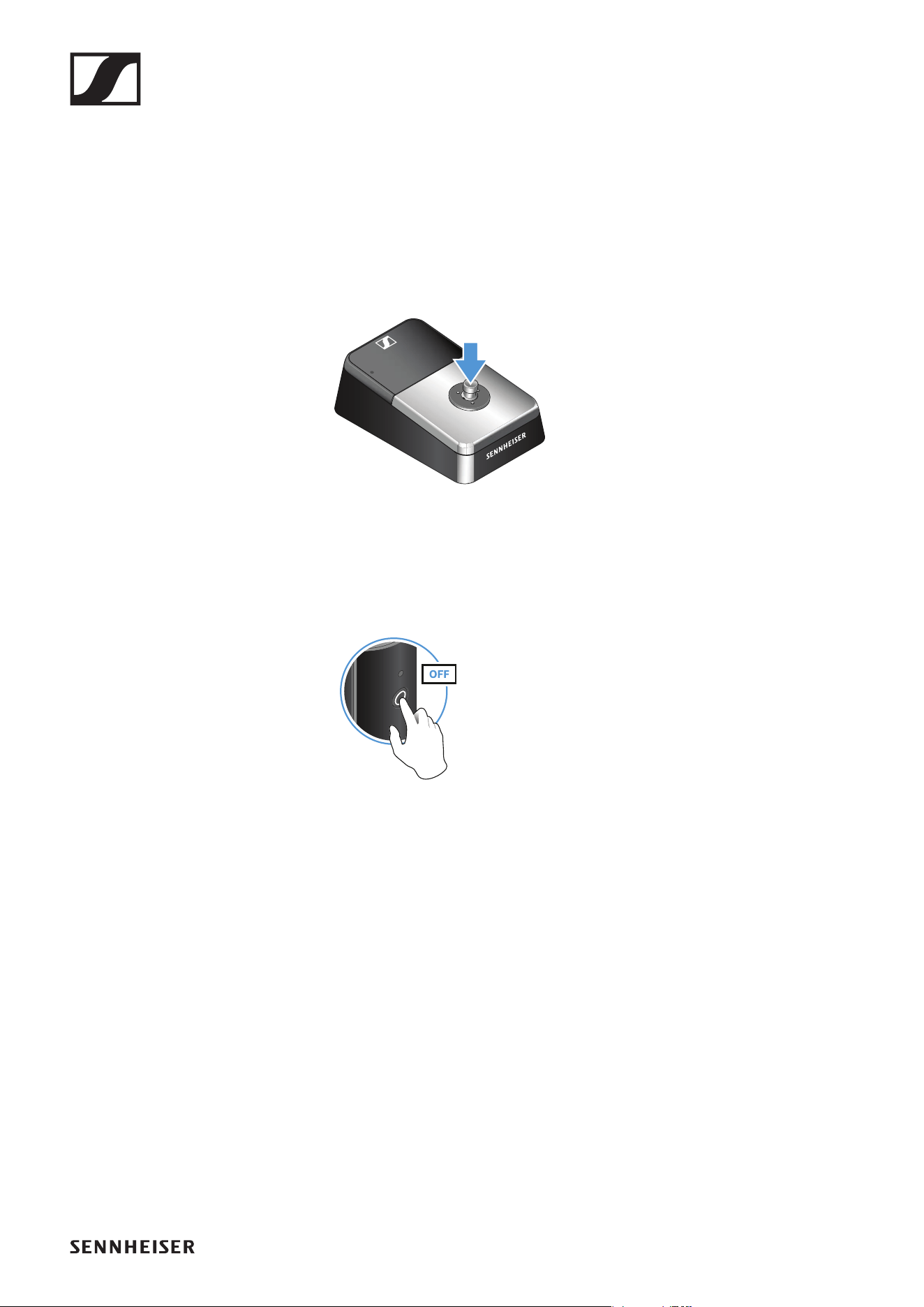
Switching off the transmitter and receiver
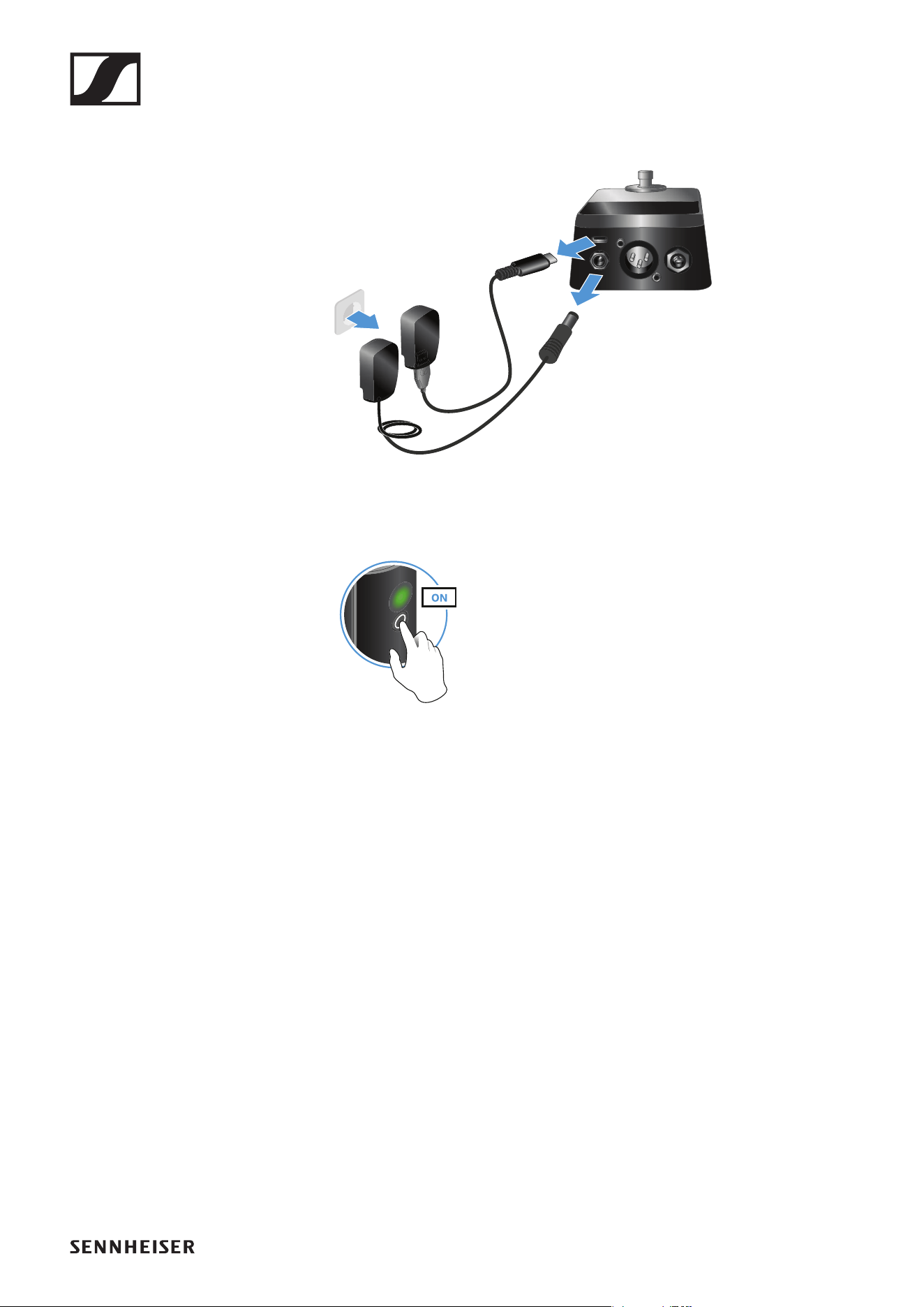
Switching off the receiver:
►
▷ Disconnect the receiver from the power supply system.
Switching off the transmitter:
►
▷ Press the button on the transmitter until the status LED switches off.
Operation
42
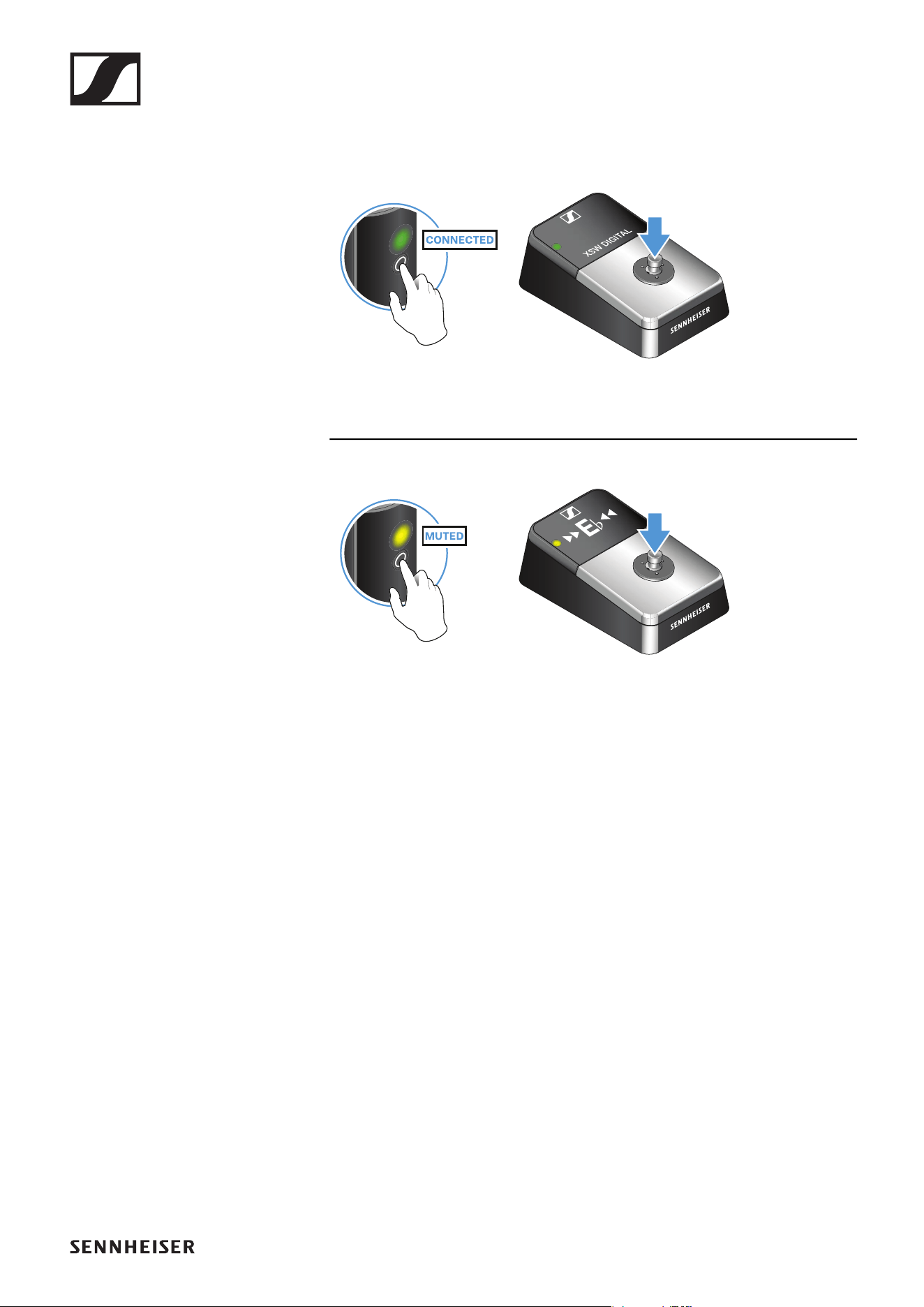
Muting the audio signal and activating the tuning device
When using a set, you can mute the audio signal. The tuning device is ac-
tivated while the audio signal is muted.
►
▷ To mute the audio signal: Briefly press the button on the transmitter or
the pedal switch on the receiver.
►
▷ To unmute the audio signal: Briefly press the button on the transmitter
or the pedal switch on the receiver.
Operation
43
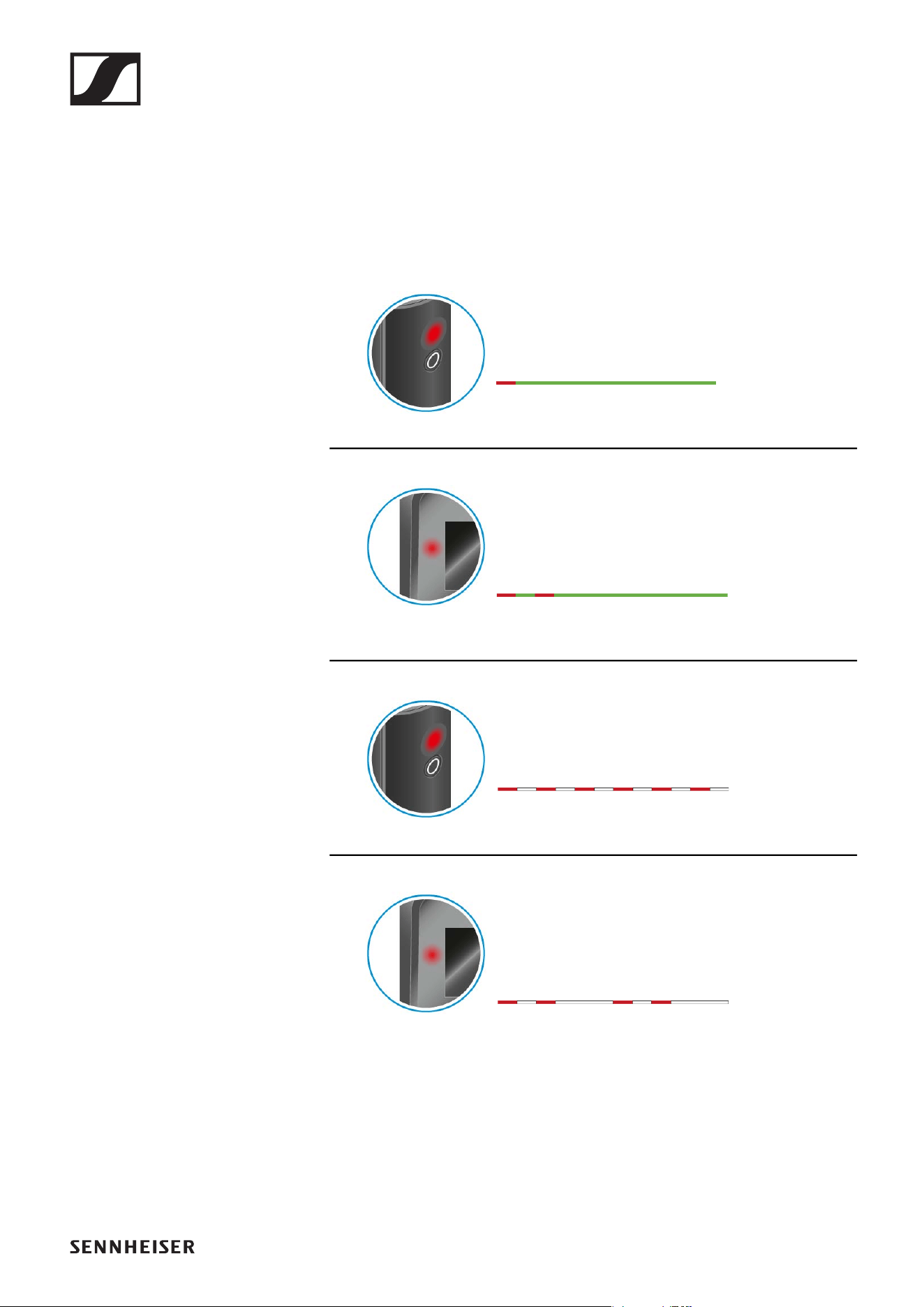
Checking the charge level during use
The status LED remains green during use as long as the transmitter’s re-
chargeable battery has sufficient charge. The status LED begins flashing
red and green in alternation when the charge level falls below 15 %. Once
the charge level falls below 5 %, the status LED flashes only red.
The status LED on the receiver indicates the charge level of the connected
transmitter. This allows you to check the charge level at any time.
The charge level is below 15 %.
The charge level of the connected transmitter is
below 15 %.
The charge level is below 5 %.
The charge level of the connected transmitter is
below 5 %.
Operation
44
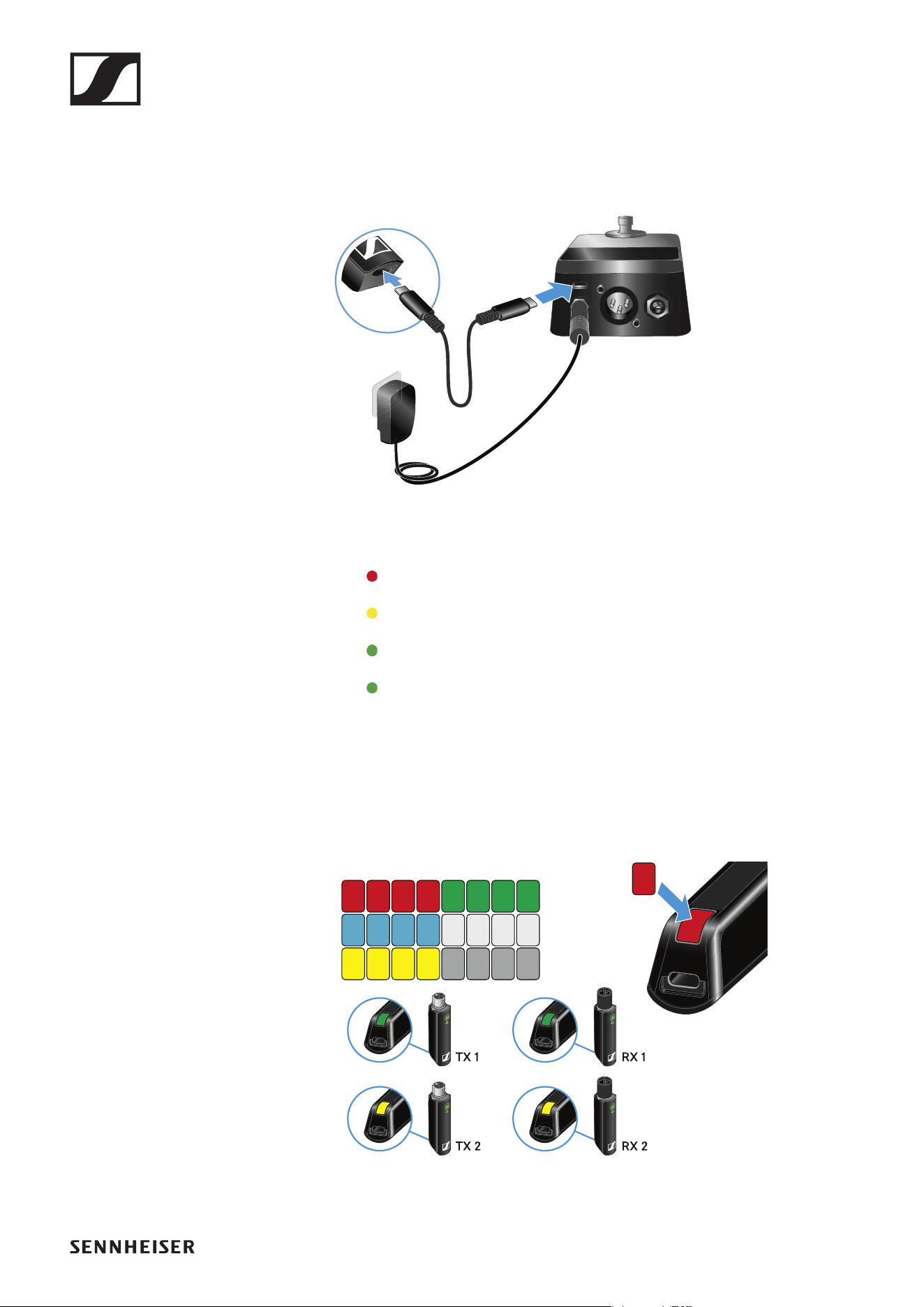
Charging the rechargeable battery
To minimize charging time and allow you to monitor the charge level, you
should switch off the transmitter before charging the battery.
However, the transmitter can also be charged while in operation.
►
▷ Use the charging cable to connect the USB port on the transmitter to
the USB port on the receiver.
The status LED indicates the charge level.
< 5 %
5 % – 75 %
> 75 %
100 %
Using stickers to label transmission paths
You can use the colored stickers to show which transmitter belongs to
which receiver.
►
Operation
45
Pairing
The transmitter and the receiver of a set are pre-paired at the factory and
therefore ready for immediate use. The wireless connection is established
once the transmitter and receiver are switched on and within range of each
other.
You can pair up to four transmitters with the receiver. However, you can
only use one transmitter with the receiver at a time. The other paired trans-
mitters must be switched off during this time.
▷ Make sure that both the transmitter and receiver are switched off.
►
▷ Press and hold the pedal switch on the receiver.
▷ Connect the receiver to the power supply system while continuing to
hold the pedal switch until a “P” appears on the display.
The LED will also begin to flash red and green in alternation.
►
▷ Press the button on the transmitter until the status LED starts flashing
green and red in alternation.
The status LEDs will remain green once the transmitter and receiver
are paired and connected. If the status LEDs do not remain green, the
charge level is below 15 % (see „Checking the charge level during use“).
Out-of-range monitoring
The status LEDs begin flashing red when the transmitter and receiver are
almost out of range.
Correcting faults
If the status LED remains red, a fault has occurred.
▷ Unplug any connected USB cables from the UBS port.
▷ Switch the transmitter and receiver off and on again.
▷ Perform pairing, if necessary.
▷ If this does not correct the fault, please contact Sennheiser customer
service:
www.sennheiser.com/service-support
Package contents
46
PORTABLE INTERVIEW SET
Package contents
►
Additional information
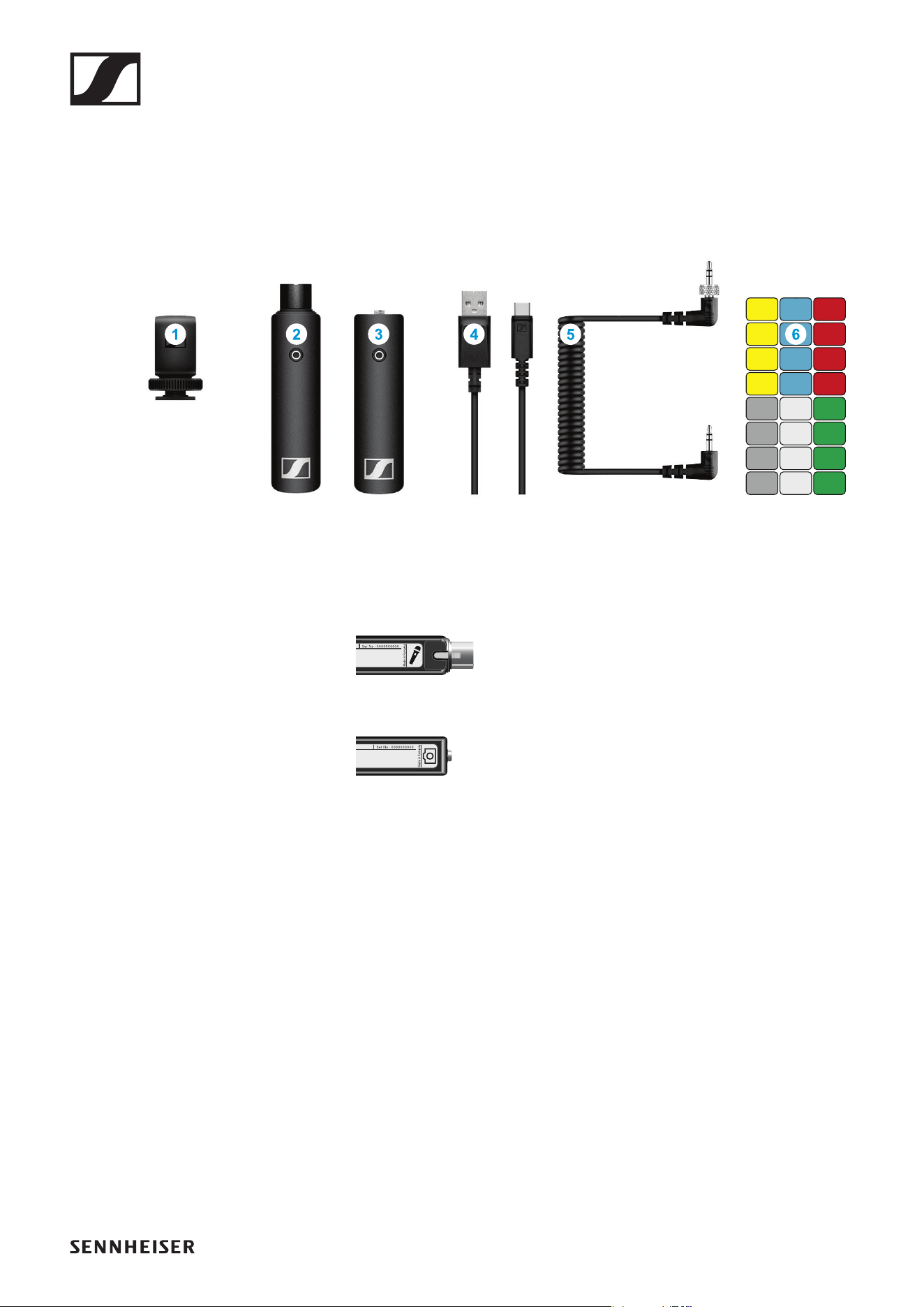
1 Hot shoe adapter for the receiver
2 XSW Digital TX XLR: transmitter (female XLR socket) for connecting to
a microphone with an XLR socket
►
3 XSW Digital RX 35: receiver (3.5 mm jack socket) for connecting to the
camera cable
►
4 Charging cable (USB-A to USB-C) for charging the transmitter and re-
ceiver
5 Camera cable (jack plug to jack plug, 3.5 mm) for connecting to the
camera
6 Stickers for labeling transmission paths
Operation
47
Operation
Connecting the transmitter to the microphone
►
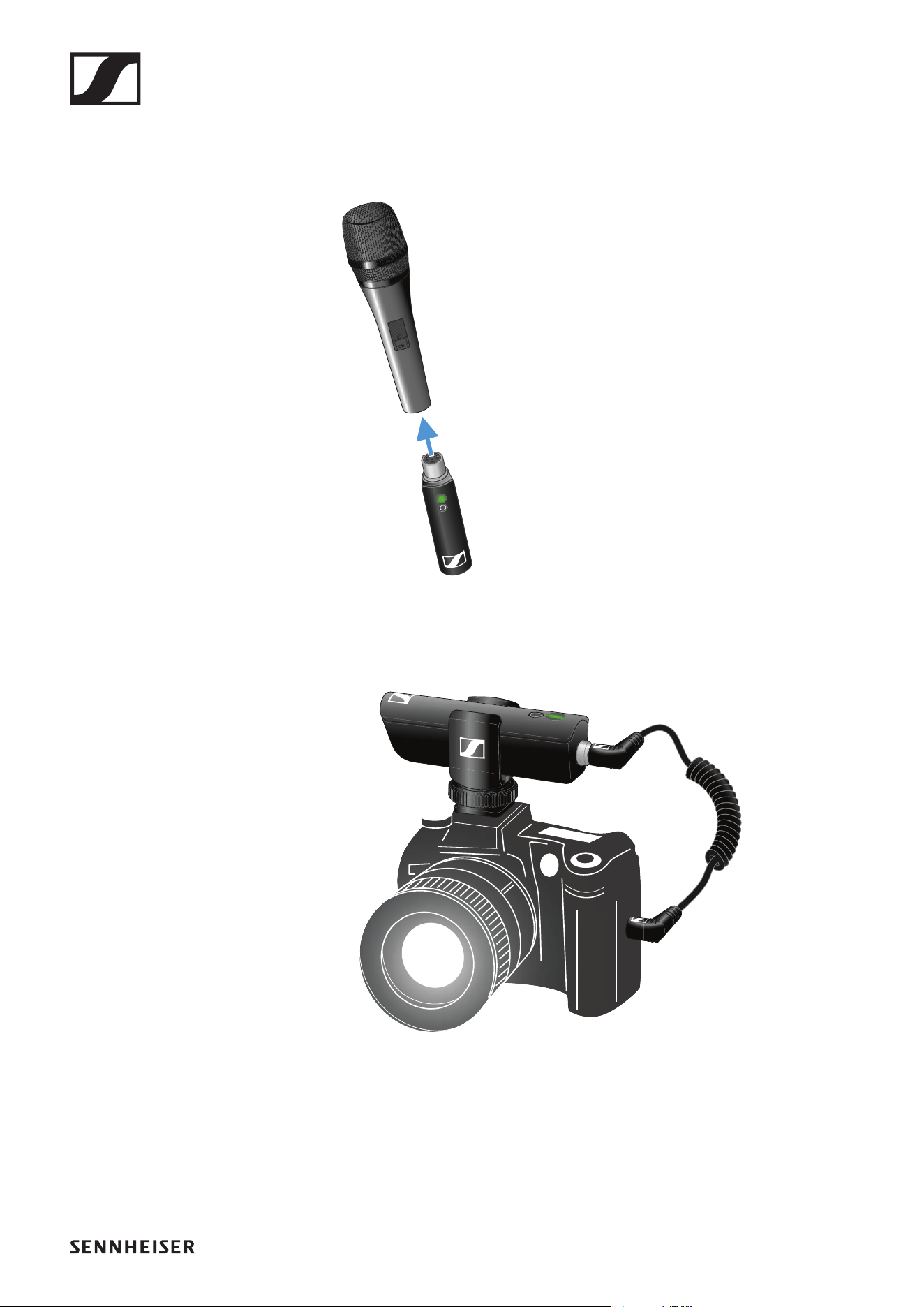
▷ Plug the transmitter into the XLR socket on your microphone.
Connecting the receiver to the camera
►
▷ Plug the camera cable’s screw-on jack plug into the jack socket on the
receiver.
▷ Lock the jack plug by screwing down the coupling ring.
If the jack plug is not firmly locked, crackling noise can appear in the
audio signal.
▷ Insert the receiver into the hot shoe adapter.
▷ Slide the hot shoe adapter onto your camera.
▷ Plug the camera cable’s simple jack plug into the jack socket on your
camera.
Operation
48
Holding the microphone
►
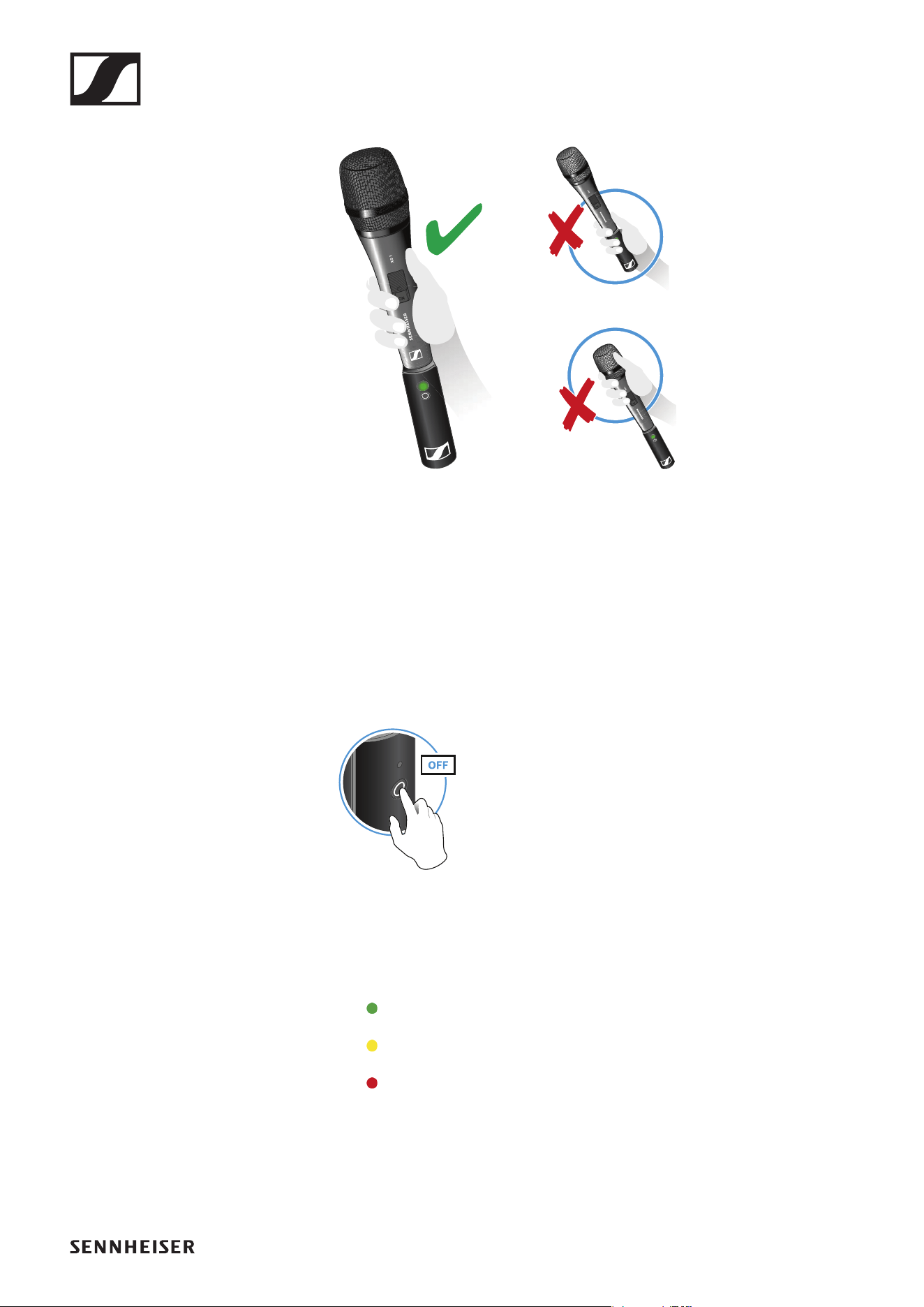
▷ Grip the microphone only by the handle.
▷ Hold the microphone 5 to 10 cm in front of your mouth.
▷ Do not grab the transmitter. The range may decrease if the transmitter
is covered.
▷ Do not touch the microphone basket. The sound may be distorted if the
microphone basket is covered.
Switching on the transmitter and receiver
►
▷ Briefly press the button on the transmitter and the button on the receiv-
er.
The status LEDs indicate the charge level for four seconds.
▷ During these four seconds, check that the transmitter and receiver are
sufficiently charged.
> 75%
5% – 75%
< 5%
If the status LED remains red, you should charge the rechargeable bat-
tery first. If the status LED flashes red, the charge level is too low. You
have to charge the rechargeable battery first (see „Charging the re-
chargeable battery“).
After four seconds, the status LED starts flashing green. The flashing
indicates that a wireless connection is being established.
Operation
49
The status LEDs remain green once the transmitter and receiver are
connected. If the status LEDs do not remain green, either the charge
level is below 15% (see „Checking the charge level during use“) or the
transmitter and receiver are not paired (see „Pairing“).
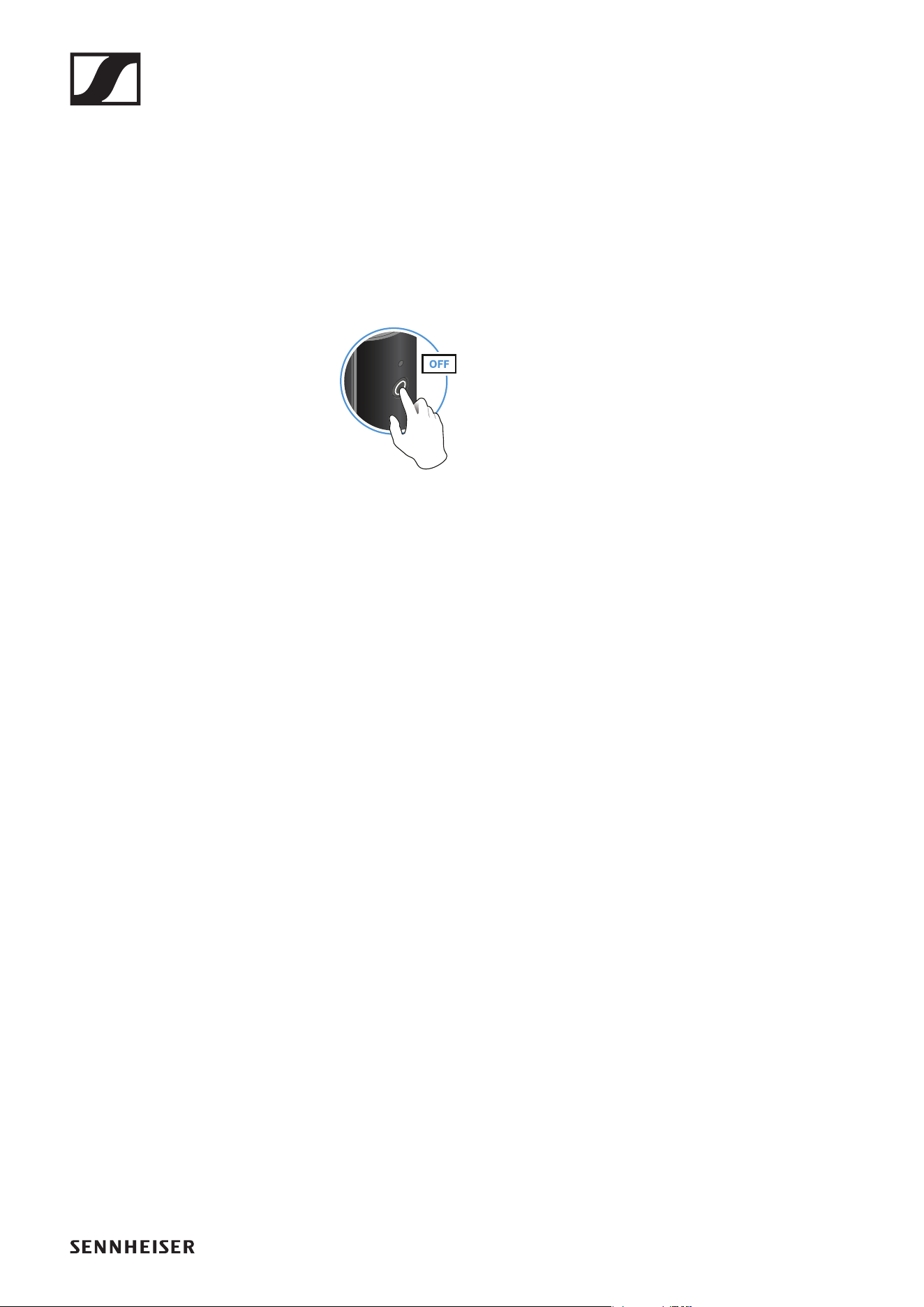
Switching off the transmitter and receiver
►
▷ Press the button on the transmitter and the button on the receiver until
the status LEDs switch off.
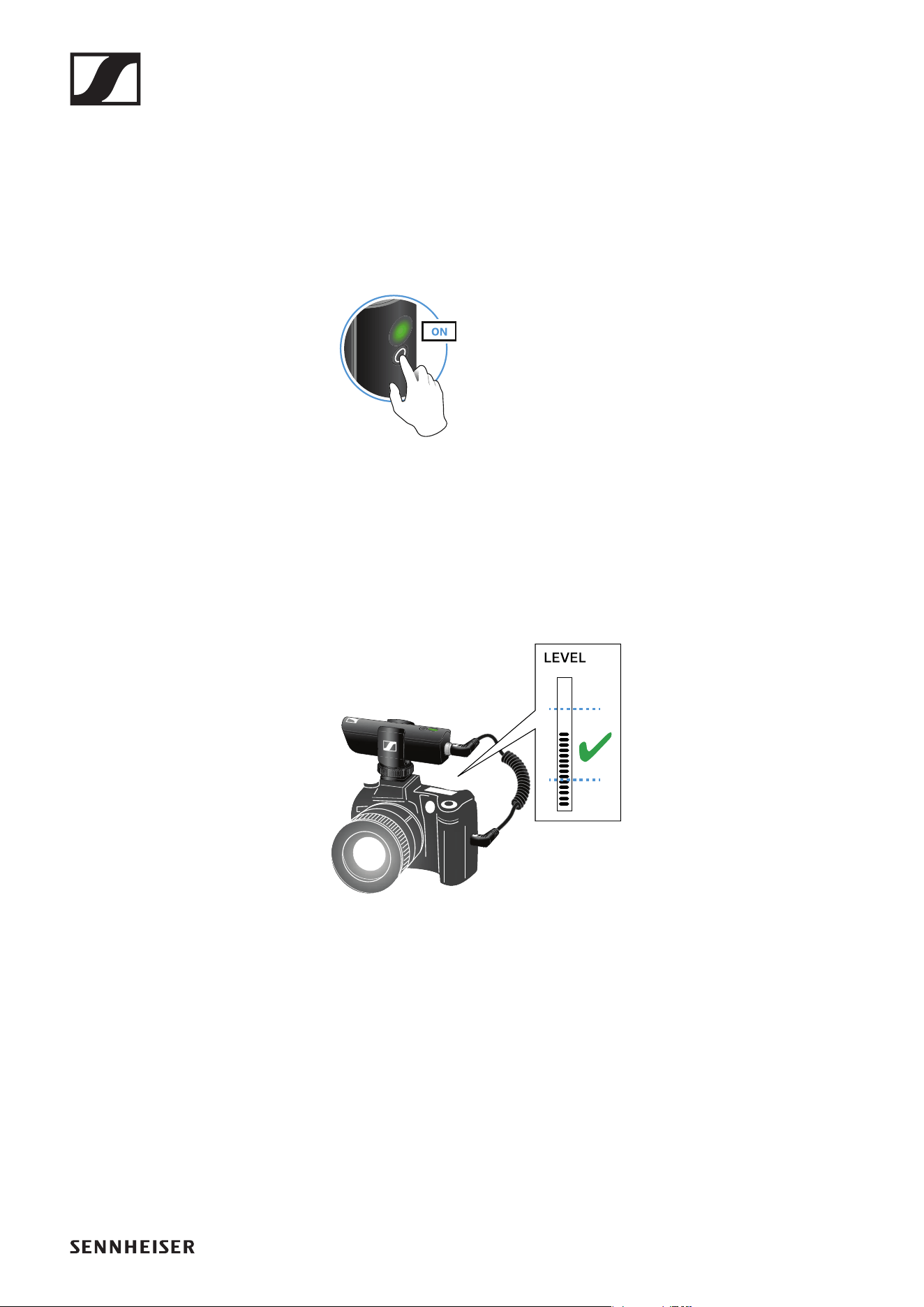
Adjusting the input level on the camera
Once you have connected the receiver to the camera and switched it on,
you have to adjust the input level on the camera.
►
▷ If the camera has automatic gain control (AGC), you should disable this
function.
▷ Set the input level in the camera’s menu so that the audio signal does
not overload the input.
▷ During recording, regularly check the input level on the camera to make
sure that the audio signal is not overloading.
Operation
50
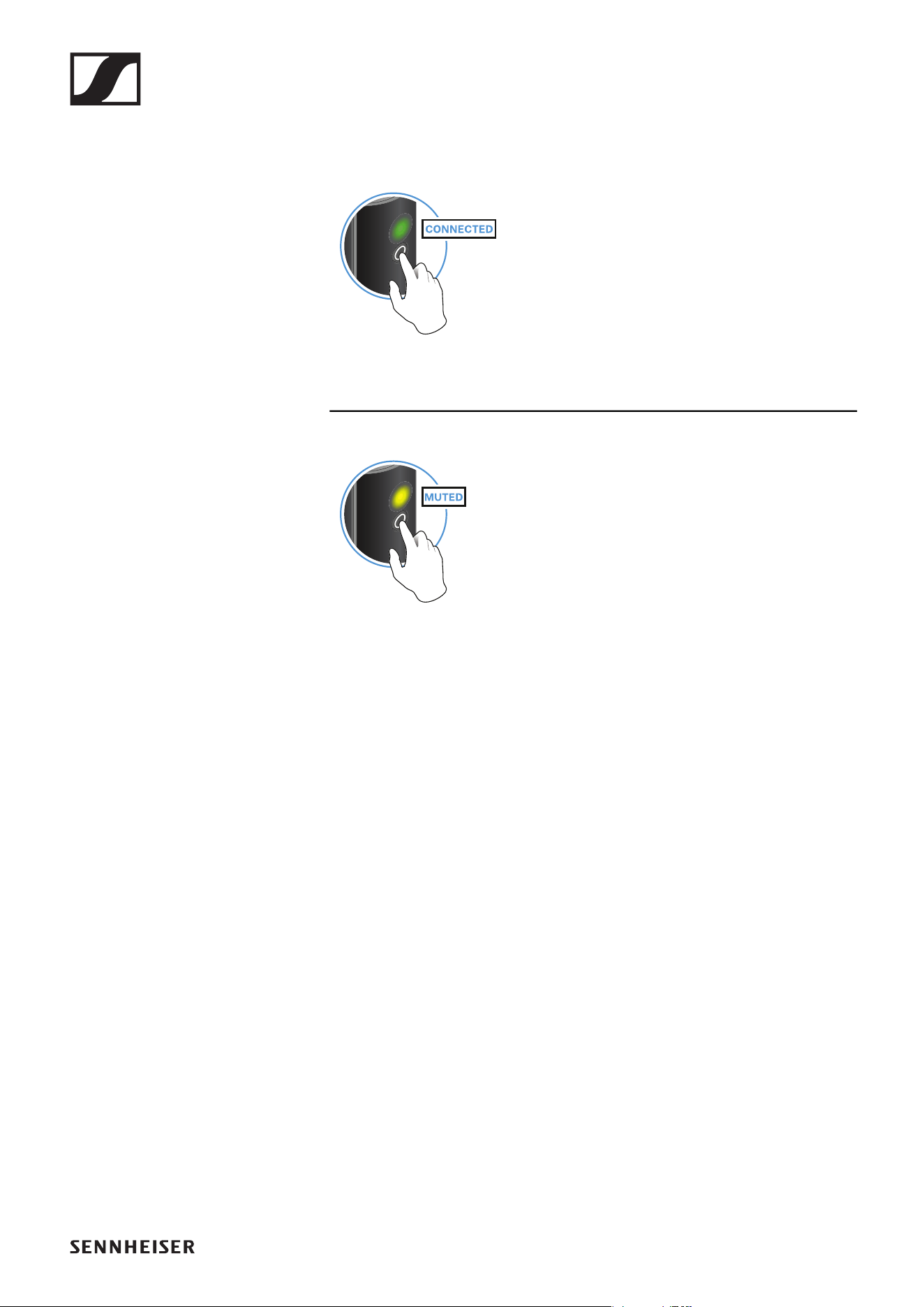
Muting the audio signal
When using a set, you can mute the audio signal. The audio signal can then
be unmuted.
►
▷ To mute the audio signal: Briefly press the button on the transmitter or
receiver.
►
▷ To unmute the audio signal: Briefly press the button on the transmitter
or receiver.
Operation
51
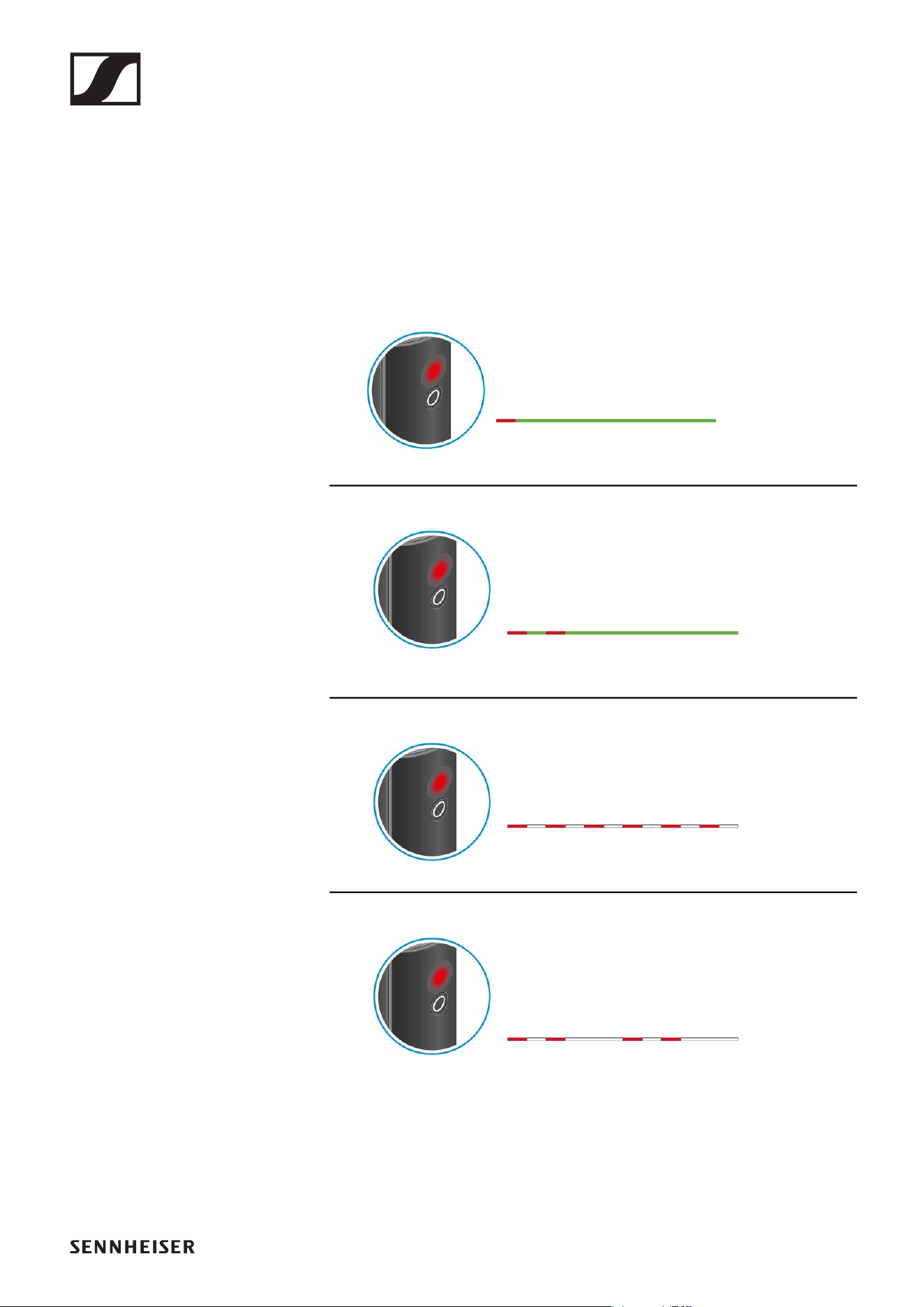
Checking the charge level during use
The status LED remains green during use as long as the rechargeable bat-
tery has sufficient charge. The status LED begins flashing red and green in
alternation when the charge level falls below 15%. Once the charge level
falls below 5%, the status LED flashes only red.
In addition to the local charge level, the status LED on a transmitter or re-
ceiver also provides information about the charge level of the connected
transmitter or receiver. This allows you to check the charge levels at any
time.
The charge level is below 15%.
The charge level of the connected transmitter/
receiver is below 15%.
The charge level is below 5%.
The charge level of the connected transmitter/
receiver is below 5%.
Operation
52
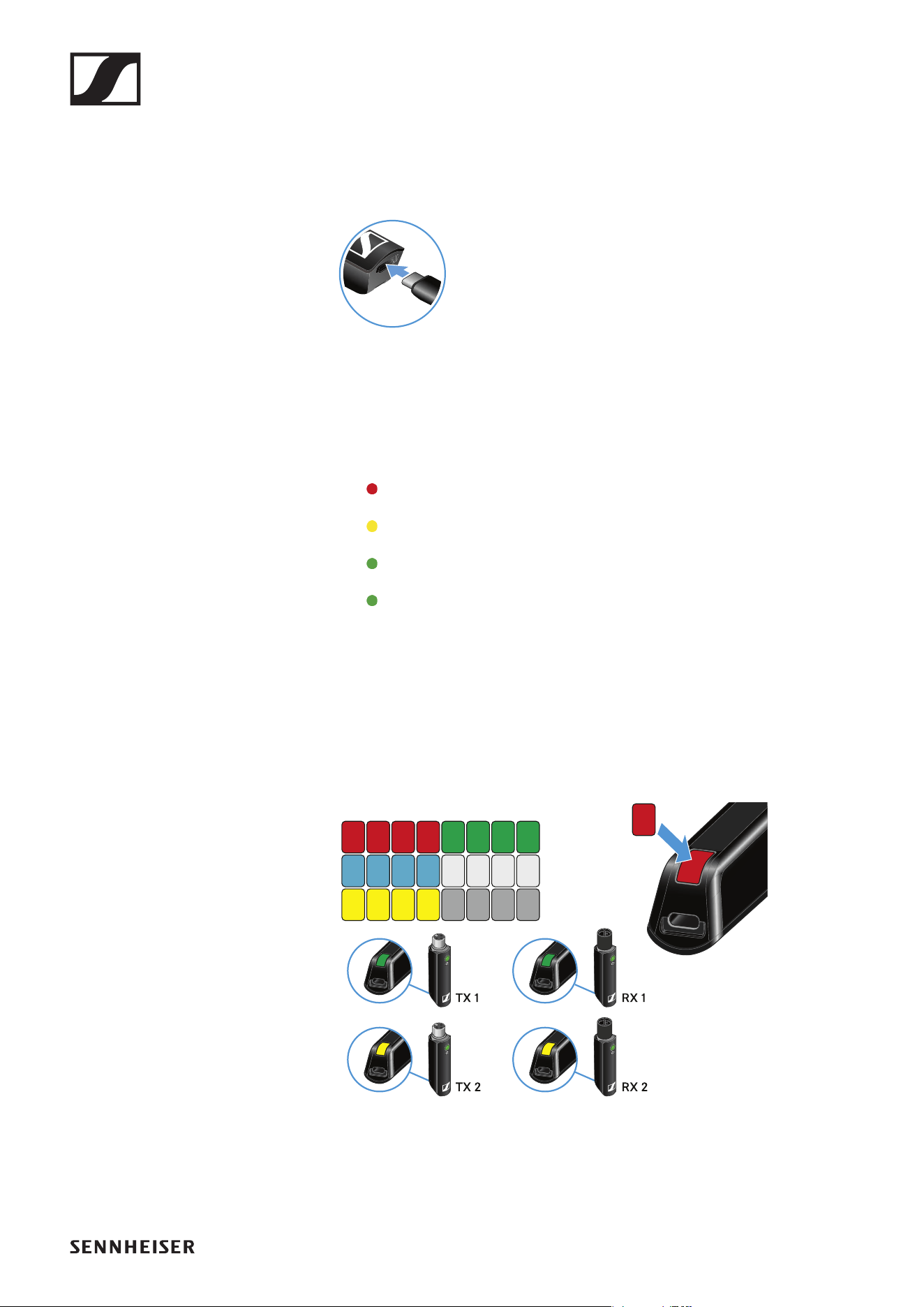
Charging the rechargeable battery
To minimize charging time and monitor the charging status the transmitter
or receiver should be switched off before you charge the battery.
However the transmitter or receiver can be charged while in operation.
►
▷ Plug the small end of the USB charging cable into the USB port on the
transmitter or receiver.
▷ Plug the large end of the USB charging cable into the USB port on a
conventional USB power supply unit.
▷ Plug the USB power supply unit into the wall socket.
The status LED indicates the charge level.
< 5%
5% – 75%
> 75%
100%
Using stickers to label transmission paths
You can use the colored stickers to show which transmitter belongs to
which receiver.
►
Operation
53
Pairing
The transmitter and the receiver of a set are pre-paired at the factory and
therefore ready for immediate use. The wireless connection is established
once the transmitter and receiver are switched on and within range of each
other.
You can pair up to four transmitters to the receiver.
Please note that you can only use one transmitter at a time. The other
paired transmitters must be switched off in the meantime.
▷ Make sure that both the transmitter and receiver are switched off.
►
▷ Press the button on the transmitter and the button on the receiver until
the status LEDs start flashing green and red in alternation.
The status LEDs will remain green once the transmitter and receiver
are paired and connected. If the status LEDs do not remain green, the
charge level is below 15% (see „Checking the charge level during use“).
Out-of-range monitoring
The status LEDs begin flashing red when the transmitter and receiver are
almost out of range.
Correcting faults
If the status LED remains red, a fault has occurred.
▷ Unplug any connected USB cables from the UBS port.
▷ Switch the transmitter and receiver off and on again.
▷ Perform pairing, if necessary.
▷ If this does not correct the fault, please contact Sennheiser customer
service:
www.sennheiser.com/service-support
Package contents
54
PORTABLE LAVALIER SET
Package contents
►
Additional information
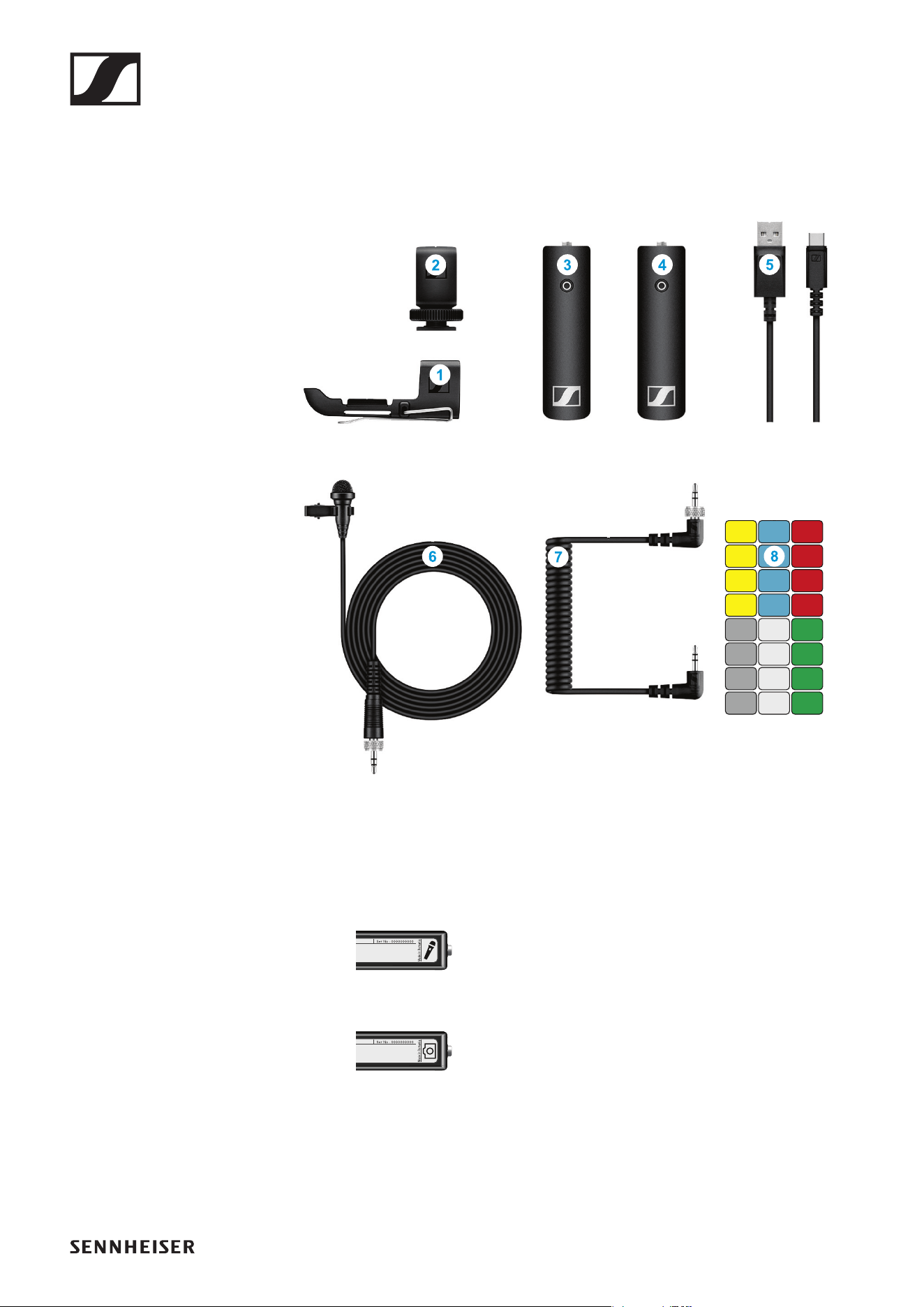
1 Belt clip for the transmitter
2 Hot shoe adapter for the receiver
3 XSW Digital TX 35: transmitter (3.5 mm jack socket) for connecting to
the clip-on microphone
►
4 XSW Digital RX 35: receiver (3.5 mm jack socket) for connecting to the
camera cable
►
5 Charging cable (USB-A to USB-C) for charging the transmitter and re-
ceiver
6 ME 2-2: clip-on microphone
7 Camera cable (jack plug to jack plug, 3.5 mm) for connecting to the
camera
8 Stickers for labeling transmission paths
Operation
55
Operation
Connecting the clip-on microphone to the transmitter
►
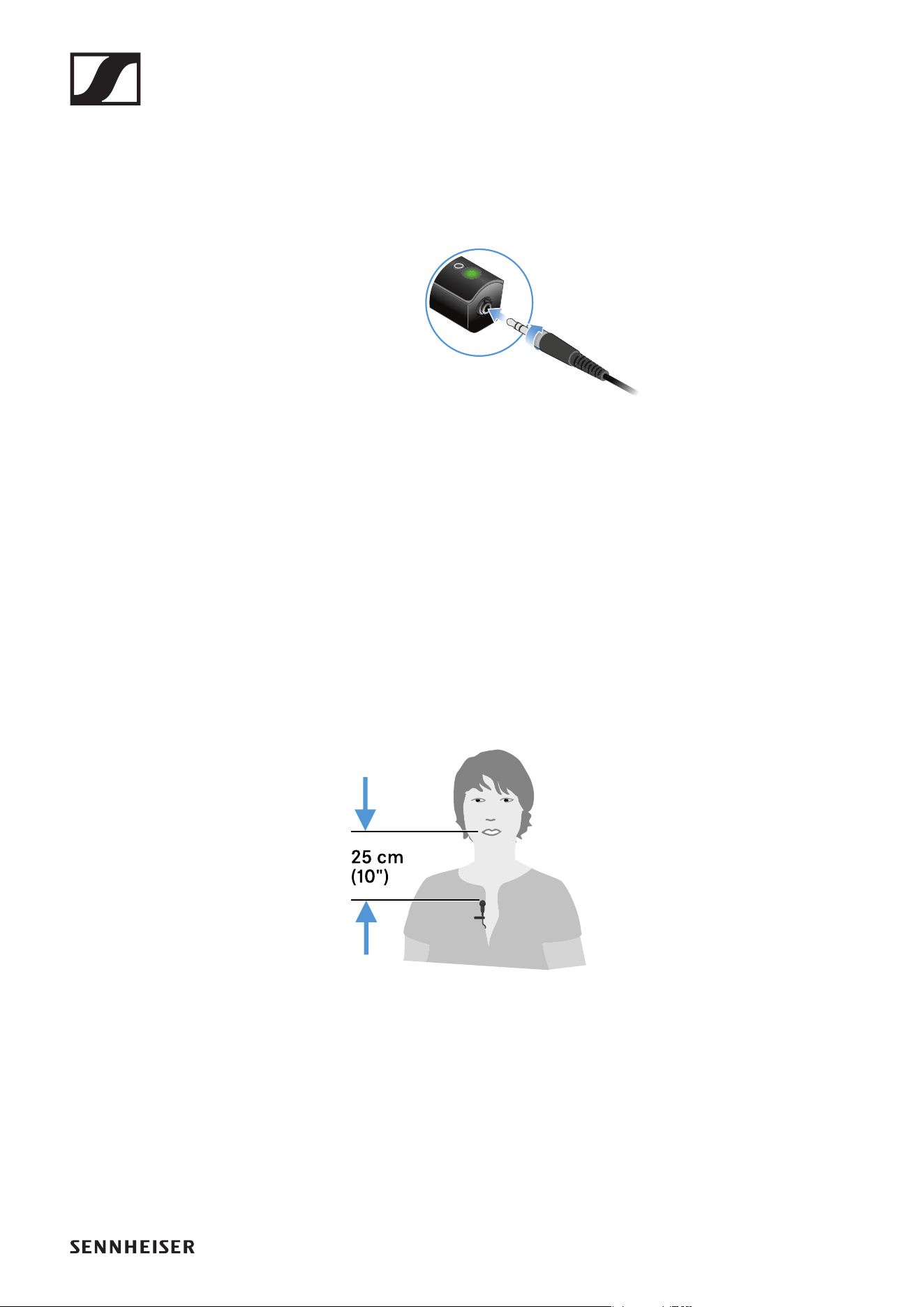
▷ Plug the clip-on microphone’s screw-on jack plug into the jack socket
on the transmitter.
▷ Lock the jack plug by screwing down the coupling ring.
If the jack plug is not firmly locked, crackling noise can appear in the
audio signal.
▷ Insert the transmitter into the belt clip.
▷ Fasten the belt clip to your clothes, for example on your belt or waist-
band.
Attaching the clip-on microphone
►
▷ Fasten the clip-on microphone to your clothes, for example on your col-
lar or lapel.
▷ The distance to your mouth should be about 25 cm. The distance af-
fects the sensitivity of the clip-on microphone. Reduce the distance if
you are speaking at a low volume, and increase it when speaking loudly.
Operation
56
Connecting the receiver to the camera
►
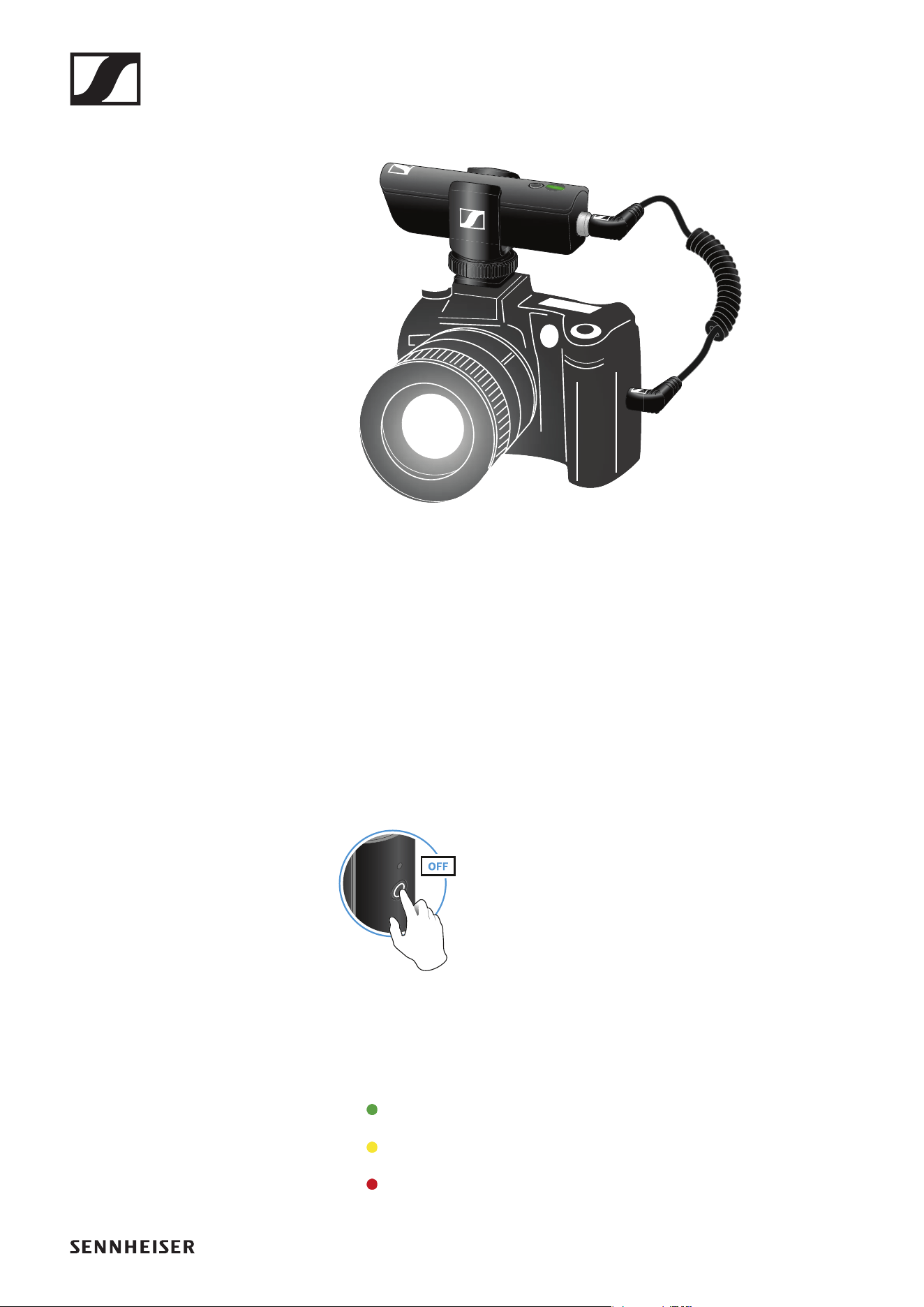
▷ Plug the camera cable’s screw-on jack plug into the jack socket on the
receiver.
▷ Lock the jack plug by screwing down the coupling ring.
If the jack plug is not firmly locked, crackling noise can appear in the
audio signal.
▷ Insert the receiver into the hot shoe adapter.
▷ Slide the hot shoe adapter onto your camera.
▷ Plug the camera cable’s simple jack plug into the jack socket on your
camera.
Switching on the transmitter and receiver
►
▷ Briefly press the button on the transmitter and the button on the receiv-
er.
The status LEDs indicate the charge level for four seconds.
▷ During these four seconds, check that the transmitter and receiver are
sufficiently charged.
> 75%
5% – 75%
< 5%
If the status LED remains red, you should charge the rechargeable bat-
Operation
57
tery first. If the status LED flashes red, the charge level is too low. You
have to charge the rechargeable battery first (see „Charging the re-
chargeable battery“).
After four seconds, the status LED starts flashing green. The flashing
indicates that a wireless connection is being established.
The status LEDs remain green once the transmitter and receiver are
connected. If the status LEDs do not remain green, either the charge
level is below 15% (see „Checking the charge level during use“) or the
transmitter and receiver are not paired (see „Pairing“).
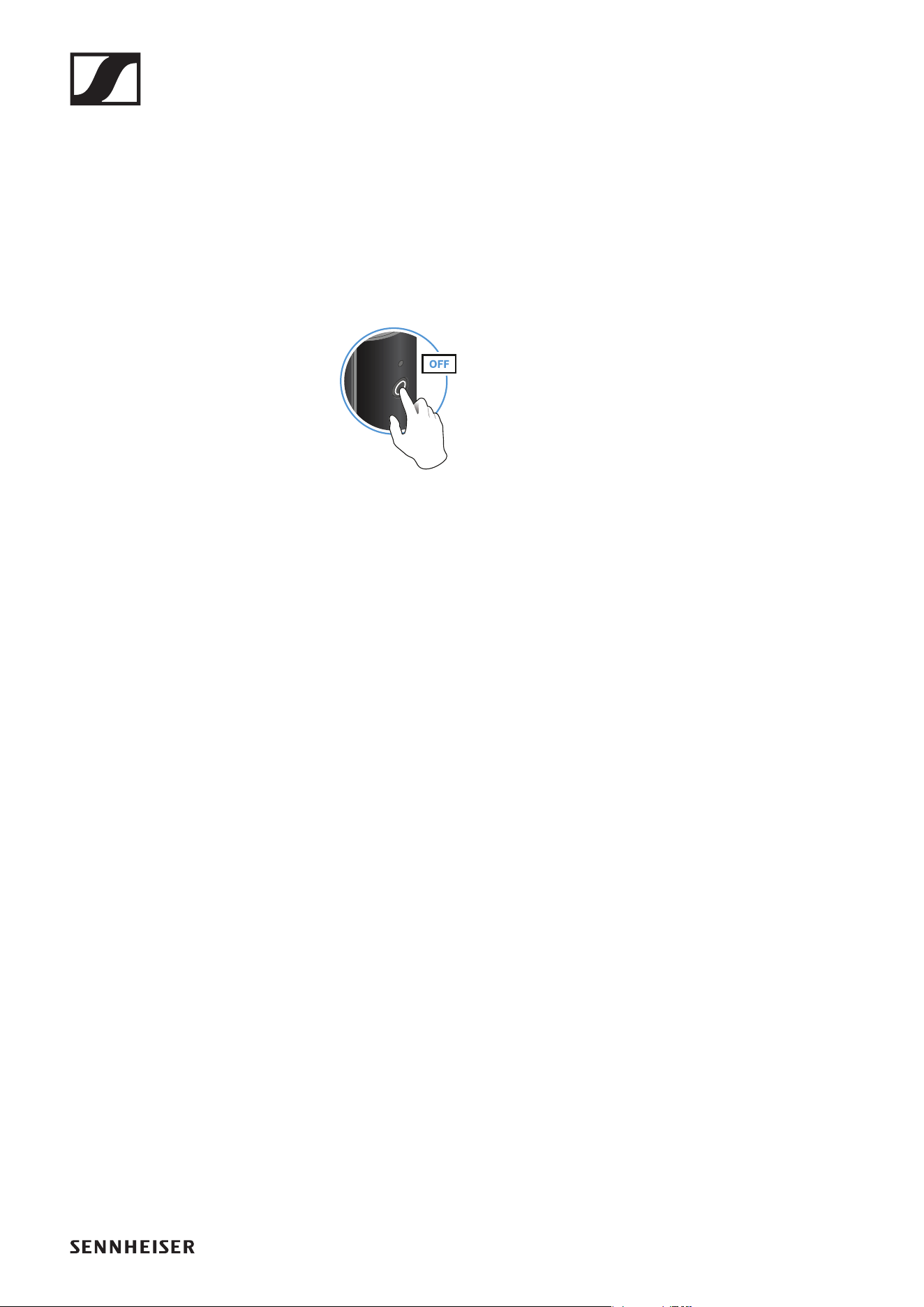
Switching off the transmitter and receiver
►
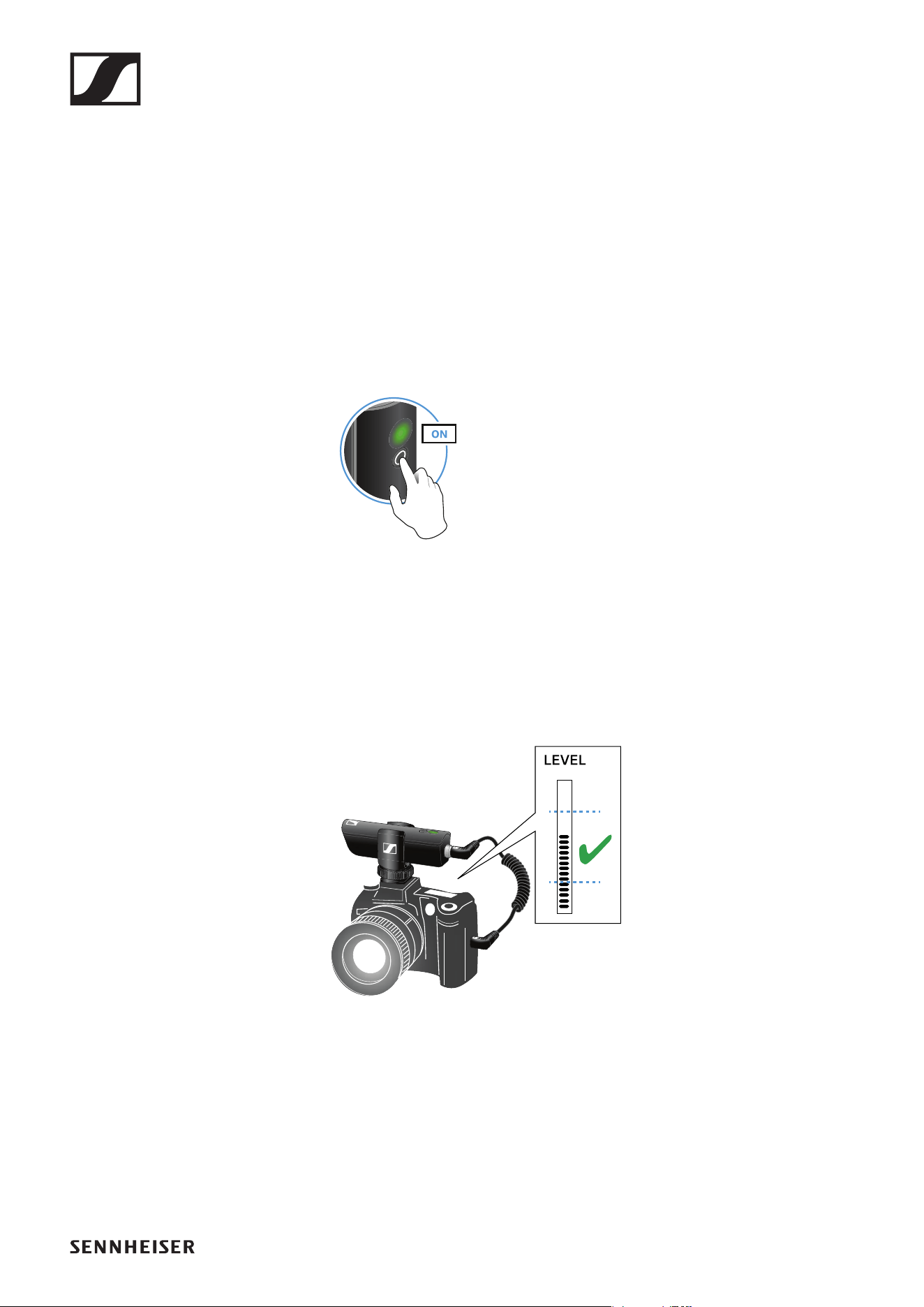
▷ Press the button on the transmitter and the button on the receiver until
the status LEDs switch off.
Adjusting the input level on the camera
Once you have connected the receiver to the camera and switched it on,
you have to adjust the input level on the camera.
►
▷ If the camera has automatic gain control (AGC), you should disable this
function.
▷ Set the input level in the camera’s menu so that the audio signal does
not overload the input.
▷ During recording, regularly check the input level on the camera to make
sure that the audio signal is not overloading.
Operation
58
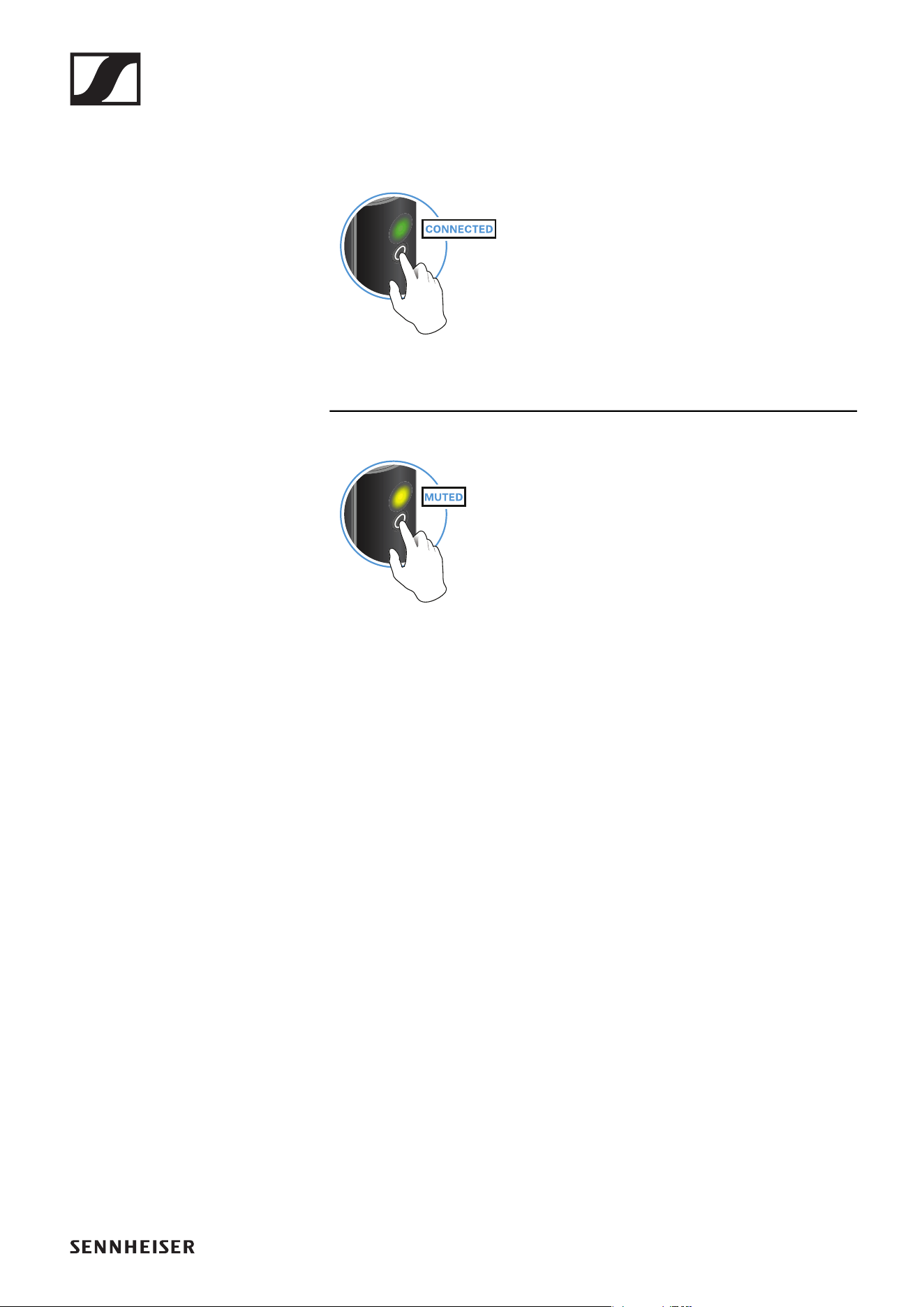
Muting the audio signal
When using a set, you can mute the audio signal. The audio signal can then
be unmuted.
►
▷ To mute the audio signal: Briefly press the button on the transmitter or
receiver.
►
▷ To unmute the audio signal: Briefly press the button on the transmitter
or receiver.
Operation
59
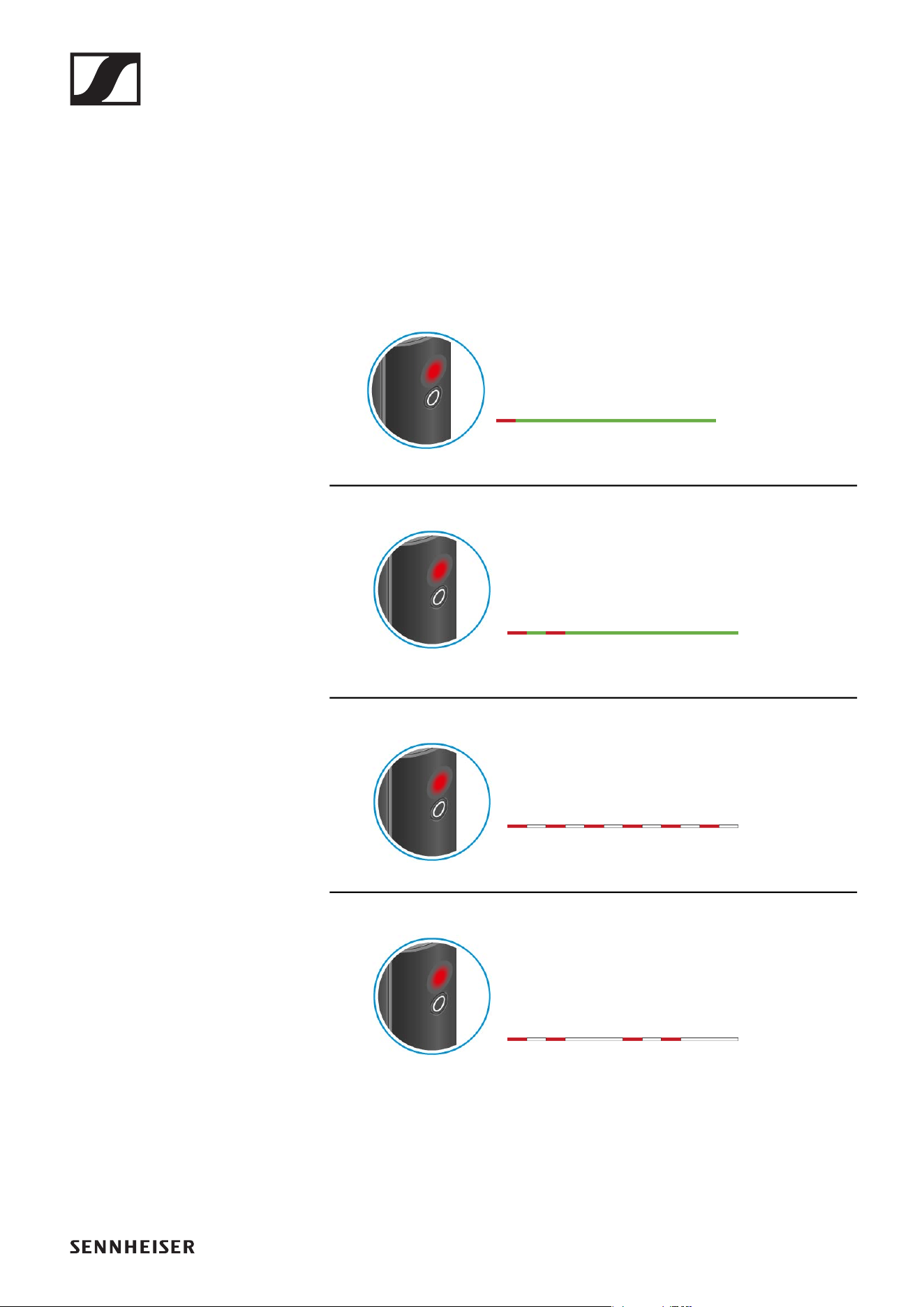
Checking the charge level during use
The status LED remains green during use as long as the rechargeable bat-
tery has sufficient charge. The status LED begins flashing red and green in
alternation when the charge level falls below 15%. Once the charge level
falls below 5%, the status LED flashes only red.
In addition to the local charge level, the status LED on a transmitter or re-
ceiver also provides information about the charge level of the connected
transmitter or receiver. This allows you to check the charge levels at any
time.
The charge level is below 15%.
The charge level of the connected transmitter/
receiver is below 15%.
The charge level is below 5%.
The charge level of the connected transmitter/
receiver is below 5%.
Operation
60
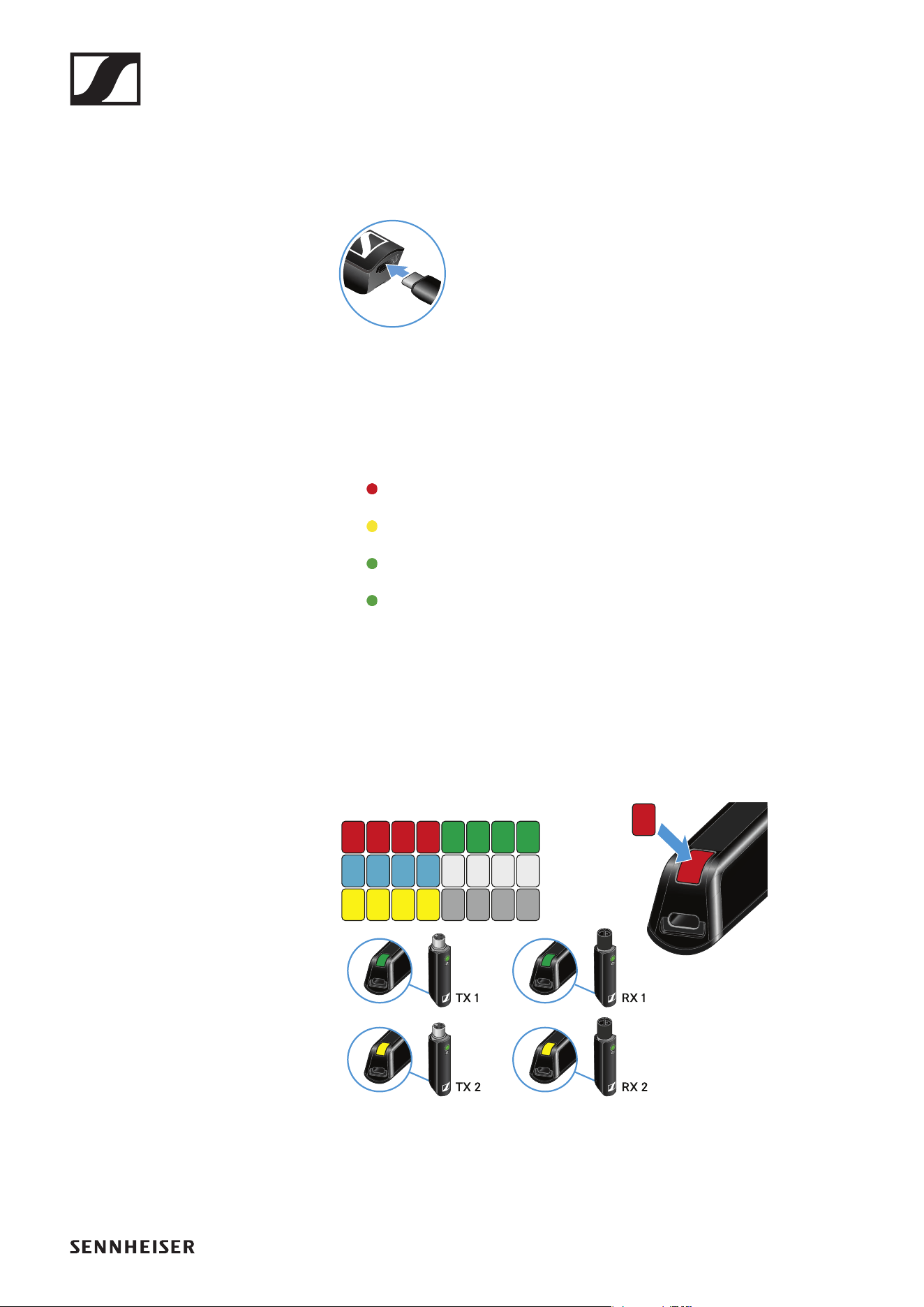
Charging the rechargeable battery
To minimize charging time and monitor the charging status the transmitter
or receiver should be switched off before you charge the battery.
However the transmitter or receiver can be charged while in operation.
►
▷ Plug the small end of the USB charging cable into the USB port on the
transmitter or receiver.
▷ Plug the large end of the USB charging cable into the USB port on a
conventional USB power supply unit.
▷ Plug the USB power supply unit into the wall socket.
The status LED indicates the charge level.
< 5%
5% – 75%
> 75%
100%
Using stickers to label transmission paths
You can use the colored stickers to show which transmitter belongs to
which receiver.
►
Operation
61
Pairing
The transmitter and the receiver of a set are pre-paired at the factory and
therefore ready for immediate use. The wireless connection is established
once the transmitter and receiver are switched on and within range of each
other.
You can pair up to four transmitters to the receiver.
Please note that you can only use one transmitter at a time. The other
paired transmitters must be switched off in the meantime.
▷ Make sure that both the transmitter and receiver are switched off.
►
▷ Press the button on the transmitter and the button on the receiver until
the status LEDs start flashing green and red in alternation.
The status LEDs will remain green once the transmitter and receiver
are paired and connected. If the status LEDs do not remain green, the
charge level is below 15% (see „Checking the charge level during use“).
Out-of-range monitoring
The status LEDs begin flashing red when the transmitter and receiver are
almost out of range.
Correcting faults
If the status LED remains red, a fault has occurred.
▷ Unplug any connected USB cables from the UBS port.
▷ Switch the transmitter and receiver off and on again.
▷ Perform pairing, if necessary.
▷ If this does not correct the fault, please contact Sennheiser customer
service:
www.sennheiser.com/service-support
Package contents
62
PORTABLE ENG SET
Package contents
►
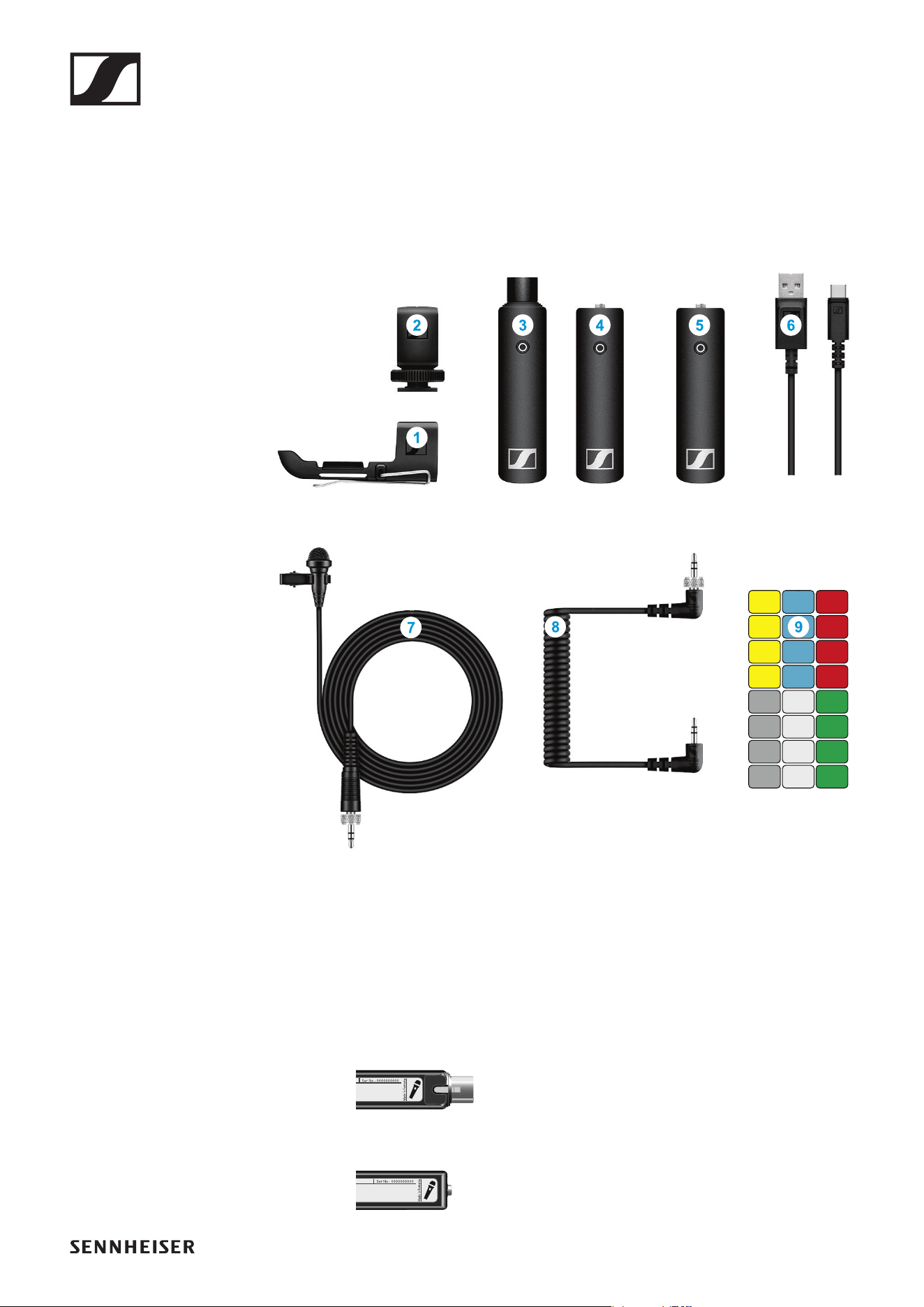
Additional information
1 Belt clip for the transmitter
2 Hot shoe adapter for the receiver
3 XSW Digital TX XLR: transmitter (female XLR socket) for connecting to
a microphone
►
4 XSW Digital TX 35: transmitter (3.5 mm jack socket) for connecting to
the clip-on microphone
►
Operation
63
5 XSW Digital RX 35: receiver (3.5 mm jack socket) for connecting to the
camera cable
►
6 Charging cable (USB-A to USB-C) for charging the transmitter and re-
ceiver
7 ME 2-2: clip-on microphone
8 Camera cable (jack plug to jack plug, 3.5 mm) for connecting to the
camera
9 Stickers for labeling transmission paths
Operation
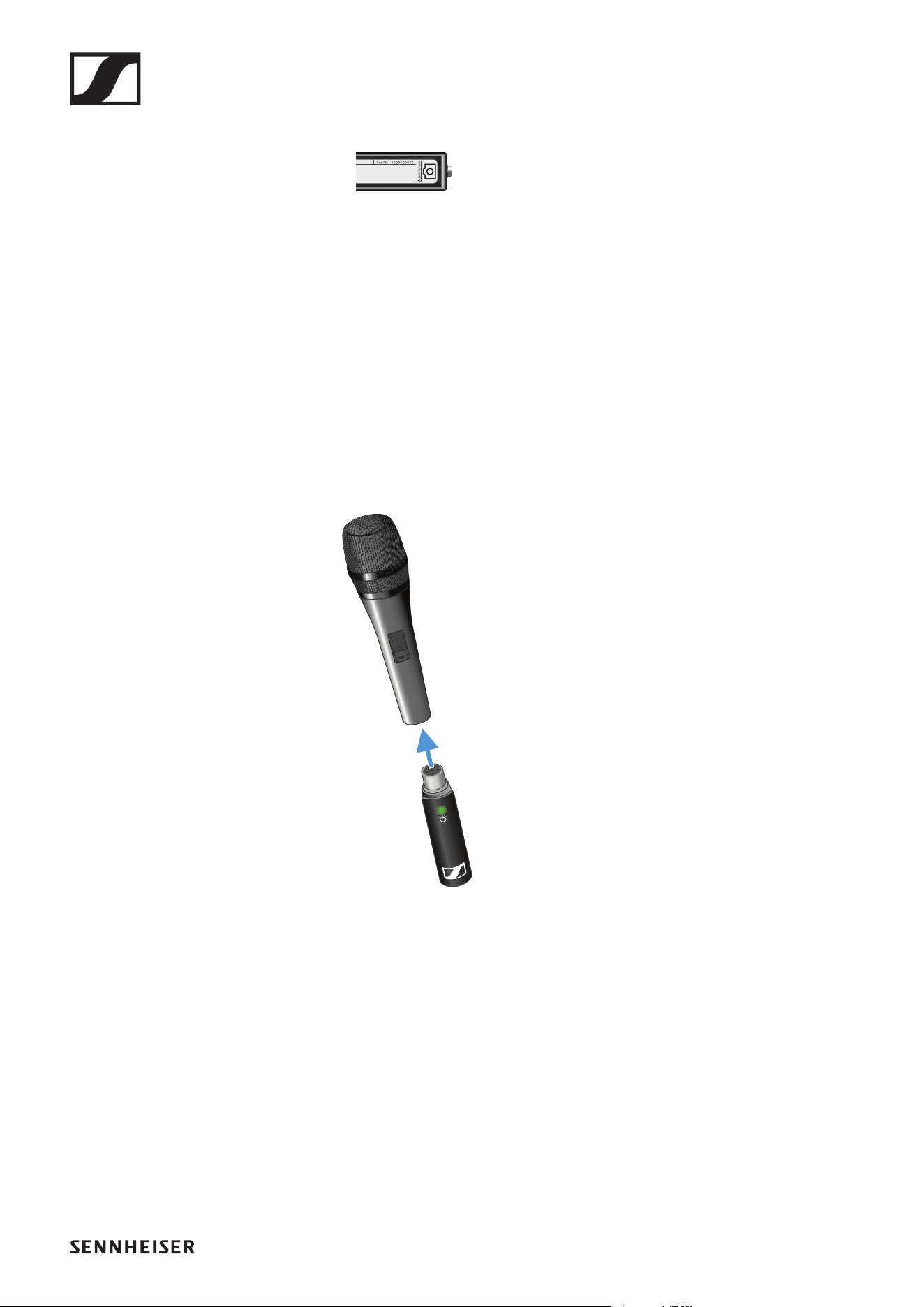
Connecting the transmitter to the microphone
►
▷ Plug the transmitter into the XLR socket on your microphone.
Operation
64
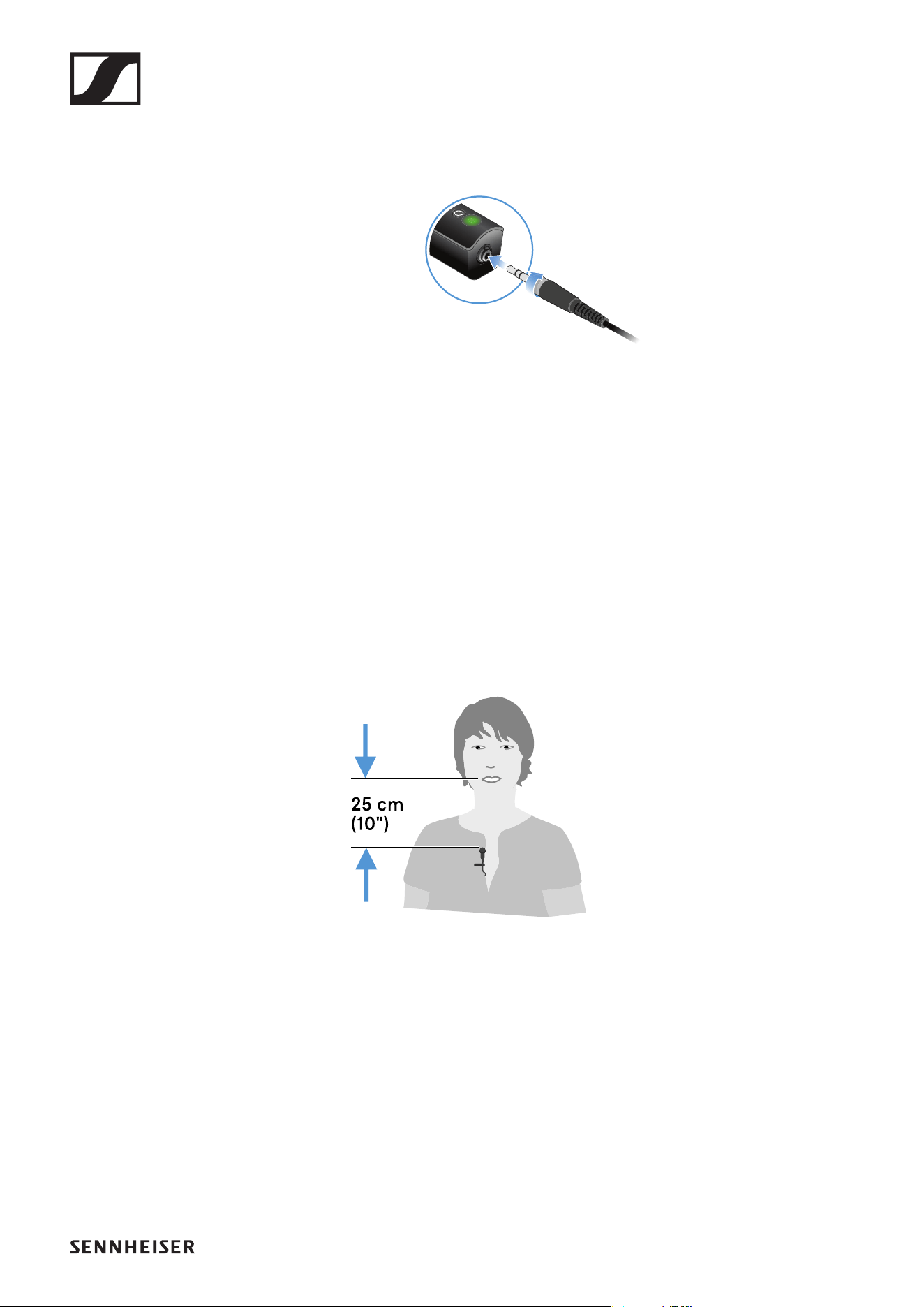
Connecting the clip-on microphone to the transmitter
►
▷ Plug the clip-on microphone’s screw-on jack plug into the jack socket
on the transmitter.
▷ Lock the jack plug by screwing down the coupling ring.
If the jack plug is not firmly locked, crackling noise can appear in the
audio signal.
▷ Insert the transmitter into the belt clip.
▷ Fasten the belt clip to your clothes, for example on your belt or waist-
band.
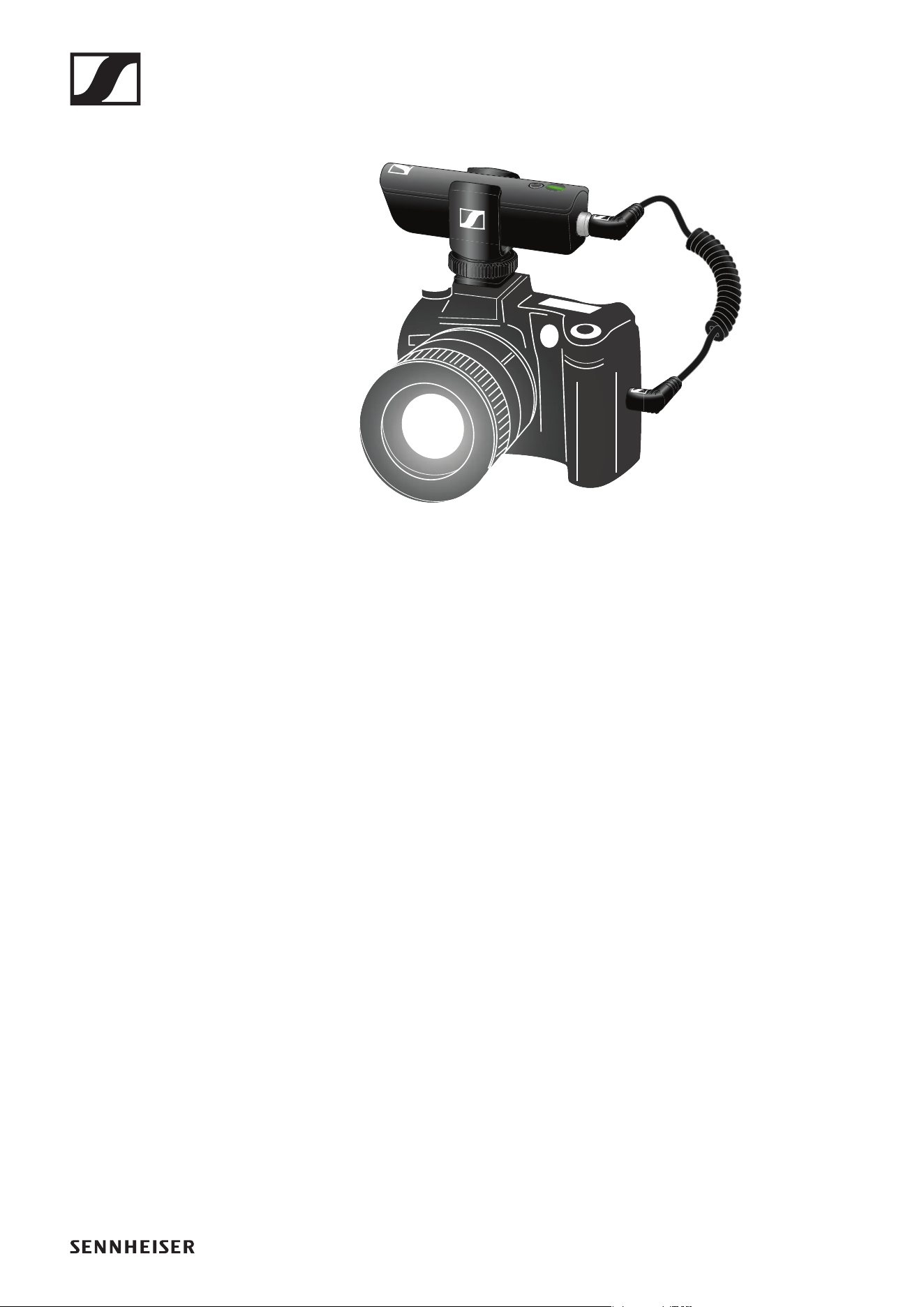
Attaching the clip-on microphone
►
▷ Fasten the clip-on microphone to your clothes, for example on your col-
lar or lapel.
▷ The distance to your mouth should be about 25 cm. The distance af-
fects the sensitivity of the clip-on microphone. Reduce the distance if
you are speaking at a low volume, and increase it when speaking loudly.
Operation
65
Connecting the receiver to the camera
►
▷ Plug the camera cable’s screw-on jack plug into the jack socket on the
receiver.
▷ Lock the jack plug by screwing down the coupling ring.
If the jack plug is not firmly locked, crackling noise can appear in the
audio signal.
▷ Insert the receiver into the hot shoe adapter.
▷ Slide the hot shoe adapter onto your camera.
▷ Plug the camera cable’s simple jack plug into the jack socket on your
camera.
Operation
66
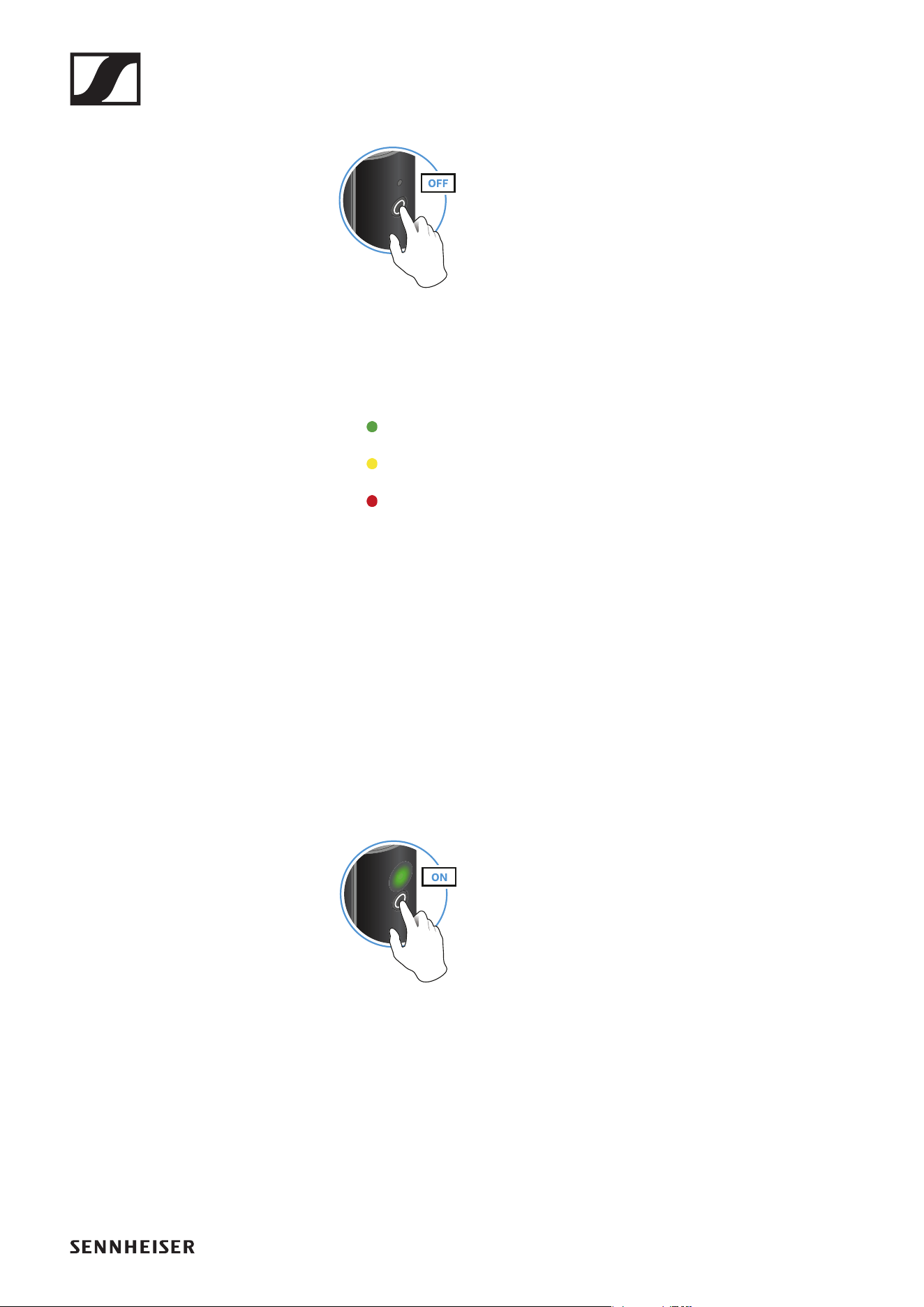
Switching on the transmitter and receiver
►
▷ Briefly press the button on the transmitter and the button on the receiv-
er.
The status LEDs indicate the charge level for four seconds.
▷ During these four seconds, check that the transmitter and receiver are
sufficiently charged.
> 75%
5% – 75%
< 5%
If the status LED remains red, you should charge the rechargeable bat-
tery first. If the status LED flashes red, the charge level is too low. You
have to charge the rechargeable battery first (see „Charging the re-
chargeable battery“).
After four seconds, the status LED starts flashing green. The flashing
indicates that a wireless connection is being established.
The status LEDs remain green once the transmitter and receiver are
connected. If the status LEDs do not remain green, either the charge
level is below 15% (see „Checking the charge level during use“) or the
transmitter and receiver are not paired (see „Pairing“).
Switching off the transmitter and receiver
►
▷ Press the button on the transmitter and the button on the receiver until
the status LEDs switch off.
Operation
67
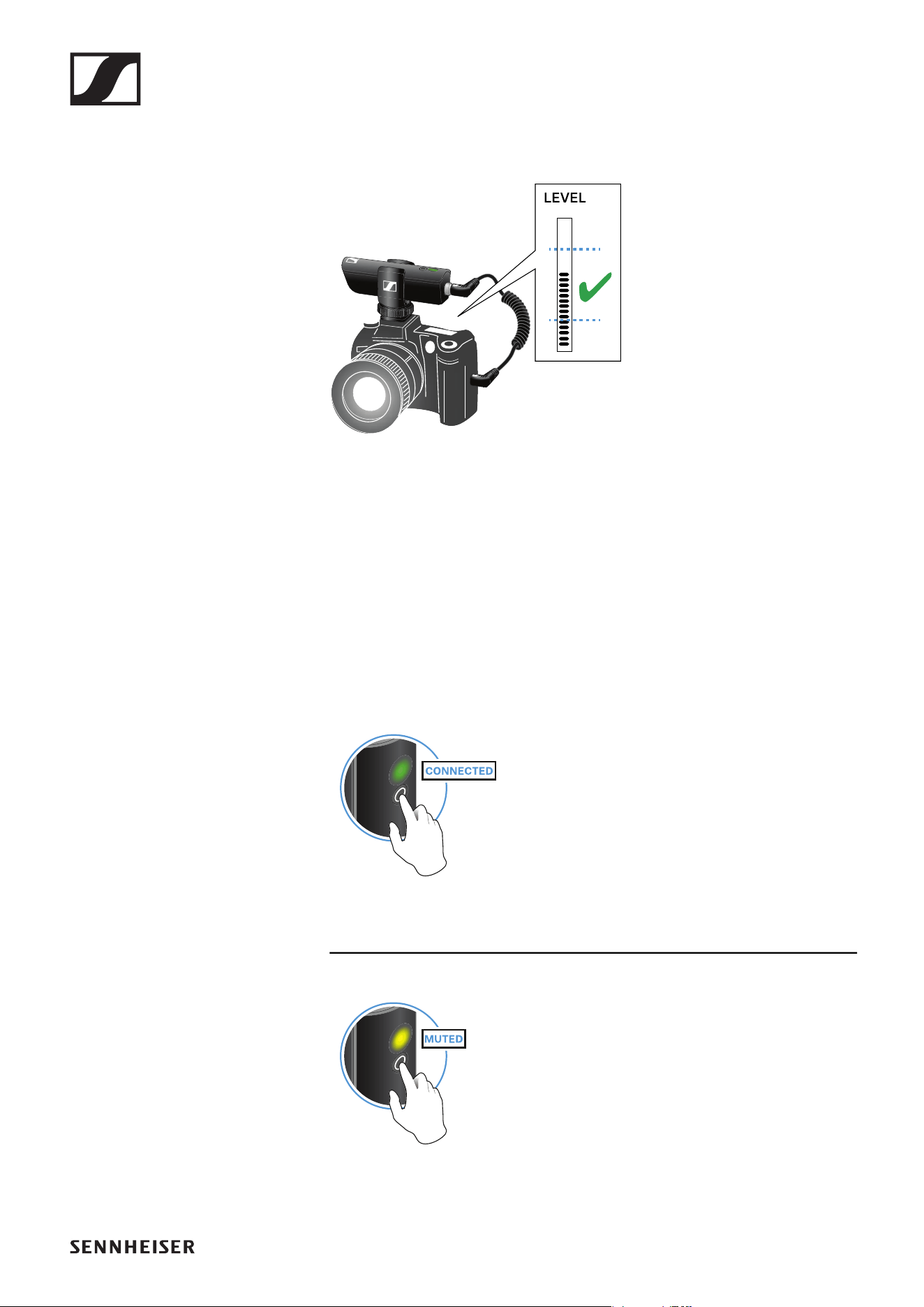
Adjusting the input level on the camera
Once you have connected the receiver to the camera and switched it on,
you have to adjust the input level on the camera.
►
▷ If the camera has automatic gain control (AGC), you should disable this
function.
▷ Set the input level in the camera’s menu so that the audio signal does
not overload the input.
▷ During recording, regularly check the input level on the camera to make
sure that the audio signal is not overloading.
Muting the audio signal
When using a set, you can mute the audio signal. The audio signal can then
be unmuted.
►
▷ To mute the audio signal: Briefly press the button on the transmitter or
receiver.
►
▷ To unmute the audio signal: Briefly press the button on the transmitter
or receiver.
Operation
68
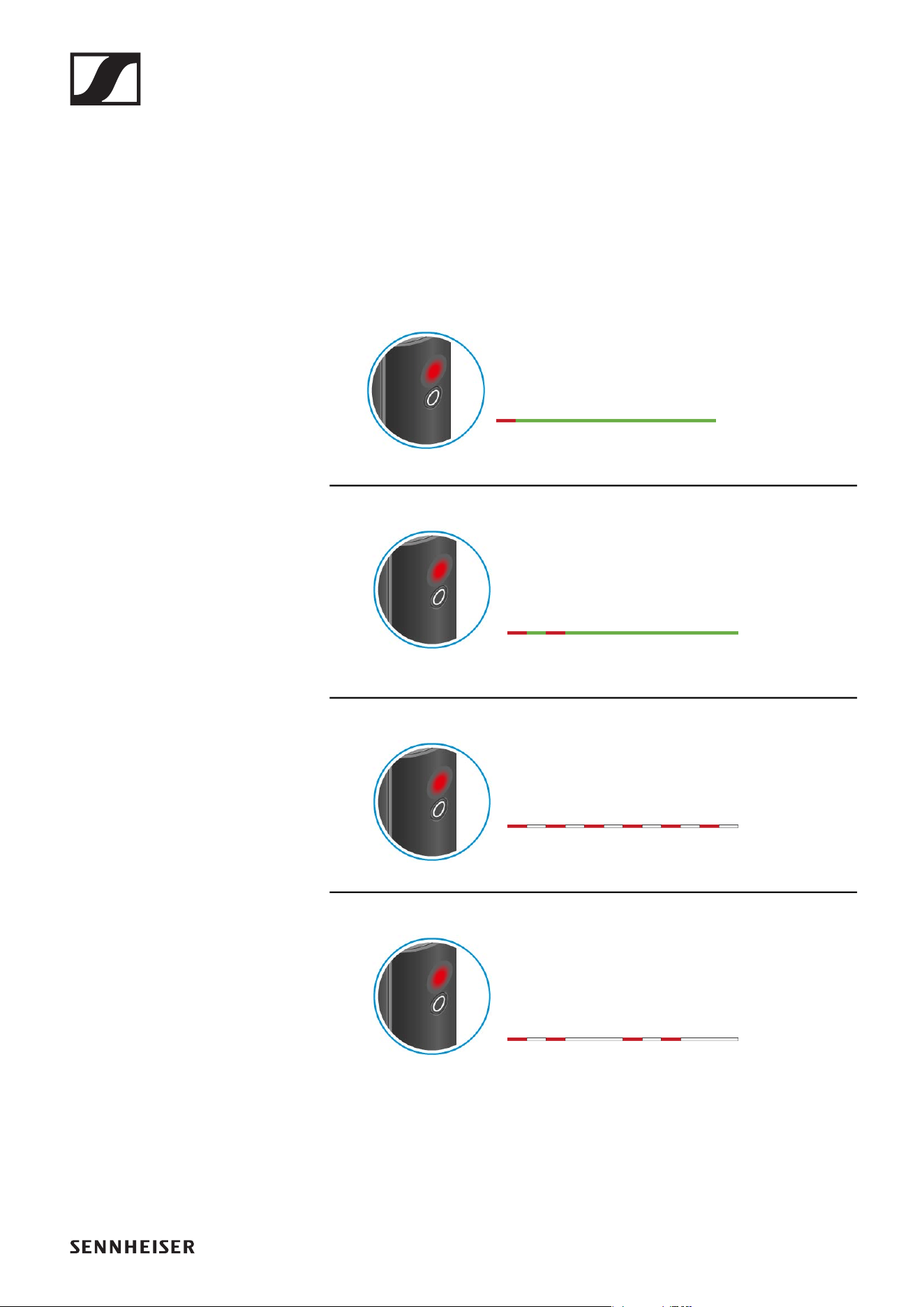
Checking the charge level during use
The status LED remains green during use as long as the rechargeable bat-
tery has sufficient charge. The status LED begins flashing red and green in
alternation when the charge level falls below 15%. Once the charge level
falls below 5%, the status LED flashes only red.
In addition to the local charge level, the status LED on a transmitter or re-
ceiver also provides information about the charge level of the connected
transmitter or receiver. This allows you to check the charge levels at any
time.
The charge level is below 15%.
The charge level of the connected transmitter/
receiver is below 15%.
The charge level is below 5%.
The charge level of the connected transmitter/
receiver is below 5%.
Operation
69
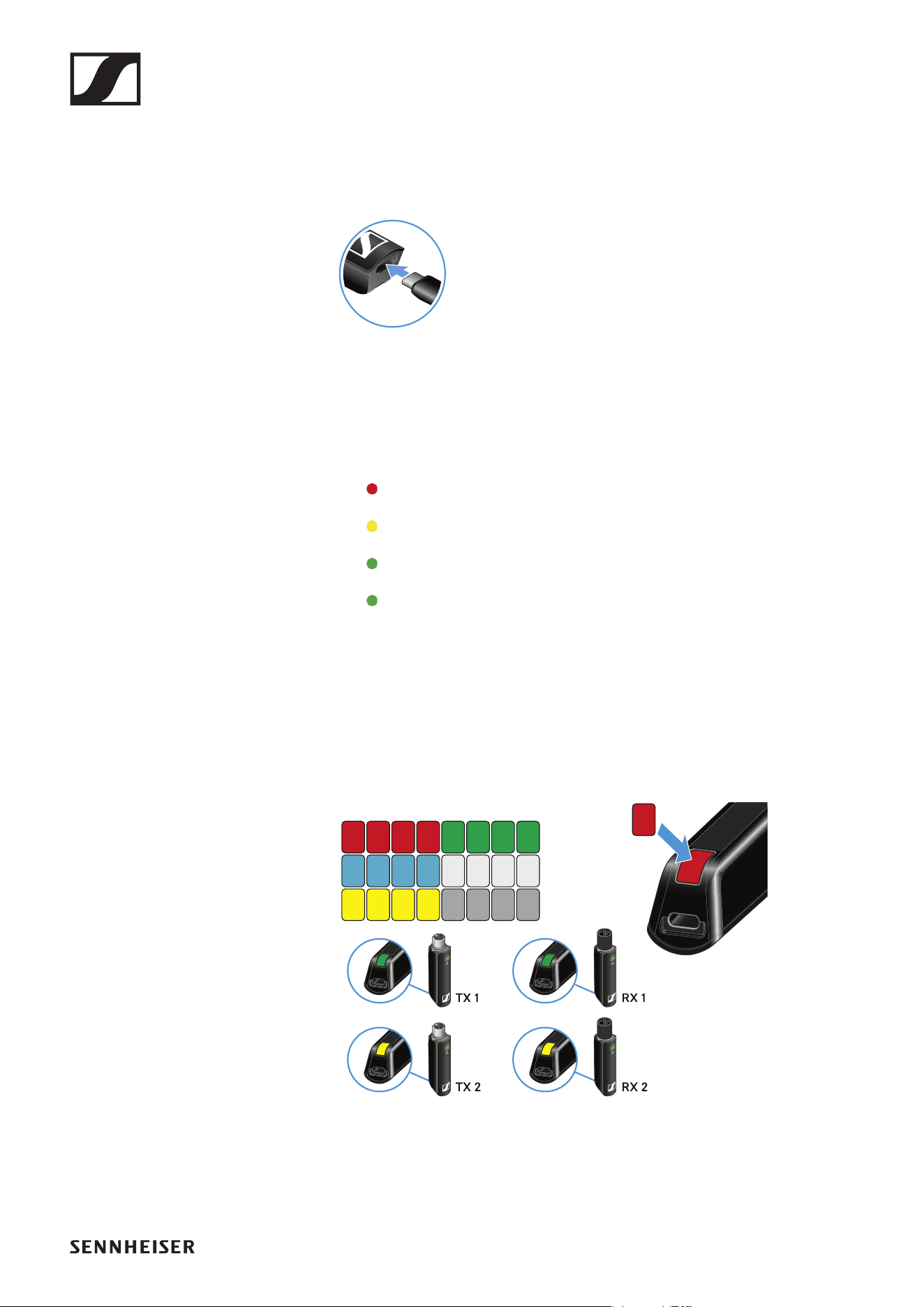
Charging the rechargeable battery
To minimize charging time and monitor the charging status the transmitter
or receiver should be switched off before you charge the battery.
However the transmitter or receiver can be charged while in operation.
►
▷ Plug the small end of the USB charging cable into the USB port on the
transmitter or receiver.
▷ Plug the large end of the USB charging cable into the USB port on a
conventional USB power supply unit.
▷ Plug the USB power supply unit into the wall socket.
The status LED indicates the charge level.
< 5%
5% – 75%
> 75%
100%
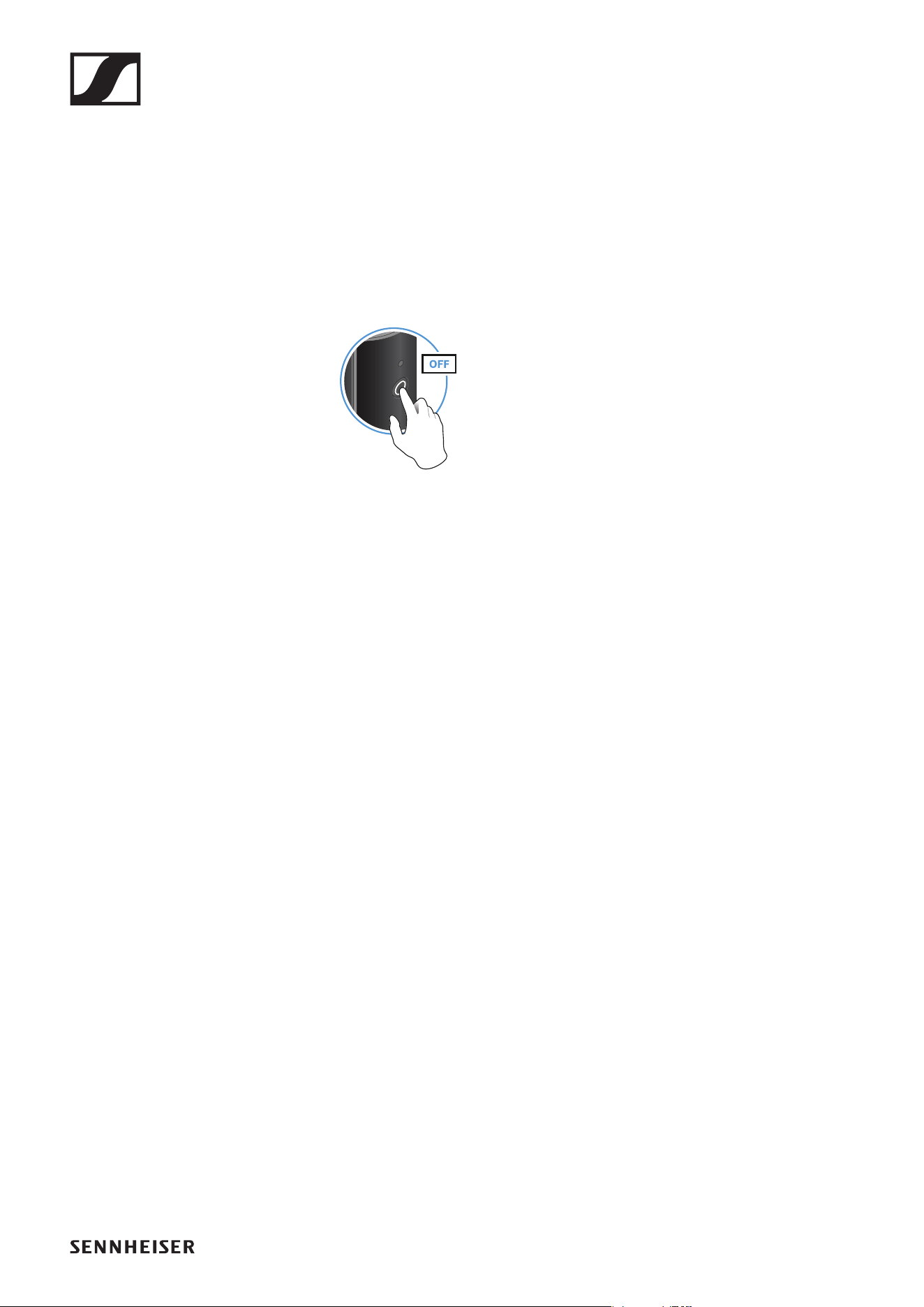
Using stickers to label transmission paths
You can use the colored stickers to show which transmitter belongs to
which receiver.
►
Operation
70
Pairing
The transmitter and the receiver of a set are pre-paired at the factory and
therefore ready for immediate use. The wireless connection is established
once the transmitter and receiver are switched on and within range of each
other.
You can pair up to four transmitters to the receiver.
Please note that you can only use one transmitter at a time. The other
paired transmitters must be switched off in the meantime.
▷ Make sure that both the transmitter and receiver are switched off.
►
▷ Press the button on the transmitter and the button on the receiver until
the status LEDs start flashing green and red in alternation.
The status LEDs will remain green once the transmitter and receiver
are paired and connected. If the status LEDs do not remain green, the
charge level is below 15% (see „Checking the charge level during use“).
Out-of-range monitoring
The status LEDs begin flashing red when the transmitter and receiver are
almost out of range.
Correcting faults
If the status LED remains red, a fault has occurred.
▷ Unplug any connected USB cables from the UBS port.
▷ Switch the transmitter and receiver off and on again.
▷ Perform pairing, if necessary.
▷ If this does not correct the fault, please contact Sennheiser customer
service:
www.sennheiser.com/service-support
Package contents
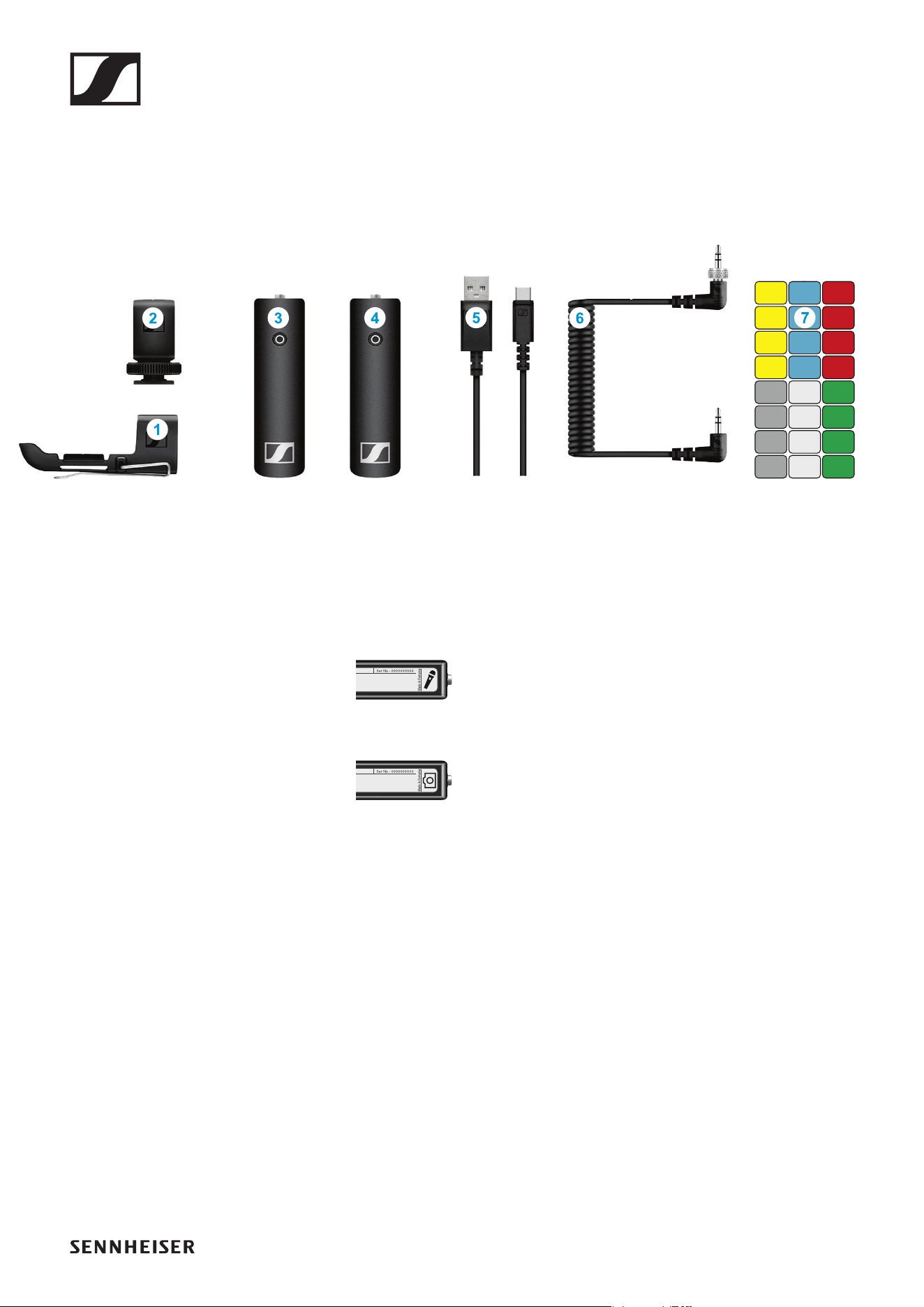
71
PORTABLE BASE SET
Package contents
►
Additional information
1 Belt clip for the transmitter
2 Hot shoe adapter for the receiver
3 XSW Digital TX 35: transmitter (3.5 mm jack socket) for connecting to a
microphone with a jack plug (3.5 mm)
►
4 XSW Digital RX 35: receiver (3.5 mm jack socket) for connecting to the
camera cable
►
5 Charging cable (USB-A to USB-C) for charging the transmitter and re-
ceiver
6 Camera cable (jack plug to jack plug, 3.5 mm) for connecting to the
camera
7 Stickers for labeling transmission paths
Operation
72
Operation
Connecting the microphone to the transmitter
►
►
▷ Plug your microphone’s jack plug into the jack socket on the transmit-
ter.
▷ Insert the transmitter into the belt clip.
▷ Fasten the belt clip to your clothes, for example on your belt or waist-
band.
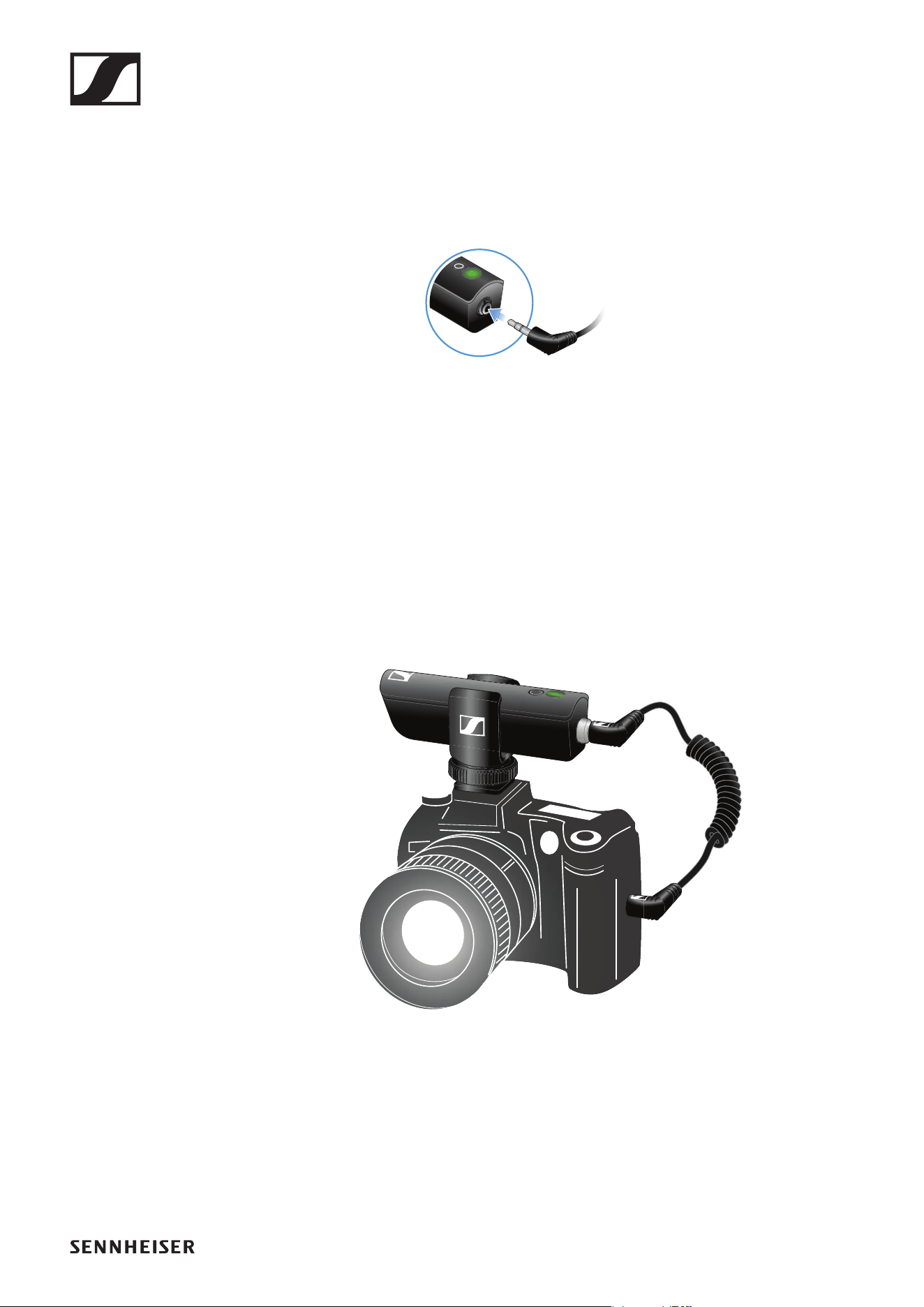
Connecting the receiver to the camera
►
▷ Plug the camera cable’s screw-on jack plug into the jack socket on the
receiver.
▷ Lock the jack plug by screwing down the coupling ring.
If the jack plug is not firmly locked, crackling noise can appear in the
audio signal.
▷ Insert the receiver into the hot shoe adapter.
▷ Slide the hot shoe adapter onto your camera.
▷ Plug the camera cable’s simple jack plug into the jack socket on your
camera.
Operation
73
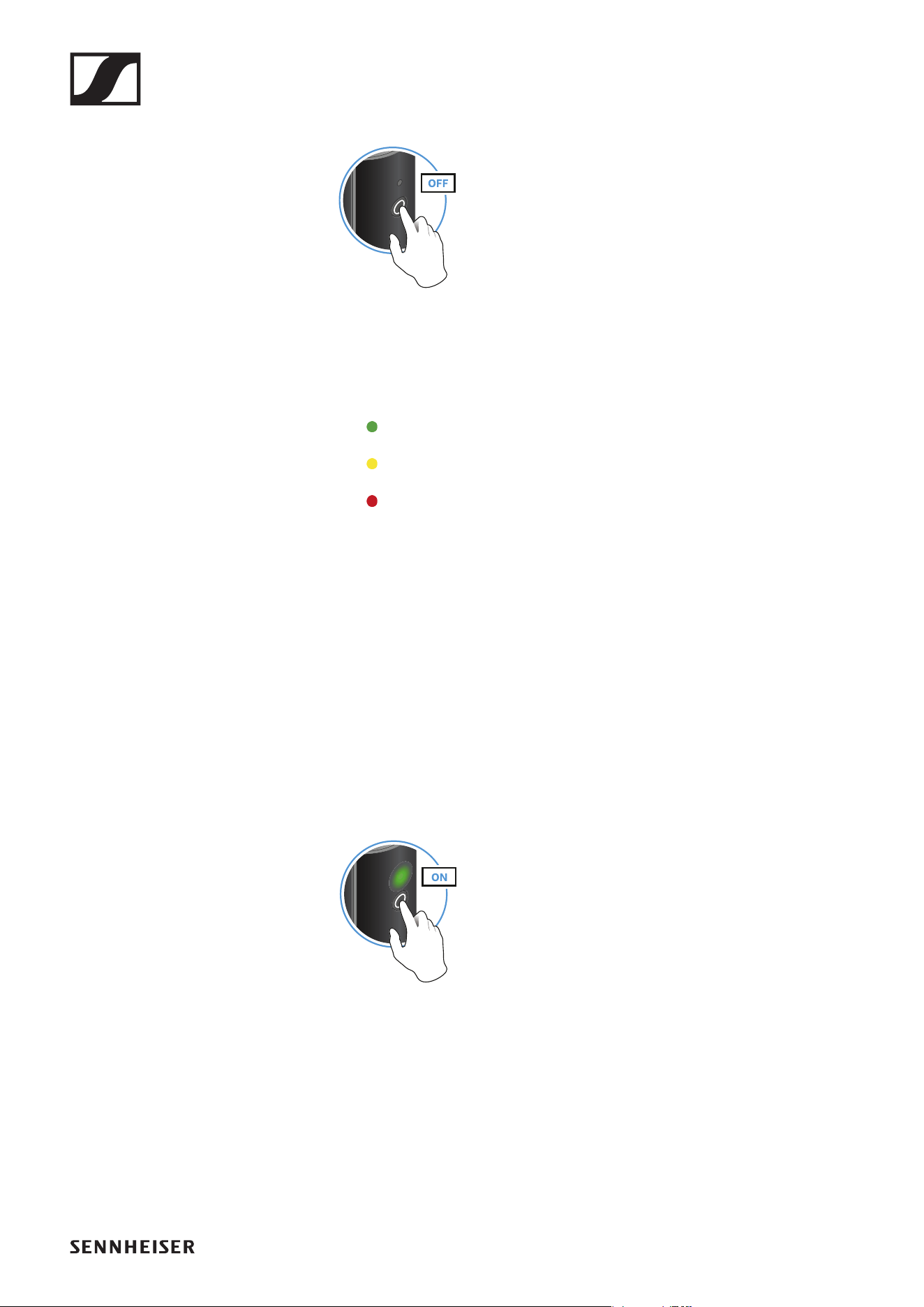
Switching on the transmitter and receiver
►
▷ Briefly press the button on the transmitter and the button on the receiv-
er.
The status LEDs indicate the charge level for four seconds.
▷ During these four seconds, check that the transmitter and receiver are
sufficiently charged.
> 75%
5% – 75%
< 5%
If the status LED remains red, you should charge the rechargeable bat-
tery first. If the status LED flashes red, the charge level is too low. You
have to charge the rechargeable battery first (see „Charging the re-
chargeable battery“).
After four seconds, the status LED starts flashing green. The flashing
indicates that a wireless connection is being established.
The status LEDs remain green once the transmitter and receiver are
connected. If the status LEDs do not remain green, either the charge
level is below 15% (see „Checking the charge level during use“) or the
transmitter and receiver are not paired (see „Pairing“).
Switching off the transmitter and receiver
►
▷ Press the button on the transmitter and the button on the receiver until
the status LEDs switch off.
Operation
74
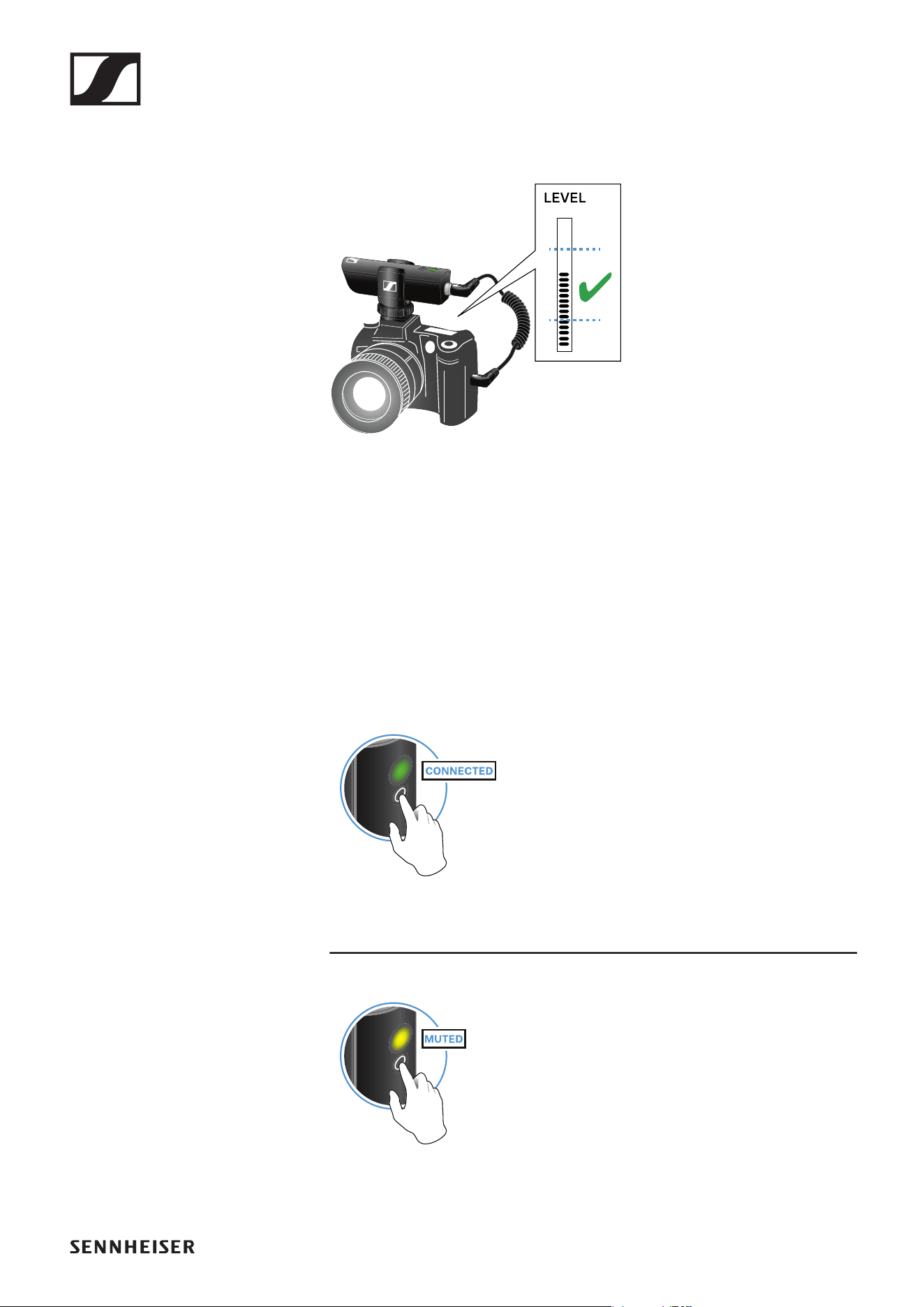
Adjusting the input level on the camera
Once you have connected the receiver to the camera and switched it on,
you have to adjust the input level on the camera.
►
▷ If the camera has automatic gain control (AGC), you should disable this
function.
▷ Set the input level in the camera’s menu so that the audio signal does
not overload the input.
▷ During recording, regularly check the input level on the camera to make
sure that the audio signal is not overloading.
Muting the audio signal
When using a set, you can mute the audio signal. The audio signal can then
be unmuted.
►
▷ To mute the audio signal: Briefly press the button on the transmitter or
receiver.
►
▷ To unmute the audio signal: Briefly press the button on the transmitter
or receiver.
Operation
75
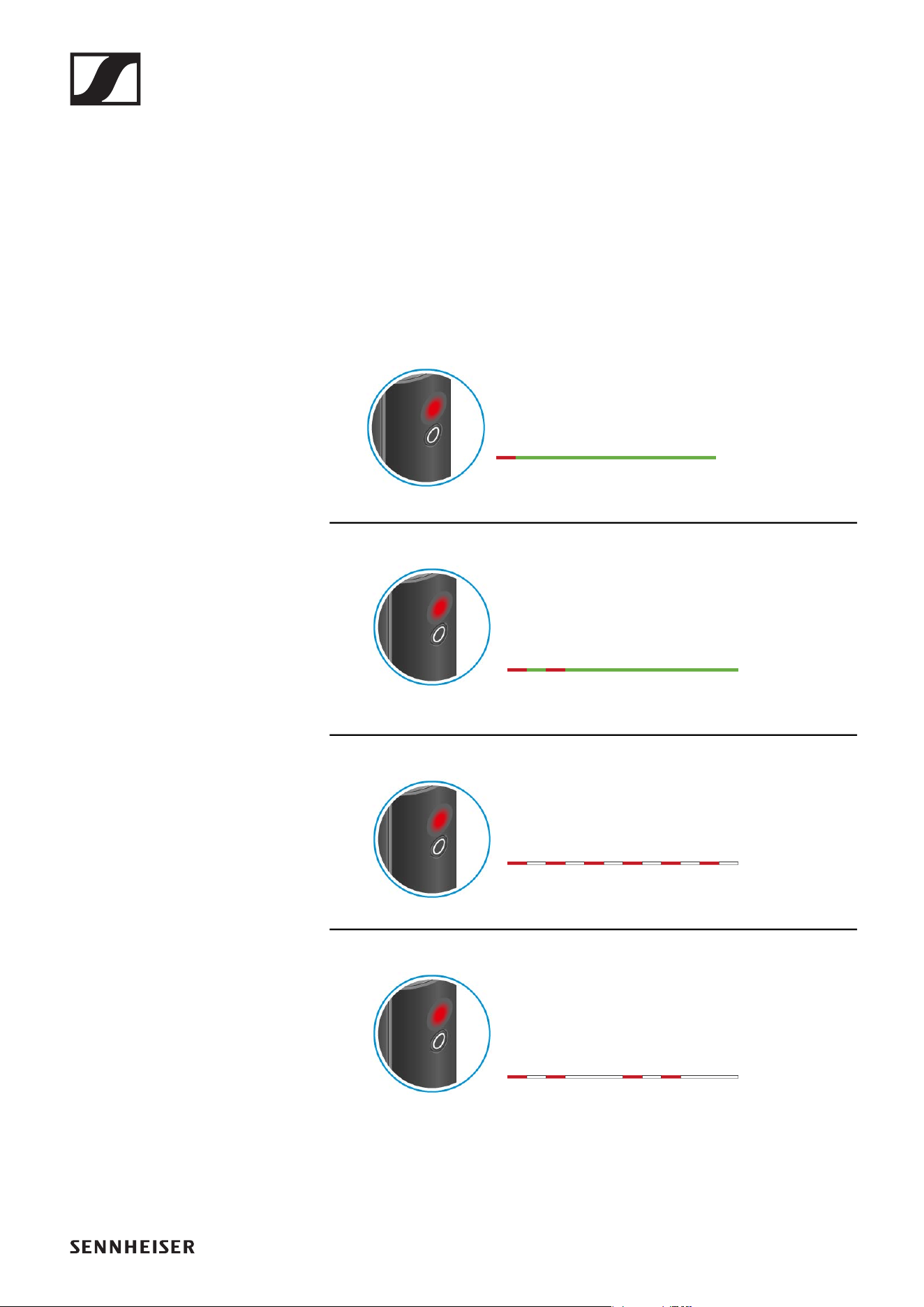
Checking the charge level during use
The status LED remains green during use as long as the rechargeable bat-
tery has sufficient charge. The status LED begins flashing red and green in
alternation when the charge level falls below 15%. Once the charge level
falls below 5%, the status LED flashes only red.
In addition to the local charge level, the status LED on a transmitter or re-
ceiver also provides information about the charge level of the connected
transmitter or receiver. This allows you to check the charge levels at any
time.
The charge level is below 15%.
The charge level of the connected transmitter/
receiver is below 15%.
The charge level is below 5%.
The charge level of the connected transmitter/
receiver is below 5%.
Operation
76
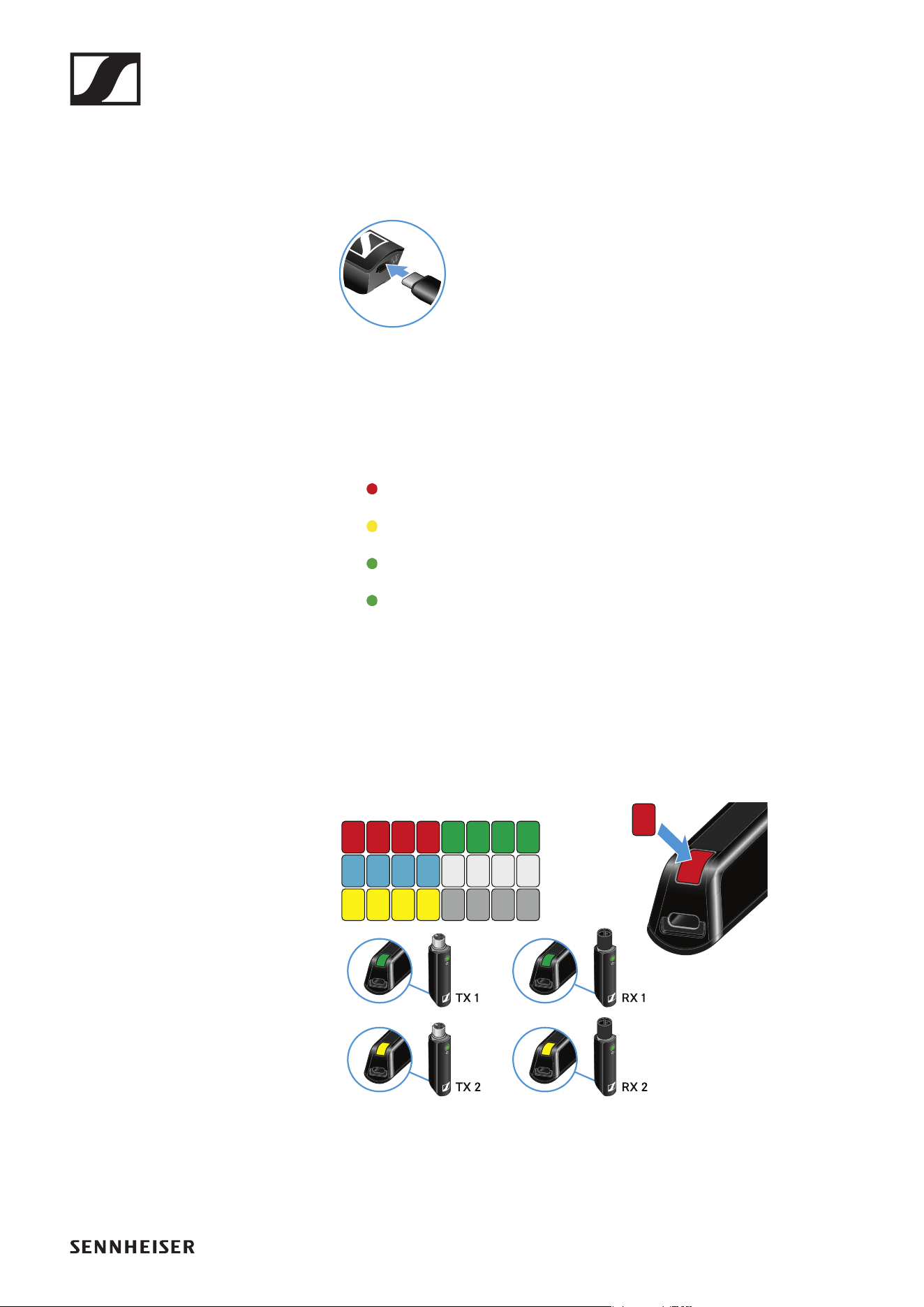
Charging the rechargeable battery
To minimize charging time and monitor the charging status the transmitter
or receiver should be switched off before you charge the battery.
However the transmitter or receiver can be charged while in operation.
►
▷ Plug the small end of the USB charging cable into the USB port on the
transmitter or receiver.
▷ Plug the large end of the USB charging cable into the USB port on a
conventional USB power supply unit.
▷ Plug the USB power supply unit into the wall socket.
The status LED indicates the charge level.
< 5%
5% – 75%
> 75%
100%
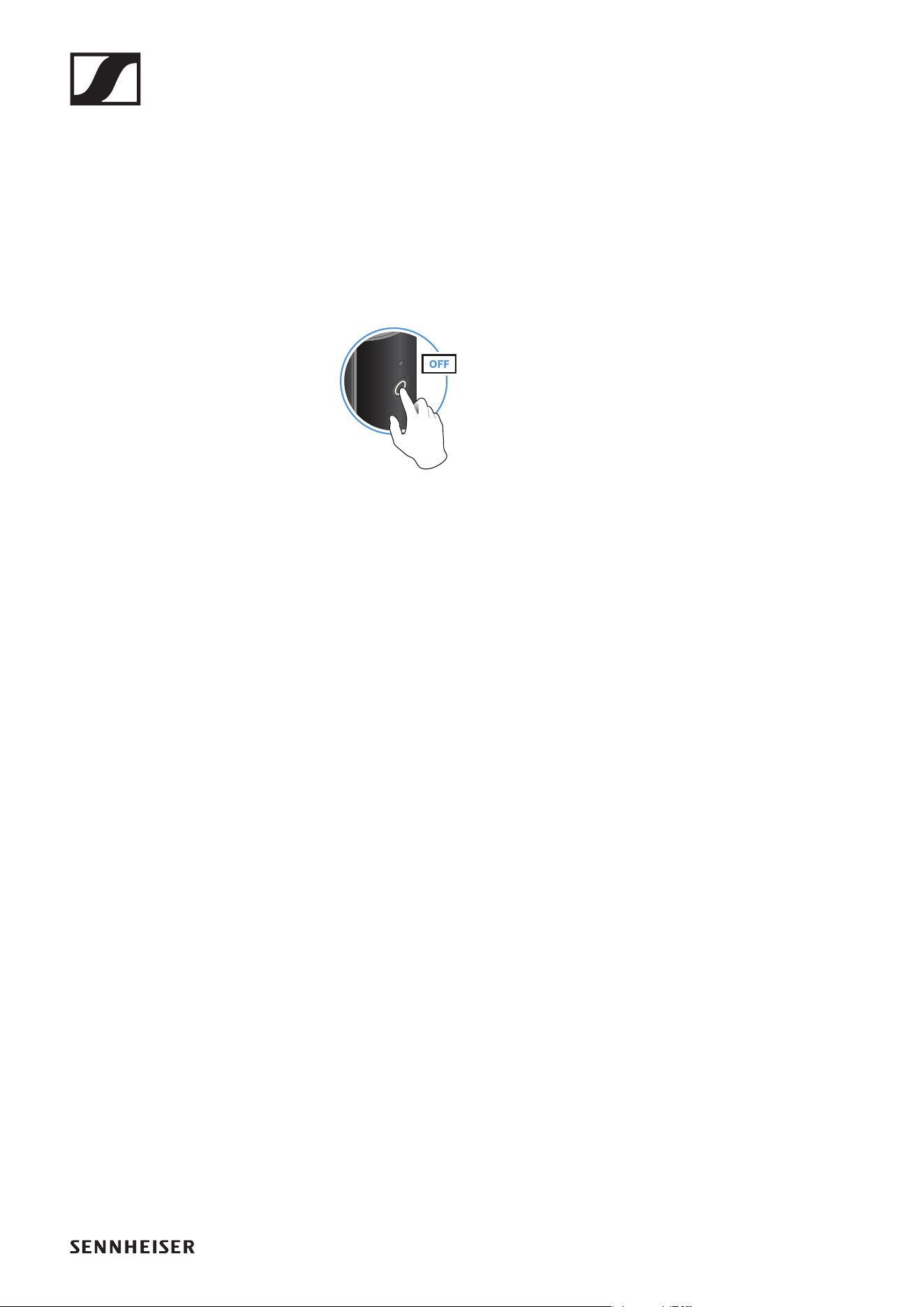
Using stickers to label transmission paths
You can use the colored stickers to show which transmitter belongs to
which receiver.
►
Operation
77
Pairing
The transmitter and the receiver of a set are pre-paired at the factory and
therefore ready for immediate use. The wireless connection is established
once the transmitter and receiver are switched on and within range of each
other.
You can pair up to four transmitters to the receiver.
Please note that you can only use one transmitter at a time. The other
paired transmitters must be switched off in the meantime.
▷ Make sure that both the transmitter and receiver are switched off.
►
▷ Press the button on the transmitter and the button on the receiver until
the status LEDs start flashing green and red in alternation.
The status LEDs will remain green once the transmitter and receiver
are paired and connected. If the status LEDs do not remain green, the
charge level is below 15% (see „Checking the charge level during use“).
Out-of-range monitoring
The status LEDs begin flashing red when the transmitter and receiver are
almost out of range.
Correcting faults
If the status LED remains red, a fault has occurred.
▷ Unplug any connected USB cables from the UBS port.
▷ Switch the transmitter and receiver off and on again.
▷ Perform pairing, if necessary.
▷ If this does not correct the fault, please contact Sennheiser customer
service:
www.sennheiser.com/service-support