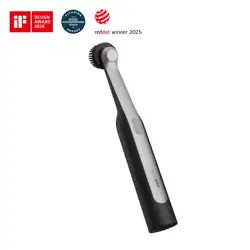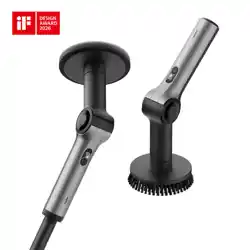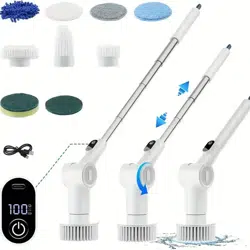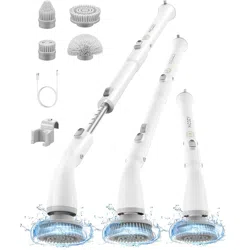
G9 Nano
Cordless Spin Scrubber
Please read this instruction manual carefully before use
and keep it for future reference.

Contents
1. Instruction & Safety Warning
2.Package Contents
3.Product Overview
4.Explanation of Product Functions and
Operations
5. Specifications
6.Problems Foreseen and Solutions
Warranty Info.
02
04
05
06
10
11
12
- 01 -

1. Instruction & Safety Warning
Please turn off the switch when charging. The charging
time is 100 minutes, one charge can be used for 155
minutes(Unloaded).
It is normal to feel the device heating up during the
charging process
The whole body of the machine is waterproof and can be
immersed in water for cleaning. The depth can not exceed
1 metre, and the time can not exceed 30 minutes
As the product has a load motor protection chip, power will
be cut off automatically when the motor is continuously
stalled to protect the motor from being burned (i.e.,
pressing the brush head too hard for a long time); in such a
case, a power restart can restore the protection and device.
Charge the device when it is turned off.
Unplug the charger when not charging or in use.
When charging is complete, close the silicone cover on the
charging area.
Keep away from hot surfaces while charging.
Do not use the product when the silicone cover at the
charging place is not closed after charging, and do not
immerse the main unit in water or other liquids.
To prevent the risk of electric shock, do not place the
device or the charging cable in water or other liquids, and
do not charge the device if it shows signs of moisture or
corrosion.
Replacement of the brush head and assembly of the
Instruction
1.
2.
3.
4.
Safety Warning
1.
2.
3.
4.
5.
6.
7.
- 02 -

Please turn off the switch when charging. The charging
time is 100 minutes, one charge can be used for 155
minutes(Unloaded).
It is normal to feel the device heating up during the
charging process
The whole body of the machine is waterproof and can be
immersed in water for cleaning. The depth can not exceed
1 metre, and the time can not exceed 30 minutes
As the product has a load motor protection chip, power will
be cut off automatically when the motor is continuously
stalled to protect the motor from being burned (i.e.,
pressing the brush head too hard for a long time); in such a
case, a power restart can restore the protection and device.
Charge the device when it is turned off.
Unplug the charger when not charging or in use.
When charging is complete, close the silicone cover on the
charging area.
Keep away from hot surfaces while charging.
Do not use the product when the silicone cover at the
charging place is not closed after charging, and do not
immerse the main unit in water or other liquids.
To prevent the risk of electric shock, do not place the
device or the charging cable in water or other liquids, and
do not charge the device if it shows signs of moisture or
corrosion.
Replacement of the brush head and assembly of the
dispenser should only be carried out when the appliance
is switched off.
Do not disassemble the product for any reason if it has
been struck, dropped, or otherwise damaged (the free
warranty does not cover this).
If there is damage to the appliance, it must be replaced by
the manufacturer or other agent or a similarly qualified
person to avoid danger.
If abnormal noise, odour, smoke, or any other fault or
damage occurs during operation, switch off immediately.
Do not operate or use in the presence of explosives or
other flammable gases or liquids.
For best results, do not charge the unit when the battery
temperature is below 40°F (5°C) or above 105°F (40°C).
This device is intended for domestic use only and is not
intended for commercial or industrial use.
Keep hair, loose clothing, and all body parts away from the
moving parts of the device.
Keep the device out of reach of children. Parental
supervision is required when children
approach or use this product to avoid accidents.
To avoid choking hazards, keep all components away
from children.
8.
9.
10.
11.
12.
13.
14.
15.
16.
- 03 -
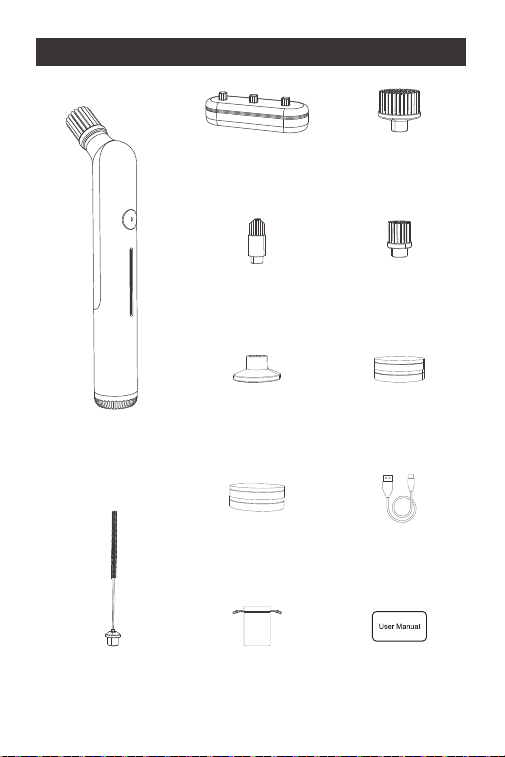
G9 Nano
Cordless Spin
Scrubber* 1
(1) Storage
box*1
(4) Small flat
brush*1
(2) Flat
brush*1
(3) Corner
brush*1
(7) Fiber
brush pad* 2
(6) Sponge
brush pad*2
(5) Pad
holder*1
(8) Straw
brush*1
USB charging
cable* 1
User
manual*1
Storage
bag*1
2. Package Contents
- 04 -
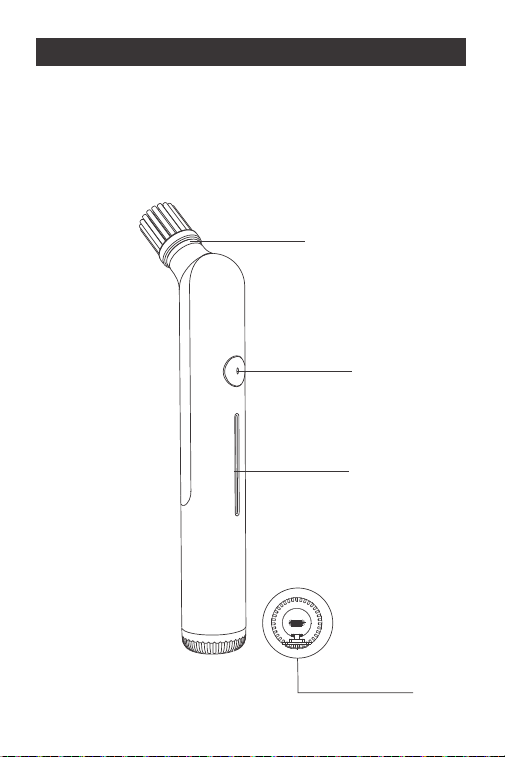
① On/Off button
② Battery indicator
③ Brush head connector
④ USB Type-C charging port
③
①
②
④
3.Product Overview
- 05 -
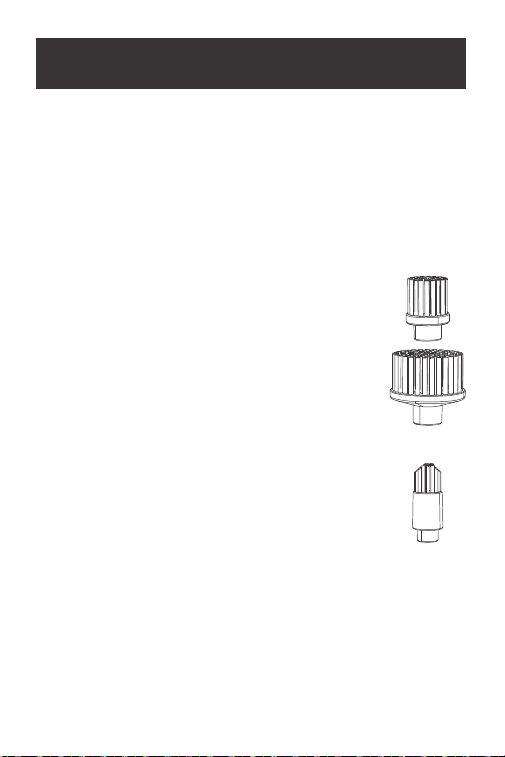
Selecting Cleaning Attachments
Select the appropriate cleaning attachments based on the
intended use. Incorrect use of cleaning attachments may
damage the surface being cleaned. Always test the
attachment in an inconspicuous area first.
Reference Applications (Cleaning Examples)
Flat brush (2)(4)
-Indoor Surface Areas: Baseboards, faucets,
sinks, window frames and sills, indoor furniture
surface, and other surface areas.
-Indoor Interior Spaces: Inside drawers
and cabinets, refrigerator interiors,
air conditioning vents, and other interior spaces.
Corner brush (3)
-Indoor Surface Areas: Tile grout lines, sink
corners, stove corners, other corners and edges
in indoor spaces.
-Indoor Interior Spaces: Sliding door/window
tracks, corners inside cabinets, internal corners of indoor
furniture, and other corners and edges in indoor spaces.
4.Explanation of Product
Functions and Operations
- 06 -
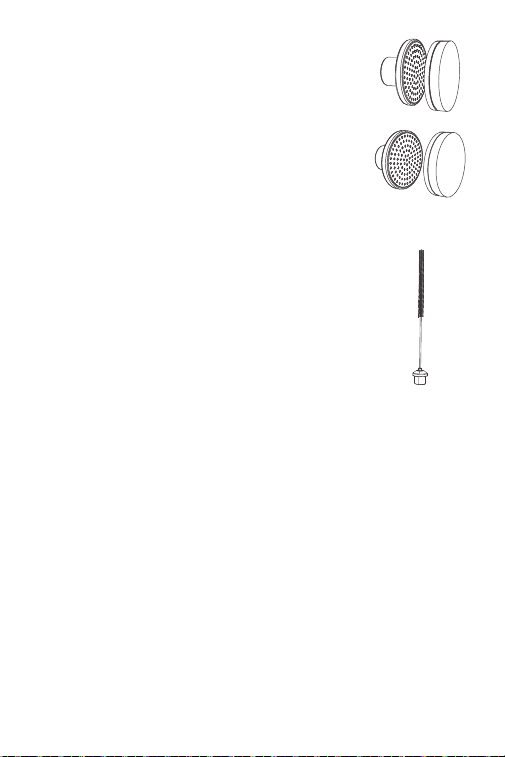
Pad holder (5), with Fiber pad (6)
-Cleaning the inside and outside of baking trays,
ovens, non-coated cookware, stove racks, etc.
Pad holder(5), with Sponge brush pad (7)
- Cleaning both inside and outside of wooden
furniture, glass furniture, and indoor ornaments.
Straw brush(8)
-Stainless steel straws, plastic straws, silicone
straws, etc.
Installation of cleaning accessories
Replacing the brush head
-Align the desired brush head with the “Brush head
connector”③, and push until you hear a “click” sound,
indicating that the brush head is securely attached.
-To change the brush head, simply pull the current brush
head off, then align the new brush head with the “brush head
connector”③, and press until you hear a “click,” confirming
that the head is firmly fixed.
- 07 -

Replacing the pad
-The Pad Holder (5) uses hook-and-loop fasteners, which
allow for quick and easy attachment of various pads (6) (7). To
remove a pad, lift one side and pull it off the Pad Holder (5).
-Before installing a new pad, remove any dirt or dust from the
Pad Holder (5), then press the new pad firmly onto the holder.
Operation
Starting Operation
-To turn on the electric tool, press the power switch①1-3
seconds.
-To turn off, press the power switch①again for 1-3 seconds.
Working Advice
The cleaning power mainly depends on the choice of
cleaning attachment and the applied pressure. Using intact
cleaning attachments ensures optimal cleaning power and
protects the electric tool. Excessive pressure on the machine
will not increase the cleaning power, but will damage the
power tool and increase the wear and tear of the cleaning
attachments.
While operating the machine, apply pressure evenly to extend
the lifespan of the cleaning attachments.
Excessive pressure on the machine will not increase cleaning
power and may damage the tool or increase the wear rate of
the cleaning attachments.
- 08 -
Cleaning
-Keep the cleaned area with a suitable lid to avoid splashing.
-Moisten the bristles or pads with a suitable liquid, gel or
powder cleaner, or spray the surface to be cleaned directly
with a spray cleaner.
-First place the power tool on the surface to be cleaned and
then turn the power tool on.
-Avoid splashing by moving the power tool in slow circles over
the surface to be cleaned, applying even pressure.
-Depending on the surface to be cleaned and the degree of
staining, select the appropriate speed.
-When cleaning is complete, turn off the unit by pressing the
power switch again.
- 09 -
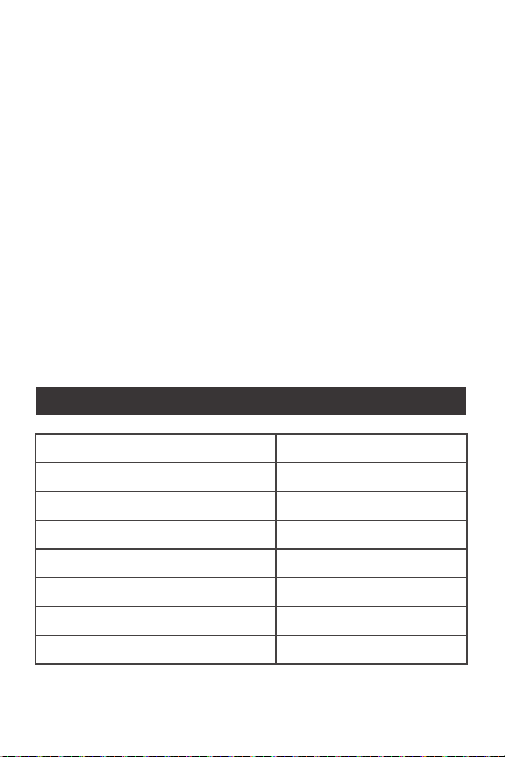
Product Name
Product Model
Product Dimension
Max. Rotation Speed(unloaded)
Battery Capacity
Rated Voltage
Charging Input
Charging Time
Cordless Spin Scrubber
G9 Nano
Φ30mm*192mm
220RPM±10%
2000mAh
3.7V
10W(5V/2A)
100min
5.Specifications

- 10 -
6.Problems Foreseen and Solutions
Defective
phenomenon
Device
won't start
Possible causes Solution
The power supply
is not connected
or insufficiently
charged; there are
faulty switches.
The brush
head does
not rotate
Brush head not
installed correctly;
motor failure.
Reinstall the
brush head; send
motor for repair
Poor
cleaning
results
Worn brush head;
stubborn stains.
Replace the
brush head; use
the appropriate
cleaning agent to
assist.
Check the power
connection or
charging;
contact the
aftermarket to
service switch.

- 11 -
Warranty Info.
Your Warranty Includes
12-Month Coverage
Within 12 months of purchase, we will provide timely and
effective online after-sales service. We will repair or replace
any defective product (due to manufacturing fault)
How to Return Your Fanttik Product
Contact [email protected] with your order number.
•
•