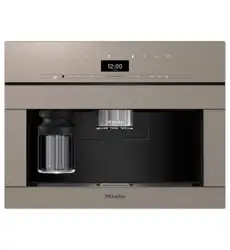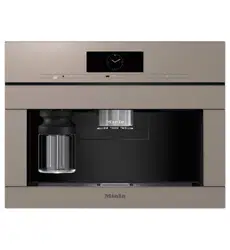
Operating and installation
instructions
Built-in coffee machine
To avoid the risk of accidents or damage to the appliance, it is
essential to read these instructions before it is installed and used for
the first time.
en–AU, NZ M.-Nr. 12 860 900
Caring for the environment
2
Disposal of the packing material
The transport and protective packaging
has been selected from materials which
are environmentally friendly for disposal,
and can normally be recycled.
Recycling the packaging reduces the
use of raw materials in the
manufacturing process and also reduces
the amount of waste in landfill sites.
Ensure that any plastic wrappings, bags
etc. are disposed of safely and kept out
of the reach of babies and young
children. Danger of suffocation.
Only for Australia: Note for installer:
Expanded polystyrene (EPS) packaging
included. Please retain and dispose of
EPS packaging responsibly. For further
information, please contact Miele.
Saving energy
The following tips can help you save
energy and money as well as care for
the environment:
- Operate the coffee machine in Eco
mode (default setting).
- Switch off the time of day display.
- Select dimmer lighting or refrain from
using any lighting.
- Switch off the lighting when the
appliance is switched off.
- Select the dark colour scheme for the
display.
- Reduce the brightness of the display.
- If you change the factory default
settings for the “Timer”, this can
increase the energy consumption of
the coffee machine.
- Pay particular attention to the
following message in the display: This
setting increases energy consumption.
- Switch the coffee machine off with
the On/Off switch if it is not going
to be used for a while.
Disposing of your old appliance
Electrical and electronic appliances
often contain valuable materials. They
also contain specific materials,
compounds and components, which
were essential for their correct function
and safety. These could be hazardous to
human health and to the environment if
disposed of with your domestic waste
or if handled incorrectly. Please do not,
therefore, dispose of your old appliance
with your household waste.
Please dispose of it at your local
community waste collection / recycling
centre for electrical and electronic
appliances. You are also responsible for
deleting any personal data that may be
stored on the appliance prior to
disposal. Please ensure that your old
appliance poses no risk to children while
being stored prior to disposal.

Contents
3
Caring for the environment......................................................................................... 2
Saving energy..................................................................................................................
2
Warning and Safety instructions ............................................................................... 7
Guide to the appliance ................................................................................................ 14
Milk flask..........................................................................................................................
16
Central spout with cup rim sensor ..............................................................................
16
Symbols in the display...................................................................................................
17
Operating principles..................................................................................................... 18
Touch display...................................................................................................................
18
Operating actions...........................................................................................................
19
Miele@home ................................................................................................................. 22
Before using for the first time..................................................................................... 23
Before using for the first time.......................................................................................
23
Switching on for the first time ......................................................................................
23
Setting up the bean system..........................................................................................
26
Bean system................................................................................................................... 28
Changing bean system settings (Type of beans).......................................................
28
Renaming type of beans .......................................................................................... 28
Changing the allocation of the bean containers................................................... 29
Filling the water container........................................................................................... 30
Switching on and off..................................................................................................... 31
Switching the coffee machine on.................................................................................
31
Switching the coffee machine off ................................................................................
31
Preparing for extended disuse......................................................................................
31
Making drinks ................................................................................................................ 32
Coffee...............................................................................................................................
32
Coffee drinks in detail .............................................................................................. 32
Milk and milk alternatives........................................................................................ 32
Filling and fitting the milk flask................................................................................ 33
Making a coffee drink............................................................................................... 34
Cancelling preparation ............................................................................................. 34
Making a DoubleShot of coffee ....................................................................... 34
Making two portions........................................................................................... 34
Preparing a pot of coffee ......................................................................................... 35
Tea ....................................................................................................................................
36
Making tea ................................................................................................................. 37
Starting the TeaTimer manually ................................................................................ 37
Preparing a pot of tea............................................................................................... 37
Preparing warm and hot water .....................................................................................
37

Contents
4
Changing the portion size .............................................................................................
37
Expert mode................................................................................................................... 39
Switching Expert mode on and off...............................................................................
39
Expert mode: allocating bean containers ...................................................................
39
Expert mode: changing the portion size .....................................................................
39
Grinder setting............................................................................................................... 40
Recognising the correct grinder setting......................................................................
40
Adjusting the grinder setting ........................................................................................
40
Parameters ..................................................................................................................... 41
Type of beans..................................................................................................................
41
Amount of coffee............................................................................................................
41
Pre-brewing ground coffee ...........................................................................................
41
Brewing temperature for coffee drinks........................................................................
41
Dispensing temperature for tea drinks, warm water and hot water .......................
41
Portion size......................................................................................................................
41
Displaying and changing parameters ..........................................................................
42
Resetting drink settings.................................................................................................
42
User profiles................................................................................................................... 43
User profiles....................................................................................................................
43
Creating a profile ............................................................................................................
43
Editing a profile ...............................................................................................................
43
Setting change of profile ...............................................................................................
43
MyMiele .......................................................................................................................... 45
MobileStart............................................................................................................... 46
Preparing MobileStart..............................................................................................
46
Switching MobileStart on and off ..........................................................................
46
Settings ........................................................................................................................... 47
Displaying and changing settings ................................................................................
47
Language..........................................................................................................................
47
Time of day......................................................................................................................
47
Date..................................................................................................................................
47
Start screen.....................................................................................................................
47
Timer ................................................................................................................................
48
Appliance timer......................................................................................................... 48
Maintenance timer ................................................................................................... 48
TeaTimer..................................................................................................................... 49
Volume .............................................................................................................................
49

Contents
5
Display .............................................................................................................................
49
Display brightness .................................................................................................... 49
Colour scheme.......................................................................................................... 49
QuickTouch................................................................................................................ 49
Lighting.............................................................................................................................
50
Info (display information) ..............................................................................................
50
Mains water ....................................................................................................................
50
Altitude.............................................................................................................................
50
Performance mode.........................................................................................................
50
Eco mode................................................................................................................... 50
Barista mode ............................................................................................................. 50
Latte mode................................................................................................................. 50
Party mode ................................................................................................................ 51
Water hardness...............................................................................................................
51
Proximity sensor .............................................................................................................
52
System lock ................................................................................................................
52
Miele@home ..................................................................................................................
53
Performing Scan & Connect.........................................................................................
53
Remote control ...............................................................................................................
54
SuperVision .....................................................................................................................
54
RemoteUpdate ...............................................................................................................
54
Software version.............................................................................................................
55
Legal information............................................................................................................
55
Showroom programme (Demo mode) ........................................................................
55
Factory default settings.................................................................................................
55
Cleaning and care ......................................................................................................... 56
Cleaning intervals - Quick guide...................................................................................
56
Cleaning by hand or in the dishwasher .......................................................................
57
Unsuitable cleaning agents...........................................................................................
58
Opening the appliance door .........................................................................................
58
Cleaning the drip tray and waste container................................................................
59
Cleaning the drip tray cover..........................................................................................
60
Cleaning the water container........................................................................................
61
Cleaning the central spout............................................................................................
61
Cleaning the cup rim sensor.........................................................................................
63
Cleaning the milk flask with lid.....................................................................................
64
Cleaning the milk valve (daily) ......................................................................................
64
Removing and cleaning the milk valve (once a month).............................................
65
Cleaning the bean containers.......................................................................................
68
Cleaning the brew unit and interior by hand ..............................................................
68
Cleaning the interior, the inside of the appliance door and the drip catcher.........
70
Cleaning the appliance front.........................................................................................
71

Contents
6
Maintenance programmes............................................................................................
71
Opening the Maintenance menu .................................................................................
71
Rinsing the appliance.....................................................................................................
71
Rinsing the milk pipework .............................................................................................
72
Cleaning the milk pipework...........................................................................................
72
Degreasing the brew unit ..............................................................................................
73
Descaling the appliance ................................................................................................
75
Automatic cleaning and descaling ............................................................................ 77
What to ensure before and during automatic maintenance programmes.............
77
Automatic cleaning ........................................................................................................
78
The Miele cleaning cartridge ........................................................................................
78
Replacing the cleaning cartridge..................................................................................
79
Automatic descaling ......................................................................................................
80
The Miele descaling cartridge ......................................................................................
80
Replacing the descaling cartridge................................................................................
81
Removing the descaling cartridge.......................................................................... 81
Fitting the descaling cartridge ................................................................................ 82
When not using a descaling cartridge ................................................................... 82
Maintenance timer.........................................................................................................
82
Cancelling automatic cleaning and descaling ............................................................
83
Problem solving guide.................................................................................................. 84
Messages in the display................................................................................................
84
Unusual performance of the coffee machine.............................................................
87
Faults with automatic cleaning and/or descaling ......................................................
89
Unsatisfactory results....................................................................................................
90
After sales service and warranty ............................................................................... 93
Contact in case of fault..................................................................................................
93
Warranty ..........................................................................................................................
93
Accessories.................................................................................................................... 94
Installation...................................................................................................................... 95
Mains water connection................................................................................................
95
Electrical connection .....................................................................................................
96
Installation dimensions .................................................................................................
97
Installation in a tall unit............................................................................................ 97
Installation and connections................................................................................... 98
Building in the coffee machine.....................................................................................
99
Door opening limiters ....................................................................................................
100
Technical data................................................................................................................ 102
Copyright and licences ................................................................................................ 103

Warning and Safety instructions
7
This coffee machine complies with all current local and national
safety requirements. However, inappropriate use can lead to
personal injury and damage to property.
Read the Operating instructions carefully before using the coffee
machine. They contain important information on the safety,
installation, use and maintenance of the appliance. Familiarity with
these instructions will help to prevent personal injury and damage
to property.
In accordance with standard IEC60335-1, Miele expressly and
strongly advises that you read and follow the instructions in
“Installation”, as well as in the “Warning and Safety instructions”.
Miele cannot be held liable for damage caused by non-compliance
with these instructions.
Keep these instructions in a safe place and pass them on to any
future owner.
Warning and Safety instructions
8
Correct application
The coffee machine is intended for use in private households.
The coffee machine is not suitable for outdoor use.
This coffee machine must not be used at altitudes above 2,000m.
The machine is intended only for the preparation of drinks such as
espresso, cappuccino, latte macchiato, tea etc. Any other usage is at
the owner's risk.
This appliance is not intended for use by persons (including
children) with reduced physical, sensory or mental capabilities, or
lack of experience and knowledge, unless they have been given
supervision or instruction concerning its use by a person responsible
for their safety, and are able to recognise the dangers of misuse.
Safety with children
Danger of burning and scalding on the dispensing spouts.
Children's skin is far more sensitive to high temperatures than that
of adults.
Ensure children do not touch hot surfaces of the coffee machine or
place parts of their body under the dispensing spouts.
Install the coffee machine out of reach of children.
Young children must not be allowed to use this appliance.
Older children may only use the coffee machine if its operation has
been clearly explained to them and they are able to use it safely.
They must be aware of the potential dangers caused by incorrect
operation.
Children should be supervised when they are near the coffee
machine. Do not allow them to play with it or to use the controls.
Young children must not be allowed to clean the coffee machine.
Cleaning may only be carried out by older children under the
supervision of an adult.
Remember that coffee and espresso are not suitable drinks for
children.
Danger of suffocation! Whilst playing, children may become
entangled in packaging material (such as plastic wrapping) or pull the
packaging material over their head, presenting the risk of suffocation.
Keep packaging material away from children.

Warning and Safety instructions
9
Technical safety
Installation must be performed by a suitably qualified and
competent person. Maintenance and repairs must only be carried out
by a Miele authorised technician. Unauthorised or incorrect
installation work or repairs can pose considerable danger to users.
A damaged appliance is dangerous. Check it for any visible
damage. Never install or attempt to use a damaged appliance.
Before connecting the appliance to the mains supply, make sure
that the rating on the data plate corresponds to the voltage and
frequency of the household supply. This data must correspond in
order to avoid the risk of damage to the appliance. Consult a qualified
electrician if in any doubt.
The electrical safety of this appliance can only be guaranteed when
continuity is complete between it and an effective earthing system. It
is most important that this basic safety requirement is present and
tested regularly and, where there is any doubt, the household wiring
system should be inspected by a qualified electrician.
Temporary or permanent operation with a self-sufficient or non-
mains synchronous energy supply system (e.g. isolated networks,
back-up systems) is possible. A requirement for the operation is that
the energy supply system complies with all current local and national
requirements that apply to stand-alone, solar and/or battery systems.
The protective measures provided in the installation and in this Miele
product must also be assured in their function and operation in
isolated operation or in non-mains synchronous operation, or
replaced with equivalent measures in the installation.
Do not connect the machine to the mains electricity supply by a
multi-socket adapter or an extension lead. These do not guarantee
the safety of the appliance (e.g. danger of overheating).
This appliance must not be installed and operated in mobile
installations (e.g. on a ship).
For safety reasons, this appliance may only be used when it has
been built in.
If the coffee machine is to be built in above another appliance,
there must be a full-width, closed shelf between them (except when
it is combined with a Gourmet warming drawer or a built-in vacuum
sealing drawer).
Only use the coffee machine in rooms where the ambient
temperature is between +16°C and +38°C.

Warning and Safety instructions
10
A minimum installation height of 850mm must be maintained.
This coffee machine must not be installed behind a closed
furniture door. Heat and moisture can build up behind the closed
furniture door. This can result in damage to the appliance and/or
furniture unit.
Before any repair work is carried out, the appliance must be
completely disconnected from the electricity supply.
The appliance is only completely isolated from the electricity supply
when:
- it is switched off at the circuit breaker, or
- the mains connection cable is disconnected from the power
supply.
Pull the plug, not the cord, to disconnect the appliance from the
power supply.
The manufacturer's warranty may be invalidated if the appliance is
not repaired by a Miele approved service technician.
Never open the outer casing of the machine. Tampering with
electrical connections or components and mechanical parts is highly
dangerous to the user and can cause operational faults or electric
shock.
Mains water connection
Do not connect the coffee machine to a warm water connection.
The non-return valve must be easily accessible when the coffee
machine is built in.
The protective sleeve of the water inlet hose must not be damaged
or become kinked. This will cause it to leak.
The integrated water protection system offers protection from
water damage, provided the following conditions are met:
- The machine is correctly installed (connected to the electricity
supply) and plumbed in.
- The machine is properly maintained and parts are replaced where
it can be seen that this is necessary.
- The tap has been turned off when the appliance is not going to be
used for a longer period of time (e.g. during holidays).
Warning and Safety instructions
11
Correct use
Danger of burning and scalding on the dispensing spouts.
The liquids and steam dispensed are very hot.
Keep well away from the area underneath the spouts when hot
liquids and steam are being dispensed.
Do not touch hot components.
Hot liquid or steam could spatter from the spouts. Ensure that the
central spout is clean and fitted correctly.
If there is a cup or container underneath the central spout, make
sure that you remove this before opening the appliance door.
Water in the drip tray can also be very hot. Take care when
emptying it.
Risk of injury to the eyes!
Never look directly at the lighting or use optical instruments
(magnifying glass or similar) to look at it.
Please note the following regarding water:
- The water quality must conform to the requirements for drinking
water in the country in which the coffee machine is being used.
- When using the water container: Only use cold, fresh tap water to
fill the water container. Hot or warm water or other liquids can
damage the coffee machine.
- Change the water every day to prevent a build-up of bacteria.
When using mains water: Empty the water container once a day.
- Do not use carbonated water.
Only put roasted coffee beans in the bean container. Do not put
coffee beans containing additives or ground coffee in the bean
containers.
Do not fill the bean container with any type of liquid.
Do not use green (unroasted) coffee beans or mixtures of coffee
beans which contain green coffee beans. Green coffee beans are very
hard and still contain residual moisture. These can damage the coffee
machine grinder as soon as grinding begins.
Do not use coffee beans which have been treated with caramel,
sugar or other substances. Sugar will damage the coffee machine.

Warning and Safety instructions
12
If decaffeinated coffee beans are used after dispensing a drink with
caffeinated beans, there may still be residues from the caffeinated
beans in the grinder or brew chamber. Discard the first coffee drink
when using decaffeinated coffee.
Only use milk without additives. Additives in milk usually contain
sugar and this will stick to the milk pipework.
If using cow's milk, only use pasteurised milk to prevent a build-up
of bacteria in the appliance.
When making tea, please follow the instructions on the packaging.
Do not place flaming alcohol mixtures underneath the central
spout. The flames could ignite plastic components and cause them to
melt.
Do not swing from or hang anything on the appliance door when it
is open as this could damage the hinges on the coffee machine.
The machine must not be used for cleaning objects.
Make sure that the coffee machine does not come into contact
with hand sanitiser gel or sunscreen, as this will damage the
surfaces.
Accessories and spare parts
Miele can only guarantee the safety of the appliance when original
Miele spare parts are used. Faulty components must only be
replaced by original Miele spare parts.
Only use original Miele spare parts and accessories. If other spare
parts and accessories are used, warranty, performance and/or
product liability claims will be invalidated and Miele cannot accept
liability.
Miele will guarantee to supply functional spare parts for a
minimum of 10years and up to 15years following the discontinuation
of your coffee machine.

Warning and Safety instructions
13
Cleaning and care
Clean the coffee machine and the milk flask daily, particularly
before using for the first time.
All parts of the milk system need to be cleaned thoroughly and
regularly. Milk contains bacteria which proliferate rapidly with
inadequate cleaning.
Avoid spillage on appliance connectors.
If you do not utilise automatic descaling and cleaning, you will
need to carry out the maintenance programmes for cleaning the milk
pipework, the brew unit and descaling the coffee machine manually
on a regular basis. Miele cannot be held liable for damage resulting
from not cleaning and/or descaling the machine, using the wrong
cleaning/descaling agent or an unsuitable concentration.
Do not clean the machine with a steam cleaner or immerse it in
water as this will damage the machine. Steam or water could reach
the electrical components and cause a short circuit.
Used coffee grounds should be disposed of with the organic
rubbish or on the compost heap. Do not empty them down the sink,
as they could block it.
The following applies to appliances with stainless steel
surfaces:
Do not adhere stickers, adhesive tape or any other adhesive
materials to stainless steel surfaces. The coating on the stainless
steel surfaces will become damaged and lose its protective
properties against soiling.
Stainless steel scratches very easily and even magnets can cause
damage to the surface.
Guide to the appliance
14
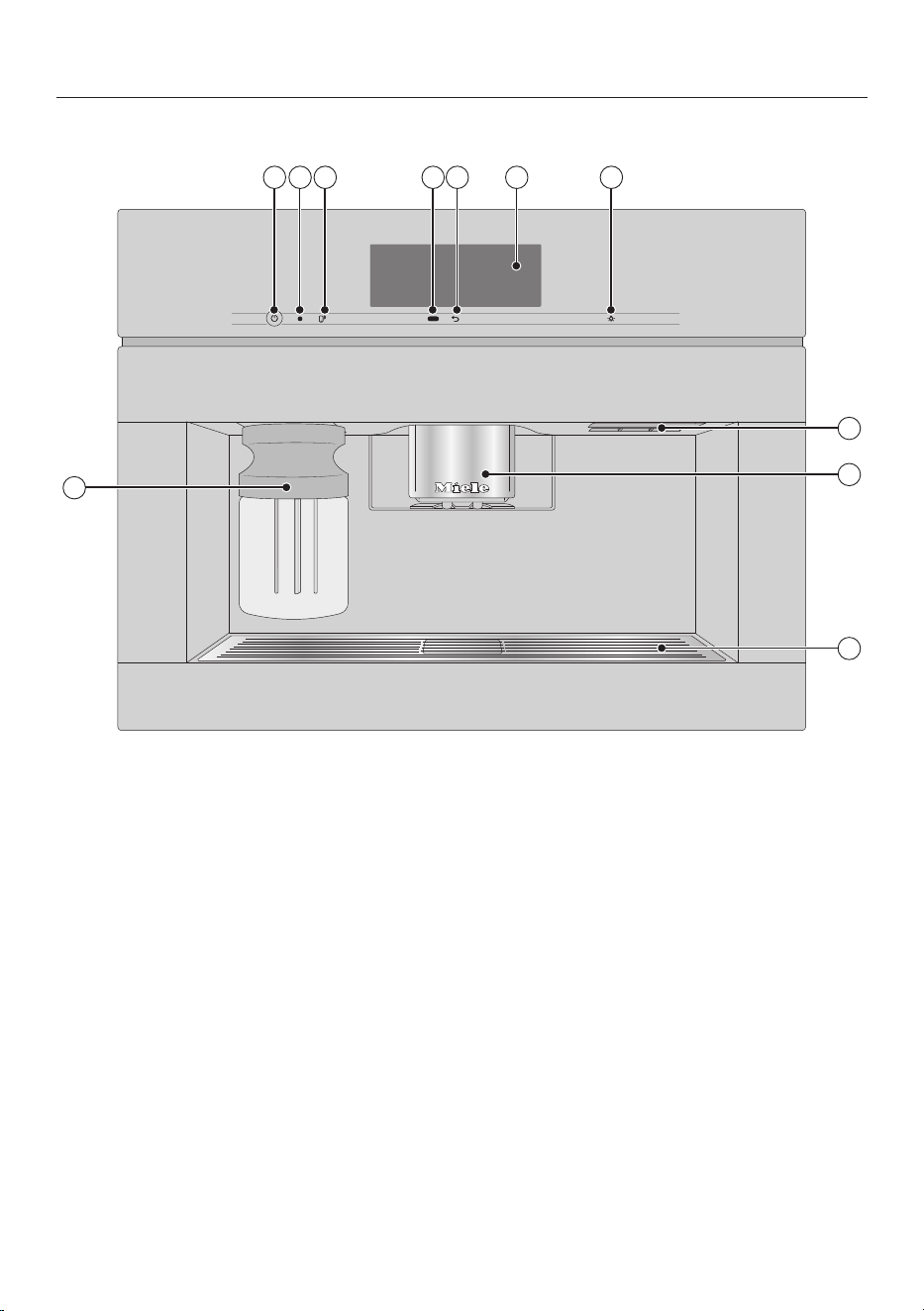
Exterior view
1 2 3 4 5 6 7
8
9
10
11
a
On/Off sensor
b
Optical interface (for Miele Service technicians only)
c
MobileStart sensor
d
Proximity sensor
e
“Back” sensor
f
Touch display
g
“Lighting” sensor control
h
Door handle
i
Automatic height-adjustable central spout with lighting
j
Drip tray cover
k
Milk flask
Guide to the appliance
15
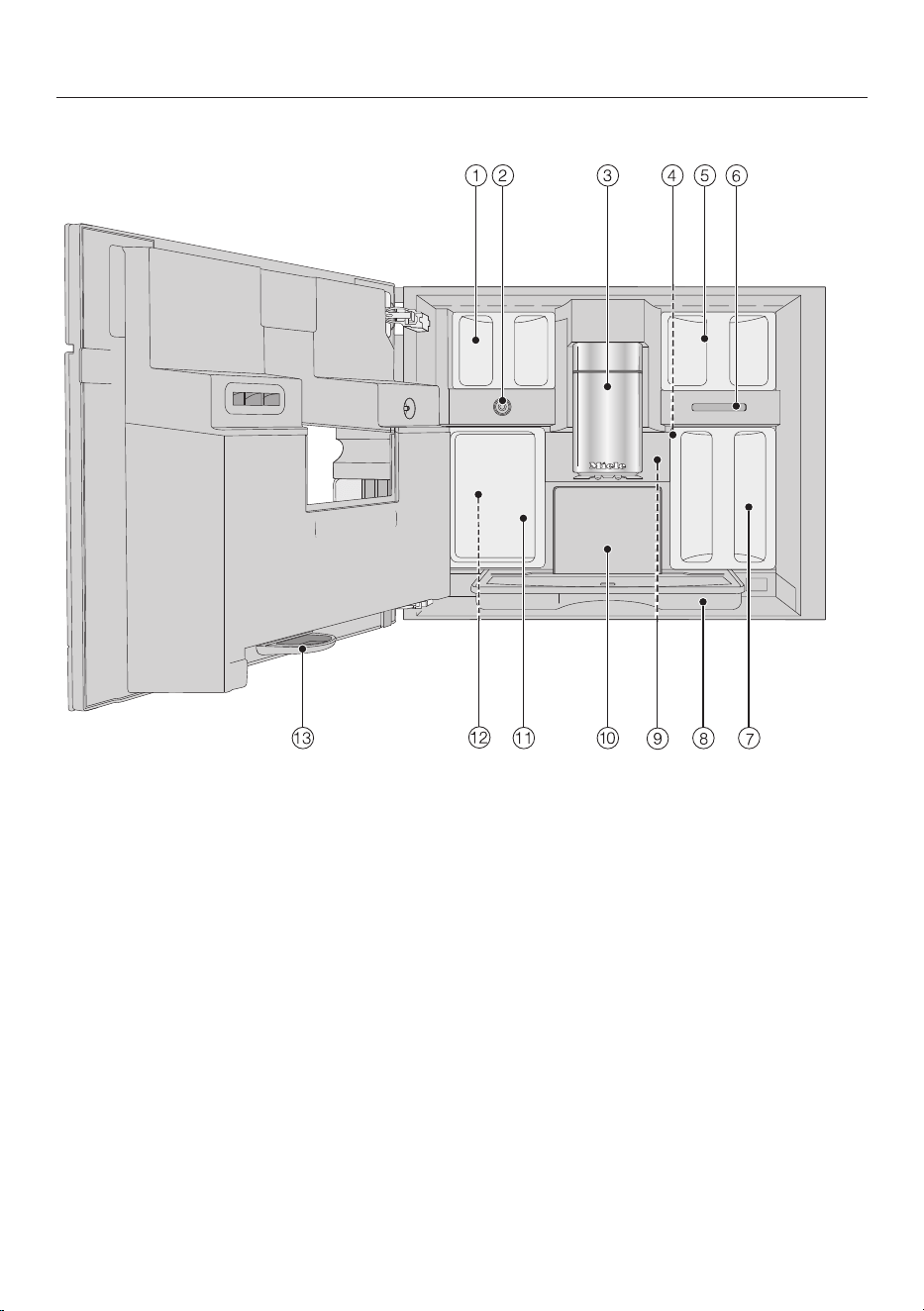
Interior view
a
Bean containers (Type A and Type C)
b
Milk valve
c
Automatic height-adjustable central spout with lighting
d
Grinder setting
e
Bean containers (Type B)
f
Fan outlet
g
Water container
h
Drip tray with lid
i
Brew unit
j
Waste container
k
Maintenance container
l
Holders for cleaning and descaling cartridges (including plug)
m
Drip catcher
Guide to the appliance
16
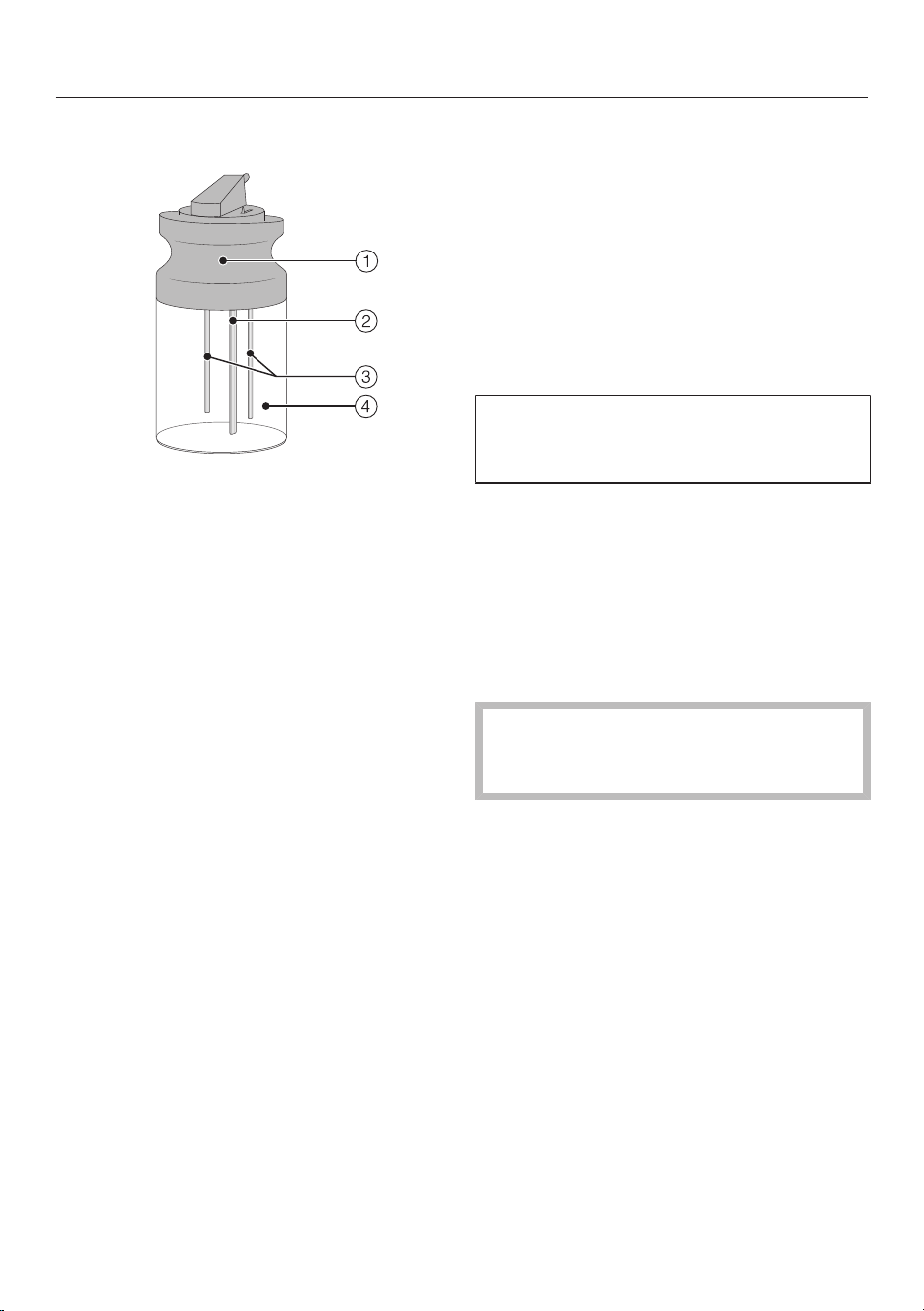
Milk flask
a
Lid
b
Milk suction tube
c
Milk level sensor rod
d
Glass milk flask
Central spout with cup rim
sensor
The central spout with cup rim sensor
features automatic adjustment. By
means of this spout adjustment, at the
beginning of drink preparation the
central spout moves down
automatically and the cup rim sensor
stops it at the optimum height for the
cups or glasses being used.
The height of the central spout with
cup rim sensor cannot be manually
adjusted.
When the coffee machine is switched
off, the central spout moves to a
medium height.
When a maintenance programme is
being carried out, the central spout will
move to the height of the cleaning
container or into a lower maintenance
position.
Ensure the central spout is in either
the upper or middle position before
opening the door.
Guide to the appliance
17
Symbols in the display
In addition to text, symbols are shown in the display.
Symbol Explanation
This symbol indicates that there is additional information and
advice about using the coffee machine. SelectOK to confirm
the messages.
This symbol indicates the “Settings” menu and the
“Language” menu option.
The symbol is displayed when the system lock is switched
on. The controls are locked.
This symbol and the desired switching on time appear in the
display up to 23:59hours before the coffee machine is due
to switch on if the On at timer and the time of day display are
activated.
This symbol appears during the Clean the milk pipework
maintenance programme and during automatic cleaning.
This symbol can also be found on the water container: fill up
to this mark with water.
This symbol is displayed while the appliance is being
descaled.
This symbol can also be found on the water container: fill up
to this mark.
This symbol and a fault code will appear if a fault occurs.
If Miele@home is activated for the coffee machine, the Wi-
Fi connection is indicated with these symbols. The symbols
indicate the strength of the Wi-Fi connection in gradations
from strong to not connected.
The “MobileStart” sensor lights up if Miele@home is set up
for the coffee machine and MobileStart is switched on.
If the sensor only flashes, the coffee machine is not yet
connected to the network. When the coffee machine is
ready for operation, you can start networking it at any time
by briefly touching the sensor.
The “SuperVision” symbol appears if Miele@home has been
set up for the coffee machine and the SuperVision | SuperVision
display | On setting has been selected.
Operating principles
18
Touch display
The sensitive touch display can be scratched by pointed or sharp objects, e.g.
pens.
Only touch the display with your fingers.
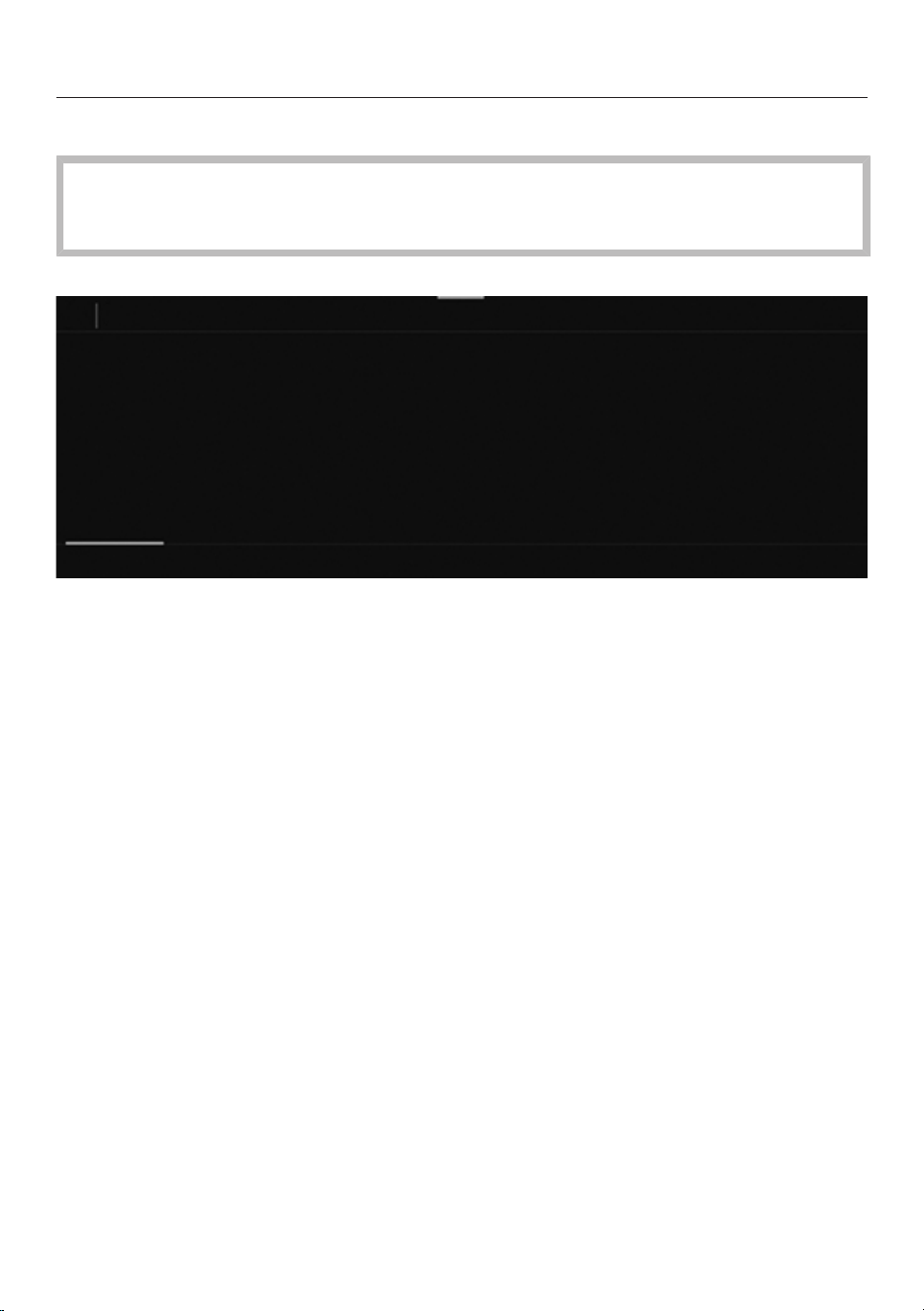
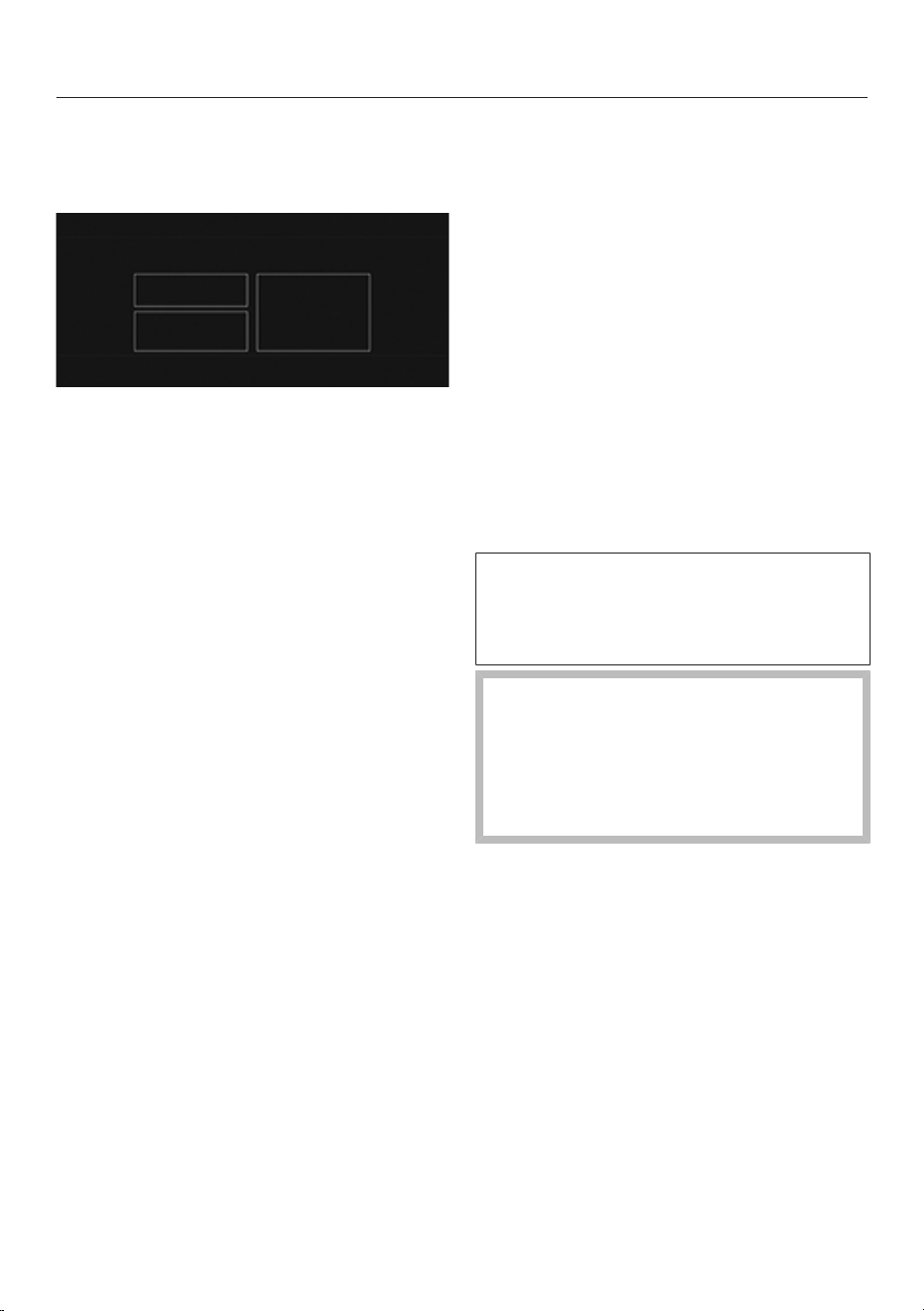
The touch display is divided into multiple areas.
12:00
Miele
Long coffeeCoffeeEspresso
Ristretto
User profiles
The menu path appears on the left of the header. If you touch a menu name in the
header, the display will switch to that menu. To switch to the start screen, touch.
The time of day is shown on the right of the header. Additional symbols may also
appear, e.g. TeaTimer.
The current menu and menu options are shown in the centre. You can scroll to the
right or left by swiping your finger across the display to the right or left.
Depending on the menu, various operating options appear in the footer, e.g.
DoubleShot, Save or OK.
Operating principles
19
Operating actions
All selectable options are displayed in either white or black, depending on which
colour scheme has been selected.
Each touch of a possible selection colours the relevant character (word and/or
symbol) orange.
Selecting a menu option
Touch the desired menu option or value in the touch display.
Scrolling
You can scroll left or right.
Swipe across the screen. To do this, place your finger on the touch display and
swipe it in the direction you want.
The bar at the bottom of the display shows you your position in the current menu.
Exiting a menu
Touch the sensor. Alternatively, you can touch the upper level menu name in
the menu path.
Entries made before this which have not been confirmed withOK will not be
saved.
Useful tip: If you touch the sensor three times in succession, you will return to
the drinks menu.
Entering numbers with the roller
Swipe the roller up or down until the number you want is located in the centre
and coloured orange.
Confirm with OK.
Operating principles
20
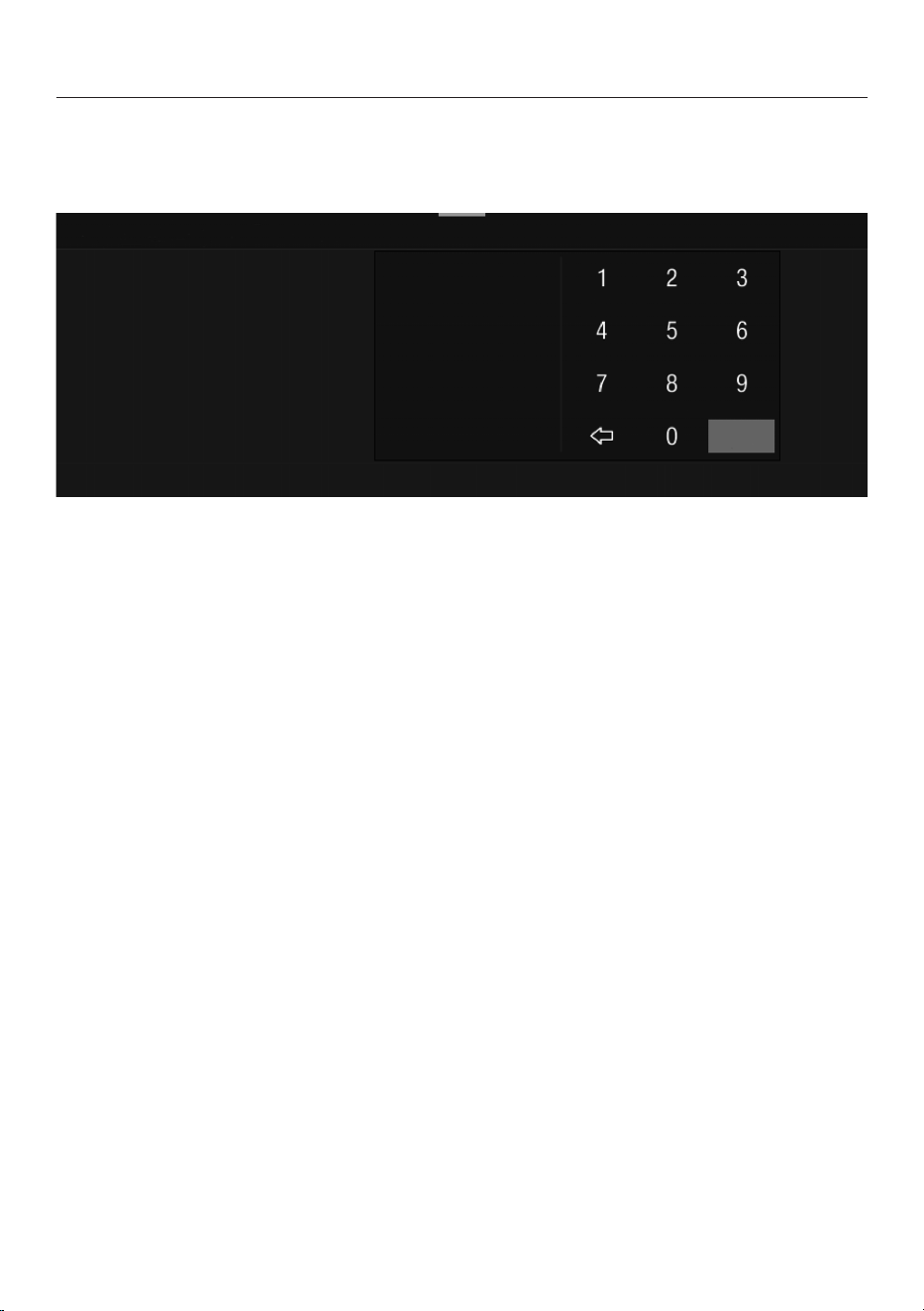
Entering numbers using the numerical keypad
Touch the orange coloured value in the centre until the numerical keypad
appears.
OK
Select the desired value: as soon as a valid value has been entered, OK is
highlighted green. Use the arrow to delete the last entered number.
Confirm with OK.
Entering a name
Letters are entered using a keyboard. It is best to select short, memorable names.
Touch the letters or characters you want.
Useful tip: Use the arrow to delete the last entered character.
Touch Save.
Displaying a context menu
In some menus you can display a context menu, e.g. to configure drinks.
Touch and keep your finger on a drink name, for example, until the context menu
opens.
Touch the touch display outside of the menu window to close the context menu.
Moving entries
You can change the order of the entries in the drinks menu to User profiles and
MyMiele.
Touch and hold an entry until the context menu appears.
Select Move.
An orange frame will appear around the entry.
Touch the highlighted entry and hold your finger on the display. Drag the entry to
the required position.
Operating principles
21
Help
Context-sensitive help is available for certain functions. Help appears on the bottom
line.
Touch Help to display information in text and pictures.
Touch Close to return to the previous menu.
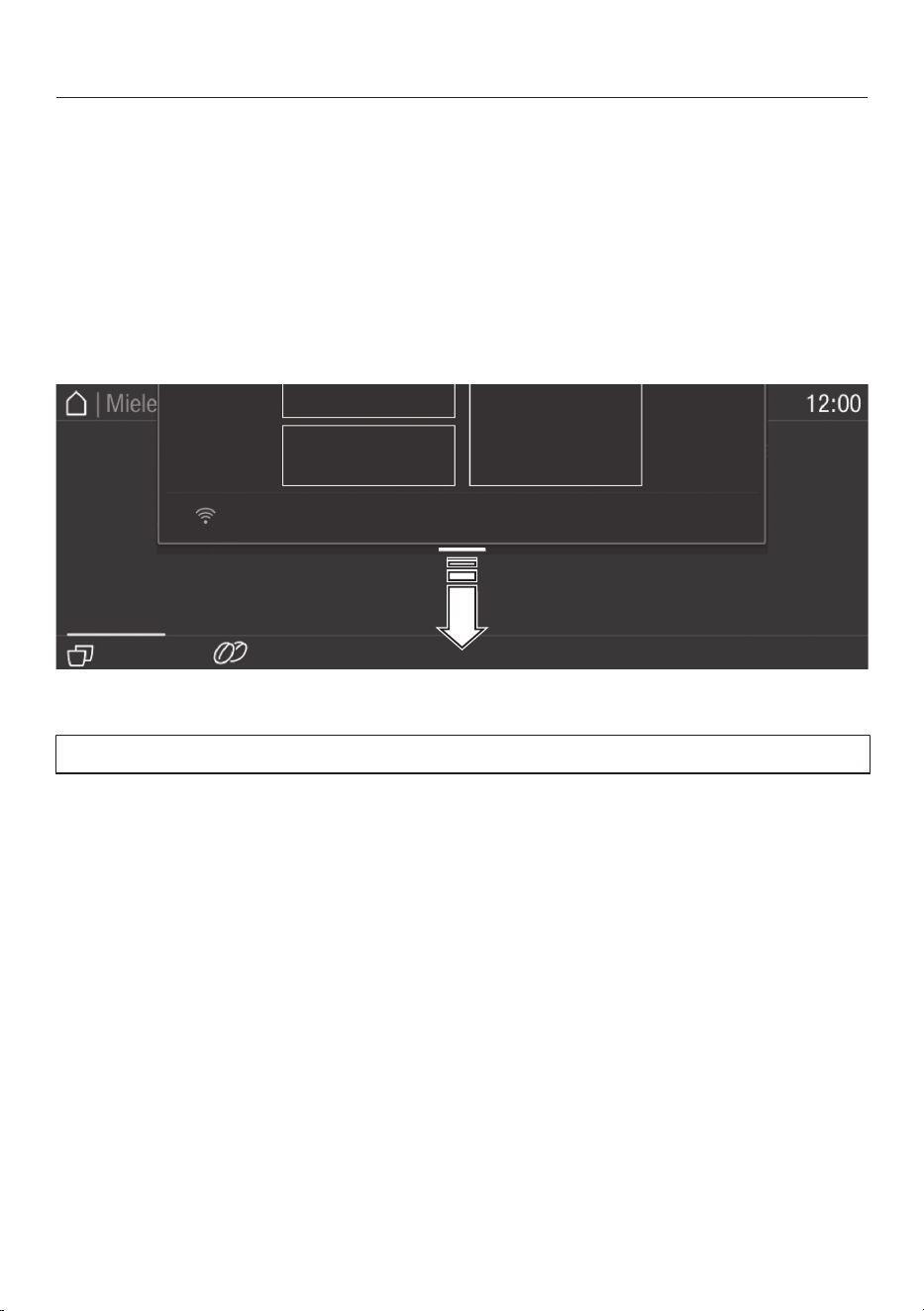
Pull-down menu
In the pull-down menu you will find, for example, the schematic representation of
the bean containers and the Expert mode.
Touch the top edge of the screen on the orange line and drag down with your
finger.
Active settings are highlighted in orange.
To close the pull-down menu, touch the display outside of the menu window or
slide the pull-down menu up.
Miele@home
22
Your coffee machine is equipped with
an integrated Wi-Fi module.
Before installing the coffee machine in
its final location, ensure the signal
strength of your Wi-Fi network is
sufficient.
To use this feature, you will need:
- a Wi-Fi network
- the Miele App
- a Miele user account, which can be
created via the Miele App
The Miele App will guide you through
the process of connecting your coffee
machine to your home Wi-Fi network.
Once your coffee machine is connected
to your Wi-Fi network, you can use the
Miele App, for example, to carry out the
following activities:
- Install software updates
- Call up information on the operating
status of your coffee machine
- Change the settings of your coffee
machine
- Operate your coffee machine remotely
Connecting your coffee machine to
your Wi-Fi network will increase
energy consumption, even when the
coffee machine is switched off.
Availability of the Wi-Fi
connection
The Wi-Fi connection shares a
frequency range with other appliances
(including microwave ovens and remote
control toys). This may result in sporadic
or even complete connection failures.
Therefore, a constant availability of
featured functions cannot be
guaranteed.
Miele@home availability
The ability to use the Miele App
depends on the availability of the
Miele@home service in your country.
The Miele@home service is not
available in every country.
For information about availability, please
visit www.miele.com.
Miele App
You can download the Miele App from
the Apple App Store
®
or the Google Play
Store™ free of charge (only functional in
selected countries).
Before using for the first time
23
Before using for the first time
Connect the coffee machine to the
mains water supply and the mains
electricity supply.
Install the coffee machine.
Remove any protective foil and
stickers from the machine. Exception:
Please do not remove any labels (e.g.
the data plate) which are visible when
you pull out the lower panel.
Remove the protective foil from the
drip tray cover.
Clean the water container, the bean
containers and the central spout.
Before using the appliance for the first
time, you will need:
- Miele cleaning cartridge
- Miele descaling cartridge
Switching on for the first time
Touch the On/Off sensor.
Selecting the display language
Select the required display language.
You might also be asked for your
location.
The choice of location determines how
the time of day is displayed, e.g. in the
12 or 24-hour format, as well as how
units are displayed.
Setting up the network (Miele@home)
To receive software updates and
operate the coffee machine via the
Miele App on your mobile device, you
can connect your coffee machine to
your home Wi-Fi network.
The following appears in the display
during commissioning: Set up
Miele@home?
Useful tip: You can also set up
Miele@home at a later time by
scanning the QR code on the inside of
the appliance door (see “Setting up
Scan & Connect”). In this case, select
Skip.
Make sure that the signal of your Wi-
Fi network is sufficiently strong in the
place where you want to set up your
coffee machine.
Touch Continue.
Select the connection method you
wish to use.
Follow the instructions provided in
the coffee machine display and in the
Miele App.
Connection successfully established
appears in the display.
Any new software that is available for
your coffee machine will be downloaded
via RemoteUpdate the next time the
appliance is switched on. In this case,
you will be notified that you can install
the new software (see
“RemoteUpdate”).
Networking increases the energy
consumption of the coffee machine.
Touch Continue to proceed with
commissioning.
Setting the date
Set current the date.
Before using for the first time
24
Confirm with OK.
Setting the time of day
Set the current time of day.
Confirm with OK.
If the coffee machine has been
connected to a Wi-Fi network and is
signed into the Miele App, the time
will be synchronised based on the
location setting in the Miele App.
Setting the water hardness level
Contact your local water supplier to
find out your local water hardness
range if necessary.
See “Settings - Water hardness” for
more information.
Enter the local water hardness level
(in°dH) and confirm with OK.
Selecting the water supply (Mains
water)
The coffee machine is intended to be
operated with a mains water
connection. You can select from one of
the following water supply options:
- On: The water container is
automatically filled with fresh tap
water via the mains water connection.
- Off: You need to fill the water
container manually. A message
appears in the display to inform you of
this.
Select the desired option.
Setting up automatic cleaning and
descaling
Information about automatic cleaning
and descaling is shown in the display.
Confirm with OK.
Useful tip: Touch Help to get illustrated
instructions in the display.
Fitting the cleaning cartridge
You will now be prompted to fit a
cleaning cartridge.
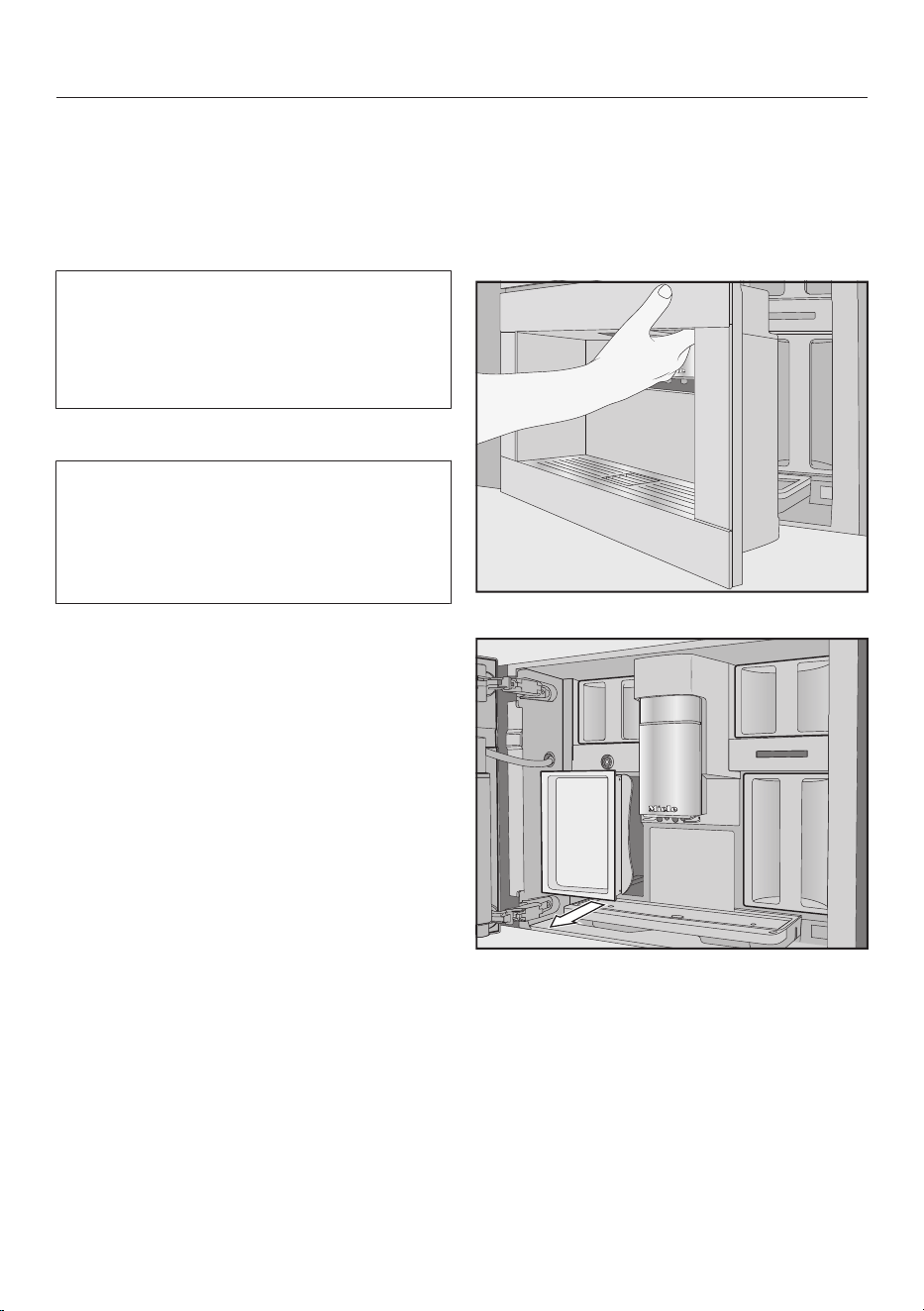
Open the appliance door.
Remove the maintenance container
on the left.
Before using for the first time
25
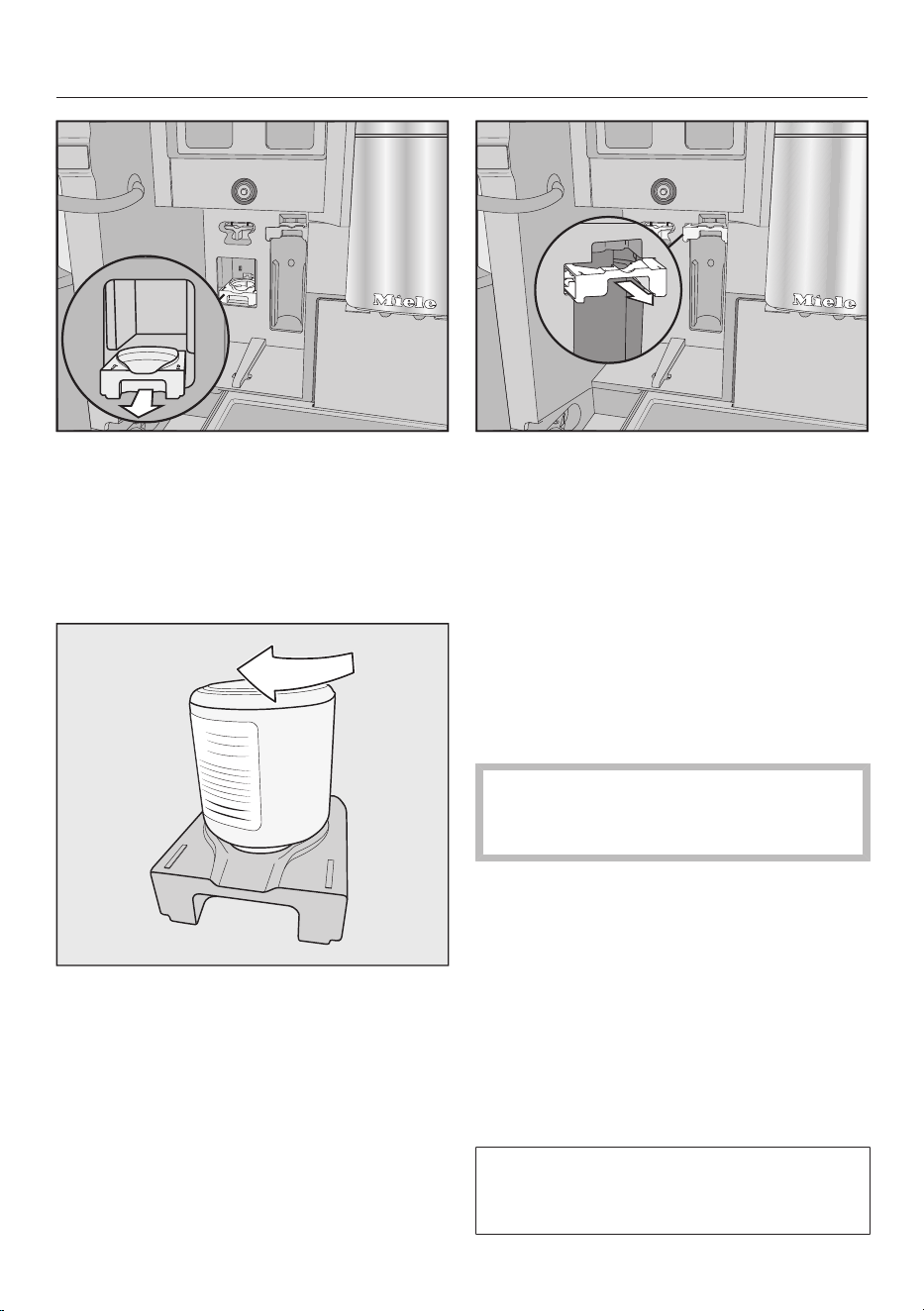
Pull the cleaning cartridge holder
forwards and take it out.
Remove the cleaning cartridge from
its packaging.
Unscrew the cap.
The cap is no longer required.
Screw the cleaning cartridge into the
holder upside down.
Push the holder with the cartridge
into the coffee machine until it clicks
into place.
Fitting the descaling cartridge
Remove the descaling cartridge from
its packaging.
Pull the descaling cartridge holder
forwards.
Fit the descaling cartridge and push it
upwards as far as it will go.
Push the descaling cartridge holder
back in.
Refit the maintenance container.
Close the appliance door.
The descaling cartridge will fill with
water the next time the machine is
switched off.
Wait until the coffee machine
switches itself off. Do not force the
machine to switch off.
Changing the start time
If the cleaning and descaling cartridges
are fitted, a message about the set start
time of automatic cleaning and
automatic descaling will appear.
If you want to change the start time,
touch Timer.
Select the time you want.
Confirm withOK.
You can change the start time for
automatic cleaning and descaling at
any time.
Before using for the first time
26
Selecting the Performance mode
You can select the appropriate
Performance mode to suit your personal
preferences (see “Adjusting settings –
Performance mode”).
- Eco mode: this mode consumes the
least amount of energy (default
setting).
- Barista mode: this mode is optimised
for perfect coffee enjoyment.
- Latte mode: in this mode, milk-based
drinks can be prepared within a much
shorter space of time.
Select the Performance mode you
want.
Selecting a Performance mode other
than Eco mode increases the energy
consumption of the coffee machine.
The coffee machine is now successfully
set up for use. You can now fill the bean
system.
Setting up the bean system
After setting up the coffee machine, you
will be prompted to set up the bean
system. The coffee machine will assist
you when first filling and naming the
bean containers.
Touch Yes.
If you select No, the assistant for
setting up the bean system will not be
shown again.
Filling the bean containers
There are two bean container drawers at
the top right and left of the coffee
machine.
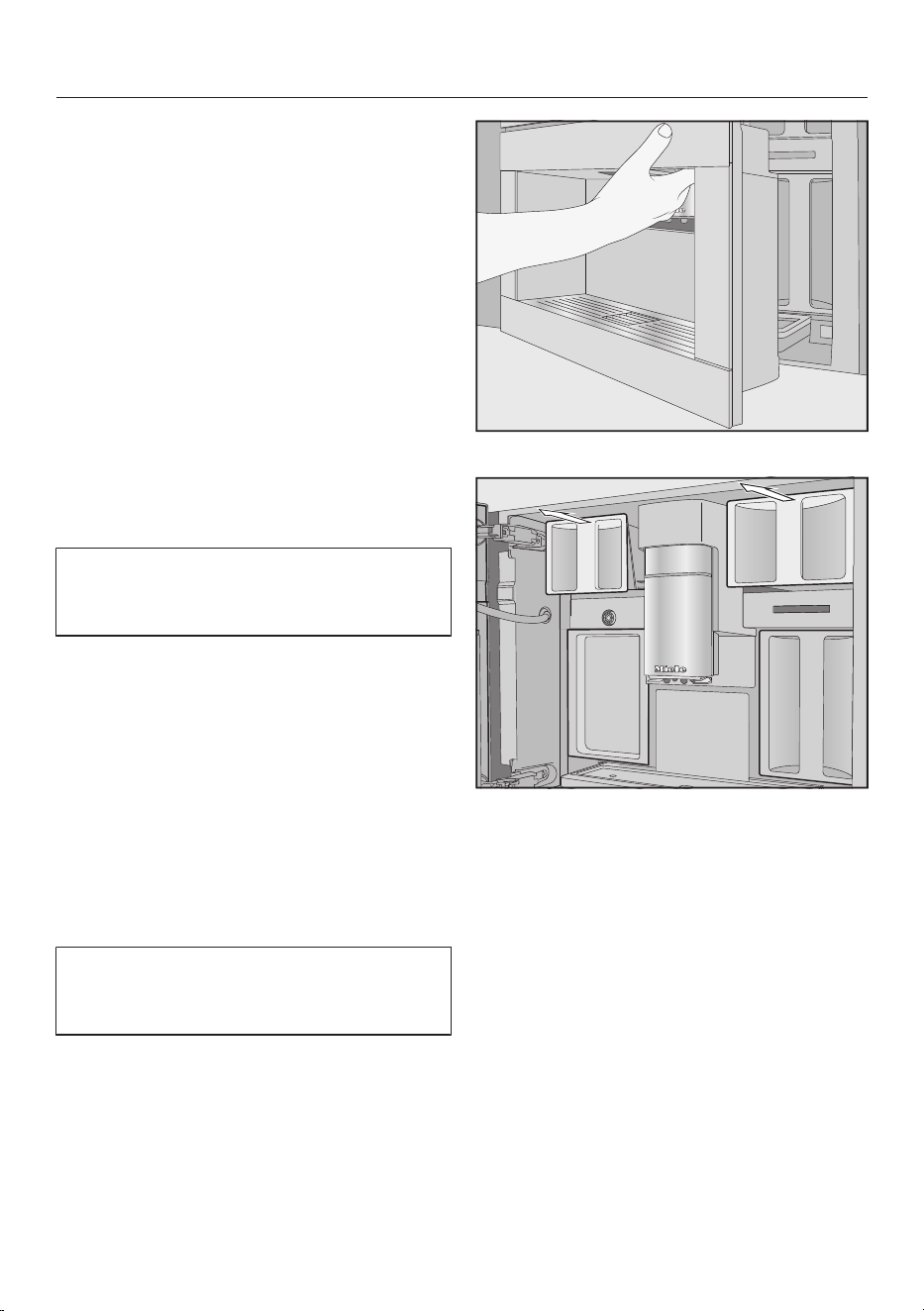
Open the appliance door.
Pull out the coffee bean containers
and remove their lids.
Fill the containers with roasted coffee
beans.
Close the bean containers with their
respective lids.
Push the bean containers back into
the coffee machine. Close the
appliance door.
Useful tip: Make a note of each type of
bean.
After filling the bean containers, you can
now name the types of beans.
Before using for the first time
27
Naming the types of beans
The 3 bean containers are shown in the
display as follows and are pre-named.
Type of beans
Type A Type B
Type C
If you rename the bean containers,
please note the following:
- It is best to select short, memorable
names.
- If you are using the same type of
beans in two or three bean containers
at the same time (for instance,
because you only use one type of
bean), make sure you name them in
exactly the same way.
Name type of beans for bean container?
appears in the display and Type A is
highlighted orange.
Touch Yes.
The editor will open in the display.
Enter the name you want for the bean
container.
Touch Save.
Now name the other two bean
containers.
Allocate type <Type XY> appears in the
header line.
Allocating bean types
Allocate the desired coffee drinks to the
individual bean types.
Select the drinks that are to be
prepared with this type of bean.
The selected coffee drinks will be
highlighted in orange.
Confirm with OK.
The next type of bean is now allocated
and any unallocated coffee drinks are
displayed.
Select the drinks that are to be
prepared with this type of bean.
Confirm with OK.
Any remaining drinks which have not
been selected will be allocated to the
third bean type.
You have set up the bean system and
you can now prepare drinks.
Useful tip: All coffee drinks are
highlighted if you touch All drinks.
Unwanted drinks can be deselected.
If you do not allocate bean containers
to the drinks, you will be asked during
drink preparation which type of bean
you want to use.
To ensure that any coffee residues
from the factory testing process are
removed from the brewing system,
please throw away the first two cups
of coffee when using the coffee
machine for the first time.
Bean system
28
Coffee or espresso can be made from
whole roasted coffee beans which are
freshly ground for each portion.
Your coffee machine has a bean system
with three bean containers which can
be filled with different types of beans or
even just one type. You can allocate
bean types to individual coffee drinks as
you wish. Alternatively, you can create
profiles with your own coffee drinks and
allocate other bean types to these
drinks which are different to the Miele
profiles.
Risk of damage to the grinder
due to incorrect operation.
The coffee machine will be damaged
if the bean container is filled with
unsuitable substances such as
liquids, ground coffee or coffee beans
treated with sugar, caramel or similar.
In addition, green (unroasted) coffee
beans or mixtures of coffee beans
which contain green coffee beans
can damage the grinder. Green coffee
beans are very hard and still contain
residual moisture. These can damage
the coffee machine grinder as soon
as grinding begins.
Only put roasted coffee beans in the
bean container.
If decaffeinated coffee beans are
used after dispensing a drink with
caffeinated beans, there may still be
residues from the caffeinated beans
in the grinder or brew chamber.
Please be aware that minimal
residues of caffeinated beans may be
present in the next drink that you
make.
Changing bean system settings
(Type of beans)
The drinks menu is displayed.
Touch the sensor.
Select Settings.
Select Type of beans.
The schematic representation of the
bean containers will be displayed.
Type of beans
Type A Type B
Type C
Select a bean type.
You can now change the name of the
type of bean or change the allocation.
Useful tip: If you want to allocate
another type of bean to a coffee drink,
you can also do this under "Change
parameters" (see "Parameters - Type of
beans").
Renaming type of beans
If you rename the type of beans, please
note the following:
- It is best to select short, memorable
names.
- If you are using the same type of
beans in two or three bean containers
at the same time (for instance,
because you only use one type of
bean), make sure you name them in
exactly the same way.
Touch Change name.
The editor will open in the display.
Enter the name you want.
Touch Save.
Bean system
29
If you give identically named types of
beans different names, you will then
need to allocate coffee drinks to the
newly named beans.
Changing the allocation of the bean
containers
If you have created additional Profiles
with coffee drinks to the Miele
standard profile, the bean types can be
individually allocated to individual
drinks in each Profile.
Touch Change allocation.
If you have set up one or more profiles
and saved at least one coffee drink, first
select the profile.
Select the profile for which you want
to allocate the type of beans.
All coffee drinks will be listed. The
already allocated drinks will be
highlighted in orange.
Change the allocation as required.
Confirm with OK.
Useful tip: If you touch All drinks, you will
highlight all coffee drinks and you can
deselect the ones you do not want.
If you do not allocate a type of bean,
you will be asked what type of bean
you want to use for the coffee as you
make it.
Filling the water container
30
Risk to health due to
contaminated water.
Bacteria can develop in water which
has been sitting in the water
container for too long and is a risk to
your health. The taste of water sitting
in the inlet hose can also be affected
if drinks have not been prepared for a
long time.
Change the water in the water
container every day.
Pour out the water from the water
container if a drink has not been
prepared for a long time.
If the coffee machine is connected to a
plumbed water supply and this setting
is selected, the water container fills
automatically when the machine is
switched on.
The water container can be filled
manually at any time.
Risk of damage due to incorrect
operation.
Unsuitable liquids such as hot or
warm water or other liquids can
damage the coffee machine.
Carbonated water leaves too much
limescale in the coffee machine.
If filling the water container manually:
Only use fresh, cold tap water.
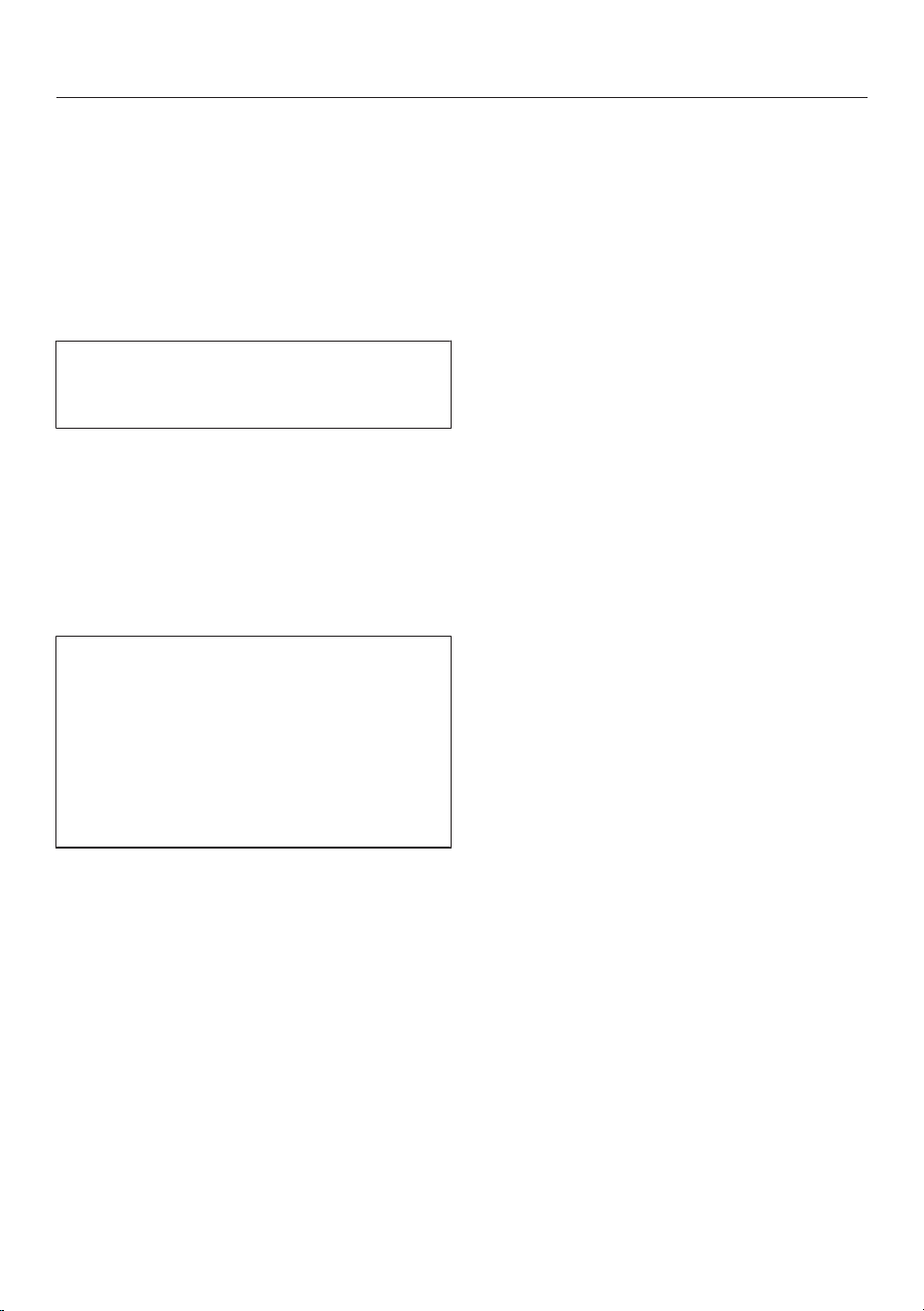
Open the appliance door.
Pull the water container out to
remove it.
Fill the water container with fresh,
cold drinking water up to the max.
marker.
Push the water container into the
appliance.
Close the appliance door.
Switching on and off
31
Switching the coffee machine
on
Touch the On/Off sensor.
The coffee machine heats up and rinses
the pipework. Hot water will run out of
the central spout.
You can now make drinks.
If the coffee machine is already at
operating temperature, rinsing will not
take place.
Switching the coffee machine
off
Touch the On/Off sensor.
If coffee has been dispensed, the coffee
machine will rinse the coffee pipework
automatically before switching off.
While dispensing a drink or during
maintenance processes, moisture
builds up in the coffee machine. Once
a drink has been dispensed or the
machine has been switched off, the
internal fan will continue to run until
the interior is sufficiently dehumidified.
You will hear an accompanying noise.
Preparing for extended disuse
If the coffee machine is not going to be
used for more than 3days, such as
during a holiday, proceed as follows:
Empty the drip tray, the waste
container and the water container.
Clean all parts thoroughly, including
the brew unit and appliance interior.
Switch the coffee machine off.
Making drinks
32
Danger of burning and scalding
on the dispensing spouts.
The liquids and steam dispensed are
very hot and can cause scalding.
Keep well away from the area
underneath the spouts when hot
liquids and steam are being
dispensed.
Do not touch hot components.
Coffee
Coffee drinks in detail
You can use your coffee machine to
prepare the following coffee specialities:
- Ristretto is a strong, concentrated
espresso. It is prepared with the same
amount of coffee as for an espresso
but with much less water.
- Espresso is a strong aromatic coffee
with a thick hazelnut brown coloured
froth – known as the crema – on top.
We recommend using espresso
roasted coffee beans to make an
espresso.
- Coffee differs from espresso by the
increased amount of water and the
roast of the beans.
We recommend using coffee beans
with the appropriate roast to make the
coffee.
- Long coffee is a coffee with
considerably more water.
- Long black is made with hot water
and two shots of espresso.
- Caffè Americano consists of equal
proportions of espresso and hot
water. The espresso is made first,
then the hot water is dispensed.
- Cappuccino consists of approx. 2/3
milk froth and 1/3 espresso.
- Latte macchiato consists of 1/3 each
of hot milk, milk froth and espresso.
- Caffè latte consists of hot milk and
espresso.
- Cappuccino Italiano has the same
proportions of milk froth and espresso
as a cappuccino. The difference is that
the espresso is added first and then
the milk froth.
- Espresso macchiato is an espresso
with a small amount of milk froth on
top.
- Flat white is a special variation of the
cappuccino: a much greater amount
of espresso compared to milk froth
creates an intensive coffee aroma.
- Café au lait is a French coffee
speciality made from coffee and milk
froth. Café au lait is normally served in
a bowl.
Hot milk or milk froth can also be made
separately.
Milk and milk alternatives
Milk containing added sugar or plant-
based milk alternatives, e.g. soy
drinks, can clog up the milk tube and
the rest of the milk pipework.
Residues from unsuitable liquids may
adversely affect correct preparation.
Do not use milk with additives.
Animal milk naturally contains
bacteria.
If using animal milk, make sure that it
has been pasteurised, e.g.
pasteurised cow’s milk.
You can prepare hot milk and milk froth
with cow’s milk or with plant-based milk
alternatives. Depending on the milk
Making drinks
33
used, the consistency of the milk froth
can vary greatly. Not every type of milk
is well suited to frothing.
After the heating-up phase, the milk will
be drawn up into the central spout
where it is heated by steam and also
frothed for drinks requiring milk froth.
Useful tip: Using cold cow's milk
(<10°C) with a protein content of at
least 3% will produce the perfect milk
froth.
You can select milk with a fat content
according to preference. With full cream
milk (at least3.5% fat), the milk froth
will be slightly creamier than with low-
fat milk.
Plant-based milk alternatives -
abbreviated as "milk alternatives" in
the following - contain other
substances than cow's milk, for
example. Due to natural settling,
thickening can occur in milk
alternatives. During the preparation of
hot milk or milk froth, such thickening
can impede the intake of milk
alternatives.
Stir milk alternatives thoroughly
directly before drink preparation.
Do not shake milk alternatives.
Shaking causes an unwanted
formation of froth in the packaging and
impairs preparation.
Useful tip: Manually rinse the milk
pipework immediately after preparation.
Filling and fitting the milk flask
Milk is not cooled in the milk flask.
The milk can spoil if left unchilled in
the milk flask for a long period of time
(depending on type of milk).
Do not leave cow's milk in particular
in the milk flask out of the fridge for a
long period of time.
Please follow the manufacturer's
instructions concerning the storage
life of the milk being used.
If you have not made any milk drinks
for a while, rinse the milk system
thoroughly before making the first
drink.
Useful tip: Use cold milk (<10°C) to
produce a good quality milk froth.
If you are using milk alternatives, be
sure to stir them thoroughly first. To
ensure the best preparation, milk
alternatives must be stirred and not
shaken.
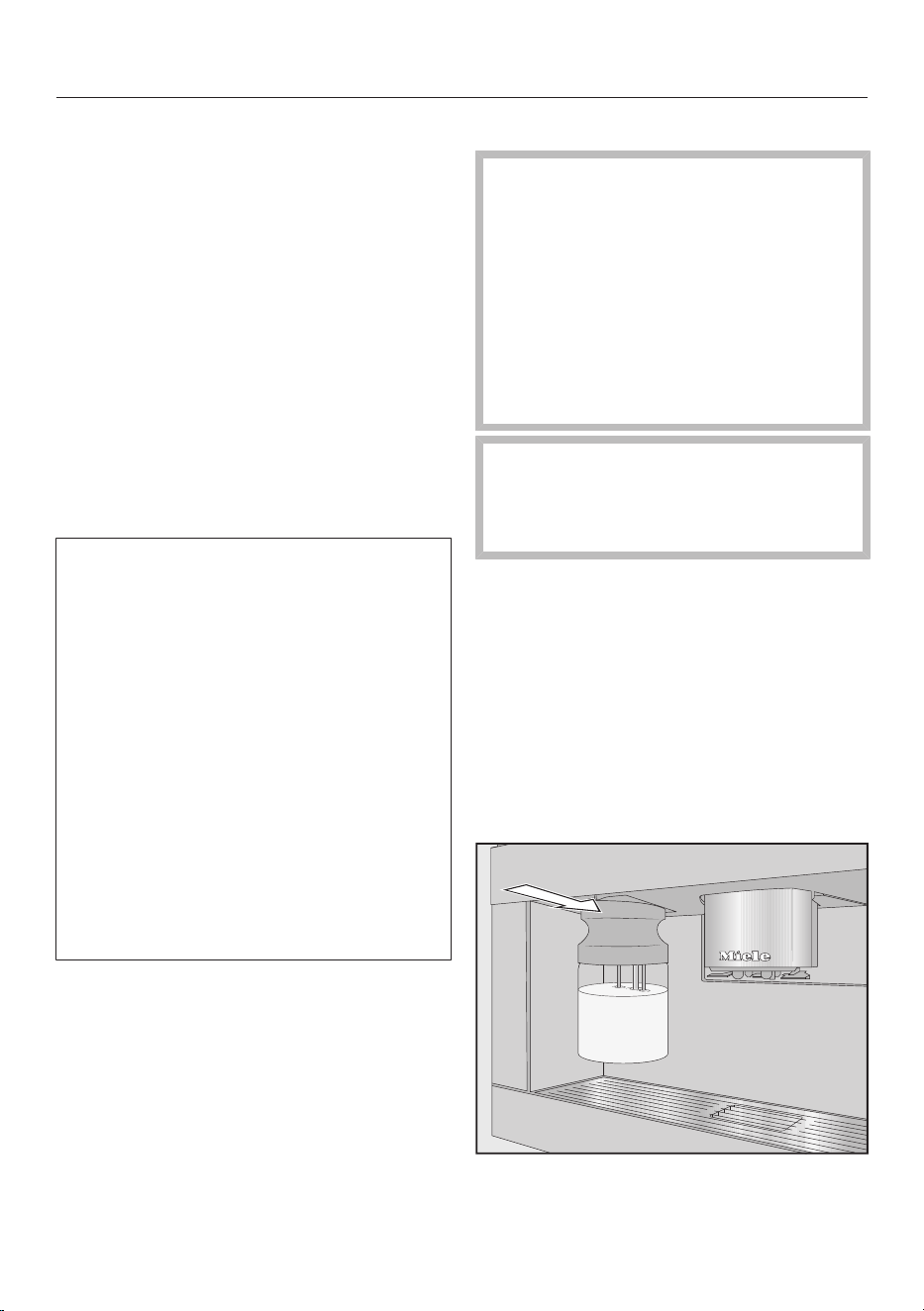
Fill the milk flask with milk up to a
maximum of 2cm below the rim.
Seal the milk flask with the lid.
Push the milk flask into the coffee
machine until it clicks into place.
Making drinks
34
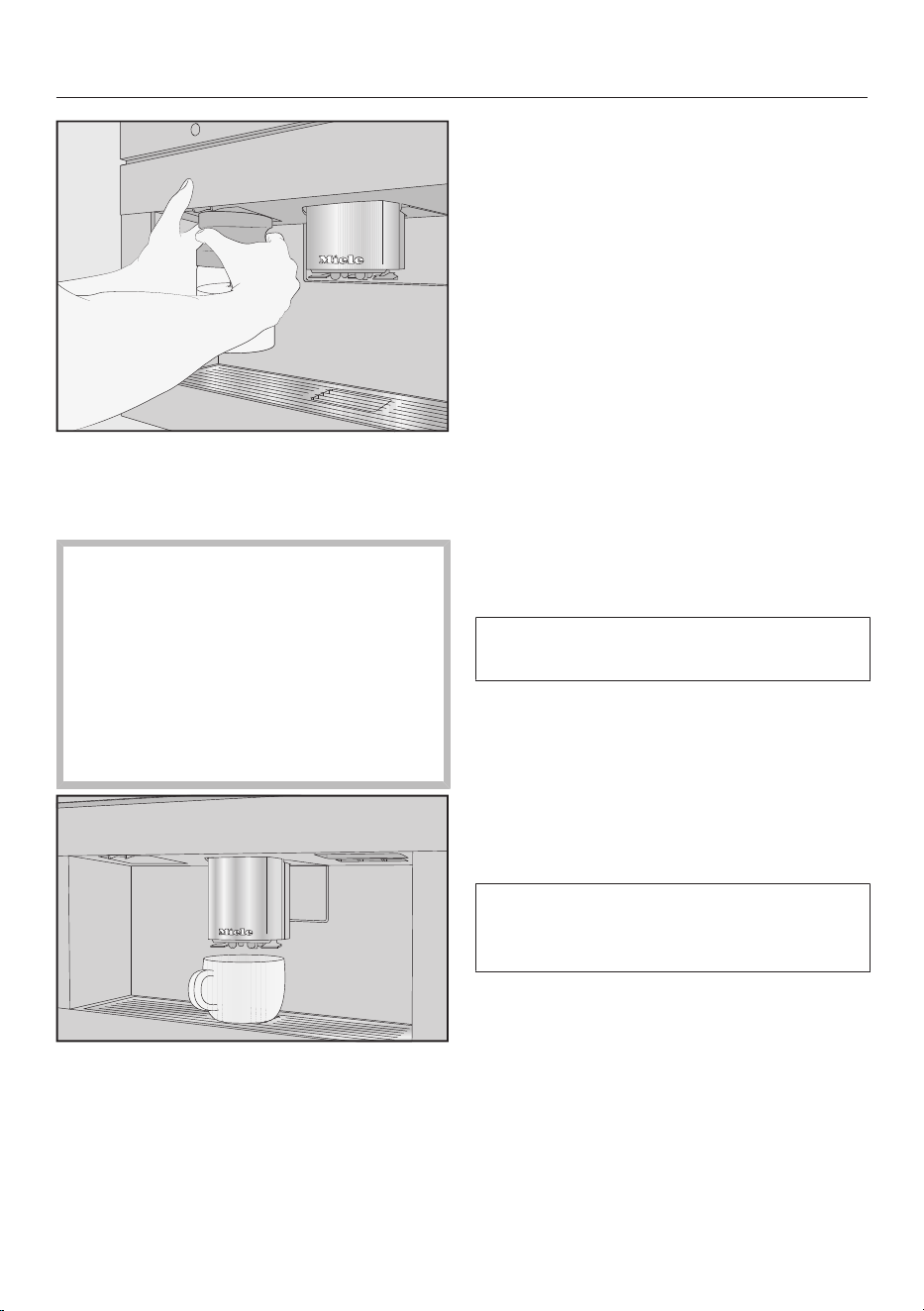
Useful tip: The milk flask is easier to
remove again with two hands.
Making a coffee drink
If decaffeinated coffee beans are
used after dispensing a drink with
caffeinated beans, there may still be
residues from the caffeinated beans
in the grinder or brew chamber.
Please be aware that minimal
residues of caffeinated beans from
the previous drink may be present in
the next drink that you make.
Place a suitable cup or glass
underneath the central spout.
If you want to make a coffee with hot
milk or milk froth, prepare the milk
flask and insert it in the machine.
Select a coffee drink.
Preparation will begin and the coffee will
be dispensed into the cup or glass from
the central spout.
Useful tip: If you have dispensed a
coffee with milk, manually rinse the milk
pipework after preparation.
Cancelling preparation
TouchStop or Cancel.
Making a DoubleShot of coffee
Select the DoubleShot function to
make a particularly strong and aromatic
coffee. In this case, more coffee beans
will be ground and brewed a second
time halfway through brewing. Due to
the reduced extraction time, fewer
unwanted aromas and bitter substances
are released.
The sensor control is displayed
during preparation of coffee drinks.
Touch the sensor immediately
before or after you have started
making a coffee.
Preparation starts and the sensor
lights up. 2portions of coffee beans will
be ground and brewed one after the
other.
DoubleShot can be activated for all
coffee drinks except "Ristretto" and
"Long black".
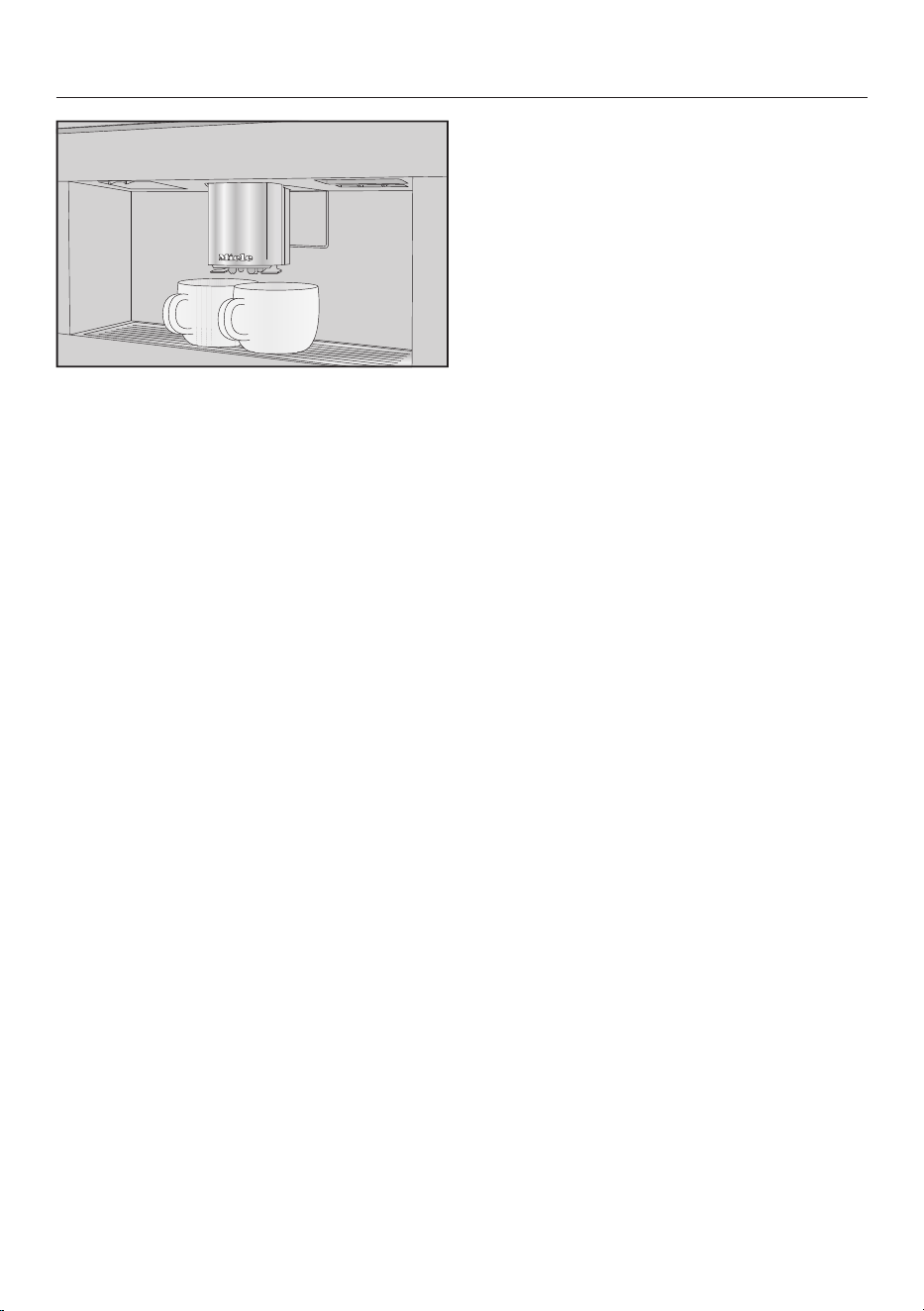
Making two portions
You can also dispense two portions of a
drink into one large cup or dispense two
portions into two cups at the same
time.
Making drinks
35
Place one cup under each of the
coffee spouts.
Touch the symbol immediately
before or after you have started
making a drink.
Preparation starts and the symbol is
highlighted orange in the display. Two
portions of the desired drink will be
dispensed.
Preparing a pot of coffee
You can make several cups of coffee one
after the other automatically with the
Coffee pot function (max.1litre).
The drinks menu is displayed.
Useful tip: Before starting Coffee pot,
ensure the bean containers and the
water container are sufficiently filled.
Place a sufficiently large container
under the central spout.
Select Coffee pot.
Useful tip: You will find Coffee pot at the
end of the drinks menu.
Select the number of portions you
want to dispense (3 to 8).
Follow the instructions in the display.
Each portion of coffee will be ground,
brewed and dispensed individually. The
display will inform you about the
progress.
You can interrupt preparation at any
time.
Touch Cancel.
Making drinks
36
Tea
If the dispensing temperature is too
high or too low or if the brewing time
is too short or too long, this can
affect the flavour of your tea.
Follow the instructions provided by
the manufacturer of the tea you are
making.
This coffee machine is not intended for
commercial or scientific purposes.
Dispensing temperatures given are
approximate and can vary according to
ambient conditions. A change in
temperature of approx. 2°C makes a
difference.
To make tea, you can select from the
following options:
- Japanese tea is a high quality green
tea and has a delicate, fresh, “green”
flavour.
Dispensing temperature:
approx.65°C; brewing time:
approx.1.5minutes
- White tea is a green tea where only
the young buds of the tea plant, which
are still white, are used and processed
very gently. White tea has a
particularly mild flavour.
Dispensing temperature:
approx.70°C; brewing time:
approx.2minutes
- Green tea gets its green colour from
the leaves of the tea plant. The tea
leaves are processed gently in
different ways – either roasted or
steamed – depending on the region.
Green tea can be infused multiple
times.
Dispensing temperature:
approx.80°C; brewing time:
approx.2.5minutes
- Black tea gets its dark colour and
typical flavour from the fermentation
of the tea leaves. Black tea can be
drunk with a little lemon or with milk.
Dispensing temperature:
approx.97°C; brewing time:
approx.3minutes
- Chai latte has its origins in the
traditional Ayurveda medicine as a
black tea with typically Indian spices
and milk. The milk mellows the spices
and tops off the flavour experience.
Dispensing temperature:
approx.97°C; brewing time:
approx.3minutes
- Herbal tea is an aromatic infusion
drink made up of dried leaves or fresh
parts of plants.
Dispensing temperature:
approx.97°C; brewing time:
approx.8minutes
- Fruit tea consists of dried pieces of
fruit and/or parts of plants, e.g. rose
hip. The flavour varies depending on
the plants used and their blend. Many
fruit teas are also flavoured.
Dispensing temperature:
approx.97°C; brewing time:
approx.8minutes
The preset dispensing temperature
varies depending on the type of tea.
The respective dispensing temperatures
are recommended by Miele for making
these types of tea.
Whether you use loose tea leaves,
blended tea or tea bags depends on
your own personal preferences.
The amount of tea to use varies from
one type of tea to the next. Always
follow the recommendations of the
manufacturer on the packaging or of the
supplier. You can adjust the amount of

Making drinks
37
water according to the type of tea and
the size of the cup (see “Changing the
portion size”).
Making tea
The drinks menu is displayed.
Pour loose tea into a tea filter or
similar.
Place the tea filter or a tea bag in the
tea cup.
Place the tea cup under the central
spout.
Select the type of tea from the
display.
Hot water will be dispensed into the
cup.
If you have selected TeaTimer |
Automatic, the TeaTimer for the brewing
time will start automatically.
Alternatively, you can also start the
TeaTimer manually.
A buzzer will sound and the symbol
will flash after the brewing time has
elapsed.
Touch to confirm that the brewing
time has elapsed.
The TeaTimer has elapsed.
Now remove the tea leaves or the tea
bag.
Starting the
TeaTimer
manually
Make a tea.
Touch TeaTimer.
The editor opens with a suggested
brewing time.
Change the brewing time if necessary.
Confirm withOK.
A buzzer will sound and the symbol
will flash after the brewing time has
elapsed.
Touch to confirm that the brewing
time has elapsed.
The TeaTimer has elapsed.
Now remove the tea leaves or the tea
bag.
Preparing a pot of tea
You can use the Teapot function to
dispense a larger quantity of water for
making tea (max.1litre). The selected
type of tea determines the preset
temperature.
The drinks menu is displayed.
Useful tip: Before you start making a
teapot, ensure the water container is
sufficiently filled.
Place a sufficiently large container
under the central spout.
Select the teapot option you want.
Select the number of portions you
want to dispense (3 to 8).
You can interrupt preparation at any
time.
Touch Cancel.
Preparing warm and hot water
You can select from the following
options:
- Hot water (approx. 90°C)
- Warm water (approx. 65°C)
The drinks menu is displayed.
Place a suitable cup or glass
underneath the central spout.
Select warm or hot water.
Dispensing will start.
Changing the portion size
The drinks menu is displayed.
Making drinks
38
Place the desired cup under the
central spout.
Touch and hold the required drink
until the context menu opens.
Touch Portion size.
The drink will be made. Save will appear
in the display as soon as the minimum
dispensing amount is reached.
When the cup is filled up to the level
you want, touch Save.
If the maximum amount is reached,
preparation stops and the maximum
possible amount is saved.
If you want to change the portion size
for coffee drinks made with milk or hot
water, the ingredients (components)
which make up the drink will be saved
one after the other while the drink is
being made.
The programmed combination of
ingredients and portion sizes will now
be dispensed every time that particular
drink is selected.
Expert mode
39
In Expert mode you can allocate a type
of bean for one time and change the
portion size while the drink is being
made. The setting will not be saved and
will only apply for the current drink.
Switching Expert mode on and
off
Expert mode is located in the pull-down
menu at the top edge of the screen.
Touch the top edge of the screen in
the middle and drag down with your
finger to open Expert mode.
The schematic representation of the
bean containers will be displayed.
Touch Expert mode.
Expert mode is active when Expert mode
is highlighted in orange.
To exit the pull-down menu, slide the
menu window up or touch the screen
outside of the pull-down menu.
Expert mode: allocating bean
containers
Touch the top edge of the screen and
open the Expert mode pull-down
menu.
Now select the bean container whose
beans are to be used for the current
drink.
Slide the menu window back up to
close it.
Switch to the drinks menu if
necessary.
Now start making the drink.
Expert mode: changing the
portion size
The drinks menu is displayed.
If you select DoubleShot or 2
portions, Expert mode cannot be
used to change the portion size.
Select a drink.
Dispensing will start. You can adjust the
portion size while it is being dispensed,
e.g. individually change the amount of
hot milk, milk froth and espresso for
Latte macchiato.
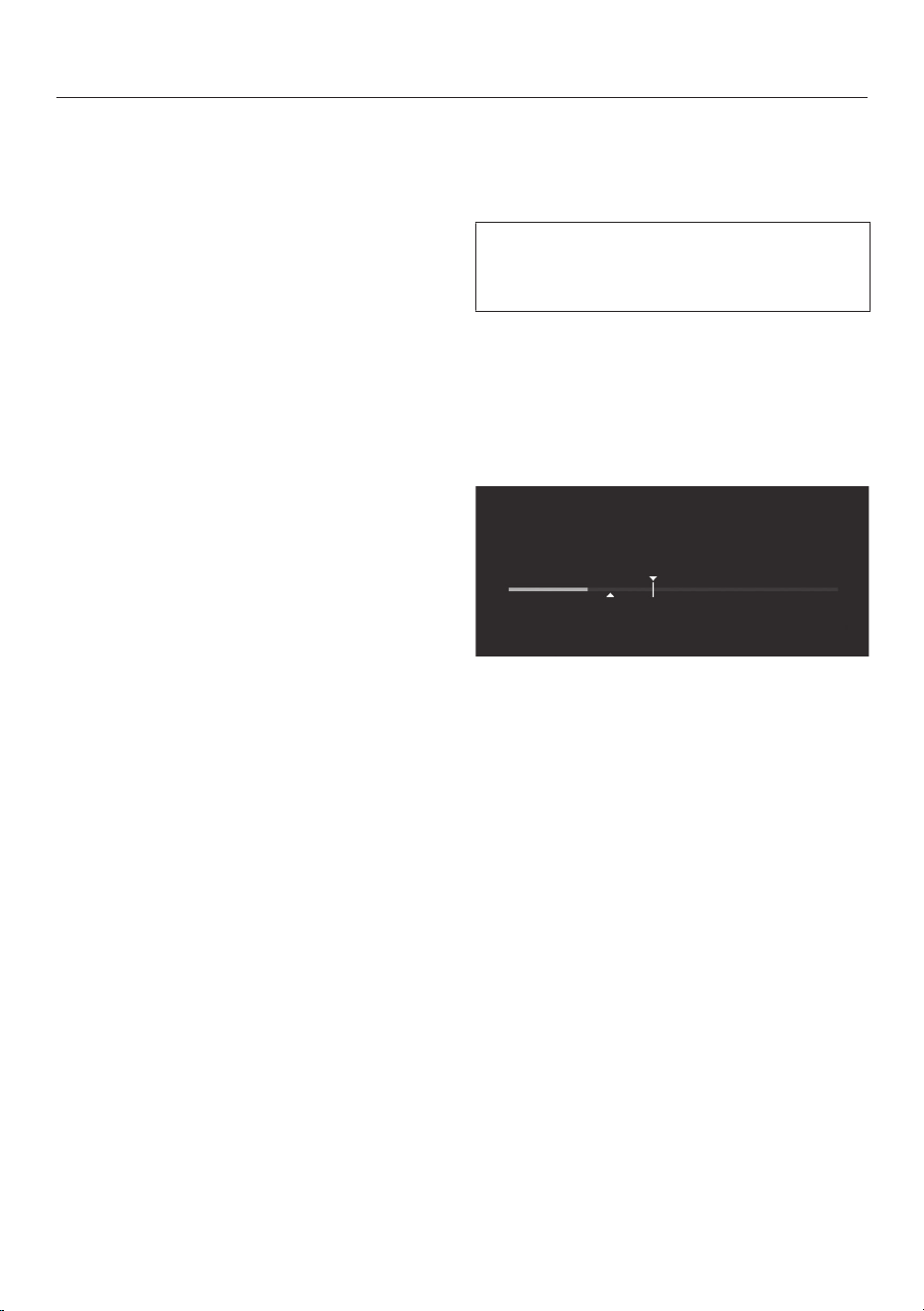
Dispensing
Touch the bar and adjust the indicator
(small triangle) as you wish.
Grinder setting
40
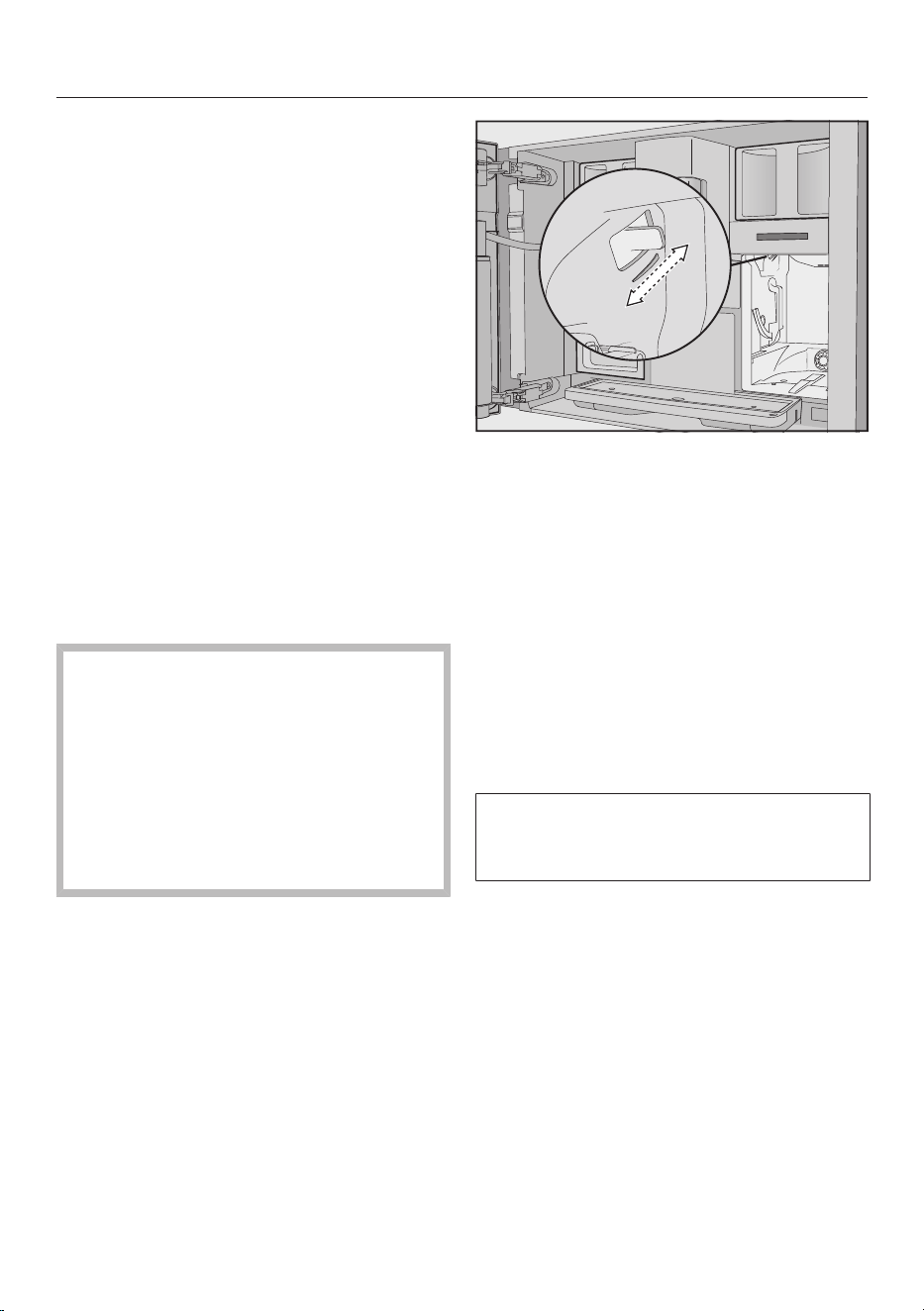
The grinder setting determines the
contact time between the ground coffee
and the water, known as the extraction
time. Only when the ideal grinder
setting is selected, can the machine
dispense a perfect cup of coffee with a
fine, hazelnut-brown crema.
Recognising the correct grinder
setting
There are various ways to tell whether
the coffee grinder is set correctly.
The grinder setting is too coarse if the
coffee or espresso is watery and tastes
acidic. The crema is very pale.
The grinder setting is too fine if the
coffee or espresso tastes too bitter and
the crema is dark brown.
Adjusting the grinder setting
If the grinder setting is adjusted by
more than one setting at a time, the
grinder can be damaged.
Only adjust the grinder one setting at
a time.
Dispense a drink after each
adjustment in order to grind a portion
of coffee beans. Adjust the grinder
setting one setting at a time again.
The slide control for the grinder setting
is located at the top left behind the
water container.
Open the appliance door.
Remove the water container.
Push the slide control one setting to
the front (for finer grinding) or to the
back (for coarser grinding).
The grinder setting you select will be
used for all coffee drinks and all types of
beans.
Push the water container back into
the machine.
Close the appliance door.
Make one cup of coffee.
Then you can adjust the grinder setting
again.
The grinder wears out a little naturally
over time with use. Set the grinder to a
finer setting if necessary.

Parameters
41
Type of beans
You can display which type of bean is
being used at the moment for this
coffee drink or even the allocation of the
bean container for the selected drink.
Amount of coffee
The coffee machine can grind and brew
7.5–12.5g of coffee beans per cup. The
greater the quantity, the stronger the
coffee.
The quantity of coffee is too low if the
espresso or coffee lacks body.
To brew more ground coffee, increase
the amount of coffee.
The quantity of coffee is too high if the
espresso or coffee tastes bitter.
To brew less ground coffee, decrease
the amount of coffee.
Pre-brewing ground coffee
When the pre-brewing function is
switched on, the ground coffee is first
moistened with a little hot water. The
ground coffee swells a little. The
remaining amount of water is then
pressed through the moistened coffee
grounds shortly after. If your coffee
tastes too bland and you want to add
some spice and richness, try the “Pre-
brewing” function. Depending on the
type of coffee used, pre-brewing can
intensify the taste.
You can set a short or long duration for
pre-brewing or turn the “Pre-brewing”
function off completely.
Useful tip: We particularly recommend
using the “Pre-brewing” function to
make coffee.
Brewing temperature for coffee
drinks
The brewing temperature must be
adapted to the beans you are using and
how they are roasted. It also varies
depending on whether you are making
espresso or coffee.
Some bean types are sensitive to high
brewing temperatures, resulting in an
impaired taste. If your coffee tastes
bitter, the brewing temperature you
have selected might be too high.
Espresso is usually brewed at higher
temperatures.
Dispensing temperature for tea
drinks, warm water and hot
water
You can adjust the dispensing
temperatures used for the individual tea
drinks and for warm and hot water by
customising the brewing temperature.
Even a change in temperature of approx.
2°C makes a difference.
Portion size
You can adjust the amount of water for
all coffee drinks, hot water and types of
tea.
The strength of the coffee is determined
by the ratio between the amount of
ground coffee and water. If the coffee is
brewed with more water but with the
same amount of coffee, the coffee will
taste milder and thinner. If you reduce
the amount of water, you will get a
stronger and more powerful coffee.
If you significantly increase or decrease
the portion size and therefore the
amount of water for a coffee, you should
also adjust the amount of coffee
accordingly.
Parameters
42
For coffee drinks with milk, you can also
set the amount of milk or milk froth to
suit your personal taste. Additionally,
you can set the portion sizes for hot
milk and milk froth alone.
The changed portion size is always
saved in the current profile. The name
of the current profile is shown in the
top left of the display.
If the water container becomes empty
during the preparation of a drink, the
programming of the portion size will be
cancelled. The new portion size will
not be saved.
Displaying and changing
parameters
You can individually adjust the following
parameters for each drink:
- Bean type
- Amount of coffee
- Brewing temperature
- Pre-brewing
You can adjust the brewing temperature
for tea drinks, warm water and hot
water.
The drinks menu is displayed.
Touch and hold the required drink
name until the context menu for this
drink appears.
Select Parameters.
The Parameters menu is shown in the
display.
Select the required parameters.
The current setting will be displayed.
Change the setting as required.
Resetting drink settings
You can reset portion sizes and
parameters individually or for all drinks
back to their factory default settings.
The drinks menu is displayed.
Touch and hold the required drink
entry until the context menu opens.
Select Reset and confirm with Yes
The portion size and parameters will be
reset to the factory default settings. The
allocation of the type of bean remains
saved.

User profiles
43
User profiles
In addition to the Miele drinks menu
(Miele profile), you can create individual
profiles to cater for different tastes and
preferences.
Within the profile, you can adjust the
portion sizes and parameters
individually for all drinks.
You can also delete any unwanted drinks
from your profile. You can save a
maximum of 9drinks in a profile.
Creating a profile
The drinks menu is displayed.
Touch User profiles.
The User profiles menu opens.
Touch Create profile.
The editor will open in the display.
Enter the name you want.
Touch Save.
The profile is created. You can now
create drinks (see "Profiles: creating
and editing drinks").
Editing a profile
You can rename, delete or move profiles
you have created yourself.
The drinks menu is displayed.
Touch User profiles.
The User profiles menu opens.
Touch and hold the required profile
name until the context menu appears.
Edit the entry as required.
Setting change of profile
The drinks menu is displayed.
Touch User profiles.
The User profiles menu opens.
Touch and hold the required profile
name until the context menu appears.
Select the desired option.
You can select from the following
options:
- Manual: The selected profile remains
active until you select another profile.
- After each use: The Miele profile is
displayed after every drink.
Creating a drink
You can create new drinks based on
existing drinks.
The drinks menu is displayed.
Touch User profiles.
The User profiles menu opens.
Select the profile you want.
The name of the profile is shown in the
top left of the display.
Touch Create drink.
Now select a drink.
Change the portion size or drink
parameters for this drink as required.
Drink preparation will begin and you can
save the portions of each component as
desired.
Enter a name for the new drink and
touch Save.
The new drink will appear in the current
profile.

User profiles
44
Renaming, moving or deleting
drinks
If you have already created drinks, you
can edit these drinks in the context
menu.
The desired profile with the newly
created drinks will appear in the display.
Touch and hold the drink name until
the context menu appears.
Edit the entry as required.

MyMiele
45
You can display drinks you make
frequently, drinks from profiles and
maintenance programmes in the
MyMiele screen.
Useful tip: You can also set menu
options that you have entered into
MyMiele to appear on the start screen
(see “Settings – Start screen”).
The main menu is displayed.
Touch MyMiele.
You can now configure MyMiele.
MyMiele: Adding an entry
Touch Add entry.
You can now add entries from the
following menus:
- Drinks
- User profiles
- Maintenance
Select an entry.
Confirm the message with OK.
A box will appear next to the selected
entry together with the menu it comes
from.
MyMiele: Deleting or moving an entry
If you have already created entries,
these can be moved or deleted in the
context menu in the MyMiele screen.
Touch and hold the entry until the
context menu appears.
Move or delete the entry as required.
MobileStart
46
Preparing MobileStart
Danger of burning and scalding
on the dispensing spouts.
If liquids or steam are dispensed
while the machine is unsupervised,
persons may burn themselves if they
place body parts under the central
spout or touch hot components.
Ensure that no one, especially
children, can be harmed if the
machine is operated without
supervision.
Milk is not cooled in the milk flask or
in a milk carton.
Milk may spoil if it is left in the milk
flask or carton for an extended period
without being cooled (depending on
the type of milk).
In particular, do not leave cow’s milk
in the milk flask or carton for an
extended period without cooling it.
Please follow the manufacturer’s
instructions concerning the storage
life of the milk being used.
With MobileStart you can, for
example, start making a drink via the
Miele App.
Make sure that the coffee machine is
ready to use – for example, check that
the water container and bean
container are sufficiently filled.
Place a sufficiently large, empty cup
or glass under the central spout.
You will only be able to use
MobileStart if
- Miele@home is set up for your coffee
machine and
- the Remote control and MobileStart
functions have been switched on.
You can then make drinks via the App.
Switching MobileStart on
and off
To use MobileStart, the Remote control
function must be switched on.
The drinks menu is displayed.
Touch the sensor.
You can now start making a drink via the
App.
If you are making a drink via the App,
you will be notified when the drink is
being dispensed via audible and visual
signals. These signals cannot be
changed or switched off.
The sensor lights up while
MobileStart is switched on.
Activation rinsing is not carried out,
meaning that the cup under the central
spout is not filled with rinse water.
Automatic cleaning and automatic
descaling can also not be carried out if
MobileStart is switched on.
If the coffee machine is being operated
manually, it cannot be operated via the
App. Operation on the appliance takes
precedence. After 24hours, if you
have made a drink or opened the
appliance door, MobileStart is
automatically switched off.
Settings
47
You can personalise your coffee
machine by adapting the factory default
settings to your requirements.
Displaying and changing
settings
The drinks menu is displayed.
Touch the sensor.
Select Settings.
Select the option you want to change.
Change the setting.
If necessary, confirm the selection
with OK.
Some settings which can be found in
the Settings menu are described in
their separate sections in the
operating instructions.
Language
You can select a language and location
variant for all display texts.
Useful tip: If you select the wrong
language by mistake, you can find the
"Language" option again via the
symbol.
Time of day
Display (time of day display)
Select how you want the time of day to
appear in the display when the coffee
machine is switched off:
- On: The time is always visible in the
display.
- Off: The time is not displayed.
- Night dimming: To save energy, the
time is displayed from 5:00am to
11:00pm only.
When the time of day display is
switched on, the energy consumption
of the coffee machine increases.
Clock type
You can choose to show the time in an
analogue (clock face) or digital
(hours:minutes plus date) form when
the coffee machine is switched off.
Clock format
- 24-hour display (24h)
- 12-hour display (12h)
Setting
Set the hours and then the minutes.
Useful tip: By touching the time of day
in the top right of the display, you can
set the time without opening the
Settings menu.
If the coffee machine has been
connected to a Wi-Fi network and is
signed into the Miele App, the time
will be synchronised based on the
location setting in the Miele App.
Date
Set the date.
The date only appears in the Time |
Clock type | Digital setting.
Start screen
You can choose which menu appears
when the coffee machine is switched
on. For example, you can display a
personalised menu with MyMiele (see
“MyMiele”).
The modified start screen will be
displayed after switching on again.
The drinks menu is set as the start
screen at the factory.
Settings
48
Timer
Appliance timer
The coffee machine has three timers:
- Switch on at
- Switch off at
- Switch off after
You can allocate individual timer
functions to different days of the week.
You can set various timer periods for the
weekend (Sat. and Sun.) and/or Monday
to Friday (Monday-Friday). Alternatively,
you can select Daily if you want to
activate a timer for every day.
Useful tip: If the timer cannot be set
and the screen is greyed out, touch On
to activate the timer setting.
To save the timer settings and activate
the timer, select Accept all.
Select Switch all off to deactivate the
timer function.
With Delete you can deactivate timers
individually. -- -- then appears in the
display.
Switch on at (On at)
The coffee machine switches on at a
particular time, e.g. in the morning for
breakfast.
The coffee machine will not switch on
at the required time if you have
activated the system lock.
The timer settings are deactivated.
If the coffee machine has switched itself
on automatically three times at the
specified time and no drinks have been
dispensed, the machine will not switch
itself on again automatically. This
prevents the coffee machine from
switching itself on unnecessarily, for
example, whilst you are away on holiday.
The programmed times will, however,
remain in memory and will be
reactivated after manually switching the
machine on again.
If you have switched on the time display
for the switched off appliance (Display |
On or Night dimming) and the digital clock
type has been selected (Clock type |
Digital) the symbol and the desired
switch-on time will appear in the display
up to 23:59 hours ahead of time.
Switch off at (Off at)
The coffee machine switches off at a
particular time.
Switch off after (
Switch off after
)
The coffee machine switches off after a
particular length of time if no sensors
have been touched.
Under the default settings the coffee
machine switches off after
20minutes.
You can change this preset to a time of
between 20minutes and 9hours.
Extending the Switch off after time
increases the energy consumption of
the coffee machine.
If you deactivate the timer functions
with Switch all off, the coffee machine will
switch off after the most recent time
selected for Switch off after. You cannot
deactivate this timer.
Maintenance timer
Use the Maintenance timer to select
any start time you like for the automatic
maintenance programmes (see
“Automatic cleaning and descaling -
Maintenance timer” section).

Settings
49
TeaTimer
You can use the TeaTimer function to
start a minute minder when making tea.
A specific brewing time is preset for the
selected type of tea. You can change the
preset brewing time (max. 14:59
minutes).
The machine has two TeaTimers that
can be started independently from one
another.
You can select from the following
options:
- Automatic: The TeaTimer starts
automatically when tea dispensing
has finished.
- Manual: When tea dispensing has
finished, you have the option of
starting the TeaTimer.
The TeaTimers are displayed in the top
right of the display with their relevant
brewing time.
While the brewing time is counting
down, you can continue to use the
coffee machine as normal. An audible
tone will sound and the symbol will
flash after the brewing time has
elapsed.
Volume
You can set the volume of buzzer and
keypad tones using a segment bar.
Display
Display brightness
The display brightness is set using a
segment bar.
Colour scheme
Select whether the display is to be
shown with a bright or dark colour
scheme.
QuickTouch
Set whether the sensor control and
the proximity sensor react when the
coffee machine is switched off and the
time of day appears in the display
(Time| Display| On or Night dimming).
Settings
50
Lighting
Lighting intensity is set using the
segment bar.
You can use the sensor to switch the
lighting on or off at any time as long as
the coffee machine is switched on.
If the coffee machine is switched off,
you can still switch the lighting on or off
whenever you like if you select the
following settings:
- Time| Display| On or Night dimming
(time is not displayed)
- Display | QuickTouch | On
The brighter the lighting is set and the
longer it is switched on, the higher the
energy consumption of the coffee
machine.
Info (display information)
In the Info menu option, you can display
the number of drinks and the fill levels
of the cartridges (provided they are
fitted).
Mains water
The appliance is intended to be
operated with a mains water
connection. If mains water connection
has been switched on, the water
container is filled automatically via the
mains water supply. If it is switched off,
the water container must be filled
manually.
Altitude
If the coffee machine is installed at high
altitudes, the lower air pressure will
cause the water to boil at a
comparatively lower temperature. You
can set the local altitude of the machine
to ensure that the correct temperatures
are achieved.
Performance mode
You can select the most suitable
Performance mode for your type of use:
- Eco mode
- Barista mode
- Latte mode
There is also a mode for occasional,
intensive use of the coffee machine:
Party mode.
Eco mode
In Eco mode, the coffee machine
consumes the least amount of energy.
The system only heats up once drink
preparation has started.
Eco mode is set as standard. Selecting
a Performance mode other than Eco
mode increases the energy
consumption of the coffee machine.
Barista mode
This Performance mode is optimised for
perfect coffee enjoyment. Coffee drinks
can be prepared without any delay as
the coffee machine remains heated to
the brewing temperature.
Barista mode consumes more energy
than Eco mode.
Latte mode
This Performance mode is optimised for
preparing drinks containing milk. In Latte
mode, milk-based drinks can be
prepared much faster.
Latte mode consumes more energy
than Eco mode and Barista mode.
Settings
51
Party mode
This Performance mode is designed for
infrequent, intensive use of the coffee
machine, e.g. for family parties.
Empty the drip tray and fill the water
container before switching off the
coffee machine to ensure scheduled
maintenance programmes can be
carried out.
After intensive use, clean the coffee
machine, and particularly the milk
pipework, thoroughly. If necessary,
descale the coffee machine manually
and degrease the brew unit.
Please note the following information
about Party mode:
- The pipework is rinsed much less
frequently or not at all. The milk
pipework is not rinsed until around
1hour after the last drink with milk
was dispensed.
- Any messages on the maintenance
status, or maintenance prompts, are
suppressed and delayed until the next
time the machine is switched on.
- Cup lighting on the central spout is
switched on permanently at the
maximum brightness level for as long
as the coffee machine is switched on.
- The Off at and Switch off after timer are
deactivated.
- The coffee machine switches off
6hours after the last sensor has been
touched. The next time the appliance
is switched back on, Party mode is
switched off and the most recently set
Performance mode is switched back
on.
Party mode consumes more energy
than other Performance modes.
Water hardness
Programme the coffee machine to the
water hardness level of your area so that
it functions correctly and does not get
damaged.
Contact your local water supplier to find
out your local water hardness range if
necessary.
If you are using bottled drinking water,
e.g. mineral water, select settings
according to the calcium content. The
calcium content is given on the label of
the bottle in mg/l Ca
2+
or ppm (mg Ca
2+
/
l).
Do not use carbonated water.
The water hardness is preset at the
factory to 21°dH (3.8 mmol/l).
Water hardness Calcium
content
mg/lCa
2+
or
ppm (mgCa
2+
/l)
Setting
°dH mmol/l
1 0.2 7 1
2 0.4 14 2
3 0.5 21 3
4 0.7 29 4
5 0.9 36 5
6 1.1 43 6
7 1.3 50 7
8 1.4 57 8
9 1.6 64 9
10 1.8 71 10
11 2.0 79 11
12 2.1 86 12
13 2.3 93 13
14 2.5 100 14
15 2.7 107 15
16 2.9 114 16
Settings
52
Water hardness Calcium
content
mg/lCa
2+
or
ppm (mgCa
2+
/l)
Setting
°dH mmol/l
17 3.0 121 17
18 3.2 129 18
19 3.4 136 19
20 3.6 143 20
21 3.8 150 21
22 3.9 157 22
23 4.1 164 23
24 4.3 171 24
25 4.5 179 25
26 4.6 186 26
27 4.8 193 27
28 5.0 200 28
29 5.2 207 29
30 5.4 214 30
31 5.5 221 31
32 5.7 229 32
33 5.9 236 33
34 6.1 243 34
35 6.3 250 35
36 6.4 257 36
37-45 6.6-8.0 258–321 37-45
46-60 8.2-10.7 322–429 46-60
61-70 10.9-12.5 430-500 61-70
Useful tip: If your water hardness is
>21°dH (3.8mmol/l), we recommend
instead to use bottled drinking water
(<150mg/lCa
2+
). This will mean your
coffee machine will need to be descaled
less often and there will be less impact
on the environment because less
descaling agent will be used.
Proximity sensor
The proximity sensor detects when your
hand or body comes close to the touch
display. You can activate the following
functions separately:
- Switch the light on: You can decide
whether the light switches on when
the coffee machine is switched on or
off.
- Acknowledge buzzer: Buzzer tones
are suppressed, e.g. with the Fill and
replace the water container message.
- Switch the appliance on: The start
screen is displayed.
The proximity sensor is deactivated as
standard.
If you want the proximity sensor to
react even if the coffee machine is
switched off, switch on QuickTouch as
well (Display| QuickTouch| On).
If the system lock is activated, the
functions of the proximity sensor are
deactivated.
System lock
You can lock the coffee machine to
prevent it being used without your
knowledge, for example by children.
When the system lock is activated, the
settings for the On at timer and the
proximity sensor are deactivated. The
coffee system will not switch on at the
time set and/or does not react on
approach.
Settings
53
Overriding the system lock
Touch and hold the display for
6seconds.
The system lock is activated the next
time the machine is switched off.
Miele@home
The coffee machine is equipped with a
Wi-Fi module and enabled for
Miele@home.
Depending on whether you have
connected the coffee machine to your
network or not, the following options are
displayed under Miele@home:
- Set up: This option only appears if the
coffee machine has not previously
been connected to a Wi-Fi network or
if the network configuration has been
reset.
- Deactivate*/Activate*: The settings
for the Wi-Fi network are retained, but
the network is switched on or off.
- Connection status*: Information
about the Wi-Fi connection is
displayed. The symbols indicate the
strength of the connection.
- Set up again*: The settings for the
current Wi-Fi network will be reset.
The Wi-Fi connection will be set up
again.
- Reset*: Networking is switched off
and the settings for the current Wi-Fi
network will be reset.
* This option appears if Miele@home
has been set up and the coffee machine
has been connected to your Wi-Fi
network.
Useful tip: You can start networking at
any time when the coffee machine is
ready for operation by briefly touching
the sensor or scanning the QR code
in these operating instructions (see
“Performing Scan & Connect”).
Networking increases the energy
consumption of the coffee machine,
even if it is switched off.
The network configuration should be
reset whenever the coffee machine is
being disposed of or sold, or if a used
coffee machine is being put into
operation. This is the only way to
ensure that all personal data has been
removed and, in the case of the latter,
the previous owner will no longer be
able to access the coffee machine.
Performing Scan & Connect
Initial commissioning has been carried
out without Miele@home having been
set up.
Scan the QR code.
If you have installed the Miele App and
have a user account, you will be taken
directly to the networking steps.
If you have not yet installed the Miele
App, you will be taken to the Apple App
Store
®
or the Google Play Store™.
Install the Miele App and set up a
user account.
Scan the QR code again.
The Miele App will guide you through
the set-up process.
Settings
54
Remote control
The Remote controlmenu option appears
if Miele@home has been set up and the
coffee machine has been connected to
a Wi-Fi network.
You can change the coffee machine
settings, for example, in the MieleApp
when remote control is switched on. To
start making a drink via the App,
MobileStart must be additionally
activated.
Remote control is switched on as
standard.
SuperVision
SuperVision can be used to monitor
other domestic appliances within the
Miele@home system.
SuperVision appears when the coffee
machine is connected to a Wi-Fi
network.
You can switch SuperVision on or off for
the signed on domestic appliances.
Buzzer tones for the listed domestic
appliances can also be switched on or
off.
SuperVision display
If SuperVision is switched on
(SuperVision | On), the symbol
appears in the display.
When the SuperVision display is
switched on, the energy consumption
of the coffee machine increases.
Standby display
SuperVision is also available in standby
if the time display is switched on
(Settings | Time | Display | On or Night
dimming ).
Appliance list
All domestic appliances signed on to
the Miele@home system are listed. If
you switch off SuperVision for one of
your domestic appliances, any faults will
still be displayed for this appliance.
The Searching for appliances function
increases the energy consumption of
the coffee machine.
RemoteUpdate
The RemoteUpdate function is used for
updating the software in your coffee
machine. If an update is available for
your coffee machine, this will be
downloaded by the machine
automatically. Updates will not be
installed automatically. They must be
initiated manually.
If you do not install an update, you can
continue to use your coffee machine in
the usual way. However, Miele
recommends installing updates.
The RemoteUpdate menu option is
only displayed and can only be
selected if the requirements for using
Miele@home have been met.
RemoteUpdate is switched on as
standard. Available updates will be
downloaded automatically but will only
be installed if you initiate the installation
manually.
Deactivate RemoteUpdate if you do not
want any updates to be downloaded
automatically.
Running a RemoteUpdate
Information about the content and
scope of an update is provided in the
MieleApp.
Settings
55
A message will appear in your coffee
machine display if an update is ready for
installation.
You can install the update immediately
or postpone this until later. You will be
reminded about the update the next
time you switch the coffee machine on.
Deactivate RemoteUpdate if you do not
want to install the update.
The update may take several minutes.
Keep in mind the following with respect
to RemoteUpdates:
- You will only receive a message when
a RemoteUpdate is available.
- Once a RemoteUpdate has been
installed, it cannot be undone.
- Do not switch off the coffee machine
while an update is being downloaded
or installed. Otherwise, the update
will be aborted and will not be
installed.
- Some software updates can only be
carried out by Miele Customer
Service.
Software version
The “Software version” menu option is
intended for Miele service technicians.
You do not require this information for
your own use.
Legal information
You will find the Open Source Licences
used under this menu option.
Showroom programme (Demo
mode)
Do not activate this setting for
domestic use.
The Showroom programme | Demo mode
function enables the coffee machine to
be demonstrated in stores or
showrooms. In this mode, the machine
lights up but drinks cannot be prepared
and no maintenance programmes can
be carried out.
You can activate Demo mode without
commissioning the appliance. Switch
the coffee machine on and off again.
Then immediately touch and hold the
sensor for 5seconds. Demo mode
is active.
Factory default settings
You can reset the settings back to the
ones which were set when the coffee
machine was delivered - the factory
default settings.
MyMiele can be reset separately.
The following will not be reset:
- The number of drinks and the
appliance status (No. of uses until
appliance needs descaling, ... brew
unit needs degreasing)
- Language
- Time and date
- Profiles and their associated drinks
(the allocation of bean types to
drinks is reset)
- Miele@home
The Maintenance timer is reset to 2:00.
Cleaning and care
56
Risk to health due to inadequate cleaning.
Heat and moisture inside the coffee machine can cause coffee residues to
become mouldy and/or milk residues to go off and pose a risk to health.
Carefully clean the coffee machine regularly.
Cleaning intervals - Quick guide
Recommended frequency What do I have to clean/maintain?
Every day
(at the end of the day)
Milk flask and lid
Milk valve
Water container
Drip tray cover
Drip tray and waste container
Once a week
(more often if heavily soiled)
Central spout
Cup rim sensor
Interior
Brew unit
Drip catcher
Appliance front
Once a month Bean container
Remove and clean the milk valve
As required / When prompted by
display
Milk pipework (using the Miele Cleaning agent for milk
pipework)
Degrease the brew unit (using the cleaning tablets)
Descale the appliance
Cleaning and care
57
Cleaning by hand or in the
dishwasher
The brew unit is not dishwasher-safe.
Clean the brew unit by hand only
under warm running water. Do not
use washing-up liquid or any other
cleaning agent.
The following must be cleaned by hand
only:
- Central spout stainless steel cover
- Brew unit
- Coffee bean container and lid
Risk of damage as a result of
excessively high dishwasher
temperatures.
Components may be rendered
unusuable (e.g. deformed) if washed
in a dishwasher at a temperature of
more than 55°C.
For dishwasher-safe parts, the
maximum temperature of the
dishwashing programme selected
must not exceed 55°C.
Contact with natural dyes such as
those found in carrots, tomatoes and
ketchup may discolour the plastic
parts in the dishwasher. This
discolouration does not affect the
stability of the parts.
The following components are
dishwasher safe:
- Drip tray with lid and waste container
- Drip tray cover
- Central spout (without stainless steel
cover)
- Milk flask with lid
- Cup sensor
- Drip catcher
- Maintenance container
- Water container
Danger of burning and scalding
on hot components or by hot liquids.
Components can become very hot
during operation. Touching hot
components can cause burning. The
liquids and steam dispensed are very
hot and can cause scalding.
Keep well away from the area
underneath the spouts when hot
liquids and steam are being
dispensed.
Always allow the coffee machine to
cool down before cleaning it.
Please be aware that water in the
drip tray can also be very hot.
Risk of damage due to moisture
ingress.
The steam from a steam cleaner
could reach electrical components
and cause a short circuit.
Do not use a steam cleaner to clean
the coffee machine.
It is important to clean the machine
regularly, as the used coffee grounds will
soon go mouldy. Milk residues can go
off and can block the milk pipework.
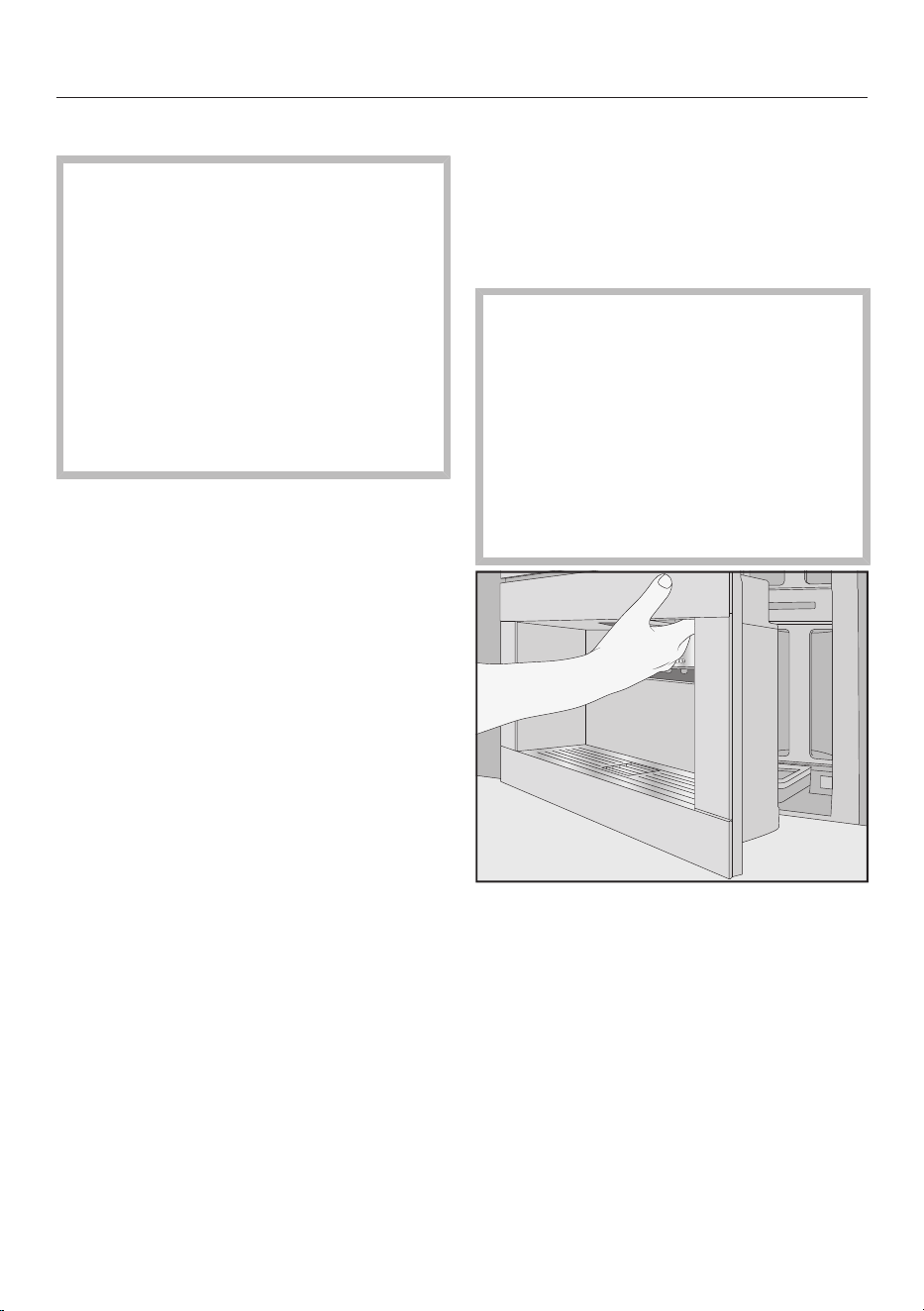
Cleaning and care
58
Unsuitable cleaning agents
Contact with unsuitable cleaning
agents can alter or discolour all
surfaces. All surfaces are susceptible
to scratching. Scratches on glass
surfaces could cause a breakage in
certain circumstances.
Remove any residual cleaning agent
immediately. To protect the coffee
machine and surrounding surfaces
from damage, make sure you remove
any spillages or splashes of descaling
agent immediately.
To avoid damaging the surfaces of your
appliance, do not use:
- cleaning agents containing soda,
ammonia, acids or chlorides
- solvent-based cleaning agents
- disinfectant cleaning agents and hand
sanitiser gel
- cleaning agents containing descaling
agents (unsuitable for cleaning the
appliance front)
- stainless steel cleaners
- dishwasher cleaners (unsuitable for
cleaning the appliance front)
- glass cleaning agents
- cleaning agents for ceramic glass
cooktops
- oven cleaners
- steam oven cleaning agents
(DGClean)
- abrasive cleaning agents, e.g. powder
cleaners and cream cleaners
- hard, abrasive brushes or sponges,
e.g. pot scourers, brushes or sponges
which have been previously used with
abrasive cleaning agents
- dirt eraser sponges
- sharp metal scrapers
- steel wool or stainless steel wire
scourers
- sunscreen
Opening the appliance door
Risk of damage when opening the
door if the central spout is too high or
too low.
If the central spout is too high or too
low, the door cannot be opened. If
you try to open the door, the central
spout can be damaged.
Ensure the central spout is in either
the upper or middle position before
opening the door.
Open the appliance door.
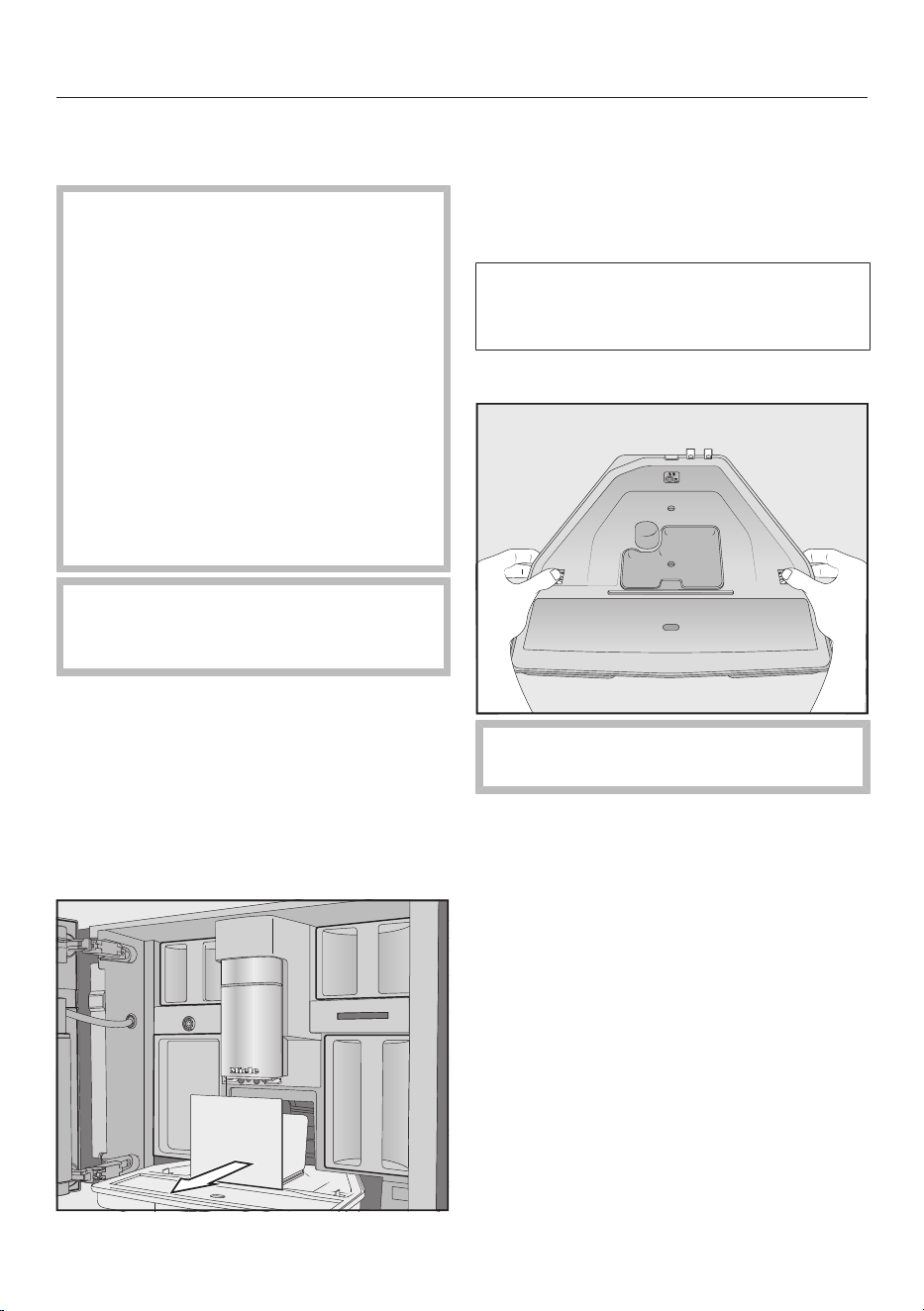
Cleaning and care
59
Cleaning the drip tray and
waste container
Danger of burning and scalding
on hot components or by hot liquids.
Components can become very hot
during operation. Touching hot
components can cause burning. The
liquids and steam dispensed are very
hot and can cause scalding.
If the pipework has just been rinsed,
wait a while before removing the drip
tray as the water used for rinsing will
still run out of the coffee spouts.
Please be aware that water in the
drip tray can also be very hot.
Do not touch hot components.
To avoid unpleasant smells and
mildew, clean the drip tray and waste
container every day.
A prompt will appear in the coffee
machine display when the drip tray and/
or the waste container is full and needs
to be emptied. Empty the drip tray and
the waste container. The lid of the drip
tray does not need to be removed for
emptying.
Open the appliance door.
Remove the drip tray with the waste
container from the appliance.
Remove the waste container from the
drip tray and empty the waste
container.
Apart from coffee grounds, there may
also be some water in the waste
container.
Dismantling the drip tray
The orange latches are not
removable.
Remove the lid from the drip tray:
push the orange latches on either side
outwards and undo the lid.
Take the lid off.
Clean the drip tray, the lid and the
waste container by hand using warm
water and a mild solution of washing-
up liquid.
Dry all parts afterwards.
Useful tip: To clean the drip tray, the lid
and the waste container particularly
thoroughly, clean them occasionally in
the dishwasher. If the drip tray is very
dirty, clean it with a brush prior to
placing it in the dishwasher.
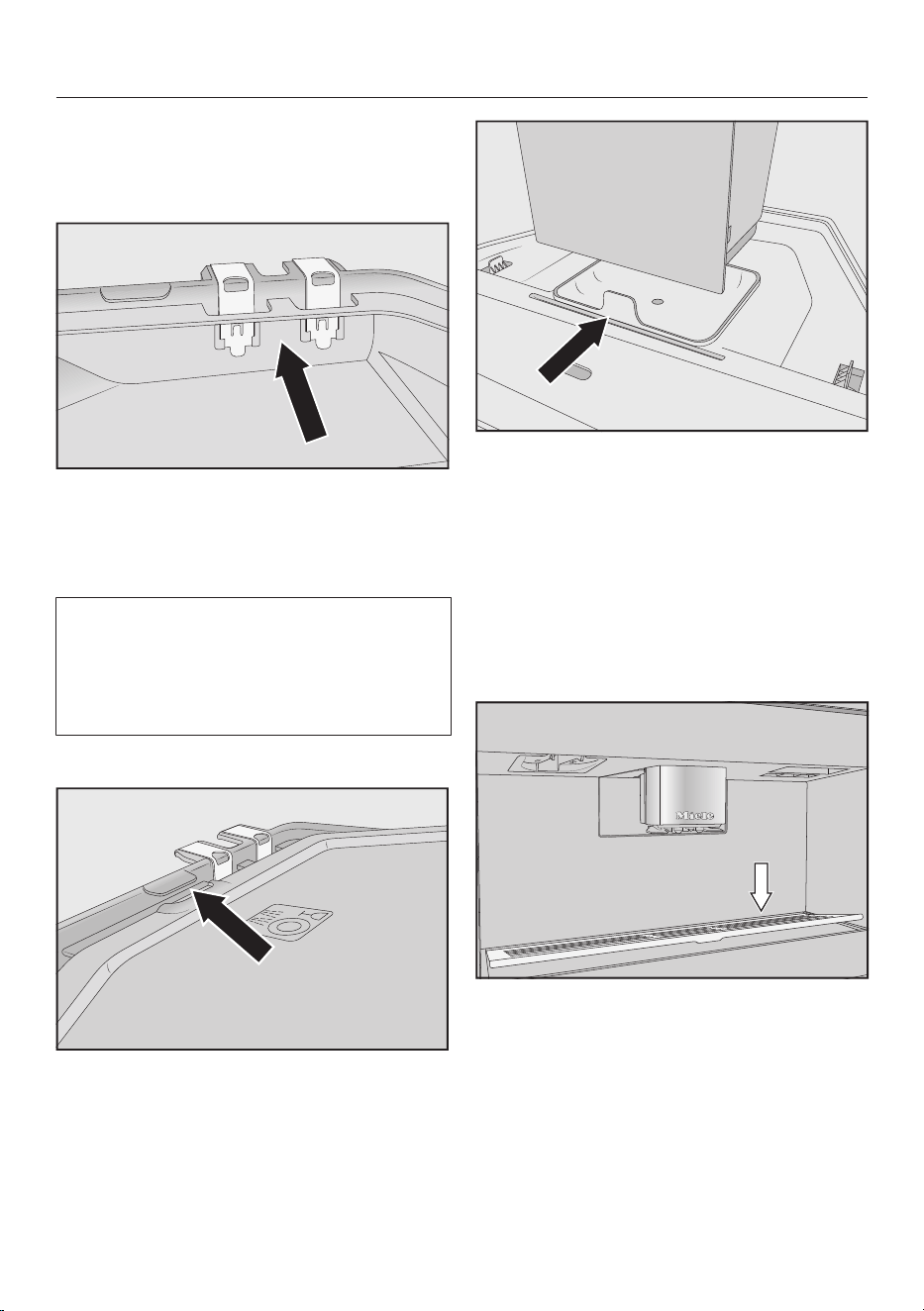
Cleaning and care
60
Clean the interior of the coffee
machine underneath the drip tray.
Cleaning the drip tray contacts
Clean the contacts (metal discs) and
the space between them carefully,
e.g. with a soft brush.
Dry all parts thoroughly.
The contacts will not be able to detect
that the drip tray is full if they are
damp or dirty.
Check the contacts and the area
around them once a week.
Assembling the drip tray
Refit the lid of the drip tray: push the
lid in under the lip next to the
contacts and press down on the lid
until the latches click into place.
Place the waste container on top of
the lid.
Push the drip tray, together with the
waste container, back into the coffee
machine.
Close the appliance door.
Cleaning the drip tray cover
Clean the drip tray cover every day.
Remove the drip tray cover: to do this,
push down on the rear edge of the
cover so that the front lifts up and can
be easily removed.
Clean the drip tray cover by hand
using warm water, a little washing up
liquid, and a soft cloth.
Dry the drip tray cover.
Refit the drip tray cover.
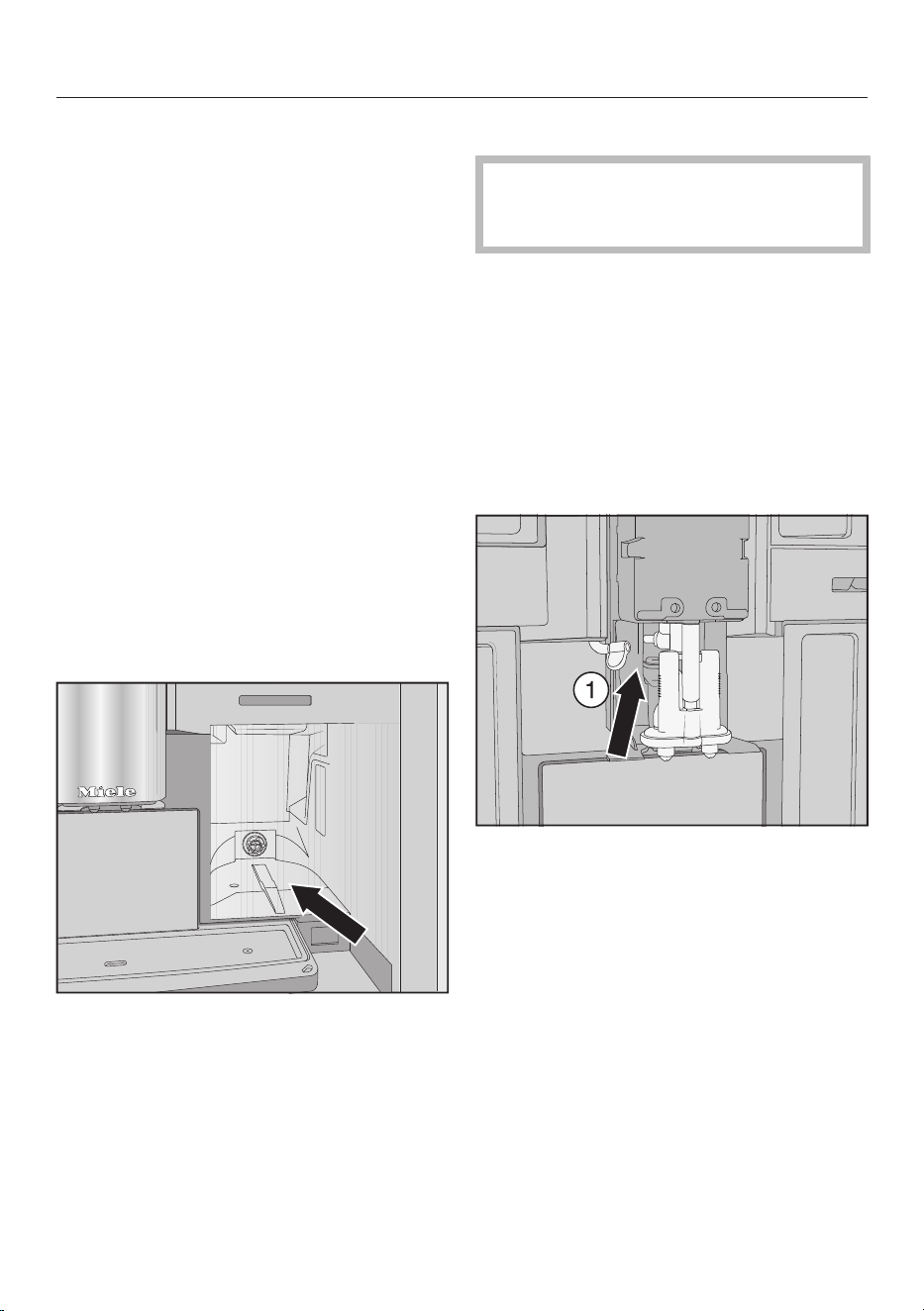
Cleaning and care
61
Useful tip: To clean the drip tray cover
particularly thoroughly, clean it
occasionally in the dishwasher.
Cleaning the water container
Clean the water container by hand every
day.
Open the appliance door.
Remove the water container.
Clean the water container daily by
hand with warm water and a little
washing-up liquid.
Clean the water container and rinse it
with clean water to remove any
dishwashing liquid residues.
Dry the outside of the water
container.
Useful tip: To clean the water container
particularly thoroughly, clean it
occasionally in the dishwasher.
Clean and dry the surface that the
water container sits on.
Push the water container all the way
into the coffee machine.
Close the appliance door.
Cleaning the central spout
Clean the central spout stainless
steel cover by hand only using warm
water and a little washing-up liquid.
Clean all parts of the central spout at
least once a week.
Removing the central spout
Open the appliance door.
Carefully pull the stainless steel cover
off the central spout.
Clean the central spout's stainless
steel cover.
Release the milk pipework from the
dispensing unit: to do this, pull the
lug to the left.
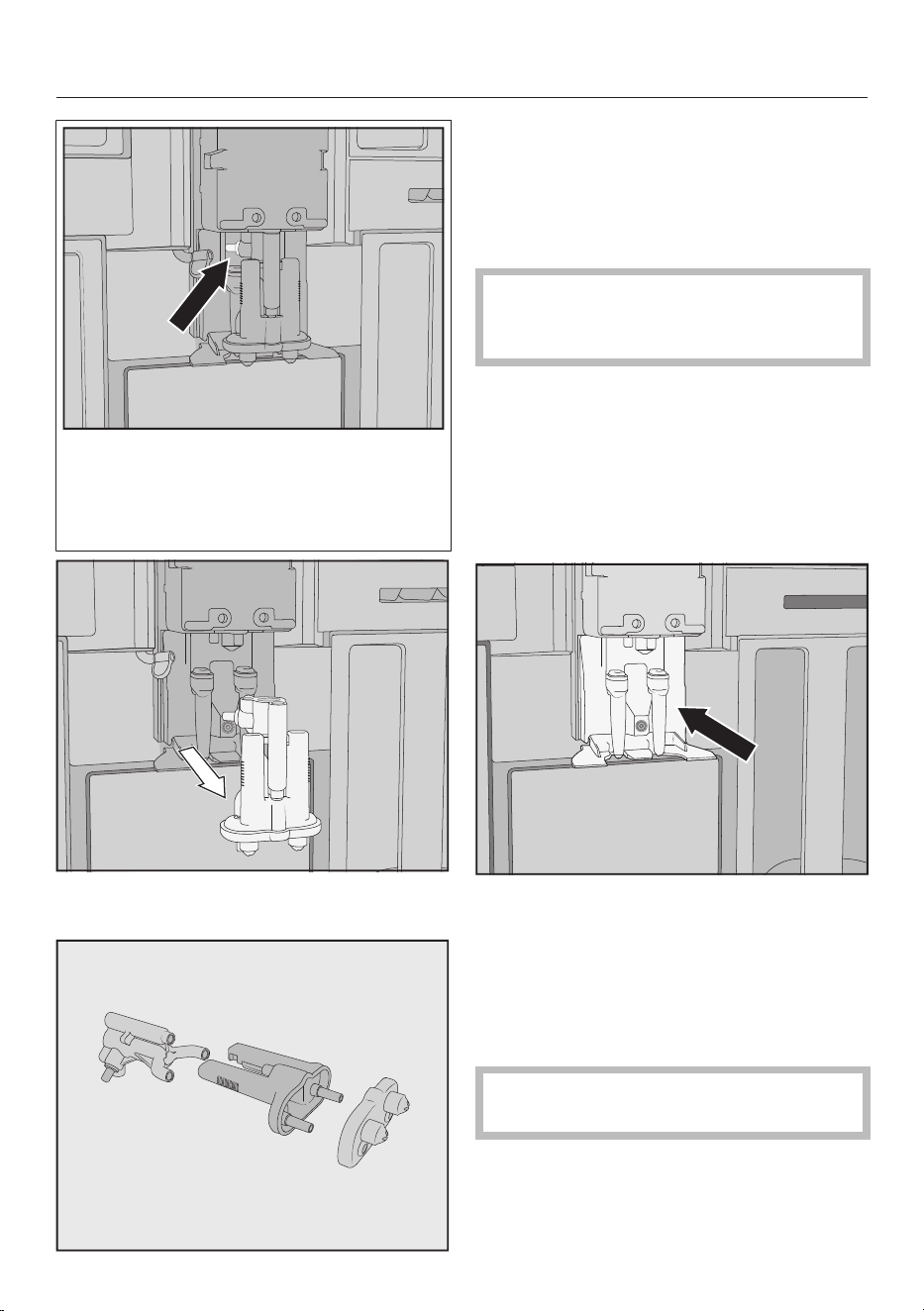
Cleaning and care
62
Do not remove the milk pipework
connecting piece.
Clean the connecting piece, if
necessary, with the cleaning brush.
Hold the dispensing unit on either
side and pull down to remove it.
Dismantle the dispensing unit into
3pieces: disconnect the Y-shaped
piece, the dispensing spouts and the
holder from one another.
Cleaning the central spout
Clean the central spout stainless
steel cover by hand only using warm
water and a little washing-up liquid.
Clean all parts thoroughly by hand.
Useful tip: To clean the components of
the central spout particularly thoroughly,
clean them occasionally in the
dishwasher (Exception: stainless steel
cover). This will remove coffee deposits
and milk residues effectively.
Clean the area surrounding the central
spout with a damp cloth.
Fitting the central spout
The dispensing unit is easier to
reassemble if the individual parts are
dampened with water beforehand.
Make sure that all parts are tightly
connected to one another.
Reassemble the dispensing unit.
Press firmly to connect the
dispensing spouts correctly to the
holder.
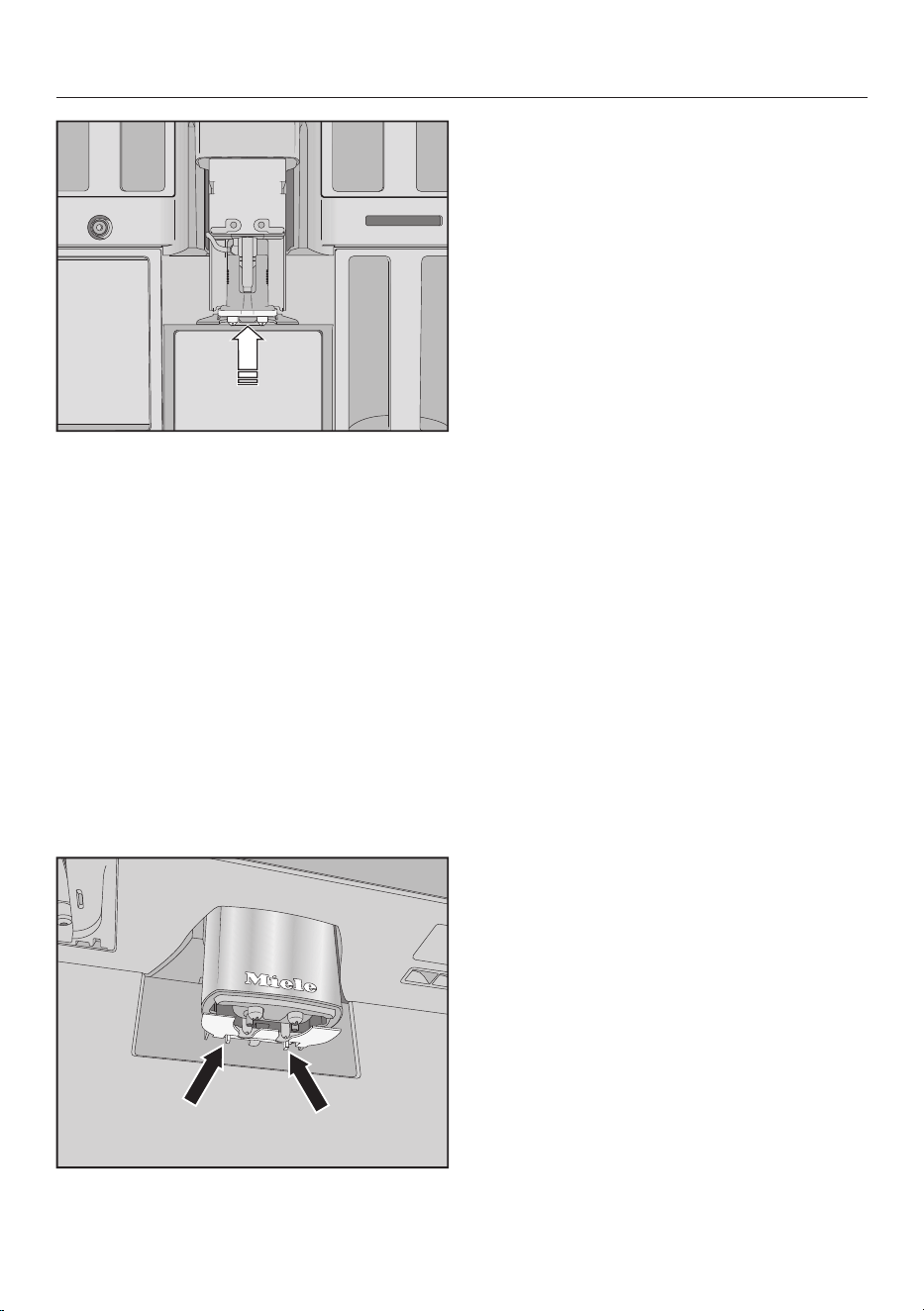
Cleaning and care
63
Insert the dispensing unit in the
coffee machine.
Connect the milk pipework.
Refit the stainless steel cover.
Close the appliance door.
Fit cover to central spout appears in the
display.
Confirm with OK.
Cleaning the cup rim sensor
Clean the cup rim sensor at least once a
week and more often if heavily soiled.
The cup rim sensor is located
underneath the central spout.
Push the two locking catches
together (see arrows).
The cup rim sensor will be released.
Clean the cup rim sensor by hand
with warm water and a little washing-
up liquid.
Useful tip: To clean the cup rim sensor
particularly thoroughly, clean it
occasionally in the dishwasher.
Push the cup rim sensor from
underneath into the holder on the
central spout to refit it.
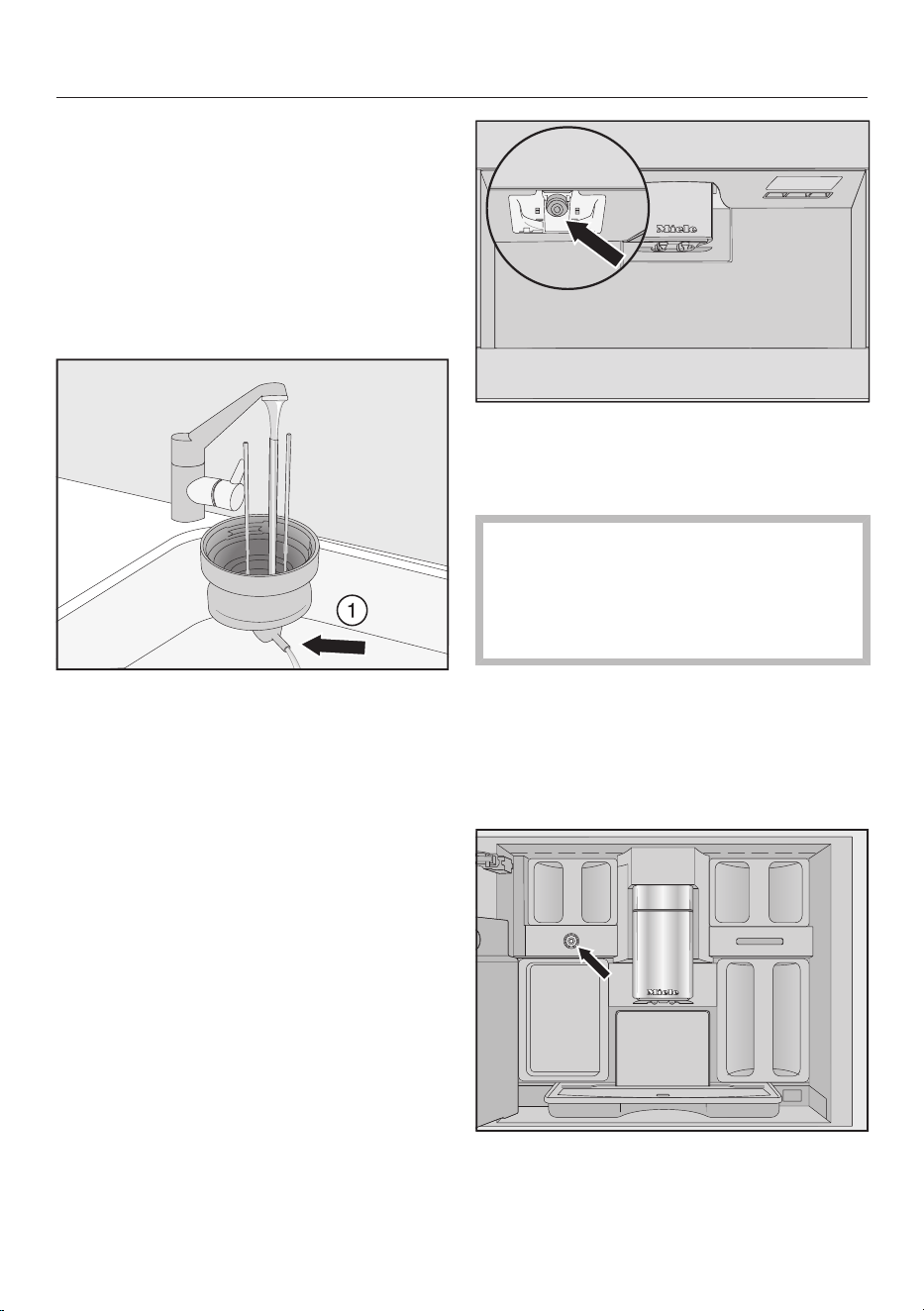
Cleaning and care
64
Cleaning the milk flask with lid
The milk flask should be taken apart and
cleaned every day after use.
Both the lid and the glass flask can be
cleaned in the dishwasher, or by hand
using warm water and a little washing-
up liquid.
Remove and empty the milk flask.
Rinse the milk pipework in the lid
under running water before placing
the lid of the milk flask in the
dishwasher.
If water does not run out of the
connecting piece, clean it with the
cleaning brush.
Clean the glass flask.
Dry all parts and especially the
threads on the lid and on the glass
with a clean cloth.
Reassemble the milk flask.
Clean the milk flask holder on the
coffee machine with a damp cloth.
Cleaning the milk valve (daily)
The seal of the milk valve can be
damaged by sharp-edged objects or
similar.
Do not use sharp-edged objects, e.g.
a knife, to clean the milk valve.
Clean the milk valve every day. Milk
residues can accumulate on the
stainless steel stem and dry on. These
crusty deposits are difficult remove.
Therefore, it is important to carry out
regular cleaning after preparing milk.
The milk valve is located under the bean
container on the left-hand side.
Open the appliance door.
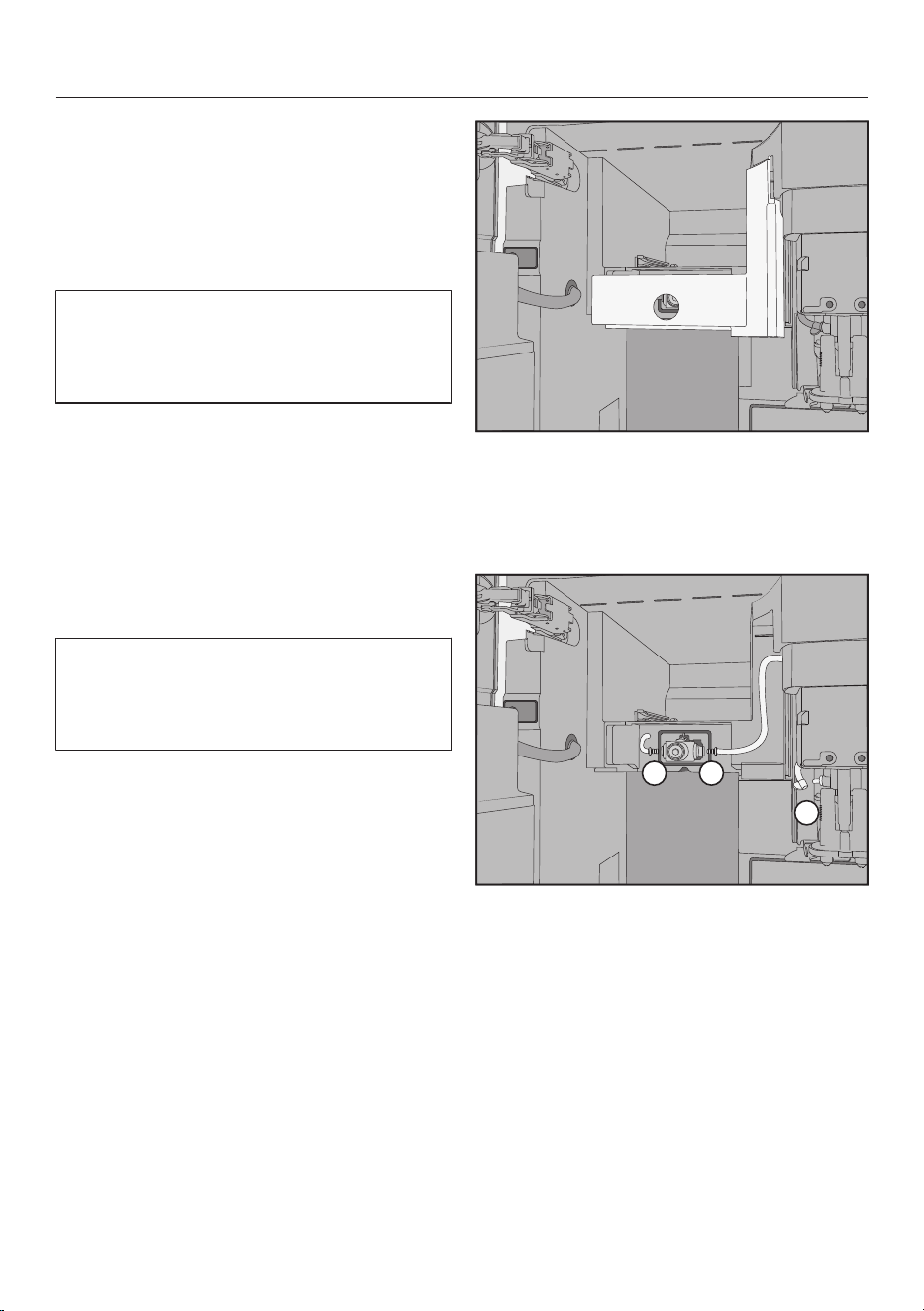
Cleaning and care
65
Clean the milk valve with a damp
sponge or microfibre cloth.
Close the appliance door.
Removing and cleaning the milk
valve (once a month)
Remove the milk valve only when the
coffee machine is switched off. Do not
switch on the coffee machine while
the milk valve is removed.
Remove and clean the milk valve at least
once a month. When preparing milk, if
hot milk is dispensed instead of milk
froth, or the milk sputters when
dispensed, the milk valve may be
blocked. Clean the milk valve more often
if necessary.
Removing the milk valve
Remove the milk valve only when the
coffee machine is switched off. Do not
switch on the coffee machine while
the milk valve is removed.
Switch the coffee machine off.
Open the appliance door.
Remove the bean container on the
left and the maintenance container.
Remove the central spout’s stainless
steel cover.
Remove the milk valve cover: press on
the recessed grip to unlock the cover.
On the top right-hand side of the
cover there is a pin which enables you
to swing open the cover.
1
2
3
Detach the milk pipework from the
dispensing unit on the central
spout and from the milk valve
silicone seal( and).
Remove the milk pipework that
connects the milk valve to the central
spout.
Disconnect the angular moulded hose
from the round hose.
Rinse the hoses thoroughly under
running water.
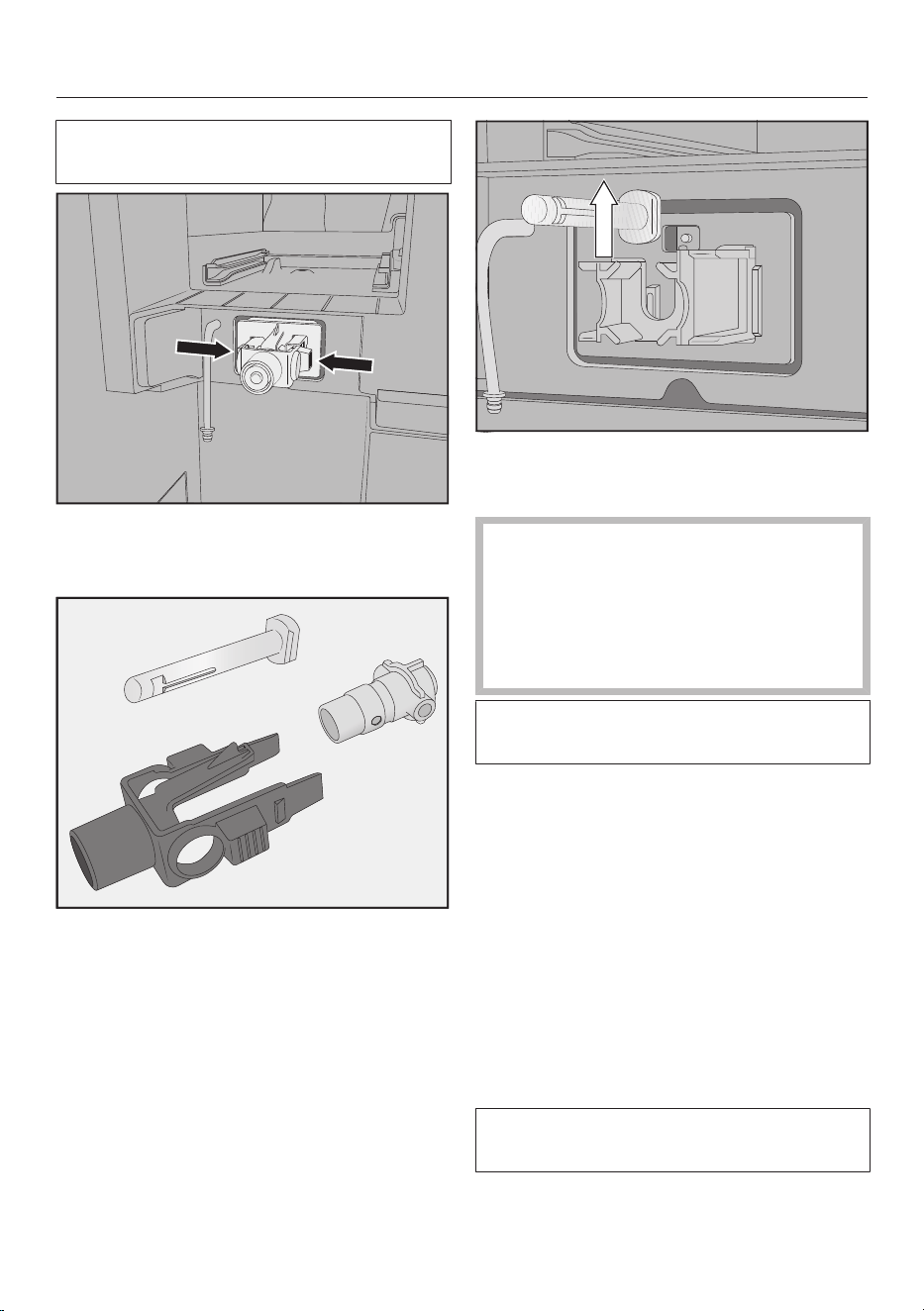
Cleaning and care
66
Do not remove the connecting pieces
from the hoses.
Press the catches on the left and right
of the milk valve holder and pull the
holder forwards to remove it.
Dismantle the holder and the silicone
seal.
Lift out the stainless steel stem.
Cleaning the milk valve
The milk valve cover is not
dishwasher-safe.
Cleaning in the dishwasher can
damage the milk valve cover.
Clean the milk valve cover by hand
only.
Do not switch on the coffee machine
while the milk valve is removed.
Clean all parts of the milk valve by
hand.
Useful tip: To clean the components of
the milk valve particularly thoroughly,
clean them occasionally in the
dishwasher (Exception: milk valve
cover).
If there are any dry milk residues on the
front, soak the stainless steel stem in
warm water and a little washing-up
liquid.
Fitting the milk valve
Do not switch on the coffee machine
while the milk valve is removed.
Slide in the stainless steel stem from
above.
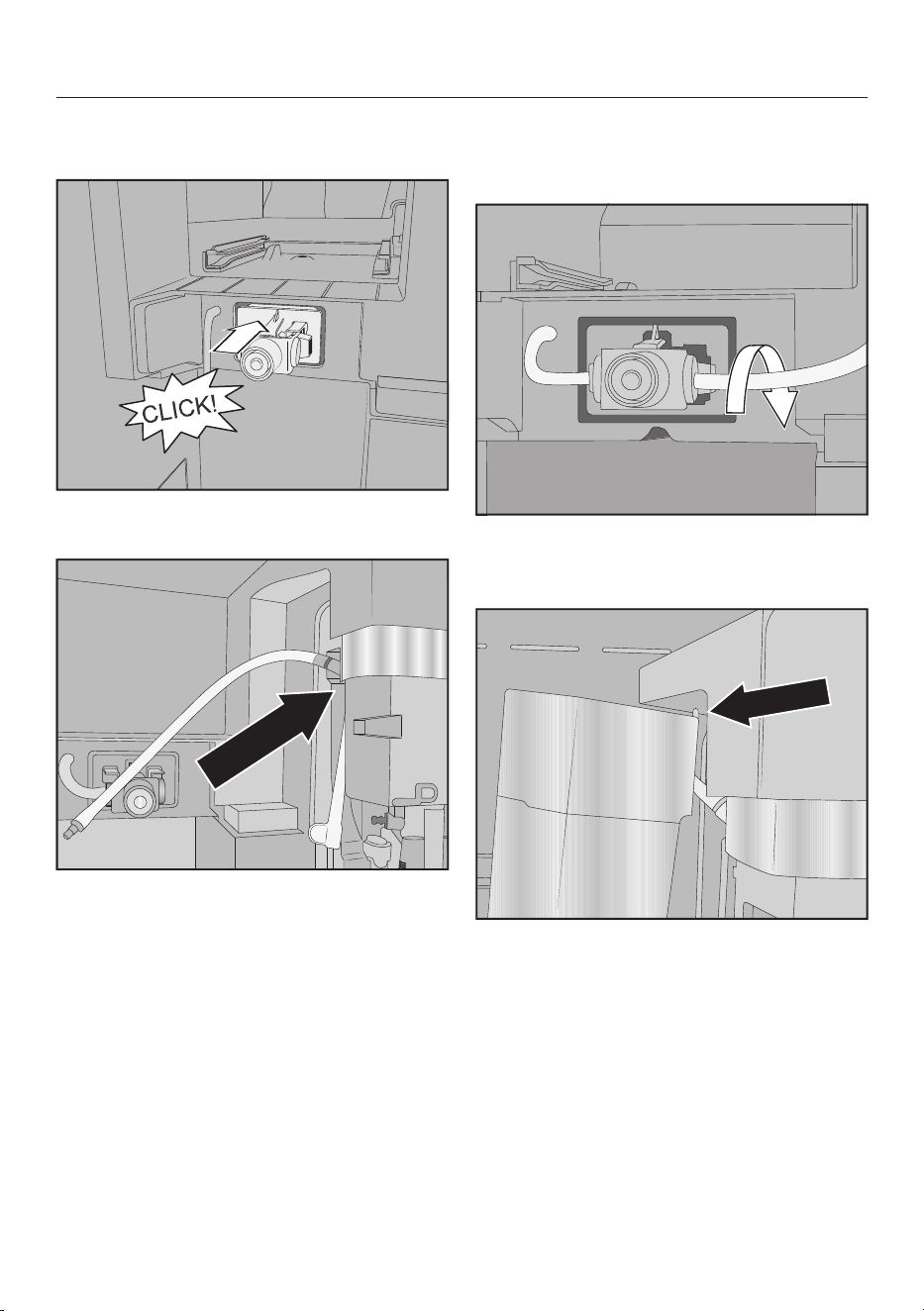
Cleaning and care
67
Fit the silicone seal in the milk valve
holder.
Fit the holder with the silicone seal
until it clicks into position.
Connect the angular moulded hose to
the longer milk pipework. Start by
fitting the moulded hose to the top of
the central spout. The black
connecting piece should point
towards the rear.
Then, connect the bottom end of the
moulded hose to the dispensing unit.
Insert the milk pipework into the milk
valve on the left and right-hand sides.
Push the connecting pieces into the
silicone seal as far as they will go.
Check whether the milk pipework sits
comfortably against the housing and
the cover is easy to refit.
Useful tip: If necessary, turn the milk
pipework on the right connecting piece
towards the back.
Fit the milk valve cover: to do this,
place the pin in the top right corner
and swing the cover towards the rear
until it closes flush.
Refit the bean container on the left
and the maintenance container in the
coffee machine.
Refit the central spout stainless steel
cover.
Close the appliance door.
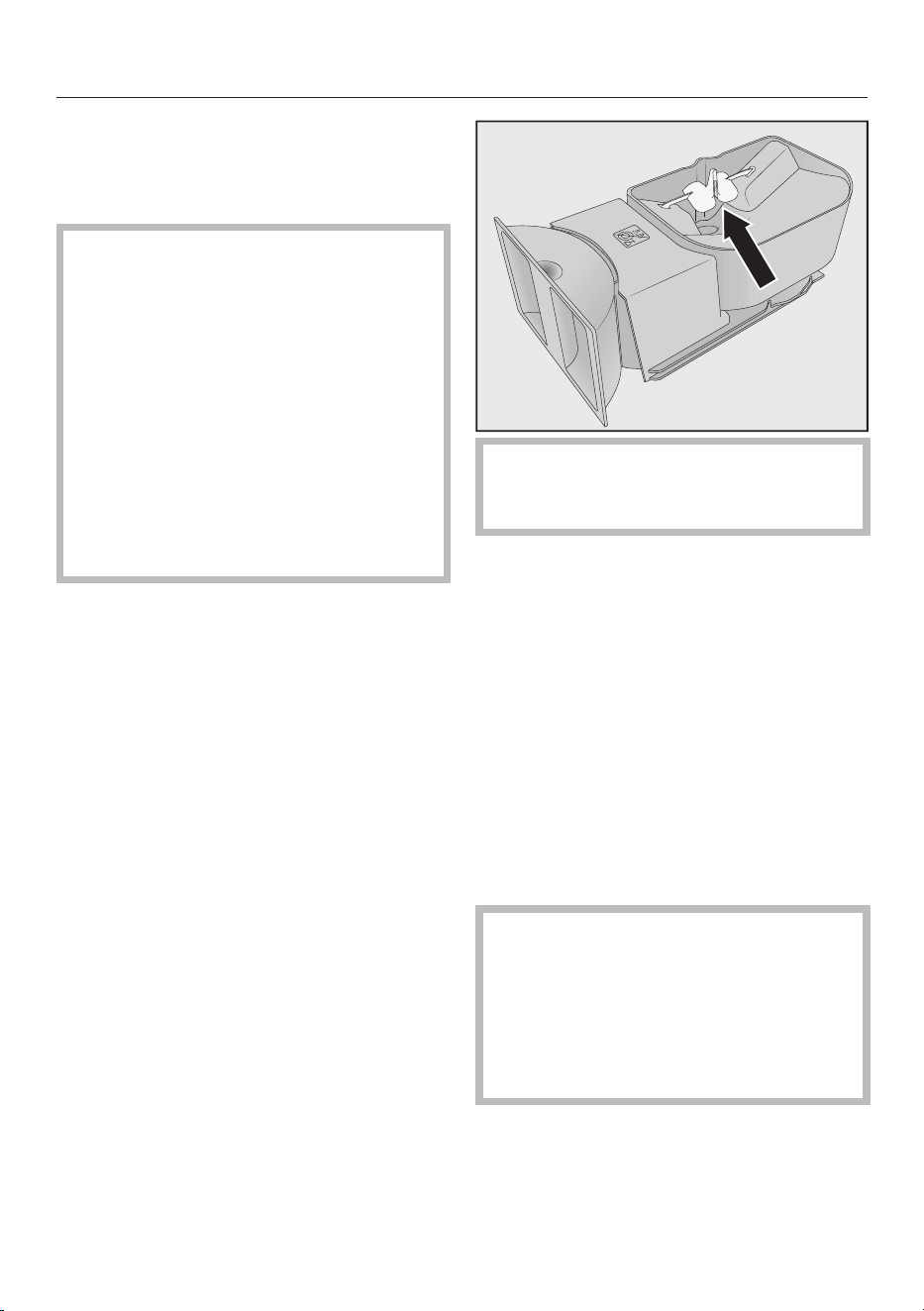
Cleaning and care
68
You can now switch the coffee machine
on again.
Cleaning the bean containers
Damage due to incorrect use and
cleaning.
If the bean containers are immersed
in water, it may result in
malfunctions. Parts may break off
during dismantling or mechanical
components may not function
correctly after reassembly.
Do not dismantle the bean
containers.
Do not immerse the bean containers
in liquids, e.g. washing-up liquid
solution.
Coffee beans contain oils which can
deposit on the walls of the bean
containers and hinder the flow of the
beans. Therefore, clean the bean
containers at least once a month with a
soft cloth.
If required, you can clean the lids of the
bean containers by hand with warm
water and a little washing-up liquid. Dry
the lids thoroughly before refitting them
on the bean containers.
Open the appliance door.
Remove the bean containers on the
left and right from the coffee
machine.
Clean the bean container chutes in
the machine.
Useful tip: Use a vacuum cleaner to
remove any coffee grounds from the
interior of the machine.
Remove the lids and empty the bean
containers.
Do not remove the components
which assist the flow of beans (see
arrow).
Clean the bean containers and their
lids by hand with a slightly damp
cloth.
Dry all parts thoroughly before filling
the bean containers with coffee
beans again.
Refit the lids.
Push the bean containers back into
the coffee machine.
Close the appliance door.
Cleaning the brew unit and
interior by hand
The moving parts of the brew unit are
lubricated. Cleaning agents will
damage the brew unit.
Clean the brew unit by hand only
under warm running water. Do not
use washing-up liquid or any other
cleaning agent.
Remove and rinse out the brew unit
once a week. Also clean the area
underneath the brew unit once a week.
Depending on whether a cleaning
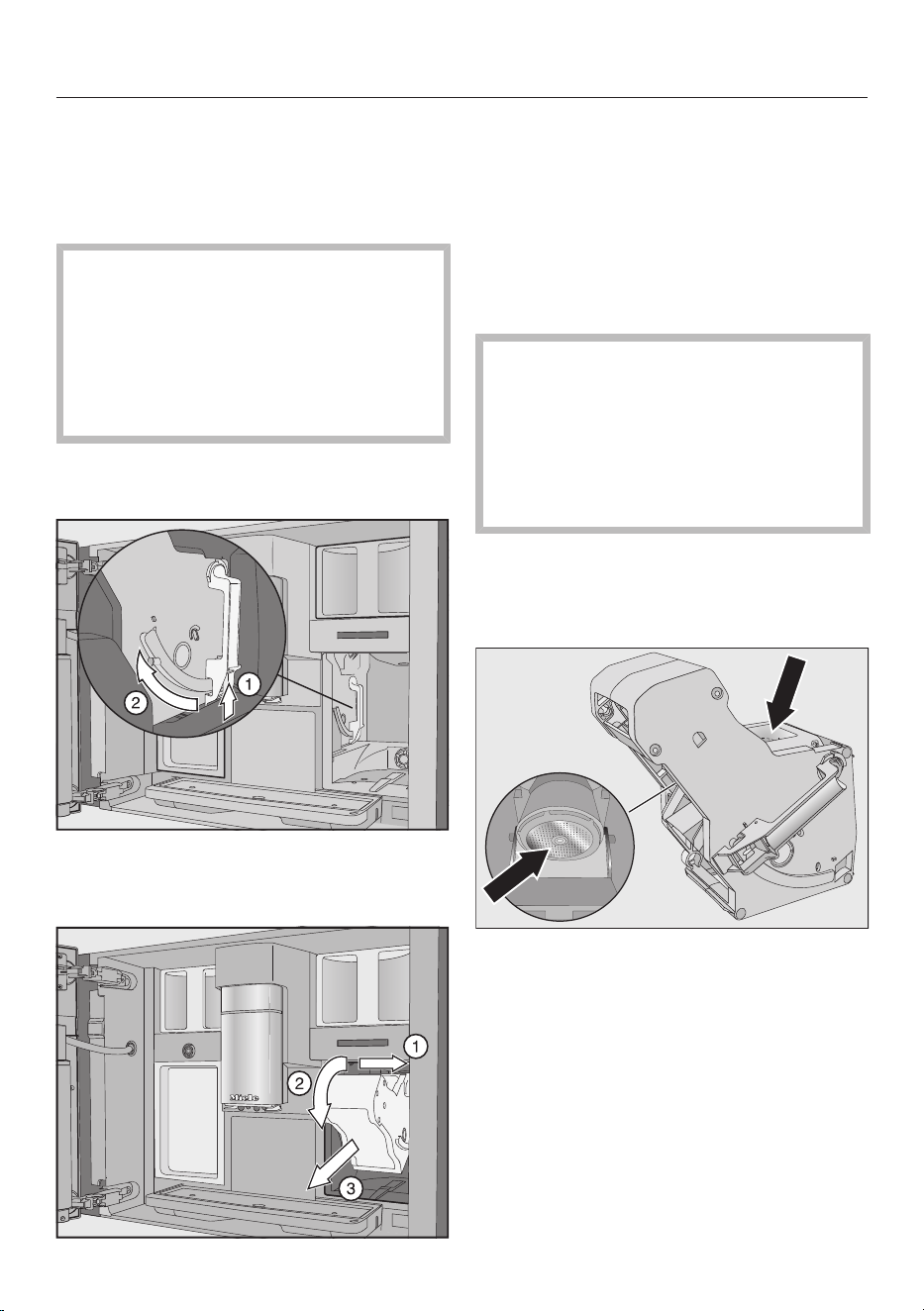
Cleaning and care
69
cartridge is inserted, the display shows
Remove brew unit, rinse and clean interior
after 100 or 200 portions.
Removing the brew unit
It might not be possible to re-insert
the brew unit if you have removed it
and changed the position of the
handle.
When you have removed the brew
unit, do not change the position of
the handle.
Open the appliance door.
Remove the water container.
Press the button under the handle of
the brew unit and, whilst doing so,
turn the handle to the front.
Pull the brew unit to the side first
and then pull out to the front. Tilt
the brew unit forwards.
If you cannot remove the brew unit or
can only do so with difficulty, the brew
unit drive is not in the correct position.
Cleaning the brew unit
The moving parts of the brew unit are
lubricated. Cleaning agents will
damage the brew unit.
Clean the brew unit by hand only
under warm running water. Do not
use washing-up liquid or any other
cleaning agent.
Clean the brew unit by hand under
warm running water without using
washing-up liquid or any other
cleaning agent.
Wipe any remaining coffee residues
from the filters. One filter is located in
the funnel. The other filter is located
to the left of the funnel.
Dry the funnel to prevent ground
coffee sticking to it the next time a
coffee is prepared.
Cleaning the interior of the machine
Use your vacuum cleaner to remove
dry coffee grounds.
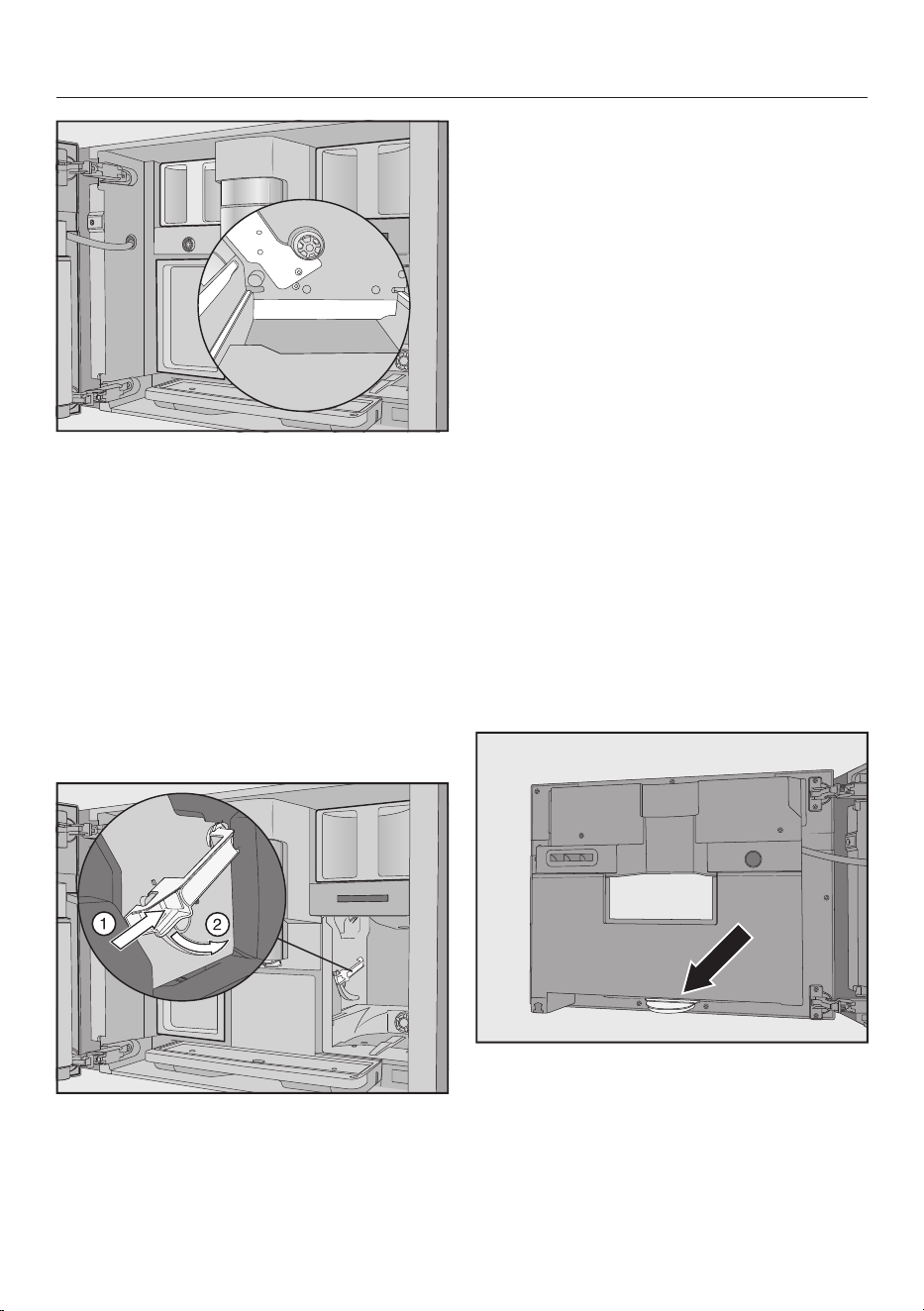
Cleaning and care
70
Clean the niche of the brew unit with
a damp, clean cloth. Clean the areas
marked in white in the illustration, e.g.
around the drive shaft, especially well.
Refitting the brew unit
Proceed in the reverse order to insert:
push the brew unit back into the
coffee machine. Tilt the brew unit
forwards a little when doing this.
If you cannot re-insert the brew unit, the
brew unit drive is not in the correct
position.
Press the button under the handle of
the brew unit and, whilst doing so,
turn the handle to the rear.
Useful tip: If the handle of the brew unit
cannot be turned, press firmly on the
side of the brew unit.
Push the water container into the
coffee machine.
Coffee powder falls onto the drip tray
when the brew unit is removed and
refitted.
Remove the drip tray and clean the
lid.
Push the drip tray back into the coffee
machine.
Close the appliance door.
Cleaning the interior, the inside
of the appliance door and the
drip catcher
Clean the interior and the appliance
front as part of the normal cleaning
process. For example, clean the area
underneath the water container when
the water container has been removed.
At the bottom of the inside of the
appliance door there is a drip catcher.
Remove and empty the drip catcher
regularly. The drip catcher is
dishwasher-safe.
Open the appliance door.
Remove and clean the drip catcher.
Cleaning and care
71
Remove the following parts from the
interior of the machine:
- Water container
- Drip tray
- Maintenance container
- Brew unit
- Bean containers
Useful tip: Use your vacuum cleaner to
remove dry ground coffee residues.
Clean the interior and the inside of
the appliance door by hand with a
slightly moist, clean sponge or
microfibre cloth.
Then dry the interior and the
appliance door with a soft cloth.
Refit all parts, including the drip
catcher.
Close the appliance door.
Cleaning the appliance front
If soiling is not removed promptly, it
could cause the surface to alter or
discolour.
Remove any soiling from the front of
the appliance straight away.
Make sure that water cannot get
behind the display.
Clean the appliance front after
manual descaling. Wipe up any
spillages of descaling agent as soon
as possible.
Useful tip: Open the appliance door
before cleaning the control panel. This
will avoid operating errors.
Clean the appliance front with a
slightly damp, clean sponge or a
microfibre cloth.
After cleaning, wipe the surfaces dry
using a soft cloth.
Useful tip: You can also clean the
appliance front with the Miele all
purpose microfibre cloth.
Maintenance programmes
The coffee machine has the following
maintenance programmes:
- Rinse the appliance
- Rinse the milk pipework
- Clean the milk pipework*
- Degrease the brew unit*
- Descale the appliance*
* If you have not fitted a cleaning
cartridge and automatic cleaning has
been switched off, you will need to carry
out this maintenance programme
manually.
In addition, depending on usage
patterns and the water used, the
pipework of the coffee machine will
need to be descaled manually at regular
intervals, even if a descaling cartridge is
fitted and automatic descaling is
switched on.
Opening the Maintenance menu
The drinks menu is displayed.
Touch the sensor.
Select Maintenance.
You can now start the required
maintenance programme.
Rinsing the appliance
If coffee has been dispensed, the coffee
machine will rinse the coffee pipework
automatically before switching off. You
can also start Rinse the appliance
manually.
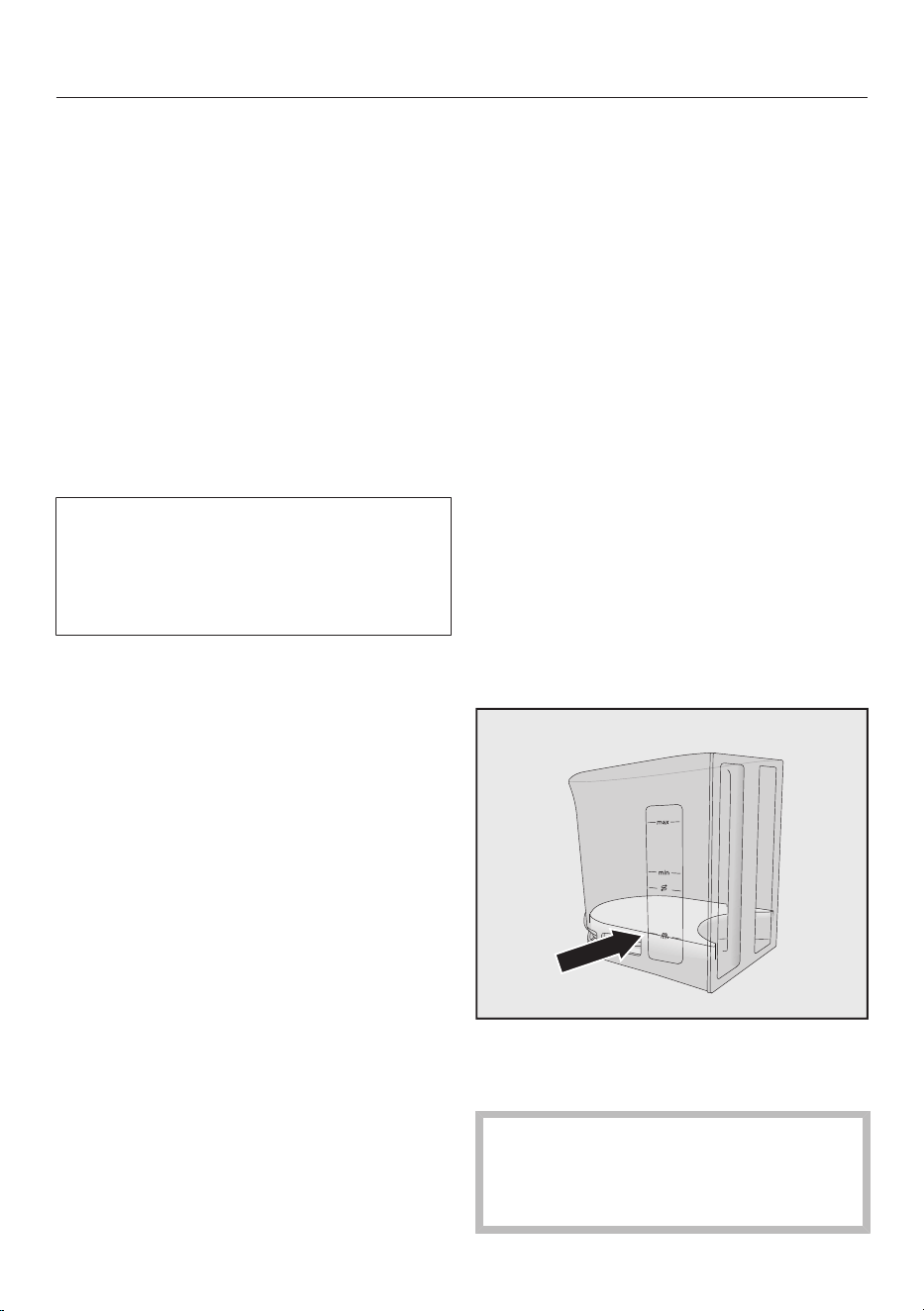
Cleaning and care
72
Rinsing the milk pipework
If you have prepared a drink using milk,
the coffee machine will automatically
rinse the milk pipework after a few
minutes. You can also start Rinse the milk
pipework manually.
Cleaning the milk pipework
You can carry out the maintenance
programme using the Miele cleaning
cartridge or the cleaning agent for milk
pipework (sachets with powder cleaning
agent). The maintenance programme
lasts for approx. 20minutes.
If you have switched on automatic
cleaning and fitted a ready-to-use
cleaning cartridge, Clean the milk
pipework will be carried out using the
cleaning cartridge.
Cleaning the milk pipework with the
cleaning cartridge
In addition to automatic cleaning, you
can start the maintenance programme,
for example, to clean the milk pipework
after intensive use.
The Maintenance menu is shown in the
display.
Touch Clean the milk pipework.
Follow the instructions in the display.
Cleaning the milk pipework with the
cleaning agent for milk pipework
(sachets)
If automatic cleaning is switched off, the
milk pipework must be cleaned after
15days at the latest. Messages appear
in the display to prompt you to clean.
For optimum cleaning results, we
recommend Miele Cleaning agent for
milk pipework.
The Cleaning agent for milk pipework
has been specially developed for use
with Miele coffee machines and
prevents subsequent damage.
You require 2 sachets of the Cleaning
agent for milk pipework for each
cleaning process.
It is available to order from the Miele
online shop or directly from Miele (see
the end of this booklet for contact
details).
Clean the milk pipework appears in the
display.
Confirm the message with OK.
Follow the instructions in the display.
When Fill water container with lukewarm
water and cleaning agent up to the
symbol and insert. Close the door. appears
in the display, proceed as follows.
Open 2sticks of the Cleaning agent
for milk pipework and empty the
contents into the water container.
Fill the water container to the
marker with lukewarm water and
stir the solution.
Follow the instructions for the mixing
ratio. Do not fill the water container
with too little water. Cleaning will
otherwise not be completed.
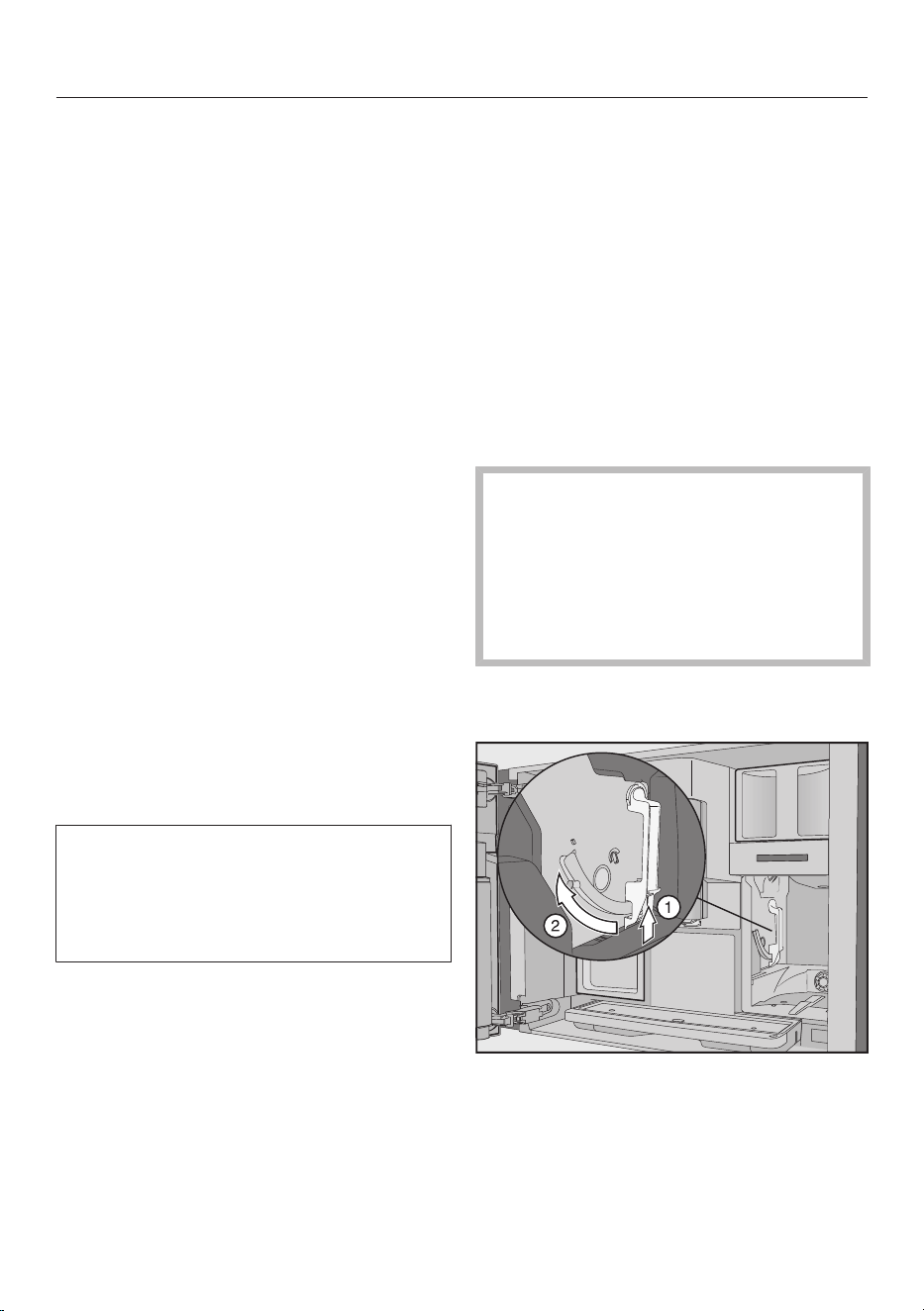
Cleaning and care
73
Refit the water container.
Close the appliance door.
Follow the instructions in the display.
If prompted in the display, carefully
rinse out the water container with
clean water. Ensure that no cleaning
agent is left in the water container. Fill
the water container with clean tap
water.
The cleaning process is finished when
Process finished appears in the display.
Degreasing the brew unit
The brew unit must be degreased
regularly in order to ensure aromatic
coffee and trouble-free operation of the
coffee machine. Depending on the
natural oil content of the type of beans
used, the brew unit can become
blocked quite quickly.
You can carry out the maintenance
programme using the Miele cleaning
cartridge or the cleaning tablets for
degreasing the brew unit. The
maintenance programme lasts for
approx. 10minutes.
If you have switched on automatic
cleaning and fitted a ready-to-use
cleaning cartridge, Degrease the brew
unit will be carried out using the
cleaning cartridge.
If a Miele cleaning cartridge has not
been fitted, Degrease the brew unit
appears in the display after
200portions.
Confirm withOK.
This message will appear repeatedly
until the brew unit is degreased.
Starting Degrease the brew unit
The Maintenance menu is shown in the
display.
Touch Degrease the brew unit.
The maintenance programme will start.
Follow the instructions in the display.
Remove the water container and the brew
unit. Rinse the brew unit by hand and clean
the interior of the machine. appears in the
display.
Removing the brew unit
It might not be possible to re-insert
the brew unit if you have removed it
and changed the position of the
handle.
When you have removed the brew
unit, do not change the position of
the handle.
Open the appliance door.
Remove the water container.
Press the button under the handle of
the brew unit and, whilst doing so,
turn the handle to the front.
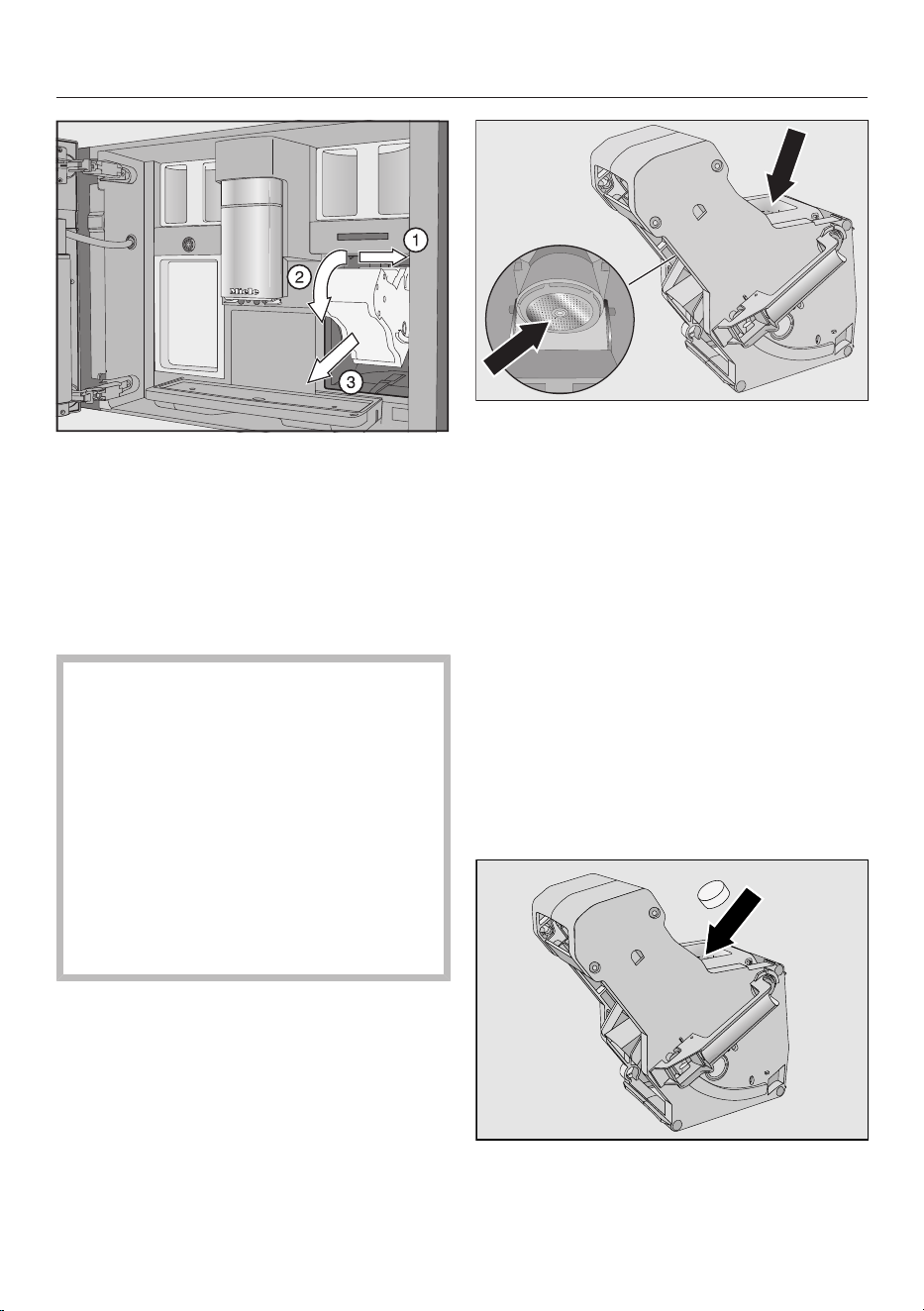
Cleaning and care
74
Pull the brew unit to the side first
and then pull out to the front. Tilt
the brew unit forwards.
If you cannot remove the brew unit or
can only do so with difficulty, the brew
unit drive is not in the correct position.
Cleaning the brew unit and the interior
The moving parts of the brew unit are
lubricated. Cleaning agents will
damage the brew unit.
Clean the brew unit by hand only
under warm running water. Do not
use washing-up liquid or any other
cleaning agent.
To ensure good tasting coffee and to
prevent the formation of microbes in
the machine, remove and clean the
brew unit under running water once a
week.
Clean the brew unit by hand under
warm running water without using
washing-up liquid or any other
cleaning agent.
Wipe any remaining coffee residues
from the filters. One filter is located in
the funnel and the other to the left of
the funnel.
Coffee powder falls onto the drip tray
when the brew unit is removed.
Remove the drip tray and clean the
lid.
Clean the interior of the coffee
machine (see also “Cleaning and care
– Removing the brew unit and
cleaning it by hand”). Use a vacuum
cleaner to remove dry ground coffee
residues.
Adding a cleaning tablet to the brew
unit
Drop a cleaning tablet into the top of
the brew unit (arrow).
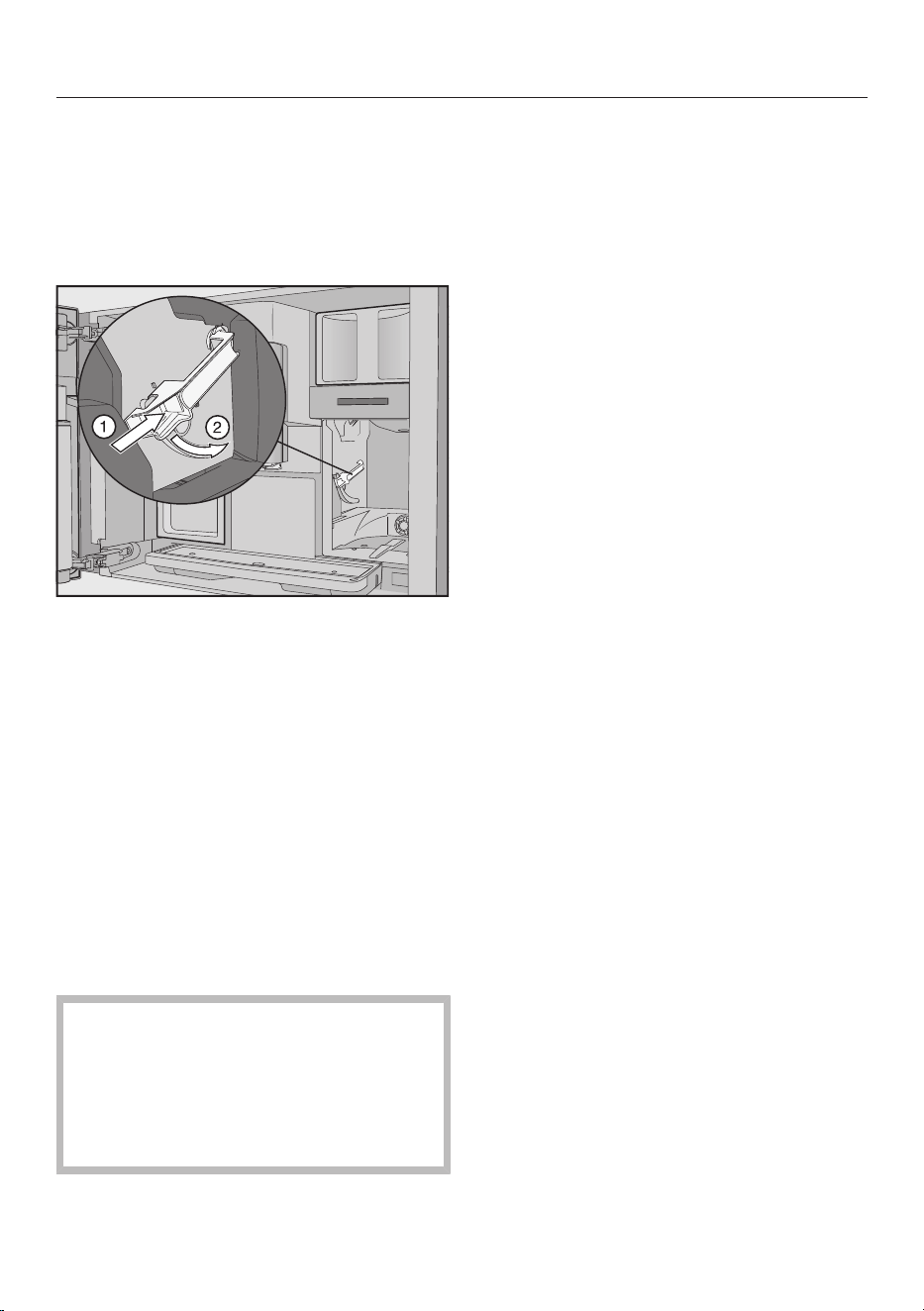
Cleaning and care
75
Push the brew unit with cleaning
tablet back into the coffee machine,
making sure it goes in straight.
If you cannot re-insert the brew unit, the
brew unit drive is not in the correct
position.
Press the button under the handle of
the brew unit and, whilst doing so,
turn the handle to the rear.
Push the water container and the drip
tray, together with the waste
container, back into the coffee
machine.
Close the appliance door.
Follow the further instructions given
in the display.
The cleaning process is finished when
the drinks menu appears in the display.
Descaling the appliance
Risk of damage from spilt descaling
solution.
Sensitive surfaces and/or natural
floors can suffer damage.
Wipe up any spillages of descaling
agent immediately.
Limescale builds up in the coffee
machine through use. How often the
appliance needs to be descaled will
depend on the water hardness level in
your area. Limescale must be removed
regularly.
The appliance will guide you through the
descaling process. Various messages
will appear in the display, e.g. you will be
prompted to empty the drip tray or fill
the water container.
The descaling process is essential and
takes approx.35minutes.
Even if you use automatic descaling, the
pipework must be descaled at regular
intervals using the Descale the appliance
maintenance programme, depending on
usage patterns.
If you have not fitted a descaling
cartridge, you will also be reminded via
the display to descale the coffee
machine.
No. of uses until appliance needs descaling:
50 will appear in the display. The
remaining number of drinks that can be
made before descaling will appear in the
display after each drink.
Confirm the message with OK.
When the number of remaining portions
reaches0, the appliance will lock out.
You can switch the coffee machine off if
you do not want to carry out the
descaling programme at this point.
However, you cannot make any drinks
until the machine has been descaled.
Descaling after prompt appears in the
display
Descale the appliance appears in the
display.
Confirm the message with OK.
The process will start.
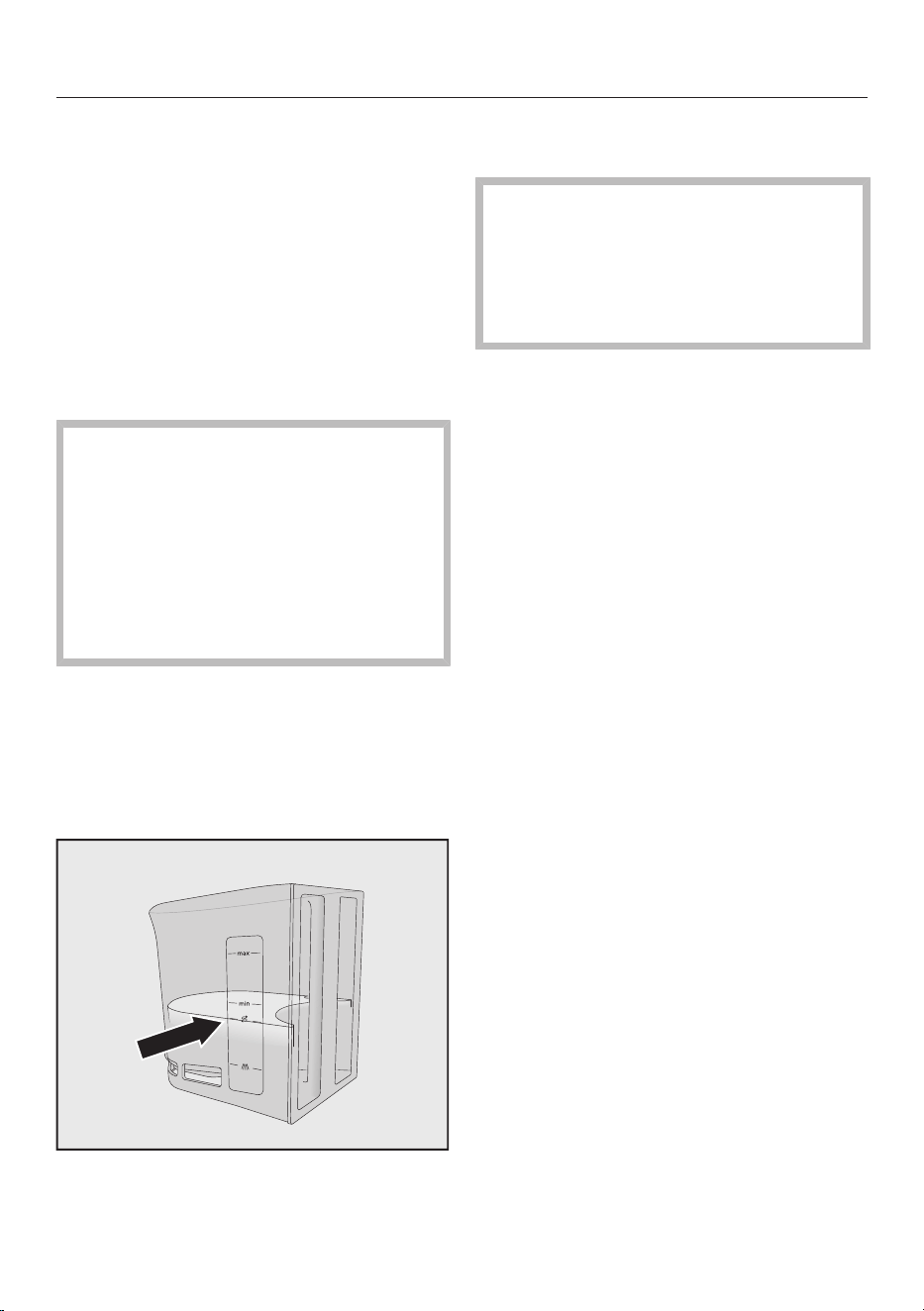
Cleaning and care
76
Follow the instructions in the display.
When Place 2 descaling tablets in the water
container and fill it with lukewarm water up to
the symbol and insert it appears in the
display, proceed as follows.
For optimum descaling results, we
recommend using the Miele descaling
tablets.
The descaling tablets have been
specially developed for Miele coffee
machines.
Other descaling agents, which
contain other acids besides citric
acid and/or other undesirable
substances, such as chlorides, may
cause damage to the product.
Moreover, the descaling result
required cannot be guaranteed if the
descaling solution was not of the
appropriate concentration.
Miele descaling tablets are available to
order from the Miele online shop or
directly from Miele (see the end of this
booklet for contact details).
You will need 2 descaling tablets for the
descaling process.
Fill the water container to the
marker with lukewarm water.
Add 2Miele descaling tablets to the
water container.
Follow the instructions for the mixing
ratio carefully. It is important that you
do not fill the water container with
too much or too little water.
Otherwise the descaling process will
be cancelled prematurely.
Carrying out descaling
Push the water container back into
the machine.
Follow the further instructions given
in the display.
When Rinse and refill the water container
appears in the display:
Remove the water container and rinse
it thoroughly with clean water. Ensure
that no descaling solution residue
remains in the water container. Fill the
water container with tap water.
The descaling process has finished
when the drinks menu appears in the
display.
Automatic cleaning and descaling
77
Risk of damage from spilt cleaning
and descaling solutions.
Sensitive surfaces and/or natural
floors can suffer damage.
You can place the maintenance
container under the central spout
before switching off to collect the
cleaning and descaling solutions.
Wipe up any spillages of cleaning and
descaling agent.
When handling a descaling cartridge
which has already been filled with
water, ensure that the descaling
solution does not come into contact
with sensitive surfaces.
The coffee machine has automatic
maintenance programmes for cleaning
the milk pipework and the brew unit, as
well as for descaling the machine. This
is why the Miele cleaning cartridge and
descaling cartridge are fitted in the
coffee machine. If both types of
maintenance programme are due to run
on the same day, automatic cleaning will
always be performed before automatic
descaling (total time:
approx.35minutes).
You can set the time for daily cleaning
and descaling to start using the
Maintenance timer.
The coffee machine will automatically
determine the days when to carry out
automatic descaling based on the usage
pattern.
With automatic cleaning the milk
pipework is cleaned and/or the brew
unit is degreased. The coffee machine
also determines the concentration of
the cleaning solution and type of
cleaning programme for automatic
cleaning based on the number and type
of drinks prepared.
If you do not make any drinks, the
automatic maintenance programmes
will not start.
Water is mixed with cleaning agent to
form a solution for automatic
maintenance programmes and this is
then pumped through the pipework of
the coffee machine. After a specific
activation phase, the solution is rinsed
out of the pipework and the machine
can then be used as normal for making
drinks.
During automatic cleaning and
descaling you will hear rinsing noises,
for example, at frequent intervals even
though the appliance is switched off.
What to ensure before and
during automatic maintenance
programmes
The coffee machine must be ready to
use and the following conditions must
be met:
- Ready-to-use cleaning and descaling
cartridges are fitted.
- Automatic cleaning is switched on.
- The coffee machine must not be
disconnected from the mains power
supply during the automatic
maintenance programmes.
- The drip tray, brew unit and central
spout are fitted.
- When not using mains water
connection: The water container is
inserted and is filled with water at
least up to the marker.
- Carry out the instructions which
appear in the display before switching
off, e.g. Empty and refit the drip tray and
the waste container.
Automatic cleaning and descaling
78
- The appliance door is closed at time
of starting.
- The coffee machine is switched off.
Automatic cleaning
If you have made a drink containing
milk, the milk pipework will be cleaned
4days later at the latest.
If you have made a coffee, the brew unit
will be degreased 15days later at the
latest.
Automatic cleaning takes
approx.25minutes.
Switching automatic cleaning
on and off
Automatic cleaning is usually switched
on when setting up the machine.
However, you can switch the Automatic
cleaning on or off at any time.
The drinks menu is displayed.
Touch the sensor.
Select Settings and then Automatic
cleaning.
Select the setting you want and
confirm with OK.
If automatic cleaning is switched on
and coffee drinks and/or milk have
already been prepared, the coffee
machine will need to be manually
cleaned once. This will remove milk
residues and coffee oils and the
counter will be reset.
The Miele cleaning cartridge
For automatic cleaning, only use the
Miele cleaning cartridge. These have
been developed specifically for use in
this coffee machine.
Please note that the Miele cleaning
cartridge has a storage life of approx.
one year after it has been placed in
the machine for the first time.
Critical for the one-year storage life is
the date on which the cleaning
cartridge was fitted.
Do not fill the cleaning cartridge with
other fluids or substances.
The Miele cleaning cartridge contains a
cleaning agent that effectively removes
milk residues and coffee oils.
The cleaning cartridge is sufficient for
up to 3 months' cleaning, depending on
usage. If you carry out manual cleaning
more frequently, or prepare a lot of
drinks, the time will reduce accordingly.
You can display the fill level of the
cartridge as a segment bar under
Settings | Info| Fill levels. As the fill level
of the cartridge drops, various
messages are displayed at regular
intervals to remind you to purchase a
new cartridge.
The first message appears when the
cartridge is approx. 25% full.
Replacement cleaning cartridges are
available to order from the Miele online
shop or directly from Miele (see back
cover for contact details).
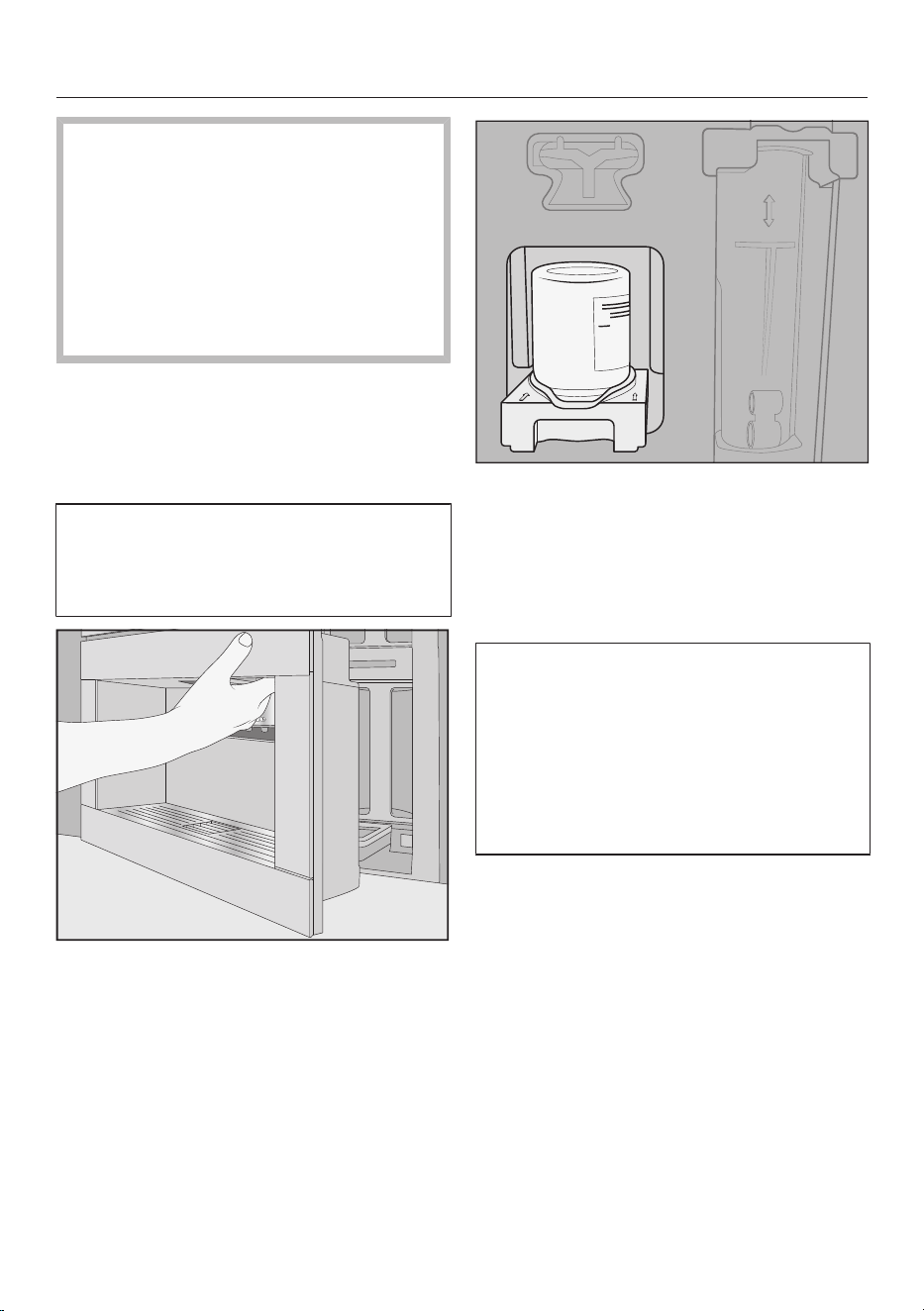
Automatic cleaning and descaling
79
If a cleaning cartridge is not fitted, an
empty cartridge is fitted or an
expired cartridge is fitted, the milk
pipework and the brew unit need to
be cleaned/degreased manually. To
do this, the appropriate cleaning
agent is required (see “Cleaning and
care - Cleaning the milk pipework”
and “Degreasing the brew unit”).
The cleaning cartridge can remain fitted
even if it is not used for a long time or
while being transported.
Replacing the cleaning cartridge
Replacement cleaning cartridges are
available to order from the Miele
online shop or directly from Miele (see
back cover for contact details).
Open the appliance door.
Remove the maintenance container.
Pull the holder with the cartridge
forwards and remove both.
Unscrew the cleaning cartridge from
the holder.
Dispose of the used cartridge with
your household waste.
Sometimes cleaning agent residues
dry on the holder in the form of white
deposits. These cleaning agent
residues will not affect the automatic
cleaning programme. If necessary, you
can wipe the deposits off with a damp
cloth or clean the holder in the
dishwasher.
Remove the new cartridge from its
packaging.
Unscrew the cap.
The cap is no longer required.
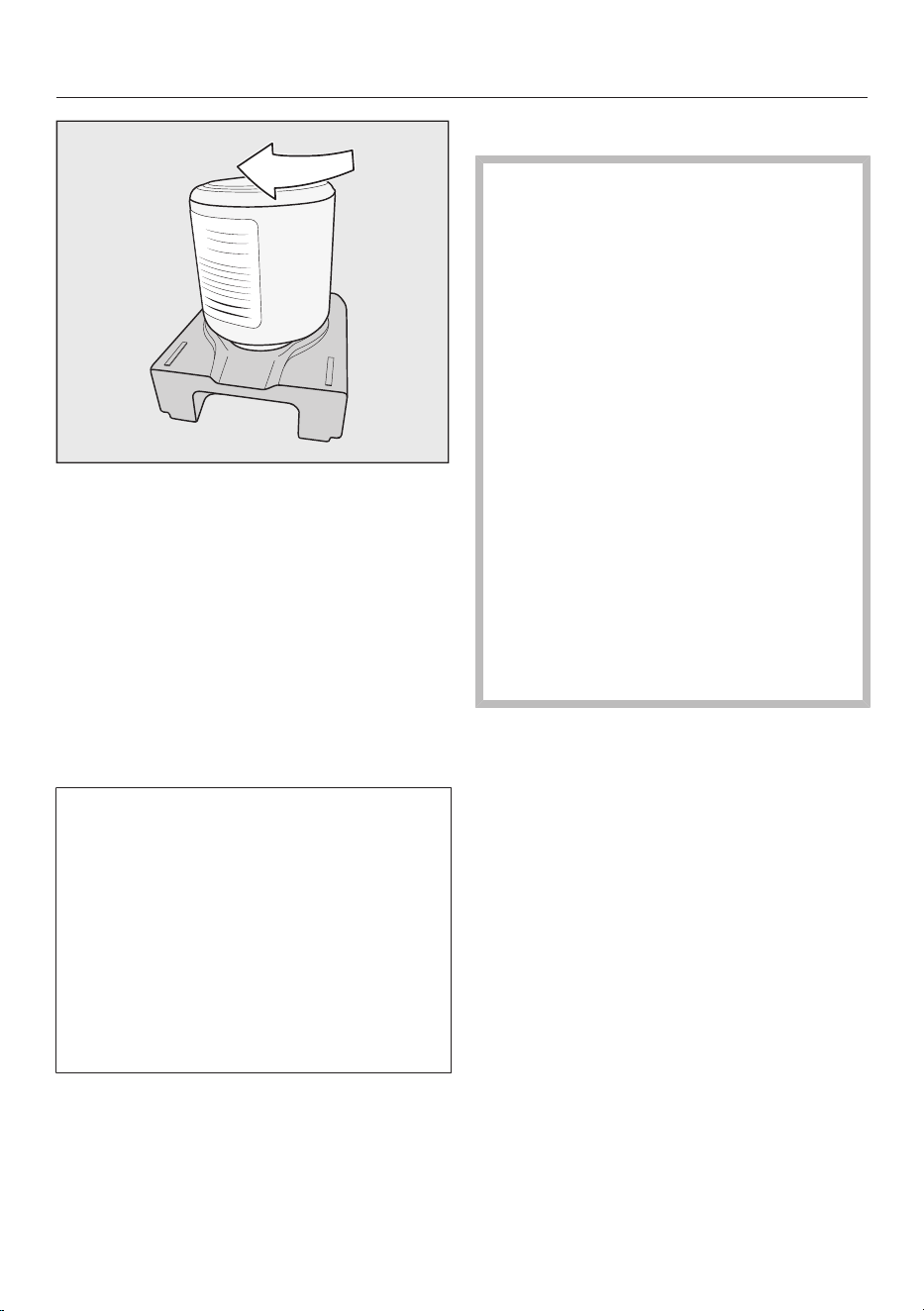
Automatic cleaning and descaling
80
Screw the cleaning cartridge into the
holder upside down.
Push the holder with the cartridge
into the coffee machine until it clicks
into place.
Refit the maintenance container.
Close the appliance door.
Automatic descaling
Automatic descaling takes
approx.12minutes.
To ensure the longevity of components
and a consistent environment free of
limescale, the coffee machine needs
to be manually descaled from time to
time. The intervals are determined by
your usage patterns and the water
hardness level of your area. If you
make a lot of coffees with milk, for
example, you will need to descale the
coffee machine more frequently with
the descaling tablets.
The Miele descaling cartridge
Only use the Miele descaling
cartridge for the automatic descaling
programme.
Please note that the Miele descaling
cartridge has a storage life of
approx.1year after it has been placed
in the coffee machine and filled with
water for the first time. Critical for
the one-year storage life is the date
on which the descaling cartridge was
fitted and filled with water.
Do not use a descaling cartridge
which has already been used in
another Miele coffee machine. Your
coffee machine will have no
information about the fill level of this
cartridge. The descaling effect may
be insufficient and damage your
coffee machine.
Do not fill the descaling cartridge
with other fluids or substances.
The descaling agent comes in the form
of tablets in the descaling cartridge. The
cartridge is filled with water when it is
placed in the coffee machine. The
tablets gradually dissolve over time.
The Miele descaling cartridge will last
for 7 to 12months of automatic
descaling, depending on how often the
coffee machine is used.
You can display the fill level of the
cartridge as a segment bar under
Settings| Info| Fill levels. As the fill level of
the cartridge drops, various messages
are displayed at regular intervals to
remind you to purchase a new descaling
cartridge.
The descaling cartridge is available to
order from the Miele online shop or
directly from Miele Customer Service or
your Miele specialist dealer.
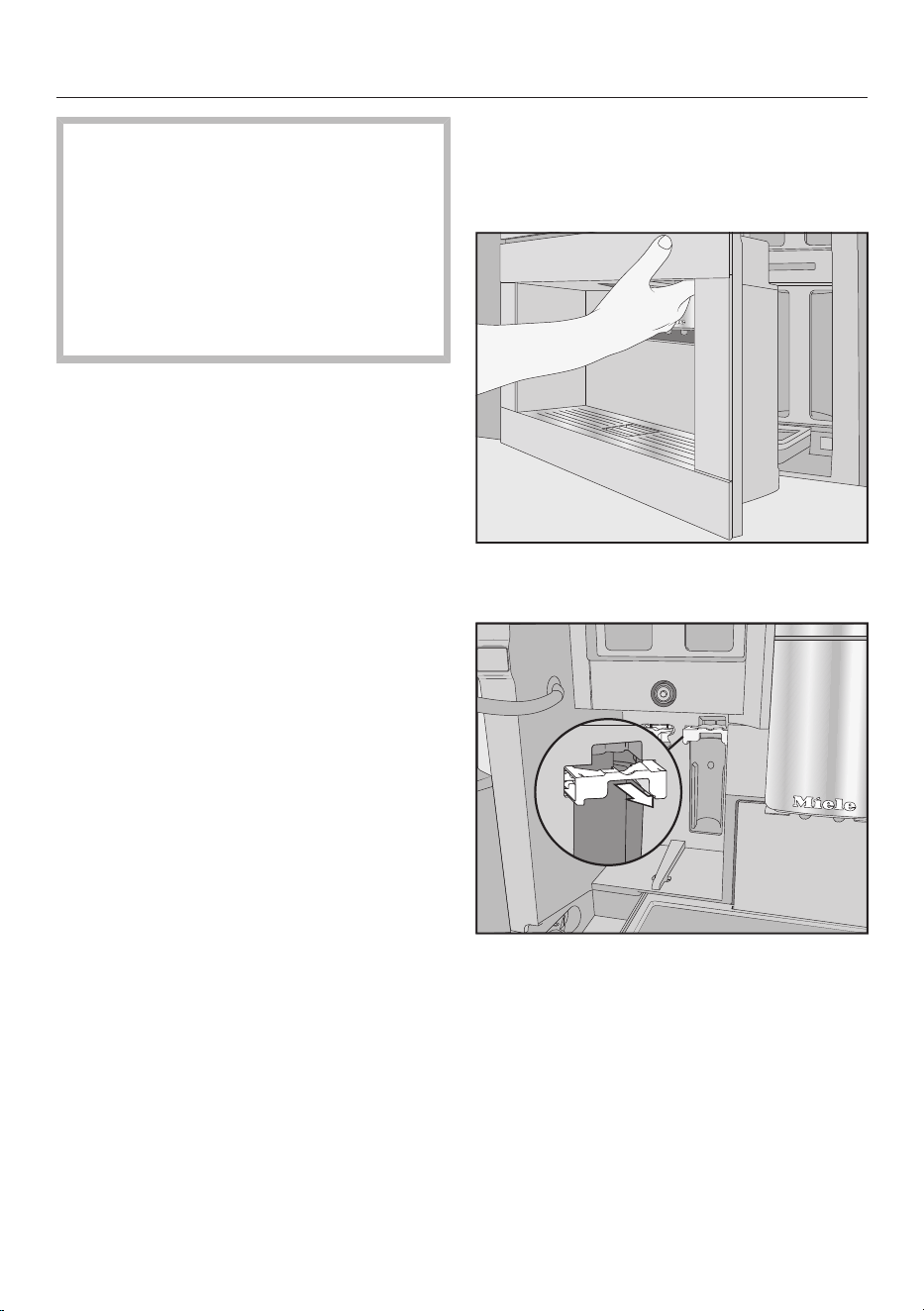
Automatic cleaning and descaling
81
If a descaling cartridge is not fitted,
an empty cartridge is fitted or an
expired cartridge is fitted, the coffee
machine needs to be descaled using
the Descale the appliance maintenance
programme. To do this, the
appropriate descaling agent is
required (see “Cleaning and care –
Descaling the appliance”).
The descaling cartridge can remain
fitted even if the machine is not used for
a long time. Remove the cartridge
before transporting the coffee machine.
However, please note the following:
- Once filled with water, the descaling
cartridge has a maximum shelf life of
3weeks outside of the coffee
machine.
- It should be transported with care and
upright. Avoid shaking it. Shaking or
turning upside down reduces the
storage life and damages the
cartridge.
- The cartridge should be stored
upright, in a dark place and at room
temperature (16–38°C).
Replacing the descaling
cartridge
Removing the descaling cartridge
Open the appliance door.
Remove the maintenance container.
Pull the cartridge holder forwards.
Remove the cartridge.
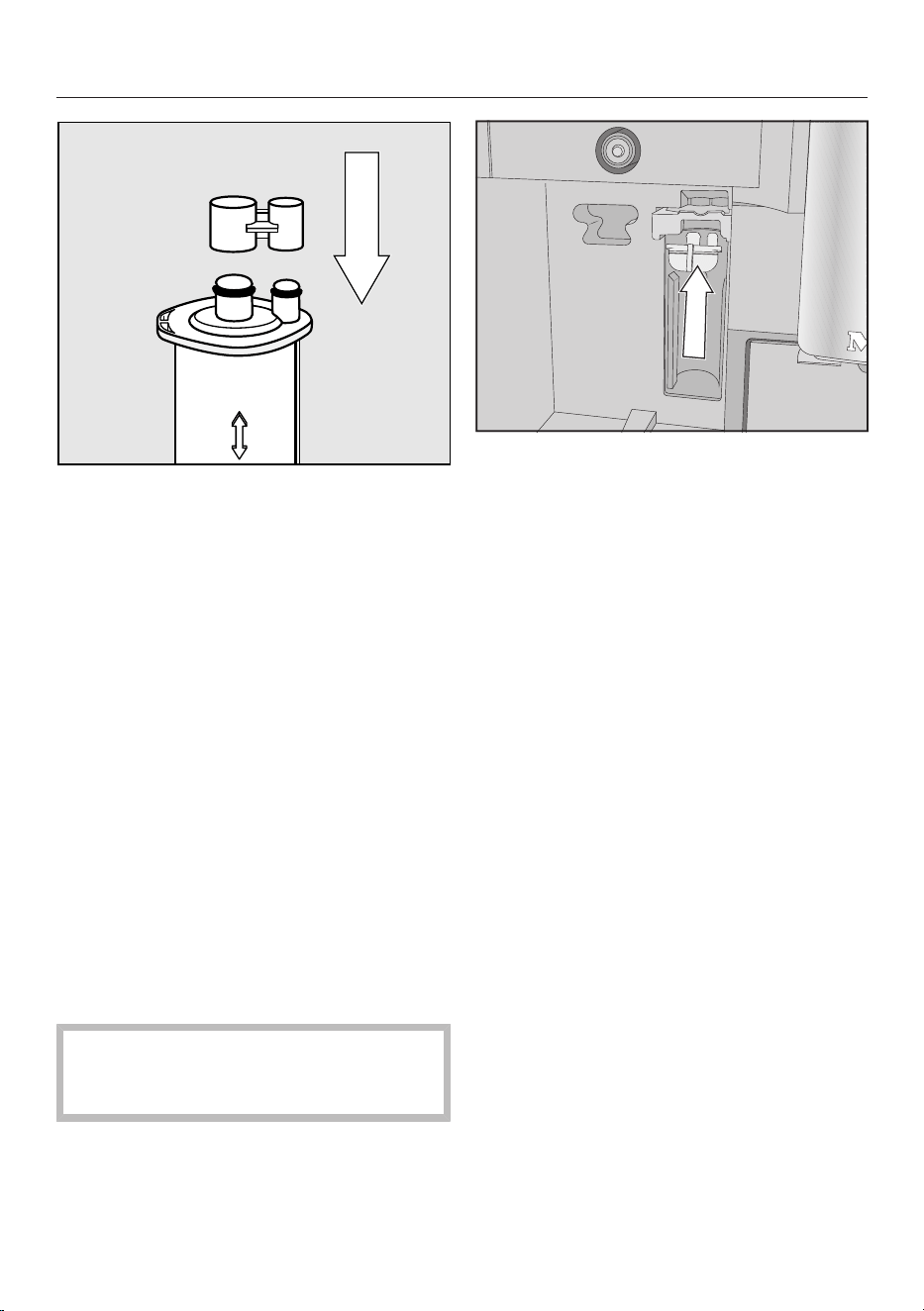
Automatic cleaning and descaling
82
Useful tip: You can seal the descaling
cartridge with the cap located on the
cylinder of the cartridge. The cap can
easily be released by snapping it off.
Dispose of the empty cartridge with
your household waste.
Fitting the descaling cartridge
Insert the cartridge and push it
upwards as far as it will go.
Push the cartridge holder back in and
fit the maintenance container.
Close the appliance door.
Follow the instructions in the display.
The next time the coffee machine is
switched off, the new descaling
cartridge will also fill with water when
the machine is rinsed. You will hear
water being pumped into the cartridge
at frequent intervals.
Wait until the coffee machine
switches itself off. Do not force the
machine to switch off.
When not using a descaling cartridge
If you do not want to fit a descaling
cartridge, the system must be sealed
with the plug.
Insert the plug in place of the
cartridge.
Maintenance timer
You can select the start time for the
automatic maintenance programmes
under Maintenance timer.
Please note that the automatic
maintenance programmes can take a
maximum of around35minutes to run.
You can set various start times for the
weekend and the week from Monday to
Friday.
Automatic cleaning and descaling
83
Setting the Maintenance timer
The drinks menu is displayed.
Touch the sensor.
Select Maintenance.
Select Maintenance timer.
Change the settings as required.
Confirm with OK.
The start time is saved. The automatic
maintenance programmes will start at
the required start time from now on.
Cancelling automatic cleaning
and descaling
You can cancel the automatic cleaning
programme during the activation phase.
If the automatic cleaning programme
is not performed five times in a row,
the dispensing of drinks is blocked.
You will only be able to make drinks
again once the brew unit has been
degreased and/or the milk pipework
has been cleaned.
Touch the On/Off sensor.
The time left in hours is shown in the
display.
Touch Cancel.
The cleaning or descaling solution is
rinsed out of the pipework. Rinsing can
take up to 5minutes. You can now make
drinks.
Problem solving guide
84
Many malfunctions and minor faults that can occur in daily operation can be
corrected without contacting Miele. This will save you time and money because
you will not need a service call.
You can find information on how to remedy faults yourself at
www.miele.com.au/service or www.miele.co.nz/service and on the Miele website.
Please note, however, that a call-out charge will be applied to unnecessary service
visits where the problem could have been rectified as described in these operating
instructions.
Messages in the display
Error messages must be confirmed withOK. Otherwise the message may
reappear in the display even though the problem has been remedied.
Follow the instructions which appear in the display to remedy the problem.
If the fault message appears again in the display, contact Miele.
Problem Possible cause and remedy
F1, F2,
F80, F82,
F353, F354
There is an internal fault.
Switch the coffee machine off. Wait for
approximately one hour before switching the
machine back on again.
F74, F77
F225, F226
F235, F353, F354
There is an internal fault.
Switch the coffee machine off. Wait for
approximately2minutes before switching the
machine back on again.
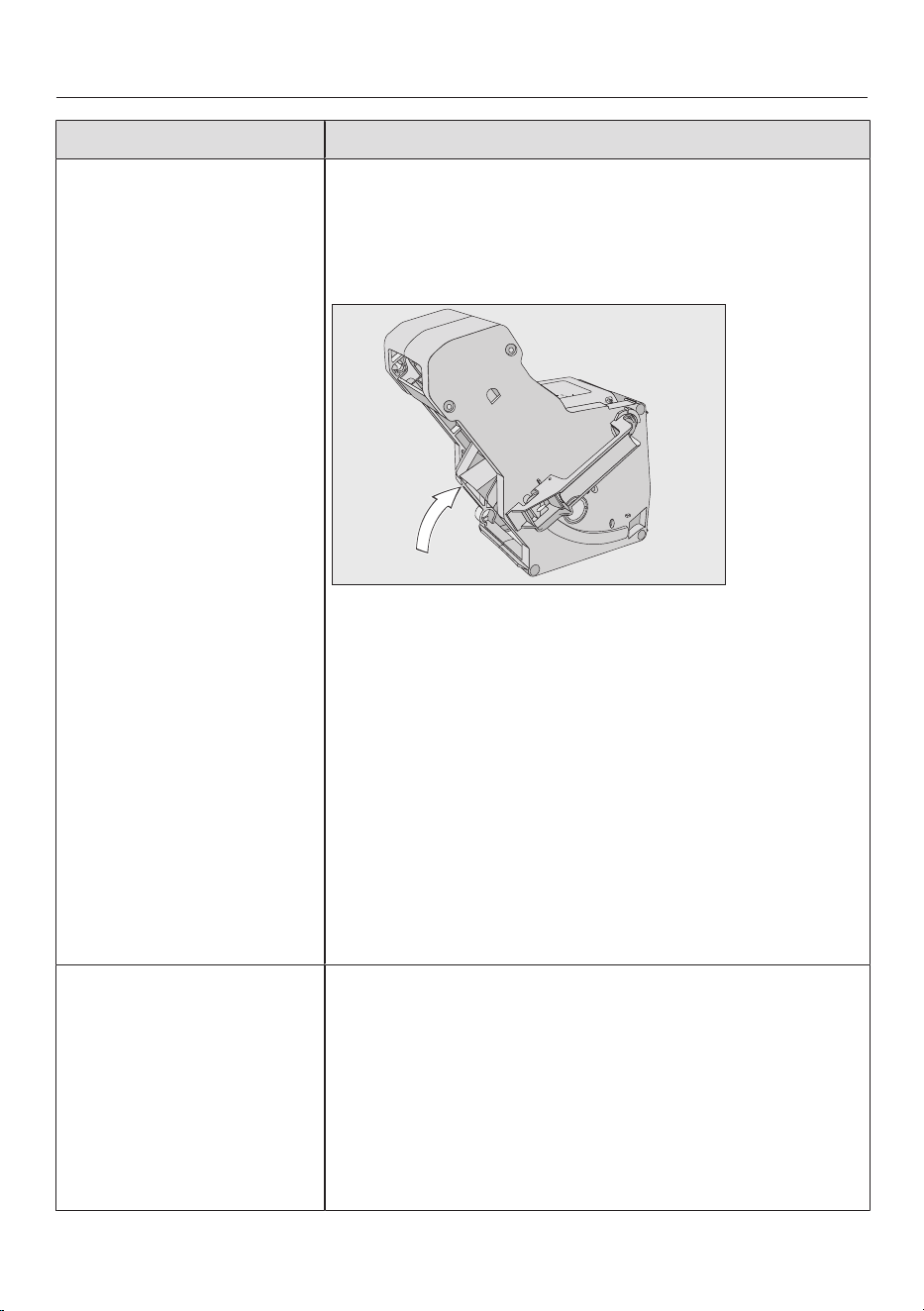
Problem solving guide
85
Problem Possible cause and remedy
F73 or
Check the brew unit
The brew unit cannot be positioned correctly or it is
dirty. Coffee powder cannot be pressed.
Check whether you can remove the brew unit.
When you are able to remove the brew unit, rinse it
under running water.
Push the coffee ejector of the brew unit into the
correct position (see diagram).
Do not insert the brew unit. Insert the water
container and close the appliance door. Switch the
coffee machine on.
This will initialise the brew unit motor and put it back
into the start position.
When Insert the brew unit appears in the display, open
the appliance door and put the brew unit back in the
machine.
If you are unable to remove the brew unit, switch off
the coffee machine. Wait for
approximately2minutes before switching the
machine back on again.
A manual maintenance
programme is cancelled
early and Push the water
container in until it engages
appears in the display.
The water container was not correctly filled and
refitted.
Check that you have filled to the correct marker.
The symbols on the water container indicate the
required water level for the
Descale the appliance: and Clean the milk pipework:
maintenance programmes.
Fill the water container to the marker and start the
process again.
Problem solving guide
86
Problem Possible cause and remedy
Check water intake and
empty the water container
Mains water intake is not working.
Check whether the inlet hose is kinked or the tap is
not turned on completely.
Remove and empty the water container.
Fit the empty water container in the coffee machine.
Please wait. Water container filling. appears in the display.
The water container is filled.
If you want to switch off the mains water connection,
fill the water container and place it in the machine.
Now you can select Mains water | Off in the Settings
menu.
F233 The cup rim sensor is not inserted or is incorrectly
inserted.
If the central spout is moving upwards and the cup rim
sensor is bumped, e.g. with a cup, the cup rim sensor
loses its reference position.
Confirm the message with OK.
Refit the cup rim sensor.
Cup detection is deactivated until the next time the
coffee machine is switched on and the central spout
remains in the highest position. Cup detection is
initialised again the next time the machine is switched
on.
F355, F357– F362 The bean system must be set up again, e.g. coffee
beans have possibly got jammed.
Open the appliance door and remove both bean
containers from the coffee machine.
Close the appliance door.
The bean system will be initialised.
Follow the instructions in the display.
F307or Remove the milk
valve and clean it
The milk valve is faulty.
Remove and clean the milk valve (see “Cleaning and
care – Removing and cleaning the milk valve”).
Problem solving guide
87
Unusual performance of the coffee machine
Problem Possible cause and remedy
The display remains dark
when the coffee system
is switched on with the
On/Offsensor.
The On/Offsensor was not touched for long
enough.
Touch and hold the On/Off sensor for at least
3seconds.
The plug is not properly inserted into the socket.
Insert the plug into the socket correctly.
The mains fuse has tripped because the coffee
machine, mains voltage or another appliance is
defective.
Switch off at the wall socket and remove the plug.
Contact a qualified electrician or Miele.
The lighting remains off
after the coffee machine
is switched on.
The lighting has been switched off.
Switch the lighting on (see “Settings - Lighting”).
The lighting is faulty.
Call Miele.
The time of day is
displayed, but the
sensor and the
proximity sensor do not
react.
This is not a fault. The QuickTouch function is
switched off. Select the Display| QuickTouch| On
setting for the sensor and the proximity sensor to
react even if the coffee machine is switched off.
The coffee machine
does not react to
operating the display.
There is a fault.
Touch and hold the On/Off sensor until the
display switches off and the appliance restarts.
The coffee machine
switches off suddenly.
The factory set switch-off time (20minutes) or the
switch-off time you have programmed has been
reached.
If required, you can select a new switch-off time
(see "Settings - Timer").
The plug is not properly inserted into the socket or the
socket is not switched on.
Insert the plug into the socket correctly and switch
on.
The sensors do not
respond to touch.
The appliance cannot be
operated.
There is an internal fault.
Disconnect the electricity supply by switching off at
the wall socket and withdrawing the plug, or
switching off the mains circuit breaker.
Problem solving guide
88
Problem Possible cause and remedy
A fan can be heard even
though no drinks are
being prepared and the
coffee machine is
switched off.
This is not a fault.
Once a drink has been dispensed or the machine has
been switched off, the internal fan will continue to run
until the interior is sufficiently dehumidified.
The brew unit cannot be
removed from the coffee
machine.
The brew unit drive is not in the correct position.
If necessary, move the handle on the brew unit back
to the start position.
Close the appliance door.
Switch the coffee machine off.
Wait approx.1minute before switching on the coffee
machine.
This will initialise the brew unit drive and put it back
into the start position.
If necessary, repeat these steps.
The brew unit cannot be
re-inserted into the
coffee machine.
The brew unit drive is not in the correct position.
Close the appliance door.
This will initialise the brew unit drive and put it back
into the start position.
If necessary, repeat this step.
Drink preparation is
cancelled prematurely
even though a cup or
glass is located under
the central spout.
This is not a fault.
If the opening of the cup or glass is so wide, e.g. as
with a large mug, that the cup rim sensor cannot
detect the rim, the drink is cancelled. Use a different
cup or glass, or position it in such a way that its rim
can be detected.
The coffee machine
does not switch itself
on, although the On at
setting has been
activated for the timer.
The system lock has been activated.
Deactivate the system lock.
The current day of the week has not been selected.
Check the timer settings and change these if
necessary.
The machine was not used after being switched on
automatically three times in succession (holiday
mode).
Switch the machine on and dispense a drink.
The coffee machine does not switch on with the On at
timer while automatic descaling is being carried out.
This is not a fault. Select a different timer setting.
Problem solving guide
89
Problem Possible cause and remedy
You are preparing hot
water or tea and instead
of water, steam is
dispensed.
The altitude is possibly set incorrectly.
Change the altitude setting (SettingsAltitude).
You can also change the temperature settings if
necessary (Drink parameters).
The display is hard to
see or not able to be
read.
The display brightness is set too low.
Change this setting.
The display lights up but
the coffee machine does
not heat up and no
drinks are made.
The Demo mode of the coffee machine for Miele
Experience Centres and Chartered Agents has been
activated.
Deactivate Demo mode (see “Settings”).
Faults with automatic cleaning and/or descaling
Problem Possible cause and remedy
After switching on, a
message appears
informing you that
automatic cleaning and/
or descaling could not
be carried out.
The coffee machine was not ready for operation: all
removable parts, such as the water container, drip
tray, brew unit and central spout, must be installed.
The water container was not filled with drinking water
at least up to the descaling symbol.
The appliance door was not closed.
Confirm the message with OK.
Make sure that the coffee machine is ready to use
before the next automatic cleaning and/or descaling
process.
The coffee machine was not switched off at the start
time.
The automatic maintenance programmes are only
started if the coffee machine is switched off.
Confirm the message with OK.
Change the start time if necessary.
Descale the appliance
appears in the display
even though a descaling
cartridge which is ready
to use is fitted. Drinks
cannot be made.
Depending on the water hardness level in your area
and your usage patterns, the coffee machine needs to
be descaled using the maintenance programme
occasionally.
For this you will need to use Miele descaling tablets.
Descale the coffee machine using the maintenance
programme (see “Cleaning and care - Descaling the
appliance”).
Problem solving guide
90
Problem Possible cause and remedy
After switching on, one
of the following
messages appears:
Automatic cleaning could
not be carried out. Start
automatic cleaning (duration
min.) now? Otherwise
automatic cleaning will be
permanently switched off.
Or:
Automatic maintenance
could not be carried out.
Carry out the automatic
cleaning part of the
automatic maintenance
programme (duration min.)
now? Otherwise the
automatic cleaning part of
the automatic maintenance
programme will be
permanently switched off.
Drinks cannot be made.
Automatic cleaning could not be carried out five times.
If you still want the coffee machine to clean the milk
pipework and degrease the brew unit automatically:
Make sure that the coffee machine is ready to use
for automatic maintenance (see "Automatic
cleaning and descaling").
TouchOK to start automatic cleaning.
If you select No and therefore switch off automatic
cleaning, you must manually clean the milk pipework
and degrease the brew unit (see "Cleaning and care").
To do this, you require the Cleaning agent for milk
pipework and tablets for degreasing the brew unit.
Unsatisfactory results
Problem Possible cause and remedy
The coffee is not hot
enough.
The cup has not been pre-heated.
The smaller the cup and the thicker its walls, the
more important it is to pre-heat it.
Pre-heat the cup, for example with hot water.
The brewing temperature has been set too low.
Set a higher brewing temperature.
The filters in the brew unit are blocked.
Remove the brew unit and clean it by hand.
Degrease the brew unit.
Problem solving guide
91
Problem Possible cause and remedy
The coffee grinder
makes a louder noise
than usual.
The coffee bean container has become empty during
the grinding process.
Fill the coffee bean container with fresh beans.
There may be foreign objects such as plastic or stones
in amongst the coffee beans.
Switch the coffee machine off immediately. Call
Miele.
The coffee flows too
quickly into the cup.
The coffee is too coarsely ground.
Set the grinder to a finer setting.
The coffee drink is
dispensed too slowly
into the cup.
The brew unit is blocked.
Degrease the brew unit (see "Cleaning and care -
Degreasing the brew unit and cleaning the interior").
There is no crema on the
coffee or espresso.
The coffee beans are no longer fresh. If roasted coffee
beans are stored open for too long, the carbon dioxide
gradually escapes from the coffee beans. The crema is
therefore no longer formed during dispensing.
Of course, you can still use the coffee beans.
The coffee tastes weak.
The coffee grounds in
the waste container are
sludgy and grainy.
Insufficient coffee beans are getting into the grinder
and less coffee is being brewed.
Have you used a dark roast?
This type of coffee bean is often oily. These oils can
cling to the inside of the coffee bean containers and
hinder the flow of beans.
Are you using a type of coffee with very large beans or
different sized beans?
The beans are possibly getting wedged or jammed and
forming “bean bridges”.
Clean the coffee bean containers more often if you
are using darker, more oily coffee beans.
Pull the bean containers out a little and shake them
if you are using coffee with very large beans or
different sized beans.
Trying using a different type of coffee.
Coffee is not being
dispensed from both
spouts evenly. Milk may
be sputtering when
being heated up.
Coffee deposits in the central spout are obstructing
dispensing.
Dismantle the central spout and clean the parts -
except for the stainless steel cover - in the
dishwasher.
This cleaning process should be carried out once a
week.
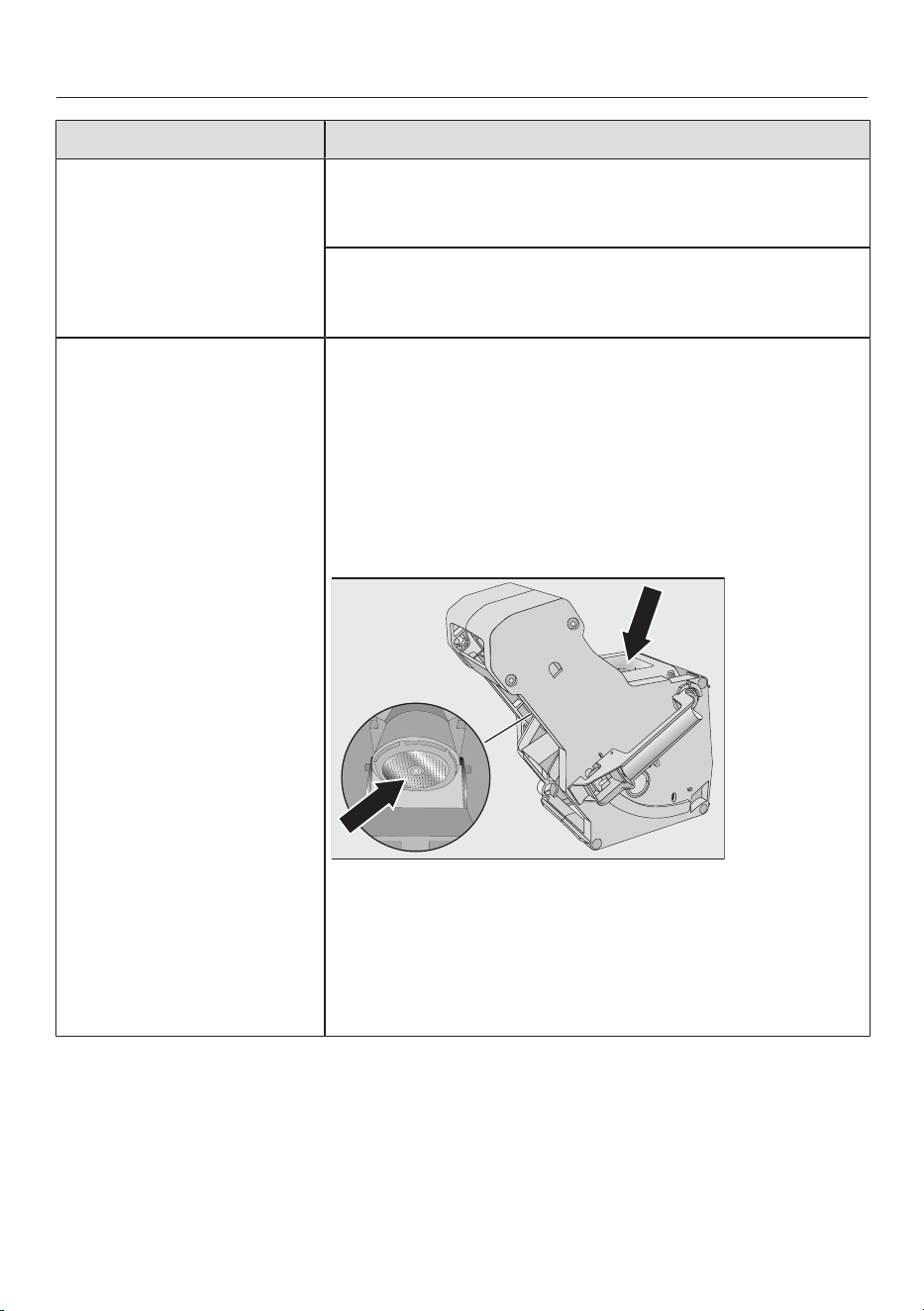
Problem solving guide
92
Problem Possible cause and remedy
The consistency of the
milk froth is
unsatisfactory.
The milk temperature is too high. Good milk froth can
only be achieved with cold milk (below 10°C).
Check the temperature of the milk in the milk flask.
The milk pipework is blocked and/or the milk valve is
dirty.
Remove and clean the milk valve.
Coffee flows very slowly
or even drips from the
central spout.
The brew unit is blocked because the coffee machine
has been used very intensively and/or the brew unit
was not removed regularly and cleaned by hand.
If a cleaning cartridge is fitted, first switch off
Automatic cleaning (Settings| Automatic cleaning).
Carry out the Degrease the brew unit maintenance
programme using one cleaning tablet (see “Cleaning
and care - Degreasing the brew unit and cleaning
the interior”).
Clean the brew unit filters in particular very carefully.
Switch on Automatic cleaning, if necessary, before
starting drink preparation again.
Otherwise the Clean the milk pipework and Degrease the
brew unit maintenance programmes must be started
again.
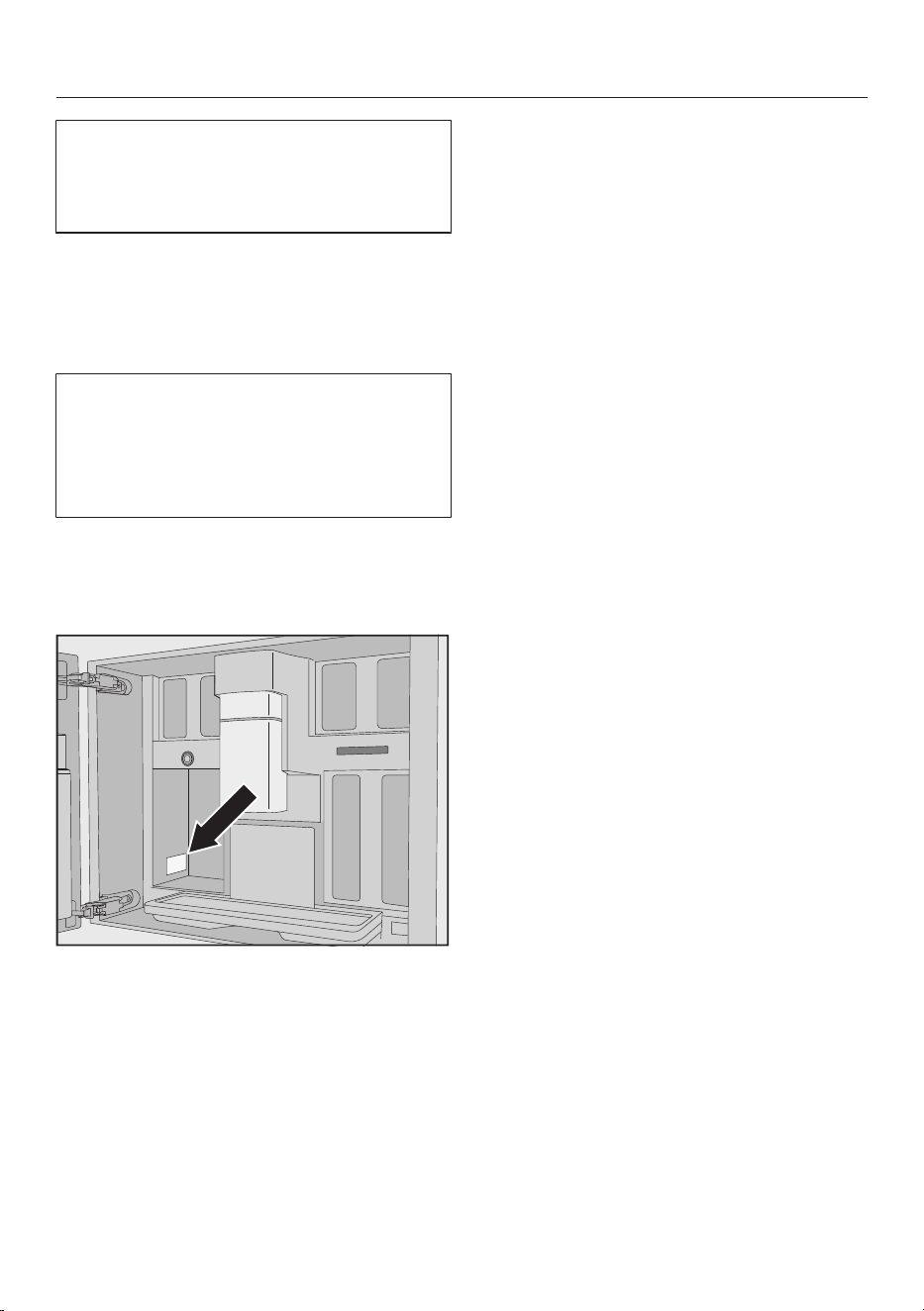
After sales service and warranty
93
You can find information on how to
remedy faults yourself and about Miele
spare parts at www.miele.com.au/
service or www.miele.co.nz/service.
Contact in case of fault
In the event of any faults which you
cannot remedy yourself, please contact
Miele.
You can book a Miele customer service
call-out online at www.miele.com.au/
service or www.miele.co.nz/service.
Contact information for Miele can be
found at the end of this booklet.
Please quote the model and serial
number of your appliance when
contacting Miele. This information can
be found on the data plate.
Warranty
The manufacturer's warranty for this
appliance is 2years.
For further information, please refer to
your warranty booklet.

Accessories
94
These products and other useful
accessories can be ordered via the
Miele webshop or directly from Miele
(see back cover for contact details).
- Original Miele all purpose microfibre
cloth
For removing finger marks and light
soiling
- Cleaning agent for milk pipework
For cleaning the milk system
- Cleaning tablets
For degreasing the brew unit
- AutoCleaner
for automatically cleaning the milk
pipework and brew unit
- Descaling cartridge
for automatic descaling
- Descaling tabs
For manual descaling
Installation
*INSTALLATION*
95
Mains water connection
Risk of injury and damage due to
incorrect connection.
Failing to connect the appliance
correctly can result in personal injury
and/or material damage.
The appliance may only be
connected to the water supply by a
suitably qualified technician.
Danger to health and property
due to contaminated water.
The quality of the water used must
conform to the requirements for
drinking water in the country in which
the coffee machine is being used.
Connect the coffee machine to the
mains water supply.
Connection to the water supply must
comply with the applicable
regulations in the country where the
appliance is being installed. This
appliance must be installed in
accordance with AS/NZS 3500.1 and
AS/NZS 3500.2. Back flow
prevention is already integrated in the
appliance.
Connect the coffee machine directly
to the mains water supply.
Avoid connecting the coffee machine
to a water supply in which the water
might stagnate. Otherwise the taste
of prepared drinks will be adversely
affected.
The coffee machine complies with local
and national regulations.
The coffee machine may only be
connected to a cold water supply.
The water connection pressure needs to
be between 100 and 1000kPa.
A tap must be provided between the
stainless steel hose and the household
water supply to ensure that the water
supply can be cut off if necessary. The
tap must be easily accessible after the
coffee machine has been built in.
Connecting the stainless steel hose to
the coffee machine
Only use the stainless steel hose
supplied. The stainless steel hose
must not be shortened, extended or
replaced by another hose. Old or
used hoses must not be connected
to the coffee machine.
The stainless steel hose must only be
replaced by an original Miele spare
part. A stainless steel hose which is
suitable for use with drinking water is
available to order from Miele (see
back cover for contact details).
The length of the stainless steel hose
supplied is 1.5m.
Remove the cover from the mains
water connection on the back of the
coffee machine.
Take the angled end of the stainless
steel hose and check whether there is
a washer. Fit a washer if necessary.
Screw the stainless steel hose
coupling nut onto the threaded union.
Ensure that it is screwed into position
correctly and watertight.
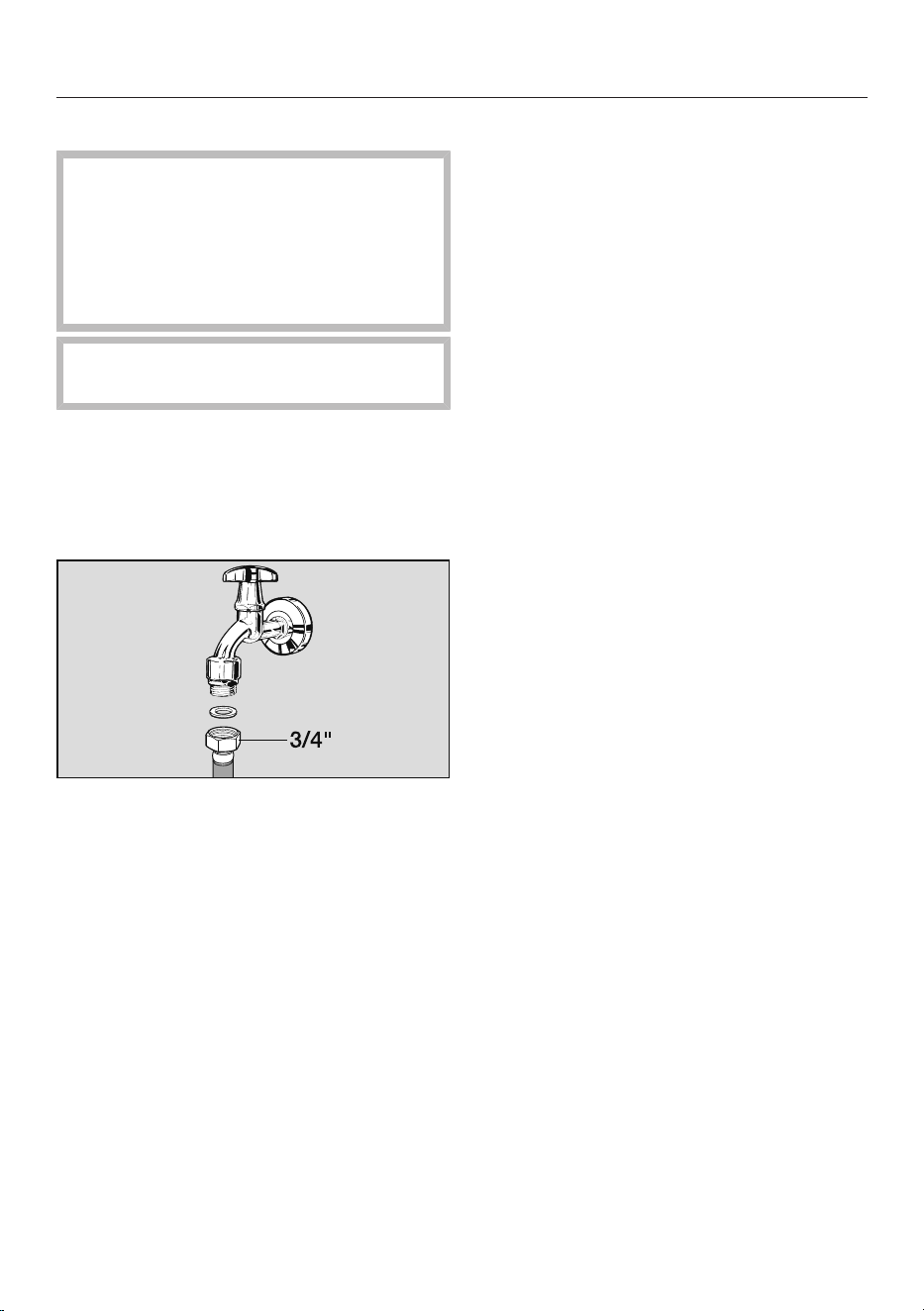
Installation
*INSTALLATION*
96
Connecting the water supply
Disconnect the coffee machine
from the mains power supply before
connecting it to the water supply.
Turn off the water supply at the tap
before connecting the coffee
machine to the water supply.
The tap must be easily accessible
after the machine has been built in.
To connect the coffee machine to the
water supply, a tap with a 3/4"
connection is required.
Check that a washer is present. Fit
one if necessary.
Connect the stainless steel hose to
the tap.
Ensure that it is screwed into position
correctly.
Turn on the tap slowly and check for
leaks.
Correct the position of the seal and
union if necessary.
You can now continue with the
installation of the coffee machine.
Electrical connection
Before connecting the appliance, make
sure that the connection data on the
data plate (voltage and frequency)
matches the mains electricity supply.
This data must correspond in order to
avoid the risk of damage to the
appliance. If in any doubt, consult a
qualified electrician.
The necessary connection information is
given on the data plate inside your
appliance.
The fuse rating must be at least 10A.
The socket should be easily accessible.
If the socket is no longer accessible
after installation, an additional means of
disconnection must be provided for all
poles. Suitable means of disconnection
include switches with an all-pole
contact gap of at least 3mm. These
include isolator switches, fuses and
relays.
Temporary or permanent operation with
a self-sufficient or non-mains
synchronous energy supply system (e.g.
isolated networks, back-up systems) is
possible. A requirement for the
operation is that the energy supply
system complies with all current local
and national requirements that apply to
stand-alone, solar and/or battery
systems.
The protective measures provided in the
domestic installation and in this Miele
product must also be assured in their
function and operation in isolated
operation or in non-mains synchronous
operation, or replaced with equivalent
measures in the installation.
The machine must not be used with so-
called energy-saving plugs. These
reduce the amount of energy supplied
to the machine, causing it to overheat.
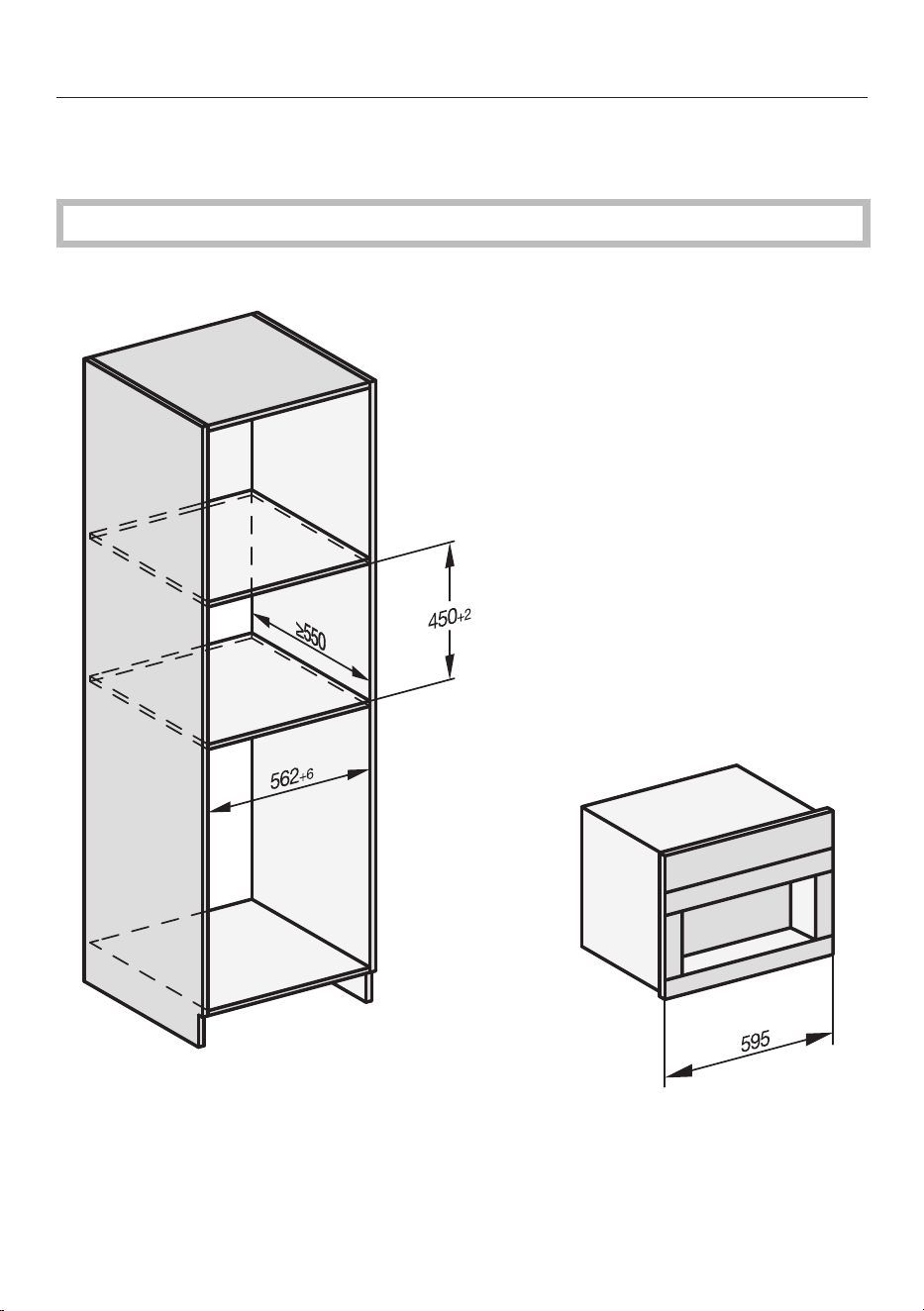
Installation
*INSTALLATION*
97
Installation dimensions
Installation in a tall unit
Maintain the required minimum installation height of 850mm.
All dimensions are given in mm.
Combination with other Miele built-in appliances is possible. If the coffee machine
is to be built in above another appliance, there must be a full-width, closed shelf
between them. If the appliance is to be combined with a Gourmet warming drawer/
built-in vacuum sealing drawer, no intermediate shelf is required in between.
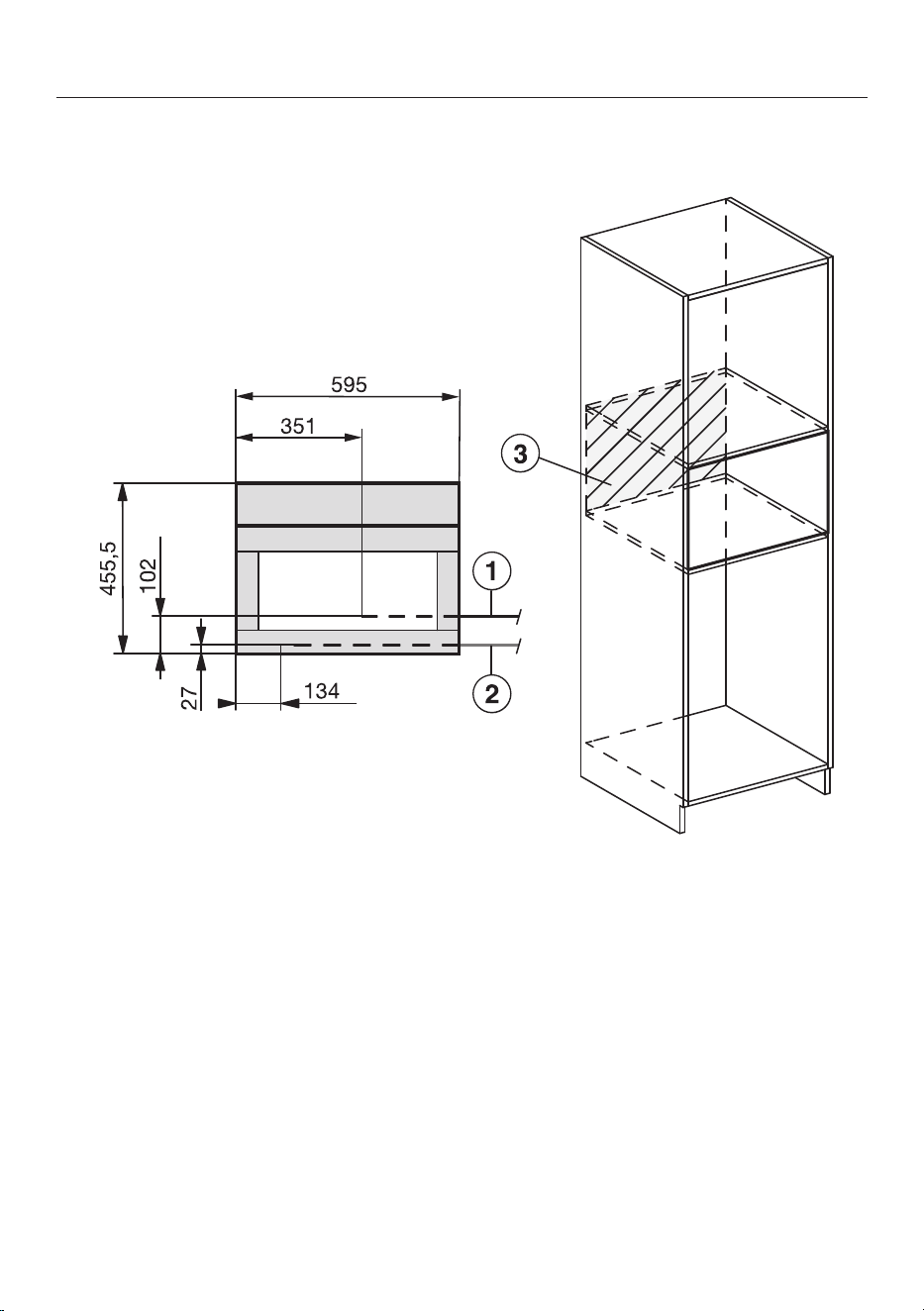
Installation
*INSTALLATION*
98
Installation and connections
All dimensions are given in mm.
a
Mains connection cable
b
Mains water connection
c
Do not place electrical or mains water connections in this area
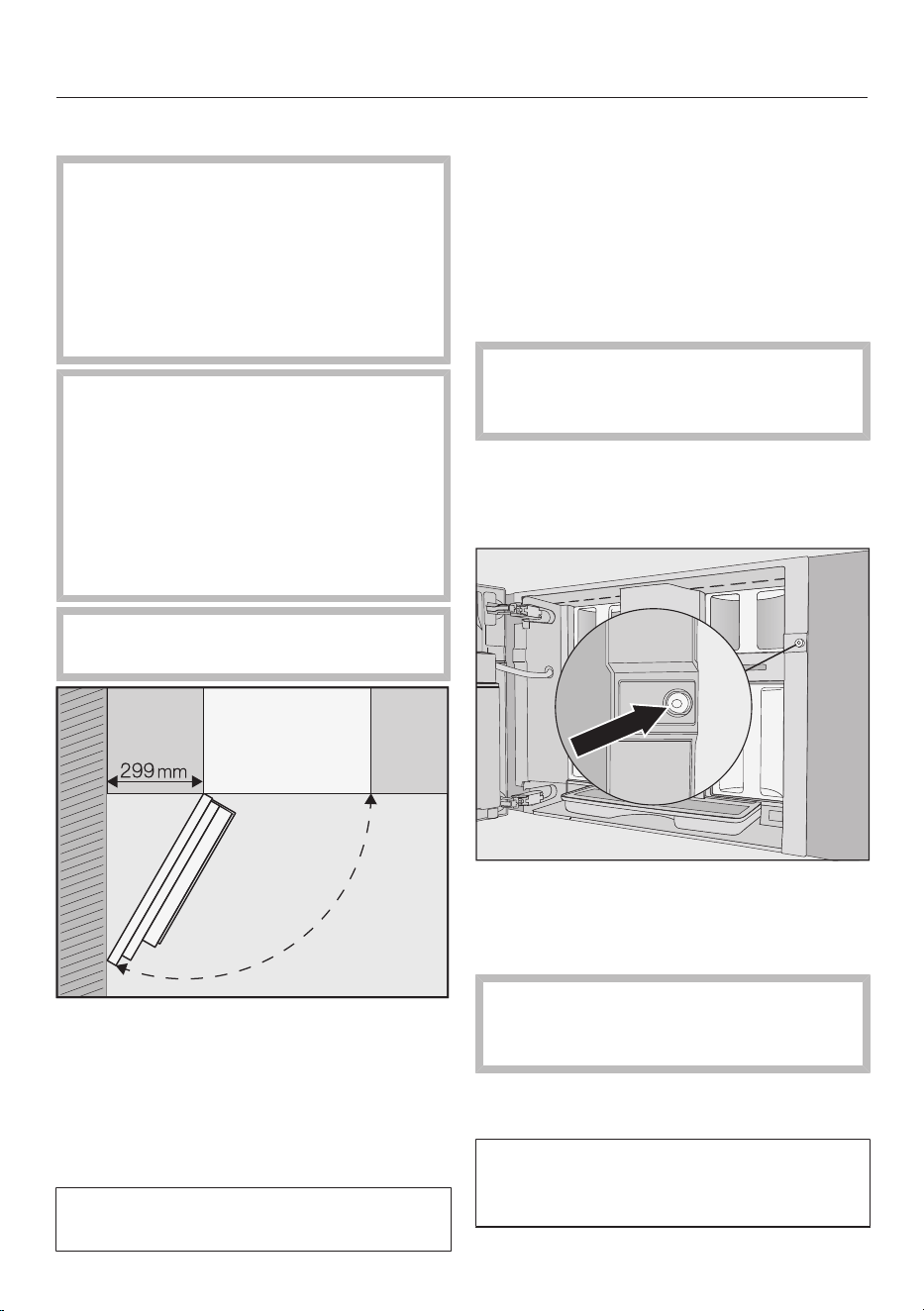
Installation
*INSTALLATION*
99
Building in the coffee machine
Danger of injury due to incorrect
operation.
Personal injury can result from an
incorrectly installed, and therefore
unsecured, appliance.
Operate the coffee machine only in a
built-in installation.
Risk of damage to property due
to incorrect operation.
If the ambient temperature range is
not complied with, the coffee
machine may not function correctly.
Operate the coffee machine only
within a temperature range of +16°C
to +38°C.
Maintain the required minimum
installation height of 850mm.
Useful tip: If the distance between an
adjacent wall and the coffee machine is
at least 299mm, the appliance door
can be opened wider, thus making the
machine easier to use. This allows the
left bean container to be removed more
easily, for example.
A TX20 screwdriver is required for
installation.
Useful tip: We recommend providing a
place to sit the coffee machine which is
the same height as the building-in niche.
This will make it easier to connect the
machine to the electricity and water
supply.
Connecting to the mains water and
electricity supply
Follow the instructions in "Mains
water connection" and "Electrical
connection".
Connect the coffee machine to the
mains water and electricity supply.
Removing the transport safety device
There is a red silicone plug inside the
screw hole which secures the appliance
door during transport to prevent
transport damage.
Remove the silicone plug before
screwing the coffee machine to the
cabinet.
Pull firmly on the red silicone plug to
remove it from the screw hole.
The silicone plug is not required again.
Dispose of it with your household
waste.
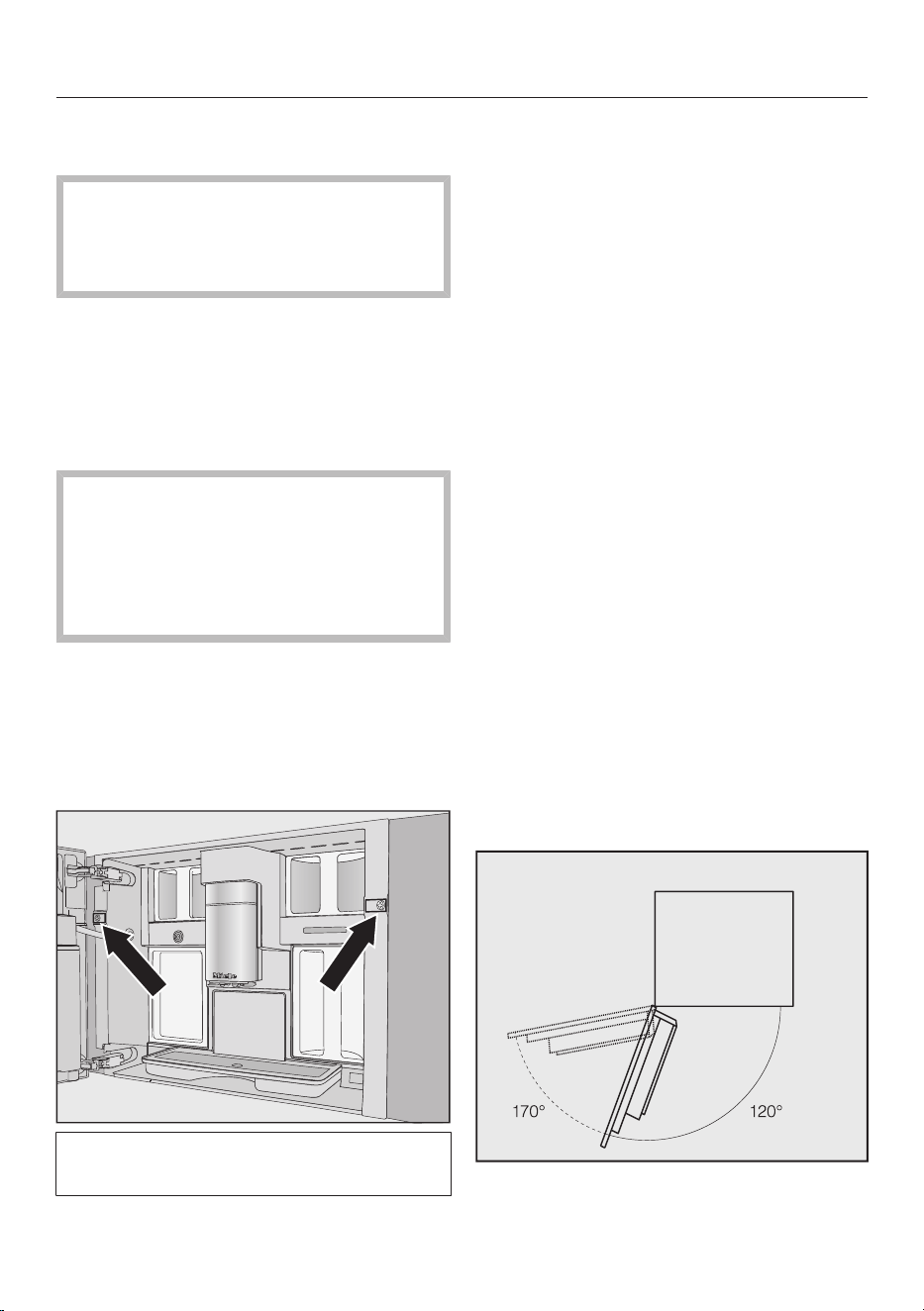
Installation
*INSTALLATION*
100
Pushing in and levelling the coffee
machine
Ensure the mains connection cable
and mains water hose do not get
jammed or damaged when pushing
the appliance into the niche.
Push the coffee machine all the way
into the building-in niche.
Check the height of the coffee
machine to make sure that it is sitting
centrally in the niche and that it is
level. Align the appliance.
Do not adjust the door hinges to align
the coffee machine. This could
otherwise result in the milk flask not
being able to be fitted correctly and
milk preparation may not function
properly.
You can now screw the coffee machine
to the cabinet.
Screwing the coffee machine to the
cabinet
Open the appliance door.
2TX20 (25mm) screws are supplied
with the appliance.
Secure the coffee machine to the side
walls of the housing unit using the
screws supplied. Tighten the screws
by hand.
Useful tip: You can remove the door
opening limiters and increase the door
opening angle to 170° so that the screw
on the left can be screwed in more
easily (see "Door opening limiters").
Check whether there is enough room
and that the appliance door does not hit
an adjacent wall.
Check the operation of the coffee
machine.
Door opening limiters
The door hinges of the coffee machine
are equipped with door opening limiters
that limit the opening angle of the
appliance door to approx. 120°. These
prevent the appliance door from hitting
an adjacent wall when opened and
being damaged.
You can remove the door opening
limiters to increase the opening angle to
approx. 170°. This allows the bean
containers to be removed more easily,
for example.
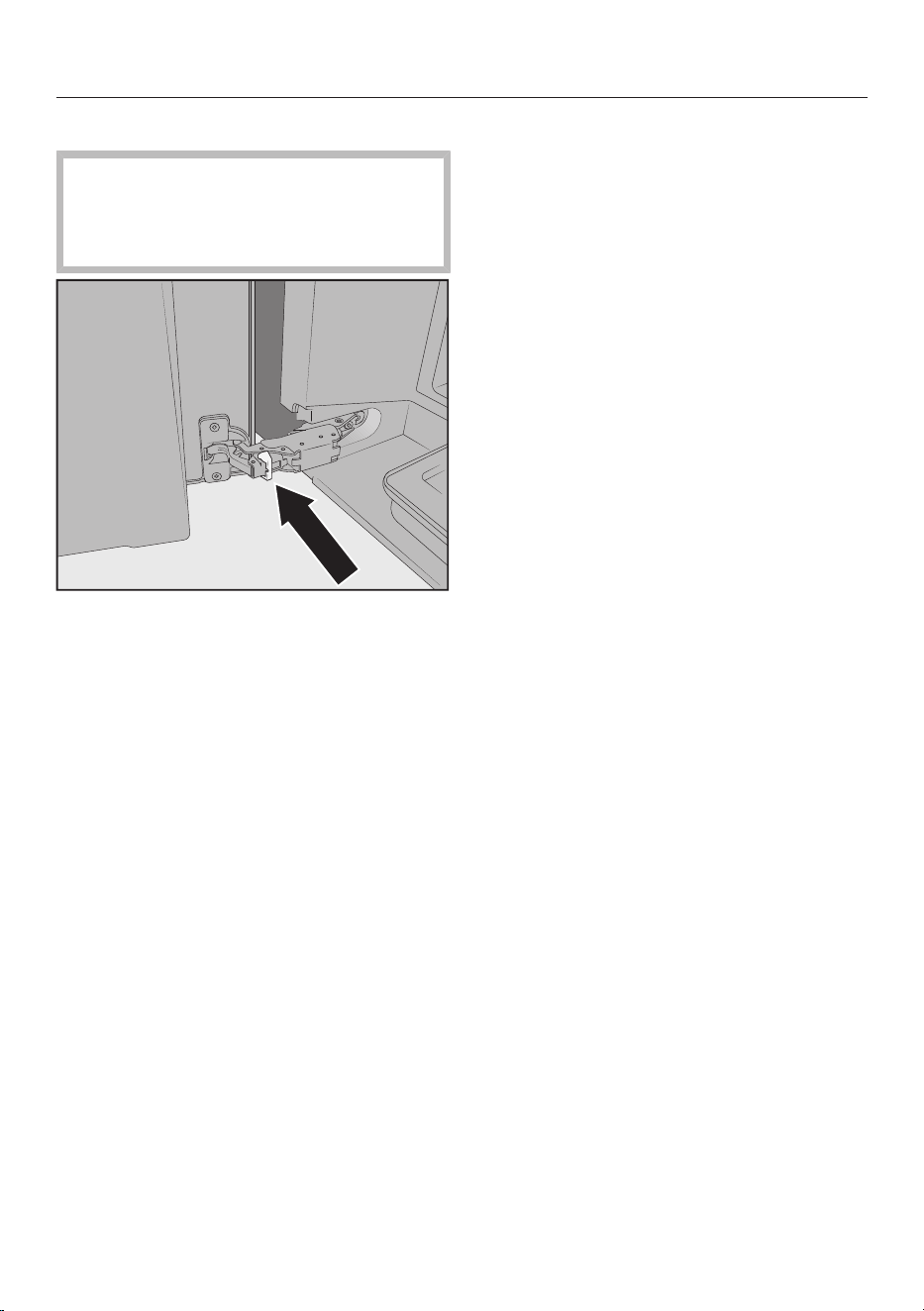
Installation
*INSTALLATION*
101
Removing the door opening limiters
Check whether there is enough room
and that the appliance door does not
hit an adjacent wall when the door
opening angle is increased.
Remove the door opening limiters
from the hinges by levering them out
with a screwdriver, for example.
The door opening angle is now
increased to approx. 170°.

Technical data
102
Electricity consumption in standby: <0.8Watt
Electricity consumption in networked
standby:
<1.4Watt
Frequency band of the Wi-Fi module 2.4000GHz–2.4835GHz
Maximum transmission power of the
Wi-Fi module
<100mW

Copyright and licences
103
For the purpose of operating and controlling the appliance, Miele uses proprietary
or third-party software that is not covered by open source licensing terms. These
items of software/software components are protected by copyright. The copyright
powers of Miele and third parties must be respected.
In addition, the appliance contains software components which are distributed
under open source licensing terms. You can access these open source components
along with the associated copyright notices, copies of the valid licensing terms and
any further information in the appliance under Settings| Legal information| Open
source licences. The liability and warranty arrangements for the open source licences
displayed at this location only apply in relation to the respective rights holders.
The appliance contains, in particular, software components which are licensed by
the rights holders under the GNU General Public License, version2, or the GNU
Lesser General Public License, version2.1. For a period of at least 3years following
the purchase or delivery of the appliance, Miele shall provide you or third parties
with a machine-readable copy of the source code for the open source components
contained in the appliance, which are licensed under the terms of the GNU General
Public License, version2, or the GNU Lesser General Public License, version2.1.
The source code shall be made available on a data carrier (CD-ROM, DVD or USB
stick). To obtain this source code, please contact us, specifying the product name,
serial number and purchase date, by sending us an e-mail ([email protected]) or
writing to the following address:
Miele & Cie. KG
Open Source
GTZ/TIM
Carl-Miele-Straße 29
33332 Gütersloh, Germany
We wish to draw your attention to the limited warranty for the benefit of rights
owners under the terms of the GNU General Public License, version2, and the
GNU Lesser General Public License, version2.1:
This program is distributed in the hope that it will be useful, but WITHOUT ANY
WARRANTY, without even the implied warranty of MERCHANTABILITY of
FITNESS FOR A PARTICULAR PURPOSE. See the GNU General Public License
and GNU Lesser General Public License for more details.




Miele Australia Pty. Ltd.
Miele New Zealand Limited
Miele Global Headquarters
Germany
Miele & Cie. KG
Carl-Miele-Straße 29
33332 Gütersloh
Federal Republic of Germany
IRD 98 463 631
8 College Hill
Freemans Bay, Auckland 1011
ACN 005 635 398
ABN 96 005 635 398
Level 4, 141 Camberwell Road
Hawthorn East, VIC 3123
0800 464 353 (0800 4 MIELE)
www.miele.co.nz
1300 464 353 (1300 4 MIELE)
www.miele.com.au

M.-Nr. 12 860 900 / 00en–AU, NZ
CVA 7845