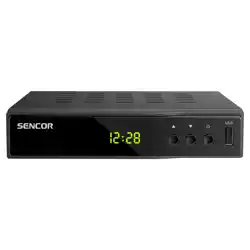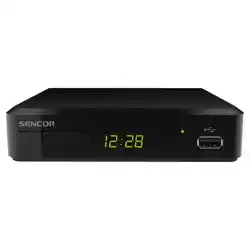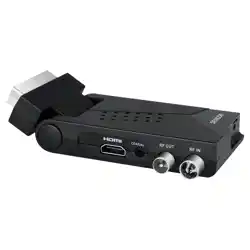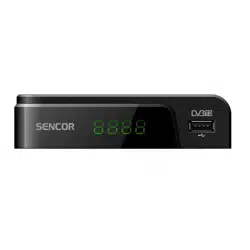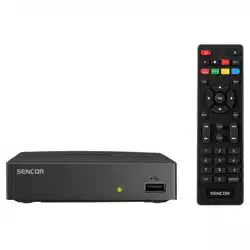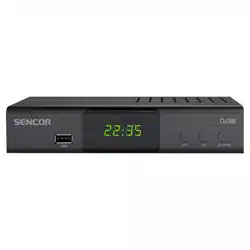

SDB 5007T
EN User Manual
CZ Uživatelská příručka
SK Používateľská príručka
HU Felhasználói kézikönyv
PL Podręcznik użytkownika
DVB-T2 SET-TOP BOX

2 EN
Copyright © 2025, Fast CR, a. s. Revision 01/2025
EN 3
EN
Copyright © 2025, Fast CR, a. s. Revision 01/2025
Safety Information
During the manufacture of this set-top-box, great attention has been paid not only to meeting quality
requirements, but also to providing safety which is a key factor in designing all of our products.
But you must also do your part to ensure safety. Please read this document carefully before installing
and using this set-top box.
This document is just an abridged version. The full version of this manual can be found at
https://www.sencor.cz/dvb-t2-prijimac/sdb-5007t. This document contains important information
that will help you learn how to correctly use this set-top box and its accessories to your satisfaction.
CAUTION
To minimize fire hazard or electric shock, do not remove the cover (or the rear panel) of the
device. Leave all repairs to qualified service technicians.
Technical Data
TUNER AND CHANNEL • RF INPUT CONNECTOR × 1 (IEC TYPE, IEC169-2, SOCKET TYPE)
• FREQUENCY BAND: 174MHz ~ 230MHz (VHF)
470MHz ~ 862MHz (UHF)
• SIGNAL LEVEL: -15 ~ -70 dBm
DECODER
• Video decoder
• Audio decoder
• VIDEO FORMATS
• VIDEO EXIT
• MODULATION
• MPEG-2 MP@HL, AVC/H.264 HP @L4.1
MPEG-4 ASP, HEVC/H.265 HP @L4.1 SUPPORT
• MPEG-1 Layer 1,2/PCM/HE-AAC V1.0
ICE958 SPDIF/Dolby D+ and Dolby D
• 4:3/16:9 SWITCHABLE
• HDMI, SCART
• 16QAM, 64QAM, 256QAM
CONNECT
• TUNER
• HDMI
• DATA PORT
• SCART
• ANTENNA INPUT × 1
• HDMI OUTPUT × 1
• USB 2.0 x 1
• FOR TV x 1
ENERGY SOURCE
• INPUT VOLTAGE • 100–240V, 50/60Hz
Note:
Design and specifications are subject to change without notice.
4 EN
EN
Copyright © 2025, Fast CR, a. s. Revision 01/2025
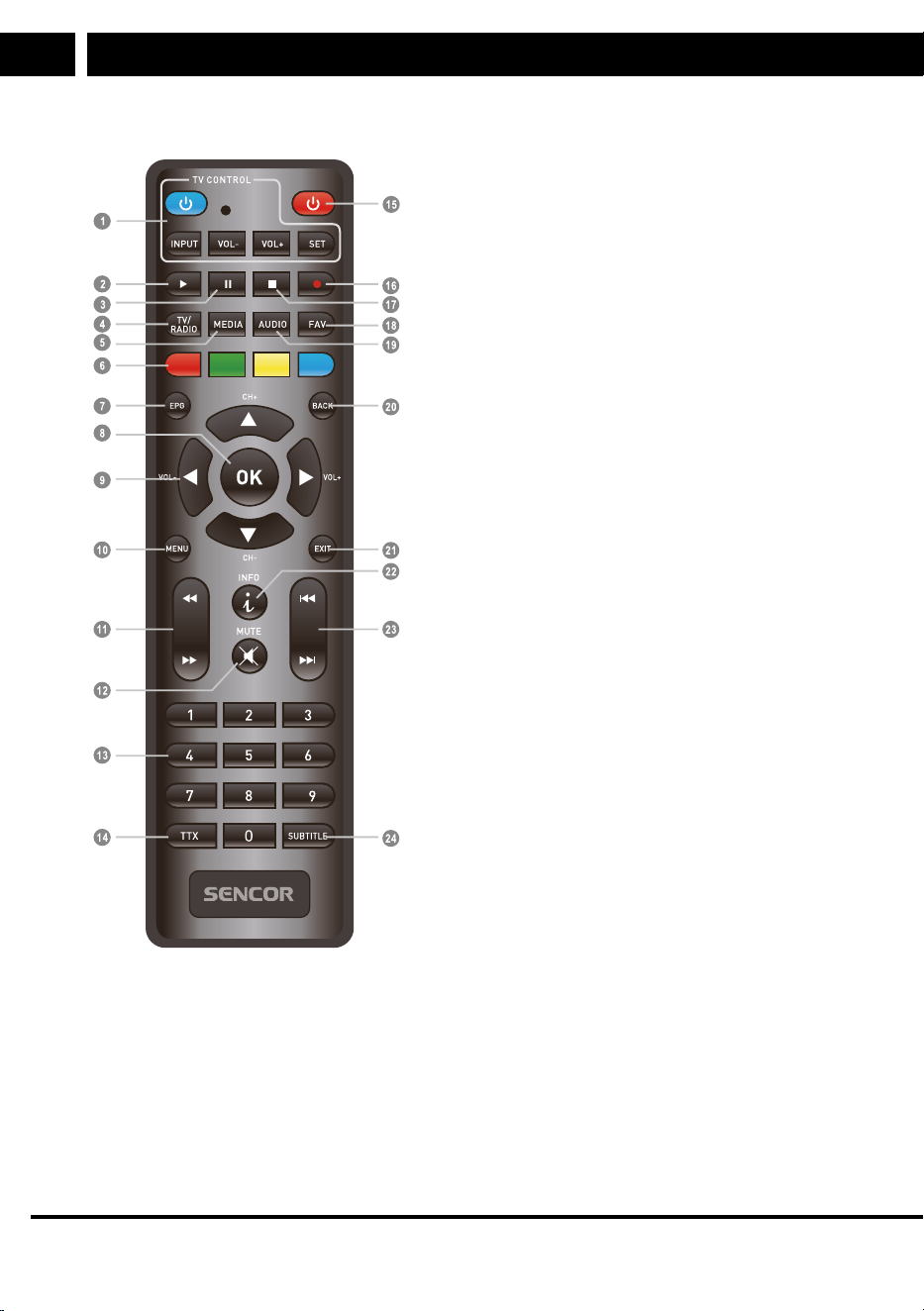
Remote control
1. STANDBY (Standby)
(Turning the TV on or switching to
standby)
2. PLAY (Playback)
3. PAUSE (Pause / Activate Time Shift
function)
4. TV/RADIO (TV/radio)
(Switching between TV and radio
modes)
5. MEDIA (Media)
(Open the Record menu)
6. RED/GREEN/YELLOW/Blue button
(For interactive functions / Nested
menu function buttons)
7. EPG (Electronic Programme Guide)
(Open the Electronic Programme
Guide menu)
8. OK button
(Confirmation of selection in the
offer)
9. Cursor / CH+,- (Previous/Next
Channel) / VOL+,- (Volume Up/
Down)
(Cursor: Navigation buttons to browse
menu items)
(CH+/-: Previous/Next channel)
(VOL+/-: Volume up/down)
10. Menu (Menu)
(Open and close the menu screen)
11. Search backward/forward
12. MUTE (Mute)
13. Numeric buttons
(For entering numeric values and
selecting a channel by directly
entering its number)
14. TTX (Teletext - opening interactive
services)
15. STANDBY (Standby)
(Turning the STB on or switching to
standby)
16. RECORD (Record)
(TV programme recording)
17. STOP (Stop)
(Stop playback or programme
recording)
18. FAV (Favourites)
(Open favourites list)
19. AUDIO (Sound)
(Selecting the audio mode and audio
track)
20. BACK (Back)
(Switch to previous channel)
21. EXIT (End offer)
22. INFO (information)
(Press to view information about the
current channel)
23. Previous/Next
24. SUBTITLE (Turn subtitles on/off)
EN 5
EN
Copyright © 2025, Fast CR, a. s. Revision 01/2025
Programmable button learning mode
1. To enter the learning mode, press the “SET” button in the TV CONTROL area for
3seconds (until the LED lights up intensely).
2. Press the blue “POWER” button of the learning remote control (the LED will flash
slowly).
3. Point the TV remote control directly at the learning remote control from a distance of
3–5 cm.
4. Press and hold down the “POWER” button on the TV remote control for
approximately 3 seconds (the LED will flash rapidly) until the LED stops flashing
(learning has been successful).
5. Repeat steps 2–4 to learn the other remote control commands (INPUT, VOL-, VOL+).
6. To exit the learning mode and save the learned codes, briefly press the “SET” button
(LED will go off).
Get Started
The first time you use this STB, the "Installation Guide" menu
will appear. Press the cursor buttons to set Language, Country.
Next, select Antenna Power (Antenna Power 5V), FTA (only non-paid stations). Press the
"OK" button to save and start the channel search. Wait for full completion and saving to
memory. Duplicate identical channels can be stored only once, depending on the specific
parameters of the broadcaster.
Practical notes:
When you receive a tuned channel, you can check its reception quality by pressing
the INFO button two times. Technical information about the multiplex being received,
which carries multiple TV channels (5–15), is displayed. 3 indicators will also be
displayed: Strength should be 60–100%, the other two parameters (BER and Quality)
should be as full as possible, all the way to the right. Lower, and especially unstable,
values can mean occasional or permanent reception failures, poor picture quality, etc.
In this case, upgrade your antenna.
6 EN
EN
Copyright © 2025, Fast CR, a. s. Revision 01/2025
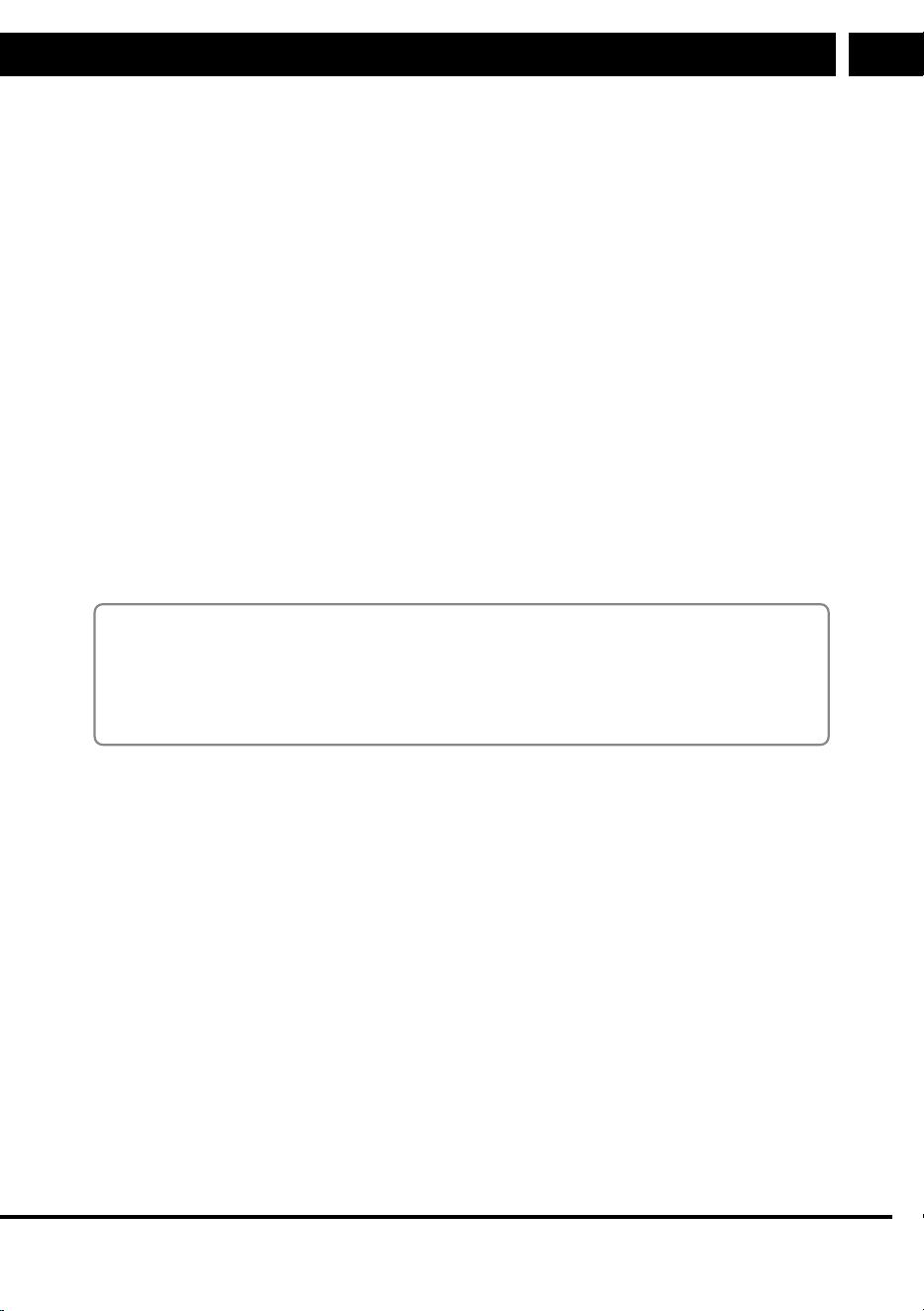
System connection
General information
There are many different types of TVs and other devices that can be connected to this
STB. This guide lists the most common ways to connect your devices.
Connecting a TV
Antenna
Scart cable
Television
HDMI cable
RF cable
Note: Please connect the HDMI cable to the receiver ONLY when turned off (red Standby
indicator lights)
Controls
Switching Channels
There are three ways to select a channel - by scrolling through the channel list, selecting
by number and selecting from the on-screen channel list.
1. Scroll through the channel list:
To move through the channel list, press the up or down arrow button on the remote
control.
2. Selection by number:
Enter the channel number directly by pressing the numeric buttons and press the
"OK" button to select the desired channel.
3. Select from the list of channels on the screen:
You can also select the desired channel number by using the UP/DOWN arrow keys
and confirming "OK" directly from the channel list on the screen. This list is displayed
by pressing the "OK" button and, if necessary, the LEFT and RIGHT arrows to select
a group of favourite channels. For more detailed information, see the "Channel
Manager" section of this guide.
EN 7
EN
Copyright © 2025, Fast CR, a. s. Revision 01/2025
Electronic Programme Guide (EPG)
1.
Press the "EPG" button to open the EPG (Electronic
Programme Guide) menu.
2. Press the cursor buttons to toggle between
the channel list, the selected channel's event
schedule.
3. Press the “LEFT/RIGHT” button to switch
between channel and programme windows.
4. Only in the channel window: Press OK to view
information about the current programme.
5. Only in the programme window: Press the “RED” button to set the event timer to
Record PVR or Reminder PLAY.
6. Press the “GREEN” and “YELLOW” buttons to switch between days.
7. Only in the programme window: Press “OK” to display selected event information.
8. Press the "EXIT" button to return to the previous menu.
Arrows – move between the programmes and shows.
Press the "BLUE" button to switch to Booking Management where you can manage
previously created events or add new ones.
Note:
EPG information is supplied to the broadcaster, who is responsible for its detail and accuracy.
In the broadcast, information is repeated cyclically, such as Teletext. The transmission and
subsequent retrieval of all information takes seconds to several minutes. The device will
only display the information it has read and stored in its memory, which is erased when the
device is switched off. Older and expired information is deleted automatically.
8 EN
EN
Copyright © 2025, Fast CR, a. s. Revision 01/2025
INSTRUCTIONS AND INFORMATION ON DISPOSAL OF USED PACKAGING MATERIAL
Dispose of used packaging material at a site designated for waste in your municipality.
DISPOSING OF USED ELECTRICAL AND ELECTRONIC EQUIPMENT
This symbol on products or original documents means that used electric or
electronic products must not be added to ordinary municipal waste. For proper
disposal and recycling, take these products to designated collection points.
Or in some European Union states or other European countries the products
can be returned to the local retailer when buying an equivalent new product.
Disposing of this product correctly helps save valuable natural resources and
prevents damage to the environment by improper waste disposal. Ask your local
authorities or collection facility for more details. In accordance with national
regulations penalties may be imposed for the incorrect disposal of this type of
waste.
For Business Entities in European Union States
If you want to dispose of electric or electronic devices, ask your retailer or
supplier for the necessary information.
Disposal in Other Countries Outside the European Union
This symbol is valid in the European Union. If you wish to dispose of this
product, request the necessary information about the correct disposal method
from the local council or from your retailer.
FAST ČR, a.s. hereby declares that the radio device type SDB 5007T conforms
to the 2014/53/EU directive.
For full version of the EU declaration of conformity, please refer to
www.sencor.eu website
The text, design and technical specifications may be changed without prior notice and we
reserve the right to make these changes.
EN
Warranty conditions
Warranty card is not apart of the device packaging.
This product is warranted for the period of 24 months from the date of purchase to the end-user. Warranty
is limited to the following conditions. Warranty is referred only to the customer goods using for common
domestic use. The claim for service can be applied either at dealer’sshop where the product was bought, or
at below mentioned authorized service shops. The end-user is obligated to set up aclaim immediately when
the defects appeared but only till the end of warranty period. The end user is obligated to cooperate to certify
the claiming defects. Only completed and clean (according to hygienic standards) product will be accepted.
In case of eligible warranty claim the warranty period will be prolonged by the period from the date of claim
application till the date of taking over the product by end-user, or the date the end-user is obligated to take it
over. To obtain the service under this warranty, end-user is obligated to certify his claim with duly completed
following documents: receipt, certificate of warranty, certificate of installation.
This warranty is void especially if apply as follows:
Defects which were put on sale.
Wear-out or damage caused by common use.
The product was damaged by unprofessional or wrong installation, used in contrary to the applicable
instruction manual, used in contrary to legal enactment and common process of use or used for another
purpose which has been designed for.
The product was damaged by uncared-for or insufficient maintenance.
The product was damaged by dirt, accident of force majeure (natural disaster, fire, and flood).
Defects on functionality caused by low duality of signal, electromagnetic field interference etc.
The product was mechanically damaged (e.g. broken button, fall).
Damage caused by use of unsuitable media, fillings, expendable supplies (batteries) or by unsuitable
working conditions (e.g. high temperatures, high humidity, quakes).
Repair, modification or other failure action to the product by unauthorized person.
End-user did not prove enough his right to claim (time and place of purchase).
Data on presented documents differs from data on products.
Cases when the claiming product cannot be indentified according to the presented documents (e.g. the
serial number or the warranty seal has been damaged).
Manufacturer:
FAST ČR, a.s., U Sanitasu 1621, Říčany 251 01, Czech Republic
info@sencor.com
Authorized service centers:
Visit www.sencor.com for detailed information about authorized service centers.
The original version of the instructions is in the Czech language, other language versions are made by the
appropriate translation.

EN 9
EN
Copyright © 2025, Fast CR, a. s. Revision 01/2025
EN
Warranty conditions
Warranty card is not apart of the device packaging.
This product is warranted for the period of 24 months from the date of purchase to the end-user. Warranty
is limited to the following conditions. Warranty is referred only to the customer goods using for common
domestic use. The claim for service can be applied either at dealer’sshop where the product was bought, or
at below mentioned authorized service shops. The end-user is obligated to set up aclaim immediately when
the defects appeared but only till the end of warranty period. The end user is obligated to cooperate to certify
the claiming defects. Only completed and clean (according to hygienic standards) product will be accepted.
In case of eligible warranty claim the warranty period will be prolonged by the period from the date of claim
application till the date of taking over the product by end-user, or the date the end-user is obligated to take it
over. To obtain the service under this warranty, end-user is obligated to certify his claim with duly completed
following documents: receipt, certificate of warranty, certificate of installation.
This warranty is void especially if apply as follows:
Defects which were put on sale.
Wear-out or damage caused by common use.
The product was damaged by unprofessional or wrong installation, used in contrary to the applicable
instruction manual, used in contrary to legal enactment and common process of use or used for another
purpose which has been designed for.
The product was damaged by uncared-for or insufficient maintenance.
The product was damaged by dirt, accident of force majeure (natural disaster, fire, and flood).
Defects on functionality caused by low duality of signal, electromagnetic field interference etc.
The product was mechanically damaged (e.g. broken button, fall).
Damage caused by use of unsuitable media, fillings, expendable supplies (batteries) or by unsuitable
working conditions (e.g. high temperatures, high humidity, quakes).
Repair, modification or other failure action to the product by unauthorized person.
End-user did not prove enough his right to claim (time and place of purchase).
Data on presented documents differs from data on products.
Cases when the claiming product cannot be indentified according to the presented documents (e.g. the
serial number or the warranty seal has been damaged).
Manufacturer:
FAST ČR, a.s., U Sanitasu 1621, Říčany 251 01, Czech Republic
info@sencor.com
Authorized service centers:
Visit www.sencor.com for detailed information about authorized service centers.
The original version of the instructions is in the Czech language, other language versions are made by the
appropriate translation.