Model
KS-2626
lf you have any questions about the product, please
feel free to contact us via [email protected]
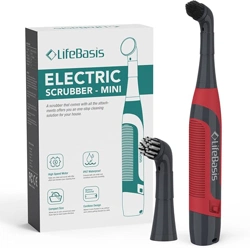
A scrubber that comes with all the
attachments offers you an one-stop
cleaning solution for your house.

Thank you for purchasing the LifeBasis Mini Electric Cleaning Brush! To ensure safety and
avoid any property damage, please read this manual carefully and only use it as indicated.
Failure to comply with these instructions and precautions may result in serious damage or
injury.
Important Safety Instructions
About the Product
When using an electrical product, basic precautions should always be followed, including the
following: Read all instructions before using (this product).
1. The product is for household use only and is not intended for commercial purposes.
2. This product can be used by children aged from 8 years and above and persons
withreduced physical, sensory or cognitive capabilities or lack of experience and knowledge
if they have been given supervision or instruction concerning use of the product in a safe
way and understand the hazards involved.
3. Close supervision is necessary when the product is used by or near children. Children shall
not play with the product. Cleaning and user maintenance shall not be conducted by
children.
4. Use this product only for its intended use as described in this manual. Do not use
attachments not recommended by the manufacturer.
5. Check all parts carefully before use. Do not use the product if it is damaged or malfunction-
ing.
6. When using the product, be careful not to get detergent splashed into your eyes or in
contact with your skin.
7. Do not incinerate the battery to avoid an explosion.
8. Ensure that the product is turned off while switching brush heads.
9. Do not operate near explosives and/or other flammable fumes.Sparks may be generated,
possibly causing a fire.
10. Stop using the product immediately if abnormal noise, smell, smoke, or any other failure or
breakage occurs during the operation.
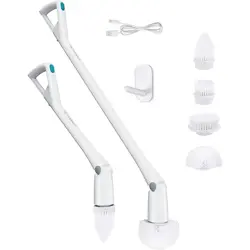
1. What's in the Box 2. Specifications
+ Main Handle
+ AA Battery
+ Brush Head
+ Lanyard
+ User Manual
Optional Accessories:
+ Sponger
+ Cleaning Cloth
Product Name: Mini Electric-
Cleaning Brush
Model: KS-2626
Power Supply: 4*1.5V AA Battery
Battery Voltage: DC 6V
Waterproof Grade: IPX7
Main Material: TPU
SAVE THESE INSTRUCTIONS
English
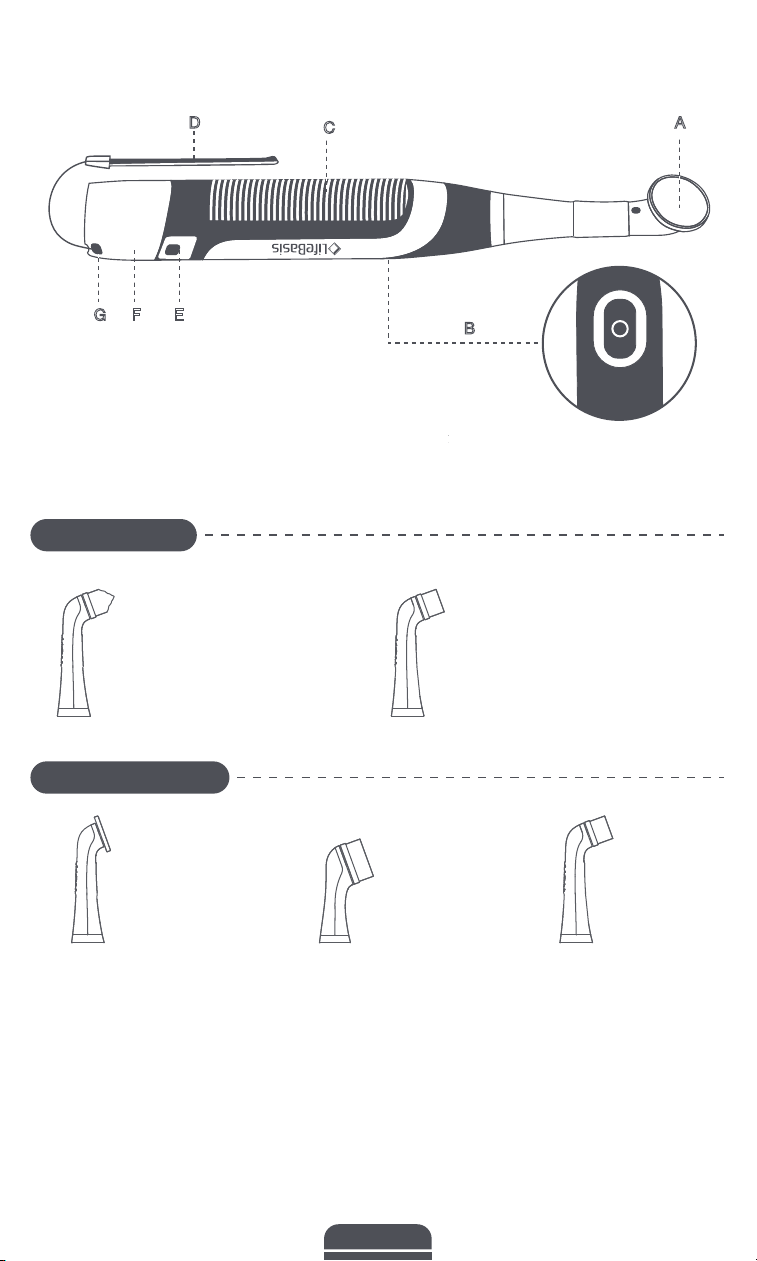
B
A
E
F
G
C
D
3. Overview
Velcro Head
For tableware, gas
ranges, sinks, bathtub,
ceramic, etc.
Large Brush
For large flat surface
areas such as hard
floor, wall, door,
window, counter, patio
furniture, pool, soap
scum, stove, carpet,
etc.
Soft Bristle Brush
For delicate, fragile
surfaces such as
glass, shoes.
Grout Brush
For tile grout, edges, corners
and hard-to-reach places.
Medium Brush
For most surfaces and places.
A.Brush Head
B. Power Button
C. Anti-slip Handle
D. Lanyard
E. Battery Cover Release Button
F. Battery Cover
G. Eyelet
Fixed brushes
Optional brushes
English
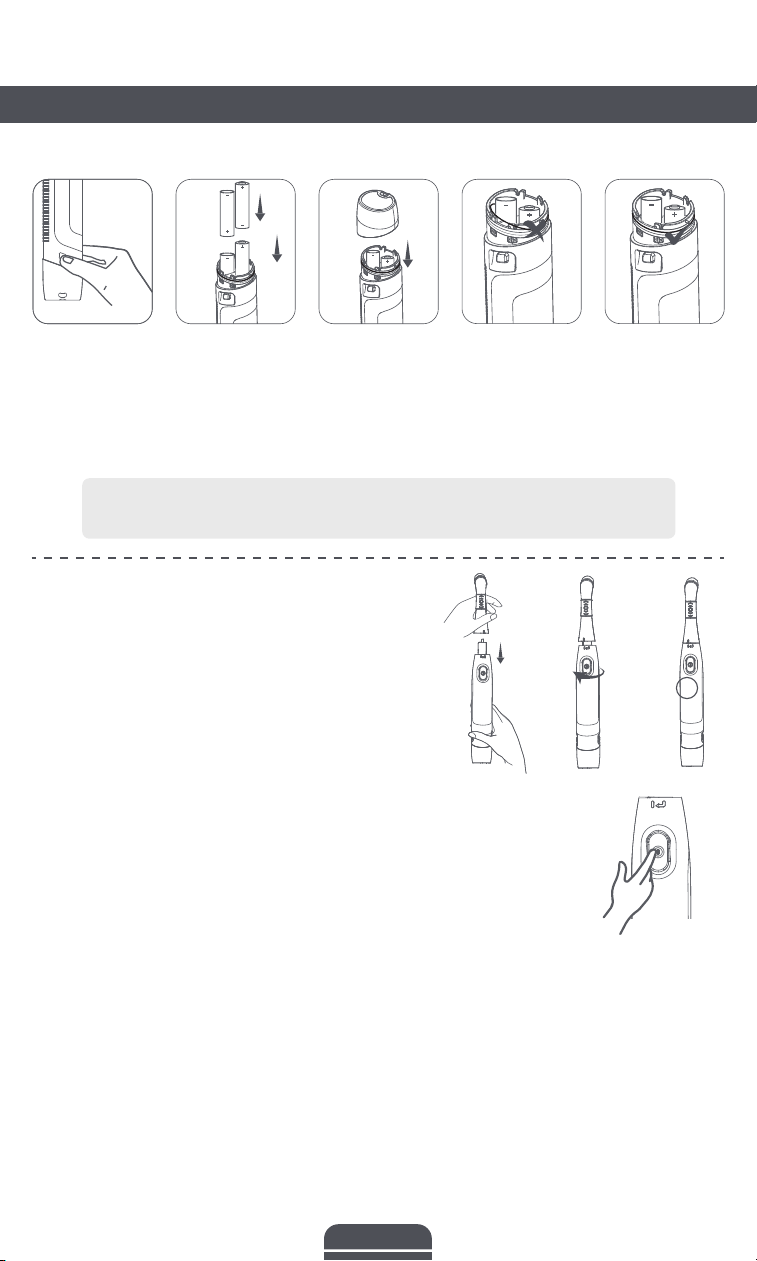
Note: when replacing batteries, the sealing ring may accidentally fall off or be
displaced. Please place it back properly. Otherwise it's no longer waterproof.
1. Select a brush head and insert it into the handle by
aiming at the Snap-Fit Joint.
2. Grip the head and rotate it clockwise, the vertical
line engraved on the brush head and the handle
should be in the same line.
* To remove the brush, rotate it counterclockwise and
pull it out.
1. For better cleaning effect, it is recommended to use the brush with detergent (such as mold
& mildew removers, water stain removers, oven cleaners or all-purpose cleaner).
2. For stubborn stains, please soak stains in mixed solution of water and detergent for a while
before cleaning.
3. Always wear rubber gloves and use appropriate eye protection to avoid getting in contact
with splashing, soaps, or detergents on skin and/or eyes while the brush head is spinning,
or being removed.
Press the Power Button to turn on the brush and start cleaning.
Note: We recommend limiting usage time to 30 minutes per session
to prolong its service life.
Cleaning Tips
Using the Product
1. Before Use Install the Batteries
Install the Brush Head
2. Power On
Press the battery cover
release button on both
sides, the battery cover
will pop up a little. Then
pull it out.
Insert AA batteries as indicated by
the polarity symbols (+ and -)
marked on the battery mpart-ment.
Note: Ensure both of the
corresponding polaritysymbols on
the battery face up.
Put the cover on and
press it down until you
hear a click.
English
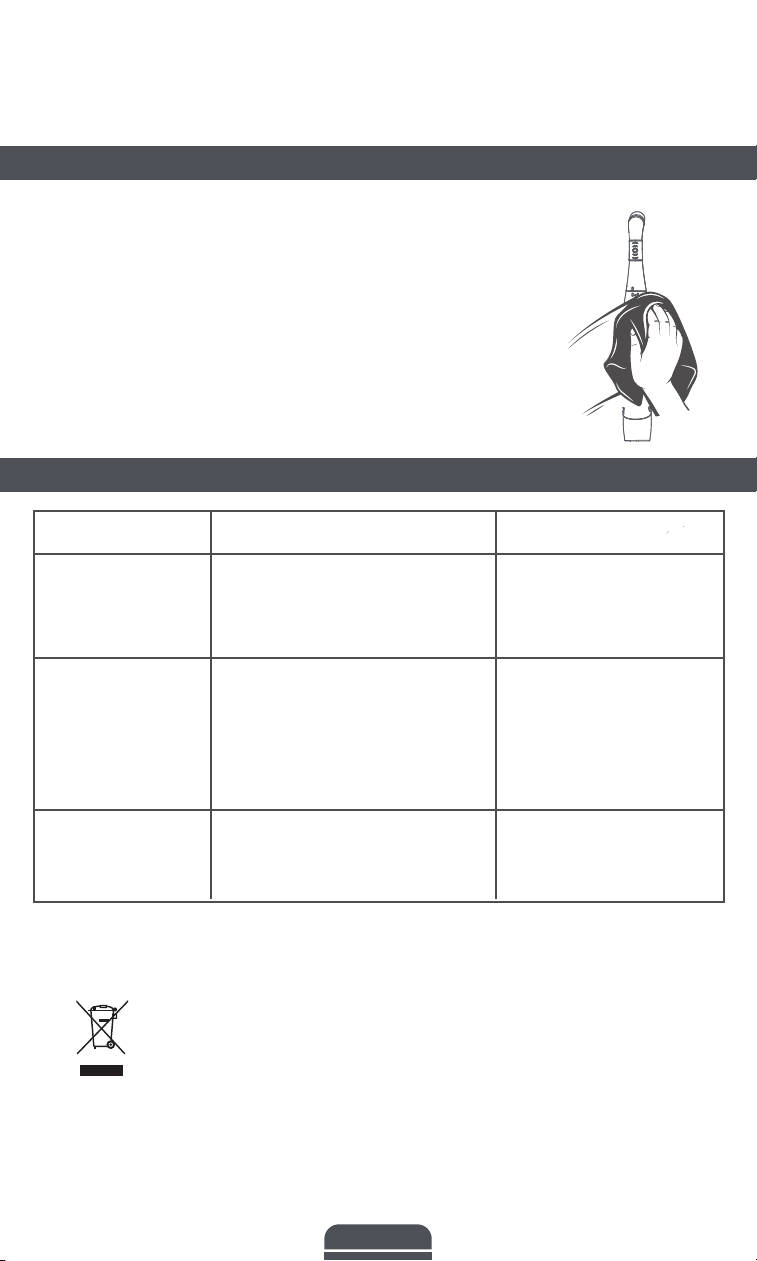
3. Power Off
Press the Power Button again to turn off the brush.
Clean handle and brush head separately. Use a neutral detergent if it is
difficult to clean. Keep away from all solvents and harsh detergents.
a. Clean the brush head after use by rinsing your brush head under
running water with the handle switched on.
b. Use clean water to wash the surface of the handle and wipe it with
soft cloth and allow it to dry.
DO NOT press the rubber sealing ring with sharp item or metal object,
otherwise it will be damaged.
* DO NOT submerge the handle in water.
DISPOSAL AND RECYCLING:
You must dispose of the electric scrubber properly in accordance with local
laws and regulations. As this device contains electronic components, it must be
disposed of separately from household waste. When it has reached the end of
its useful life, contact your local authorities for information on disposal and
recycling options. Observe local regulations and dispose of the electrical device
that is no longer working at a suitable disposal point.
Cleaning the Product
Troubleshooting Guide
Problem
The brushcannot
be turned on.
The vibration
strength becomes
weak.
The brush stops
working suddenly.
Possible Cause
1. Incorrect installation of
batteries.
2. Battery runs out.
1. The brush is pressed too hard
against the cleaning object.
2. The brush head is not installed
properly.
3. Low battery.
1. Too much pressure applied
on the brush.
2. Battery runs out.
Solution
1. Insert batteries under the
correct polarity as marked on
the battery compartment.
2. Replace the batteries.
1. Gently press the brush
head while cleaning.
2. Reinstall the brush head.
3. Replace the batteries.
1. Gently press the brush head
while cleaning.
2. Replace the batteries.
English