CAR716
Main Menu
ID3 Tag Display Area
Album Art
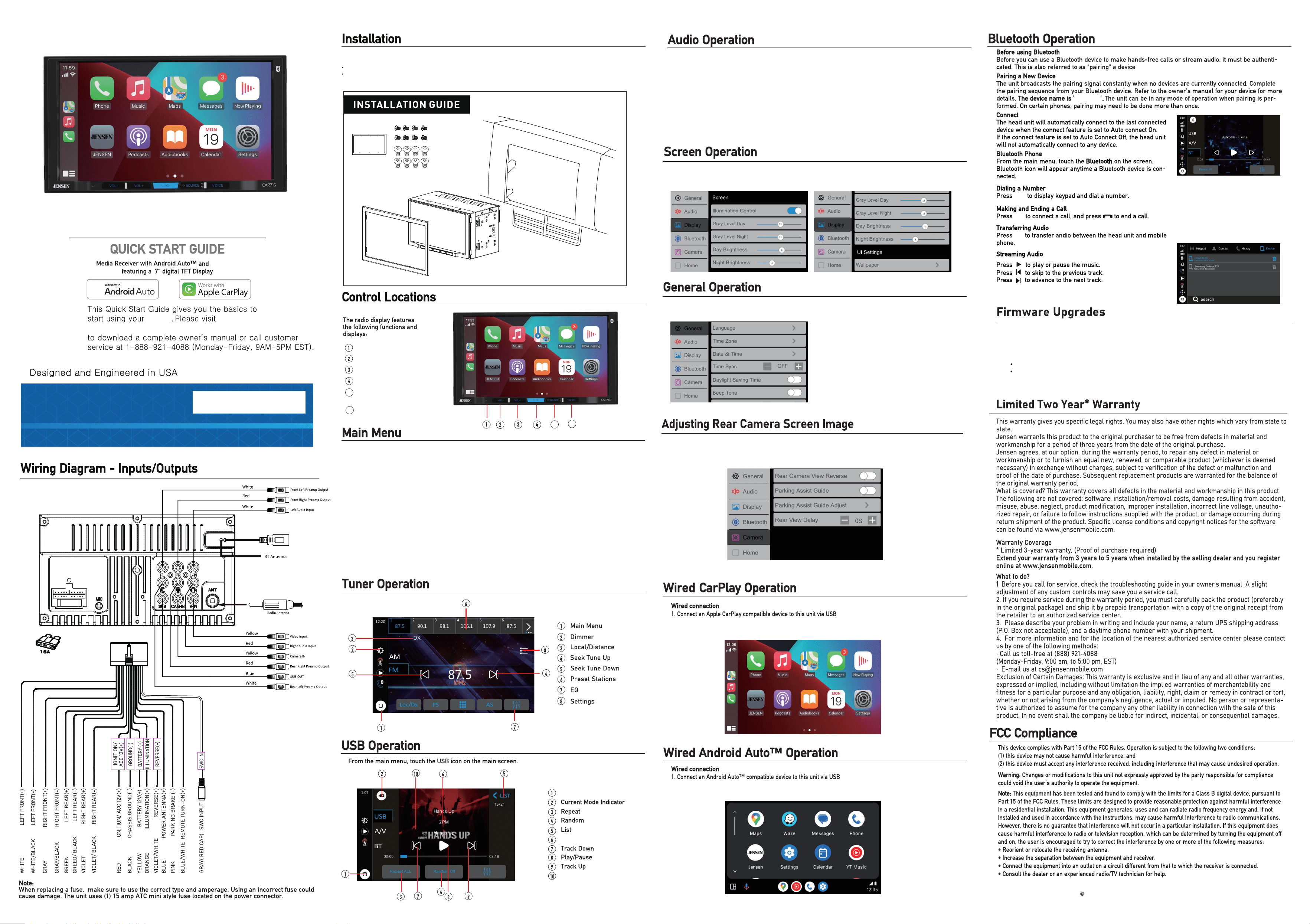
Press the Display icon in the Settings menu to access the Brightness, Contrast,
Button Illumination Colors and Wallpaper Settings.
www.jensenmobile.com
2025 Namsung America Inc. All rights reserved.
NSC1125-V01
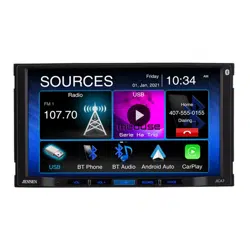
In main menu, press the desired icon to enter the corresponding mode: AM/FM/Bluetooth Audio/
USB/Android Auto/Apple CarPlay/Bluetooth Phone/AV In/Settings.
https://www.jensenmobile.com
CAR716
Before You Start
Disconnect negative battery terminal. Consult a qualified technician for instructions.
Avoid installing the unit where it would be subject to high temperatures, such as from direct sunlight,
or where it would be subject to dust, dirt or excessive vibration.
TR IM R ING
If your rear cameras appear to have a reversed image on the radio's display, go into the
Camera section in the Settings menu to reverse the image of the camera. To do this, toggle the "Rear
Camera View Reverse" function to correct the viewing angle of the camera(s)
Flat Head Screw M5*6mm
Round Head Screw M5*6mm
Press the AUDIO icon on the main menu screen to enter the audio settings menu.
Press the General icon in the Settings menu to access the Time Zone,
Date and Time and other radio Settings.
If a product or software update becomes available, you may find these updates on our website under your
product model number.
Please go to www.jensenmobile.com to check for new updates.
Updates can be completed with a user supplied USB drive, typically 8GB or 16GB in size from one of the below
recommended manufacturers:
SanDisk, Kingston, PNY, Samsung, Corsair or Verbatim.
These are readily available online or at most retail locations that sell electronics.
The drive needs to support USB 2.0 or faster transfer speeds. Older version USB 1.0 is not compatible.
Format the drive using the FAT32 file system.
6
5
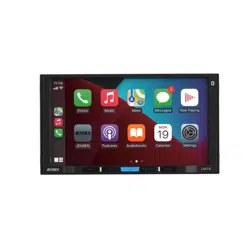
The Apple CarPlay Home screen appears.
2. If the iPhone is connected via USB port, press CarPlay on the main menu.
,
The Android Auto Home screen appears.
2. If the Android Phone is connected via USB port, Press Android Auto on the main menu.
,
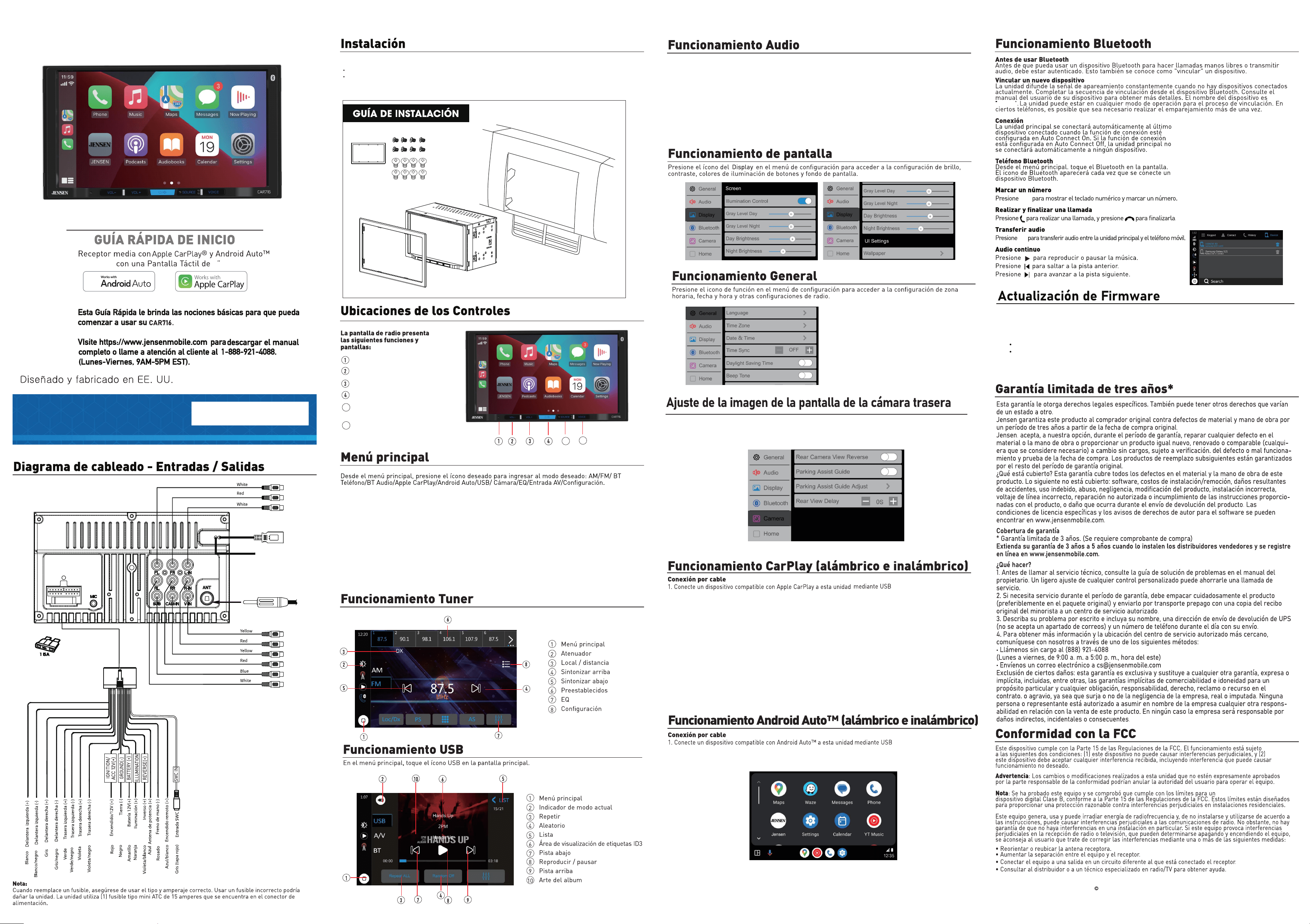
CarPlay
Android Auto
Power/ Mute
Reset
Volume Down
Volume Up
6
5
Switch Radio/USB/BT/CPAA/
AV IN media playback
Voice Activation
www.jensenmobile.com
2025 Namsung America Inc. All rights reserved.
CAR716
7
CAR716
TR IM R ING
Antes de comenzar
Desconecte el terminal negativo de la batería. Pida instrucciones a un técnico calificado.
Evite instalar la unidad donde pueda estar sujeta a altas temperaturas, como sol directo,
o donde pueda estar sujeta a polvo, suciedad o vibración excesiva.
NSC1125-V01
Si sus cámaras traseras parecen tener una imagen invertida en la pantalla de la radio, vaya a Cámara
sección en el menú Configuración para invertir la imagen de la cámara. Para hacer esto, active la opción
"Cámara trasera Función Ver reversa" para corregir el ángulo de visión de la(s) cámara(s).
Tornillo de cabeza plana M5*6 mm
Tornillo de cabeza redonda M5*6 mm
Presione el ícono AUDIO en la pantalla del menú principal para ingresar al menú de configuración de audio.
Si hay una actualización de producto o software disponible, puede encontrar estas actualizaciones en nuestro
sitio web bajo el número de modelo de su producto.
Por favor, visite www.jensenmobile.com para verificar nuevas actualizaciones
Las actualizaciones se pueden completar con una unidad USB proporcionada por el usuario, generalmente de
8GB o 16GB de tamaño, de uno de los fabricantes recomendados a continuación:
SanDisk, Kingston, PNY, Samsung, Corsair o Verbatim.
Estas están disponibles en línea o en la mayoría de los comercios minoristas que venden electrónicos.
La unidad necesita admitir velocidades de transferencia USB 2.0 o superiores. Las versiones más antiguas,
como USB 1.0, no son compatibles.
Formatee la unidad utilizando el sistema de archivos FAT32.
Aparece la pantalla de
inicio de Apple CarPlay.
2. Si el iPhone está conectado a través del puerto USB, presione CarPlay en el menú principal.
Aparece la pantalla de
inicio de Android Auto.
2. Si el teléfono Android está conectado a través del puerto USB, presione Android Auto en el menú principal.
,
,
Salida de preamplificador
frontal izquierdo
Salida de preamplificador
frontal derecho
Entrada de audio izquierda
CarPlay
Android Auto
Antena BT
Antena Radio
Entrada de video
Cámara IN
SUB-OUT
Entrada de audio
derecha
Salida de preamplificador
trasero derecho
Salida de preamplificador
trasero izquierdo
Reajustar
Bajar el volumen
Subir el volumen
Encendido/Mudo
6
Cambiar la reproducción de
medios Radio/USB/BT/CPAA/AV IN)
Activación por voz
5
6
5