APP OPERATION GUIDE
Smart Life
App
MODEL
SKU
VT-603
12705
IN CASE OF ANY QUERY/ISSUE WITH THE PRODUCT, PLEASE REACH OUT TO US AT: SUPPORT@VTACEXPORTS.COM
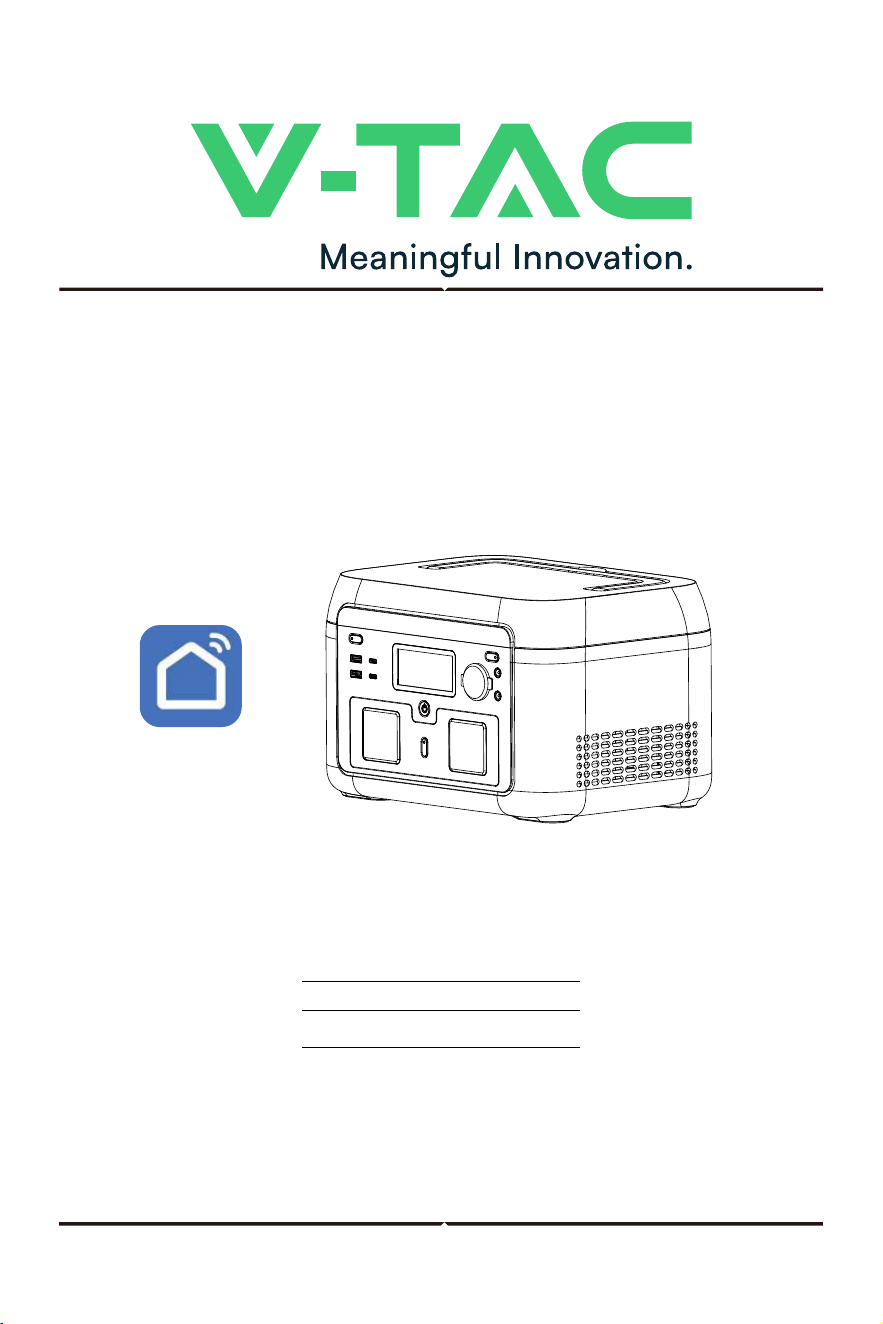
600W POWER STATION
�. Software Download
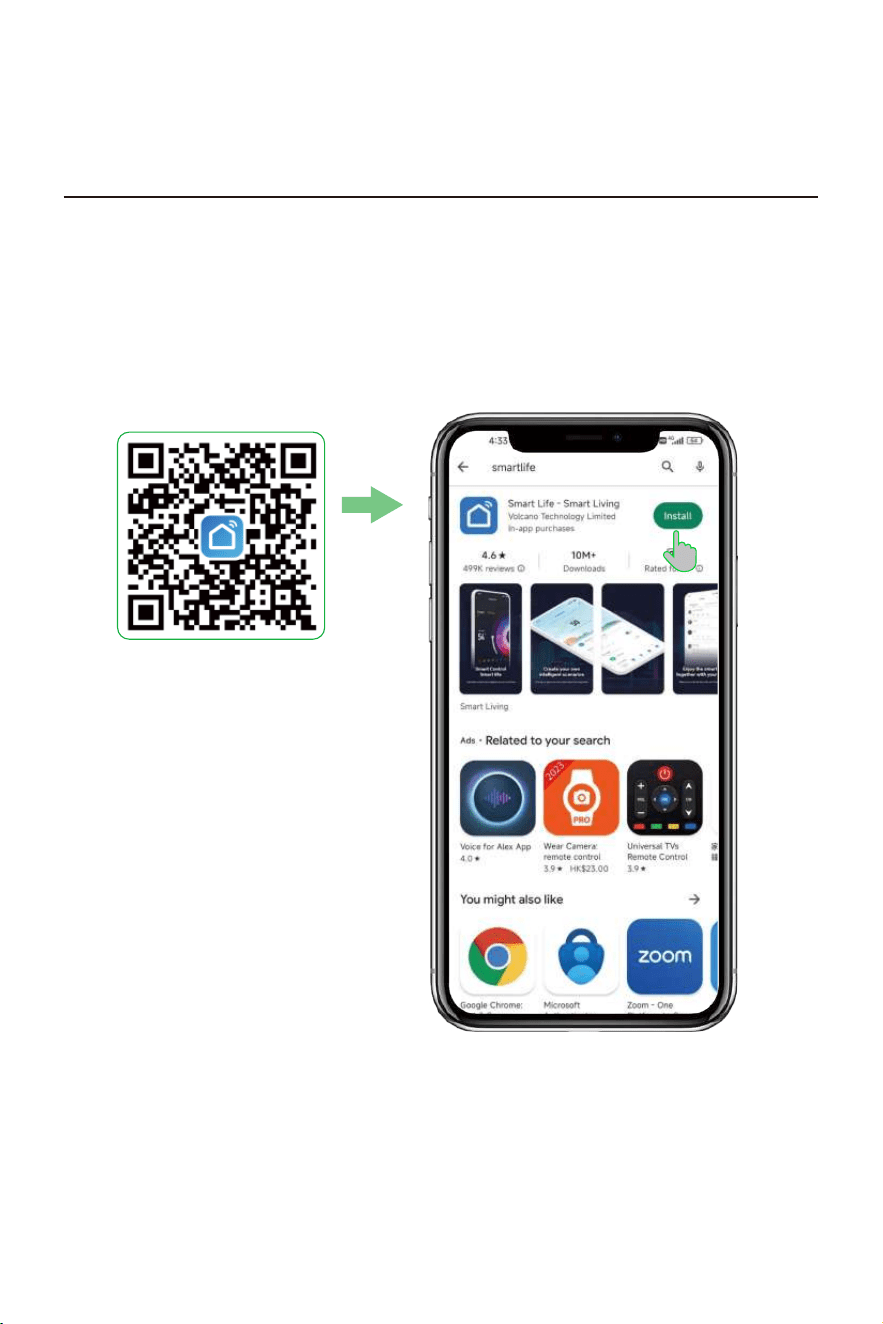
Search for "Smart Life" in the APP store to download and install, or scan the QR code to
download and install.
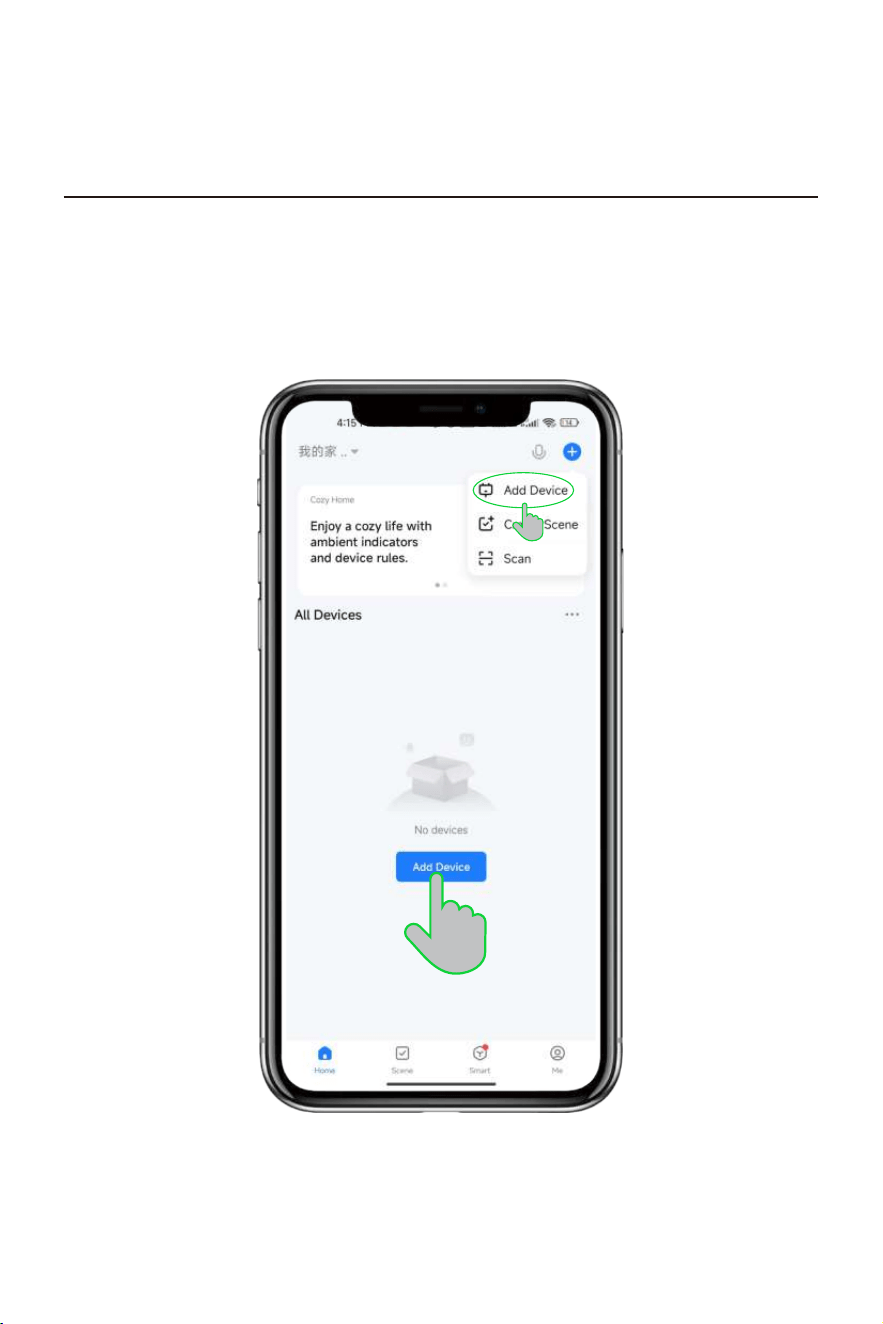
�. Connection Equipment
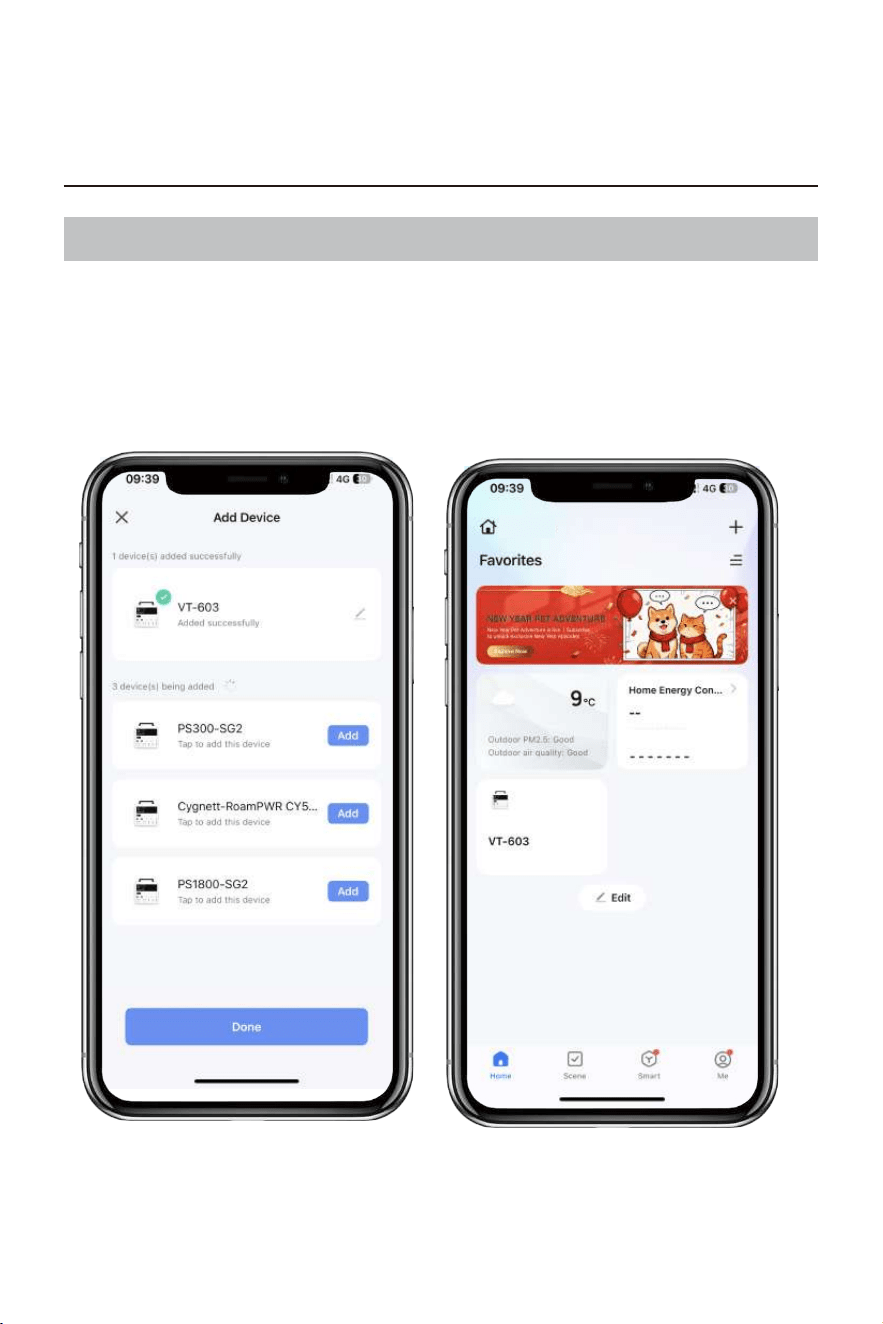
Select Add Device in the APP main interface.
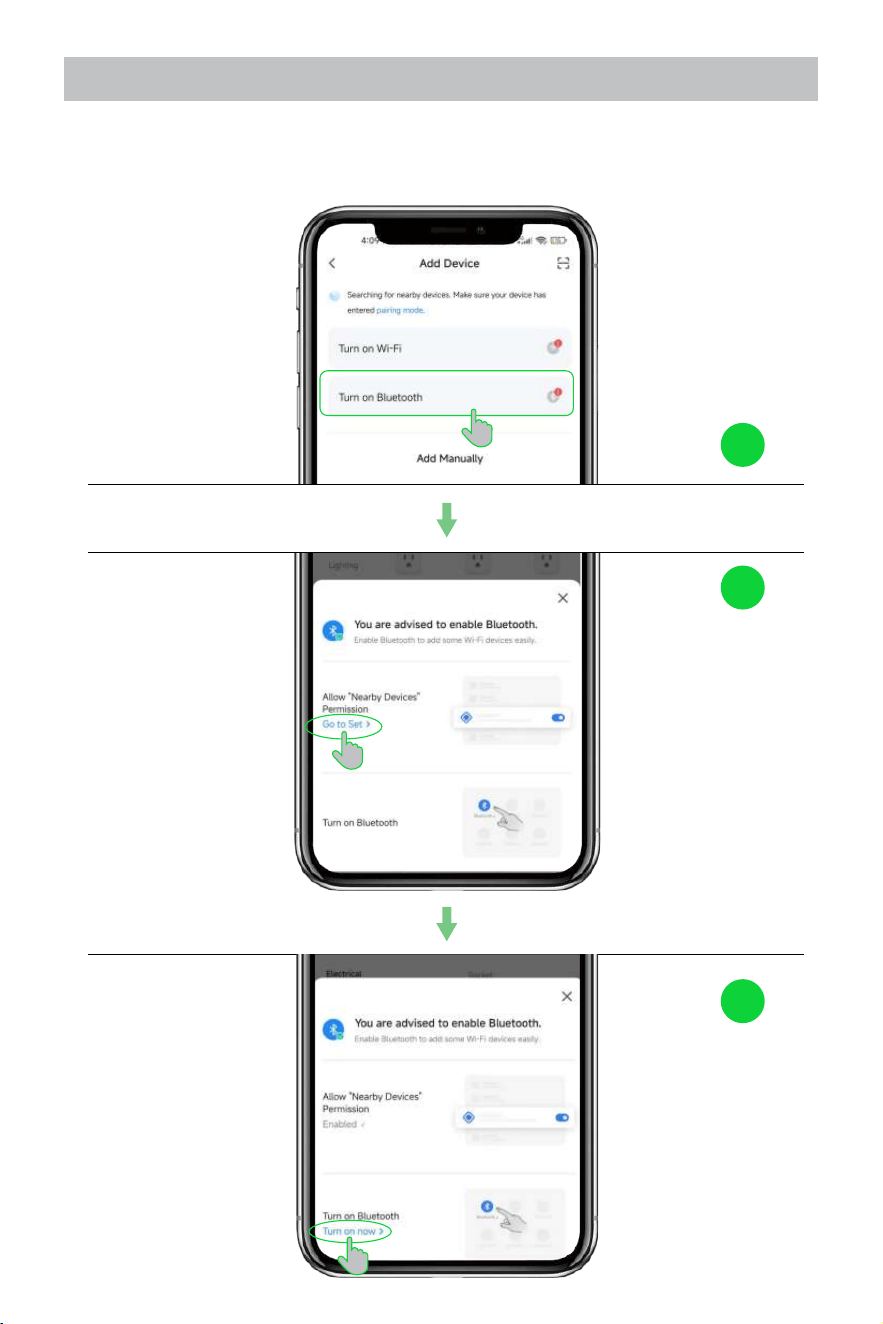
2.1 Enable Bluetooth
Please follow the prompts to set Enable Nearby Devices permission and Enable Bluetooth
so that you can easily add some Wi-Fi devices.
1
2
3
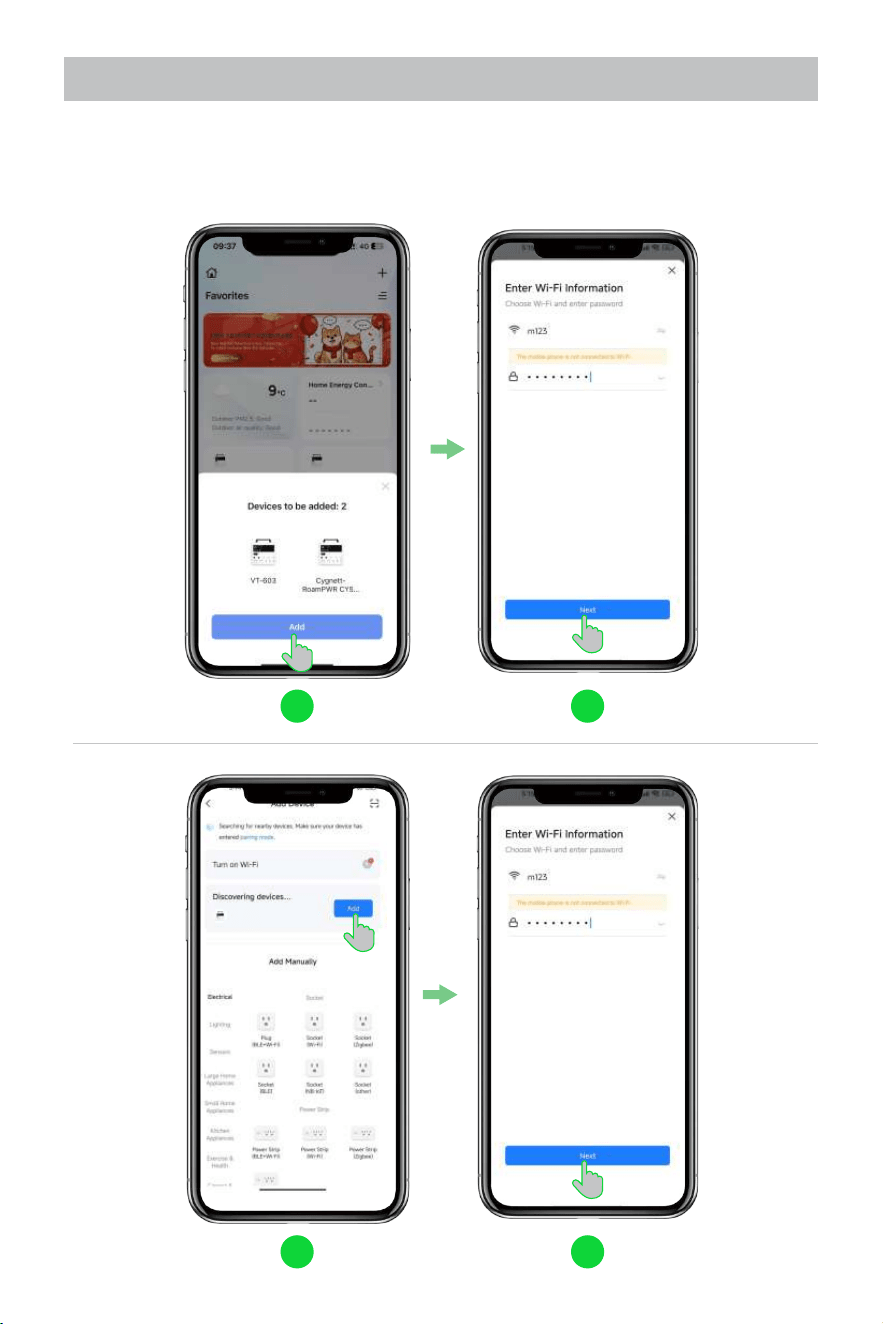
2.2 Device connection to WiFi
App main interface automatically pops up device information, or go to [Add Device]
interface, find the device and click [Add]. Please fill in the WIFI information to connect the
device.
1 2
1 2
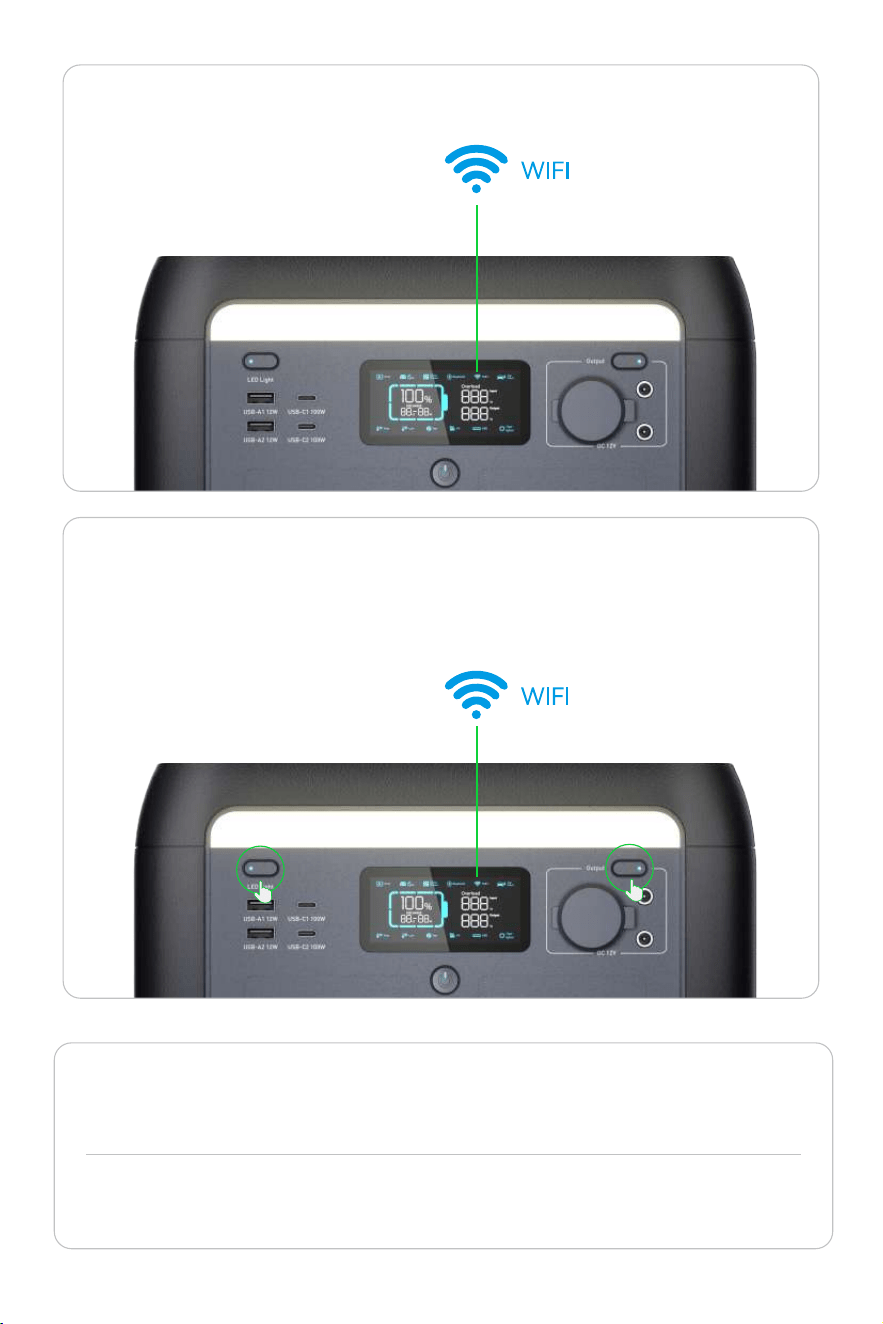
·If you are not sure whether the machine has been paired by others, first
cancel the possible WIFI pairing: press the two buttons as shown in the figure
at the same time, and the WIFI icon flashes on the screen to indicate that the
operation is successful.
Note: After the first successful WIFI connection, as long as the WIFI pairing is not canceled,
you can use the APP to control the whole machine without connecting to the WIFI after
only turning on the Bluetooth.
If there is no shared WIFI in your area, you can also use your cell phone to open a hotspot
and connect your device to WIFI to complete the binding.
Flicker
·If the WIFI icon on the screen is
always on, which means the
connection is successful.
Ever Bright
�. Parameter Set
After successful pairing you can find the device in the main interface.
3.1 View Device Information
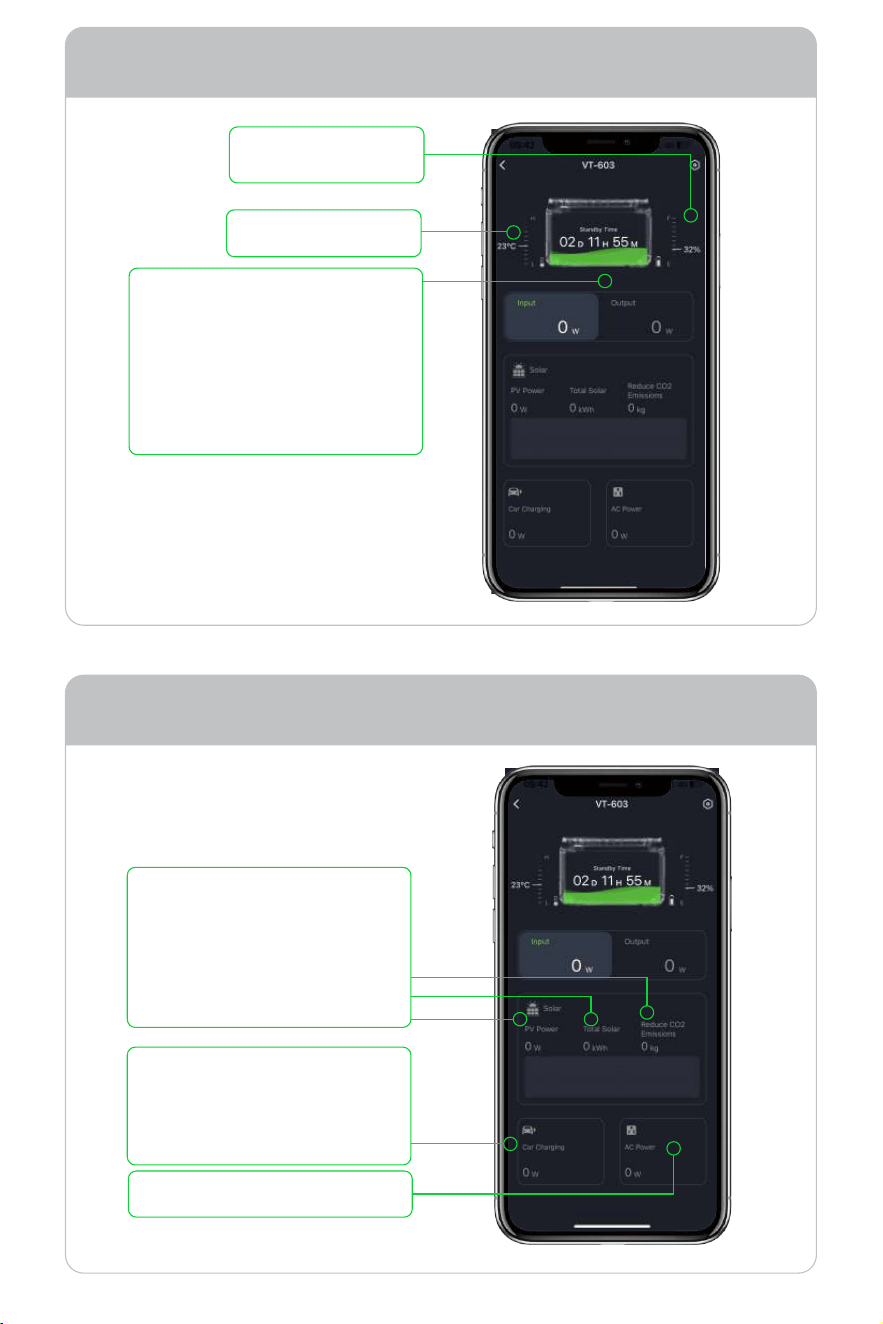
AC input power.
Tap the button of your device to enter the battery work screen.
Battery temperature.
The current state of the batter.
When charging, the estimated
full charge time is displayed.
When discharging, it shows the
time for the remaining power to
be consumed. In standby state,
the standby time is displayed.
State of charge (SOC).
1
2
3
Input Indicates the total input power.
The power display in the state
of using solar panels, respec-
tively referring to PV power,
total solar power generation,
and reducing carbon dioxide
emissions.
1
4
5
2
3
The power of charging the
product by connecting the car
cigarette lighter through the
accessory.
1
2
3
4
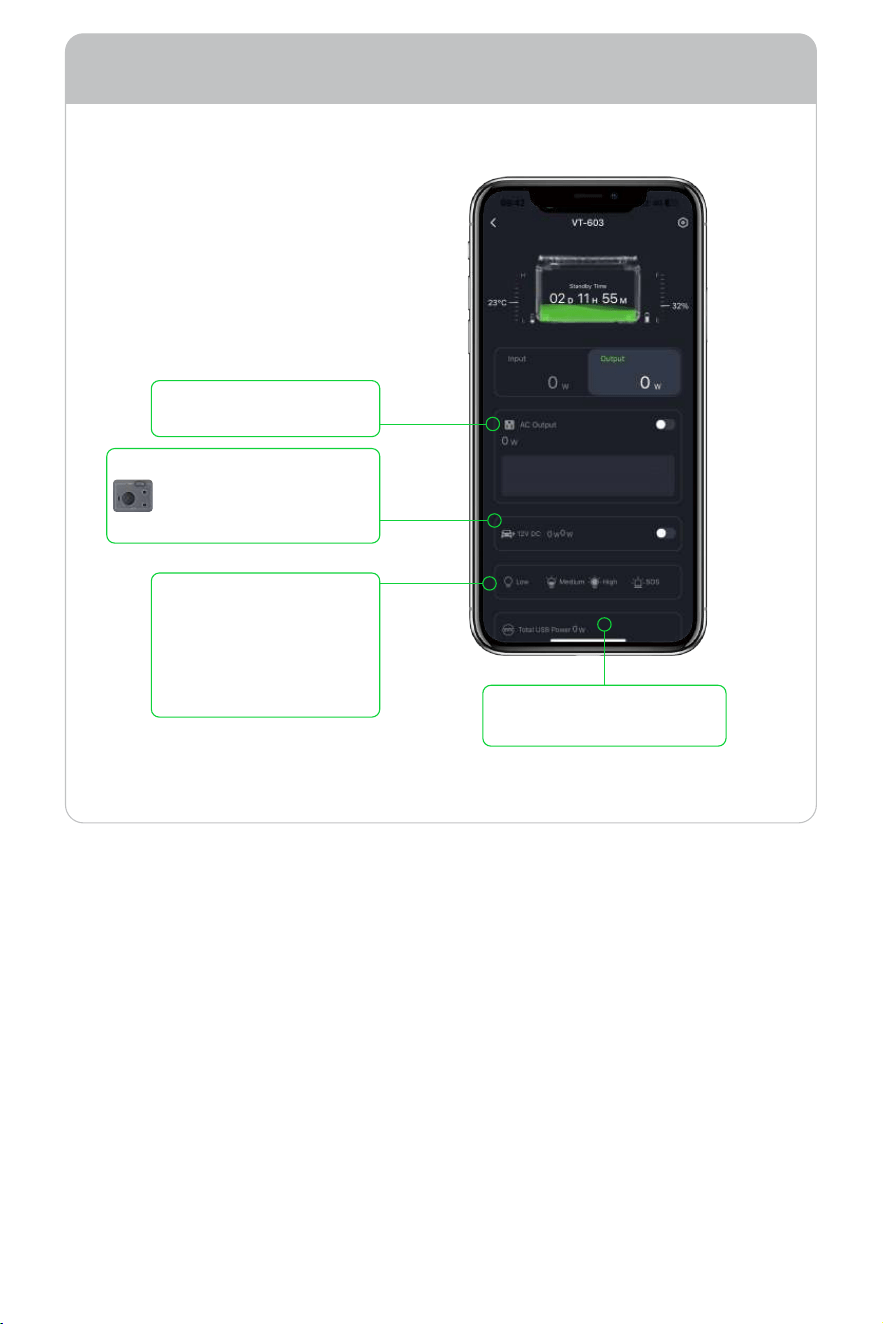
The AC output switch and
show its power.
the cigarette lighter switch,
please note that the
output is �� volts of direct
current.
LED light control, which
can choose low, medium,
strong three levels of
brightness, and SOS
alarm flashing mode.
Shows the USB output
interface and its power.
Output Indicates the total output power.
3.2 Setting Device Parameters
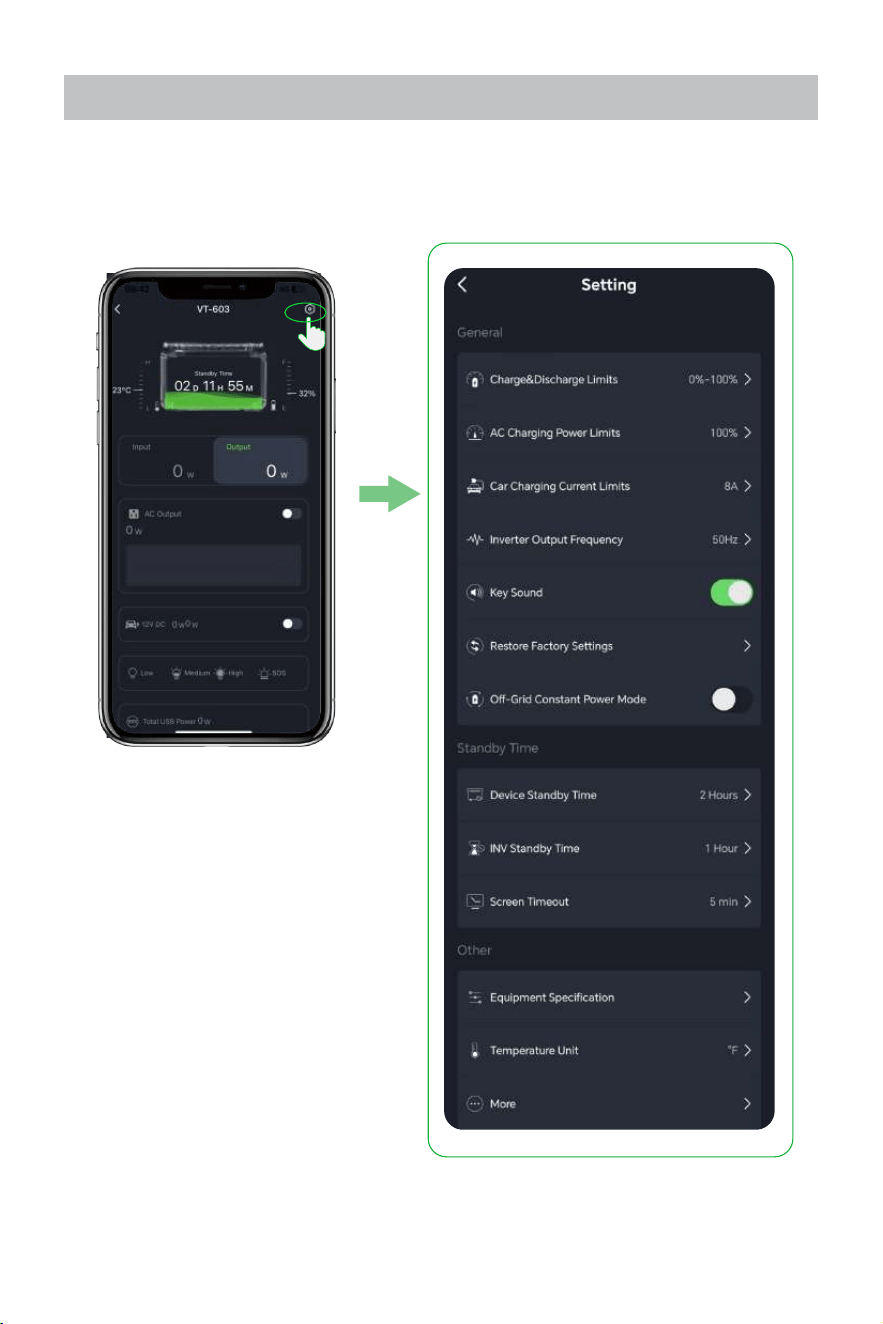
Click the upper right corner to enter the Settings interface.
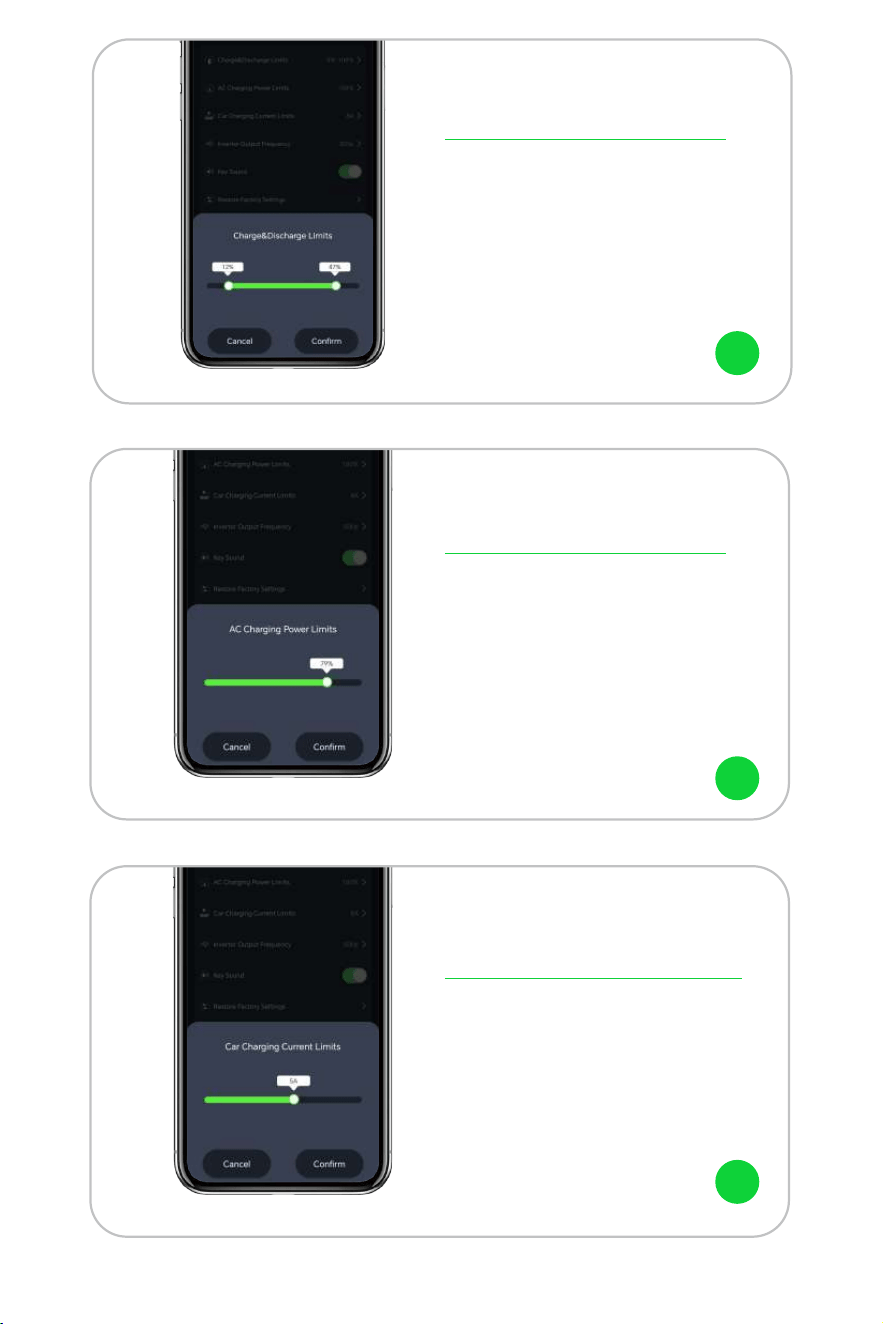
This is the charge & discharge limits,
the factory default range is �% to ���%.
As shown in the figure, setting this
range between ��% and ��% means
that the state of charge (SOC) must be
between ��% and ��%to charge and
discharge properly.
This is the AC charging power limits, the
factory default value is ���%. As shown
in the figure, if it is changed to ��%, the
power of AC charging power limited to
��% of the maximum power.
Charge & Discharge Limits
AC Charging Power Limits
This is the car charging current limits, the
factory default value is �A. You can adjust
the charging current according to the
vehicle.
Car Charging Current Limits
1
2
3
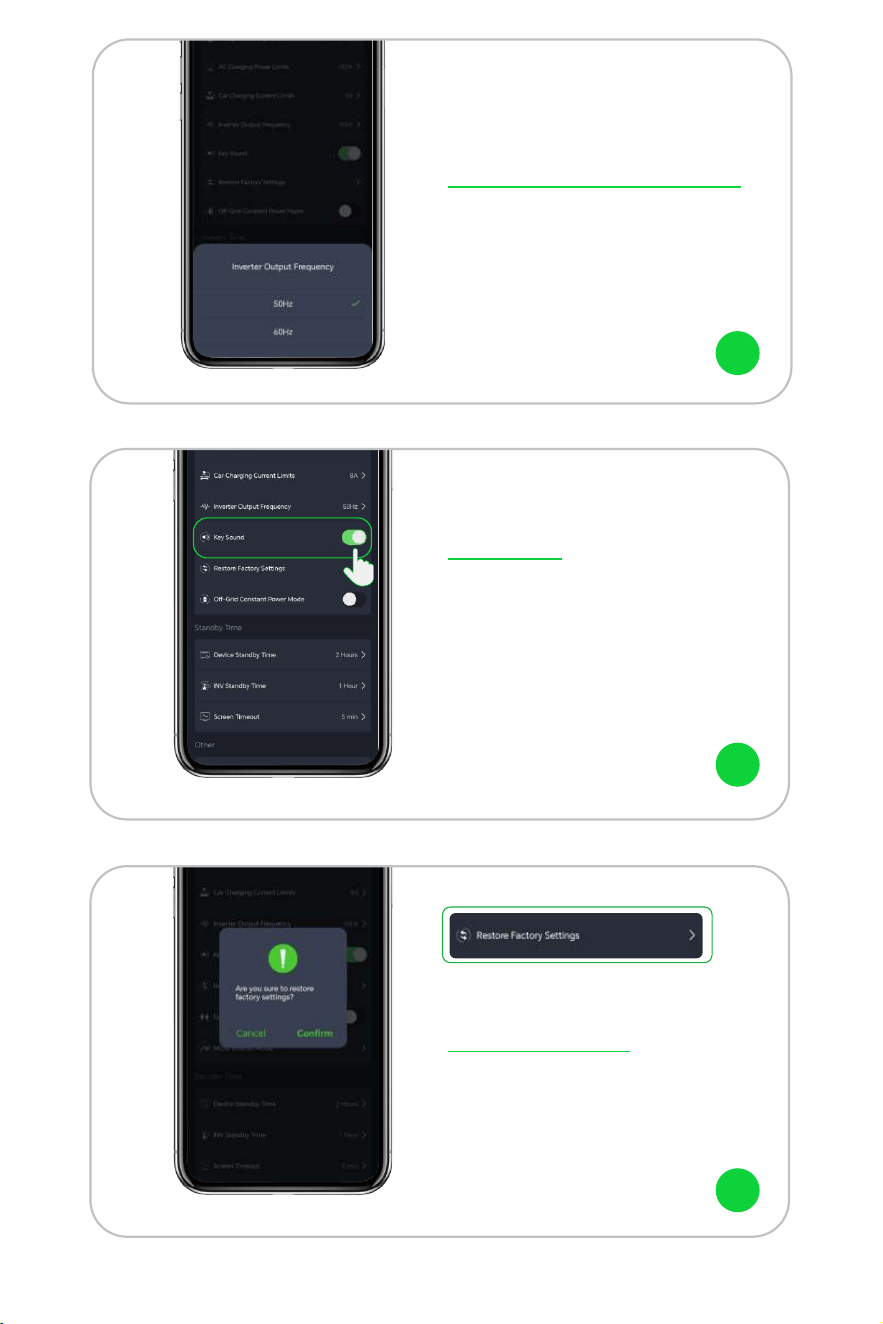
This is the inverter output frequency,
which provides two options of ��Hz and
��Hz.
This is the key sound switch, when turned
off to mute mode.
Inverter Output Frequency
Key Sound
This is restore settings, click [comfirm] ,
the device will be restored to the factory
defaults.
Restore Settings
4
5
6
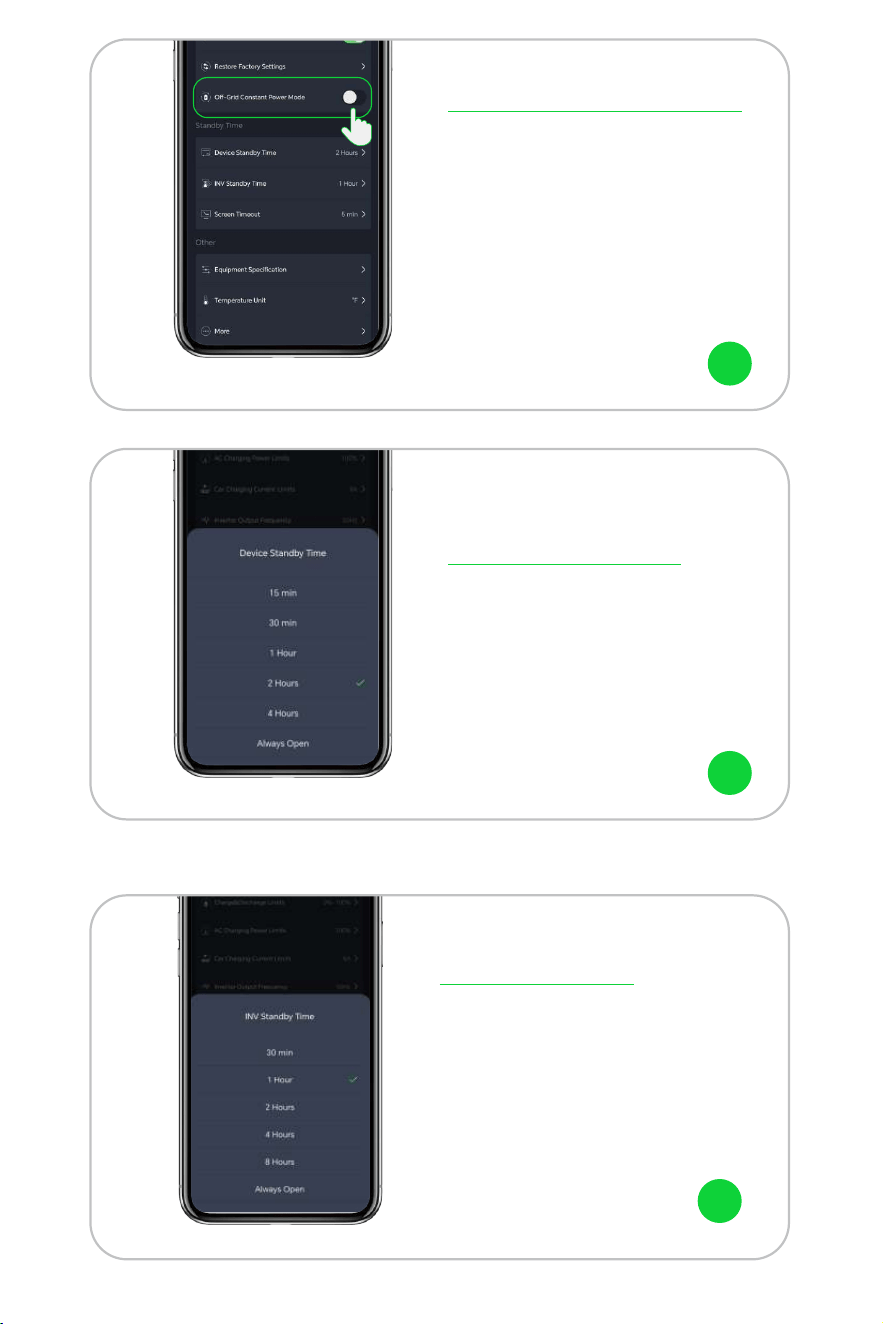
Device standby time refers to the
countdown to turn off the device when
the AC output switch is off and there is no
charging and discharging. The factory
default value is � hours.
Device Standby Time
In off-grid constant power mode,���W power
station allows you to use appliances with rated
power of ���-����W when the battery is no
loaded.
Note: this mode is more friendly to heating and
motor equipment, not for all electrical appli-
ances, some electrical appliances with strict
requirements for voltage(such as precision
instruments) are still not competent, so please
do a full test to avoid affecting your use. This
mode is off by factory default.
Off-Grid Constant Power Mode
7
8
INV standby time refers to the AC
output switch is turned on, there is no
AC output, and it automatically shuts
down when it reaches the set time.
The factory default value is � hours.
INV Standby Time
9
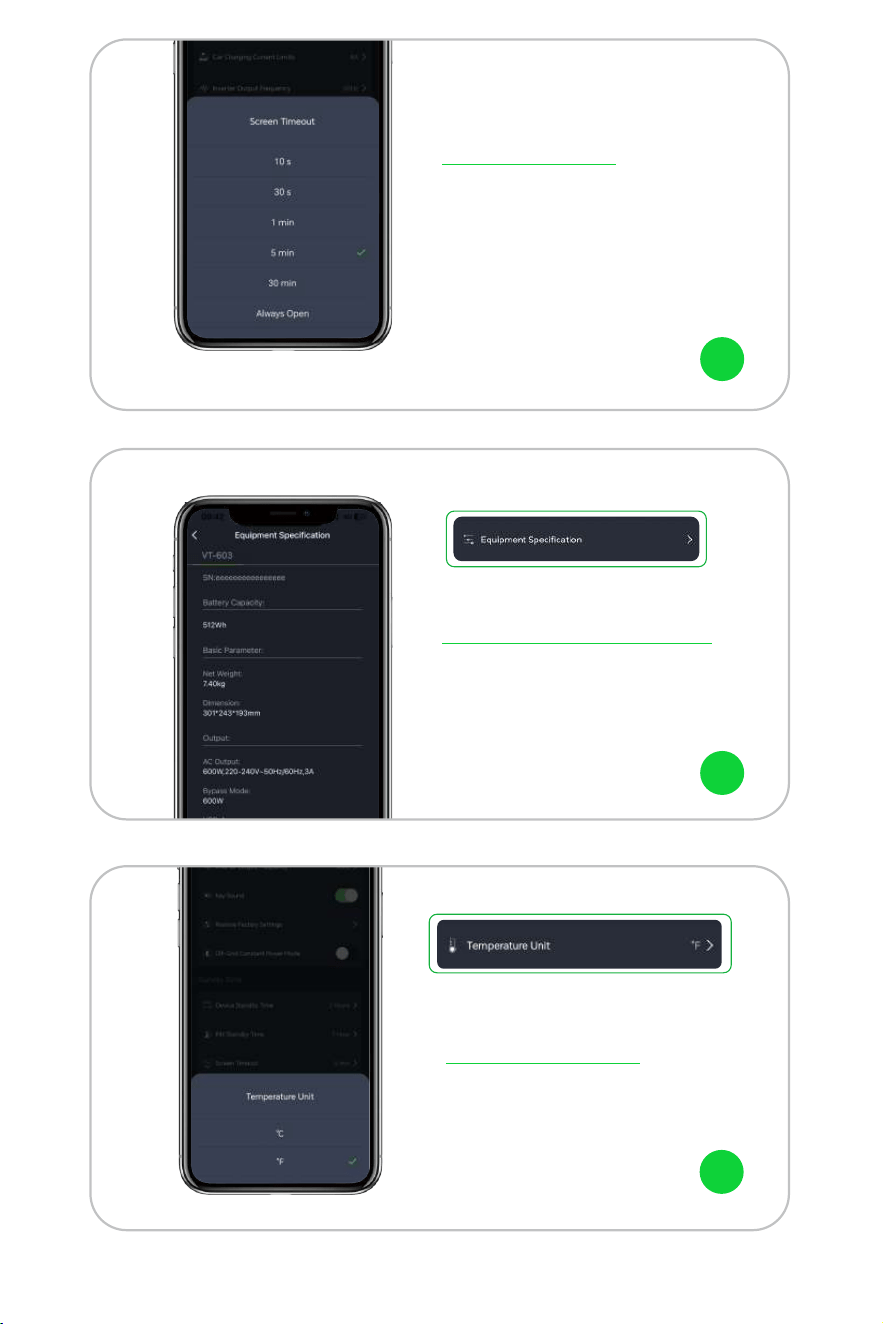
Screen timeout refers to the time when
the screen automatically turns off after
the touch screen operation is finished.
The factory default value is � minutes.
Screen Timeout
This is the equipment specification,
you can view the device specification
information here.
Equipment Specification
10
11
This is the battery temperature unit, you
can choose Celsius or Fahrenheit.
Temperature Unit
12
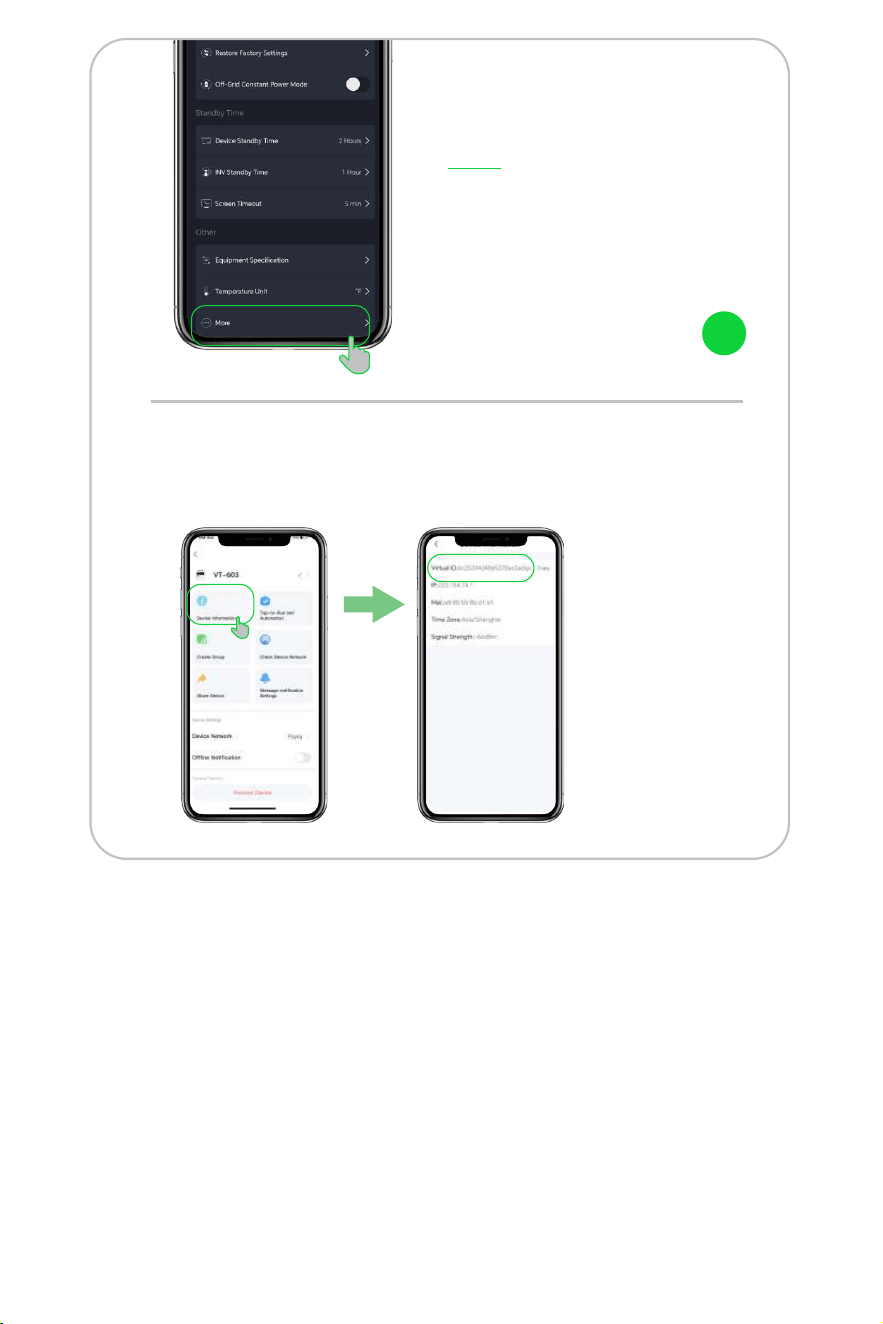
You can select "More" cases to view
more features.
Select Device Information to get the virtual ID of the device, which
can help better after-sales service.
Note: Each Power
Station has a different
ID.
More
13

Thanks