INSTRUCTION MANUAL
ENERGY STORAGE POWER SUPPLY
IN CASE OF ANY QUERY/ISSUE WITH THE PRODUCT, PLEASE REACH OUT TO US AT: SUPPORT@V-TAC.EU
FOR MORE PRODUCTS RANGE, INQUIRY PLEASE CONTACT OUR DISTRIBUTOR OR NEAREST
DEALERS. V-TAC EUROPE LTD. BULGARIA, PLOVDIV 4000, BUL.L.KARAVELOW 9B
8
8
8
Thank you for selecting and buying V-TAC Product. V-TAC will serve you the best.
Please read these instructions carefully & keep this user manual handy for future
reference. If you have any another query, please contact our dealer or local vendor
from whom you have purchased the product. They are trained and ready to serve you
at the best.
INTRODUCTION
TECHNICAL DATA
Multi-Language Manual QR CODE
Please scan the QR code to access the manual
in multiple languages.
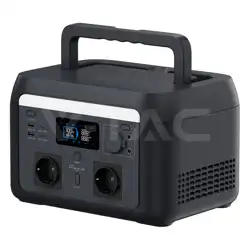
Model VT-303
Battery capacity 252Wh
Net Weight 3.2Kg
Dimension
230x208x168mm
DC Input Port
20V 3A
(Support 12-24V)
Auxiliary Charge
Output
12V 8A
AC output port
230V, Pure Sine Wave/
300W, Peak 600W
USB output port
5V2.4A, QC3.0,
USB-C30W
Battery
Lithium Electronic
Battery
Battery Cycle ≥1000
Work Temperature -10~40
°C
Charging Temperature
0~40
°C
WARNING
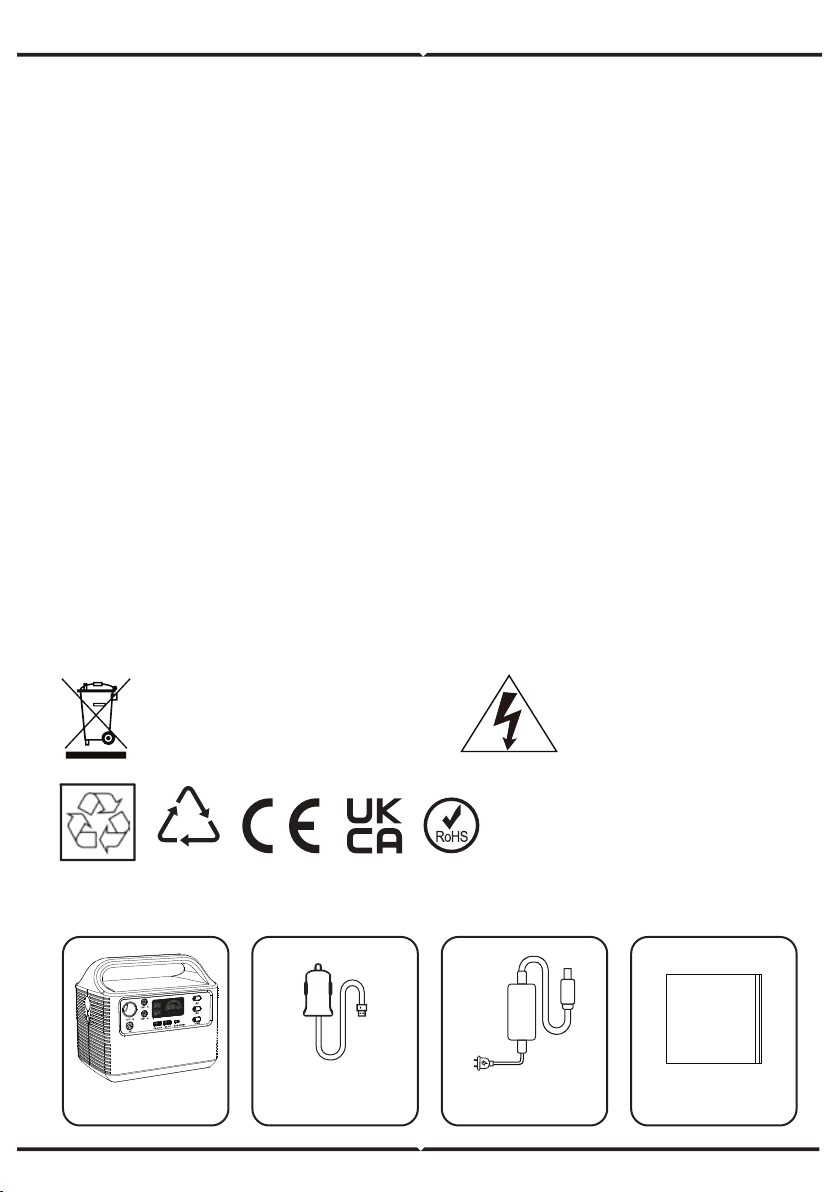
PACKAGING LIST
1. Please make sure to turn off the power before starting the installation.
2. Installation must be performed by a qualified electrician.
3. Please read all instructions before using this product.
4. In order to reduce the risk, close supervision is required when using this product near
children.
5. The use of accessories recommended or sold by non professional product manufacturers
may lead to the risk of electric shock.
6. When the product is not in use, please pull the power plug out of the product socket.
7. It is forbidden to dismantle the product, which may lead to unpredictable risks such as fire,
explosion or electric shock.
8. Do not use damaged wires or plugs or damaged output cables to use the product, which
may cause electric shock.
9. Please charge the product in a well ventilated place. Do not restrict the ventilation of the
product in any way.
10. Please put the product in a well ventilated and dry place to avoid the risk of electric
shock due to water intrusion.
11. It is forbidden to expose the product to fire or temperature higher than 130°C, which may
lead to fire, explosion and other safety accidents.
12. It is forbidden to use or place the product under high temperature (direct hot sunshine or
hot car interior), otherwise the internal battery may overheat, catch fire or function failure,
shorten the service life and other risks.
13. Please charge the product every three months to prevent the battery from running out.
Caution, risk of
electric shock.
This marking indicates that this
product should not be disposed of
with other household wastes.
20
PAP
Power supply
Car Charger
AC Power
Adapter
User Guide
User guide
8
8
8
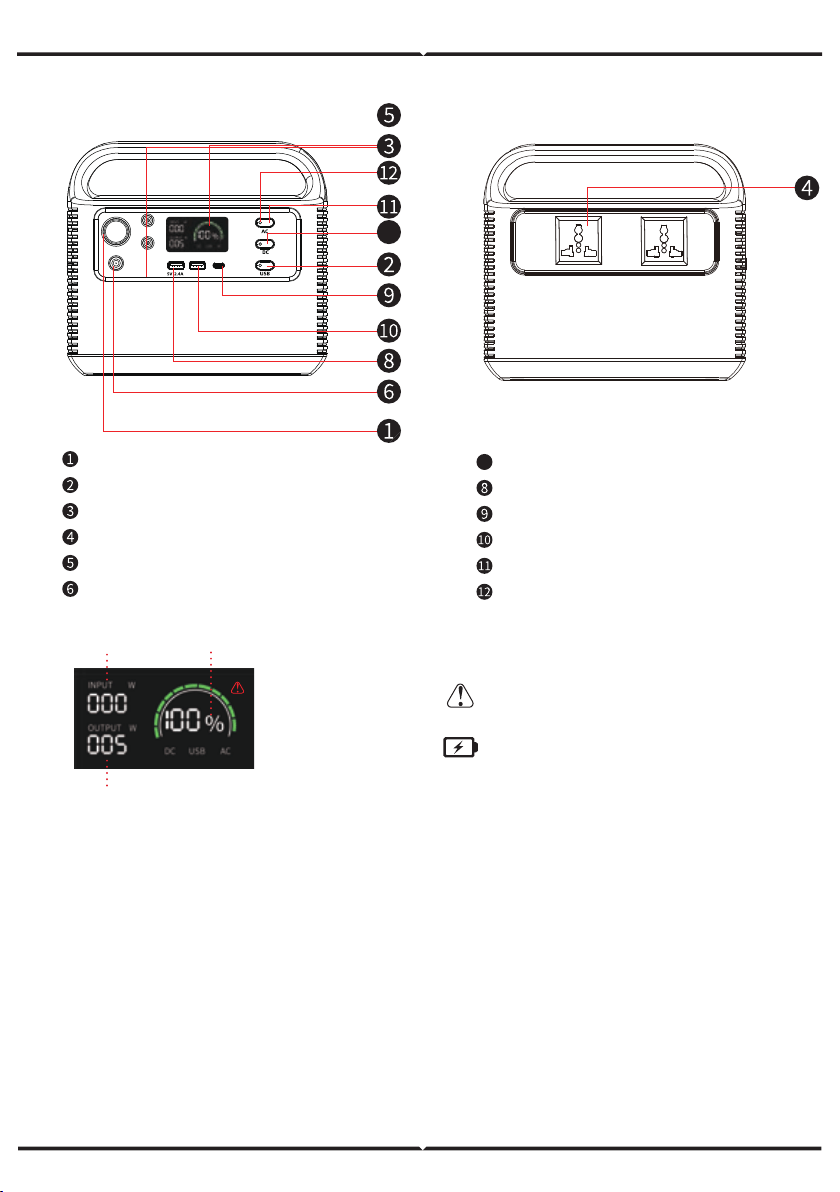
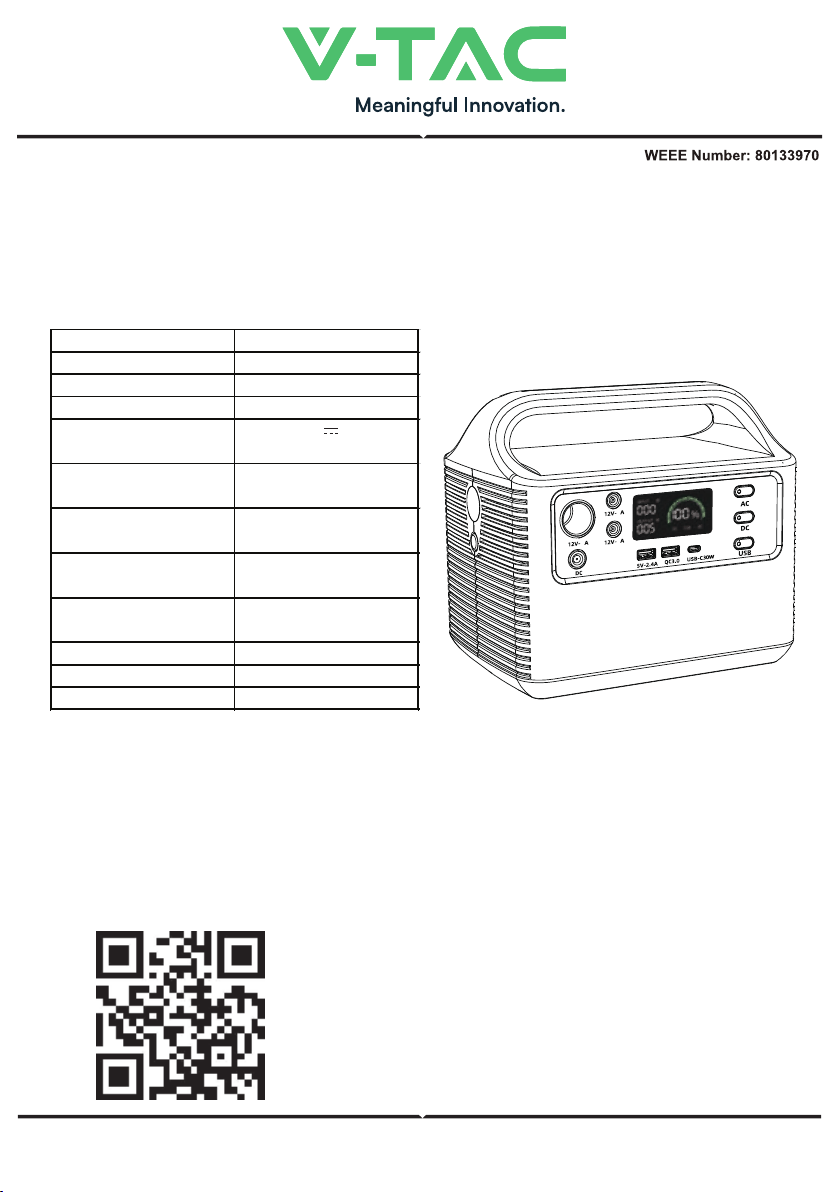
Auxiliary Charge Output
USB Output key, Click Switch
LED Screen
230V AC Output
DC Output
DC Input Charging
INPUT: 12V-24V
12V-8A
12V-8A
QC3.0 USB-C30W
AC 220V 300W
AC 220V 300W
12V-8A
PARTS & DESCRIPTION
7
7
Display percentage
of input power
Output power
Input power
DC: DC working indicator
AC: AC work indicator
Over operating temperature warning /
overload warning / short circuit warning
Flashing is low voltage warning
LED light: click normally on, click SOS
mode again, and click LED light off again
1: High temperature protection. When the temperature is greater than or equal to 75°C, the
machine will start the automatic protection and prohibit input and output. When the temperature is
less than 75°C, it will return to normal.
2: Power on / off key. Please click the power key to turn off the power.
3: When the indication of DC, USB and AC lights up, it means that the output port has been
turned on, and the corresponding equipment can be powered.
4: When not using the power output port, please press 1,2,7,11 or power key to turn off the power
to save power.
5: At low temperature, the battery capacity of the product may be affected. The product can be
charged in the temperature range of 0-40°C, and the equipment can be powered in the tempera-
ture range of -10°C to +40°C.
6: For the first time, it is recommended to fully charge the battery to avoid the inconvenience
caused by insufficient power.
DC Output on key, Click ON/OFF
USB 2.0 Output
USB-C30W Output
USB-A: QC3.0 Output
AC Output on key, Click ON/OFF
AC Working Indicator
PRECAUTIONS FOR USE
PRECAUTIONS FOR USE
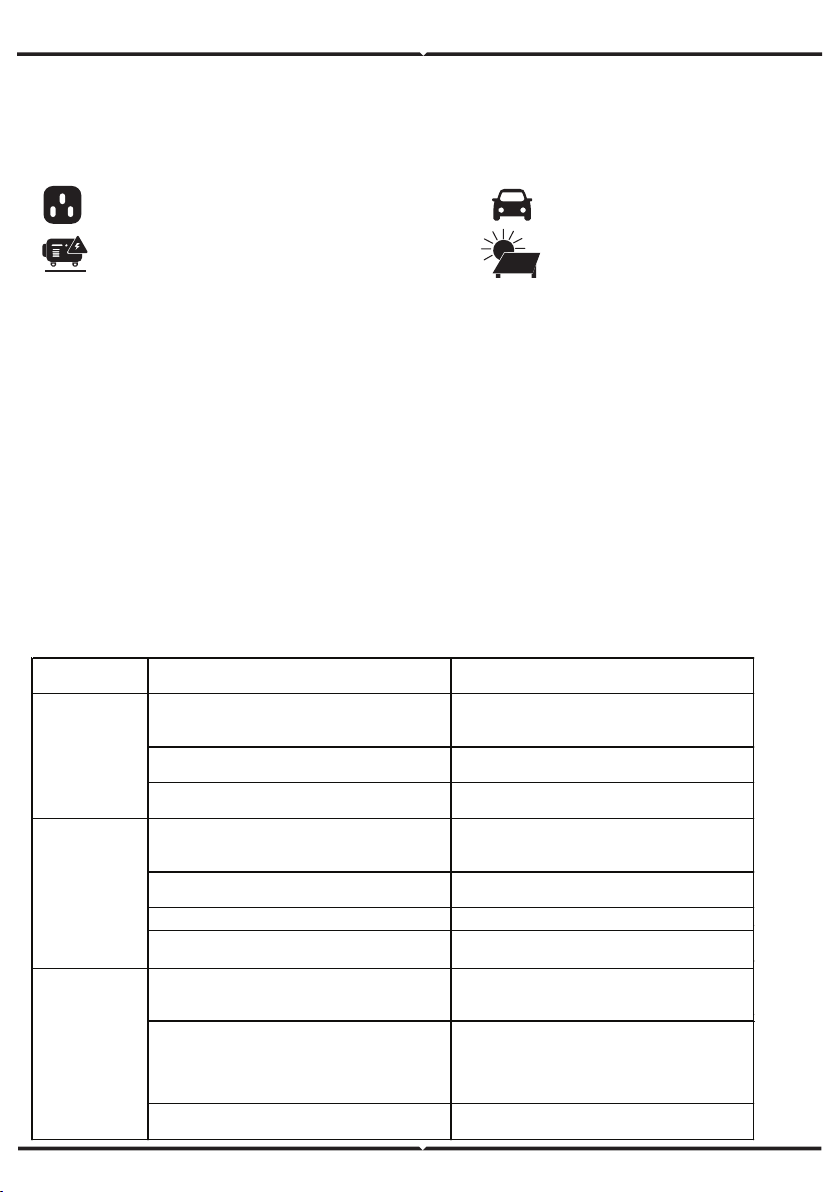
The generator generates electricity and
uses the standard charger for about 7.5 hours
100W solar photovoltaic panel,
about 10hours.
Before using or storing the product, please use the charger to charge the product. When charging,
the indicator light is blue. The LED screen will display the current charging ratio and charging
power. When the LED screen shows 100% power, it means full charge. The charging process is
about 7.5 hours. The current power can be viewed through the LED screen.
Car charger,
about 9 hours
100W solar photovoltaic panel,
about 10hours.
Standard charger,
about 7.5 hours
The generator generates electricity and
uses the standard charger for about 7.5 hours
CHARGING MODE
TROUBLESHOOTING
1. Can the product be brought on the plane?
No, because this product is a lithium battery product.
According to the
international air transport standard regulations,
carrying lithium battery products can not exceed
100Wh.
2. If the power of the equipment is within the rated
output power range of the product, it cannot be
used?
a. The power consumption of the product is less than
FAULT
PHENOMENON
TROUBLESHOOTING SOLUTIONS
1. The charger and product are not in good
contact with the mains power supply (the
charging indicator is not on at this time)
Check whether the charger and product are
in good contact with the main power
2. The contact is good, but the charging
indicator is not on
If the charger is broken, please contact the
customer service
If the product is broken, please contact the
customer service
1. The connection line between the
equipment and the product is not plugged
in properly
Make the equipment well connected with
the product
2. The output port switch is not turned on
Turn on the port output switch, and the
indicator light will be on
3. Low power consumption Charging the product
4. There is no output after eliminating
according to 1.2.3 above
If the product is broken, contact the
customer service for handling
1. The nominal power or instantaneous
starting power of the equipment used is
greater than the power of the product
Select higher power energy storage
products
2. If the equipment used is short circuit, an
alarm symbol will appear on the display
screen, an alarm sound will be send and the
product will automatically turn off the
output within 15 seconds
It is not a product problem.
It is recommended to replace the
equipment.
3. The output will still be turned off after
removing according to the above 1.2 point
If the product is broken, contact the after-
sales department for handling
The product has
no output
The product
cannot be
charged
With device
output interrupt
3. If the charging indicator light is on, it still
can't be charged
(the charging time is determined by the intensity of sunlight).
Support solar photovoltaic charge controller (12-24V).
20%; it needs to be supplemented.
b. When some equipments start, the products which
are larger than the peak value of rated power cannot
be used;
3. Why is there sound when using it?
The product adopts air cooling system, and the
built-in fan is better to help product heat dissipation.
It is normal to have slight noise when using.
4. Is the charger heating normal when charging?
Charging charger heating is a normal phenomenon,
standard charger in line with national safety
standards, you can rest assured to use!
The above data are from the laboratory. The test data may vary due to the use environment, use
method and other factors, and the charging time will be different. This test data is for reference only.