1. Quick set
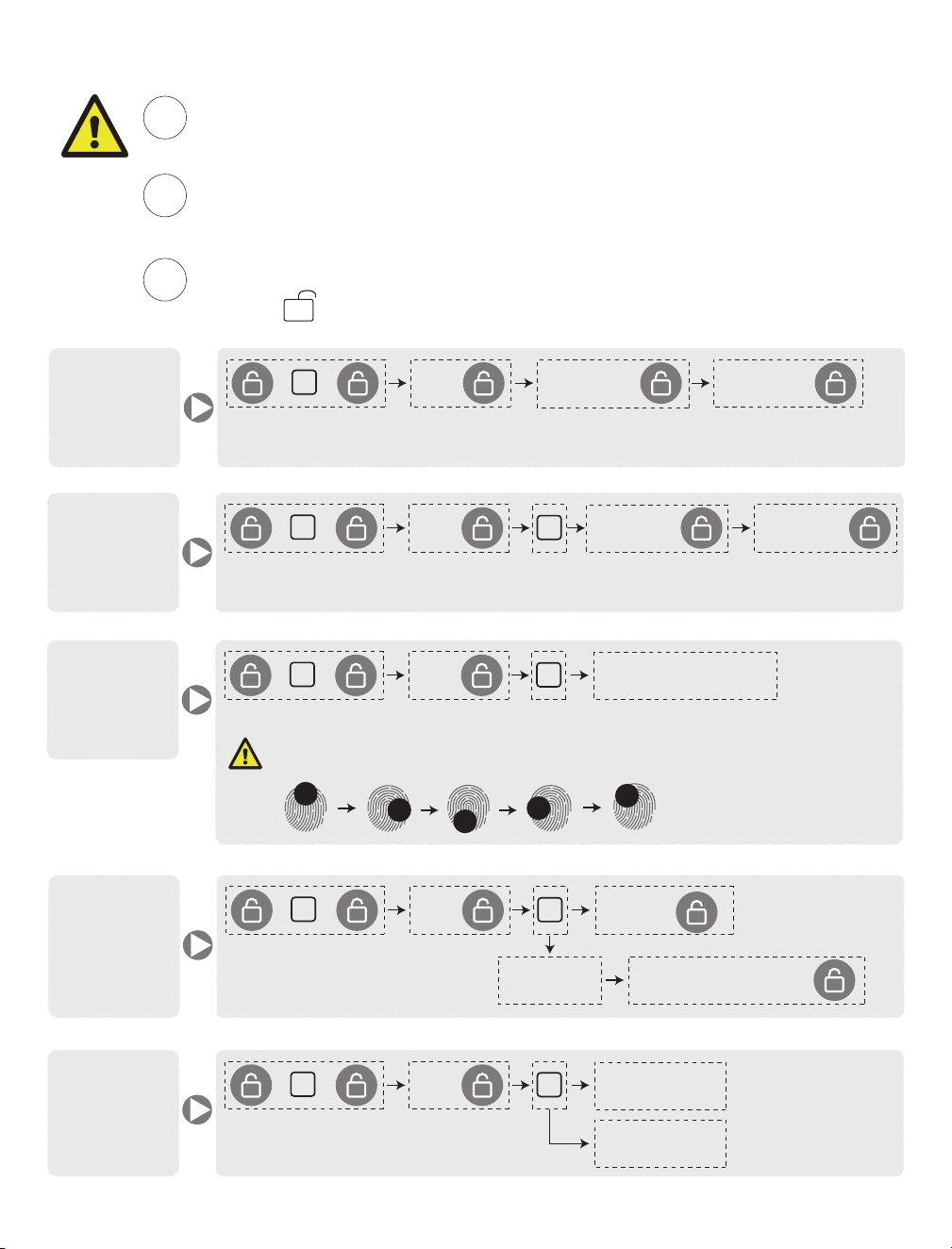
The default programming code is “123456”, It’s required that you change it
to a code of your owm before programming.
Recommend you hit the small reset button on the circuit board before
assembling the unit to the bracket.
1
2
Programming Code = PC User Code = UC
Press “ ” +number to enter into the programming mode
3
Add New
User Code
2
PC
+
+
+
Remark : User Code should be 4-9 digits in length. And you need to enter the new password again to
confirm.
NewPC
+
NewPC +
1
Add
Programming
Code
1
PC
+
+
+
New PC
+
New PC +
Remark : Programming Code should be 4-9 digits in length. And you need enter the mew password
again to confirm.
Delete
User Code
or
Fingerprint
2
PC
+
+
+
2
2 (all) +
1 (Single)
UC or Fingerprint +
Volume
setting
3
PC
+
+
+
1(increase)
1
2(decrease)
Add New
Fingerprint
2
PC
+
+
+
Remark : After the green light flashes twice and the fingerprint is recorded successfully.
Fingerprint 8 times
1
Tips : Redister (add) complete fingerprint area including up, down, left and right edges. Move
finger slightly each time when programming to improve accuracy.
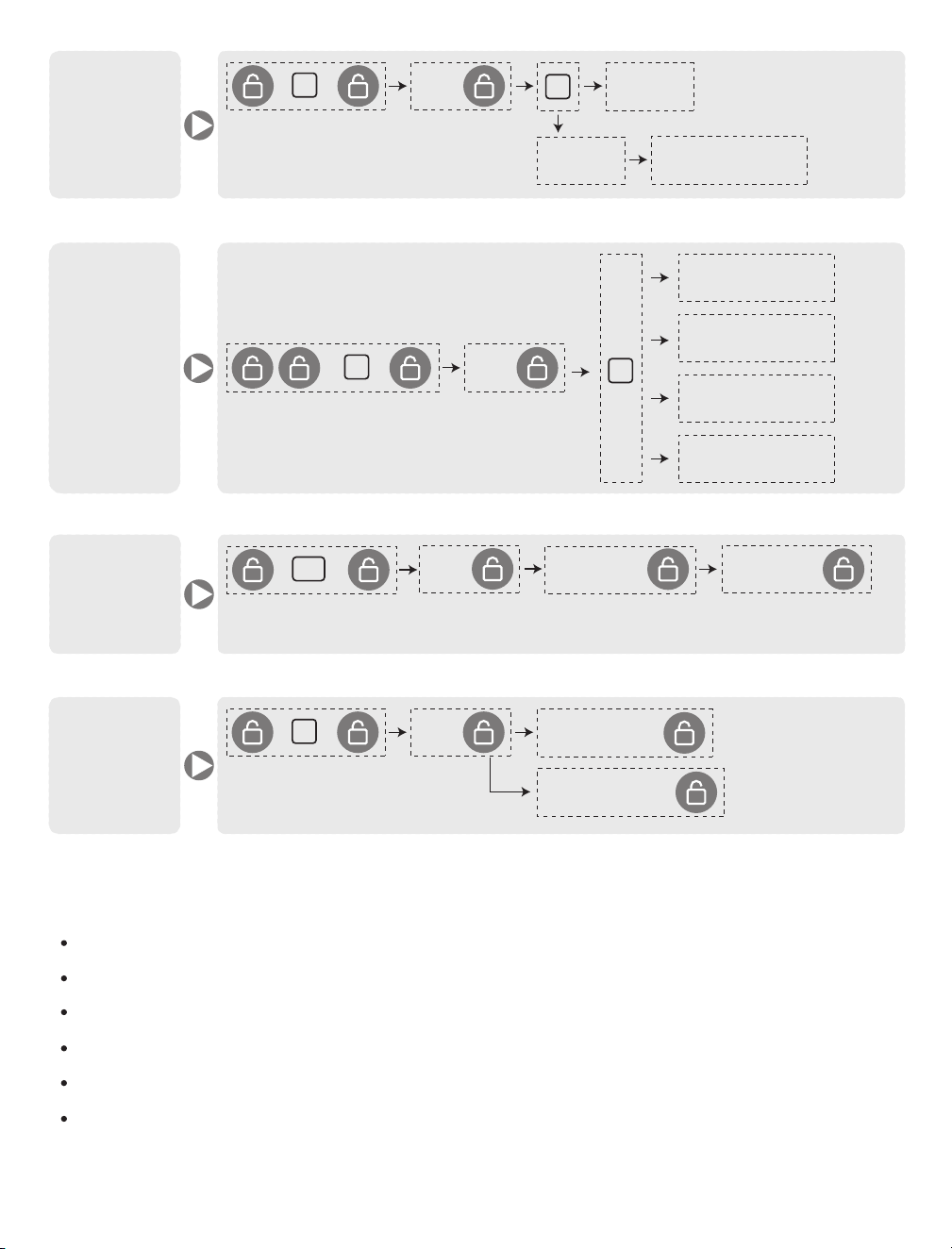
Auto-lock
3
PC
+
+
+
Time delay setting : press 1 for 5s, 2 for 10s,
3 for 20s, 4 for 30s, 5 for 60s.
2
2 ( off )
1 ( on )
Set Time Delay
Language
setting
3
+
+
PC
+
1(English)
3
2(Chinese)
3(Portuguese)
4(Spanish)
Add
One-Time
Code
81
PC
+
+
+
New UC
+
New UC +
Remark : User Code should be 4-9 digits in length. And you need to enter the password again to
confirm.
Initialization
setting
4
PC
+
+
+
1 ( cance )
2 ( confirm )
+
+
2. Features
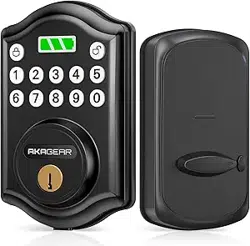
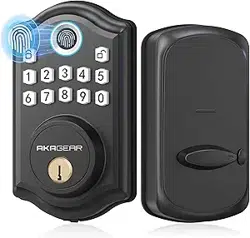
Three ways to access: code, key and fingerprint.
Low power consumption, 4 AA batterise can work for 1 year or 5000 times.
Backlit keypad for use in low light environments.
1 Programming Code and 300 user codes (Including 50 Fingerprints).
Built-in disguise feature to protect your codes from prying eyes.
Low battery warning indication.
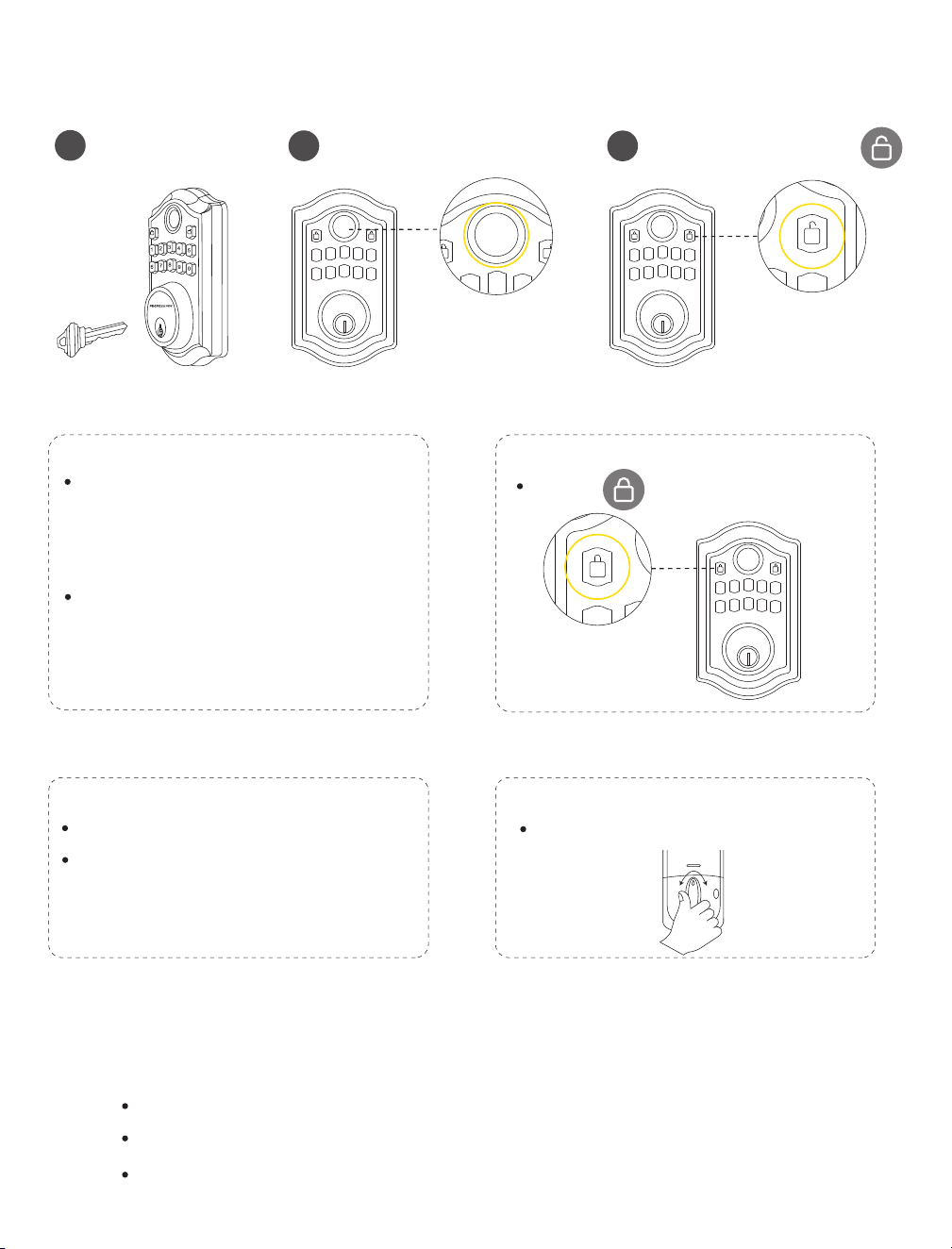
3. How to use ?
Unlock the from outside
1
Backup key
2
Fingerpint
3
Programming / User code +
Lock the door from outside
Auto lock mode
Auto lock mode is disabled by default,
please refer “Quick set” turn Auto-lock
on steps.
In auto lock mode, the bolt extend out
automatically in 5/10/20/30/60 seconds
after unlocking.
Manual mode
Press “ ” button on keypad to lock.
Lock the door from inside
Deadlock / Privacy Button
Privacy mode is disabled by default.
All Entery Codes are disabled except
the programming code.
Manual mode
Rotate the turn piece to lock position.
Indicatior light signals
Green: A correct code was entered.
Blue: Programming in progress.
Red: An incorrect code was entered.
Programming error.
Low battery warning.
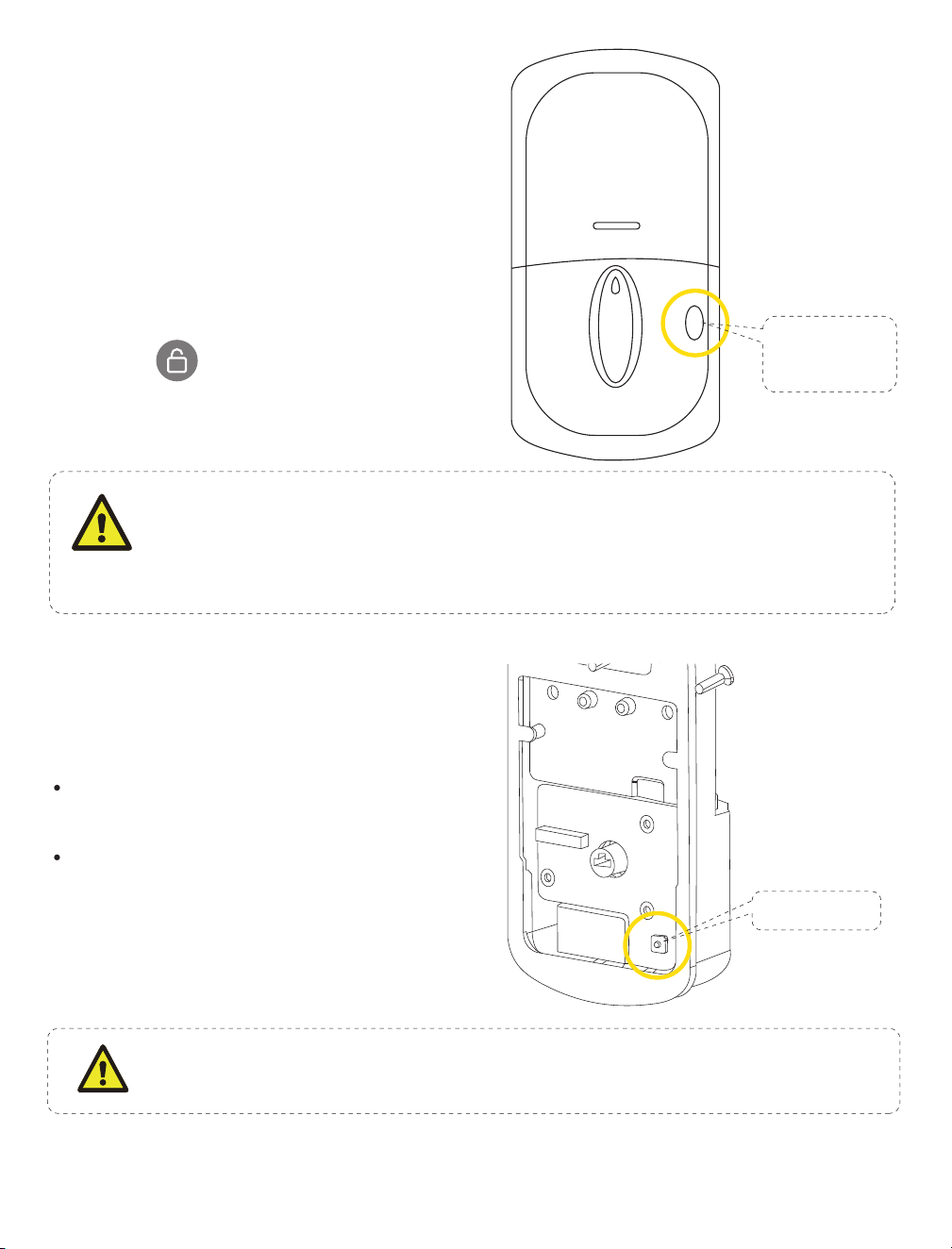
4. Privacy mode
Reset mode
step 1:
Remove the battery cover.
Step 2:
Put four AA batteries in and subsequently long-press
the “Deadbolt” button. The blue light will then flash.
Step 3:
Enter “000 + ” and the green light flashes
means the reset is successful.
Deadlock /
Reset Button
Press and hold the
Deadlock button for 3
seconds
Deadlock Button
After the Deadlock function is turned on, only the Programming Code can unlock, and
all user code cannot unlock (use the Programming Code to unlock the lock will
remove the Deadlock restriction.)
5. Restore factory settings
Delete all user codes, including master
code:
Use a Screwdriver to remove the interior
assembly.
Press and hold the reset button for 5 seconds
until voice prompt & green light flashing, the
master code will return to the manufacturer
default code “123456”.
Reset Button
After restore factory, Change the master passcode as soon as posible! Beacuse of the
master password can unlock the door.
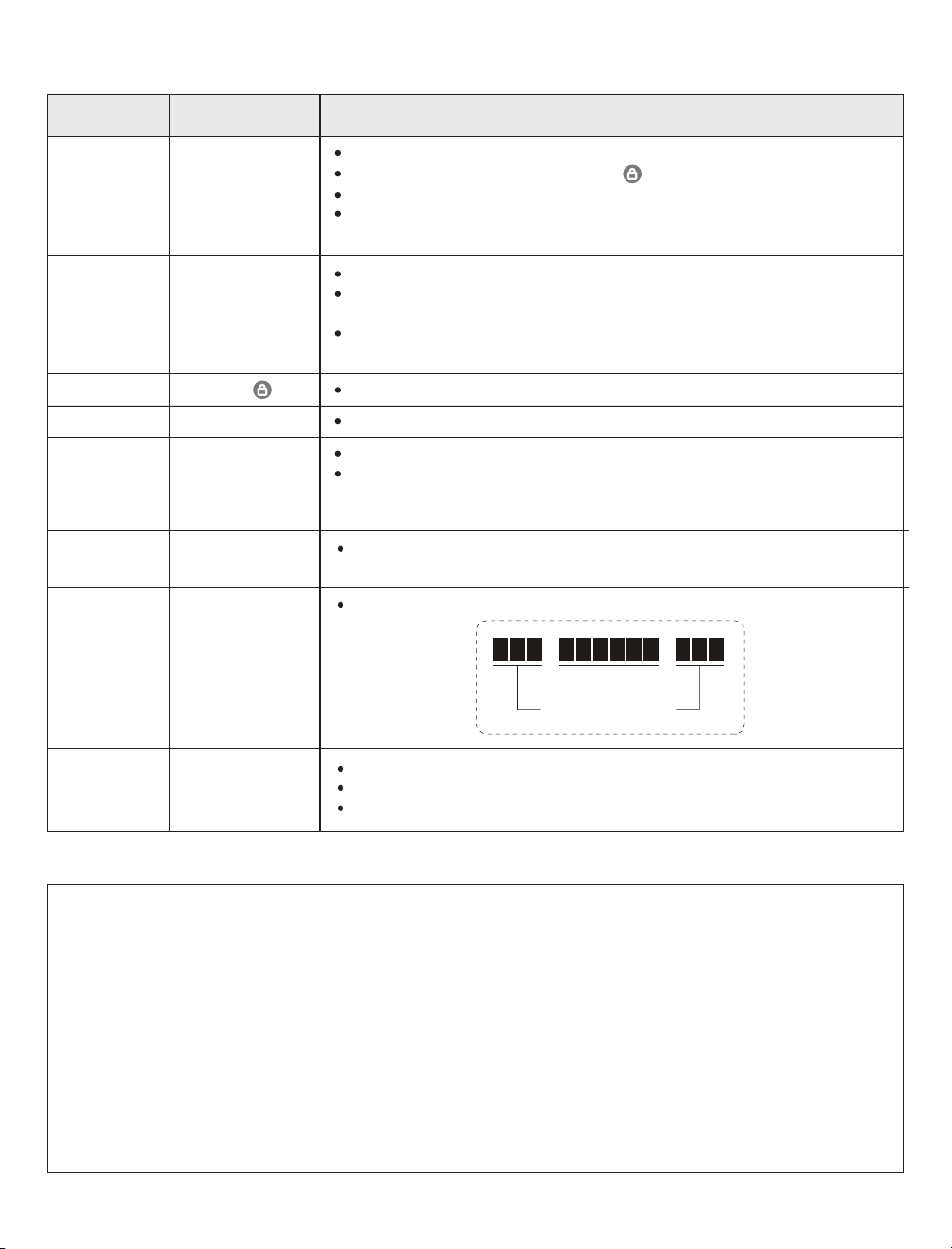
5. Setting definitions
Peek-proof
digital keypad
Settings
Default Setting
Definitions
It’s required to change it to a code of your own before programming.
In manually mode, Long press the “ ” to lock.
4-9 digits in length.Must be different from all other exsisted User Codes.
If you forget the master password, you can reset the lock to factory
settings,which restores the default programming code.
This feature is optional and can be turned off.
When eaabled, the lock will automatically re-lock after 5/10/20/30/60
seconds.
After a successful code entry or manual unlock with the key, the lock will
automatically re-lock after each unlock to keep your home secure.
If auto-lock is not set on, you need to do the locking manually.
The beep sounds when pressing keypad can be muted.
Privacy mode is disabled by default.
When enabled, activate Privacy mode by pressing the privacy button for 3
seconds to put the lock in do-not-disturb mode(All Entry Codes are
disabled except the programming code).
Once the wrong code entry limits reach to 5 attempts, the lock will
shutdown(flashing RED) for sixty(60) seconds.
Prevent code exposure to strangers by entering random digits.
5 5 5 1 4 7 2 5 8 5 5 5
Password
Random digits
The lock comes out without any default User Codes.
Must be different from the master code and others user codes.
Up to 300 possible User Codes can be stored in the lock at one time.
Warranty
Lifelime limited Mechanical and Finish Waranty and 1-Year Limited Electronics Warranty Subiect to the terms and
conditions of the warranty.We extend a lifetime limited mechanical and finish warranty and a 1-year limited
electronics warranty to the original consumer user("Original User" ) of our brand product against defects in material
and workmanship, as long as the original User occupies the residential premises upon which the product was
originally installed.
Warnning
This manufacturer advises that no lock can provide complete security by itself, this lock maybe defeated by forcible
or technical means or evaded by entry else where on the property.No lock can substitute for caution, awareness of
your environment, and common sense.Builder's hardware is available in multiple performance grades to suit the
application.ln order to enhance security and reduce risk, you should consult a qualified technician or other security
professional.
Programming
Code
Auto Lock
Manually Lock
Silent Mode
Privacy Button
Wrong Code
Entery Limit
User Code
123456
Disable
Hold “ ”
Disable
Disable
Enabled
Enabled
Disable
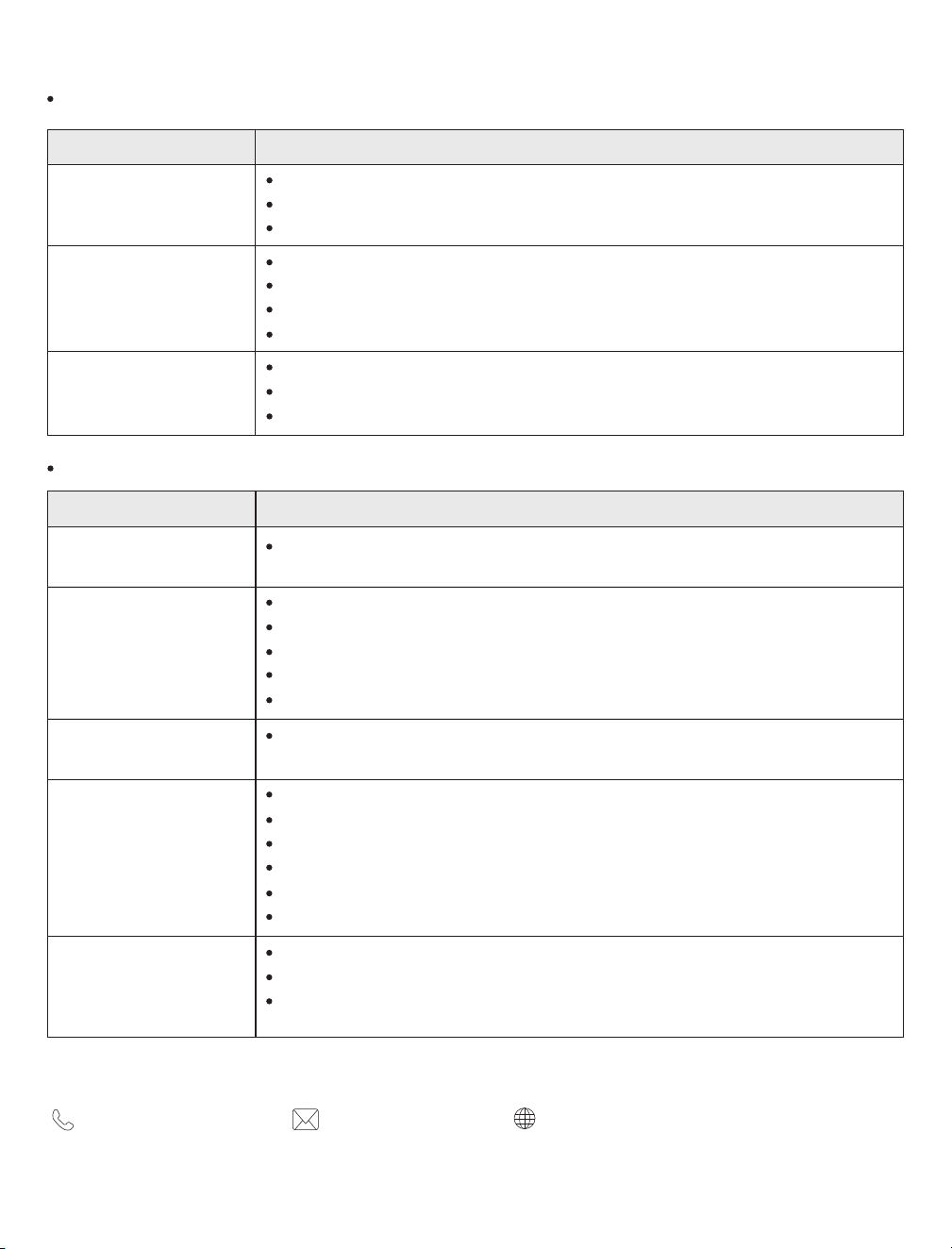
6. Troubleshooting
Installation
Make sure the key is not in the lockset when installing the deadbolt. Refer to installation instructions.
Make sure the backset on the latch is set to the properlength. Refer to Installation Instructions.
Please restore to the factory setting and enter the default Master Code to set up the lock.
You may need to re-install the whole lock.
Please do not put the backup key in the lock when install.
Please make sure when you start to install, the lock is in unlocked status.
Please make sure the thumb turn is horizontal.
Before installation, restore the lock to complete the bolt direction setting.
Please make sure the lock is installed correctly.
Please install fresh batteries and make sure the cable is connected oorrectly.
Operation
The batteries are getting low. Please replace with 4 AA new batteries for the best performance
(Alkaline batteries, do not use recharge batteries ).
Make sure the batteries are installed properly.
The batteries are getting low if the battery indicator keeps flashing.
Please replace with four new batteries for the best performance( Alkaline batteries, do not use rechargebatteries).
Make sure the cable is well-connected to the port, and was not damaged during installation.
Make sure the lock has been set up and complete the bolt direction determination
Press the reset button on the circuit board to erase all codes.Once the resetting work is complete, all passcodes
will be erased and the programming code will return to the default programming code 123456.
Make sure you have entered the correct User Code.
The battery is low if the battery indicator light keeps flashing. Please replace it with four new batteries.
Make sure the cable is firmly connected.
Check the cable for any damage that may have occurred during installation.
Make sure the batteries are properly installed ( Alkaline batteries, do not recharge batteries ).
Check the strike plate to make sure it is properly aligned and clear so the bolt can freely move in the hole.
Make sure the bolt latch is in the unlocked position.
Do not have any key in the cylinder during installation.
Make sure the turn piece is inserted horizontally.
Motor turns but will not extendor
retrieve the deadbolt.
Why does my lock only workproperly
when the backup key is in?
Why am l unable to pull the keyout in
the unlocked position?
Fail to programming the lock.
The battery indicator keeps
flashing
Keypad not responding
Forgot master code/Default
programming code is incorrect.
Lockset is not able tounlock/lock
by keypad
The lockset locks when l enter my
code and unlocks when l press the
lock button/the auto set wasset to
open the door.
7. Contact Us
(888) 811-1140(US)
www.akagear.net
For any inquiries about AkaGear products, please feel free to contaict us.
Operating Hours: Mon-Fri 9am-5pm(EST)
Question Suggested Action
Question Suggested Action