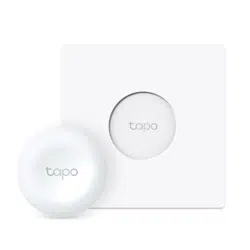

User Guide
Smart Remote Dimmer Switch
© 2023 TP-Link 1910013417 REV1.0.0

Contents
About This Guide ···················································· 1
Introduction ······························································· 2
Tapo Smart Ecosystem ······································· 3
Automate Your Home ··········································· 4
Set Up Your Smart Switch ·································· 5
Use Your Smart Switch ········································ 9
Explore Smart Actions ·······································11
How to Create Smart Actions ························12
How to Replace the Battery ····························14
How to Reset Your Smart Switch ·················15
Authentication ························································16
1
About This Guide
This guide provides a brief introduction to the Smart Switch and the Tapo app, as well as regulatory information.
Please note that features available in Tapo may vary by model and software version. Tapo availability may also vary by region. All images, steps, and
descriptions in this guide are only examples and may not reect your actual Tapo experience.
Conventions
In this guide, the following convention is used:
Convention Description
Blue
Key information appears in blue, including management page text such as menus, items, buttons and so on.
Underline
Hyperlinks are in blue and underlined. You can click to redirect to a website.
Note:
Ignoring this type of note might result in a malfunction or damage to the device.
More Info
• Specications can be found on the product page at https://www.tapo.com.
• Our Technical Support and troubleshooting information can be found at https://www.tapo.com/support/.
• The setup videos can be found at https://www.tp-link.com/support/setup-video/#home-smart-switches.

2
Introduction
Control your smart light from multiple locations with more than one dimmer switch. This way, your single-pole dimmer turns into a 3-way or even 4-way
dimmer without rewiring. Ideal for living rooms, halls, and stairways.
• Smart Actions – Control and set multiple smart lights, electronics, and other Tapo smart devices.
• Local Instant Control – Get instant, app-free control over your smart devices with the smart remote dimmer switch.
• Control From Multiple Locations – Control your smart lights from multiple locations with more than one dimmer switch.
• Customized Actions – Single tap, double tap, and rotating options enable you to trigger multiple smart actions.
• Flexible Mounting – Place the smart remote dimmer switch wherever you want, and your lighting control are always within reach.
• Long Battery Life – The battery will last more than one year.
86 Type
128 Type
3
Tapo Smart Ecosystem
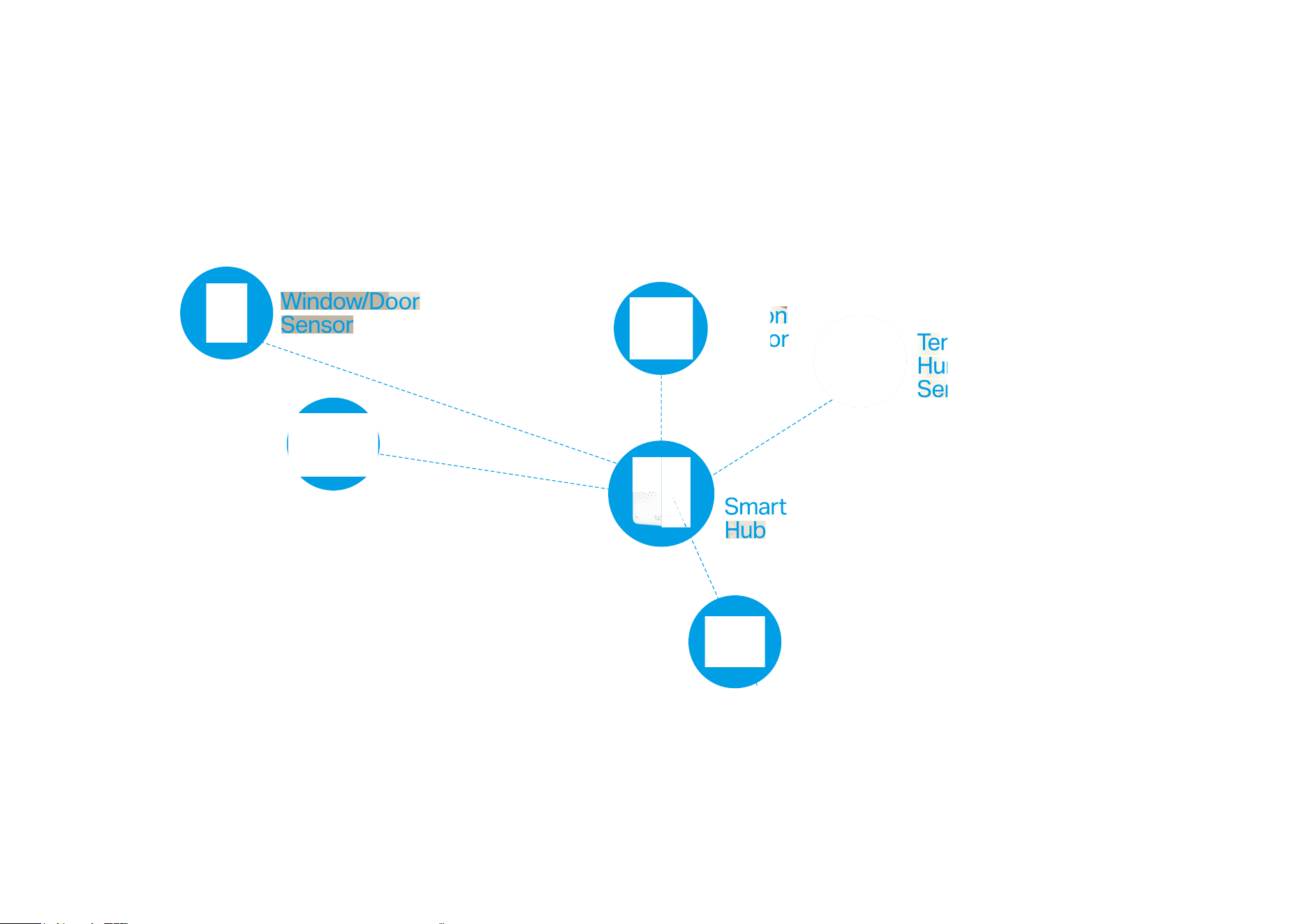
Tapo is the easy way to turn your home into a smart home. With the Tapo Hub as a bridge, Tapo Smart Switch works with a wide range of Tapo
accessories. So you can easily control and monitor your home from anywhere.
Smart
Button
Motion
Sensor
Temperature &
Humidity
Sensor
Smart
Switch
4
Automate Your Home
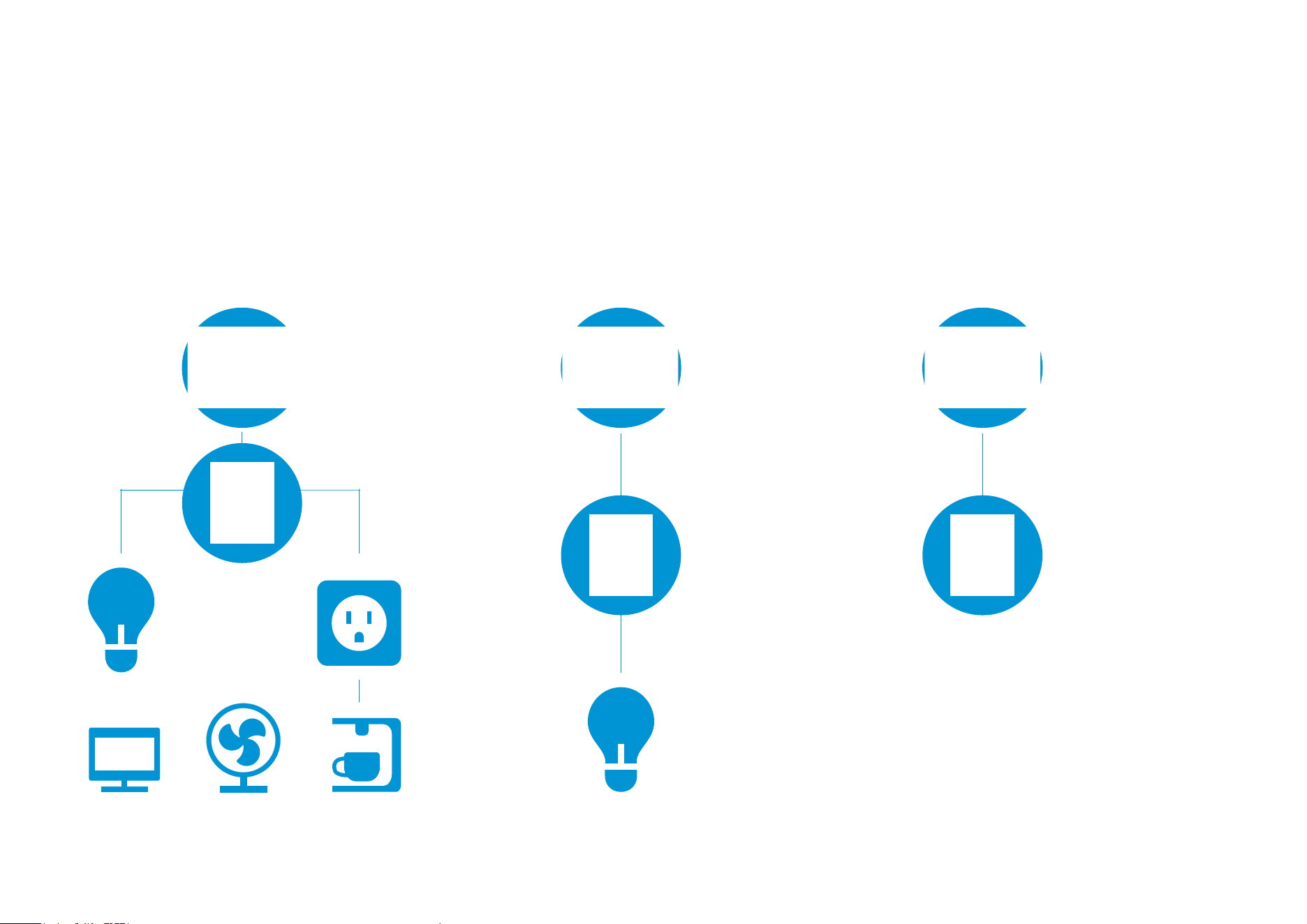
Create a Smart Action to automate your smart devices. Customize your own Smart Actions to group your Tapo products together any way you want.
Turn On/O Devices
Customize Tapo Lighting Build Smart Doorbell
5
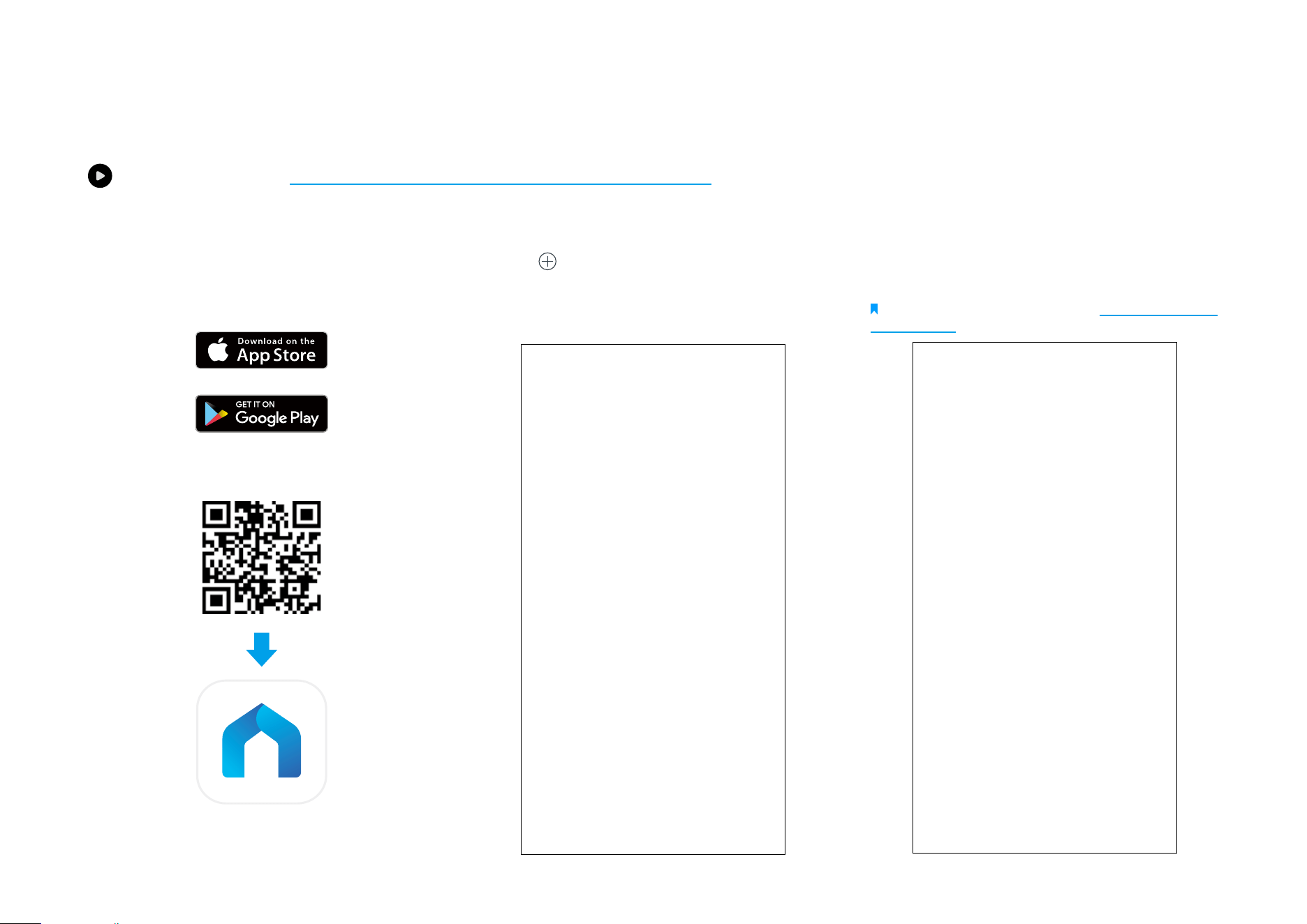
1. Set Up Your Switch
Tap the button in the Tapo app, tap
Switches, and select your model. Follow the
instructions in the Tapo app to complete the
setup.
2. Check the LED & Set Up
Check if the LED blinks. Follow app
instructions to complete the setup.
Note: If LED is not blinking, refer to How to Reset Your
Smart Switch for instructions.
Set Up Your Smart Switch
Watch setup videos at https://www.tp-link.com/support/download/tapo-s200d/
Before You Start
A Tapo Hub is required. Make sure your Tapo
Hub is successfully added via the Tapo app.
OR
6
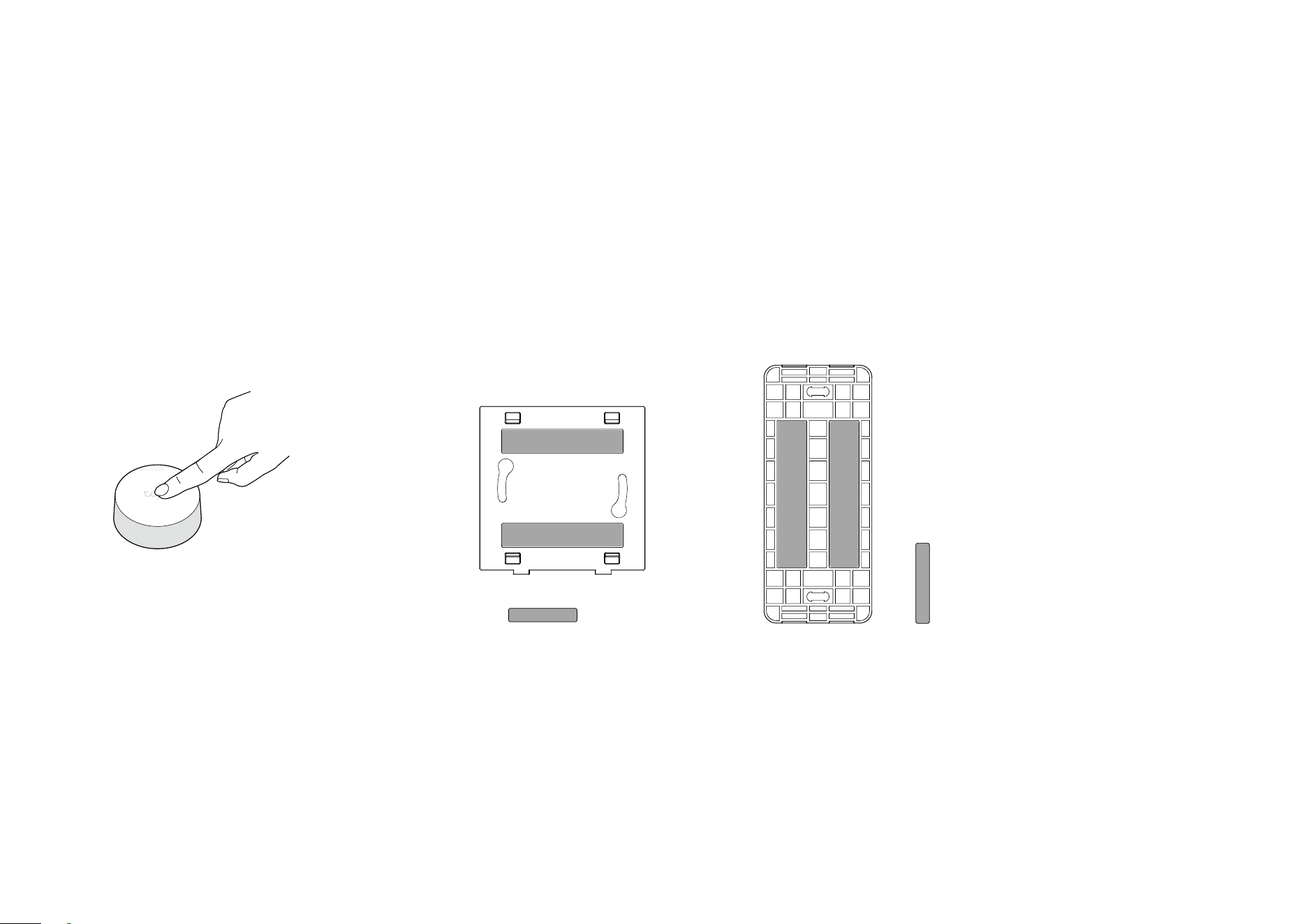
3. Test Your Switch
a. Press the button to test it in your preferred
location.
b. Refresh the home page on the Tapo app to
conrm its status.
4. Secure Your Wallplate (Optional)
Option 1: Use Adhesives Provided
Stick the included adhesives to the back panel and stick the wallplate to your
preferred location.
x2
OR
x2
7
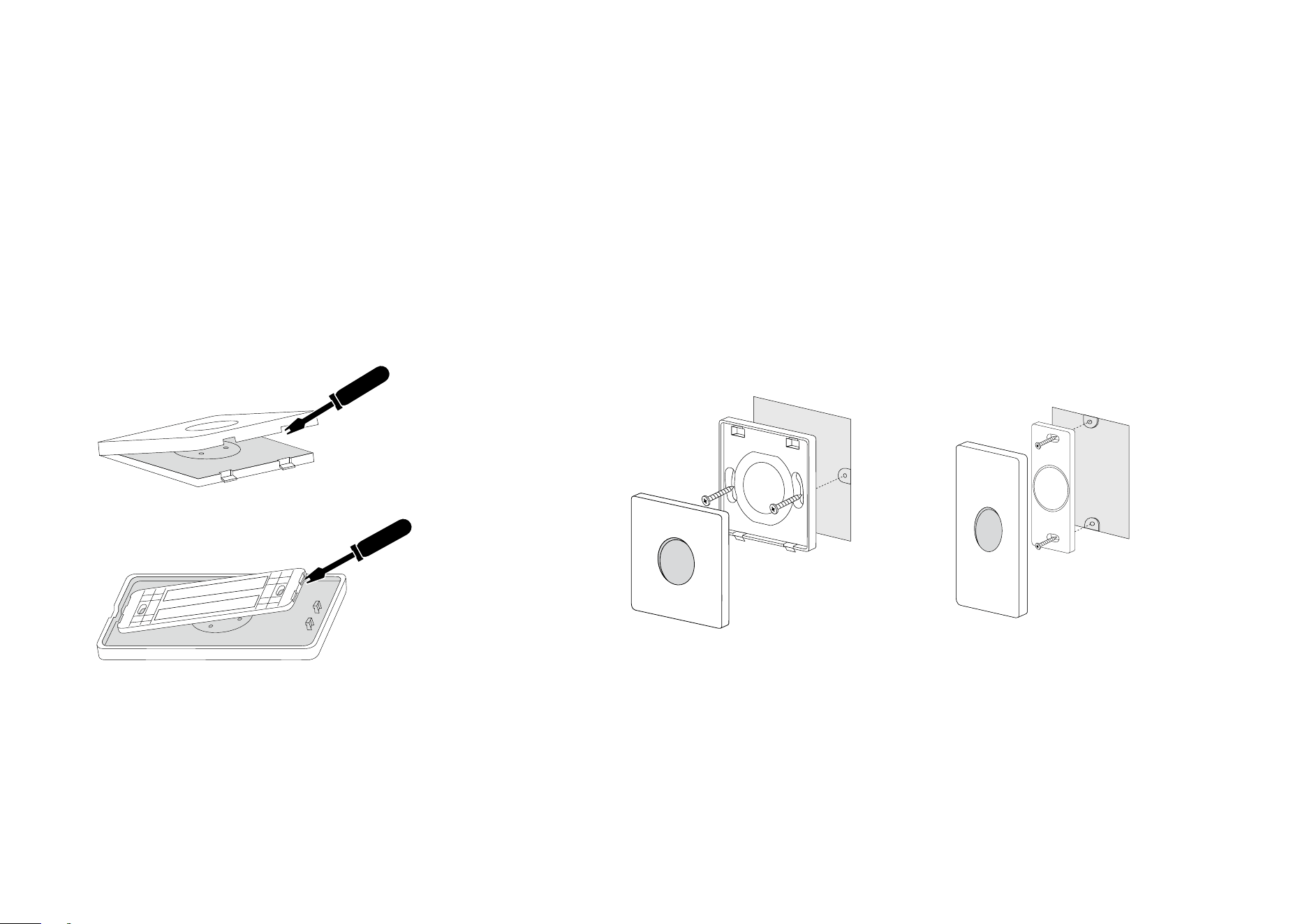
Option 2: Use Screws (Replace Current Wallplate)
a. Stick the included adhesives to the back panel and stick the
wallplate to your preferred location.
OR
b. Secure the back panel with screws and attach the wallplate to
the back panel.
OR
8
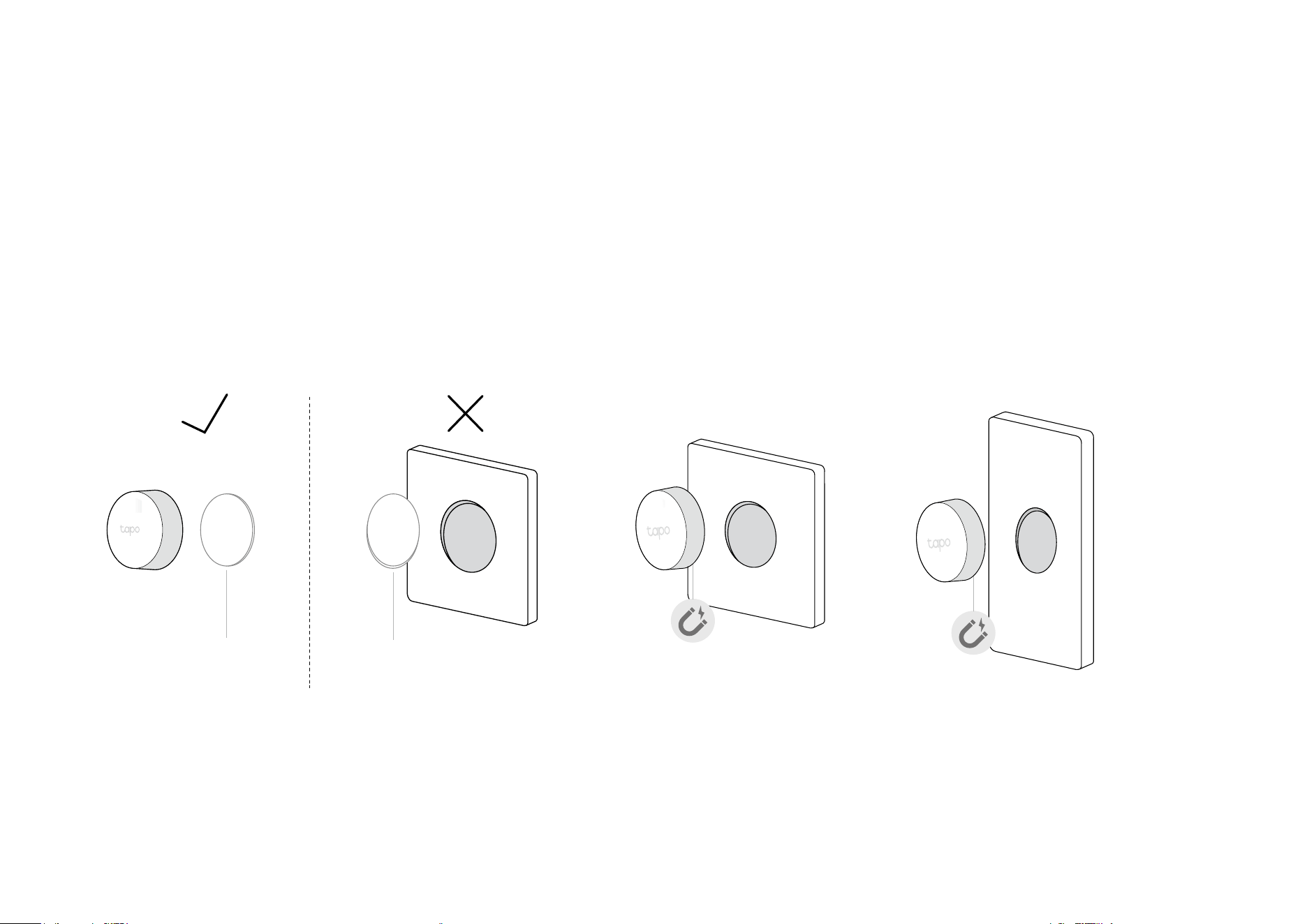
5. Magnetically Attach Button to the Wallplate
a. Attach the non-slip pad to the button (not the wallplate) to
keep the button rmly in place.
b. Magnetically attach the button to the wallplate.
Non-slip
Pad
Non-slip
Pad
OR
9
Home Page Settings
Long press on a card, then you can reorder
cards, tap
to remove your device from your
account, share your device, favorite/unfavorite
device, or relocate your device to other Home.
Status Page
You can check all events of you device. Slide
the panel up to check more settings or tap the
gear icon to enter the Settings page.
Use Your Smart Switch
After you successfully set up your hub and smart switch, you will see your devices listed on the home page. With the Tapo app, you can view and
manage your devices anytime, anywhere.
Home Page
This page lists all the devices you've added
and you can view them directly and manage
them easily. Tap the card to enter its Status
page.
10
Device Settings
Check/edit the basic info, view User Manual
and Placement Guide, or remove your device
from your account.
Double Tap Settings
Turn on Double Tap if you want to use "Double
Tap" as a trigger for the smart action.
Featured Smart Actions
The smart switch can work with other Tapo
devices to automate your home. You can
customize smart actions based on the
templates.

11
Explore Smart Actions
The smart switch can work with other Tapo devices to automate your home. You can customize smart actions based on the templates. This makes your
home safer and smarter.
Smart Actions What can this Smart Action do? Tapo Device Requirement
Turn on/o your smart
devices
Turn on/o the devices with one
tap on your button
Hub + Bulb/Light Strip/Plug/
Switch
Adjust light brightness
Rotate the button to adjust
the brightness of the selected
devices.
Hub + Bulb/Light Strip
Adjust light temperature
Rotate the button to change the
feeling and ambiance of the room
on the selected devices.
Hub with alarm feature
Customize lighting
Rotate the button to adjust color and
brightness for your mood with the
selected devices.
*Only color light is supported.
Hub + Bulb/Light Strip
Build smart doorbell
When the button is pressed, the
selected hubs will ring.
Hub with alarm feature
12
2. Choose a template and customize the
smart action based on the template.
3. Select devices you want to take action
when you tap or rotate the button.
How to Create Smart Actions
Choose a Smart Action template, choose devices, and customize the settings as needed.
1. On the Status page, tap Explore Smart
Actions.
13
5. Set the eective time for this smart action.4. Customize the settings as needed. Turn
on Delay Action if you want the action to take
place some time after the button is tapped or
rotated.
Done! You can go to Smart (Smart Actions) >
Automation to check the item. Toggle on/o
to enable/disable the action, tap to edit, and
swipe right to delete.
14
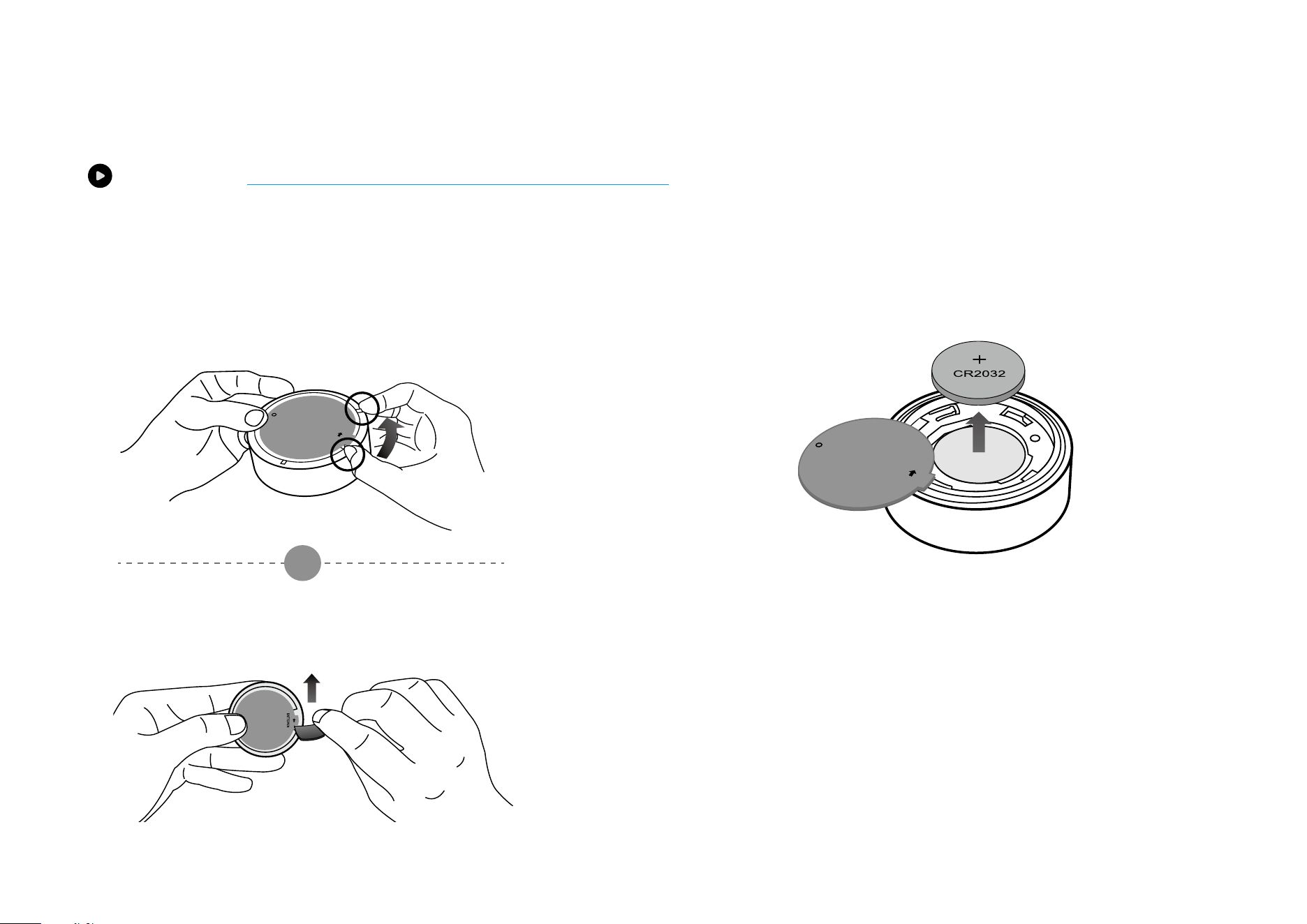
How to Replace the Battery
Watch videos at https://www.tp-link.com/support/download/tapo-s200d/
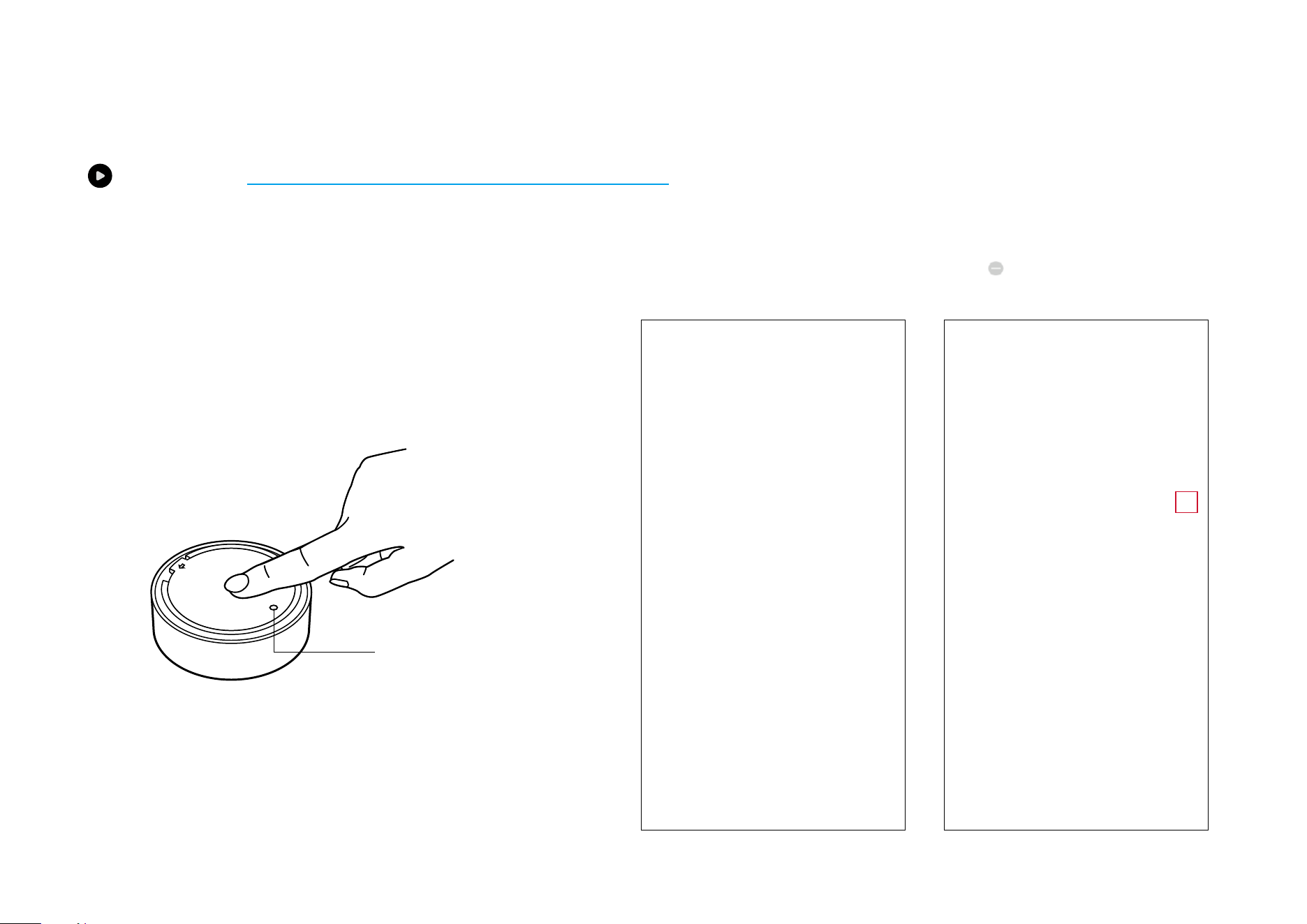
2. Replace the battery into the battery compartment, making sure the
battery is level and its positive side is facing up. Put the cover back on the
device.
1. Hold the main body to prevent free rotation. Then twist
the lid anticlockwise and remove the lid.
Option 1: By Hand
OR
BATTOPEN
Option 2: With a Shim
BATTOPEN
15
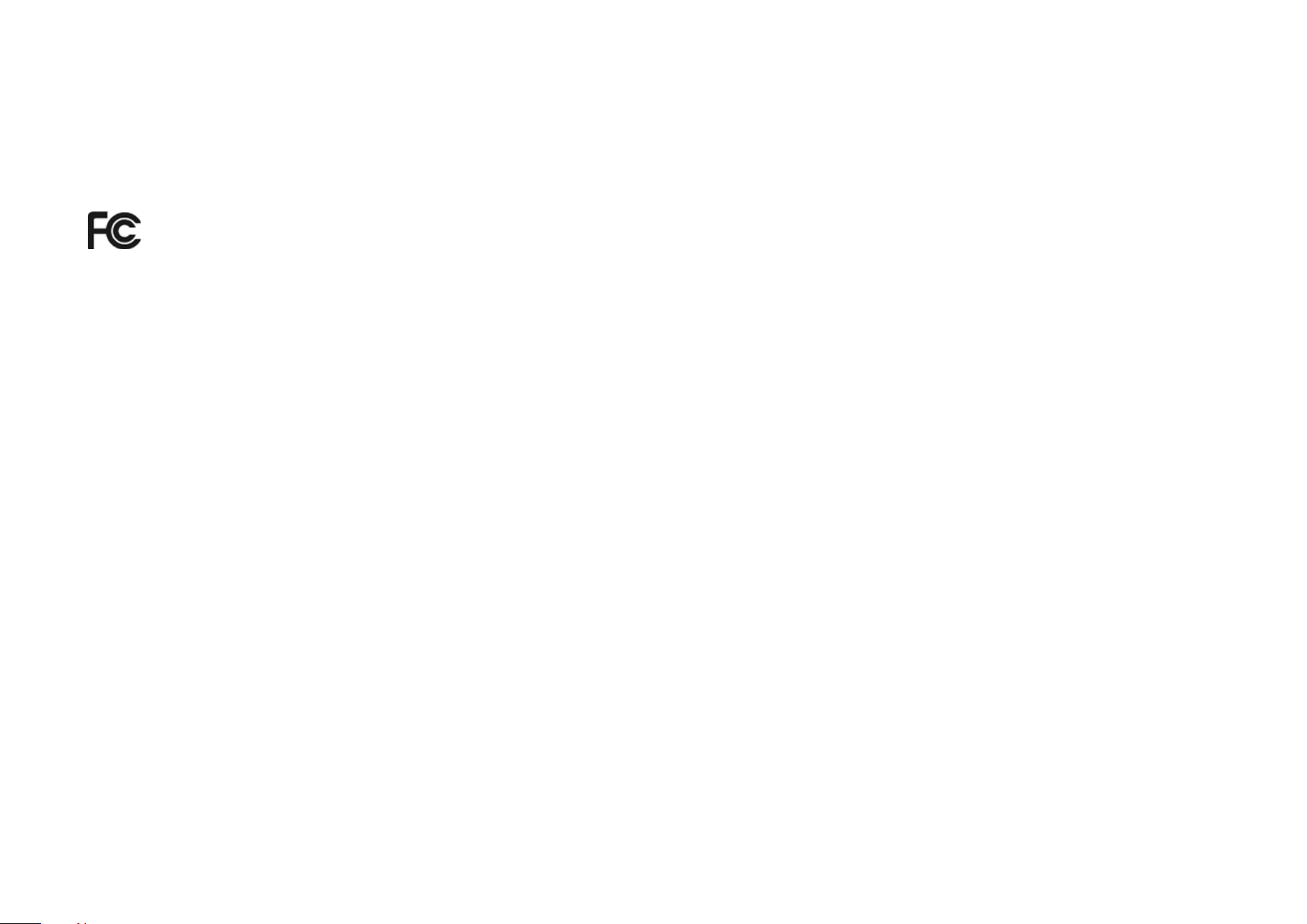
How to Reset Your Smart Switch
Watch videos at https://www.tp-link.com/support/download/tapo-s200d/
Option 2. Via the Tapo App
Long press the card on the home page and tap or go to the Device Settings
page and tap the Remove button to remove your device from your account.
OR
Option 1. Via the Button
a. Press and hold the button for 5 seconds. The LED will become
yellow-green for 10 seconds.
b. Quickly press the button 3 times while the LED is yellow-green.
c. The LED should start blinking.
BATTOPEN
LED
16
Authentication
FCC Compliance Information Statement
Product Name: Tapo Smart Remote Dimmer Switch
Model Number: Tapo S200D
Responsible party:
TP-Link USA Corporation
Address: 10 Mauchly, Irvine, CA 92618
Website: http://www.tp-link.com/us/
Tel: +1 626 333 0234
Fax: +1 909 527 6804
E-mail: [email protected]om
This equipment has been tested and found to comply with the limits for a Class B digital device, pursuant to part 15 of the FCC Rules. These limits are
designed to provide reasonable protection against harmful interference in a residential installation. This equipment generates, uses and can radiate
radio frequency energy and, if not installed and used in accordance with the instructions, may cause harmful interference to radio communications.
However, there is no guarantee that interference will not occur in a particular installation. If this equipment does cause harmful interference to radio
or television reception, which can be determined by turning the equipment off and on, the user is encouraged to try to correct the interference by
one or more of the following measures:
• Reorient or relocate the receiving antenna.
• Increase the separation between the equipment and receiver.
• Connect the equipment into an outlet on a circuit different from that to which the receiver is connected.
• Consult the dealer or an experienced radio/ TV technician for help.
This device complies with part 15 of the FCC Rules. Operation is subject to the following two conditions:

17
1. This device may not cause harmful interference.
2. This device must accept any interference received, including interference that may cause undesired operation.
Any changes or modifications not expressly approved by the party responsible for compliance could void the user’s authority to operate the
equipment.
Note: The manufacturer is not responsible for any radio or TV interference caused by unauthorized modifications to this equipment. Such modifications
could void the user’s authority to operate the equipment.
FCC RF Radiation Exposure Statement
This equipment complies with FCC RF radiation exposure limits set forth for an uncontrolled environment. This device and its antenna must not be
co-located or operating in conjunction with any other antenna or transmitter.
“To comply with FCC RF exposure compliance requirements, this grant is applicable to only Mobile Configurations. The antennas used for this
transmitter must be installed to provide a separation distance of at least 20 cm from all persons and must not be co-located or operating in conjunction
with any other antenna or transmitter.”
We, TP-Link USA Corporation, has determined that the equipment shown as above has been shown to comply with the applicable technical standards,
FCC part 15. There is no unauthorized change is made in the equipment and the equipment is properly maintained and operated.
Issue Date: 2023.05.19
18
CE Mark Warning
This is a class B product. In a domestic environment, this product may cause radio interference, in which case the user may be required to take
adequate measures.
Operating Frequency / Nominal Operating Frequency / Max Output Power:
863~865MHz / 863.35MHz / 25mW (e.r.p)
863~865MHz / 864.35MHz / 25mW (e.r.p)
868~868.6MHz / 868.35MHz / 25mW (e.r.p)
EU declaration of conformity
TP-Link hereby declares that the device is in compliance with the essential requirements and other relevant provisions of directives 2014/53/EU,
2009/125/EC, 2011 /65/EU and (EU) 2015/863.
The original EU declaration of conformity may be found at https://www.tapo.com/en/support/ce/
RF Exposure Information
This device meets the EU requirements (2014/53/EU Article 3.1a) on the limitation of exposure of the general public to electromagnetic fields by way
of health protection.
The device complies with RF specifications when the device used at 20 cm from your body.
Restricted to indoor use.
UKCA Mark
UK Declaration of Conformity
TP-Link hereby declares that the device is in compliance with the essential requirements and other relevant provisions of the Radio Equipment
Regulations 2017.
19
The original UK declaration of conformity may be found at https://www.tapo.com/support/ukca/
Korea Warning Statements:
당해 무선설비는 운용중 전파혼신 가능성이 있음.
NCC Notice
注意!
取得審驗證明之低功率射頻器材,非經核准,公司、商號或使用者均不得擅自變更頻率、加大功率或變更原設計之特性及功能。
低功率射頻器材之使用不得影響飛航安全及干擾合法通信;經發現有干擾現象時,應立即停用,並改善至無干擾時方得繼續使用。
前述合法通信,指依電信管理法規定作業之無線電通信。
低功率射頻器材須忍受合法通信或工業、科學及醫療用電波輻射性電機設備之干擾。
Продукт сертифіковано згідно с правилами системи УкрСЕПРО на відповідність вимогам нормативних документів та вимогам,
що передбачені чинними законодавчими актами України.
Safety Information
• Keep the device away from water, fire, humidity or hot environments.
• Do not attempt to disassemble, repair, or modify the device. If you need service, please contact us.
• Do not use the device where wireless devices are not allowed.
• Please read and follow the above safety information when operating the device. We cannot guarantee that no accidents or damage will occur due
to improper use of the device. Please use this product with care and operate at your own risk.
• Do not ingest battery, Chemical Burn Hazard
CAUTION!
Risk of explosion if the battery is replaced by an incorrect type
20
CAUTION!
Avoid replacement of a battery with an incorrect type that can defeat a safeguard.
Avoid disposal of a battery into fire or a hot oven, or mechanically crushing or cutting of a battery, that can result in an explosion.
Do not leave a battery in an extremely high temperature surrounding environment that can result in an explosion or the leakage of
flammable liquid or gas. Do not leave a battery subjected to extremely low air pressure that may result in an explosion or the leakage
of flammable liquid or gas.
CAUTION: Do not ingest battery. Chemical Burn Hazard
• This product contains a coin / button cell battery. If the coin / button cell battery is swallowed, it can cause severe internal burns in
just 2 hours and can lead to death.
• Keep new and used batteries away from children.
• If the battery compartment does not close securely, stop using the product and keep it away from children.
• If you think batteries might have been swallowed or placed inside any part of the body, seek immediate medical attention
Warnings
Operating Temperature: 0 ºC– 40 ºC (32°F–104°F )
Operating Humidity: 10%–90%RH, Non-condensing
Handling Instructions for Lithium Ion Rechargeable Battery
Please read and follow the handling instructions for the battery before use. Improper use of the battery may cause heat, fire explosion, damage or
capacity deterioration of the battery.
• Do not place or leave the battery and equipment in the reach of infants so that they are not able to swallow or mistreat the battery by mistake.
In case of ingestion, consult with a doctor immediately.
• Do not let leaked electrolyte come into contact with eyes or skin.
In such a case, immediately wash the area of contact with clean water and seek help from a doctor.

21
If not treated soon, prolonged contact may cause serious injury.
• Do not put the battery into a fire. Do not use it or leave it in a place near fire, heaters, or high temperature sources.
In such a case, the insulator in the battery may be melted, the safety vent and structure may be damaged, or the electrolyte may catch fire, all of which
may cause heat generation, explosion, or fire.
• Do not submerge the battery in water, or wet the battery.
If the protecting device assembled in the battery is damaged, the battery may be charged with an abnormal current and voltage and may cause a
chemical reaction within the battery, which may result in the cause of heat generation, explosion, or fire of the battery.
• Do not use any battery charger not specified by the manufacture, also follow the charge conditions specified by the manufacture.
If the battery is charged under other conditions (a high temperature, a high voltage / current, or an altered charger) not specified by the manufacture,
the battery may become over-charged with an excessive current and cause heat, explosion, or fire with abnormal chemical reactions.
• Do not use, charge, or leave the battery near fire or in a car under the blazing sun. Such a high temperature may cause damage of the protecting
device in the battery, which may result in an abnormal reaction, and then heat generation, explosion, or fire.
• Do not connect the battery reversed in positive (+) and negative (-) terminals in the charger or equipment.
In case the battery is connected and charged reversely, it may cause heat generation, explosion, or fire due to an abnormal chemical reaction.
• Do not let the battery terminals (+ and -) contact a wire or any metal (like a metal necklace or a hairpin) with which it carried or stored together.
In such a case, the battery will be shorted and cause an excessive current, which may result in heat generation, explosion, or fire.
• Do not connect the battery directly to an electric outlet or cigarette heater socket in car.
With a high voltage applied, the battery may overheat, explode, or cause fire.
• Do not throw or drop the battery.
Strong impact may damage the protecting device, which may cause an abnormal chemical reaction during charging and result in heat generation,
explosion, or fire of the battery.
• Do not drive a nail in, hit with a hammer, or stamp on the battery.
In such a case, the battery may be deformed and shorted, which may cause heat generation, explosion, or fire of the battery.
• Do not solder the battery directly.

22
Heat applied during soldering may damage the insulator of the safety vent and mechanism, which may result in heat generation, explosion, or fire of
the battery.
• Do not disassemble or alter the battery.
The battery employs a safety mechanism and a protecting device in order to avoid any danger.
If these are damaged, heat, explosion or fire may be caused.
CAUTION
• Do not put the battery in a microwave or a pressure cooker.
Sudden heat may damage the seal of the battery and may cause heat generation, explosion, or fire of the battery.
• Do not use the battery with other maker’s batteries, different types and / or models of batteries such as dry batteries, nickel-metal hydride batteries,
or nickel-cadmium batteries, or new and old lithium ion batteries together.
In such a case, over-discharge during use, or over-charge during charge may occur abnormal chemical reactions and may cause heat generation,
explosion, or fire of the battery.
• Do not leave the battery in a charger or equipment if it generates an odor and /or heat, changes color and / or shape, leaks electrolyte, or causes
any other abnormality.
In such a case, immediately take the battery out of the charge or equipment and keep it away from fire, otherwise, the battery might overheat,
explode, or cause fire.
• Discontinue charging after specified charging time even if the charge is not complete, otherwise, the battery might cause heat generation, explosion,
or fire.
• Do not use the battery in the place where the static electricity (more than the limit of the manufacturer’s guarantee) occurs. Otherwise, the protecting
device in the battery might be damaged and cause heat generation, explosion, or fire.
• Do not use the battery in other than the following conditions; otherwise, the battery might cause heat generation, damage, or deterioration of its
performance.
Operating environment:
When the battery is charged: 0℃ ~ +45℃ (Humidity < 80%)
23
When stored 1 months: -20℃ ~ +50℃ (Humidity < 80%)
When stored 3 months: -20℃ ~ +45℃ (Humidity < 80%)
When stored 1 year: -20℃ ~ +20℃ (Humidity < 80%)
Please read and follow the above safety information when operating the device. We cannot guarantee that no accidents or damage will occur due to
improper use of the device. Please use this product with care and operate at your own risk.
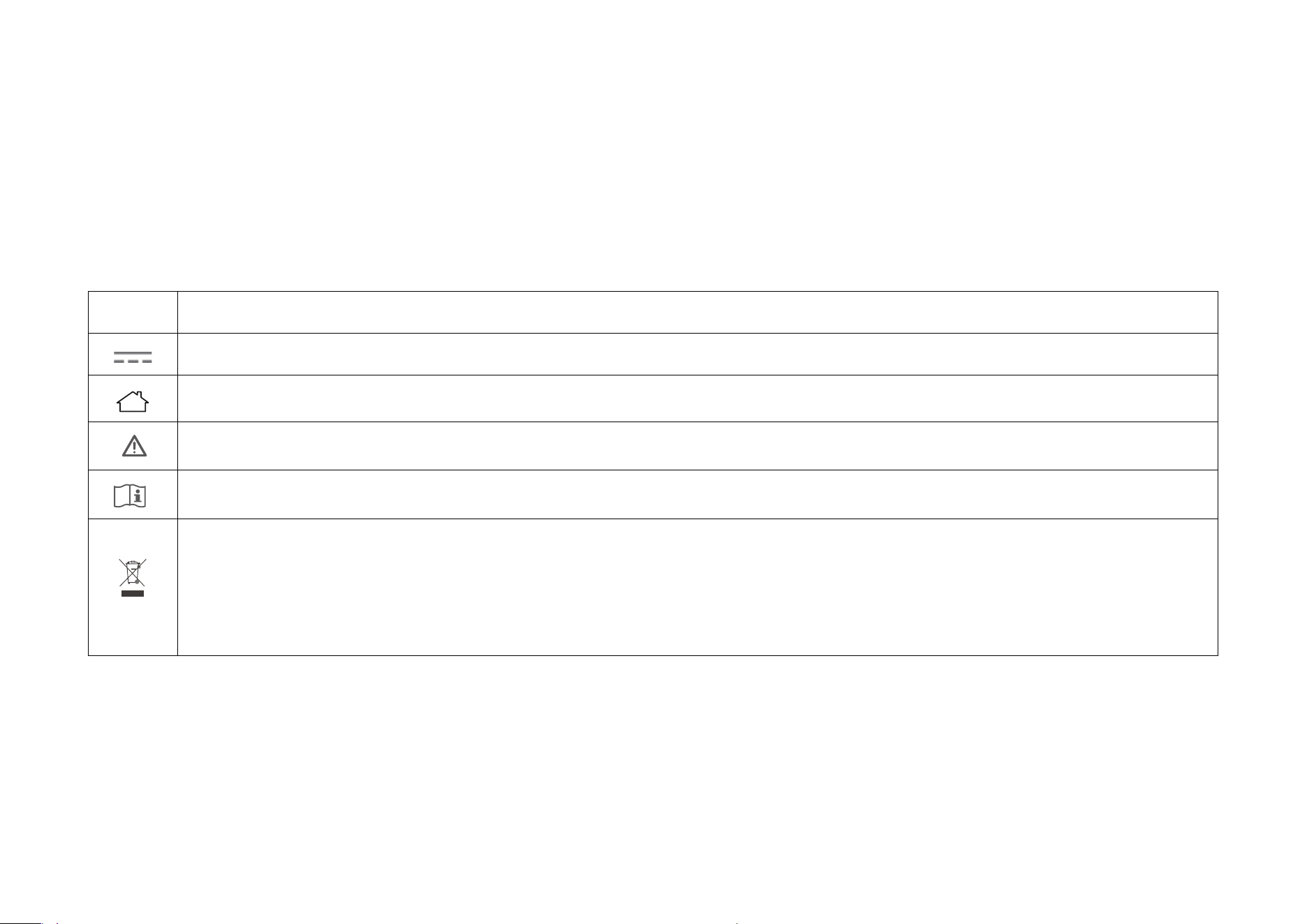
Explanation of the symbols on the product label
Symbol
Explanation
Direct current
Indoor use only
Caution
Operator’s manual
RECYCLING
This product bears the selective sorting symbol for Waste electrical and electronic equipment (WEEE). This means that this product must
be handled pursuant to European directive 2012/19/EU in order to be recycled or dismantled to minimize its impact on the environment.
User has the choice to give his product to a competent recycling organization or to the retailer when he buys a new electrical or electronic
equipment.