7106511262 REV1.2.1
Quick Start Guide
Setup Video
Scan QR code or visit
https://www.tp-link.com/support/
setup-video/#home-smart-switches
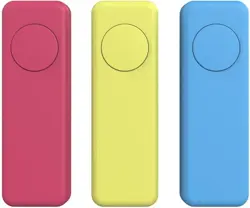
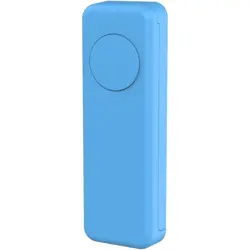
Smart Button
Before You Start
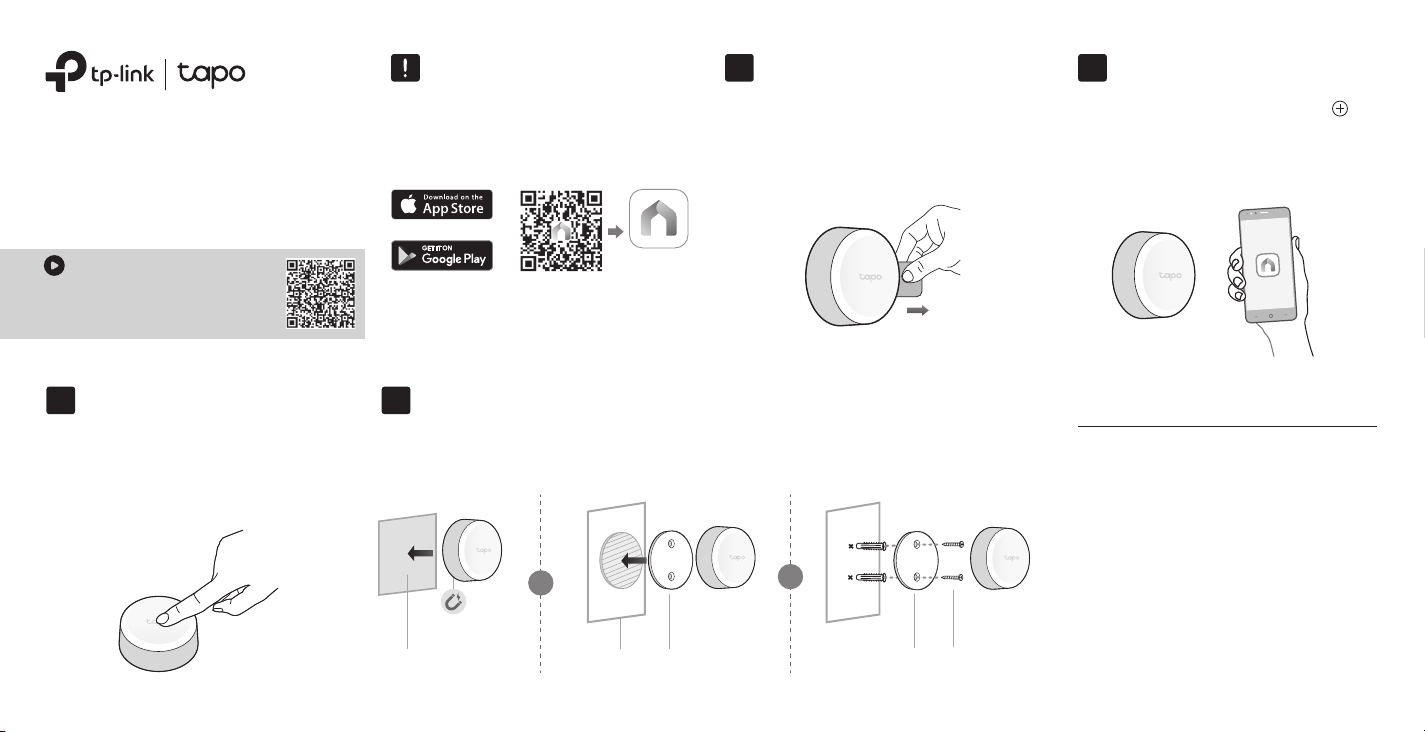
A Tapo Hub is required. Make sure
your Tapo Hub is successfully
added via the Tapo app.
Open the Tapo app and tap the
button. Select Switches/Buttons
and then your model. Follow the app
instructions to complete setup.
Remove the battery insulation tab to
power up your button. The LED should
blink.
Note: If the LED is not blinking, refer to the reverse side
for reset instructions.
1. Power Up Your Button 2. Set Up Your Button21
Magnetically attach the button to metallic objects. Alternatively, you can attach
the button to the provided bracket with either adhesive or screws.
a. Press the button to test it in your
preferred location.
b. Refresh the home page on the
Tapo app to conrm its status.
3. Test Your Button3
4. Secure Your Button (Optional)4
Bracket Screws
OR
Metallic Object Adhesive Bracket
OR
OR
Tapo App
Images may dier from actual products.
3M
3M
Tapo works with Alexa to control
your smart device by voice. You can
choose one of the following methods
to enjoy it.
Option 1:
In the Tapo app, go to Me > Third-Party
Services > Amazon Alexa >Tapo Skill
to set up.
Option 2:
In the Amazon Alexa app, go to More >
Skills & Games and search for Tapo to
enable it.
How to Work with Alexa
Option 1: By Hand Option 2: With a Shim
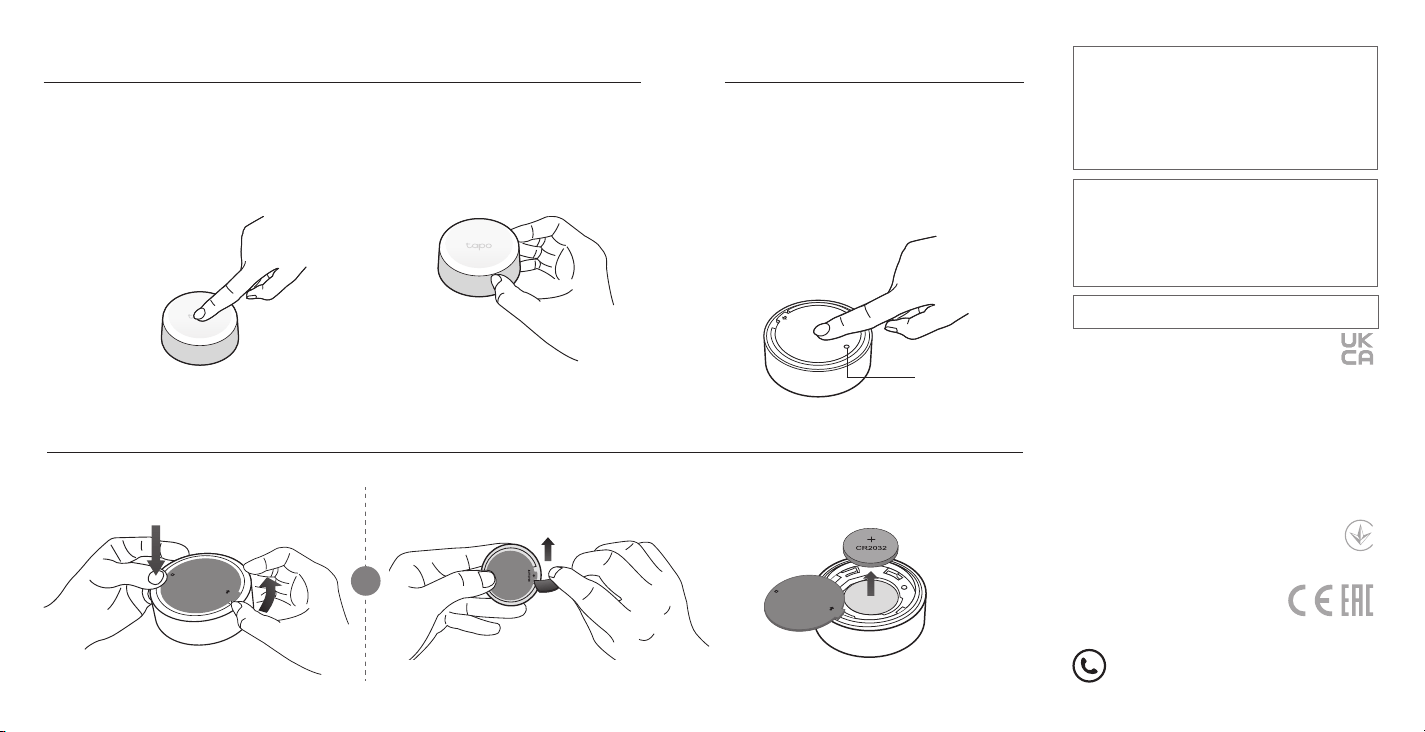
How to Replace the Battery
Tap or rotate to control lights and appliances with custom Smart Actions.
How to Use Your Button
a. Press and hold the button for 5s.
The LED will turn solid on for 10s.
b. Quickly press the button 3 times
while the LED is solid on.
c. The LED should start to blink.
How to Reset Your Button
BATTOPEN
LED
OR
1
Replace Battery
2
BATTOPEN
For technical support, the user guide and
more information, please visit
https://www.tapo.com/support/
©2024 TP-Link
Single Tap / Double Tap
Rotate
Avoid replacement of a battery with an incorrect type that can
defeat a safeguard.
Avoid disposal of a battery into re or a hot oven, or mechanically
crushing or cutting of a battery, that can result in an explosion.
Do not leave a battery in an extremely high temperature
surrounding environment that can result in an explosion or the
leakage of ammable liquid or gas; Do not leave a battery
subjected to extremely low air pressure that may result in an
explosion or the leakage of ammable liquid or gas.
CAUTION!
Safety Information
Keep the device away from water, re, humidity or hot
environments.
Do not attempt to disassemble, repair, or modify the device. If you
need service, please contact us.
Do not use the device where wireless devices are not allowed.
Please read and follow the above safety information when operating
the device. We cannot guarantee that no accidents or damage will
occur due to improper use of the device. Please use this product
with care and operate at your own risk.
TP-Link hereby declares that the device is in compliance with the
essential requirements and other relevant provisions of directives
2014/53/EU, 2011/65/EU and (EU) 2015/863.
The original EU declaration of conformity may be found at
https://www.tapo.com/en/support/ce/
TP-Link hereby declares that the device is in compliance with the
essential requirements and other relevant provisions of the Radio
Equipment Regulations 2017.
The original UK declaration of conformity may be found at
https://www.tapo.com/support/ukca/
For EU/UK Region:
Operating Frequency / Nominal Operating Frequency / Max Output
Power:
863~865 MHz/863.35 MHz/25 mW (e.r.p)
863~865 MHz/864.35 MHz/25 mW (e.r.p)
868~868.6 MHz/868.35 MHz/25 mW (e.r.p)
For US: Nominal Operating Frequency
920.9 MHz/921.7MHz/922.3 MHz
This product contains a coin / button cell battery. If the coin /
button cell battery is swallowed, it can cause severe internal burns
in just 2 hours and can lead to death.
Keep new and used batteries away from children.
If the battery compartment does not close securely, stop using
the product and keep it away from children.
If you think batteries might have been swallowed or placed inside
any part of the body, seek immediate medical attention.
CAUTION: Do not ingest battery, Chemical Burn Hazard
Risk of explosion if the battery is replaced by an incorrect type.
CAUTION!
Note: When using the button to control your devices, please ensure that there are no
contradictory actions. For example, avoid having "single tap to turn on the light"
and "single tap to turn o the light" as conicting actions.
*Battery Type: CR2032
*Battery Life: 1 Year (based on the testing of 30 triggers a day)
©2024 TP-Link
BATTOPEN