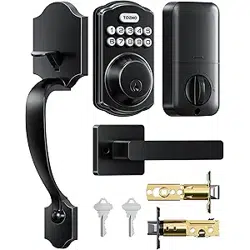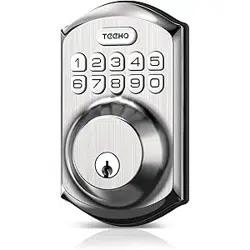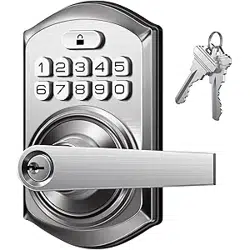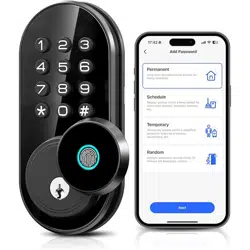
User Manual
TE003Model No.
Please watch these videos first and
use this manual as a guide.
Scan the QR code and search TE003
Tutorial Video
If you have any questions, please contact us at
+1 (833) 878-3346
(Monday-Friday 9:00 am-5:00 pm PST)
Need Help? Contact Us!
teeho.com


1. At a Glance
....................................................................................... 1
................................................................ 2
2. How to Lock / Unlock
........................................................................................ 9
5. Definitions
...................................................................................................... 11
6. FAQ
................................................................... 3
3. Programming Guide
................................................................................... 8
4. How to Reset
CONTENTS
AT A GLANCE
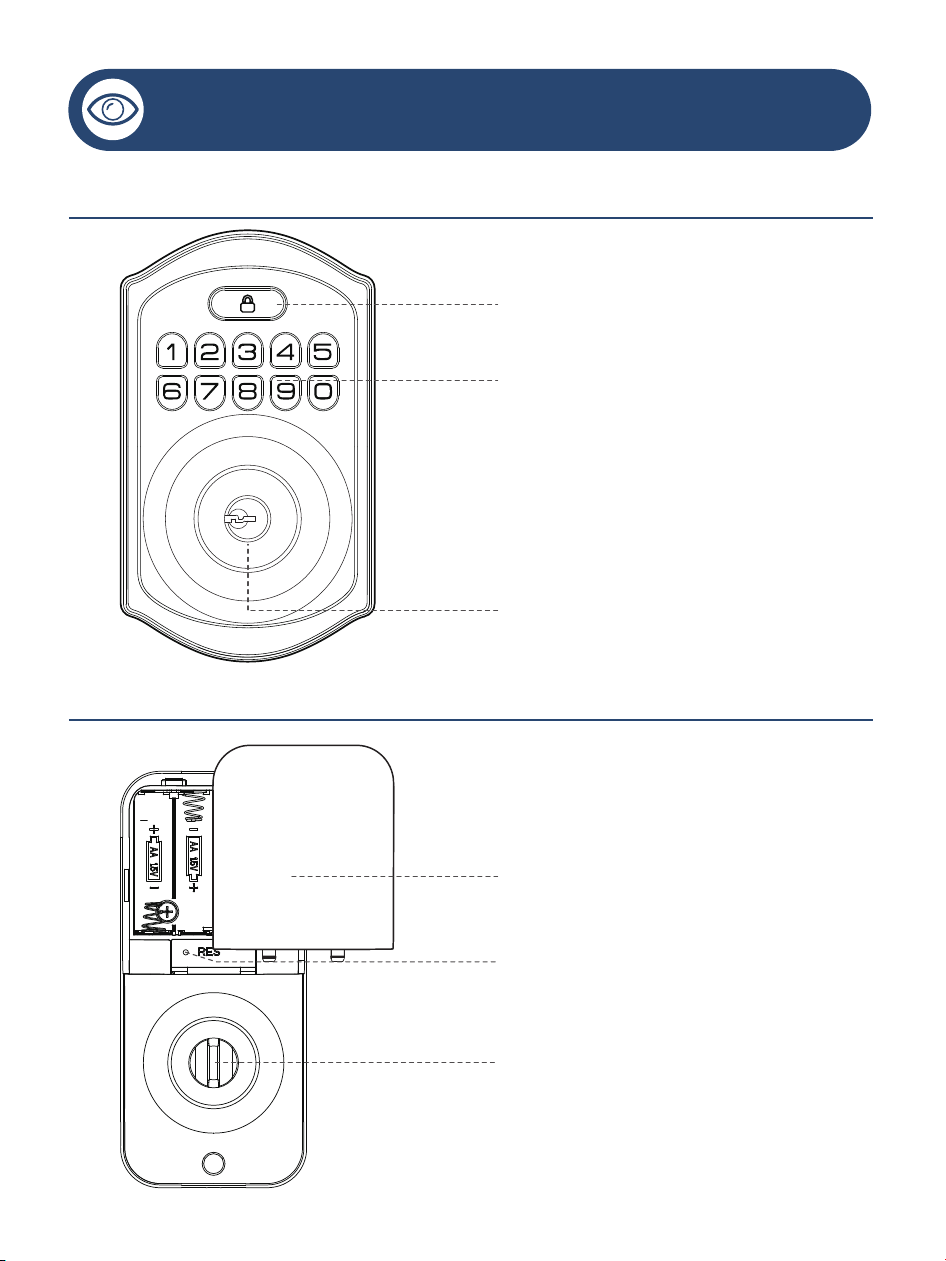
Exterior Assembly
Interior Assembly
01
Battery Cover
Reset Button
Thumb Turn
Multi-function Button
Keypad
Keyhole
In Auto Lock mode, your smart lock will automatically lock
the door after 30 seconds. You can customize the Auto Lock
time delay between 10 and 99 seconds.
Note: Auto Lock is disabled by default. The lock doesn't have a built-in
door sensor, if the Auto Lock is enabled, it will lock automatically
whether your door is closed or open.
Auto lock
HOW TO LOCK / UNLOCK
Unlock from the outside
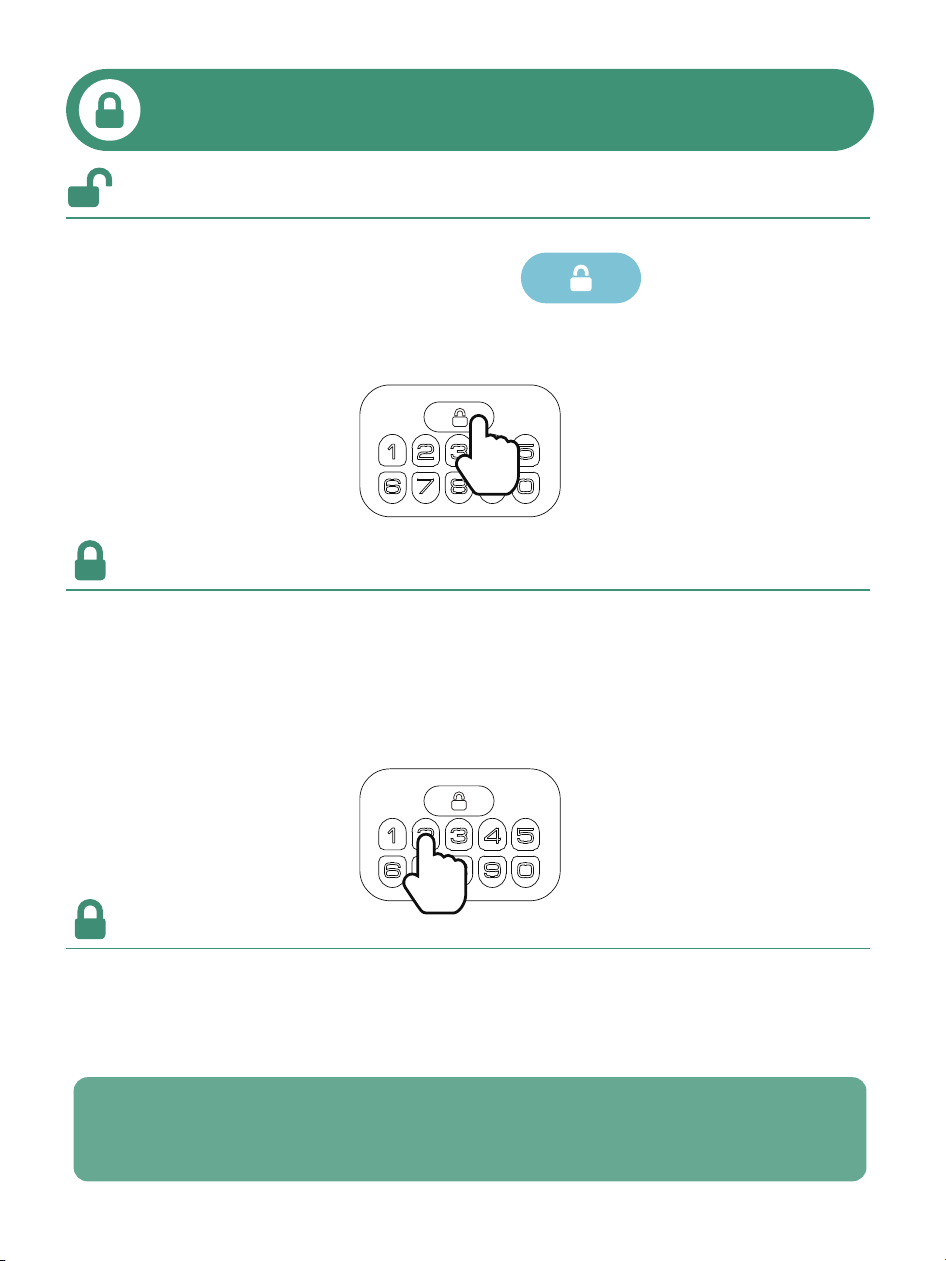
1. Enter Master / User Code, press
2. Use the Mechanical Key
Unlock from the inside, please rotate the Thumb Turn.
How to unlock
How to lock
Lock from the outside
1. Press and hold Any button on the Keypad for 2 seconds
2. Use the Mechanical Key
Lock from the inside, please rotate the Thumb Turn.
Auto
02
PROGRAMMING GUIDE
03
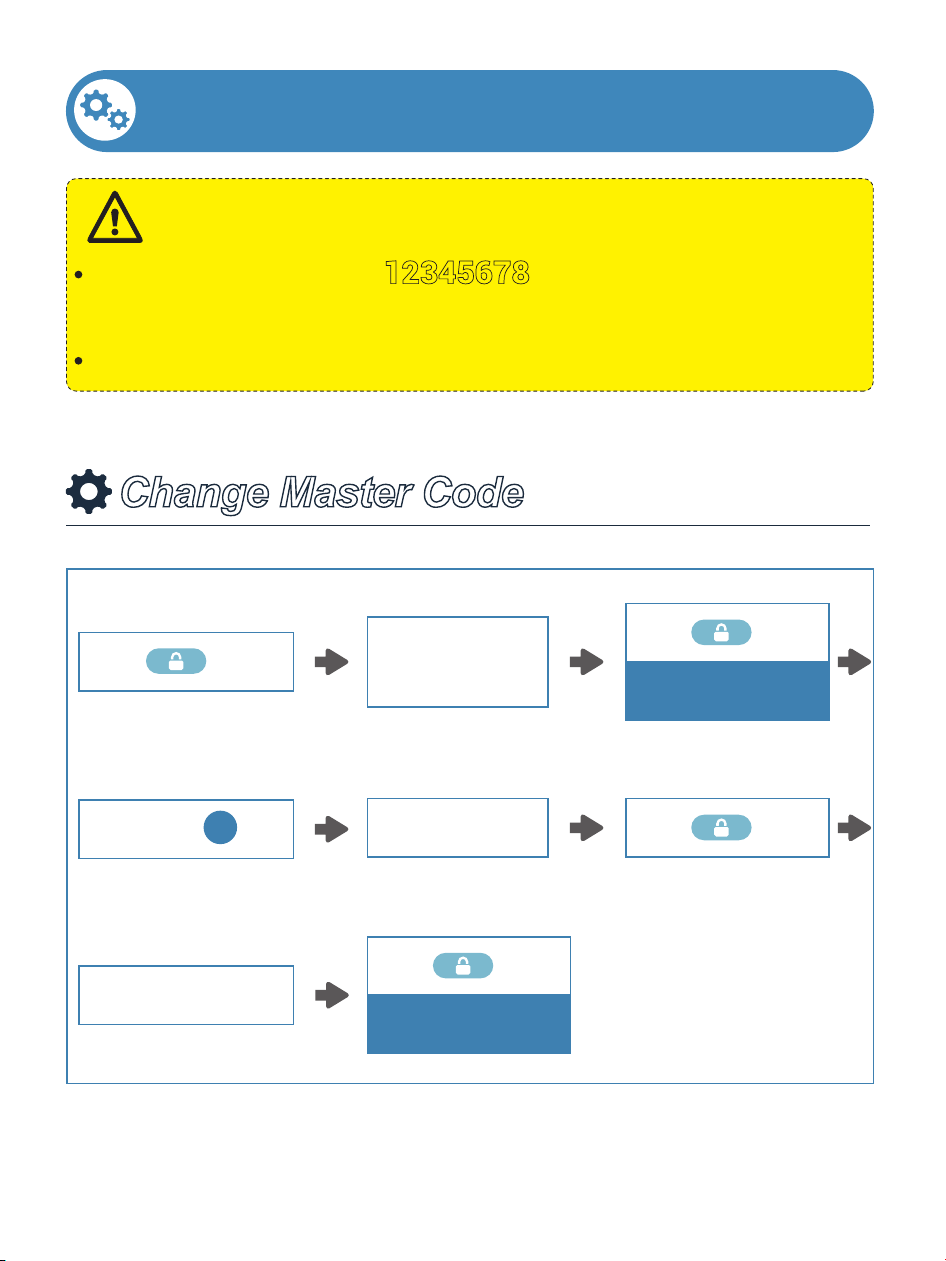
The Default Master Code is 12345678.
Please change it to your own Master Code before programming.
If the setup is unsuccessful, the indicator light will flash red.
IMPORTANT:
Change Master Code
(12345678)
Enter Default
Master Code
2 Times
Press
Green light flashes
1 Time
Press
Enter New
Master Code
Press
1
1 Time
Press
Re-enter New
Master Code
1 Time
Press
Succeed
Green light flashes
04
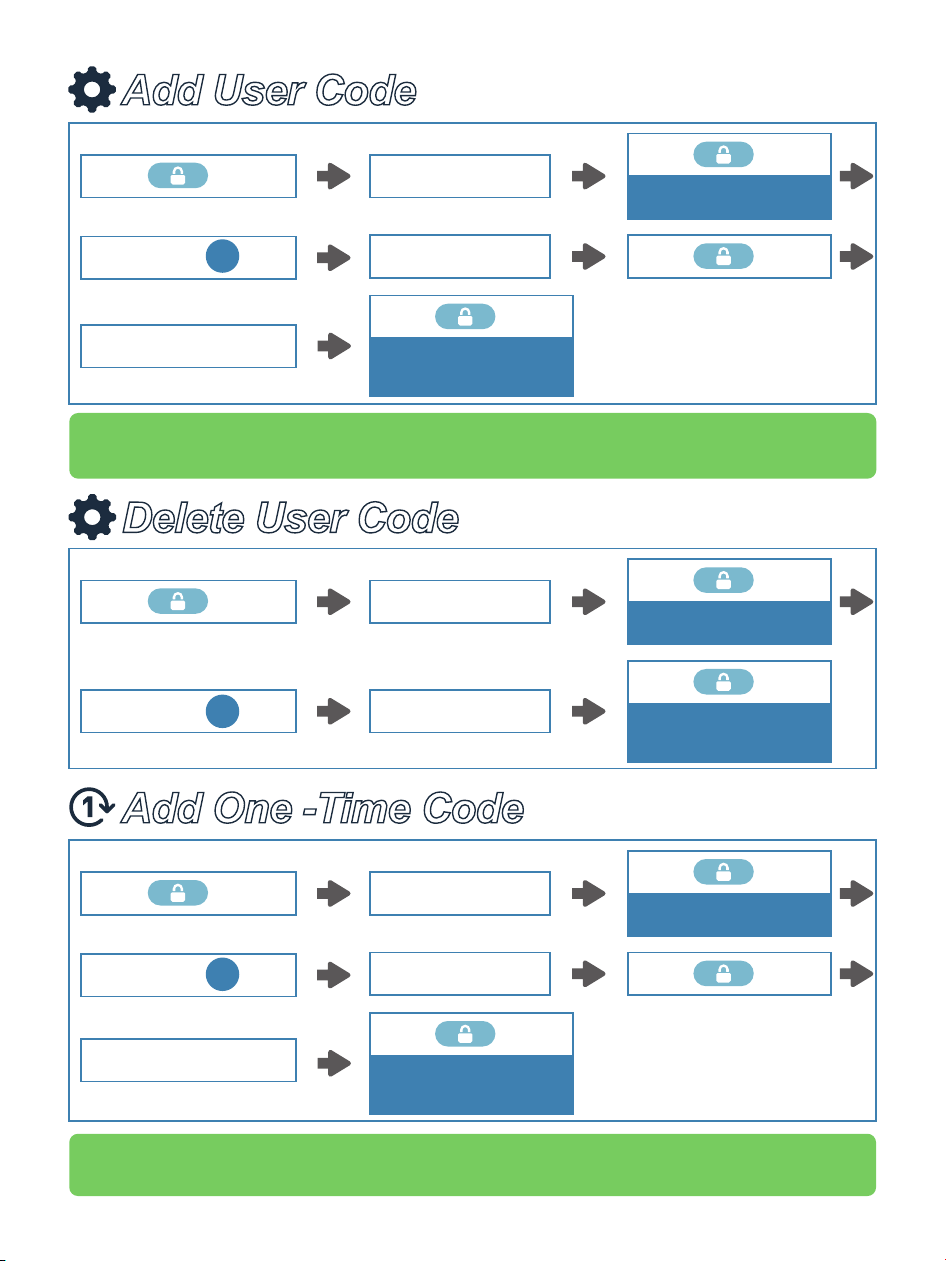
Delete User Code
Add User Code
Note: Only one one-time code can be generated at a time. Each
one-time code will be automatically deleted after use.
Note: If the code cannot be added, verify that it meets the format requirements
on page 7. Then program the code again in the correct format.
Add One -Time Code
Enter Master Code
2 Times
Press
Green light flashes
1 Time
Press
Enter
New
User Code
Press
2
1 Time
Press
Re-enter New
User Code
1 Time
Press
Succeed
Green light flashes
Enter Master Code
1 Time
Press
Succeed
Green light flashes
2 Times
Press
Green light flashes
1 Time
Press
Enter
Unwanted
User Code
Press
3
Enter
New
One-time Code
Enter Master Code
2 Times
Press
Green light flashes
1 Time
Press
Press
7
1 Time
Press
Re-enter New
One-time Code
1 Time
Press
Succeed
Green light flashes
05
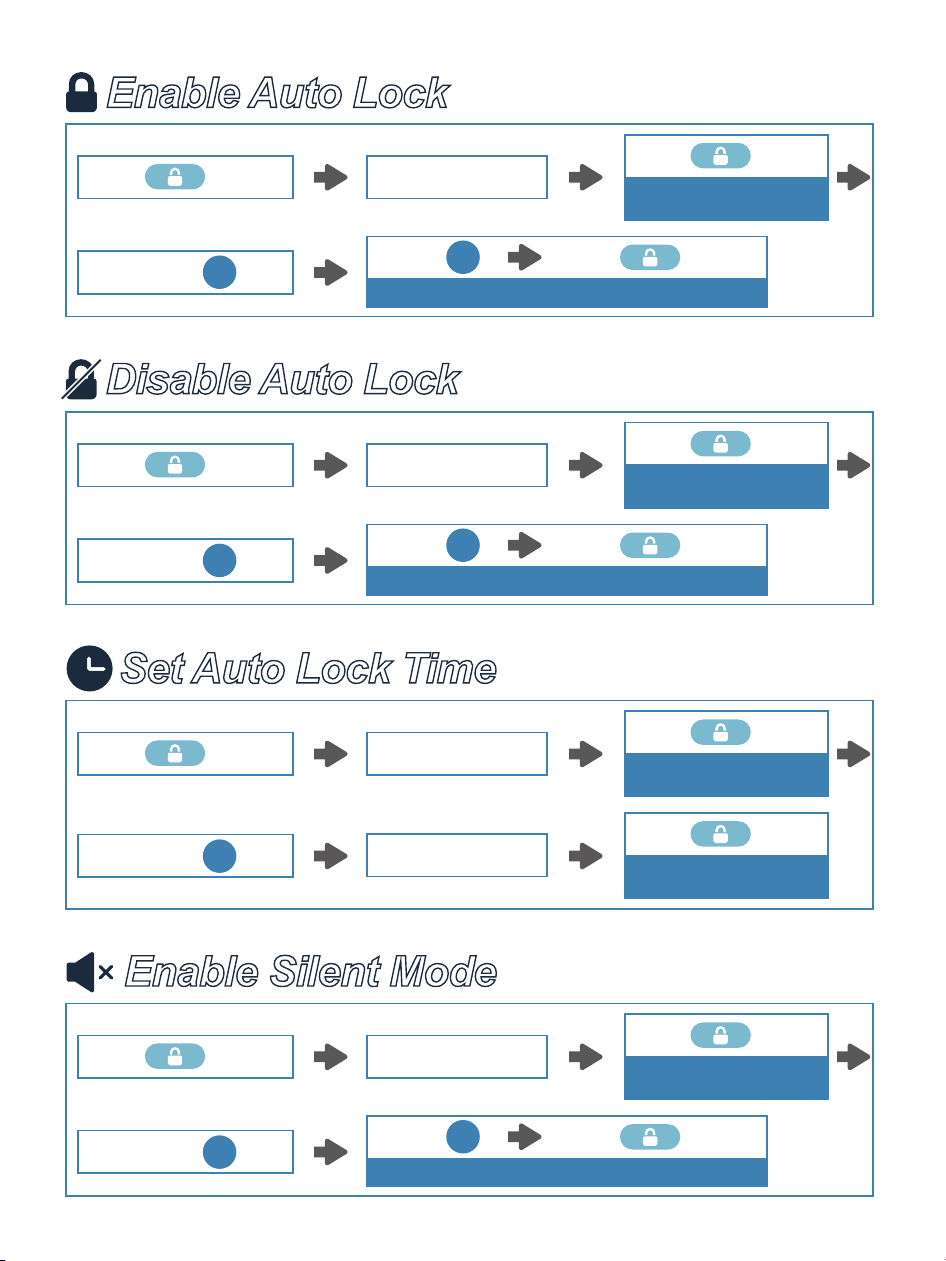
Enable Auto Lock
Auto
Enter Master Code
2 Times
Press
Green light flashes
1 Time
Press
Press
5
1 Time
Press Press
Succeed Green light flashes
1
Set Auto Lock Time
Auto
Enter Master Code
Enter New Duration
Time 10-99s
2 Times
Press
Green light flashes
1 Time
Press
Succeed
Green light flashes
1 Time
Press
Press
8
Disable Auto Lock
Auto
Enter Master Code
2 Times
Press
Green light flashes
1 Time
Press
Press
5
1 Time
Press Press
Succeed Green light flashes
2
Enable Silent Mode
Enter Master Code
2 Times
Press
Green light flashes
1 Time
Press
Press
4
1 Time
Press Press
Succeed Green light flashes
2
06
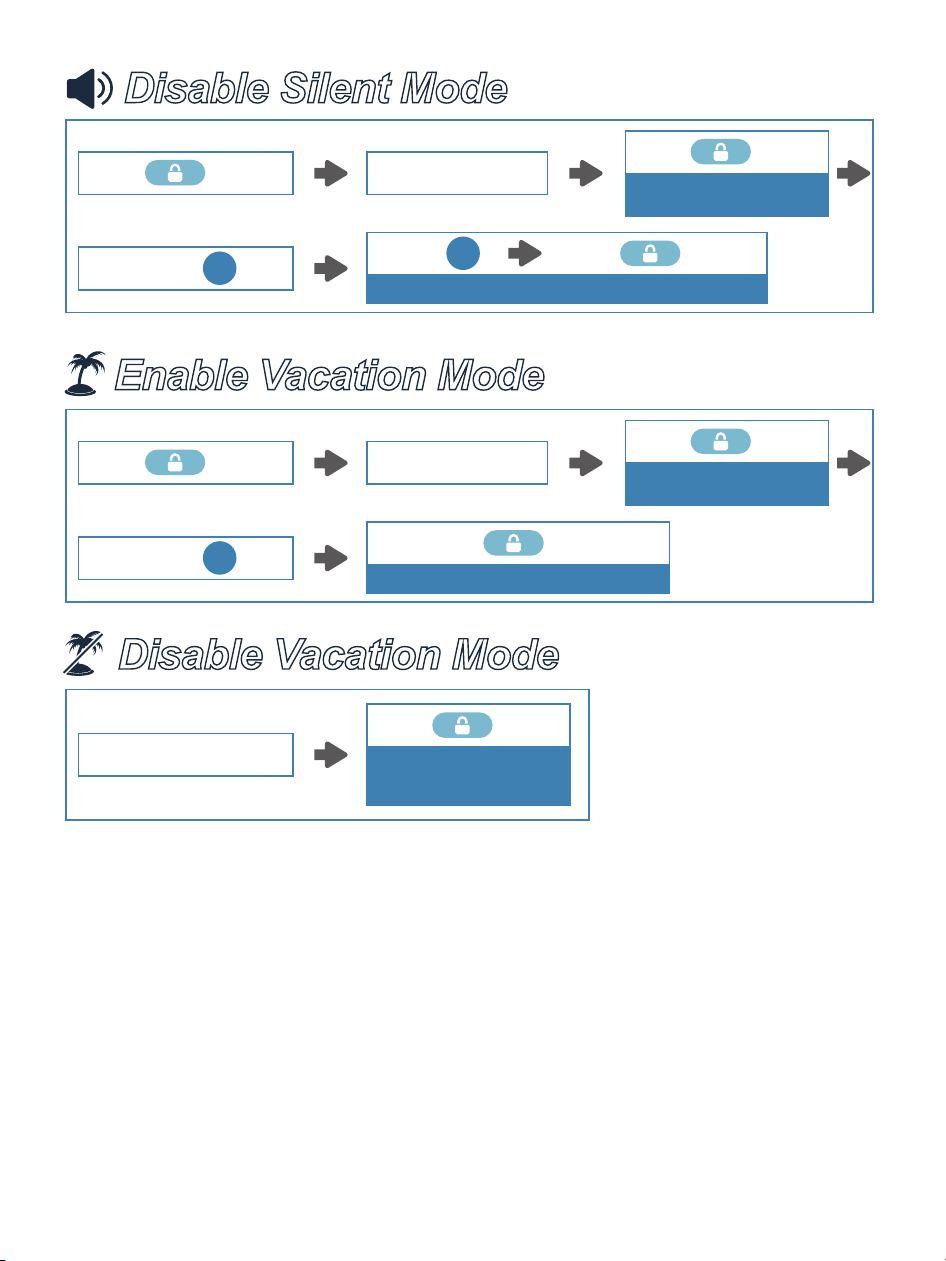
Disable Silent Mode
Enter Master Code
2 Times
Press
Green light flashes
1 Time
Press
Press
4
1 Time
Press Press
Succeed Green light flashes
1
Disable Vacation Mode
Enable Vacation Mode
Enter Master Code
1 Time
Press
Succeed Green light flashes
2 Times
Press
Green light flashes
1 Time
Press
Press
6
1 Time
Press
Succeed
Green light flashes
Enter Master Code
07
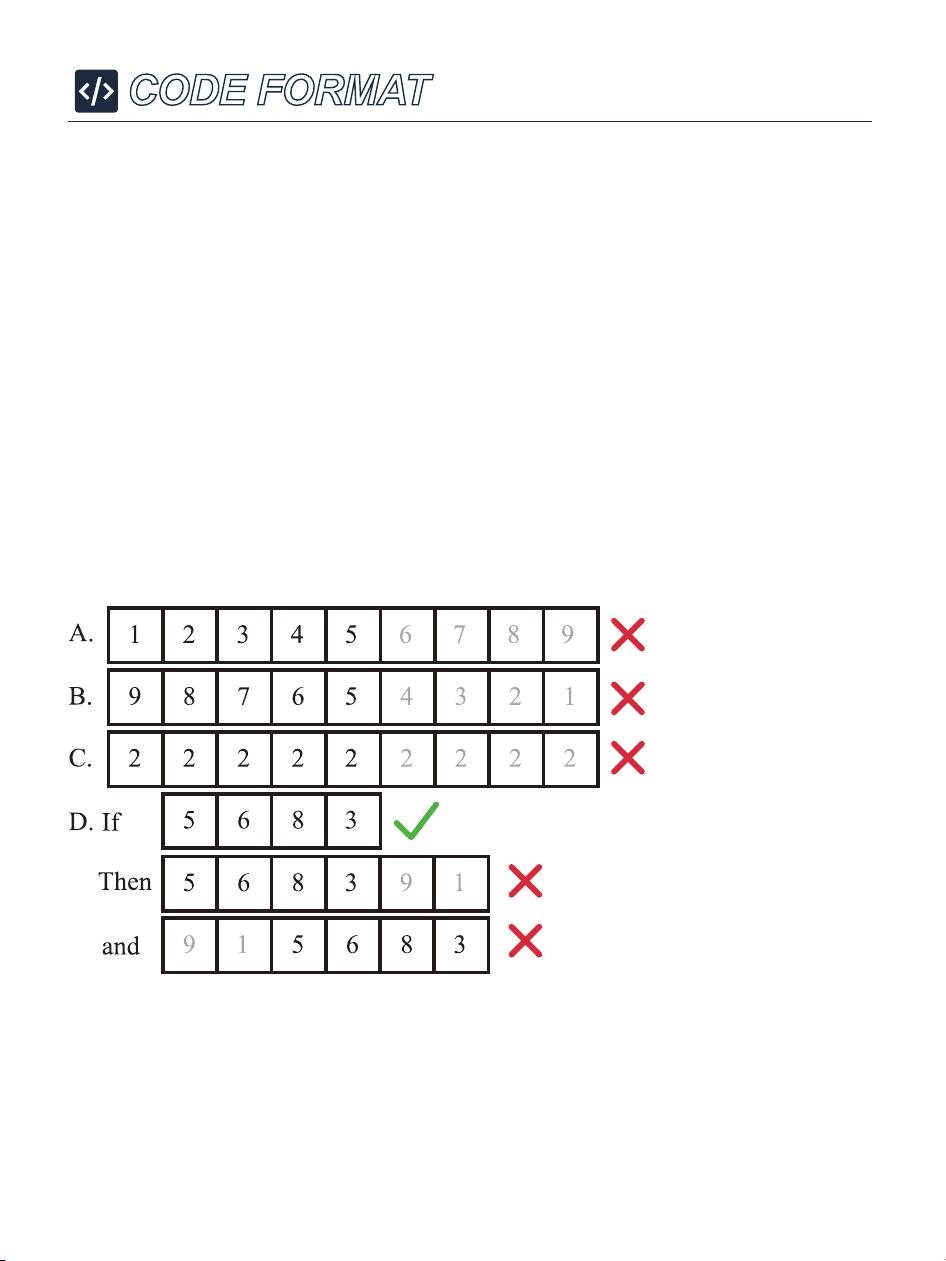
CODE FORMAT
1. Master Code (4 to 10 digits):
The Default Master Code is
12345678.
It is required that you change it to a code of your own
before programming.
2. User Code (4 to 10 digits):
A total of 20 User Codes (including One-time User Code)
can be programmed and stored.
3. Neither Master Code nor User Code doesn’t support
the following combination of numbers.
Forward number
sequence
Backward number
sequence
Repeat number
sequence
Contain existing
code sequence
08
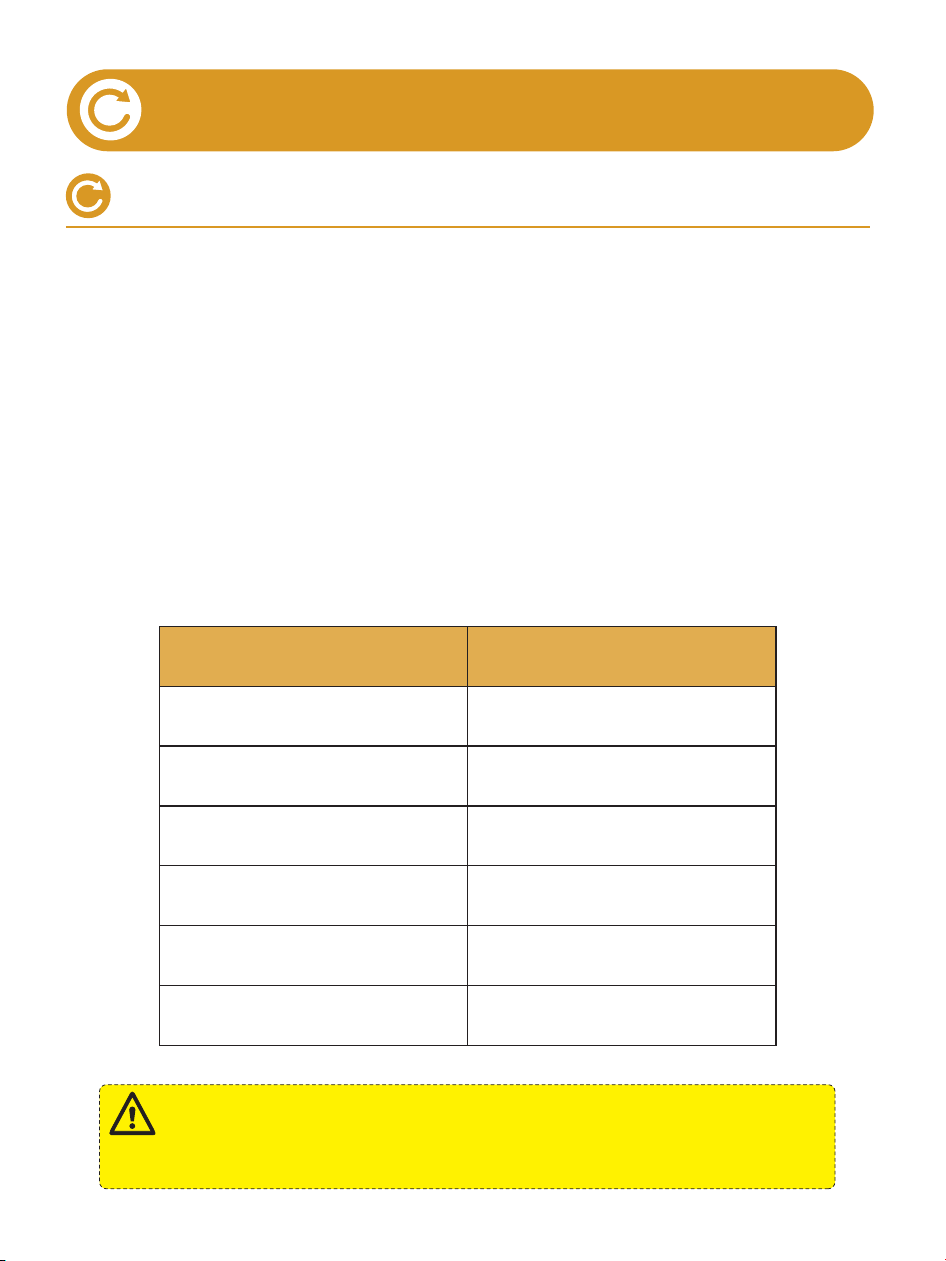
HOW TO RESET
Resetting steps
Settings
Master Code
Auto Lock
Silent Mode
Wrong Entry Limit
Shutdown Time
Vacation Mode
Factory Default
12345678
Disabled
Disabled
10 times
3 minutes
Disabled
Resetting will delete all User Codes which associated with the
lock.
IMPORTANT:
1. Keep the door open and turn the Thumb Turn to horizontal
position (unlocked).
2. Press and hold the Reset Button using the provided
Reset Tool. While holding the button, remove one battery,
then reinsert it.
3. Continue holding the Reset Button for 5 seconds until
you hear a "beep" sound and the Latch rotates. The
Thumb Turn will automatically return to vertical position.

09
DEFINITIONS
• MASTER CODE
• AUTO LOCK
The Default Master Code is 12345678. Before programming,
it requires to change the Default Master Code to a new one.
Master Code can be used to unlock the door under Vacation Mode.
In Auto Lock mode, your smart lock will automatically lock the door
after 30 seconds.
Auto Lock is disabled by default. You can customize the Auto Lock
time delay between 10 and 99 seconds.
• ONE-TOUCH LOCK
One-touch Lock is pressing and holding Any button on the Keypad
for 2 seconds to lock from outside.
• WRONG ENTRY LIMIT
After 10 times unsuccessful attempts at entering an invalid code, the
device will shut down for 3 minutes.
• SILENT MODE
The beep sounds when pressing Keypad can be muted. But you will
still hear low battery and system alerts.
• VACATION MODE
This is a security feature for you when you are leaving your home
for vacation or long trip.
Enabling the Vacation Mode will restrict all User Codes until
Master Code is entered on the Keypad. If it’s unlocked by the
Thumb Turn from the inside, the lock will sound an alarm.
• ONE-TIME USER CODE
Only one One-time Code can be generated at a time.
It can be used once and will be automatically deleted and become
invalid. If not used, it will be overwritten by a new one.
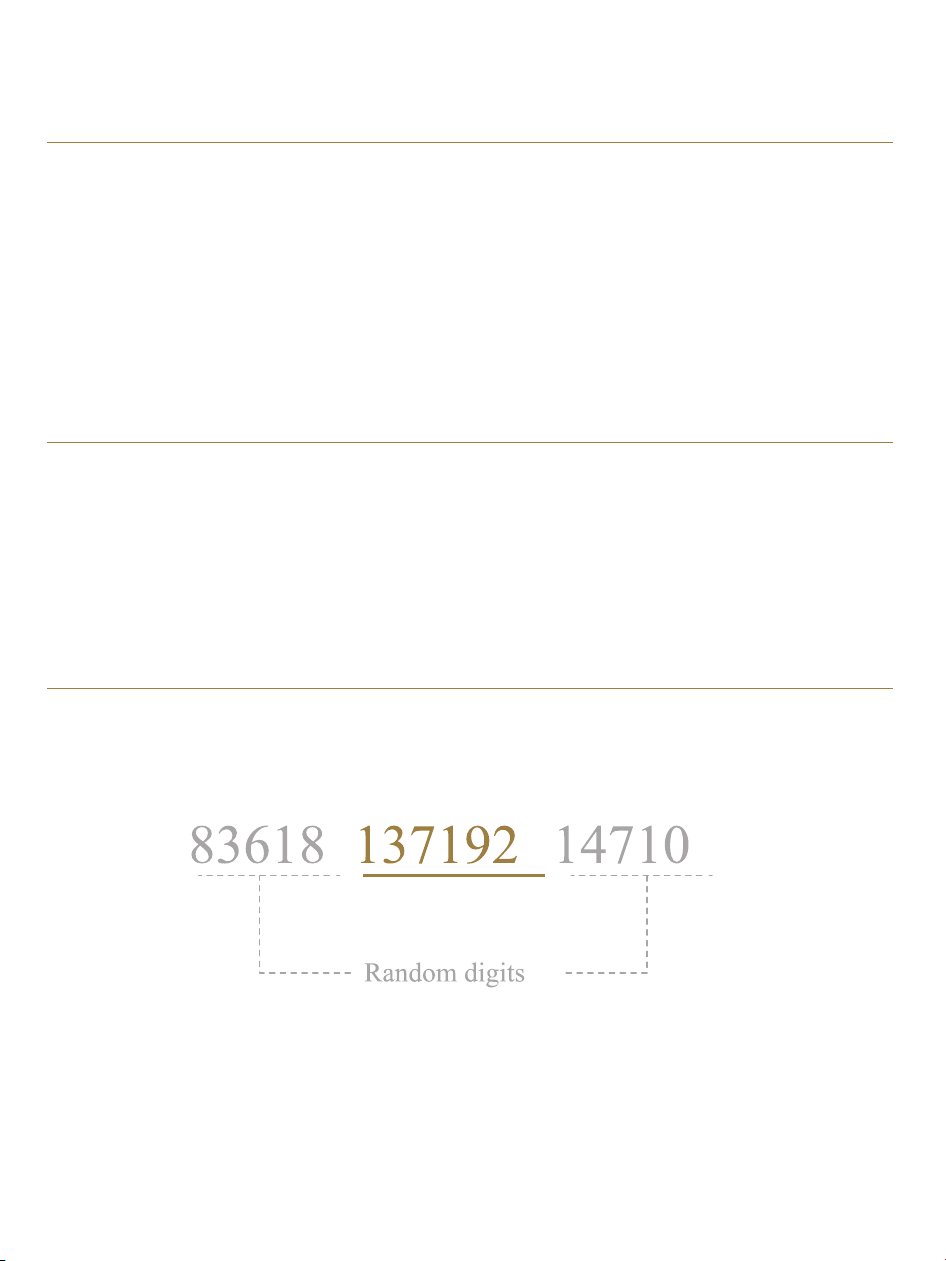
• ANTI-PEEPING PASSCODE
Entering random numbers before or after correct passcode will also
unlock the door, which can prevent the passcode being exposed.
The length of anti-peeping passcode should be within 16 digits.
10
• Master Code can not be changed.
Refer to "How to Reset" section to perform the reset. If it doesn’t
solve the issue, please call us at +1(833)878-3346.
• Fail to add a new User Code.
1. Before adding a new User Code, please change the Default
Master Code 12345678 to a new one.
2. Make sure the New Master Code has been entered correctly.
3. The lock can only set and store 20 User Codes. A User Code
must be at least 4 to 10 digits.
• Battery indicator keeps flashing.
The battery is low if the battery indicator keeps flashing. Please
replace with 4 new batteries for the best performance (Alkaline
batteries only).
• I forgot my Master Code.
Perform a resetting and the Master Code will return to the default
one 12345678.
FAQ
11


V1.0
Whatever issues with TEEHO products. Please contact us
before returning it.
+1 (833) 878-3346
(Monday-Friday 9:00 am-5:00 pm PST)
Need Help? Contact Us!
teeho.com
If you have your order ID, videos or images of your
problem (if necessary) ready before contacting Customer
Support, we will solve your problem faster and better.