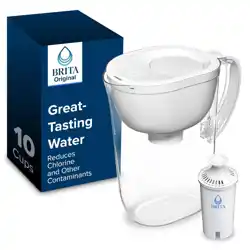
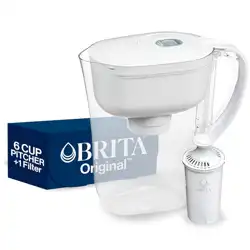
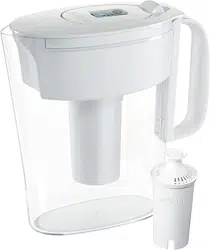
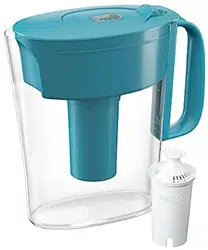
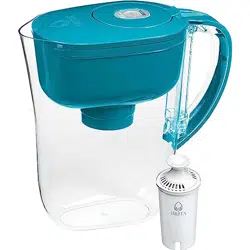
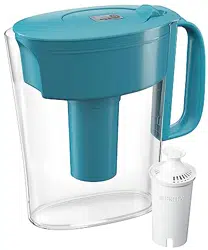
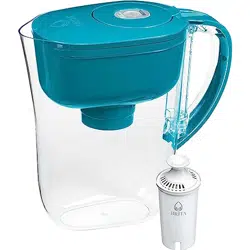
This user guide is for the standard Brita® filter (model #OB03). For Brita® LONGLAS (model #OB06) user instructions, visit www.brita.com (U.S.A.) or www.brita.ca (Canada), or refer to instructions provided in Brita® LONGLAST Filter replacement packs.
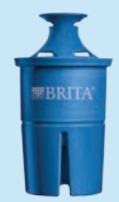
Wash your hands with soap and water, then remove filter from filter bag. NOTE: It is normal for a new filter to be wet when first opened. Filters are washed during manufacturing to prevent them from drying out.
Hand-wash pitcher/dispenser, lid and reservoir periodically with a mild detergent. Do not wash in dishwasher. Do not use abrasive cleaners. Rinse well. TIP: For Pattern Series Pitchers, if water gets trapped under sleeve, let pitcher air dry upside-down at room temperature.
Flush filter with cold, running tap water for 15 seconds.
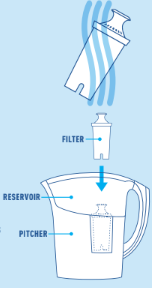
Insert filter into reservoir by lining up groove in filter with fin in reservoir. Press firmly to ensure a tight seal. Fill the reservoir with cold tap water.* Discard your first three pitchers of filtered water (or first dispenser), or use this water for plants. It is normal for carbon dust to appear in your first fillings.
Be sure to activate the electronic indicator (if applicable). Refer to the Filter Change Indicator instructions depending on indicator type.
For best results when filling pitcher/dispenser reservoir, pour tap water on the side of the reservoir rather than directly on top of the filter. Allow water to filter completely before pouring or refilling reservoir.
To register your system and find more information on usage, recycling, and new products, visit www.brita.com or www.brita.ca. *Hot water should not be used with the Brita® Pitcher Filter (Max. 85°F/29°C – Min. 32°F/0°C).
Filter Change Reminders
SIGN UP AND SAVE! Get filter change reminders and info about special offers and promotions. TEXT MYBRITA to 48744 (U.S.A. only)
By texting to this program, you authorize Brita to send an automated message to your number with a link to a website with more information. Consent is not a condition of purchase. For Terms and Privacy Policy, visit www.brita.com.
Try Brita® LONGLAST Filters
Reduces Lead, Cadmium, Asbestos and Chlorine Taste & Odor
Lasts 3× longer than other filters
Certified by WQA in all Brita® pitchers (except Stream and Infinity). Substances reduced may not be present in all users’ water.
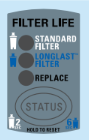
Filter Change Indicator (Dual Mode)
Reset indicator whenever replacing filter.
Reset steps
Press and hold STATUS button
Standard filter: hold 2 seconds → lights blink twice → green STANDARD light blinks 3 times (40-gallon mode).
LONGLAST filter: hold 6 seconds → green LONGLAST light blinks 3 times (120-gallon mode).
If wrong mode selected, repeat step 1.
Filling instructions
Pitchers with Max Fill line: Fill reservoir to line → close lid → indicator blinks each fill. Blinking green light = filter good.
Lake pitcher: Fill under faucet until lid closes → light blinks after pouring.
Check status anytime Press STATUS 1 second → corresponding light blinks.
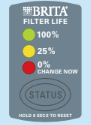
When filter life = 0% Red REPLACE light blinks → replace filter.
Replace filter and reset indicator.
Important
• ONLY keep the FILL LID open for more than 5 seconds IF you are filling the reservoir with water. • ALWAYS wait until the reservoir is empty before refilling.
Filter performance is not certified after life of the filter (40 gallons for standard filter and 120 gallons for Brita® LONGLAST). Changing your filter regularly helps ensure you have healthier, great-tasting water.
The indicator contains a nonreplaceable, sealed battery. After several years of use, the indicator will stop working, but the pitcher is still functional. Continue to change the filter regularly as directed.‡
*Models with “Max Fill” line: OB21, OB32 (Amalfi), OB36 (Color Series), OB41, OB43 (Capri), OB44 (Mini Plus), OB47, OB50 and OB53. The filter change indicator is activated when the lid is opened for 5–8 seconds (based on size of reservoir) and measures water use by counting the number of times the reservoir is filled. Always fill to max line to ensure accuracy, and open reservoir lid only when filling reservoir with water. Filter change indicator logic does not account for product misuse.
†The filter change indicator for Lake (OB58) is activated when you pour, and measures water use based on 8 fl. oz. pours. ‡Standard Brita® filter should be replaced after 40 gallons/151 liters (about 2 months for the average family). Brita® LONGLAST filter should be replaced after 120 gallons/454 liters (about 6 months for the average family). You may need to change your filter more or less often, depending on the amount of water you consume. Filter Change Indicator logic does not account for product misuse.
Filter Change Indicator (Single Mode)
Filter Change Indicator — Reset & Usage
Reset your filter change indicator each time you replace the filter. Filter replacement is required for the product to perform as specified.
Indicator Instructions (When Installing a New Filter)
Reset / Activate Indicator Press and hold the STATUS button for 8 seconds. The red, yellow, and green lights will blink simultaneously.
Release Button Release the STATUS button when only the green light blinks.
Fill Reservoir Open the Fill Lid completely and fill the reservoir with water, then close the lid. If the pitcher lid is removed, place it on a flat surface while filling.
Check Filter Status Press the STATUS button for 1 second at any time to view filter life. Note: If no lights flash when pressing STATUS for 1 second, the initial setup may not be completed. Repeat steps 1–2.
After water is poured from the pitcher, a light will blink automatically:
Blinking green light → Filter condition is acceptable.
When approximately 25% filter life remains (480 pours completed), the yellow light blinks, indicating the filter should be replaced soon. The yellow light continues until about 1% life remains.
When 0% filter life remains (640 pours completed), the red light blinks, indicating replacement is required.
Replace the filter and reset the indicator (see Step 1).
Important Information
Filter performance is not certified after 40 gallons. Changing the filter regularly helps maintain water quality and taste.
The filter change indicator contains a sealed, non-replaceable battery. After several years of use, the indicator may stop functioning. The pitcher remains usable — continue replacing the filter according to the recommended schedule.
Notes
The filter change indicator activates when water is poured and measures usage based on 8 fl. oz. pours. Indicator calculations do not account for improper use.
The filter should be replaced after 40 gallons / 151 liters (approximately 2 months for an average household). Replacement frequency may vary depending on consumption.
Usage Reminders
Daily filtering limit: For maximum efficiency, filter no more than 2 gallons (7.5 liters) per day.
Storage recommendations: Store the Brita® system in a refrigerator for cold filtered water. If stored outside the refrigerator, keep it in a cool location away from direct sunlight. Replace any filtered water that has been left standing for several days or longer.
Filter hydration: Ensure the bottom of the filter remains in contact with filtered water to prevent drying. If the filter dries out, soak it in water for 15 minutes before use.
Replacement filters: Visit the official websites for purchasing information:
U.S.A. — www.brita.com
Canada — www.brita.ca
Brita® Water Filtration Pitchers/Dispensers
Classic – Model # OB01/OB03 Mist – Model # OB01/OB03 Metro – Model # OB11/OB03 Slim – Model # OB11/OB03 SoHo – Model # OB11/OB03 Space Saver – Model # OB21/OB03 UltraMax – Model # OB24/OB03
Amalfi – Model # OB32/OB03 Atlantis – Model # OB32/OB03 Grand – Model # OB36/OB03 Pacifica – Model # OB41/OB03 Capri – Model # OB43/OB03 Vintage – Model # OB43/OB03 Mini Plus – Model # OB44/OB03
Everyday – Model # OB46/OB03 Marina – Model # OB47/OB03 Oceania – Model # OB48/OB03 Monterey – Model # OB50/OB03 Stainless Steel – Model # OB51/OB03 Wave – Model # OB53/OB03 Lake – Model # OB58/OB03
You’ll be pleased to know that we offer a 30-day unconditional money-back guarantee! Thank you again for your trust in Brita.
Still have questions? Or to locate retailers: Visit www.brita.com or call U.S.A. 1-800-24-BRITA, CANADA 1-800-387-6940.
Read this Performance Data Sheet carefully and compare the capabilities of this unit with your actual water treatment needs. Before purchasing a water treatment unit, it is recommended that you have your water supply tested to determine specific treatment requirements.
These systems have been tested according to NSF/ANSI Standards 42 and 53 for reduction of the substances listed. The concentration of each indicated substance in the influent water was reduced to a level less than or equal to the permissible limit for treated water, as specified in NSF/ANSI 42 and 53.
Standards & Definitions
U.S. EPA levels are Maximum Contaminant Levels (MCLs) and correspond to NSF Maximum Permissible Product Water Concentrations unless otherwise noted.
a — U.S. EPA Action Level (by treatment technique)
b — Health Canada Aesthetic Objective (AO)
c — Health Canada Maximum Acceptable Concentration (MAC)
d — NSF minimum percent reduction requirement
N.A. — Not applicable
Usage & Maintenance Requirements
Refer to other sections of this User’s Guide for proper conditioning, use, and care. Maintenance according to the manufacturer’s instructions is essential for proper filter performance.
Replace the Brita® Pitcher Filter every 40 gallons / 151 liters (approximately 2 months for an average household).
For maximum efficiency, process no more than 2 gallons / 7.5 liters per day.
Replacement filters (model OB03) generally cost $8.00 or less.
Performance Disclaimer
Testing was performed under standard laboratory conditions. Substances reduced or removed by this system may not be present in all users’ water. Filter performance may vary based on local water conditions.
The Brita® Pitcher Filter is not intended to purify water. Do not use with water that is microbiologically unsafe or of unknown quality without adequate disinfection before or after the system.
Individuals requiring water of special microbiological purity should consult their physician or local health authorities regarding the use of tap water and Brita® filtered water.
Temperature Limits
Do not use hot water with the Brita® Pitcher Filter. Operating temperature range: 32°F / 0°C (minimum) to 85°F / 29°C (maximum).