I. Acknowledgments
•
•
•
•
o
o
o
o
o
•
•
•
•
•
•
•
•
•
•
•
•
•

IMPORTANT SAFETY INSTRUCTIONS ..................................................................................................... 4
TABLE OF CONTENTS .............................................................................................................................. 0
1 INTRODUCTION ............................................................................................................................... 5
1.1 PRODUCT INFORMATION ............................................................................................................... 7
1.2 SYSTEM INTEGRATION .................................................................................................................. 8
1.3 JBL SYNTHESIS CERTIFIED INSTALLERS ....................................................................................... 8
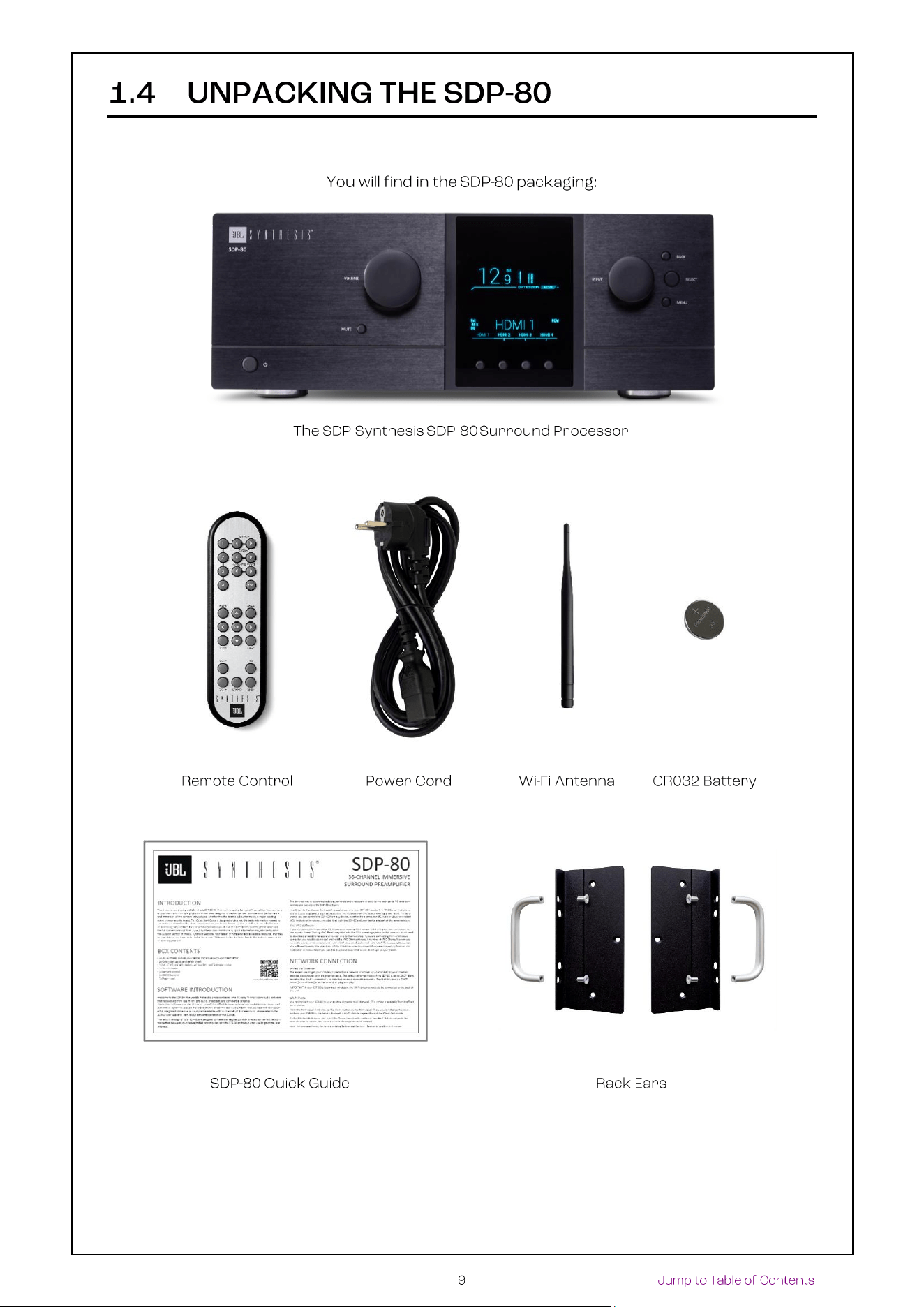
1.4 UNPACKING THE SDP-80 .............................................................................................................. 9
1.5 THE HARDWARE ......................................................................................................................... 10
Front panel layout .................................................................................................................................... 10
Front panel display .................................................................................................................................. 10
Rear panel layout ..................................................................................................................................... 11
IR remote control..................................................................................................................................... 12
1.6 THE SOFTWARE ......................................................................................................................... 13
Available options to access the graphical user interface ............................................................................ 13
Important note about the web-based interface ......................................................................................... 14
Using a display, mouse and keyboard connected to the SDP-80 ................................................................ 14
The Top menu bar ................................................................................................................................... 15
The Main user interface ........................................................................................................................... 16
The Lateral menu bar............................................................................................................................... 16
Folded lateral menu ................................................................................................................................. 17
Unfolded lateral menu.............................................................................................................................. 18
The Speakers/Room setup tool ................................................................................................................ 19
The Fine Tuning panel ............................................................................................................................. 19
The Advanced Settings interface .............................................................................................................. 20
Product Information ................................................................................................................................ 20
Software updates .................................................................................................................................... 21
2 NETWORK SETUP .......................................................................................................................... 22
2.1 CHOOSING A NETWORK CONFIGURATION ........................................................................................ 22
2.2 CONNECTING TO THE SDP-80 ..................................................................................................... 23
Overview of the network connection procedure ........................................................................................ 23
Step 1: download and install a VNC client on your device .......................................................................... 24
Step 2: put the SDP-80 and your device on the same network ................................................................... 25
Step 3: connect to the SDP-80 from your device ....................................................................................... 29
Using a Mac OS X computer with Screen Sharing ..................................................................................... 30
Using a Mac OS X computer with Chicken of the VNC .............................................................................. 31
Using a Windows computer with Tight VNC ............................................................................................. 32
2.3 CHANGING THE NETWORK SETTINGS THROUGH THE FRONT PANEL ..................................................... 35
Checking the Wi-Fi settings ...................................................................................................................... 35
Checking the Ethernet settings ................................................................................................................. 36
Connecting the SDP-80 to a Wi-Fi network ............................................................................................... 36
2.4 CHANGING THE WI-FI SETTINGS THROUGH THE GUI ........................................................................ 37
About the Wi-Fi information ..................................................................................................................... 37
Checking the Wi-Fi settings ...................................................................................................................... 37
Connecting the SDP-80 to a Wi-Fi network ............................................................................................... 38
Changing the Wi-Fi Status mode of the SDP-80 ........................................................................................ 39
2.5 CHANGING THE ETHERNET SETTINGS THROUGH THE GUI ................................................................. 40
About the Ethernet information ................................................................................................................ 40
Checking the Ethernet settings ................................................................................................................. 40
Changing the Ethernet Settings ................................................................................................................ 41
2.6 ABOUT VNC AND ZERO-CONF NETWORKING ................................................................................... 42
About VNC (Virtual Network Computing) .................................................................................................. 42
About zero-configuration networking ........................................................................................................ 42

3 NETWORK STREAMING ................................................................................................................. 43
3.1 THE UPNP PROTOCOL................................................................................................................ 43
3.2 UPNP NETWORK ARCHITECTURE ................................................................................................. 43
3.3 RECOMMENDED UPNP SOFTWARE ................................................................................................ 44
4 DAILY OPERATIONS ...................................................................................................................... 46
4.1 AVAILABLE USER INTERFACES ....................................................................................................... 46
4.2 USING THE FRONT PANEL ............................................................................................................ 47
Power On-Off Sequence ........................................................................................................................... 47
Checking the format of incoming audio .................................................................................................... 49
4.3 USING THE IR REMOTE CONTROL .................................................................................................. 50
Volume control ........................................................................................................................................ 50
Source selection ...................................................................................................................................... 50
Listening format Selection ....................................................................................................................... 50
Preset selection ....................................................................................................................................... 51
Access to the Front Panel menu .............................................................................................................. 51
Light Button............................................................................................................................................. 51
Level and Delay Adjustment Bypass ......................................................................................................... 51
4.4 USING THE GRAPHICAL INTERFACE ................................................................................................ 52
Volume control ........................................................................................................................................ 52
Source selection ...................................................................................................................................... 52
Preset selection ....................................................................................................................................... 53
Checking the format of incoming audio .................................................................................................... 53
5 BASIC SETTINGS ........................................................................................................................... 54
5.1 NAMING YOUR SOURCES ............................................................................................................. 54
5.2 CONFIGURING YOUR SOURCES ...................................................................................................... 55
5.3 DEFAULT SOURCE CONFIGURATION ............................................................................................... 57
5.4 OPTIMIZER OPTIONS ................................................................................................................... 58
5.5 NAMING, SAVING AND LOADING PRESETS ........................................................................................ 59
5.6 DEFAULT PRESET ....................................................................................................................... 61
5.7 SET A MAXIMUM VOLUME ........................................................................................................... 61
5.8 SET THE DIM LEVEL.................................................................................................................... 62
5.9 BACKUP/RESTORE OF PRESETS .................................................................................................... 63
6 OVERVIEW OF THE SETUP PROCEDURE ....................................................................................... 64
7 ESSENTIAL TOOLS AND SETTINGS .............................................................................................. 65
7.1 AUDIO CLOCK SETTINGS .............................................................................................................. 65
Audio clock status information ................................................................................................................. 65
Audio clock setup .................................................................................................................................... 66
7.2 METERING THE INPUTS AND OUTPUTS ........................................................................................... 67
7.3 PLAYING PINK NOISE ON THE SPEAKERS ......................................................................................... 68
7.4 SOLO/MUTE AN INPUT OR AN OUTPUT ........................................................................................... 69
7.5 SWITCHING ACOUSTICS CORRECTION AND LEVEL / DELAY ALIGNMENT ON/OFF .................................... 70
7.6 VIEWING THE ACOUSTICAL GRAPHS ............................................................................................... 72
Important notes....................................................................................................................................... 72
Graphs display options ............................................................................................................................ 73
Choose display options according to your requirements ........................................................................... 74
8 SPECIFY THE SPEAKER LAYOUT .................................................................................................. 76
8.1 OVERVIEW OF THE SPEAKERS SETUP PROCEDURE ............................................................................ 76
8.2 INTRODUCING THE SPEAKER/ROOM SETUP TOOL ............................................................................. 76
8.3 AN EXAMPLE OF A SPECIFIC SPEAKER LAYOUT .................................................................................. 78
8.4 AVAILABLE INITIAL LAYOUTS ......................................................................................................... 79
8.5 SELECT AN INITIAL SPEAKER LAYOUT ............................................................................................. 80
8.6 ADDING SPEAKERS ..................................................................................................................... 81
Adding Regular Speakers ......................................................................................................................... 81

Adding Dolby Enabled Upfiring speakers ................................................................................................... 82
8.7 REMOVING SPEAKERS ................................................................................................................. 83
8.8 CONFIGURE THE SETTINGS OF EACH SPEAKER ................................................................................. 83
8.9 CONFIGURE THE CROSSOVER SETTINGS (OPTIONAL) ......................................................................... 85
8.10 MAPPING THE CHANNELS OF DIFFERENT FORMATS .......................................................................... 85
8.11 USING PINK NOISE TO VERIFY THE ROUTING OF THE SPEAKERS ............................................................ 87
8.12 SAVE THE PRESET ...................................................................................................................... 88
9 SPEAKER ARRAYS ......................................................................................................................... 89
9.1 SETTING UP AN ARRAY OF SPEAKERS ............................................................................................. 89
9.2 EXAMPLE OF AN ARRAY OF SPEAKERS ............................................................................................ 90
9.3 ADJUST THE GAIN ...................................................................................................................... 90
9.4 SAVE THE PRESET ...................................................................................................................... 91
10 DECODER / UP-MIXER SETTINGS .................................................................................................. 92
10.1 SUPPORTED DECODERS/UP-MIXERS ............................................................................................. 92
10.2 LISTENING FORMATS .................................................................................................................. 93
10.3 USING THE FRONT PANEL ............................................................................................................ 96
Listening format selection ........................................................................................................................ 96
Decoders Configuration ........................................................................................................................... 96
10.4 USING THE GRAPHICAL INTERFACE ................................................................................................ 97
Listening format selection ........................................................................................................................ 97
Decoder Configuration ............................................................................................................................. 97
10.5 DECODERS SETTINGS.................................................................................................................. 98
General Settings ...................................................................................................................................... 98
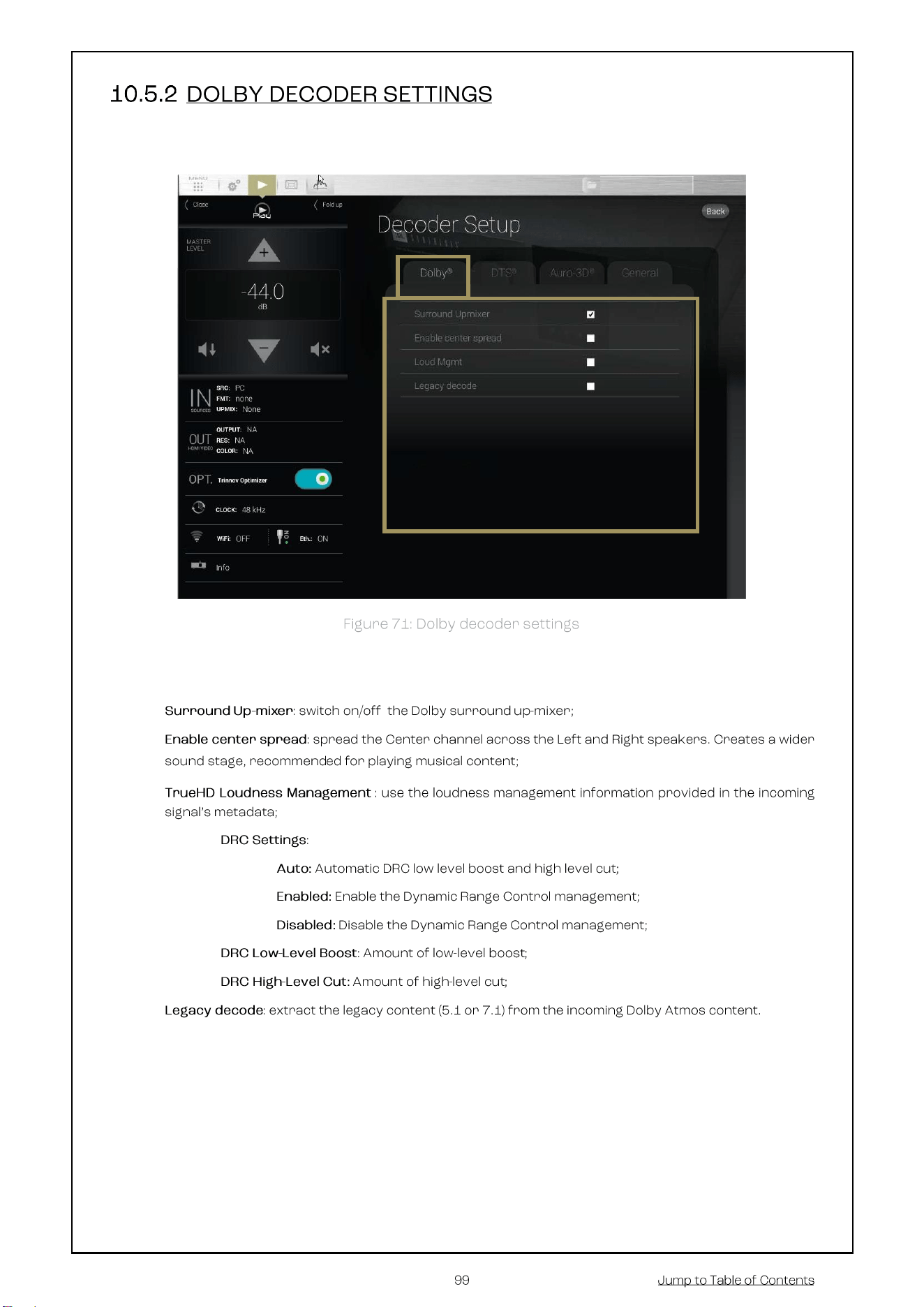
Dolby decoder settings ............................................................................................................................ 99
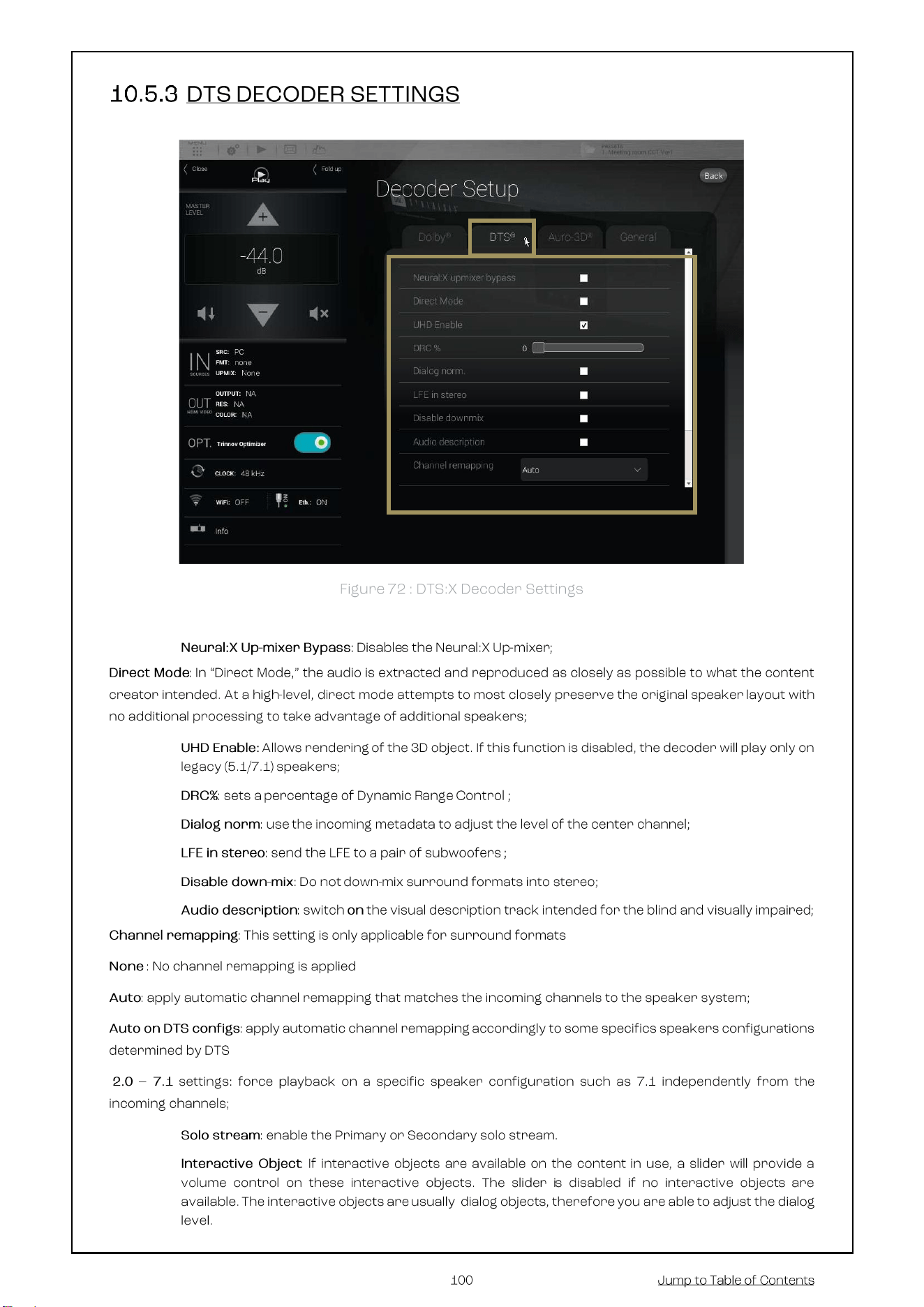
DTS decoder Settings ............................................................................................................................ 100
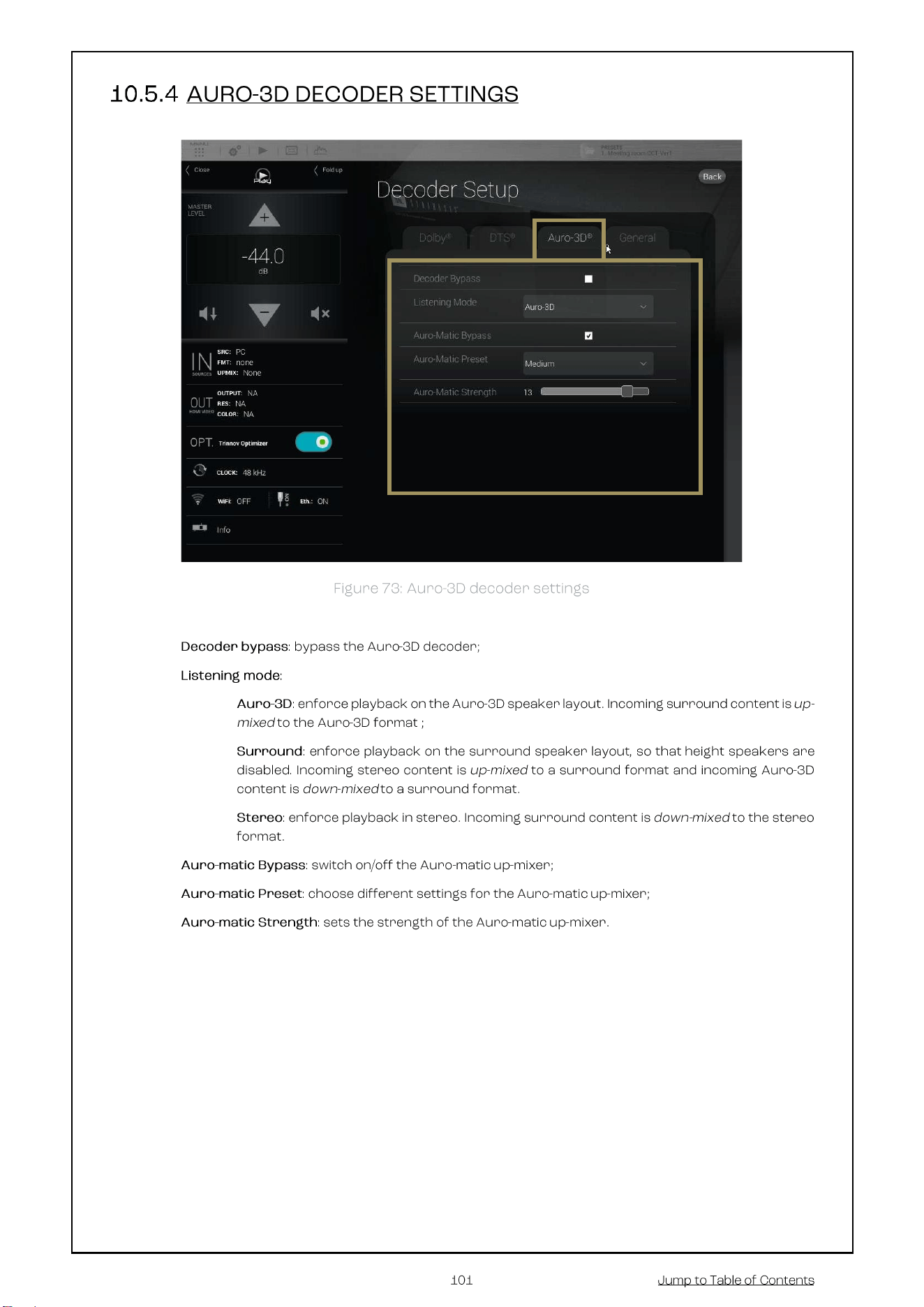
Auro-3D decoder settings ...................................................................................................................... 101
11 PREPARING FOR CALIBRATION .................................................................................................. 102
11.1 VERY IMPORTANT TIPS ........................................................................................................ 102
11.2 CHECKLIST BEFORE YOU START .................................................................................................. 102
11.3 IMPORTANT RECOMMENDATIONS FOR MICROPHONE PLACEMENT ..................................................... 103
Requirements for the measurement environment .................................................................................. 103
Reference measurement point ............................................................................................................... 103
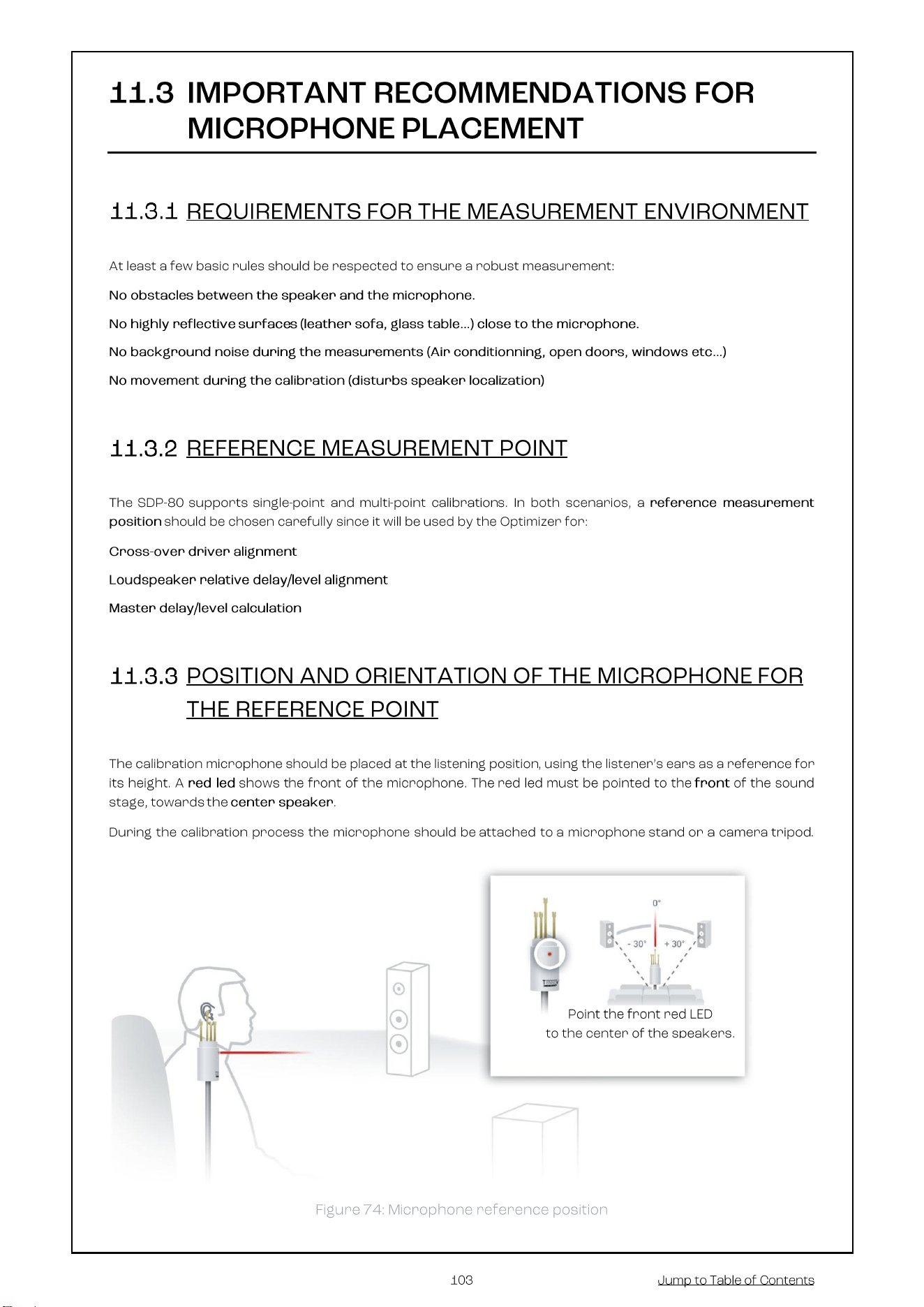
Position and orientation of the microphone for the reference point .......................................................... 103
12 CALIBRATE THE ACTIVE CROSSOVERS (OPTIONAL) ................................................................. 104
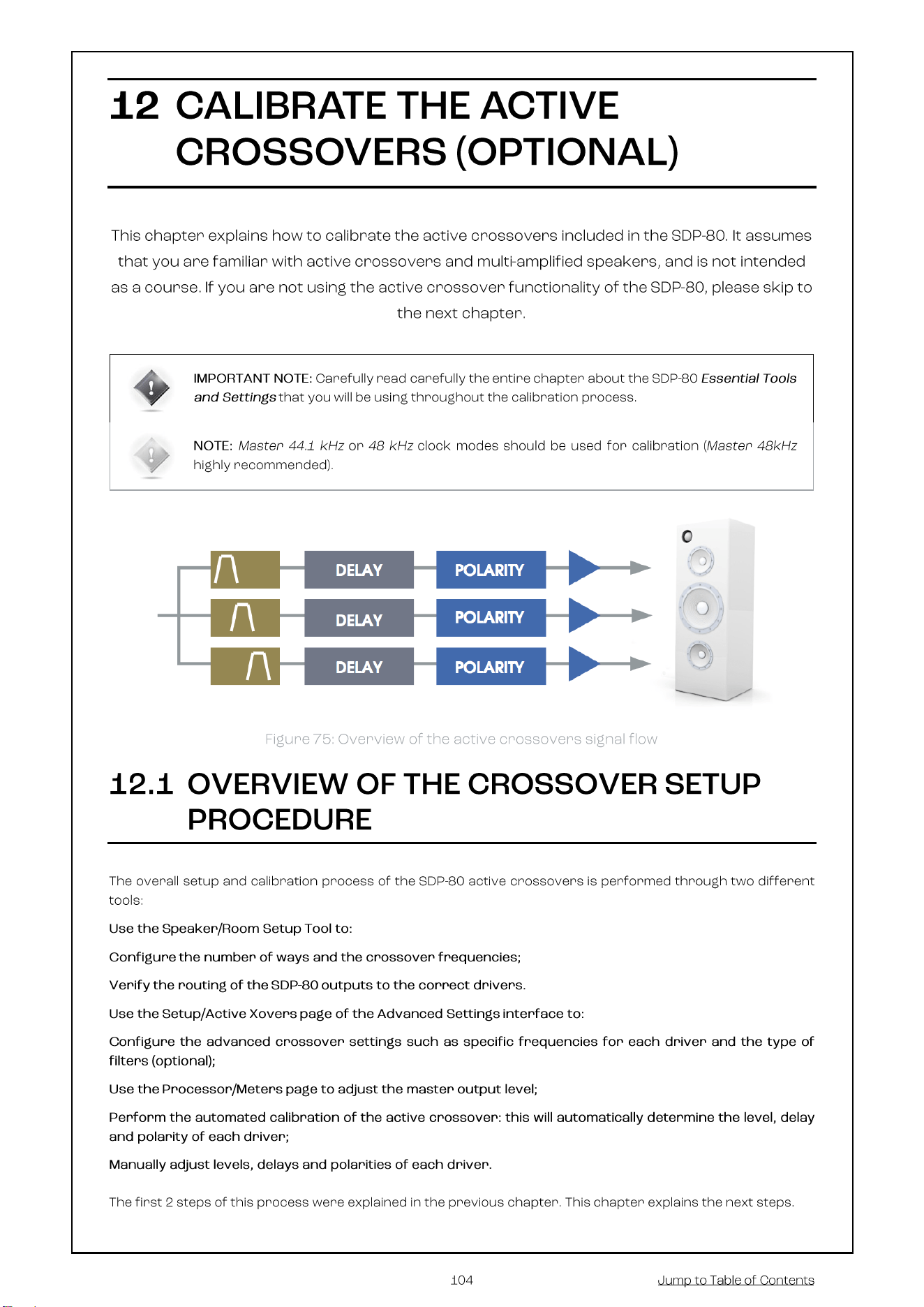
12.1 OVERVIEW OF THE CROSSOVER SETUP PROCEDURE ........................................................................ 104
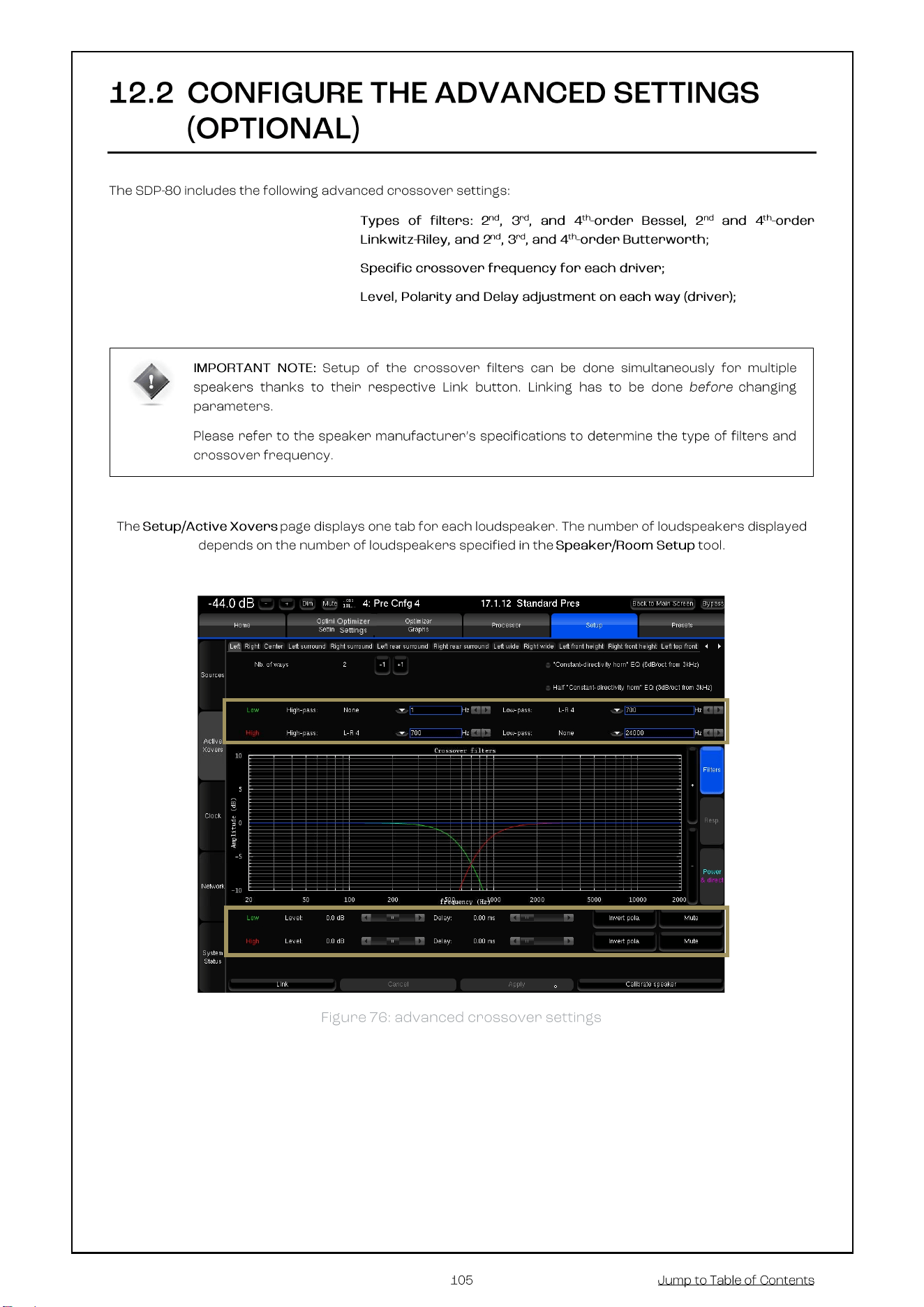
12.2 CONFIGURE THE ADVANCED SETTINGS (OPTIONAL) ......................................................................... 105
12.3 ADJUST THE MASTER OUTPUT LEVEL ........................................................................................... 108
12.4 CALIBRATE THE ACTIVE CROSSOVERS .......................................................................................... 109
12.5 VERIFY THE SOUND OF THE CALIBRATED CROSSOVERS .................................................................... 110
Visualize the acoustical graphs for each speaker .................................................................................... 110
Listen to each speaker connected to the crossover ................................................................................. 112
12.6 SAVE THE PRESET .................................................................................................................... 112
13 OPTIMIZER CALIBRATION ........................................................................................................... 113
13.1 OVERVIEW OF THE CALIBRATION PROCEDURE ................................................................................ 113
13.2 ADJUST THE MASTER OUTPUT LEVEL ........................................................................................... 113
13.3 NORMAL CALIBRATION SEQUENCE ............................................................................................... 114
13.4 COMMON PROBLEMS DURING CALIBRATION .................................................................................. 115
13.5 CALIBRATION STATUS ............................................................................................................... 115
13.6 CHECKING THE SPEAKER SUMMARY AFTER CALIBRATION ................................................................. 116
13.7 MULTI-POINT MEASUREMENTS (OPTIONAL) ................................................................................... 119
13.8 COMPUTE THE OPTIMIZATION FILTERS ......................................................................................... 119
13.9 SAVE THE PRESET .................................................................................................................... 120

14 SETUP BASS MANAGEMENT ...................................................................................................... 121
14.1 OVERVIEW OF THE BASS MANAGEMENT SETUP PROCEDURE ............................................................. 122
14.2 FULLY CUSTOMIZABLE BASS MANAGEMENT .................................................................................. 123
14.3 BASS MANAGEMENT MODE ........................................................................................................ 124
14.4 QUICK SETUP MENU ................................................................................................................. 125
Set Filters .............................................................................................................................................. 126
Apply to selected speakers ..................................................................................................................... 126
14.5 BASS MANAGEMENT SETTINGS FOR INDIVIDUAL SPEAKERS ........................................................... 127
14.6 LFE & MISC............................................................................................................................ 128
Low Frequency Effect Setup .................................................................................................................. 128
+10 Db on LFE ....................................................................................................................................... 129
Stacked Sub Correction ......................................................................................................................... 129
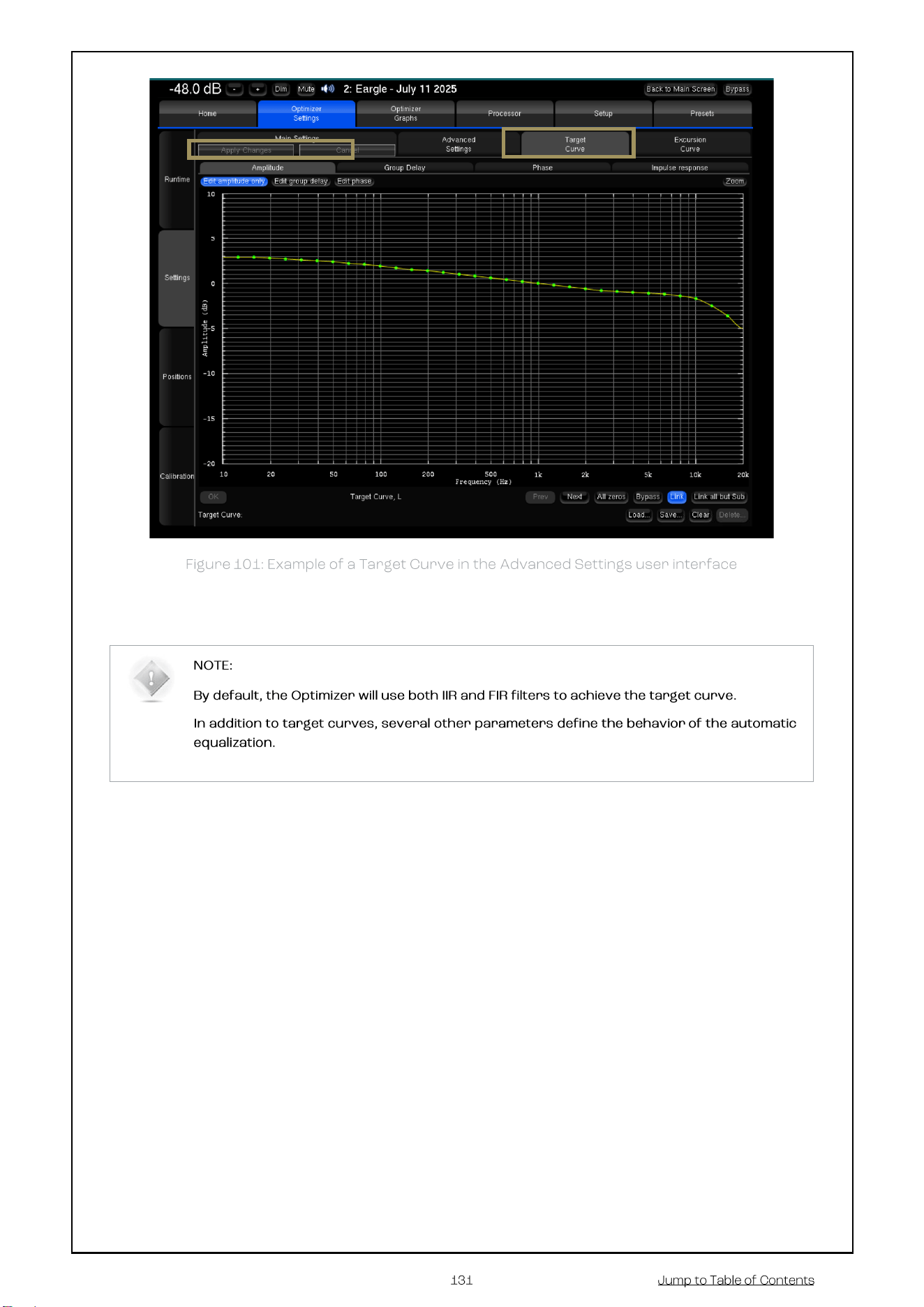
15 SETUP TARGET CURVES ............................................................................................................. 130
15.1 OVERVIEW OF THIS PROCEDURE .................................................................................................. 130
15.2 SETTING UP ONE OR MORE TARGET CURVES .................................................................................. 130
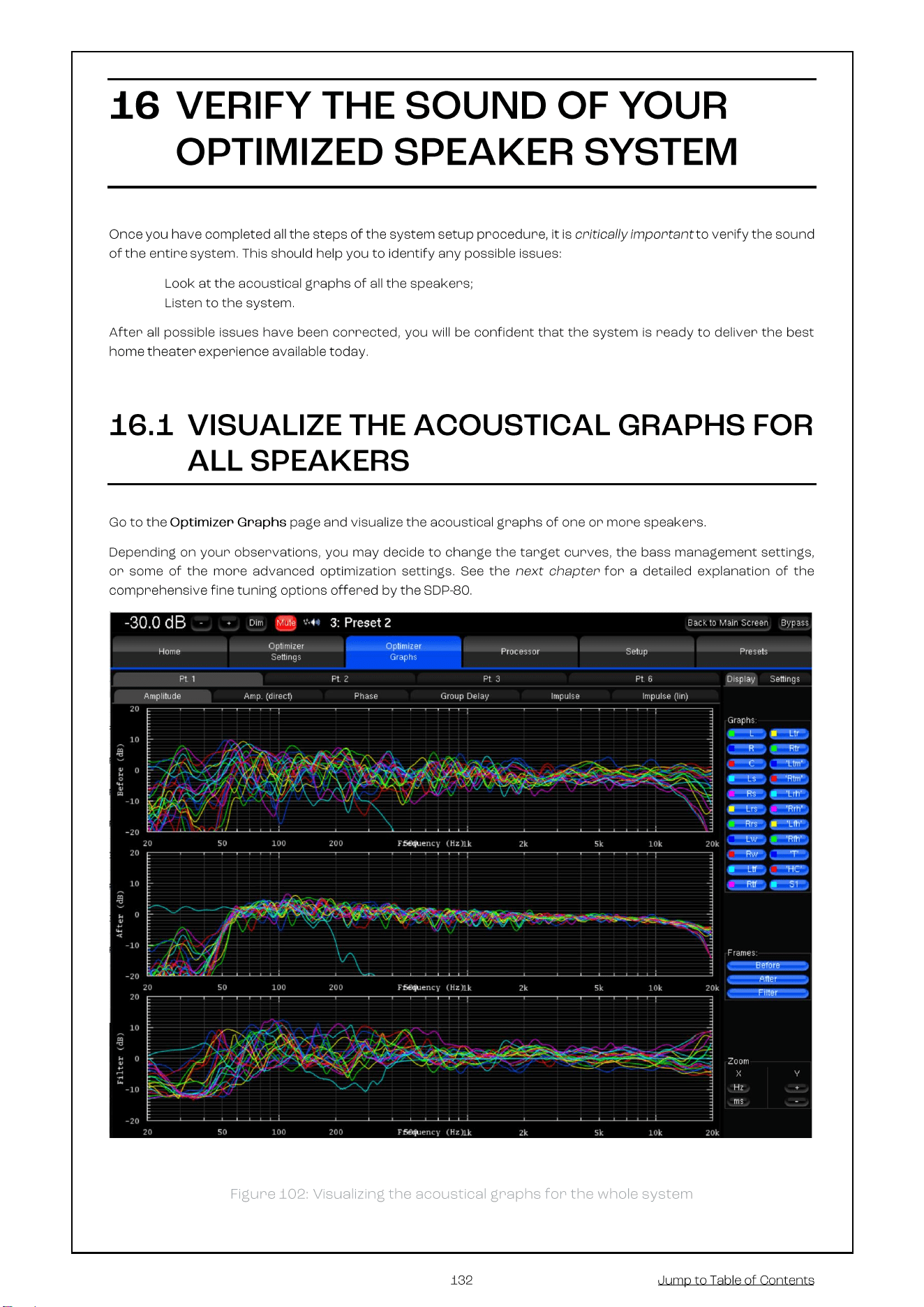
16 VERIFY THE SOUND OF YOUR OPTIMIZED SPEAKER SYSTEM .................................................. 132
16.1 VISUALIZE THE ACOUSTICAL GRAPHS FOR ALL SPEAKERS ................................................................. 132
16.2 LISTEN TO THE SYSTEM ............................................................................................................. 133
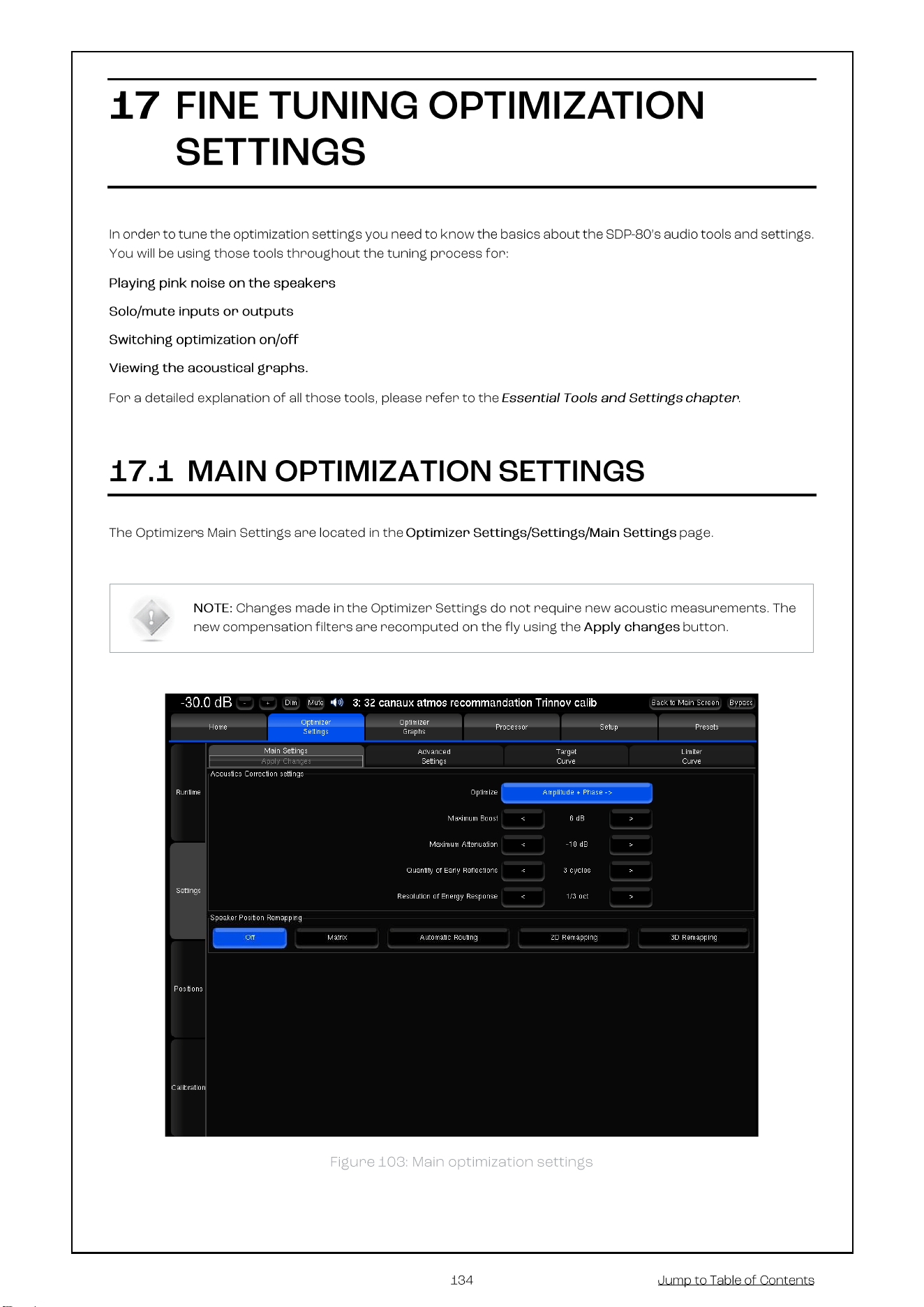
17 FINE TUNING OPTIMIZATION SETTINGS .................................................................................... 134
17.1 MAIN OPTIMIZATION SETTINGS ................................................................................................... 134
17.2 TARGET CURVE ........................................................................................................................ 136
17.3 LIMITER CURVE ........................................................................................................................ 136
17.4 ADVANCED OPTIMIZATION SETTINGS............................................................................................ 137
Display .................................................................................................................................................. 137
Front & Surround Speaker settings ......................................................................................................... 137
Acoustics Correction ............................................................................................................................. 138
Calibration settings ................................................................................................................................ 138
Optimize according to L&R speakers settings ......................................................................................... 138
FIR and IIR settings ............................................................................................................................... 138
Level alignment settings ........................................................................................................................ 139
Subwoofer low-pass filter settings ......................................................................................................... 139
Decimation settings & Advanced FIR settings ......................................................................................... 139
Advanced FIR settings ........................................................................................................................... 139
18 PERFORMING MULTI-POINT MEASUREMENTS .......................................................................... 140
18.1 RELEVANT MEASUREMENT POSITIONS ......................................................................................... 141
18.2 MULTI-POINT CALIBRATION PROCEDURE ....................................................................................... 142
18.3 WEIGHTING MULTIPLE MEASUREMENTS ....................................................................................... 142
19 APPENDIX .................................................................................................................................... 143
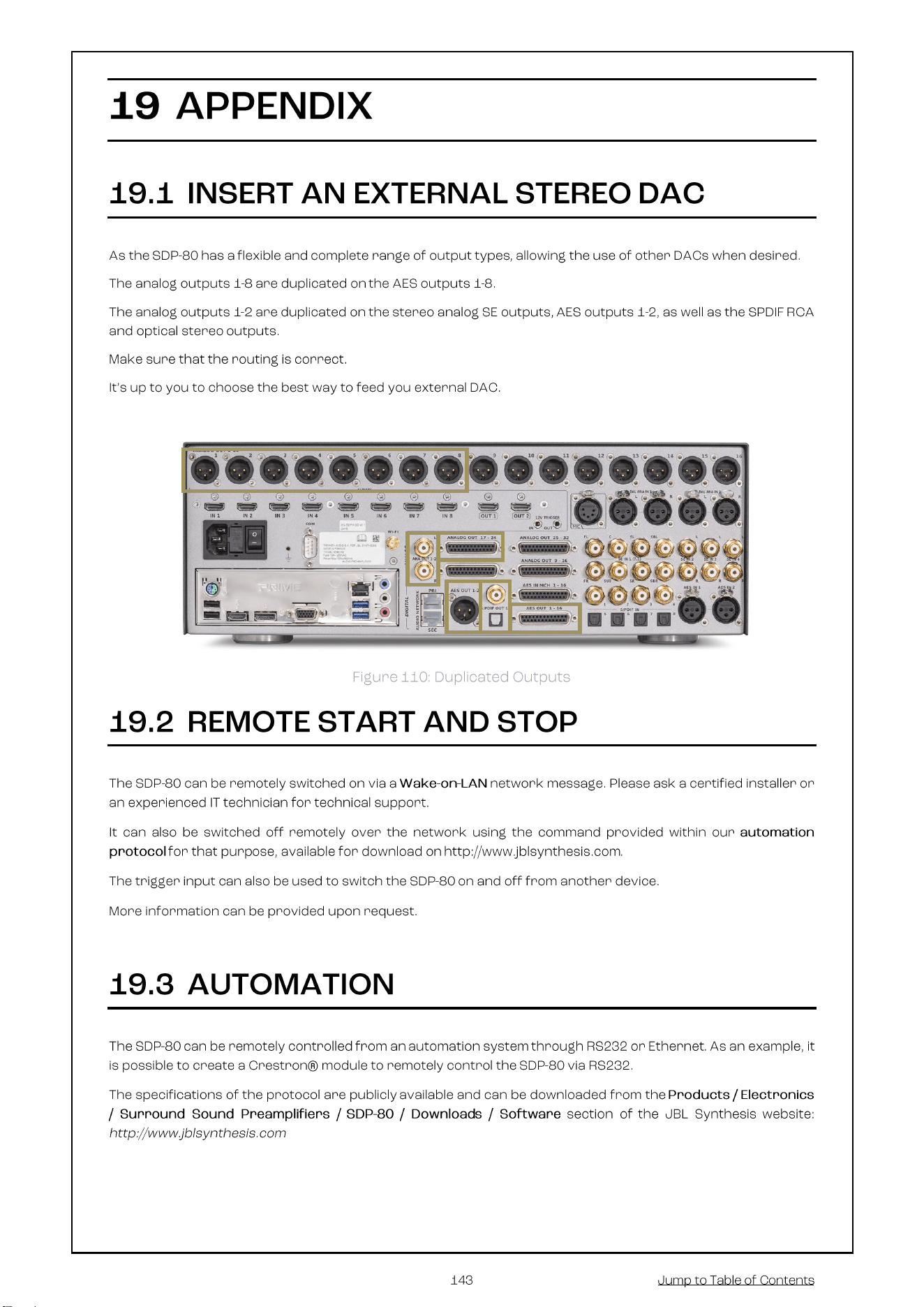
19.1 INSERT AN EXTERNAL STEREO DAC ............................................................................................. 143
19.2 REMOTE START AND STOP ........................................................................................................ 143
19.3 AUTOMATION .......................................................................................................................... 143
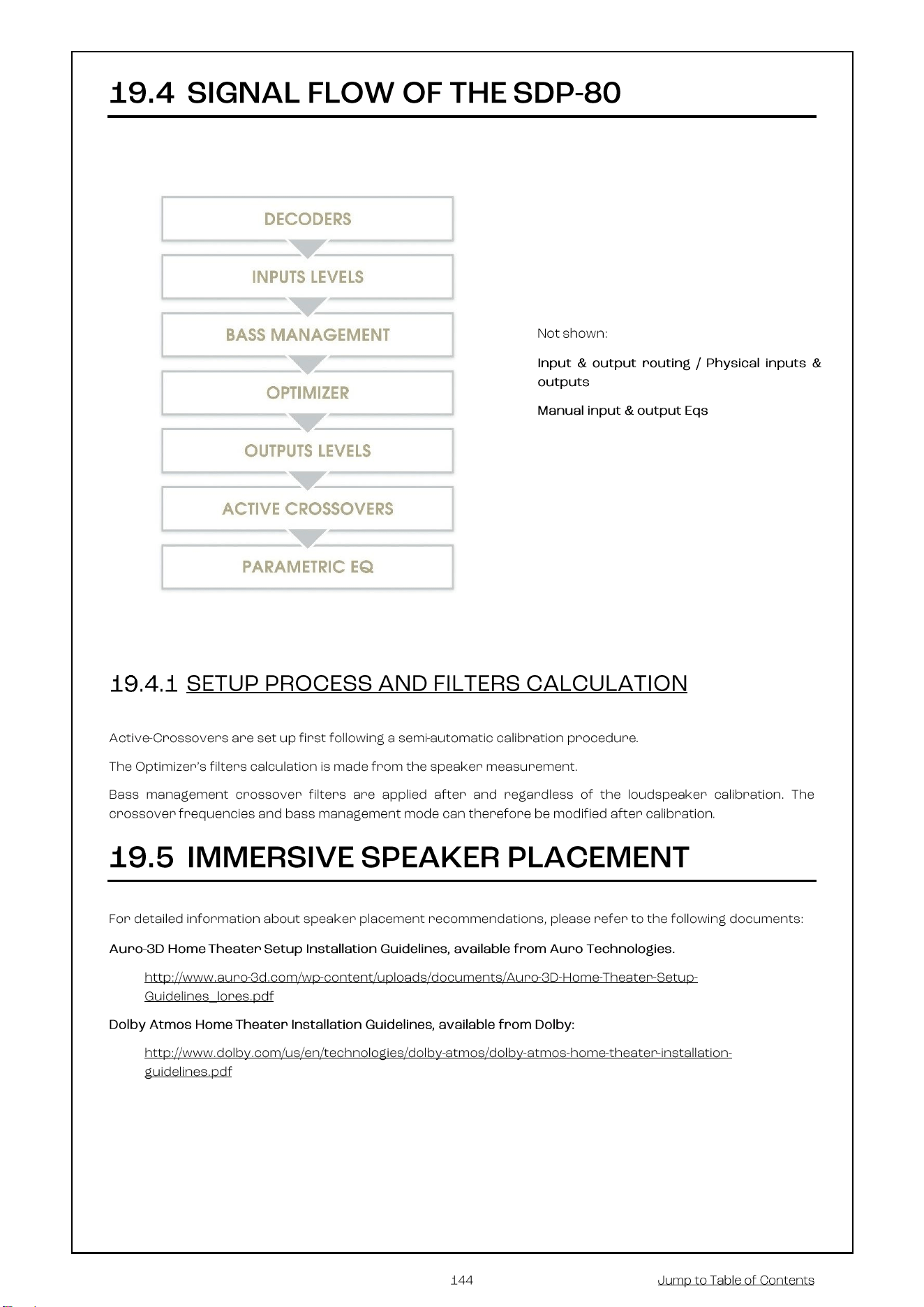
19.4 SIGNAL FLOW OF THE SDP-80 ................................................................................................... 144
Setup Process and filters calculation ...................................................................................................... 144
19.5 IMMERSIVE SPEAKER PLACEMENT ............................................................................................... 144
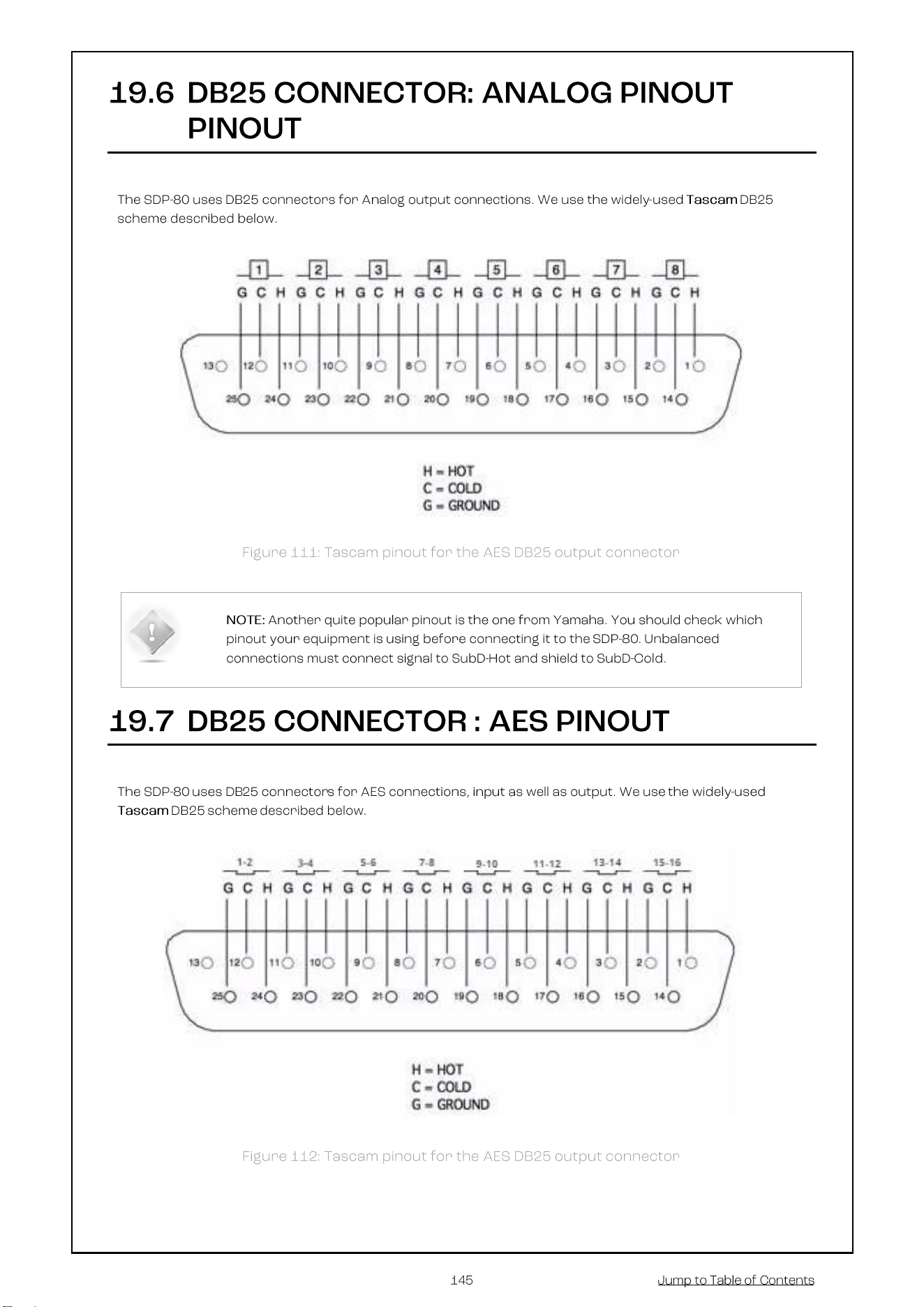
19.6 DB25 CONNECTOR: ANALOG PINOUT PINOUT ............................................................................... 145
19.7 DB25 CONNECTOR : AES PINOUT .............................................................................................. 145
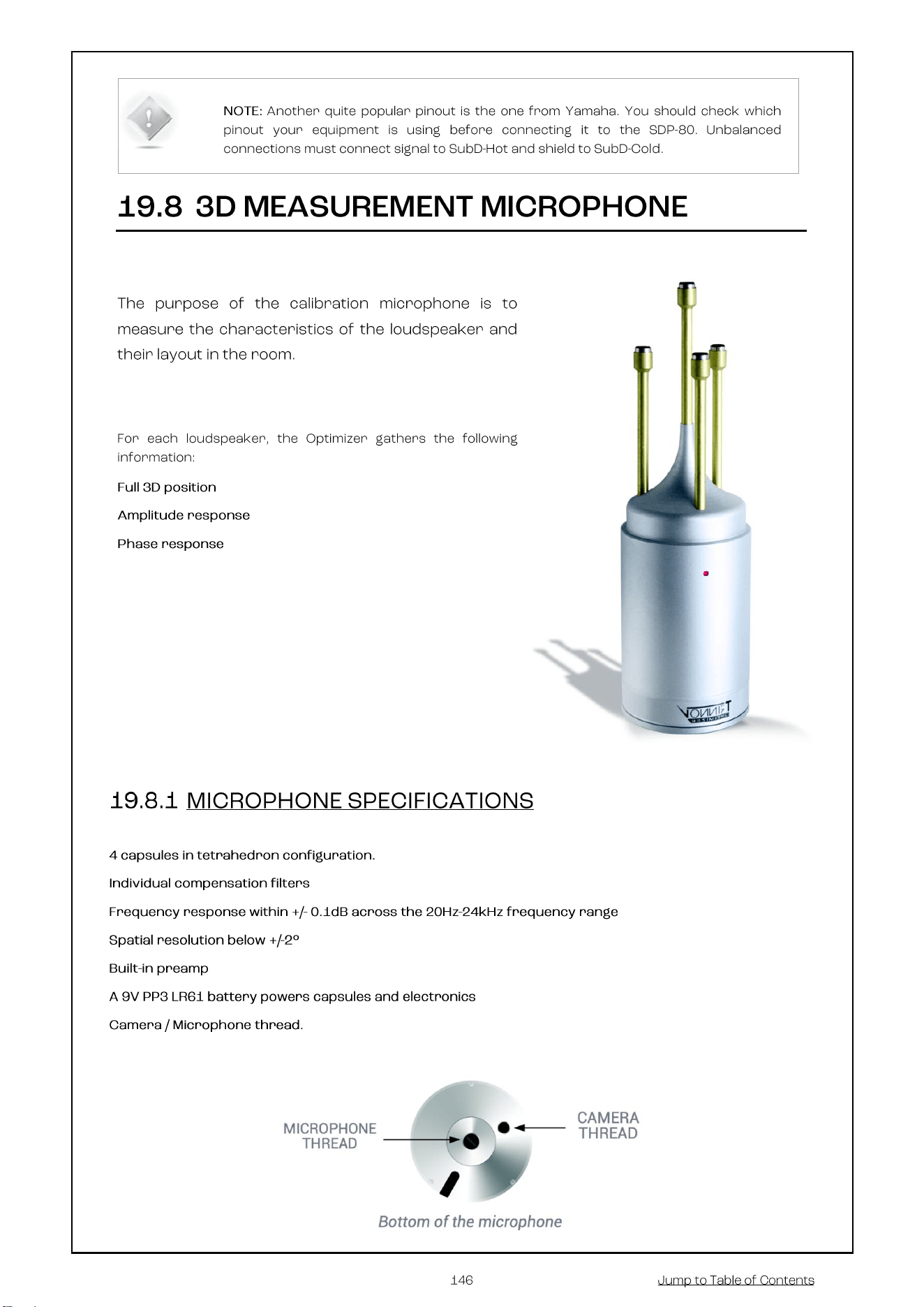
19.8 3D MEASUREMENT MICROPHONE ............................................................................................... 146
Microphone specifications ..................................................................................................................... 146
Power supply ......................................................................................................................................... 147
Individual compensation file ................................................................................................................... 147
Connection order ................................................................................................................................... 148

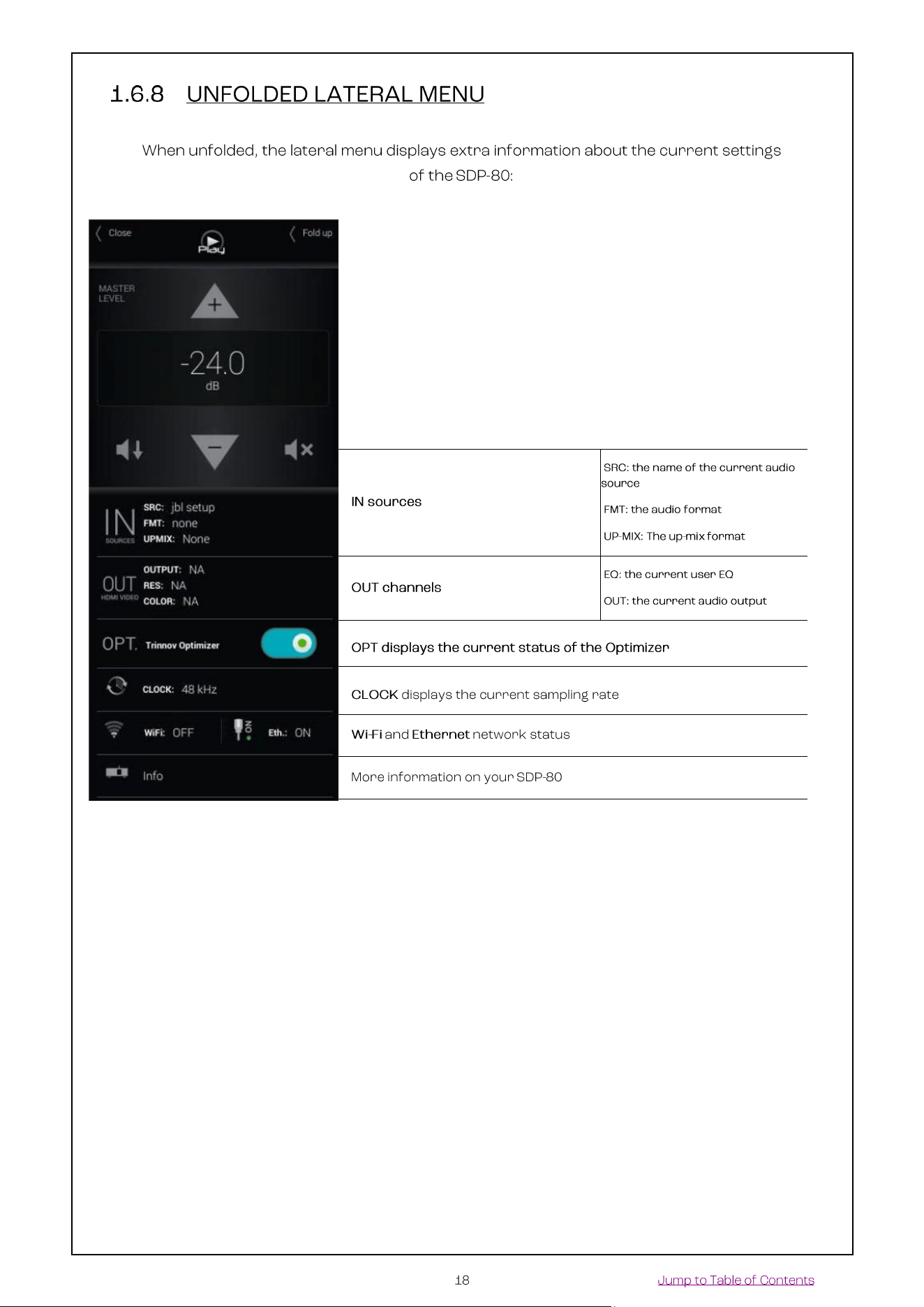
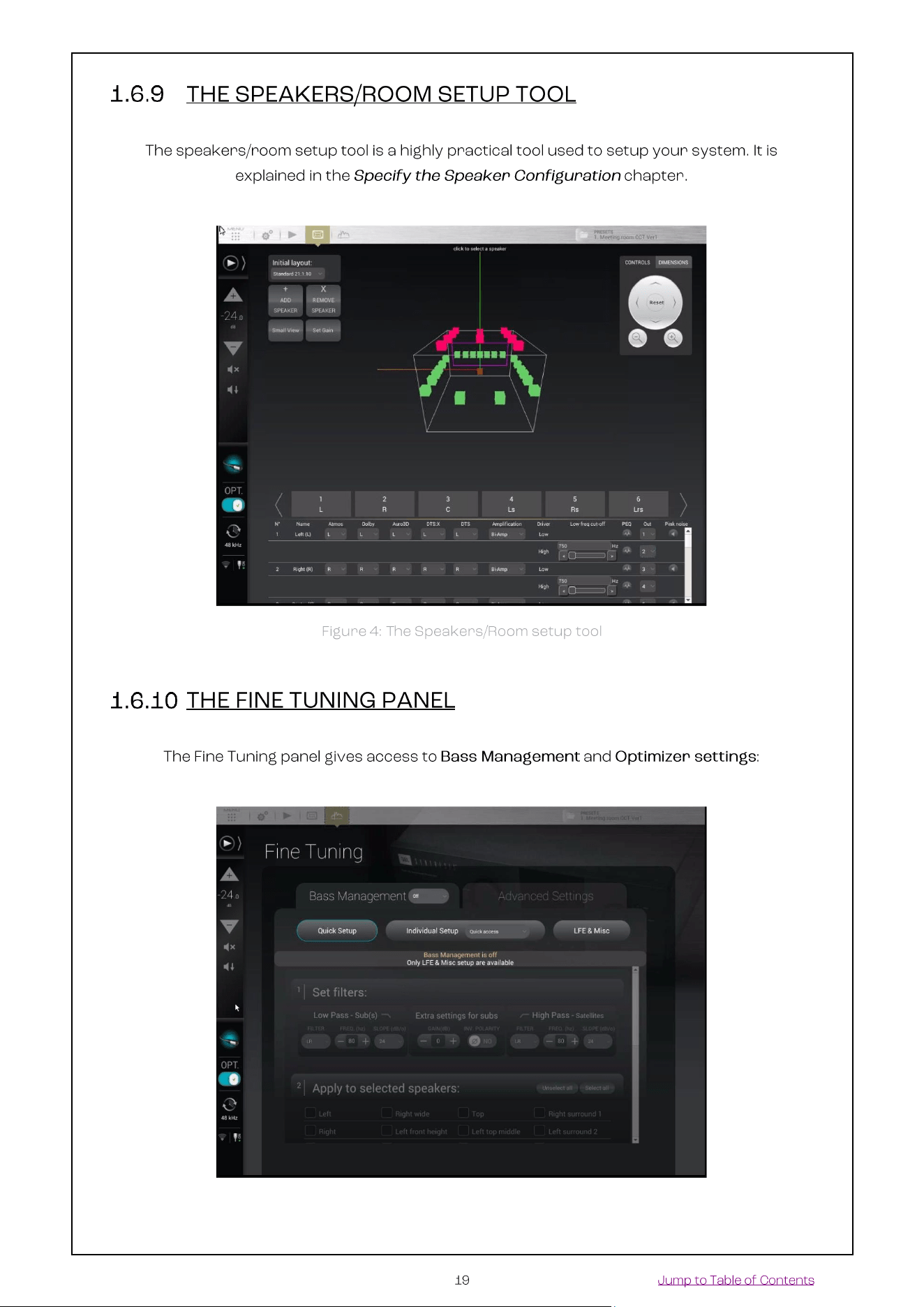
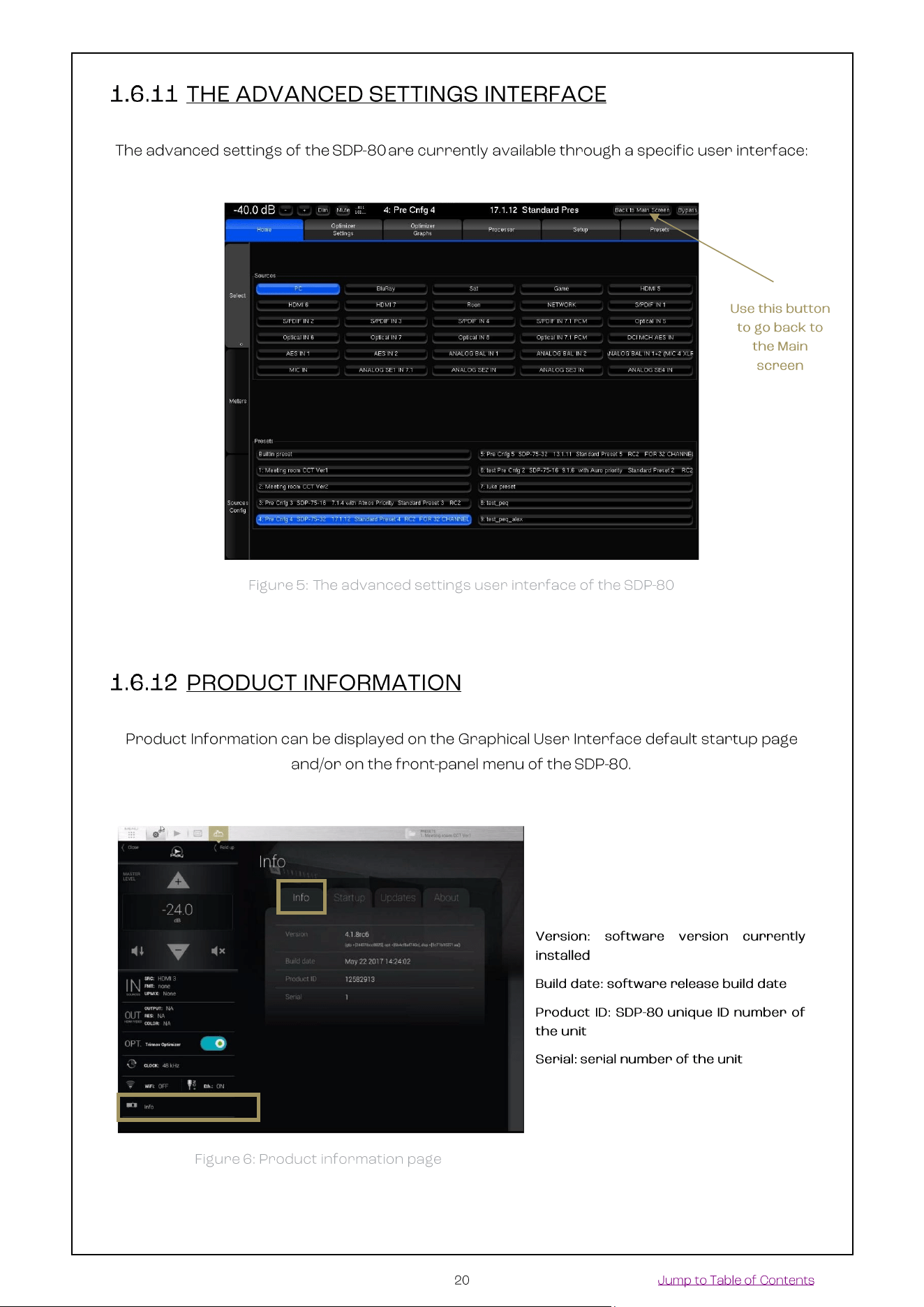
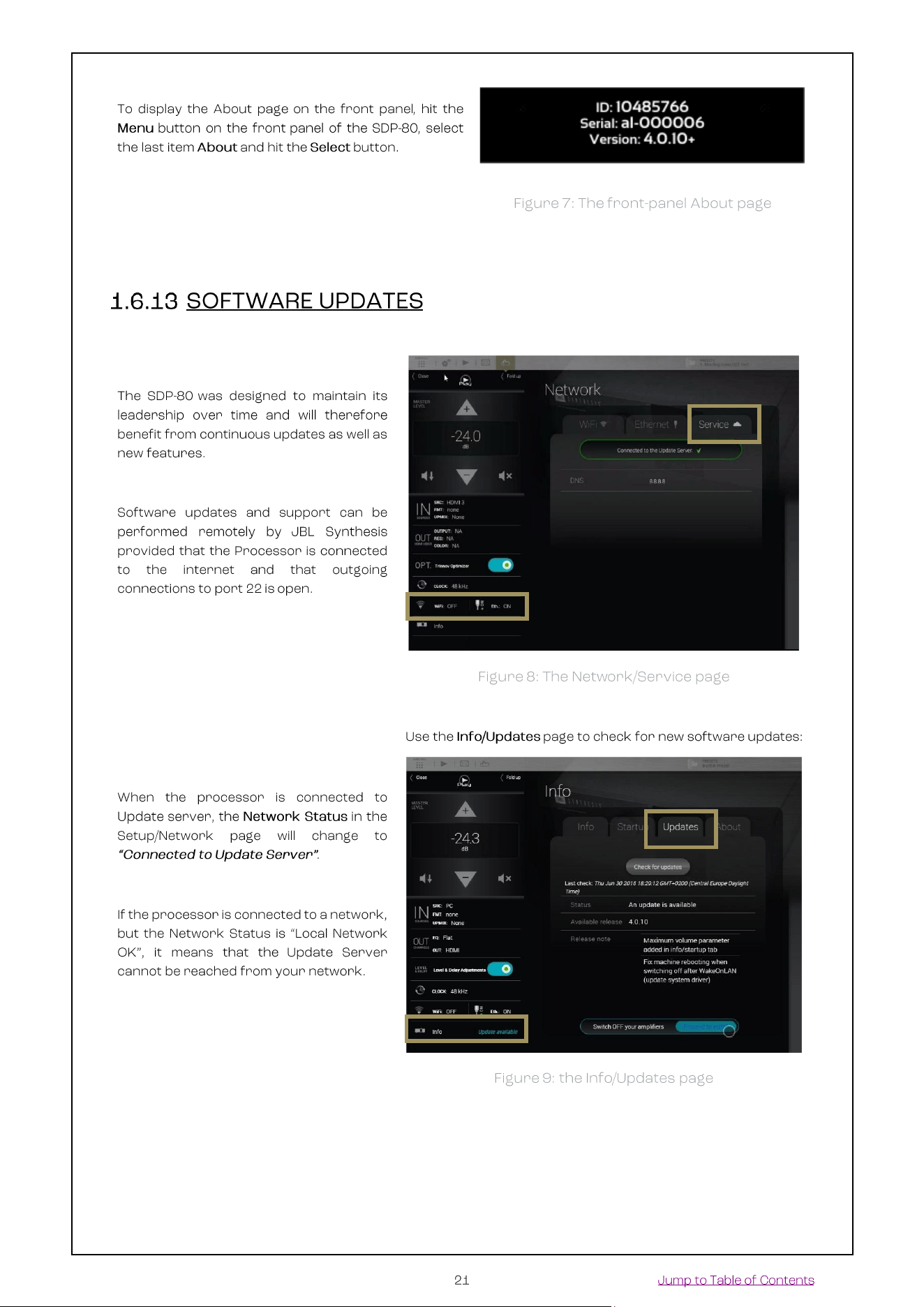
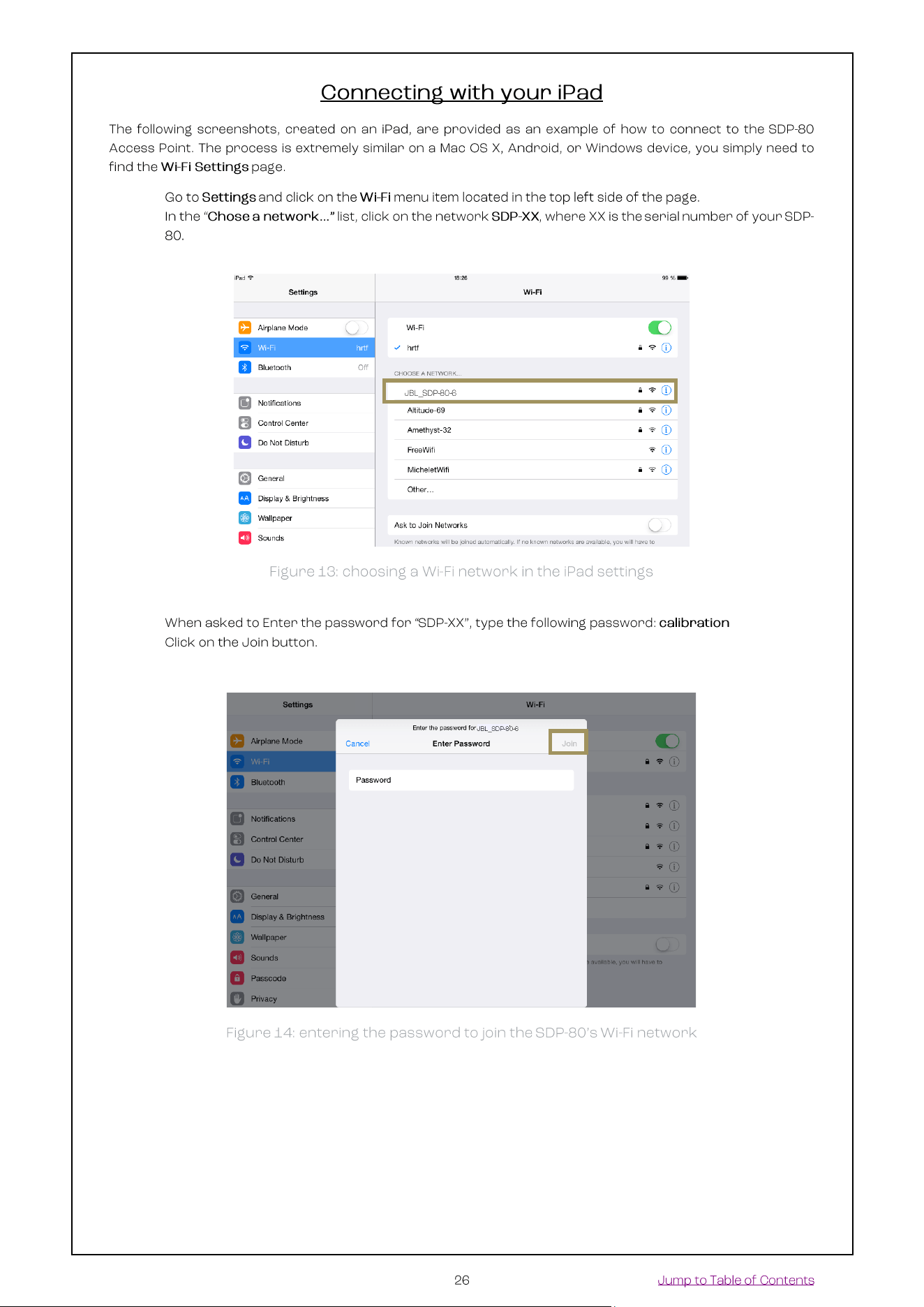
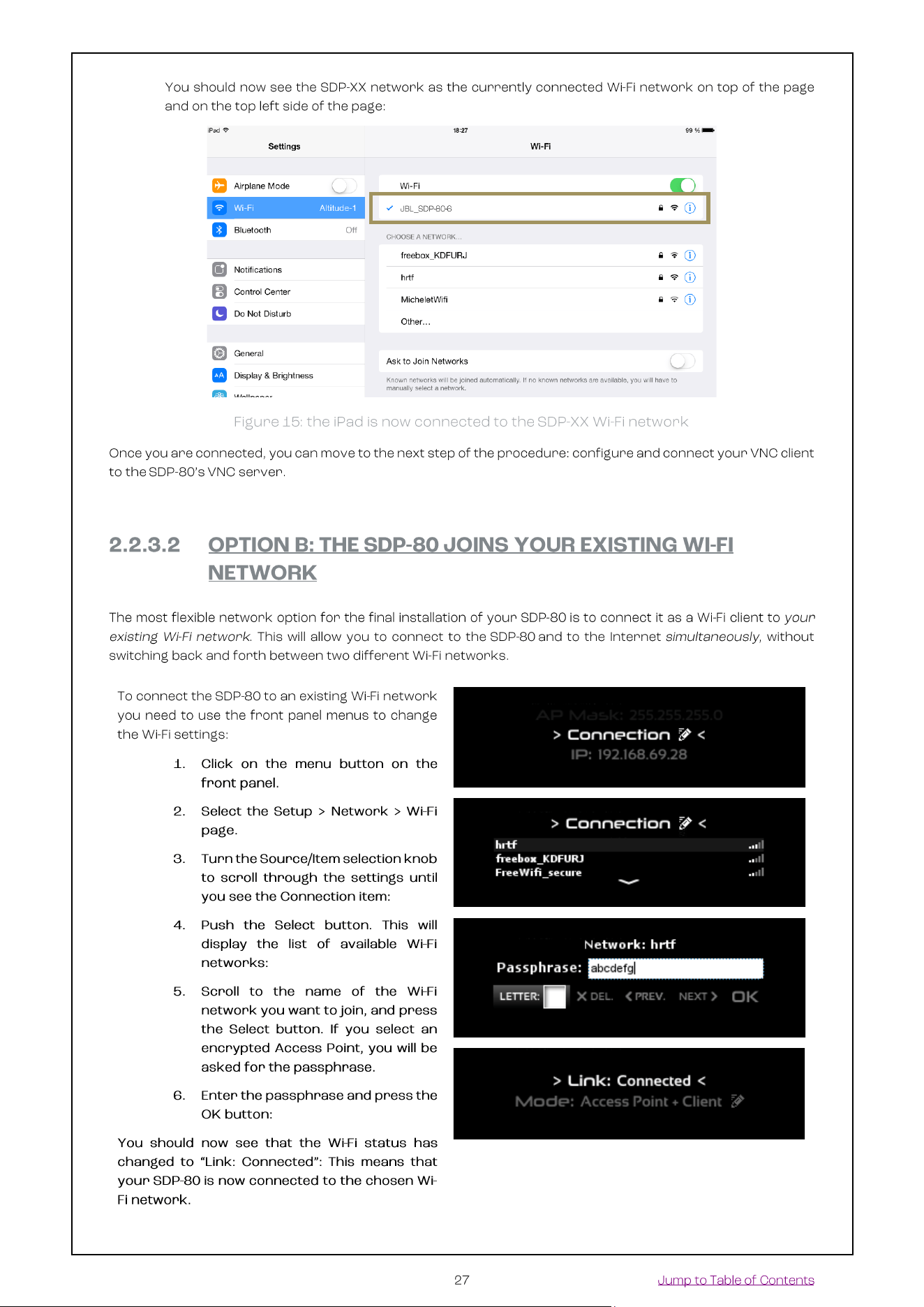
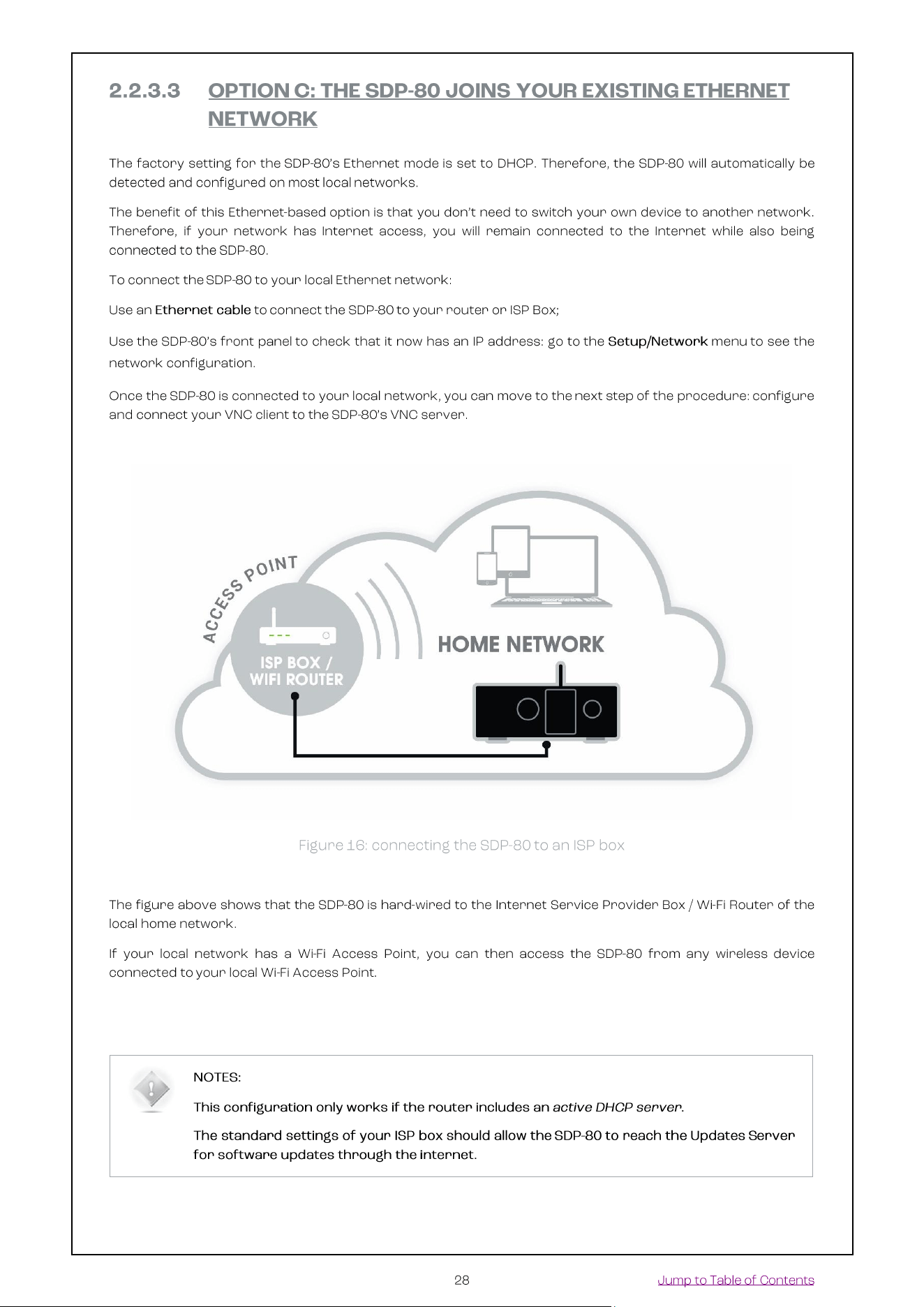
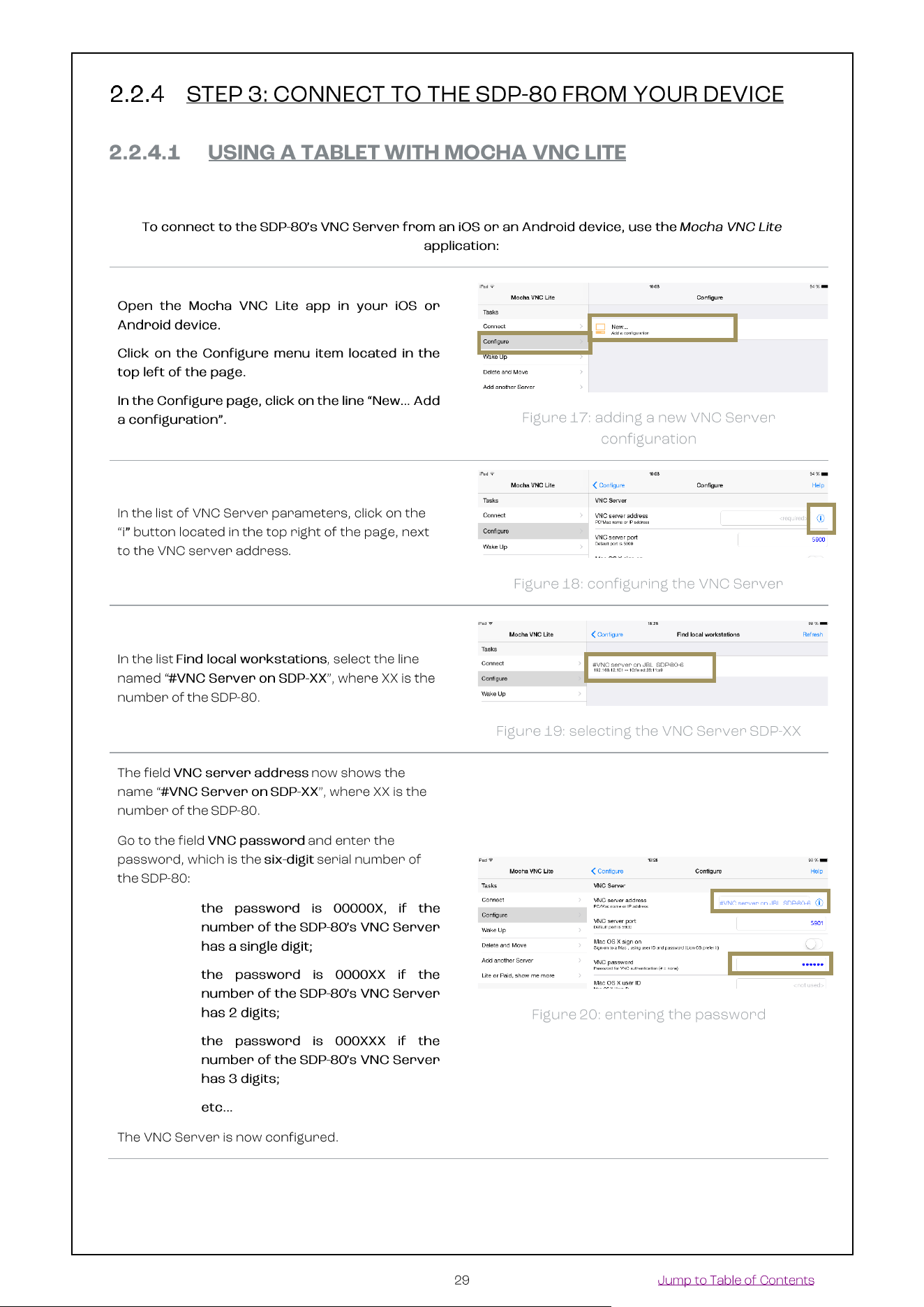
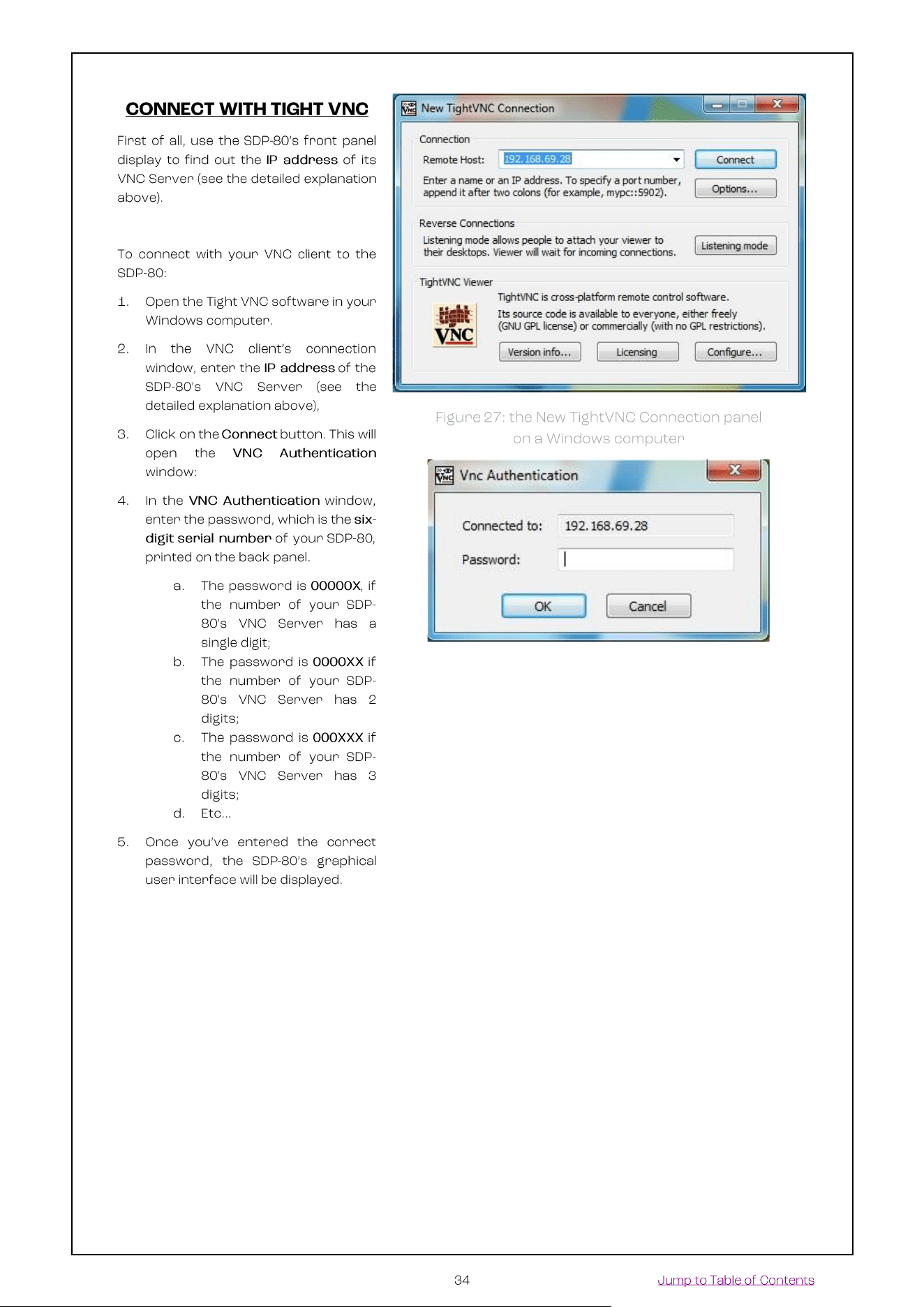
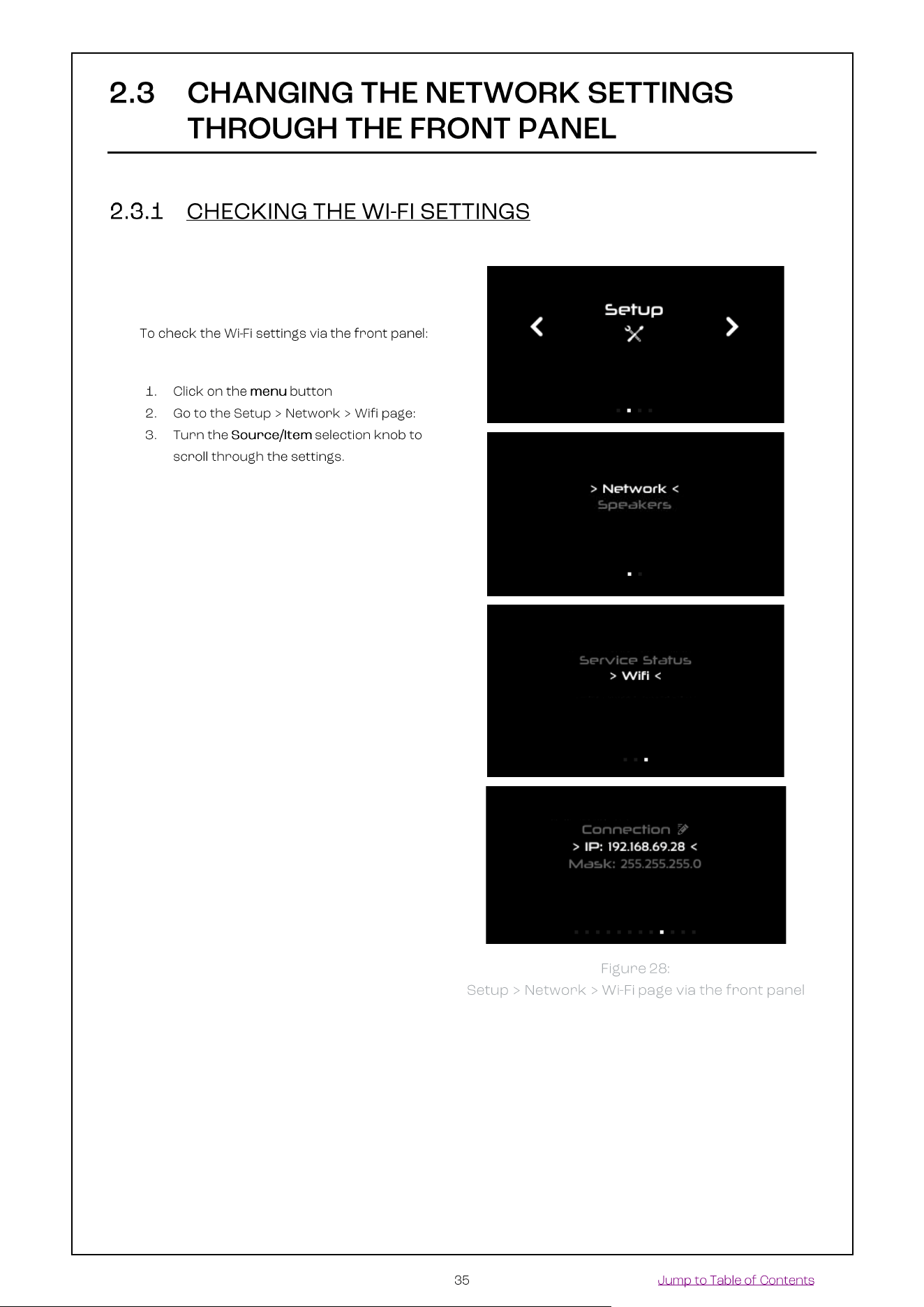
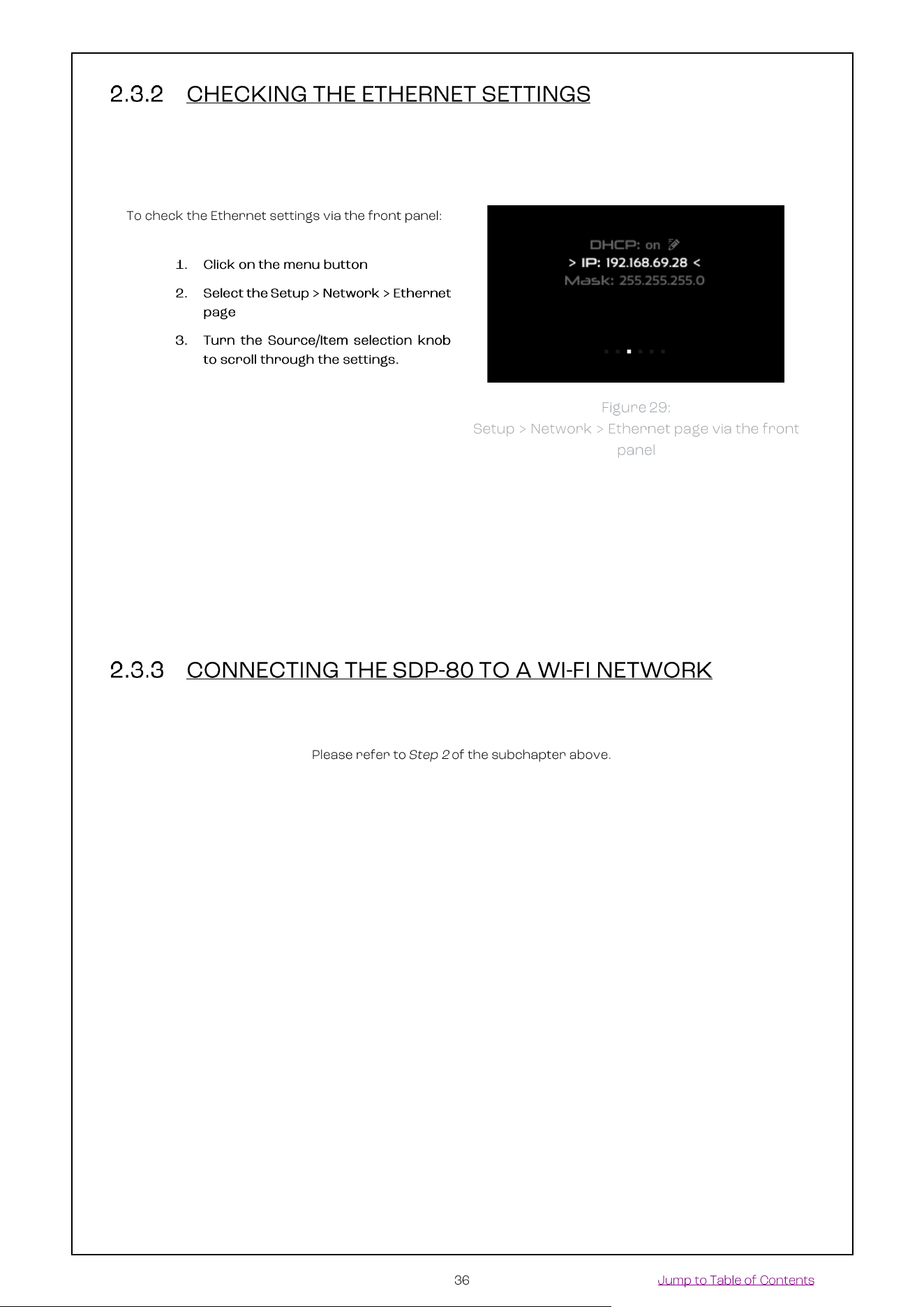
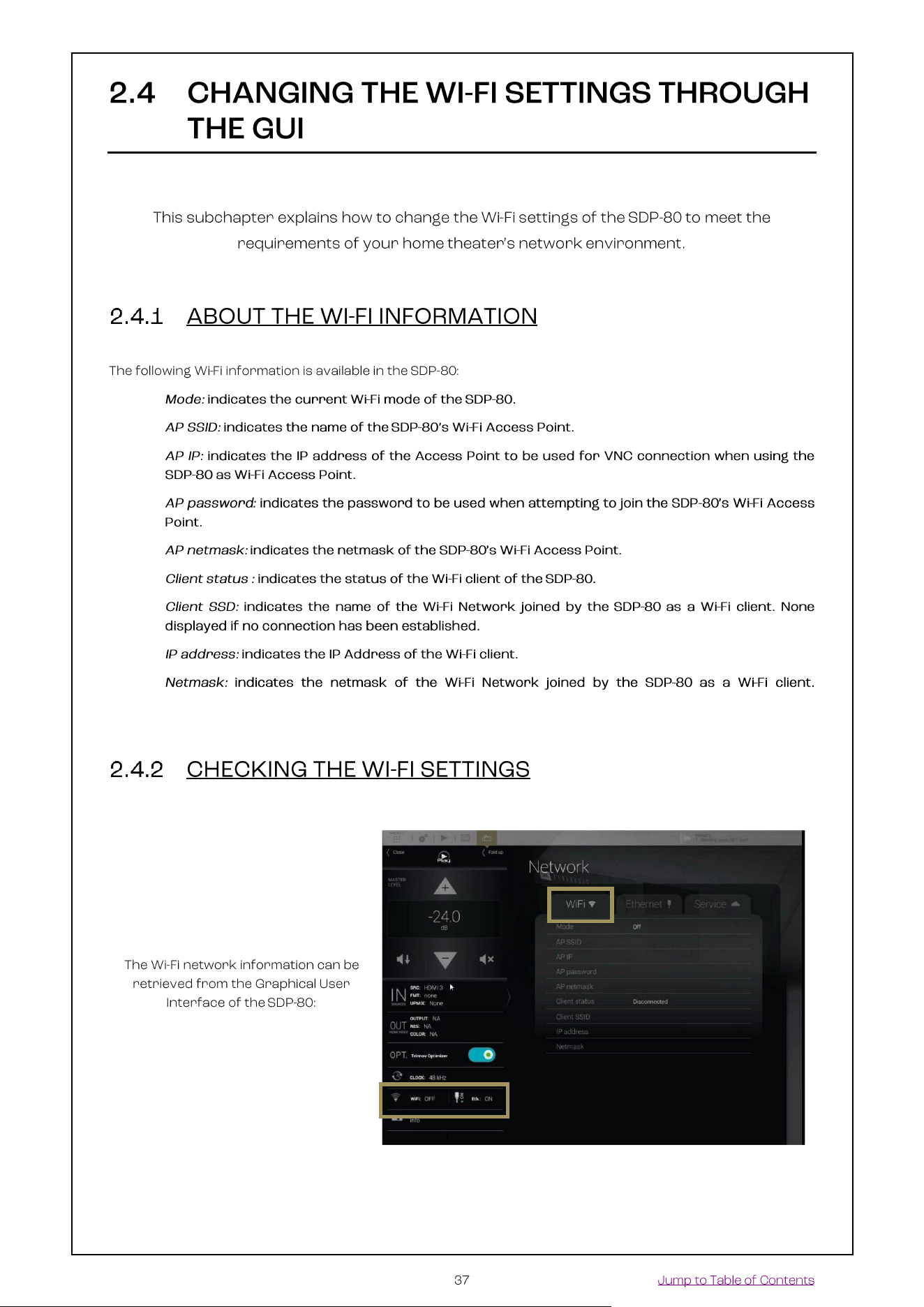
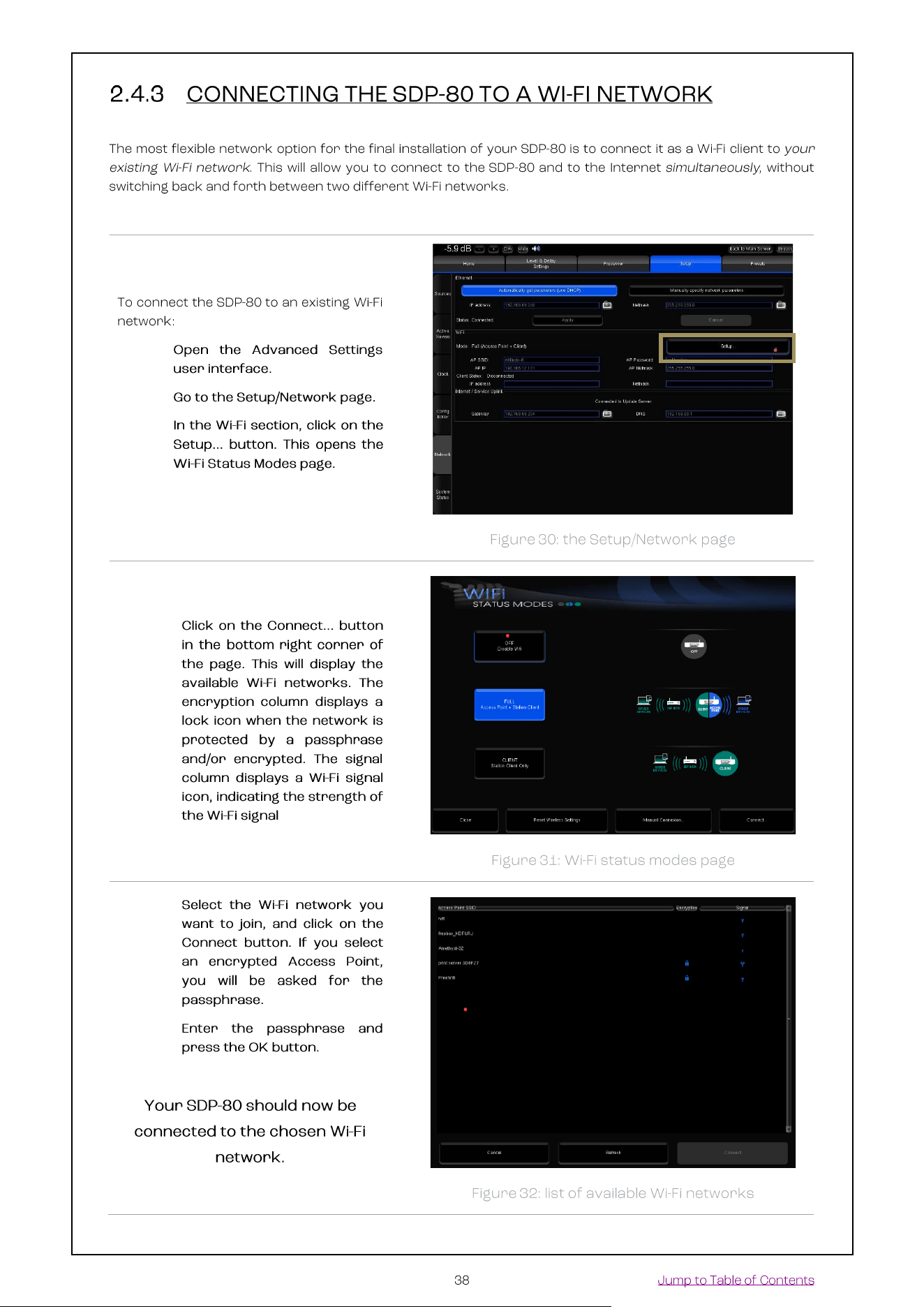
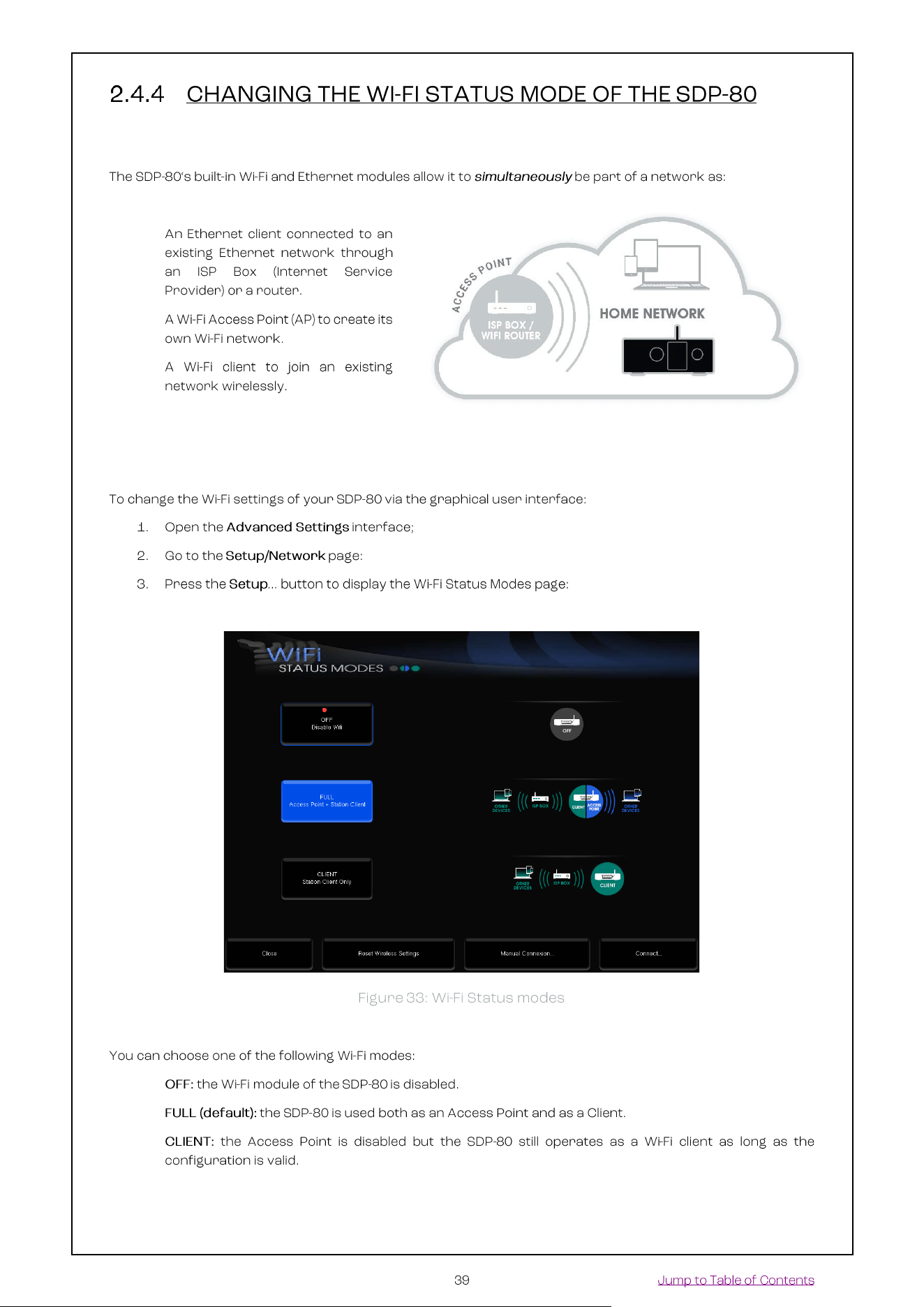
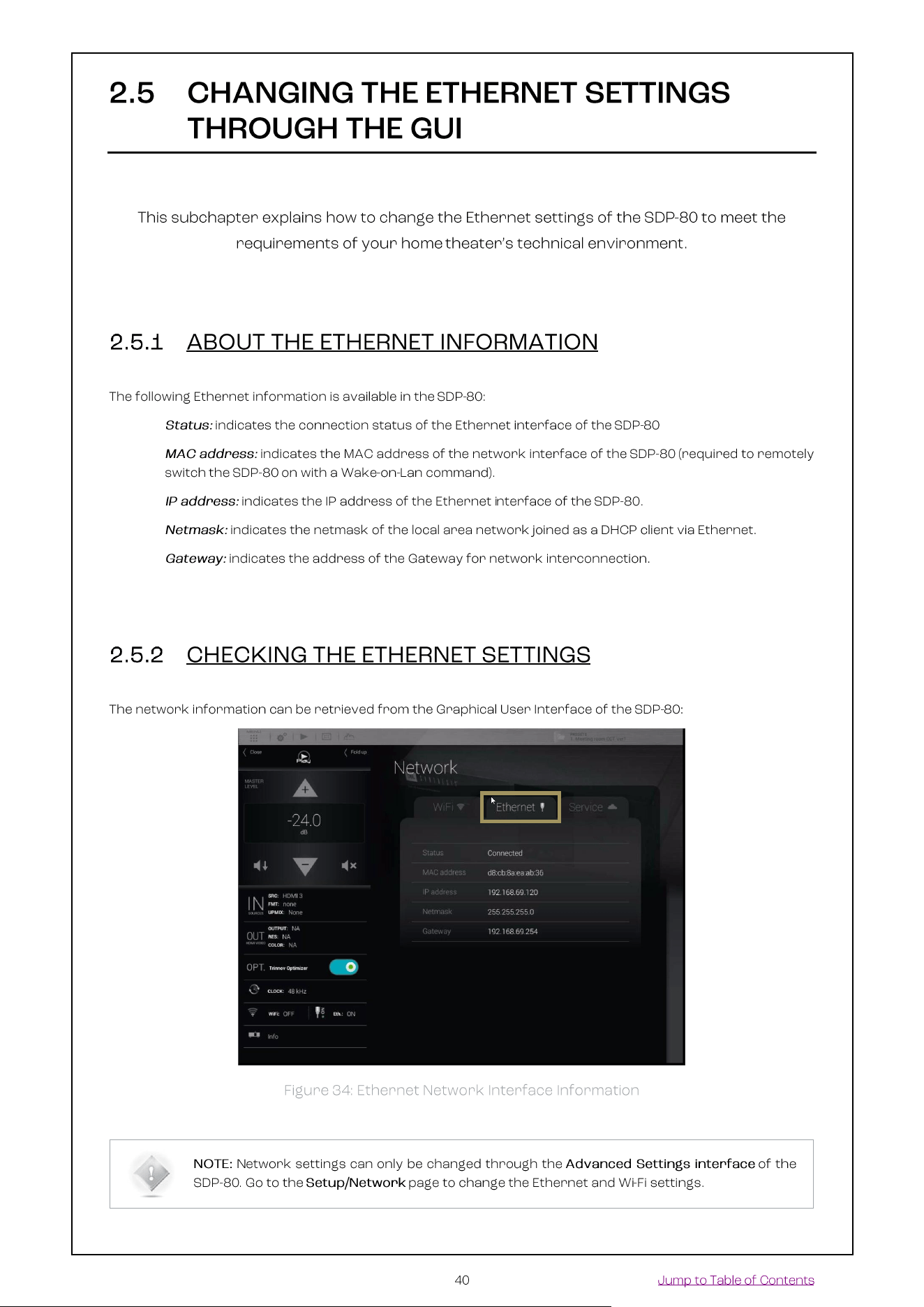
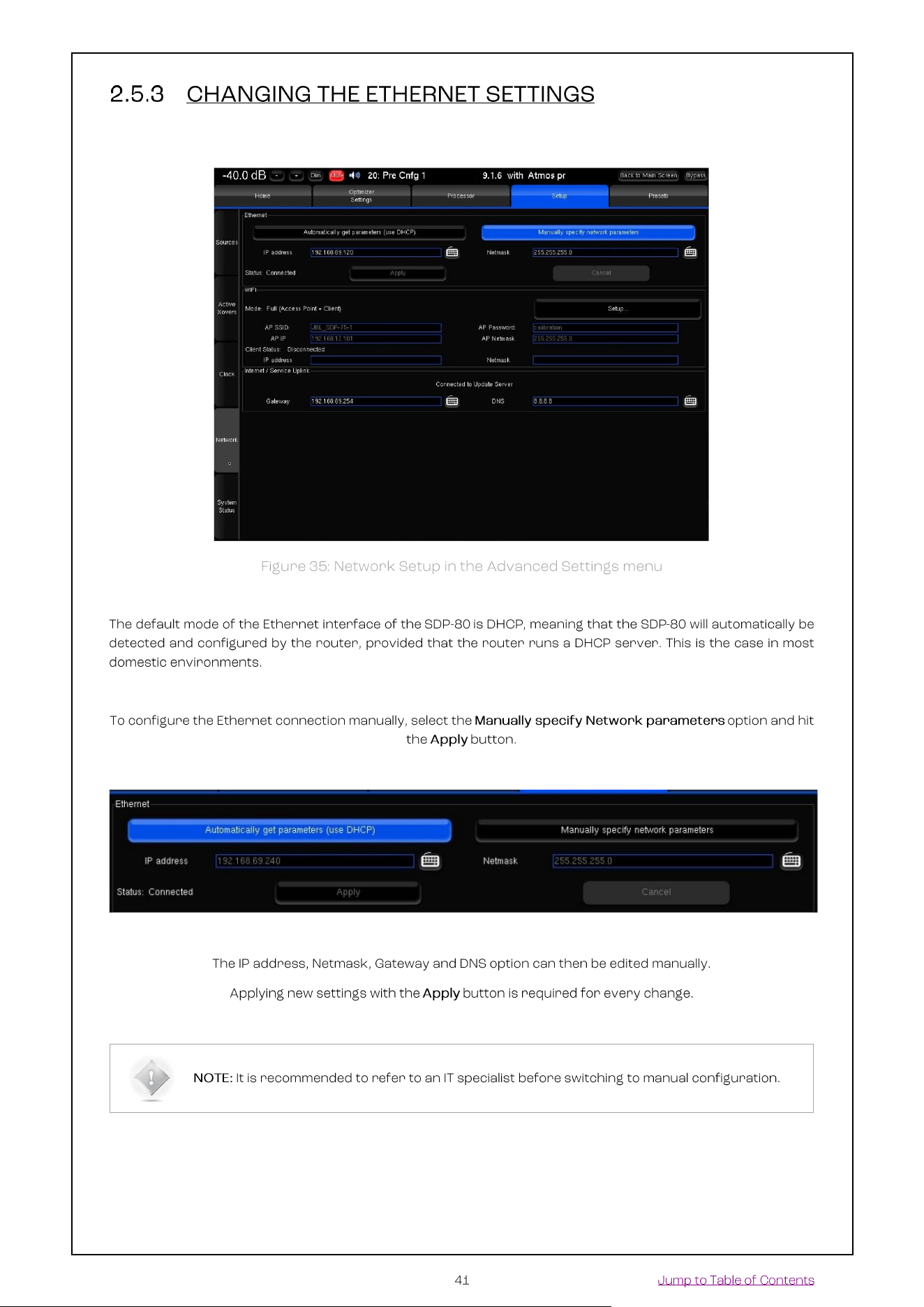
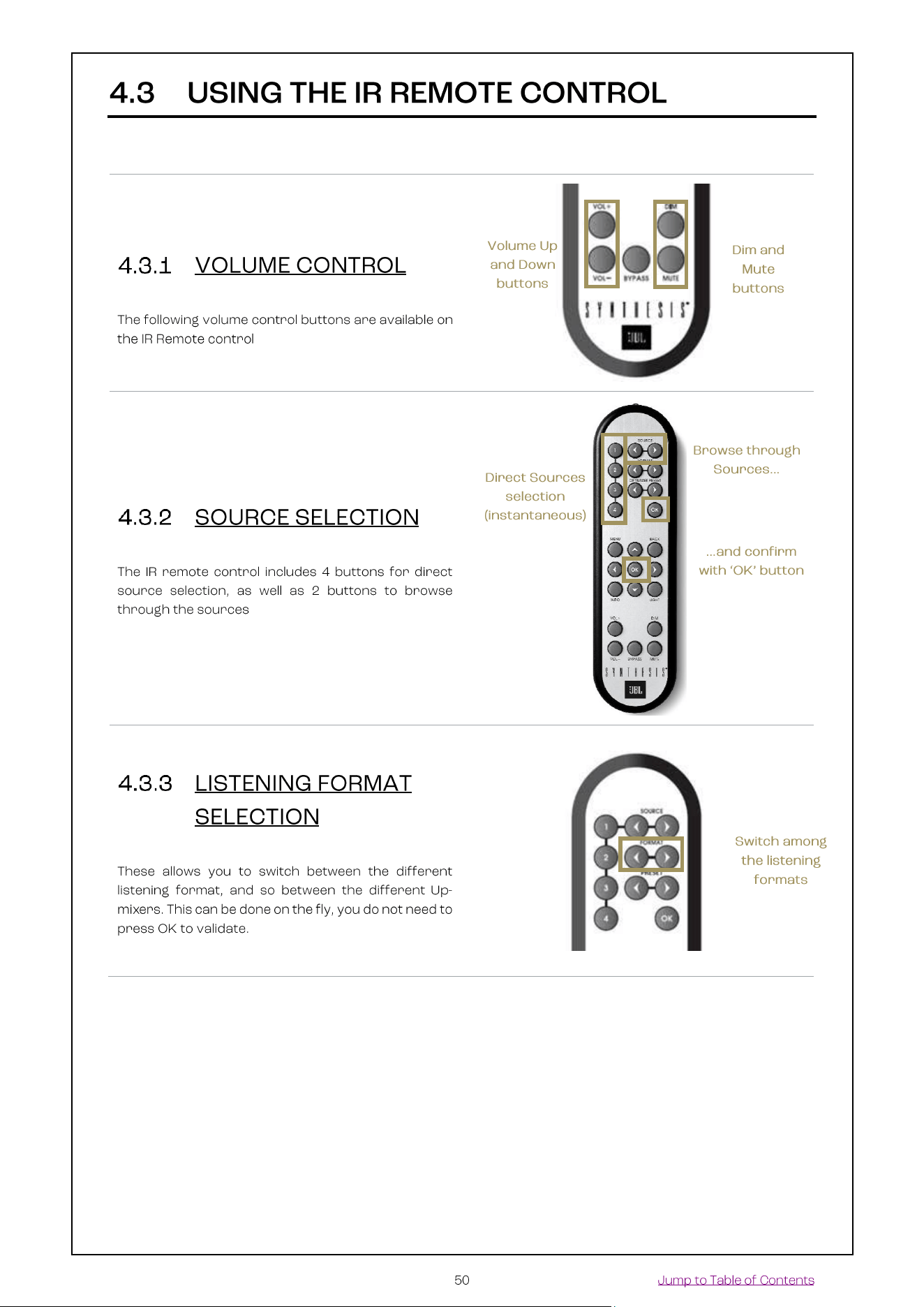
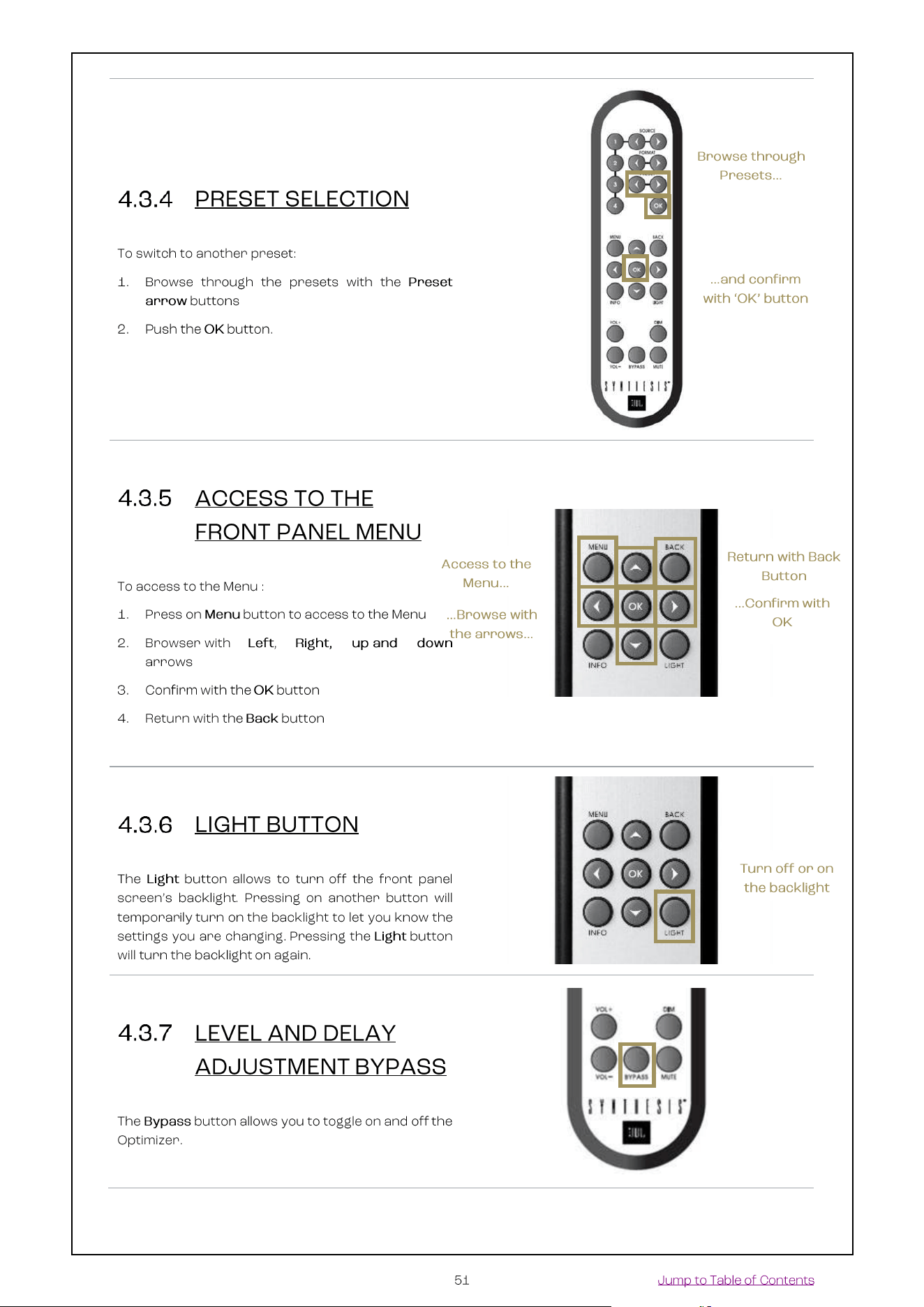
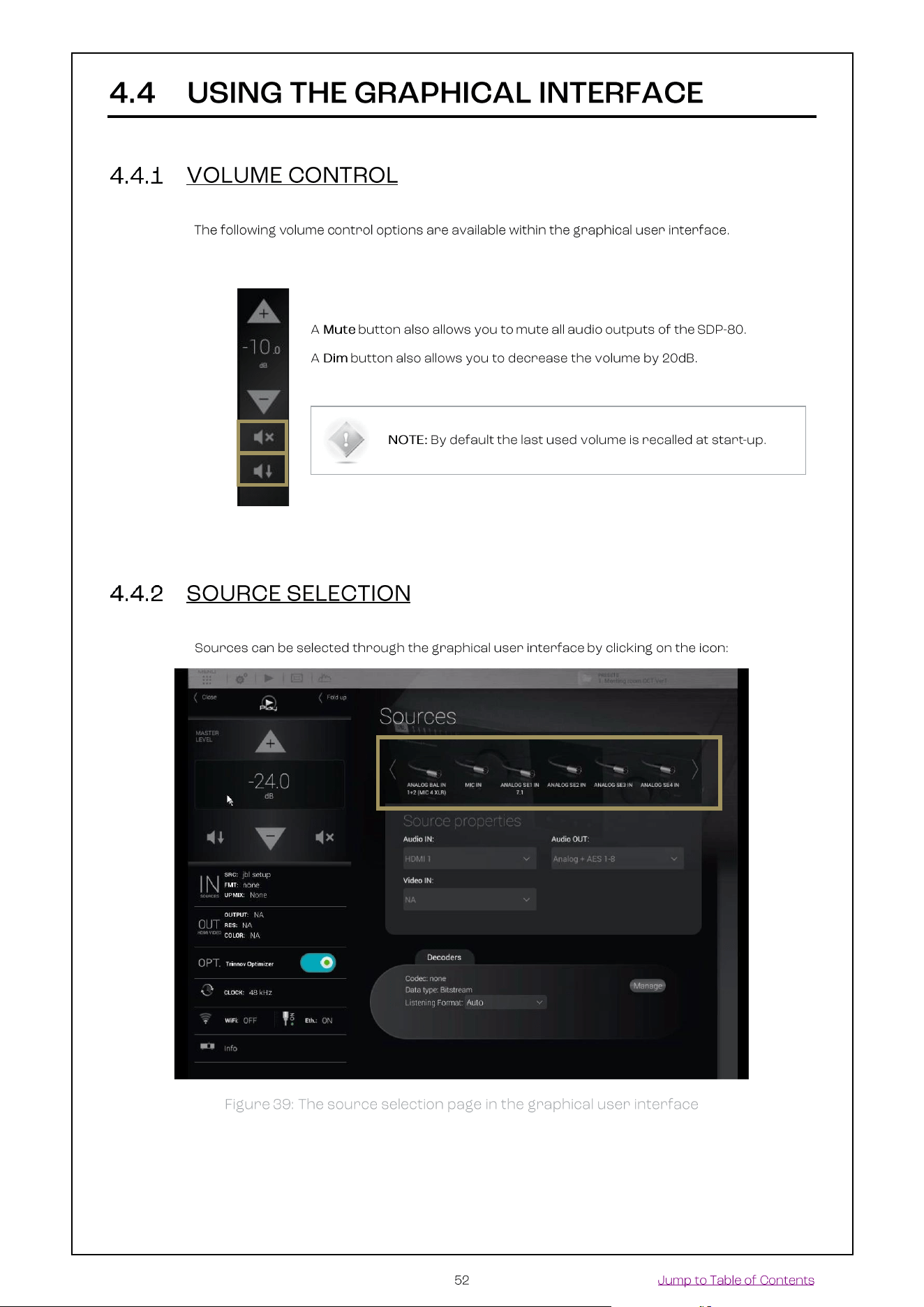
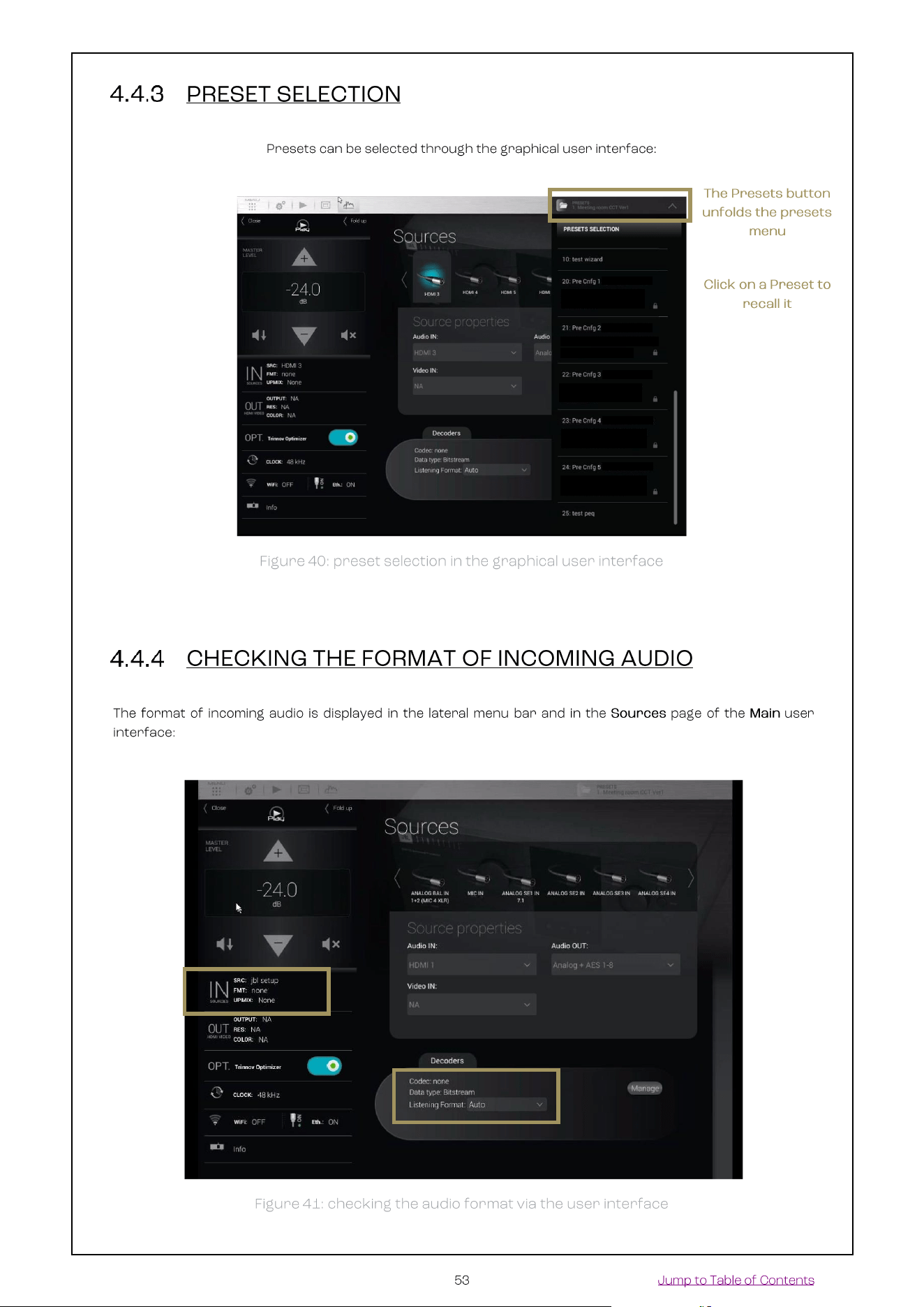
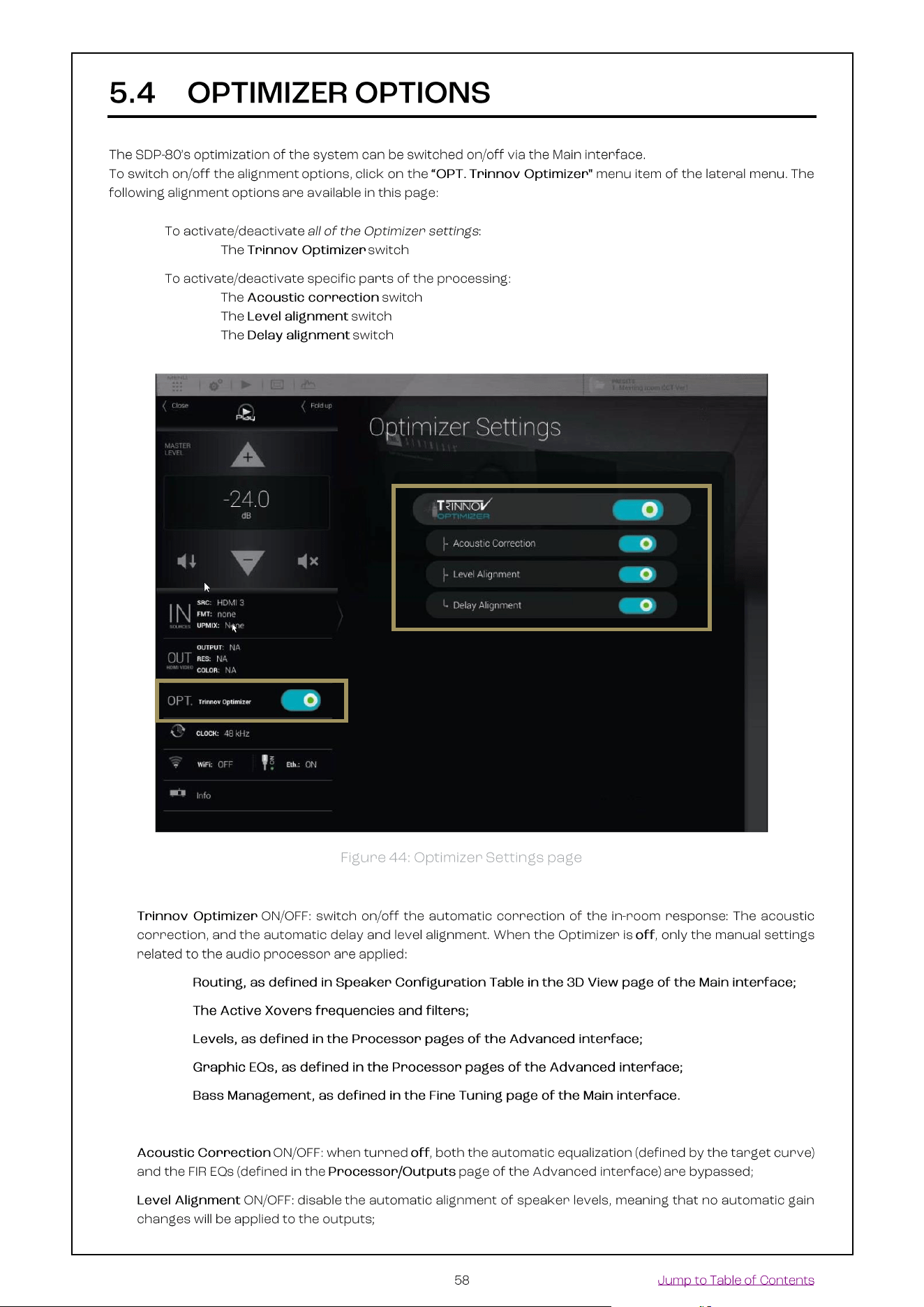
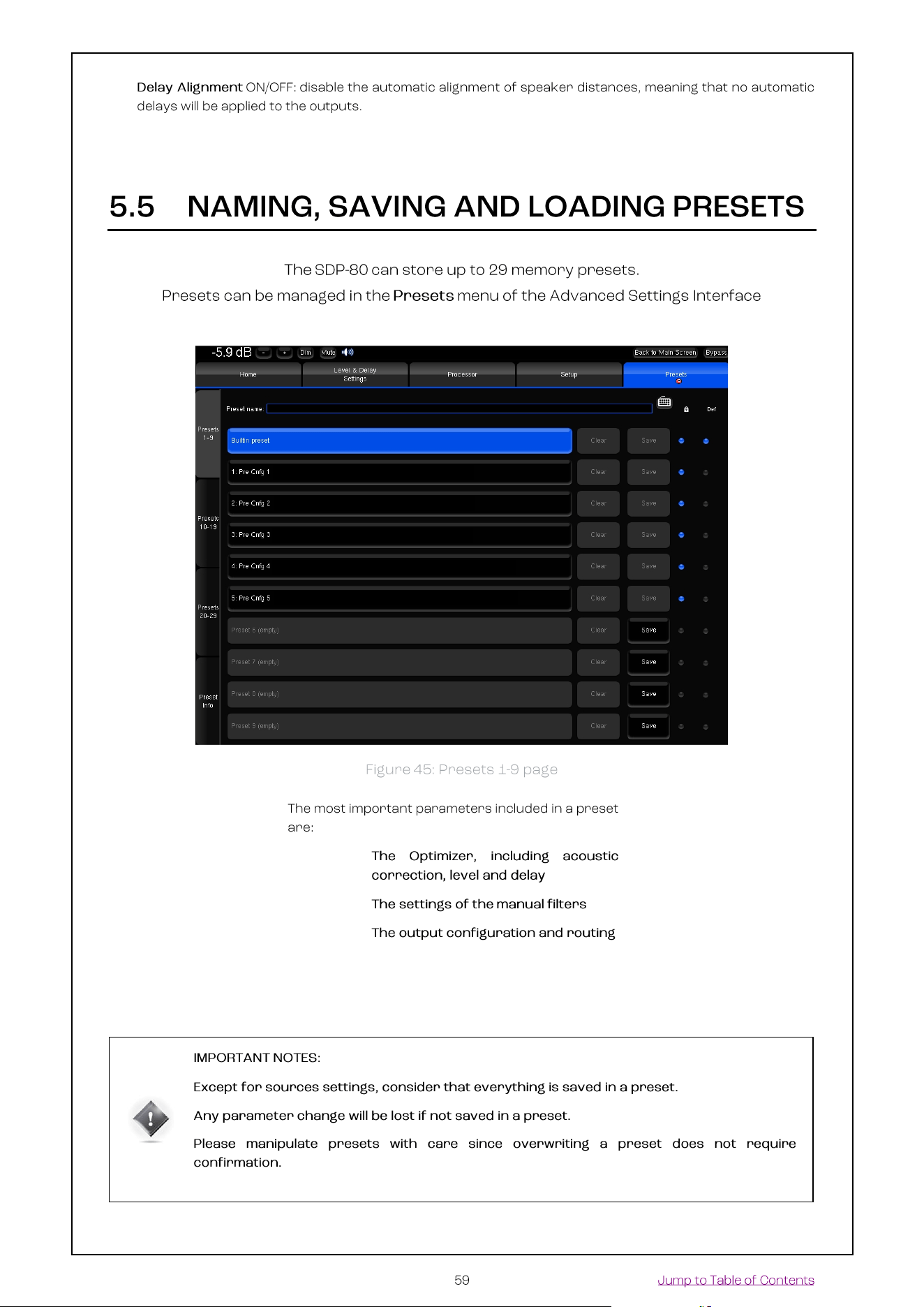
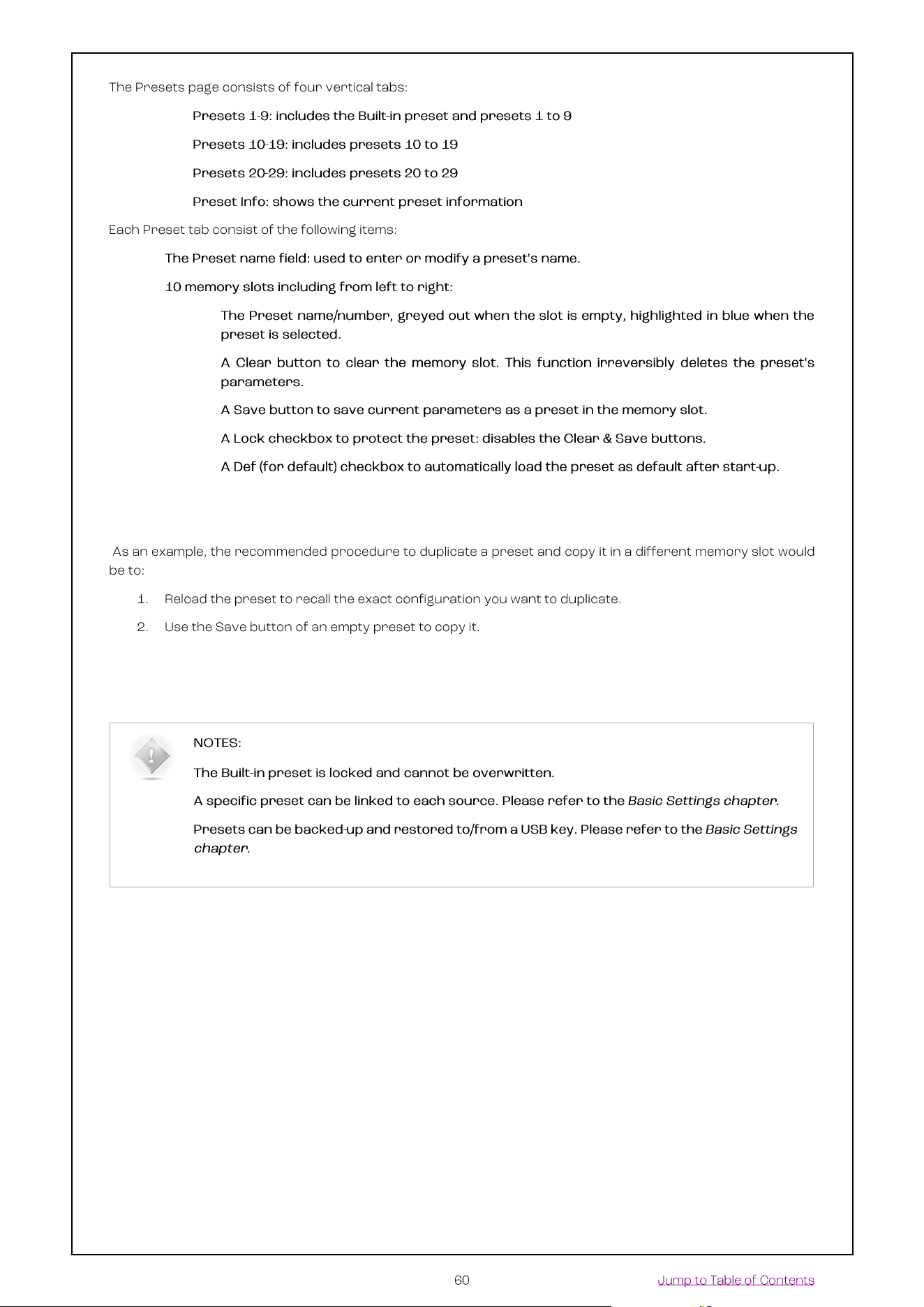
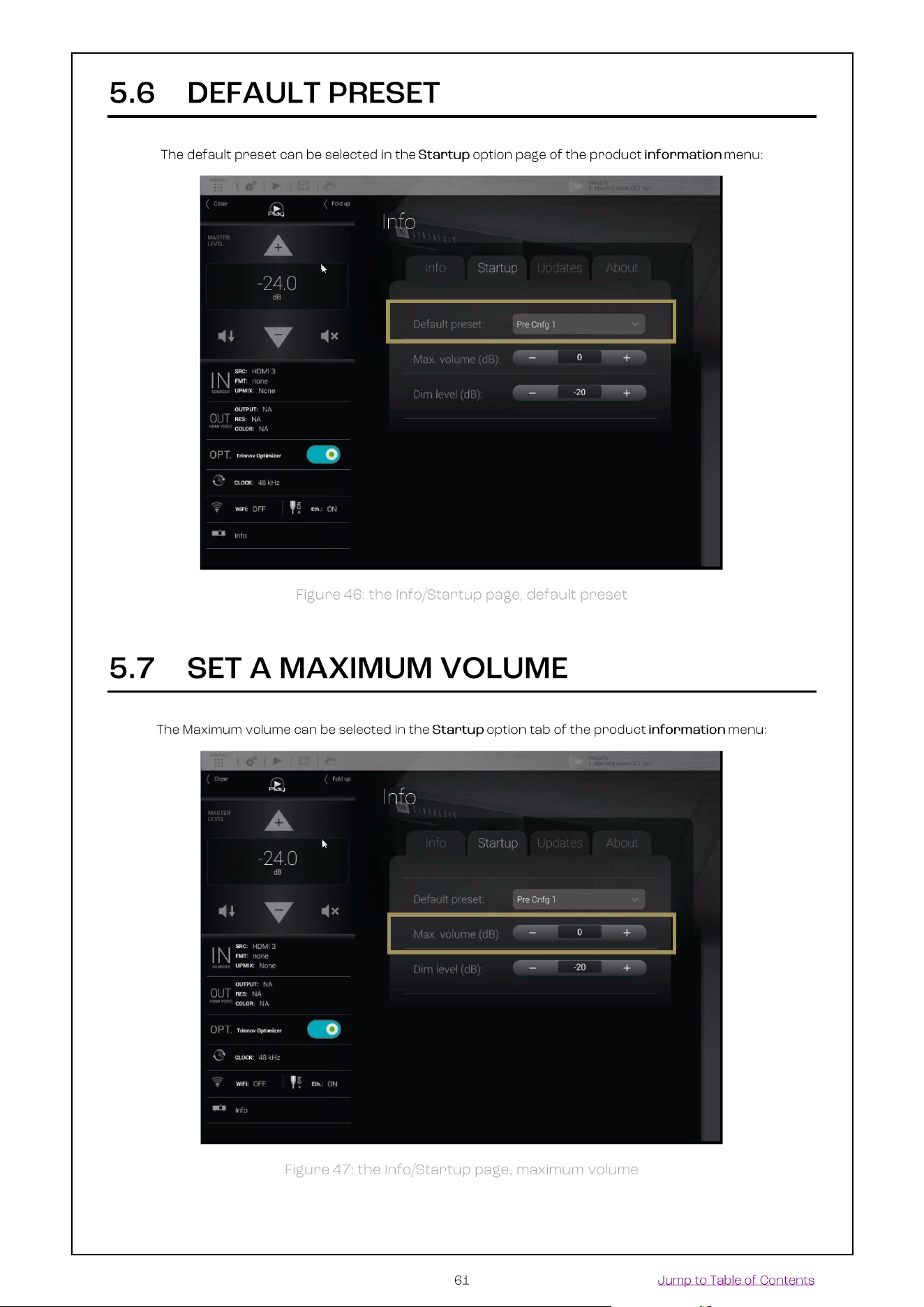
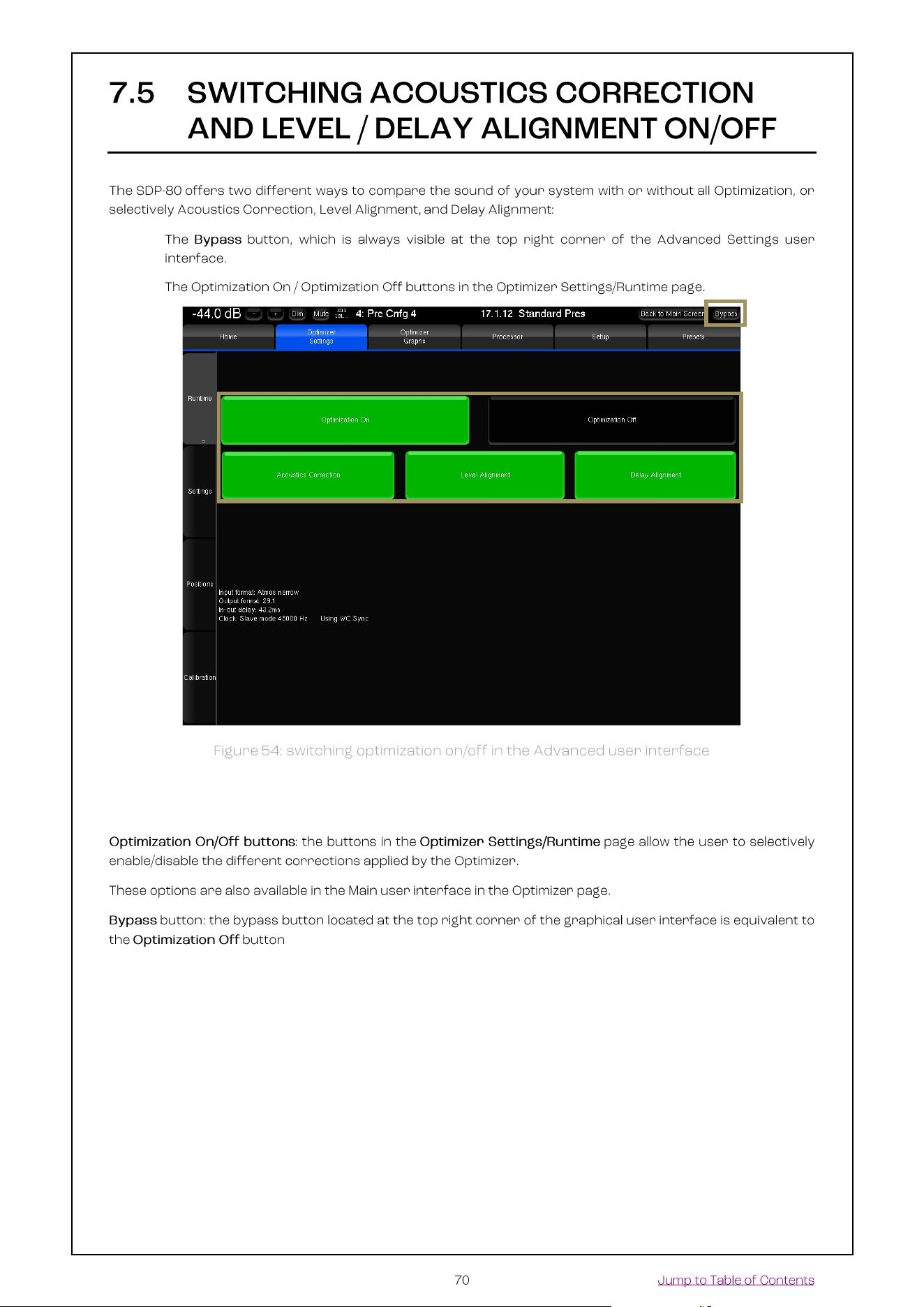
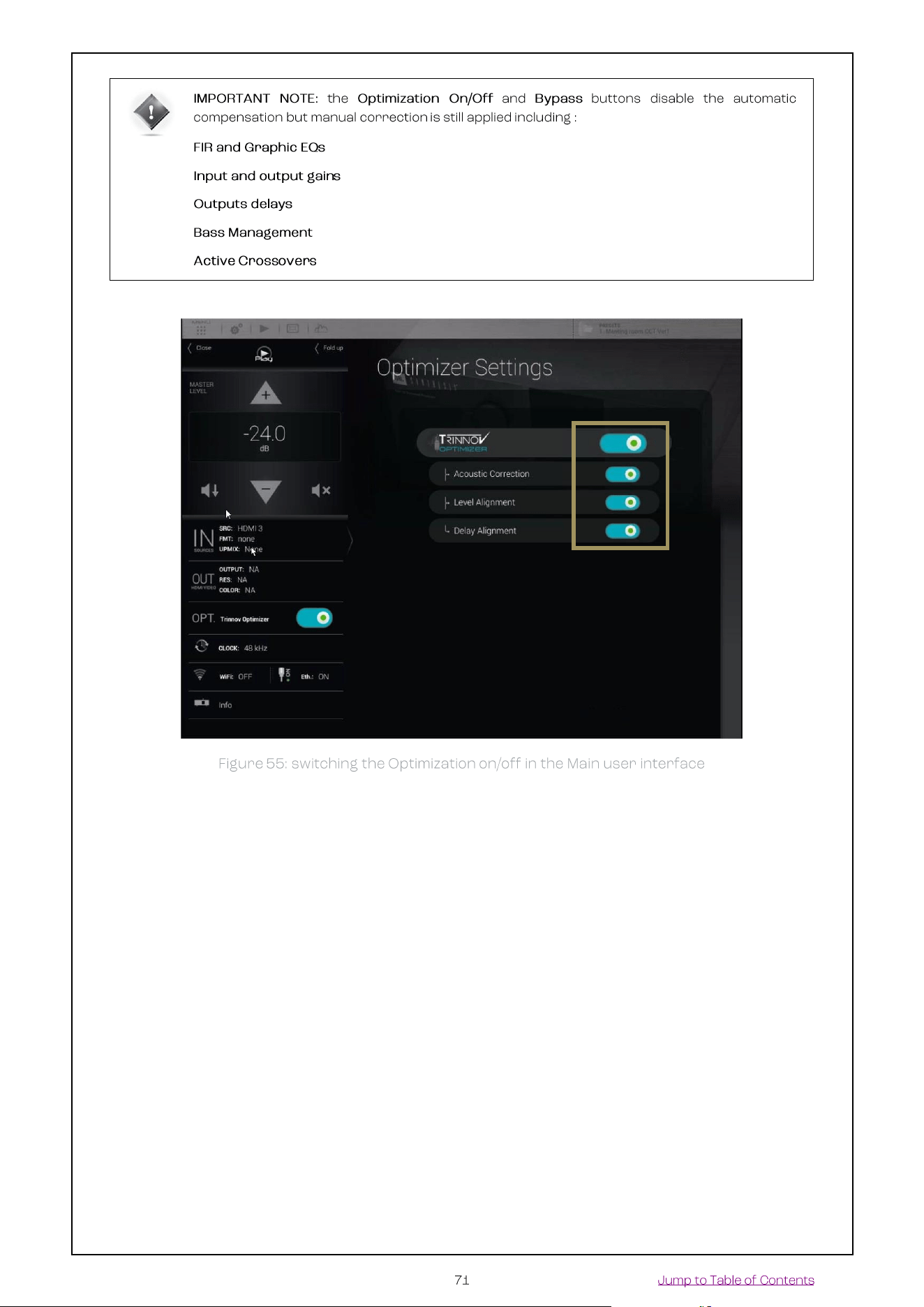
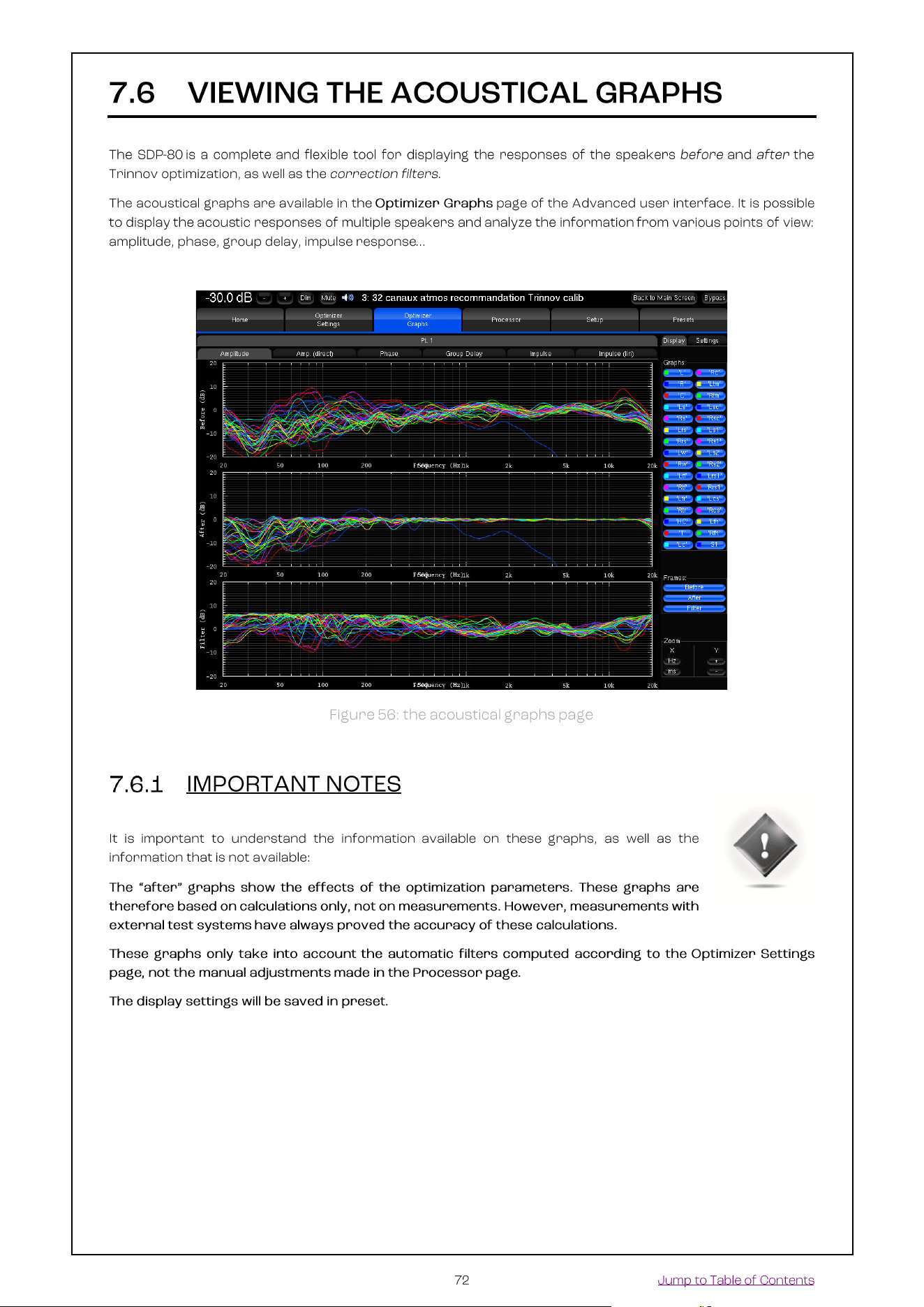
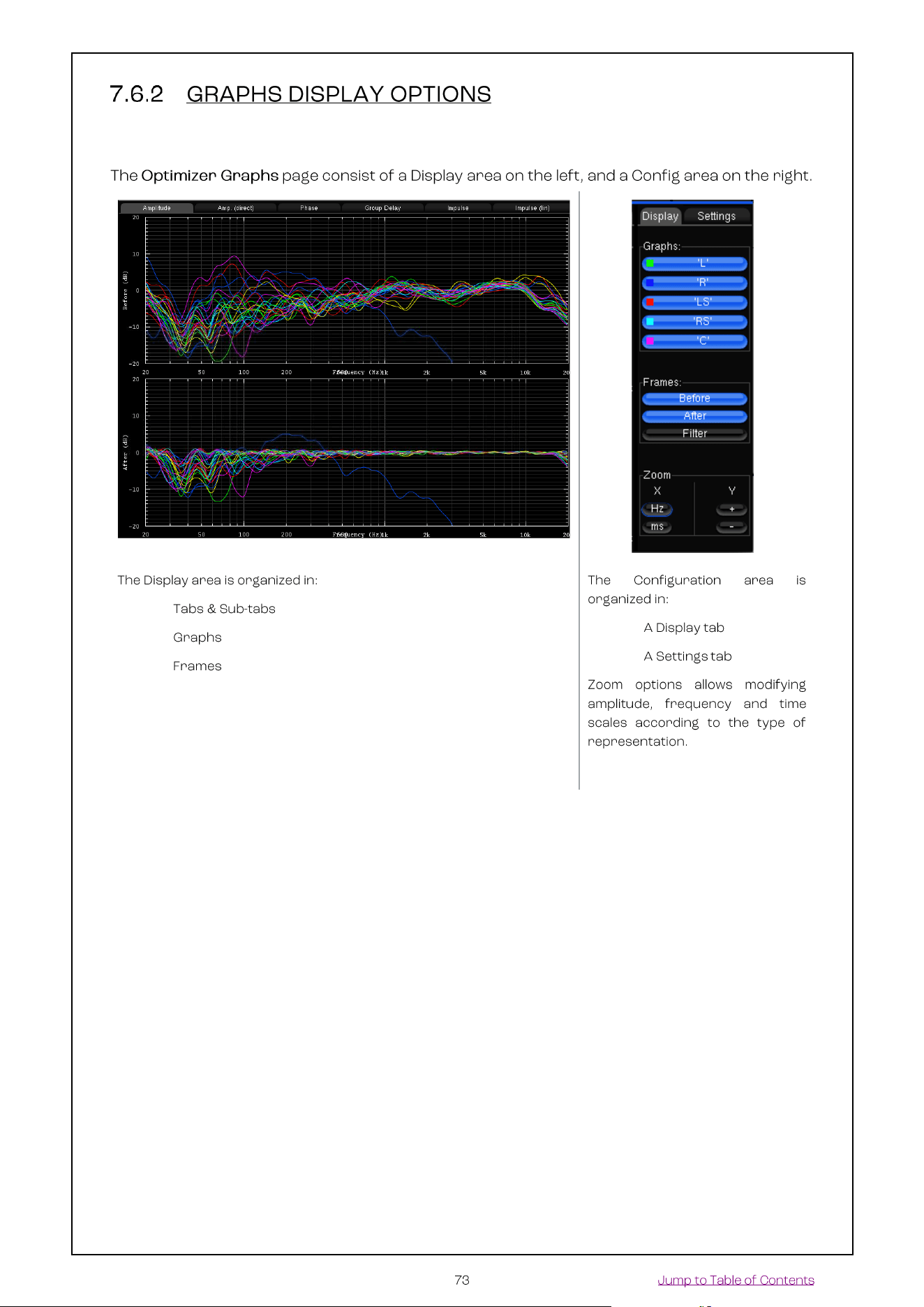
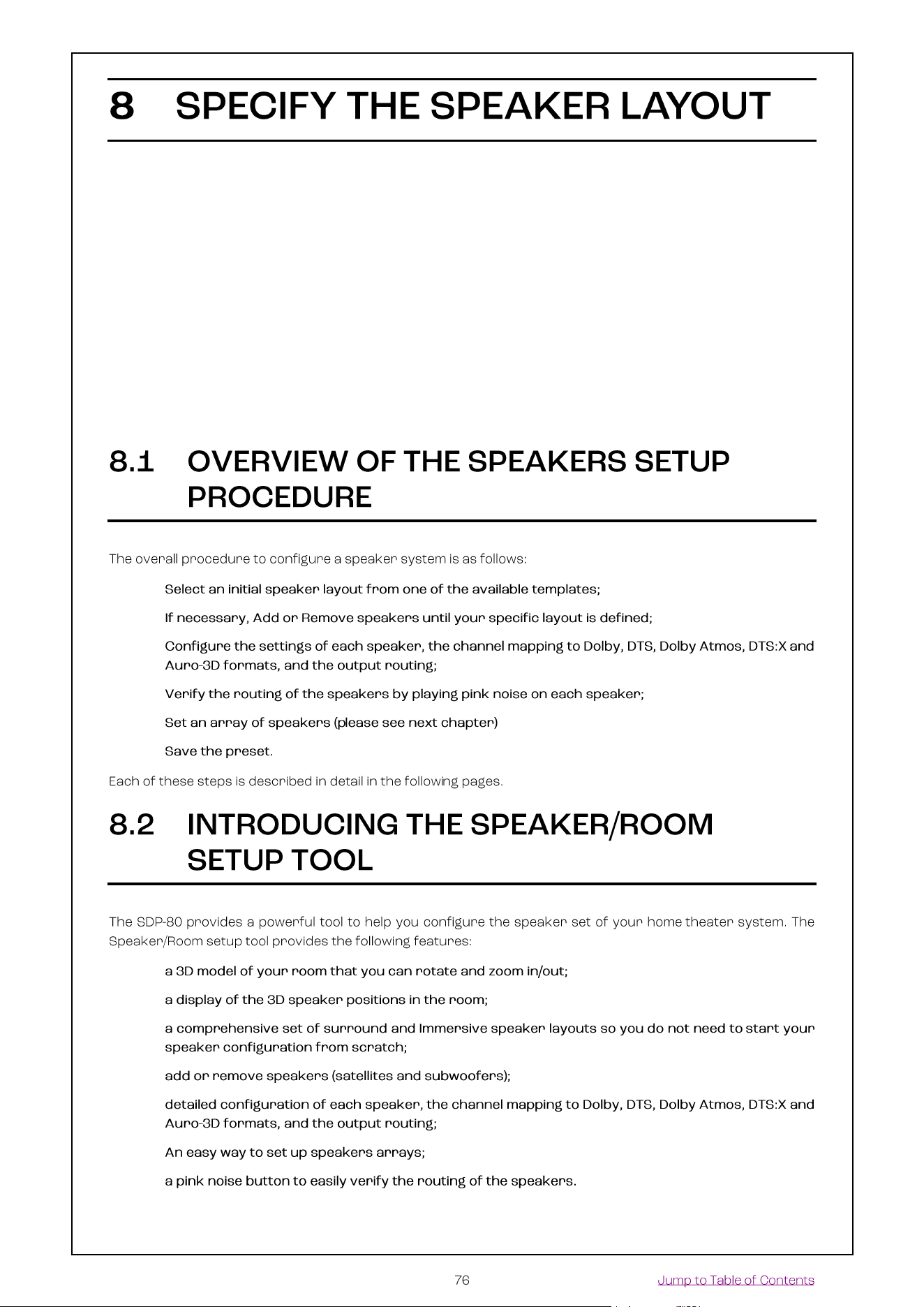
In this chapter we assume that a specific set of speakers have already been defined and installed in a room.
In order to support multiple surround and Immersive formats, we recommend relying on the expertise of a
Certified JBL Synthesis Installer. They can design a speaker configuration that meets your requirements,
and can also recommend optimal speaker placements according to your room’s dimensions and acoustics.
For additional information about the Dolby, DTS and Auro-3D recommendations, please see the Appendix
of this document and the related documents from Dolby, DTS and Auro.
•
•
•
•
•
•
•
•
•
•
•
•
•
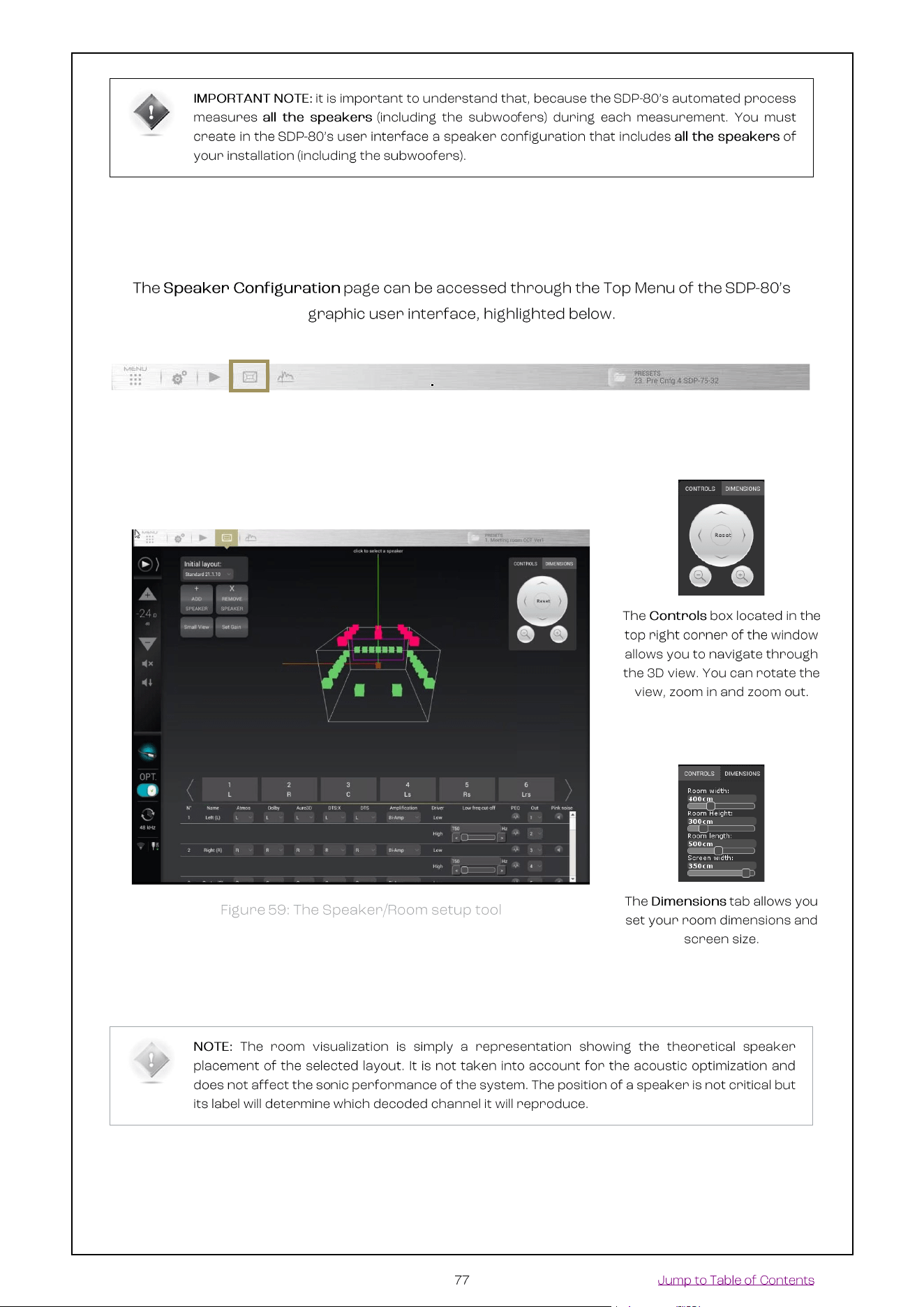

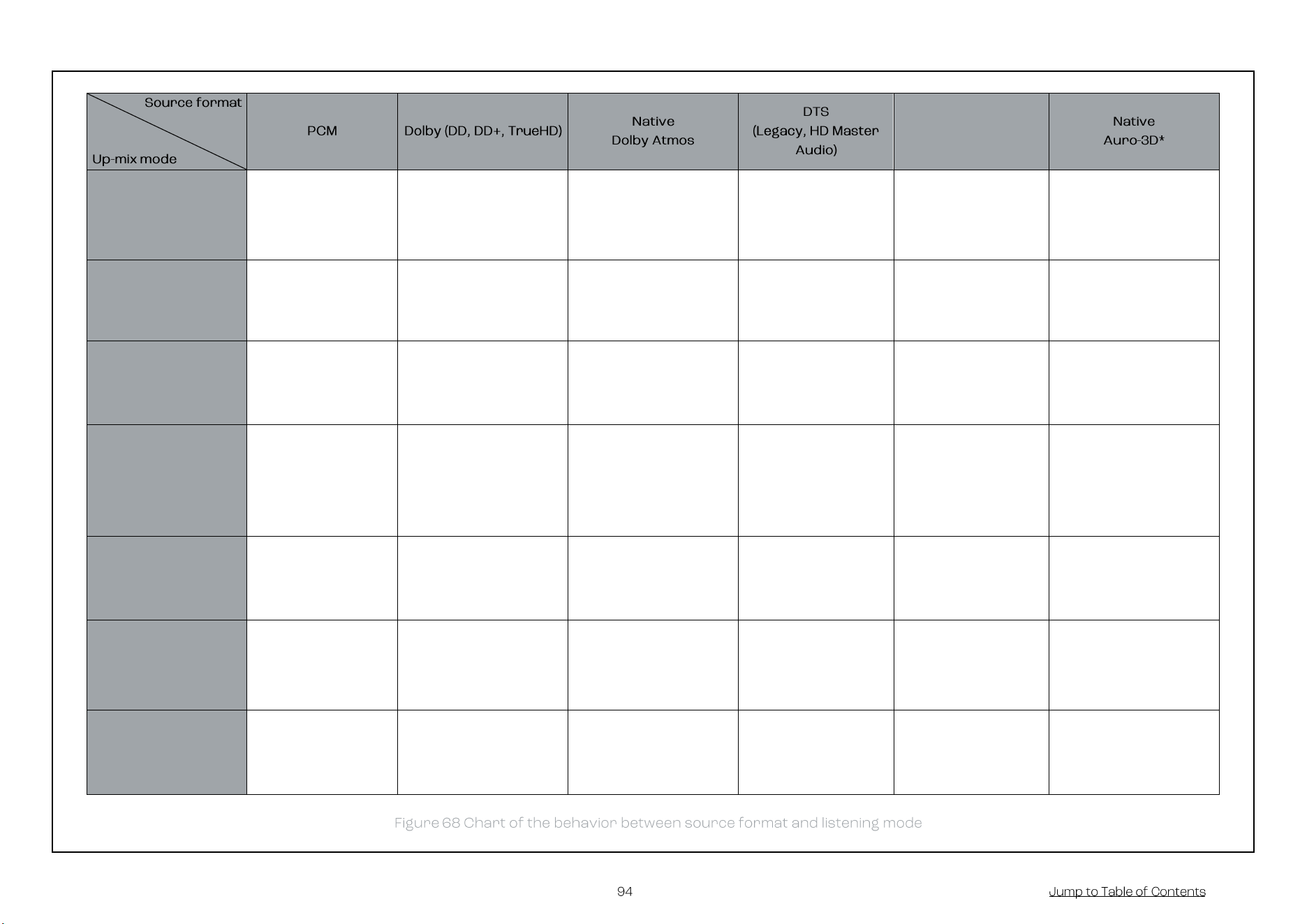
DTS:X
Auto
None (No Up-mix) |
Layout used :
Selected in
Decoder General
settings
Dolby Surround Up-
mixer | Layout Used :
Atmos
Native Dolby Atmos |
Layout Used : Atmos
Neural:X Up-mixer |
Layout Used :
DTS:X
Native DTS:X |
Layout Used :
DTS:X
Native Auro-3D (2) |
Layout Used: Auro-3D
Dolby Surround
Dolby Surround Up-
mixer (1) |
Layout Used :
Atmos
Dolby Surround Up-
mixer | Layout Used :
Atmos
Native Dolby Atmos |
Layout Used : Atmos
Dolby Surround Up-
mixer | Layout Used
: Atmos
Native DTS:X |
Layout Used :
DTS:X
Dolby Surround Up-
mixer | Layout Used :
Atmos
Neural:X
Neural:X Up-mixer |
Layout Used :
DTS:X
Neural:X Up-mixer |
Layout Used : DTS:X
Native Dolby Atmos |
Layout Used : Atmos
Neural:X Up-mixer |
Layout Used :
DTS:X
Native DTS:X |
Layout Used :
DTS:X
Neural:X Up-mixer |
Layout Used : DTS:X
Auro-3D
Auro-3D Up-mixer
(1) | Layout Used :
Auro-3D
Auro-3D Up-mixer |
Layout Used : Auro-3D
Native Dolby Atmos |
Layout Used : Atmos
Auro-3D Up-mixer |
Layout Used : Auro-
3D
Native DTS:X |
Layout Used :
DTS:X
Native Auro-3D* |
Layout Used: Auro-3D
Native
None (No Up-mix) |
Layout used :
selected in Decoder
General settings
None (No Up-mix) |
Layout Used : Dolby
Native Dolby Atmos |
Layout Used : Atmos
None (No Up-mix) |
Layout Used : DTS)
Native DTS:X |
Layout Used :
DTS:X
Native Auro-3D* |
Layout Used: Auro-3D
Up-mix on Native
Up-mix following
the default PCM
layout in the
Decoder General
settings
Dolby Surround Up-
mixer | Layout Used :
Dolby
Native Dolby Atmos |
Layout Used : Atmos
Neural:X Up-mixer |
Layout Used : DTS
Native DTS:X |
Layout Used :
DTS:X
Native Auro-3D* |
Layout Used: Auro-3D
Legacy
None (No Up-mix) |
Layout used :
selected in Decoder
General settings
None (No Up-mix) |
Layout Used: Dolby
Bed (Original 7.1) |
Layout Used : Dolby
None (No Up-mix)
(2) | Layout Used :
DTS
Bed (Original 7.1) |
Layout Used : DTS
Bed (Original 7.1) |
Layout Used : Auro-3D
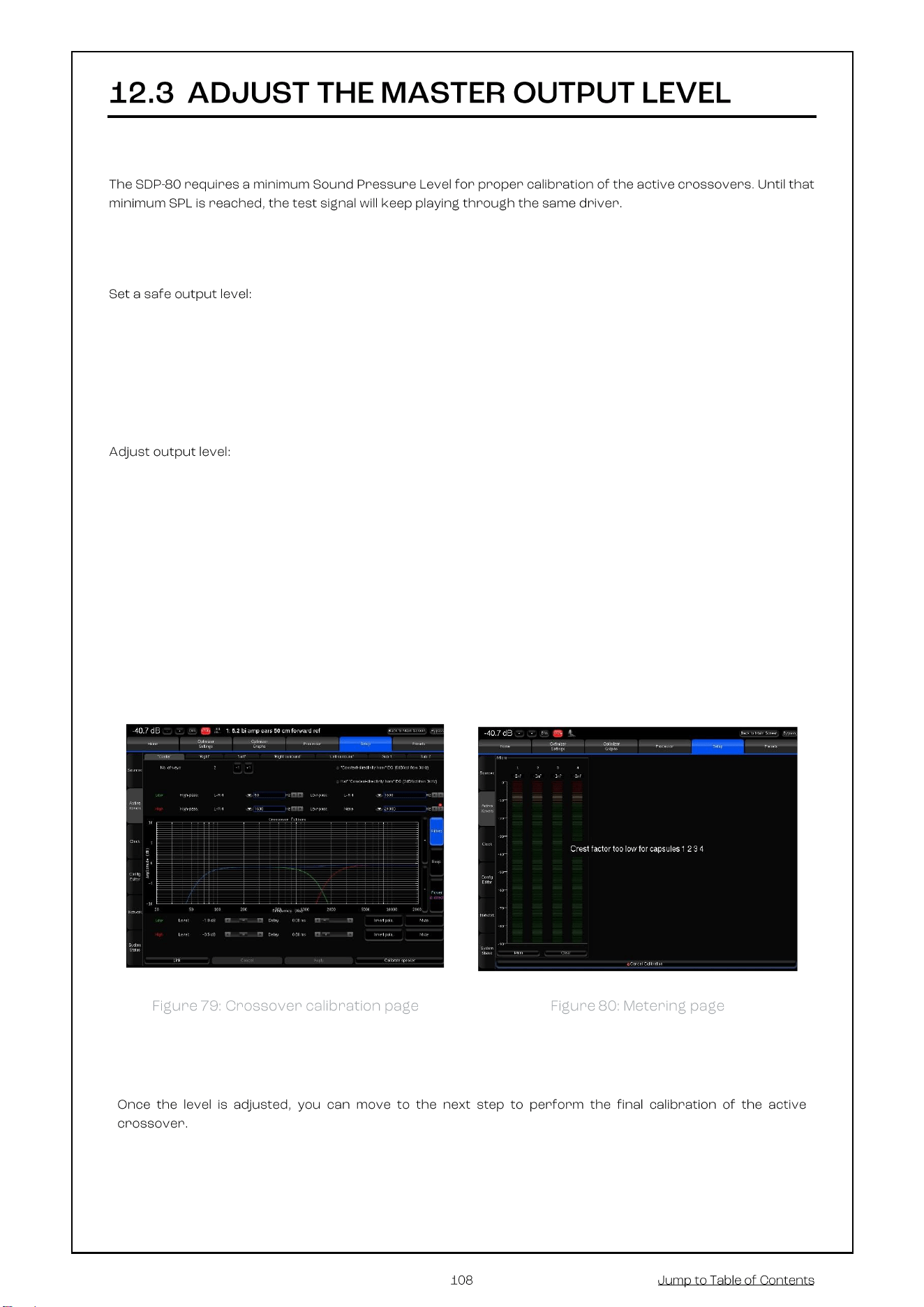
First, be sure that you selected the proper microphone input: Analog MIC
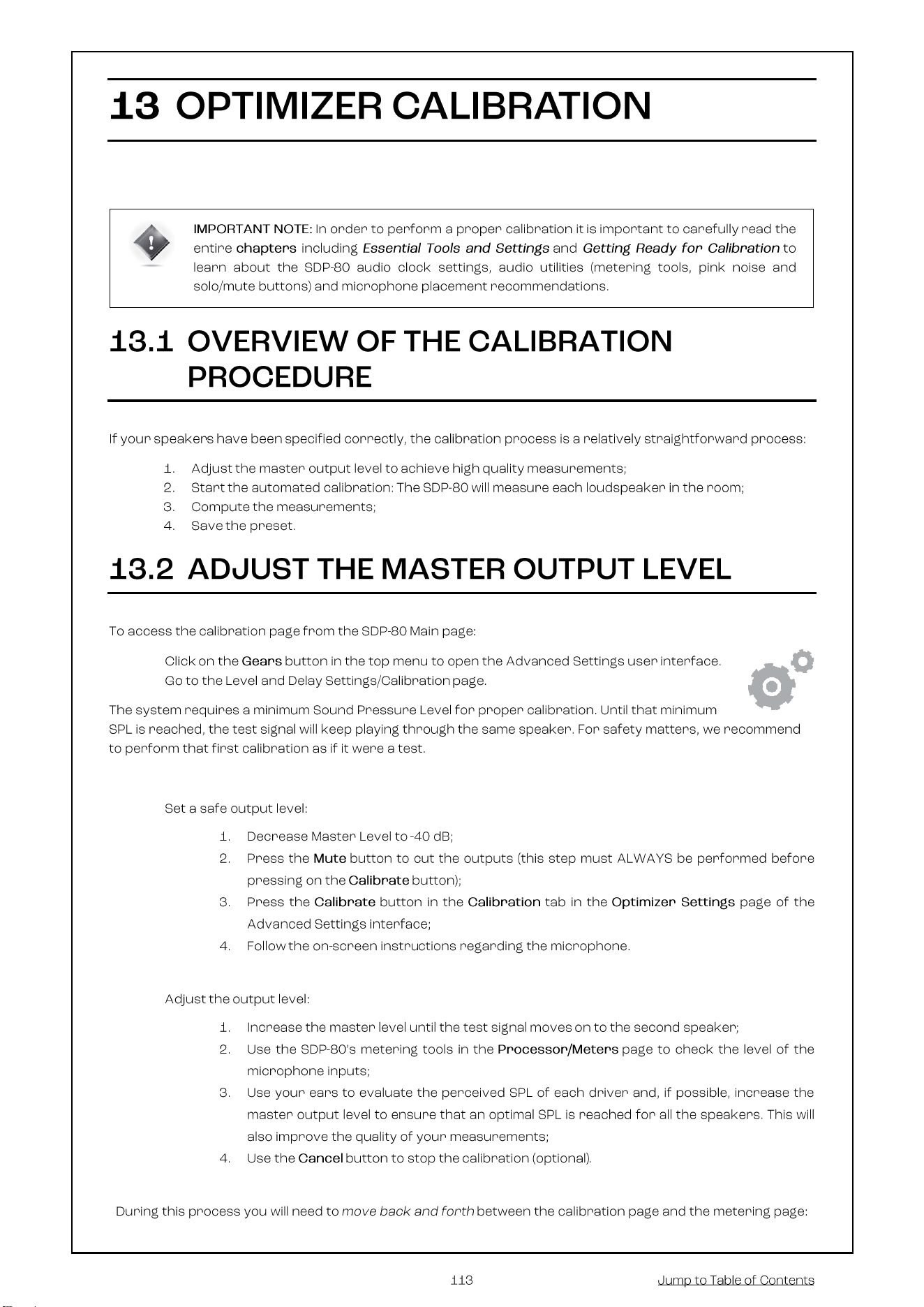
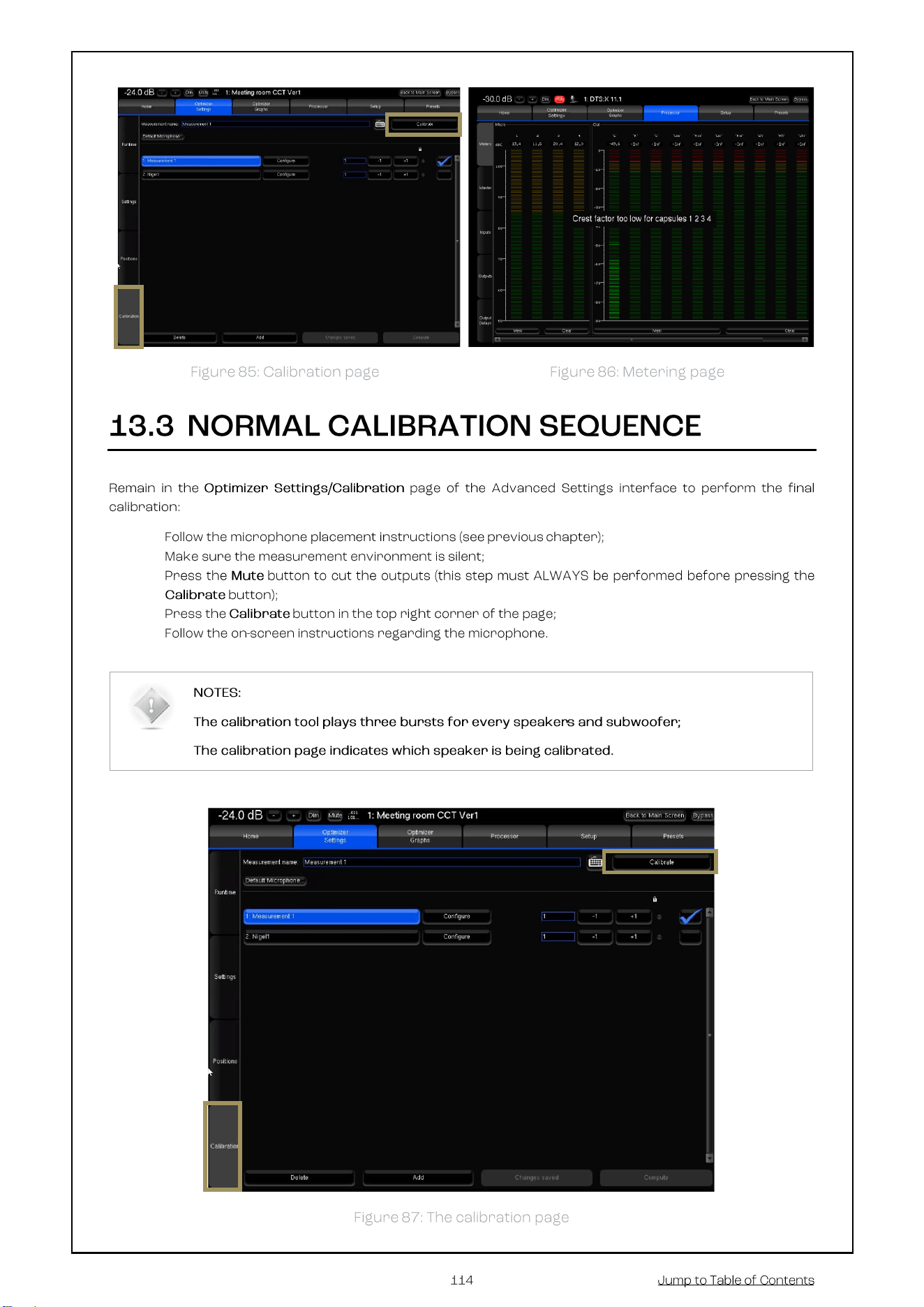
1. Decrease Master Level to -40 dB;
2. Press the Mute button to cut the outputs (this step must ALWAYS be performed before pressing on the
Calibrate button to avoid a feedback loop);
3. Switch on the microphone preamp;
4. Press the Calibrate button in the Setup/ActiveXovers page of the Advanced Settings interface.
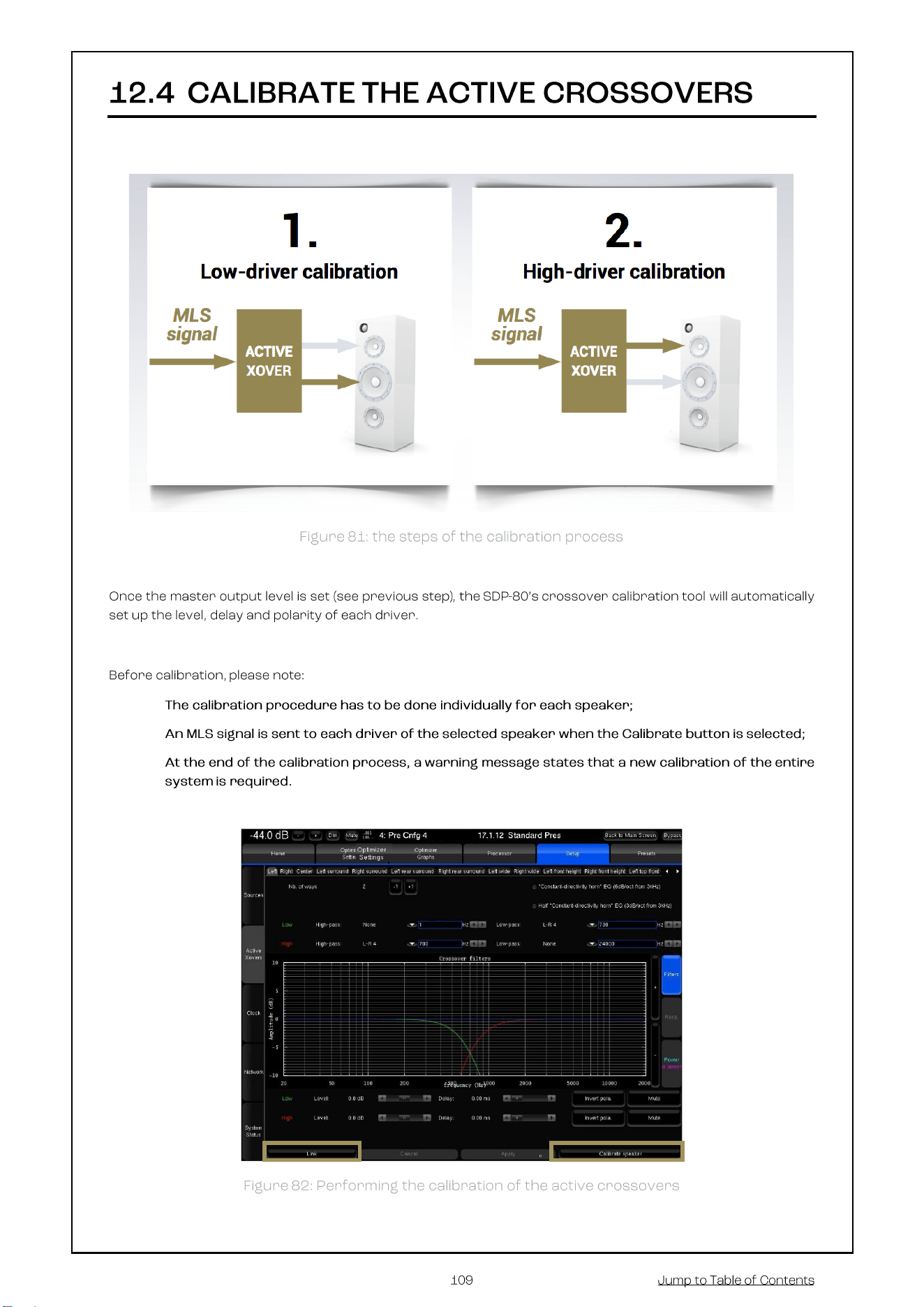
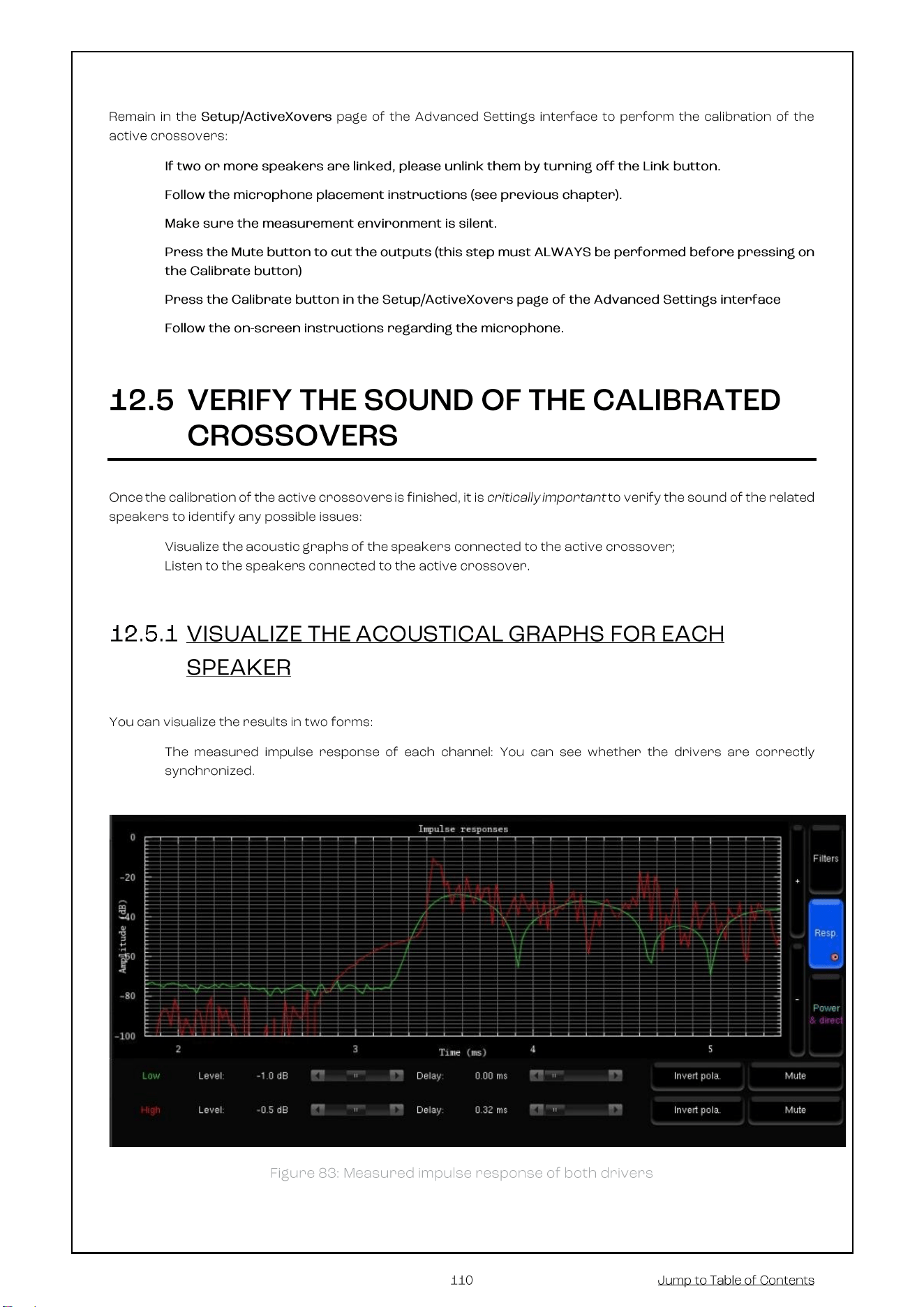
1. Increase the master level until the test signal moves to the second driver;
2. Use the SDP-80’s metering tools, which are automatically displayed on screen to check the level of the
microphone inputs;
3. Use your ears to evaluate the perceived SPL of each driver and, if possible, increase the master output
level to ensure that an optimal SPL is reached for all the drivers. This will also improve the quality of your
measurements;
4. Use the Cancel button to stop the calibration (optional).
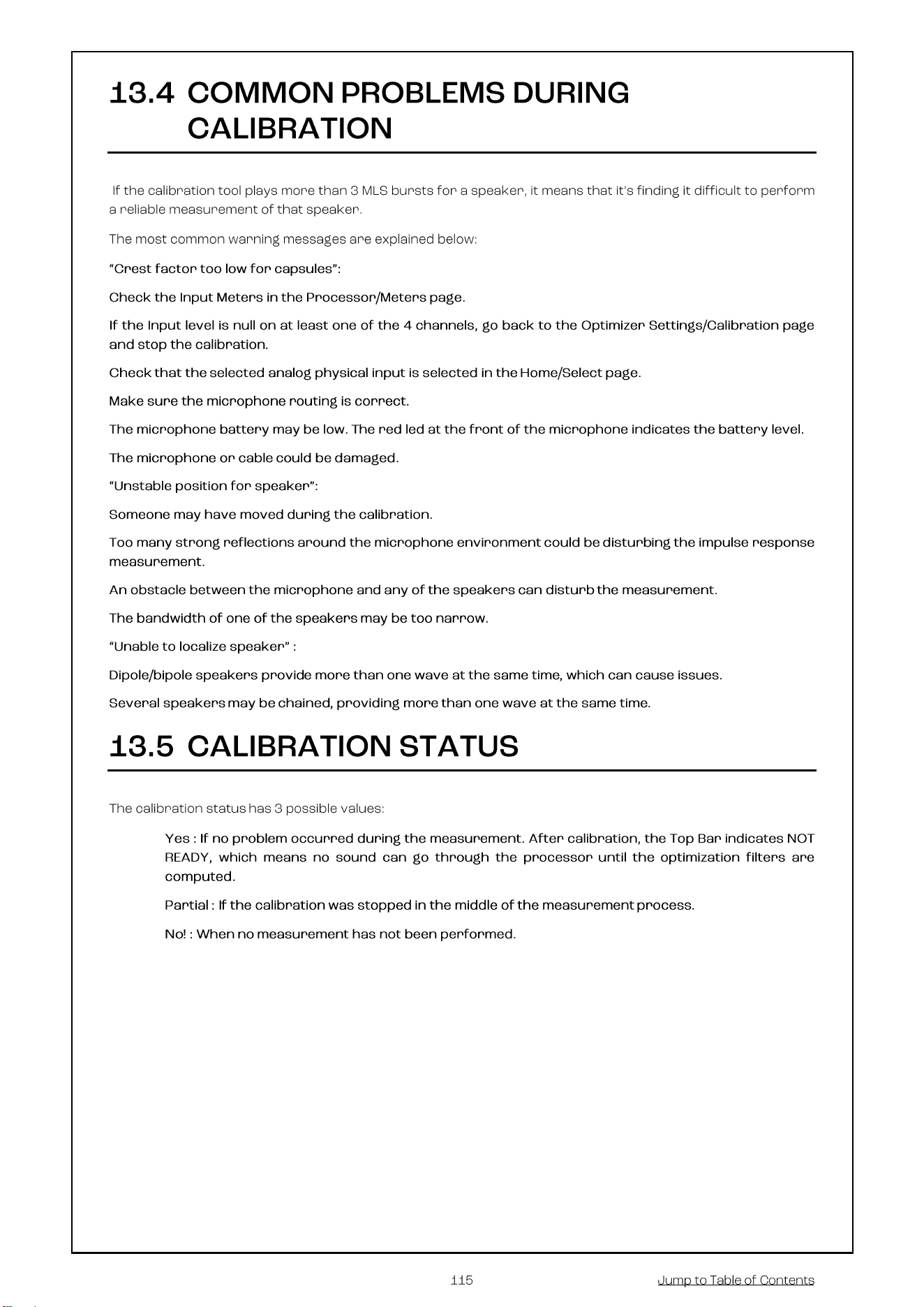
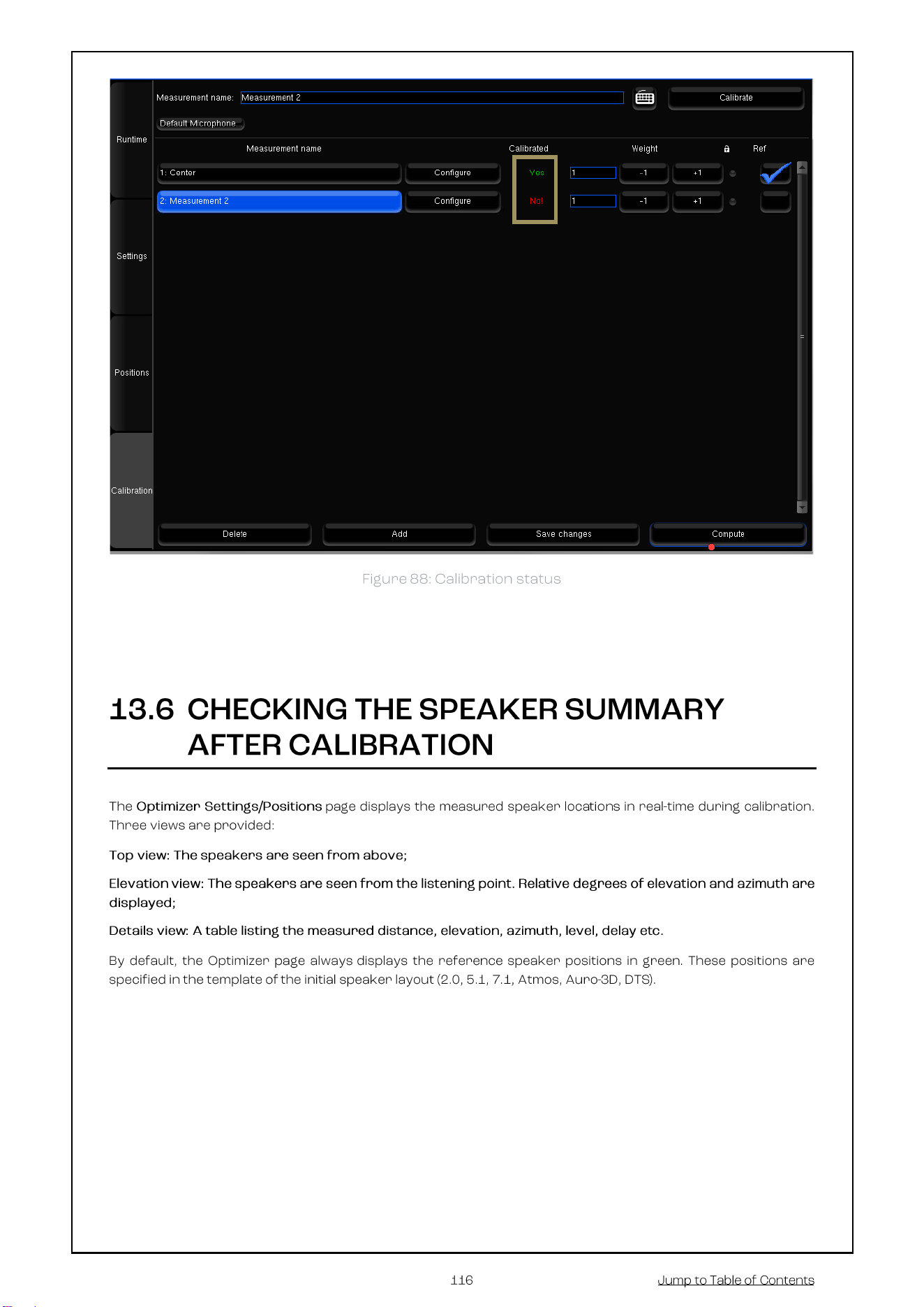
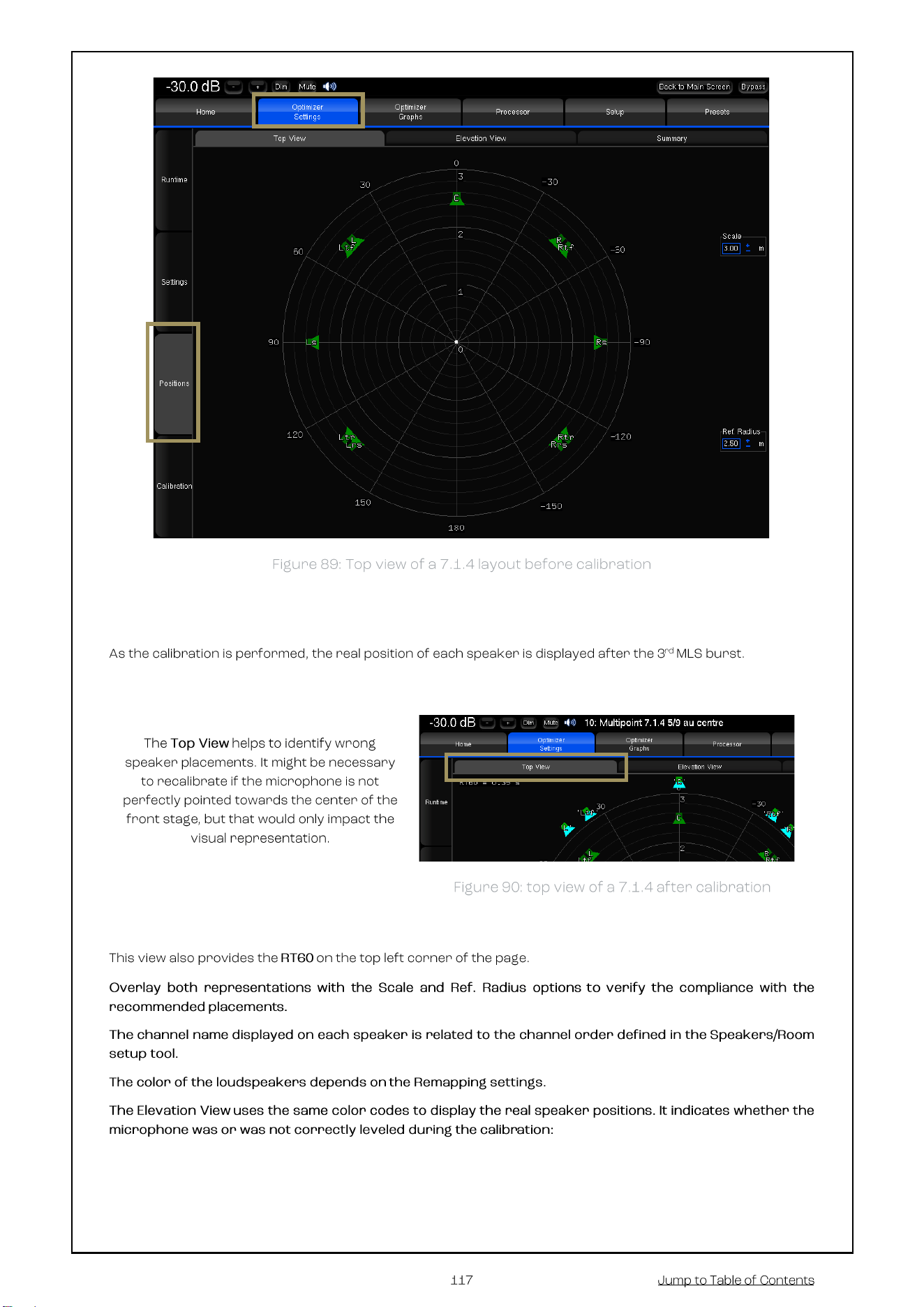
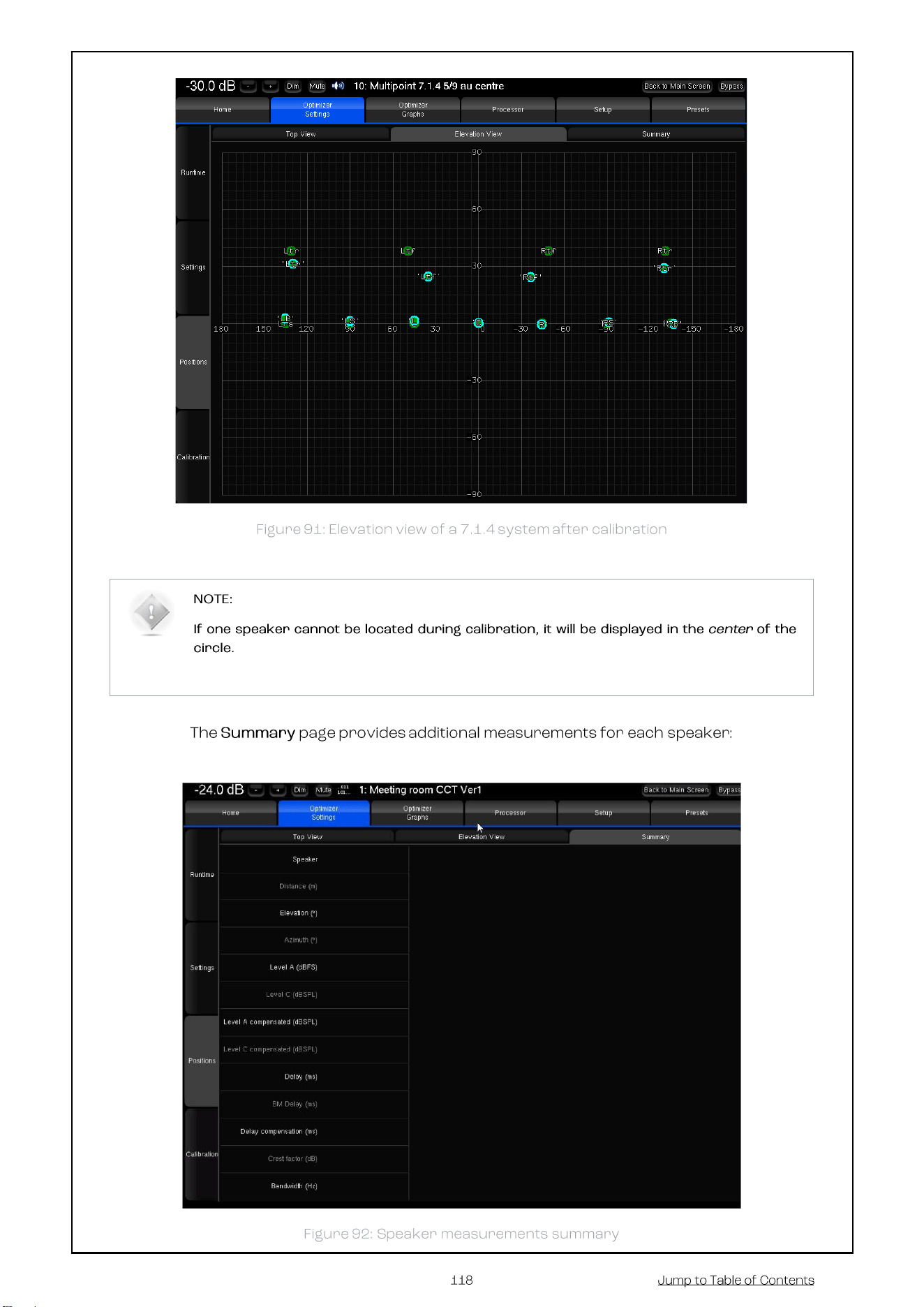
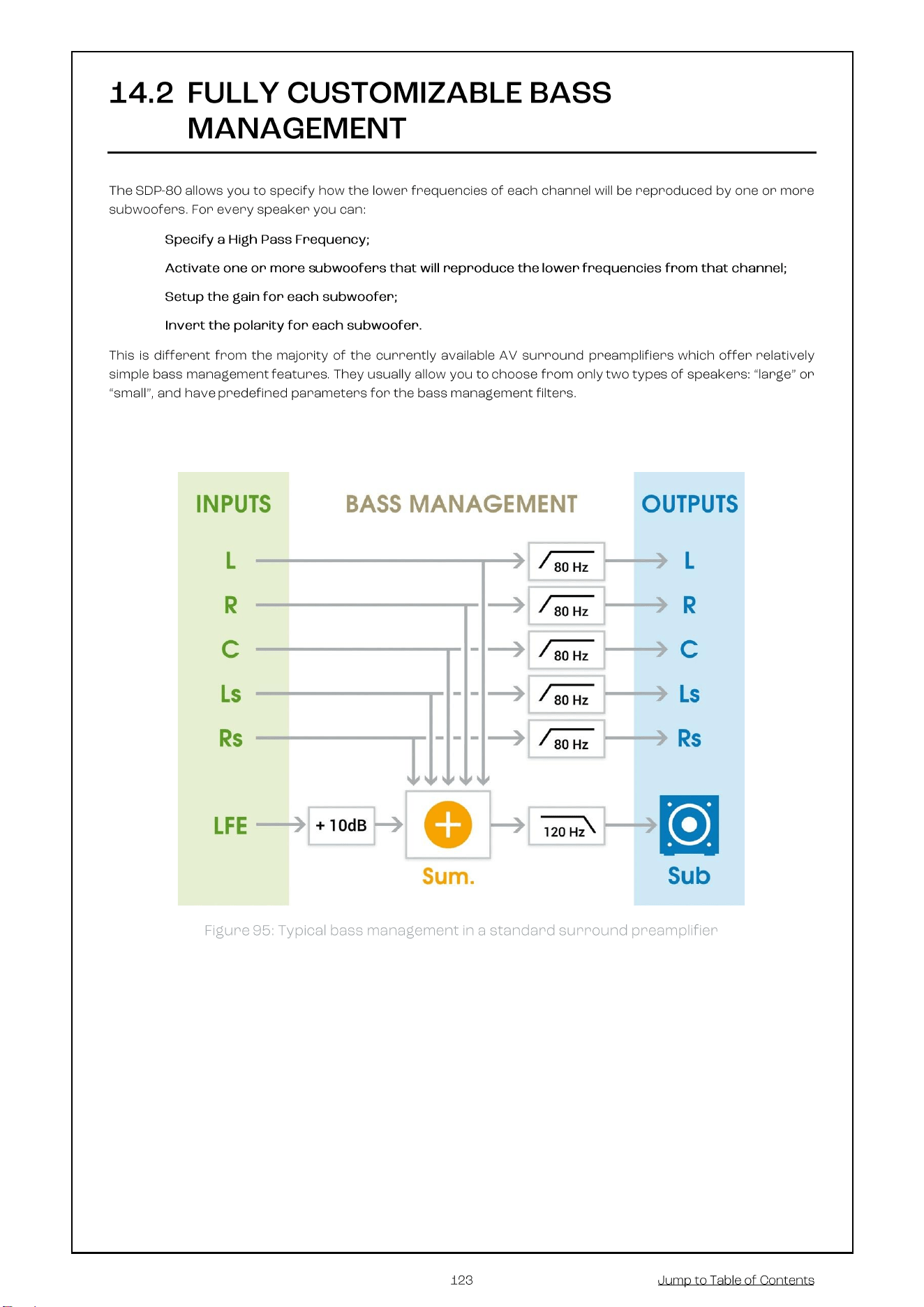
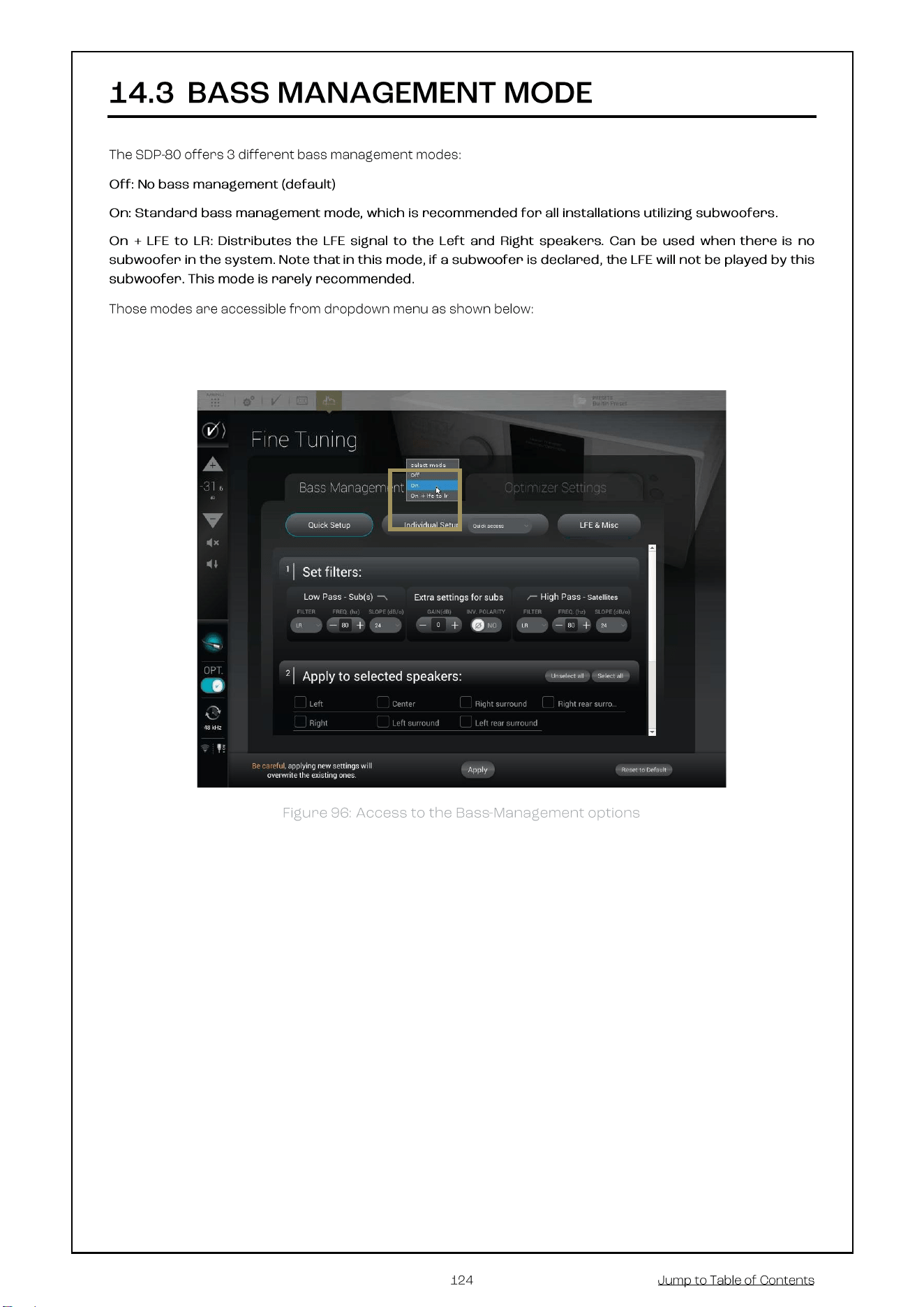
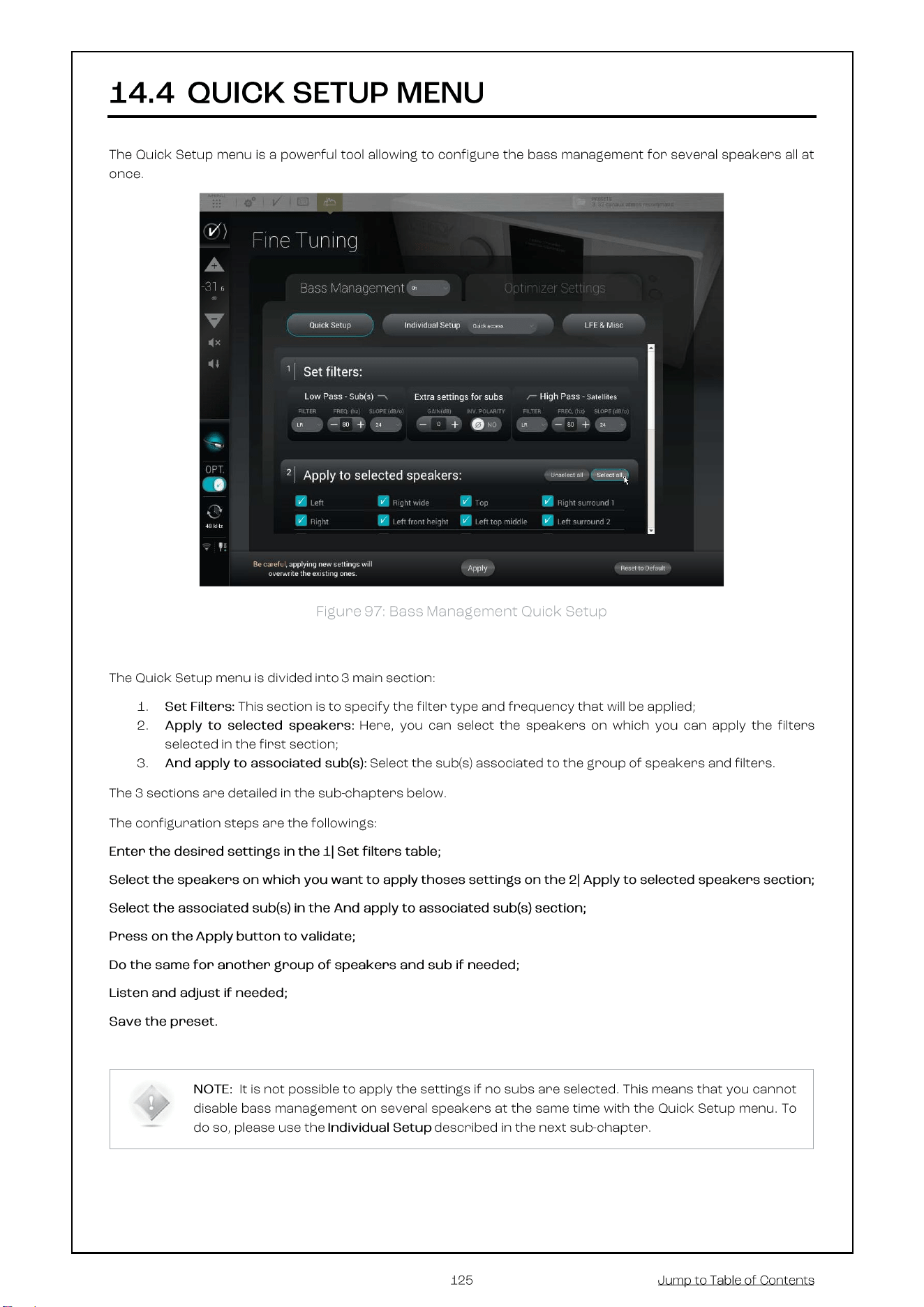
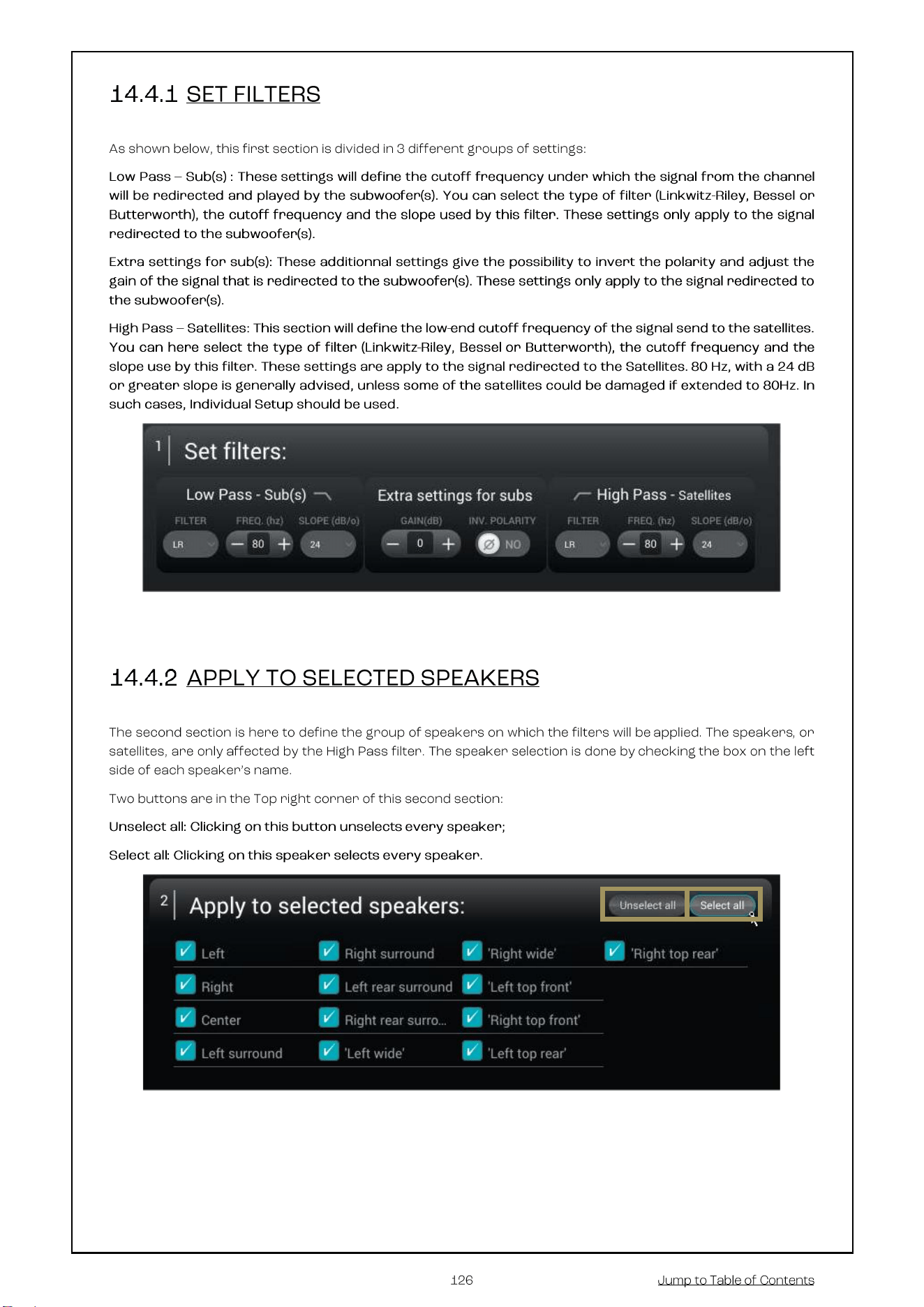
This chapter explains how to setup bass management in the SDP-80.
The SDP-80 provides very flexible options that help you to optimally configure the bass management of
your system. You can specify how the lower frequencies of each channel will be reproduced by one or more
subwoofers.
In other words, individual speakers can be bass-managed with any combination of subwoofers and specific
crossover frequencies.
•
•
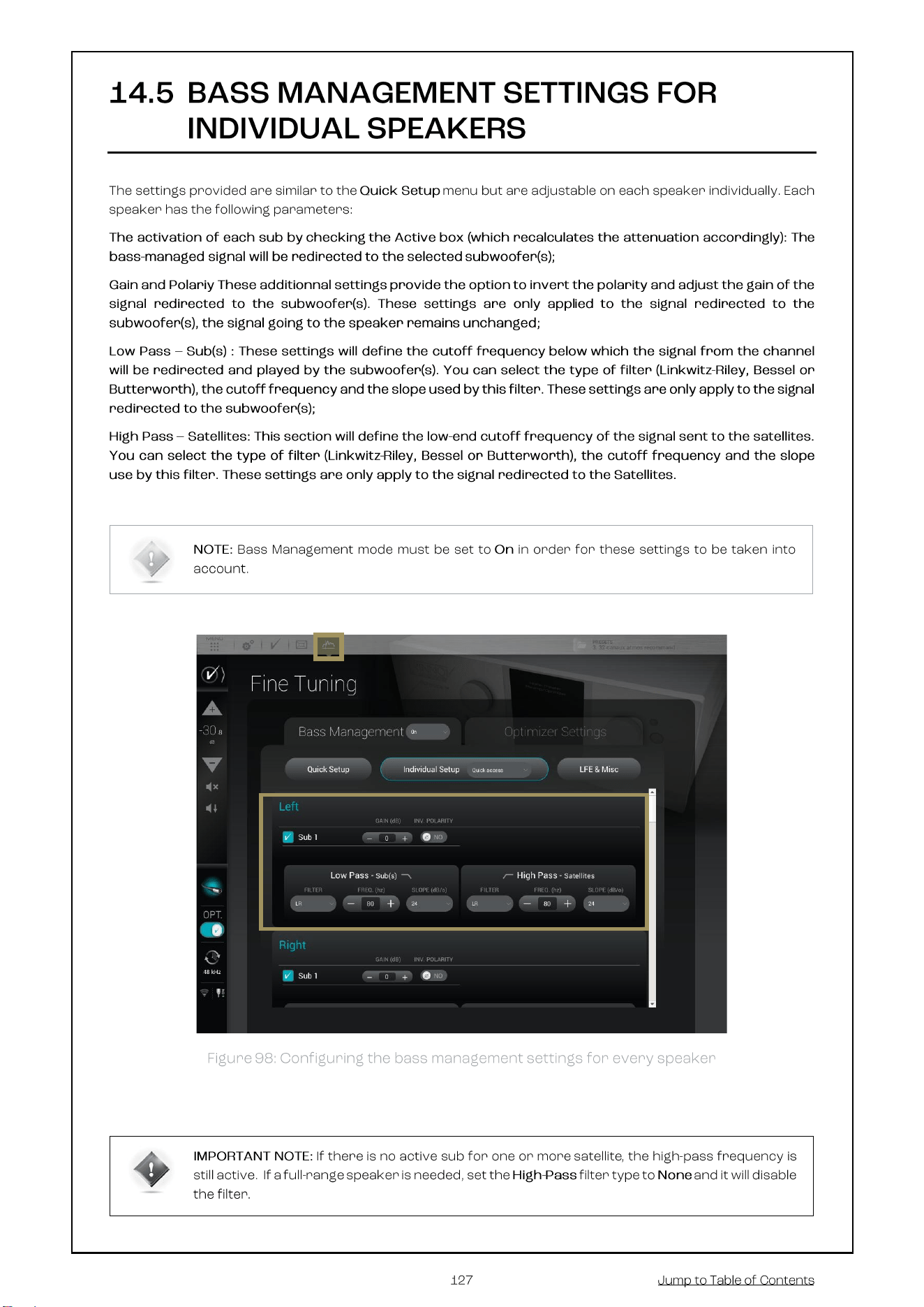
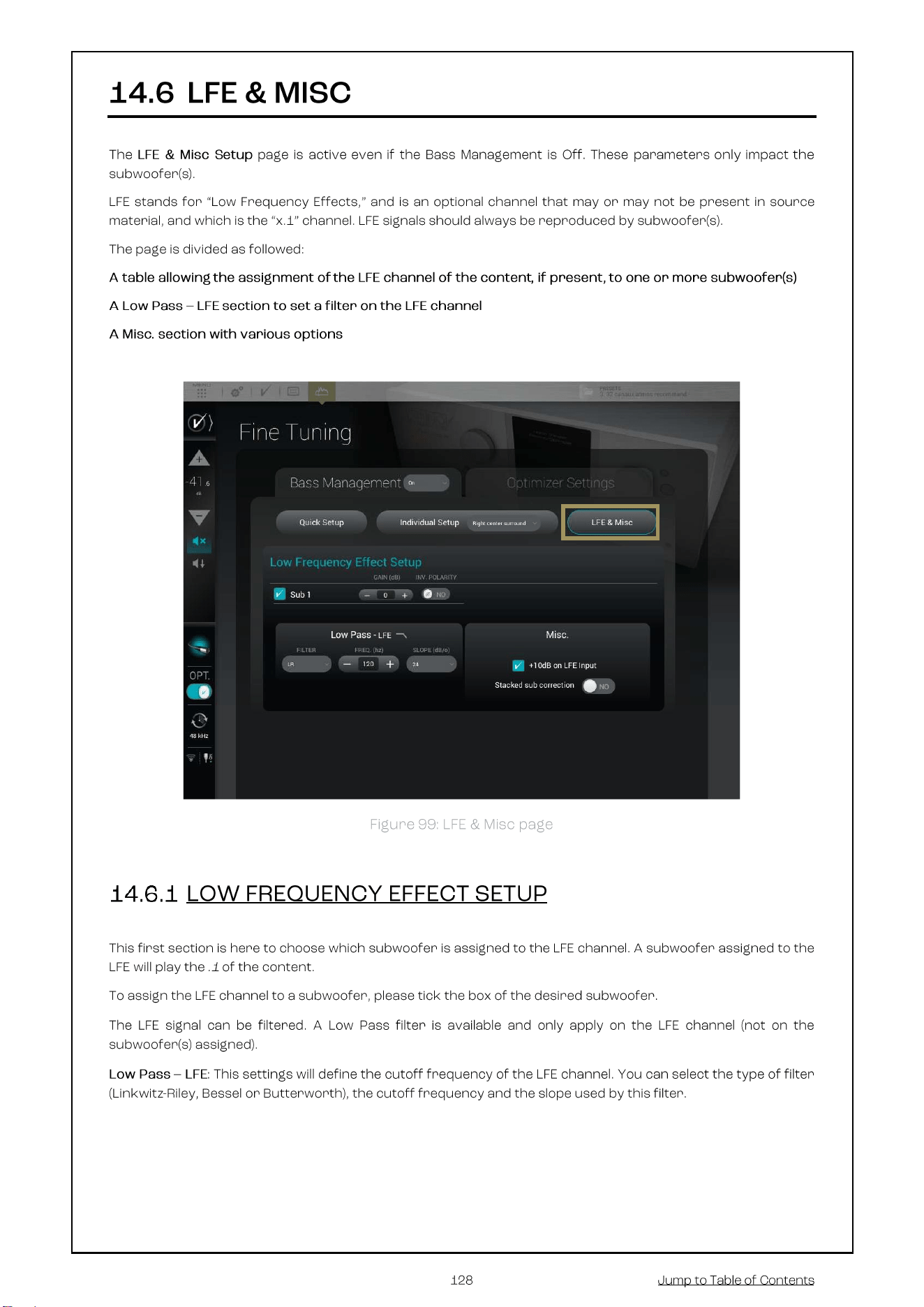
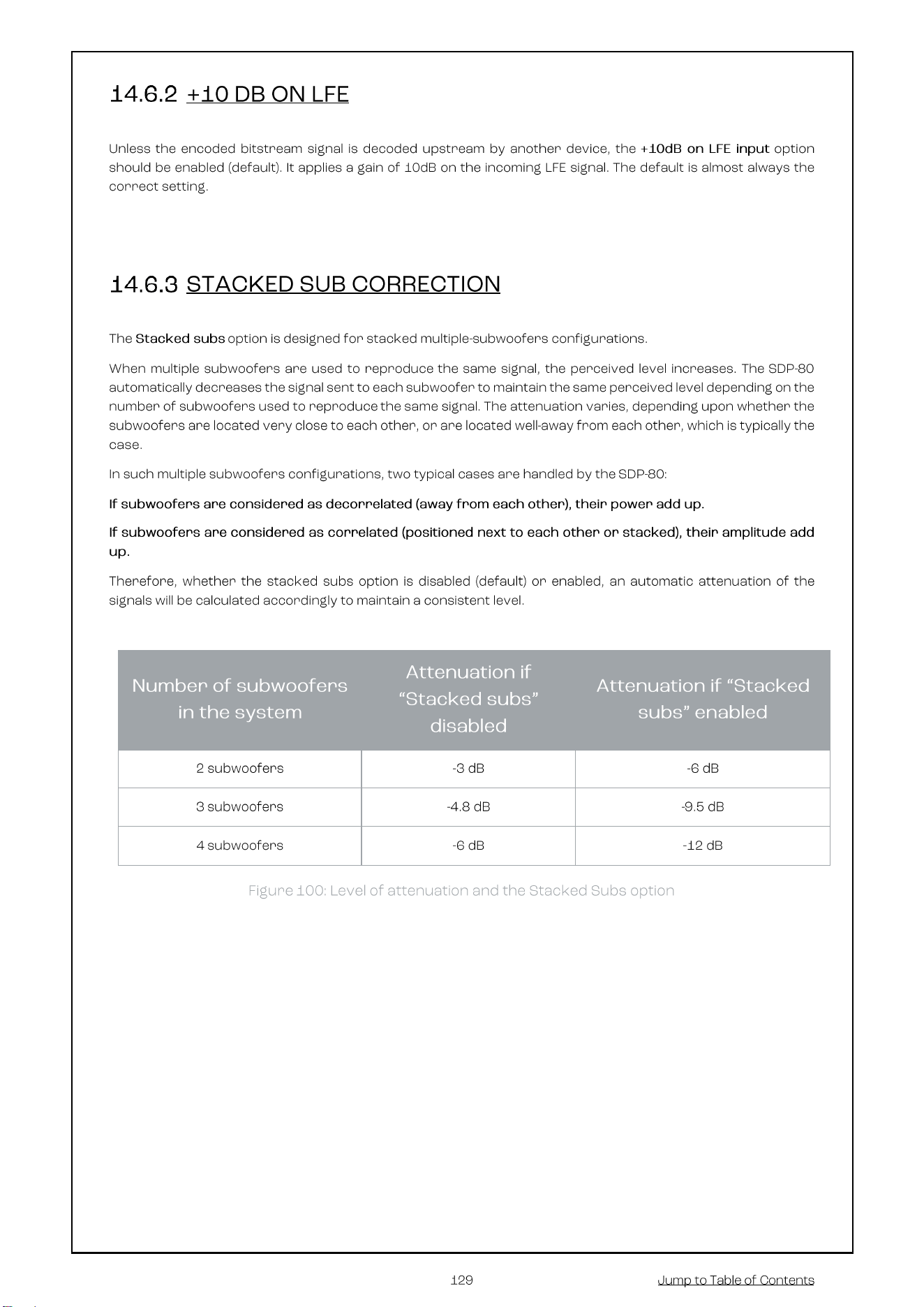

Harman International Industries, Incorporated.
8500 Balboa Blvd, Northridge CA 91329 United States.
European Representative: Harman International Industries, Incorporated.
EMEA Liaison Office, Danzigerkade 16G, 1013 AP Amsterdam, The Netherlands.
UK Business Address: Ground Floor, Westside 2, London Road, Apsley, Hemel Hempstead, Hertfordshire, HP3
9TD, United Kingdom.
© 2025 Harman International Industries, Incorporated. All Rights Reserved.
JBL is a trademark of Harman International Industries, Incorporated registered in the United States and other
countries.
Features, Specifications, and Appearance subject to change without notice.