EN
TOOTHBRUSH WITH DISPLAY
Translation of the original manual
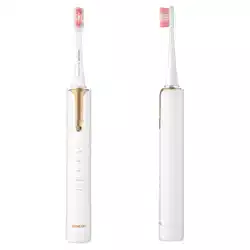
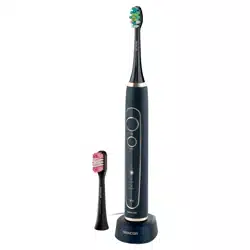
SOC 5010BL
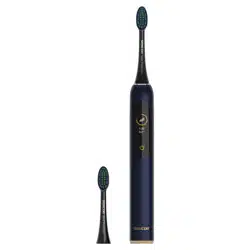
SOC 5011GD
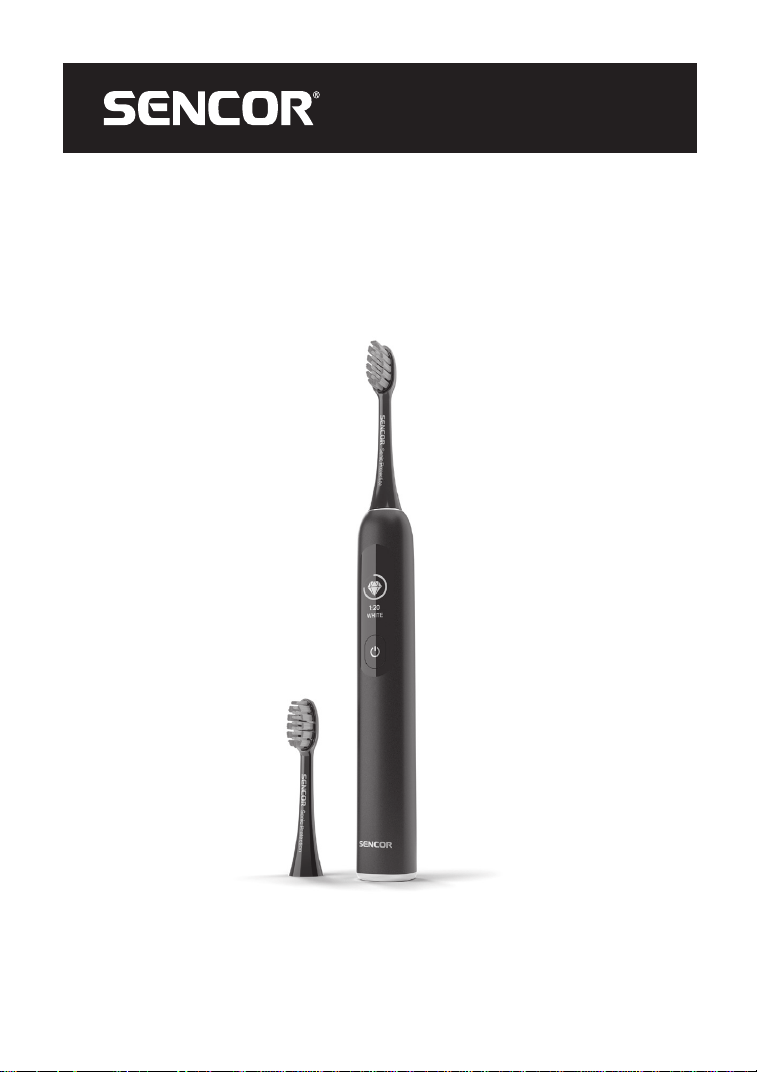
SOC 5010BL
SOC 5011GD
A
1
2
3
4
5
6
B
45
o

– 1 –
05/2024
2024, .
EN Toothbrush withDisplay
Important Safety Instructions
READ CAREFULLY AND STORE FOR FUTURE
USE.
• Toothbrushes may be used children and by
persons with reduced physical or mental
abilities or lack of experience and knowledge,
provided they are supervised or have been
instructed on the safe use of the appliance and
understand the potential hazards.
• Children must not play with the appliance.
Cleaning and maintenance must not be
performed by unsupervised children.
• If the charging cable is damaged, have it
replaced in aprofessional service centre in
order to prevent adangerous situation. It
is forbidden to use the appliance with the
charging cable damaged.
• Parts of the appliance that need to be fixed or
erected must be fixed or erected in such away
that they cannot fall into the water.

– 2 –
05/2024
2024, .
• To charge your toothbrush, use only the
charging cable and AC adapter that come with
it. Before connecting the adapter to apower
socket, make sure the voltage stated on the
product'srating label corresponds to the
voltage in the power socket.
• Connect the appliance only to aproperly earthed socket. Do not use an extension cord.
• Do not connect or disconnect the adapter from the power socket with wet hands.
• Make sure that the adapter does not come into contact with moisture, water or other liquids. If this still happens, carefully dry it before further use.
• Do not disconnect the adapter from the power socket by pulling the cord. Damage to the cable or power socket could occur. Disconnect the cord from
the power socket by pulling the adapter.
• Do not place heavy objects on the charging cable. Make sure that the charging cable does not hang over the edge of the table or touch hot surfaces
or sharp objects.
• Keep the charging cable dry.
• The appliance is equipped with abuilt-in battery with along service life, which can only be removed by aprofessional service. Never attempt to
remove it from the appliance by yourself.
• Never disassemble the appliance in order to remove the battery. Do not short-circuit the appliance or throw it into afire. There is arisk of leakage of
toxic substances, fire or explosion if improperly handled.
• Do not repair or modify the appliance yourself. Have all repairs or adjustments of the appliance performed at an authorised service centre.
• Tampering with the appliance during the warranty period may void the warranty.
• To avoid the risk of electric shock, never immerse the appliance, charging cable and adapter in water or other liquids or wash these parts under
running water.
• If any part falls into the water, do not use it under any circumstances and hand it over to an authorised service centre for inspection.
• This toothbrush is used for cleaning teeth and gums at home. Do not use it for commercial purposes or for purposes other than those for which it is
intended.
• Do not expose the toothbrush or its accessories to the outdoor environment, extreme temperatures, direct sunlight, or place it near open flames,
heaters, or other equipment or appliances that may be potential heat sources.
• Charge, use andstore the toothbrush at room temperature.
• Forhygiene reasons, the toothbrush head should only be used by one user. Replace the toothbrush head regularly every 3 months or sooner if it
shows signs of wear. Use only original replacement heads.
• If children use atoothbrush, supervise them while brushing until they have mastered the correct brushing technique.
• If you have had dental surgery in the past two months, consult your dentist when using the toothbrush.
• If you experience bleeding gums after using the toothbrush and if the bleeding persists after aweek of use, contact your dentist.
• If your toothpaste contains peroxide, baking soda or other bicarbonate (often used in whitening toothpastes), clean the toothbrush and handle
thoroughly after use.
• If using the toothbrush causes you discomfort or pain, stop using the toothbrush and consult your dentist.
• If you have apacemaker or other implanted device, consult your doctor or implant manufacturer when using the toothbrush.
• Perform the cleaning and maintenance following the instructions in the Cleaning and Maintenance section. Do not wash the toothbrush or its
accessories in the dishwasher.
• Do not perform any repairs on the toothbrush andits accessories. By interfering with the product, you risk losing the legal right to defective
performance or warranty for quality.
– 3 –
05/2024
2024, .
• Thank you for purchasing our SENCOR product; we hope it will serve
to your satisfaction.
• Before using this appliance, please familiarise yourself with the user
manual, even if you are already familiar with using similar types of
appliances. Use the appliance only as described in this user manual.
Keep the manual for future reference.
• It is recommended to keep the original packaging, packing material,
receipt and confirmation of the extent of the seller'sliability or
warranty certificate at least for the duration of the legal right of
defective performance or quality guarantee. When transporting the
appliance, we recommend packaging it again in the original box
provided by the manufacturer.
. . . . . . . . . . . . . . . . . . . . . . . . . . . . . . . . . . . . . . . . . . . . . . . . . . . . . . . . . . . . . . . . . . . . .
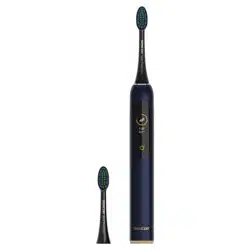
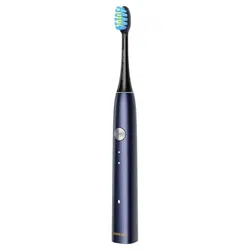
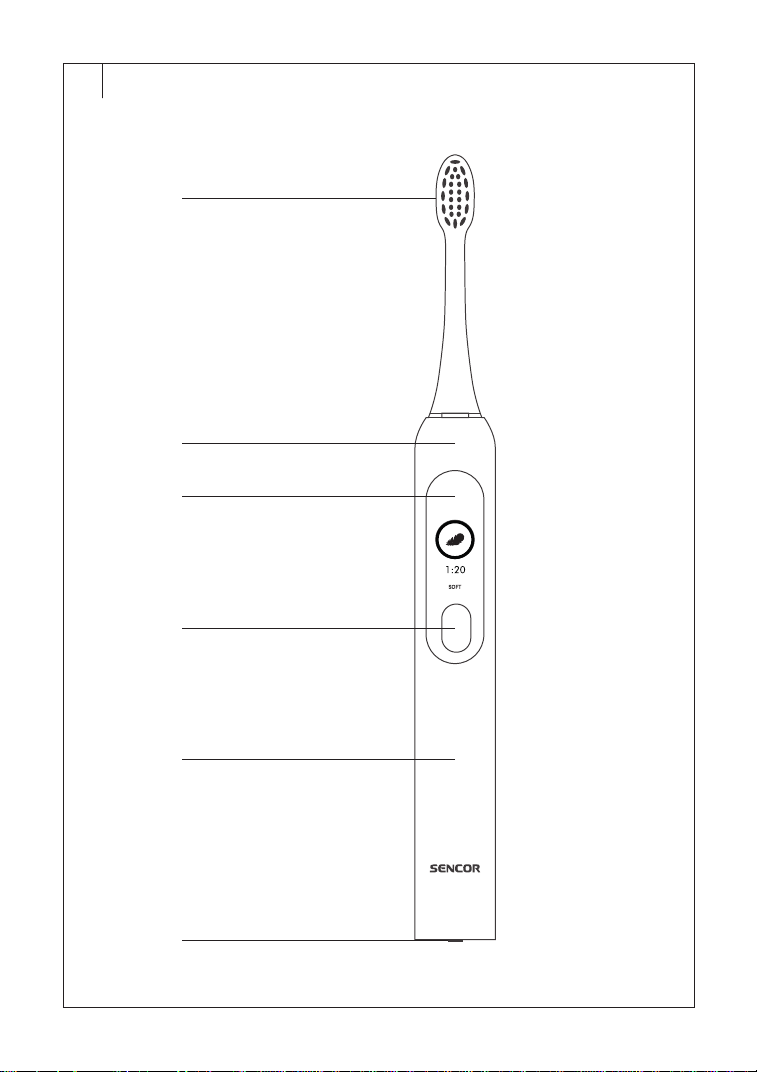
DESCRIPTION OF THE APPLIANCE
A1 Toothbrush head
A2 Toothbrush body
A3 Display
A4 On/Off/Mode button
A5 Handle
A6 Socket for connecting the
charging cable
Without illustration: charging
cable, adapter, replacement
brush head
. . . . . . . . . . . . . . . . . . . . . . . . . . . . . . . . . . . . . . . . . . . . . . . . . . . . . . . . . . . . . . . . . . . . .
BEFORE FIRST USE
• Before first use, rinse the toothbrush heads and the storage jar with
clean warm water.
• Wipe the toothbrush body with adry or very lightly dampened cloth.
Never immerse the toothbrush in water, clean it under running water
or wash it in the dishwasher.
. . . . . . . . . . . . . . . . . . . . . . . . . . . . . . . . . . . . . . . . . . . . . . . . . . . . . . . . . . . . . . . . . . . . .
CHARGING
• Charge the toothbrush before first use.
• Plug the end of the charging cable into the socket at the bottom of the
brush and plug the other end into the adapter. Insert the adapter into
aproperly grounded power outlet.
• The charging of the toothbrush will start. During the charging process,
the display shows the charging status, and shows the power level in
yellow with “%”. The power level data is displayed in 20%, 40%, 60%,
80% in yellow. When charging is completed, the display shows 100%
power in blue. Charging time is usually 5 hours.
• Remove the power adapter from the power socket anddisconnect the
end of the charging cable from the socket at the bottom of the brush.
• When the battery level is lower than about 20%, the display prompts
20% remaining battery level. At this time the toothbrush can still
continue to work, but every 10 seconds jumps 5-second icon
reminder of low battery until turn directly off.
Warning:
Do not charge the toothbrush near water, in awet or
dusty environment.
Note:
The toothbrush may heat up during charging. This is normal
and is not afault.
If you will not use the toothbrush for along time (6 months or more), we
recommend charging it regularly.
. . . . . . . . . . . . . . . . . . . . . . . . . . . . . . . . . . . . . . . . . . . . . . . . . . . . . . . . . . . . . . . . . . . . .
OPERATION
Slide the toothbrush head onto the connecting pin of the toothbrush body.
To remove the toothbrush, reverse the procedure.
Wet the toothbrush and apply asmall amount of toothpaste.
Turn the brush on by briefly pressing the on/off button. The display will
show “SENCOR” for amoment and the charge status of the toothbrush.
Then “CLEAN” will be shown on the display.
The toothbrush will work in “CLEAN” mode by default. Press the on/
off button briefly to switch the working mode within 10 seconds after the
power on. After switching the mode, the toothbrush will work on the mode
you select directly until the end of the 2-minute timer.
CLEAN – mode for standard cleaning of healthy teeth;
SOFT – gentle mode for sensitive teeth or parts of the mouth; it is
recommended to use with increased sensitivity of teeth, exposed necks,
periodontitis, implants and other dental replacements;
WHITE – mode suitable for teeth whitening;
MASSAGE – pulsating mode for gentle gum massage.
The LED indicator of the selected mode will light up.
Note:
The brush remembers the last mode used, so it is not
necessary to reactivate it.
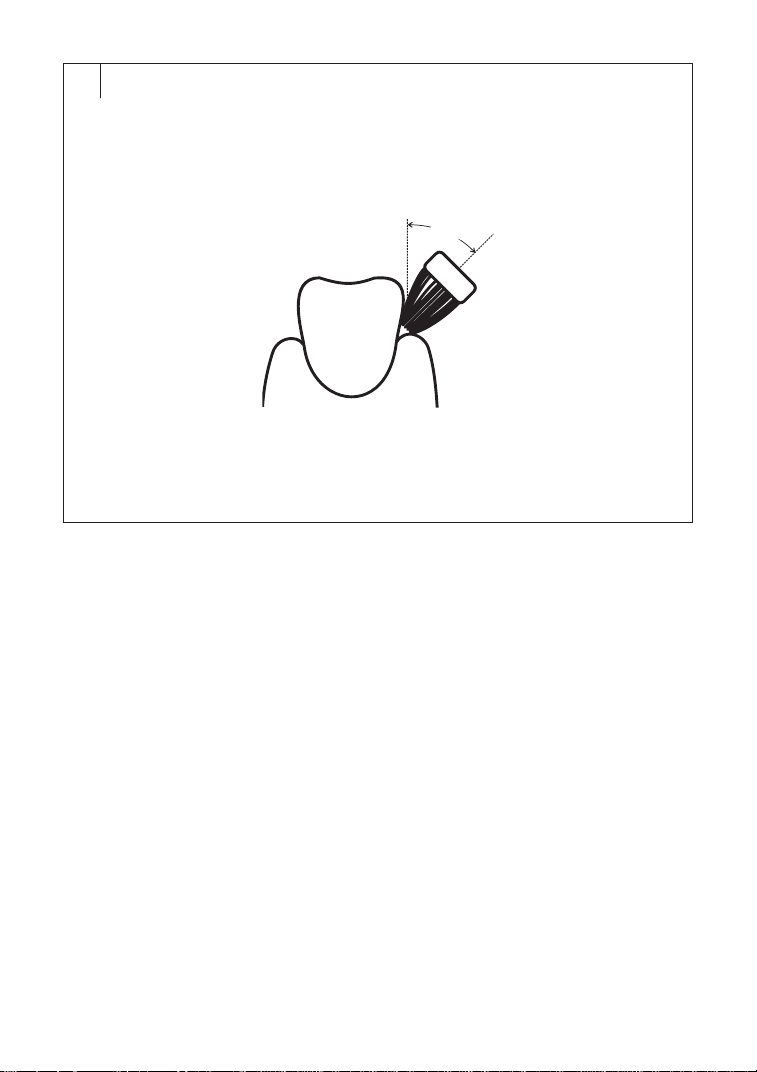
• Place the bristles of the toothbrush against the teeth at a45° angle in
aline around the gums, see Figure B. Use short, slow movements to
move the toothbrush to the next tooth.
• The toothbrush is equipped with asmart timer that interrupts the
operation of the toothbrush for ashort moment every 30 seconds,
which means that you have to change the area to brush your teeth.
• The toothbrush automatically switches off after 2 minutes of
operation.
• Adjust the inclination of the toothbrush to the arrangement of the
teeth. When cleaning the inside of the front teeth, hold the brush
handle vertically so that the tip of the brush head points upwards.
Finally, clean the upper surfaces of the teeth.
• When you have finished using the toothbrush, turn it off with the
main switch and clean it according to the instructions in the Cleaning
and Maintenance chapter. To avoid splashing toothpaste, turn the
toothbrush off before removing it from your mouth.
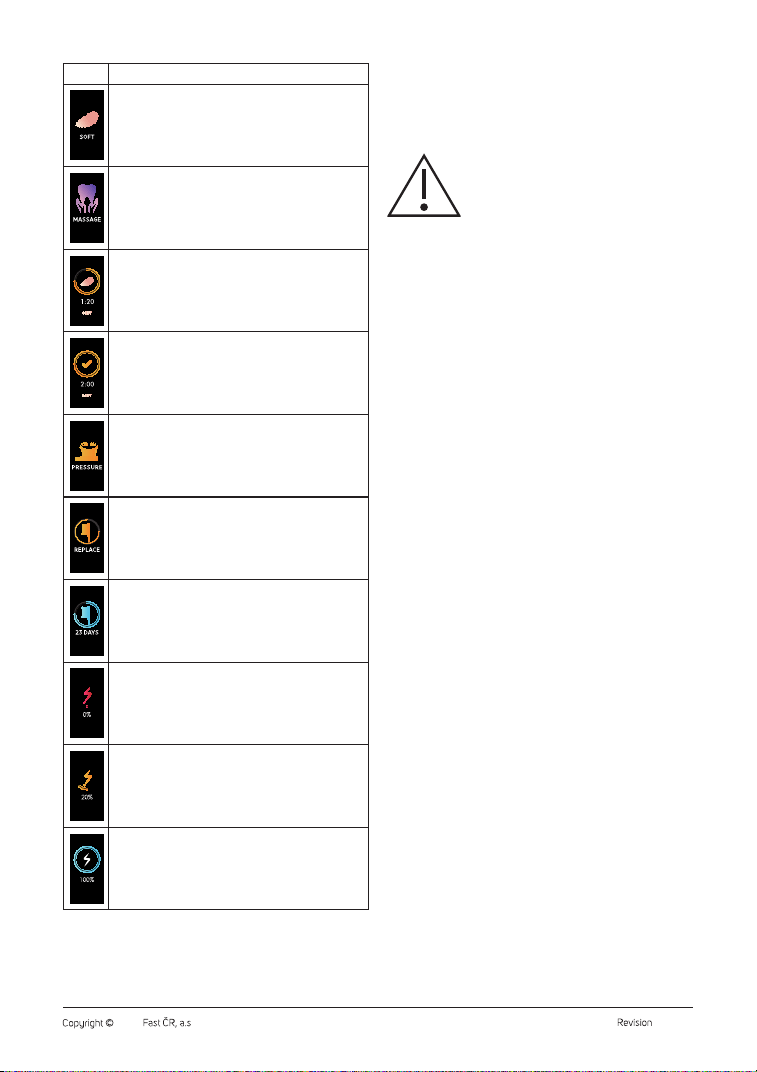
Display icons and their meaning
Icon Meaning
Start-up display when turned on
CLEAN mode
WHITE mode
EN
Toothbrush withDisplay
User Manual
– 4 –
05/2024
2024, .
Icon Meaning
SOFT mode
MASSAGE mode
Brushing mode started.
Brushing mode completed.
More pressure than usual was applied to the head.
The toothbrush starts vibrating.
Areminder to replace the toothbrush head.
Areminder when the toothbrush head needs to be replaced
(after holding the on/off button for 3 seconds).
The toothbrush is out of power.
Charging the toothbrush.
The toothbrush is fully charged.
. . . . . . . . . . . . . . . . . . . . . . . . . . . . . . . . . . . . . . . . . . . . . . . . . . . . . . . . . . . . . . . . . . . . .
CLEANING AND MAINTENANCE
• Before cleaning, turn off the toothbrush.
• Do not use abrasive cleaning agents, solvents, or any substances
to clean any parts of the appliance that could damage the surface
of the appliance. None of the components of this appliance is
dishwasher safe.
Warning:
To avoid the risk of electric shock, do not immerse
the appliance, charging cable or adapter in water or
other liquids.
• Forhygienic reasons, clean the toothbrush regularly after every use.
• Rinse the toothbrush head thoroughly under lukewarm running water
to remove any residual paste and other dirt. If you use whitening
toothpastes to brush your teeth, we recommend applying adrop of
soap to the head and then washing it thoroughly under lukewarm
running water. At least once aweek, remove the head from the handle
and wash it under running water where it attaches to the handle.
• Rinse the toothbrush handle under lukewarm running water and
then dry.
• Clean the charging cable and adapter only with adry cloth, never
wash them with water or other liquid.
• Never dry toothbrush parts over aheat source such as astove, electric
or gas stove, etc.
. . . . . . . . . . . . . . . . . . . . . . . . . . . . . . . . . . . . . . . . . . . . . . . . . . . . . . . . . . . . . . . . . . . . .
TOOTHBRUSH HEAD REPLACEMENT
• When the brush head has been used for 3 months, the display will
show the icon of brush head replacement until the brush head is
replaced.
• After replacing, reset the replacement reminder by holding the on/off
button for 3 seconds.
• If you need to display the replacement reminder, press and hold the
on/off button for 3 seconds when the toothbrush is turned off. The
display will show the remaining days.
• Use only original replacement heads. Replacement heads are
available from your dealer in online or brick-and-mortar stores.
. . . . . . . . . . . . . . . . . . . . . . . . . . . . . . . . . . . . . . . . . . . . . . . . . . . . . . . . . . . . . . . . . . . . .
STORAGE
• If you will not be using the toothbrush for an extended period of time,
turn it off and clean it as instructed above.
• Before storing, ensure that the appliance and all accessories are
thoroughly clean and dry.
• Store the appliance in adry, clean, and well-ventilated place away
from extreme temperatures and out of the reach of children or pets.
. . . . . . . . . . . . . . . . . . . . . . . . . . . . . . . . . . . . . . . . . . . . . . . . . . . . . . . . . . . . . . . . . . . . .
– 5 –
05/2024
2024, .
TROUBLESHOOTING
Problem Possible Cause Solution
The vibrations of the toothbrush have
decreased.
You are putting too much pressure on the
toothbrush.
Release the pressure on the toothbrush.
The toothbrush head is attached too much to
thebody of the toothbrush.
Remove the head andreattach it.
The toothbrush didn't turn on. The toothbrush is out of power. Charge the toothbrush.
The toothbrush does not charge. The socket for connecting the charging cable
is wet.
Allow the socket to dry.
Malfunction on the adapter. Replace the adapter.
The toothbrush only charges briefly. Insufficient charging time. Wait until the toothbrush is fully charged.
Fault in the brush battery. Contact an authorised service centre for
replacement.
Note:
If the problem persists or is not listed in the table above, turn
off the toothbrush, stop using it and contact an authorised
service centre.
. . . . . . . . . . . . . . . . . . . . . . . . . . . . . . . . . . . . . . . . . . . . . . . . . . . . . . . . . . . . . . . . . . . . .
TECHNICAL SPECIFICATIONS
Toothbrush
Input voltage ..................................................................................... 5 V
1 A(max)
Rated operating voltage/power ........................................3.7 V 3.5 W(max)
Battery .........................................................................................Li-Ion, 5 V, 1,100 mAh
Charging time .........................................................................Approximately 5 hours
Noise level ............................................................................................................. <65 dB
Protection level ..........................................................................................................IPX7
We reserve the right to change the text and technical specifications.
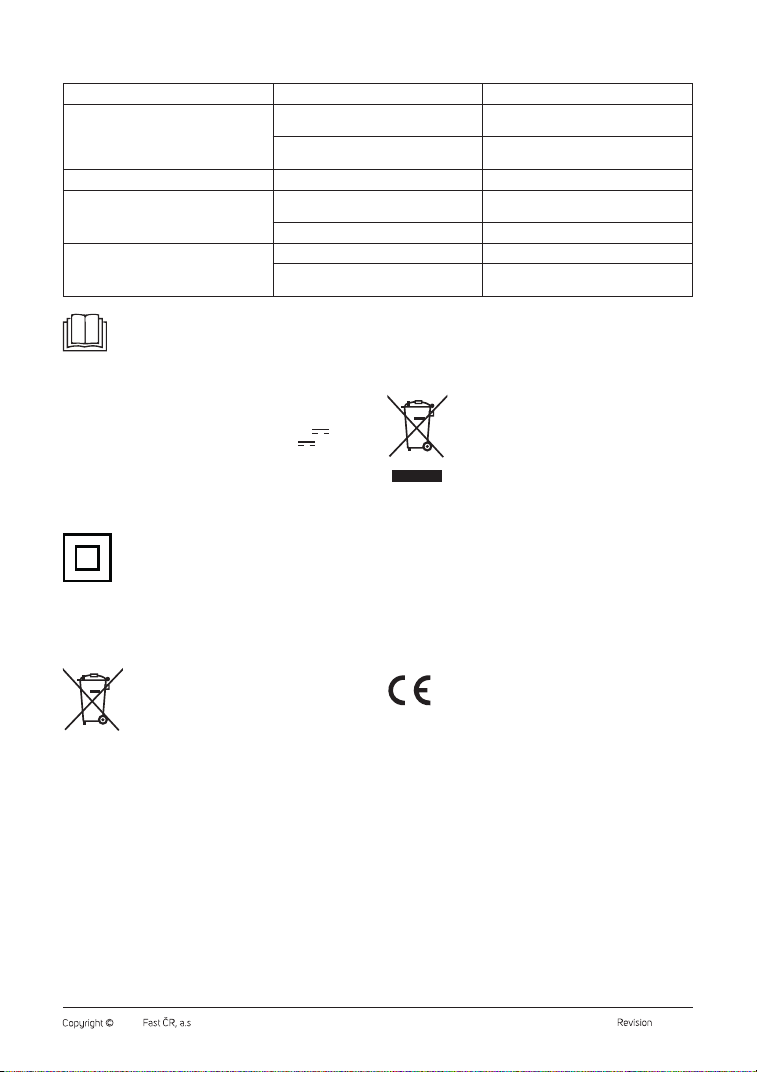
Safety Class for Electric Shock Protection:
Class II – Electric shock protection is provided by double or
heavy-duty insulation.
Protection level:
IPX7 – The device is protected against harmful ingress of water when
submerged to adepth of 1 meter for aperiod of 30 minutes.
. . . . . . . . . . . . . . . . . . . . . . . . . . . . . . . . . . . . . . . . . . . . . . . . . . . . . . . . . . . . . . . . . . . . .
BATTERY DISPOSAL
Prior to disposing of the product or handing it over at
aspecialised collection facility, it is necessary to ensure
that the battery is removed. The battery contains
environmentally damaging compounds and therefore
does not belong in standard household waste. Its proper
disposal shall be ensured by the relevant collection point.
. . . . . . . . . . . . . . . . . . . . . . . . . . . . . . . . . . . . . . . . . . . . . . . . . . . . . . . . . . . . . . . . . . . . .
INSTRUCTIONS AND INFORMATION ON DISPOSAL OF USED
PACKAGING MATERIAL
Dispose of used packaging material in the designated waste disposal area
determined by the municipality.
DISPOSAL OF USED ELECTRICAL AND ELECTRONIC EQUIPMENT
This symbol on the products or accompanying documents
indicates that used electrical and electronic products
should not be disposed of with regular municipal waste.
For proper disposal and recycling of these products,
deliver them to designated collection points. Alternatively,
in some European Union states or other European
countries the products can be returned to the local retailer
when buying an equivalent new product. By properly
disposing of this product, you help preserve valuable natural resources and
contribute to preventing potential negative impacts on the environment
and human health resulting from improper waste disposal. For further
details, contact your local authorities or the nearest collection point. Fines
may be imposed for improper disposal of this type of waste in accordance
with national regulations.
For Business Entities in European Union States
If you want to dispose of electric or electronic devices, ask your retailer or
supplier for the necessary information.
Disposal in Other Countries Outside the European Union
This symbol is valid in the European Union. To dispose of this product
elsewhere, request necessary information on the correct disposal method
from local authorities or your retailer.
This product complies with all the essential requirements of
the applicable EU directives.