1.AC power supply:
1)Take the included AC power cord out from the packing box.
2)Plug the end with two holes into <⑨AC in Jack> and plug the other end into the socket
(Voltage: 110V/50Hz).
2. Type D(Um-1)Battery*3:
The J-05 radio requires 3 D batteries (not included) which can be replaced.
Battery installation:
1) Open the Battery Compartment Cover.
2) Follow the electrode marks inside battery compartment to install 3 Type D batteries.
3) Replace the battery compartment cover.
Note:
◆Don't use a new battery and old batteries together.
◆Don't use batteries of different type or brand together.
◆Don't use batteries with different power (mAh).
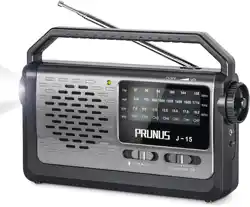
PRUNUS J-05 Radio User Manual
Thank you for purchasing the PRUNUS J-05 radio. In order to get the best from the
radio please read this manual carefully before using it and take special notice of the
section on precautions.
◆If you will not use the radio for a long time, please take out the batteries.
◆Please do not use this product near water or put it into liquid.
◆Please do not use this product near the environment over 40 degrees Celsius.
◆Each index of the radio is adjusted well, so please do not adjust the components in the
radio.
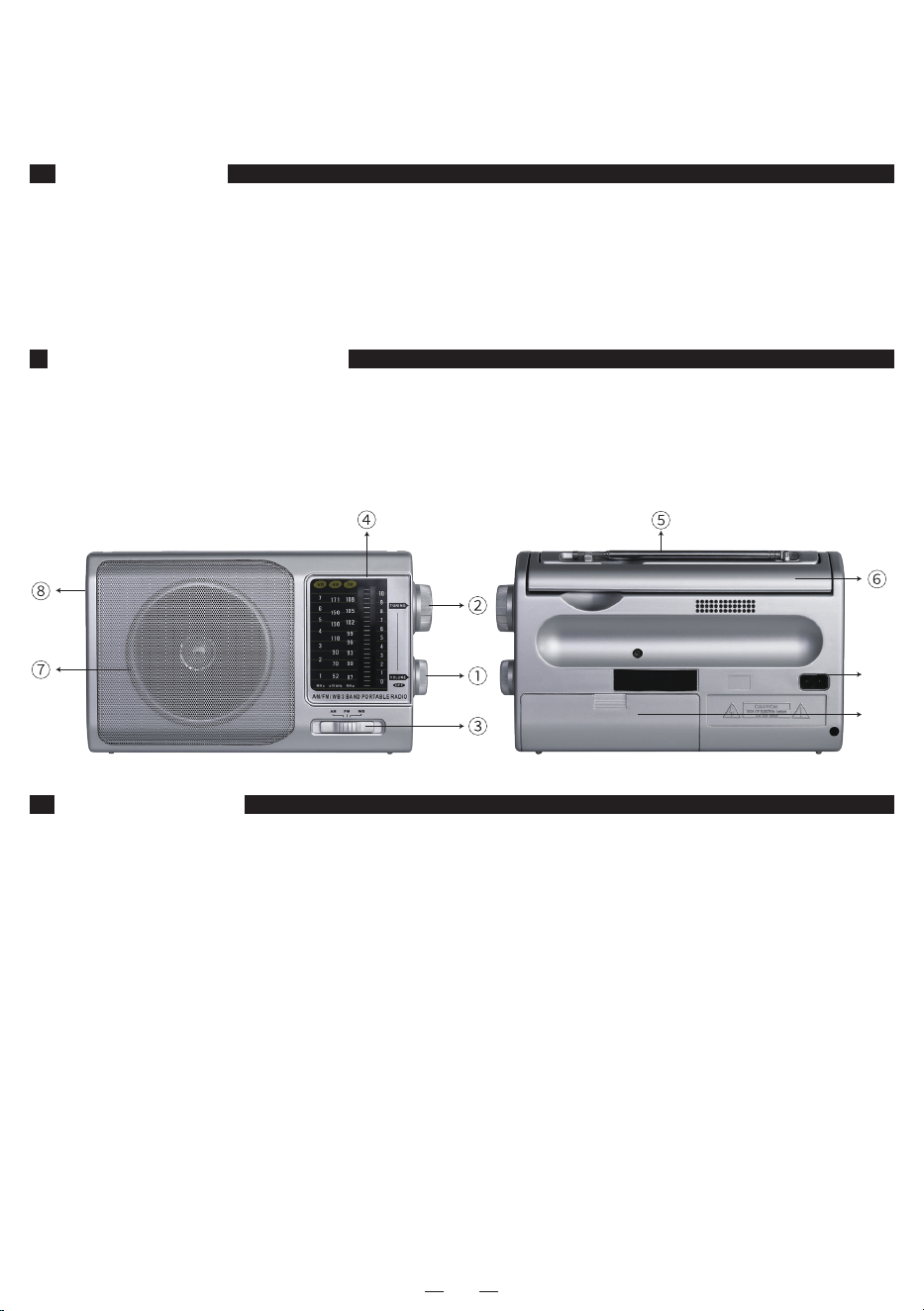
Functional components
Precautions
Power Supply
EN
①Volume/Power knob
②Tuning knob
③Band switch
④Frequency display
⑤Telescopic aerial
⑥Handle
⑦Speaker
⑧Earphone jack
⑨AC in jack
⑩Battery door
⑨
⑩

In order not to disturb others around you, you can use headphones to listen to the radio.
1. Plug the headphone into the <⑧Earphone jack> and the radio will automatically
switch to headphone listening mode and the built-in speaker will be muted.
2. When you pull out the headphones, the radio will return to the speaker mode. Please
adjust the volume in time, to adapt to the surrounding environment and your own hear-
ing needs.
Radio Reception
1. Push <③Band switch> to the “FM”, “AM” or “WB” position.
2. Turn the <①Volume/Power knob> to turn on the radio.
3. Rotate the <②Tuning knob> to select the station you want to listen to.
4. Turn the <①Volume/Power knob> again to adjust the volume.
5. When finished listening, turn the <①Volume/Power knob> to turn off the radio.
Note:
◆When tuning to the FM/WB stations, extend the <⑤Telescopic aerial> and adjust the
position of the aerial for the best reception; When listening to AM stations, rotate the
radio to get the best reception.
◆In order to get better reception, when using the radio indoors, please approach it to the
window and do your best to keep it away from the electronic devices (such as computers,
TVs, refrigerators, mobile phones, etc).
Headphones
When reception is weak, it will be better if hold the radio in hand, but its reception will be
weak again when the hand is away. This is a common phenomenon called " Human
Body Induction " among almost all the radios.
Human Body Induction
EN