ninjakitchen.com
@ninjakitchen
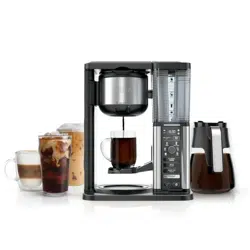
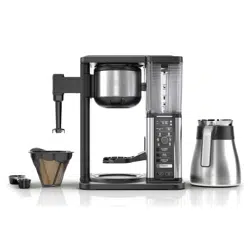
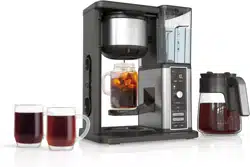
NINJA FRESH BREW™
CE450 SERIES | OWNER’S GUIDE
General Precautions
1 This appliance can be used by children aged from 8 years and above and persons with reduced physical, sensory or
mental capabilities or lack of experience and knowledge if they have been given supervision or instruction concerning
use of the appliance in a safe way and understand the hazards involved.
2 To reduce the risk of electric shock, this appliance has a polarized plug (one blade is wider than the other). As a safety
feature, this plug will fit into a polarized outlet only one way. If the plug does not fit fully into the outlet, reverse the plug.
If it still does not fit, contact a qualified electrician. DO NOT force into outlet or try to modify to fit.
3 Keep the appliance and its cord out of reach of children less than 8 years.
4 To eliminate a choking hazard for young children, remove and discard the protective cover fitted on the power plug of this
appliance.
5 Children shall not play with the appliance.
6 To protect against fire, electric shock, and injury to persons, DO NOT immerse cord, plugs, or body of machine in water or
other liquid.
7 NEVER carry the appliance by the power cord or pull it to disconnect from electrical socket; instead grasp the plug and pull
to disconnect.
8 DO NOT operate any appliance with a damaged cord or plug, or after the appliance malfunctions, or has been dropped or
damaged in any manner. Contact SharkNinja Operating LLC for service.
9 For household and work top use only. DO NOT let the power cord hang over the edge, or touch hot surfaces such as the stove.
10 NEVER use socket below counter.
11 To avoid risk of fire, electrical shock, or damage to the unit, DO NOT store or use unit in an appliance garage or under a
wall cabinet.
12 Unplug from outlet when either the appliance or display clock is not in use, and before cleaning.
13 Turn o and allow to cool before putting on or taking o parts, and before cleaning the appliance.
Operating Notice
14 The use of an accessory not recommended by the manufacturer may create an overflow condition and scalding hazard,
or result in fire, electric shock, or personal injury.
WARNING
To reduce the risk of fire, electric shock, serious injury, death, or damage when using this appliance, follow these basic safety precautions.
Read and review instructions to understand operation and use of product.
Indicates the presence of a hazard that can cause personal injury, death or substantial property damage if
the warning included with this symbol is ignored.
Indicates risk of fire or electric shock, presence of live parts, or dangerous voltage.
Avoid contact with hot surface. Always use hand protection to avoid burns.
For indoor and household use only.
IMPORTANT SAFETY INSTRUCTIONS
INDOOR HOUSEHOLD USE ONLY. READ ALL INSTRUCTIONS BEFORE USE.
RECORD THIS INFORMATION
Model Number: �������������������������
Serial Number: ��������������������������
Date of Purchase: ������������������������
(Keep receipt)
Store of Purchase: �����������������������
TECHNICAL SPECIFICATIONS
Voltage: 120V~60Hz
Power: 1100 Watts
Water Reservoir
Capacity: 70 Fluid Ounces
SharkNinja Operating LLC
US: Needham, MA 02494
1-877-646-5288
ninjakitchen.com
Illustrations may dier from actual product. We are constantly striving to improve our products;
therefore the specifications contained herein are subject to change withoutnotice.
NINJA and THERMAL FLAVOR EXTRACTION are registered trademarks of SharkNinja Operating LLC.
NINJA FRESH BREW and NINJA SMART SCOOP are trademarks of SharkNinja Operating LLC.
This product may be covered by one or more U.S. patents.
See sharkninja.com/patents for more information.
© 2025 SharkNinja Operating LLC
CE450Series�IB�REV�Mv8
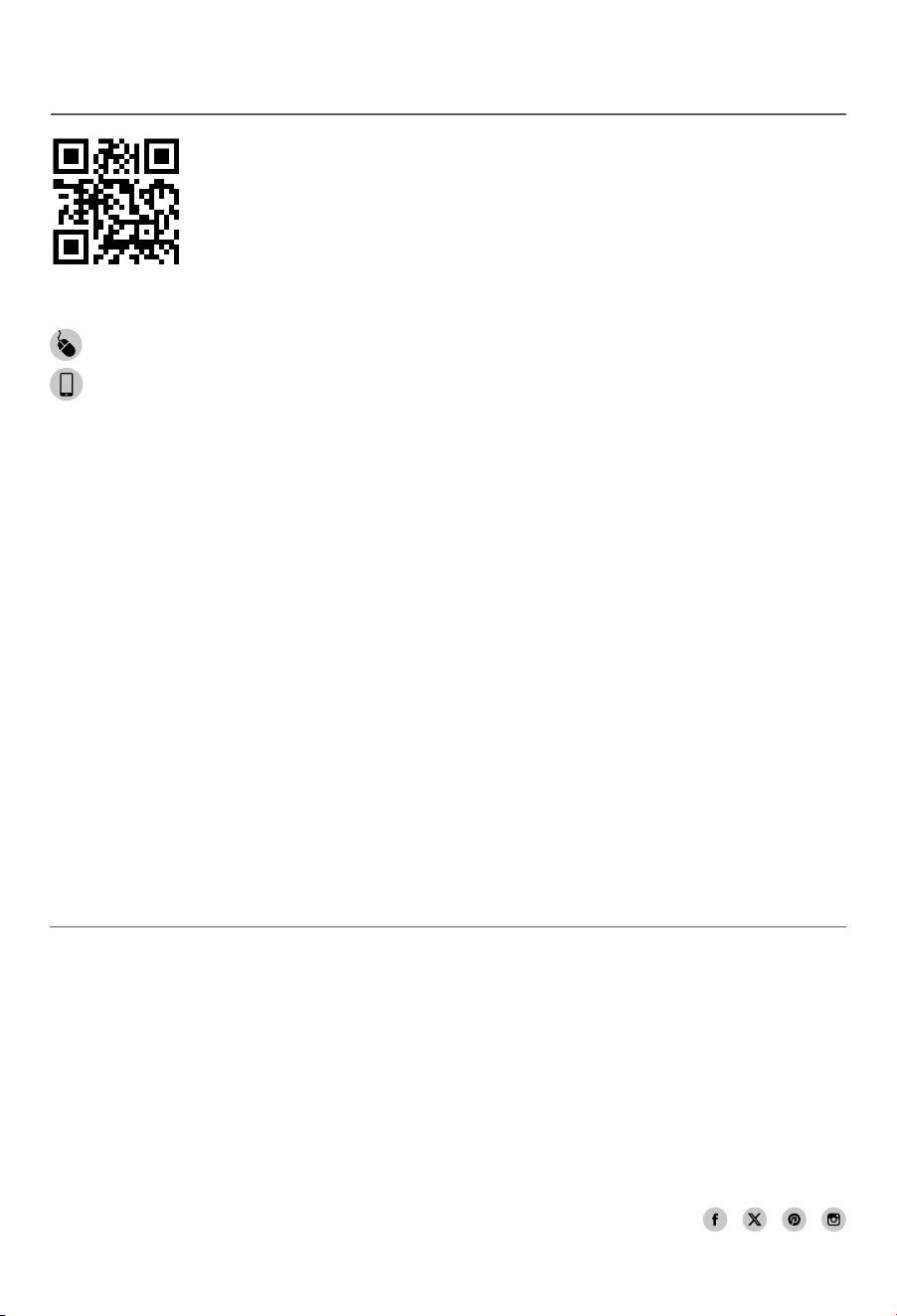
REGISTER YOUR PURCHASE
registeryourninja.com
Scan QR code using mobile device
TIP: You can find the model and serial numbers on
the QR code label on the back of the unit by the
power cord.
THANK YOU
for purchasing the Ninja Fresh Brew™
ninjakitchen.com
ninjakitchen.com
15 ALWAYS use appliance on a clean, dry, level surface.
16 DO NOT place on or near a hot gas or electric burner or in a heated oven.
17 DO NOT use this appliance for anything other than its intended use.
18 DO NOT use outdoors.
19 DO NOT touch hot surfaces. Use handles or knobs.
20 ALWAYS place the carafe beneath the brew basket to receive the brewed coee.
21 Scalding may occur if brew basket is opened during a brew or clean cycle.
22 DO NOT fill water reservoir with anything other than water, as other liquids may damage your brewer.
23 DO NOT overfill the water reservoir. Fill water only to the Max Fill line.
24 DO NOT run the appliance without water.
25 Exceeding maximum brew basket capacity may cause overflow. DO NOT use fine or espresso ground coee.
Glass Carafe
26 The carafe is designed for use with this appliance only. DO NOT place carafe on or near a hot gas or electrical burner, or in a
heated oven.
27 DO NOT set a hot carafe on a wet or cold surface.
28 DO NOT use a cracked or scratched carafe or a carafe that has a loose or weakened handle.
29 DO NOT clean carafe with abrasive cleaners, steel wool pads, or other abrasive materials.
30 DO NOT place carafe in microwave.
31 DO NOT expose carafe to extreme temperature changes.
32 DO NOT drink directly from the carafe. Liquid from the carafe may be very hot.
33 DO NOT use the carafe to store food when not in use.
34 Ensure the carafe is completely empty before starting a cleaning or brewing cycle. Starting a cycle with water, coee, or
tea in the carafe will cause an overflow.
Care & Maintenance
35 Allow the appliance to cool before removing any parts and before cleaning.
36 To prevent illness from bacterial growth in the appliance, follow all cleaning instructions in the Care & Maintenance
section of this Owner’s Guide.
37 Clean the system on a weekly basis.
38 If the product is not operating properly, visit ninjakitchen.com or contact SharkNinja Operating LLC for examination,
repair, or adjustment. Any servicing needs must be performed by an authorized service provider.
39 Cleaning and user maintenance shall not be made by children unless they are older than 8 and supervised.
Cord Statement
40 A short power-supply cord is provided to reduce the risks resulting from becoming entangled in or tripping over a
longer cord.
41 DO NOT use extension cords with this product.
SAVE THESE INSTRUCTIONS
IMPORTANT SAFETY INSTRUCTIONS
INDOOR HOUSEHOLD USE ONLY. READ ALL INSTRUCTIONS BEFORE USE.
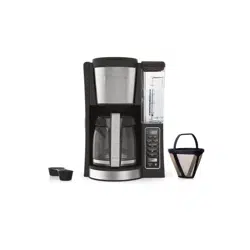
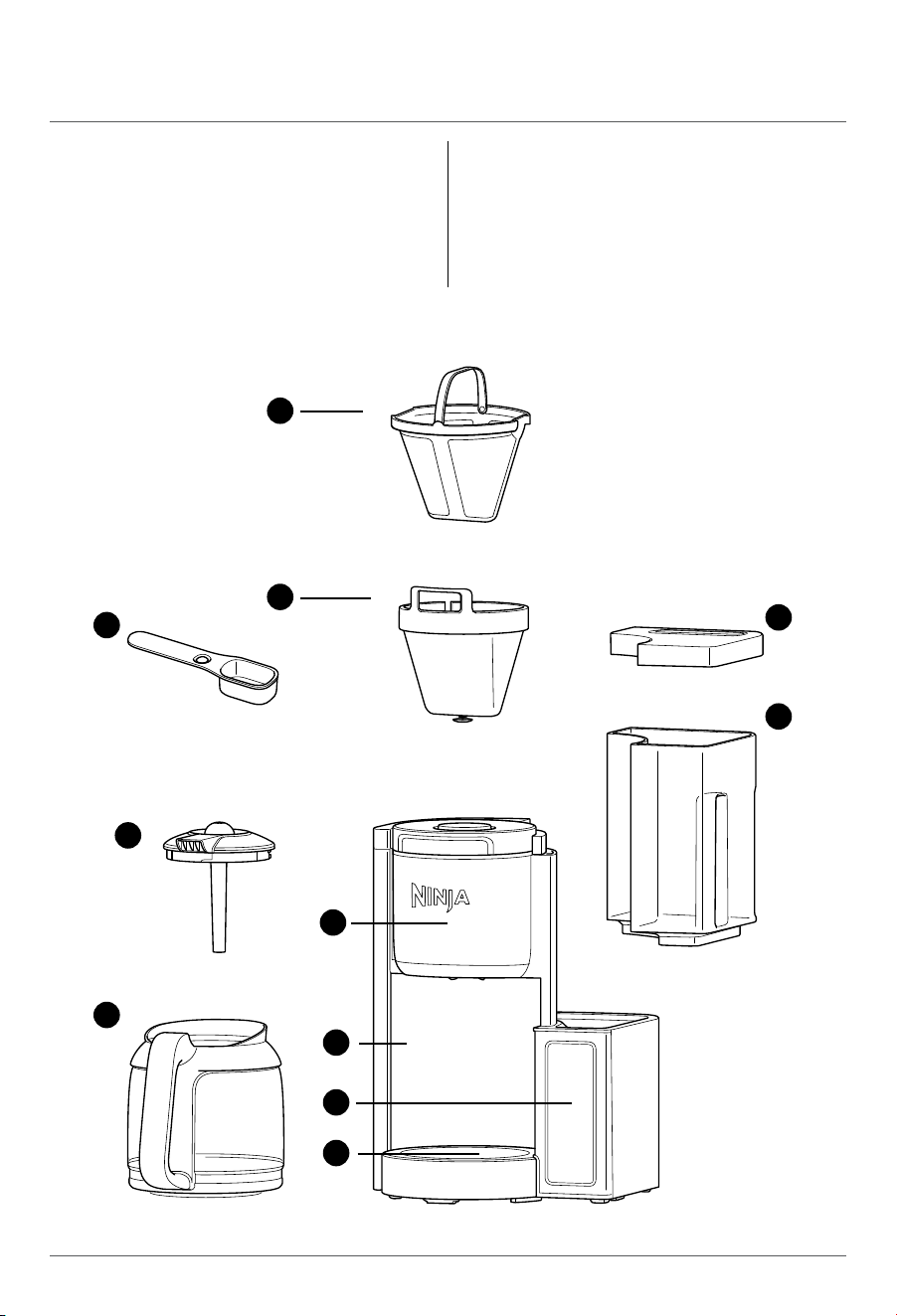
A Ninja Smart Scoop™
B Brew-Through Lid with Flavor Straw
C Glass Carafe
D Permanent Filter
(Not included on all models, sold separately)
E Removable Filter Holder
F Brew Basket
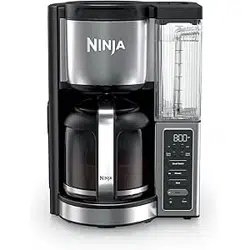
G Brewer
(Power cord & storage not shown)
H Control Panel
I Adjustable Temp Warming Plate
J Water Reservoir Lid
K Removable Water Reservoir
D
E
F
G
H
I
K
J
C
A
B
PARTS
Risk of fire or electric shock.
Do not remove bottom cover.
WARNING:
ninjakitchen.com
ninjakitchen.com
15 ALWAYS use appliance on a clean, dry, level surface.
16 DO NOT place on or near a hot gas or electric burner or in a heated oven.
17 DO NOT use this appliance for anything other than its intended use.
18 DO NOT use outdoors.
19 DO NOT touch hot surfaces. Use handles or knobs.
20 ALWAYS place the carafe beneath the brew basket to receive the brewed coee.
21 Scalding may occur if brew basket is opened during a brew or clean cycle.
22 DO NOT fill water reservoir with anything other than water, as other liquids may damage your brewer.
23 DO NOT overfill the water reservoir. Fill water only to the Max Fill line.
24 DO NOT run the appliance without water.
25 Exceeding maximum brew basket capacity may cause overflow. DO NOT use fine or espresso ground coee.
Glass Carafe
26 The carafe is designed for use with this appliance only. DO NOT place carafe on or near a hot gas or electrical burner, or in a
heated oven.
27 DO NOT set a hot carafe on a wet or cold surface.
28 DO NOT use a cracked or scratched carafe or a carafe that has a loose or weakened handle.
29 DO NOT clean carafe with abrasive cleaners, steel wool pads, or other abrasive materials.
30 DO NOT place carafe in microwave.
31 DO NOT expose carafe to extreme temperature changes.
32 DO NOT drink directly from the carafe. Liquid from the carafe may be very hot.
33 DO NOT use the carafe to store food when not in use.
34 Ensure the carafe is completely empty before starting a cleaning or brewing cycle. Starting a cycle with water, coee, or
tea in the carafe will cause an overflow.
Care & Maintenance
35 Allow the appliance to cool before removing any parts and before cleaning.
36 To prevent illness from bacterial growth in the appliance, follow all cleaning instructions in the Care & Maintenance
section of this Owner’s Guide.
37 Clean the system on a weekly basis.
38 If the product is not operating properly, visit ninjakitchen.com or contact SharkNinja Operating LLC for examination,
repair, or adjustment. Any servicing needs must be performed by an authorized service provider.
39 Cleaning and user maintenance shall not be made by children unless they are older than 8 and supervised.
Cord Statement
40 A short power-supply cord is provided to reduce the risks resulting from becoming entangled in or tripping over a
longer cord.
41 DO NOT use extension cords with this product.
SAVE THESE INSTRUCTIONS
IMPORTANT SAFETY INSTRUCTIONS
INDOOR HOUSEHOLD USE ONLY. READ ALL INSTRUCTIONS BEFORE USE.
A Ninja Smart Scoop™
B Brew-Through Lid with Flavor Straw
C Glass Carafe
D Permanent Filter
(Not included on all models, sold separately)
E Removable Filter Holder
F Brew Basket
G Brewer
(Power cord & storage not shown)
H Control Panel
I Adjustable Temp Warming Plate
J Water Reservoir Lid
K Removable Water Reservoir
D
E
F
G
H
I
K
J
C
A
B
PARTS
Risk of fire or electric shock.
Do not remove bottom cover.
WARNING:
ninjakitchen.com
ninjakitchen.com
USING THE CONTROL PANEL
NOTE: Control panel may dier per model.
BEFORE FIRST USE
1 Remove all packaging material and stickers from the coee maker.
2 Wash the water reservoir, carafe, removable filter holder, and gold-tone
permanent filter (not included on all models) in warm, soapy water with
a soft cloth. Rinse parts and dry thoroughly.
3 Plug in the power cord, and press the power button to turn it on.
4 Fill the reservoir to the 14 cup line with fresh water and place it on the base.
5 Place the empty carafe on the base and prime the system by running a full carafe
on Classic brew with water only. After the cycle is complete, discard the water.
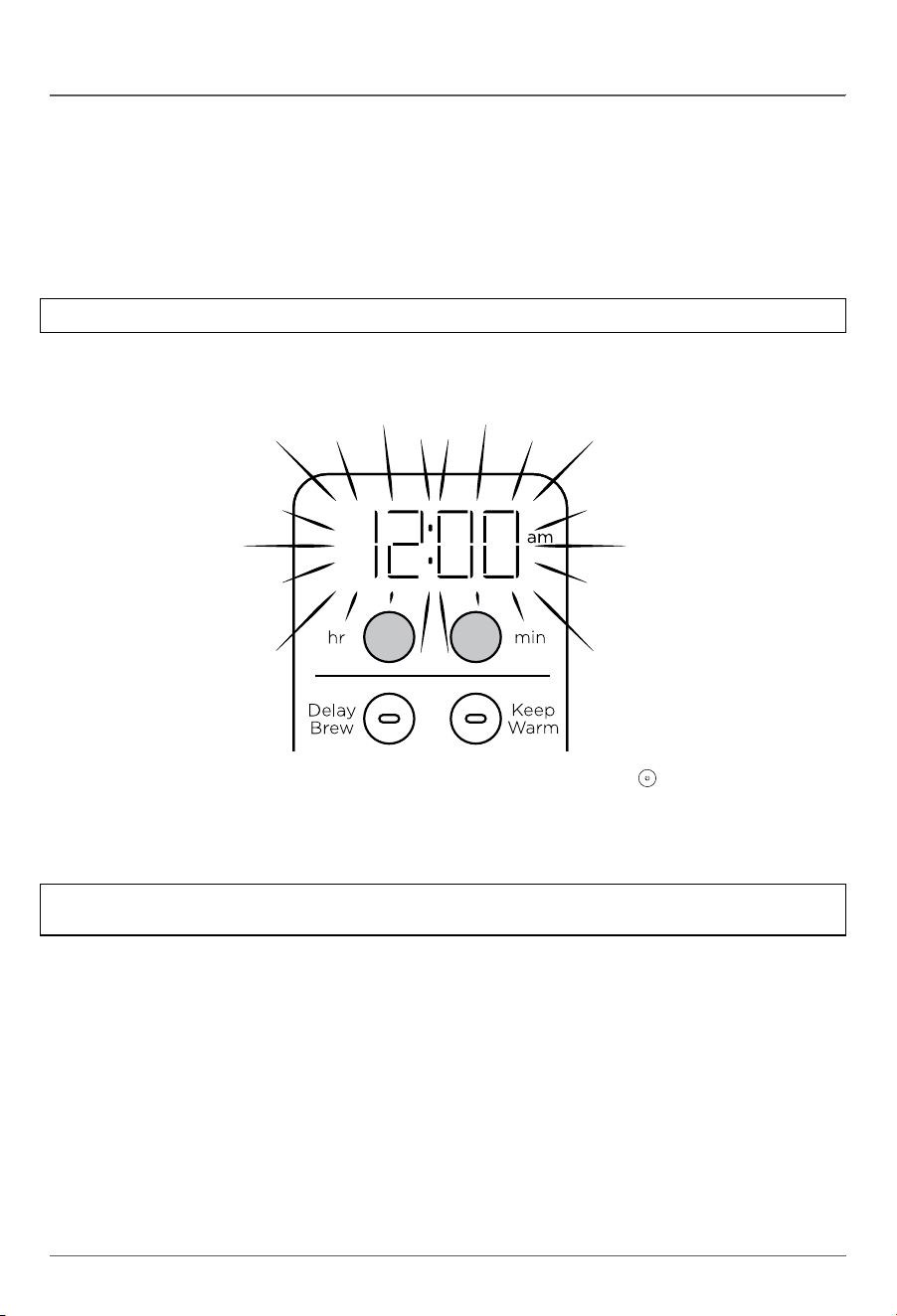
1 Plug the power cord into an electrical outlet and press the Power button
.
2 Press either the hr (hour) button or min (minute) button and the display will flash.
Use the hr and min buttons to set the clock to the current time. The AM or PM indicator
will illuminate on the right side of the display as you are setting the time.
3 When the desired time is reached, allow 5 seconds for it to set.
SETTING THE CLOCK
NOTE: We recommend fresh, cool, filtered water. Well water is not recommended.
NOTE: If you unplug the brewer or experience a power loss, you will need to reset the clock the next
time the brewer is powered on.
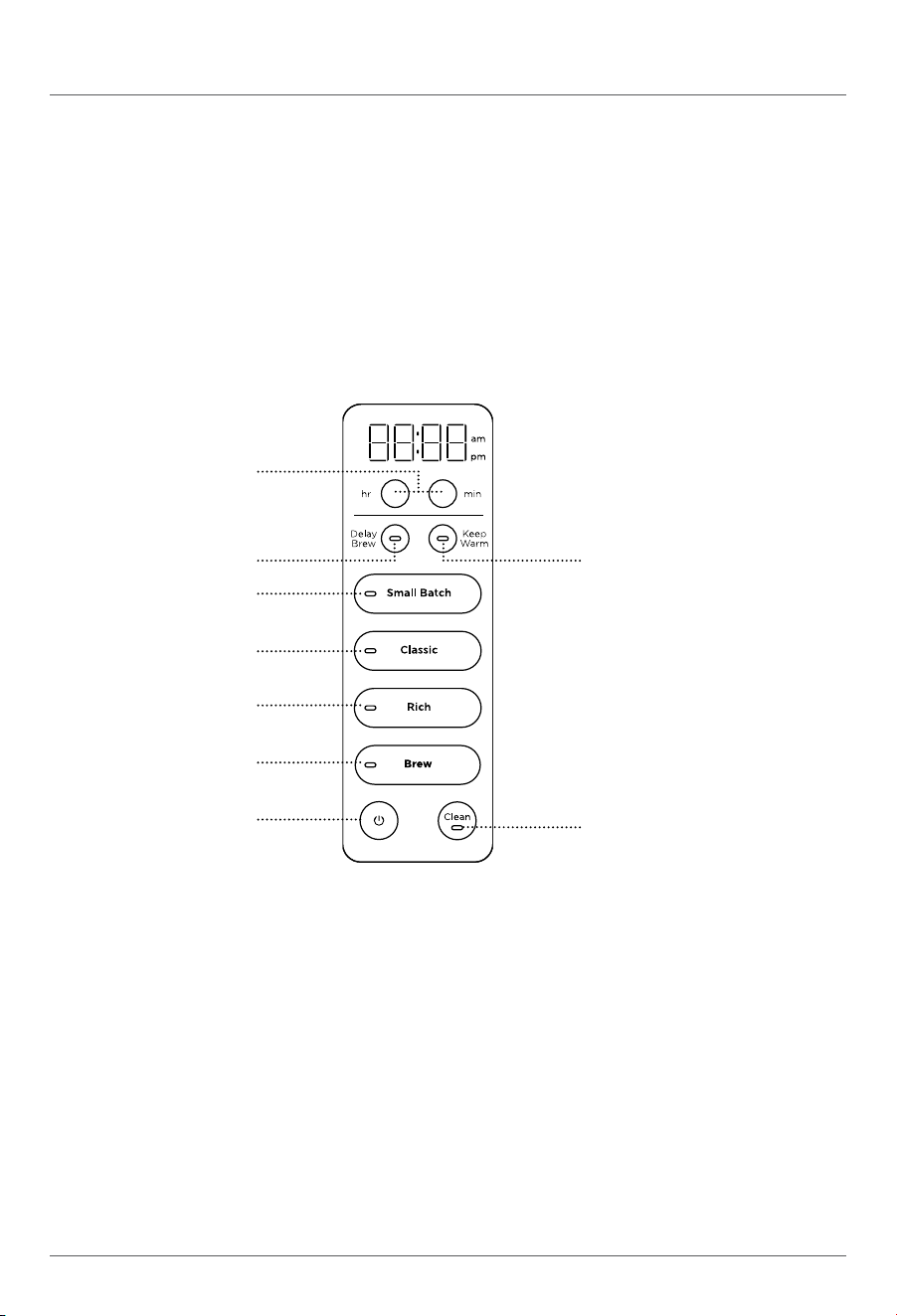
A Hr/min Buttons
B Delay Brew Button
C Keep Warm Button
D Small Batch Button
E Classic Button
F Rich Button
G Brew Button
H Power Button
I Clean Button
A
B C
D
E
F
G
H
I
ninjakitchen.com
ninjakitchen.com
USING THE CONTROL PANEL
NOTE: Control panel may dier per model.
BEFORE FIRST USE
1 Remove all packaging material and stickers from the coee maker.
2 Wash the water reservoir, carafe, removable filter holder, and gold-tone
permanent filter (not included on all models) in warm, soapy water with
a soft cloth. Rinse parts and dry thoroughly.
3 Plug in the power cord, and press the power button to turn it on.
4 Fill the reservoir to the 14 cup line with fresh water and place it on the base.
5 Place the empty carafe on the base and prime the system by running a full carafe
on Classic brew with water only. After the cycle is complete, discard the water.
1 Plug the power cord into an electrical outlet and press the Power button
.
2 Press either the hr (hour) button or min (minute) button and the display will flash.
Use the hr and min buttons to set the clock to the current time. The AM or PM indicator
will illuminate on the right side of the display as you are setting the time.
3 When the desired time is reached, allow 5 seconds for it to set.
SETTING THE CLOCK
NOTE: We recommend fresh, cool, filtered water. Well water is not recommended.
NOTE: If you unplug the brewer or experience a power loss, you will need to reset the clock the next
time the brewer is powered on.
A Hr/min Buttons
B Delay Brew Button
C Keep Warm Button
D Small Batch Button
E Classic Button
F Rich Button
G Brew Button
H Power Button
I Clean Button
A
B C
D
E
F
G
H
I
ninjakitchen.com
ninjakitchen.com
PREPARING & USING YOUR NINJA FRESH BREW™HOW TO BREW
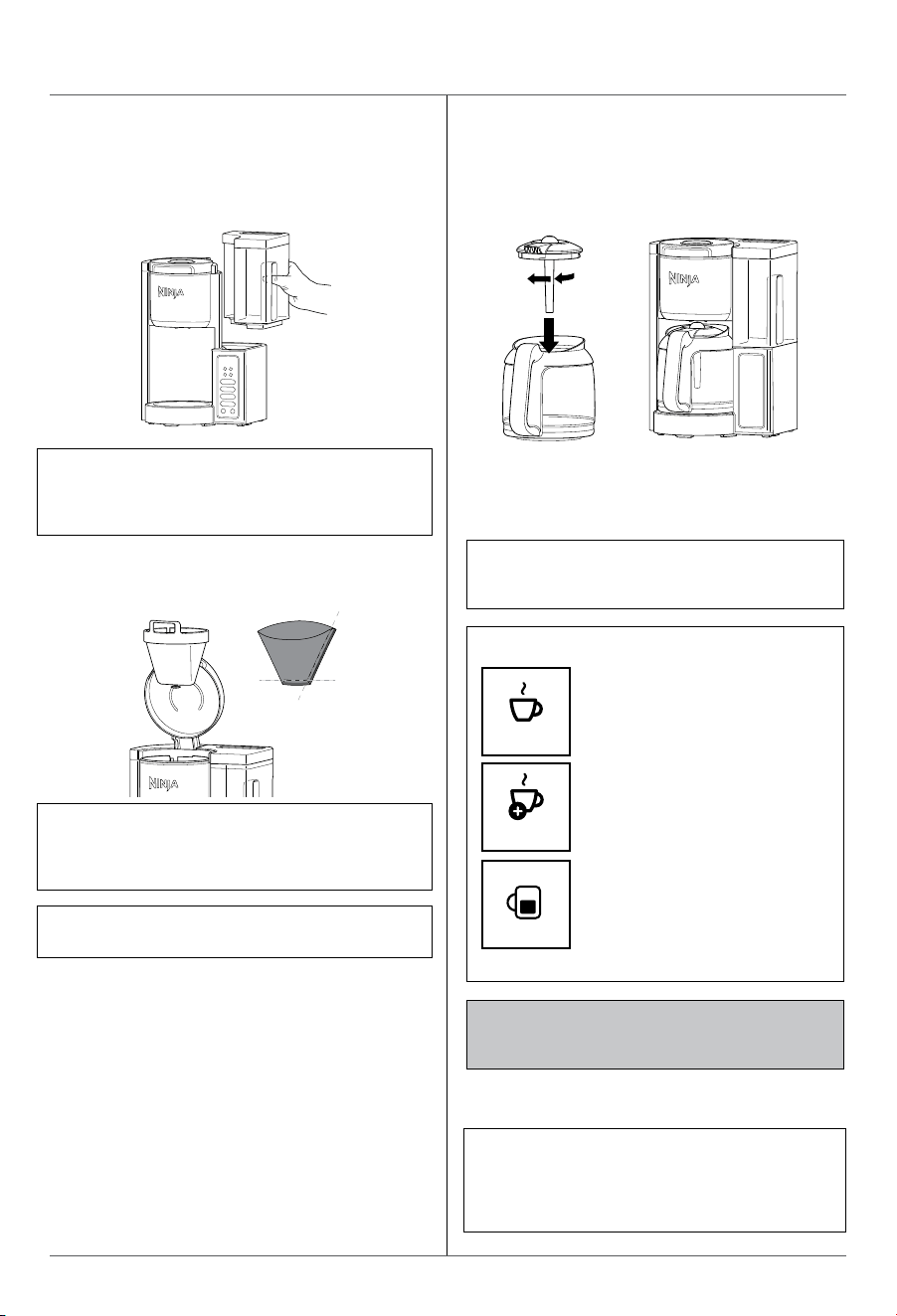
1 Place the brewer on a dry, clean, and level
surface. Plug your brewer in and power it on.
2 Remove the water reservoir from the unit by
lifting it straight up. Remove the lid entirely
and fill the water reservoir to the desired level.
OR
NOTE: DO NOT fill past the 14-Cup Line.
If overfilled, remove the water reservoir from
the brewer and pour out water until the level is
no higher than the 14-Cup Line.
NOTE: Each brew has a pre-infusion cycle
with varying times. The brew will begin, pause
for a short period of time, and then continue
brewing. This pre-infusion cycle is used to
evenly saturate the coee grounds.
IMPORTANT: The unit brews through all the
water in the reservoir, even on small batch
brews.
NOTE: If using a paper filter, fold the paper
filter along the seams, open it fully, and firmly
press it into the filter holder, making sure it is
fully seated.
3 Place the filter holder in the brew basket. Then
place the permanent filter (not included on all
models) or a #4 paper filter in the filter holder.
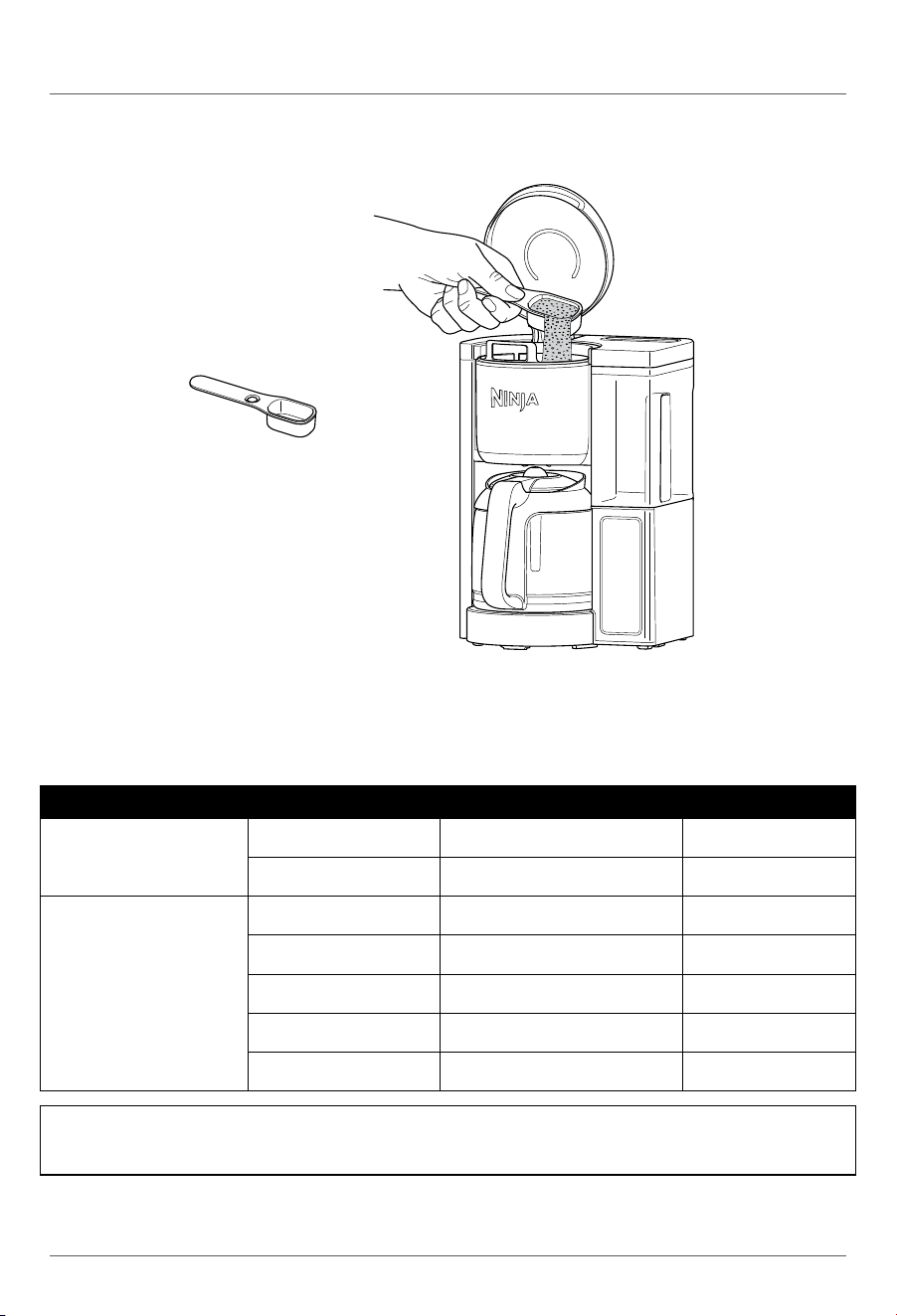
4 Add your desired amount of coee grounds to
the brew basket.
5 Place the brew-through lid on the carafe and
turn clockwise to lock into place. Then place
carafe under the brew basket.
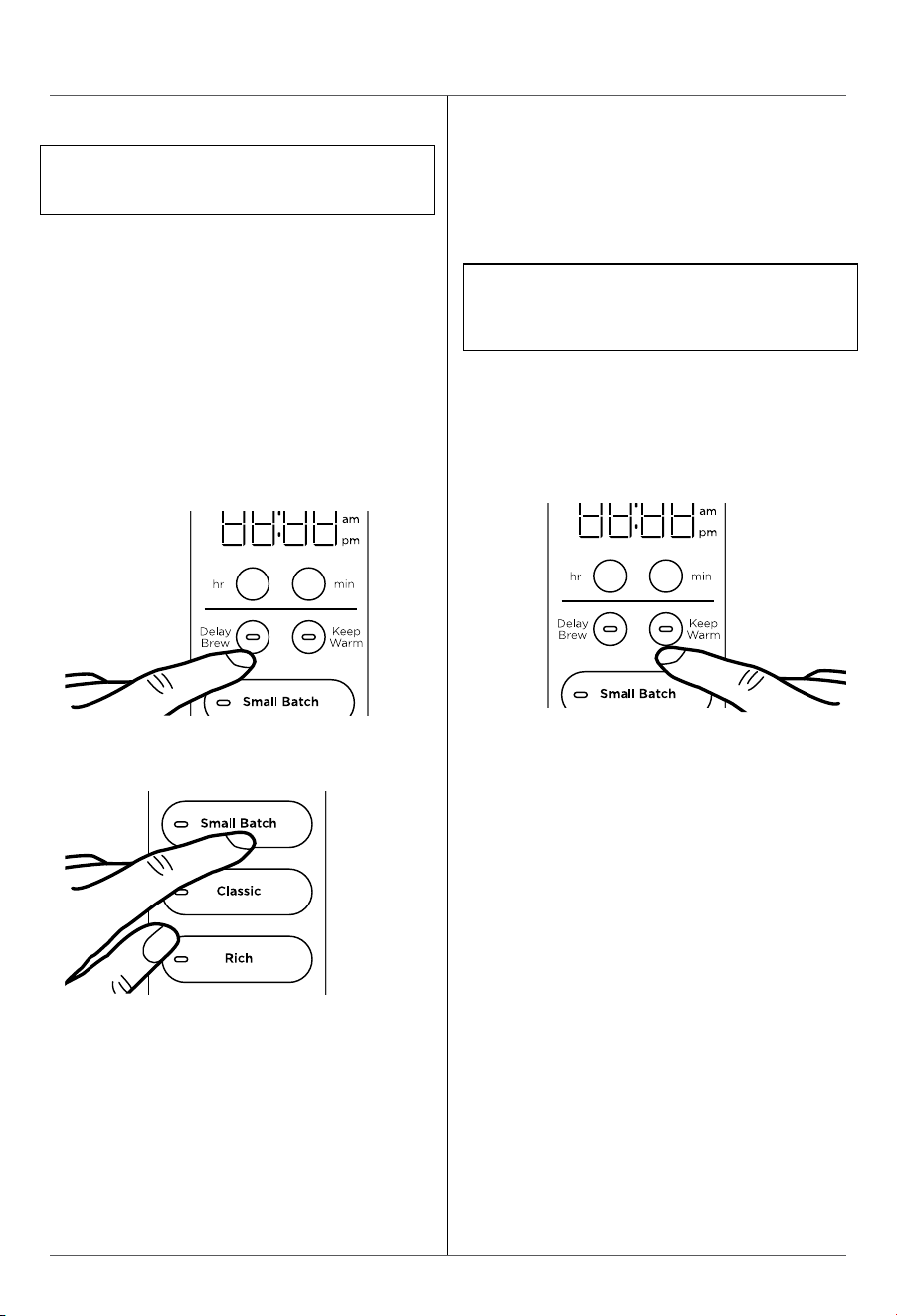
6 Select either CLASSIC or RICH brew.
If you are brewing 4-cups or less, also select
SMALL BATCH.
7 Press BREW to start brewing. When the
brewing is complete, the unit will beep.
Ninja Smart Scoop™
BATCH SIZE CUPS OF COFFEE GROUNDS WATER
SMALL BATCH
(SMALL BATCH button on)
2 cups 1 Ninja Scoop or 2 tbsp. 2-cup line
4 cups 2 Ninja Scoops or 4 tbsp. 4-cup line
FULL CARAFE
(SMALL BATCH button o)
6 cups 3 Ninja Scoops or 6 tbsp. 6-cup line
8 cups 4 Ninja Scoops or 8 tbsp. 8-cup line
10 cups 5 Ninja Scoops or 10 tbsp. 10-cup line
12 cups 6 Ninja Scoops or 12 tbsp. 12-cup line
14 cups 7 Ninja Scoops or 14 tbsp. 14-cup line
COFFEE MEASUREMENT CHART
NOTE: Ninja Smart Scoop™ is equivalent to 2 tbsp. of coee. Measurements are based on level scoops
and may be adjusted to your preferred taste. Use a medium-sized grind if grinding whole beans.
Exceeding the recommended grind size for whole beans may cause the brew basket to overflow.
NOTE: Mid-Brew Pause automatically stops the flow
of coee from the brew basket when the carafe is
removed, allowing you to pour a cup mid-brew.
BREW STYLES
CLASSIC
RICH
Smooth, well-balanced flavor.
More intense flavor that
stands up to milk, cream,
or flavoring.
SMALL BATCH
Optimized to bring out the
best flavor for smaller drinks.
Recommended for 1-4 cup
brews.
NOTE: For best results, make sure the filter
holder is properly installed.
ninjakitchen.com
ninjakitchen.com
PREPARING & USING YOUR NINJA FRESH BREW™HOW TO BREW
1 Place the brewer on a dry, clean, and level
surface. Plug your brewer in and power it on.
2 Remove the water reservoir from the unit by
lifting it straight up. Remove the lid entirely
and fill the water reservoir to the desired level.
OR
NOTE: DO NOT fill past the 14-Cup Line.
If overfilled, remove the water reservoir from
the brewer and pour out water until the level is
no higher than the 14-Cup Line.
NOTE: Each brew has a pre-infusion cycle
with varying times. The brew will begin, pause
for a short period of time, and then continue
brewing. This pre-infusion cycle is used to
evenly saturate the coee grounds.
IMPORTANT: The unit brews through all the
water in the reservoir, even on small batch
brews.
NOTE: If using a paper filter, fold the paper
filter along the seams, open it fully, and firmly
press it into the filter holder, making sure it is
fully seated.
3 Place the filter holder in the brew basket. Then
place the permanent filter (not included on all
models) or a #4 paper filter in the filter holder.
4 Add your desired amount of coee grounds to
the brew basket.
5 Place the brew-through lid on the carafe and
turn clockwise to lock into place. Then place
carafe under the brew basket.
6 Select either CLASSIC or RICH brew.
If you are brewing 4-cups or less, also select
SMALL BATCH.
7 Press BREW to start brewing. When the
brewing is complete, the unit will beep.
Ninja Smart Scoop™
BATCH SIZE CUPS OF COFFEE GROUNDS WATER
SMALL BATCH
(SMALL BATCH button on)
2 cups 1 Ninja Scoop or 2 tbsp. 2-cup line
4 cups 2 Ninja Scoops or 4 tbsp. 4-cup line
FULL CARAFE
(SMALL BATCH button o)
6 cups 3 Ninja Scoops or 6 tbsp. 6-cup line
8 cups 4 Ninja Scoops or 8 tbsp. 8-cup line
10 cups 5 Ninja Scoops or 10 tbsp. 10-cup line
12 cups 6 Ninja Scoops or 12 tbsp. 12-cup line
14 cups 7 Ninja Scoops or 14 tbsp. 14-cup line
COFFEE MEASUREMENT CHART
NOTE: Ninja Smart Scoop™ is equivalent to 2 tbsp. of coee. Measurements are based on level scoops
and may be adjusted to your preferred taste. Use a medium-sized grind if grinding whole beans.
Exceeding the recommended grind size for whole beans may cause the brew basket to overflow.
NOTE: Mid-Brew Pause automatically stops the flow
of coee from the brew basket when the carafe is
removed, allowing you to pour a cup mid-brew.
BREW STYLES
CLASSIC
RICH
Smooth, well-balanced flavor.
More intense flavor that
stands up to milk, cream,
or flavoring.
SMALL BATCH
Optimized to bring out the
best flavor for smaller drinks.
Recommended for 1-4 cup
brews.
NOTE: For best results, make sure the filter
holder is properly installed.
ninjakitchen.com
ninjakitchen.com
PREPARING & USING YOUR NINJA FRESH BREW™ – CONT.
PROGRAMMING DELAY BREW
ADJUSTABLE WARMING PLATE
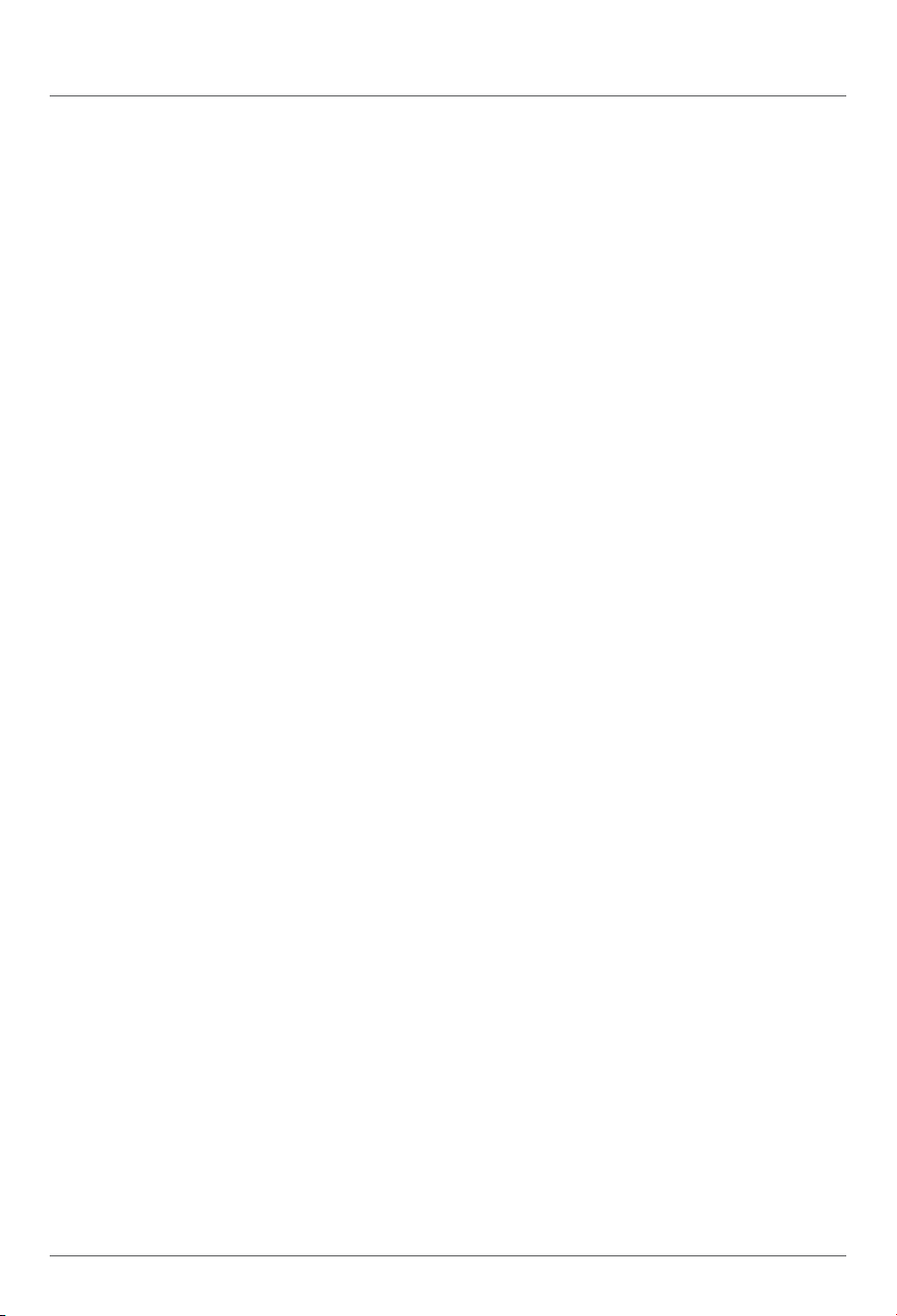
The warming plate will turn on once the brew has
started. Press the KEEP WARM button after the
brew to turn o the warming plate. You can turn
the warming plate back on by pressing
KEEP WARM again. Wait until surface
has cooled completely before touching.
NOTE: The unit must remain on for the Delay
Brew function to work. DO NOT power o or
unplug the unit after setting Delay Brew.
NOTE: The unit will continue to brew if
additional water is added to the reservoir,
DO NOT add more water when using the STAY
WARM function.
1 Plug the unit in and turn it on by pressing the
power button.
2 After filling the water reservoir and adding
ground coee to the brew basket, be sure
the reservoir and brew basket are securely
in place. Place the empty carafe under the
brew basket.
3 Press DEL AY BREW. The clock will
flash "12:00" or the last time that was set.
Use the hour (H) and minute (M) buttons to
set the time you would like the Delay Brew to
begin. The AM or PM indicator will illuminate
on the left side of the display as you are
setting the time.
4 Select the brew style, and your selection will
illuminate. If brewing fewer than 4 cups, press
SMALL BATCH.
5 Once you have set the time and brew style,
press DELAY BREW or BREW to activate,
or wait 5 seconds for Delay Brew to lock
in. When activated, the unit will beep, and
DELAY BREW will remain illuminated.
6 To cancel, press the DELAY BREW button.
Changing the brew style while Delay Brew is
set or starting another brew will cancel the
programmed Delay Brew.
You can program the warming plate to stay on
for up to 4 hours.
1 Press and hold KEEP WARM until the clock
flashes, displaying how long the warming
plate is currently set to stay on.
2 Quickly press the hour (hr) or minute (min)
button to adjust the time up to 4 hours. The
warming plate is automatically programmed
to stay on for 2:00 hours.
3 To lock in the new duration, press
KEEP WARM again, or wait 5 seconds
for it to lock in automatically.
CUSTOMIZE YOUR BREW:
PICKING THE RIGHT BEANS
Light Roast: High acidity, floral, and delicate.
Dark Roast: Low acidity, sweet, and nutty with notes of chocolate.
ADJUSTING STRENGTH
Too Watery/Weak: If classic was selected, try the rich setting. If that is still too weak, add half a scoop.
Adding half a scoop with make your drink stronger, but will have a slightly lower volume.
Too Strong: If rich was selected, try classic. If that is still too strong, try using half a scoop less.
Removing half a scoop will make your drink weaker, but will have a slightly higher volume. For best
results, do not go more than a scoop above or below the recommended amount.
ADJUSTING BREW TEMPERATURE:
CHOOSING THE RIGHT CUP
Ensure the cup you are using is appropriate for the size of your drink. For a hotter drink, use a cup
that is a similar size to your drink. The thickness of the material your cup is made of will also aect the
temperature of your drink. For a hotter drink, use a cup made of thinner material.
PREHEATING BEFORE YOU BREW
Running a classic brew with hot water will help preheat the machine.
Be sure to run a hot water brew with whatever function you would like to use.
ninjakitchen.com
ninjakitchen.com
PREPARING & USING YOUR NINJA FRESH BREW™ – CONT.
PROGRAMMING DELAY BREW
ADJUSTABLE WARMING PLATE
The warming plate will turn on once the brew has
started. Press the KEEP WARM button after the
brew to turn o the warming plate. You can turn
the warming plate back on by pressing
KEEP WARM again. Wait until surface
has cooled completely before touching.
NOTE: The unit must remain on for the Delay
Brew function to work. DO NOT power o or
unplug the unit after setting Delay Brew.
NOTE: The unit will continue to brew if
additional water is added to the reservoir,
DO NOT add more water when using the STAY
WARM function.
1 Plug the unit in and turn it on by pressing the
power button.
2 After filling the water reservoir and adding
ground coee to the brew basket, be sure
the reservoir and brew basket are securely
in place. Place the empty carafe under the
brew basket.
3 Press DEL AY BREW. The clock will
flash "12:00" or the last time that was set.
Use the hour (H) and minute (M) buttons to
set the time you would like the Delay Brew to
begin. The AM or PM indicator will illuminate
on the left side of the display as you are
setting the time.
4 Select the brew style, and your selection will
illuminate. If brewing fewer than 4 cups, press
SMALL BATCH.
5 Once you have set the time and brew style,
press DELAY BREW or BREW to activate,
or wait 5 seconds for Delay Brew to lock
in. When activated, the unit will beep, and
DELAY BREW will remain illuminated.
6 To cancel, press the DELAY BREW button.
Changing the brew style while Delay Brew is
set or starting another brew will cancel the
programmed Delay Brew.
You can program the warming plate to stay on
for up to 4 hours.
1 Press and hold KEEP WARM until the clock
flashes, displaying how long the warming
plate is currently set to stay on.
2 Quickly press the hour (hr) or minute (min)
button to adjust the time up to 4 hours. The
warming plate is automatically programmed
to stay on for 2:00 hours.
3 To lock in the new duration, press
KEEP WARM again, or wait 5 seconds
for it to lock in automatically.
CUSTOMIZE YOUR BREW:
PICKING THE RIGHT BEANS
Light Roast: High acidity, floral, and delicate.
Dark Roast: Low acidity, sweet, and nutty with notes of chocolate.
ADJUSTING STRENGTH
Too Watery/Weak: If classic was selected, try the rich setting. If that is still too weak, add half a scoop.
Adding half a scoop with make your drink stronger, but will have a slightly lower volume.
Too Strong: If rich was selected, try classic. If that is still too strong, try using half a scoop less.
Removing half a scoop will make your drink weaker, but will have a slightly higher volume. For best
results, do not go more than a scoop above or below the recommended amount.
ADJUSTING BREW TEMPERATURE:
CHOOSING THE RIGHT CUP
Ensure the cup you are using is appropriate for the size of your drink. For a hotter drink, use a cup
that is a similar size to your drink. The thickness of the material your cup is made of will also aect the
temperature of your drink. For a hotter drink, use a cup made of thinner material.
PREHEATING BEFORE YOU BREW
Running a classic brew with hot water will help preheat the machine.
Be sure to run a hot water brew with whatever function you would like to use.
ninjakitchen.com
ninjakitchen.com
CARE & MAINTENANCE
CLEANING AFTER A BREW
1 After the unit has cooled, remove the filter
holder from the brew basket. If using a paper
filter, empty the used grounds and discard it. If
using the permanent filter, wash it thoroughly
with soap and warm water or place on the top
rack of the dishwasher.
2 Empty the water reservoir and hand-wash or
place in the dishwasher with opening facing
downwards. We recommend thoroughly
washing the water reservoir weekly.
1 Set the empty carafe beneath the brew basket.
2 Use a descaling solution specifically formulated
for coeemaker cleaning
and follow the directions on the package. Fill
the water reservoir up to, but not exceeding,
the 14-Cup Line (70 fl. oz.).
OR
Add 16 oz. of white vinegar to the water
reservoir, then fill the rest of the reservoir with
water up to, but not exceeding, the 14-Cup
Line (70fl. oz.).
NOTE: For best results, we recommend rinsing the
reservoir after brewing and refilling with fresh water
the next time you brew.
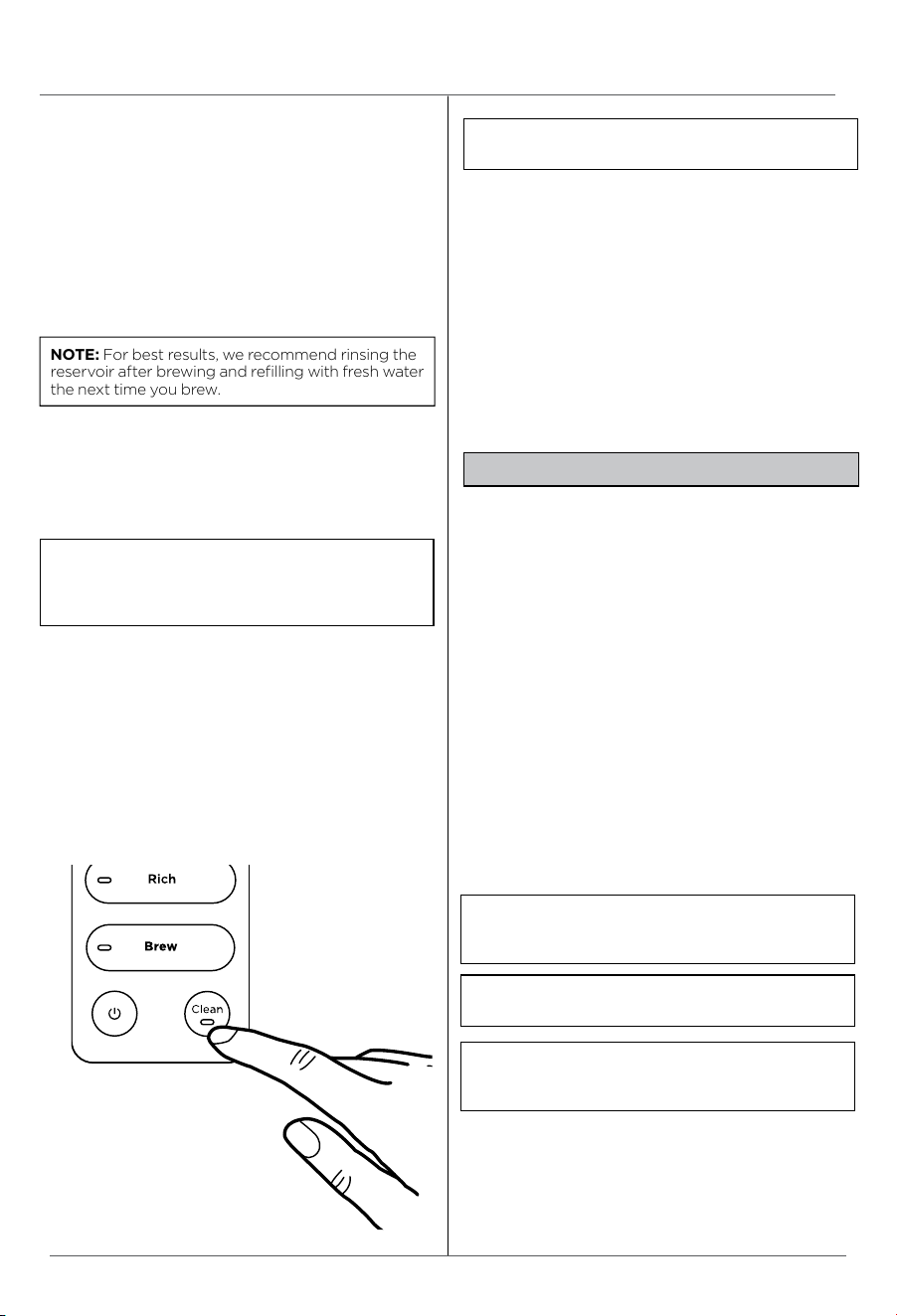
NOTE: The clean cycle takes approximately
75 minutes. If you cancel the clean cycle, your
machine will not be properly descaled.
NOTE: The glass carafe, brew-through lid,
removable filter holder, permanent filter, water
reservoir, water reservoir lid, and scoop are
dishwasher safe.
NOTE: Hard water will cause scale buildup
faster than soft water and the brewer will
indicate it needs cleaning more often.
IMPORTANT: Use only white vinegar.
NOTE: Running a water-only clean cycle will
not descale the brewer properly.
3 We recommend cleaning your carafe with
warm, soapy water, or placing it on the top
rack of your dishwasher. If you want to clean
the carafe more thoroughly, we recommend
using a soft foam brush. DO NOT use a wire
brush.
4 After the coee maker has cooled, wipe
down the main unit, showerhead, and water
reservoir shelf with a cloth and warm water.
DO NOT immerse the coee maker in water.
CLEANING & DESCALING YOUR BREW SYSTEM
The clean function allows you to clean your
unit whenever you would like. As a guideline,
we suggest running a clean cycle if full carafe
classic brews are taking longer than 25
minutes, or full carafe rich brews are taking
longer than 30 minutes
NOTE: Make sure the SMALL BATCH button is
not selected/illuminated.
3 Once the water reservoir is filled with your
cleaning solution or vinegar mixture, press
the CLEAN button. The clean cycle takes
approximately 75 minutes. To cancel the
clean cycle, press the CLEAN button again
or press the Power button.
4 The unit will beep when the clean cycle
successfully completes.
5 Empty the contents of the carafe and place it
back under the brew basket. Clean the water
reservoir with warm, soapy water to remove
any cleaning solution that could aect the
flavor of your coee.
6 Refill the reservoir with fresh water up to, but
not exceeding, the 14-Cup Line and set the
empty carafe beneath the brew basket.
7 Flush the system by running a 14-Cup Classic
Brew cycle with water only. After the cycle is
complete, discard the water and thoroughly
clean the carafe.
TROUBLESHOOTING GUIDE
There is sediment in my coee.
• If using a permanent filter (not included on
all models), the sediment at the bottom of
the brewed coee may be due to using finely
ground coee.
NOTE: DO NOT use paper filter in conjunction
with the permanent filter, as this could cause
water and/or coee to clog or back up in the
filter basket.
• To reduce the amount of sediment in the
brewed coee, use a slightly coarser grind
or use a paper filter.
There are grounds in my coee.
• Either the permanent filter (not included on all
models) or a paper filter must be inserted into
filter holder when brewing.
• Using too many grounds can cause the filter
holder to overflow. Once cooled, clean out the
filter holder and refill using the appropriate
amount of coee (1 scoop=2 cups).
• Finely ground coee can clog the filter holder.
For best brewing results, use
a medium-grind coee.
Paper filter is folding over.
• The unit is designed to take a #4 cone filter. Be
sure you are using this size and shape, as larger
sizes may fold over. Allow the filter holder to
cool before handling. Be sure the paper filter is
folded along its two seams and is pressed firmly
into the filter holder. Alternatively, you can wet
the sides of the paper filter to temporarily adhere
it to the filter holder.
Coee is too weak.
• For stronger coee, use the Rich Brew setting.
If you want an even bolder flavor, you can add
more coee grounds to the filter.
Coee is too strong.
• For milder coee, try the Classic Brew setting. If
you want an even milder flavor, use fewer grounds
in the filter.
Coee is leaking.
• After removing the water reservoir, there may be
a small amount of water in the reservoir valve. This
can be easily removed with a dry cloth.
• If the leak is coming from the bottom of the brew
basket, the removable filter holder valve may be
clogged. Rinse the filter holder with water and
press the valve repeatedly until the clog is cleared.
• For best results, ensure the filter holder is properly
installed.
• If the leak is coming from the bottom of the coee
maker, call Customer Service at 1-877-646-5288.
Brew will not start.
NOTE: We recommend using medium-grind
coee.
NOTE: The brew will begin, pause, and then
continue. This process is used to evenly
saturate the coee grounds.
• Ensure the unit is powered on and the display
is illuminated. If there are no lights, the machine
is not getting power. Try a dierent outlet and
press the Power button.
• Check to make sure there is water in the water
reservoir.
• Make sure the carafe is in place. The brewer
will not dispense coee if the carafe is not
under the brew basket. If it is not in place, the
brew will remain in the brew basket, which
could lead to overflow.
• If the brew still does not start, it may be time to
run a clean cycle. Please refer to the Cleaning &
Descaling Your Brew System section.
Brew cycle is too slow.
• If full carafe classic brews are taking longer
than 25 minutes, or full carafe rich brews
are taking longer than 30 minutes, you may
need to run a clean cycle. Please refer to
the Cleaning & Descaling Your Brew System
section.
Carafe overflowed.
• The carafe may not have been empty prior to
brewing, or the water level exceeded the
14-Cup line on the water reservoir prior to
brewing. Reminder, DO NOT add additional
water to the reservoir after a brew or cleaning
cycle has already started.
• The carafe holds 70 fl. oz.To avoid overflows,
make sure carafe is empty prior to brewing
and the water reservoir is not filled past the
14-Cup line.
Brew basket overflowed.
• Check that the carafe is in place with the lid
secured. If the carafe is in place, the bottom
of the filter holder may be clogged. This can
happen with finely ground coee or too many
coee grounds in the filter holder. Rinse the
filter holder with water and press the valve
repeatedly until the clog is cleared.
• Decaf coee grounds will absorb water
dierently. Use fewer scoops when using decaf
grounds.
Error Messages
Er
• If the clock displays “Er” and then a number
(e.g., “Er 03”), contact Customer Service at
1-877-646-5288.
ninjakitchen.com
ninjakitchen.com
CARE & MAINTENANCE
CLEANING AFTER A BREW
1 After the unit has cooled, remove the filter
holder from the brew basket. If using a paper
filter, empty the used grounds and discard it. If
using the permanent filter, wash it thoroughly
with soap and warm water or place on the top
rack of the dishwasher.
2 Empty the water reservoir and hand-wash or
place in the dishwasher with opening facing
downwards. We recommend thoroughly
washing the water reservoir weekly.
1 Set the empty carafe beneath the brew basket.
2 Use a descaling solution specifically formulated
for coeemaker cleaning
and follow the directions on the package. Fill
the water reservoir up to, but not exceeding,
the 14-Cup Line (70 fl. oz.).
OR
Add 16 oz. of white vinegar to the water
reservoir, then fill the rest of the reservoir with
water up to, but not exceeding, the 14-Cup
Line (70fl. oz.).
NOTE: For best results, we recommend rinsing the
reservoir after brewing and refilling with fresh water
the next time you brew.
NOTE: The clean cycle takes approximately
75 minutes. If you cancel the clean cycle, your
machine will not be properly descaled.
NOTE: The glass carafe, brew-through lid,
removable filter holder, permanent filter, water
reservoir, water reservoir lid, and scoop are
dishwasher safe.
NOTE: Hard water will cause scale buildup
faster than soft water and the brewer will
indicate it needs cleaning more often.
IMPORTANT: Use only white vinegar.
NOTE: Running a water-only clean cycle will
not descale the brewer properly.
3 We recommend cleaning your carafe with
warm, soapy water, or placing it on the top
rack of your dishwasher. If you want to clean
the carafe more thoroughly, we recommend
using a soft foam brush. DO NOT use a wire
brush.
4 After the coee maker has cooled, wipe
down the main unit, showerhead, and water
reservoir shelf with a cloth and warm water.
DO NOT immerse the coee maker in water.
CLEANING & DESCALING YOUR BREW SYSTEM
The clean function allows you to clean your
unit whenever you would like. As a guideline,
we suggest running a clean cycle if full carafe
classic brews are taking longer than 25
minutes, or full carafe rich brews are taking
longer than 30 minutes
NOTE: Make sure the SMALL BATCH button is
not selected/illuminated.
3 Once the water reservoir is filled with your
cleaning solution or vinegar mixture, press
the CLEAN button. The clean cycle takes
approximately 75 minutes. To cancel the
clean cycle, press the CLEAN button again
or press the Power button.
4 The unit will beep when the clean cycle
successfully completes.
5 Empty the contents of the carafe and place it
back under the brew basket. Clean the water
reservoir with warm, soapy water to remove
any cleaning solution that could aect the
flavor of your coee.
6 Refill the reservoir with fresh water up to, but
not exceeding, the 14-Cup Line and set the
empty carafe beneath the brew basket.
7 Flush the system by running a 14-Cup Classic
Brew cycle with water only. After the cycle is
complete, discard the water and thoroughly
clean the carafe.
TROUBLESHOOTING GUIDE
There is sediment in my coee.
• If using a permanent filter (not included on
all models), the sediment at the bottom of
the brewed coee may be due to using finely
ground coee.
NOTE: DO NOT use paper filter in conjunction
with the permanent filter, as this could cause
water and/or coee to clog or back up in the
filter basket.
• To reduce the amount of sediment in the
brewed coee, use a slightly coarser grind
or use a paper filter.
There are grounds in my coee.
• Either the permanent filter (not included on all
models) or a paper filter must be inserted into
filter holder when brewing.
• Using too many grounds can cause the filter
holder to overflow. Once cooled, clean out the
filter holder and refill using the appropriate
amount of coee (1 scoop=2 cups).
• Finely ground coee can clog the filter holder.
For best brewing results, use
a medium-grind coee.
Paper filter is folding over.
• The unit is designed to take a #4 cone filter. Be
sure you are using this size and shape, as larger
sizes may fold over. Allow the filter holder to
cool before handling. Be sure the paper filter is
folded along its two seams and is pressed firmly
into the filter holder. Alternatively, you can wet
the sides of the paper filter to temporarily adhere
it to the filter holder.
Coee is too weak.
• For stronger coee, use the Rich Brew setting.
If you want an even bolder flavor, you can add
more coee grounds to the filter.
Coee is too strong.
• For milder coee, try the Classic Brew setting. If
you want an even milder flavor, use fewer grounds
in the filter.
Coee is leaking.
• After removing the water reservoir, there may be
a small amount of water in the reservoir valve. This
can be easily removed with a dry cloth.
• If the leak is coming from the bottom of the brew
basket, the removable filter holder valve may be
clogged. Rinse the filter holder with water and
press the valve repeatedly until the clog is cleared.
• For best results, ensure the filter holder is properly
installed.
• If the leak is coming from the bottom of the coee
maker, call Customer Service at 1-877-646-5288.
Brew will not start.
NOTE: We recommend using medium-grind
coee.
NOTE: The brew will begin, pause, and then
continue. This process is used to evenly
saturate the coee grounds.
• Ensure the unit is powered on and the display
is illuminated. If there are no lights, the machine
is not getting power. Try a dierent outlet and
press the Power button.
• Check to make sure there is water in the water
reservoir.
• Make sure the carafe is in place. The brewer
will not dispense coee if the carafe is not
under the brew basket. If it is not in place, the
brew will remain in the brew basket, which
could lead to overflow.
• If the brew still does not start, it may be time to
run a clean cycle. Please refer to the Cleaning &
Descaling Your Brew System section.
Brew cycle is too slow.
• If full carafe classic brews are taking longer
than 25 minutes, or full carafe rich brews
are taking longer than 30 minutes, you may
need to run a clean cycle. Please refer to
the Cleaning & Descaling Your Brew System
section.
Carafe overflowed.
• The carafe may not have been empty prior to
brewing, or the water level exceeded the
14-Cup line on the water reservoir prior to
brewing. Reminder, DO NOT add additional
water to the reservoir after a brew or cleaning
cycle has already started.
• The carafe holds 70 fl. oz.To avoid overflows,
make sure carafe is empty prior to brewing
and the water reservoir is not filled past the
14-Cup line.
Brew basket overflowed.
• Check that the carafe is in place with the lid
secured. If the carafe is in place, the bottom
of the filter holder may be clogged. This can
happen with finely ground coee or too many
coee grounds in the filter holder. Rinse the
filter holder with water and press the valve
repeatedly until the clog is cleared.
• Decaf coee grounds will absorb water
dierently. Use fewer scoops when using decaf
grounds.
Error Messages
Er
• If the clock displays “Er” and then a number
(e.g., “Er 03”), contact Customer Service at
1-877-646-5288.
ninjakitchen.com
Please visit registeryourninja.com or call 1-877-646-5288 to register your new Ninja® product within ten (10)
days of purchase. You will be asked to provide the store name, date of purchase, and model number along
with your name and address.
The registration will enable us to contact you in the unlikely event of a product safety notification. By
registering, you acknowledge to have read and understood the instructions for use and warnings set forth
in the accompanying instructions.
To order additional parts and attachments, visit our website: ninjaaccessories.com
or contact Customer Service: 1-877-646-5288.
PRODUCT REGISTRATION
REPLACEMENT PARTS
The One (1) Year Limited Warranty applies to purchases made from authorized retailers of
SharkNinja Operating LLC. Warranty coverage applies to the original owner and to the original product
only and is not transferable.
SharkNinja warrants that the unit shall be free from defects in material and workmanship for a period
of one (1) year from the date of purchase when it is used under normal household conditions and
maintained according to the requirements outlined in the Owner’s Guide, subject to the following
conditions and exclusions:
What is covered by this warranty?
1. The original unit and/or non-wearable parts deemed defective, in SharkNinja’s sole discretion,
will be repaired or replaced up to one (1) year from the original purchase date.
2. In the event a replacement unit is issued, the warranty coverage ends six (6) months following the
receipt date of the replacement unit or the remainder of the existing warranty, whichever is later.
SharkNinja reserves the right to replace the unit with one of equal or greater value.
California Residents Only: The One (1) Year Limited Warranty period begins on the original date of
delivery or pickup.
What is not covered by this warranty?
1. Normal wear and tear of wearable parts (such as blending vessels, lids, cups, blades, blender
bases, removable pots, racks, pans, etc.), which require regular maintenance and/or replacement
to ensure the proper functioning of your unit, are not covered by this warranty. Replacement parts
are available for purchase at ninjaaccessories.com.
2. Any unit that has been tampered with or used for commercial purposes.
3. Damage caused by misuse, abuse, negligent handling, failure to perform required maintenance
(e.g., failure to keep the well of the motor base clear of food spills and other debris), or damage
due to mishandling in transit.
4. Consequential and incidental damages.
5. Defects caused by repair persons not authorized by SharkNinja. These defects include damages
caused in the process of shipping, altering, or repairing the SharkNinja product (or any of its parts)
when the repair is performed by a repair person not authorized by SharkNinja.
6. Products purchased, used, or operated outside North America.
How to get service
If your appliance fails to operate properly while in use under normal household conditions within the
warranty period, visit ninjakitchen.com/support for product care and maintenance self-help. Our
Customer Service Specialists are also available at 1-877-646-5288 to assist with product support and
warranty service options, including the possibility of upgrading to our VIP warranty service options
for select product categories. So we may better assist you, please register your product online at
registeryourninja.com and have the product on hand when you call.
SharkNinja will cover the cost for the customer to send in the unit to us for repair or replacement. A fee
of $20.95 (subject to change) will be charged when SharkNinja ships the repaired or replacement unit.
How to initiate a warranty claim
You must call 1-877-646-5288 to initiate a warranty claim. You will need the receipt as proof of purchase.
We also ask that you register your product online at registeryourninja.com and have the product on
hand when you call, so we may better assist you. A Customer Service Specialist will provide you with
return and packing instruction information.
How state law applies
This warranty gives you specifi c legal rights, and you also may have other rights that vary from state
to state. Some states do not permit the exclusion or limitation of incidental or consequential damages,
so the above may not apply to you.
ONE (1) YEAR LIMITED WARRANTY
NJA_1_YR_IB_LMTD_WRNTY_US_ENG

ninjakitchen.com
Please visit registeryourninja.com or call 1-877-646-5288 to register your new Ninja® product within ten (10)
days of purchase. You will be asked to provide the store name, date of purchase, and model number along
with your name and address.
The registration will enable us to contact you in the unlikely event of a product safety notification. By
registering, you acknowledge to have read and understood the instructions for use and warnings set forth
in the accompanying instructions.
To order additional parts and attachments, visit our website: ninjaaccessories.com
or contact Customer Service: 1-877-646-5288.
PRODUCT REGISTRATION
REPLACEMENT PARTS
The One (1) Year Limited Warranty applies to purchases made from authorized retailers of
SharkNinja Operating LLC. Warranty coverage applies to the original owner and to the original product
only and is not transferable.
SharkNinja warrants that the unit shall be free from defects in material and workmanship for a period
of one (1) year from the date of purchase when it is used under normal household conditions and
maintained according to the requirements outlined in the Owner’s Guide, subject to the following
conditions and exclusions:
What is covered by this warranty?
1. The original unit and/or non-wearable parts deemed defective, in SharkNinja’s sole discretion,
will be repaired or replaced up to one (1) year from the original purchase date.
2. In the event a replacement unit is issued, the warranty coverage ends six (6) months following the
receipt date of the replacement unit or the remainder of the existing warranty, whichever is later.
SharkNinja reserves the right to replace the unit with one of equal or greater value.
California Residents Only: The One (1) Year Limited Warranty period begins on the original date of
delivery or pickup.
What is not covered by this warranty?
1. Normal wear and tear of wearable parts (such as blending vessels, lids, cups, blades, blender
bases, removable pots, racks, pans, etc.), which require regular maintenance and/or replacement
to ensure the proper functioning of your unit, are not covered by this warranty. Replacement parts
are available for purchase at ninjaaccessories.com.
2. Any unit that has been tampered with or used for commercial purposes.
3. Damage caused by misuse, abuse, negligent handling, failure to perform required maintenance
(e.g., failure to keep the well of the motor base clear of food spills and other debris), or damage
due to mishandling in transit.
4. Consequential and incidental damages.
5. Defects caused by repair persons not authorized by SharkNinja. These defects include damages
caused in the process of shipping, altering, or repairing the SharkNinja product (or any of its parts)
when the repair is performed by a repair person not authorized by SharkNinja.
6. Products purchased, used, or operated outside North America.
How to get service
If your appliance fails to operate properly while in use under normal household conditions within the
warranty period, visit ninjakitchen.com/support for product care and maintenance self-help. Our
Customer Service Specialists are also available at 1-877-646-5288 to assist with product support and
warranty service options, including the possibility of upgrading to our VIP warranty service options
for select product categories. So we may better assist you, please register your product online at
registeryourninja.com and have the product on hand when you call.
SharkNinja will cover the cost for the customer to send in the unit to us for repair or replacement. A fee
of $20.95 (subject to change) will be charged when SharkNinja ships the repaired or replacement unit.
How to initiate a warranty claim
You must call 1-877-646-5288 to initiate a warranty claim. You will need the receipt as proof of purchase.
We also ask that you register your product online at registeryourninja.com and have the product on
hand when you call, so we may better assist you. A Customer Service Specialist will provide you with
return and packing instruction information.
How state law applies
This warranty gives you specifi c legal rights, and you also may have other rights that vary from state
to state. Some states do not permit the exclusion or limitation of incidental or consequential damages,
so the above may not apply to you.
ONE (1) YEAR LIMITED WARRANTY
NJA_1_YR_IB_LMTD_WRNTY_US_ENG
NOTES
ninjakitchen.com
NOTES
ninjakitchen.com
NOTES
ninjakitchen.com
NOTES
ninjakitchen.com
ninjakitchen.com
@ninjakitchen
NINJA FRESH BREW™
CE450 SERIES | OWNER’S GUIDE
General Precautions
1 This appliance can be used by children aged from 8 years and above and persons with reduced physical, sensory or
mental capabilities or lack of experience and knowledge if they have been given supervision or instruction concerning
use of the appliance in a safe way and understand the hazards involved.
2 To reduce the risk of electric shock, this appliance has a polarized plug (one blade is wider than the other). As a safety
feature, this plug will fit into a polarized outlet only one way. If the plug does not fit fully into the outlet, reverse the plug.
If it still does not fit, contact a qualified electrician. DO NOT force into outlet or try to modify to fit.
3 Keep the appliance and its cord out of reach of children less than 8 years.
4 To eliminate a choking hazard for young children, remove and discard the protective cover fitted on the power plug of this
appliance.
5 Children shall not play with the appliance.
6 To protect against fire, electric shock, and injury to persons, DO NOT immerse cord, plugs, or body of machine in water or
other liquid.
7 NEVER carry the appliance by the power cord or pull it to disconnect from electrical socket; instead grasp the plug and pull
to disconnect.
8 DO NOT operate any appliance with a damaged cord or plug, or after the appliance malfunctions, or has been dropped or
damaged in any manner. Contact SharkNinja Operating LLC for service.
9 For household and work top use only. DO NOT let the power cord hang over the edge, or touch hot surfaces such as the stove.
10 NEVER use socket below counter.
11 To avoid risk of fire, electrical shock, or damage to the unit, DO NOT store or use unit in an appliance garage or under a
wall cabinet.
12 Unplug from outlet when either the appliance or display clock is not in use, and before cleaning.
13 Turn o and allow to cool before putting on or taking o parts, and before cleaning the appliance.
Operating Notice
14 The use of an accessory not recommended by the manufacturer may create an overflow condition and scalding hazard,
or result in fire, electric shock, or personal injury.
WARNING
To reduce the risk of fire, electric shock, serious injury, death, or damage when using this appliance, follow these basic safety precautions.
Read and review instructions to understand operation and use of product.
Indicates the presence of a hazard that can cause personal injury, death or substantial property damage if
the warning included with this symbol is ignored.
Indicates risk of fire or electric shock, presence of live parts, or dangerous voltage.
Avoid contact with hot surface. Always use hand protection to avoid burns.
For indoor and household use only.
IMPORTANT SAFETY INSTRUCTIONS
INDOOR HOUSEHOLD USE ONLY. READ ALL INSTRUCTIONS BEFORE USE.
RECORD THIS INFORMATION
Model Number: �������������������������
Serial Number: ��������������������������
Date of Purchase: ������������������������
(Keep receipt)
Store of Purchase: �����������������������
TECHNICAL SPECIFICATIONS
Voltage: 120V~60Hz
Power: 1100 Watts
Water Reservoir
Capacity: 70 Fluid Ounces
SharkNinja Operating LLC
US: Needham, MA 02494
1-877-646-5288
ninjakitchen.com
Illustrations may dier from actual product. We are constantly striving to improve our products;
therefore the specifications contained herein are subject to change withoutnotice.
NINJA and THERMAL FLAVOR EXTRACTION are registered trademarks of SharkNinja Operating LLC.
NINJA FRESH BREW and NINJA SMART SCOOP are trademarks of SharkNinja Operating LLC.
This product may be covered by one or more U.S. patents.
See sharkninja.com/patents for more information.
© 2025 SharkNinja Operating LLC
CE450Series�IB�REV�Mv8
REGISTER YOUR PURCHASE
registeryourninja.com
Scan QR code using mobile device
TIP: You can find the model and serial numbers on
the QR code label on the back of the unit by the
power cord.
THANK YOU
for purchasing the Ninja Fresh Brew™