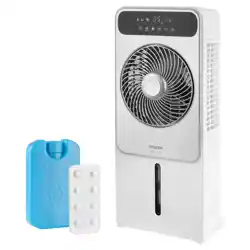
SFN 6014GY
EN
AIR COOLER
Translation of the original manual
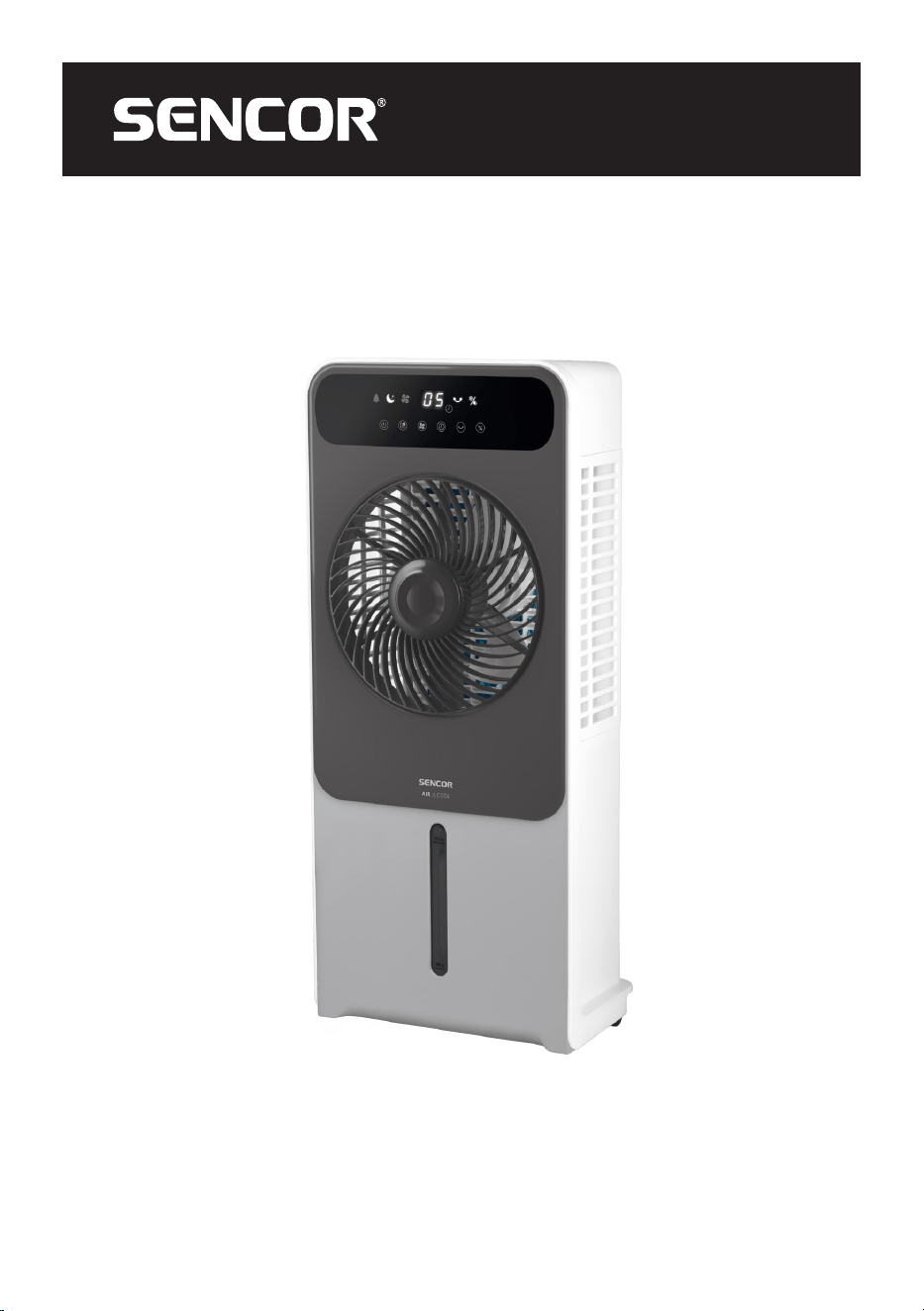
SFN 6014GY
A
1
2
3
4
5
6
7
8
9
10
11
12
B
7
8 10 11 12
1 2
3 4
5
6
9
C
1
TIMER
-
COOL
SPEED
+
OSC
MODE
2
3
4
5
6
7
8
D
E1 E2 E3
E4 E5
F

- 1 -
12/2024
2024, .
EN
Air Cooler
User Manual
Important Safety Instructions
READ CAREFULLY AND STORE FOR FUTURE USE.
General Warnings
• This appliance may be only used by children aged
8years and older and by persons with physical, sensory
or mental impairments or lack of experience and
knowledge, if they are supervised or have been instructed
on the safe use of the appliance and understand the
potential hazards.
• Children must not play with the appliance. Cleaning and
maintenance must not be performed by children without
supervision.
• If the power cord is damaged, have it replaced in
aprofessional service centre in order to prevent a
dangerous situation. It is forbidden to use the appliance
with the power cord damaged.
• The water tank is marked with minimum andmaximum
level lines. Always make sure that the water reaches
at least the minimum mark. Never fill the tank over the
maximum level line.
• Pay attention when using the appliance as it produces
steam.
• Disconnect the appliance by pulling the plug from the
socket before filling or cleaning.
• High humidity values can promote the growth of biological
organisms in theenvironment.
- 2 -
12/2024
2024, .
• Do not allow the area around the appliance to become
damp or wet. If there is increased humidity (dew),
switch the appliance to a lower power. If the power of
the appliance cannot be reduced, use the appliance
intermittently. Do not allow absorbent materials, such as
carpets, curtains, drapes or tablecloths to become damp.
• Never leave water in the appliance if not in use.
• Empty andclean the appliance before storing. Clean the
appliance before further use.
• The appliance is designed for use in household, office and
similar types of areas. It is not intended for commercial
purposes.
• Do not use the appliance in rooms where flammable or
explosive chemicals are stored, in industrial environments
or outdoors.
• Place the appliance only on a clean, flat, dry, smooth and
stable surface. Do not place the appliance on unstable
surfaces such as carpets with very long and thick fibres.
• Do not place the appliance in the vicinity of an open flame
or appliances that are sources of heat.
• Do not use the appliance to support various items.
Clean the water tank every 3 days.
. . . . . . . . . . . . . . . . . . . . . . . . . . . . . . . . . . . . . . . . . . . . . . . . . . . . . . . . . . . . . . . . . . . . . . . . . . . . . . . . . . . . . . . . . . . . . . . . . . . . . . . . . . . . . . . . . . . . . . . . . . . . . . . . . . . . . . . . . . . .
ADDITIONAL IMPORTANT SAFETY INSTRUCTIONS FORUSE OF THE APPLIANCE
• Before connecting the appliance to a power socket, check that the nominal voltage on the appliance's rating label matches the electrical voltage in
the socket.
• Connect the appliance only to a grounded power socket. The power socket to which you connect the appliance must be freely accessible so that it is
possible to quickly disconnect the power cord from the power source if necessary.
• Install the power cord in such a way that it is not tripped over.
• If the appliance is equipped with castors, take extra care when handling it, e.g. to prevent it from falling down stairs or sliding off a sloping surface.
To avoid tipping the appliance over, do not try to roll the castors over the carpet.
• Do not touch an appliance that is connected to the power socket with wet hands.
• Do not use the appliance near a shower, swimming pool, etc., do not spray water or any other liquid on it or submerge it in water or any other liquid.
- 3 -
12/2024
2024, .
• Do not cover the air inlet or outlet openings or insert objects into them. This could damage the appliance.
• Adequate space must be provided for air circulation around the appliance during operation.
• Do not use the appliance without the water or dust filter properly installed.
• Only fill the tank with clean, cold water. Do not add any other additives such as air fresheners, essential oils, etc. to the appliance. Otherwise damage
to the appliance may occur. Do not fill the tank above the maximum level line.
• Before operating the appliance in cooling and humidifying mode, make sure that the water level in the tank is at least at the minimum level.
• Use the appropriate button on the control panel or remote control to switch off the appliance. Do not switch off the appliance by disconnecting the
power cord from the socket.
• For health reasons, do not expose yourself or animals to direct cold air for long periods of time.
• Always switch off and unplug the appliance before assembling or disassembling it when not in use, before filling, cleaning or moving it.
• Perform the cleaning in accordance with the instructions in the Cleaning and maintenance chapter.
• Move, store and transport the appliance in an upright position.
• Do not attempt to remove the outer case of the appliance.
• Unplug the appliance from the power socket by pulling the plug, not the power cord. Otherwise, damage to the power cable or the socket may occur.
• Do not use the appliance if it is not working correctly, if it has been damaged or has been submerged in water. To avoid the danger of injury by
electrical shock, do not repair the appliance yourself or make any adjustments to it. All repairs should be carried out by an authorised service centre.
By tampering with the appliance, you expose yourself to the risk of losing your legal rights regarding faulty performance or warranty for quality.
. . . . . . . . . . . . . . . . . . . . . . . . . . . . . . . . . . . . . . . . . . . . . . . . . . . . . . . . . . . . . . . . . . . . . . . . . . . . . . . . . . . . . . . . . . . . . . . . . . . . . . . . . . . . . . . . . . . . . . . . . . . . . . . . . . . . . . . . . . . .
EXPLANATION OF SYMBOLS PLACED ON THE PRODUCT OR INTHE ACCOMPANYING DOCUMENTATION
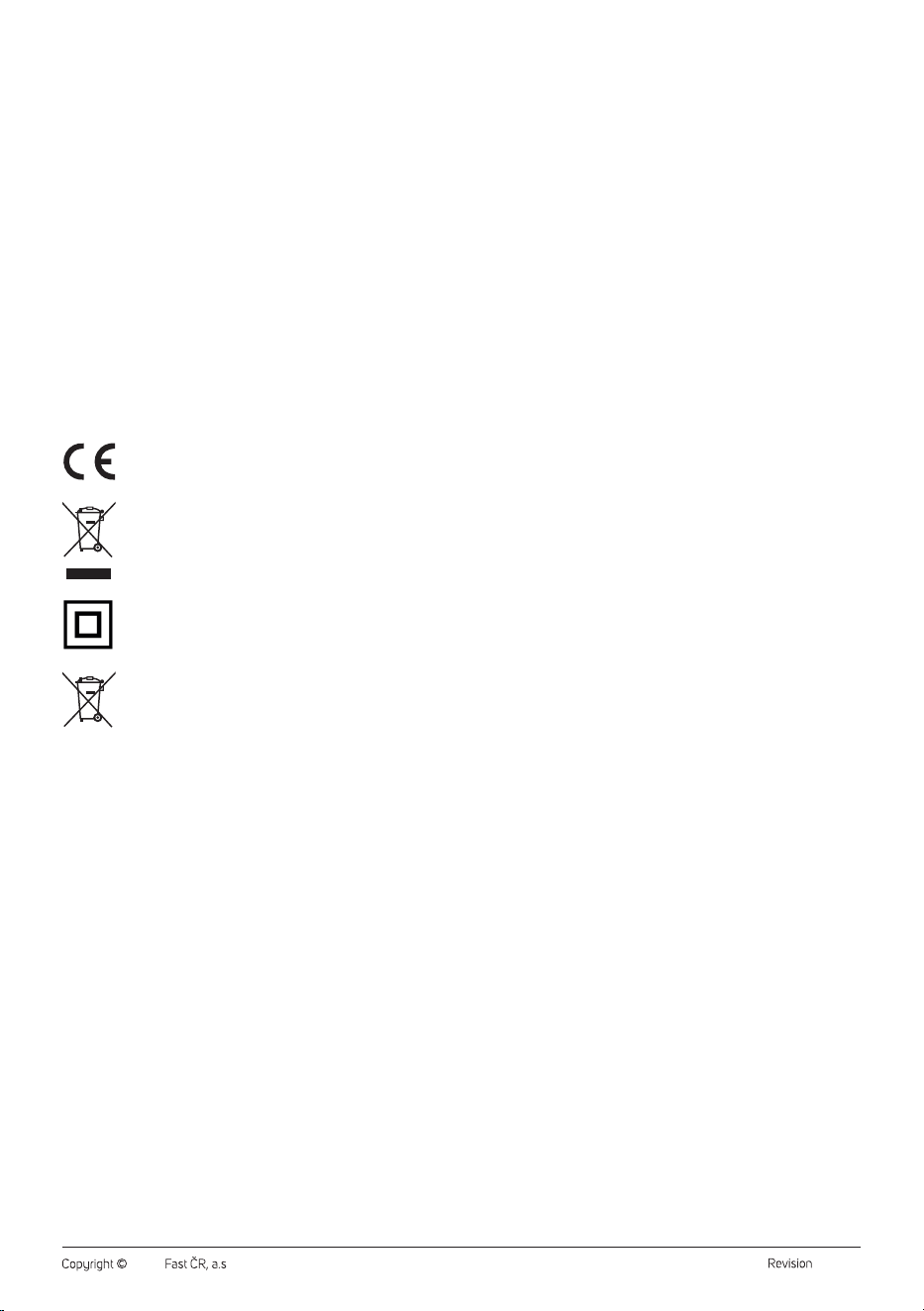
The product meets all the basic requirements of the applicable EU directives.
This symbol on products or original documents means that used electric or electronic products must not be added to ordinary municipal
waste.
Product with protection class II
DISPOSAL OF USED BATTERIES
Batteries contain environmentally damaging compounds and therefore do not belong in standard municipal waste. Take used batteries for
proper disposal at a designated battery collection point.
. . . . . . . . . . . . . . . . . . . . . . . . . . . . . . . . . . . . . . . . . . . . . . . . . . . . . . . . . . . . . . . . . . . . . . . . . . . . . . . . . . . . . . . . . . . . . . . . . . . . . . . . . . . . . . . . . . . . . . . . . . . . . . . . . . . . . . . . . . . .
- 4 -
12/2024
2024, .
• Thank you for purchasing our SENCOR product; we hope it will serve
to your satisfaction.
• Prior to using this appliance, please read the user manual thoroughly,
even in cases when you are already familiar with the use of similar
types of appliances. Use the appliance only as described in this
user manual. Keep the manual for future reference. If you pass the
appliance on to another person, ensure that this user manual is
included.
• Carefully unpack the appliance and make sure not to discard any part
of the packaging material until you have found all its components. It
is recommended to keep the original packaging, packing material,
receipt and confirmation of the extent of the seller's liability or warranty
certificate at least for the duration of the legal right of defective
performance or quality guarantee. When transporting the appliance,
we recommend packaging it again in the original box provided by the
manufacturer.
. . . . . . . . . . . . . . . . . . . . . . . . . . . . . . . . . . . . . . . . . . . . . . . . . . . . . . . . . . . . . . . . . . . .
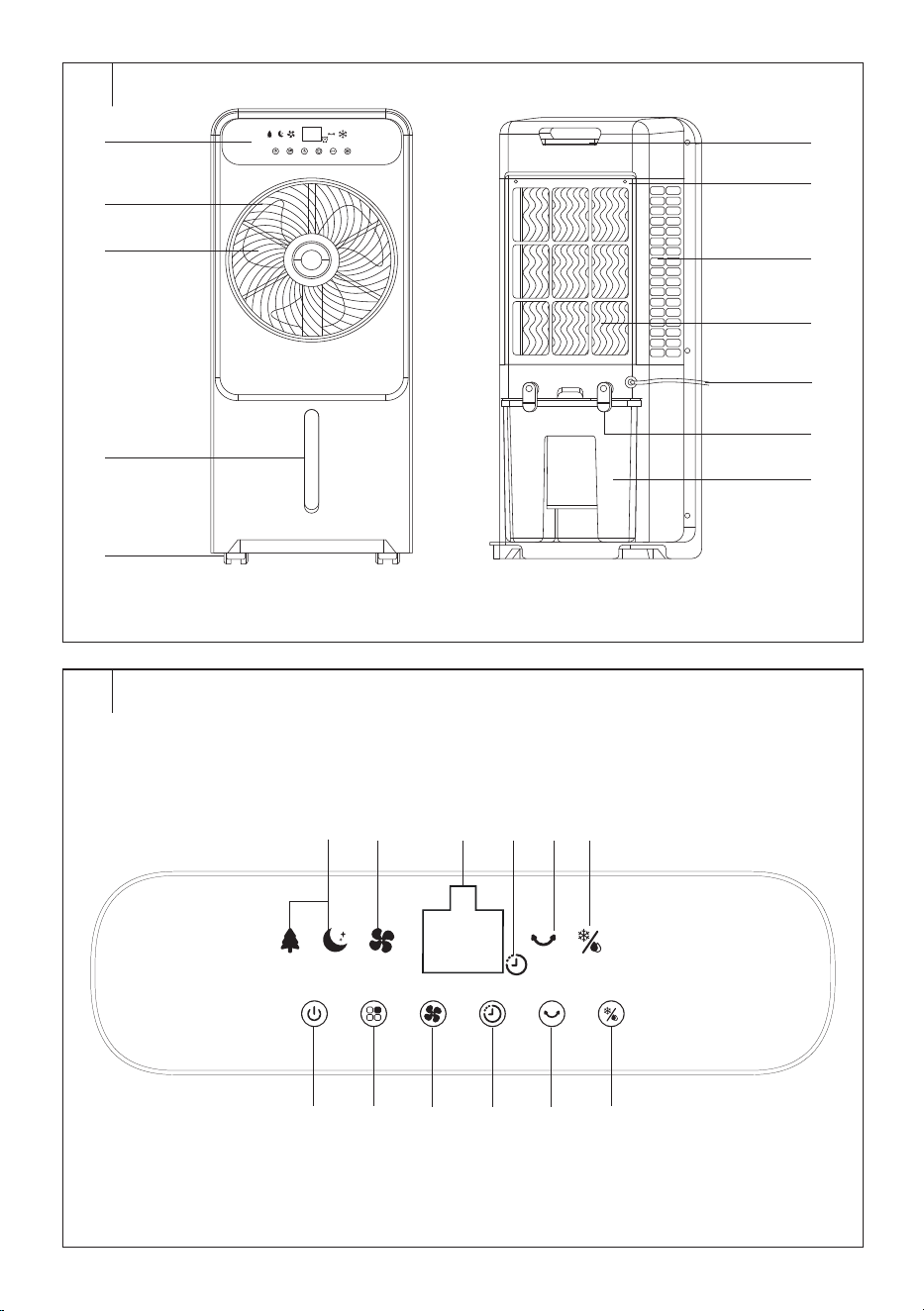
DESCRIPTION OF THE APPLIANCE (FIG. A)
A1 Control panel
A2 Front protective grille
A3 Fan
A4 Water level indicator with MIN
and MAX lines
A5 Castors
A6 Storage space for the remote
control
A7 Rear grille
A8 Side ventilation openings
A9 Filter
A10 Power cord
A11 Water tank swivel locks
A12 Removable water tank
Not shown: cooling box (1 pc)
. . . . . . . . . . . . . . . . . . . . . . . . . . . . . . . . . . . . . . . . . . . . . . . . . . . . . . . . . . . . . . . . . . . .
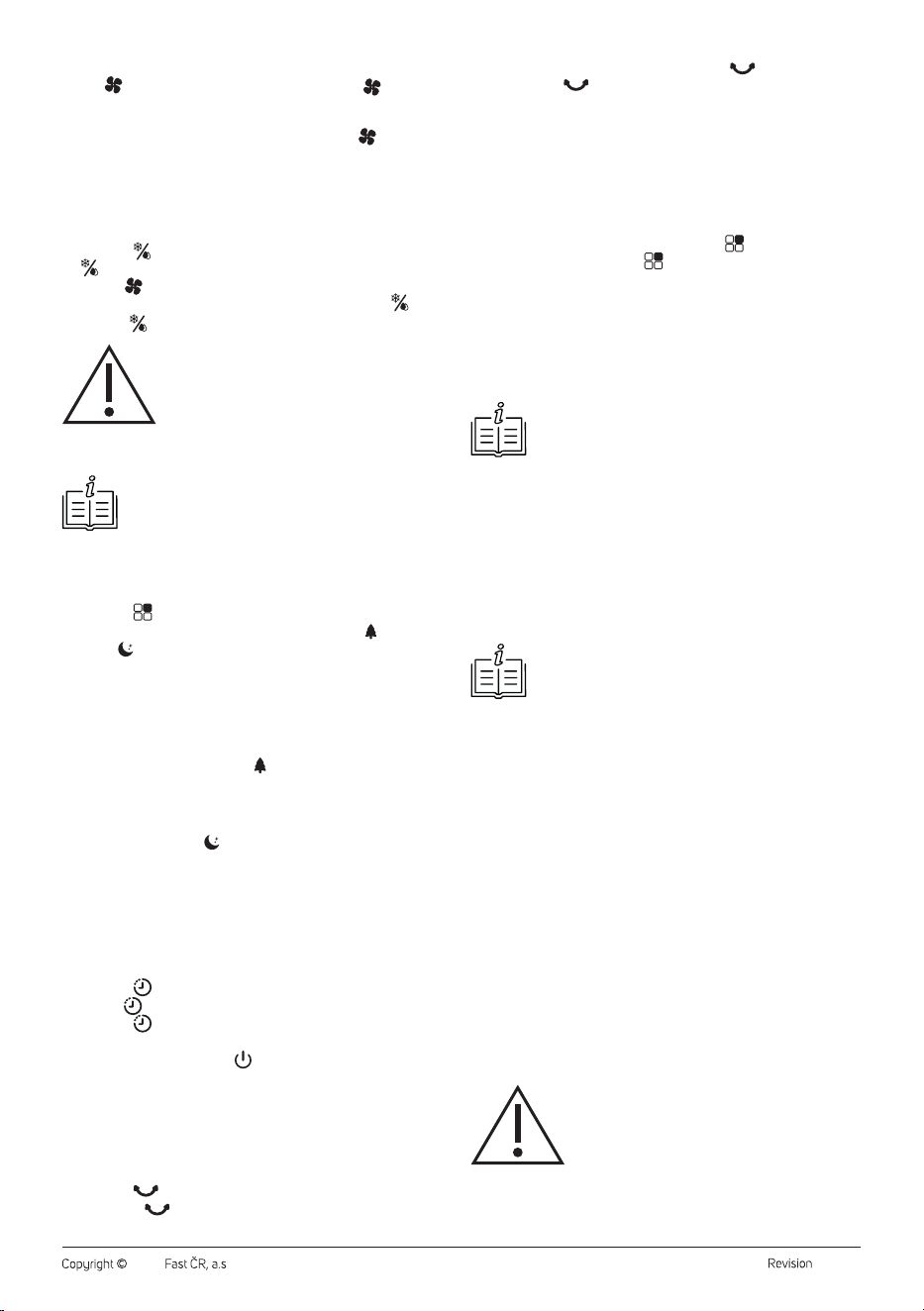
DESCRIPTION OF THE CONTROL PANEL
B1 On/Off button
B2 button to select the
operating mode
B3 button to adjust fan speed
B4 button to set the timer
B5 button to rotate the
protective grille
B6 button to select cooling
and humidifying mode
B7 Operating mode icons
B8 Fan icon
B9 Display
B10 Timer icon
B11 Protective grille rotation icon
B12 Cooling icon
. . . . . . . . . . . . . . . . . . . . . . . . . . . . . . . . . . . . . . . . . . . . . . . . . . . . . . . . . . . . . . . . . . . .
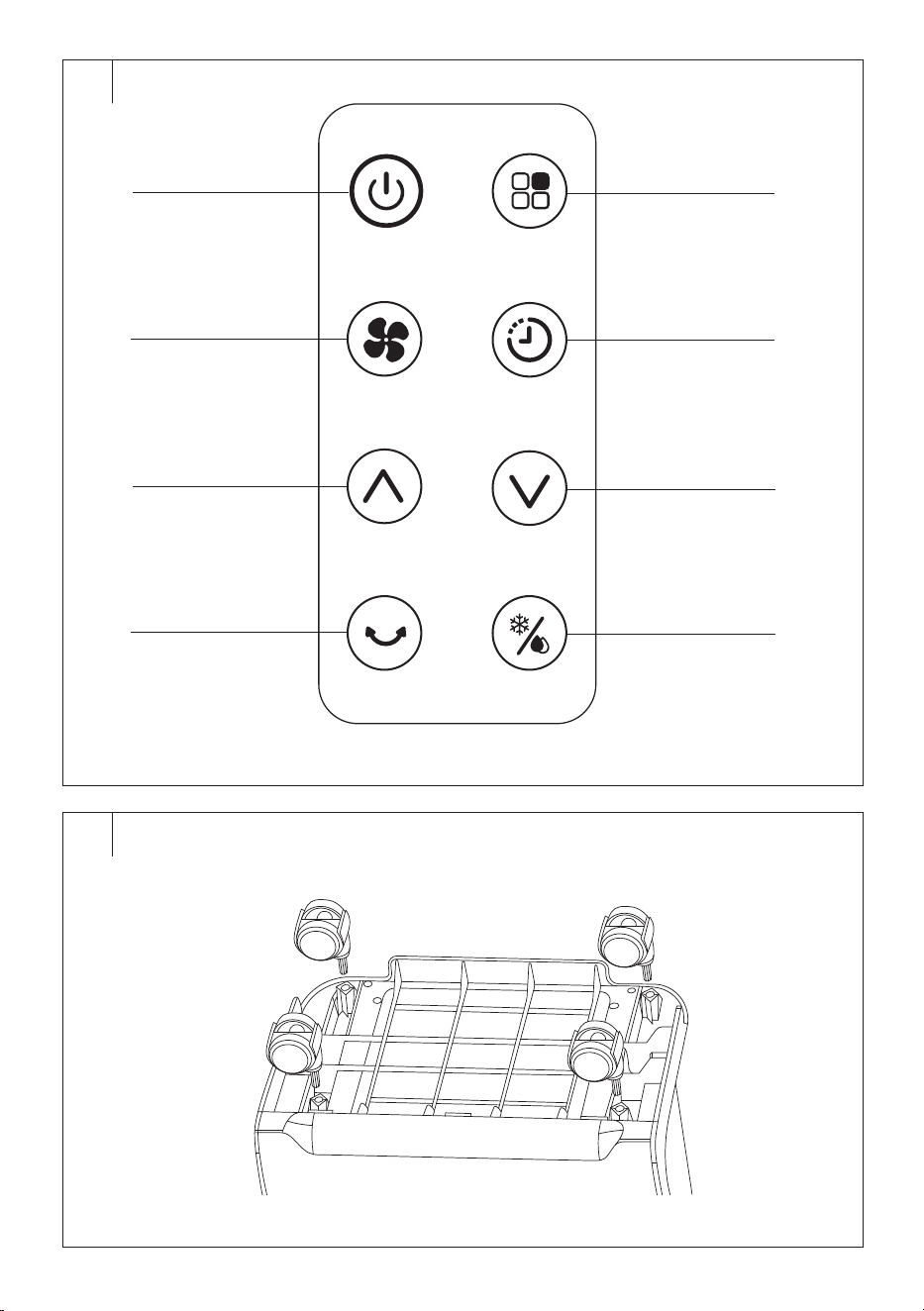
REMOTE CONTROL DESCRIPTION
C1 button to turn on/off
C2 button to adjust fan speed
C3 button to extend the fan
speed or timer time
C4 button to rotate the front
grille
C5 button to select the
operating mode
C6 button to activate the
timer
C7 button to shorten the fan
speed or timer time
C8
button to switch on
cooling and humidification
. . . . . . . . . . . . . . . . . . . . . . . . . . . . . . . . . . . . . . . . . . . . . . . . . . . . . . . . . . . . . . . . . . . .
PURPOSE OF USE
• The air cooler is designed to cool the air in the room. The warm air is
drawn in at the rear of the cooler, passes through a cooling insert that
cools and humidifies it, and is then discharged into the surroundings
via a fan at the front.
. . . . . . . . . . . . . . . . . . . . . . . . . . . . . . . . . . . . . . . . . . . . . . . . . . . . . . . . . . . . . . . . . . . .
BEFORE FIRST USE
• Before first use, remove the appliance and its accessories form the
packaging and discard all promotional labels and tags. Check that
neither the appliance nor any of its components is damaged.
• Remove the water tank from the back of the air cooler. Wipe the tank
with a soft sponge slightly dampened with warm water and neutral
detergent. Wipe dry with a clean cloth. Place the tank back into the
air cooler.
. . . . . . . . . . . . . . . . . . . . . . . . . . . . . . . . . . . . . . . . . . . . . . . . . . . . . . . . . . . . . . . . . . . .
INSTALLATION
• Locate the appliance on an even, dry and stable surface within reach
of aproperly grounded power socket.
• Toensure sufficient air circulation, leave a clear space of at least
30cm on all sides of the appliance.
Installation of Castors
• It is necessary to install the castors before using the cooler. The
castors are used to easily move the cooler. However, always check
that the power cord is disconnected from the power socket before
moving it.
1. Make sure that the cooler is switched off and disconnected from the
power socket and that there is no water in the tank.
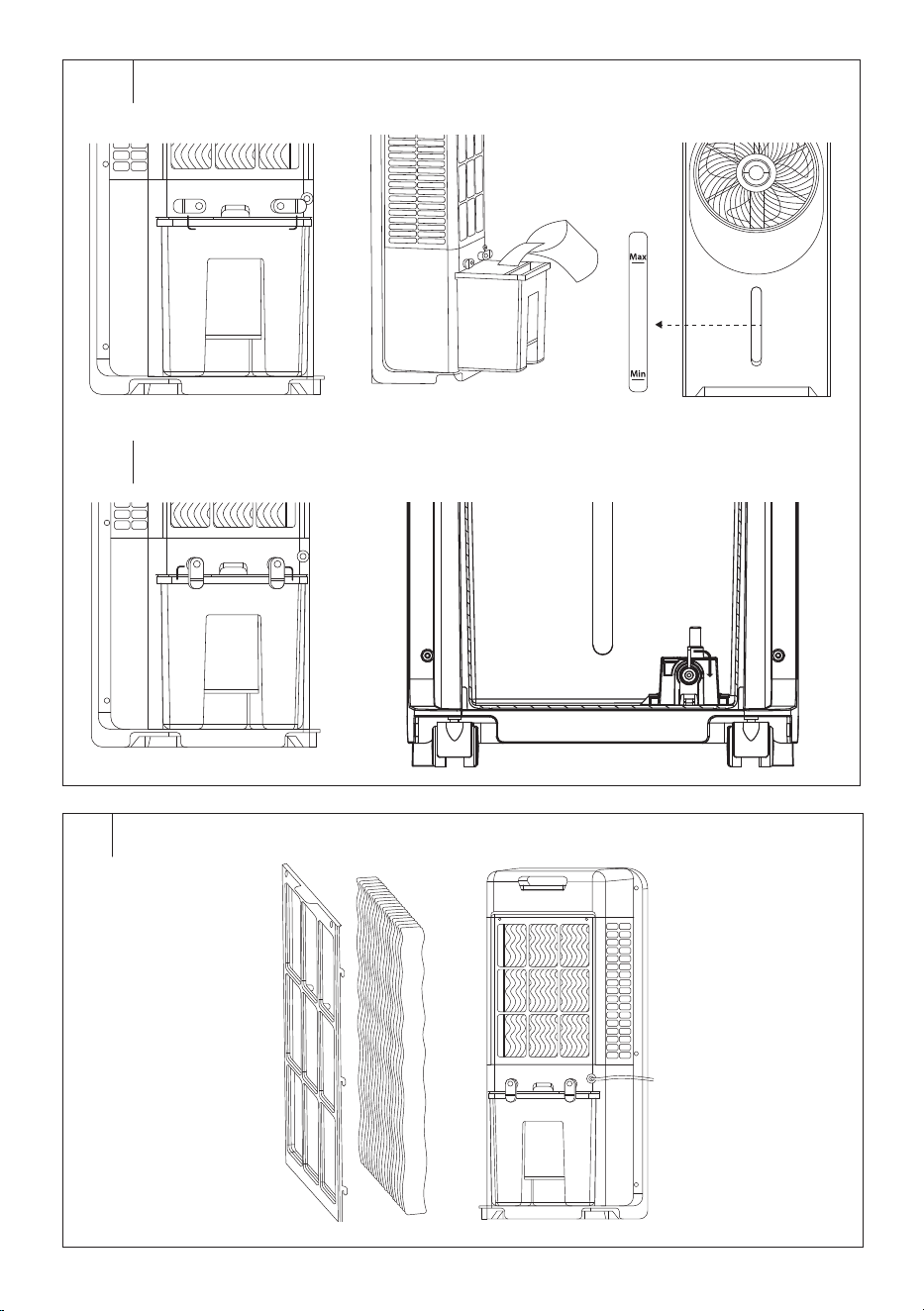
2. Put the cooler in a horizontal position andinsert the castors into the
holes at the bottom – see Figure D.
3. Push the castors into the lower part until you feel resistance.
4. Place the cooler in a vertical position and check that it is not tilted
and that the castors turn freely.
• If you need to remove the castors, follow the same procedure, but
remove the castors from the bottom of the cooler.
Warning:
Do not use the cooler without properly installed
castors.
. . . . . . . . . . . . . . . . . . . . . . . . . . . . . . . . . . . . . . . . . . . . . . . . . . . . . . . . . . . . . . . . . . . .
OPERATING THE APPLIANCE
Commissioning
Fully unwind the power cord and plug the plug into the power socket. An
audible warning sounds and the air cooler switches to standby mode.
Switching the Appliance On/Off
Press the button briefly to switch the air cooler on. It will start by
default:
– Fan speed 5 (the fan mode icon is lit; the display shows “5”).
– Normal operating mode (no operating mode icon is lit).
– Other icons on the display are off.
• Toswitch off the air cooler, press the button. An audible warning
sounds and the air cooler switches to standby mode. To switch off
completely, disconnect the cooler from the power socket.
Note:
When the air cooler is switched off with the button and
switched to standby mode, the last settings are stored in
memory (except for the timer and cooling mode). If you
disconnect the air cooler from the power socket, it will start
by default when you switch it on again.
Switching off the Control Panel and Display
The control panel and display automatically turn off after 1 minute of
inactivity. Press any button to turn the light back on.
EN
Air Cooler
User Manual
- 5 -
12/2024
2024, .
Fan Speed Setting
• The button is used to set the fan speed. Press the button
repeatedly to set the desired fan speed from 1 to 12, where 1 is the
lowest fan speed and 12 is the highest fan speed. The display will
show the numerical value of the relevant speed. The
icon will light
up regardless of the set speed.
Setting the Cooling and Humidifying Mode
• Before starting this mode, you need to fill the tank with water. To fill
the water tank, follow the instructions inthe “FILLING THE WATER
TANK” section.
• Press the button to turn on the cooling andhumidifying mode. The
icon lights up on the display and the pump starts.
• Use the button to adjust the fan speed.
• Turn off the cooling andhumidifying mode by pressing the button.
The icon goes out and the pump switches off.
Warning:
If the air cooler detects a lack of water in the tank or
you remove the water tank or the tank is not inserted,
after a short while the cooling and humidifying mode
will automatically switch off to avoid damaging the
pump and an audible warning will sound (3 short
beeps).
Note:
To increase the cooling efficiency, you can put cooling
boxes (1 pc included) in the water and let them cool in the
freezer beforehand. Place the cooling boxes in the left side
of the tank. Otherwise, the part of the water pump that is
immersed in the water could be damaged.
Setting the Operating Mode
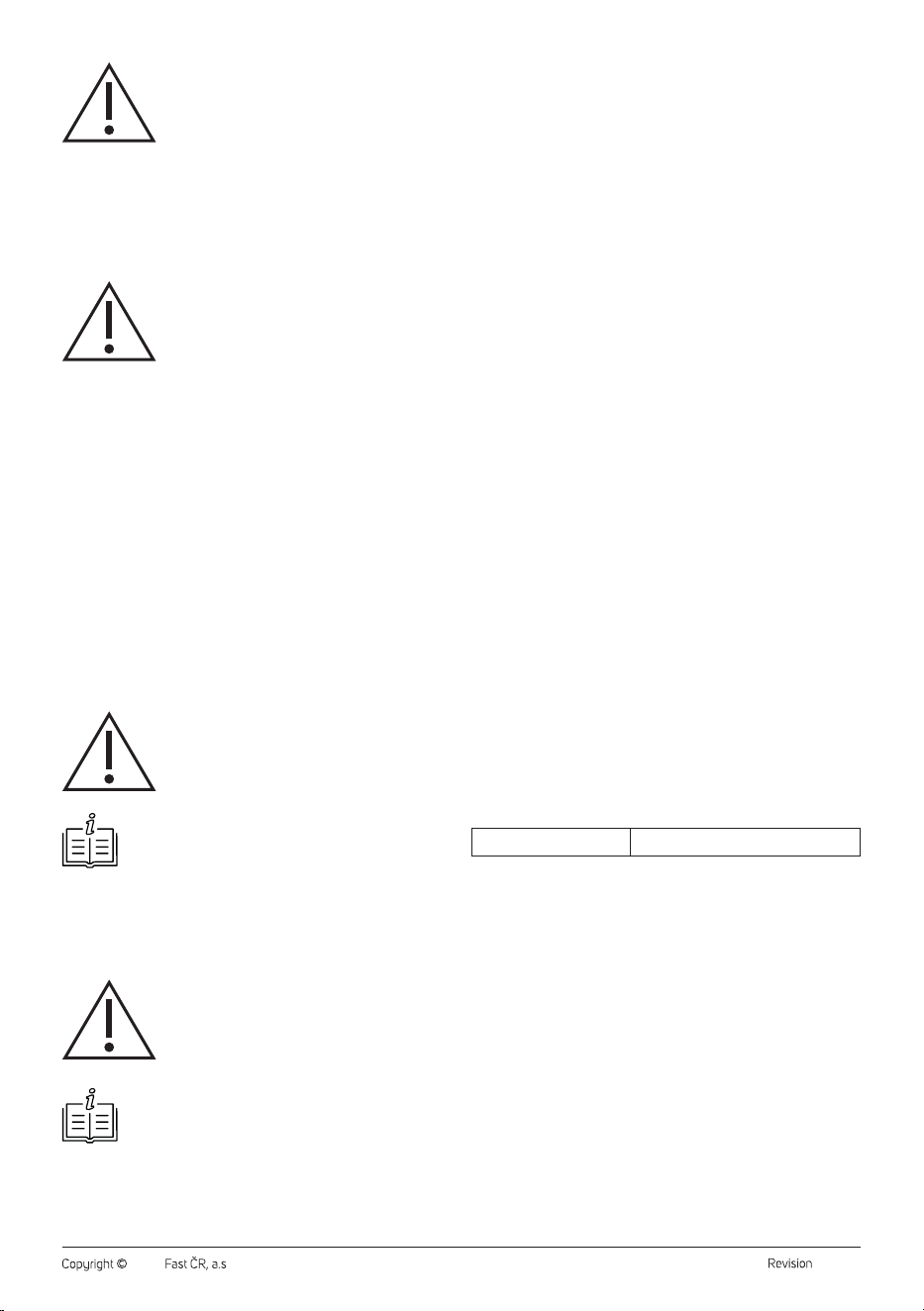
• Press the button repeatedly to select the operating mode in the
following order: normal mode – natural breeze mode ( ) – sleep
mode ( ). For natural breeze and sleep modes, the corresponding
indicator light will illuminate; for normal mode, no operating mode light
will illuminate.
1. Normal Operating Mode
Inthis mode, the fan speed is set by the user and the fan speed is
constant.
2. Natural Breeze Operating Mode
In natural breeze mode, the airflow speed is controlled automatically from
high to low speed depending on the selected fan speed. This achieves a
natural breeze effect.
3. Sleep Operating Mode
Depending on the fan speed set by the user and the preset rules of this
mode, the speed is regularly reduced, which reduces the uncomfortable
feeling caused by the strong flow and increases comfort during sleep.
In sleep mode, the fan speed changes as the fan speed is switched.
Timer Setting
• Set the amount of time that the air cooler will run, after which it will
switch off and go into standby mode.
• Press the button to switch on the timer. The display will flash “1H”
and the icon will light up.
• Press the button repeatedly to set the timer time from 0 to 24
hours. The display will show the timer value.
• Press any button (except the button) or wait about 5 seconds and
the timer time will be stored in memory. The countdown will start
and the display will alternate between the timer time and the set fan
speed.
• After the timer period has elapsed, the air cooler switches off and
enters standby mode.
Front Grille Rotation
• Press the button andthe front protective grille will start to rotate
slowly. The
icon will light up.
• To switch off the front grille rotation, press the button, the rotation
stops and the icon goes out.
Automatic Shut-off Function
• The appliance is equipped with an automatic shut-off function after
10 hours of continuous operation. This means that after 10 hours of
operation, when none of the control buttons are pressed, the appliance
will turn off automatically.
• This function is not active if you set the timer.
Turning off the Audible Warning
• Each press of the button is accompanied by a short audible warning
(beep). To turn off the audible alert, press the
button for 3 seconds.
• To switch on again, press the button for 3 seconds.
. . . . . . . . . . . . . . . . . . . . . . . . . . . . . . . . . . . . . . . . . . . . . . . . . . . . . . . . . . . . . . . . . . . .
REMOTE CONTROL
• The functions of the buttons on the remote control and the control
panel are identical. If you wish to use the remote control, point it at
the signal receiver at thefront of the cooler under the display. The
maximum range of the signal sent from the remote control is 4 m.
Note:
If there are obstacles located between the remote control
and the signal receiver, the signal may not be transmitted.
Inserting and Replacing Battery
• From the bottom part of the remote control pull out the battery
compartment andinsert the 3V CR2025 battery into it. When
inserting the battery, make sure the polarity is correct.
• If the battery in theremote control is discharged, replace it with a new
battery of the same type.
• If you will not be using the remote control for an extended period of
time, we recommend removing the battery. If the battery were to leak
into the interior of the remote control, it could be damaged.
Note:
Never put batteries in a fire, short-circuit or damage them
in any way. Dispose of them in an environmentally friendly
manner at the end of their lifespan. Never dispose of
batteries in municipal waste.
. . . . . . . . . . . . . . . . . . . . . . . . . . . . . . . . . . . . . . . . . . . . . . . . . . . . . . . . . . . . . . . . . . . .
FILLING THE WATER TANK
Before filling the tank, turn off the air cooler, disconnect it from the power
socket andsecure the castors.
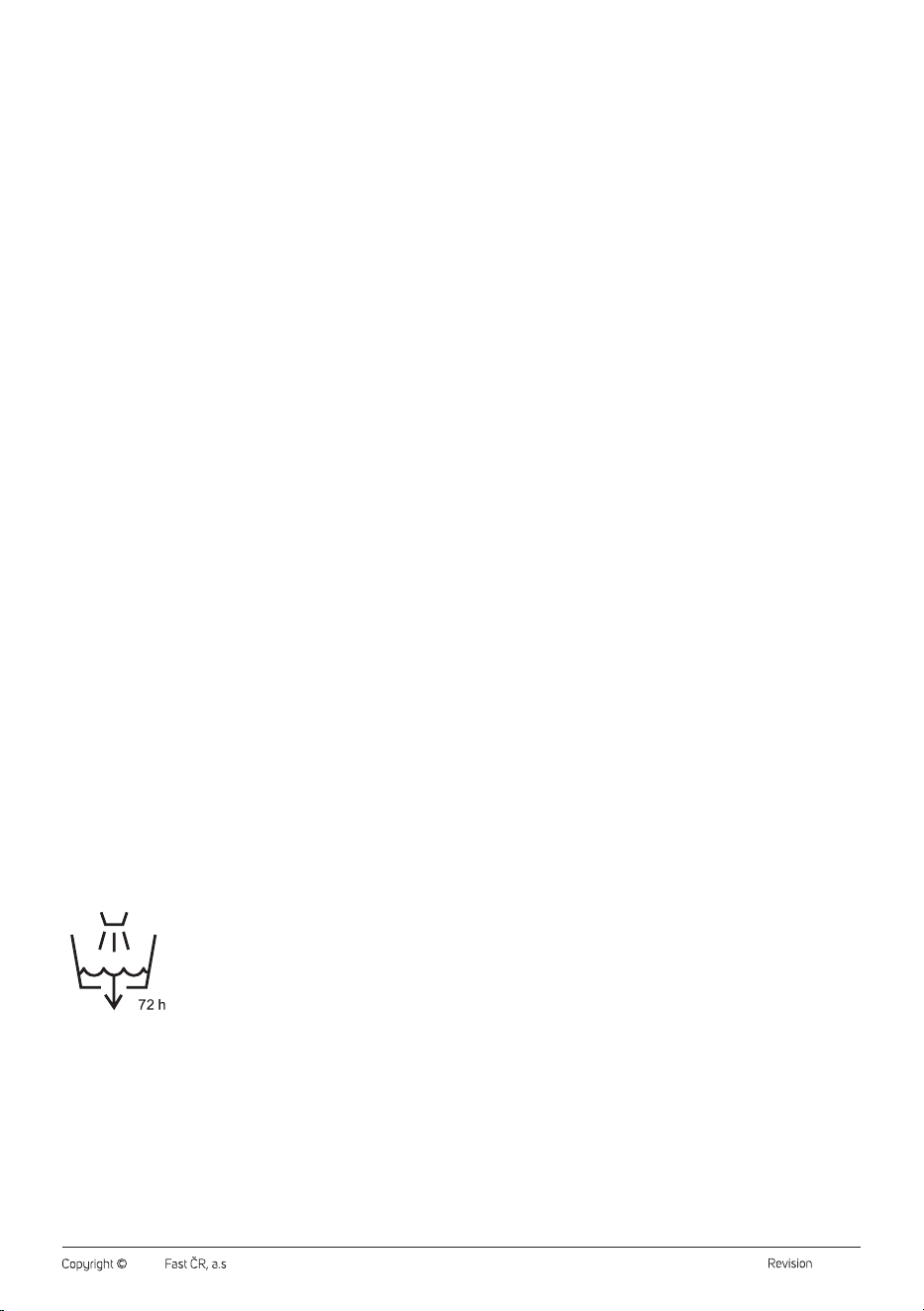
1. Turn the locks on the tank to the horizontal position – see Figure E1.
2. Lift the tank and fill it with clean, cold water – see Figure E2. When
filling, observe the minimum and maximum lines marked on the
tank – see Figure E3.
3. Carefully slide the tank back into the cooler.
4. Turn the locks on the tank to the vertical position – see Figure E4.
A pump is attached to the bottom of the tank. If you need to remove the
tank completely fromthe cooler body, proceed as follows:
1. Turn the locks on the tank to the horizontal position – see Figure E1.
2. Lift the tank and turn the pump lock 90° to the right – see Figure E5.
Then release the pump from the bottom of the tank.
3. Carefully pull the tank out of the cooler body.
When inserting the tank back in, attach the pump to the bottom of the
tank and turn the lock 90° to the left. Then insert the tank back into the
cooler.
Warning:
Do not remove the tank from the cooler body without
first disconnecting the pump. Otherwise, there is a
risk of serious damage to the cooler.
- 6 -
12/2024
2024, .
Warning:
Do not let the water stand in the tank for more than
a day to prevent the growth of unwanted bacteria,
microorganisms or mould. When filling, make sure
that the water level reaches at least to the minimum
line but does not exceed the maximum line.
. . . . . . . . . . . . . . . . . . . . . . . . . . . . . . . . . . . . . . . . . . . . . . . . . . . . . . . . . . . . . . . . . . . .
CLEANING AND MAINTENANCE
• Disconnect the power plug from the power socket before cleaning.
• Do not use abrasive cleaning agents, solvents, etc. to clean any parts
of the appliance, as these could damage the surface of the appliance.
Warning:
To prevent the risk of electric shock, do not immerse
the appliance, power cable, or plug into water or any
other liquid. Only the pump attached to the bottom of
the tank is used for immersion in water.
Cleaning the Water Tank
• After use, empty the tray andrinse it with clean water andwipe it with
a clean cloth. When removing the tank, follow the instructions in the
“FILLING THE WATER TANK” section, especially the instructions to
disconnect the pump before removing the tank.
• At least once a month, wipe the reservoir with a soft sponge slightly
dampened with warm water and a neutral detergent to remove
calcium deposits and prevent the growth of unwanted bacteria,
microorganisms or mould. Then rinse it properly with clean water
adry it with a clean cloth.
Cleaning the Rear Grille andFilter (Fig. F)
• Release the lock at the top of the rear grille. Unscrew the grille and pull
it away from the cooler body. Remove the filter.
• Wipe the rear grille with a slightly damp cloth and wipe dry.
• Wipe the filter with a slightly damp cloth. You can also remove dirt and
dust using a vacuum cleaner with the brush nozzle attached and set
to low power.
Warning:
The filter must not be soaked in water to clean it.
Note:
We recommend knocking the filter out of the living space.
• When cleaning, check the condition of the filter. If it is damaged or
worn, replace it. Do not use a damaged filter.
• Put the clean filter back into the cooler body and fit the rear grille. Put
the bottom part on first and then flip the top part over until you hear
a click.
Warning:
Before inserting the filter into the cooler body, make
sure the filter is dry. Never use the cooler with or
without a wet or damp filter.
Note:
Contact your dealer to purchase a new SFX 6014 filter.
Cleaning the Outer Case
To clean the outer casing, use a cloth slightly dampened with lukewarm
water and neutral detergent.
Storage
• If you will not be using the appliance for an extended period of time,
unplug the plug from the power socket and clean it according to the
instructions in the chapter “Cleaning and Maintenance”.
• Before storing, ensure that the appliance and all accessories are
thoroughly clean and dry.
• Remove the battery from the remote control.
• The supply cable can be wrapped around the fuses of the removable
tray – see Figure G.
• Store the appliance in a dry, clean, and well-ventilated place away
from extreme temperatures and out of the reach of children or pets.
. . . . . . . . . . . . . . . . . . . . . . . . . . . . . . . . . . . . . . . . . . . . . . . . . . . . . . . . . . . . . . . . . . . .
TECHNICAL SPECIFICATIONS
Rated voltage range ...............................................................................220−240V~
Rated frequency ......................................................................................... 50−60 Hz
Rated input power .................................................................................................. 28W
Maximum fan flow rate ............................................................... up to 15.4 m
3
/min
Fan wattage ............................................................................................................ 28 W
Operating value ............................................................................ 0.59 (m
3
/min)/W
Standby power consumption ....................................................................... 0.28 W
Seasonal energy consumption .........................................................8.7 kWh/year
Fan sound power level .............................................................................60.5 (dB) A
Maximum air velocity ........................................................................up to 2.46 m/s
Dimensions ....................................... 69 × 29 × 24 cm (width × height × depth)
Weight .....................................................................................................................4.3 kg
Power cord length: ..................................................................................................1.8m
Water tank capacity ................................................................................................... 5 l
Recommended room size ......................................................................up to 24 m
2
Standards for measuring operating value:
(EU) No 206/2012 + (EU) 2016/2282
EN ISO 5801:2017
EN 50564:2011
EN 60704-1:2010+A11:2012
EN IEC 60704-2-7:2020
Contact for further information:
FAST ČR, a.s., USanitasu 1621, 251 01 Říčany, Czech Republic
The declared noise emission level of the appliance is 60.5 dB(A), which
represents a level A of acoustic power with respect to a reference acoustic
power of 1 pW.
Original Consumable Accessories
SRX 6014 Spare filter
We reserve the right to change the text and technical specifications.

- 7 -
12/2024
2024, .
. . . . . . . . . . . . . . . . . . . . . . . . . . . . . . . . . . . . . . . . . . . . . . . . . . . . . . . . . . . . . . . . . . . .
INSTRUCTIONS AND INFORMATION ON DISPOSAL OF USED
PACKAGING MATERIAL
Dispose of used packaging material at the location designated by the
municipality for waste disposal.
DISPOSAL OF USED ELECTRICAL AND ELECTRONIC EQUIPMENT
Used electrical andelectronic products must not be added to ordinary
municipal waste. For proper disposal and recycling of these products,
deliver them to designated collection points. Alternatively, in some
European Union states or other European countries the products can be
returned to the local retailer when buying an equivalent new product. By
properly disposing of this product, you help preserve valuable natural
resources and contribute to preventing potential negative impacts on the
environment and human health resulting from improper waste disposal.
For further details, contact your local authorities or the nearest collection
point. Fines may be imposed for improper disposal of this type of waste in
accordance with national regulations.
For Business Entities in European Union States
To dispose of electric or electronic equipment, request necessary
information from your retailer or supplier.
Disposal in Other Countries Outside the European Union
If you wish to dispose of this product, request the necessary information
about the correct disposal method from the local council or from your
retailer.
. . . . . . . . . . . . . . . . . . . . . . . . . . . . . . . . . . . . . . . . . . . . . . . . . . . . . . . . . . . . . . . . . . . .
Changes to text and technical parameters are reserved.