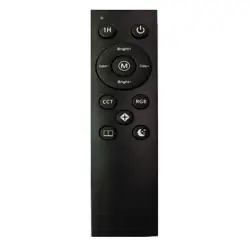
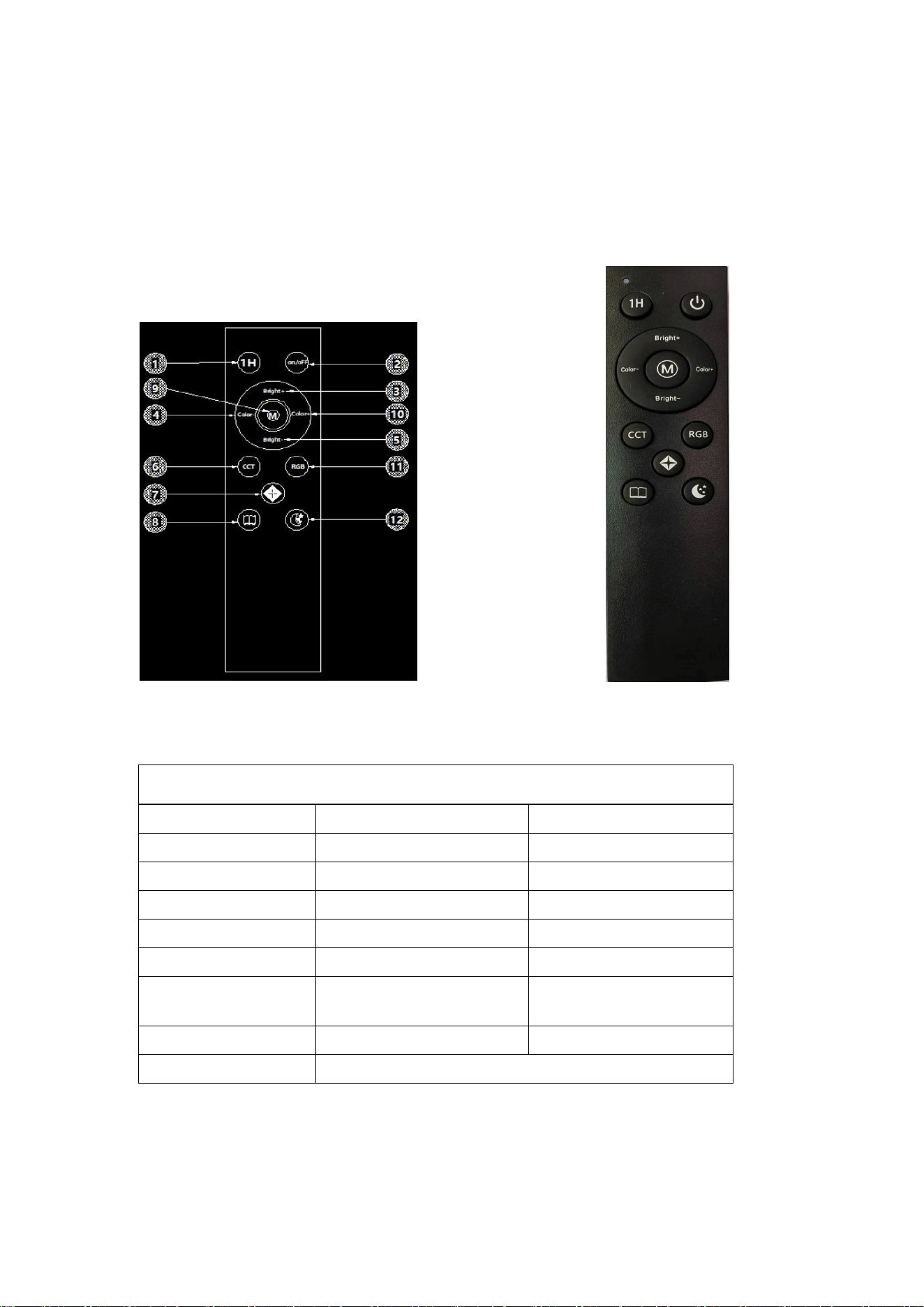
1.Key Function Description (as shown in the illustration)
2.Remote Controller Parameter Description
Item
Parameter
Remarks
Operating Voltage
3.0V
2x1.5VAAA(7#)Batteries
Transmission Frequency
433MHz
Modulation Method
OOK/ASK
Transmitting Power
(-10DB)
Per actual measurement
Standby Current
1uA
Remote Control Distance
20-30M
Open space
Dimensions
117x38x14.6mm
Remote Controller Name
4-Key RGEWY Floor Lamp Remote
remote control manual
Model: ASK-R001

3.Instructions for Use
3.1
:
Pairing Function (Key No. 2 in the figure)
Within 1 minute after power-on, long press the power key (Key 2 in
the figure). The light blinks three times to indicate successful
pairing.
3.2
:
Clear Code Function
After power-on, long press Key 1. The fixture blinks 3 times to
indicate successful code clearing.
3.3
:
Function Description
(Key 1 in the figure)After turning on the light, pressing this key
activates the 1-hour timer function. The timer can be canceled by
turning the light off or cutting off the power in any mode.
(Key 2 in the figure)Master power switch, also used for pairing.
(Key 3 in the figure)In CCT mode, increases light brightness. Long
press for stepless brightness increase; short press for stepwise
brightness increase: 10%
–
20%
–
30%
–
40%
–
50%
–
60%
–
70%
–
80%
–
90%
–
100%.
(Key 4 in the figure)In CCT mode, adjusts light color temperature
(warmth). Long press for stepless decrease; short press for stepwise
decrease.
(Key 5 in the figure)In CCT mode, decreases light brightness. Long
press for stepless decrease; short press for stepwise brightness

decrease: 100%
–
90%
–
80%
–
70%
–
60%
–
50%
–
40%
–
30%
–
20%
–
10%.
(Key 6 in the figure)CCT Mode: Press once to turn on,
simultaneously activating the dimming and color adjustment mode
(Keys 3, 4, 5, and 10 are used for CCT mode). Press again to turn off.
(Key 7 in the figure)Extreme Light Mode: Press once to turn on and
activate the extreme light (starlight effect), press again to turn off.
(Key 8 in the figure)CCT Reading Mode: 4000K, 100% brightness.
(Key 9 in the figure)CCT Color Temperature Cycling Mode: Cycles
through 3000K
–
4000K
–
5000K
–
6000K.
(Key 10 in the figure)In CCT mode, adjusts light color temperature
(warmth). Long press for stepless decrease; short press for stepwise
decrease.
(Key 11 in the figure)RGB Mode: Press once to turn on (activating
RGB mode, motor rotation, and water ripple effects). Rotation
speed is not adjustable. Press again to close.
(Key 12 in the figure)CCT Night Light Mode: 2700K, 10% brightness.

3.4
:
Touch Functions
1. Switch between CCT Mode and RGB Mode
2. CIn CCT mode: Short press to switch between 3 fixed color temperatures; Long press for
stepless color temperature adjustment.;In RGB mode: Short press to select fixed colors (Red,
Yellow, Green, Cyan, White, Blue, Purple); Long press for stepless brightness adjustment.
3. In CCT mode: Short press for stepwise dimming (25%–50%–75%–100%); Long press for
stepless brightness adjustment.;In RGB mode: Short press for RGB cycle "breathing"/gradual
change; Long press to adjust the speed of the stepless RGB mode.
4. Master Switch / Default Startup:
5. 1st press: Turns on in default CCT mode.
6. 2nd press: Switches to RGB mode.
7. 3rd press: Activates RGB mode (Note: seems to repeat or emphasize RGB startup based on
original text).
8. 4th press: Turns off.
9. The cycle repeats.
10. In CCT mode: Long press to reset to 6000K / 100% brightness.