ۉଉ၂๖ݞޅྪ
থ0؊ۉ0ৢᅼኸ๖ڨ
ইሯኸ๖ڨ
ၚኸ๖ڨ!!
ۉᇸ
থ
থኸ๖ڨ
؊ۉথ
ࠀీ
Wireless Microphone
User Manual
How to use
Short press the power button on the TX end for 1 second to turn it on. At this time,
the blue indicator light will flash. Then insert the RX end into the phone, and the blue
indicator light will flash and enter the automatic pairing state with TX. After
successful pairing, the TX and RX blue lights will remain on. At this time, the
wireless microphone can be connected to the device for recording and use normally.
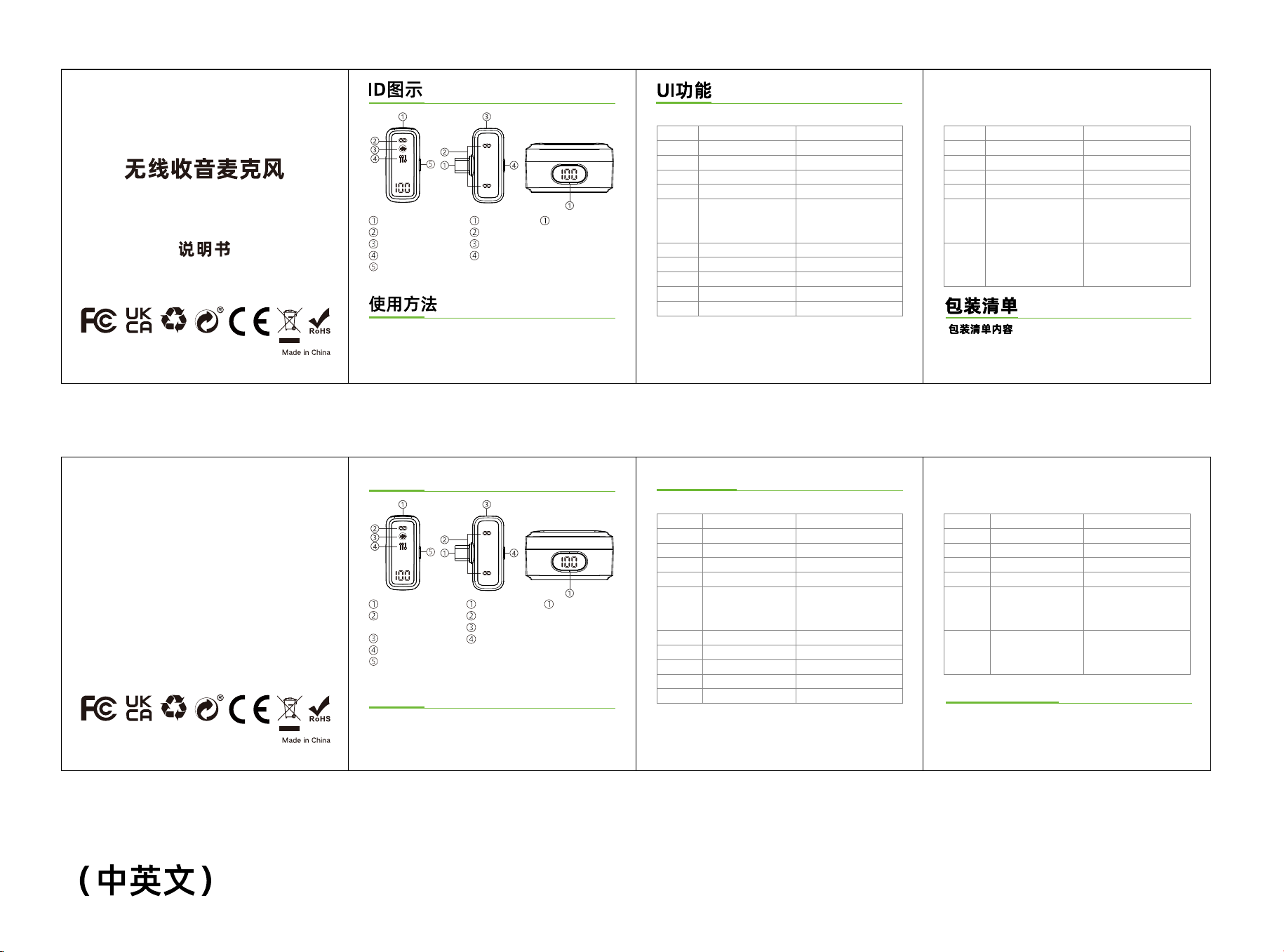
ID Diagram
Battery Level DisplayMobile interface
Connection indicator light
Charging port
Function key
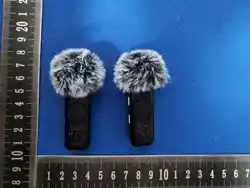
Windbreak net
Connection/charging/mute
indicator light
Noise reduction indicator light
Reverberation indicator ligh
Power button
About UI
TX RX
Packing List
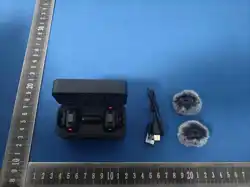
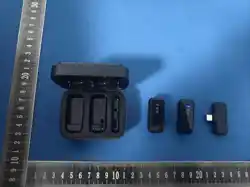
Content of packing
(1) Charging case (2) TX *2
(3) RX (4) Charging cable
(5) User manual
ࠀీ0ጒༀ
࠲
࿄থ
ᅙথ
ইሯ
ၚ
ৢᅼ
ֱړമۉଉ
؊ۉ
گۉ
֡ፕ
֞ጲۯ0Ӏ2௱
֞ጲۯ࠲0Ӏ4௱
ෙ࠲)ఐණ࠲Կ*
ມۉᇸ
ڇມෙۉᇸ
MFE
ઢڨຮ
ᆶڨ௶
ઢڨຮ
ઢڨଋ
ᇱำ)ইሯڨ௶*
ཚইሯ)ইሯ୴ڨଋ*
BJইሯ)ইሯ୴ڨࢬဌ*
ၚ୴ڨଋ0࠲Կ௶ڨ
ৢᅼথڨ࿋ࢤڨଋ0࠲Կ௶ڨ
ຕஓ࠶၂๖ړമۉଉLj21௱ࢫဖ௶
ࢤڨଋ0؊௶
ࢤڨ
ࠀీ0ጒༀ
࠲
ᇑUYದܔ
থ
ইሯ
Վำ
֡ፕ
֭܋
ӚSY
UYࢅSYጲۯದܔথ
UY࠲ᇺ߶UY
ڇӀ
ມSYൎ࣑!
ᇱำ.ٷᅼ.หᅼ
თ࣍ൎ࣑
MFE
থઢڨ
ڨ
UYઢڨଋLjSYઢڨଋ
থUYઢڨLjSYઢڨ
ᇱำ)୴ڨ௶*
ཚইሯ)୴ڨଋ*
BJইሯ)୴ڨࢬဌ*
ᇱำఇ๕;থઢڨᅃْ
ٷᅼఇ๕;থઢڨଇْ
หᅼఇ๕;থઢڨෙْ
UY܋܌Ӏ2TLjُ้ኸ๖ڨઢڨຮLjምSY
܋֭Ljُ้ኸ๖ڨઢڨຮժᇑUYጲۯದܔጒༀLj
ದܔׯࠀࢫLjUYࢅSYઢڨଋLjُ้၍ޅኟথ
ยԢᅼ๑ᆩă
TXㄥ
RXㄥ
)2*؊ۉ֞!!!!!!!!!!)3*ޅUY܋+3
)4*SY܋!!!!!!!!!!!)5*Uzqf.D؊ۉ၍
)6*ᆩࢽຫກ
Function/status
Power on
Shut down
Not connected
Connected
Noise reduction
Reverb
Mute
Charge
Low battery
Operation LED
The blue light is blinking
All lights off
The blue light is blinking
The blue light is constantly on
Function/status
Power on
Shut down
Pair with tx
Disconnect
Noise reduction
Voice change
Operation
Insert phone port
Pull out rx
LED
Blue light flashing
No flashing lights
View current
battery level
Automatic startup upon departure/Long
press the startup button for 1 second
Automatic shutdown upon entering the warehouse/
Long press the power button for 3 seconds
Triple tap key (default off)
Click on the function key
double click the power button
Click, double-click, or triple
press the power button
The digital display shows the
current battery level
Silent connection light:
red light on/off, light off
Tx and rx automatic
pairing connection
Double click RX to switch
Original sound/Uncle sound/
Goddess sound,
loop through the switches
Tx shutdown or remote
disconnection from tx
Original sound (green light off)
Normal noise reduction
(green light always on)
AI noise reduction
(green light breathing)
TX blue light stays on,
RX blue light stays on
Original sound mode:
Connect the blue light and flash once
Uncle voice mode:
Connect the blue light and flash twice
Goddess voice mode:
Connect blue light flashes three times
TX blue light flashes,
RX blue light flashes
Reverb green light on/off
Red light always on/full off
Red light flashing fast
Default original sound when
turned on, click the rx power
button or tx button to turn
on/off noise reduction
Original sound
(noise reduction light off)
Normal noise reduction
(noise reduction green light always on)
AI noise reduction
(noise reduction green light breathing)
+++!ևݴҾጝ႙ᅺဣཥᇱᅺࣷ၄փඹ࿚༶Ljၘ൧൩ጧკঢ়ၨฆ!+++
Note:oppo /vivo/iqoo /realm brand mobile phones can beused normally only when
they go to the settings(search"OTG"-turn on OTG power supply)
ఐණᇱำLjڇ
SYۉᇸUYӀٶ0
࠲Կইሯ

FCC Warning
This device complies with Part 15 of the FCC Rules. Operation is subject to the following two conditions:
(1) This device may not cause harmful interference, and (2) this device must accept any interference received, including
interference that may cause undesired operation.
NOTE 1: This equipment has been tested and found to comply with the limits for a Class B digital device, pursuant to part 15 of
the FCC Rules. These limits are designed to provide reasonable protection against harmful interference in a residential
installation. This equipment generates, uses and can radiate radio frequency energy and, if not installed and used in accordance
with the instructions, may cause harmful interference to radio communications. However, there is no guarantee that
interference will not occur in a particular installation. If this equipment does cause harmful interference to radio or television
reception, which can be determined by turning the equipment off and on, the user is encouraged to try to correct the
interference by one or more of the following measures:
- Reorient or relocate the receiving antenna.
- Increase the separation between the equipment and receiver.
-Connect the equipment into an outlet on a circuit different from that to which the receiver is connected.
-Consult the dealer or an experienced radio/TV technician for help.
NOTE 2: Any changes or modifications to this unit not expressly approved by the party responsible for compliance could void the
user's authority to operate the equipment.
The device has been evaluated to meet general RF exposure requirement. The device can be used in portable exposure
condition without restriction.