
Sound Mixer MP-TG100
1/ 17
Product Description
1. Product Overview :
1.1
This Mobile Bluetooth Karaoke Microphone sing For the lovers
For Portable As a device High quality sing Experience and high
quality of stable Bluetooth speakers I present to you .
1.2 Part Description
:

Sound Mixer MP-TG100
2/ 17
1) High performance coil mike
2) 128 X 64
Blue On the background White The writing present
display
3) function Button
4) 2 X 10W bass unit + 2 X 10W treble unit
5) Type C
charging port
6) AUX input jack
7) Earphone output jack
8) TF - C ARD insert
9) 21700 5000mA Battery & Handle
10) USB-A
insert jack
,
11) pedestal

Sound Mixer MP-TG100
3/ 17
2 、 Product specifications
1.1
basic Parameters information
:
Product Name : Mobile Bluetooth Karaoke Microphone
Product Model Number : MP-TG100
Equipment name : TG 100 ( Mobile phone Bluetooth Connection device
name )
Bluetooth version : Bluetooth V5.0
Bluetooth Broadcasting : Auracast
Operating temperature and humidity : T : 10~80 Celsius , RH humidity
﹤ 90%
number
function
standard
unit
1
Charging voltage
5
V
2
Charging current
2.5
A
3
Battery volume
5000
mAH
4
Bass speaker output of
power
10 X 2
W
5
High-frequency speaker
output of power
10 X 2
W
6
Function Control method
Button control
7
Base Passive tympanum
X2
8
L CD
Blue background
Sound Mixer MP-TG100
4/ 17
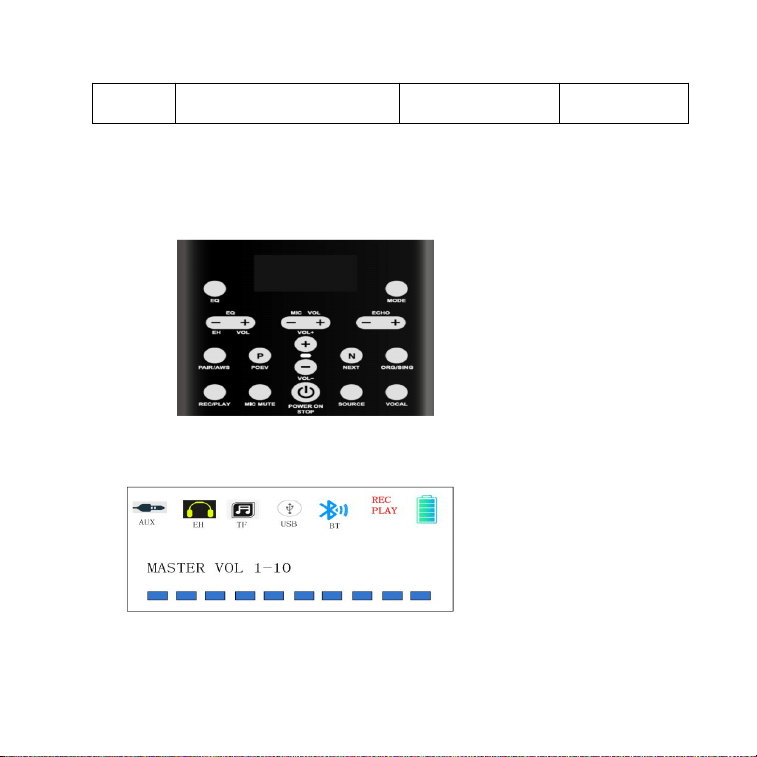
3 、 Button and Screen Guide :
1.1 Display Interface and function control
white Font
128X64

Sound Mixer MP-TG100
5/ 17
1.1.1 Charging:
Charger (DC5V 2.0A) Type C By inserting To charge at the time battery
The symbol is immediately Power Show and battery The symbol is 5
notes charge city corresponding Section of battery The symbol Blinking
charge After that battery The symbol completely is displayed ,
charge The indicator light ( red light ) is always Turned on charge I'm
in the middle of it Charging When completed Blue Fire always It turns
on . Battery The display more more Don't blink No
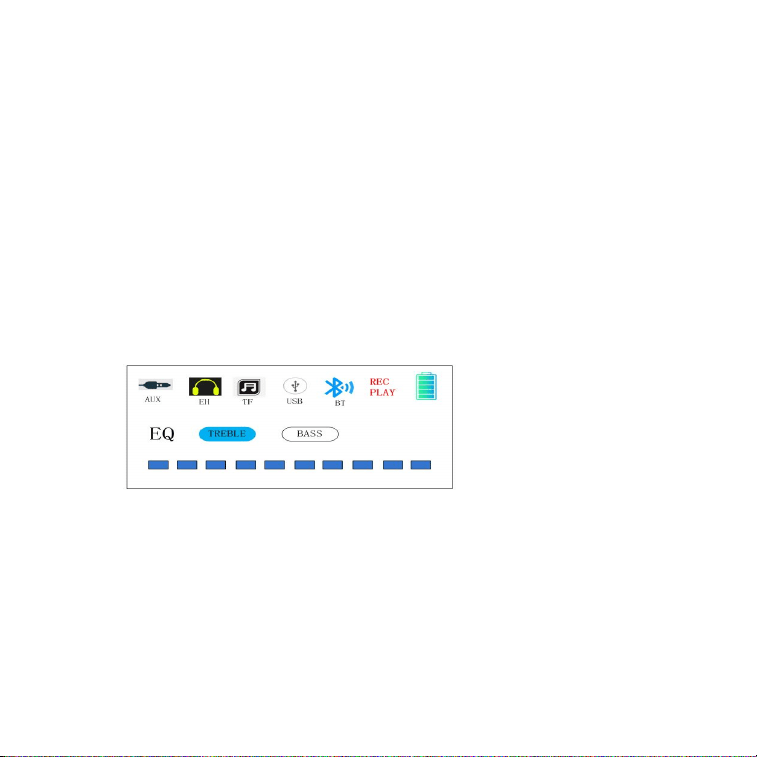
1.1.2 volume
Main The volume is A total of 10 spaces Main screen In the mode, press
the VOL+/- button Press "+" to increase volume to 10 Increasing music
The volume is also set to 10 Increase ( maximum ), "-" volume to 0
Reduced ( minimum - silent )
*headphone Volume :
Sound Mixer MP-TG100
6/ 17
EH VOL +/- keys short When you press Eavesdropping The earphones
Volume Adjust and listen To protect for The earphones When inserted
into the earphone jack The earphones The volume Automatically
Volume "5 " Because it is regulated In need according to To myself
Correct Volume By adjusting Please use it .
*( The volume too If it's big Hearing To damage number Because there
is appropriate Volume Level Adjusting That thing Recommended )
1.1.3 EQ
EQ button Press High notes or Bass Selected After +/- Press
desirous By effect Adjust it
.
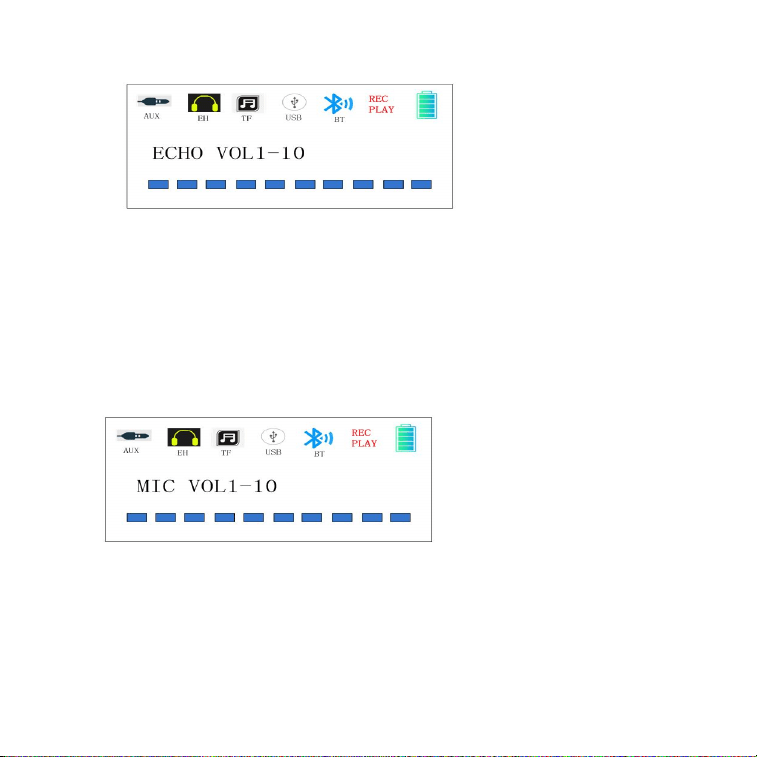
1.1.4 ECHO
ECHO+, - keys short Press Reverberation The intensity Adjust it .
Sound Mixer MP-TG100
7/ 17
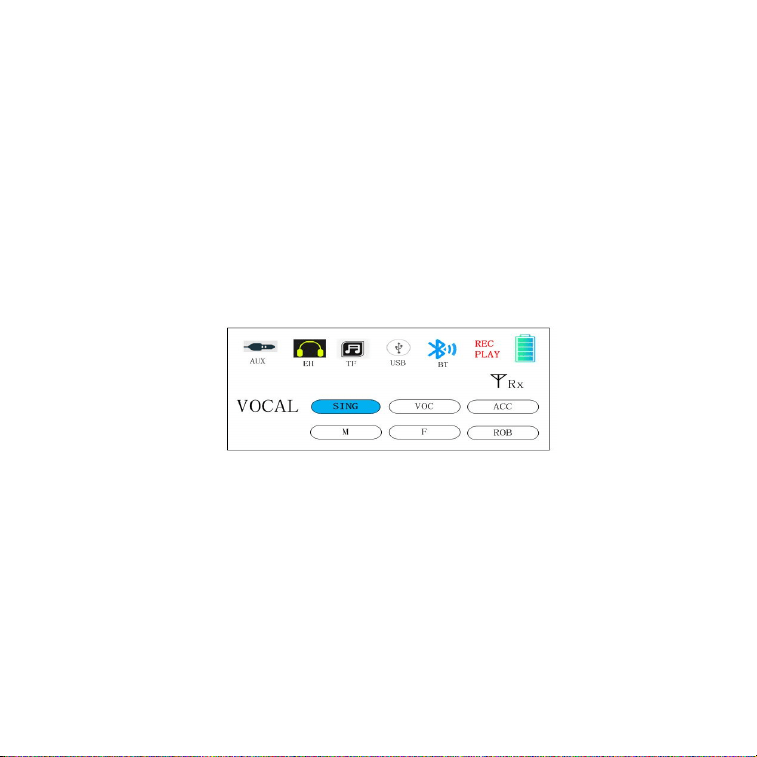
1.1.5 MIC volume
the MIC VOL +, - keys briefly mike Volume Adjustment .
Sound Mixer MP-TG100
8/ 17
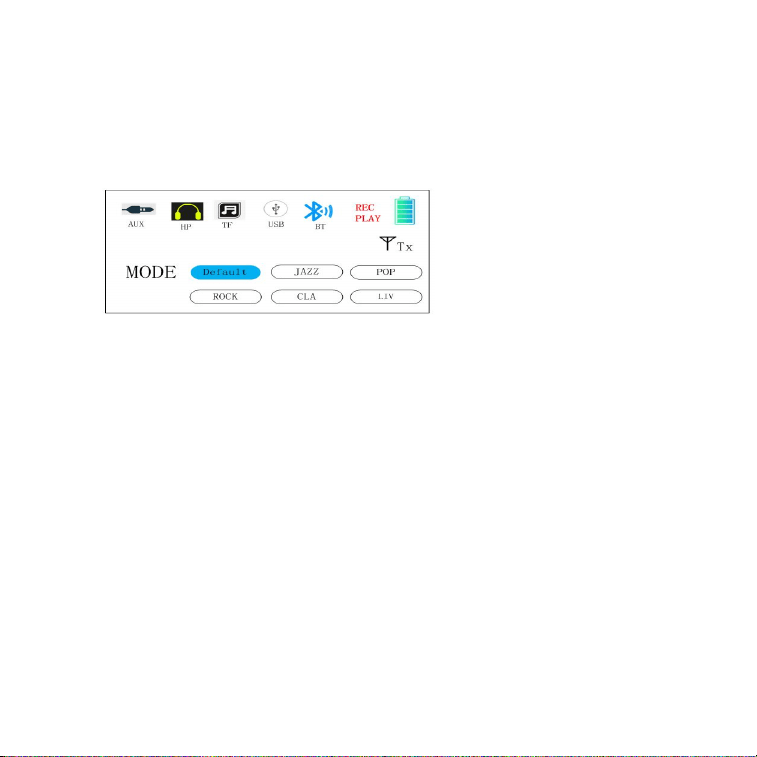
2.0 Sound Genre select :
SING ( song Mode ) ---- Default )
VOC( Speech mode )
ACC ( Animation voice )
M( Singer (Male voice )
F(
Singer female voice
)
ROB ( Singer) (robot sound)
VOCAL button short Press corresponding Audio Mode Select and one
th Press From the left To the right one th Converted after At the end
point Reached after First The second By effect Go back in turn It
circulates .
Sound Mixer MP-TG100
9/ 17
3.0 music Genre select :
MODE button short Press Applicable Audio The scene Select and , th
By pressing From the left To the right one th Converted Well , finally
Skip First The second By effect I'm going back .
4 、 Button function introduction
4.1 SOURCE Button :
SOURCE key is basic Bluetooth To the channel Set device Audio
conversion Key and TF card Insert TF card To the channel automatic
Converted The music Automatically Play and USB When inserted into

Sound Mixer MP-TG100
10/ 17
the USB channel automatic Converted The music Automatically Plays
and AUX When inserted, it goes to the AUX channel Manually It is
converted Above In mode desirous Mode Manually To switch number
There is . It is To the channel conversion city corresponding The icon
is always Turned on There is different The icon is Turn off , no
Bluetooth In mode conversion city Bluetooth is Automatically With
mobile phone The connection Disconnected , Bluetooth In mode
conversion city Bluetooth again Need to connect do .
4.2 PAIR/AWS Button :
Bluetooth broadcast mode Button and Bluetooth Matching It's a
button .
4.2.1
Bluetooth is Not connected If not Bluetooth The icon Blinking Pairing
Successful and Bluetooth is When paired 'TG100' Bluetooth on your
phone device Name Looking for device Name Select and When you
click Pairing It's a success .
4.2.2
PAIR/AWS key double Click to broadcast Transmission In mode
do broadcast Transmission Status day at the time Red light
Turn on The icon too at the same time It is displayed At
this time copy The machine Auracast transmitter It's a mod .
4 .2.3

Sound Mixer MP-TG100
11/ 17
PAIR/AWS key short When you press broadcast Receiving Become short
When you press broadcast reception In the state Red light Turning
on The icon too together It is displayed , and at this time
Auracast receiving set It's a mode In the receiver With a mobile phone
Bluetooth The connection Because it is impossible cell phone
Bluetooth Need to connect will do case broadcast reception Mode
Terminate . PAIR/AWS key long When you press With a mobile phone
Bluetooth's Pairing Cut off number There is , and this case different
On the phone About Korea Pairing it's possible .
( Caution : In broadcast mode In case , same In the environment One
Transmitter only Main body number There are 2 more more Turn on number
No. There are up to N receivers . Turn on number Yes . USB/TF/
Bluetooth In the operating mode, the Rx receiving mode Turn on number
No. There is no SOURCE key . Press Bluetooth In mode Need to switch
Bluetooth broadcast Transmit / receive mode Turn on number there is )
4.3
REC/PLAY button :
4.3.1
REC/PLAY key long By pressing In the recording When you enter,
there is a REC Blinking recording The file is on TF card /U disk Saved
and recorded complete After REC key short When you press today
recording The content Automatically Playing and recording
reproduction City PLAY Turn on and press the SOURCE key . Press
Recording Exit . ( Bluetooth Only in mode recording Possible ,
when playing via USB/TF card /AUX recording Impossible )
4.3.2 Power button POWER ON / STOP:

Sound Mixer MP-TG100
12/ 17
2 seconds long When you press Power It turns on . Shortly . When you
press Play / pause music . AUX mode is on TG100. Play / pause music ,
previous / next The track Control number doesn't exist .
4.4 MIC MUTE button :
this button short Press the MIC Turn on, When it turns off , the MIC icon
appears when it turns on. at the same time Turn on and MIC When you
turn it off, the MIC icon It turns off .
4.5 P OEV Previous song button :
this Key short When you press The music before By song It changes
4.6 NEXT
Next song button
:
this Key short When you press The music next By song It changes
4.7 ORG/SING Button
Short press Original song featuring a small voice / Original song Switch
to voice

Sound Mixer MP-TG100
13/ 17
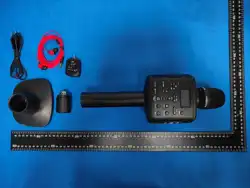
5 、 Packaging BOM:
number
Product name
quantity
unit
1
MP-TG100Master
1
dog
2
FM Transmitter
1
dog
3
FM receiver
1
dog
4
earphone
1
dog
5
Type C connector
1
dog
6
USB Charger
1
dog
7
pedestal
1
dog
8
Manual
1
wealth
9
Quality Assurance
Card
1
wealth
10
Certificate of
passing
1
wealth

Sound Mixer MP-TG100
14/ 17
11
Storage box
1
dog
12
Color box
1
dog
announcement : The product is For indoor use The usage environment
If it's poor The product be damaged number There is The appearance
is Final The real thing As a standard And Function improvement and
For upgrade About Korea Final The right of interpretation Our company
have There is . Quality-wise The problem is There will be case local To
the distributor Contact us Repair Receive it and repair it within the
warranty period. No Won't case Same Quality of copy As a product
Exchange I will do it for you.
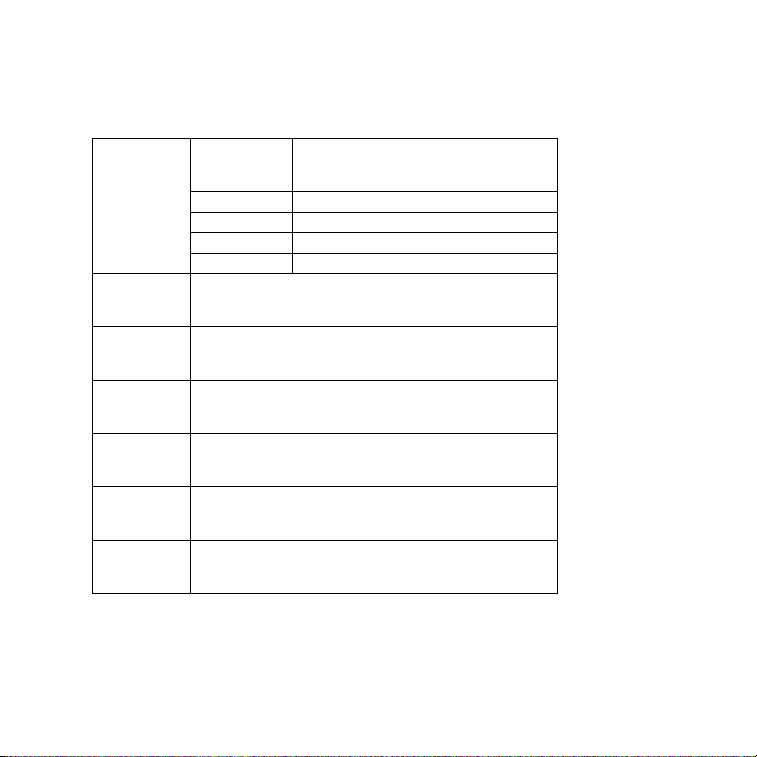
Warranty
Warranty
1: This The warranty is repair With supporting documents Use
it I hope so .
2 :
copy The product is
__1
year from the date of purchase It's
guaranteed
.
3: Warranty repair period Inside Normal Use and Maintenance
will do at the time machine Of its own part ingredient and In the
process The problem is It happened Breakdown Occurred case
,

Sound Mixer MP-TG100
15/ 17
fact check after We are Free of charge repair and part Replace
Provides .
4:
Warranty Period middle Next same Matters Will occur case
We are Service Reject or Materials
and
service fees At your
discretion To collect The right there is .
1) This Warranty and valid purchase Evidence To provide
number If not available .
2)
User's inapposite By use Due to product In case of
damage
.
3) Artificial Abnormal External force In case of damage .
4) Our company Certified repair service The provider No
People dissolution Repair it In case of damage
.
5) Natural disaster or etc Force majeure As a factor Because
of Breakdown and In case of damage .
6)
Other People on purpose In case of damage
.
5:
We every In the content About Korea Right to amend Right
to interpretation I have it .
Sound Mixer MP-TG100
16/ 17
product information
Repair
details
date
Cause of failure and
processing status
Customer
name
Contact
person
phone
number
Customer
Address
Product
Name
Date of
purchase
Product Model Number :

Sound Mixer MP-TG100
17/ 17
Factory number :
Dealer discount
Date : Year Month Day

FCC Warnning:
This equipment has been tested and found to comply with the limits for a Class B digital device,
pursuant to part 15 of the FCC Rules. These limits are designed to provide
reasonable
protection against harmful interference in a residential installation. This equipment generates,
uses and can radiate radio
frequency
energy
and,
if
not
installed
and
used
in
accordance
with
the
instructions,
may cause
harmful
interference
to
radio
communications.
However,
there
is
no
guarantee
that interference
will
not
occur
in
a
particular
installation.
If
this
equipment
does
cause
harmful interference to radio or television reception, which can be
determined by turning the equipment off
and
on,
the
user
is
encouraged
to
try
to
correct
the interference
by
one
or
more
of
the following measures:
•
Reorient or relocate the receiving antenna.
•
Increase the separation between the equipment and receiver.
•
Connect the equipment into an outlet on a circuit different from that to which the receiver is
connected.
• Consult the dealer or an experienced radio/TV technician for help.
Caution:
Any
changes
or
modifications
to
this
device
not
explicitly
approved
by
manufacturer
could void your authority to operate this equipment.
This
device
complies
with
part
15
of
the
FCC
Rules.
Operation
is
subject
to
the
following
two
conditions:
(1)This
device
may
not
cause
harmful
interference,
and
(2)
this
device
must
accept
any
interference received, including interference that may cause undesired operation.
This
equipment
complies
with
FCC
radiation
exposure
limits
set
forth
for
an
uncontrolled
environment.
This
equipment
should
be
installed
and
operated
with
minimum
distance
0cm
between the radiator and your body.