USER MANUAL
OF SMART KIT
IMPORTANT NOTE:
Read the manual carefully before installing or connecting your
air conditioner. Make sure to save this manual for future reference.
Download the app
& activate product

CONTENTS
SPECIFICATION
PRECAUTIONS
USING THE SMARTHOME APP
COMPLIANCE
1
1
2
6
1
2
3
4
1
SPECIFICATION
2
PRECAUTIONS
Unit model: XXXXXX
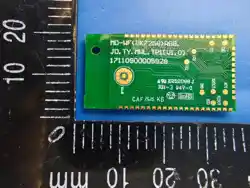
Wireless Module Model: MD-WF(BK7258)RGB
Antenna Type: Printed PCB Antenna
Wireless: 2400 - 2483.5MHz, TX Power: < 20dBm
Operation Temperature: 0°C~45°C/32°F~113°F
Operation Humidity: 10% ~ 85%
Power Input: DC 3.3V / 1000mA
BLE: 2402 - 2480MHz, TX Power: < 10dBm
1
Wireless Security:
The Smart Kit supports the following security protocols:
WPA-PSK / WPA2-PSK / WPA3-SAE.
It may be used with or without encryption although encryption is strongly
recommended.
App Compatibility:
The app is available for both iOS and Android, however older versions may no
longer be compatible. Please keep the app updated with the latest version.
Midea makes no guarantee of compatibility and is not responsible for issues
arising as a consequence thereof.
The app is subject to updates without prior notice for product function
improvement.
This device is in compliance with the essential requirements and
other relevant provisions of Directive 2014/53/EU, in order to avoid
the possibility of exceeding the radio frequency exposure limits,
human proximity to the antenna shall not be less than 20cm during
normal operation. (European Union products only)
3
USING THE SMARTHOME APP
2
Connectivity:
Network issues may occasionally cause timeouts. The unit display and the app
may become unsynchronized but this will resolve itself when the network is
restored.
Should the network remain unavailable, it might be necessary to run the
conguration process again.
Change in the wireless network will require reconguration of the device.
Conguration:
Restore to factory settings:
The actual network conguration process may vary slightly from the manual.
Please check the service website for more information.
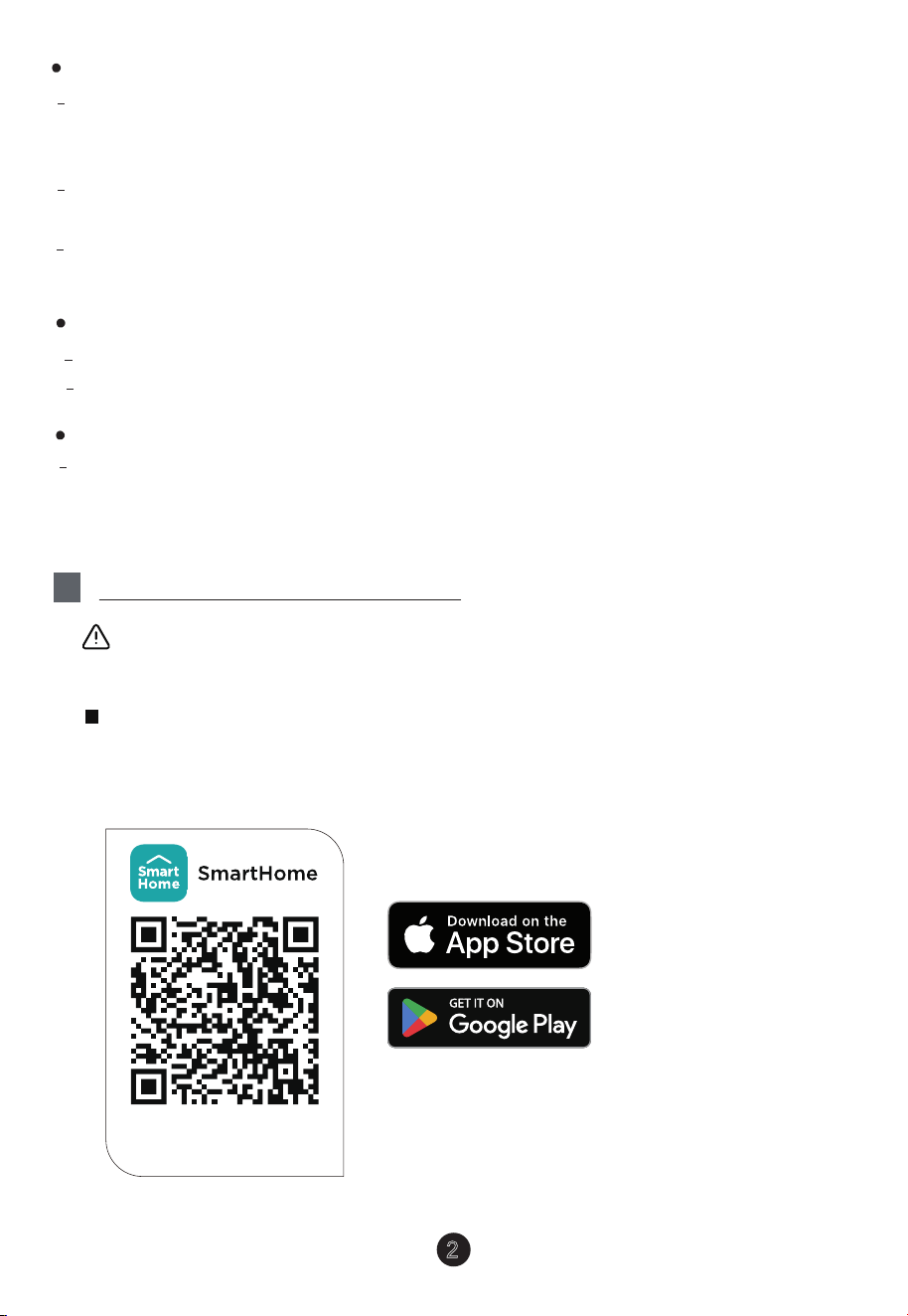
Scan the QR code below to download the SmartHome app from app store
or search for it directly on the Google Play Store or Apple's App Store.
Ensure that your mobile phone is connected to the wireless network.
Bluetooth must be turned on. The device must also be powered up.
Download the app
& activate product
Step 1: Download the SmartHome app
When the user deletes the device on the APP, the module automatically
restores to the factory settings.
3
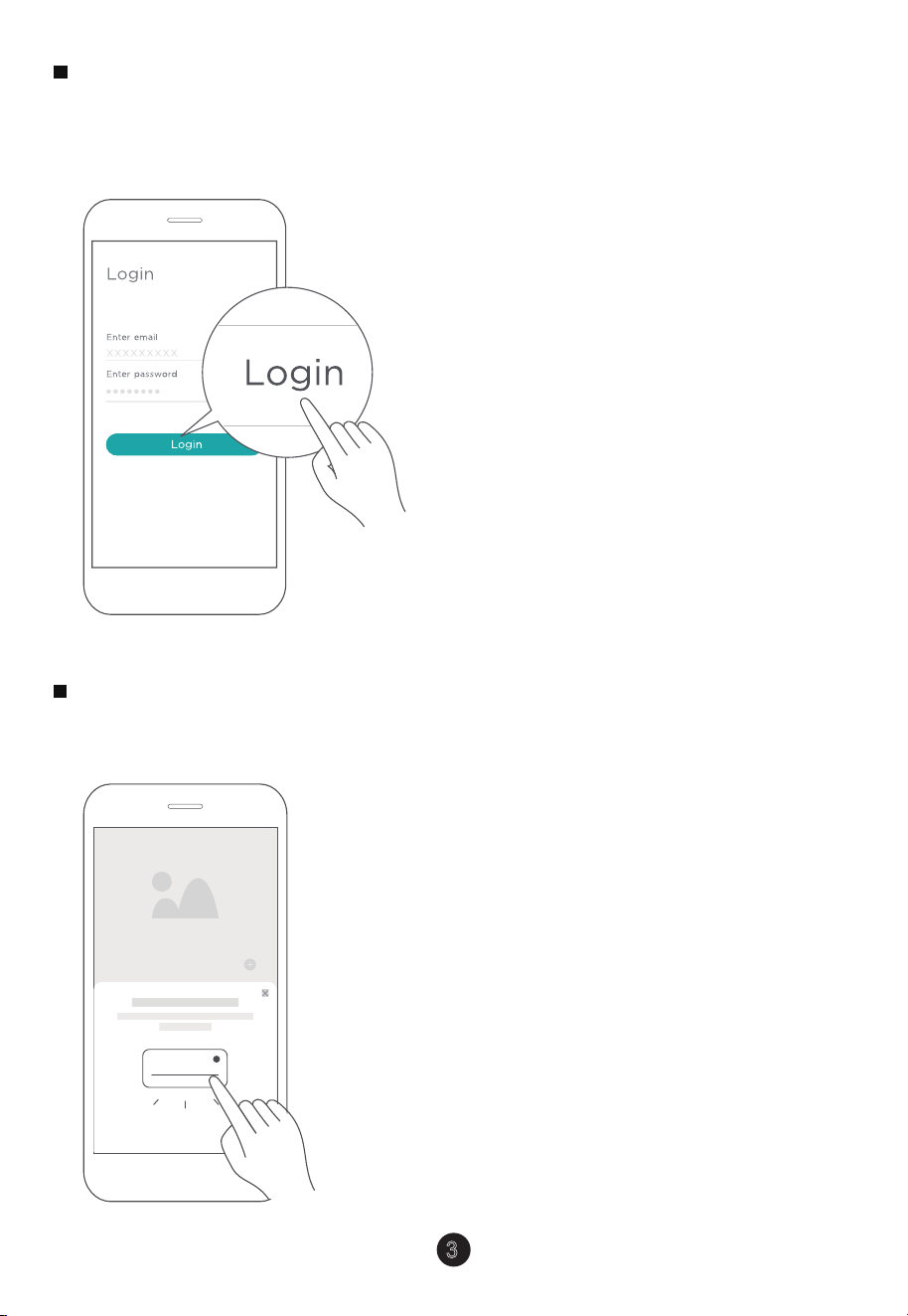
Open the SmartHome app. Log in directly if you have an existing SmartHome
account or create a new account. Alternatively, you can also use a 3rd party
login platform.
Step 2: Log in
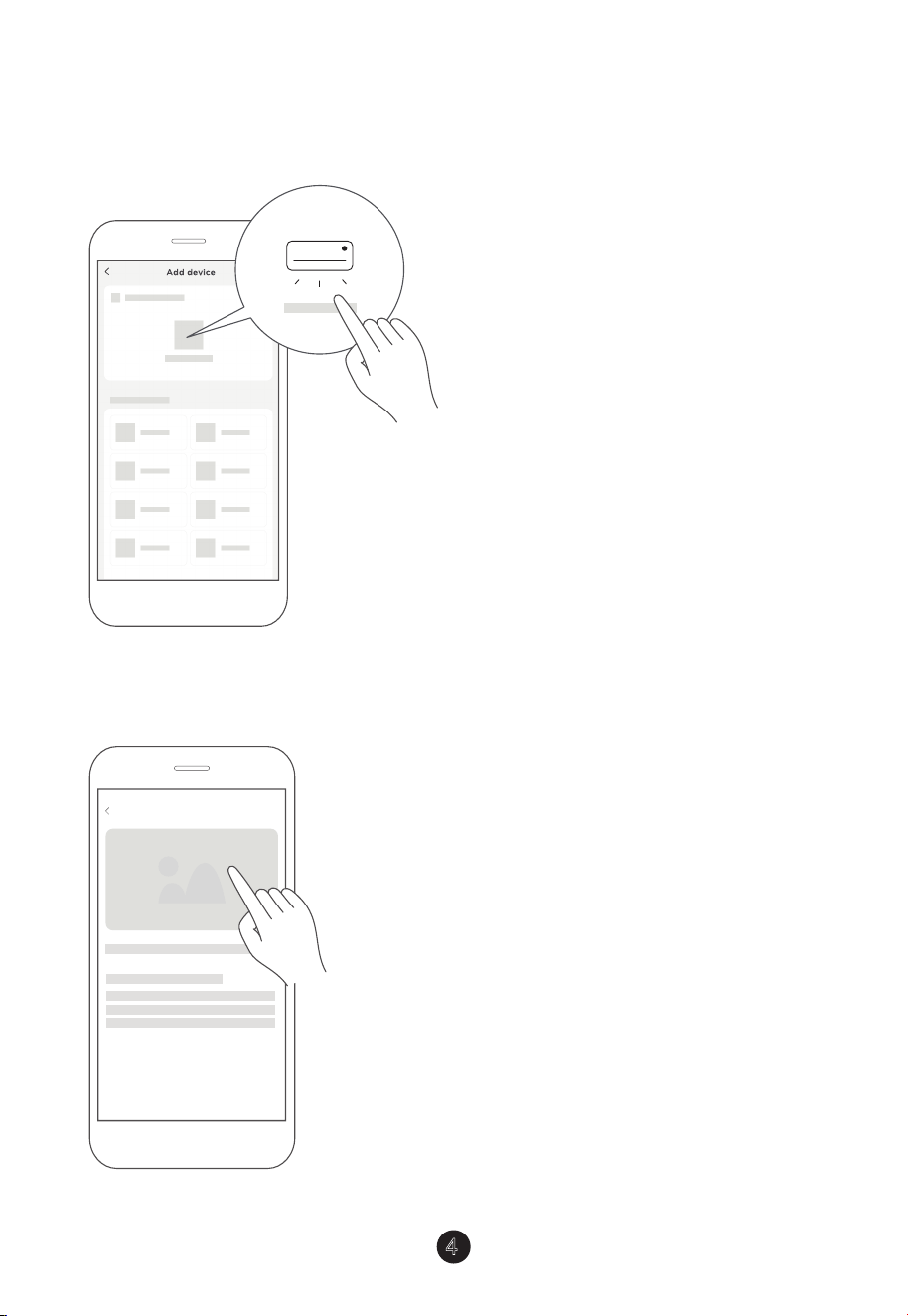
1) When you log in, you may see the message "Smart devices discovered
nearby". Tap to add your device.
Washing machine
...
Step 3: Connecting the device
4
2) If no such message appears, proceed as follows:
Tap on "+" and select your device in the list of nearby available devices.
If your device is not listed, please add your device manually, rst selecting the
device category e.g. Portable AC.
3) Follow the steps in the app to connect your device to the wireless network. If
your device fails to connect, follow the additional instructions in the app.
Add device
5
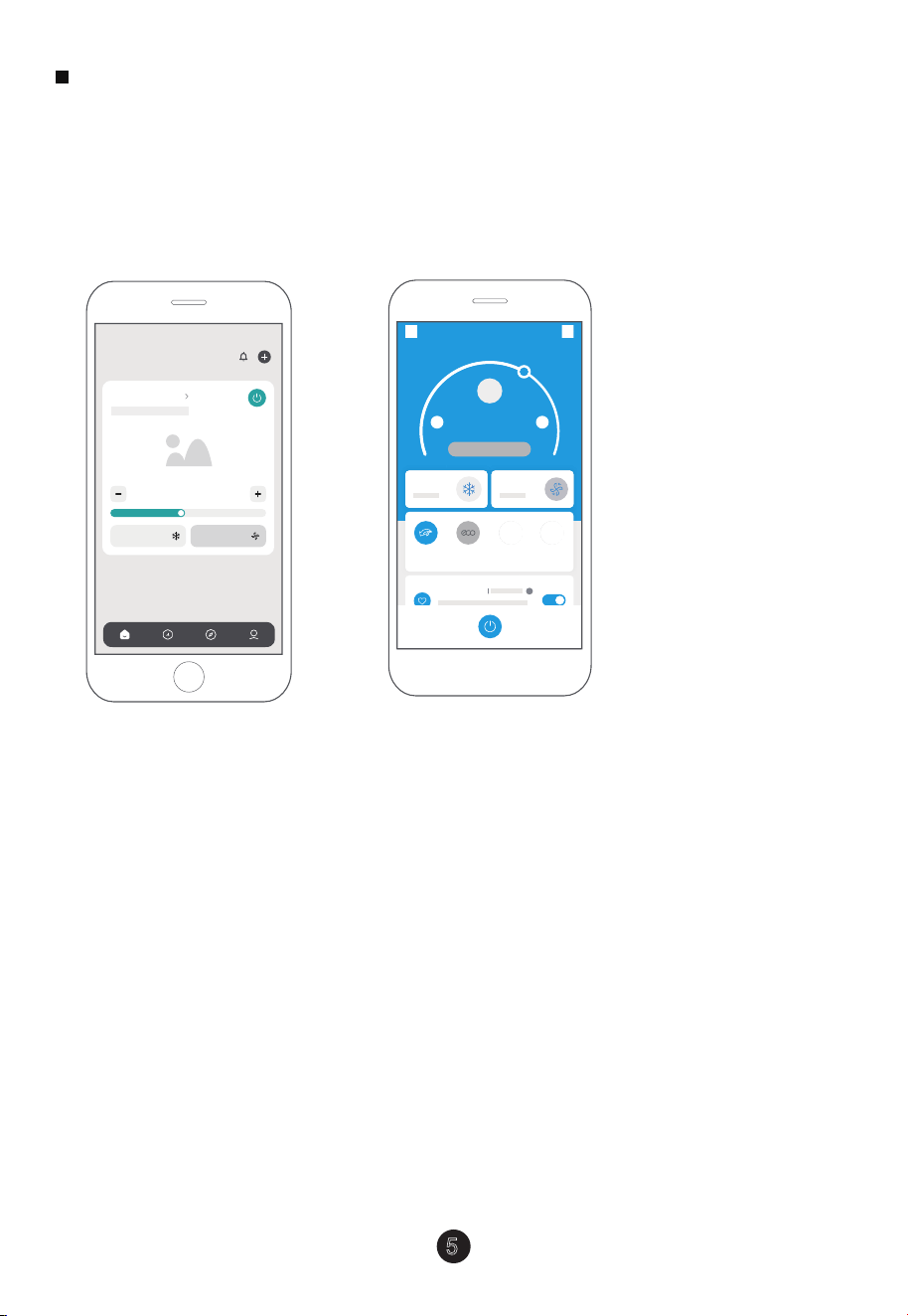
After pairing successfully, a card will be created for the device in the
SmartHome app. Shortcuts for basic functions will appear on the card such as
changing the temperature or switching the device on or o.
Tapping on the card, will reveal additional features and settings. The actual UI
design may look dierent from examples due to app updates.
Step 4: Controlling the device
26.0
℃
Fan speed
75%
Cool
Mode
Fan speed
Mode
Device name
℃ ℃Outdoor 32
/ Indoor 27.
5
My Favorite
Boost ECO Vertical
Swing
Horizontal
Swing
Sleep Curve
Air Conditioner
Cool Auto
26
°C
SmartHome

This device complies with Part 15 of the FCC Rules and it contains licence
exempt transmitter(s)/receiver(s) that comply with Innovation, Science and
Economic Development Canada’s licence-exempt RSS(s).
(1) This device may not cause harmful interference;
(2) This device must accept any interference, including interference that may
cause undesired operation of the device.
Only operate the device in accordance with the instructions supplied.
Changes or modications to this unit not expressly approved by the party
responsible for compliance could void the user's authority to operate the
equipment.
This device complies with FCC radiation exposure limits set forth for an
uncontrolled environment. In order to avoid the possibility of exceeding the FCC
radio frequency exposure limits, human proximity to the antenna shall not be
less than 20cm (8 inches) during normal operation.
6
4
COMPLIANCE
Wireless module models:
MD-WF(BK7258)RGB:
FCC ID:2ADQOMDNA29
IC:12575A-MDNA29
Operation is subject to the following two conditions:

In Canada:
CAN ICES-3(B)/NMB-3(B)
Le présent appareil est conforme aux CNR Innovation, Sciences et Développement
économique Canada applicables aux appareils radio exempts de licence.
L’exploitation est autorisée aux deux conditions suivantes:
(1) il ne doit pas produire de brouillage et
(2) l’ utilisateur du dispositif doit étre prêt à accepter tout brouillage
radioélectrique reçu, même si ce brouillage est susceptible de compromettre le
fomctionnement du dispositif.
Cet émetteur ne doit pas être Co-placé ou ne fonctionnant en même temps
qu’aucune autre antenne ou émetteur. Cet équipement devrait être installé et
actionné avec une distance minimum de 20 millimètres entre le radiateur et votre
corps.
NOTE: This equipment has been tested and found to comply with the limits for a
Class B digital device, pursuant to part 15 of the FCC Rules. These limits are
designed to provide reasonable protection against harmful interference in a
residential installation.
This equipment generates, uses and can radiate radio frequency energy and, if
not installed and used in accordance with the instructions, may cause harmful
interference to radio communications.
However, there is no guarantee that interference will not occur in a particular
installation. If this equipment does cause harmful interference to radio or
television reception, which can be determined by turning the equipment o and
on, the user is encouraged to try to correct the interference by one or more of
the following measures:
--Reorient or relocate the receiving antenna.
--Increase the separation between the equipment and receiver.
--Connect the equipment into an outlet on a circuit dierent from that to which
the receiver is connected.
--Consult the dealer or an experienced radio/TV technician for help.
7

KDB 996369 D03 statements
2.2 List of applicable FCC rules:
The module complies with FCC Part 15.247.
FCC ID: 2ADQOMDNA29 on User manual and on the external of the packaging.
2.3 Summarize the specific operational use conditions
The module has been certified for Potable applications. This transmitter must not beco-located or
operating in conjunction with any other antenna or transmitter
2.4 Limited module procedures
The module is not a limited module.
2.5 Trace antenna designs
Not applicable
2.6 RF exposure considerations
This equipment complies with FCC’s RF radiation exposure limits set forth for an
uncontrolled environment. The antenna(s) used for this transmitter must not be collocated or operating
in conjunction with any other antenna or transmitter.
2.7 Antennas
The EUT use a permanently attached antenna which is unique.
2.8 Label and compliance information
The host system using this module, should have label in a visible area indicated the
following texts: “Contains FCC ID: 2ADQOMDNA29
2.9 Information on test modes and additional testing requirements
When testing host product, the host manufacture should follow FCC KDB Publication 996369 D04
Module Integration Guide for testing the host products. The host manufacturer may operate their
product during the measurements. In setting up the configurations, if the pairing and call box options
for testing does not work, then the host product manufacturer should coordinate with the module
manufacturer for access to test mode software.
The module has been certified for Potable applications. This transmitter must not be
co-located or operating in conjunction with any other antenna or transmitter
2.10 Additional testing, Part 15 Subpart B disclaimer
The module without unintentional-radiator digital circuity, so the module does not
require an evaluation by FCC Part 15 Subpart B. The host shoule be evaluated by the FCC Subpart B.
2.11 Note EMI Considerations
host manufacture is recommended to use D04 Module Integration Guide recommending as
"best practice" RF design engineering testing and evaluation in case non-linear interactions generate
additional non-compliant limits due to module placement to host components or properties
2.12 How to make changes
This module is stand-alone modular. If the end product will involve the Multiple simultaneously
transmitting condition or different operational conditions for a stand-alone modular transmitter in
evaluation (i.e., no C2PC required when no emission exceeds the limit of any individual device
(including unintentional radiators) as a composite. The host manufacturer must fix any failure
a host, host manufacturer have to consult with module manufacturer for the installation method in end
system. According to the KDB 996369 D02 Q&A Q12, that a host manufacture only needs to do
anevaluation (i.e., no C2PC required when no emission exceeds the limit of any individual device(including
unintentional radiators) as a composite. The host manufacturer must fix any failure

CS380-APP(Smarthome-Build in)
16110800000708
20250331
Importer: xxxxxxxxxx
Manufacturer:
GD Midea Air-Conditioning Equipment Co,.Ltd.
Lingang Road Beijiao Shunde Foshan
Guangdong People’s Republic of China 528311
Company will not be liable for any issues and problems
caused by Internet, Wireless Router and Smart Devices.
Please contact the original provider to get further help.