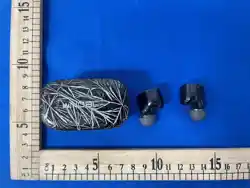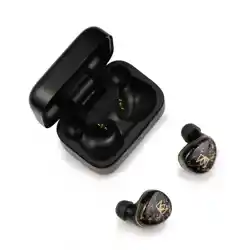
105mm
封面
105mm封底
01
LED 指示灯
LED 指示灯
LED 指示灯
02
USB Type C 充电端口
麦克风
麦克风
包装清单 外观图示
S
XS S M
M L
RL
2
OFF
1
ON
03 04
充电 开机 / 关机
2
Noble Prestige Encore
Settings
Bluetooth
Bluetooth
DEVICES
1
S
XS S M
M L
05 06
佩戴
LED指示灯控制
07 08
重置程序
09 10
产品规格
11 12
13
USB充电线充电盒 耳机
耳塞套 使用说明书
收纳袋
x1
x1
x1x1x6
复位键
打开充电盒时,耳机会自动开机。
将耳机放回充电盒并合上盒盖,耳机将自动关机。
•要手动打开耳机,请长按 MFS 按钮 3 秒钟。
•要手动关闭耳机,请长按 MFS 按钮 7 秒钟。
两侧耳机都会自动断电。
1. 选择适合您耳朵的耳塞尺寸,然后将其滑到耳机顶端。
2. 将耳机插入耳道并调整至舒适的位置。确保耳塞紧密贴合。
使用场景
LED指示灯状态
˙超距离回连:当耳机超出手机连接范围时,3分钟内回到有效距离会自动回连手机;
若超时 3 分钟未回连接,耳机将自动关机。
1. 将耳机放回充电仓内
2. 按下复位按键5秒,直到两个耳机上的蓝色 LED 灯快速闪烁,重置完成,所有先前配对
的设备都将被清除。
如果不小心只重置了一只耳机,则需要重置两只耳机才能再次作为一对耳机使用。
产品型号
蓝牙版本
支持协议
驱动单元
频率响应
连接距离
耳机电池容量(单个)
充电保护盒电池容量
播放时间(因音量和内容而异) 7H (降噪开),10H(降噪关)
充电时间 耳机:1.5小时; 充电盒:2小时
充电接口类型 Type C
电源输入
500mAh
65mAh
≥10m
20HZ~20KHZ
A2DP、 AVRCP、 HFP、 HSP
音频传输
V 5.4
Noble Prestige Encore
5V 1A
真无线立体声耳机
配对
配对新设备
1个动圈单元/2个平衡电枢单元/1个平面单元
模式切换
简而言之,就是通透模式/ANC模式/关闭
ANC模式的循环,长按左耳塞 3 秒。
在待机模式或播放音乐时
长按 3 秒
长按 3 秒
长按左耳塞触摸传感器 3 秒钟,语音提示“ANC Off”,
将恢复到普通模式。
˙单声道模式:蓝牙成功连接后,只要把任意一只耳机放回充电盒并合上盖子,另一只
耳机将独立工作。
˙开机并连接后,如果任一只耳机电量耗尽并关机,另一只耳机可继续使用。
使用前, Noble Prestige Encore 需要与您的设备配对。 配对后,每次激活它们都会自动
连接。
配对/取消配对程序
* 如果耳机无法相互配对或者无法与其他设备配对,请重置耳机。
声明和警告
在配对新设备之前请断开当前设备。
警告!
长期暴露在高噪音环境中可能会导致永久性听力损伤。
请勿在禁止使用电子设备的场所使用 Noble Prestige Encore 耳机。
如果您有心脏起搏器或其他电子医疗设备,请在使用您 Noble Prestige Encore 耳机前
咨询您的医生。
此包装包含小零件,可能对小孩造成危险。
请勿擅自拆卸 Noble Prestige Encore,因为它包含锂电池,拆卸可能会导致触电、火灾
或人身伤害的危险。
避免在过高或过低温环境中使用。
任何未经授权的人员拆卸更换或试图维修 Noble Prestige Encore,都会导致 Noble
FoKus Amadeus 的保修失效。
本产品不适用于在水中或过于潮湿的环境中使用,请勿放入或浸没在水或其它液体中。
否则将导致任何保修失效,并可能对产品造成永久性损坏。
本设备符合FCC规则第15部分的规定。 操作须符合以下两个条件:
警告:未经制造商授权的修改可能会导致用户丧失操作本设备的权力。
FCC 信息
如果本设备确实对无线电或电视接收造成有害干扰(可通过关闭和打
开设备来确定),我们建议用户尝试以下方法来解除干扰:
1. 本设备不得产生有害干扰。
2. 本设备必须接受任何收到的干扰,包括可能导致意外操作的干扰。
注意:本设备经过测试,符合FCC规则第15部分对B类数字设备的限
制性要求。这些限制旨在提供合理的保护,以防止住宅环境中的有害
干扰。本设备会产生、使用、并发射无线电波,如果未按照说明进行安
装和使用,可能对无线电通信造成有害干扰。然而,我们不能保证在
特定安装条件下不会发生干扰。
调整接收天线的方向或位置。
增加设备和接收器之间的距离。
将设备连接到与接收器不同的电路插座上。
咨询经销商或有经验的无线电/电视技术人员,寻求帮助。
长按3秒
长按左耳塞触摸传感器3秒,语音提示“Ambient Mode”,将激活外部声音
捕捉功能。
长按左耳塞触摸传感器3秒,语音提示“ANC ON”,
将滤掉外界噪音。
0403
使用说明书
说明:首次使用前请确保耳机和充电盒已充满电。
充电前和充电过程中,耳机和充电盒需要保持干净和干燥。
充电步骤:
1. 耳机放回充电盒且关闭充电盖时
会自动关机。
打开或关闭充电盒盖子时,LED指示
灯会显示电量状态。
2. 插入 USB Type C 充电线,将充电
盒与电源连接。
* 注意: USB Type C 充电线的公端
必须要有10mm。
21
多功能传感器 (MFS)
多功能传感器 (MFS)
01
S
XS S M
M L
1. 打开充电盒盖子。 耳机将自动
开机并进入配对模式,蓝白指示
灯闪烁。
2. 在智能手机上启用蓝牙并在
可用的蓝牙设备中搜索“Noble
Prestige Encore”。 找到后,选择
“Noble Prestige Encore”开始配
对。 你会听到"Connected",耳机
就可以使用了。
1. 打开充电盒的盖子。 耳机将自动开机并连接到您当前的设备。
2. 通过从智能手机的蓝牙设备列表中“断开连接”或删除“Noble Prestige Encore”来取
消耳机与上次连接的智能手机的配对。
3. 断开连接后,耳机将自动进入配对模式,蓝白指示灯交替闪烁。
4. 在新设备上启用蓝牙,并在可用的蓝牙设备中搜索“Noble Prestige Encore”。 找到后,
选择“Noble Prestige Encore”开始配对。 你会听到"Connected",耳机就可以使用了。
白色 LED 灯闪烁一秒钟
蓝色 LED 灯闪烁一秒钟
蓝色 LED 灯每 8 秒闪烁两次
白灯亮2秒, 熄灭
蓝白 LED 灯闪烁
开机
关机
配对
配对成功
播放音乐或通话
耳机低电量
将耳机放入充电盒中
耳机放入充电盒满电后
LED 灯关闭
LED 灯关闭
蓝色 LED 灯常亮
充电盒充电中
充电盒满电后
21
105mm
封面
105mm
TRUE WIRELESS STEREO EARPHONE
INSTRUCTION MANUAL
封底
Reset Button
LED Light Indicators
LED Light
Indicators
LED Light Indicators
USB Type C Charging Port
Multifunction Sensor (MFS)
Multifunction Sensor (MFS)
Microphone
Microphone
Packing List Overview
Charging Case x1 Earphones Charging Cable x1
Ear Tips x6 Instruction Manual x1 Storage Bag x1
Notes:
Charging Steps:
Please make sure the earphones and charging case are fully charged prior to first use.
The earphones and charging case need to be clean and dry before and during the
charging process.
To manually turn the earphones on, hold the MFS
button for 3 seconds.
To manually turn o the earphones, hold the MFS
button for 7 seconds. Both sides will power o
automatically.
1. The earphones will power o
automatically when put back in the
charging case and the charging lid is
closed.
The LED light will indicate the power
capacity when lid is opened or closed.
2. Connect the charging case with
power source by inserting the USB
Type C charging cable.
* Note that the USB Type C cable must
have a 10mm male termination.
Charging
The earphones will power on automatically when charging lid is opened.
The earphones will power o automatically when put back in the charging case and
the charging lid is closed.
Power On / O
Pairing a new device
Pairing
The Noble Prestige Encore will need to be paired to your device before use. Once paired,
they will connect automatically each time they are activated.
1. Open the lid of the charging case.
The earphones will power on
automatically and enter pairing mode,
Blue and white LED light flashes.
2. Enable Bluetooth on your
smartphone and search for "Noble
Prestige Encore" in available
Bluetooth devices. Once found,
select "Noble Prestige Encore" to
initiate pairing. You will hear
"connected", now the earphones
are ready for use.
1. Open the lid of your charging case. The earphones will power on automatically
and connect to your current device.
2. To unpair the earphones from your last connected smartphone by "disconnecting" or
deleting "Noble Prestige Encore" from your smartphone's Bluetooth device list.
3. Once disconnected, the earphones will automatically enter pairing mode, with blue
and white indicator lights flashing alternately.
4. Enable Bluetooth on your new device, and search for "Noble Prestige Encore" in the
available Bluetooth devices. Once found, select "Noble Prestige Encore" to initiate
pairing. You will hear "connected", now the earphones are ready for use.
Pairing/Unpairing Procedure
1. Select an ear tip size suitable for your ear and slide them on to the tip of the earphone.
2. Insert the earphones into your ear canals and adjust them to a comfortable fit. Be sure
that the eartips have a secure seal.
Noble Prestige Encore
Settings
Bluetooth
Bluetooth
DEVICES
05 06
Fit
LED Indicator LightsOperation
Single Pairing mode: Put one side back in the charging case and the other earphone
will work independently.
07 08
* If the earphones cannot pair to each other or to your bluetooth devices, please
reset them.
1. Put both earphones into the charging case
2. Hold the reset button for 5 seconds until the blue LED lights on both earphones
flash quickly. All previously paired devices will be cleared.The reset process is
completed.
In the case that only one earphone is accidently reset, both earphones will need to
be reset to function as a pair again.
21
Reset Procedure
Ambient Mode
In standby mode or when playing music
Press and hold
for 3 secs
09 10
Specification
Do not use the Noble Prestige Encore earphones in locations prohibiting the use of electronic
equipment.
WARNING!
Long-term exposure to high noise volumes may cause permanent hearing loss.
Consult your physician prior to using your Noble Prestige Encore earphones if you have a
pacemaker or other electrical medical devices.
This package contains small parts, which may pose a hazard to small children.
Do not disassemble the Noble Prestige Encore as it contains lithium batteries, and
disassembly could result in electric shock or fire or serious injury.
Any disassembly of the Noble Prestige Encore, or attempt to replace or repair the Noble FoKus
Amadeus by an unauthorized person, will void the Noble Prestige Encore warranty.
This product is not designed for use in water or wet environments. Keep product away from
water and liquids.
Failure to do so will void any warranty and may cause permanent damage to the product.
Declarations and Warnings
Disconnect previous devices before pairing a new device.
11 12
This device complies with Part 15 of the FCC Rules. Operation is subject to the
following two conditions:
Warning: Changes or modifications not expressly approved by the party responsible
for compliance could void the user's authority to operate the equipment.
( 1 ) This device may not cause harmful interference, and
( 2 ) This device must accept any interference received, including interference that
may cause undesired operation.
Reorient or relocate the receiving antenna.
Increase the separation between the equipment and receiver.
Connect the equipment into an outlet on a circuit dierent from that to which the
receiver is connected.
Consult the dealer or an experienced radio/TV technician for help.
NOTE: This equipment has been tested and found to comply with the
limits for a Class B digital device, pursuant to Part 15 of the FCC Rules.
These limits are designed to provide reasonable protection against
harmful interference in a residential installation. This equipment
generates uses and can radiate radio frequency energy and, if not
installed and used in accordance with the instructions, may cause harmful
interference to radio communications. However, there is no guarantee
that interference will not occur in a particular installation. If this equipment
does cause harmful interference to radio or television reception, which
can be determined by turning the equipment o and on, the user is
encouraged to try to correct the interference by one or more of the
following measures:
FCC STATEMENT
13
Type C
500mAh
65mAh
≥10m
20HZ~20KHZ
A2DP、AVRCP、HFP、HSP
SBC、AAC、aptX Lossless、LDAC
V 5.4
Noble Prestige Encore
1 Dynamic Driver/ 2BA / 1 Planar
Product Model
Bluetooth Version
Bluetooth Profile
Connection Distance
Earphone Battery Capacity
Charging Case Battery Capacity
Play time
Charging time
Charging Port
Power input
5V 1A
Frequency response
DD Diameter
Audio Codec
Earbuds: 1.5 hours; charger case: 2 hours
One side will continue working even when the other side is powered o.
Pairing after being taken out of range: The earphones will automatically pair to the
smartphone within 3 minutes if they are close to the smartphone again after being
taken out of range. If they are not brought within range within three minutes, the
headphones will automatically power o.
5” 5”
RL
2
OFF
1
ON
21
S
XS S M
M L
<25%
25%-50%
50%-75%
>75%
100%
21
<25%
25%-50%
50%-75%
>75%
100%
<25%
25%-50%
50%-75%
>75%
100%
所有灯常亮
开启降噪模式
长按 3 秒
开启通透模式
关闭降噪模式
Press and hold the left earbud touch sensor for 3 seconds with voice prompt
“Ambient Mode On”, it will activate the external sound capturing function.
Press and hold the left earbud touch sensor for 3 seconds with voice prompt
“ANC On”, will filter out external noise.
Press and hold the left earbud touch sensor for 3 seconds with voice prompt
“ANC O ”, Will return to normal mode.
There are three modes available. “Ambient
Mode”, “ANC On”, and “ANC o mode”.
To switch between modes, press and hold
the left earbud for 3 secs. The voice
prompt will confirm current selected mode.
Ambient Mode On
ANC On
ANC o mode
Press and hold for 3 secs
Press and hold for 3 secs
Press and hold for 3 secs
SBC、 AAC、 aptX Lossless、 LDAC
单击 MFS(L/R)
单击 MFS(L/R)
三击 MFS (L)
双击 MFS (L)
双击 MFS (R)
三击 MFS(R)
长按 MFS 2秒(L/R)
长按 MFS 3秒(R)
播放/暂停
提高音量+
音量减小 -
上一曲
下一曲
接听/挂断电话
拒接来电
通透模式 /
ANC模式
语音助手功能 -
Siri / Google
长按 MFS 3 秒(L)
Single Click MFS (L/R)
Single Click
MFS (L/R)
Triple Click
MFS (L)
Double Click
MFS (L)
Triple Click
MFS (R)
Double Click MFS(R)
Press the MFS for 3 seconds(R)
Press the MFS for 2 seconds(L/R)
Press the MFS for 3 seconds(L)
Play/Pause
Volume Up+
Volume Down-
Previous Track
Next Track
Answer Call/Hang Up
Reject Call
Voice Assistant function-
Siri / Google
Ambient mode /
ANC mode
02
Scan this QR code for Product
Registration and to find this
manual in other languages
Android
Noble FoKus App
Up to 7 hours with ANC on and 10 hours
with ANC o
Blue LED light flashes for one second
Blue LED light flashes twice every 8 seconds
Blue and white LED light flashes
Power On
Power O
Pairing
Pairing succeeds
Playing music or on calling
Low Power
When put earphones in the charger case
Earphones are sitted in the charger case
White LED light on
Blue LED light on
Usage Scenario
LED Indicator Status
LED light o
Case is charging
Case full charged
LED light o
<25%
25%-50%
50%-75%
>75%
100%
White LED light flashes for one second
White LED remains on for 2 seconds
www.nobleaudio.com
220-J10080
请扫描二维码查看多国语言
苹果手机APP
安卓手机APP
www.nobleaudio.com
220-J10080
iOS
Noble FoKus App
It Sounds Even Better with the Noble FoKus App!
Noble Prestige EncoreNoble Prestige Encore