Operation Manual
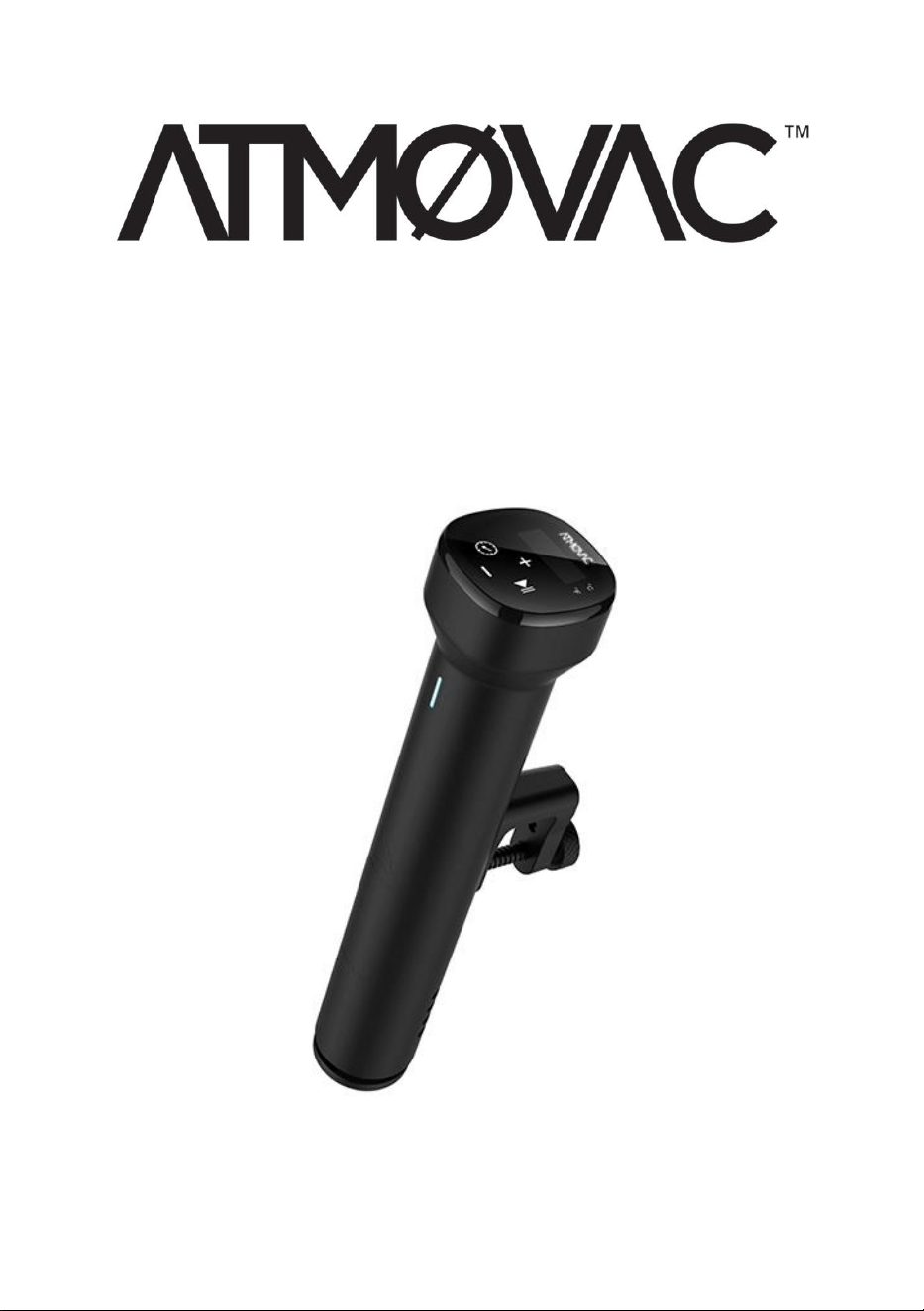
SV-EZ Thermal Immersion Circulator

Table of Contents
The benefits of vacuum low temperature cooking ................................................. 1
Preparing for vacuum low temperature cooking ..................................................... 1
Safety ........................................................................................................................................ 2
Technical Parameters ........................................................................................................ 3
Product Function .................................................................................................................. 4
Product Structure ................................................................................................................. 6
Operating Instructions ........................................................................................................ 2
Maintenance .......................................................................................................................... 3
How to clean .......................................................................................................................... 4
Troubleshooting .................................................................................................................... 6
Contact information ............................................................................................................. 6

1
The benefits of vacuum low temperature cooking
By using vacuum low-temperature cooking, the food does not need to be in
direct contact with air and water, which reduces the loss of nutrients in the
food, the infiltration of harmful substances, the use of no oil or very little oil,
and the use of a small amount of salt to preserve the taste of the
ingredients themselves. The food retains a good flavor, and even ordinary
meat can greatly enhance the flavor.
The heat is more uniform, the flavor can penetrate the food evenly, and the
color of the food can be preserved; the energy is saved compared with the
oven and the gas stove, and the smoke pollution of the kitchen can be
reduced, different foods can be cooked separately by packing.
You don't need an experimented cook, even if you have no cooking
experience, you can cook healthy and delicious food according to the
scientific recipe. You can cook according to the set temperature and time
by vacuuming the food according to the recipe.
Thanks to the precise temperature and time control, it is possible to ensure
that food is not burnt or dried out due to overcooking, especially for food
cooked at medium and low temperatures.
Preparing for vacuum low temperature cooking
Vacuum sealing machine: To remove most of the oxygen from the bags
and ensure an airtight seal, preventing air or liquid from entering. You can
use chamber vacuum sealer or small suction vacuum sealer for different
requirements. We supply both types of vacuum sealers.
Vacuum Sealing Bags: To pack food under vacuum with vacuum sealer.
And make sure the bags can withstand temperatures up to 100°C or 212°F.
Cooking Water Tank: This is for fixing the machine and putting water and
food in vacuum with vacuum sealing machine. For immersion thermal

2
circulator, please also make sure that the water tank can withstand
temperature up to 100°C or 212°F.
Safety
Please always follow these precautions:
◼ Do not operate the machine other than in accordance with the
instruction manual, otherwise the machine may be damaged.
◼ Connect only power supplies that meet the specifications indicated on
the rating label.
◼ Connect only to a safety grounded power supply only.
◼ Disconnect the power supply before removing the machine.
◼ Do not touch the liquid directly to check the temperature, use a
temperature indicator or thermometer.
◼ During the use of the machine, put the required food to be heated into
the water bath, please make sure the water level must be controlled
between the lowest water level "MIN" and the highest water level
"MAX", to avoid damaging the machine.
◼ Do not touch hot surfaces on the machine during or after use to avoid
injury.
◼ If there is liquid on the top of the machine (above the MAX water level),
please turn off the power and dry the machine before use.
◼ Please keep the machine and its cord out of the reach of children to
avoid hazards.
◼ Children shall not play near the machine.
◼ The appliance may be used by persons with reduced physical, sensory
or mental capabilities or lack of experience and knowledge if they have
been instructed in the safe use of the appliance in a safe way and are
3
aware of the hazards involved and are supervised.
◼ To avoid hazards, do not spill the liquids on the power receptacle and
fan outlet on the rear panel.
Technical Parameters
Rated voltage
110-120V
Rated frequency
60Hz
Rated power
900W
Suggested container volume
30L (1014 oz)
Temperature setting range
5-92 °C
41-198 °F
Time setting range
5min - 99h
Display accuracy
0.1
Size: W x D x H
2,7” x 4,7” x 13” in
7 x 12 x 33 cm
Weight
1.87 lb
0.85 kg
4
Product Function
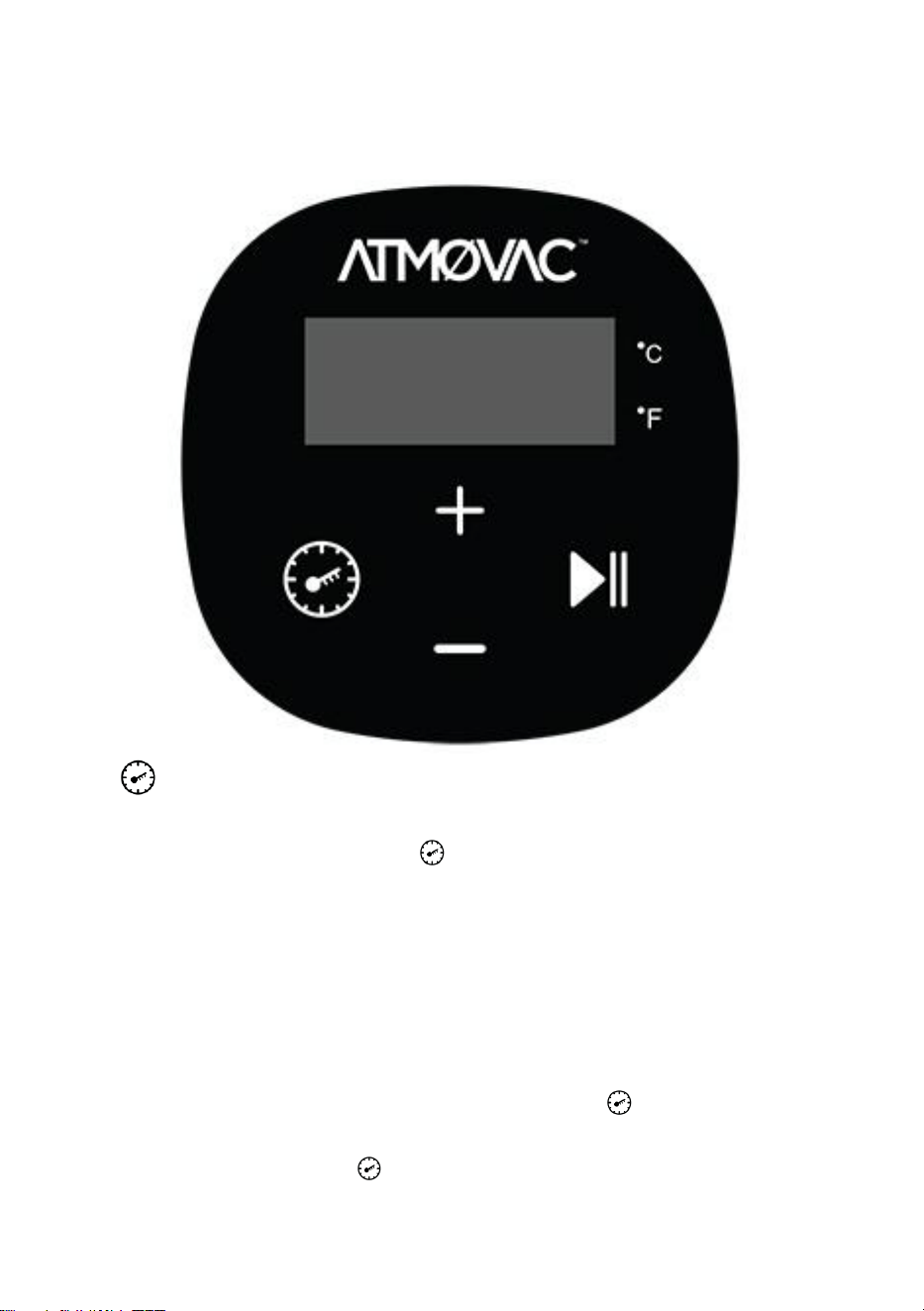
1.
Temperature and time adjustment switch button
a) In standby mode, click “ ” to switch temperature or time setting,
the first press, the digital display will flash, then set the desired
temperature by pressing “+” and “-”. The second press, the digital
display will flash, then set the desired time by pressing “+” and “-”.
The third press, the digital display stop flashing, the machine will
exist the temperature and time setting mode.
b) After the digital display flashes 10 times, if there is not any setting
operation, the machine will exit the temperature and time setting
mode. If you need to reset them, click “ ” again to enter the
setting status.
c) Press and hold “ ”, the preset temperature and time can be

5
displayed; the digital display displays the temperature and time
alternately.
2. (START/STOP)
Start/Stop button
a) In standby mode, press “ ”, the machine start working.
b) Second press “ ”, the time will start to count down, the digital
display will display the current temperature and time alternately at
about 3s intervals.
c) Third press “ ”, the machine will stop working, back to standby
mode.
3. “+” “-”
a) Adjustment button: Click “ ” to select the content (temperature
or time) to be adjusted, then use the “+” and “-” buttons to adjust to
the desired temperature or time.
b) The temperature unit switch: Press the “+”, “-” keys
simultaneously to switch and select the unit of temperature.
Celsius and Fahrenheit are available as optional.
4. The digital display
a) Before the countdown, the digital display always shows the
current temperature.
b) After the countdown starts, the digital display displays the current
temperature and the remaining working time alternately at an
interval of about 3s.
Reset to default
Under the ready working mode, long press “ ” and “+”, the digital display
displays the setting temperature 60°C, then loose hand, the digital display
will flash 10 times at the same time and exist the setting mode.
6
Product Structure
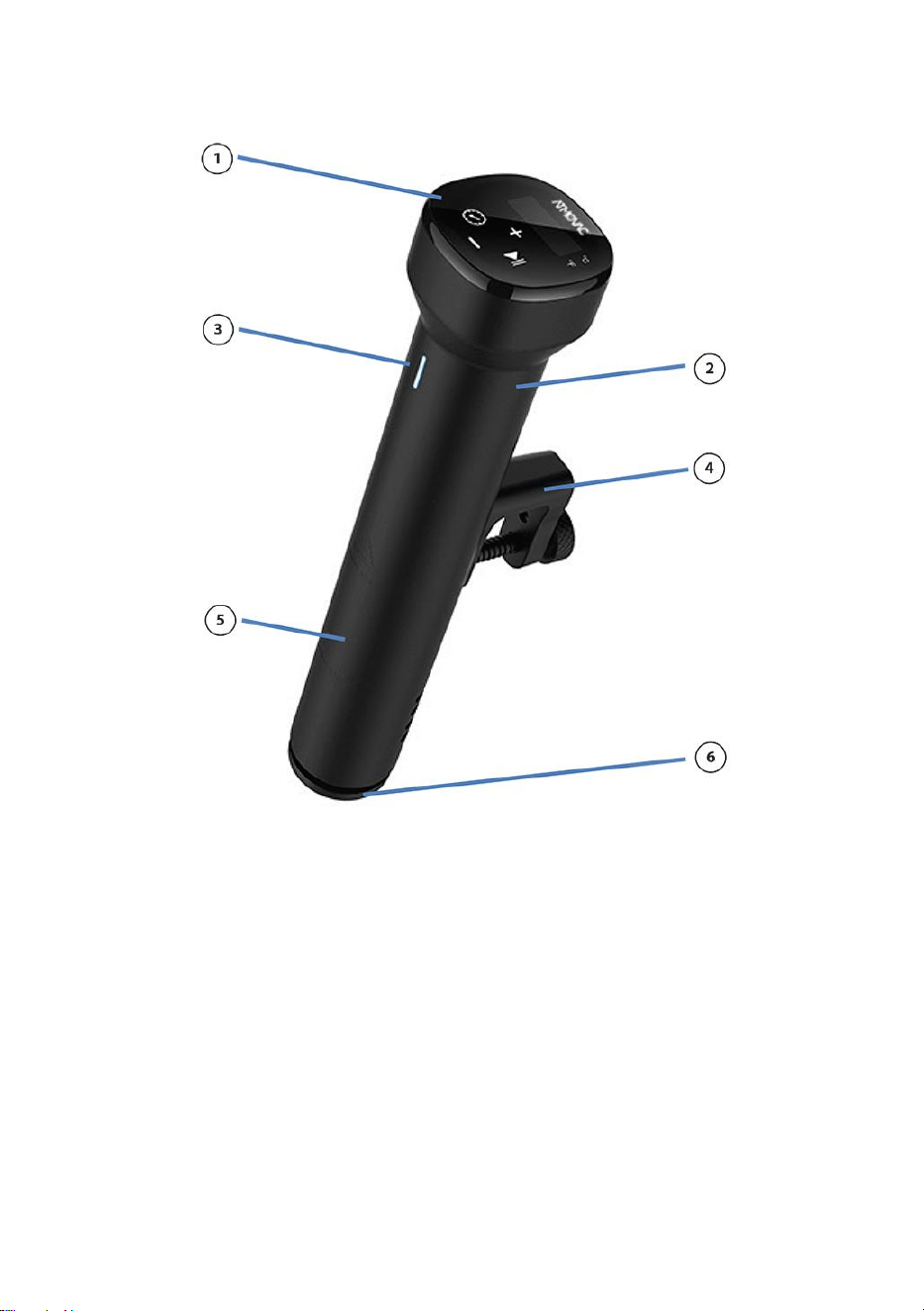
① Touch control
② Body
③ Indicator: Status indication:
1. Red light running, not reaching
the preset temperature.
2. Orange light is always on,
reaching the preset temperature but
not reach the presetting time.
3. Green light is on, reach the
preset temperature and time
countdown begins.
4. Green light is solid; the time
countdown is complete.
④ Fixing hand
⑤ Housing
⑥ Bottom cover

2
Operating Instructions
1. Select the appropriate container and secure the machine in the
container.
2. Add water to the container. (Note: Please make sure the water is
between Min line and Max line after adding the water into the container)
3. Turn on the power.
4. Press “+” and “-” simultaneously to select the temperature unit, the
default unit is °C. After selecting the temperature unit, this unit will be
the default for the next boot, the machine has memory function.
5. Click “ ” to select the temperature or time to be set and set the target
value with the “+” and “-” keys.
6. After finishing the setting, click “ ” to start working.
7. When the temperature reaches to the set temperature, the machine will
beep,then press “ ” button, it will count down.
8. When the cooking is finished, the machine will beep. Press “ ” button
to stop the machine.
Note: If there is no operation, the machine will beep continuously after 20s,
while the water temperature will remain at the preset temperature.
9. After using the machine, turn off the power supply. Keep the machine
out of the reach of children.
Note:
1) Before Sous-vide cooking, the food must first be vacuum packed.
2) The water level (after inserting the food) should be higher than the
“MIN”, but lower than the “MAX” marked on the machine.
3) To prevent the machine from aging, drain the water after use and
clean the water bath.
3
Maintenance
To avoid burns, please make sure that the machine is turned off and
allowed to cool down to room temperature before cleaning.
1. Place the machine in an upright position after cleaning. Do not place it
horizontally or upside down.
2. When cleaning, do not damage the components inside the machine. If
the components are damaged, ask a specialist to check and repair
them. Do not attempt unauthorized repairs to avoid accidents.
3. Drain old water after each use and fill with fresh water next time. If the
water is reused many times, some mineral substance may settle or
adhere to the surface of the components, thus affecting the
performance of the machine.
4. If you find that the discharge capacity is obviously reduced or the
machine’s components have a lot of ash and dirt, please disassemble
the lower part of the machine’s case (refer to the below “How to
Disassemble Quickly” below) to clean the heat pipe and probe. It is
better to clean every 20 times or 100 working hours.
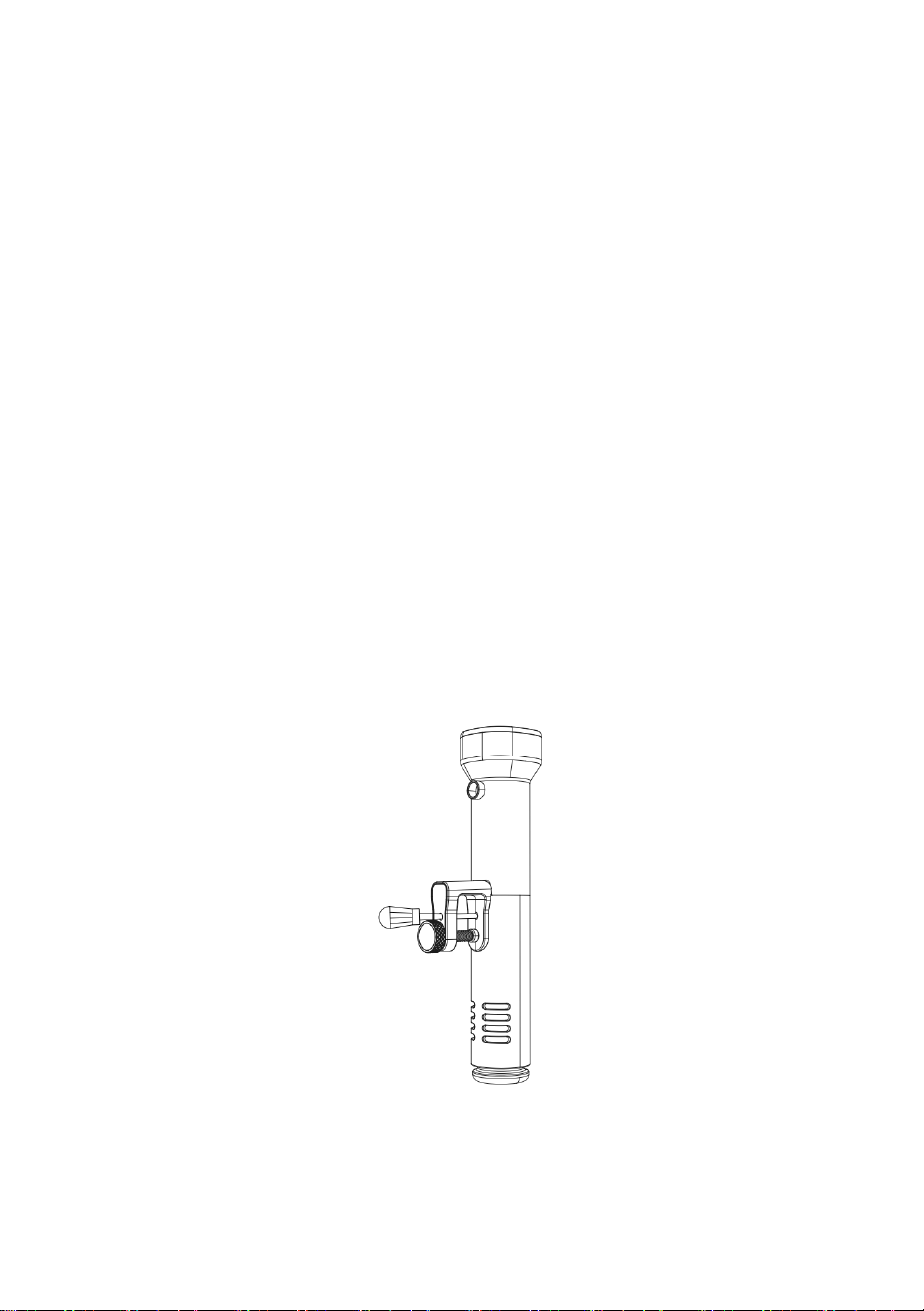
5. (How to Disassemble Quickly):
(1.Use the tool to remove the screw.)
4
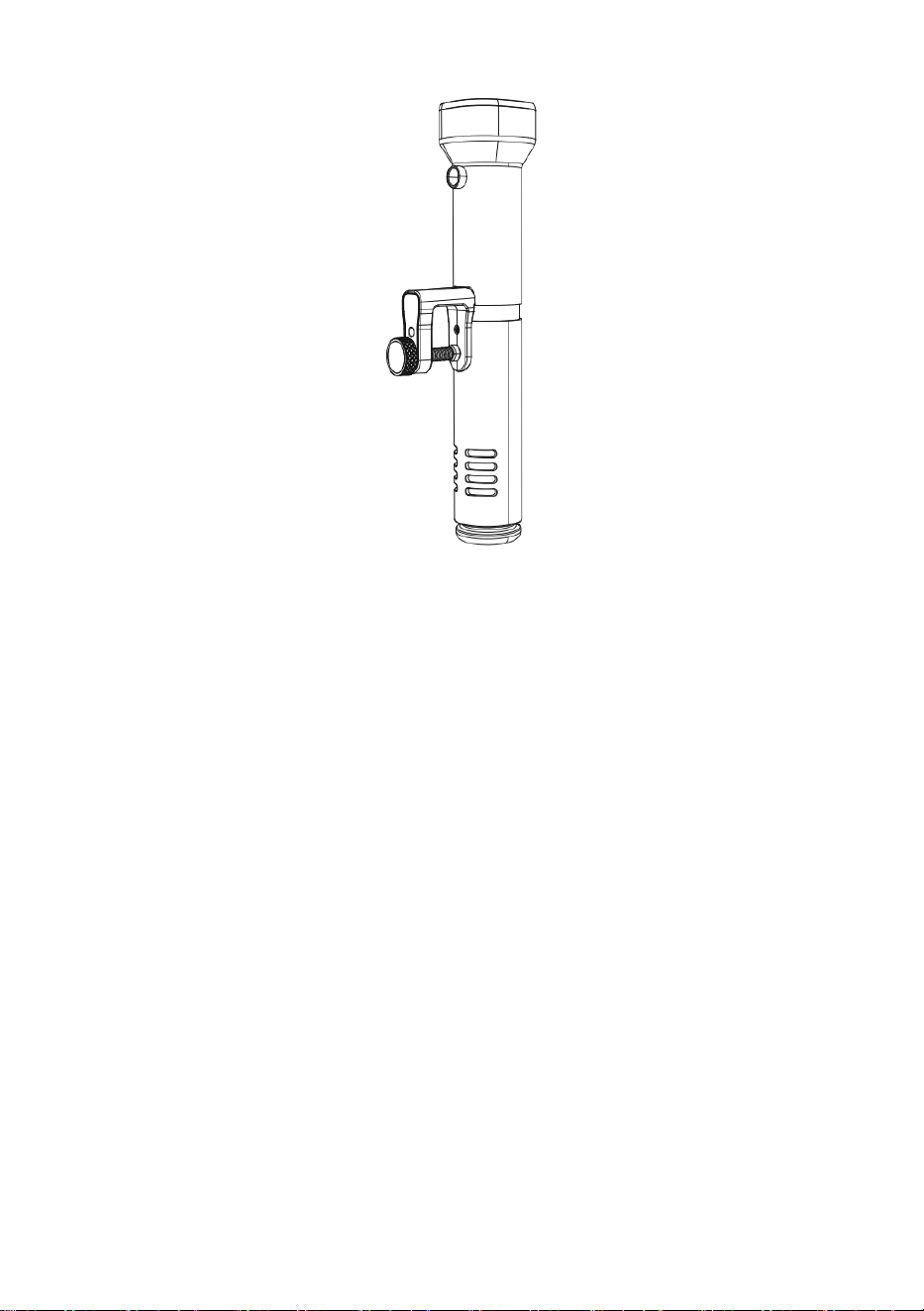
(2. Pull out the lower part of the case to clean the internal
components.)
6. It is better not to use hot machine in cool water. It should be cooled
down to room temperature and put into cool water to use. Otherwise, it
will affect the function and life of the machine. On the contrary, please
do not put cool machine into hot water to use.
How to clean
Preparation:
Food grade vinegar white vinegar, apple vinegar, etc.
Why need to clean:
Normally tap water contains minerals from our life. When the water is
heated to a certain temperature, there will be scale on the heater or the
surface of the machine. In this case, the scale will affect the performance of
the machine, and the machine is not good in appearance as well. Therefore,
we recommend you to clean the machine after every 20 times use, and
accumulated working time is less than 100 hours. Or you can clean the

5
machine according to your actual needs due to different water in different
place.
How to clean:
1. Use the mixed liquid in 75% water and 25% vinegar, and then pour it
into a container up to the Max line of the machine.
2. Turn on the machine, set the working temperature 80 °C/ (176 °F) and
set the time to 3 hours (03:00), then single press the “ ”. When the
preset temperature is reached, press “ ” to start the timer.
3. When the timer reaches 00:00, press “ ” to stop working, turn off the
power, unplug the power cord and let it cool down.
Note:
① During the operation of the machine, do not touch the water or
liquid in the steamer, do not wet the power cord and plug, and do
not touch the hot surface of the machine.
② Do not splash liquid into your eyes. If it accidentally gets into your
eyes, please rinse immediately with clean water.
4. Remove the lower casing of machine (Please refer to “How to
Disassemble Quickly” above), use the clean water to clean the heater
and other components as well as the lower case, to better clean the
softened scale.
5. After cleaning, dry the machine and housing, then reinstall the lower
housing.
Note:
① Do not place the machine horizontally or upside down during the
cleaning process。
② Please make sure that the power is off, and the machine has
cooled down before disassembling and cleaning.
6
Troubleshooting
Error
code
Cause of issue
Troubleshooting
H20
The water level is lower
than the lowest water
level
Press “ ” exit the error and turn off
the machine power, add the right
amount of water to the tank.
E02
After about 30-60
minutes of heating, the
water temperature did
not increase by 1 °C
Need to ask a professional to
repair:
1. Whether the element is normal.
2. Whether the internal wiring of the
machine is normal.
3. Whether the temperature sensor
is normal.
Note: If any other problems occur during use of the machine, ask a
specialist to check the machine. Do not attempt unauthorized repairs to
avoid accidents.
Contact information
Thank you for purchasing our SV-EZ Thermal Immersion Circulator and we
hope you enjoy using it. Please do not hesitate to contact us if you have
any queries at 1-888-956-6866 or customerservice@eurodib.com.
Scan this QR code to learn more about our latest products
and innovations and other exciting offerings. For more
information, please visit atmovac.com.

7
Eurodib Corp.
Postal address:
334 Cornelia St. #272
Plattsburgh, NY, 12901
USA
Office:
401 Penbrooke Dr., Suite 3R
Penfield, NY, 14526
USA
J
4
B
Eurodib Inc.
120 de la Barre
Boucherville
QC J4B 2X7
CANADA
Tel: 1-888-956-6866
www.eurodib.com
customerservi[email protected]
J
4
B