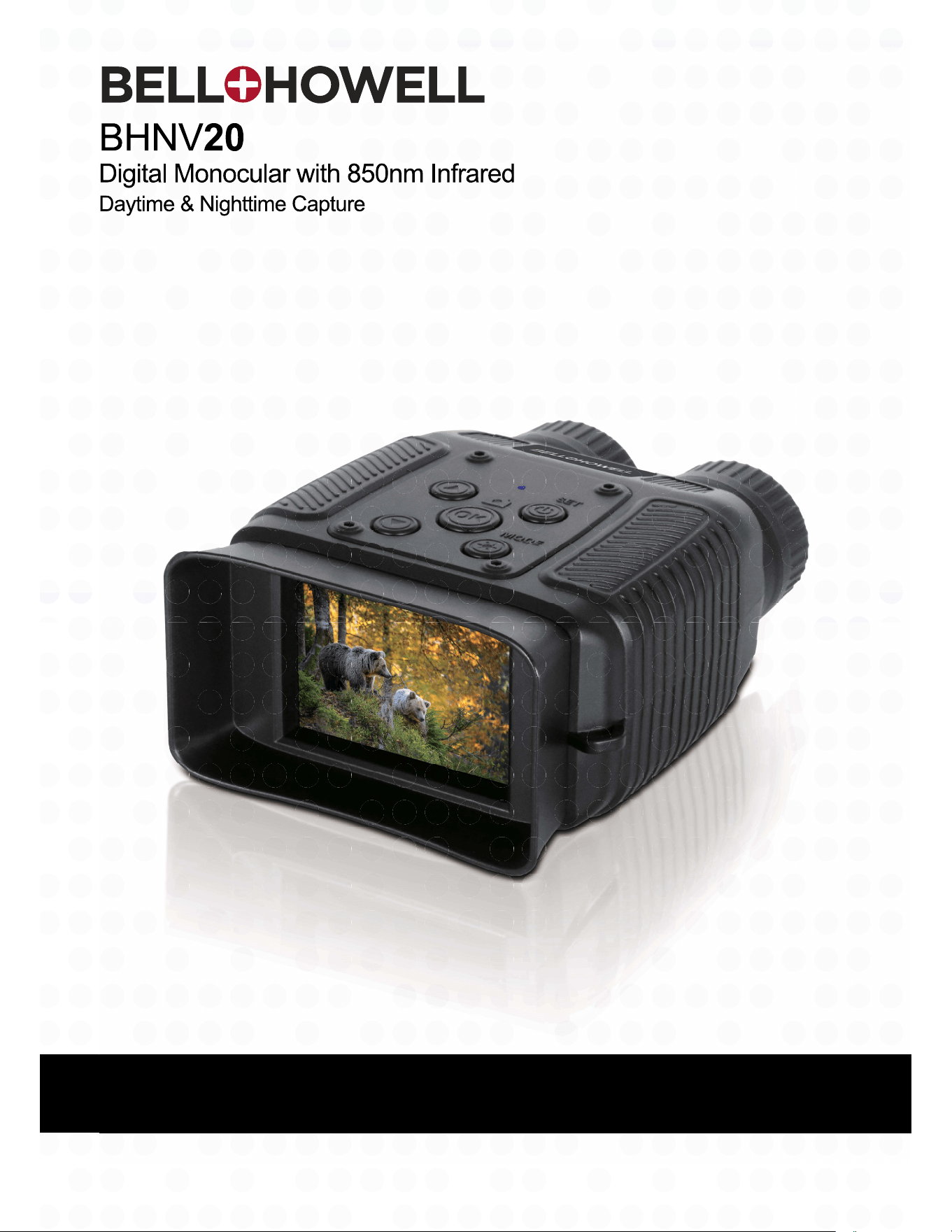
BHNV20 User’s Manual
About this Manual
Copyright
FEDERAL COMMUNICATIONS COMMISSION INTERFERENCE STATEMENT
CAUTION:
RF Exposure Warning
CE Mark Warning
Safety and Handling Precautions
Monocular Information
Battery Information
USB adapter Information
1.1
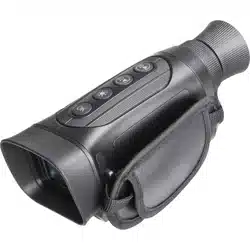
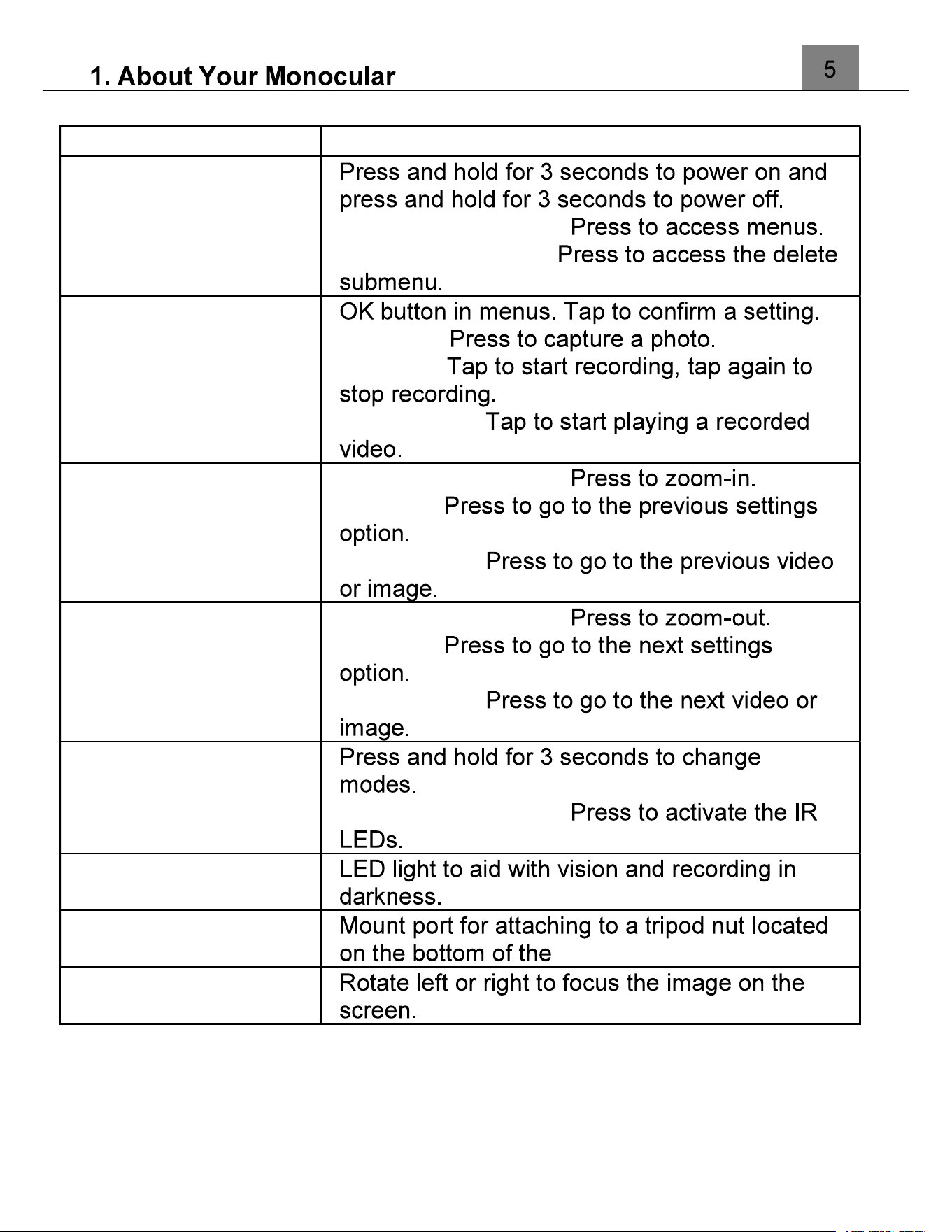
Monocular Interface
1.2
Button Function Description
Function Description
Power | Menu In Video and Photo:
In Video Playback:
Ok | Shutter |
Record
In Photo:
In Video:
In Playback:
Zoom In | Up
In Video and Photo:
In Menu:
In Playback:
Zoom Out | Down
In Video and Photo:
In Menu:
In Playback:
Night Vision | Mode
In Video and Photo:
IR LED Light
Tripod Mount
Focus Ring
2.
First Use
2.1
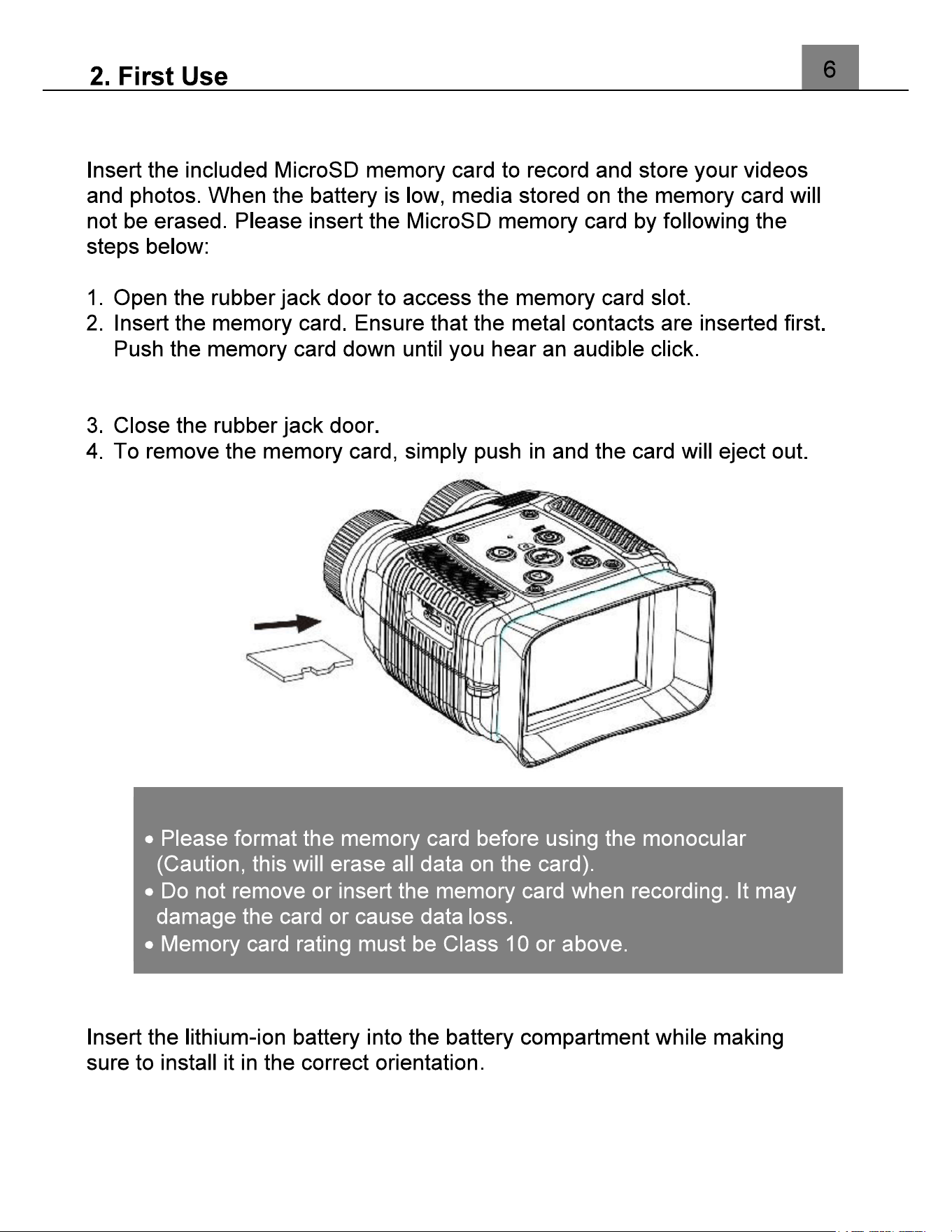
Inserting the Memory Card
The memory card can only be inserted in one way. Do not force the
card in if it will not go in smoothly.
2.2
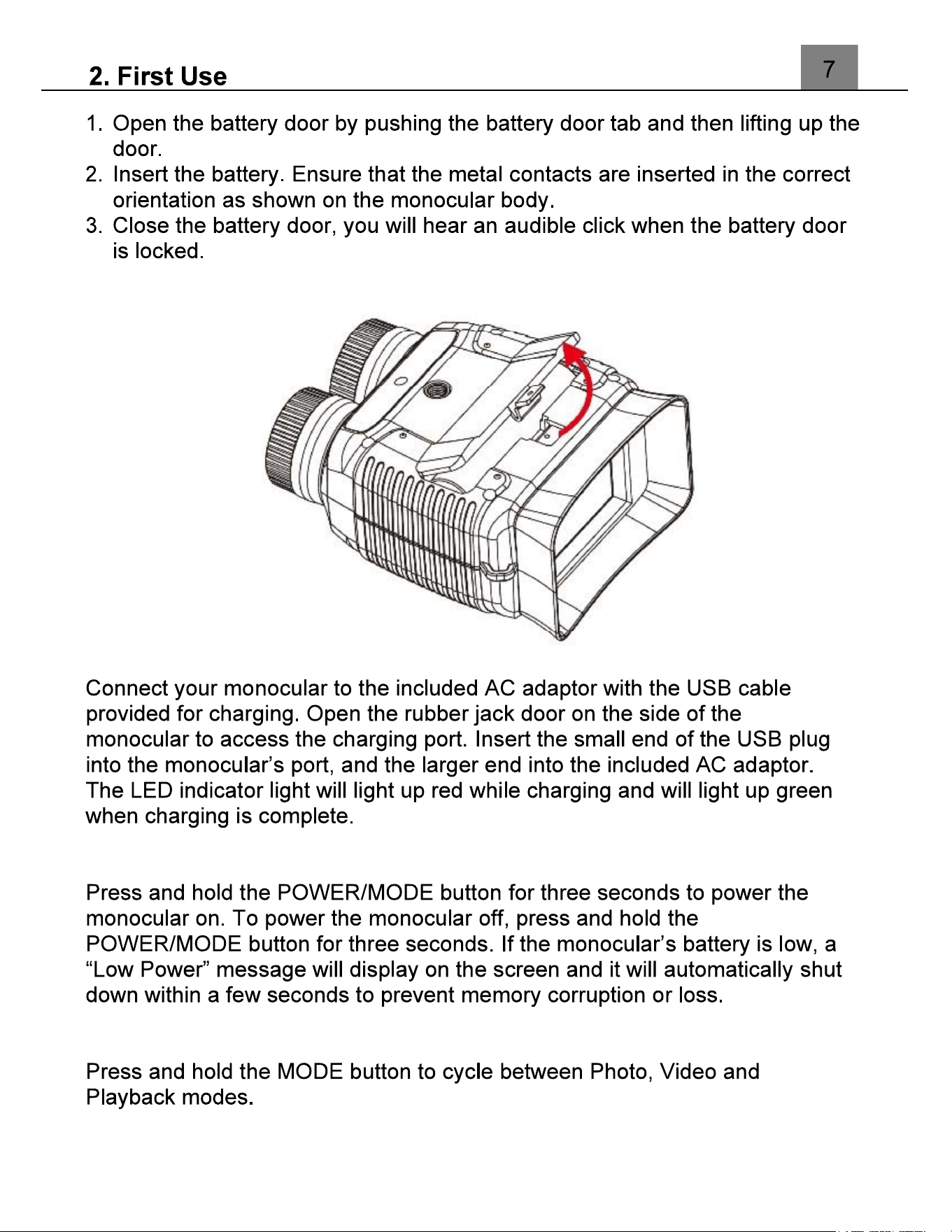
Installing the Battery
NOTE:
2.3
Charging the Battery
2.4
Powering the Monocular On/Off
2.5
Switching Modes
2.6
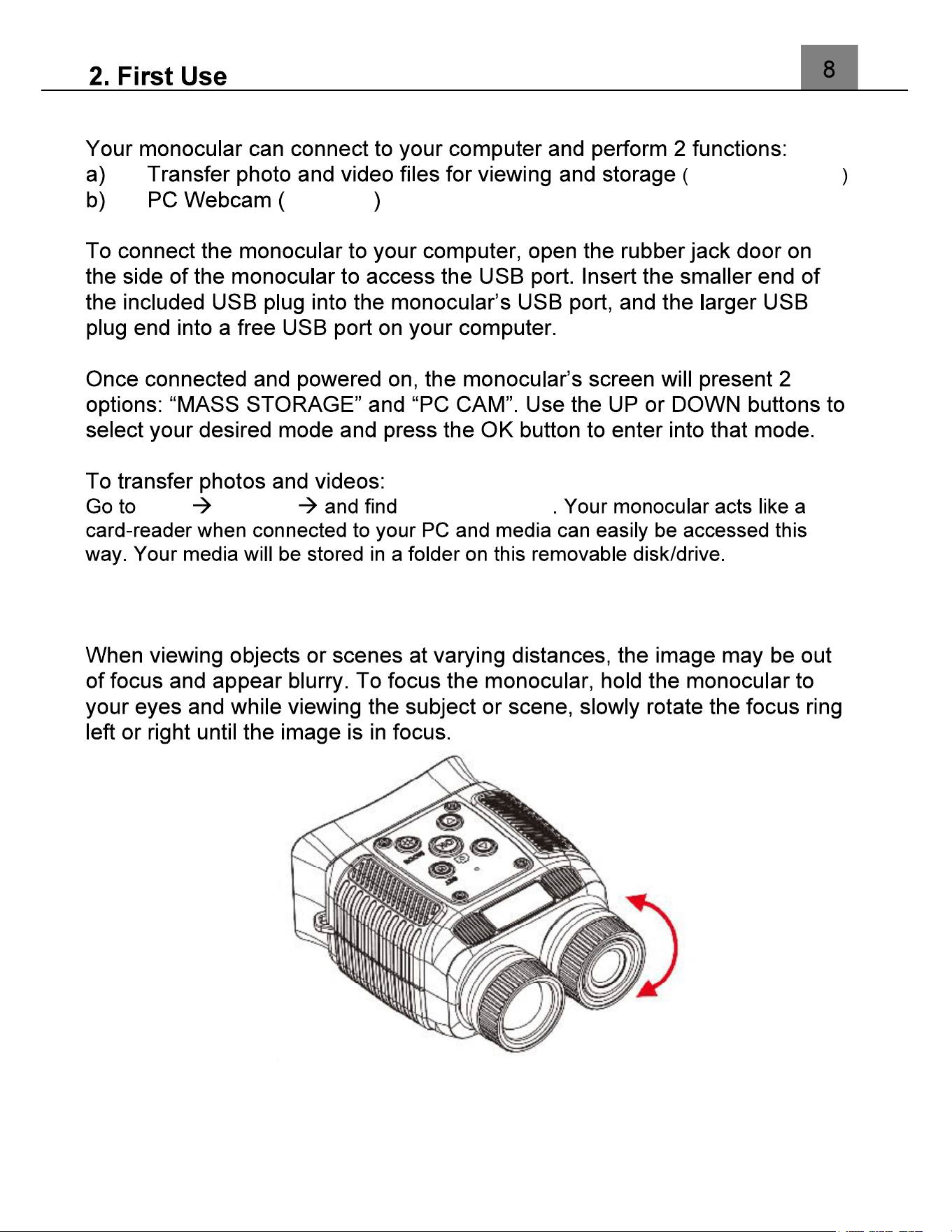
Connecting to a Computer
MASS STORAGE
PC CAM
Start This PC Removable Disk
2.7
Focusing
2.8
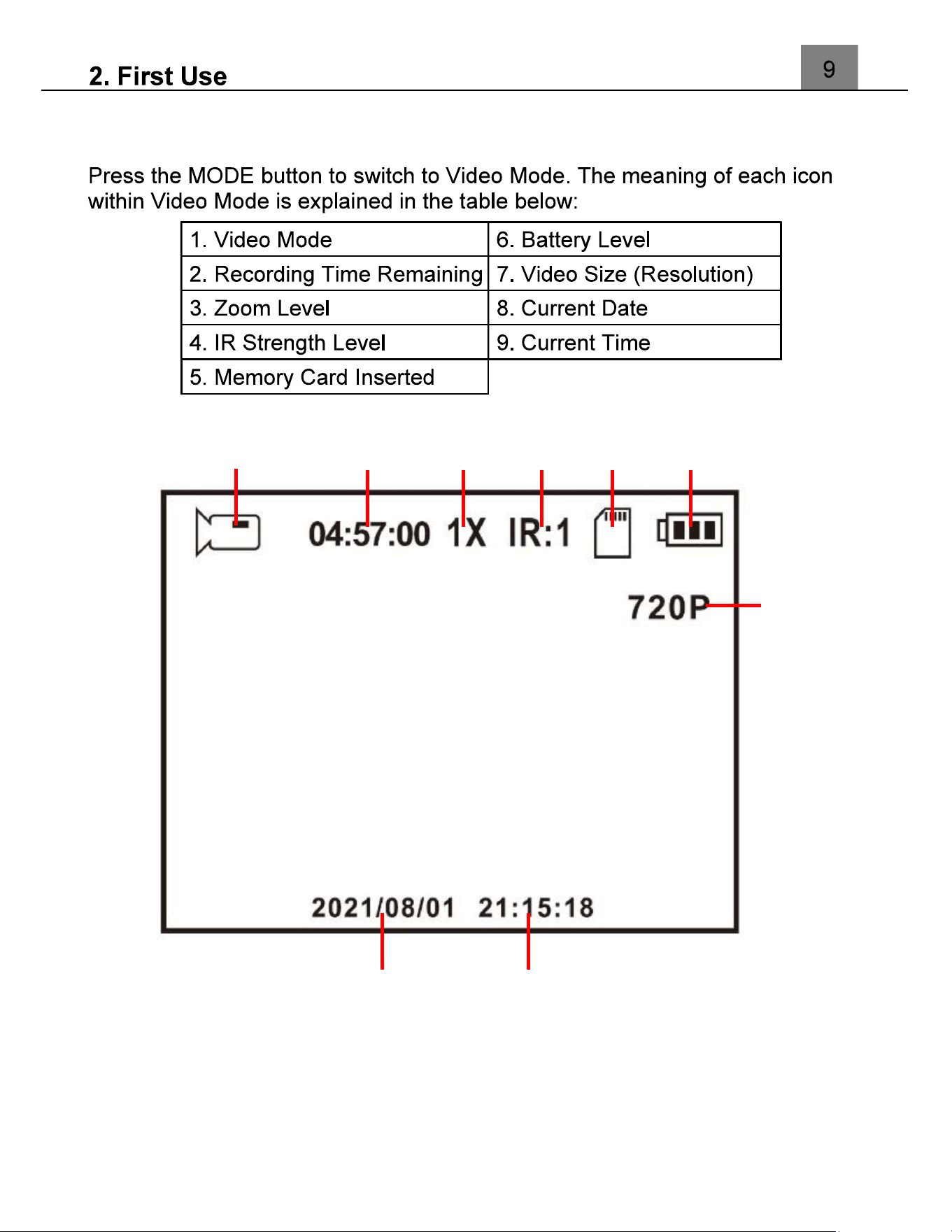
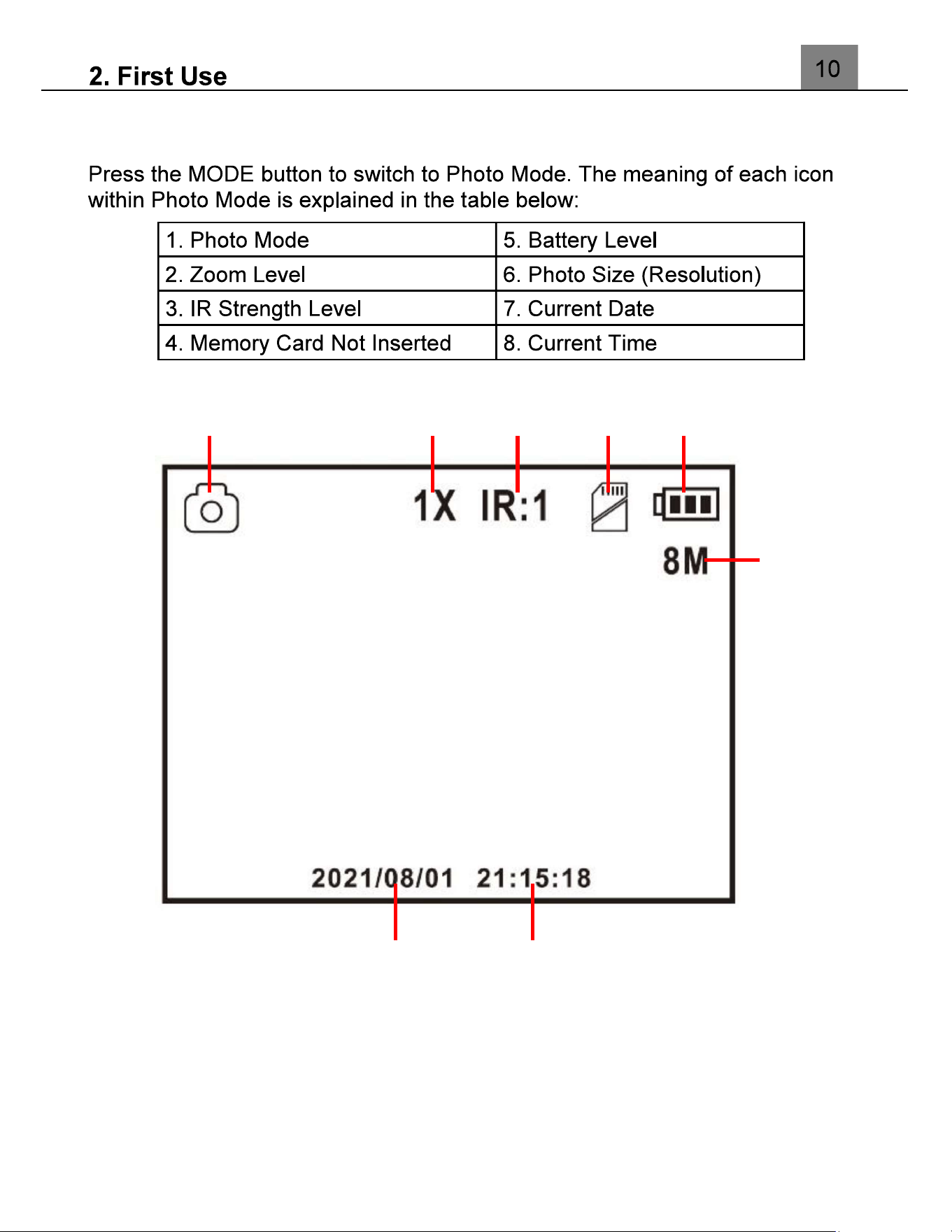
Video Mode
8 9
7
1 2 3 4 5 6
2.9
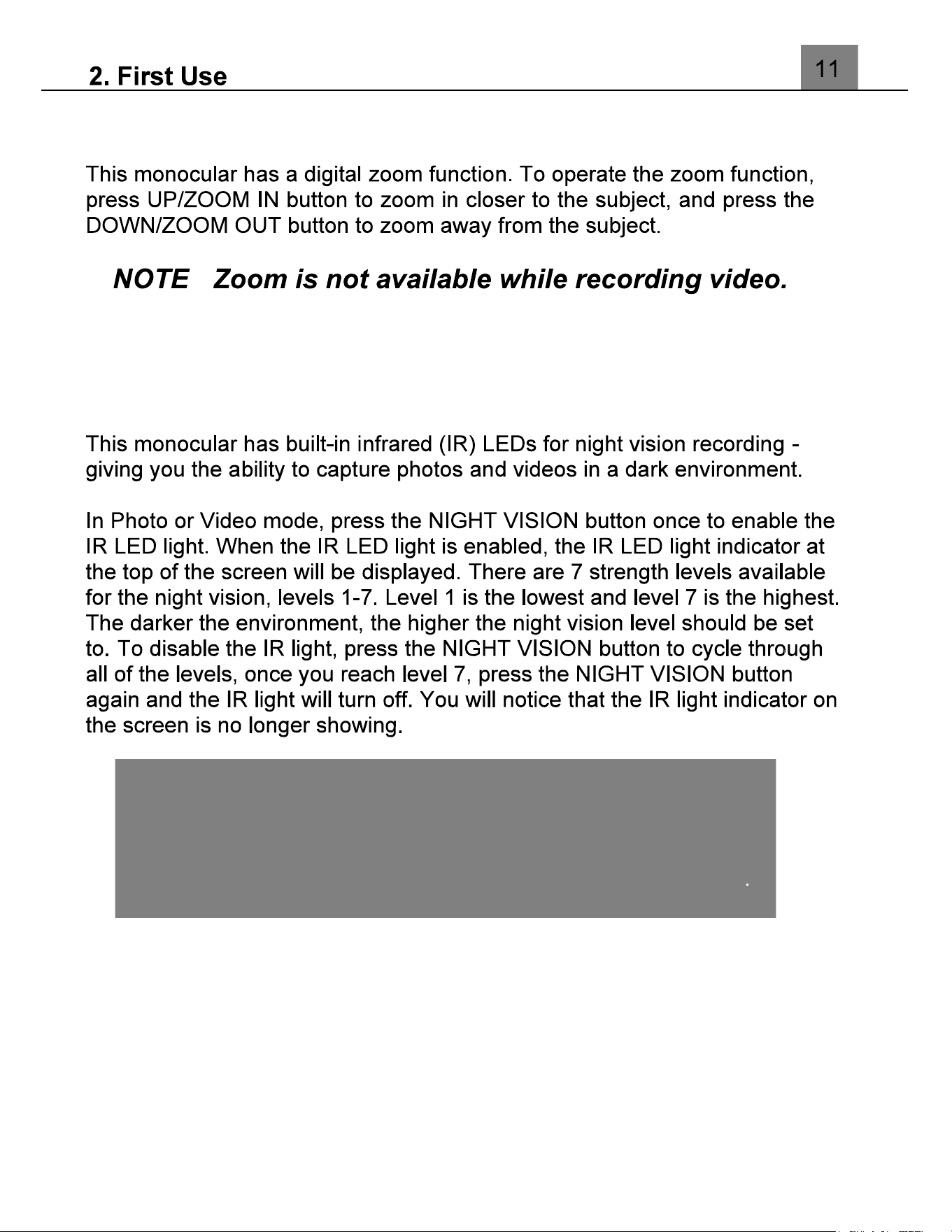
Photo Mode
7
8
6
1 2 3 4 5
2.10
Using the Zoom Function
:
2.11
Using the IR Night Vision Mode
Note:
The photos and videos taken while the IR LED is enabled will
be recorded in black and white.
The IR LED can also be enabled or disabled during a recording
3.
Using the onocular
3.1
Photo Shooting
3.2
Video Recording
3.3
Settings
3.3.1 Video Resolution
Video Resolution
Video Resolution
(1080FHD 1920X1080, 1080P
1440X1080, 720P 1280X720)
3.3.2 Loop Recording
Loop Recording
Loop Recording
(Off, 1 Minute, 2 Minutes, 3
Minutes, 5 Minutes)
Once you select an option, your monocular will record video clips in
this interval only. Once this duration is reached, the monocular will
seamlessly end recording and begin recording a new video file.
3.3.3 Photo Resolution
Photo
Photo
(12MP 4032x3024, 10MP
3648x2736, 8MP 3264x2448, 5MP 2592x1944, 3MP 2048x1536)
3.3.4 Exposure
Photo
Photo
(+5/3, +4/3, +1.0, +2/3, +1/3, 0.0, -
1/3, -2/3, -1.0, -4/3, -5/3).
3.3.5 Date Stamp
Date Stamp
Date Stamp
(Off, On)
3.3.6 Auto Power Off
Auto Power Off
Auto Power Off
(Off, 1 Minute, 3 Minutes)
3.3.7 Screen Saver
Screen Saver
Screen Saver
(Off, 1 Minute, 2 Minutes)
3.3.8 Language
Language
Language
3.3.9 Date/Time Set
Date/Time
3.3.10 Format Memory Card
Format Memory Card
Format Memory Card
(Cancel, OK)
NOTE: This will delete all of your media and cannot be undone.
3.3.11 Restore Default Settings
Restore Default Settings
Restore Default Settings
(Cancel, OK)
3.3.12 Version
Version
3.4 Playback Mode
NOTE: Deleted media are permanently deleted and cannot be
recovered.
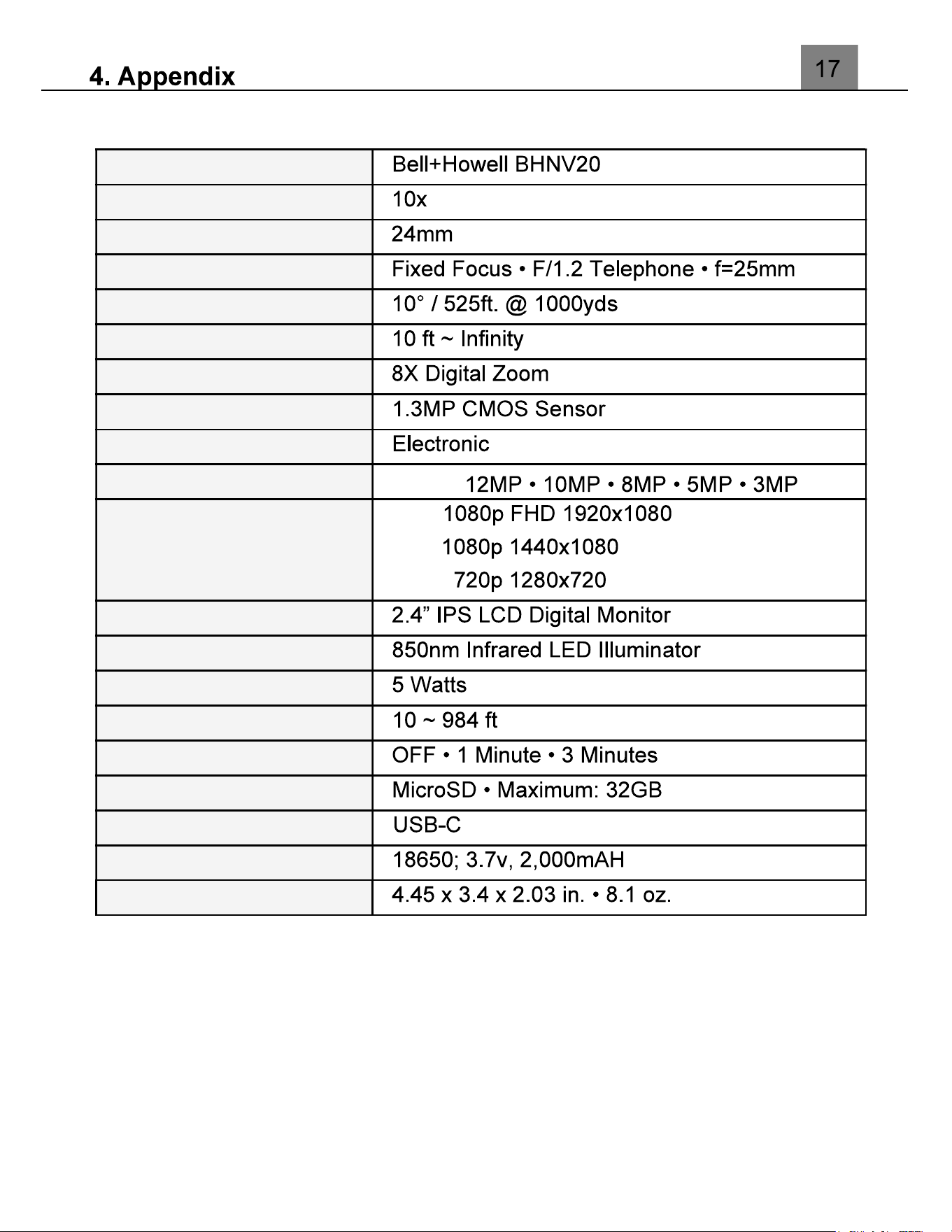
4.1 Technical Specifications
Model Number
Magnification
Objective Lens
Lens
Field of View
Observation Distance
Zoom
Image Sensor
Shutter
Pixels (photo)
JPEG:
Pixels (video)
AVI:
LCD Monitor
Assistive Light
Infrared LED Power
Infrared LED Range
Power Saving Mode
Recording Media
I/O Ports
Power
Dimensions

Distributed under license of BHH LLC in the United States by: Elite
Brands Inc.
40 Wall Street, 61st Floor,
New York, NY 10005 USA
Tel: 800-441-1100
www.elitebrands.com
www.bellhowellcameras.com
Copyright © 2022 Elite Brands Inc.
monocular, or would like further
assistance, please call our toll-free technical support hotline at 800-441-1100.
Please be sure to have your monocular handy when calling.