www.barska.com
NVX700
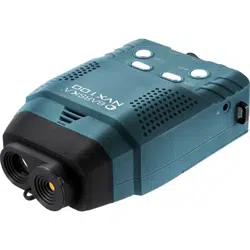
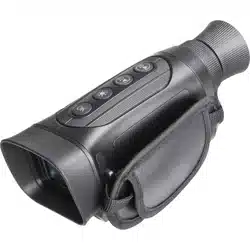
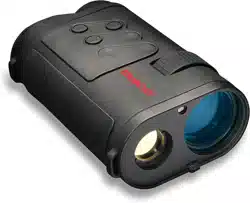
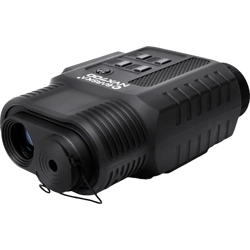
Night Vision Binocular
BC635
3/20
www.barska.com www.barska.com
2 3
NVX700 NVX700
CAUTION: DIRECTLY VIEWING THE SUN OR ANY LIGHT SOURCE
WITH THIS OPTICAL DEVICE CAN CAUSE PERMANENT EYE DAMAGE.
Contents
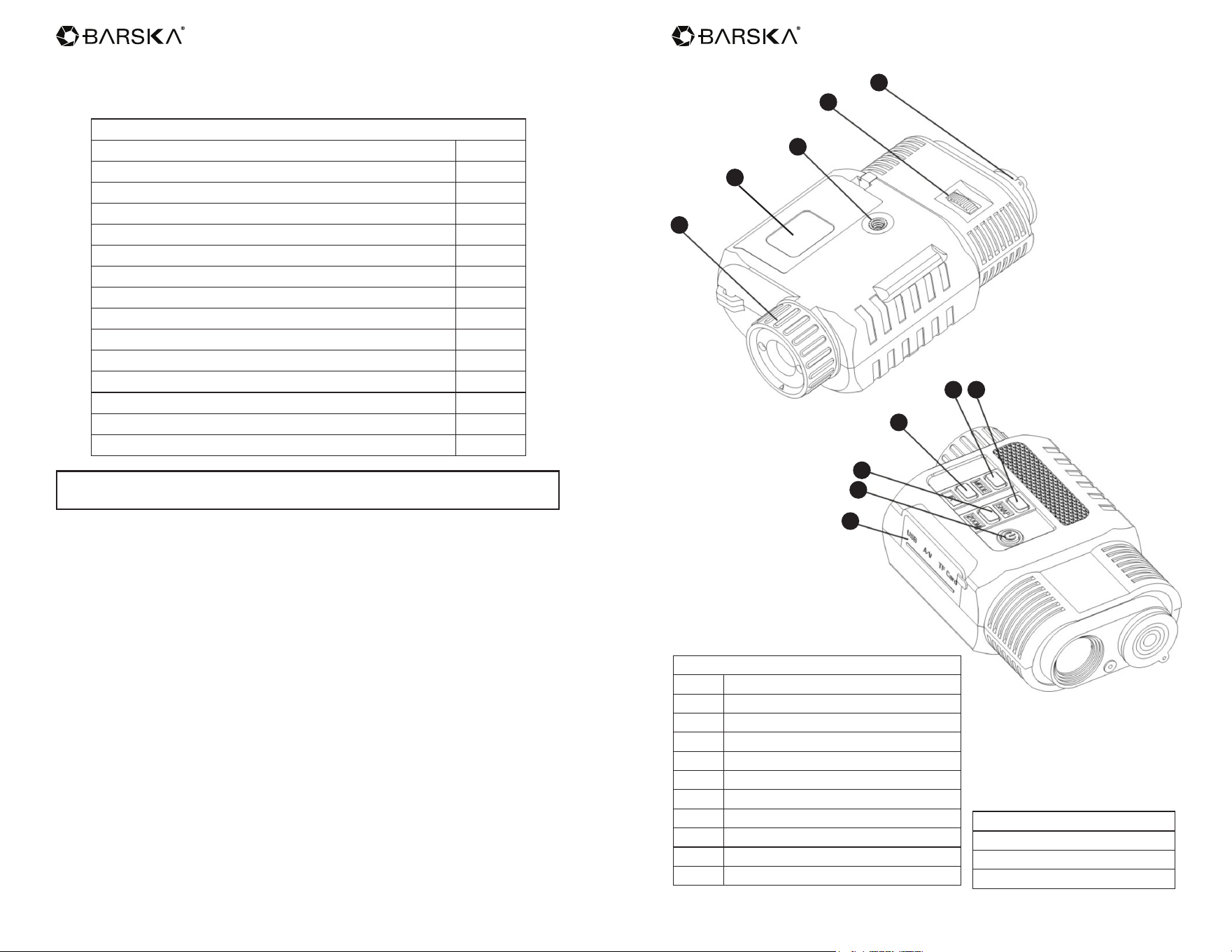
Parts of the Monocular 3
Accessories 3
Battery Installation 4
Inserting / Removing The SD Card 4
Instructions For Use 4
Turning Off The Night Vision Device 4
Adjusting The Eyepiece 5
Focusing The Image 5
Key Functions 5
LCD Display Information 6
Using The Zoom Function 10
Using IR Light In Complete Darkness 10
Viewing Videos And Photos On TV 10
Transmitting Stored Videos And Photos To A Computer 10
Warranty 11
Accessories Included
MINI USB cable
A/V cable
Storage pouch
Parts of the Monocular
1 Ocular Adjustment
2 Tripod Adapter
3 Objective Focus
4 Infrared Filter Cap
5 USB/AV/SD Card Slot
6 Power Button
7 ZOOM Button
8 IR Button
9 MODE Button
10 SNAP Button
11 Battery Compartment
1
2
3
5
4
6
7
8
9 10
11
www.barska.com www.barska.com
4 5
NVX700 NVX700
Battery Installation
Open battery compartment cover and install the 4xAA batteries being sure to
follow the polarity markings inside the battery compartment.
Close the battery cover.
Inserting / Removing The SD Card
Insert the SD card into the SD card port and push until it locks in place.
To remove the installed SD card, please push the SD card inward to release it.
Storage capacity: 4GB or above is recommended
Note: The device will prompt “Please insert SD card” if the SD card in not
installed
Instructions For Use
Power On
Press the power button still for about 2 seconds to start the Night Vision.
Taking Video
Press the [MODE] button and select the video mode. The icon will appear
in the lower right corner of the screen. Press the [SNAP] button to start recording
video and press the [SNAP] button again to stop recording.
Taking a Photo
Press the [MODE] button and select the capture photo mode. The icon
will appear in the lower right corner of the screen. Press the [SNAP] button to
take photos.
Note: When in bright conditions, please cover the objective lens with attached
IR-Cut cover. When using device in dark conditions, please remove the IR-Cut
cover.
Watching Stored Videos and Photos
Press the [MODE] button and select playback mode.
Deleting Stored Videos and Photos
In playback mode, press the [ZOOM] button. You will be given the option to
delete the one image you are viewing.
Turning Off The Night Vision Device
Press the power button to the right side for 2 second to turn off the Night Vision
device.
Adjusting The Eyepiece
Turn the Night Vision device on. While looking through the eyepiece, please
rotate the eyepiece adjustment until the image on the screen is sharp and in
focus.
Focusing The Image
Target the object you would like to view and turn the focusing ring located just
below the objective lens until the image on the screen is sharp and clear.
Key Functions
MODE Toggles between Video / Photo / Playback / Menu
SNAP
In video mode: Press to take video. To stop recording, press this
button again.
In photo capture mode: Press to take photo.
In playback mode: Press to Play the video.
In Menu mode: Press to select.
ZOOM
In video mode: Press to zoom out.
In photo capture mode: Press to zoom out.
In playback mode: Press to delete the photo or video.
In menu mode: Press to select the previous menu listing.
IR
In Video/Photo mode: Press to turn on the infrared light. With
each additional click, the IR brightness will increase
In playback mode: Press to select the next photo or video.
In menu mode: Press to select the next menu listing.
www.barska.com www.barska.com
6 7
NVX700 NVX700
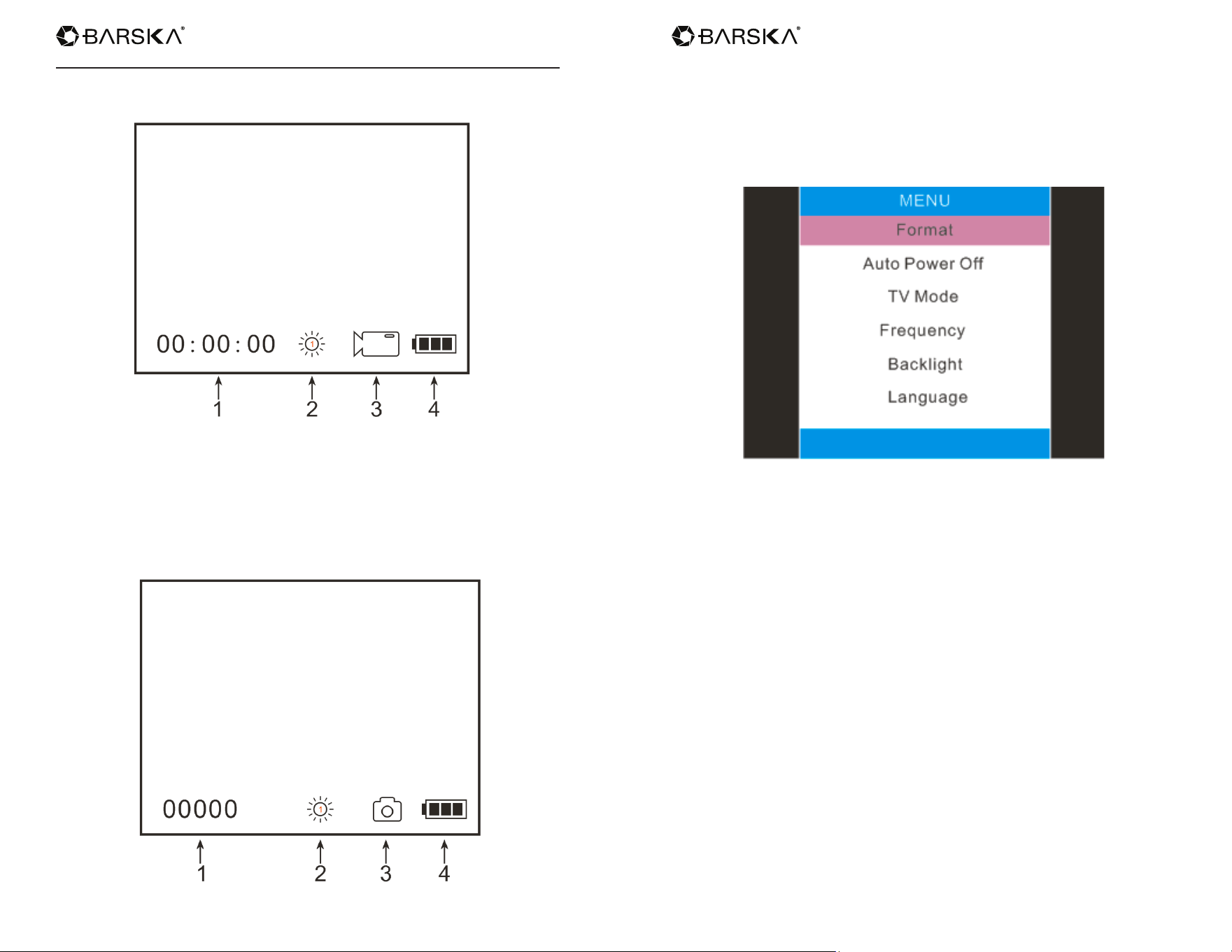
LCD Display Information
Your screen display in video mode
1. Remaining time of recording
2. Brightness of IR from 1 to 3
3. Icon displaying that you are in Video Mode
4. Battery power
Your screen display in photo mode
1. Remain capacity quantity of photos
2. Brightness of IR from 1 to 3
3. Icon displaying that you are in Photo Mode
4. Battery power
Your screen display during menu mode
www.barska.com www.barska.com
8 9
NVX700 NVX700
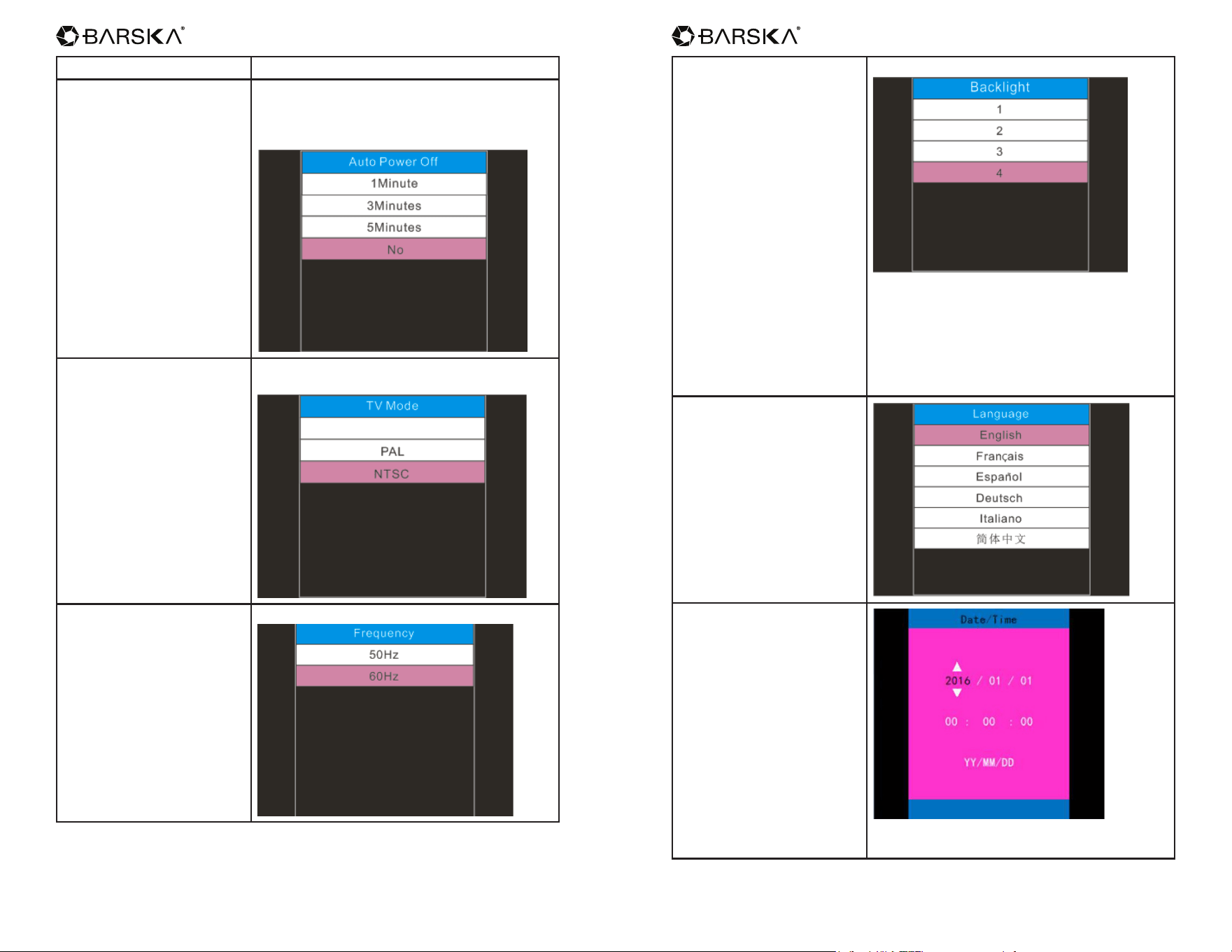
FORMAT Select to format the micro SD card
AUTO POWER OFF
Auto Power off mode :The NV can be set to
automatically shut down when not operating
after the selected period of time.
TV MODE
The video output mode can be set to NTSC
(North America) or PAL (Europe)
FREQUENCY
Anti icker settings
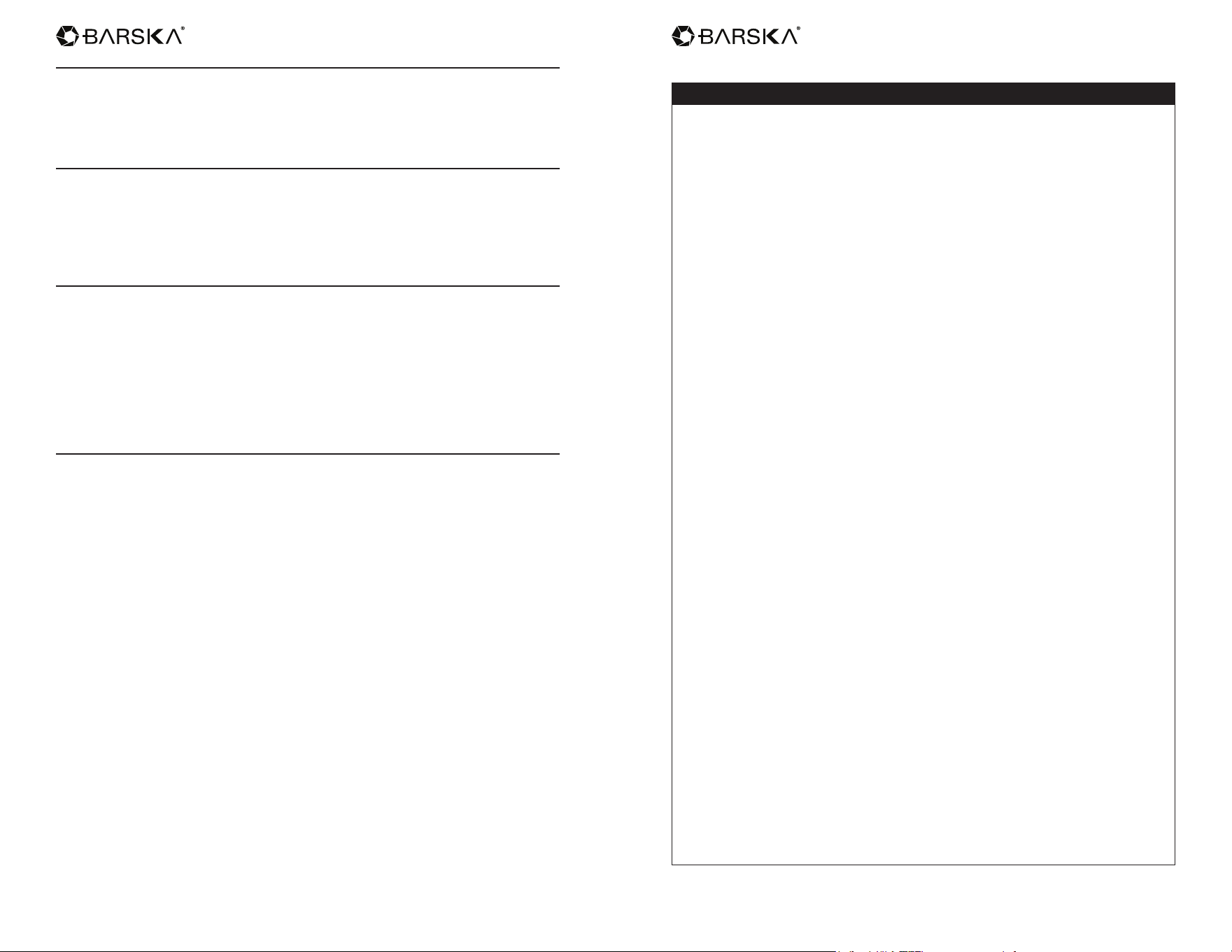
BACKLIGHT
Backlight settings
The NVX700 is programmed for day and
night multi-purpose, depends on different
environment the users can select different
brightness of back light. Selecting small digit
caused dimmer brightness of back light during
dark environment, conversely selecting large
digit at bright environment.
LANGUAGE
DATE/TIME
[ZOOM] [IR]: adjust the date/time
[SNAP]: OK
www.barska.com www.barska.com
10 11
NVX700 NVX700
Using The Zoom Function
This device features a zoom function that can be used while taking a video or
photo.
Press the [ZOOM] button to toggle between 1x and 2.6x digital zoom.
Using IR Light In Complete Darkness
This device can be used in complete darkness when using the built in IR
(infrared) light.
Press the [IR] button to activate the infrared light. Remove the IR Lens cover and
press the [IR] button to select between the 7 levels of brightness.
Viewing Videos And Photos On TV
Connect the AV output port of the night vision device with an A/V cable.
Connect the other end of the A/V cable to the TV video input.
In playback mode, press the ZOOM/IR buttons to select the le you will display
on your TV.
Note: When the night vision device is connected to a TV, the screen inside the
device will not work.
Transmitting Stored Videos And Photos To A Computer
Using a USB cable, you can connect the night vision device to a computer.
You can nd the stored photo/video les on the computer by looking under “My
computer \ removable disk”.
Once the removable disk is selected, you can view, delete, move, or copy any
video or photo.
1 YEAR LIMITED WARRANTY
NIGHT VISION
BARSKA® Optics, as manufacturer, warrants this new precision optical product to be
free of original defects in materials and/or workmanship for the length of time specied
by this warranty. This warranty does not include damage caused by abuse, improper
handling, installation, maintenance, normal wear-and-tear, unauthorized repairs or
modications and tampering in anyway.
This warranty is limited to the original purchaser and is not transferable. This warranty
applies only to products purchased in the United States of America and Canada.
In the event of a defect within 30 days, the consumer must return the defective unit to
the BARSKA dealer (the place of purchase) at his/her own expense.
Beyond 30 days, BARSKA products should be sent to the following address for
warranty repairs. Products must be packed carefully and sturdily to prevent damage in
transit, and returned freight prepaid to:
BARSKA® OPTICS
Repair Department
855 Towne Center Drive
Pomona, CA 91767
For additional and updated information
please visit our website at www.barska.com
Please email [email protected] or call 1-888-666-6769 for Return Merchandise
Number (RMA#) before any returns.
NOTE: All merchandise received without a valid RMA # will be returned to shipper at
his/her own expense.
Please include all of the following when returning BARSKA products for service and/
or replacement:
1. Please write your complete details (Name, Address, Telephone #, E-mail address,
RMA#, etc.)
2. Purchase receipt or Proof of Purchase. (Original/Copy)
3. A brief explanation of the defect.
4. A Check/Money Order of $25.00 to cover inspection, shipping and handling.
*Please allow 6-8 weeks for delivery.
This product will either be replaced or repaired at the discretion of the warrantor. If it’s
a discontinued item, we will replace the product with an equivalent product. Should
the repair not be covered by this warranty, an estimate will be sent for your approval.
Non-warranty repairs or refurbishing of your optical products are always provided at a
reasonable cost.
BARSKA® Optics shall not be liable for any consequential, incidental and/or
contingent damages whatsoever. We will not pay shipping, insurance or transportation
charges from you to us, or any import fees, duties and or taxes. This warranty
supersedes all previous BARSKA® Optics warranties.
BC381