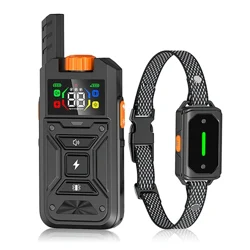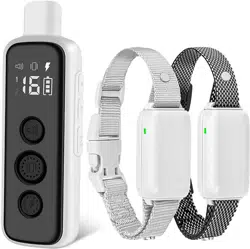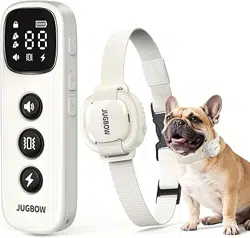

Owner's Manual
Please read this manual carefully before using the e-collar.
Model
DT-54


START TRANINING YOUR DOG!
Step 1: Register Your Warranty
Contact Us
service@jugbow.com tkservice@jugbow.com
jugbowofficial@jugbow.com
Visit jugbow.com/warranty/ or scan the QR code.
Scan the QR code→Help→video tutorial.
Step 2: Watch Traning Video
Ensure the collar is snugly fitted around the dog's neck
with a two-finger gap.
Begin at the lowest stimulation level.
Watch your dog’s reaction and adjust slowly.
Step 3: Begin Correct E-Collar Training
1
1
1
2
3

Important Safety Information
If your dog shows signs of aggressive behavior (e.g.,
unprovoked attacks on people or other animals), consult a
professional trainer or veterinarian before using the shock
function.Some dogs may react with heightened stress or
redirected aggression in tense situations.Please use this
product with caution and closely monitor your dog’s response
during use.
To prevent injury, read the user manual before use. An
improperly fitted collar may lead to skin irritation or pressure
ulcers.
Do not leave the receiver on your dog for more than 12
hours per day.
Reposition the receiver every 1–2 hours when possible.
Check collar tightness regularly to avoid excessive
pressure.
Never attach a leash to the electronic collar to avoid
pressure on the contact points.
WARNING
PROPER FIT GUIDELINES

If using a separate collar for walking, ensure it doesn’t
press against the electronic collar.
Clean your dog’s neck and the contact points weekly with a
damp cloth.
Inspect the contact area daily for redness or sores.
If irritation is found, stop using the collar until the skin has
healed.
Do not use a charger with output above 5V/1A.
Avoid contact with metal during charging to prevent short
circuits.
Ensure safety during leash training.
Use a strong leash—long enough for movement, but short
enough to avoid danger (e.g., roads).
Handlers should be strong enough to restrain the dog if
needed.
This is a training tool, not a toy. Keep away from children.
CAUTION
Important Safety Information

Contents
1. Packing List 01
2. Overview 02
3. Charging the Batteries 04
4. Turning the E-Collar On/Off 05
5. Stimulation Modes and Levels 06
6. Using the Test Light 08
7. Training Collar Fitting & Safety Instructions 10
8. Finding the Right Stimulation Level 13
9. LED Indicator Guide 14
10. Using Channel 2 for a Second Receiver 16
11. Troubleshooting 19
12. FCC Statement 22
13. Terms of Use & Limitation of Liability 23
14. Regarding you and the product 24
15. Regarding the well-being of your dog 24
16. Operating Environment & Maintenance 25
17. Warranty and repair information 27

1.Packing List
01
Transmitter
1
Charging Cable
10
Test Light Tool
4
Contact Point
5
Conductivev
Silicone Cap
(only PRO model)
6
User Manual
11
Quick Manual
12
Receiver
2
Hand Strap
3
Bowknot
7
Electroplated cover
8
Prying tool
9
Owner's Manual
Please read this manual carefully before using the e-collar.
Model
DT-54

Shock Mode
Vibration Mode
Beep Mode
2.Overview
02
Digital Display
Mode Switching
Channel
Select
Power
Switch
Level “+”
Level “-”
Type-C
Charging Port
Lanyard
Hole
Dog
Channel
Shock
Vibration
Keypad Lock
Level
Battery Status
Beep
Tone

Battery Charging
Loudspeaker
On/Off Button
2.Overview
03
Charging Power
Indicator
Electroplated Cover

3. Charging the Batteries
Please follow the steps below to charge
your e-collar:
04
1
2
3
4

05
4. Turning the E-Collar On/Off
1. Turning the Transmitter On/Off
①TURN ON:
Slide the switch from "lock"( ) to "Unlock"( ) .
②TURN OFF:
Slide the switch from "Unlock"( ) to "Lock"( ).
(TURN ON) (TURN OFF)

2. Turning the Receiver On/Off
①TURN ON: Short press the power button.
②TURN OFF: Long press the power button for 6
seconds until the red light turns on and the device
vibrates briefly.
Short press
Hold for 6s
06
5. Stimulation Modes and Levels
(TURN ON) (TURN OFF)
1. Switching Stimulation Modes
Press the MODE button to cycle through the three modes.
Shock Vibration Beep

07
3. Stimulation Range (0–16)
The shock level ranges from 0 (lowest) to 16 (highest).
Level 00 delivers no shock.
4. Vibration Intensity Levels (1–3)
There are 3 vibration levels, with increasing motor speed
at each level.
Level 1 = gentle buzz → Level 3 = strong vibration.
0 2 4 6 8 10 12 14 16
2. Adjust the level
Press the button
to increase the level.
“+” Press the “-” button
to decrease the level.

08
6. Using the Test Light
1.Checking Shock Function
1. Make sure the Remote and Receiver are power on.
2. Hold the Test Light on the contact points and press
the shock button.
lf the light flashes briefly, the shock function is working.
5. Beep Sound Levels (F1–F9)
There are 3 beep levels, with the tone frequency increasing
at each level.
Level 1 = low-pitched tone → Level 9 = high-pitched tone.

If the Test Light does not flash:
• Check that the contact points are installed properly
• Try increasing the shock level.
• Test the vibration or beep function.
• If they work, the shock feature may be faulty
• If none work, re-pair the device
Do not use one finger to test the shock
•Shock won’t work unless both contact points touch
the skin.
1 2
3 4
2.Used as a Tool to Tighten or Loosen the
Contact Points
• Attach the conductive silicone cover to the contact points
to make them softer. This may be more comfortable for
your dog's skin.
09

7. Training Collar Fitting & Safety
Instructions
To ensure effective training and your dog’s comfort,
follow these guidelines for properly fitting and using
the training collar.
1. Proper Fit and Adjustment
• The contact points must make direct contact with the skin
to effectively deliver stimulation or vibration.
• Avoid placing the collar on the thickest fur areas. If your
dog has dense fur, trim a small section to improve contact.
• Optimal positioning:The receiver should be placed on
either side of the dog’s windpipe, rather than the center, to
reduce pressure on the throat.
10
5

2. Adjusting the Collar Fit
• The collar should be snug but allow room for two fingers
between the strap and the dog's neck (one finger for small
breeds).
• Too loose: The receiver may shift, causing inconsistent
stimulation and potential skin irritation from chafing.
• Too tight: May cause discomfort, restrict blood circulation,
or lead to pressure sores.
Fit test: After securing the collar, slide two fingers
underneath the strap. If they fit comfortably, the collar is
properly adjusted.
3. Recommended Wearing Time
• Check your dog's skin condition before and after each use.
If you notice redness, irritation, or discomfort, remove the
collar immediately and discontinue use until the skin has
fully healed.
11

• Use the collar only during training sessions to avoid
prolonged skin contact that may cause irritation.
• Do not exceed 8-10 hours of daily wear to prevent
pressure-related discomfort from prolonged contact with the
contact points.
• If extended wear is necessary, reposition the collar every
1-2 hours to prevent the contact points from continuously
pressing on the same area, reducing the risk of localized
skin irritation.
• Remove the collar during sleep to allow the skin time to
recover and minimize the risk of discomfort or pressure
sores.
4. Additional Considerations
For dogs with different fur types:
• Short-haired & Long-haired breeds: If the factory-installed
short contact points do not make sufficient contact, please
using longer contact points.
• If your dog develops redness or irritation, immediately
remove the collar and discontinue use until the skin has fully
healed.
12

13
2. Set the Right Stimulation Level
1. Start from level 01.
2. Slowly increase the stimulation level.
3. Observe your dog’s response:
1. How to Adjust
Press the “+” button
to increase the level
Press the “-” button
to decrease the level
8. Finding the Right Stimulation
Level
No Response
Overreacting
Slight Reaction
TOO LOW JUST RIGHT TOO HIGH

Transmitter LED Indicator
9. LED Indicator Guide
These subtle responses usually indicate the correct
stimulation level.If your dog becomes more excited or
distracted during training, you may need to readjust the level
accordingly.
Note: Never begin with high levels. Always use the
lowest level that gets your dog’s attention.
14
Charging Status
During charging, the battery
icon on the screen will increase
gradually
When fully charged, the icon
displays 4 bars, and the
LED shows a solid green light

15
Receiver LED Indicator Battery Status
Function Feedback
Battery Status (LED blinks every 10 seconds)
Green blink:
Battery is sufficient
Red blink:
Low battery, needs charging
Press the vibration
or sound button:
LED green blink
Press the static
stimulation button:
LED blue blink

16
Level Display (Chase Light Mode)
10. Using Channel 2 for a Second
Receiver
Note:
You can skip this step if you're using a 1-dog
system — the remote and receiver are pre-paired
at the factory.
• Press the power button once
to activate the LED battery
indicator
• The number of LEDs that light up
indicates the current battery level:
LED Lights On Battery Level
90%–100%
50%–89%
20%–59%
1%–20%

Pairing New collar Steps
1. Power off the receiver
• To power off, press and hold the receiver's power button
for 3 seconds.
• The red light will stay on for 3 seconds, and the device will
vibrate once, indicating it is off.
2. Enter pairing mode
• Press and hold the receiver’s power button for 6 seconds
until the green light blinks rapidly.
3. Choose a channel
• Press the channel button on the remote to choose the
appropriate channel.
17

18
4. Press a function button
• Press any function button on the remote.
5. Pairing complete
• The receiver beeps once and the green light stops flashing,
indicating pairing is complete.
Beep Once
Stop Flash

1. My dog is not responding when l press a beep,
vibration or static button.
11. Troubleshooting
19
• Check the Receiver Collar if it is on.
• Check if using the correct channel.If it still doesn't work,
switch to a different channel or try pairing again.
• Please check if the battery is low in either the Remote
Transmitter or Receiver Collar.
Rapid red blinking
indicates low battery
•Test the Receiver with the Test Light to confirm if the shock

20
•Increase the correction level. Refer to “Finding the Right
Stimulation Level".
•Make sure the contact points lie flat against the skin. The
collar should be snug but not tight—allowing you to fit one or
two fingers between the strap and your dog’s neck.

21
2. Fail to match receiver with remote
3.Remote/receiver does not respond
•Make sure the receiver is powered off before pairing.
•Press and hold the power button for at least 6 seconds
until the green light blinks rapidly.
•If released too early, the device will simply power on and
will not enter pairing mode.
Press and hold 6 Secs
• Verify if the Receiver Collar is powered on.
When powered on, the indicator light will blink once every
10 seconds:
- A green light indicates sufficient battery level.
- A red light indicates low battery — please recharge the
device.
Press any function
button
1 2

22
• Verify if the training collar has been paired.
To check pairing status:
1. Press any function button (such as beep, vibration, or
shock) on the remote.
2. Observe the receiver:
• If it responds, pairing was successful.
• If there is no response, try switching to a different
channel and test again.
• If it still doesn’t respond, pairing may have failed. Please
repeat the pairing steps.
12. FCC Statement
FCC Compliance Statement
This device complies with Part 15 of the FCC Rules.
Operation is subject to the following two conditions:
• This device may not cause harmful interference.
• This device must accept any interference received,
including interference that may cause undesired operation.
Warning
Changes or modifications not approved by the manufacturer
may void the user’s authority to operate the device.

23
This device has been tested and meets FCC limits for a
Class B digital device, designed to provide reasonable
protection against harmful interference in residential use.
If interference occurs (e.g., with radio/TV reception), try the
following:
• Increase the distance between the device and the receiver.
• Plug into a different power outlet.
• Contact customer support or a qualified technician for
• assistance.
13. Terms of Use & Limitation of
Liability
1. Using this product means you accept all terms and
conditions.
2. This is a professional dog training device. Not
recommended for dogs under 8 lbs or highly sensitive breeds.
3. For training use only. Do not use for any other purpose.
4. We are not liable for any direct or indirect loss caused by
misuse. Use at your own risk.
5. For warranty or replacement, please contact your dealer.
We provide technical support only.

24
14. Regarding you and the product
1. Do not submerge the receiver in water for long periods.
2. Use only the original remote and receiver. Do not mix with
other brands.
3. Use professional tools for testing. Never test with your
hands.
4. Ensure the charging port is completely dry before charging.
5. Avoid high-voltage areas, thunderstorms, large buildings,
or strong electromagnetic interference.
6. The included collar is basic. You may replace it with a soft
collar no wider than 20mm and no thicker than 2 mm.
15. Regarding the well-being of your
dog
1. The Receiver collar is not a regular collar and should
not be used with a leash to walk your dog.(Pulling on the
leash may injure the dog due to the receiver’s protruding
electrodes.)
2. Do not leave the collar on for more than 12 hours, as it
may cause rashes or skin irritation.
3. Do not allow children or individuals with little or no dog

25
16. Operating Environment &
Maintenance
Do Not Use Under These Conditions
4. Static stimulation is not a pleasant experience for any dog.
training experience to handle this training kit.
Punishment is a harsh way to train. Positive reinforcement
and praise are more effective in encouraging good behavior.
1. High temperature: Avoid using the device in environments
above 104°F (40°C), as it may reduce battery performance.
2. Strong electromagnetic interference: Keep away from
areas with heavy electrical equipment or signal transmitters,
which may affect normal operation.
Daily Cleaning & Maintenance
1. When not in use, clean both the remote and receiver with
a soft cloth.
3. Drops or strong impacts: Do not drop the device or apply
excessive force.
4. Corrosive environments: Avoid exposure to chemical
fumes or liquids, which may cause discoloration,
deformation, or cracking.

26
Turn off the power, lock the buttons, and store the device in
a dry and cool place.
2. Do not use hard brushes during cleaning to avoid
scratching the surface.
3. If the receiver is dirty, wipe it gently with a slightly damp
cloth.
Waterproof Notice
Do not submerge the receiver in water for extended
periods.
1. Before charging, make sure the charging port is dry.
Wipe away any moisture before connecting to power.
2. If the remote falls into water:
• Remove it immediately and turn off the power
• Wipe it dry with a soft cloth
• Allow it to fully air-dry before use; normal function will
resume once moisture is gone.

17. Warranty and repair information
1-Year Warranty
• This product includes a 1-year limited warranty from the
date of purchase (for original buyers only).
• The warranty covers parts and labor, but shipping costs
are not included.
• Accessories like batteries, chargers, and straps are
covered during the first year only.
Not Covered by Warranty
• Secondhand or resold products
• Damage from misuse or loss
• Water damage to water-resistant devices
• Damage caused by unauthorized repair or battery
replacement
How to Activate Warranty
To register your product, please visit:
https://jugbow.com/warranty/
If you encounter any issues with your product, please send
the following information to:
Amazon: [email protected]
TikTok: [email protected]
Our support team will assist you.
27

Need Further Assistance
If you need help or have any questions, feel free to contact us
through the following channels:
Online Form Support
Visit: www.jugbow.com/contact-us/
Email Support
Amazon : jugbowofficial@jugbow.com
Tiktok : tkservice@jugbow.com
Official web:jugbowofficial@jugbow.com
Customer Service Hours
Monday – Friday: 9:00 AM – 5:00 PM
Saturday – Sunday: 10:00 AM – 4:00 PM
Office Address
Unit 2939, Level 29, Infinitus Plaza
199 Des Voeux Road Central
Sheung Wan, Hong Kong
Please provide:
1.Your original order screenshot.
2.Your current shipping address (Once confirmed, we will
ship the replacement within 5 business days)
Once the information is confirmed, we will send the
replacement within 5 business days.
28