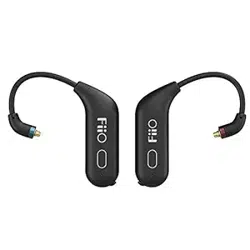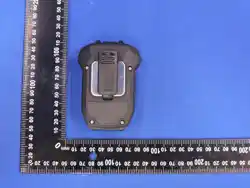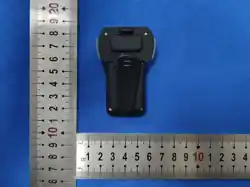
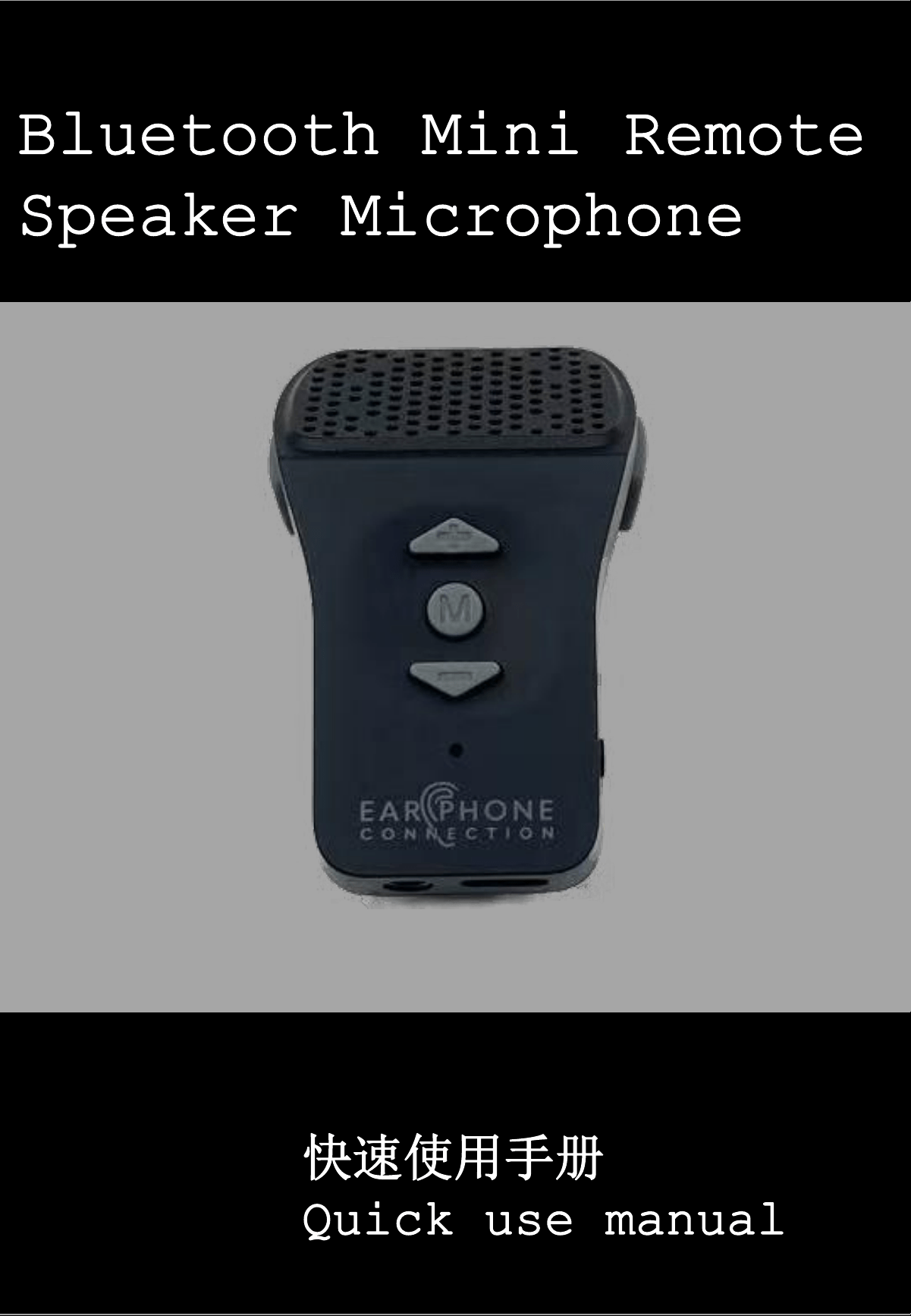
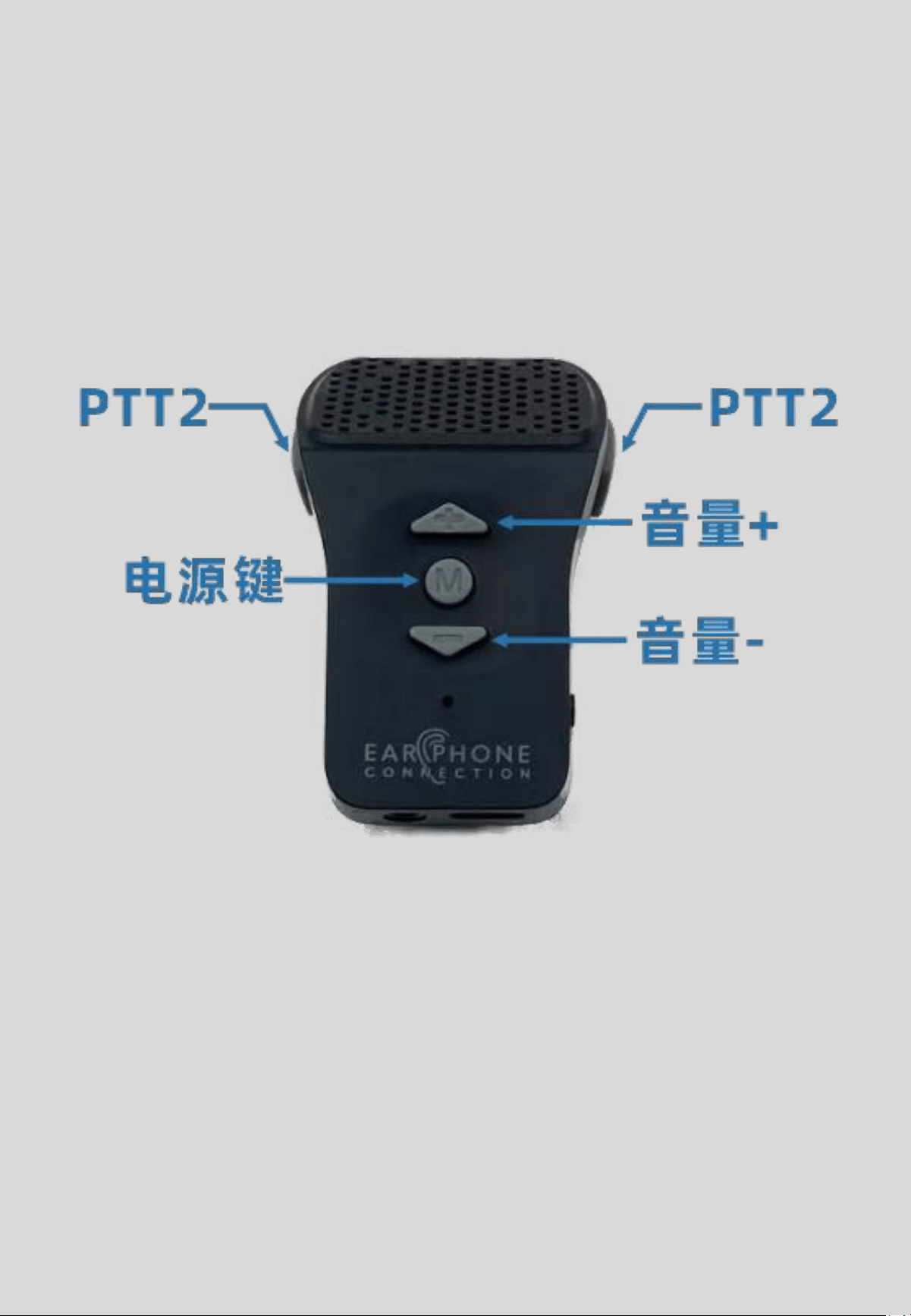
1. 产品概括
1. Product overview
2
注:3分钟内无法完成配对,遥控器将自动关机
If the pairing cannot be completed within 3 minutes,
the remote control will automatically shut down

3
2. 手机配对
2.To pair mobile phone
1. 手咪关机状态下,长按“电源键”6秒,出现红蓝等交替闪烁松手
1. When speaker microphone is turned off,press and hold “power button”
for 6 seconds, when the LED flashes BLUE/RED then release
2. 将手机蓝牙功能打开
2. Turn on your mobile phone
Bluetooth device
3. 扫描蓝牙设备,连接设备名为:B02PTT的蓝牙设备,即可完成手机连接
3. Scan the Bluetooth device, connect the name”B02PTT”Bluetooth device,
then the connection is completed
3. 适配器配对
3.To pair adapter
1. 长按适配器“PTT键”,打开对讲机电源,出现红蓝等交替闪烁松手
1. Press and hold adapter “PTT”button, power up the radio,
LED flashes BLUE/RED then release.
2. 手咪关机状态下,长按“电源键”6秒,出现红蓝等交替闪烁松手
When speaker microphone is turned off,press and hold “power button”
for 6 seconds, when the LED flashes BLUE/RED then release
3. 设备会自动连接,连接成功后,适配器蓝灯长亮,手咪变为蓝灯慢闪
The device will connect automatically. Once the connection is
successful, the adapter's blue light will remain on for a long time,
and the microphone will turn into a blue light that flashes slowly
备注:若需要同时连接手机和适配器,请分别与手机,适配器配对,后续打开
设备后,即可同时连接上手机和适配器
Note: if the need to connect mobile phone and adapter at the same time,
please pair with mobile phones, adapter separately, once they have paired
sucessful, when you turn on, they can be connected to the mobile phone
and adapter at the same time
3
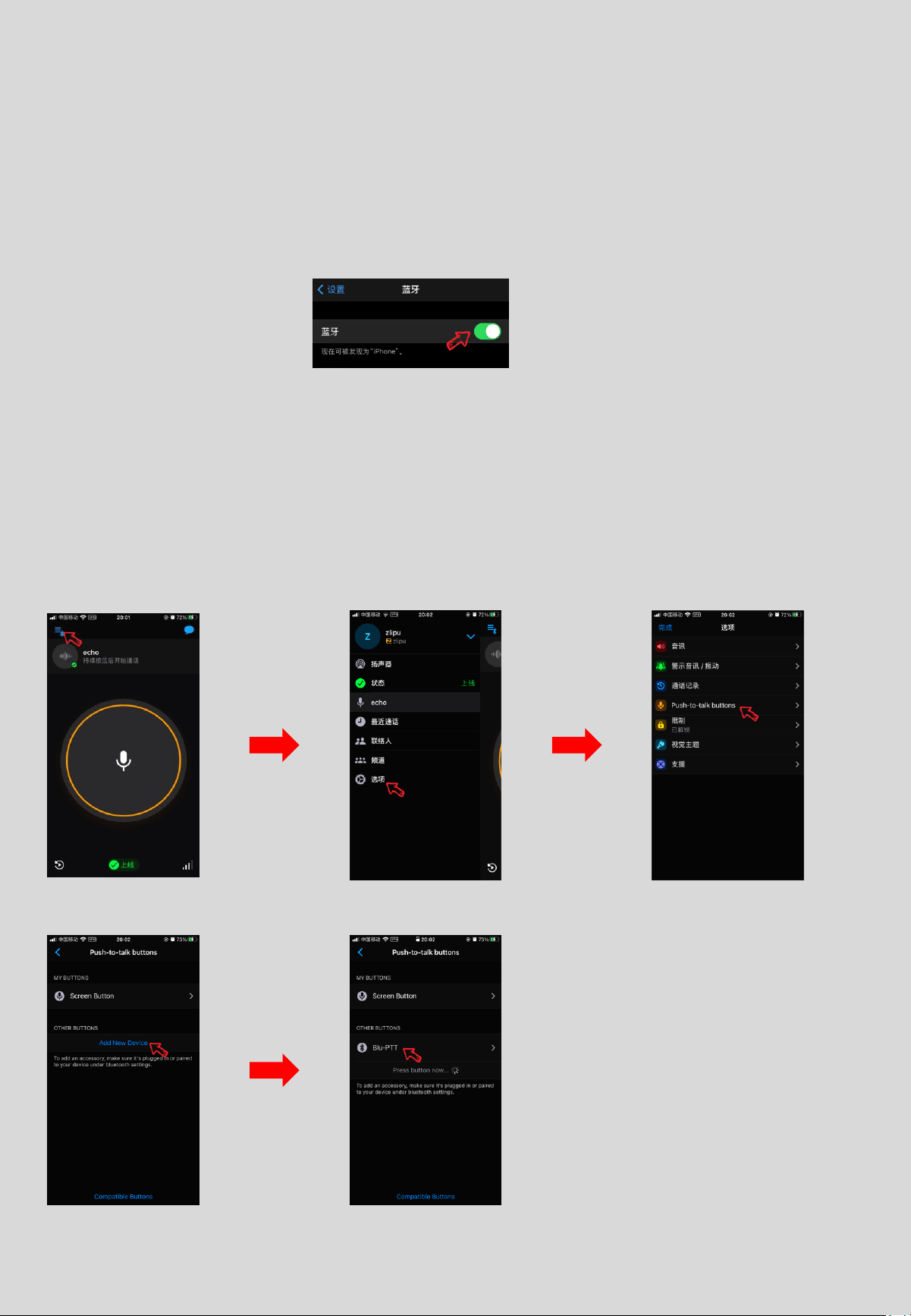
4. Zello配对
4. To pair Zello
1. 长按“电源键”6秒,出现红蓝等交替闪烁松手
1. Press and hold “power button” for 6 seconds, until LED flashes
2. RED/BLUE then release
4. 连接zello软件:打开zello软件>>设置 >>> 选项 >>> Push-to-talk buttons >>>
add New Device >>> B02PTT_BLE
4. Connect to Zello APP: open zello APP>Seting>Option>
Push-to-Talk-Buttons> Add New Device> B02PTT_BLE
2. 将手机蓝牙功能打开
2. Turn on your
mobile phone
Bluetooth device
IOS系统 IOS system
3. 扫描蓝牙设备,连接设备名为:B02PTT的蓝牙设备,即可完成手机连接
3. Scan the Bluetooth device, connect the name”B02PTT”Bluetooth device,
then the connection is completed
4
1. 长按“电源键”6秒,出现红蓝等交替闪烁松手
1. Press and hold “power button” for 6 seconds, until LED flashes
2. RED/BLUE then release
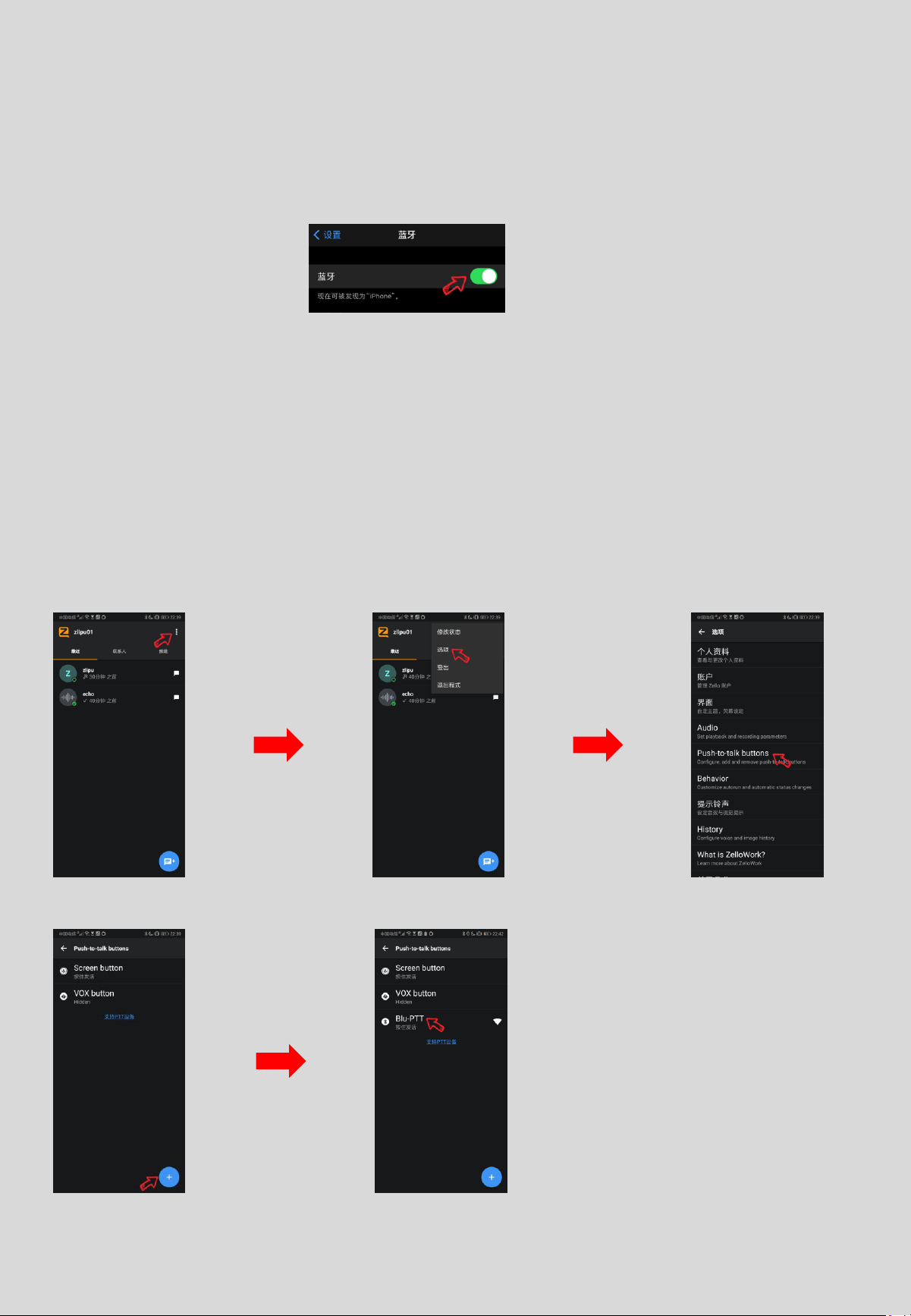
4. 连接zello软件:打开zello软件>>设置 >> 选项 >> Push-to-talk buttons >>
加键按钮 >> 轻触PTT按键 >> 出现“B02PTT”表示配对成功
4. Connect to Zello APP: Open Zello APP> Seting>Option>
Push-to-talk button> “+”. Press PTT button>B02PTT appears>
connected successfully
2. 将手机蓝牙功能打开
2. Turn on your
mobile phone
Bluetooth device
Android系统
3. 扫描蓝牙设备,连接设备名为:B02PTT的蓝牙设备,即可完成手机连接
3. 3. Scan the Bluetooth device, connect the name”B02PTT”Bluetooth
device, then the connection is completed

3.如何使用 How to use
5
功能
Function
操作
Operation
LED状态
LED state
开机
power up
关机状态下,长按
“电源键”3秒
In shutdown mode,press “power
button” for 3 seconds
蓝灯闪烁
LED flashes Blue
配对
Pairing
关机状态下,长按
“电源键”6秒
In shutdown mode, press and
hold”power button” for 6
seconds
红、蓝灯交替闪
LED flashes
Blue/RED
关机
power down
开机状态下,长按
“电源键”3秒
In power up mode, press”power
button” 3 seconds
LED熄灭
LED goes out
音量+
Volume +
长按
“音量+”,增加音量
Long press "Volume +" to
increase the volume
蓝灯闪烁
LED flashes Blue
音量-
Volume -
长按
“音量-”,降低音量
Long press "Volume
-
" to lower
the volume
蓝灯闪烁
LED flashes Blue
音乐播放
/
暂停
Music
play/pause
单击
“电源键”,音乐播放/暂停
Click the "Power Button" to
play/pause the music
蓝灯闪烁
LED flashes Blue
下一曲
Next Song
播放音乐时,单击音量
+,播放下一曲
When playing music, click
Volume + to play the next song
蓝灯闪烁
LED flashes Blue
上一曲
Previou
Song
播放音乐时,单击音量
-,播放上一曲
When playing music, click
Volume
- to play the previous
Song
蓝灯闪烁
LED flashes Blue
接打电话
Answer
calls
来电时,双击击
“电源键”,接听电话
When the call comes in, double
-
click the "Power Button" to
answer the call
蓝灯闪烁
LED flashes Blue
拒接电话
Reject
calls
来电时,长按
“电源键”,拒接电话
When a call comes in, hold down
the "Power button" for a long
time to reject the call
蓝灯闪烁
LED flashes Blue
挂断电话
Hang up
calls
通话时,双击:
“电源键”,挂断电话
When making a call, double
-
click the "Power Button" to
hang up the phone
蓝灯闪烁
LED flashes Blue

7
适配器控制
Adapter
control
连接状态下,按下
“PTT1”
键,即可 遥控 通 讯 ,
单连接时
,PTT1和PTT2都可控制
In the connected state, press
the "PTT1" key to remotely
control communication. When
connected alone, both PTT1 and
PTT2 can be controlled
按下和松开时
蓝灯快闪一次
LED flashes blue
once when press
and release PTT
zello遥控
Zello
remote
control
连接状态下,按下
“PTT2”
键,即可 遥控 通 讯 ,
单连接时
,PTT1和PTT2都可控制
In the connected state, press
the "PTT2" key to remotely
control communication. When
connected alone, both PTT1 and
PTT2 can be controlled
按下和松开时
蓝灯快闪一次
LED flashes blue
once when press
and release PTT
低电提示
Low
battery
电量低于
20%,每5分钟发出2次嘟嘟声
When the battery level drops
below 20%, it makes two beeping
sounds every five minutes
红灯每30秒闪烁2次
The LED flashes
red 2 times every
30 seconds
关机
Power off
无连接状态下,长按
“PTT”键6秒
In no connection mode, press
and hold PTT button for 6
seconds
LED熄灭
LED was stopped
备注:若同时连接适配器和手机后,PTT1和PTT2出现无法控制,只需双击无法
控制的PPT按键,即可恢复正常

4.技术规格
technical
specifications
6
产 品 参 数
Product parameters
产品名称 Product name
Bluetooth Mini Remote
Speaker Microphone
产品型号 Model
EP-10001
蓝牙版本 Bluetooth version
BT V5.1
支持协议 support agreement
HFP/A2DP/SPP/BLE
射频等级frequency grade
Class2
工作距离 working distance
10m
发射功率 transmitting power
-5.24dBm
通讯时间 working time
8H
待机时间 standby time
60H
充电时间 charging time <2H
输入参数 Input parameter
DC 5V⎓1A
工作温度
working Temperature
-10℃-45℃

9
FCC Warning Statement
Changes or modifications not expressly approved by the party
responsible for compliance could void the user’s authority to operate
the equipment. This equipment has been tested and found to comply
with the limits for a Class B digital device, pursuant to Part 15 of the
FCC Rules. These limits are designed to provide reasonable protection
against harmful interference in a residential installation. This
equipment generates uses and can radiate radio frequency energy
and, if not installed and used in accordance with the instructions, may
cause harmful interference to radio communications. However, there
is no guarantee that interference will not occur in a particular
installation. If this equipment does cause harmful interference to
radio or television reception, which can be determined by turning the
equipment off and on, the user is encouraged to try to correct the
interference by one or more of the following measures:
‐‐ Reorient or relocate the receiving antenna.
‐‐ Increase the separation between the equipment and receiver.
‐‐ Connect the equipment into an outlet on a circuit different from
that to which the receiver is connected.
‐‐ Consult the dealer or an experienced radio/TV technician for help.
FCC Radiation Exposure Statement
The device has been evaluated to meet general RF exposure requirem
ent. The device can be used in portable exposure condition without r
estriction.
This device complies with Part 15 of the FCC Rules. Operation is
subject to the following two conditions:
(1)This device may not cause harmful interference.
(2)This device must accept any interference received, including
interference that may cause undesired operation.