Documentazione del manuale della
fibbia intelligente
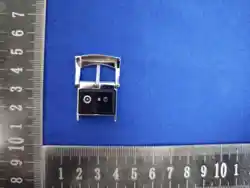
Fibbia intelligente
Fibbia intelligente
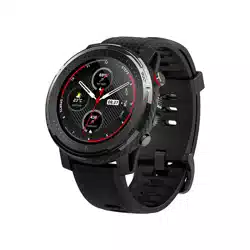
Modello con cinturino in acciaio
Fibbia intelligente
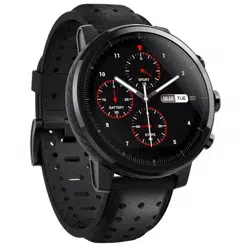
Modello con cinturino in pelle
Al primo utilizzo, ricaricare il dispositivo per attivarlo.
Se sono state ripristinate le impostazioni di fabbrica nell’app, ricaricare il
dispositivo per riattivarlo.
i servizi relativi alla fibbia intelligente non possono essere utilizzati per la
diagnosi, il trattamento o la prevenzione di alcuna malattia. Le informazioni
e i dati contenuti nei servizi sono solo a titolo di riferimento e non possono
sostituire la diagnosi e il trattamento da parte di un medico specialista. In
caso di dubbi relativi alla salute, si consiglia di consultare un medico.L'anello
intelligente e la fibbia intelligente utilizzano lo stesso software.
Nota bene:
Ricarica e attivazione
KUMIWear (Dopo aver scaricato l’app, è necessario
autorizzare l’accesso al Bluetooth e alla localizzazione)
Luce rossa lampeggiante
è in carica
Luce verde lampeggiante
è completamente carica
Prima del primo utilizzo, caricare per 60 minuti
Impostazioni personali:
Modalità allenamento:
selezionare la modalità “Camminata”; attivare il GPS dello smartphone,
quindi toccare il pulsante nella pagina “Allenamento” per registrare la
distanza, il ritmo, la durata e i dati relativi alla frequenza cardiaca.
nella pagina delle impostazioni personali è possibile impostare l’obiettivo
di passi e l’unità di misura.
Dati di allenamento:
la pagina principale mostra informazioni relative all’attività fisica, quali il
numero di passi giornalieri, la distanza percorsa e le calorie bruciate.
Sonno:
mostra la durata totale del sonno della notte precedente e, in base alle
condizioni del sonno, visualizza lo stato del sonno (sonno profondo, sonno
leggero, veglia, ecc.)
Frequenza cardiaca / Ossigenazione del sangue:
selezionare la voce di misurazione corrispondente nella pagina iniziale; il
risultato della misurazione verrà visualizzato dopo 60 secondi
dall’accensione della spia verde.
Prima di utilizzare e azionare il dispositivo, leggere e attenersi alle
precauzioni riportate di seguito per garantire le migliori prestazioni del
prodotto ed evitare situazioni pericolose o illegali.
Durante l’uso quotidiano, mantenere asciutti i punti di contatto della
fibbia; in caso di contatto con l’acqua, asciugarli tempestivamente.
Se nei punti di contatto compaiono sintomi quali arrossamento o
gonfiore, interrompere immediatamente l’uso e consultare un
medico.
Durante la ricarica, mantenere il cavo di ricarica e il dispositivo in un
ambiente asciutto; non toccare il cavo di ricarica con le mani bagnate
ed evitare che il cavo venga immerso in acqua o altri liquidi.
Non smontare o modificare la batteria, non inserire oggetti estranei né
immergerla in acqua o altri liquidi, per evitare perdite di liquido,
surriscaldamento, incendio o esplosione.
Non far cadere, schiacciare o forare la batteria. Evitare di sottoporre la
batteria a forti pressioni esterne, che potrebbero causare cortocircuiti
interni e surriscaldamento.
Precauzioni
Sicurezza
Accedendo alla pagina [Gestione del peso], è possibile passare alla
visualizzazione giornaliera, settimanale o mensile dei dati relativi al peso;
cliccando sulle frecce accanto alla data è possibile sfogliare i dati storici.
Gestione del peso:
Cliccando su [Inserisci peso], si accede alla schermata di inserimento:
Selezionare la data e l’ora della pesata
Scorrere la rotella per impostare il peso (unità: chilogrammi)
Toccare [Salva] per completare la registrazione. Il sistema calcola
automaticamente l’IMC e valuta lo stato della corporatura.
apri la schermata “Dispositivi” nell’app e scuoti la fibbia dello
smartwatch per scattare una foto.
Selfie a distanza:
(funzionalità supportata solo dall’app KUMIWear)
Modalità di ricarica della fibbia intelligente: il prodotto acquistato si
ricarica tramite cavo magnetico.
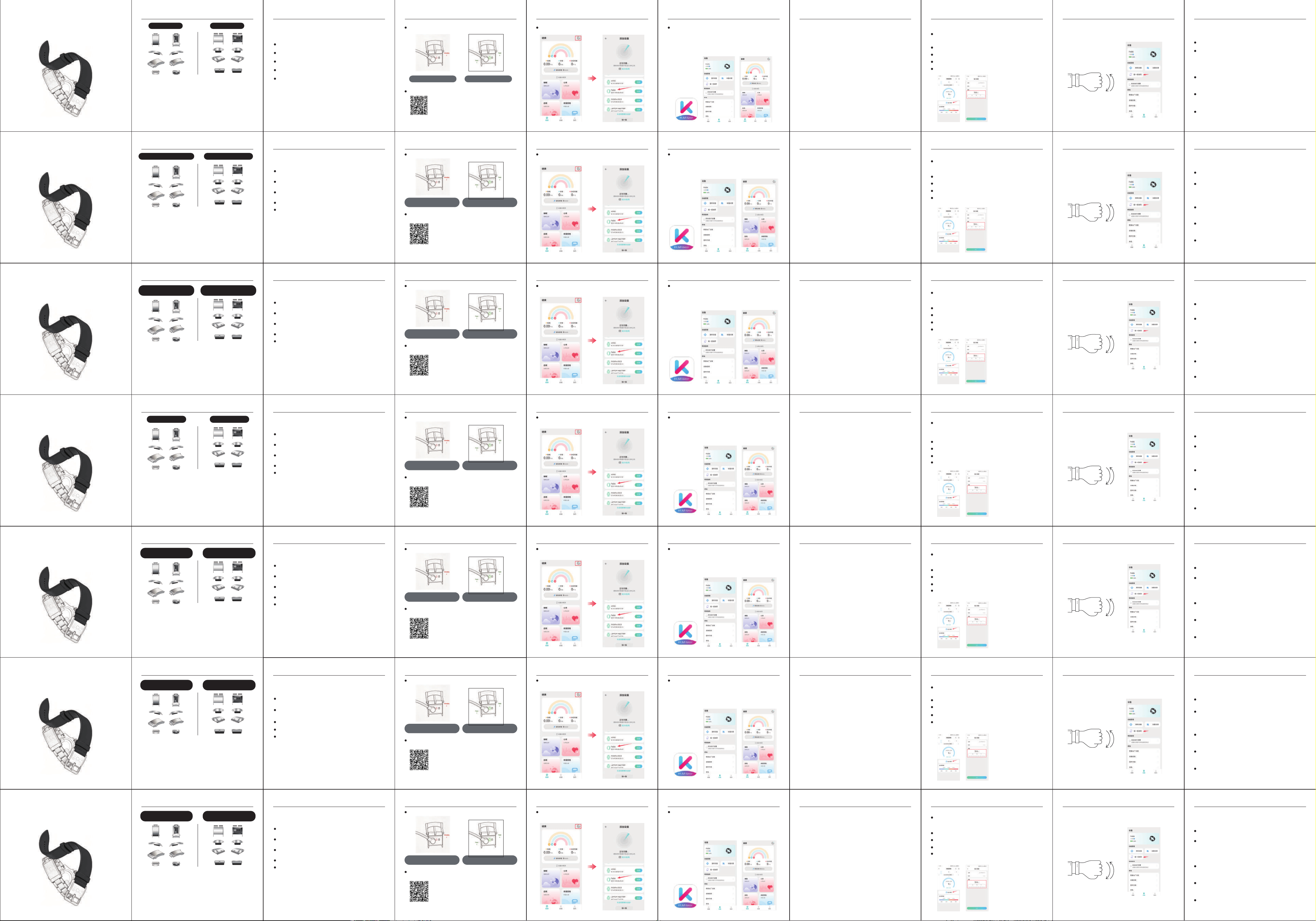
Aprire l’app KUMIWear, registrarsi e accedere; scansionare il
dispositivo, cercare il nome Bluetooth Fidi26 e cliccare su “Connetti”.
Una volta stabilito il collegamento, la pagina mostrerà le informazioni
relative alla fibbia intelligente
Una volta collegato all’alimentazione, la spia rossa della fibbia
intelligente rimane accesa fissa.
Stato della spia: durante la ricarica la spia rossa rimane accesa; una volta
completata la ricarica
Durata della ricarica: 60 minuti
Verifica del livello di carica: controllare il livello di carica nella schermata
di connessione del dispositivo nella pagina principale dell’app.
Istruzioni per l’uso Descrizione delle funzioni
Cerca “KUMIWear” negli store Android e Apple, oppure scansiona il codice
QR per scaricare l’app
Nell’app del telefono, selezionare il nome Bluetooth della fibbia per
completare l’accoppiamento
Collegare la fibbia intelligente
スマートバックルの取扱
説明書資料
スマートバックル
スマートバックル
スチールバ ンドタイプ
スマートバックル
ベルトタイプ
初めてご使用になる際は、デバイスを充電して初期化してください。
アプリで工場出荷時設定にリセットした場合は、充電して再度初期化してく
ださい。
スマートバックルに関連するサービスは、いかなる疾患の診断、治療、予防に
も使用できません。サービス内の情報およびデータはあくまで参考であり、専
門医による診療に代わるものではありません。健康に関する疑問がある場合
は 、医 師 に ご 相 談 く だ さ い 。ス マ ー ト リ ン グ と ス マ ー ト バ ッ ク ル は 、同 じ ソ フ ト ウ
ェアを使 用しています。
ご注意:
充電による初期化
KUMIWear(アプリをダウンロードした後、
Bluetoothおよび位置情報のアクセス許可を許可する必要があります)
赤色ランプが点滅している場合
スマートバックルが充電中です
緑色のランプが点滅している
スマートバックルがフル充電されています
初回使用前に、まず60分間充電してください
個人設定:
運動モード:
ウォーキングの運動モードを選択します。スマートフォンのGPSをオンにし、
運動ページでボタンをタップすると、距離、ペース、時間、心拍数のデータ
が記録されます。
個人設定ページで歩数目標と測定単位を設定します。
運動データ:
ホーム画面には、1日の歩数、距離、消費カロリーなどの運動情報が表示されます。
睡眠:
前夜の総睡眠時間を表示し、睡眠状況に応じて深い睡眠、浅い睡眠、覚醒
などの睡眠状態を表示します。
心拍数/血中酸素濃度:
ホーム画面で対応する測定項目を選択すると、緑色のランプが点灯してか
ら60秒後に測定結果が表示されます。
本製品を使用・操作する前に、以下の注意事項をよくお読みの上、遵守して
ください。これにより、製品の性能を最大限に発揮させるとともに、危険や
違法な状況の発生を防ぐことができます。
日常の使用においては、バックルの接触部分を常に乾燥した状態に保
ち、水に濡れた場合は速やかに拭き取ってください。
接触部分に赤みや腫れなどの症状が現れた場合は、直ちに使用を中
止し、医師にご相談ください。
充電時は、充電ケーブルと本体を乾燥した環境に保ってください。濡れ
た手で充 電 ケーブルに触 れ ないでください。また、充電ケーブルが水な
どの 液 体 に浸 からな いようにしてくだ さい 。
バッテリーの分解や改造、異物の挿入、水やその他の液体への浸漬は行
わないでください。バッテリーの液漏れ、過熱、発火、爆発の原因となる恐
れがあります。
バッテリーを落下させたり、圧迫したり、穴を開けたりしないでください。
バッテリーに外部から強い圧力を加えると、内部の短絡や過熱の原因と
な る た め 、避 け て く だ さ い 。
注意事項
安全
【体重管理】ページにアクセスすると、日/週/月の切り替えで体重記録
を確認でき、日付の矢印をタップして過去のデータを閲覧できます。
体重管理:
【体重を入力】をタップして、入力画面に進みます:
測定日と時間を選択します。
ホイールをスライドさせて体重を設定します(単位:キログラム)。
【保存】をタップして記録を完了します。システムが自動的にBMIを計算
し、体型状態を評価します。
アプリ内のデバイス画面を開き、スマートバックルを振ると写真が撮影さ
れます。
リモート自 撮り:
(KUMIWear アプリのみ対応)
スマートバックルの充電方法:ご購入いただいた製品は、マグネット式
充電ケーブルを使用して充電します。
KUMIWear アプリを開き、アカウントを登録してログインします。デバイ
スをスキャンし、Bluetooth名「Fidi26」を検索して、「接続」をタップしま
す。接続に成功すると、画面にスマートバックルの関連情報が表示され
ます。
電源を接続すると、スマートバックルのインジケーターランプが赤色で
点灯します。
インジケーターランプの状態:充電中は赤色で点灯し、充電完了後は
充電時間:60分
バッテリー残量の確認:アプリのホーム画面にある「デバイス接続」画面で
バッテリー残量を確認できます。
使用手順 機能説明
AndroidおよびAppleのアプリストアで「KUMIWear」を検索するか、QRコー
ドをスキャンしてアプリをダウンロードしてくだ さい 。
スマホのアプリで、時計のバックルのBluetooth名を選択し、ペアリング
を完了します
スマートバックルの 接 続
智能表扣说明书
Smart Buckle Instruction Manual
智能表扣款式
智能表扣--钢带款 智能表扣--皮带款
ZL2026205036277 ZL2026205036281
ZL2026205036281ZL2026205036277
1.蓝牙版本:BLE5.0
2.主控芯片:atmosic 2251
3.PPG芯片:HX3917
4.电池容量:16mAh
5.内存:4Mb
6.待机时间:15天
7.续航时间:7-10天
8.充电方式:磁吸充电
9:防水等级:IP68
10:材质:不锈钢+PC
基本参数:
1. Bluetooth Version: BLE 5.0
2. Main Control Chip: Atmosic 2251
3. PPG Chip: HX3917
4. Battery Capacity: 16 mAh
5. Memory: 4 Mb
6. Standby Time: 15 days
7. Battery Life: 7‒10 days
8. Charging Method: Magnetic charging
9. Water Resistance Rating: IP68
10. Material: Stainless steel+PC
Basic Specifications
首次使用时,请将设备进行充电激活
如果在应用程序上恢复了出厂设置,请充电重新激活
智能表扣的充电方式:您购买的产品采用磁吸线进行充电
接通电源后,智能表扣的指示灯红灯常亮
指示灯状态:充电中红灯常亮,充电完成后
充电时长:60分钟
查看电量:在 App 主页设备连接界面查看电量。
智能表扣相关服务不可用于诊断、治疗或预防任何疾病。服务
中的信息与数据仅作参考,不能替代专业医生诊疗。若有健康
相关疑问,建议咨询医师。智能戒指和智能表扣是同一个软件
请注意:
充电激活
使用步骤
安卓和苹果商店搜素:KUMIWear,或扫描二维码下载 App
KUMIWear(下载APP后要允许获取蓝牙与定位权限)
红灯闪烁 = 正在充电 绿灯闪烁 = 已充满电
首次使用前,先充电 60 分钟
连接智能表扣
功能说明
在个人设置页面设定步数目标与计量单位。
个人设置:
运动模式:
选择步行的运动模式;开启手机 GPS,在运动页面点击按钮,
记录距离、配速、时长以及心率数据。
运动数据:
主页会展示每日步数、距离以及活动热量等运动信息。
睡眠:
展示前一晚总睡眠时长,并且根据睡眠情况显示深睡、浅睡、
清醒等睡眠状况
心率 / 血氧:
在主页选择对应测量项,绿灯亮起 60 秒后显示测量结果。
在使用和操作设备之前,请阅读并遵守下面的注意事项,以确
保产品性能最佳,并避免出现危险或非法情况。
日常使用中请保持表扣接触部位的干爽,遇水后请及时擦干。
如接触部位出现红肿等症状时,请立即停止使用,并咨询
医生。
安全
充电时请保持充电线和设备处在干燥的环境中,请勿使用
湿手触摸充电线,请避免充电线被水等液体浸入。
请勿拆解或改装电池、插入异物、或浸入水或其他液体中,
以免引起电池漏液、过热、起火或爆炸。
请勿跌落、挤压或穿刺电池。避免让电池遭受外部大的压力,
从而导致电池内部短路和过热。
注意事项
进入【体重管理】页面,可切换日 / 周 / 月查看体重记录,点
击日期箭头翻阅历史数据。
体重管理:
点击【输入体重】,进入录入界面:
选择称重日期、时间
滑动滚轮设置体重(单位:公斤)
点击【保存】,完成记录。系统自动计算 BMI 并评估体型状态。
打开 App 内设备界面,摇一摇智能表扣即可拍照。
远程自拍:
(仅 KUMIWear App 支持)
在手机 App 选中表扣蓝牙名称,完成配对
打开KUMIWear App,注册账号并登录;扫描设备,搜索蓝
牙名称Fidi26,点击连接。连接成功后,页面将展示智能表
扣的相关信息。
Smart Buckle
Instruction Manual
Smart Buckle Style
Smart Buckle—Steel Strap Version Smart Buckle—Belt Style
Before using the device for the first time, please charge it to activate it.
If you have restored the device to factory settings via the app, please
charge it to reactivate it.
Services related to the smart buckle are not intended for the diagnosis,
treatment, or prevention of any medical conditions. The information and
data provided in these services are for reference only and are not a substitute
for professional medical advice. If you have any health-related questions, we
recommend consulting a physician.The smart ring and smart watch band use
the same software.
Please Note:
Charging and Activation
KUMIWear (After downloading the app, you must grant Bluetooth
and location permissions)
A flashing red light indicates
that the smart buckle is charging.
Green light flashing
Smart buckle is fully charged
Charge for 60 minutes before first use.
Set your step goal and measurement units on the Personal Settings page.
Personal Settings:
Exercise Mode:
Select the “Walking” exercise mode; enable your phone’s GPS, then tap
the button on the Exercise page to track distance, pace, duration, and heart
rate data.
Exercise Data:
The home screen displays exercise information such as daily step count,
distance, and calories burned.
Sleep:
Displays the total sleep duration from the previous night and shows sleep
stages such as deep sleep, light sleep, and wakefulness based on your
sleep patterns.
Heart Rate / Blood Oxygen:
Select the corresponding measurement option on the home screen; the
results will be displayed 60 seconds after the green light turns on.
Before using or operating the device, please read and follow the
precautions below to ensure optimal product performance and to avoid
hazards or illegal situations.
During daily use, keep the contact areas of the clasp dry; if they come
into contact with water, wipe them dry immediately.
If symptoms such as redness or swelling appear at the contact areas,
stop using the device immediately and consult a doctor.
When charging, keep the charging cable and the device in a dry
environment. Do not touch the charging cable with wet hands, and
avoid exposing the charging cable to water or other liquids.
Do not disassemble or modify the battery, insert foreign objects into it,
or submerge it in water or other liquids, as this may cause battery
leakage, overheating, fire, or explosion.
Do not drop, crush, or puncture the battery. Avoid subjecting the
battery to significant external pressure, as this may cause internal short
circuits and overheating.
Precautions
Safety
Go to the [Weight Management] page to switch between daily, weekly,
and monthly views of your weight records. Tap the date arrows to
browse historical data.
Tap [Enter Weight] to access the entry screen:
Select the date and time of the weigh-in.
Use the scroll wheel to set your weight (in kilograms).
Tap [Save] to complete the entry. The system automatically calculates
your BMI and assesses your body composition.
Weight Management:
Open the Devices screen in the app, then shake the smart buckle to
take a photo.
Remote Selfie:
(supported only by the KUMIWear app)
How to charge the smart buckle: The product you purchased uses a
magnetic charging cable.
Open the KUMIWear app, register an account, and log in; scan for the
device, search for the Bluetooth name “Fidi26,” and tap “Connect.”
Once connected, the screen will display information about the Smart
Buckle.
After connecting to a power source, the smart buckle’s indicator light
will remain steadily red.
Indicator light status: The red light remains steadily lit while charging;
once charging is complete,
Charging time: 60 minutes
Checking Battery Level: View the battery level on the device connection
screen of the app’s home page.
Usage Instructions Feature Description
Search for “KUMIWear” in the Android and Apple app stores, or scan the
QR code to download the app
Select the watch clasp’s Bluetooth name in the mobile app to complete
pairing
Connect the Smart Buckle
Anleitung zur
intelligenten Uhrenverschluss-Halterung
Intelligente Uhrenverschluss-Halterung
für Stahlarmbänder für Lederarmbänder
Bitte laden Sie das Gerät vor der ersten Verwendung auf und aktivieren Sie es.
Wenn Sie in der App die Werkseinstellungen wiederhergestellt haben, laden Sie
das Gerät bitte erneut auf und aktivieren Sie es.
Die mit der Smart-Uhr-Schließe verbundenen Dienste dürfen nicht zur
Diagnose, Behandlung oder Vorbeugung von Krankheiten verwendet
werden. Die in den Diensten enthaltenen Informationen und Daten dienen
lediglich als Referenz und ersetzen keine professionelle ärztliche Diagnose
oder Behandlung. Bei gesundheitsbezogenen Fragen empfehlen wir, einen
Arzt zu konsultieren.Der Smart-Ring und die Smart-Uhrenschnalle laufen mit
derselben Software.
Bitte beachten Sie:
Aufladen und Aktivieren
KUMIWear (Nach dem Herunterladen der App müssen
Sie die Berechtigungen für Bluetooth und Standortzugriff erteilen.)
Rotes Licht blinkt
wird gerade aufgeladen
Grünes Licht blinkt
ist vollständig aufgeladen
Laden Sie das Gerät vor dem ersten Gebrauch 60 Minuten lang auf
Persönliche Einstellungen:
Trainingsmodus:
Wählen Sie den Trainingsmodus „Gehen“ aus; aktivieren Sie das GPS Ihres
Smartphones und tippen Sie auf der Trainingsseite auf die Schaltfläche,
um Daten zu Distanz, Tempo, Dauer und Herzfrequenz aufzuzeichnen.
Legen Sie auf der Seite „Persönliche Einstellungen“ Ihr Schrittziel und die
Maßeinheit fest.
Trainingsdaten:
Auf der Startseite werden Trainingsinformationen wie die tägliche
Schrittzahl, die zurückgelegte Distanz und der Kalorienverbrauch angezeigt.
Schlaf:
Zeigt die Gesamtschlafdauer der vergangenen Nacht an und gibt je nach
Schlafverhalten Auskunft über Schlafphasen wie Tiefschlaf, Leichtschlaf
und Wachzustand.
Herzfrequenz / Blutsauerstoffsättigung:
Wählen Sie auf der Startseite den entsprechenden Messwert aus; das
Messergebnis wird angezeigt, sobald die grüne LED 60 Sekunden lang
leuchtet.
Bitte lesen und befolgen Sie vor der Nutzung und Bedienung des Geräts die
folgenden Hinweise, um eine optimale Produktleistung zu gewährleisten
und Gefahren oder rechtswidrige Situationen zu vermeiden.
Halten Sie die Kontaktflächen der Uhr im täglichen Gebrauch trocken
und wischen Sie sie nach Kontakt mit Wasser umgehend trocken.
Sollten an den Kontaktflächen Symptome wie Rötungen oder
Schwellungen auftreten, stellen Sie die Nutzung sofort ein und
konsultieren Sie einen Arzt.
Achten Sie beim Laden darauf, dass sich das Ladekabel und das Gerät in
einer trockenen Umgebung befinden. Berühren Sie das Ladekabel nicht
mit nassen Händen und vermeiden Sie, dass das Ladekabel mit Wasser
oder anderen Flüssigkeiten in Berührung kommt.
Zerlegen oder modifizieren Sie den Akku nicht, führen Sie keine
Fremdkörper ein und tauchen Sie ihn nicht in Wasser oder andere
Flüssigkeiten ein, um ein Auslaufen, Überhitzen, Entzünden oder
Explodieren des Akkus zu vermeiden.
Lassen Sie den Akku nicht fallen, quetschen oder durchstechen. Setzen
Sie den Akku keinem starken äußeren Druck aus, da dies zu einem
Kurzschluss im Inneren und zu Überhitzung führen kann.
Hinweise
Sicherheit
Auf der Seite „Gewichtsmanagement“ können Sie zwischen der
täglichen, wöchentlichen und monatlichen Ansicht der Gewichtsaufze-
ichnungen wechseln und durch Tippen auf die Datums-Pfeile die
historischen Daten durchblättern.
Gewichtsmanagement:
Tippen Sie auf „Gewicht eingeben“, um zum Eingabeformular zu gelangen:
Wählen Sie das Datum und die Uhrzeit der Gewichtsmessung aus.
Stellen Sie das Gewicht (Einheit: Kilogramm) mit dem Scrollrad ein.
Tippen Sie auf [Speichern], um die Eingabe abzuschließen. Das System
berechnet automatisch den BMI und bewertet Ihren Körperbau.
Öffnen Sie den Gerätebildschirm in der App und schütteln Sie die
intelligente Uhrenverschlussklammer, um ein Foto aufzunehmen.
Fern-Selfie:
(wird nur von der KUMIWear-App unterstützt)
Aufladen der intelligenten Uhrenverschluss-Halterung: Das von Ihnen
erworbene Produkt wird über ein Magnetkabel aufgeladen.
Öffnen Sie die KUMIWear-App, registrieren Sie sich und melden Sie sich
an; scannen Sie das Gerät, suchen Sie nach dem Bluetooth-Namen
„Fidi26“ und tippen Sie auf „Verbinden“. Nach erfolgreicher
Verbindung werden auf der Seite die relevanten Informationen zur
Smart-Uhrenschnalle angezeigt.
Nach dem Anschließen an die Stromversorgung leuchtet die rote LED
der intelligenten Uhrenverschluss-Halterung dauerhaft.
Status der Kontrollleuchte: Während des Ladevorgangs leuchtet die rote
Kontrollleuchte dauerhaft; nach Abschluss des Ladevorgangs erlischt sie.
Ladezeit: 60 Minuten
Akkustand anzeigen: Der Akkustand kann auf der Startseite der App im
Bereich „Geräteverbindungen“ eingesehen werden.
Gebrauchsanweisung Funktionsbeschreibung
Suche im Google Play Store oder im App Store nach „KUMIWear“ oder
scanne den QR-Code, um die App herunterzuladen
Wählen Sie in der Smartphone-App den Bluetooth-Namen der
Uhrenschnalle aus, um die Kopplung abzuschließen.
Verbinden Sie die Smart-Uhrenschnalle.
Documentation relative au
fermoir intelligent
Fermoir Intelligent Forme
Fermoir intelligent
Modèle à bracelet en acier
Fermoir intelligent
Modèle à bracelet en cuir
Lors de la première utilisation, veuillez charger l'appareil pour l'activer.
Si vous avez réinitialisé les paramètres d'usine dans l'application, veuillez
le recharger pour le réactiver.
les services liés au fermoir intelligent ne peuvent être utilisés pour
diagnostiquer, traiter ou prévenir une quelconque maladie. Les informations
et données fournies dans le cadre de ces services sont données à titre
indicatif uniquement et ne sauraient se substituer à un avis médical
professionnel. En cas de questions relatives à la santé, il est recommandé de
consulter un médecin. La bague connectée et la boucle de montre connectée
utilisent le même logiciel.
Remarque :
Chargement et activation
KUMIWear (Après avoir téléchargé l’application, vous devrez
autoriser l’accès au Bluetooth et à la localisation)
Voyant rouge clignotant
est en cours de recharge
Voyant vert clignotant
est complètement chargé
Avant la première utilisation, chargez l’appareil pendant 60 minutes
Paramètres personnels :
Mode sport :
sélectionnez le mode « Marche » ; activez le GPS de votre smartphone, puis
appuyez sur le bouton de la page « Sport » pour enregistrer la distance,
l’allure, la durée et votre fréquence cardiaque.
définissez votre objectif de pas et l’unité de mesure sur la page des
paramètres personnels.
Données d’activité :
la page d’accueil affiche des informations telles que le nombre de pas
quotidiens, la distance parcourue et les calories brûlées.
Sommeil :
affiche la durée totale de sommeil de la nuit précédente et, en fonction de
la qualité du sommeil, indique les phases de sommeil profond, de sommeil
léger et d’éveil.
Fréquence cardiaque / Saturation en oxygène :
sélectionnez l’élément à mesurer sur la page d’accueil ; les résultats
s’affichent 60 secondes après l’allumage du voyant vert.
Avant d’utiliser et de manipuler l’appareil, veuillez lire et respecter les
précautions d’emploi ci-dessous afin de garantir des performances
optimales du produit et d’éviter toute situation dangereuse ou illégale.
Veillez à ce que les zones de contact de la boucle restent sèches lors de
l’utilisation quotidienne ; essuyez-les immédiatement en cas de
contact avec de l’eau.
Si des symptômes tels qu’une rougeur ou un gonflement apparaissent
au niveau des zones de contact, cessez immédiatement l’utilisation et
consultez un médecin.
Pendant la recharge, veillez à ce que le câble de recharge et l’appareil
se trouvent dans un environnement sec. Ne touchez pas le câble de
recharge avec les mains mouillées et évitez toute immersion du câble
dans de l’eau ou tout autre liquide.
Ne démontez pas et ne modifiez pas la batterie, n’y insérez pas de corps
étrangers et ne la plongez pas dans l’eau ou tout autre liquide, afin
d’éviter tout risque de fuite, de surchauffe, d’incendie ou d’explosion.
Ne laissez pas tomber, n’écrasez pas et ne percez pas la batterie. Évitez
de soumettre la batterie à une forte pression externe, ce qui pourrait
provoquer un court-circuit interne et une surchauffe.
Précautions d’emploi
Sécurité
Accédez à la page [Gestion du poids] pour basculer entre les vues
journalière, hebdomadaire ou mensuelle de l’historique de votre poids.
Appuyez sur les flèches de date pour parcourir les données historiques.
Appuyez sur [Saisir le poids] pour accéder à l’interface de saisie :
Sélectionnez la date et l’heure de la pesée.
Faites glisser la molette pour régler le poids (unité : kg).
Appuyez sur [Enregistrer] pour valider l’enregistrement. Le système
calcule automatiquement l’IMC et évalue votre silhouette.
Gestion du poids :
ouvrez l’interface de l’appareil dans l’application, puis secouez le
fermoir intelligent pour prendre une photo.
Selfie à distance :
(fonctionnalité prise en charge uniquement par l’application KUMIWear).
Mode de chargement du fermoir intelligent : le produit que vous avez
acheté se recharge à l'aide d'un câble magnétique.
Ouvrez l’application KUMIWear, créez un compte et connectez-vous ;
scannez l’appareil, recherchez le nom Bluetooth « Fidi26 », puis cliquez
sur « Se connecter ». Une fois la connexion établie, la page affichera les
informations relatives au fermoir intelligent
Une fois branché, le voyant rouge du fermoir intelligent reste allumé en
permanence.
État du voyant : le voyant rouge reste allumé pendant la charge ; une
fois la charge terminée
Durée de charge : 60 minutes
Vérification du niveau de batterie : consultez le niveau de batterie sur
l’écran « Connexion des appareils » de la page d’accueil de l’application.
Mode d’emploi Description des fonctionnalités
Recherchez « KUMIWear » sur le Google Play Store ou l’App Store, ou
scannez le QR code pour télécharger l’application
Dans l’application mobile, sélectionnez le nom Bluetooth du fermoir pour
effectuer l’appairage
Connectez le fermoir intelligent
Documentación del manual de instrucciones del
cierre inteligente
cierre inteligente
Cierre inteligente:
modelo con correa de acero
Hebilla inteligente:
modelo con correa de piel
Antes de utilizar el dispositivo por primera vez, cárgalo para activarlo.
Si has restablecido los ajustes de fábrica en la aplicación, cárgalo de nuevo
para reactivarlo.
los servicios relacionados con el cierre inteligente no pueden utilizarse para
diagnosticar, tratar ni prevenir ninguna enfermedad. La información y los
datos incluidos en los servicios son meramente orientativos y no sustituyen
el diagnóstico ni el tratamiento de un médico profesional. Si tiene alguna
duda relacionada con la salud, le recomendamos que consulte a un
médico.El anillo inteligente y la hebilla inteligente utilizan el mismo software.
Atención:
Carga y activación
KUMIWear (una vez descargada la aplicación,
hay que autorizar el acceso a Bluetooth y a la ubicación)
Luz roja parpadeante
se está cargando.
La luz verde parpadea
está completamente cargada
Antes de utilizarlo por primera vez, cárguelo durante 60 minutos.
Ajustes personales:
Modo de ejercicio:
selecciona el modo de ejercicio «Caminar»; activa el GPS del móvil y pulsa
el botón en la página de ejercicio para registrar la distancia, el ritmo, la
duración y los datos de frecuencia cardíaca.
en la página de ajustes personales se configuran el objetivo de pasos y la
unidad de medida.
Datos de ejercicio:
la página de inicio muestra información sobre el ejercicio, como el número
de pasos diarios, la distancia y las calorías quemadas.
Sueño:
muestra la duración total del sueño de la noche anterior y, en función de
las condiciones del sueño, indica los estados de sueño profundo, sueño
ligero y vigilia.
Frecuencia cardíaca / Saturación de oxígeno:
selecciona el parámetro correspondiente en la página de inicio; el
resultado de la medición se mostrará 60 segundos después de que se
encienda la luz verde.
Antes de utilizar y manejar el dispositivo, lea y respete las precauciones
que se indican a continuación para garantizar un rendimiento óptimo del
producto y evitar situaciones peligrosas o ilegales.
Durante el uso diario, mantenga secas las zonas de contacto de la
hebilla; si se mojan, séquelas inmediatamente.
Si aparecen síntomas como enrojecimiento o hinchazón en las zonas
de contacto, deje de utilizar el dispositivo de inmediato y consulte a
un médico.
Durante la recarga, mantenga el cable de carga y el dispositivo en un
entorno seco; no toque el cable de carga con las manos mojadas y evite
que el cable entre en contacto con agua u otros líquidos.
No desmonte ni modifique la batería, no introduzca objetos extraños en
ella ni la sumerja en agua u otros líquidos, para evitar fugas,
sobrecalentamiento, incendios o explosiones.
No deje caer, apriete ni perfore la batería. Evite someterla a una presión
externa excesiva, ya que esto podría provocar un cortocircuito interno y
un sobrecalentamiento.
Precauciones
Seguridad
Accede a la página [Control de peso] para cambiar entre vistas diaria,
semanal o mensual de los registros de peso; pulsa las flechas de fecha
para consultar los datos históricos.
Control de peso:
Pulsa [Introducir peso] para acceder a la pantalla de registro:
Selecciona la fecha y la hora del pesaje.
Desliza el control deslizante para ajustar el peso (unidad: kilogramos).
Pulsa [Guardar] para completar el registro. El sistema calcula
automáticamente el IMC y evalúa el estado físico.
abre la pantalla de dispositivos de la aplicación y agita el cierre del reloj
inteligente para hacer una foto .
Selfies a distancia:
(solo compatible con la aplicación KUMIWear)
Método de carga del cierre inteligente: el producto que has adquirido
se carga mediante un cable magnético.
Abre la aplicación KUMIWear, regístrate e inicia sesión; escanea el
dispositivo, busca el nombre Bluetooth «Fidi26» y pulsa «Conectar».
Una vez establecida la conexión, la página mostrará la información
relativa al cierre inteligente.
Una vez conectado a la fuente de alimentación, el indicador luminoso
del cierre inteligente permanecerá encendido en rojo.
Estado del indicador luminoso: durante la carga, la luz roja permanece
encendida; una vez finalizada la carga,
Duración de la carga: 60 minutos.
Cómo consultar el nivel de batería: consulte el nivel de batería en la
pantalla de conexión del dispositivo, en la página de inicio de la aplicación.
Pasos de uso Descripción de las funciones
Busca «KUMIWear» en las tiendas de aplicaciones de Android y Apple, o
escanea el código QR para descargar la aplicación.
En la aplicación del móvil, selecciona el nombre del dispositivo Bluetooth
del cierre del reloj y completa el emparejamiento
Conectar el cierre inteligente
1. Version Bluetooth : BLE 5.0
2. Puce principale : Atmosic 2251
3. Puce PPG : HX3917
4. Capacité de la batterie : 16 mAh
5. Mémoire : 4 Mo
6. Autonomie en veille : 15 jours
7. Autonomie en utilisation : 7 à 10 jours
8. Mode de recharge : recharge magnétique
9. Indice d'étanchéité : IP68
10. Matériau : acier inoxydable+PC
Caractéristiques techniques
1. Bluetooth-Version: BLE 5.0
2. Hauptsteuerchip: Atmosic 2251
3. PPG-Chip: HX3917
4. Akkukapazität: 16 mAh
5. Speicher: 4 MB
6. Standby-Zeit: 15 Tage
7. Betriebsdauer: 7‒10 Tage
8. Lademethode: magnetisches Laden
9. Schutzklasse: IP68
10. Material: Edelstahl+PC
Grundlegende technische Daten
1. Bluetoothバージョン:BLE5.0
2. メインコントローラチップ:atmosic 2251
3. PPGチップ:HX3917
4. バッテリー容量:16mAh
5. メモリ:4Mb
6. 待機時間:15日間
7. 連続使用時間:7~10日間
8. 充電方式:マグネット式充電
9. 防水等級:IP68
10. 材質:ステンレス鋼+PC
基本仕様
1. Versión de Bluetooth: BLE 5.0
2. Chip principal: Atmosic 2251
3. Chip PPG: HX3917
4. Capacidad de la batería: 16 mAh
5. Memoria: 4 Mb
6. Tiempo en espera: 15 días
7. Autonomía: 7-10 días
8. Método de carga: carga magnética
9. Grado de resistencia al agua: IP68
10. Material: acero inoxidable+PC
Parámetros básicos
1. Versione Bluetooth: BLE 5.0
2. Chip di controllo principale: Atmosic 2251
3. Chip PPG: HX3917
4. Capacità della batteria: 16 mAh
5. Memoria: 4 Mb
6. Autonomia in standby: 15 giorni
7. Autonomia in uso: 7-10 giorni
8. Metodo di ricarica: ricarica magnetica
9. Grado di impermeabilità: IP68
10. Materiale: acciaio inossidabile+PC
Parametri di base
ZL2026205036281ZL2026205036277
ZL2026205036281ZL2026205036277
ZL2026205036281ZL2026205036277
ZL2026205036281ZL2026205036277
ZL2026205036281ZL2026205036277

FCC Warning
This device complies with Part 15 of the FCC Rules. Operation is subject to the following two conditions:
(1) This device may not cause harmful interference, and (2) this device must accept any interference received, including
interference that may cause undesired operation.
NOTE 1: This equipment has been tested and found to comply with the limits for a Class B digital device, pursuant to part 15 of
the FCC Rules. These limits are designed to provide reasonable protection against harmful interference in a residential
installation. This equipment generates, uses and can radiate radio frequency energy and, if not installed and used in accordance
with the instructions, may cause harmful interference to radio communications. However, there is no guarantee that
interference will not occur in a particular installation. If this equipment does cause harmful interference to radio or television
reception, which can be determined by turning the equipment off and on, the user is encouraged to try to correct the
interference by one or more of the following measures:
- Reorient or relocate the receiving antenna.
- Increase the separation between the equipment and receiver.
-Connect the equipment into an outlet on a circuit different from that to which the receiver is connected.
-Consult the dealer or an experienced radio/TV technician for help.
NOTE 2: Any changes or modifications to this unit not expressly approved by the party responsible for compliance could void the
user's authority to operate the equipment.
The device has been evaluated to meet general RF exposure requirement. The device can be used in portable exposure
condition without restriction.