5.0
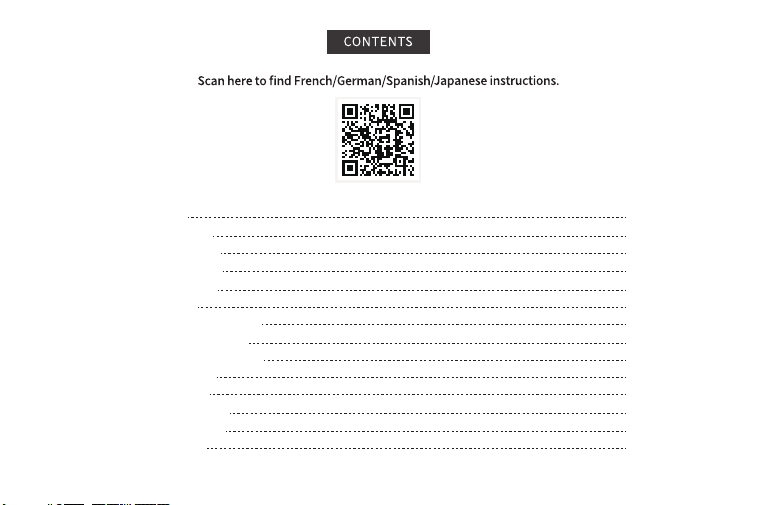
1.Product Sketch
2.Printer Inner Sketch
3.Charging Instructions
4.Power Indicator Status
5.Auto Power Off Tips
6.What's In The Box
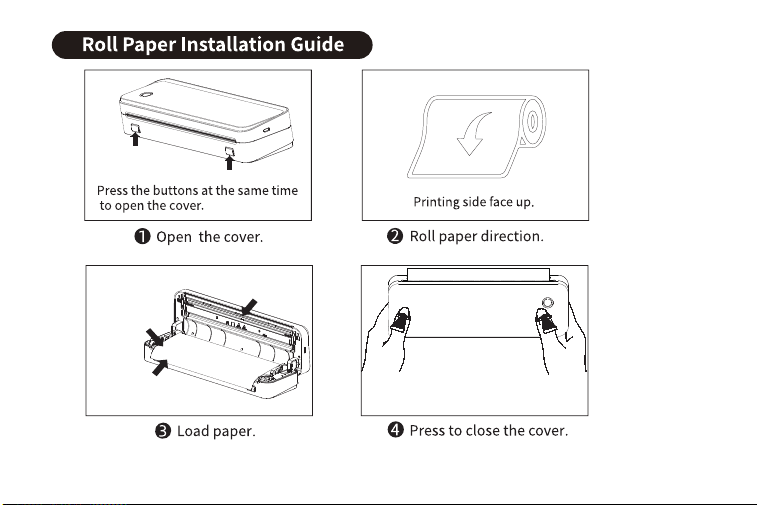
7.Rolled Paper Installation Guide
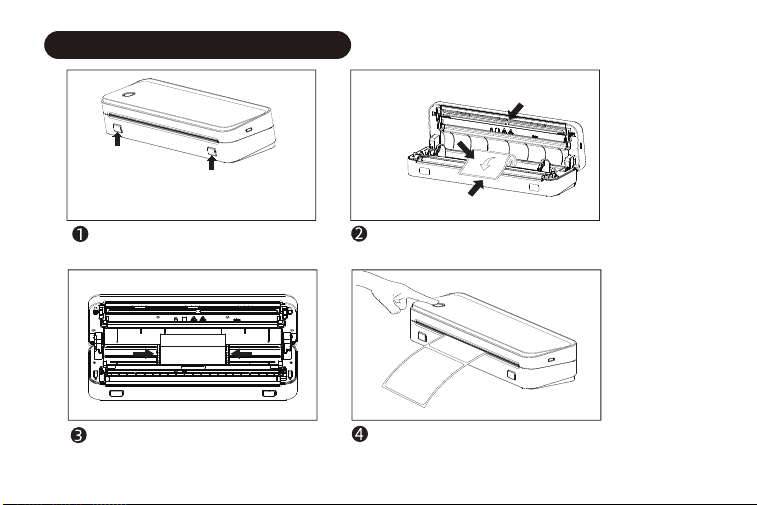
8.Gap Label Installation Guide
9.Folded Paper Installation Guide
10.Mobile APP Printing
11.Computer Printing
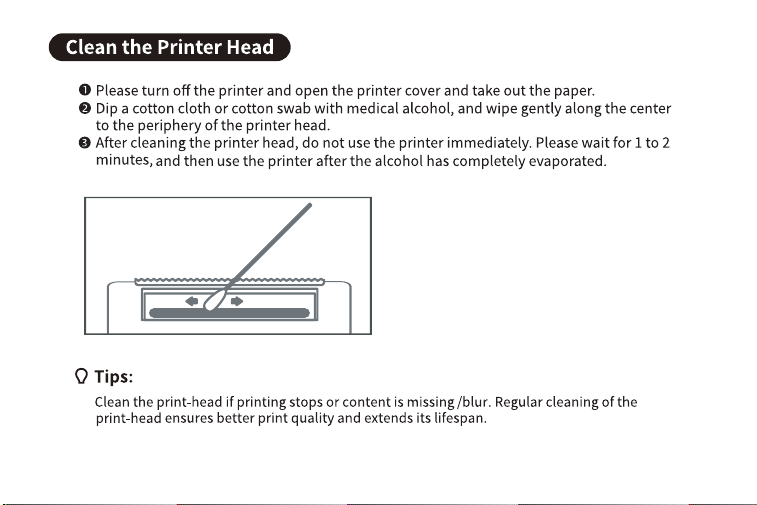
12.Clean The Printer Head
13.Warranty Information
14.Customer Support
P1
P2
P2
P3
P3
P4
P5
P6
P7
P9
P10
P16
P17
P18
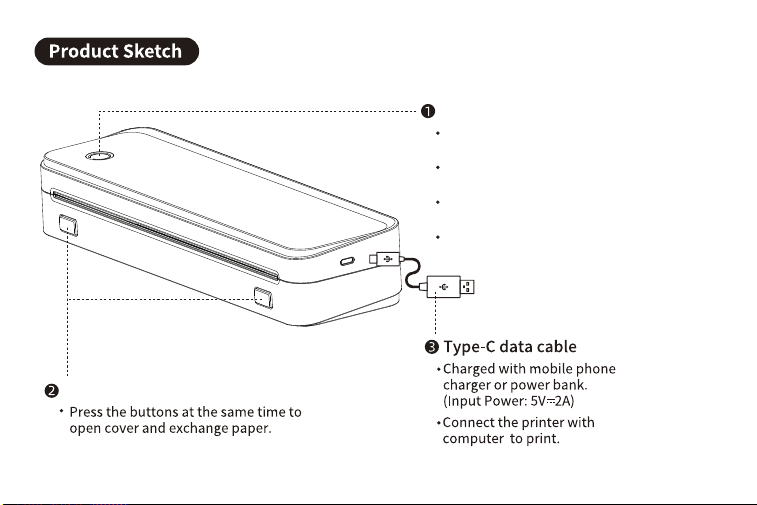
Press and hold 2 seconds till the green light
on to turn on/till the light off to turn off.
Press 2 times to print the QR code to connect
the printer with APP.
Press 3 times to let the printer gap sensor to
recognize when you want to print gap label.
Press once to stop printing.
Cover-open button
Power button
1
2
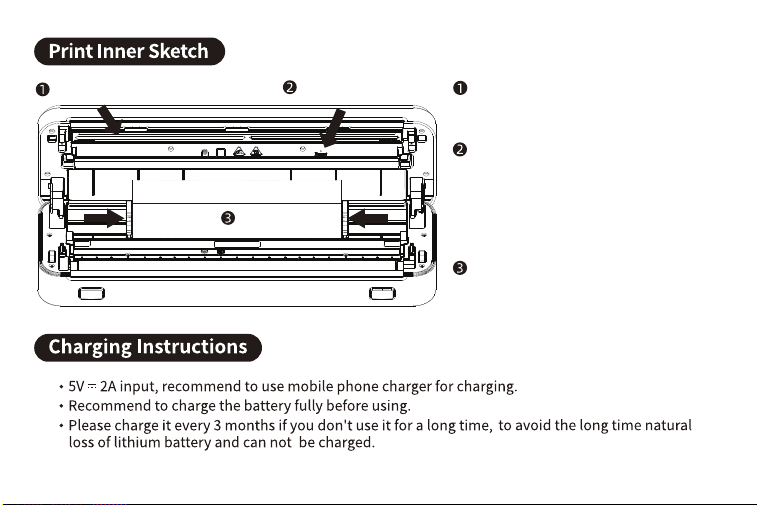
Print-head
Print-head
Paper guide
Reset pinhole
Reset pinhole
When the printer is on but unresponsive
(not due to low battery), you can use a pin
to fin in to reset the printer. After resetting
you need to reconnect the printer with
your phone or PC.
To heat up and activate thermal paper.
Adjust it to fit paper width from 2.24" to
8.5"(57mm-216mm).
Paper guide
3
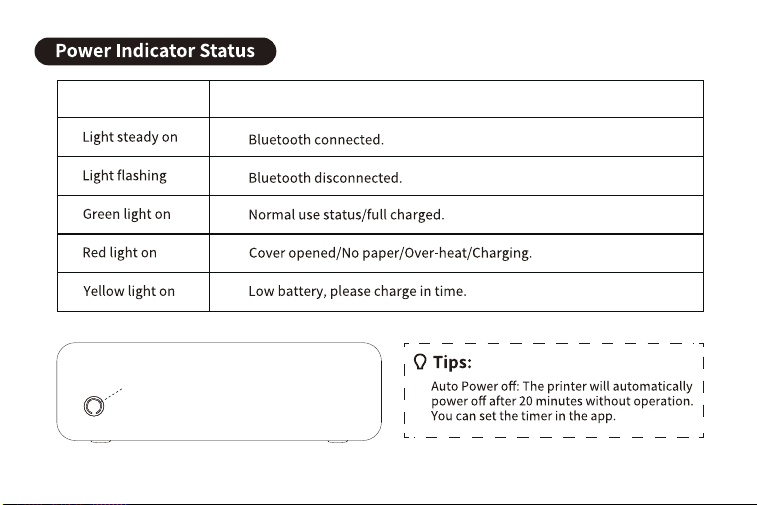
Indicator
Indicator
Description
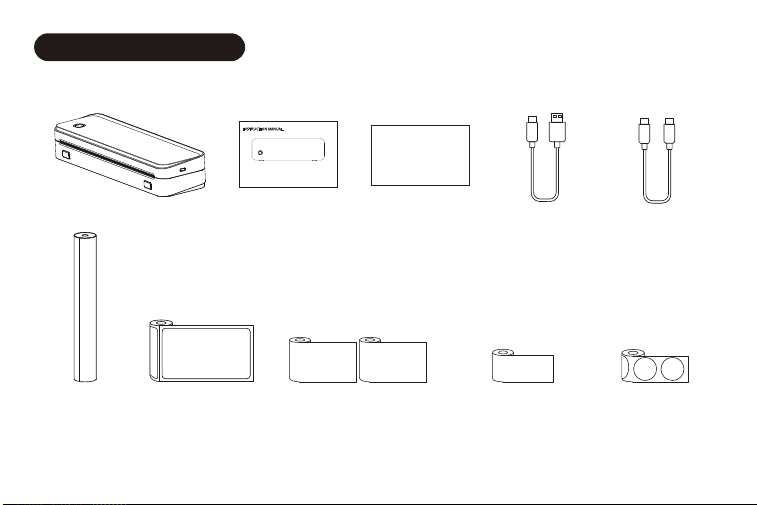
Printer*1
User Manual*1
Portable Wireless A4 Printer
APP Guide Card*1
APP Guide Card
Cable*1
USB-A to USB-C
for WIN
USB-C to USB-C
Cable*1
for MAC
US Letter/A4
x1 Roll
3" Continuous Sticker
Paper x2 Rolls
2" Continuous Sticker
Paper x1 Roll
2"x2" Round Gap
Label x1 Roll
4"x6" Gap Label
x1 Roll
4
What's In The Box
Printing side
should face to
print-head.
Print-head
Paper edge needs
to over the printer.
5
Press the buttons at the same time
to open the cover.
Open the cover.
Adjust paper-guide to the suitable
to the suitable size, and then close
the cover.
Load paper.
Printing side should
face to
print-head.
Print-head
Paper edge needs
to over the printer.
Turn on the printer and press three
times to recognize the gap.
(It will automatically
output 2-4pcs blank
labels, you can open
the cover and pull it
back at appropriate
position to save the
labels.)
6
Gap Label Installation Guide
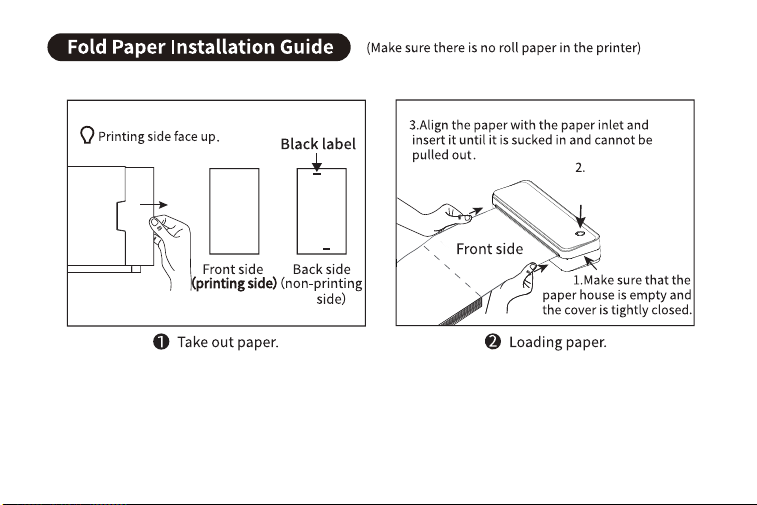
Press and hold
2 seconds till the
green light on to
turn on.
7
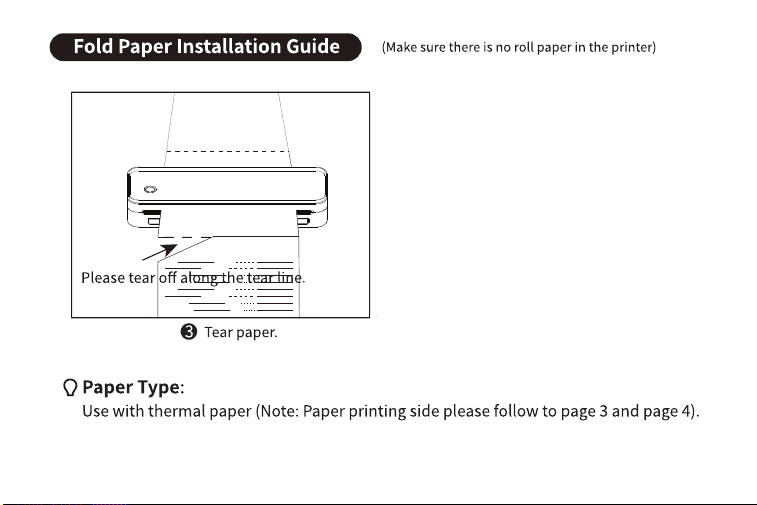
8
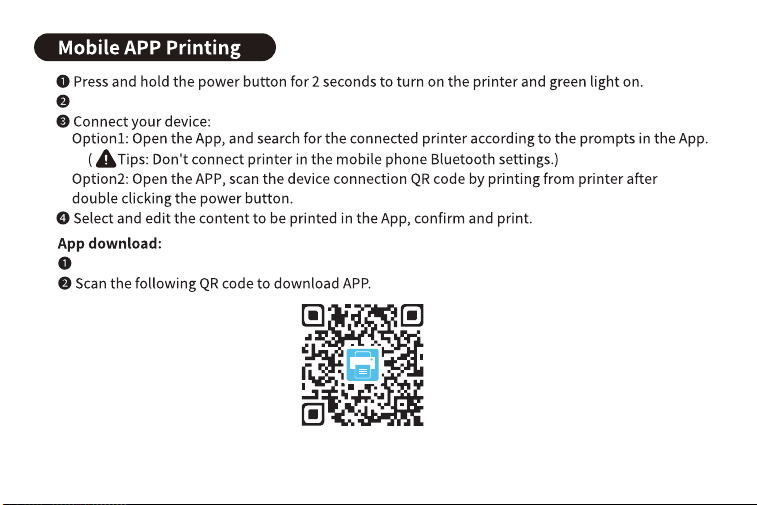
Download and install [Jadens Printer] APP in your smart phone.
Search for [Jadens Printer] on Google Play or AppStore.
9
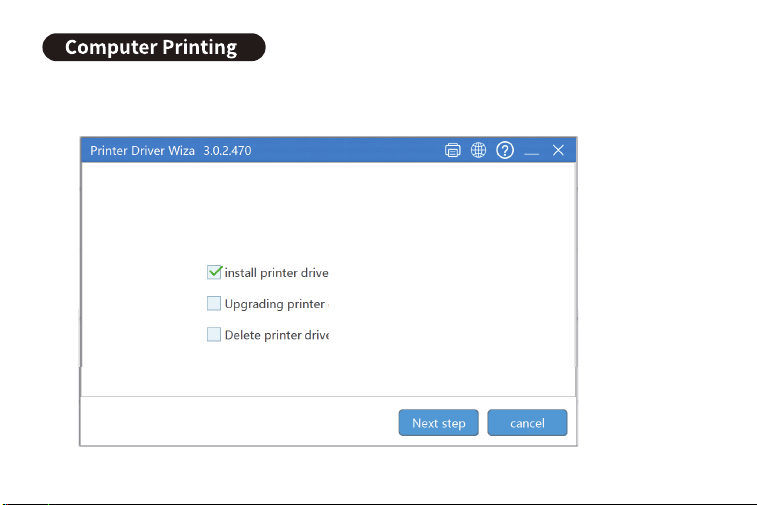
1.Press and hold 3 seconds to turn on the printer.
Windows Wireless Connect:
2.Dowload the driver and open it.
10
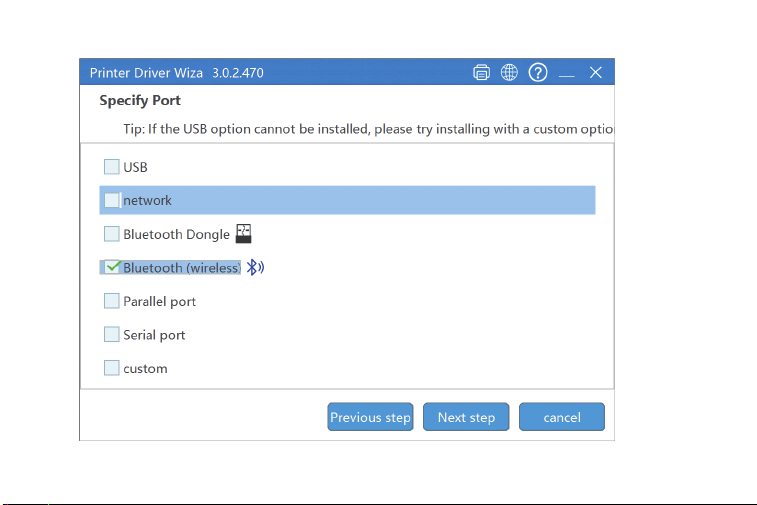
3.Choose Bluetooth(wireless).
11
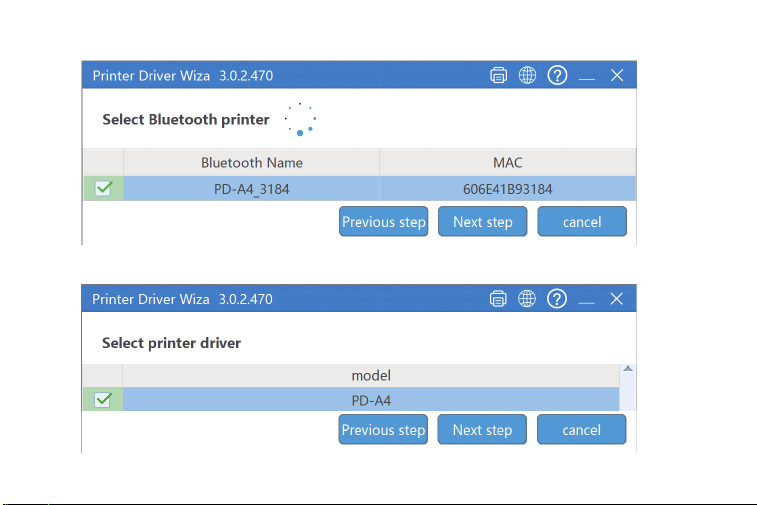
.retnirp ”4A-DP“ tceleS.4
.”4A-DP“ ledom eht tceleS.5
12
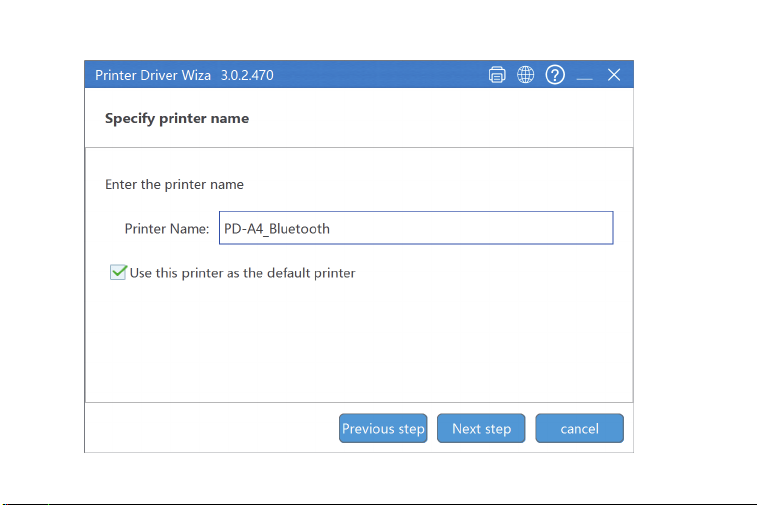
6.Name your printer.
13
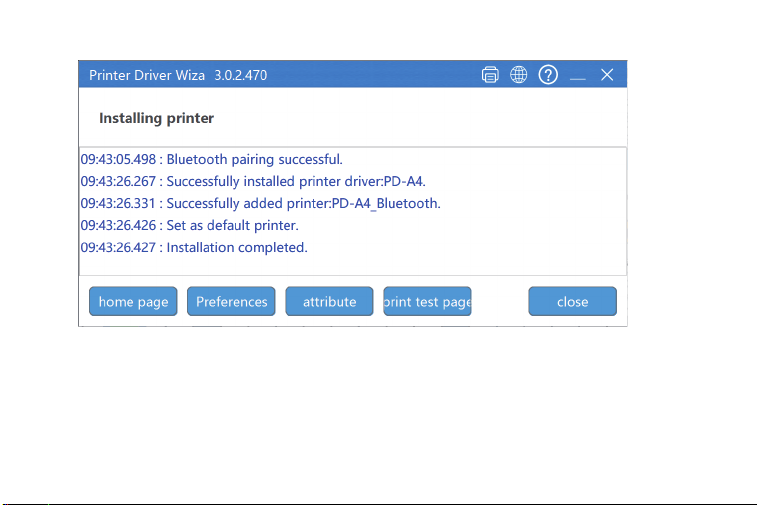
7.Driver installation completed.
8.Note: If the computer and printer Bluetooth was disconnected(may caused by computer
eht tcennocer ot ”htooteulB_4A-DP“ retnirp eht tceles nac uoy ,)tratser retnirp dna tratser
Bluetooth.
14
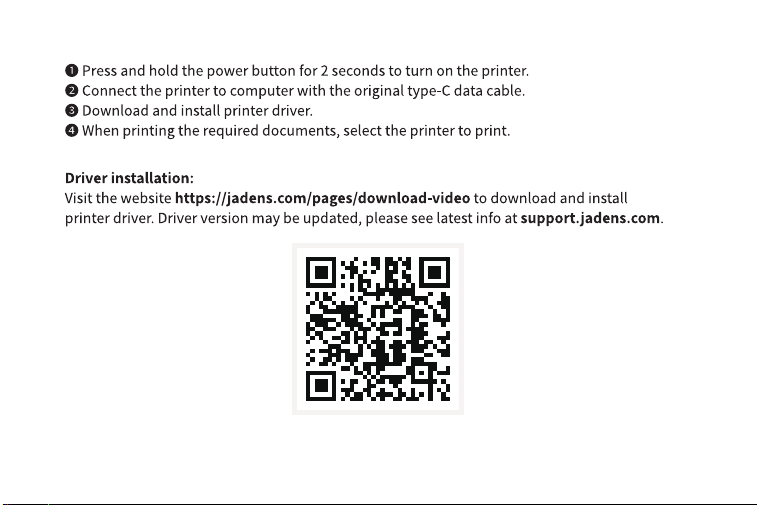
Windows/Mac USB Wired Connection:
Scan here to find tutorial video
15
16

1-YEAR LIMITED WARRANTY - REGISTER AND
ACTIVATE AT PHONE APPLICATION 'Jadens
This 1-year limited warranty applies to repair
or replacement if product,at JADENS's option,
is found to be defective in material or
workmanship.
1. This warranty only applies to hardware
components of the product that are not subject
to accident, misuse, neglect, fire or damage
from other external causes, alteration, repair
2. This warranty does not cover damage resulting
from any unauthorized attempts to repair or from
any use not in accordance with the instruction
manual.
4. Please read the Instruction Manual carefully before
setting up or using this product. If you believe this
product to be suffering from a manufacturing fault,
or if you have inquiries about this product, please
contact Customer Support:
ATTN: Customer Support
Email: [email protected]
Model:
Date of purchase:
Purchased from:
Order Number:
3. This warranty applies only to the original purchaser
of this product from the original date of purchase.
This warranty applies only if the unit is purchased
new from an authorized retailer and is non-
transferable from the original purchaser of the item.
Any warranties accompanied with this product is
only valid in the country of purchase.
All warranty requests must be accompanied by
proof of purchase. When contacting us for
warranty, please have the information below.
or commercial use. Defects that are the result of
normal wear and tear will not be considered
manufacturing defects under this warranty.
Printer'.
17
Warranty Information
(English only)
Available Time:
Mon -Fri: EST 10am-10pm
Sat -Sun: EST 1pm-9pm
18