P a g e | 1
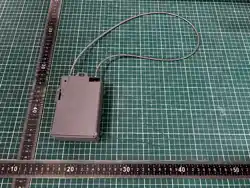
SPL1304 User Manual
2025.10.27
Revision 1.0
Confidential Material: This document contains information that is proprietary and
confidential, reading and copying this document is prohibited without
permission from AsiaTelco Technologies Co.

P a g e | 2
List
1 Status LED .......................................................................................................................... 3
2 Insert battery ..................................................................................................................... 4
3 Unlock ................................................................................................................................ 6
P a g e | 3
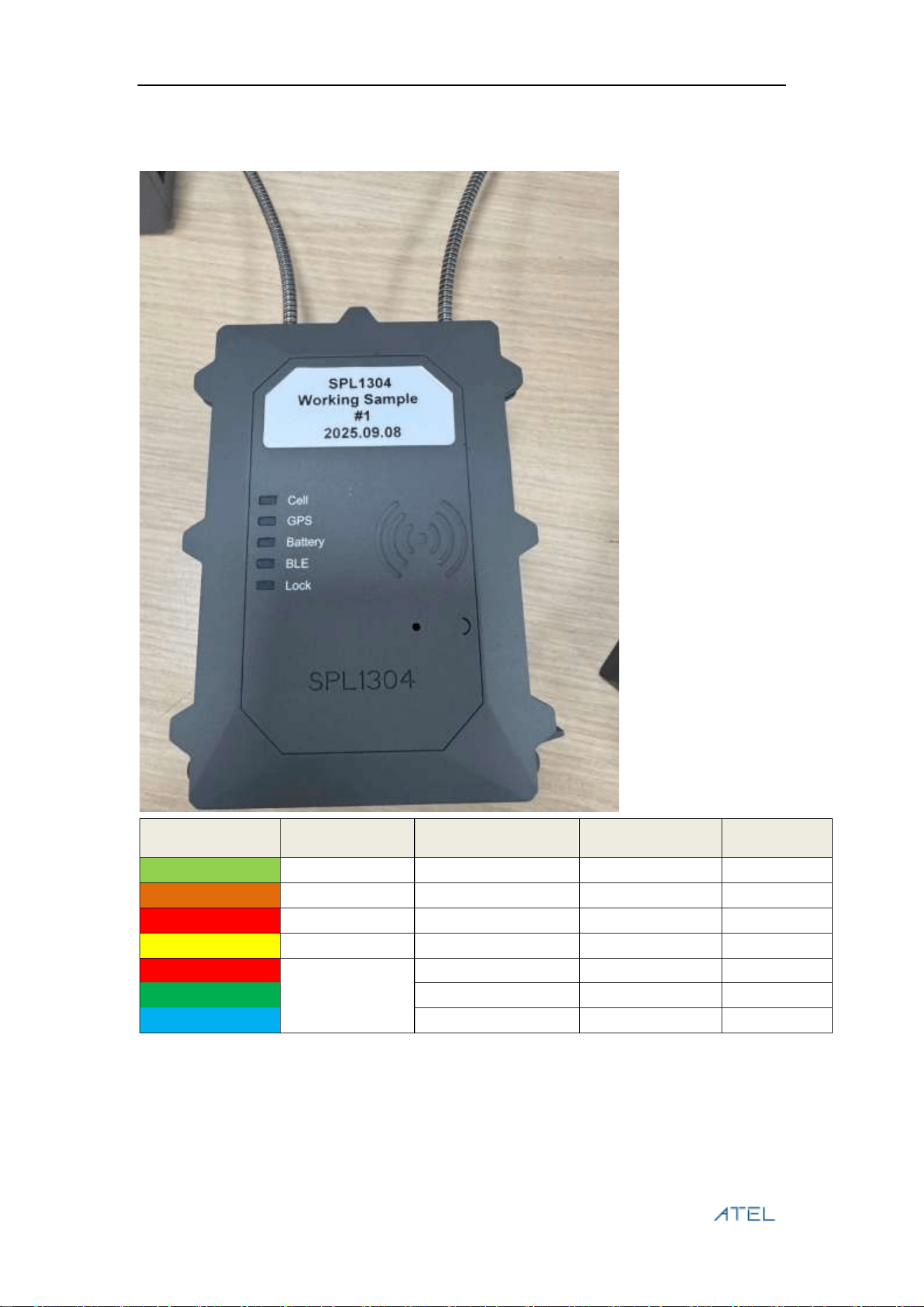
1 Status LED
Signal Name
Function
Shipping Mode
Hibernate Mode
Active Mode
LED_ Green
Cell LED
off
off
off or blink
LED_ Orange
GPS LED
off
off
off or blink
LED_ Red
Lock LED
off
off
off or blink
LED_ Yellow
BLE LED
TBD
TBD
TBD
Battery LED
off
off
off or blink
LED_ R/G/B
off
off
off or blink
off
off
off or blink
P a g e | 4
2 Insert battery
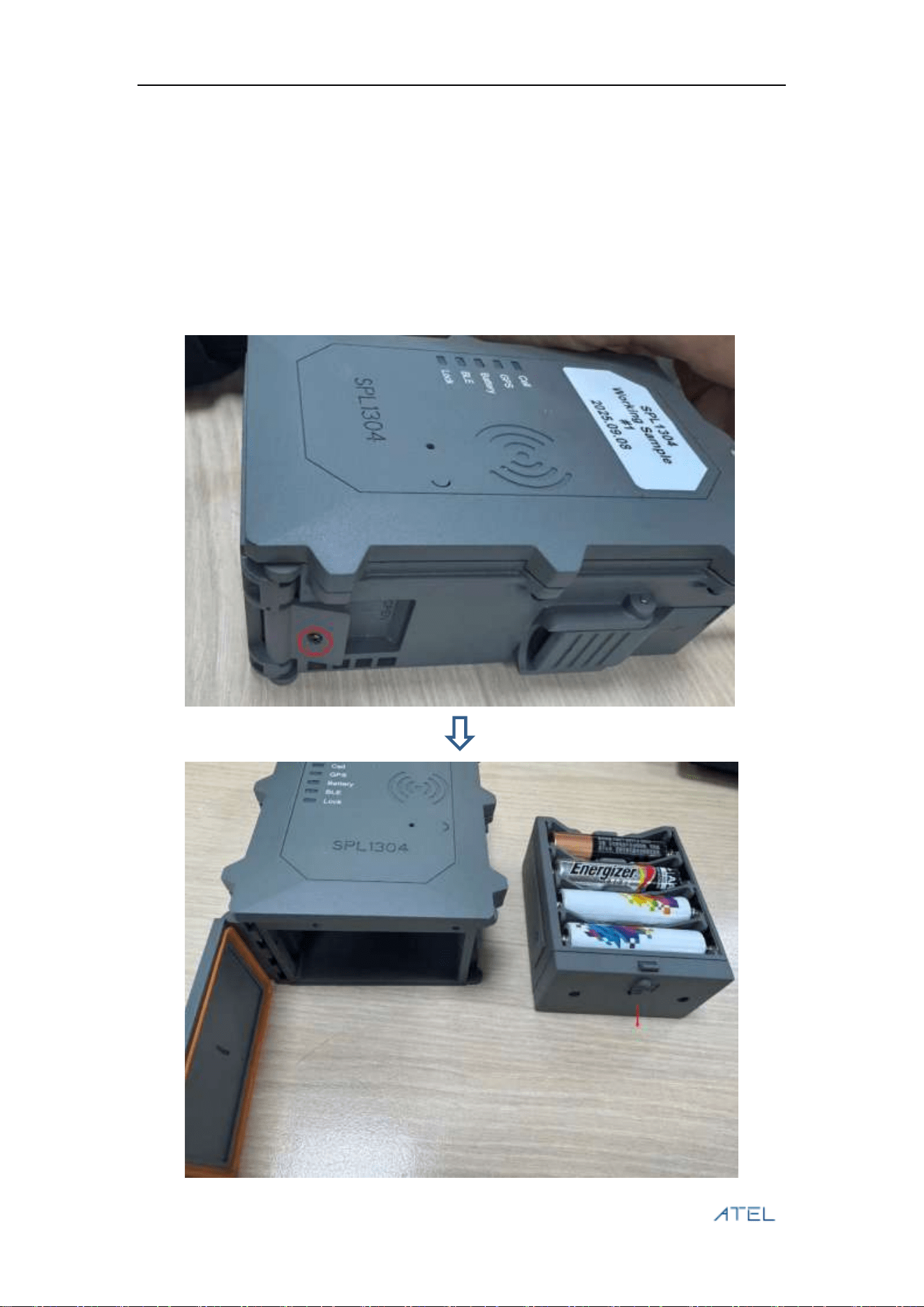
A. Remove the screw on the side of the device.
B. Push the battery latch down and remove the battery cap.
C. Insert 5# battery into the battery cap. A total of 8 batteries are required.
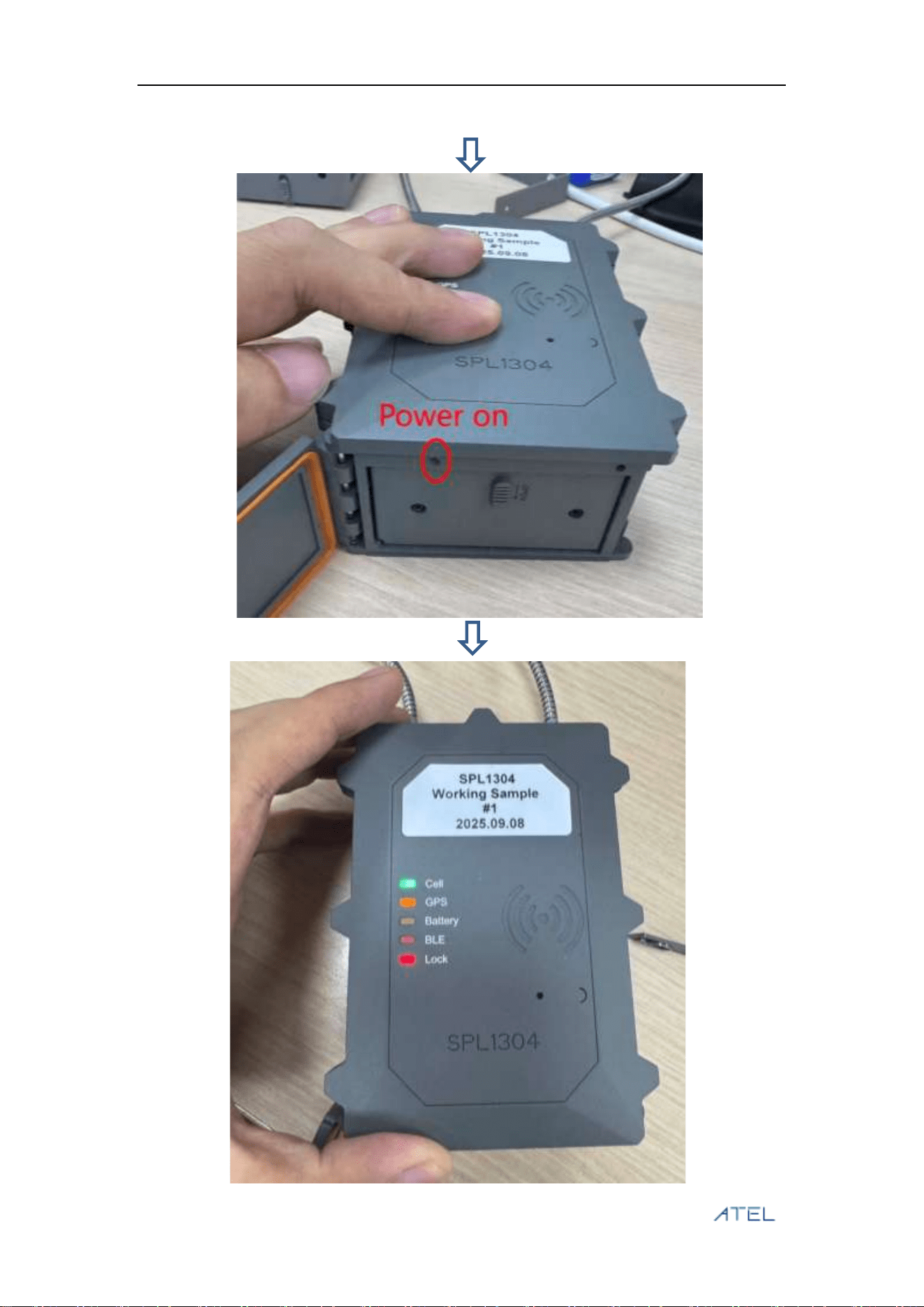
D. Press the button inward for 5 seconds. Wait until the LED lights up and then the device will
power on.
E. Lock the screw.
P a g e | 5
P a g e | 6
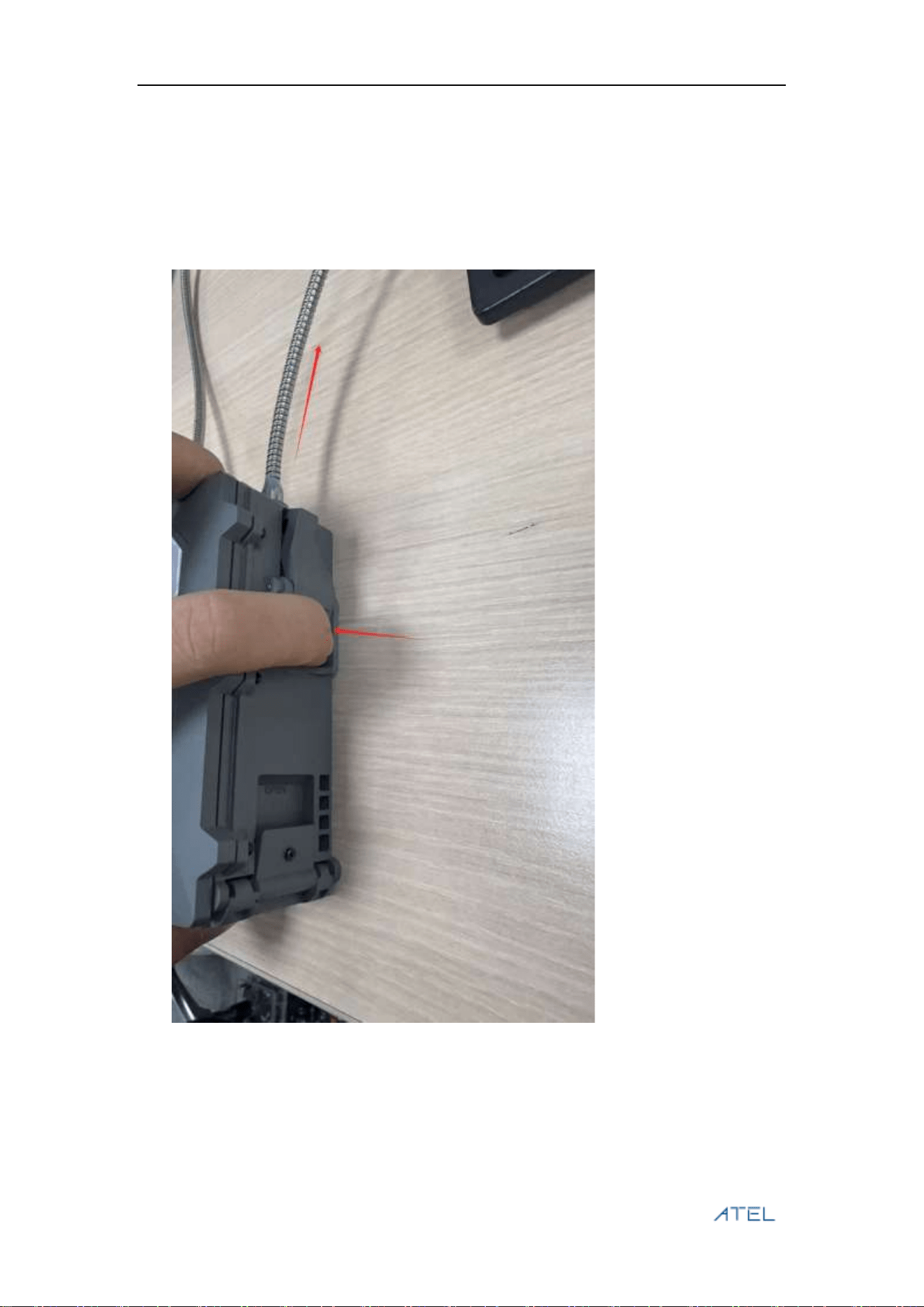
3 Unlock
A. Power on the device, the device is in shipping mode, you can use pick up needle to press
the following button for about 5s, and the battery led of the device will be on.
B. Use the RD-ID card to unlock, the Lock led will be flashing on 0.5s, then you can remove
the lock on the right side of the device.

P a g e | 7
Safety Information
FCC Regulations: This device complies with part 15 of the FCC Rules.
Operation is subject to the following two conditions:
(1) This device may not cause harmful interference
(2)This device must accept any interference received, including interference
that may cause undesired operation.
This equipment has been tested and found to comply with the limits for a
Class B digital device, pursuant to part 15 of the FCC Rules. These limits are
designed to provide reasonable protection against harmful interference in a
residential installation.
This equipment generates, uses and can radiate radio frequency energy and,
if not installed and used in accordance with the instructions, may cause
harmful interference to radio communications. However, there is no
guarantee that interference will not occur in a particular installation. If this
equipment does cause harmful interference to radio or television reception,
which can be determined by turning the equipment off and on, the user is
encouraged to try to correct the interference by one or more of the following
measures:
—Reorient or relocate the receiving antenna.
—Increase the separation between the equipment and receiver.
—Connect the equipment into an outlet on a circuit different from that to
which the receiver is connected.
—Consult the dealer or an experienced radio/ TV technician for help.
Changes or modifications not expressly approved by the manufacturer could
void the user’s authority to operate the equipment.
FCC RF Radiation Exposure Statement This equipment complies with FCC
radiation exposure limits set forth for an uncontrolled environment. To comply
with FCC RF Exposure compliance requirements, this grant is applicable to
only Mobile Configurations.
The antennas used for the transmitter must be installed to provide a
separation distance of at least 20cm from all persons and must not be co‐
located or operating in conjunction with any other antenna or transmitter.