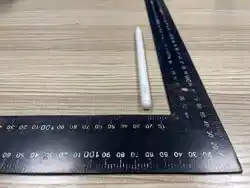

Lenovo Pen Pro for Googlebook
Quick Start Guide & Safety, Warranty
Lenovo Pen Pro for Googlebook (for selected models)
Depending on the model, your Chromebook might come with a Lenovo USI Pen Pro (hereinafter
referred to as "the pen" in this section). The pen offers you smoother and more authentic writing
experience, featuring realistic sound and vibration feedback. When not in use, the pen can be
magnetically attached to your Chromebook.
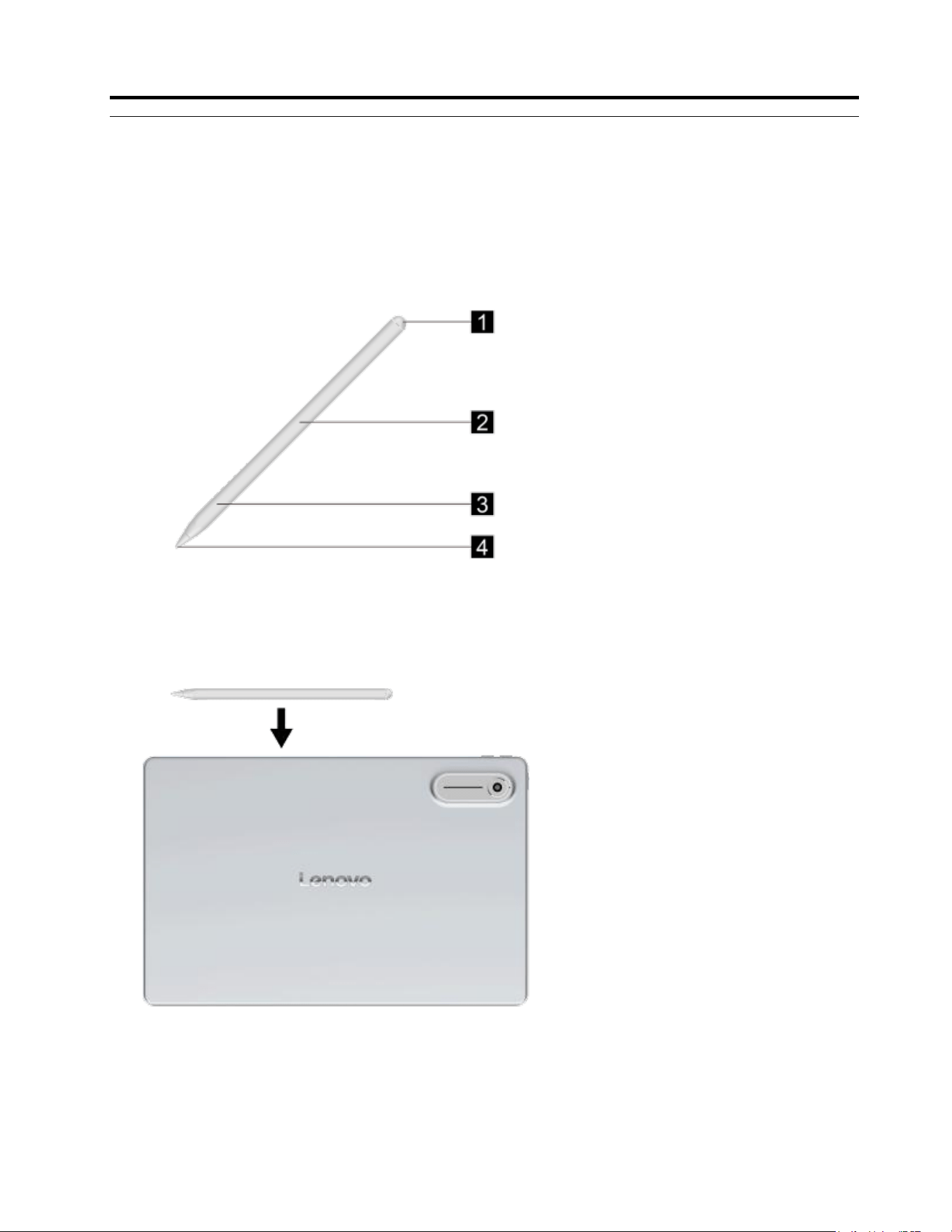
Figure 1. Overview of the pen
Figure 2. Attachment position of the pen
© Copyright Lenovo
1
2
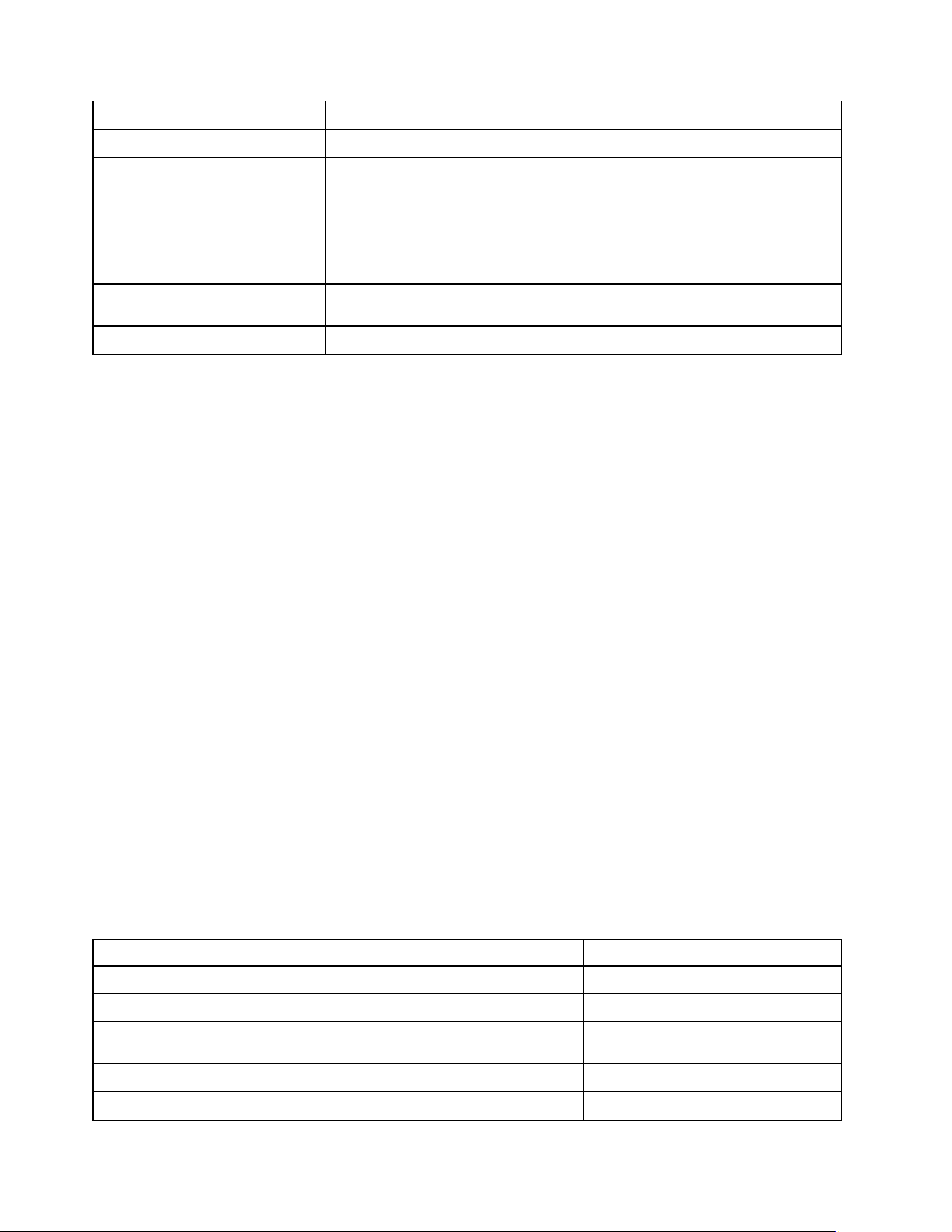
Item
Description
1. Pen top
Erase text or drawings
2. Magnets and NFC (Near Field
Communication) sensing area
Attach the pen to the Chromebook and charge the pen
Notes:
• The pen contains magnets. Keep a safe distance away from devices and objects that
might be affected by magnets, such as credit cards. The magnet is not visible from the
outside of the pen.
• The pen supports wireless charging through NFC.
3. Side switch area
When the stylus is powered on, the area can be used to activate Bluetooth broadcasting
and other button functions.
4. Pen tip
Click, tap, write or sketch on the screen
Notes:
• Attach the pen to your Chromebook using the flat edge of the pen.
• The illustrations are for your reference only.
Initial setup of the pen
When you use your Lenovo USI Pen Pro for the first time, the following steps are for your
reference.
Step 1. Attach the pen to your Chromebook for pen charging and activation.
Step 2. Connect the pen to Bluetooth. The pen will start Bluetooth broadcasting when it is
activated successfully. A pop-up will appear on your Chromebook prompting you to
connect the pen to Bluetooth. Alternatively, you may follow the steps below to connect to
Bluetooth.
a. Go to Start menu, and select Settings ➙ Bluetooth & devices ➙ Bluetooth.
b. Turn on the Bluetooth toggle.
c. Select Devices ➙ Add devices ➙ Bluetooth to find the pen and select
it. Note: You can view the pen's charging status in the Bluetooth Settings.
Features of the pen
The pen offers many features in addition to natural haptic feedback, low latency and effortless
writing experience.
Gesture
Feature
Tap once on the screen with the pen tip
Select or open an item
Double-tap the side switch
Screenshot
Squeeze the side switch area and release it, and then draw a loop around the content
on the screen
Search
Swipe up or down in the side switch area
Page up or
down
Squeeze and hold the side switch area for a few seconds
Activate Bluetooth broadcasting
2
Note: The features may vary depending on your model and Operation System version.
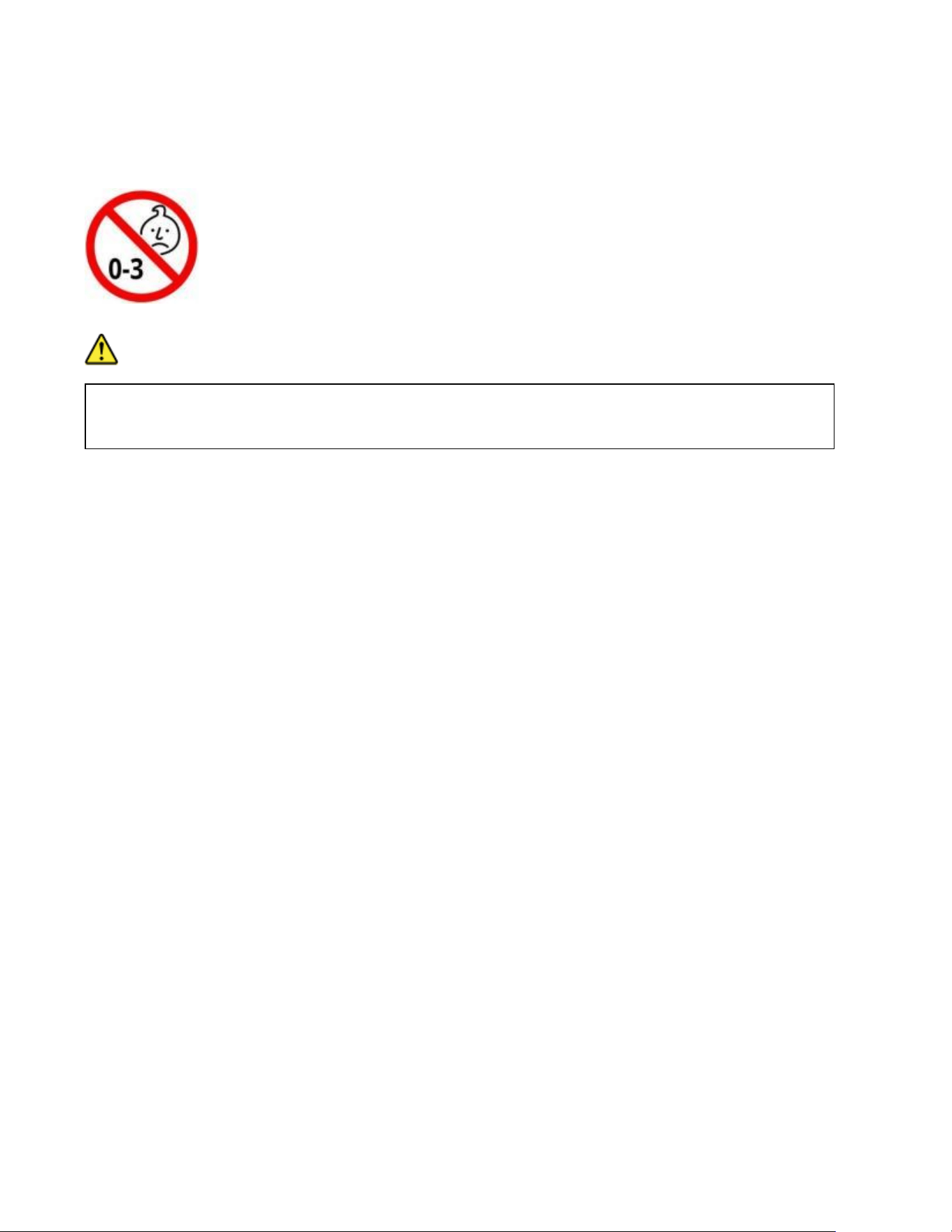
Choking hazard warning
DANGER
CHOKING HARZARD—The pen contains a small component (the tip). Keep the pen out of reach of
children under three years old and individuals who have a tendency to place inedible objects in their
mouths.

2
Important safety and handling information
Plastic bag notice
Danger: Plastic bags can be dangerous. Keep plastic bags away from babies and children to avoid danger of
suffocation.
Safety instructions for parents and adult supervisors
The device is not a toy. As with all electrical products, precautions should be observed during handling and using
of electrical products to reduce the risk of electric shock. If parents choose to allow children to use the device,
they should caution his or her child about the potential hazard while using and handling the mobile device.
Parents should inspect the mobile device periodically for damage. Routinely check this mobile device to ensure
that the device is working properly and is safe for children to use.
Internal rechargeable battery warning
Danger: Do not attempt to replace the internal rechargeable lithium-ion battery.
Replacing the original battery with an incompatible type may result in an increased risk of personal injury or
property damage due to explosion, excessive heat, or other risks.
Remplacer la batterie d'origine par un type incompatible peut entraîner un risque accru de blessures corporelles
ou de dommages matériels en raison d'une explosion, d'une chaleur excessive ou d'autres risques.
Do not attempt to disassemble or modify the battery.
Attempting to do so can cause a harmful explosion or battery fluid leakage.
When disposing of the battery, comply with all relevant local ordinances or regulations. Do not dispose the battery
in municipal waste. Dispose used batteries according to the instructions.
The battery contains a small amount of harmful substances.
To avoid injury:
• Keep the battery away from open flames or other heat sources.
• Do not expose the battery to water, rain, or other corrosive liquids.
• Do not leave the battery in an environment with extremely high temperature.
• Avoid short-circuiting the battery.
• Do not leave the battery in an environment with extremely low air pressure. It may result in an
explosion or the leakage of flammable liquid or gas from the battery. To extend battery life, we
recommend charging the battery to at least 30% to 50% capacity each time, and recharging it every three months
to prevent over discharge.
2
EurAsia compliance mark
Energy efficiency mark
India plastic waste management
Lenovo India Pvt Ltd
Regn. No. BO-03-000-06-AABCI3372H-22
Thickness > than 50 microns
XXX-XXXXXXX

2
Warranty and support information
Lenovo Limited Warranty notice
This product is covered by the terms of the Lenovo Limited Warranty (LLW), version L5050010I02 08/2011.
Read the LLW at https://www.lenovo.com/warranty/llw_02. You can view the LLW in a number of languages from
this Web site.
Warranty information
Lenovo provides a warranty period for your device. To check the warranty status of your device purchase
upgrades, go to https://support.lenovo.com/warrantylookup, and then select the product on-screen instructions.
Get support
Visiting Lenovo’s support website (https://support.lenovo.com) with the device serial number to get more Lenovo
support options.
Consult Lenovo Community by visiting http://forums.lenovo.com
2
Environmental, recycling, and disposal information
General recycling statement
Lenovo encourages owners of information technology (IT) equipment to responsibly recycle their equipment when
it is no longer needed. Lenovo offers a variety of programs and services to assist equipment owners in recycling
their IT products. For information on recycling Lenovo products, go to http://www.lenovo.com/recycling.
Important Battery Recycling & WEEE Information
Don’t dispose of your product or battery with your household waste. Refer to the Generic
Safety and Compliance Notices that came with your product for further information, or go to
https://www.lenovo.com/recycling.
Recycling information for Japan
Recycling and disposal information for Japan is available at: http://www.lenovo.com/recycling/japan
Battery recycling marks
Battery recycling information for Taiwan
Battery recycling information for the United States and Canada

2
Restriction of Hazardous
Substances Directive (RoHS)
Türkiye
Lenovo products sold in Türkiye, on or after June 1, 2009, meet the requirements of the former Republic of
Türkiye Restriction of Hazardous Substances legislation from 30th of May 2008 and the Control of Waste
Electrical and Electronic Equipment Regulations from 22nd of May 2012 (“Türkiye RoHS”). Complies with the
WEEE regulation.
India
Lenovo products sold in India, on or after May 1, 2012, meet the requirements of the India E-waste (Management)
Rules ("IndiaRoHS").
Vietnam
Lenovo products sold in Vietnam, on or after September 23, 2011, meet the requirements of the Vietnam Circular
30/2011/TT-BCT ("Vietnam RoHS").
European Union (EU) /United Kingdom (UK) RoHS
This Lenovo product, with included parts (cables,cords,and so on) meets the requirements of EU Directive
2011/65/EU as amended by Directive 2015/863/EU and UK SI 2012 No. 3032 on the restriction of the use of
certain hazardous substances in electrical and electronic equipment ("RoHS recast" or "ROHS 2"). For more
information about Lenovo progress on RoHs, go to: https://www.lenovo.com/rohs-communication.
Singapore
Lenovo products sold in Singapore, on or after June 1, 2017, meet the requirements of Government Gazette
order No. S 263/2016 Restriction of Hazardous Substances in Électrical and Electronic Equipment in Singapore
("SG-RoHS").
2
European Union (EU) / United Kingdom (UK) compliance statement
Lenovo (Singapore) Pte. Ltd. declares that the radio equipment type: Wireless device is in compliance with EU
Radio Equipment Directive 2014/53/EU Lenovo (Slovakia) Ltd. declares that the radio equipment type: Wireless
device is in compliance with UK Radio Equipment Regulation Sl 2017 No. 1206.
The full text of the system declarations of conformity are available at:
https://www.lenovo.com/us/en/compliance/eu-doc for EU and https://www.lenovo.com/us/en/compliance/uk-doc
for UK.
This radio equipment operates with the following frequency bands and maximum radio-frequency power:
Model Name
Operating Frequency Range
Maximum ERIP output Power
SE01
2400 - 2483.5 MHz for BLE
< 4 dBm
13.56MHz (Receiver only)
/
Note: The above information is for EU countries and UK. Please refer to the actual product for supported
frequency
Extreme heat or cold. Don't use your device in temperatures below 0°C or above 45°C. Don't store or transport
your device in temperatures below -20°C or above 60°C.
FCC ID: A5M-SE01
FCC Statement
This equipment has been tested and found to comply with the limits for a Class B digital device, pursuant to part
15 of the FCC rules. These limits are designed to provide reasonable protection against harmful interference in a
residential installation. This equipment generates, uses and can radiate radio frequency energy and, if not
installed and used in accordance with the instructions, may cause harmful interference to radio communications.
However, there is no guarantee that interference will not occur in a particular installation. If this equipment does
cause harmful interference to radio or television reception, which can be determined by turning the equipment off
and on, the user is encouraged to try to correct the interference by one or more of the following measures:
-Reorient or relocate the receiving antenna.
-Increase the separation between the equipment and receiver.
-Connect the equipment into an outlet on a circuit different from that to which the receiver is connected.
-Consult the dealer or an experienced radio/TV technician for help.
This equipment complies with Part 15 of the FCC Rules. Operation is subject to the following two conditions:
(1) This device may not cause harmful interference, and
(2) This device must accept any interference received, including interference that may cause undesired
operation.

2
Any changes or modifications not expressly approved by the party responsible for compliance could void the
user’s authority to operate the equipment.
FCC Supplier’s Declaration of Conformity
Unique Identifier(Model Name): SE01
Responsible Party -U.S Contact Information
Company name: Lenovo (United States) Incorporated
Company Address: 8001 Development Drive Morrisville, NC 27560 United States
Telephone number or internet contact information: [email protected]
This device complies with Part 15 of the FCC Rules. Operation is subject to the following two conditions: (1) this
device may not cause harmful interference, and (2) this device must accept any interference received, including
interference that may cause undesired operation.
IC: 5903G-SE01
IC Statement
This device contains licence-exempt transmitter(s)/receiver(s) that comply with Innovation, Science and Economic
Development Canada’s licence-exempt RSS(s). Operation is subject to the following two conditions:
1. This device may not cause interference.
2. This device must accept any interference, including interference that may cause undesired operation of the
device.
L’émetteur/récepteur exempt de licence contenu dans le présent appareil est conforme aux CNR d’Innovation,
Sciences et Développement économique Canada applicables aux appareils radio exempts de licence.
L’exploitation est autorisée aux deux conditions suivantes :
1. L’appareil ne doit pas produire de brouillage;
2. L’appareil doit accepter tout brouillage radioélectrique subi, même si le brouillage est susceptible d’en
compromettre le fonctionnement.

