- 1 -
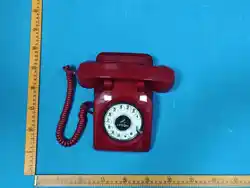
Wireless Speakerphone
&
Audio Guestbook Retro Phone

- 2 -
Easy Operational Guide:
Power On/Off: Hold the power button to turn the
phone on or off.
Bluetooth connection: Turn on Bluetooth setting on your
smartphone and select "LYRON" to connect.
Voice assistant: Use the keypad or rotate the * key to
activate the voice assistant and make calls.
Mode switch: Short press the power button to switch
between Bluetooth Mode and Audio Guestbook Mode.
Product parts:
Phone base, handset, coil cord, USB data cable, and user
manual.
Key description:
1, 2, 3, 4, 5, 6, 7, 8, 9, 0, * (Voice Assistant), # (End-dialing),
RD (Volume adjustment), Middle button
(Speakerphone/Guestbook control), Power button .
Installation:
Coiled cable
Please connect handset plug and telephone base plug.
- 3 -
Charge before use
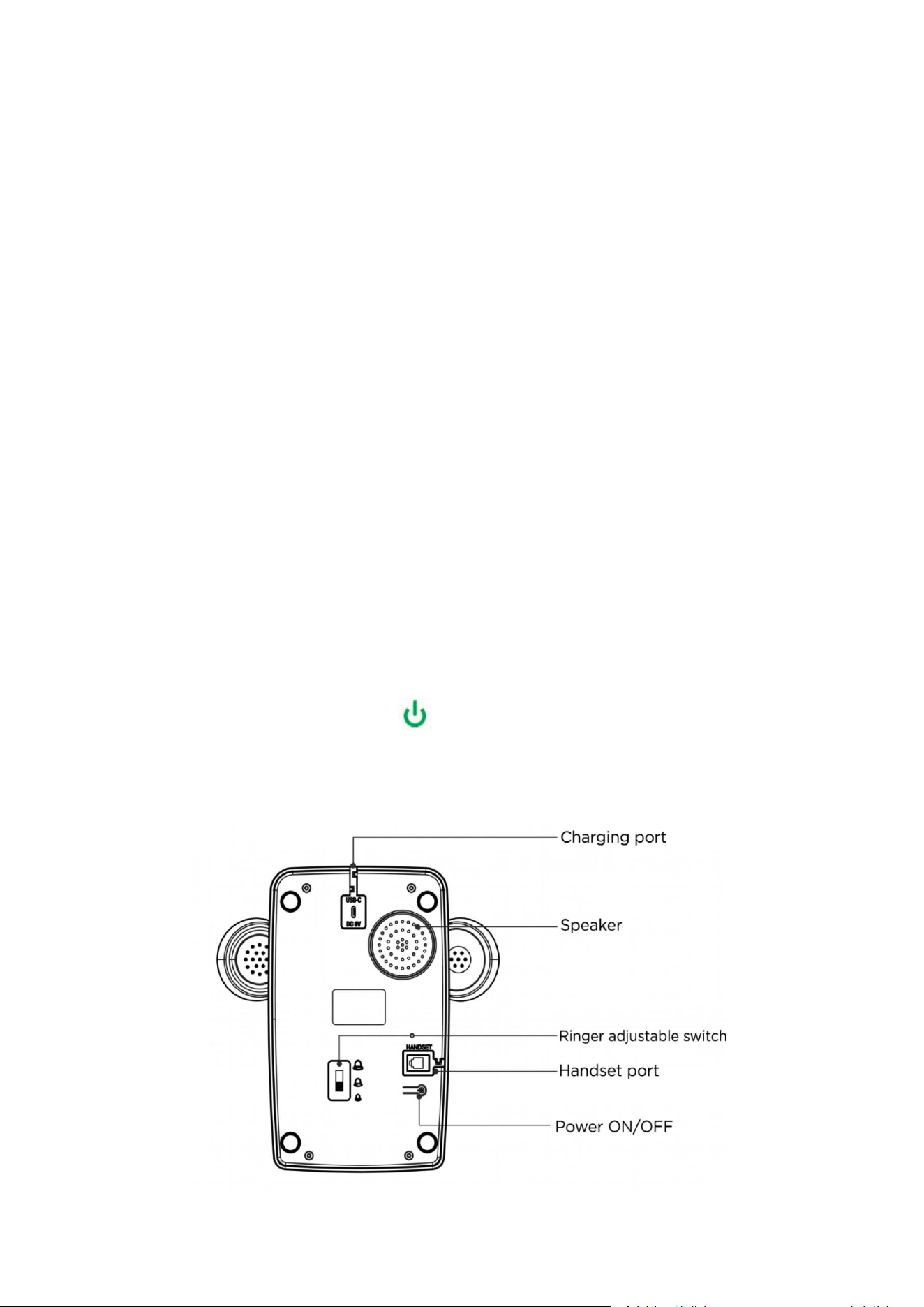
Use the USB cable and output DC 5V power adapter for
charging. A red light indicates the device is charging.
Indicator light guide:
- Blue, solid: Connected to at least one smartphone
- Blue, blinking: Power on / Bluetooth pairing mode.
- Red: Charging (recording is disabled during charging).
- Off: Powered off or fully charged.
Bluetooth Mode Operation steps:
Power on:
Hold the power button for 2 seconds until you hear
“Power On”. The blue LED will blink.

- 4 -
Bluetooth connection:
Ensure your smartphone's Bluetooth is enabled. Please keep the
phone within 15 meters of your smartphone. Select "LYRON"
and wait for the "Connected" prompt. The LED will remain
solid blue once connected. The phone will reconnect
automatically to your smartphone in the future.
Make&Take Calls:
Answer incoming calls by picking up the handset or pressing the
SPEAKERPHONE button. You can dial numbers using the
keypad in either handset or speakerphone mode.
Volume Adjustment:
Handset/Speakerphone: Press and hold the RD button for 4
seconds to cycle through HIGH, MIDDLE, and LOW
volume settings.
Ringer: Adjust the volume using the slide switch located on
the bottom of the phone. The Ringer volume can be set to
HIGH, MIDDLE or LOW.
Voice Assistant: Ensure the voice assistant is enabled on
your smartphone. Rotate the * key on the keypad to activate it

- 5 -
(e.g., Siri, Google Assistant, Bixby). You can then say “Call
[contact name]” to initiate a call. Replacing the handset in the
cradle will end the voice assistant session.
Music Playback Function:
All streaming audio can be played via LYRON D11 retro phone.
Commonly available software includes TikTok, Instagram,
YouTube, Spotify, etc.

- 6 -
Audio Guestbook Mode Operation steps:
Short press the power button to switch from Bluetooth
Mode to Guestbook Mode.
Record host greeting:
1. Long press the middle button for 3 seconds, after hearing the
beep sound, keep holding the button and pick up the handset,
start recording the greeting message.
2. Please release the middle button to finish. Then you can hear
the greeting at once from the handset. Hang up the handset.
3. Pick up the handset again so that you can hear the greeting
just recorded.
4. If you want to record a new greeting message, please
repeatedly operate the step 1-3. Old greetings will be replaced
by new greetings and cannot be restored. You can also connect
the phone to a computer and drag an MP3 file into the
“Greeting” folder.
Record guest message:
1. Pick up the handset to hear the greeting.
2. After the beep, record the guest message.

- 7 -
3. Hang up to save the file to the “GUEST” folder.
Guest message instant playback function
With the handset on-hook, short press the middle button to play
the latest guest message via the built-in speaker. Press again to
play previous messages.
File Access: read greeting and guest messages on the
computer
Connect the phone to a computer via USB to view and play files
in the “GREETING” and “GUEST” folders. The phone is
simulated as a card reader, allowing users to directly access the
SD card content in the device.

- 9 -
FCC:
This device complies with Part 15 of the FCC Rules. Operation is
subject to the following two conditions: (1) this device may not
cause harmful interference, and (2) this device must accept any
interference received, including interference that may cause
undesired operation.
Changes or modifications to this unit not expressly approved by the party
responsible for compliance could void the user’s authority to operate the
equipment.
NOTE: This equipment has been tested and found to comply with the limits
for a Class B digital device, pursuant to Part 15 of the FCC Rules. These
limits are designed to provide reasonable protection against harmful
interference in a residential installation. This equipment generates uses and
can radiate radio frequency energy and, if not installed and used in
accordance with the instructions, may cause harmful interference to radio
communications.
However, there is no guarantee that interference will not occur in a
particular installation. If this equipment does cause harmful interference to
radio or television reception, which can be determined by turning the
equipment off and on, the user is encouraged to try to correct the interference
by one or more of the following measures:
Reorient or relocate the receiving antenna.
Increase the separation between the equipment and receiver.
Connect the equipment into an outlet on a circuit different from that
to which the receiver is connected.
Consult the dealer or an experienced radio/TV technician for help.
This equipment complies with FCC radiation exposure limits set forth for an
uncontrolled environment.