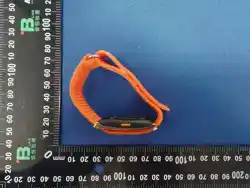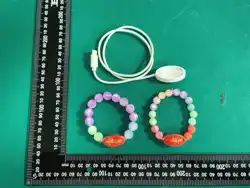

Nyrasu Product Manual (User
Guide)
Cover
Nyrasu Product Manual (User Guide)
Table of Contents
Nyrasu Product Manual (User Guide) .......................................................................... 1
Cover ............................................................................................................................ 1
Table of Contents ......................................................................................................... 1
01 Welcome ................................................................................................................. 3
Welcome to Nyrasu ............................................................................................... 3
Using This Manual ................................................................................................ 3
Before First Use .................................................................................................... 4
Tips ....................................................................................................................... 4
02 What's in the Box .................................................................................................... 4
03 Meet Your Nyrasu .................................................................................................... 5
Product Structure Diagram ................................................................................... 5
Parts Description ................................................................................................... 5
Product Features .................................................................................................. 6
Usage Tips ............................................................................................................ 6
How to Wear ......................................................................................................... 6
04 Specifications .......................................................................................................... 7
05 Getting Started ........................................................................................................ 8
Terminology ........................................................................................................... 8
Quick Start ............................................................................................................ 9
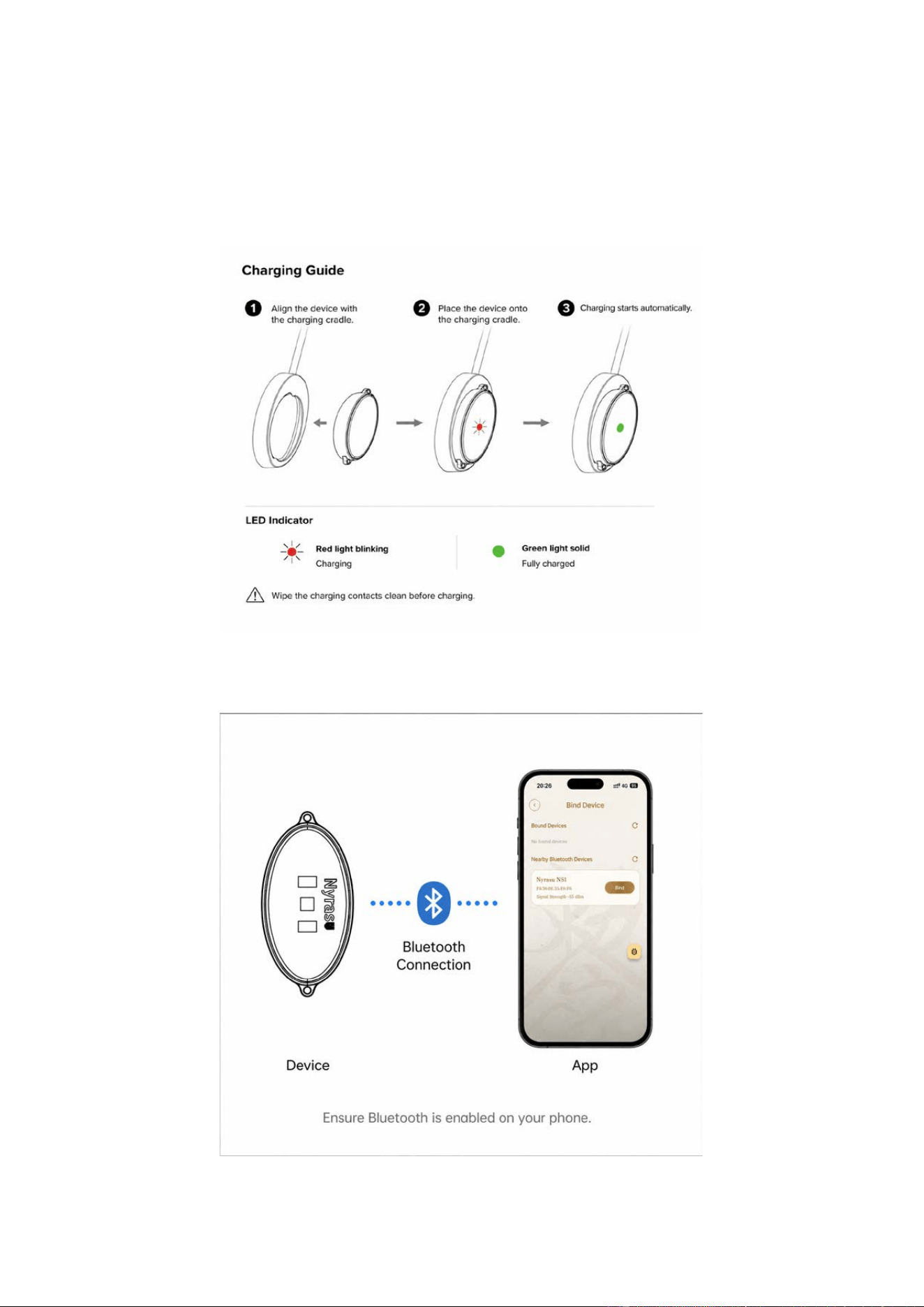
Step 1: Charge the Device .................................................................................. 10
Step 2: Download the Nyrasu App ...................................................................... 10

Step 3: Register or Log In ................................................................................... 11
Step 4: Enable Bluetooth and System Permissions ............................................ 11
Step 5: Connect the Device ................................................................................ 11
Step 6: Start Wearing .......................................................................................... 11
Tips ..................................................................................................................... 11
06 Care & Maintenance ............................................................................................. 12
Daily Cleaning ..................................................................................................... 12
Daily Usage Tips ................................................................................................. 12
Storage Recommendations ................................................................................ 12
Precautions for Use ............................................................................................ 13
Tips ..................................................................................................................... 13
07 FAQ (Frequently Asked Questions) ....................................................................... 13
Still Have Questions? .......................................................................................... 17
08 Safety Information ................................................................................................. 17
Safe Usage ......................................................................................................... 17
Magnetic Parts Warning ...................................................................................... 18
Battery and Charging Safety ............................................................................... 18
Wearing Precautions ........................................................................................... 18
Usage Environment ............................................................................................ 19
Health Monitoring Statement .............................................................................. 19
AI Services .......................................................................................................... 19
Data and Privacy ................................................................................................. 20
Children ............................................................................................................... 20
Disposal .............................................................................................................. 20
Disclaimer ........................................................................................................... 20
09 Compliance ........................................................................................................... 21
Product Certifications .......................................................................................... 21
Radio Equipment Statement ............................................................................... 21
Environmental Recycling .................................................................................... 22
Restriction of Hazardous Substances ................................................................. 23
Product Information ............................................................................................. 23

Software and Firmware ....................................................................................... 23
Statement ............................................................................................................ 23
10 Support .................................................................................................................. 24
Getting Help ........................................................................................................ 24
Warranty ............................................................................................................. 24
Software Update ................................................................................................. 25
About This Manual .............................................................................................. 25
01 Welcome
Welcome to Nyrasu
Thank you for choosing the Nyrasu Bracelet.
Nyrasu combines modern health-monitoring technology with Eastern wisdom. By
continuously recording your body's condition and applying intelligent AI analysis, it
delivers personalized health insights and Eastern lifestyle recommendations. More
than a smart wearable, it is an AI companion that helps you explore yourself, focus on
your wellbeing, and experience the wisdom of the East.
Whether during daily life, work or study, or rest and sleep, Nyrasu continuously
records your health data, and presents more complete, personalized health analysis
and AI services in the Nyrasu App.
Using This Manual
This manual will help you quickly get to know the product and complete first-time
setup.
We recommend reading the following sections in order:
1. Check that all items are present in the box.
2. Understand the product structure and its components.
3. Charge the device for the first time.
4. Download and install the Nyrasu App.
5. Pair the device and complete initial setup.
6. Wear the device correctly and begin your Eastern journey.
For the best experience, please read this manual in full before first use, and keep it

safe for future reference.
Before First Use
To ensure the device works properly, please confirm the following before first use:
Charge the device to full before using it.
Use a smartphone running iOS or Android to install the Nyrasu App.
During first pairing, turn on Bluetooth on your phone and keep a network
connection.
Grant the necessary system permissions (such as Bluetooth and location) as
guided by the App, so the device can connect and sync data properly.
The first sync may take a few minutes; please be patient. It usually takes no more
than 5 minutes.
Tips
The health monitoring, AI analysis, and related content provided by Nyrasu are
intended for health management, lifestyle reference, and personal experience only,
and do not constitute medical advice, diagnosis, or treatment.
AI services (including but not limited to AI health interpretation, AI palm reading,
AI face reading, AI chat, and AI daily guidance) are available after connecting to the
Nyrasu App. Specific features may vary by product version, region, or software
update.
For more accurate health monitoring results, we recommend wearing the device
correctly as described in this manual and continuing to wear it daily.
02 What's in the Box
After opening the package, please confirm that it contains the items listed below. If
any accessory is missing, damaged, or does not match the list, please contact Nyrasu
customer service promptly.
No. Item Qty
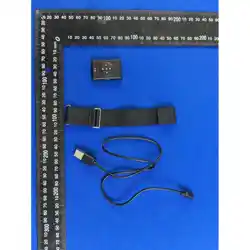
1 Nyrasu Smart Health Bracelet 1 pc
2
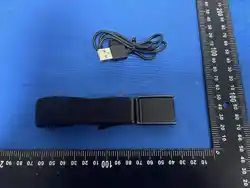
Magnetic Charging Dock (with
integrated Type-C cable)
1 pc
3 Product Manual 1 copy
4 Pouch 1 pc
Note:
Package contents may vary by product model, sales region, or version. Please
refer to the actual package contents.
Please keep the packaging and accessories for future charging, transport, or
after-sales service.
03 Meet Your Nyrasu
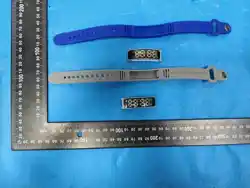
The Nyrasu Bracelet features a screenless design. Its built-in health-monitoring
sensors continuously collect physiological data and work with the Nyrasu App to
provide health monitoring and AI-powered services.
Please first familiarize yourself with the product components so you can wear, charge,
and use it correctly.
Product Structure Diagram
(Placeholder for overall product diagram)
Parts Description
No. Part Name Function
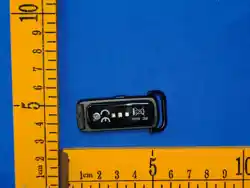
① LED indicator
Displays the device operating and charging status.
Different colors and flashing patterns indicate different
states: while charging (green steady on: fully charged;
red flashing: charging); when not charging (green steady
on: data collection).
②
Health
Monitoring
Sensor
Sits against the skin and continuously collects health
data, including heart rate, sleep, stress, and step count,
providing data support for AI analysis.
③
Magnetic
Wireless
Charging Coil
Aligns with the magnetic charging dock and charges the
device via magnetic wireless charging. Keep the
charging area on the back of the device clean and dry to
ensure proper charging.

Product Features
Screenless, buttonless design — comfortable to wear and simple to use.
Built-in multiple health-monitoring sensors record health data around the clock.
Connects to the Nyrasu App via low-energy Bluetooth for data syncing and device
management.
Supports AI health interpretation and personalized Eastern lifestyle services.
Magnetic charging design for quick and convenient charging.
Usage Tips
Do not cover the health-monitoring sensors on the back of the device, as this
affects monitoring accuracy.
When wearing it, ensure the back of the device rests naturally against your skin,
but do not wear it too tightly.
For more accurate monitoring, we recommend wearing it all day and keeping the
battery sufficiently charged.
The product's appearance, materials, and structure may change by version; please
refer to the actual product.
How to Wear
Wear the bracelet on your wrist, ensuring the health-monitoring sensors on the back
are fitted against your skin (we recommend facing the outer side of your arm) for
stable, accurate data collection.
Wear it so it fits naturally, without leaving visible marks on your skin. Do not wear it too
tight or too loose.
It can be worn on either wrist. We recommend consistently wearing it on one wrist to
obtain continuous, complete health data.
The device has no power button. While worn, the device stays awake and
continuously records health data; placing it on the magnetic charging dock causes it to
restart automatically.
You can check the remaining battery level anytime in the Nyrasu App.
04 Specifications
The following specifications are the basic technical parameters of the Nyrasu
Bracelet.
Item Specification
Product Name Nyrasu Bracelet
Model
NS1
Dimensions 29
×
16.3
×
9.8 mm (main body)
Weight
Approx. 7.7 g (main body, excluding beads)
Casing Material Titanium alloy
Display None (screenless)
Operation No buttons; operated via the Nyrasu App
Indicator LED indicator
Vibration Alert Not supported
Charging
Method
Magnetic wireless charging
Charging Port Type-C (5V; official adapter recommended)
Battery Type Rechargeable lithium-ion battery
Battery
Capacity
Typical capacity 50 mAh; nominal capacity 48 mAh
Charging Time Approx. 2.5 hours
Battery Life Approx. 6 days
Wireless
Connection
Bluetooth® 5.1
Water
Resistance
IP67
Operating
Temperature
-10 °C to 45 °C
Charging
Temperature
0 °C to 45 °C
Supported
Systems
iOS, Android
Companion App Nyrasu App
Offline Storage
Supports offline recording; storage duration as displayed in the
Nyrasu App
Dock Water
Resistance
Not waterproof; charge only in a dry indoor environment
Data Security Bluetooth communication is encrypted
Firmware
Upgrade
Auto-updated via the Nyrasu App
Device Connection Requirements
Item Description
Network
Connection
An internet connection is required for first-time registration and
some features.
Bluetooth Bluetooth must be enabled for first-time pairing and data syncing.
Location
Permission
Location permission is required when connecting the device for the
first time (specific requirements follow the phone system prompts).
Nyrasu
Account
A registered and logged-in Nyrasu account is required to use the
product.
Note
The specifications in this manual reflect the current version and are subject to
upgrade or change without prior notice.
Product images, specifications, and features are for reference only; please refer
to the actual product.
Bluetooth® is a registered trademark of Bluetooth SIG, Inc., and any use of the
mark is under license.
05 Getting Started
Welcome to your Nyrasu experience.
Before first use, complete device preparation and initial setup by following the process
below. It usually takes only a few minutes.
Terminology
Bluetooth: a short-range wireless communication technology between the device and
your phone, used for data transfer and device connection.
Pairing: the process of establishing a connection between the device and the phone
App for the first time.
Syncing: the process of transferring data recorded on the device to the Nyrasu App.
IP67: an ingress-protection rating meaning it is fully dust-tight and can be briefly
immersed in fresh water up to 1 meter deep (for up to 30 minutes).
Quick Start
① Charge the device
② Open the App, search for, and add the device

Charge the device
▼
Download the Nyrasu App
▼
Register / Log in
▼
Enable Bluetooth & permissions
▼
Connect & pair the device
▼
Wear the bracelet correctly
▼
Start health monitoring
Step 1: Charge the Device
Before first use, charge the device with the included magnetic charging dock.
We recommend fully charging the device before pairing and everyday use.
Step 2: Download the Nyrasu App
Scan the QR code on the product packaging or in this manual with your phone, or
search for Nyrasu in the corresponding app store to download and install.
(Placeholder for Nyrasu App download QR code)
Supported platforms:
iOS
Android
Minimum system version requirement (to be confirmed)

Step 3: Register or Log In
Creating a Nyrasu account is required for first-time use.
If you already have an account, simply log in to continue.
After logging in, your health data will be securely synced to the cloud with your
authorization, so you can use related services across different devices.
Step 4: Enable Bluetooth and System Permissions
To connect the device smoothly, enable the following permissions as prompted by the
App:
Bluetooth
Network connection
Location permission
Some phone operating systems may require additional permission grants; follow the
system prompts to complete setup.
Step 5: Connect the Device
Open the Nyrasu App and add the device by following the on-screen instructions.
Bring the bracelet close to your phone and keep the device sufficiently charged.
Once connected, the App will automatically complete device initialization and the first
data sync.
The first sync usually takes a few minutes and normally does not exceed 5 minutes.
Step 6: Start Wearing
Once the device is connected, wear the bracelet correctly.
We recommend wearing it all day, including during sleep at night, to obtain more
complete and continuous health data and AI analysis results.
Tips
During the first connection, keep Bluetooth on your phone enabled and try not to
move far from the device.
During the first sync, do not close the App or disconnect Bluetooth.
If pairing fails, make sure the device is charged, then reopen the App and try to

connect again as prompted.
If it still cannot connect, contact Nyrasu customer service for help.
06 Care & Maintenance
To keep the device performing well and monitoring accurately, follow these
recommendations for daily care and maintenance.
Daily Cleaning
Periodically wipe the device surface with a soft, clean, slightly damp cloth.
Keep the health-monitoring sensors on the back clean, and avoid buildup of
sweat, dust, or oil to ensure monitoring accuracy.
After cleaning, dry the device with a soft, dry cloth and make sure it is completely
dry before wearing or charging it again.
Do not clean the device with alcohol, gasoline, acetone, strong acids, strong alkalis, or
other corrosive cleaning agents.
Daily Usage Tips
We recommend wearing the device for extended periods to obtain more complete
and accurate health monitoring data.
Charge the device promptly when the battery is low.
Before charging, make sure the device and the charging area are clean and dry.
If the device will not be used for a long time, charge it to an adequate level before
storing it, and top up the battery periodically.
Storage Recommendations
Store the device in a cool, dry, and well-ventilated place.
Avoid direct sunlight, high temperature, high humidity, and extreme cold.
Protect the device from heavy pressure, drops, and strong impacts.
When storing, keep the device away from prolonged contact with sharp objects or
hard metals to reduce cosmetic wear.

Precautions for Use
Do not place the device near fire, high-temperature equipment, or other
hazardous environments.
Do not charge the device with unofficial or incompatible chargers.
Avoid prolonged contact with chemicals, cosmetics, perfume, sunscreen, or other
substances that may damage the finish.
If you experience obvious discomfort while wearing it, stop using it immediately
and consult a professional as appropriate.
Tips
Nyrasu is a smart health wearable. Correct use and care not only extend its service
life but also help you continue to enjoy stable, accurate health monitoring. Check the
device appearance and charging accessories regularly; if you notice anything unusual,
stop using it and contact Nyrasu customer service.
07 FAQ (Frequently Asked Questions)
Below are common questions you may encounter while using Nyrasu. If the problem
persists after following the suggestions, contact Nyrasu customer service for help.
Q1: Why does the device show no response or fail to wake up?
A:
The device has no power button and wakes automatically when worn. If it shows no
response, it may be low on battery. Place it on the magnetic charging dock to charge
(it restarts automatically when placed on the dock), and make sure the device is
properly seated on the dock. We recommend fully charging the device before first use.
Q2: Why is the device unable to connect to the Nyrasu App?
A:
Please check the following:
Is Bluetooth enabled on your phone?
Is the phone's network working?

Has the phone been granted the necessary permissions, such as Bluetooth and
location?
Does the device have sufficient battery?
Is the device already connected to another phone?
If it still cannot connect, try turning Bluetooth off and back on, then re-enter the App
and try again.
Q3: Why is the health data not updating or syncing?
A:
Please confirm:
The device is worn correctly.
Bluetooth on your phone is left on.
Your phone and the device remain within effective Bluetooth range.
The Nyrasu App is logged in and keeps a network connection.
The first sync may take a few minutes; please be patient.
Q4: Why are the heart rate, sleep, or stress data inaccurate?
A:
Health data may be affected by how the device is worn, your activity, and
environmental conditions.
We recommend:
Wear the device on your wrist and ensure the sensors on the back fit naturally
against your skin.
Avoid wearing it too loose or too tight.
Keep the sensor surface clean.
We recommend wearing it continuously for a while to obtain more complete
health data.
Q5: Why is the device not charging?
A:
Please check:
Are you using the included magnetic charging dock?

Is there dust, moisture, or foreign matter on the charging area?
Are the Type-C charging cable and power source working properly?
Is the magnetic charging dock properly attached to the device?
If it still will not charge, stop using it and contact Nyrasu customer service.
Q6: Does the device need to stay connected to the phone at all
times?
A:
No.
The device can record health data independently. When it reconnects to your phone, it
automatically syncs the recorded data to the Nyrasu App.
Q7: Can I wear the device while sleeping?
A:
Yes.
We recommend wearing the device during sleep so it can record sleep data and
provide more complete health analysis.
Q8: Is the device waterproof?
A:
This product has an IP67 rating (fully dust-tight, and can be briefly immersed in fresh
water up to 1 meter deep for up to 30 minutes). It can be worn normally during daily
hand washing and showering.
To extend the product's service life, avoid using it in hot water, saunas, hot springs, or
similar environments.
Water resistance rating: (IP67)
The magnetic charging dock is not waterproof. Charge only in a dry indoor
environment and avoid using it in humid places such as bathrooms.
Q9: Can the device be connected to multiple phones?
A:
The device does not support simultaneous connection to multiple phones. It can

connect to only one phone at a time to ensure data syncing and a good user
experience.
Q10: Why is the LED indicator not lighting up?
A:
The LED indicator works only in specific states, such as charging, pairing, or device
status alerts.
If the device shows no indication even while charging, check that the charging
connection is normal and confirm the device battery level and charger status.
Q11: What should I do if AI services are unavailable?
A:
Please confirm:
You are logged in to your Nyrasu account.
Your phone has a working network connection.
The Nyrasu App has been updated to the latest version.
The device has been paired and data synced.
Some AI services may vary by region, product version, or software update. Please
refer to what is actually provided in the App.
Q12: How do I restore or reconnect the device?
A:
If the connection is abnormal, try the following:
1. Turn Bluetooth off and back on.
2. Restart the Nyrasu App.
3. Place the device on the charging dock for a few minutes, then try to connect
again.
4. If the App provides "Unpair" or "Re-pair" functions, follow the App's instructions to
pair again.
Q13: How do I check the remaining battery level?
A: Open the Nyrasu App and view the remaining battery level on the device page.

When the battery is very low, the device LED indicator flashes red.
Q14: How do I restore factory settings?
A: Go to device settings in the Nyrasu App, choose "Unpair" or "Restore factory
settings", and follow the App's instructions.
Q15: How much data can the device store offline?
A: 4 days.
Q16: How do I upgrade the device firmware?
A: When the Nyrasu App detects a new firmware version, it will prompt you to upgrade.
During the upgrade, keep Bluetooth on, ensure the device has sufficient battery, and
follow the App's instructions.
Q17: How do I delete personal data or cancel my account?
A: You can view, export, or delete your personal health data in the Nyrasu App, and
cancel your account in account settings. After cancellation, cloud data will be deleted
in accordance with the Privacy Policy.
Still Have Questions?
If the above steps do not resolve your issue, contact Nyrasu customer service or visit
the official support platform for further assistance.
Official website: www.dnalv.com
Customer service email: support@dnalv.com
08 Safety Information
Please read the following safety information carefully before using this product, and
keep this manual safe for future reference.
Using this product in ways other than those described in this manual may cause
device damage, reduced performance, or other unforeseen risks.
Safe Usage
Use this product only in the manner described in this manual.
Do not disassemble, modify, or repair the device or its accessories yourself.
Do not throw the product into fire or place it in high-temperature environments to
avoid danger.

Do not place the product in strong magnetic fields or strong electromagnetic
interference environments, as this may prevent the device from working properly.
The light emitted by the device's LED indicator is within the visible spectrum and is
safe for the wearer and those nearby during normal use.
If the device becomes abnormally hot, emits an unusual odor or smoke, or shows
other abnormal signs, stop using it immediately and contact Nyrasu customer service.
Magnetic Parts Warning
This product and the magnetic charging dock contain magnetic materials. If you have
an implanted medical device such as a pacemaker or implantable defibrillator, consult
your doctor before using this product and keep a safe distance (at least 15 cm
recommended) from the product and its charging accessories.
Battery and Charging Safety
Use the charger included with the product or one recommended by the
manufacturer.
Do not use a damaged charging cable, charger, or magnetic charging dock.
Keep the device and charging area clean and dry, and avoid charging in humid
environments.
Do not cover the device or charger while charging, as this affects heat dissipation.
If the product will not be used for a long time, top up the battery periodically to
maintain battery performance.
If you notice the device casing swelling, deforming, or leaking, stop using and
charging immediately. Do not puncture or squeeze the battery, and contact Nyrasu
customer service.
Wearing Precautions
Make sure the health-monitoring sensors on the back fit naturally against your
skin.
If prolonged wear causes redness, itching, or other skin discomfort, stop wearing
it immediately and resume only after your skin recovers.
Keep the device and your skin clean and dry to reduce discomfort caused by
sweat or dirt.
Do not wear the device too tightly, as this affects comfort and health monitoring

accuracy.
For people with sensitive skin: before first-time wear, we recommend trying it on a
small area of your arm for a short period to confirm there is no skin irritation before
wearing it long-term.
The parts that contact the skin (the casing and sensor surface) are made of skin-safe
materials. If discomfort at the wearing area persists, stop wearing it and consult a
professional.
Usage Environment
Avoid using or storing this product in extreme heat, cold, high humidity, or
corrosive environments.
Protect the device from strong impacts, drops, crushing, or other external force.
Avoid prolonged exposure of the device to direct sunlight.
The product's water resistance applies only under the specified conditions. Do not
use it beyond the rated protection range.
For the water resistance rating and applicable range, refer to the "Specifications"
section.
This product contains a built-in lithium-ion battery. When flying, follow the airline's
rules regarding devices containing lithium batteries (they are usually carried in the
cabin, not in checked baggage).
Health Monitoring Statement
This product is intended for daily health monitoring and health management and
is not a medical device.
The heart rate, sleep, stress, step count, and other health data provided by this
product are for personal health management reference only and must not be used as
a basis for disease diagnosis, treatment, or medical decisions.
If you feel unwell or have health concerns, consult a doctor or other qualified
medical institution promptly.
AI Services
The personalized AI services provided by the Nyrasu App are generated from data
collected by the device and artificial intelligence models. Their content is for personal

experience, lifestyle reference, and entertainment only, and does not constitute
medical, psychological, legal, investment, or other professional advice.
Please use your own judgment and interpret the information provided by AI rationally
in the context of your own situation.
Data and Privacy
When using AI palm-reading or AI face-reading services, you will need to take and
upload a photo of your hand or face for AI analysis. The photo is used only for the
service you requested; for how it is processed, see the Privacy Policy in the Nyrasu
App.
You can view, export, or delete your personal health data in the Nyrasu App, and
cancel your account at any time. After cancellation, cloud data will be handled in
accordance with the Privacy Policy.
If the device is to be scrapped, gifted, or resold, first unpair it in the Nyrasu App and
clear the personal data stored on the device.
Children
Keep this product and its accessories out of reach of children.
This product is not recommended as a toy for children.
This product is designed for adults and is not recommended for minors. If a minor
must use it, it should be done under the supervision of a guardian.
This product is made up of beads. If the cord becomes loose or beads come off, stop
wearing it immediately and store it properly to prevent young children from swallowing
the beads, which could cause choking. Do not give the product to children as a toy.
Disposal
Do not dispose of this product or its built-in battery as ordinary household waste.
After the product reaches the end of its life, recycle and dispose of it in accordance
with local laws and regulations concerning electronic products and battery recycling,
to help protect the environment.
Disclaimer
Nyrasu is not responsible for device damage, data loss, or other losses caused by the
user's failure to use, maintain, charge, or store the product as described in this
manual.
09 Compliance
The design, manufacture, and sale of the Nyrasu Bracelet comply with the laws,
regulations, and technical standards applicable in the relevant countries and regions.
Depending on the region where the product is sold, the applicable certifications and
regulations may differ. Please refer to the product label, packaging markings, or
information published on the official website.
Product Certifications
This product has obtained (or will obtain) the following related certifications:
Certification / Regulation Status Mark / Number
CE (EU)
(To be
confirmed)
(To be confirmed)
FCC (USA)
(To be
confirmed)
2BXZA-NS1
RoHS (Restriction of
Hazardous Substances)
(To be
confirmed)
(To be confirmed)
WEEE (Waste Electrical
and Electronic Equipment)
(To be
confirmed)
(To be confirmed)
Radio Equipment Statement
This product uses Bluetooth® wireless communication technology.
The device should be used in accordance with the laws and regulations on radio
equipment in your country or region. Do not modify or replace the wireless
communication module without authorization.
The Bluetooth® word mark and logo are owned by Bluetooth SIG, Inc., and Nyrasu
uses the relevant marks under license.
FCC Statement
FCC Caution:
Any changes or modifications not expressly approved by the party responsible for

compliance could void the user's authority to operate the equipment.
This device complies with part 15 of the FCC Rules. Operation is subject to the
following two conditions: (1) This device may not cause harmful interference, and (2)
this device must accept any interference received, including interference that may
cause undesired operation.
Note: This equipment has been tested and found to comply with the limits for a Class
B digital device, pursuant to part 15 of the FCC Rules. These limits are designed to
provide reasonable protection against harmful interference in a residential installation.
This equipment generates, uses and can radiate radio frequency energy and, if not
installed and used in accordance with the instructions, may cause harmful
interference to radio communications. However, there is no guarantee that
interference will not occur in a particular installation. If this equipment does cause
harmful interference to radio or television reception, which can be determined by
turning the equipment off and on, the user is encouraged to try to correct the
interference by one or more of the following measures:
—Reorient or relocate the receiving antenna.
—Increase the separation between the equipment and receiver.
—Connect the equipment into an outlet on a circuit different from that to which the
receiver is connected.
—Consult the dealer or an experienced radio/TV technician for help.
RF Exposure Statement
This product is a low-power Bluetooth device, and its wireless transmission power
complies with the safety limits for RF exposure applicable in your country or region.
This equipment complies with FCC radiation exposure limits set forth for an
uncontrolled environment.
For Charging Dock
This device complies with part 18 of the FCC Rules
Environmental Recycling
This product and its built-in battery must not be disposed of as ordinary
household waste.
After the product reaches the end of its service life, recycle it separately in accordance
with local regulations on the recycling of electrical and electronic products and used
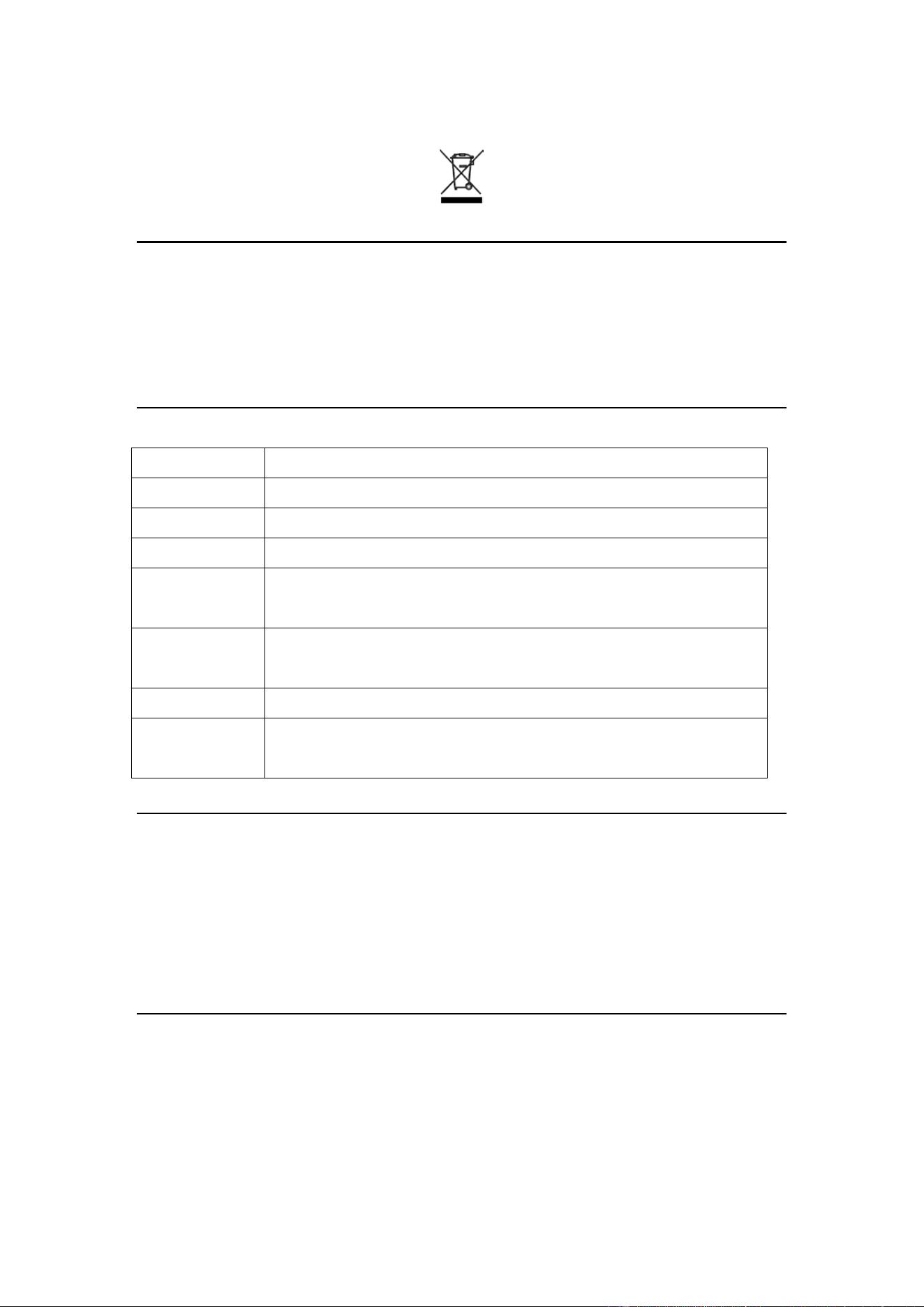
batteries, to reduce environmental impact.
Restriction of Hazardous Substances
The materials and electronic components used in this product comply with the
relevant regulations on the restriction of hazardous substances in the applicable
regions.
Product Information
Item Details
Product Name Nyrasu Bracelet
Model
NS1
Manufacturer
Huizhou Yilian Intelligent Manufacturing Technology Co., Ltd.
Manufacturing
Address
Building 3, Tangquan
Qiaoxing Technology Industrial Park,
Huizhou, Guangdong
Country of
Origin
China
Standards
CE, FCC, RoHS, WEEE
Production
Date / Batch
See the product packaging label
Software and Firmware
To continuously improve performance, stability, and security, the Nyrasu App and
device firmware may be optimized through software updates.
We recommend updating to the latest version promptly for a better product
experience.
Statement
Without the written authorization of Nyrasu, no unit or individual may disassemble or
modify this product or alter its wireless communication functions.
Due to product upgrades, regulatory updates, or regional requirements, the
certification and product information in this manual may change. Please refer to the
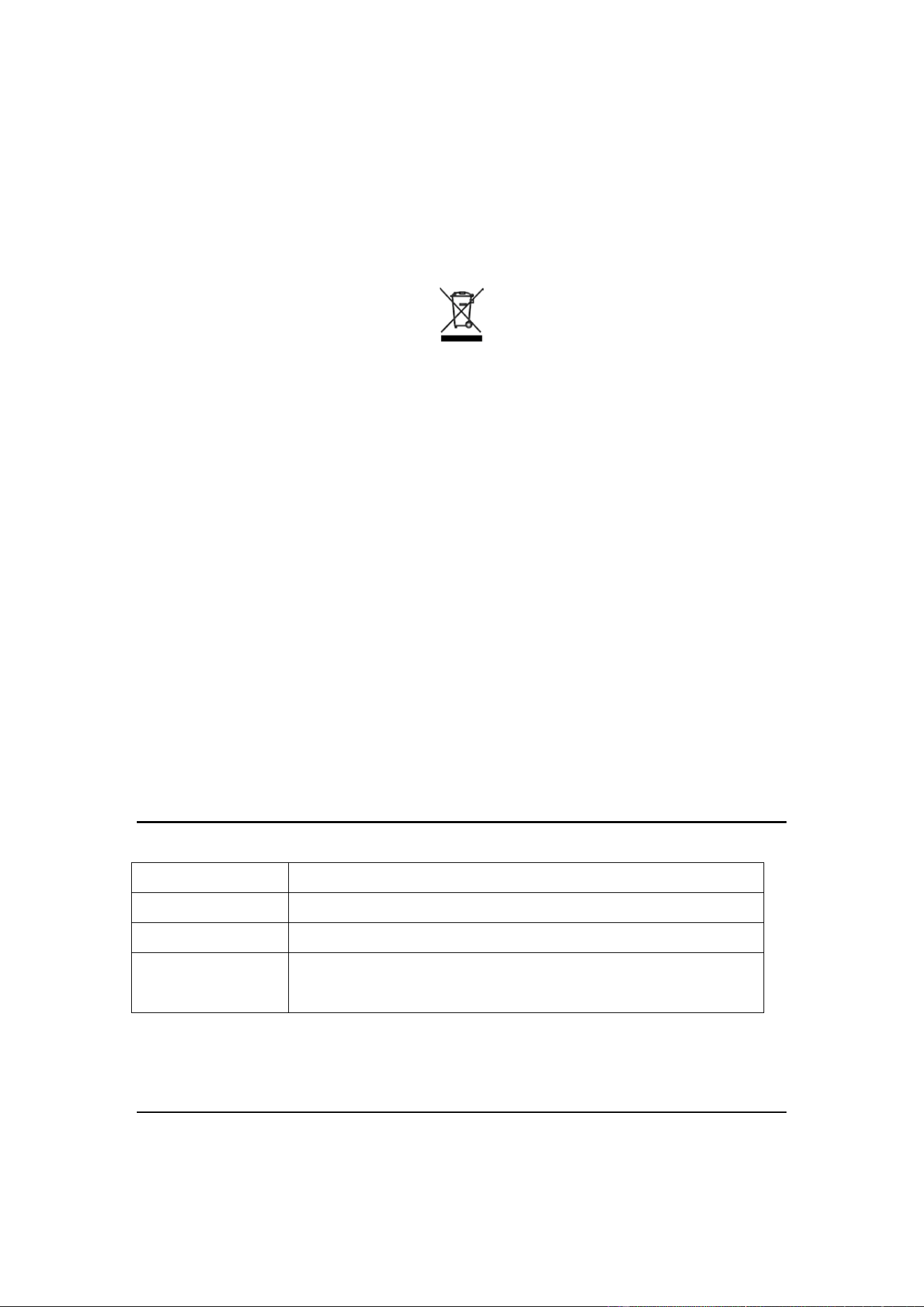
actual product markings and officially published information.
Certification Marks
[ CE ] [ FCC ]
[ RoHS ] [ WEEE ] [ Bluetooth ]
Model: NS1
FCC ID: 2BXZA-NS1
Made in China
© 2026 Nyrasu. All Rights Reserved.
10 Support
Thank you for choosing Nyrasu.
If you need help using the product, or have any comments or suggestions, please
contact us through the following official channels.
Getting Help
Item Details
Official Website www.dnalv.com
Nyrasu App iOS / Android
Customer Service
Email
support@dnalv.com
We recommend visiting the official Help Center first for the latest product information,
user guides, and FAQ solutions.
Warranty
Nyrasu provides a limited warranty for products that meet the warranty conditions.

Warranty coverage, duration, and after-sales policy may vary by product model, sales
region, and purchase channel. Please refer to the warranty policy provided at the time
of purchase or the information published on the official website.
The following situations causing product damage are generally not covered by the
warranty:
Abnormal use, drops, collisions, or man-made damage.
Unauthorized disassembly, repair, or modification of the product.
Damage caused by using chargers or accessories not recommended by the
manufacturer.
Damage caused by force majeure or other reasons unrelated to product quality.
When claiming warranty service, provide a valid proof of purchase (invoice or order
record). The warranty period starts from the date of purchase; the specific warranty
period is subject to officially published information.
Software Update
To continuously improve performance, stability, and security, the Nyrasu App and
device firmware will be updated from time to time.
We recommend keeping the App up to date and promptly completing device upgrades
as prompted for the best experience.
About This Manual
This manual applies to the Nyrasu Smart Health Bracelet.
The product appearance, functions, software interface, and related services may
change due to product upgrades, software updates, or different sales regions, without
notice.
If there is any discrepancy between this manual and the actual product, the actual
product and the Nyrasu App display shall prevail.
Copyright
© 2026 Nyrasu. All Rights Reserved.
No part of this manual may be reproduced, distributed, or reposted in any form without
the prior written permission of Nyrasu.

Product names, trademarks, and related marks belong to their respective owners.