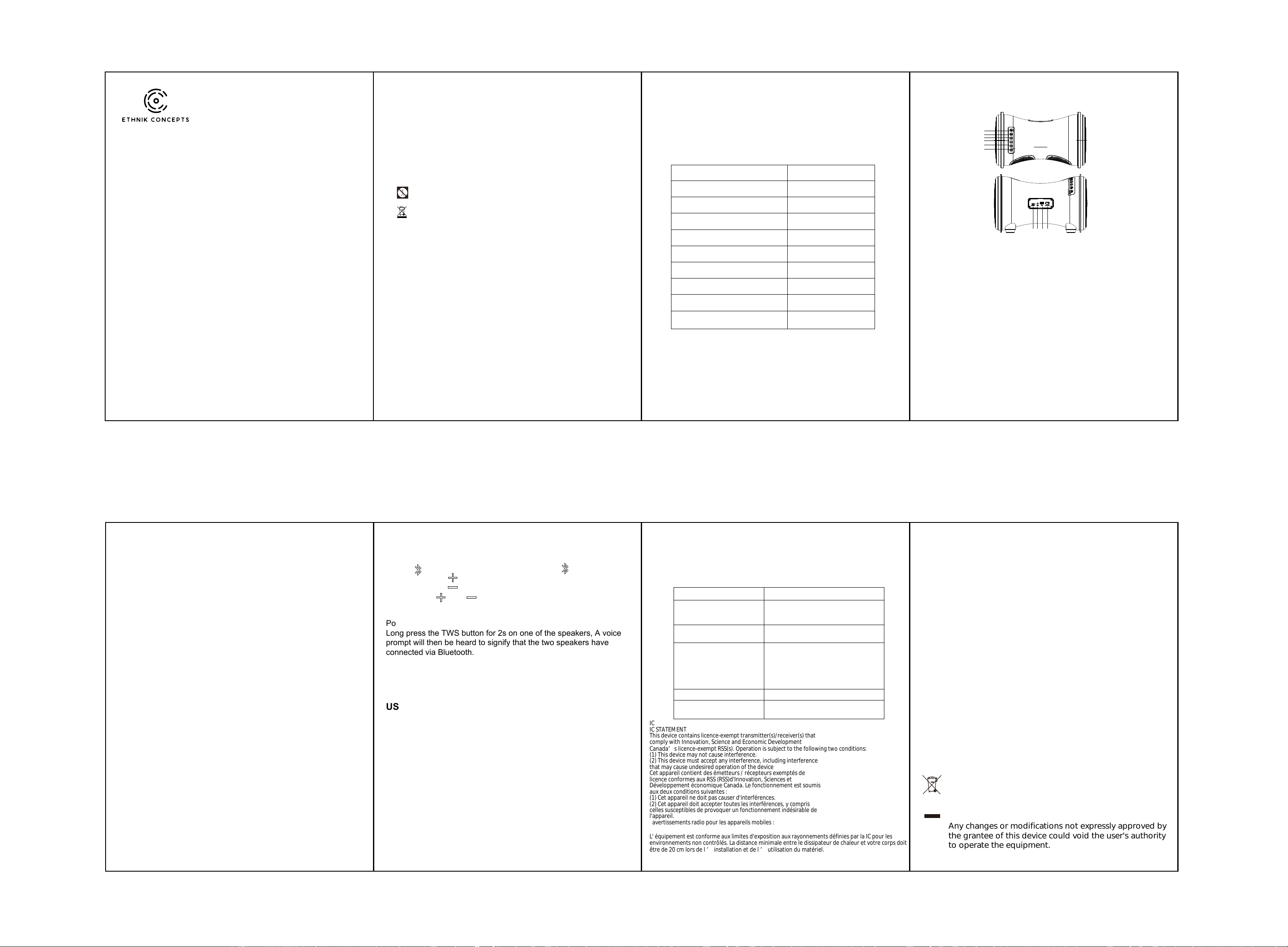
USER MANUAL
Thank you for purchasing the speaker.
You can use it with tablets, Phones, Pods and Smartphones to
stream music, and enjoy hands-free calling.
In order to get the best user experience when using the device,
please read this manual first before using.
What’s in the box
Safety Instructions
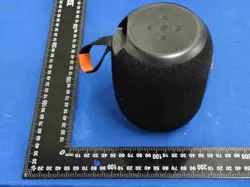
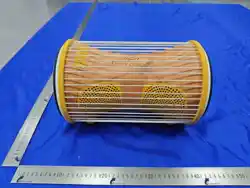
1* Talking drum Speaker
1* USB Type-C Charging cable
1* Quick Start Guide
1* Aux in Cable
Please read the safety advice carefully and keep it for future
reference.
1. This logo means that no naked flames, such as a candle can
be placed on or near the device.
2. The electrical and electronic equipment are part of a separate
collection. Do not throw electrical or electronic equipment away with
unsorted municipal waste, but ensure that it is collected separately.
Collection systems and locations (sorting centres, rubbish dumps)
are provided for you by local councils and retailers. By entrusting
your end-of-life product to the proper recycling process, you can
help to protect the environment and your health.
3. Use this device in temperate climates only.
4. This device may be used by children aged 8 years or older and by
those with reduced physical, sensory or mental abilities, or those
lacking experience or knowledge, provided they are correctly
supervised, or if the instructions related to the use of the device have
been adequately given and if the risks involved have been
understood. Children must not play with this device. Children should
not clean or maintain the device without supervision.
5. The electrical socket must remain easily accessible if it serves as
the means of disconnection.
6. Always unplug the device before cleaning it.
7. Clean the device with a soft dry cloth only. Never use solvents.
Specifications
8. Attention should be drawn to the environmental aspects of battery
disposal.
9. The battery (batteries or battery pack) shall not be exposed to
excessive heat such as sunshine , fire or the like.
10. Use the apparatus in a moderate climate only.
Bluetooth Version V5.3
Maximum Output 50W
Built-in Power Li-ion 7.4V 5000mAh
SNR ≥60dB
Frequency Range 50Hz-20KHz
Wireless Transmission Distance Up to 10M
Charging Time 5 hours
Playback Time 8-10 hours
Charging DC 5V/2A
Size L344*W213*H216.8MM
Product Diagram
1. Power button (ON/OFF)
Press and hold the button for power on;
Press and hold the button again to power off.
2. Play/Pause/Phone button
Short press to play and pause music;
Short press to pick up or hands up the call;
Long press to reject when a call incoming.
3. Volume - / Previous track
Press and hold to access the last track in the playlist;
Press to lower the volume.
4. Volume + / Next track
Press and hold to access the next track in a playlist;
Press to increase the volume.
5. Mode button (BT / AUX IN / USB)
Press and hold 10s to reset the speaker
6
5
4
3
2
1
7 8 9 10
6. TWS/EQ button
Press and hold to enter TWS connection or disconnection;
Short press to switch EQ modes(Balance mode / Treble mode /
Base mode).
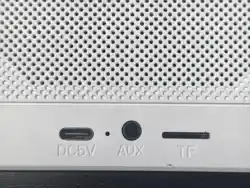
7. Charging port
8. AUX IN port
9. USB Playback port
10. Power bank port
1. To charge the speaker’s built-in battery, connect power adaptor to
the charging port. Please make sure a DC 5V proper adaptor will
be used, otherwise the battery will be overheated and will be
damaged. The battery icon on LED will flash when charging, and
the 4 LEDs will keep solid when fully charged.
2. The battery will be fully charged after 5 hours.
Charging your speaker
Press and hold power button to enter BT mode.
Put your mobile device (cell phones, computers, etc.) into BT pairing
mode, search for BT devices, and select the item name (Talking Drum)
when it appears.
After the device has been paired successfully for the first time, it will
connect automatically in about 10 seconds to the same device.
(Note: The product can connect to only one Bluetooth device at a
time.)
Pairing Bluetooth Devices with Your Speaker
1). Insert a USB device into the speaker's USB port. USB mode will
start automatically.
2). Press MODE to switch to USB mode.
3). Short press the PLAY/ PAUSE button to play or pause the music.
1). Connect a 3.5 mm audio cable to the unit's auxiliary input.
2). Press MODE to switch to auxiliary input mode.
3). Short press the PLAY/ PAUSE button to play or pause the music.
Bluetooth Music Playback
TWS Function
USB Mode
Auxiliary input mode
Begin Streaming Music
Press “ ” to start playing music, press briefly “ ” to pause music.
Press and Hold “ ” for 2 seconds to play the next track.
Press and Hold “ ” for 2 seconds to play the previous track.
Press either “ ” or “ ” for volume control.
Power on two speakers and enter Bluetooth mode.
Long press the TWS button for 2s on one of the speakers, A voice
prompt will then be heard to signify that the two speakers have
connected via Bluetooth.
Turn on Bluetooth on the mobile phone and search for “Talking Drum”
and connect. A voice prompt will then be heard signifying that the
mobile has connected to the speakers. You can now enjoy music from
the two speakers.
Power bank function
The unit will go into output mode in power-on status.
The unit will power off automatically when an external device is fully
charged.
The unit can be a power bank when playing music.
Troubleshooting
Problem
The speaker doesn’t connect to
device.
If the speaker connected devices before, try
to click the model name on bluetooth list or
delete it on list, then seach again.
A voice “battery low” is heard
every few seconds.
Speaker needs to be charged.
Solution
Bluetooth connection distance
Avoid operating the Bluetooth speaker in
areas of strong electromagnetic interference,
such as near induction cookers, large power
cannot reach to 33ft.
The speaker will not power on.
The speaker distorts at high
volume.
fans, motors etc.
Move the speaker closer to Bluetooth device.
Fully charge the speaker and try again.
Speaker needs to be charged.
The devices' volume needs to be lowered.
FCC Requirement
This device complies with Part 15 of the FCC Rules. Operation is
subject to the following two conditions:
(1) this device may not cause harmful interference, and
(2) this device must accept any interference received, including
interference that ay cause undesired operation.
Note: This equipment has been tested and found to comply with the
limits for a Class B digital device, pursuant to Part 15 of the FCC
Rules. These limits are designed to provide reasonable protection
against harmful interference in a residential installation.
This equipment generates, uses, and can radiate radio frequency
energy, and if not installed and used in accordance with the
instructions, may cause harmful interference to radio communications.
However, there is no guarantee that interference will not occur in a
particular installation. If this equipment does cause harmful
interference to radio or television reception, which can be determined
by turning the equipment off and on, the user is encouraged to try to
correct the interference by one or more of the following measures:
- Reorient or relocate the receiving antenna.
- Increase the separation between the equipment and receiver.
- Connect the equipment into an outlet on a circuit different from that
to which the receiver is connected.
- Consult the dealer or an experienced radio /TV technician for help.
正面
反面
IC
IC STATEMENT
This device contains licence-exempt transmitter(s)/receiver(s) that
comply with Innovation, Science and Economic Development
Canada’s licence-exempt RSS(s). Operation is subject to the following two conditions:
(1) This device may not cause interference.
(2) This device must accept any interference, including interference
that may cause undesired operation of the device
Cet appareil contient des émetteurs / récepteurs exemptés de
licence conformes aux RSS (RSS)d'Innovation, Sciences et
Développement économique Canada. Le fonctionnement est soumis
aux deux conditions suivantes :
(1) Cet appareil ne doit pas causer d'interférences.
(2) Cet appareil doit accepter toutes les interférences, y compris
celles susceptibles de provoquer un fonctionnement indésirable de
l'appareil.
avertissements radio pour les appareils mobiles :
L' équipement est conforme aux limites d'exposition aux rayonnements définies par la IC pour les
environnements non contrôlés. La distance minimale entre le dissipateur de chaleur et votre corps doit
être de 20 cm lors de l ’ installation et de l ’
If at any time in the future you should need to dispose of this
product please note that:
Waste electrical products should not be disposed of with
household waste.
Please recycle where facilities exist.
Check with your Local Authority or retailer for recycling advice.
(Waste Electrical and Electronic Equipment Directive)
Any changes or modifications not expressly approved by
the grantee of this device could void the user's authority
to operate the equipment.
utilisation du matériel.