
APP
soundcore
Apple and the Apple logo are trademarks of
Apple Inc.
Google Play and the Google Play
logo are
trademarks of Google Inc.
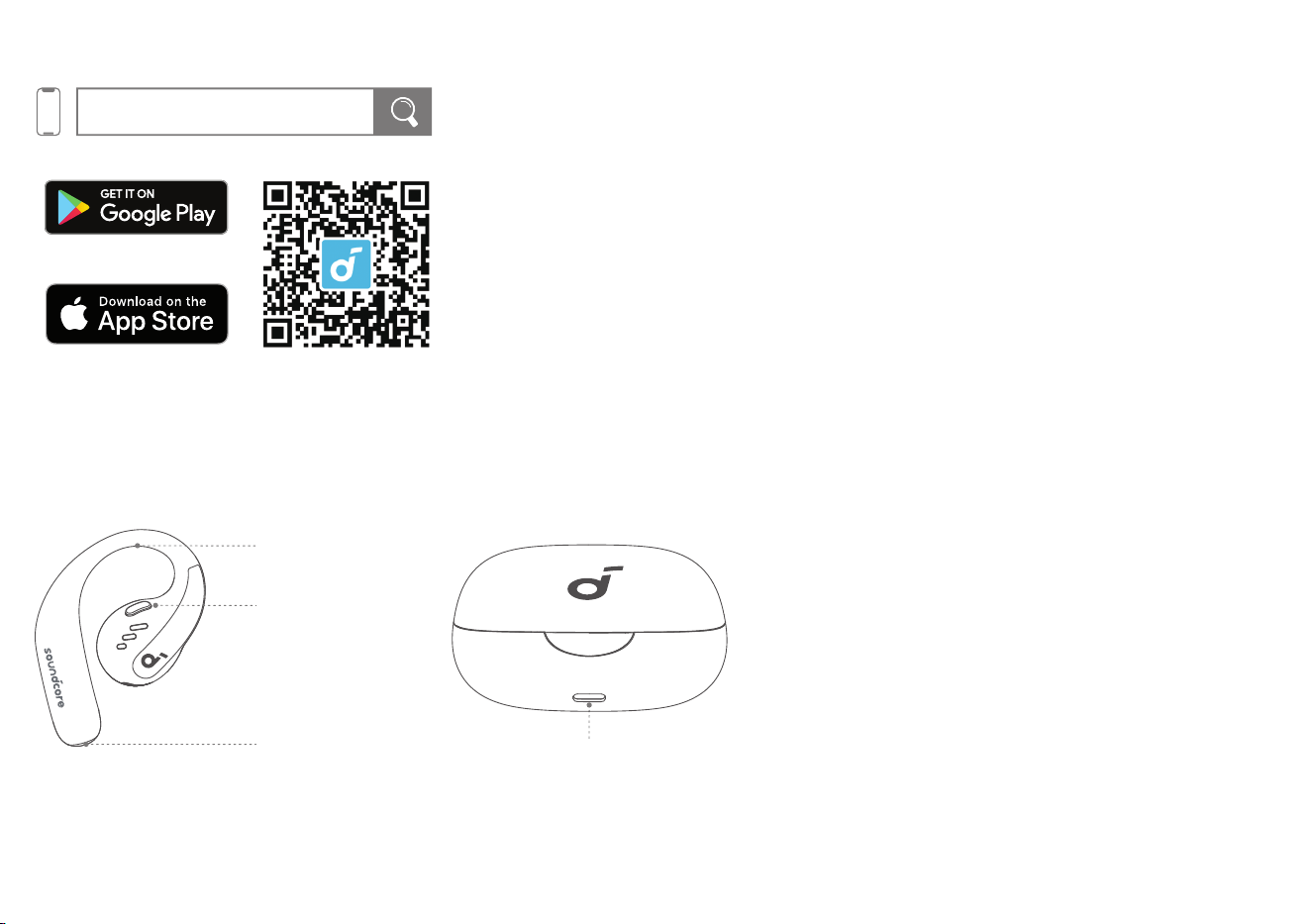
Download the soundcore app to experience Spatial Audio, adjust EQ settings, update firmware, and explore more.
If your earbuds cannot connect with the soundcore app, re-install the app or update it to the latest version in your mobile app store.
OVERVIEW
Intuitive Button Control
Earhook
Detachable Neckband Slot USB-C Charging Port
WEARING
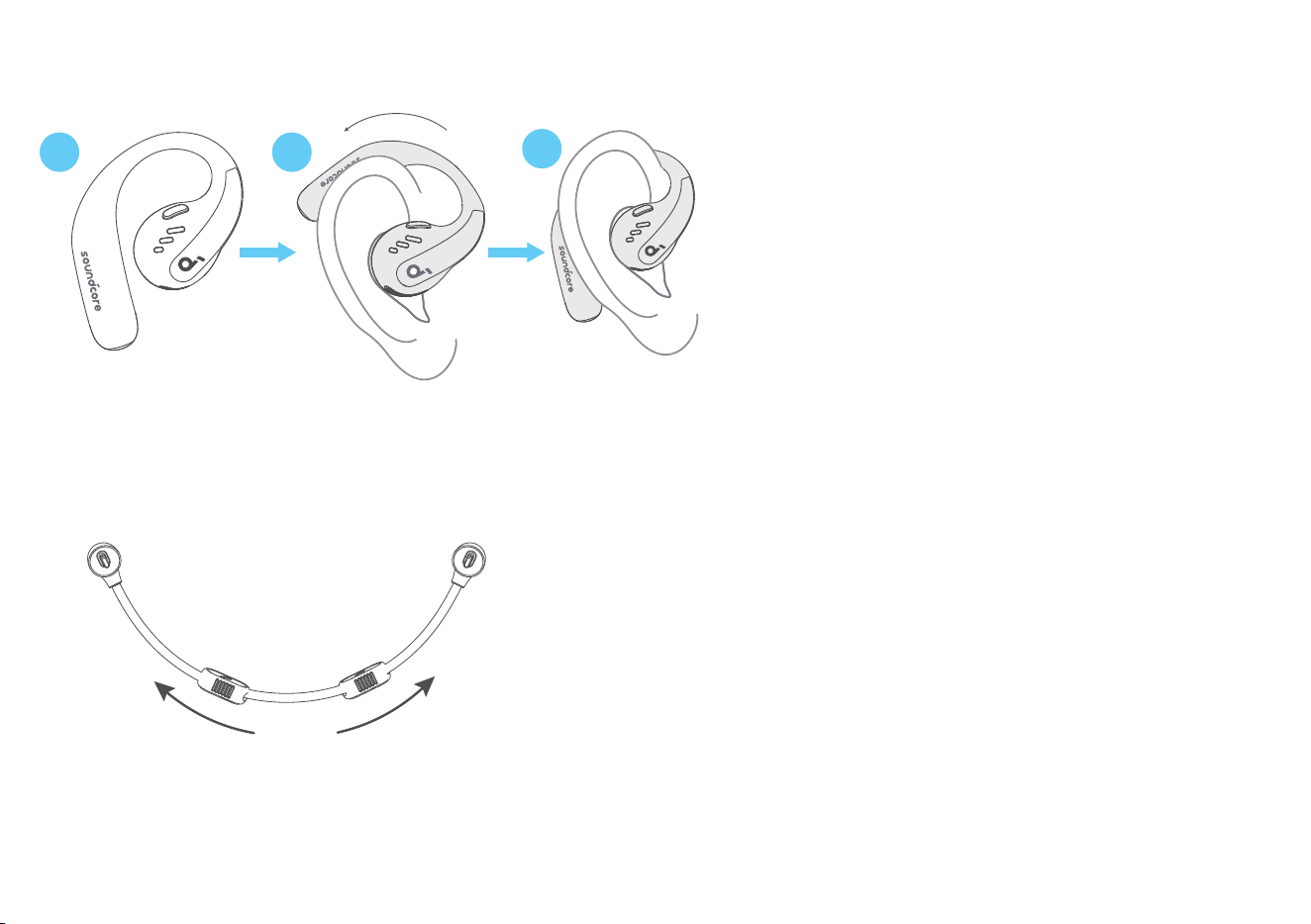
Without Detachable Neckband (Daily Use):
1 2
3
Pick up the earbuds from the charging case, then rotate the earhooks along the auricles of your ears to achieve proper positioning.
With Detachable Neckband (During Workout):
1. Adjust the detachable neckband to an appropriate length.
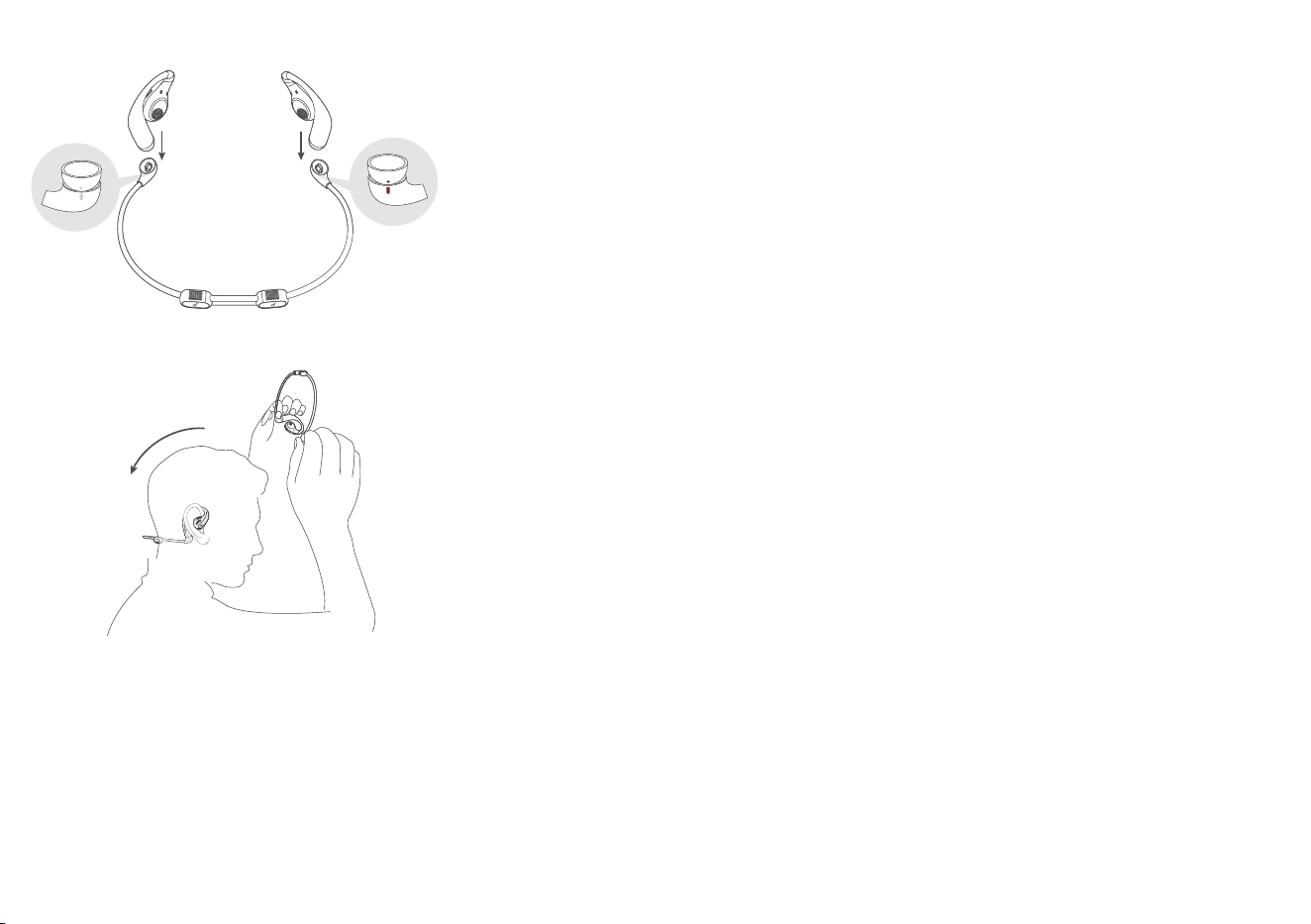
2. Snap the earbuds onto the detachable neckband. Make sure the orientation is correct by aligning the marks on the earbuds and detachable neckband.
3. Put on the detachable neckband behind your neck, and position the earhooks on your ears.
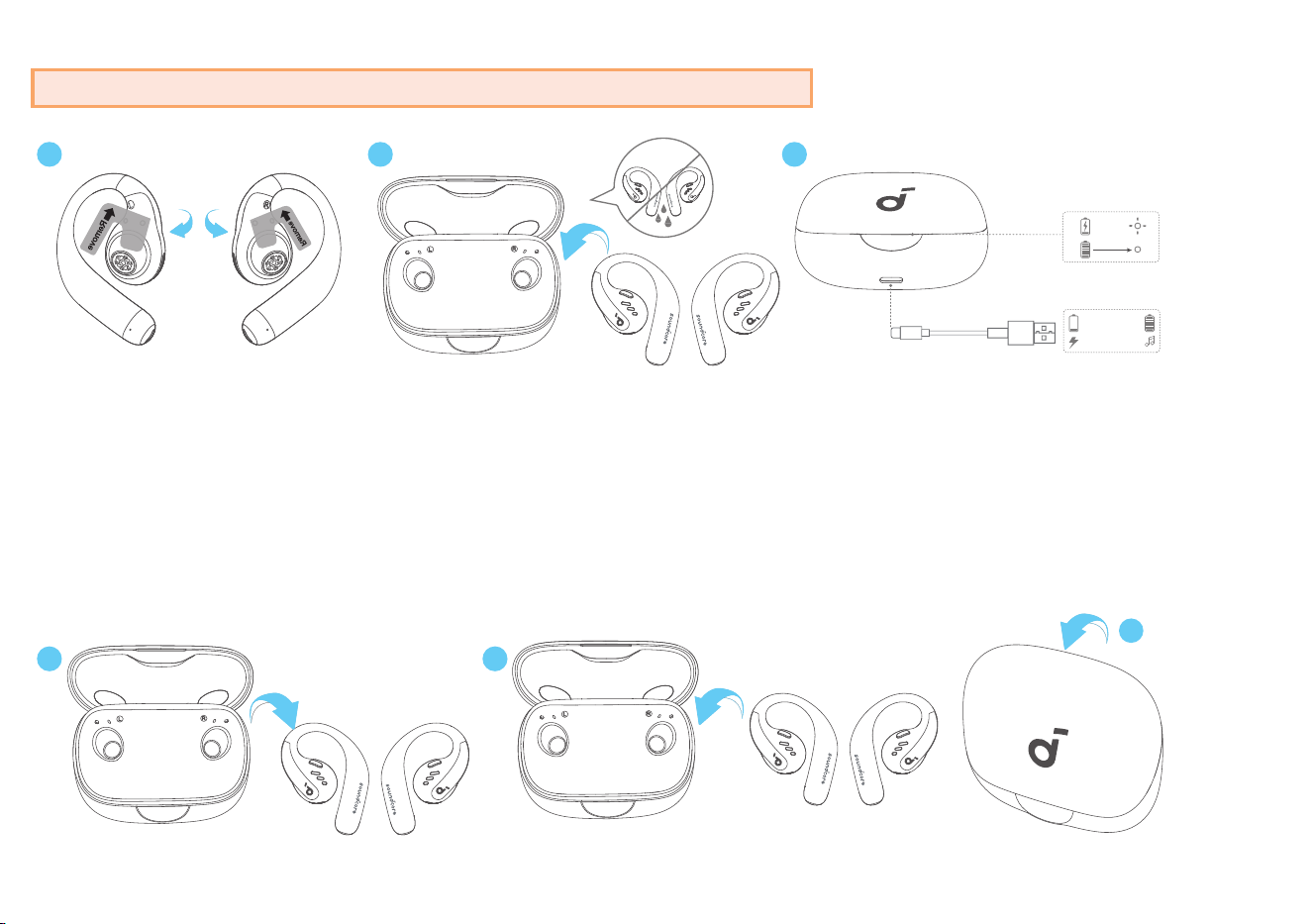
CHARGING
Remember to tear off the insulation stickers on the earbuds before first use.
2 3
10 mins = 4 hrs
5 mins
1 hr
1
1. Place the earbuds in the charging case and close it.
• Fully dry off the earbuds and the USB-C charging port before charging.
Low Battery Indication
Earbuds: You will hear a voice prompt of battery running low.
Charging case: The LED light strip glows in red.
POWERING ON & OFF
With the Charging Case:
1 1
2
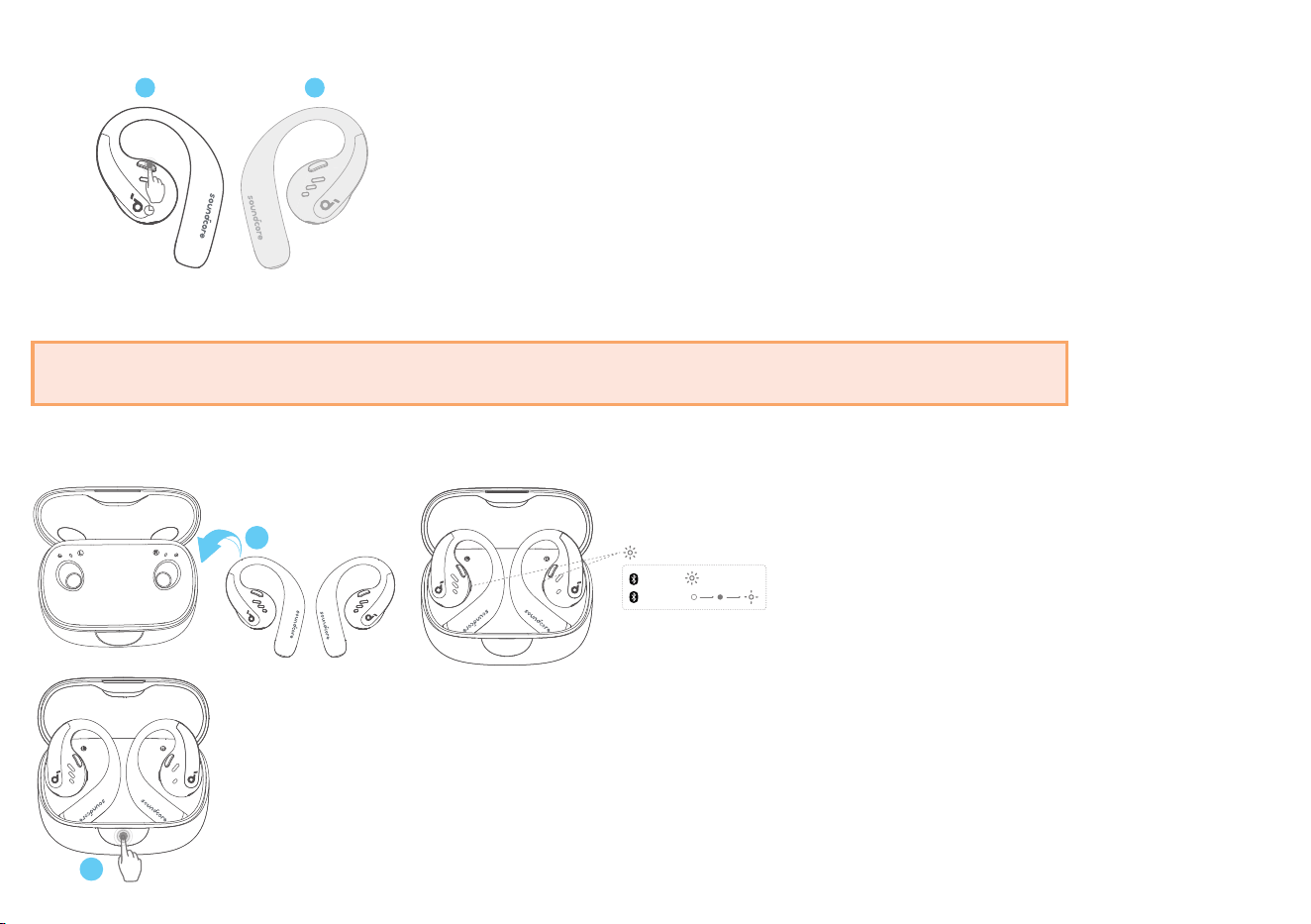
Press to open the charging case, the earbuds will automatically power on. To power off, return the earbuds to the charging case and close it.
Without the Charging Case:
L
R
2s
To power on a single earbud, press and hold the button of the corresponding earbud for 2 seconds.
To power off both earbuds, press and hold the button of the left or right earbud for 2 seconds.
The earbuds will automatically power off after 30 minutes if they are not connected.
The duration can be customized in the soundcore app.
PAIRING
2
1
PAIRING
CONNECTED
1s 1s
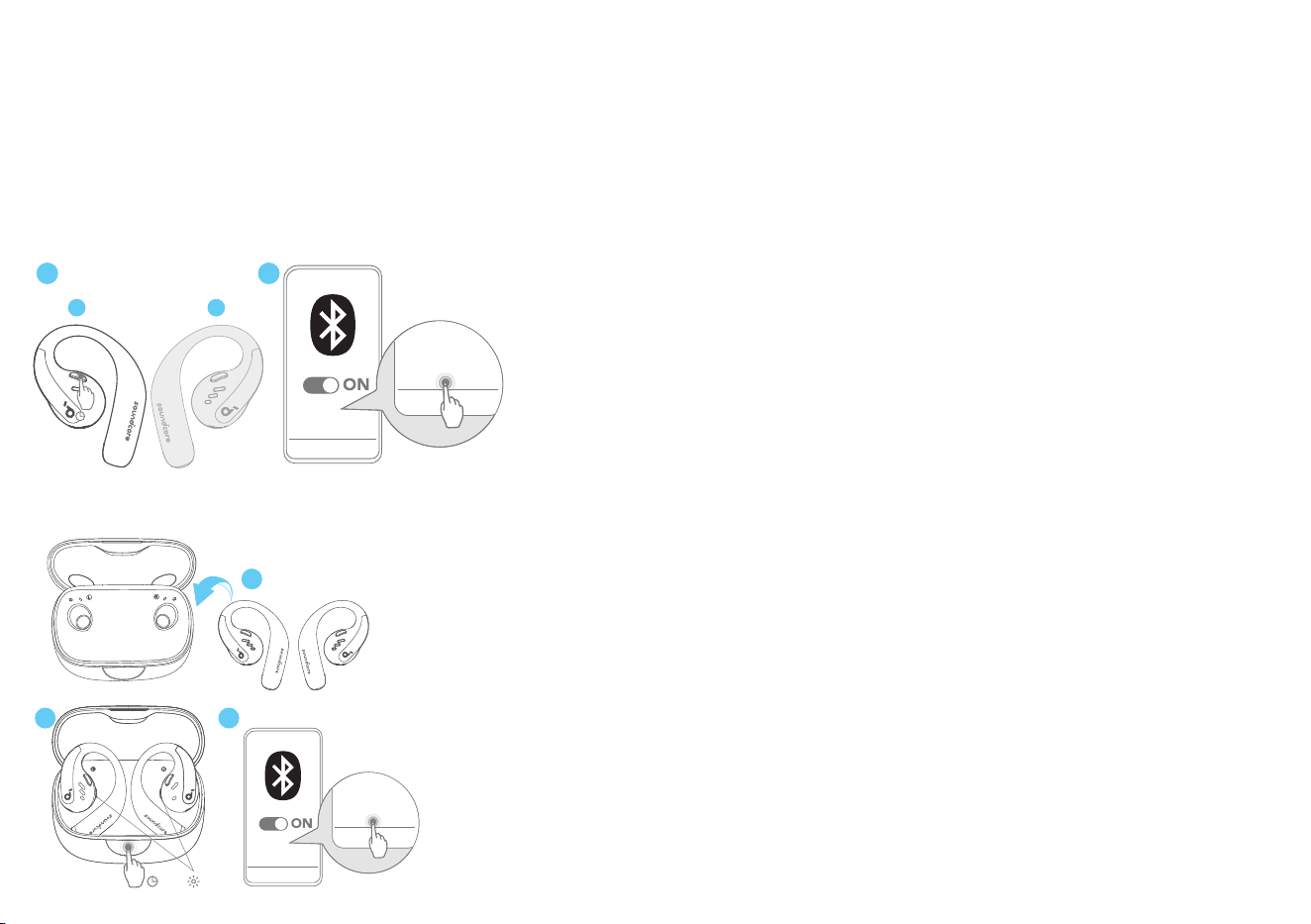
After removing the insulation stickers on the earbuds, return earbuds to the charging case, then press the button to activate Bluetooth pairing. Also, you
can pair by closing and reopening the case lid once the earbuds are back in the case. The earbuds will automatically enter Bluetooth pairing mode when
connecting for the first time. Select "soundcore AeroFit Pro" on your device's Bluetooth list to connect.
When pairing, the LED indicators inside the charging case will start flashing quickly. After the pairing is successful, the LED indicators inside the charging
case will stay on for 1 second and go off. Then, they will start flashing slowly.
Once connected successfully, they'll automatically reconnect to your device every time you open the charging case, as long as you haven't deleted the
pairing history from your device.
Manual Pairing
1 2
soundcore
AeroFit Pro
soundcore
AeroFit Pro
L
R
5s
To connect to your device when the earbuds are turned off, press and hold the button on either earbud for 5 seconds to enter Bluetooth pairing mode.
soundcore
AeroFit Pro
soundcore
AeroFit Pro
3s
×3
2 3
1
New Device
If you want to connect the earbuds to a new device in subsequent use, please follow the steps below:
1. Place the earbuds back into the charging case;
2. Press down the button on the charging case and hold for 3 seconds until the LED indicators inside the case flash three times;
3. Select "soundcore AeroFit Pro" on your new device's Bluetooth list to connect.
DUAL CONNECTIONS
1
2
3
4
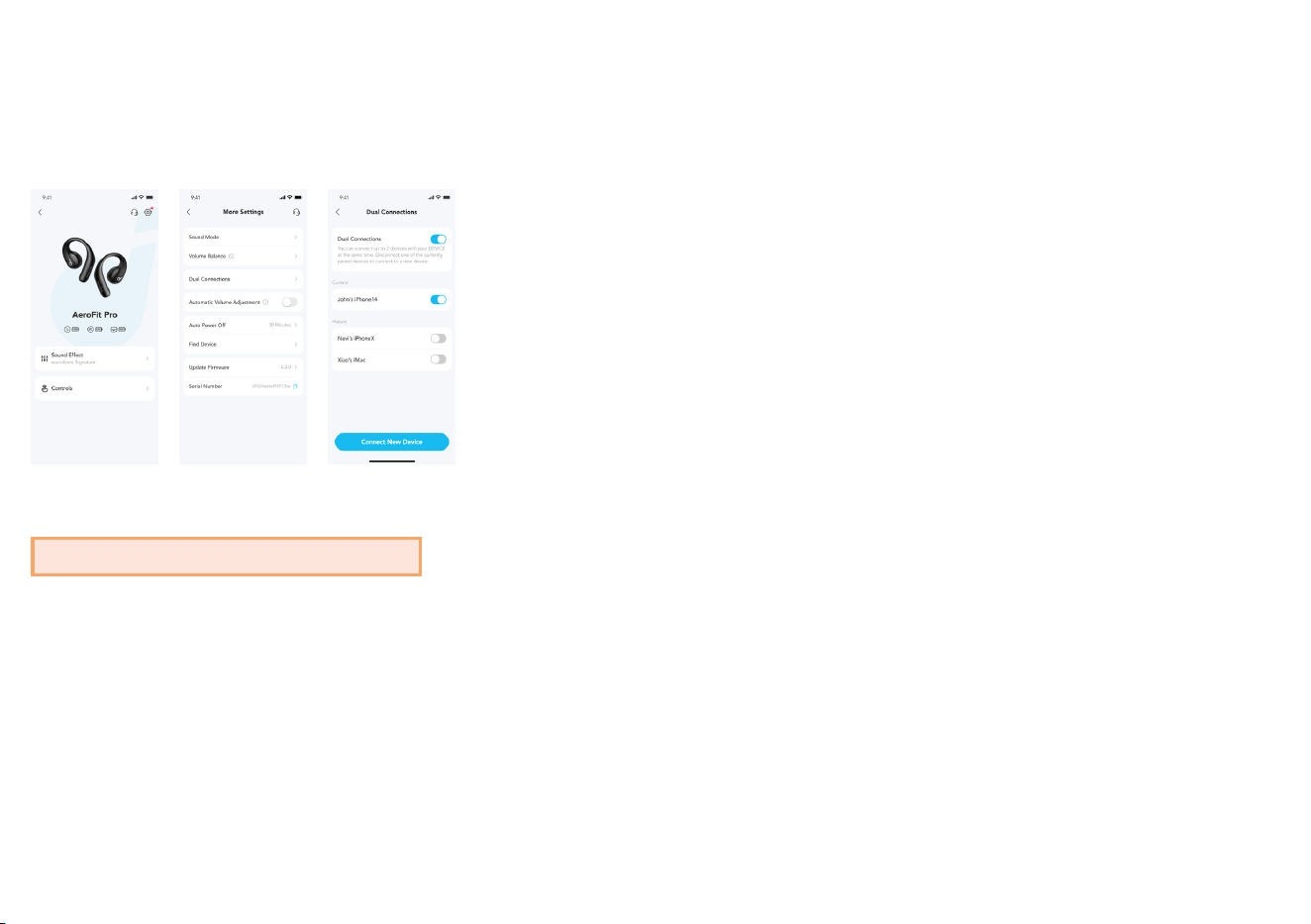
To connect the earbuds with two Bluetooth devices at the same time, open the soundcore app, go to settings and select Dual Connections > Enable Dual
Connections > Connect New Device.
*This feature is turned off by default.
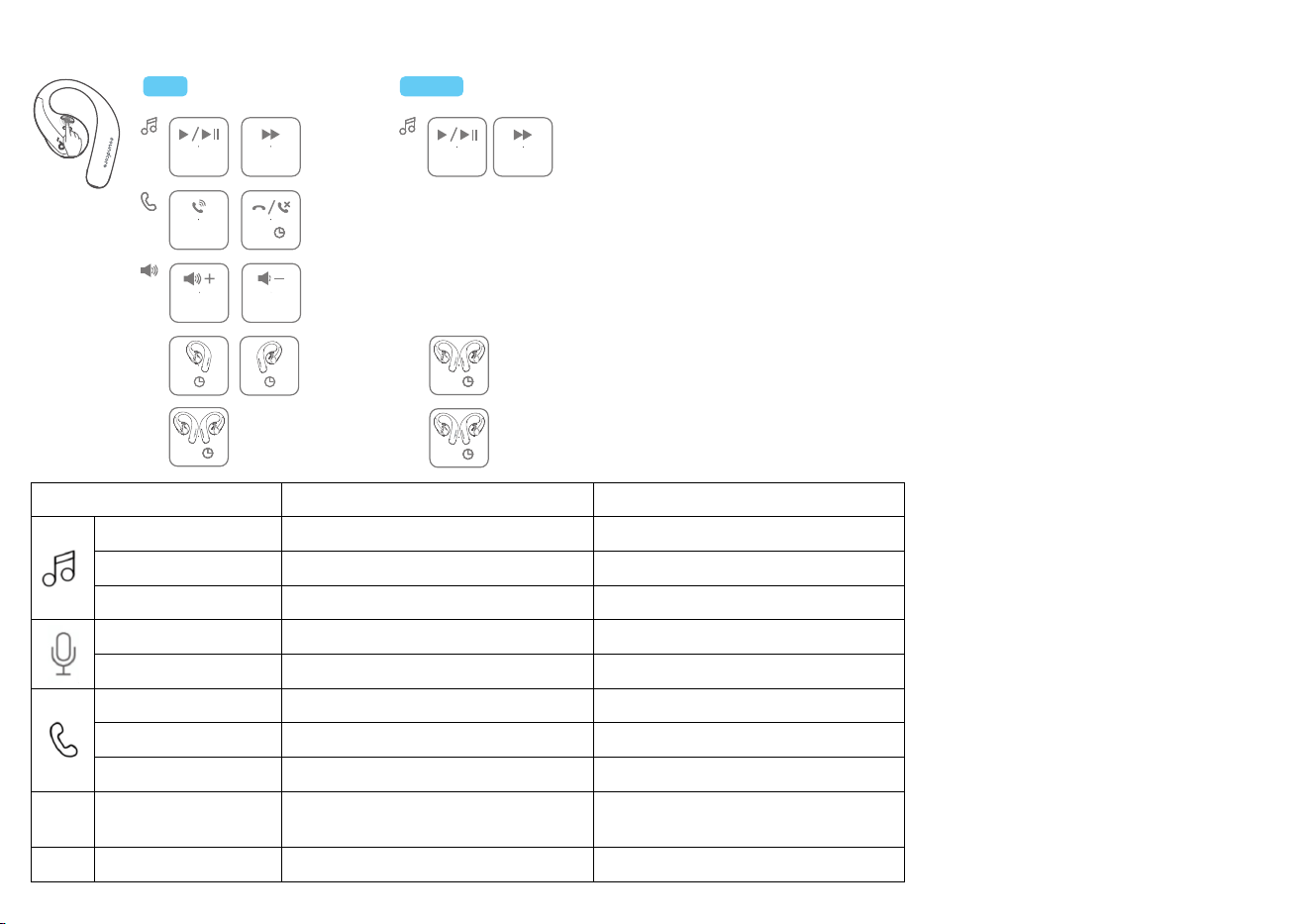
BUTTON CONTROLS
TWS
R
×2
MONO
×1 ×2
L/R
×1
L/R
1s
L
×2
L
2s
R
2s
L/R
2s
ON
OFF
ON
L/R
2s
OFF
L/R
2s
R
×1
L
×1
TWS mode
Mono mode
Play / Pause
Press twice (R) Press once
Previous track
/ /
Next track
Press twice (L) Press twice
Volume up
Press once (R) /
Volume down
Press once (L) /
Answer a call
Press once (L/R) /
Hang up Press and hold for 1 second (L/R) /
Reject a call Press and hold for 1 second (L/R)
/
Power on
L: Press and hold for 2 seconds
R: Press and hold for 2 seconds
Press and hold for 2 seconds (L/R)
Power off
Press and hold for 2 seconds (L/R) Press and hold for 2 seconds (L/R)
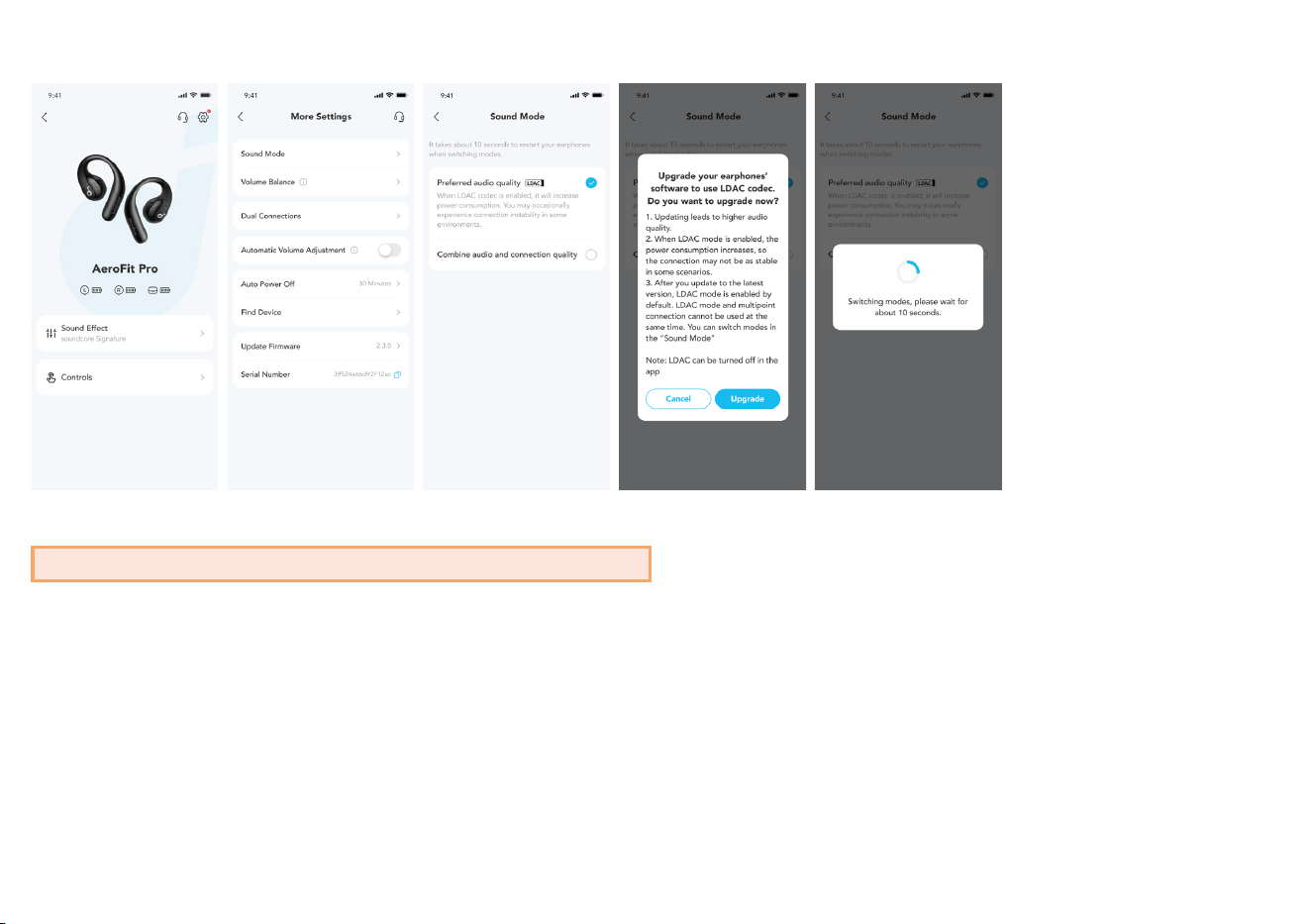
LDAC
1
2
3
4
5
Enable LDAC in the soundcore app for higher-quality audio.
*Only available on devices powered by Android 8.0 or later.
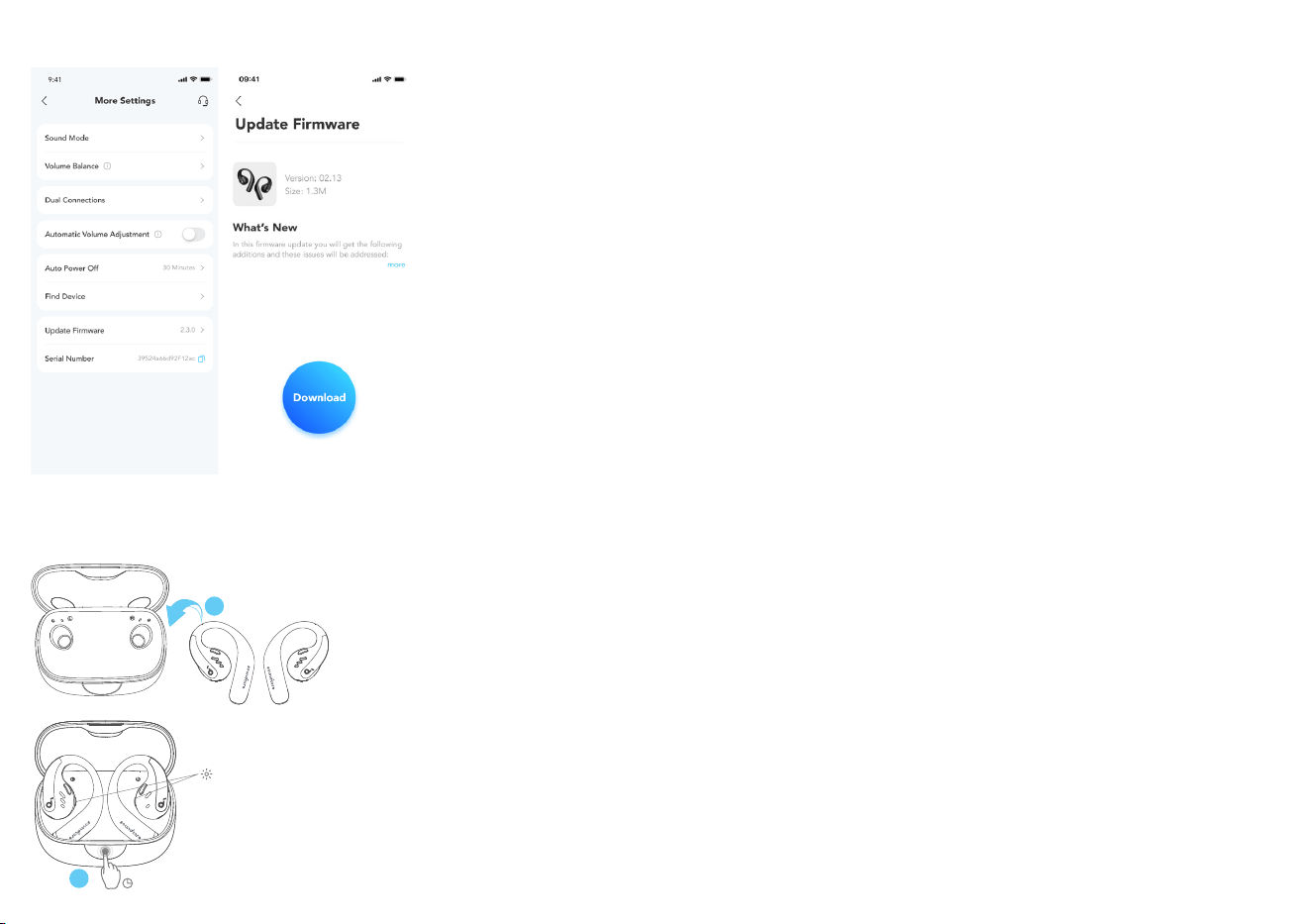
FIRMWARE UPDATE
1
2
You will be informed once a new firmware version is detected when you connect the earbuds to the app. Ensure the earbuds are placed in the charging
case and the case remains open until the firmware update is complete. During the update, ensure the earbuds are being charged and avoid any usage.
RESET
10s
×3
2
1
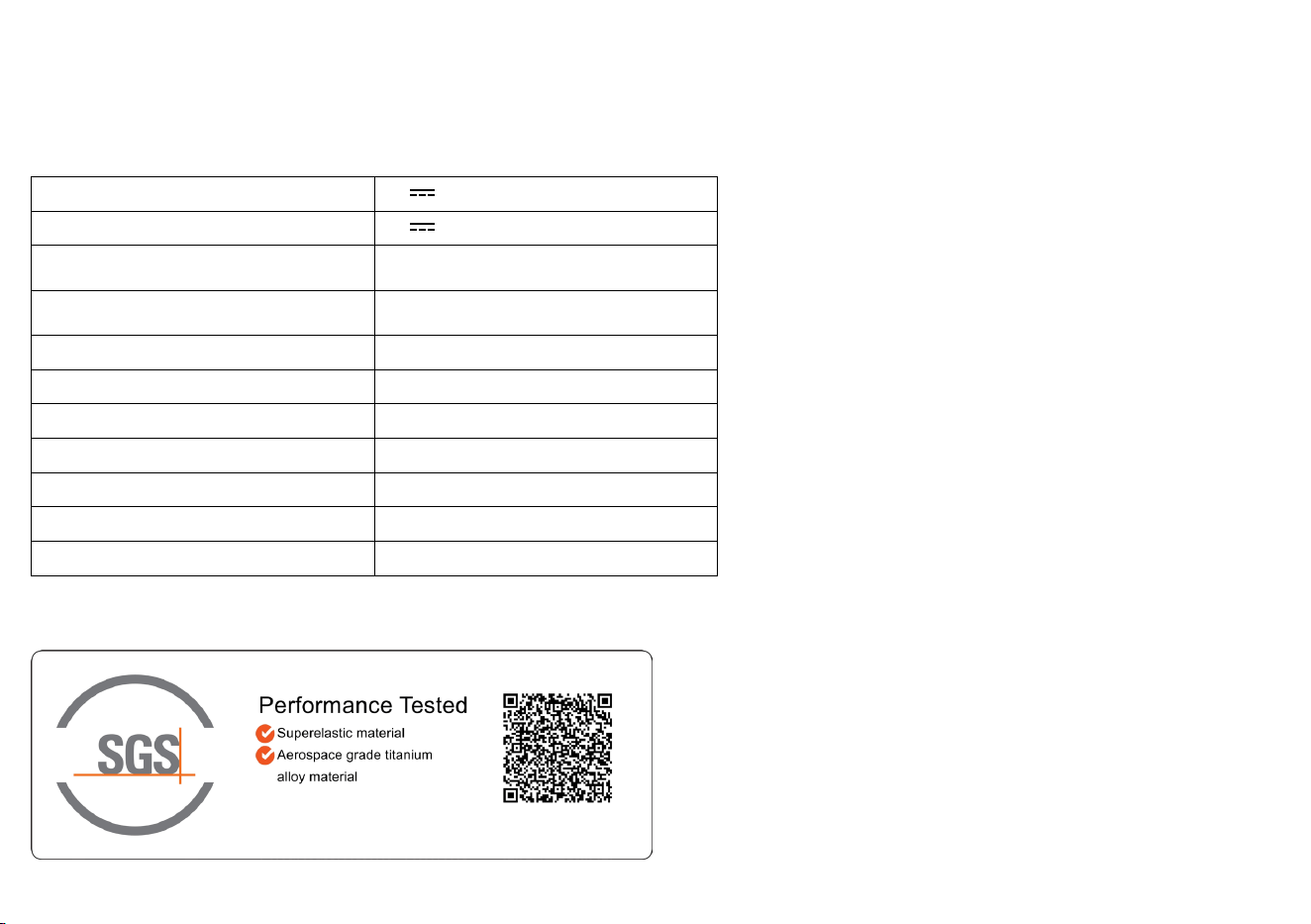
Reset if the earbuds have issues pairing with each other or with other devices.
Delete the pairing history from your Bluetooth device first. Place the earbuds in the charging case and leave the case open. Press the charging case button
all the way down and hold for 10 seconds until the LED indicators on the charging case flash three times
.
SPECS
Specifications are subject to change without notice.
Input 5V
1.2A
Output 5V
0.5A (0.25A per port)
Battery capacity
105mAh × 2 (earbuds);
750mAh (charging case)
Charging time
1 hour (earbuds);
2 hours (charging case)
Driver unit 16.2mm dynamic driver
Frequency response 20Hz - 20kHz
Impedance 13.5Ω
Waterproof rating (earbuds) IPX5
Bluetooth version 5.3
Bluetooth range 10m / 33ft
Maximum volume 90dB
A3871 SGS Certification Mark