SP009_1nstruction Manual
FRONT
MVMT
©2026 JME & Co, All Rights Reserved
Distributed by JME & CO, NYC. LLC, New rk, NY 10018
Designed in New York, Made in China
support: [email protected]
MVMT and MVMT logo are registered trademarks of JME & Co
The artwork and design of this package are protected by
United States Copyright law and may not be reproduced, distributed, displayed,
published, or used for any purpose without prior written permission
u may not alter or remove any trademark or copyright notice from this
package. Because of continuous improvements,
images and product specifications may differ slightly from
the actual product
The Bluetooth• word mark and logos are registered trademarks owned by
Bluetooth SIG, Inc. The microSD'" is a trademark of SD-3C, LLC. All other
trademarks or registered trademarks are the property of their respective owners
心WARNING: Cancer and Reproductive Harm -
www.P65 Warnings.ca.gov
FCC ID: 2A797一SPD09·BKA
FCC Warning
This device complies with Part 15 of the FCC Rules. Operation is subject to the following two conditions:
(1) This device may not cause harmful interference, and (2) this device must accept any interference
received, including interference that may cause undesired operation.
NOTE 1: This equipment has been tested and found to comply with the limits for a Class B digital device,
pursuant to part 15 of the FCC Rules. These limits are designed to provide reasonable protection against
harmful interference in a residential installation. This equipment generates, uses and can radiate radio
frequency energy and, if not installed and used in accordance with the instructions, may cause harmful
interference to radio communications. However, there is no guarantee that interference will not occur in a
particular installation. If this equipment does cause harmful interference to radio or television reception,
which can be determined by turning the equipment off and on, the user is encouraged to try to correct
the interference by one or more of the following measures:
- Reorient or relocate the receiving antenna.
- Increase the separation between the equipment and receiver.
-Connect the equipment into an outlet on a circuit different from that to which the receiver is connected.
-Consult the dealer or an experienced radio/TV technician for help.
NOTE 2: Any changes or modifications to this unit not expressly approved by the party responsible for
compliance could void the user's authority to operate the equipment.
The device has been evaluated to meet general RF exposure requirement. The device can be used in
portable exposure condition without restriction.
垒� 庉凸三
�
�
妇
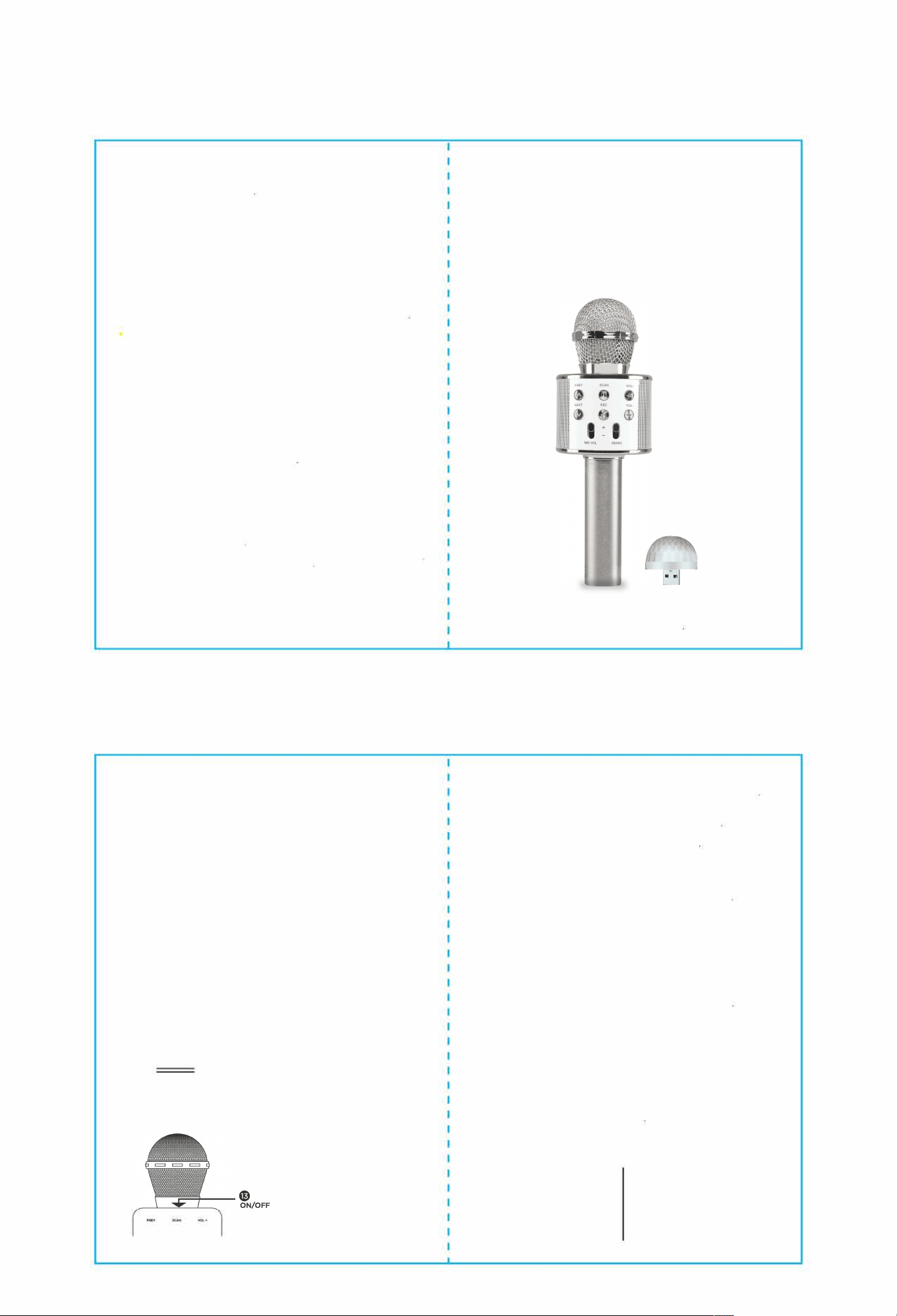
目MINI USB DIIISCO BALL
0 Bluetooth·
Because of continuous improvements, the images and the specs
on the packaging may differ slightly from the actual product
MVM 丁
BACK
CONTROL PANEL
。业volume
Increase/Decrease slider
PREV @ SCAN e
VOL +
0®
NEXT
REC @
VOL
-
@
® 0
� � �
MIC VOL
。
REMIX
@
F
F
。
/
。
Reverb volume
Increase/Decrease slider
@
Previous song
•uodmelf伦mode, p,ess it to eoable
selfie f,octioo (ooly , ISO system
mobUe phooe)
e Play/Pause
Long press. Automatic search
@ Volume increase
Next son
g
@
叨e of Mode
Replay/Record
INPUT
Volume decrease
@
sv�@
。
use
@ USB Slot
I I
TF
巨三马©
USB-C Charging Port
®0
G 3.5 mm Audio Output
TF Power slot
WIRELESS KARAOKE
e Power button
Long press. ON/OFF
•o;sco ball should tcm oo actomatlcally when
Mlcmphooe Is ON aod Is coooected to USB Slot
1. Make sure the unit's battery is charged. Hold Power buton to start the product
2. Wireless connection: Enable Bluetooth from your mobile device, locate the
microphone's pairing name: SP3583-BKA and connect to the
microphone. Prompt tone will notify you of a successful connection
3. Play your song selection from your device. Adjust sound: Using the Mic Volume
/ Reverb Volume slider to adjust the volumes to suitable level
4. Start singing Karaoke!
SELFIE FUNCTION
1. Press the M/POWER button to switch from wireless mode to self1e mode
2. Turn on Bluetooth on your mobile device. Find "Shutter" ,n the list of available
devices and select it to connect.
3. Open the camera app on your mobile device Press either the闷八r• or田·
button to take a photo.
Note: funcn reqs Andid 4.2.2 or te or 10S 6.0 or late Other
veions are not cuntly supported Mobe phones with a ated
p
al came button a not supported
TWS FUNCTION: PAIRING TWO SPEAKERS
1. Turn on both speakers. Do not connect either speaker to a Bluetooth device
2. Press the power button twice on one of the speakers. The speakers will pair with
each other
3. Once pairing is complete. turn on Bluetooth on your mobile device and connect
to the paired speakers.
WIRED HEADPHONE OUTPUT
Insert a TF card or USB flash drive, or establish a Bluetooth connection. Then connect
wired headphones to the 3.5 mm audio jack. Start audio playback from the selected
source. The audio will play through the headphones
TECHNICAL RAMETERS
POWER SUPPLY
FREQUENCY RANGE 2402 - 2480MHz
BAERY CACI
SPEAKER SENSITIVITY 50 dB
REVERBERION MODE SOUND EFFECT CHARGING TIME
REVERBERATION
BUILT-IN Li-Battery
858800mAh
800 mAh
2 Hours