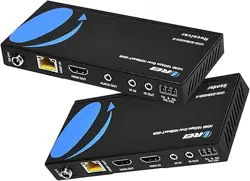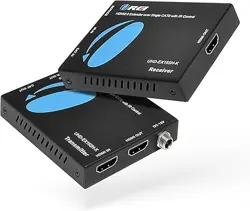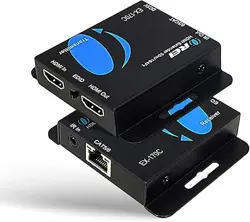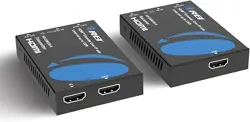
18Gbps HDMI
Extender (70m) with KVM
USER MANUAL
Follow us on Youtube
and Facebook
www.orei.com
UHD-EX230-KVM

Table of
Contents
Introduction 04
Features 05
Package Contents 06
Specifications 07
Operation Controls and Functions 09
Application Example 12
Thank you for purchasing this product. For optimum performance and safety, please
read these instructions carefully before connecting, operating or adjusting this prod-
uct. Please keep this manual for future reference.
page 02
Thank you for purchasing this product
This product contains sensitive electrical components that may be damaged by electri-
cal spikes, surges, electric shock, lightning strikes, etc. Use of surge protection systems is
highly recommended in order to protect and extend the service life of your equipment.
Surge protection device recommended

Registration
Page
Please Activate your warranty by registering our product through the link
below - www.orei.com/register
Technical Support
Need Help?
Our experienced Technical Support Team is here for you to answer your
questions, give technical advice or help troubleshoot your project to get you
installed on time and on budget. Call, email or chat with us now.
OREI Live Technical Support Hours
US team (US/Canada/Mexico): Monday-Friday, 9 a.m. - 6 p.m. Central Time
Support Email - [email protected] |Support Number - 877-290-5530
Or
Chat Live on www.orei.com
Send us an instant message now. Our Technical Support Team will respond
momentarily. Available during live support hours.
page 03
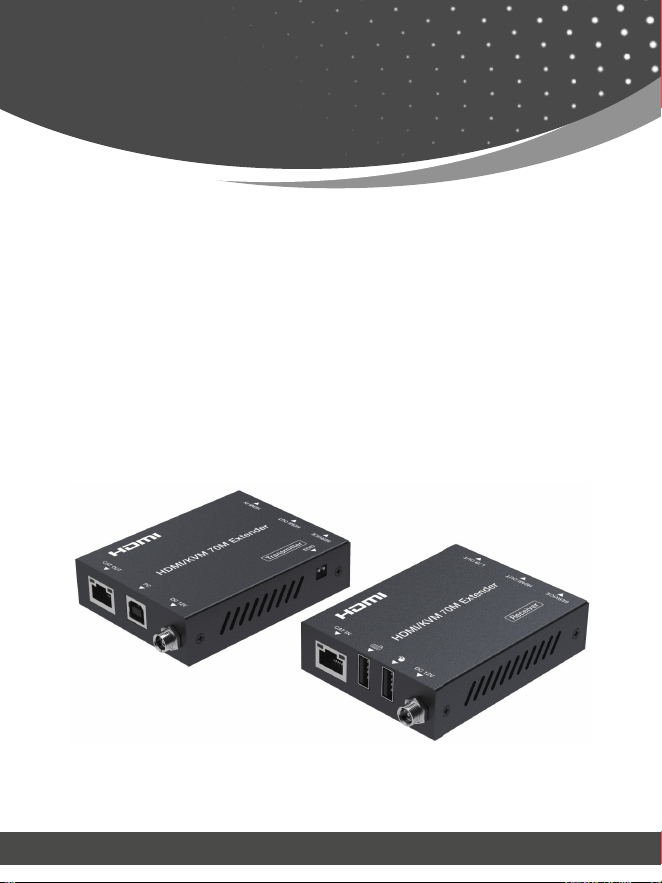
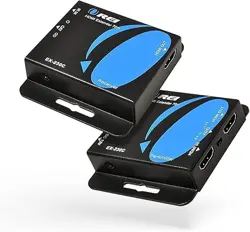
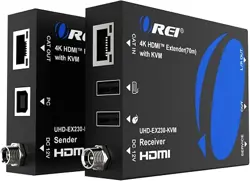
This 18Gbps HDMI Extender can extend HDMI HD signal to a distance up to 230ft
/ 70m via a single CAT6/6a cable, which can achieve zero-delay, uncompressed
long-distance transmission between the transmitter and receiver. Video resolution
is up to 4K2K@60Hz. The Extender supports KVM signal pass-through, which can
remote control source device at display device. It supports EDID copy pass-through
function between the source device and display device. It supports POC function.
This Extender can be widely used in multi-media conference halls, TV teaching
and large-screen displays.
page 04
Introduction

1. HDMI2.0b and HDCP 2.2 compliant
2. Support 18Gbps video bandwidth
3. Support video resolution up to 4K2K@60Hz RGB/YCBCR 4:4:4
4. The transmission distance can be extended up to 230ft / 70m via a
single CAT6/6a cable
5. Support HDR, HDR10, HDR10+, Dolby Vision, HLG
6. Audio formats: LPCM 2.0/2.1/5.1/6.1/7.1, Dolby Digital, Dolby TrueHD,
Dolby Digital Plus(DD+)
7. Support 3.5mm analog audio de-embedding, audio is output through
the L/R OUT port of the receiver
8. EDID copy pass-through function between the source device and
display device
9. Support bi-directional POC (Power over Cable) function
10. With USB KVM pass-through function, USB1.1 compliant, support
remote-control by keyboard and mouse
11. Compact design for easy and flexible installation
page 05
Features
page 06
Package Contents
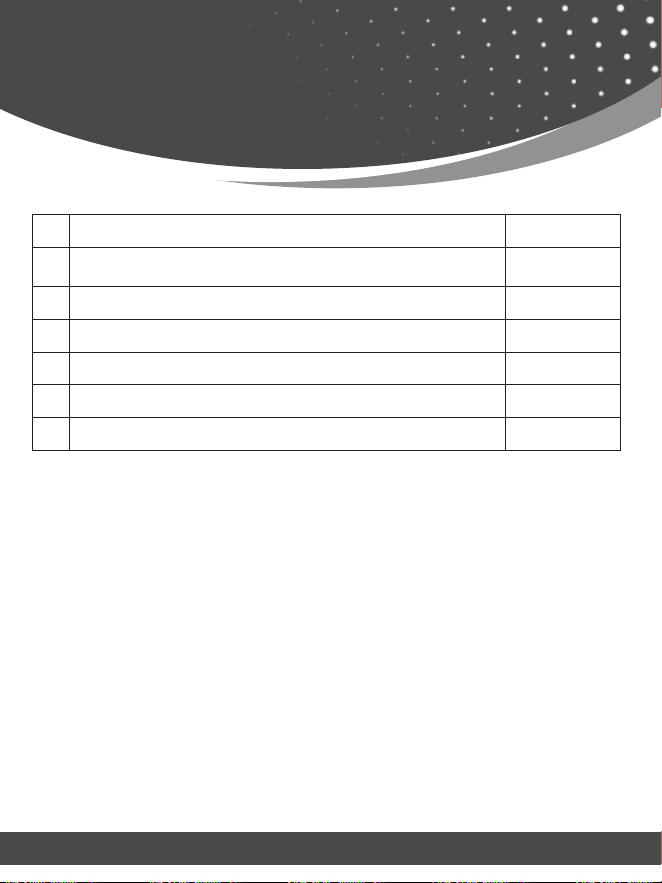
1. 18Gbps HDMI Extender (Transmitter) 1pcs
2. 18Gbps HDBaseT Extender (Receiver) 1pcs
3. USB-A to USB-B Cable (1.5 meters) 1pcs
4. Mounting Ears 4pcs
5. Machine Screws (KM3*4) 8pcs
6. 12V/1A Locking Power Adapter 1pcs
7. User Manual 1pcs

page 07
Specications
Technical
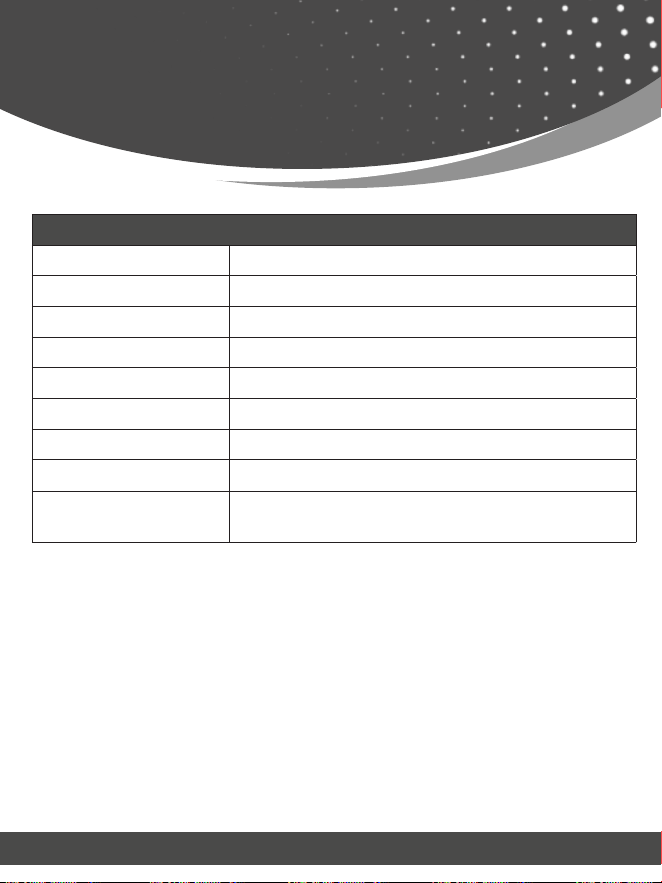
HDMI Compliance HDMI 2.0b
HDCP Compliance HDCP 2.2
Video Bandwidth 18Gbps
Video Resolution Up to 4K2K@60Hz RGB/YCBCR 4:4:4
Transmission Distance 4K2K@60Hz 4:4:4--70m, 1080P--70m (CAT6 cable)
Color Depth 8/10/12bit
Color Space RGB 4:4:4, YCbCr 4:4:4, YCbCr 4:2:2, YCbCr 4:2:0
HDR HDR, HDR10, HDR10+, Dolby Vision, HLG
Audio Formats LPCM 2.0/2.1/5.1/6.1/7.1, Dolby Digital, Dolby TrueHD,
Dolby Digital Plus(DD+)
Connection
Transmitter Input: 1 × HDMI IN [TypeA, 19-pin female]
Output: 1 × HDMI OUT [TypeA, 19-pin female]
1 × CAT OUT [RJ45]
Control: 1 × SERVICE [Micro-USB jack]
1 × USB port [Type-B jack]
Receiver Input: 1 × CAT IN [RJ45]
Output: 1 × HDMI OUT [TypeA, 19-pin female]
1 × L/R OUT [3.5mm Stereo Mini-jack]
Control: 1 × SERVICE [Micro-USB jack]
2 × USB port [Type-A jack]
page 08
Specications
Mechanical
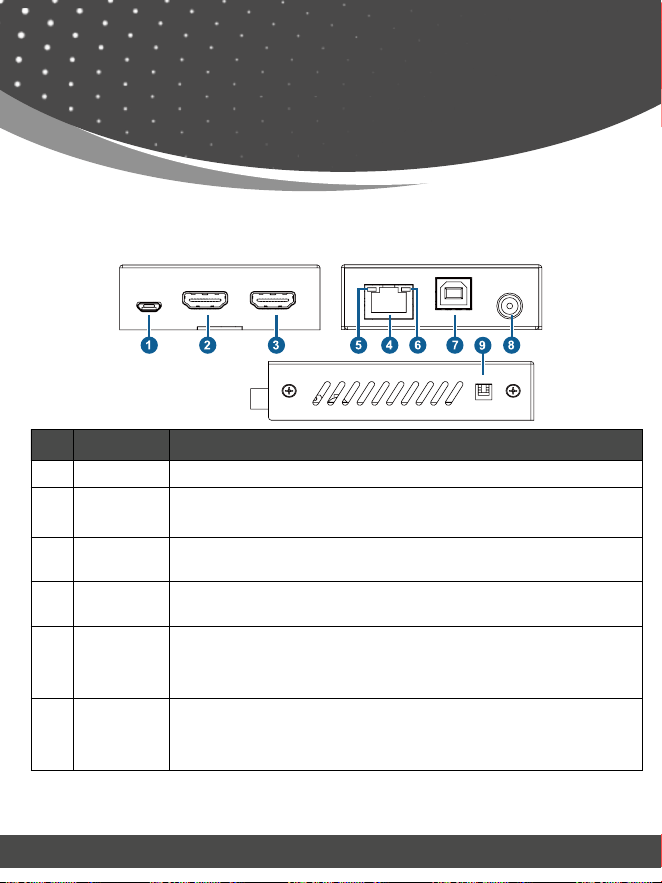
Housing Metal Enclosure
Silkscreen Color Black
Dimensions Transmitter / Receiver: 90mm (W)×68mm (D)×22mm (H)
Weight Transmitter: 170g, Receiver: 169g
Operating Temperature 32 - 104°F / 0 - 40°C
Storage Temperature -4 - 140°F / -20 - 60°C
Relative Humidity 20~90% RH (Non-condensing)
Power Consumption (Max) 4.2W (Max)
Power Supply DC 12V/1A;
Support bi-directional POC function
page 09
Operation Controls
and Functions
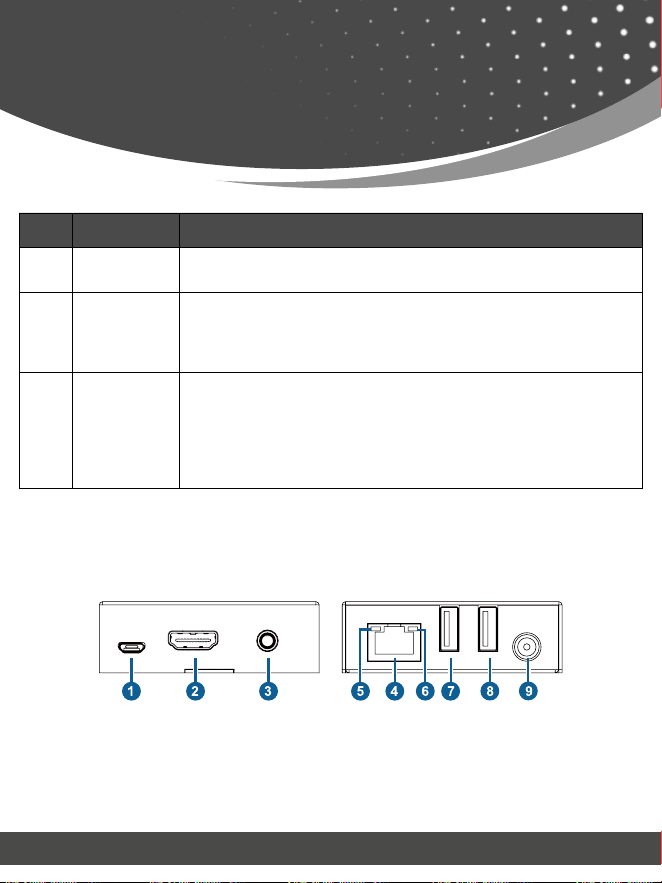
No. Name Function Description
1. SERVICE Firmware update port.
2. HDMI OUT
HDMI signal loop output port. Connect to HDMI display devices with
HDMI cable.
3. HDMI IN
HDMI signal input port. Connect to HDMI source device with HDMI
cable.
4. CAT OUT
RJ45 connector for connecting the CAT IN port of the Receiver with
CAT6/6a cable.
5.
Data Signal
Indicator
(Yellow)
▪ Illuminating: HDMI signal with HDCP.
▪ Flashing: HDMI signal without HDCP.
▪ Dark: No HDMI signal.
6.
Link Signal
Indicator
(Green)
▪ Illuminating: Transmitter and Receiver are in good connectio status.
▪ Flashing: Transmitter and Receiver are in poor connection status.
▪ Dark: Transmitter and Receiver are not connected.
Transmitter Panel
Operation Controls
and Functions
page 10
No. Name Function Description
7. PC
Connect to PC. The computer can be accessed and controlled
remotely through the USB port of the receiver (KVM function).
8. DC 12V
DC 12V/1A power input port.
Note that the extender supports POC function, it means that either
Transmitter or Receiver is connected to 12V/1A power supply, the
other doesn’t need power supply.
9.
EDID DIP
switch
Use the DIP switch to set EDID. (Switching to the upper end
indicates 1; switching to the lower end indicates 0.)
11 - EDID information is copied from the display at the RX.
10 - EDID is preset to 4K@60Hz 2.0CH
01 - EDID is preset to 1080p 2.0CH
00 - EDID information is copied from the HDMI OUT at the TX.
Receiver Panel

page 11
Operation Controls
and Functions
No. Name Function Description
1 SERVICE Firmware update port.
2. HDMI OUT
HDMI signal output port. Connect to HDMI display devices with HDMI
cable.
3. L/R OUT Analog audio output port, used for audio de-embedding output.
4. CAT IN
RJ45 connector for connecting the CAT OUT port of the Transmitter
with CAT6/6a cable.
5.
Data Signal
Indicator
(Yellow)
▪ Illuminating: HDMI signal with HDCP.
▪ Flashing: HDMI signal without HDCP.
▪ Dark: No HDMI signal.
6.
Link Signal
Indicator
(Green)
▪ Illuminating: Transmitter and Receiver are in good connection status.
▪ Flashing: Transmitter and Receiver are in poor connection status.
▪
Dark: Transmitter and Receiver are not connected.
7.
Keyboard
port
Connect to the keyboard.
8. Mouse port Connect to the mouse.
9. DC 12V
DC 12V/1A power input port.
Note that the extender supports POC function, it means that either
Transmitter or Receiver is connected to 12V/1A power supply, the
other doesn’t need power supply.
page 12
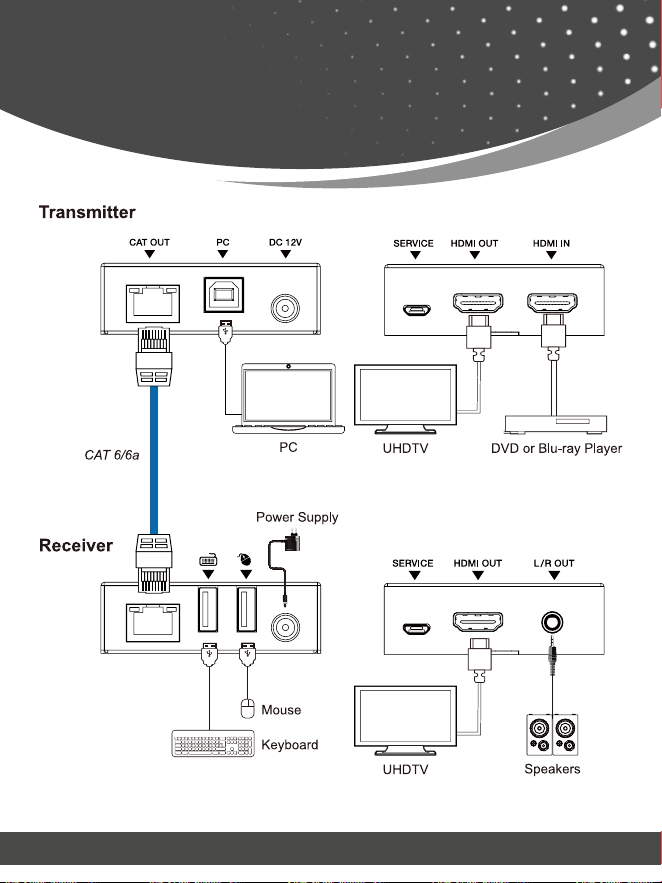
Application
Example

© 2022
18Gbps HDMI
Extender (70m) with KVM
www.orei.com