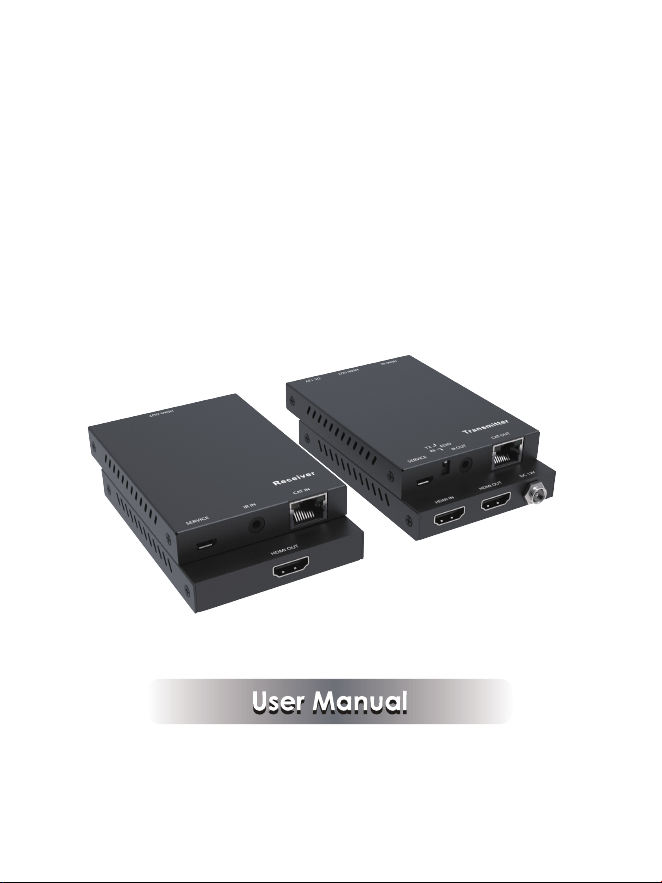
HDMI2.0 Extender over Single
CAT6 with IR Control
VER 1.0

Thank you for purchasing this product
For optimum performance and safety, please read these instructions carefully
before connecting, operating or adjusting this product. Please keep this manual
for future reference.
Surge protection device recommended
This product contains sensitive electrical components that may be damaged
by electrical spikes, surges, electric shock, lighting strikes, etc. Use of surge
protection systems is highly recommended in order to protect and extend the
life of your equipment.
Table of Contents
1. Introduction............................................................................................
2. Features..................................................................................................
3. Package Contents................................................................................
4. Specifications........................................................................................
5. Operation Controls and Functions......................................................
5.1 Transmitter Panel.............................................................................
5.2 Receiver Panel................................................................................
5.3 IR Pin Definition................................................................................
6. Application Example............................................................................
1
1
1
2
3
3
4
5
6

1. Introduction
2. Features
☆ HDMI 2.0, HDCP 2.2/HDCP 1.4 and DVI 1.0 compliant
☆ Supports 18Gbps bandwidth
☆ Supports input and output video resolutions the maximum up to 4k2k@60Hz
RGB/Ycbcr 4:4:4/Ycbcr 4:2:2, extends distance the furthest up to 164ft/50m
☆ Supports one route HDMI loop output
☆ Supports one-way IR control
☆ Supports HDR function
☆ Supports copy the EDID signal from transmitter’s or receiver’s display
device
☆ Compact design for easy and flexible installation.
1/6
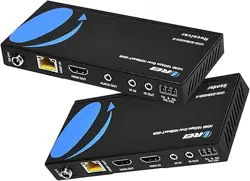
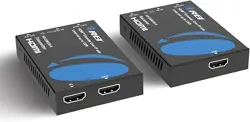
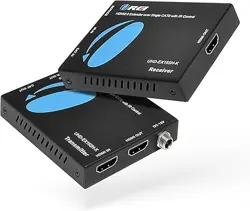
The HDMI Extender over Single Cat6 extends high definition video and audio
signals and one-way IR, at a distance of up to 164ft/50m over a single Cat6
cable. With only one cost effective Cat6 cable, high definition sources with
HDMI outputs can be connected to high definition displays with HDMI inputs
over long distances. DTS-HD or Dolby TrueHD audio is supported and compatible
with the extender. In addition, the extender is also equipped with one-way
pass-through IR which allows for source control and one HDMI loop output.
The extender includes two units: transmitting unit and receiving unit. The
Transmitting unit is responsible for capturing the HDMI input and carries the
signals via one cost effective Cat6 cable, and reconstructing IR control signals.
The receiving unit is responsible for equalizing the transmitted HDMI signal
and transmitting IR control signals. The extender can copy the EDID signal
from transmitter’s or receiver’s display device to source device by dip switch
with the transmitter end,The extender offers the most convenient solution for
HDMI extension over a single Cat6 with long distance capability, and is the
perfect solution for any application.

3. Package Contents
① 1× HDMI2.0 Extender Transmitter
② 1× HDMI2.0 Extender Receiver
③ 1× Wideband IR Blaster cable
④ 1× Wideband IR Receiver cable
⑤ 1× 12V/1A Locking Power adapter
⑥ 1× User Manual
2/6
4. Specifications
Human body model — ±8kV (Air-gap discharge) &
±4kV (Contact discharge)
ESD Protection
Technical
HDMI Compliance HDMI 2.0
HDCP Compliance HDCP 2.2/HDCP 1.4
Video Bandwidth 18Gbps
Video Resolution Up to 4K60Hz 4:4:4
Color Space RGB/YCbCr 4:4:4, YCbCr 4:2:2, YUV 4:2:0
Color Depth 8/10/12-bit
HDMI Audio Formats
LPCM, Dolby Digital/Plus/EX, Dolby True HD, DTS,
DTS-EX, DTS-96/24, DTS High Res, DSD-HD Master
Audio, DSD
Connections
Transmitter
Receiver
Inputs: 1x HDMI Type A [19-pin female]
1x SERVICE [Micro USB, Update port]
Outputs: 1x HDMI Type A [19-pin female]
1x IR OUT [3.5mm Stereo Mini-jack]
1x CAT OUT [RJ45, 8-pin female]
Inputs: 1x IR IN [3.5mm Stereo Mini-jack]
1x CAT IN [RJ45, 8-pin female]
1x SERVICE [Micro USB, Update port]
Outputs: 1x HDMI Type A [19-pin female]
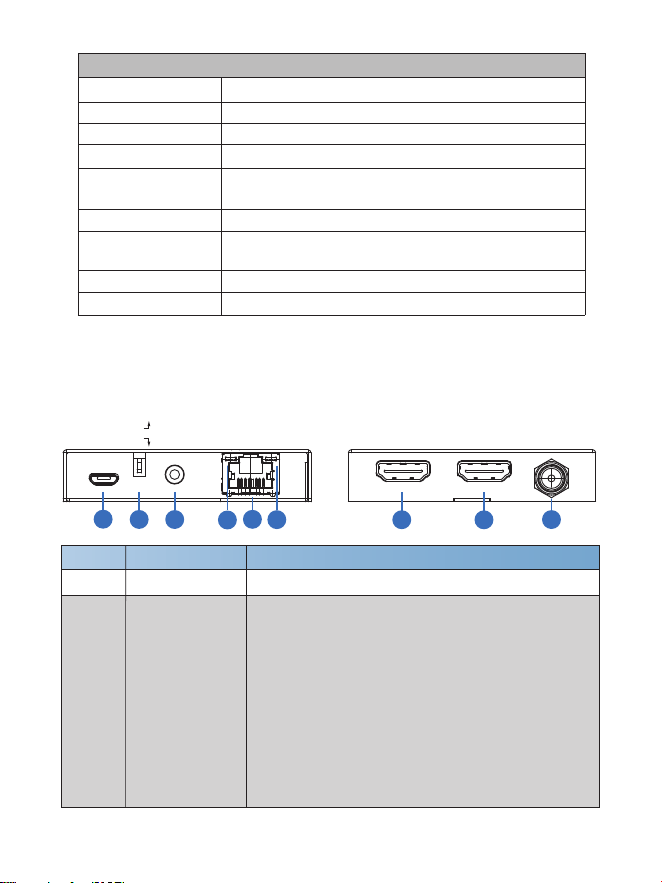
5. Operation Controls and Functions
5.1 Transmitter Panel
3/6
Power Supply
Dimensions
BlackColor
101.5mm [W] x 69.3mm [D] x 13.3mm [H]
Input: AC100 - 240V 50/60Hz, Output: DC 12V/1A
(US/EU standards, CE/FCC/UL certified)
Operating
Temperature
6.36W
Storage Temperature
32 - 104°F / 0 - 40°C
Relative Humidity
-4 - 140°F / -20 - 60°C
Power Consumption
20 - 90% RH (no condensation)
Mechanical
Metal EnclosureHousing
Weight
Transmitter: 150g, Receiver: 144g
Number Name Function description
1 SERVICE port For firmware updated use.
2 EDID TX / RX
▪ When in “TX” position, the unit will copy the EDID
setting of the HDMI loop output display device to
source device. The source device will send again
matching the loop output display device audio / video
signal to all HDMI outputs.
▪ When in “RX” position, the unit will copy the EDID
setting of the HDMI output display device on the
receiving end to source device. The source device
will send again matching the HDMI output display
device on the receiving end audio / video signal to
all HDMI outputs.
SERVICE IR OUT CAT OUT
RX
TX
EDID
1
2
3
4
5
6
DC 12VHDMI OUTHDMI IN
7
8
9
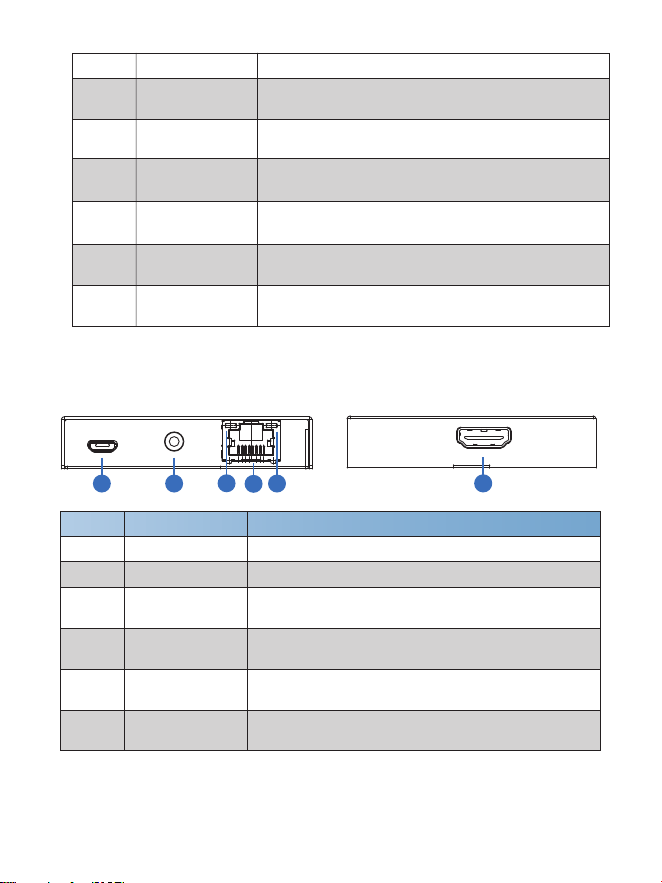
5.2 Receiver Panel
4/6
Number
Name
Function description
1 SERVICE port For firmware updated use.
2 IR IN Connect to wideband IR Receiver cable.
3 CAT IN
Connect to CAT OUT port on the transmitter end
with a CAT6 cable.
6 HDMI OUT
HDMI output port, connect to HDMI display device
such as TV or Projector with an HDMI cable.
Connection signal
Indicator Lamp
The lamp will illuminate when the transmitter and
the receiver have signal transmission.
4
Power Indicator
Lamp
The lamp will illuminate when the receiver is power
on.
5
7
DC 12V
Plug the 12V/1A adapter to AC wall outlet for power
supply.
HDMI IN
HDMI input port, connect to HDMI source device
such as DVD or PS4 player with an HDMI cable.
8 HDMI OUT
HDMI loop output port, connect to HDMI display
device such as TV or Projector with an HDMI cable.
9
6
Connection signal
Indicator Lamp
The lamp will illuminate when the transmitter and
the receiver have signal transmission.
3 IR OUT Connect to wideband IR Blaster cable.
4 CAT OUT
Connect to CAT IN port on the receiving end with
a CAT6 cable.
5
Power Indicator
Lamp
The lamp will illuminate when the transmitter is power
on.
SERVICE IR IN CAT IN
HDMI OUT
1 2
3
4
5
6
5/6
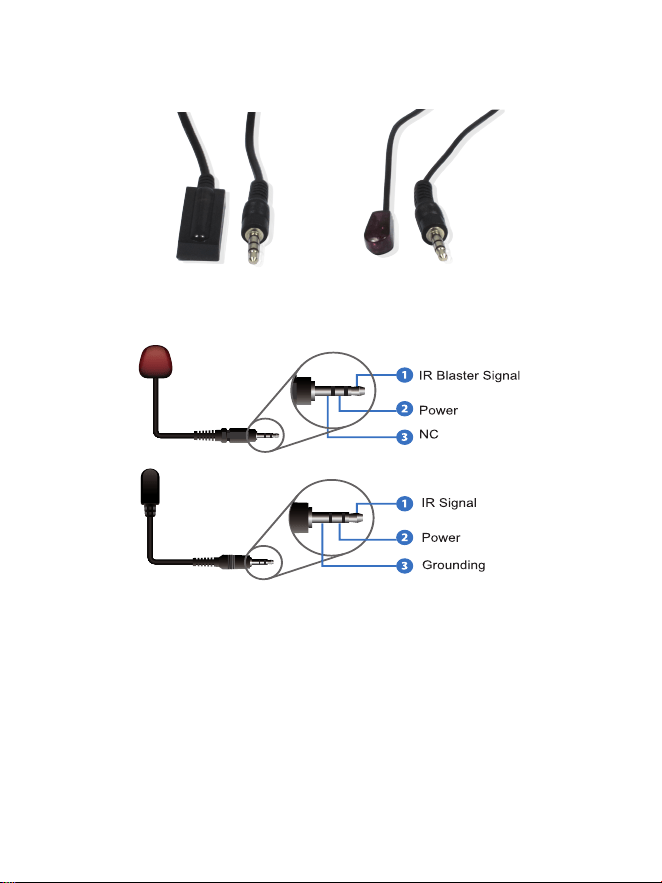
5.3 IR Pin Definition
IR Receiver and Blaster pin’s definition as below:
IR RECEIVER IR BLASTER
IR Blaster
IR Receiver
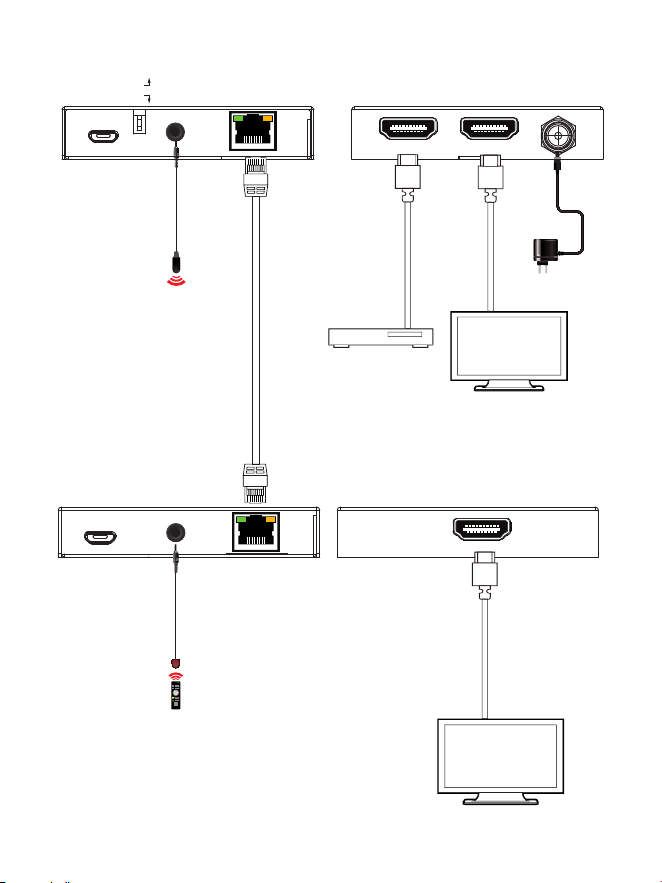
6. Application Example
SERVICE IR IN CAT IN
HDMI OUT
LAN
IR Blaster
DVD or Blu-ray Player
UHDTV
UHDTV
IR Extender
Power Supply
6/6
Transmitter
Receiver
SERVICE IR OUT CAT OUT
RX
TX
EDID
DC 12VHDMI OUTHDMI IN
LAN