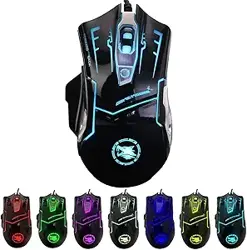
Thank you for purchasing our company's 738 gaming mouse. In order to help you
better understand the operation method and product features, we recommend that
you read the operation manual before use.
brief introduction
1、Product Diagram
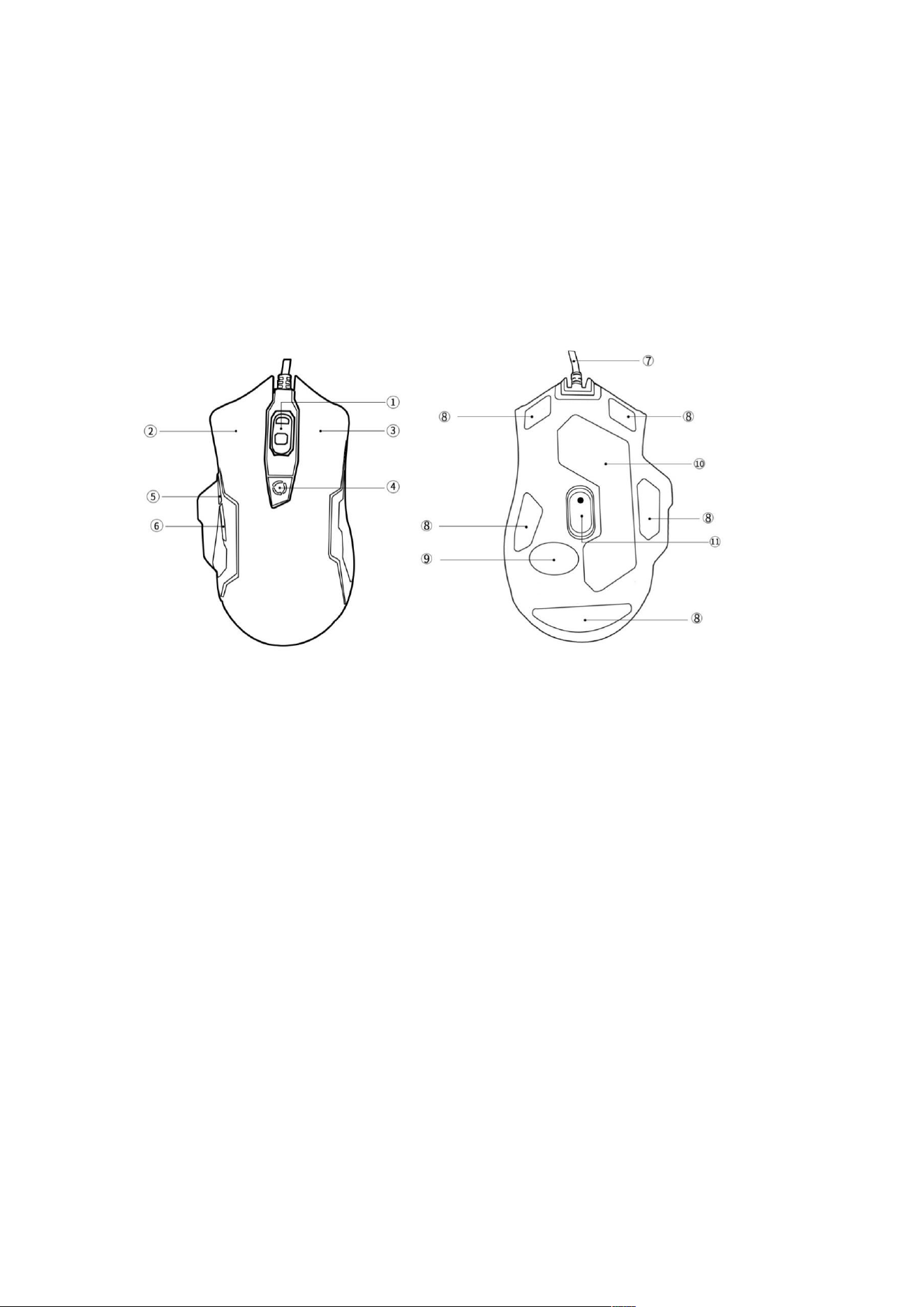
① 3D Roller ②Left click ③Right click ④DPI toggle key
⑤ Forward button ⑥back button ⑦wire rod ⑧Teflon foot pad
⑨ Date label ⑩Back sticker ⑪Optical sensors
1. Function
DPI toggle key
· Using DPI button to switch sensitivity
· By adjusting the DPI button, the sensitivity can be switched from 1200
to 3600 (1200-1800-2400-3600)
Forward button
When browsing the webpage, click the forward button to go to the
next page

Back button
When browsing the webpage, click the back button to go to the
previous page
RGB backlight control method
Long pressing,RGB backlight turned off;
Long pressing again,RGB backlight on;
2、Product Features
·Transmission method: wired USB
·(From min to max):1200-1800-2400-3600
·Number of buttons: 6
·Rated voltage/current: DC SV/<100mA
·operating system: Windows Vista/Windows xp/wndows
Windows8 /Windows10
·Product size: 130mm(L)x80mm(W)x40mm(H)+0.2mm
·Line length: 1.6m
·Product weight: 180g (Including wires and weight blocks)
3、System requirements
• Windows Vista/Windows xP/Windows*7/Windows* B/Windows 10
4、Install
Pluging and playing
The gaming mouse 738 supports plug and play, and when connected to
USB, the computer will automatically detect the mouse without the need
for a driver or CD
Attention: You can adjust the DP value according to your personal preferences, and it
will perform better when paired with a professional mouse pad.