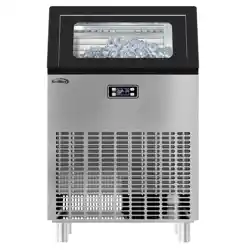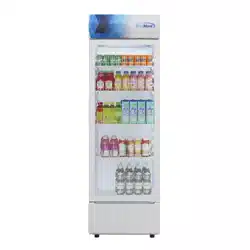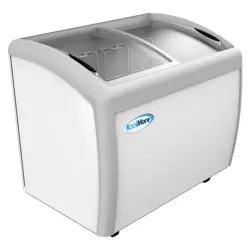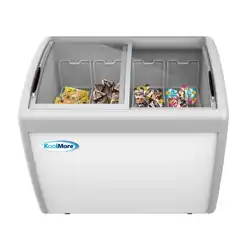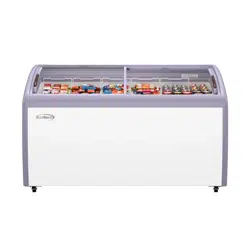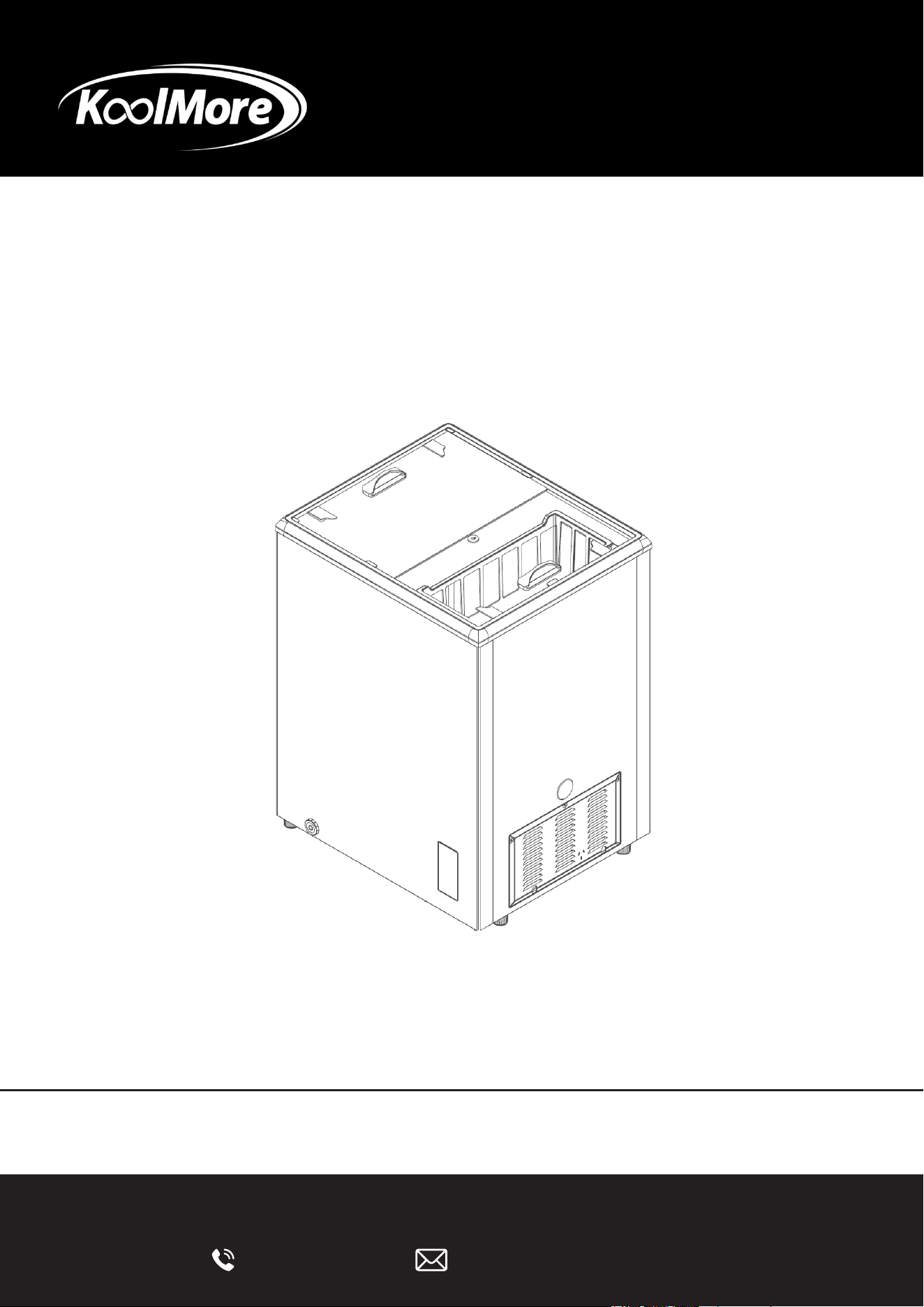
ICE CREAM DISPLAY
Commercial Flat Top Ice Cream Display
Freezer
USER MANUAL
Before using, please read the operating instructions carefully to
ensure proper installation and operation.
For any service related issues, please contact us:
Models: KM-ICD-5C, KMICD-37C, KM-ICD-70C
718-576-6342 [email protected]
Please write down the model number and serial number below for future reference. Both numbers are located on the
rating label on the back of your unit or inside of the unit and are needed to obtain warranty service. You may also
want to staple your receipt to this manual as it is your proof of purchase and may also be needed for service
under warranty.
Model Number: ___________________________________
Serial Number: ____________________________________
Date of Purchase: ________________________________
To better serve you, please do the following before contacting customer service:
If you received a damaged product, immediately contact the retailer or dealer that sold you the product.
Read and follow this User Manual carefully to help you install, use, and maintain your unit.
Refer to the Troubleshooting section of this manual as it will help you diagnose and solve many common issues.
Stay informed with the latest information for your
KoolMore appliance.
Scan the QR code below to access the most recent user manual
on our website, which is constantly being updated and improved.
If you need any assistance or have questions, our customer support
team is here to help.
Phone- 718-576-6342 Email- suppor[email protected]

3
Contents
Safety ............................................................................................. 5
Installation ..................................................................................... 8
Parts .............................................................................................. 11
Operation ....................................................................................... 12
Maintenance .................................................................................. 15
Technical Specications ................................................................ 17
Troubleshooting ............................................................................. 18
Warranty ......................................................................................... 19
4
Important Safety Information
Read Before First Use
Before operating this ice cream freezer for the first time, carefully read and follow all safety
instructions in this manual. Proper installation, operation, and maintenance are essential for safe
use and reliable performance.
Intended Use
This appliance is designed for commercial indoor use to store and freeze ice cream and other
frozen food products. It is suitable for use in restaurants, ice cream shops, cafés, convenience
stores, and similar foodservice environments.
This unit is not intended for household use or for applications outside of its designed purpose.
Do not use this freezer for medical storage, laboratory use, or any application requiring temperature
precision beyond foodservice standards.
Using the appliance for unintended purposes may result in damage, unsafe operation, or personal
injury. The manufacturer is not responsible for damage caused by improper or unauthorized use.
Modications
For safety reasons, do not modify, alter, or repair this appliance unless explicitly authorized by the
manufacturer. Unauthorized modications may result in equipment failure, injury, and/or voiding of
the warranty.
Safety Symbols and Signal Words
The following symbols and signal words are used throughout this manual to highlight important
safety information:
DANGER
Indicates a hazardous situation that will result in serious injury or death if not avoided.
WARNING
Indicates a hazardous situation that could result in serious injury or death if not avoided.
CAUTION
Indicates a hazardous situation that may result in minor or moderate injury if not avoided.
ATTENTION
Indicates important information related to equipment damage or property damage, but
not personal injury.
IMPORTANT SAFETY NOTICE
Always pay close attention to messages labeled DANGER, WARNING, or CAUTION. These alerts
are designed to help prevent accidents and ensure safe operation of the appliance.
Failure to follow these instructions may result in injury, equipment damage, or unsafe conditions.
General Information
These operating instructions provide general guidance. Some features described may vary by
model.
The manufacturer reserves the right to make improvements or changes to the design, specica-
tions, or components of this appliance without prior notice.
5
READ AND SAVE THESE INSTRUCTIONS
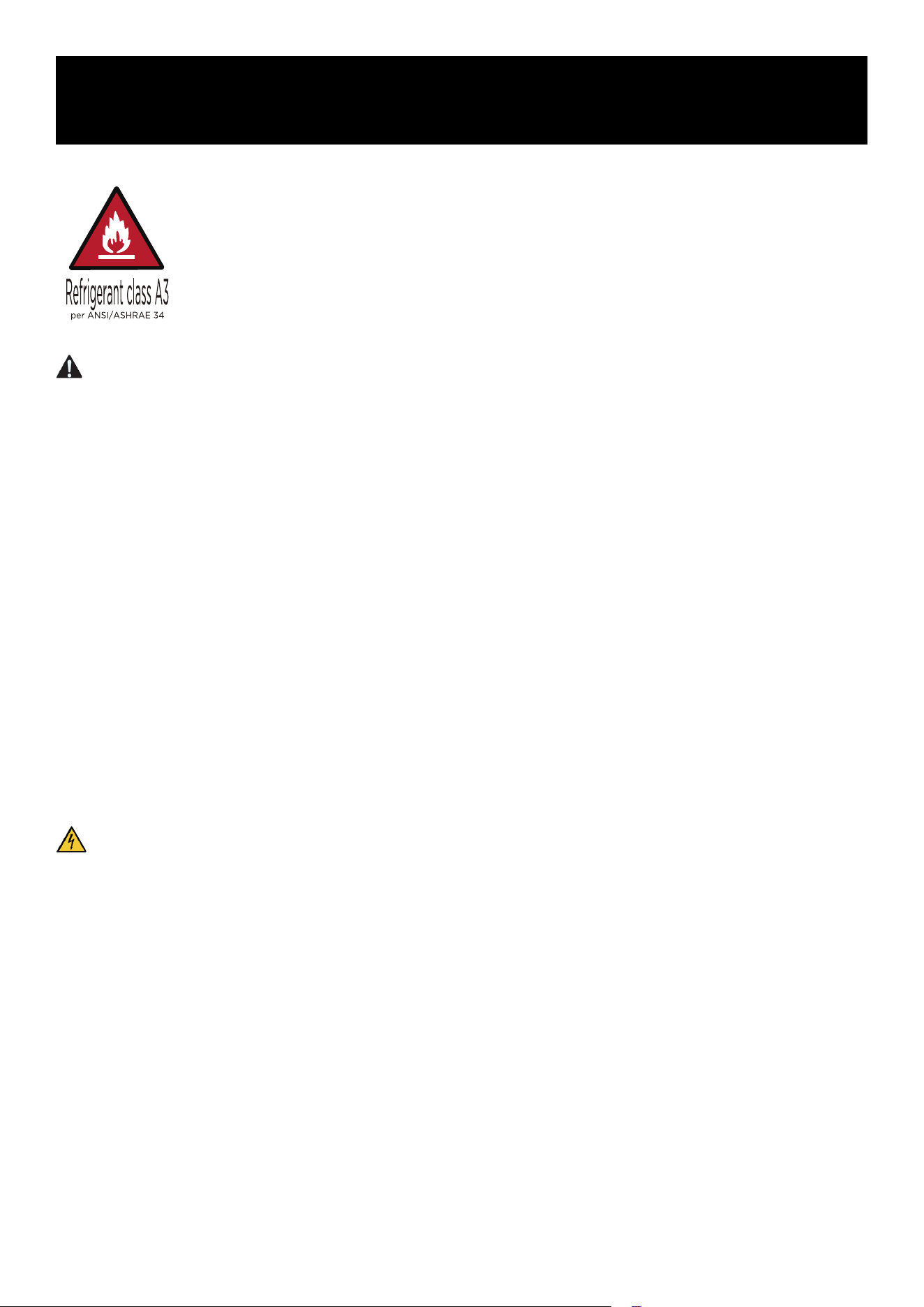
WARNING: Risk of Fire / Flammable Materials
The refrigerant and insulation materials used in this appliance are flammable.
When the appliance is removed from service, it must be kept away from open
flames or ignition sources. Disposal must be performed by a qualied recycling or
recovery service. Do not dispose of this appliance by burning, as this may cause
environmental damage or personal injury.
WARNING
• If the appliance is equipped with doors or lids that include locks, keep the keys out of the reach
of children and away from the appliance to prevent accidental entrapment.
• Keep all ventilation openings in the appliance enclosure or surrounding structure clear and
unobstructed at all times.
• Do not use mechanical devices or methods other than those recommended by the manufacturer
to accelerate the defrosting process.
• Do not damage the refrigerant circuit.
• Do not use electrical appliances inside the food storage compartments unless they are specically
approved by the manufacturer.
• Dispose of the appliance in accordance with local regulations, as it contains flammable refrigerant
and insulation materials.
• Installation of this appliance must be performed by a qualied technician to reduce the risk of
re or injury.
• To prevent instability hazards, install and secure the appliance as instructed.
• When positioning the appliance, ensure that the power cord is not pinched, trapped, or dam-
aged.
• This appliance is not designed to be installed as a built-in unit.
WARNING: Electrical Safety
Improper electrical connection or excessive supply voltage may result in electric shock, re, or
equipment damage.
• Connect the appliance only to a properly grounded outlet that matches the voltage and rating
listed on the data plate.
• Do not use extension cords, power strips, or ungrounded adapters.
• Ensure all electrical cords are protected from damage caused by sharp edges, heat, or animal
contact.
• Do not place portable power outlets or power supplies behind the appliance.
• Always unplug the unit before performing cleaning, maintenance, or service.
• Disconnect the appliance from power when it is not in use.
• If the power cord is damaged, it must be replaced by the manufacturer, an authorized service
agent, or a similarly qualied professional.
Safety
6
WARNING: Child Safety
• Children must be supervised to ensure they do not play with the appliance.
• Dispose of all packaging materials immediately after unpacking. Plastic bags, cartons, and
wrapping materials may pose a suffocation hazard.
• Remove staples and fasteners from packaging to prevent cuts or injuries.
• Before discarding an old freezer, remove the doors to prevent children from becoming trapped
inside.
• Leave interior shelves in place to reduce the risk of children climbing into the unit.
WARNING: Risk of Injury and Property Damage
• Never place frozen food directly into your mouth immediately after removing it from the freezer.
• Avoid prolonged skin contact with frozen food, ice, or cold surfaces inside the freezer.
• Do not store explosive substances such as aerosol cans containing flammable propellants in
this appliance.
• Do not place flammable materials near the unit.
• Do not store carbonated beverages or tightly sealed liquid containers in the freezer compartment,
as they may burst.
WARNING: Risk of Injury
Failure to follow these safety instructions may result in injury.
• This appliance may be used by children aged 8 years and older and by individuals with reduced
physical, sensory, or mental capabilities if they are properly supervised or instructed in safe use
and understand the associated hazards.
• Children must not play with the appliance.
• Cleaning and routine maintenance must not be performed by children without supervision.
WARNING: Refrigerant Safety
• Check the rating label on the appliance to identify the refrigerant type.
• This appliance contains flammable refrigerant; follow local regulations for safe disposal.
• During transportation and installation, ensure that the refrigerant circuit is not damaged.
• If the refrigerant circuit is damaged:
• Avoid open flames and ignition sources.
• Ventilate the room thoroughly.

7
CAUTION
The refrigerant and insulation materials used in this appliance are flammable. When the appliance
is scrapped, it must be kept away from re sources and handled by qualied recovery personnel.
Improper disposal may result in environmental damage or personal injury.
Changing the Light
Replacement or maintenance of LED lamps must be carried out by the manufacturer, an authorized
service agent, or a similarly qualied professional.
If you have any questions regarding installation, please contact your dealer, customer service, or
the nearest authorized service center.

8
Before First Use
Remove all exterior and interior packaging materials. Wipe the outside of the appliance with a soft,
dry cloth and clean the interior with a damp, lukewarm cloth.
Do not place the cabinet in a narrow recess or near heat sources, direct sunlight, or moisture.
Adequate air circulation is required for efcient operation. Maintain the recommended clearances
to ensure proper ventilation.
Before connecting the appliance to the power supply, verify that the voltage stated on the rating
label matches the voltage in your home. Using an incorrect voltage may damage the appliance.
The appliance must be properly grounded. The manufacturer is not responsible for damage resulting
from improper or missing grounding.
Recommended Clearances
• Ensure free air circulation around the cabinet.
• Maintain at least 4 inches of space on both sides, 27.5 inches above the unit, and 4 inches at
the rear.
• Allow sufcient space to ensure the door can open fully and operate safely.
Connecting the Appliance
After installation, allow the appliance to stand upright for at least 2 hours before switching on the
power. Failure to do so may reduce cooling performance or cause damage.
Allow the appliance to run empty for 24 hours so the compartment can reach the appropriate
operating temperature.
CAUTION
The freezer must always be plugged into its own dedicated electrical outlet with a voltage rating
that matches the rating plate.
Ensure the power cord is not trapped, pinched, or damaged during positioning.
Disconnect the appliance from the power supply before cleaning, performing maintenance, or
replacing any parts.
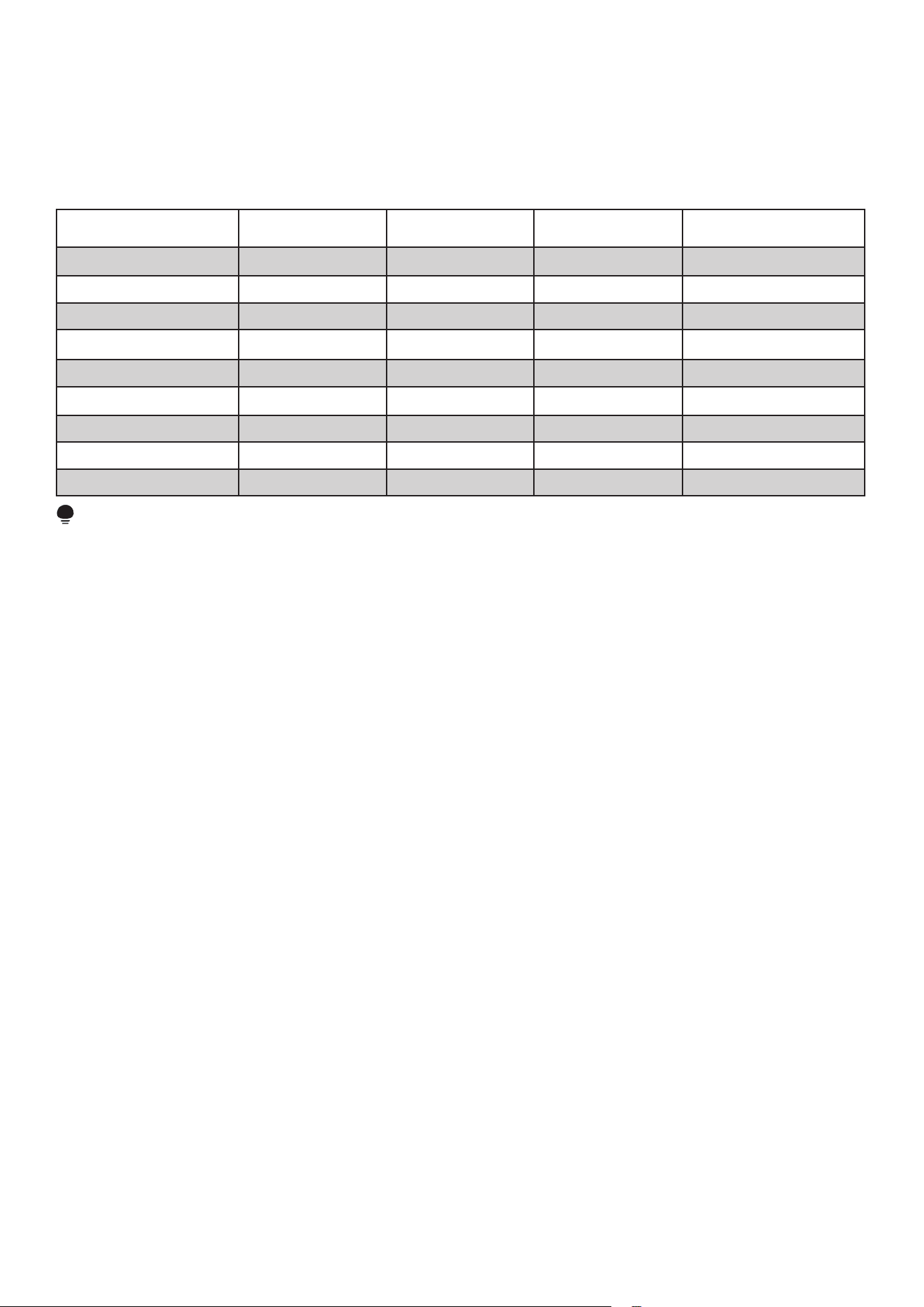
Ambient Temperature
Depending on the climate class, this refrigerating appliance is designed to operate within specic
ambient temperature ranges, as shown in the table below.
The appliance may not operate correctly outside the specied range. The climate class is indicated
on the product label.
Installation
9
Note:
Water vapor mass in dry air is one of the main factors influencing cabinet performance and energy
consumption.
The following climate class table is provided for reference to standardized laboratory test conditions
in accordance with EN ISO 23953-2.
Test Room Climate
Class
Dry Bulb Temperature
(
o
C)
Relative Humidity
(%)
Dew Point
(
o
C)
Water Vapour Mass in Dry
Air (g/kg)
0 20 50 9.3 7.3
1 16 80 12.6 9.1
2 22 65 15.2 10.8
3 25 60 16.7 12.0
4 30 55 20.0 14.8
5 40 40 23.9 18.8
6 27 70 21.1 15.8
7 35 75 30.3 27.3
8 24 55 14.4 10.2
ATTENTION
Cooling performance and energy consumption may be affected by ambient temperature,
door-opening frequency, and appliance location. Adjust temperature settings as necessary.
When Not in Use
Power Failure
In the event of a power failure, food can be preserved for several hours, even in summer. Minimize
door openings and do not place fresh food inside the unit during this time.
Long-Term Non-Use
If the appliance will not be used for an extended period, unplug it and clean it thoroughly. Keep the
door open to prevent odors.
Moving the Appliance
When moving the unit, do not turn it upside down or subject it to vibration. The tilt angle must not
exceed 45°.
Tips for Energy Saving
• Place the appliance in the coolest area of the room, away from heat-producing appliances or
heating ducts, and out of direct sunlight.
• Do not position the unit near cookers, radiators, or other heat sources. High ambient temperatures
cause the compressor to run longer and more frequently, increasing energy consumption.

10
• Ensure adequate ventilation at the base, sides, and rear of the appliance.
• For increased storage space (e.g., for larger refrigerated or frozen items), the middle shelves
may be removed.
• Ensure door gaskets are clean and fully intact so doors close properly and minimize energy
loss.
• Organize and label stored food to reduce door-opening time. Remove items quickly and close
the door promptly.
The display cabinet’s noise level (sound pressure level) is below 70 dB(A).
CAUTION
1. Climbing on top of the display cabinet or stacking items on it is prohibited.
2. The cabinet door is made of tempered glass. Do not strike the edges with hard or sharp
objects, as this may cause breakage.
3. The basket is not intended for displaying or storing heavy and bulky items.
11
Maximum Load per Basket: 13 lbs.
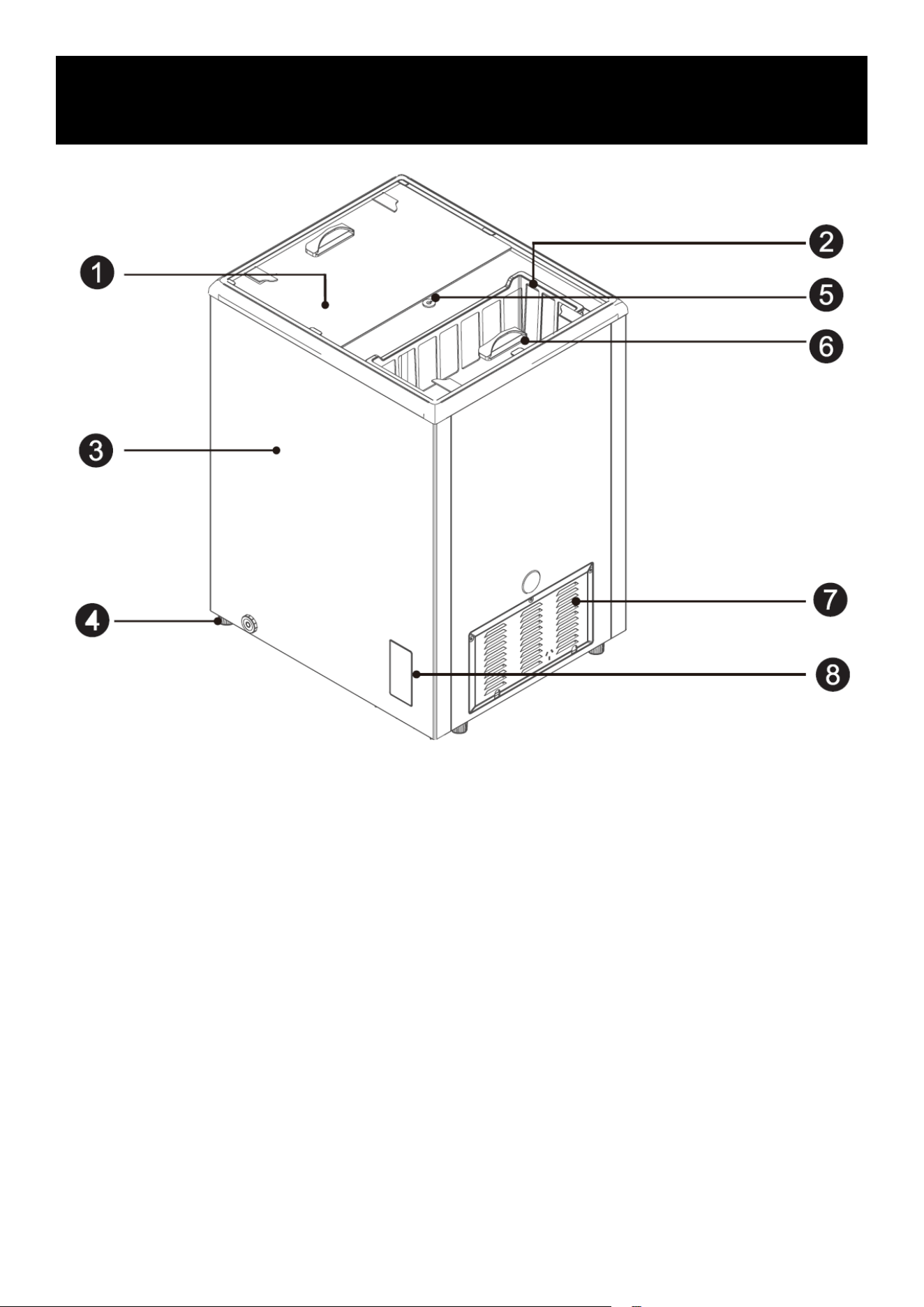
1. Glass Door
3. Cabinet Assembly
5. Lock
7. Vent Cover
2. Hanging Basket
4. Caster
6. Handle
8. Control Panel
NOTE:
Due to product improvements and model variations, some illustrations in this manual may differ
slightly from your unit.
Parts
12
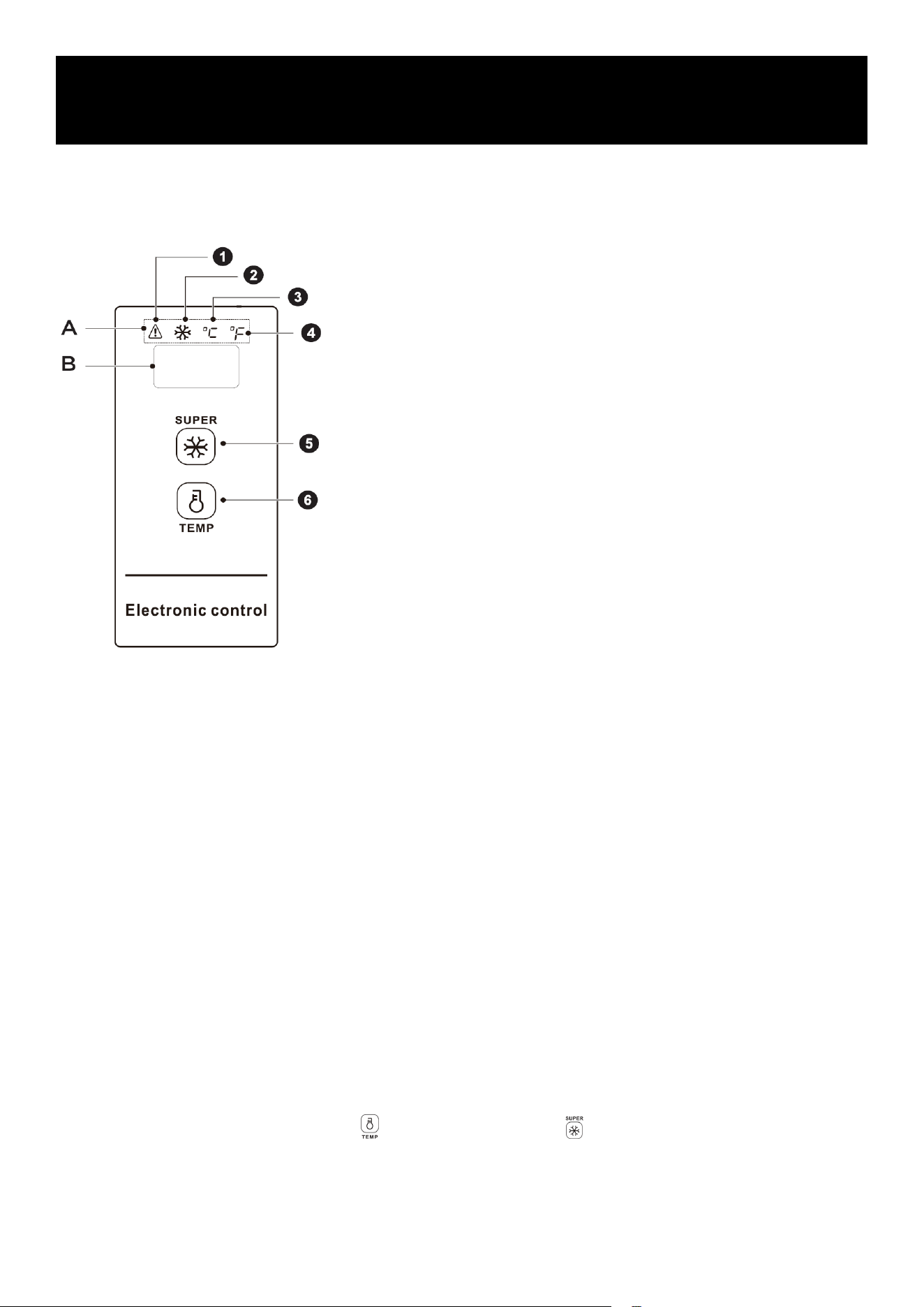
Control Panel Overview
The control panel includes indicator lights and function keys for monitoring and adjusting freezer
operation.
NOTE:
The actual control panel layout may vary slightly by model.
Display Operation
When the freezer is powered on, the display will illuminate for approximately 3 seconds, then enter
normal operation mode.
Normal Display
• During normal operation, the display shows the set temperature or active function mode.
• If a fault occurs, the display will show the corresponding error code.
Sleep (Display-Off) Function
The sleep function is enabled by default after power is applied.
• After temperature adjustment or conrmation, the display will automatically turn off after 30
seconds.
• The unit continues operating normally while the display is off.
Turn Sleep Function ON
Press and hold the Temperature key and Super Freeze key simultaneously for 5 seconds.
When “ON” appears in the temperature display, the sleep function is enabled.
Operation Indicators and Keys
1. High-temperature alarm indicator
2. Super Freeze indicator
3. Celsius temperature indicator
4. Fahrenheit temperature indicator
5. Super Freeze key
6. Temperature key
Display Areas
• A. Indicator light display area
• B. Temperature display area
Operations
13
Turn Sleep Function OFF
Press and hold the Temperature key and Super Freeze key simultaneously for 5 seconds.
When “OF” appears in the temperature display, the sleep function is disabled and the display will
remain on.
Lock / Unlock Function
After initial power-on, the control panel is locked by default.
Unlock
Press and hold the Super Freeze key for 3 seconds.
The display will blink once, indicating the panel is unlocked.
Lock
• Press and hold the Super Freeze key for 3 seconds to manually lock the panel.
• If no keys are pressed for 30 seconds, the control panel will automatically lock.
NOTE:
All control functions must be performed while the panel is unlocked.
Temperature Unit Conversion (°F / °C)
Press and hold the Temperature key for 3 seconds to switch between Fahrenheit and Celsius.
• When Celsius is selected, the °C indicator will be illuminated.
• When Fahrenheit is selected, the °F indicator will be illuminated.
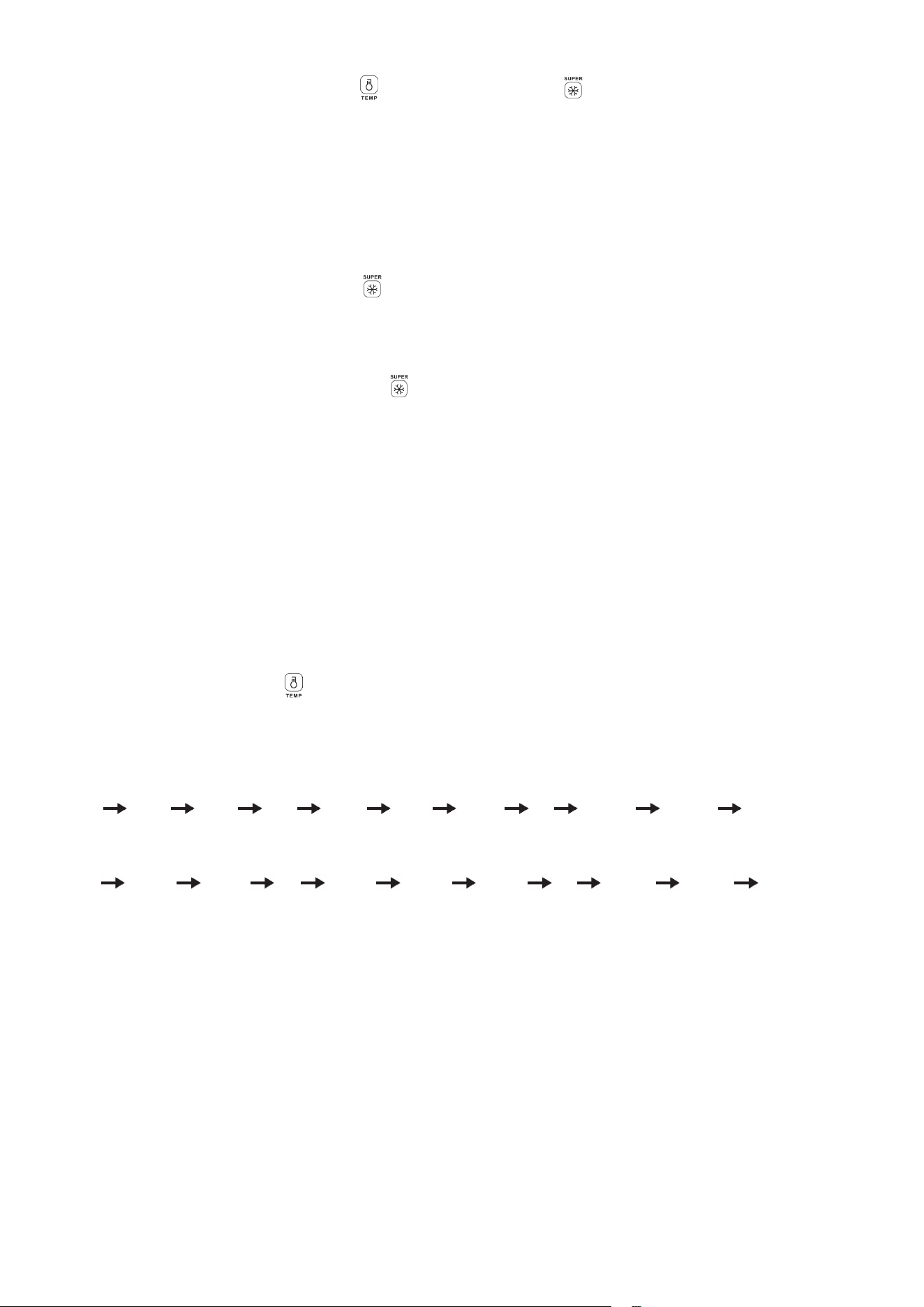
Temperature Setting
Press the Temperature key to display the current set temperature.
Each press changes the temperature by 1 degree.
Temperature Adjustment Range
Celsius:
10°C 9°C 8°C … 1°C 0°C -1°C … -28°C -29°C -30°C
Fahrenheit:
50°F 49°F 48°F … 33°F 32°F 31°F … -20°F -21°F -22°F
The temperature cycles continuously through the range.
Super Freeze Function
Activate Super Freeze
Press the Super Freeze key.
• The Super Freeze indicator light will turn on.
• In Celsius mode, the display will show -30°C.
• In Fahrenheit mode, the display will show -22°F.
• When the compressor is running continuously, the corresponding temperature unit indicator
will remain illuminated.
14
Exit Super Freeze
Super Freeze will automatically exit under the following conditions:
1. Power interruption occurs.
2. Continuous compressor operation reaches 24 hours.
3. A sensor fault is detected.
4. The Super Freeze key is pressed again.
High-Temperature Alarm
When a high-temperature condition is detected, the alarm indicator will illuminate. Check the freezer
contents and operating conditions immediately.
Power Failure Memory
In the event of a power failure:
• The unit will store the operating state prior to power loss.
• When power is restored, the freezer resumes operation using the previous settings.
• Super Freeze mode will be canceled after power recovery.
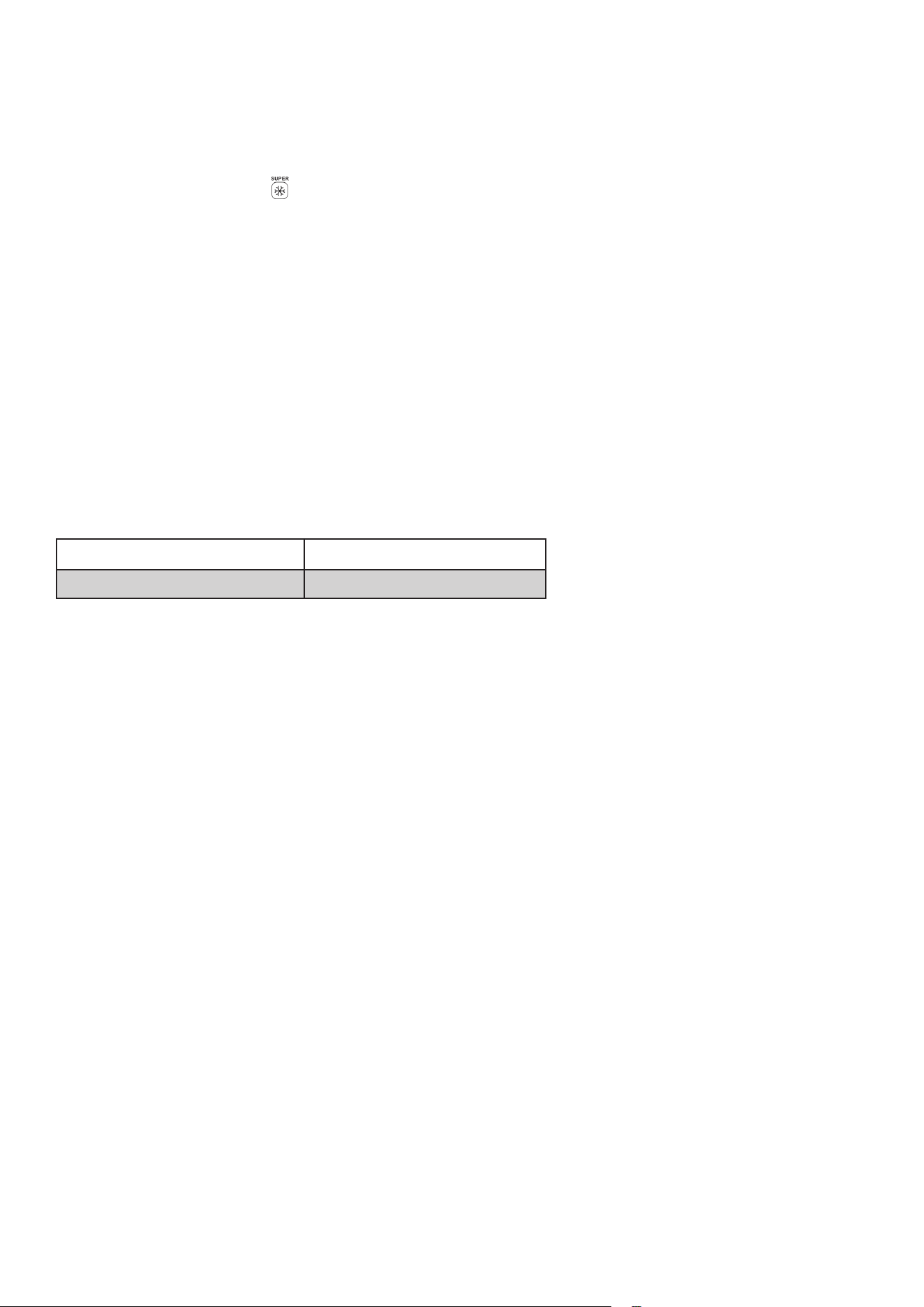
Fault Codes
If a fault occurs, the display will show an error code.
Fault Code Description
E2 Temperature sensor failure
If an error code is displayed, contact a qualied service technician to ensure safe and proper
operation.
15
CAUTION
Regular cleaning and maintenance are required to ensure efcient cooling performance, energy
savings, and safe operation.
Dust and debris behind the cabinet and on the floor around the unit should be cleaned regularly to
maintain proper airflow and cooling efciency.
Inspect the door gasket frequently to ensure it is clean and free of debris. Clean the gasket using a
soft cloth dampened with warm, soapy water or diluted detergent.
Clean the cabinet interior regularly to prevent odors.
Before cleaning the interior, unplug the unit and remove all food items, baskets and accessories.
Use a soft cloth or sponge to clean interior surfaces. For routine cleaning, mix two tablespoons
of baking soda with one quart of warm water. Rinse with clean water and wipe dry. After cleaning,
leave the door open and allow the interior to dry completely before restoring power.
For hard-to-reach areas such as narrow gaps, corners, or seams, clean regularly using a soft cloth
or soft brush. When necessary, use small tools (such as wooden or plastic sticks) to prevent the
buildup of contaminants or bacteria.
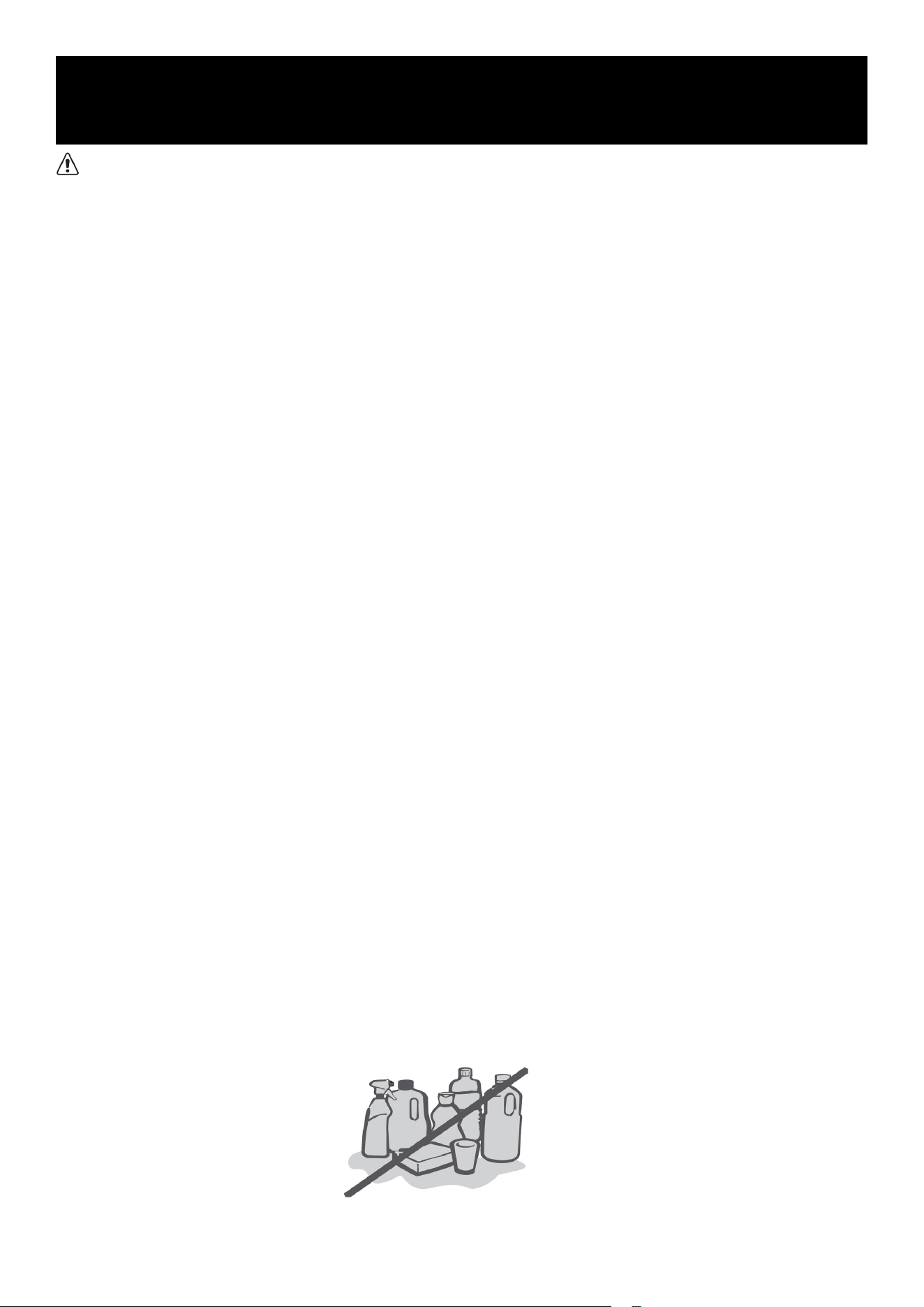
Do not use strong soaps, abrasive powders, spray cleaners, or harsh chemicals, as these may
cause odors inside the cabinet or contaminate stored food.
Clean wire baskets and accessories with a soft cloth dampened with warm soapy water or diluted
detergent. Dry thoroughly with a soft cloth or allow to air dry.
Wipe exterior surfaces using a soft cloth dampened with warm soapy water or mild detergent,
then wipe dry.
Do not use hard brushes, steel wool, wire brushes, abrasives (such as toothpaste), or chemical
solvents (including alcohol, acetone, or similar substances). Do not use boiling water, acidic, or
alkaline cleaners. These materials may damage the cabinet surface, interior liner, or plastic
components.
Do not rinse the cabinet directly with water or other liquids, as this may cause electrical short
circuits or damage the insulation.
Note: A thorough cleaning is recommended at least once per month.
Maintenance
16
Defrosting
ATTENTION
Continuous operation is recommended after the unit is started. Do not stop operation under normal
conditions, as frequent shutdowns may reduce service life.
This freezer is designed for year-round use with minimal maintenance. Perform the following
steps when defrosting to maintain efcient and odor-free operation:
1. Turn off and unplug the freezer.
2. Remove all food and store it properly to prevent
thawing.
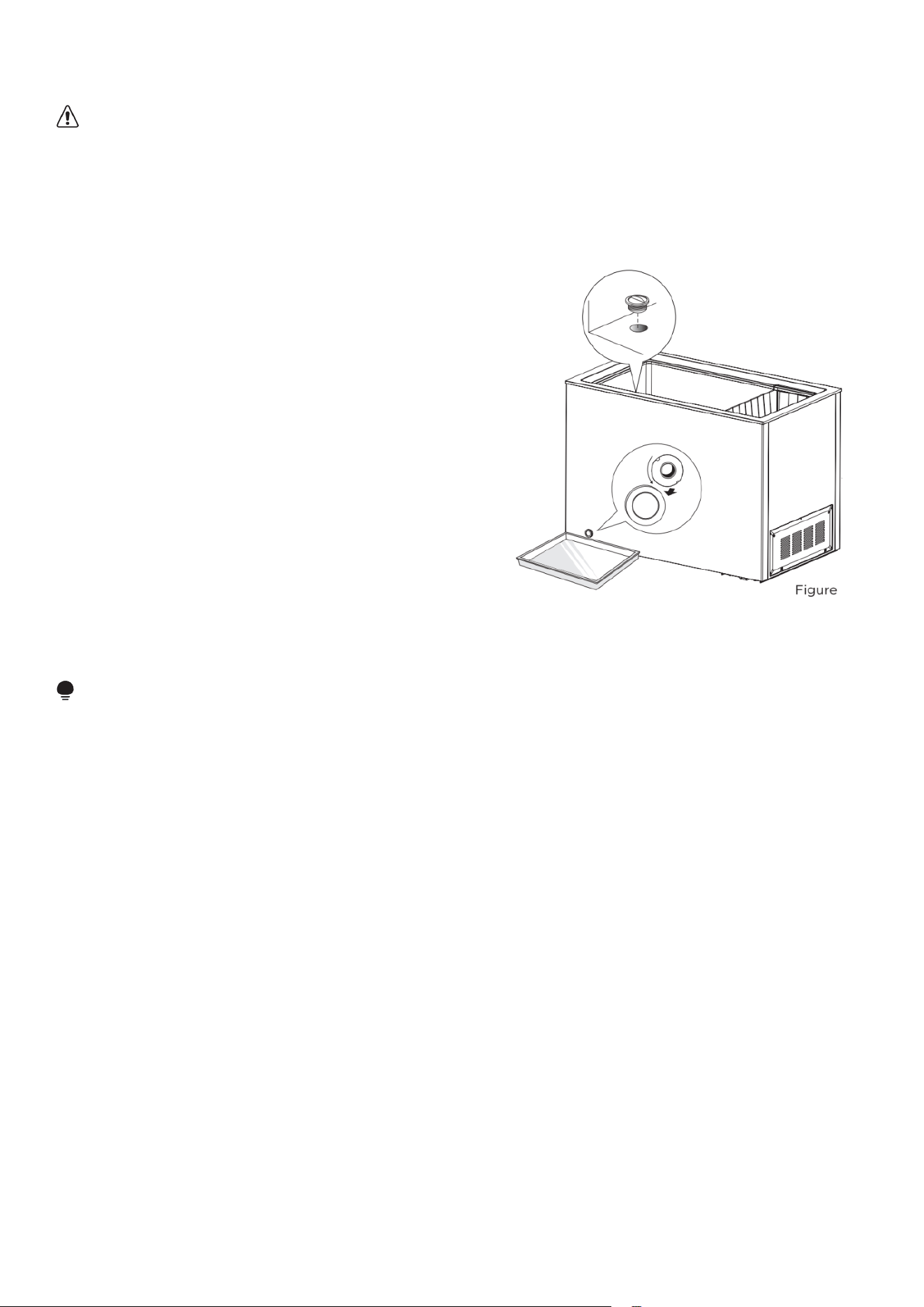
3. Clear the drain plug area. Prepare a suitable
container to collect defrost water, and ensure the
compressor compartment drain tray is clean and
does not overflow.
4. Allow ice to melt naturally. If necessary, use only
a plastic or wooden ice scraper. Do not use metal
tools.
5. Remove the internal drain plug and the external
defrost drain plug. Defrost water will drain out.
Check the drain pan periodically to prevent overflow.
6. Warm water may be used to speed up defrosting. Dry all surfaces thoroughly with a clean cloth
afterward.
7. Once defrosting is complete, return the food to the cabinet and restore power.
ATTENTION
After startup, the appliance is designed to operate continuously. Interrupting normal operation
may shorten the unit’s service life.
17
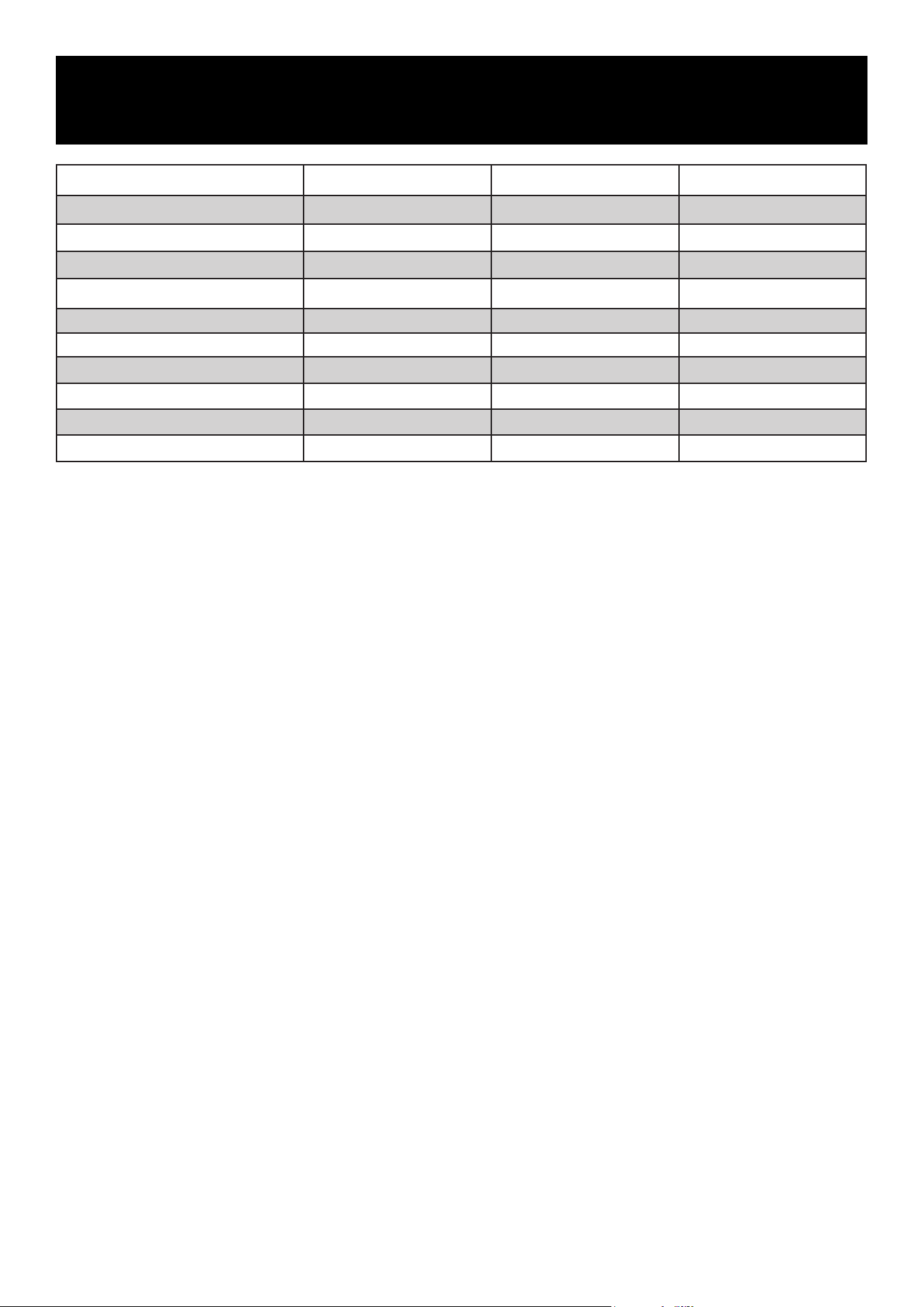
Specication KM-ICD-37C KM-ICD-5C KM-ICD-70C
Voltage
115V~ 115V~ 115V~
Frequency 60 Hz 60 Hz 60 Hz
Phase 1 1 1
Amps 3.6 A 3.6 A 3.6 A
Wattage 100 W 100 W 120 W
Temperature Range -14.8°F to 50°F -14.8°F to 50°F -14.8°F to 50°F
Ambient Temperature Range 50°F to 100°F 50°F to 100°F 50°F to 100°F
Refrigerant R600a R600a R600a
Cooling Type Static Static Static
Defrost Type Manual Manual Manual
Technical Specications
18
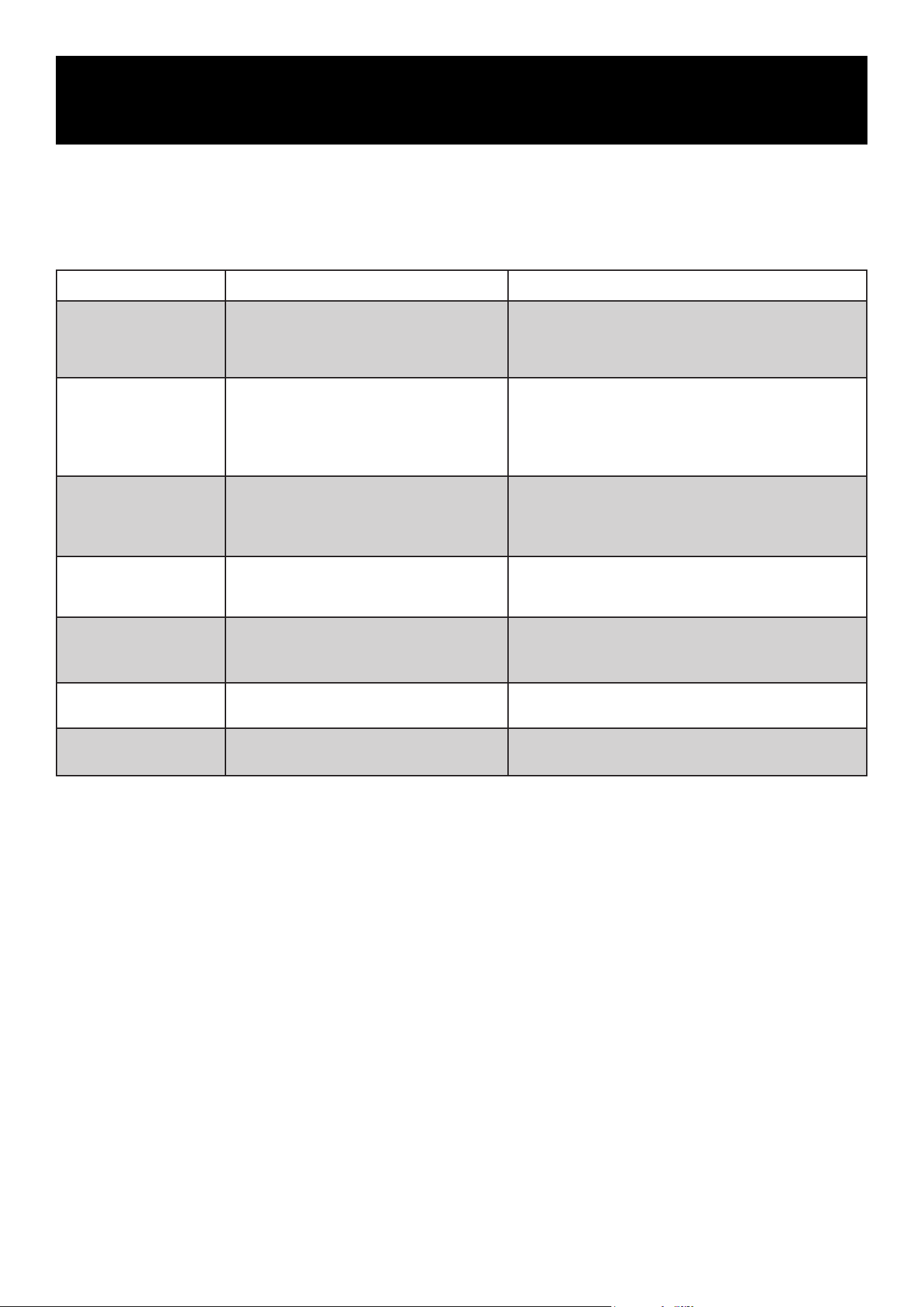
Problem Possible Causes Solution
Unit does not operate
• Power switch is off
• Power cord not fully plugged in
• Power outage or circuit breaker tripped
• Turn the power on
• Plug the power cord in securely
• Check the power supply and circuit breaker
Compressor runs for a
long time
• High ambient temperature
• Too much product loaded at once
• Warm products loaded before cooling
• Door opened frequently
• Excessive frost buildup
• This is normal under high ambient conditions
• Load products gradually
• Allow products to cool before loading
• Minimize door openings
• Defrost the unit if needed
Door does not close
properly
• Obstruction inside cabinet
• Overloading shelves
• Door gasket deformed
• Remove obstructions
• Reduce product load
• Warm the gasket gently, then allow it to cool and
return to shape (use a hair dryer or warm water)
Outer cabinet surface is
hot
• Heat dissipation during operation
• High ambient temperature
• This is normal
• Ensure adequate ventilation and increase clearance
around the unit
Odors inside cabinet
• Spoiled food
• Strong-smelling items
• Dirty interior
• Remove spoiled items
• Wrap strong-smelling food tightly
• Clean the interior thoroughly
Condensation on exterior
surface
• High room humidity
• This is normal
• Wipe condensation with a dry cloth
Door is hard to open
• Pressure difference between inside and
outside of cabinet after door closure
• Wait a few moments, then open the door slowly
The following issues can usually be resolved by the user. If the problem persists after performing
the recommended steps, please contact KoolMore Customer Service.
Common Issues and Solutions
Normal Operating Sounds
Certain sounds may be heard during normal operation. These do not indicate a malfunction.
Sounds That Can Be Reduced
• Unit not level: Adjust leveling feet or place soft pads under rear casters, especially on tiled
floors.
• Contact with nearby objects: Move the unit away from walls or furniture.
• Drawer or shelf noise: Remove and reinstall drawers or shelves to ensure proper seating.
Normal Sounds
• Compressor starting and stopping
• Refrigerant flowing through the cooling system
• Thermal expansion and contraction of components
These sounds are normal and do not affect unit performance.
Troubleshooting
19
LIMITED WARRANTY
KoolMore Supply Inc. extends a limited warranty to the original purchaser, guaranteeing that this KoolMore product is
free from manufacturing defects in material or workmanship for one year from the date of purchase.
Should you discover any such defect within the warranty period, KoolMore Supply Inc. reserves the right to repair or
replace the product without charge, or to cover the cost of replacement parts and repair labor needed to correct defects
present at the time of purchase or resulting from regular usage, when the appliance has been installed, operated, and
maintained as per the instructions provided.
At its sole discretion, KoolMore Supply Inc. may decide to replace the product. In such an event, your replacement
appliance will carry the warranty for the remaining term of the original unit’s warranty period.
This warranty is valid exclusively to the original purchaser of the product and only applicable within the United States.
The warranty commences from the date of original consumer purchase. Proof of the original purchase date will be
required to obtain service under this warranty.
Under this limited warranty, your sole and exclusive remedy will be product repair, as outlined above. All services
must be provided by a KoolMore designated service company.
KoolMore shall not be responsible or liable for any loss, spoilage, or damage to food, beverages, pharmaceuticals,
medical supplies, or any other contents stored in the unit resulting from failure, malfunction, defects, improper
installation, improper use, power interruption, or any other cause. Any such losses are expressly excluded from
coverage under this warranty.
To claim warranty or request repair service:
Email [email protected]. Please include your name, address, phone number, warranty repair request, and a copy
of your proof of purchase receipt. Alternatively, visit koolmore.com and use the Contact Us page. A KoolMore customer
service representative will promptly arrange service for your appliance.
We thank you for choosing KoolMore.
WARRANTY EXCLUSIONS
This limited warranty will not cover:
1. Failure of the product to perform during power failures or interruptions, or due to inadequate electrical service.
2. Damage incurred during transportation or handling.
3. Damage caused by accidents, vermin, lightning, winds, re, floods, or acts of God.
4. Damage resulting from accidents, alterations, misuse, abuse, improper installation, repair, or maintenance. This
includes using any external device that alters or converts the voltage or frequency of electricity.
5. Unauthorized product modications, repairs by unauthorized centers, or use of non-approved replacement parts.
6. Abnormal cleaning and maintenance not aligned with the user’s manual.
7. Use of incompatible accessories or components.
8. Any costs associated with repairs or replacements under these excluded circumstances shall be the responsibility
of the consumer.
WARRANTY