PAIRING YOUR SYLVANIA SMART
+
BLUETOOTH PRODUCT TO
THE SYLVANIA SMART HOME APP
This guide goes through how to set up and pair your SYLVANIA SMART
+
Bluetooth lights to
the SYLVANIA Smart Home app on your Android device.
BEFORE YOU BEGIN
• Download the SYLVANIA Smart Home app from the Google Play™ store and create
an account.
• You will need a smartphone using Android 6.0 or higher and a SYLVANIA SMART
+
Bluetooth product.
• Make sure the products you are pairing are plugged in and powered on.
TO PAIR YOUR LIGHTS
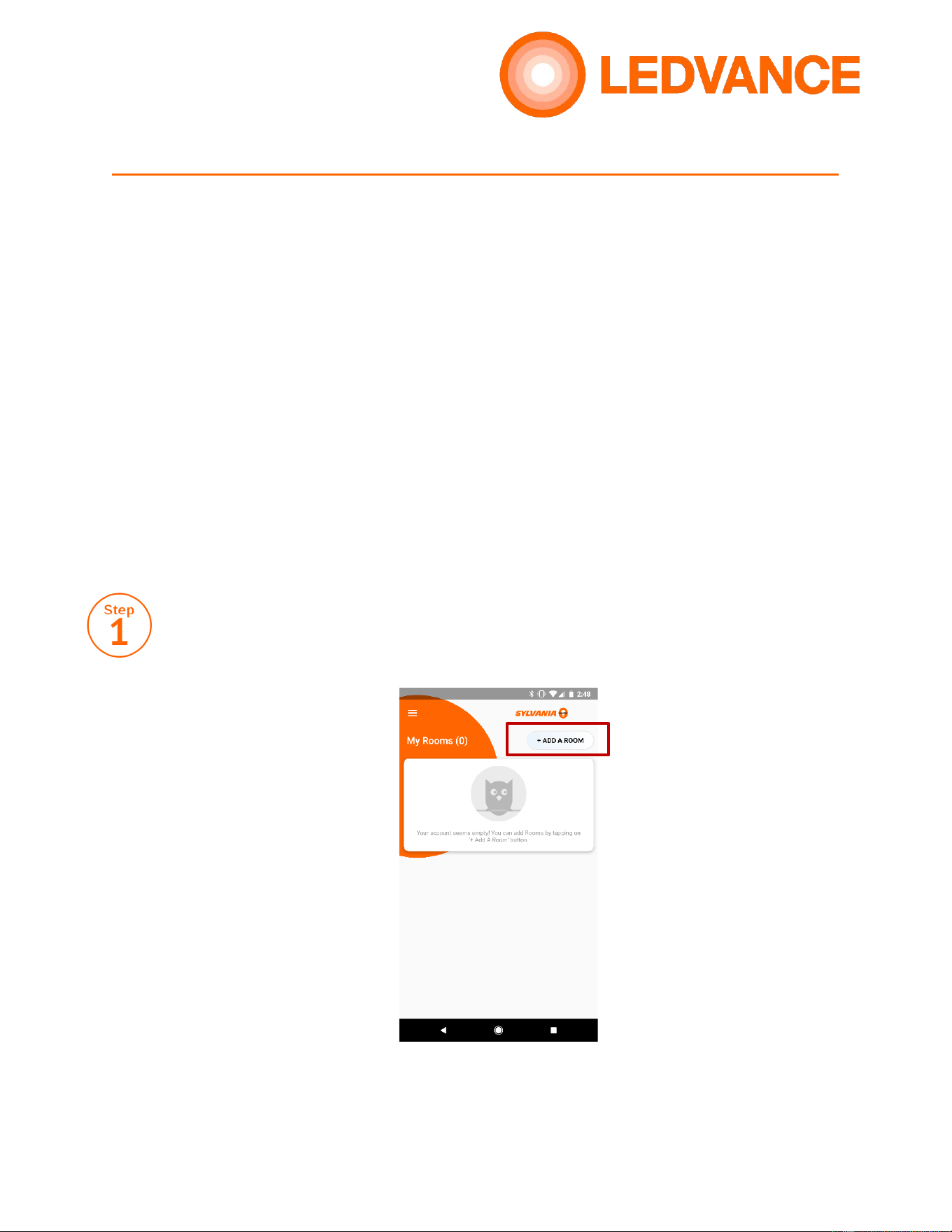
Once your account is created, you will be brought to My Rooms. Before adding a new
product to your account, a Room must be created. Tap the Add a Room button in the
upper right hand corner.
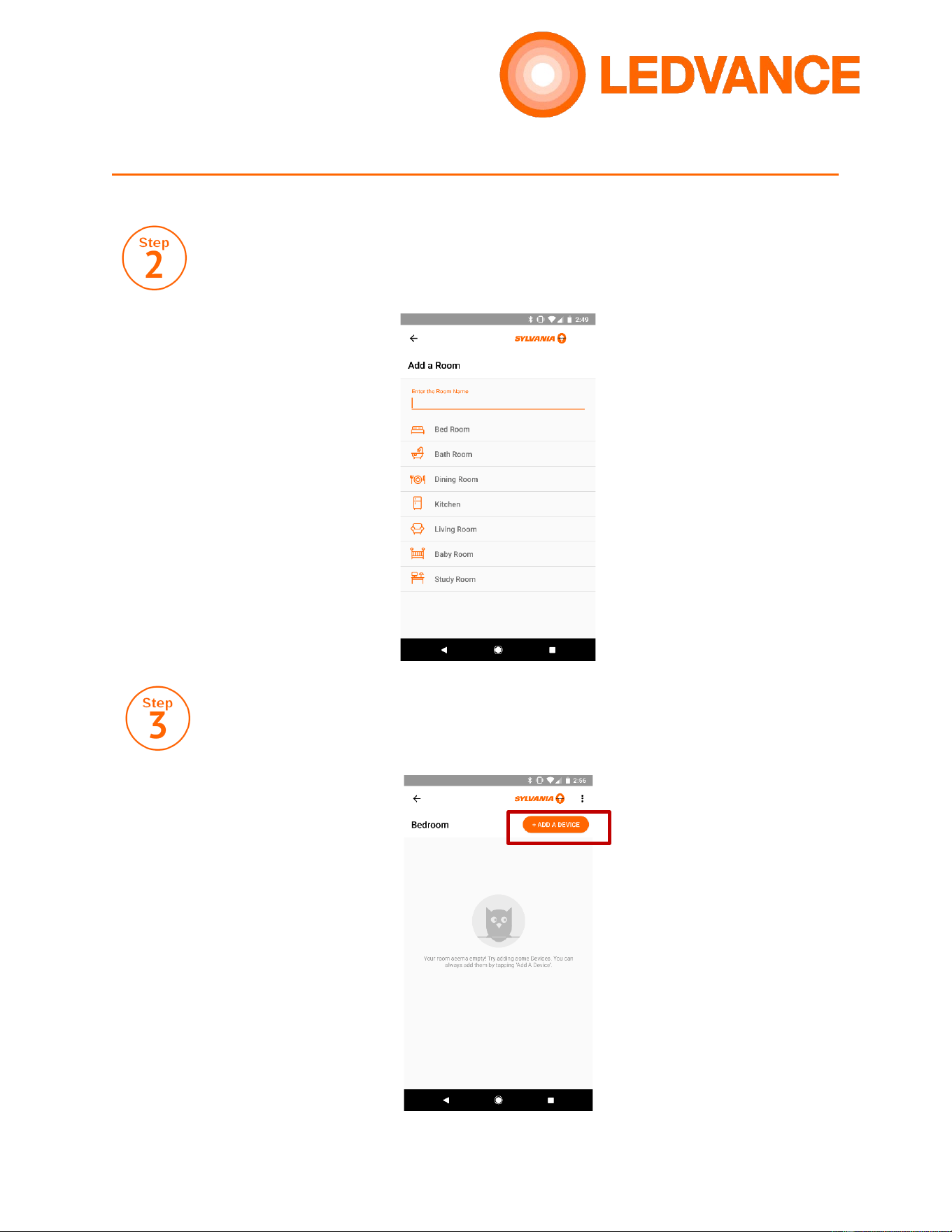
Select a room from the list or create a new room to add your lights into.
Once your room is created, tap the Add a Device button. Any lights you pair will
now be added into this room.
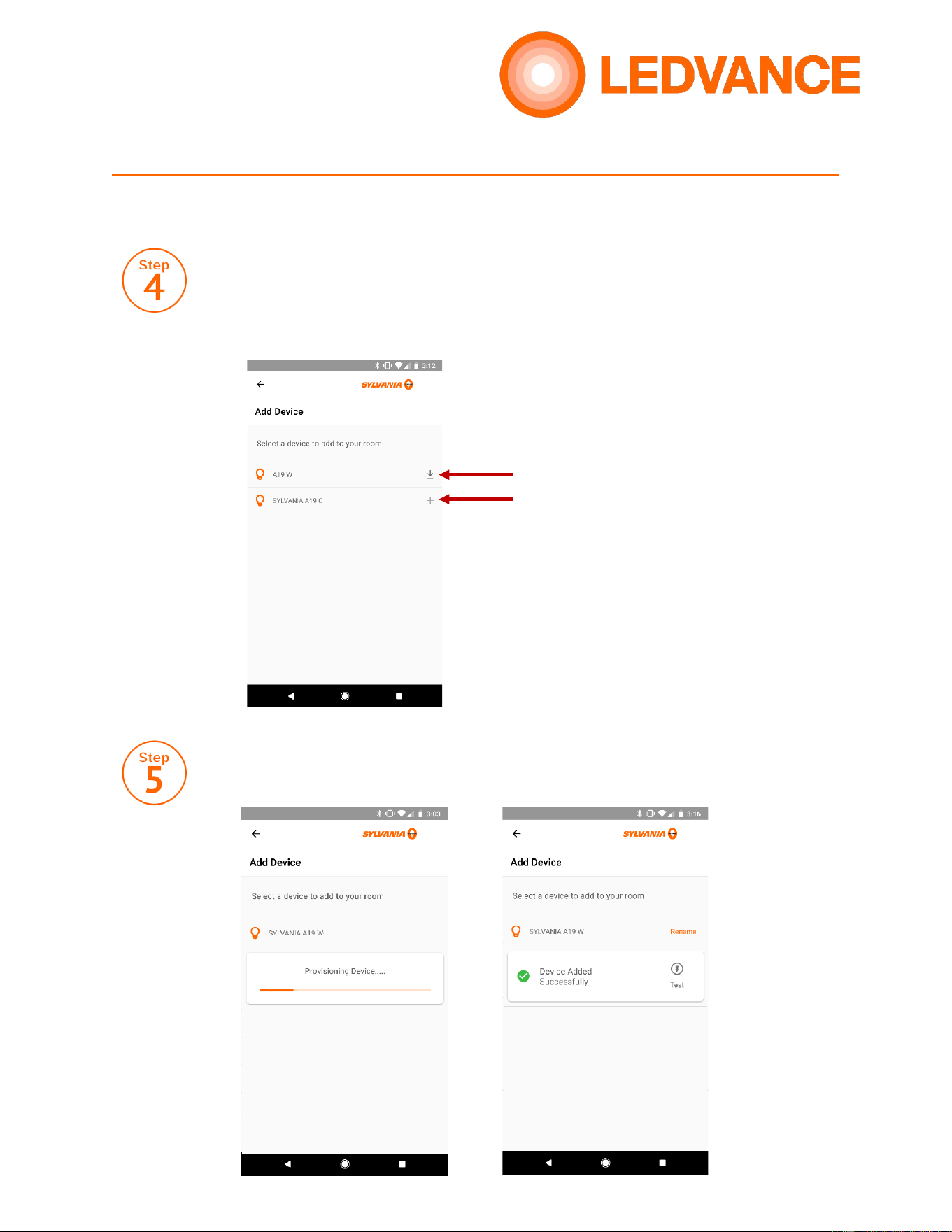
Your app will search for nearby products. If you see a “Download” icon, a
firmware update is required before pairing your lights. Tap this icon to proceed
with the update. If no update is required, tap the plus sign (+) to proceed with
pairing. If a firmware update is applied, you will see a plus sign next to the
updated product. Tap again to proceed with pairing.
Once the device is paired, you will see a “Device Added Successfully” message.
You can also test the device to ensure it was paired properly.
Firmware Update Required
Ready for pairing